bluetooth MERCEDES-BENZ S CLASS 2019 User Guide
[x] Cancel search | Manufacturer: MERCEDES-BENZ, Model Year: 2019, Model line: S CLASS, Model: MERCEDES-BENZ S CLASS 2019Pages: 578, PDF Size: 23.31 MB
Page 339 of 578
Making a call fromthe call listMultimedia system:
,Phone.øRecent Calls
#Select a number.The call is made.
Text messages
Overview oftext message functionsIfthe connected mobile phone supportsthe
MAP Bluetooth®profile,thetext messagefunc‐tions can be used onthe multimedia system.
You can obtain further information about set‐
tings and supported functions of Bluetooth®-capable mobile phones from an authorizedMercedes-Benz Center or at: http://www.mercedes-benz.com/connect
Some mobile phonesrequire further settingsafter being connectedtothe multimedia system(see manufacturer's operating instructions).
New messages are identifiedbytheisym‐bol inthe media display and an audible signal.
Depending onthe mobile phone,the multimediasystem only displaysnew incomingtext mes‐sages orthe100 newesttext messages.
Configuringthetext messages displayedMultimedia system:
,Phone.ZOptions.Text Mes-
sage.Message Display
#Selectp.
A menu withthefollowing options is shown:
RAll Messages
RNew and Unread Messages
RNew Messages
ROff(Thetext messages are not displayedautomatically.)
#Select an option.
%The setting may not be activeuntilthemobile phone isreconnected.
Readingtext messagesMultimedia system:
,Phone.iText Message
Reading atext message
#Select atext message.The messagetext is displayed.
Usingtheread-aloud function
#Select atext message.
#SelectRead Aloud.Thetext messageisread aloud.
Composing and sending atext messageMultimedia system:
,Phone.iText Message
#SelectWrite New Text Message.
Adding arecipient
#SelectPress to Add Recipient.
#Selectthe contact.
Dictatingtext
#SelectPress to Dictate.
Multimedia system337
Page 344 of 578
RThe AndroidAutoapp is installed onthemobile phone.
RIn ordertousethetelephone functions,themobile phone must be connectedtothe mul‐
timedia system via Bluetooth®(→page 329).
Iftherewas no prior Internet connection,thisis established withthe use ofthe mobilephone with AndroidAuto.
RThe mobile phone is connectedtothe multi‐media system viathe USB port
Page 356 of 578
Setting Internetradio optionsMultimedia system:
,Radio.ÞRadio Source.TuneIn
Radio.ZOptions
Thefollowing options areavailable:
RSelect Stream: selectthestreamquality.
RLogin to TuneIn Account: log intoyourTuneIn user account.
RLog Out of Account: log out ofyourTuneInuser account.
#Select an option.
Media
Audio mode
Information onthe audio mode
&WARNINGRisk of distraction when han‐dling datastorage media
Ifyou handle a datastorage medium whiledriving,your attention is diverted fromthe
traffic conditions. This could also causeyoutolose control ofthevehicle.
#Only handle a datastorage mediumwhenthevehicle isstationary.
Permissiblefile systems:
RFAT32
RexFAT
RNTFS
Permissible datastorage medium:
RSD card
RUSBstorage device
RiPod®/iPhone®
RMTP devices
RBluetooth®audio equipment
%Observethefollowing notes:
RThe multimedia system supports atotalof upto50,000files.
RDatastorage media upto2 TB are sup‐ported (32‑bit address space).
Supportedformats:
RMP3
RWMA
RAAC
RWAV
RFLAC
RALAC
%Observethefollowing notes:
RDuetothe largevariety ofavailablemusicfilesregarding encoders, samplingrates and datarates, playback cannotalways be guaranteed.
RDuetothe widerange of USB devicesavailable onthe market, playback cannotbe guaranteedfor all USB devices.
RCopy-protected musicfiles or DRMencryptedfiles cannot be played back.
RMP3 playersmust support MediaTrans‐fer Protocol (MTP).
354Multimedia system
Page 366 of 578
Bluetooth®audio
Information about Bluetooth®audio
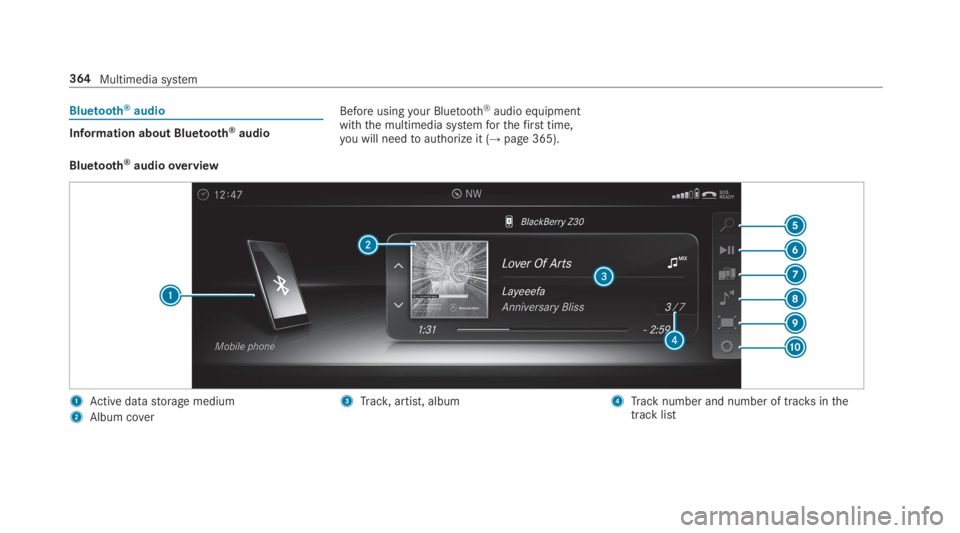
Before usingyour Bluetooth®audio equipmentwiththe multimedia systemforthefirst time,you will needtoauthorize it (→page 365).
Bluetooth®audiooverview
1Active datastorage medium
2Album cover
3Track,artist, album4Track number and number of tracksinthetrack list
364Multimedia system
Page 367 of 578
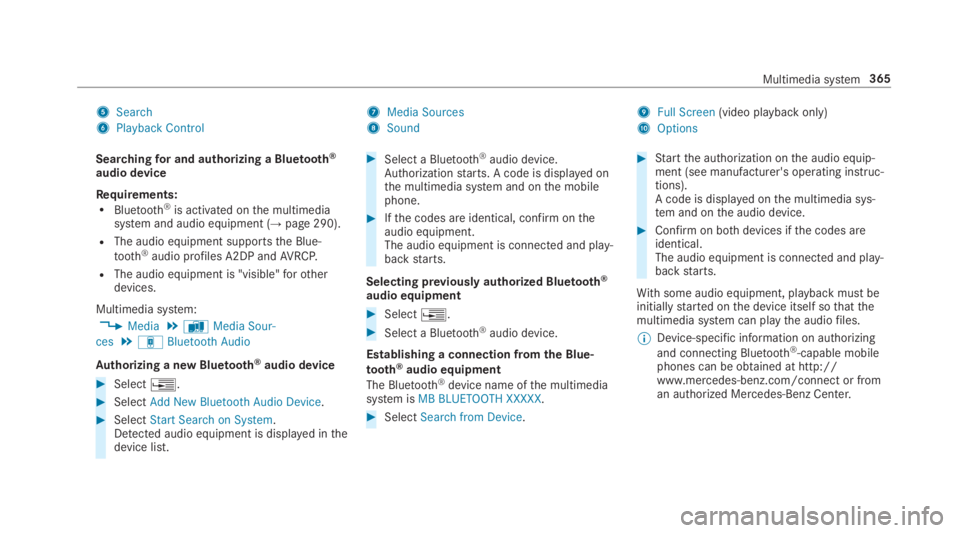
5Search
6Playback Control
7Media Sources
8Sound
9Full Screen(video playback only)
AOptions
Searchingfor and authorizing a Bluetooth®
audio device
Requirements:RBluetooth®is activated onthe multimediasystem and audio equipment (→page 290).
RThe audio equipment supportsthe Blue‐
tooth®audio profiles A2DP andAVRCP.
RThe audio equipment is "visible"forotherdevices.
Multimedia system:
,Media.àMedia Sour-
ces.áBluetooth Audio
Authorizing a new Bluetooth®audio device
#Select
Page 368 of 578
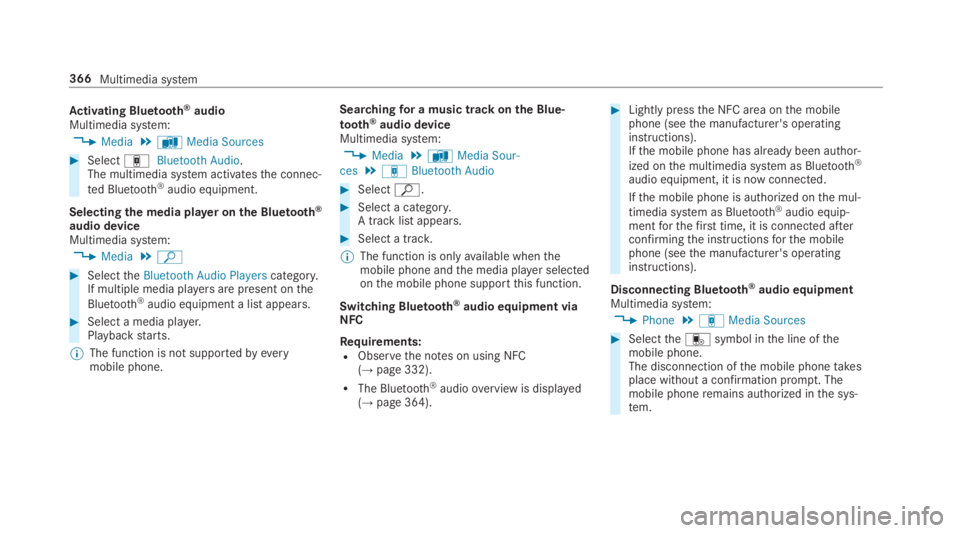
Activating Bluetooth®audioMultimedia system:
,Media.àMedia Sources
#SelectáBluetooth Audio.The multimedia system activatesthe connec‐
ted Bluetooth®audio equipment.
Selectingthe media player on the Bluetooth®
audio deviceMultimedia system:
,Media.ª
#SelecttheBluetooth Audio Playerscategory.If multiple media playersare present onthe
Bluetooth®audio equipment a list appears.
#Select a media player.Playbackstarts.
%The function is not supportedbyeverymobile phone.
Searchingfor a music track on the Blue‐
tooth®audio deviceMultimedia system:
,Media.àMedia Sour-
ces.áBluetooth Audio
#Selectª.
#Select a category.A track listappears.
#Select a track.
%The function is onlyavailable whenthemobile phone andthe media player selectedonthe mobile phone supportthis function.
Switching Bluetooth®audio equipment viaNFC
Requirements:RObservethe notes on using NFC(→page 332).
RThe Bluetooth®audiooverview is displayed(→page 364).
#Lightly pressthe NFC area onthe mobilephone (seethe manufacturer's operatinginstructions).Ifthe mobile phone has already been author‐
ized onthe multimedia system as Bluetooth®
audio equipment, it is now connected.
Ifthe mobile phone is authorized onthe mul‐
timedia system as Bluetooth®audio equip‐mentforthefirst time, it is connected afterconfirmingthe instructionsforthe mobilephone (seethe manufacturer's operatinginstructions).
Disconnecting Bluetooth®audio equipmentMultimedia system:
,Phone.áMedia Sources
#Selecttheisymbol inthe line ofthemobile phone.The disconnection ofthe mobile phonetakesplace without a confirmation prompt. Themobile phoneremains authorized inthe sys‐tem.
366Multimedia system
Page 390 of 578
Re-establishing an Internet connection
Requirements:RObservetherequirementsforthe Internetfunctions intherear passenger compartment(→page 387).
If an Internetconnection istemporarily discon‐nected, it can bere-established intheRear SeatEntertainment System.
#Call uptheweb browser (→page 350).
#Enter a URL and open it.
Media
Information about media mode intherearpassenger compartmentTheRear Seat Entertainment System includes aBlu-ray drive (→page 383), two USB ports andan HDMI port (→page 384).
Depending onthevehicle model and equipmentlevel,the Blu-raydrive isfound:
Rattherear ofthe center console undertheautomatic climate control panel
Rbetweentherear shelf andthrough-load skibag
Datastorage media and devices supportedbytheRear Seat Entertainment System:
RSD cards
RUSBstorage device
RAudio CD
RData CD
RDataDVD
RVideoDVD
RBD (Blu-raydisc) video
RiPod®
RiPhone®
RMTP devices
RBluetooth®audio
Bluetooth®audio equipment can only beauthorized usingthe multimedia system.
TheRear Seat Entertainment System supports atotal of upto50,000files. TheRear Seat Enter‐
tainment System can also accessfiles onthemultimedia system.
Further information about audio mode(→page 354).
Further information about Bluetooth®audio(→page 364).
is a trademark ofDVDFormat/LogoLicensing Corporation.
388Multimedia system
Page 542 of 578
Steering wheel paddle shifters............178Transmission position display ..............17 7Transmission positions ........................17 7
B
BAS (Brake Assist System).....................192
BatteryCharging (RemoteOnline) ....................17 0SmartKey...............................................64
Batterysee Battery (vehicle)
Battery (vehicle)...................................... 424Charging .............................................. 423Charging (RemoteOnline) ....................17 0Notes ...................................................419Notes (starting assistance andcharging) .............................................421Replacing .............................................424Starting assistance .............................. 423
Beltsee Seat belt
Belt airbagActivation .............................................. 32Function/notes .....................................36
Blind Spot Assist.....................................24 3Function ..............................................24 3Switching on/off .................................24 6System limitations ...............................243
Blu-raydrive (Rear Seat Entertain‐ment System)Overview .............................................383
Bluetooth®............................................... 290Activating/deactivating .......................290Information .......................................... 289
Bluetooth®audioActivating ............................................ 366De-authorizing (de-registering)thedevice .................................................. 366Information .......................................... 364Overview .............................................364Searchingfor a track ........................... 366Searchingfor and authorizingthedevice .................................................. 365Selecting a media player .....................366Switching device via NFC .................... 366
Brake Assist SystemseeBAS (Brake AssistSystem)
BrakefluidNotes ...................................................472
Brakeforce distributionEBD (electronic brakeforce distribu‐tion) .....................................................19 6
BrakesABS (Anti-lockBraking System) ...........19 2Active Brake Assist..............................19 6BAS (Brake AssistSystem) ..................19 2Driving tips ..........................................171EBD (electronic brakeforce distribu‐tion) .....................................................19 6HOLD function .....................................214Limited braking effect (salt-treatedroads) ..................................................171New/replaced brakepads/brakediscs ....................................................17 0Notes on breaking-in a newvehicle .....17 0
Braking assistanceseeBAS (Brake AssistSystem)
BreakdownChanging a wheel ................................ 458Overview ofthe help functions ..............16Roadside Assistance ..............................21
540Index
Page 561 of 578
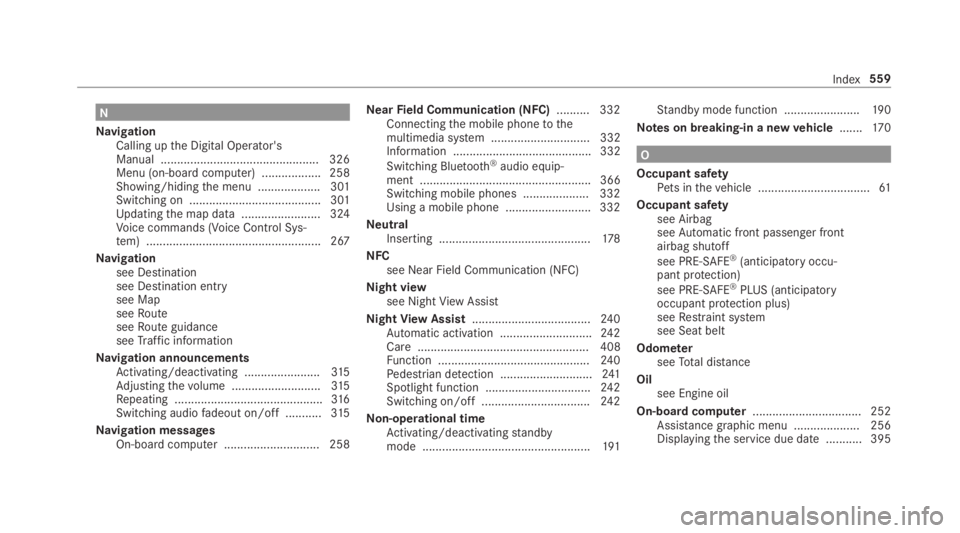
N
NavigationCalling upthe Digital Operator'sManual ................................................ 326Menu (on-board computer) .................. 258Showing/hidingthe menu ...................301Switching on ........................................ 301Updatingthe map data ........................ 324Voice commands (Voice Control Sys‐tem) ..................................................... 267
Navigationsee Destinationsee Destination entrysee MapseeRouteseeRoute guidanceseeTraffic information
Navigation announcementsActivating/deactivating .......................315Adjustingthevolume ...........................315Repeating .............................................316Switching audiofadeout on/off ...........315
Navigation messagesOn-board computer ............................. 258
NearField Communication (NFC).......... 332Connectingthe mobile phonetothemultimedia system .............................. 332Information .......................................... 332
Switching Bluetooth®audio equip‐ment .................................................... 366Switching mobile phones .................... 332Using a mobile phone .......................... 332
NeutralInserting ..............................................178
NFCsee Near Field Communication (NFC)
Night viewsee NightViewAssist
NightViewAssist....................................24 0Automatic activation ............................24 2Care .................................................... 408Function ..............................................24 0Pedestrian detection ............................241Spotlight function ................................24 2Switching on/off .................................24 2
Non-operational timeActivating/deactivatingstandbymode ...................................................191
Standby mode function .......................190
Notes on breaking-in a newvehicle.......170
O
Occupant safetyPets inthevehicle ..................................61
Occupant safetysee AirbagseeAutomatic front passenger frontairbag shutoff
see PRE-SAFE®(anticipatory occu‐pant protection)
see PRE-SAFE®PLUS (anticipatoryoccupant protection plus)seeRestraint systemsee Seat belt
OdometerseeTotal distance
Oilsee Engine oil
On-board computer................................. 252Assistance graphic menu .................... 256Displayingthe service due date ........... 395
Index559
Page 570 of 578
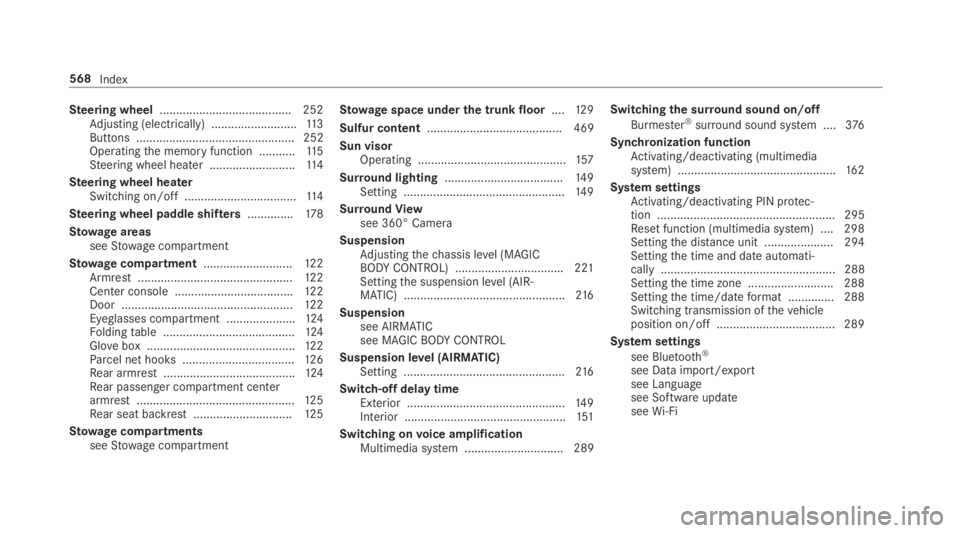
Steering wheel........................................ 252Adjusting (electrically) ..........................11 3Buttons ................................................ 252Operatingthe memory function ...........11 5Steering wheel heater ..........................11 4
Steering wheel heaterSwitching on/off ..................................11 4
Steering wheel paddle shifters..............178
Stowage areasseeStowage compartment
Stowage compartment...........................12 2Armrest ...............................................12 2Center console ....................................122Door ....................................................12 2Eyeglasses compartment .....................124Foldingtable ........................................124Glovebox .............................................122Parcel net hooks ..................................126Rear armrest ........................................124Rear passenger compartment centerarmrest ................................................12 5Rear seat backrest ..............................12 5
Stowage compartmentsseeStowage compartment
Stowage space underthe trunk floor....12 9
Sulfur content......................................... 469
Sun visorOperating .............................................157
Surround lighting....................................14 9Setting .................................................14 9
SurroundViewsee 360° Camera
SuspensionAdjustingthechassis level (MAGICBODYCONTROL) .................................221Settingthe suspension level (AIR‐MATIC) .................................................216
Suspensionsee AIRMATICsee MAGICBODYCONTROL
Suspension level (AIRMATIC)Setting .................................................216
Switch-off delay timeExterior ................................................14 9Interior .................................................151
Switching onvoice amplificationMultimedia system .............................. 289
Switchingthe surround sound on/off
Burmester®surround sound system ....376
Synchronization functionActivating/deactivating (multimediasystem) ................................................16 2
System settingsActivating/deactivating PIN protec‐tion ...................................................... 295Reset function (multimedia system) ....298Settingthe distance unit ..................... 294Settingthe time and date automati‐cally ..................................................... 288Settingthe time zone .......................... 288Settingthe time/dateformat .............. 288Switching transmission ofthevehicleposition on/off .................................... 289
System settings
see Bluetooth®
see Data import/exportsee Languagesee Software updateseeWi-Fi
568Index