radio MERCEDES-BENZ S CLASS 2019 User Guide
[x] Cancel search | Manufacturer: MERCEDES-BENZ, Model Year: 2019, Model line: S CLASS, Model: MERCEDES-BENZ S CLASS 2019Pages: 578, PDF Size: 23.31 MB
Page 266 of 578
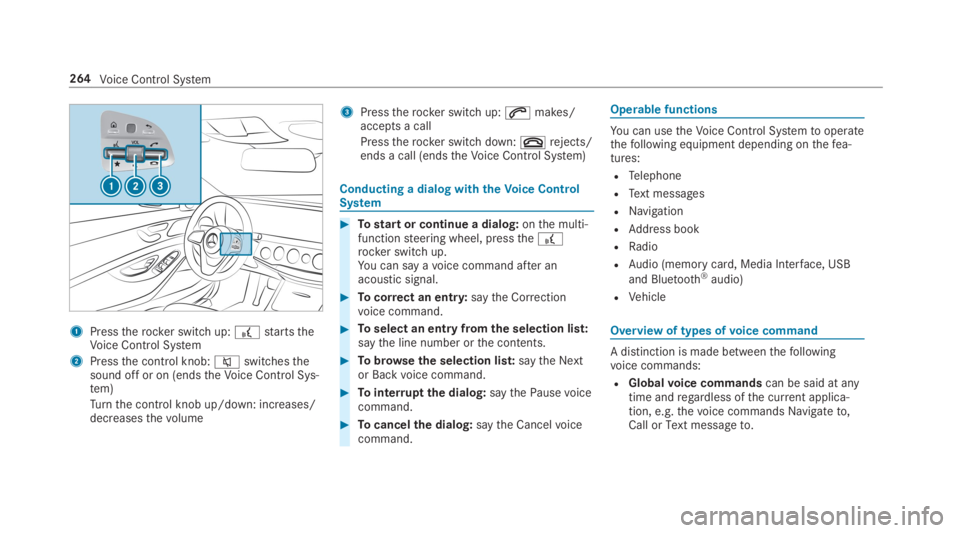
1Presstherocker switch up:£startstheVoice Control System
2Pressthe control knob:cswitchesthesound off or on (endstheVoice Control Sys‐tem)
Turnthe control knob up/down: increases/decreasesthevolume
3Presstherocker switch up:amakes/accepts a call
Presstherocker switch down:vrejects/ends a call (endstheVoice Control System)
Conducting a dialog withtheVoice ControlSystem
#Tostart or continue a dialog:onthe multi‐functionsteering wheel, pressthe£rocker switch up.You can say avoice command after anacoustic signal.
#Tocorrect an entry:saytheCorrectionvoice command.
#Toselect an entry fromthe selection list:saythe line number orthe contents.
#Tobrowsethe selection list:saytheNextorBackvoice command.
#Tointerruptthe dialog:saythePausevoicecommand.
#Tocancelthe dialog:saytheCancelvoicecommand.
Operable functions
You can usetheVoice Control Systemtooperatethefollowing equipment depending onthefea‐tures:
RTelephone
RText messages
RNavigation
RAddress book
RRadio
RAudio (memory card, Media Interface, USB
and Bluetooth®audio)
RVehicle
Overview of types ofvoice command
A distinction is made betweenthefollowingvoice commands:
RGlobalvoice commandscan be said at anytime andregardless ofthe current applica‐tion, e.g.thevoice commandsNavigate to,CallorText message to.
264Voice Control System
Page 268 of 578
Switchvoice commands
Voice commandFunction
NavigationToswitchtonavigation mode
MapToswitchtomap display
Address bookToswitchtoaddress book
TelephoneToswitchtotelephone mode
Text messageToswitchtotext messages
RadioToswitchtoradio mode
MediaToswitchtomedia mode
USBToswitchtoUSB
Memory cardToswitchtomemory card
Internet application
Mercedes-Benz AppsToswitchtoMercedes-Benz Apps
ConnectToswitchtoInternet mode
266Voice Control System
Page 273 of 578
Overview ofradiovoice commands
Radiovoice commands can also be used whentheradio application isrunning inthe back‐ground.
Radiovoice commands
Voice commandFunction
Station
Next stationToswitchtothe nextavailablestation
Previous stationToswitchtothe previousstation
Save stationTosaveastation inthestation list
Show station listTodisplaythe names of allreceivablestations
Read out station listTolistentothe names of allreceivablestations
Voice Control System271
Page 274 of 578
Voice commandFunction
Traffic information on
Traffic information off
Toswitchthe traffic information service on/off
Radio info on
Radio info off
Toswitchthe currentstation information on/off
Overview of media playervoice commands
Media playervoice commands can also be usedwhenthe media player isrunning inthe back‐ground.
272Voice Control System
Page 283 of 578
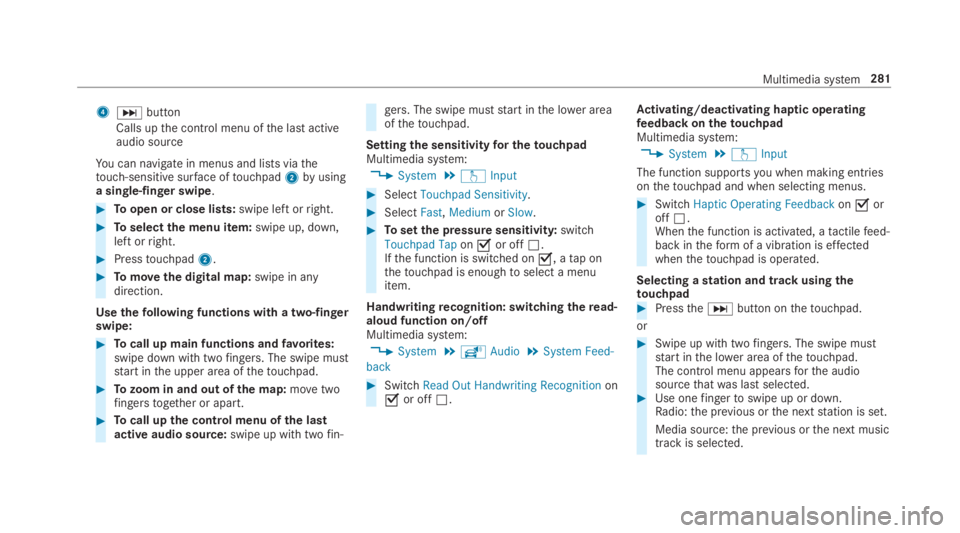
4Ubutton
Calls upthe control menu ofthe last activeaudio source
You can navigate in menus and lists viathetouch-sensitive surface oftouchpad2byusinga single-finger swipe.
#Toopen or close lists:swipe left orright.
#Toselectthe menu item:swipe up, down,left orright.
#Presstouchpad2.
#Tomovethe digital map:swipe in anydirection.
Usethefollowing functions with a two-fingerswipe:
#Tocall up main functions andfavorites:swipe down with twofingers. The swipe muststart inthe upper area ofthetouchpad.
#Tozoom in and out of the map:movetwofingerstogether or apart.
#Tocall upthe control menu ofthe lastactive audio source:swipe up with twofin‐
gers. The swipe muststart inthe lower areaofthetouchpad.
Settingthe sensitivityfor thetouchpadMultimedia system:
,System.wInput
#SelectTouchpad Sensitivity.
#SelectFast,MediumorSlow.
#Tosetthe pressure sensitivity:switchTouchpad Taponsor offS.Ifthe function is switched ons, atap onthetouchpad is enoughtoselect a menuitem.
Handwritingrecognition: switchingtheread-aloud function on/offMultimedia system:
,System.õAudio.System Feed-
back
#SwitchRead Out Handwriting Recognitiononsor offS.
Activating/deactivating haptic operatingfeedbackonthetouchpadMultimedia system:
,System.wInput
The function supportsyou when making entriesonthetouchpad and when selecting menus.
#SwitchHaptic Operating FeedbackonsoroffS.Whenthe function is activated, atactilefeed‐back intheformof a vibration is effectedwhenthetouchpad is operated.
Selecting astation and track usingthetouchpad#PresstheUbutton onthetouchpad.
or
#Swipe up with twofingers. The swipe muststart inthe lower area ofthetouchpad.The control menu appearsforthe audiosourcethatwas last selected.#Use onefingertoswipe up or down.Radio:the previous orthe nextstation is set.
Media source:the previous orthe next musictrackis selected.
Multimedia system281
Page 287 of 578
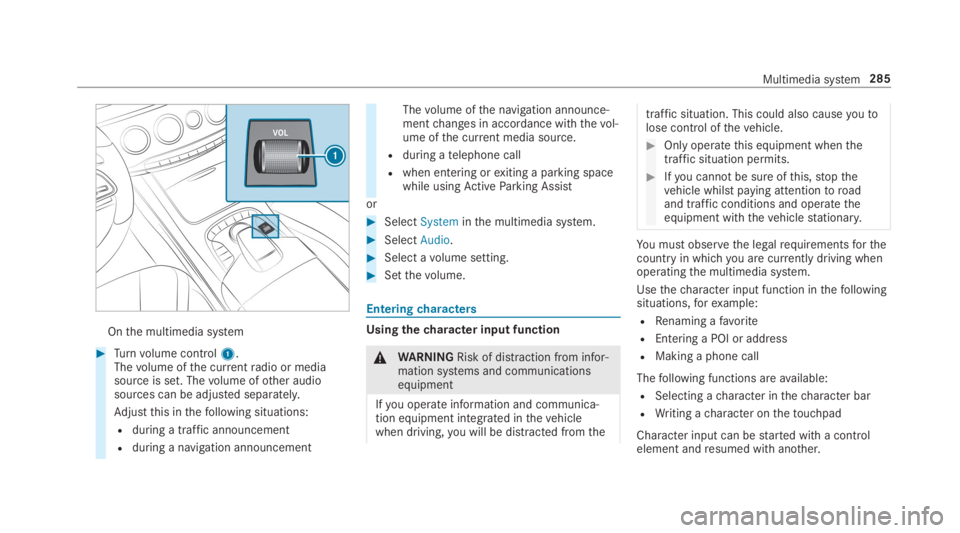
Onthe multimedia system
#Turnvolume control1.Thevolume ofthe currentradio or mediasource is set. Thevolume ofother audiosources can be adjusted separately.
Adjustthis inthefollowing situations:
Rduring a traffic announcement
Rduring a navigation announcement
Thevolume ofthe navigation announce‐mentchanges in accordance withthevol‐ume ofthe current media source.
Rduring atelephone call
Rwhen entering orexiting a parking spacewhile usingActiveParking Assist
or
#SelectSysteminthe multimedia system.
#SelectAudio.
#Select avolume setting.
#Setthevolume.
Enteringcharacters
Usingthecharacter input function
&WARNINGRisk of distraction from infor‐mation systems and communicationsequipment
Ifyou operate information and communica‐tion equipment integrated inthevehiclewhen driving,you will be distracted fromthe
traffic situation. This could also causeyoutolose control ofthevehicle.
#Only operatethis equipment whenthetraffic situation permits.
#Ifyou cannot be sure ofthis,stopthevehicle whilst paying attentiontoroadand traffic conditions and operatetheequipment withthevehiclestationary.
You must observethe legalrequirementsforthecountry in whichyou are currently driving whenoperatingthe multimedia system.
Usethecharacter input function inthefollowingsituations,forexample:
RRenaming afavorite
REntering a POI or address
RMaking a phone call
Thefollowing functions areavailable:
RSelecting acharacter inthecharacter bar
RWriting acharacter onthetouchpad
Character input can bestarted with a controlelement andresumed with another.
Multimedia system285
Page 354 of 578
#Activatesor deactivateSthe function.
Deleting browser dataMultimedia system:
,Con-
nect.zBrowser.ZOptions.Del
ete Browser Data
Thefollowing options areavailable:
RAll
RCache
RCookies
REntered URLs
RForm Data
#Select an option.
#SelectYes.
Managing bookmarksMultimedia system:
,Con-
nect.zBrowser.ßBookmarks
Selecting a bookmark
#Select an entry.
Creating a bookmark
#SelectAdd New Bookmark.
#Enter a URL and a name.
#Select¡.
Editing a bookmark
#Highlight a bookmark.
#Selectp.
#SelectEdit.
#Enter a URL and a name.
#Select¡.
Deleting a bookmark
#Highlight a bookmark.
#Selectp.
#SelectDelete.
#SelectYes.
Closing the browserMultimedia system:
,Connect.zBrowser
#SelectåClose Browser.
Internetradio
Calling up Internetradio
Requirements:RThe Internetradio service is activated.
RThe datavolume isavailable.
Depending onthe country, datavolume mayneedtobe purchased.
RAfastInternet connectionfor data transmis‐sion free of interference.
The services are country-dependent.
For more information, consult an authorizedMercedes-Benz Center.
Multimedia system:
,Radio.ÞRadio Source
#SelectTuneIn Radio.The Internetradio display appears. The laststation setstarts playing.
%The connectionquality depends onthe localmobile phonereception.
352Multimedia system
Page 355 of 578
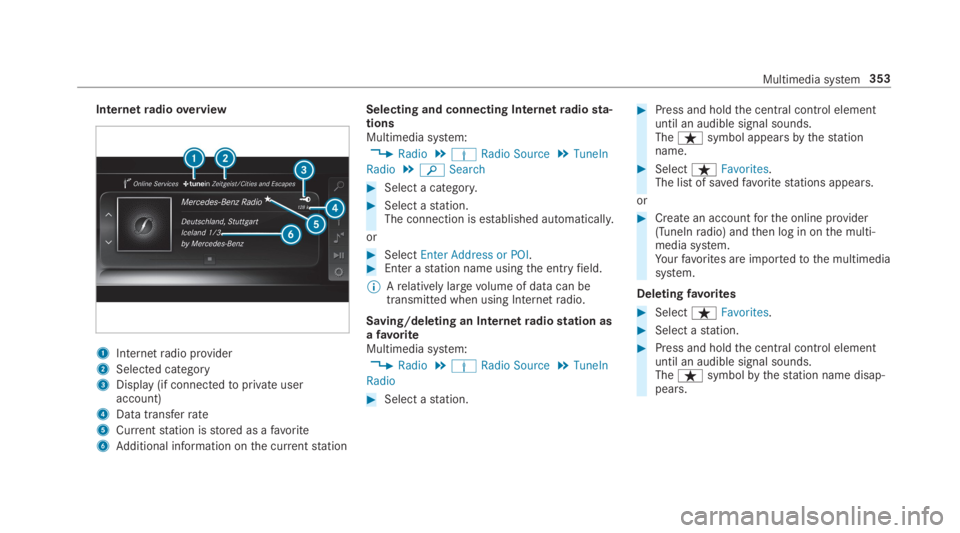
Internetradiooverview
1Internetradio provider
2Selected category
3Display (if connectedtoprivate useraccount)
4Data transferrate
5Currentstation isstored as afavorite
6Additional information onthe currentstation
Selecting and connecting Internetradiosta‐tionsMultimedia system:
,Radio.ÞRadio Source.TuneIn
Radio.
Page 356 of 578
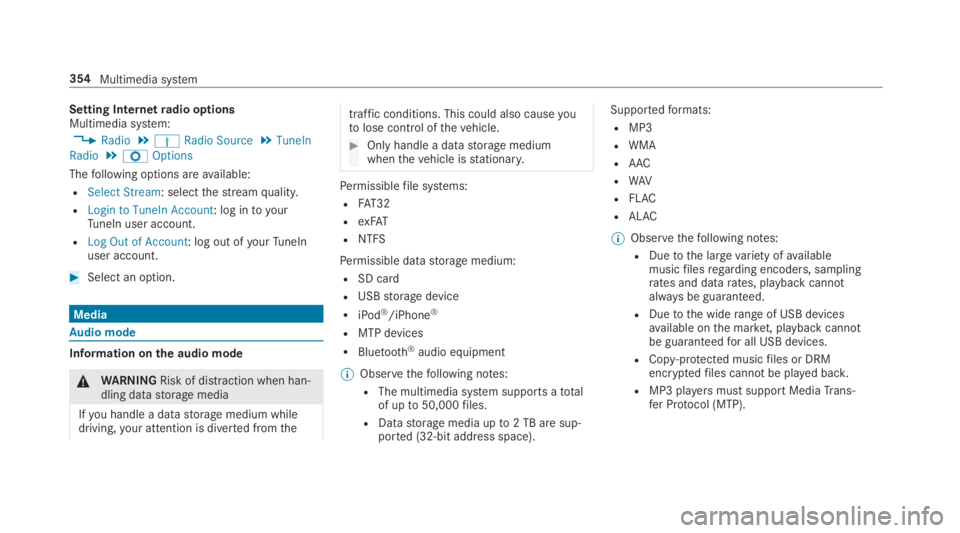
Setting Internetradio optionsMultimedia system:
,Radio.ÞRadio Source.TuneIn
Radio.ZOptions
Thefollowing options areavailable:
RSelect Stream: selectthestreamquality.
RLogin to TuneIn Account: log intoyourTuneIn user account.
RLog Out of Account: log out ofyourTuneInuser account.
#Select an option.
Media
Audio mode
Information onthe audio mode
&WARNINGRisk of distraction when han‐dling datastorage media
Ifyou handle a datastorage medium whiledriving,your attention is diverted fromthe
traffic conditions. This could also causeyoutolose control ofthevehicle.
#Only handle a datastorage mediumwhenthevehicle isstationary.
Permissiblefile systems:
RFAT32
RexFAT
RNTFS
Permissible datastorage medium:
RSD card
RUSBstorage device
RiPod®/iPhone®
RMTP devices
RBluetooth®audio equipment
%Observethefollowing notes:
RThe multimedia system supports atotalof upto50,000files.
RDatastorage media upto2 TB are sup‐ported (32‑bit address space).
Supportedformats:
RMP3
RWMA
RAAC
RWAV
RFLAC
RALAC
%Observethefollowing notes:
RDuetothe largevariety ofavailablemusicfilesregarding encoders, samplingrates and datarates, playback cannotalways be guaranteed.
RDuetothe widerange of USB devicesavailable onthe market, playback cannotbe guaranteedfor all USB devices.
RCopy-protected musicfiles or DRMencryptedfiles cannot be played back.
RMP3 playersmust support MediaTrans‐fer Protocol (MTP).
354Multimedia system
Page 369 of 578
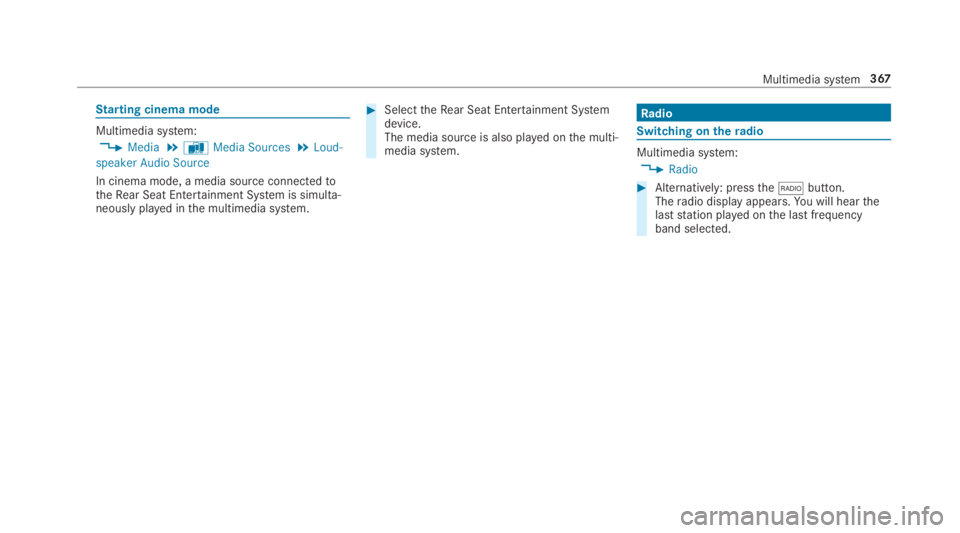
Starting cinema mode
Multimedia system:
,Media.àMedia Sources.Loud-
speaker Audio Source
In cinema mode, a media source connectedtotheRear Seat Entertainment System is simulta‐neously played inthe multimedia system.
#SelecttheRear Seat Entertainment Systemdevice.The media source is also played onthe multi‐media system.
Radio
Switching on theradio
Multimedia system:
,Radio
#Alternatively: pressthe*button.Theradio display appears.You will hearthelaststation played onthe last frequencyband selected.
Multimedia system367