traction control MERCEDES-BENZ S CLASS 2019 User Guide
[x] Cancel search | Manufacturer: MERCEDES-BENZ, Model Year: 2019, Model line: S CLASS, Model: MERCEDES-BENZ S CLASS 2019Pages: 578, PDF Size: 23.31 MB
Page 314 of 578
#SelectYes.The automaticgasstation searchbegins. Theavailablegasstations alongtheroute or inthe vicinity are displayed.
#Selectthegasstation.#Whenthere is noroute,thegasstation is setasthe destination.
or
#Whenthere is aroute,thegasstation is setasthe next intermediate destination.
Startingthe automatic servicestationsearch
Requirements:RATTENTION ASSIST andtheSuggest RestAreafunction are activated (→page 238).
Driving situationTheATTENTION ASSIST Do you want to searchfor a rest area?message is shown.
#SelectYes.The servicestation search starts. Theavaila‐ble servicestations alongtheroute or inthe
vicinity ofthevehicle's current position aredisplayed.
#Selectthe servicestation.The servicestation address is displayed.#Ifroute guidance is not active, selectStartRoute Guidance.The selected servicestation is set as a desti‐nation.Route guidance begins.
or
#Ifroute guidance is active, selectStart NewRoute GuidanceorSet as Next Way Point.Start New Route Guidance:the selectedservicestation is set as a new destination.The previous destination and all intermediatedestinations are deleted.Route guidancetothe servicestation begins.
Set as Next Way Point:the selected servicestation is set asthe next intermediate desti‐nation.Route guidance begins.
Route guidance
Notes onroute guidance
&WARNINGRisk of distraction from oper‐ating integrated communication equip‐ment whilethevehicle is in motion
Ifyou operate communication equipmentintegrated inthevehicle when driving,youwill be distracted fromthe traffic situation.This could also causeyoutolose control ofthevehicle.
#Only operatethis equipment whenthetraffic situation permits.
#Ifyou cannot be sure ofthis,stopthevehicle whilst paying attentiontoroadand traffic conditions and operatetheequipment withthevehiclestationary.
You must observethe legalrequirementsforthecountry in whichyou are currently driving whenoperatingthe multimedia system.Route guidance begins once aroute has beencalculated.
312Multimedia system
Page 329 of 578
This could also causeyoutolose control ofthevehicle.
#Only operatethis equipment whenthetraffic situation permits.
#Ifyou cannot be sure ofthis,stopthevehicle whilst paying attentiontoroadand traffic conditions and operatetheequipment withthevehiclestationary.
&WARNINGRisk of distraction from oper‐ating mobile communication equipmentwhilethevehicle is in motion
Ifyou operate mobile communication equip‐ment when driving,you will be distractedfromthe traffic situation. This could alsocauseyoutolose control ofthevehicle.
#Only operatethis equipment whenthevehicle isstationary.
You must observethe legalrequirementsforthecountry in whichyou are currently driving whenoperating mobile communication equipment inthevehicle.Further information can be obtained from anauthorized Mercedes-Benz Center or at: http://www.mercedes-benz.com/connect.
Multimedia system327
Page 343 of 578
Ending Apple CarPlay™Multimedia system:
,Connect.Apple CarPlay
#SelectDisconnect.The connection is ended.
The mobile phone continuestobe suppliedwith electricity.
or
#Disconnectthe connecting cable betweenthe mobile phone and multimedia system.Mercedes-Benzrecommends disconnectingthe connecting cable only whenthevehicle isstationary.
AndroidAuto
AndroidAutooverview
&WARNINGRisk of distraction from infor‐mation systems and communicationsequipment
Ifyou operate information and communica‐tion equipment integrated inthevehicle
when driving,you will be distracted fromthetraffic situation. This could also causeyoutolose control ofthevehicle.
#Only operatethis equipment whenthetraffic situation permits.
#Ifyou cannot be sure ofthis,stopthevehicle whilst paying attentiontoroadand traffic conditions and operatetheequipment withthevehiclestationary.
You must observethe legalrequirementsforthecountry in whichyou are currently driving whenoperatingthe multimedia system.Mobile phone functions can be used withAndroidAutousingthe Android operating sys‐tem onthe multimedia system. It is operatedusingthe central control element orthevoicecontrol.You can activatethevoice-operated con‐trol systembypressing and holdingthe
Page 350 of 578
Ending an unintentional emergency call
#Selectvonthe multifunctionsteeringwheel. Depress buttonfor several seconds.
Data transfer ofthe Mercedes-Benz emer‐gency call system
Intheevent of an automatic or manual emer‐gency callthefollowing data is transmitted,forexample:
RVehicle's GPS position data
RGPS position data ontheroute (afew300feet(hundred meters) beforethe inci‐dent)
RDirection of travel
RVehicle identification number
RVehicle drive type
RNumber of people determinedtobe inthevehicle
RWhether Mercedes me connect isavailableor not
RWhetherthe emergency callwas initiatedmanually or automatically
RTime ofthe accident
RLanguage setting onthe multimedia system
Data transmitted isvehicle information.For anyquestions aboutthe collection, use and sharingofthe eCall system data, please contact MBU‐SA's Customer Assistance Center at 800-FOR-MERC.
For Canada, please contact MBC's CustomerAssistance Center at 1-800-387-000.
Customerrequestsfor covered informationshould be submitted viathe samechannels.
For accident clarification purposes,thefollowingmeasures can betaken uptoan hour aftertheemergency call has been initiated:
RThe currentvehicle position can be called up
RAvoice connectiontothevehicle occupantscan be established
Online and Internet functions
Internet connection
Information on connectingtothe Internet
&WARNINGRisk of distraction from infor‐mation systems and communicationsequipment
Ifyou operate information and communica‐tion equipment integrated inthevehiclewhen driving,you will be distracted fromthetraffic situation. This could also causeyoutolose control ofthevehicle.
#Only operatethis equipment whenthetraffic situation permits.
#Ifyou cannot be sure ofthis,stopthevehicle whilst paying attentiontoroadand traffic conditions and operatetheequipment withthevehiclestationary.
You must observethe legalrequirementsforthecountry in whichyou are currently driving whenoperatingthe multimedia system.
348Multimedia system
Page 351 of 578
&WARNINGRisk of distraction from oper‐ating mobile communication equipmentwhilethevehicle is in motion
Ifyou operate mobile communication equip‐ment when driving,you will be distractedfromthe traffic situation. This could alsocauseyoutolose control ofthevehicle.
#Only operatethis equipment whenthevehicle isstationary.
You must observethe legalrequirementsforthecountry in whichyou are currently driving whenoperating mobile communication equipment inthevehicle.The Internet functions can only be usedtoa limi‐ted degree whilst driving.
Function ofthe communication moduleOnvehicles with a built-in communication mod‐ule,the Internet connection is established via anintegrated SIM card.
Touse Internetaccess viathe communicationmodulethefollowing conditions must be met:
RThevehicle is equipped with a permanentlyinstalled communication module.
RMercedes me connect is active andreadyforoperation.
RMercedes me connect is activatedfor Inter‐net access.
RCountry dependent: datavolume viaMercedes me connect isavailable.
Ifthe datavolume limit isreached,theavailabil‐ity of Mercedes me connect services is limited.The datavolume must be purchased viaMercedes me connect.
%Contact an authorized Mercedes-Benz Cen‐tertofind out whether it is possibletopur‐chase datavolume inyour country.
Establishing an Internet connectionMultimedia system:
,Connect
#Forexample, selectzBrowser.
%The multimedia system usually establishesthe Internet connection automatically.Ifthemultimedia system is not connectedtotheInternet,the Internet connection is estab‐lished when an Internet application is used.
%Theavailability ofweb browsers is country-dependent.
Connectionstatus
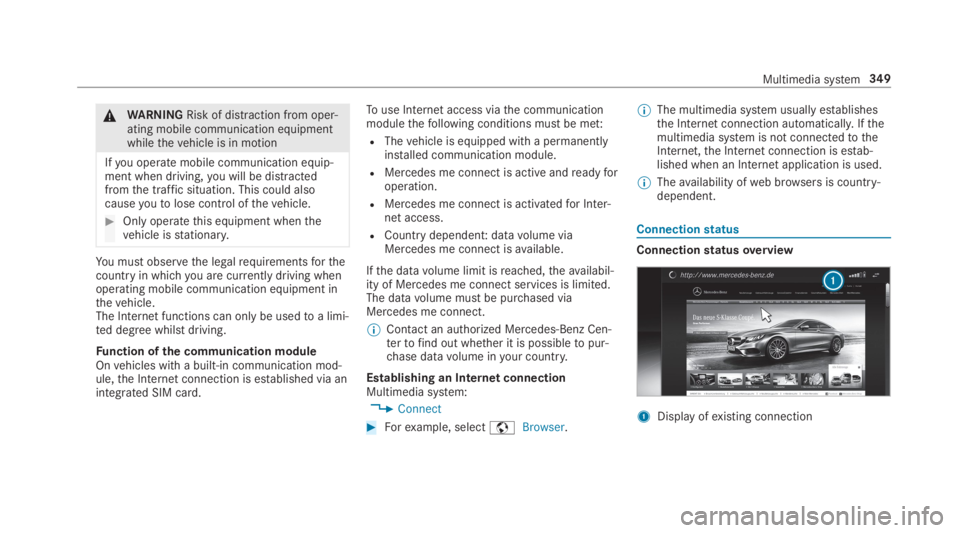
Connectionstatusoverview
1Display ofexisting connection
Multimedia system349
Page 356 of 578
Setting Internetradio optionsMultimedia system:
,Radio.ÞRadio Source.TuneIn
Radio.ZOptions
Thefollowing options areavailable:
RSelect Stream: selectthestreamquality.
RLogin to TuneIn Account: log intoyourTuneIn user account.
RLog Out of Account: log out ofyourTuneInuser account.
#Select an option.
Media
Audio mode
Information onthe audio mode
&WARNINGRisk of distraction when han‐dling datastorage media
Ifyou handle a datastorage medium whiledriving,your attention is diverted fromthe
traffic conditions. This could also causeyoutolose control ofthevehicle.
#Only handle a datastorage mediumwhenthevehicle isstationary.
Permissiblefile systems:
RFAT32
RexFAT
RNTFS
Permissible datastorage medium:
RSD card
RUSBstorage device
RiPod®/iPhone®
RMTP devices
RBluetooth®audio equipment
%Observethefollowing notes:
RThe multimedia system supports atotalof upto50,000files.
RDatastorage media upto2 TB are sup‐ported (32‑bit address space).
Supportedformats:
RMP3
RWMA
RAAC
RWAV
RFLAC
RALAC
%Observethefollowing notes:
RDuetothe largevariety ofavailablemusicfilesregarding encoders, samplingrates and datarates, playback cannotalways be guaranteed.
RDuetothe widerange of USB devicesavailable onthe market, playback cannotbe guaranteedfor all USB devices.
RCopy-protected musicfiles or DRMencryptedfiles cannot be played back.
RMP3 playersmust support MediaTrans‐fer Protocol (MTP).
354Multimedia system
Page 448 of 578
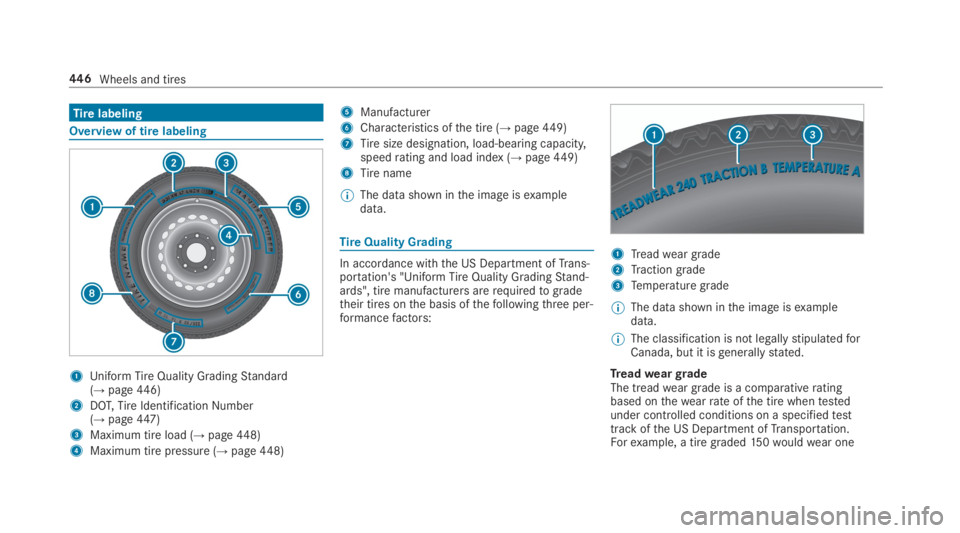
Tirelabeling
Overview of tire labeling
1Uniform TireQuality GradingStandard(→page446)
2DOT,TireIdentificationNumber(→page447)
3Maximum tire load (→page448)
4Maximum tire pressure (→page448)
5Manufacturer
6Characteristics ofthe tire (→page449)
7Tiresize designation, load-bearing capacity,speedrating and load index (→page449)
8Tirename
%The datashown inthe image isexampledata.
TireQuality Grading
In accordance withthe US Department ofTrans‐portation's "Uniform TireQuality GradingStand‐ards", tire manufacturers arerequiredtogradetheir tires onthe basis ofthefollowingthree per‐formancefactors:
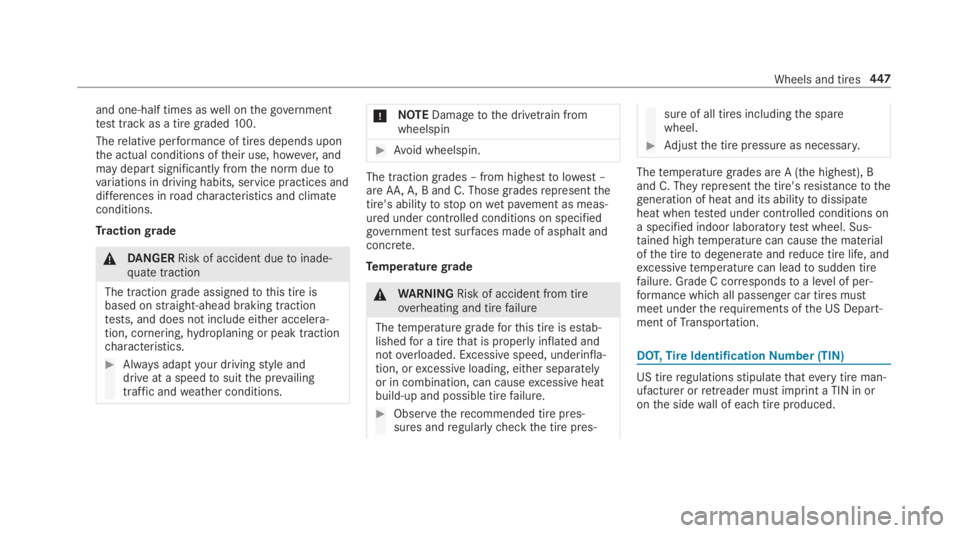
1Treadweargrade
2Tractiongrade
3Temperature grade
%The data shown inthe image isexampledata.
%The classification is not legallystipulatedforCanada, but it isgenerallystated.
TreadweargradeThe treadwear grade is a comparativeratingbased onthewearrateofthe tire whentestedunder controlled conditions on a specifiedtesttrack ofthe US Department ofTransportation.Forexample, a tiregraded150wouldwear one
446Wheels and tires
Page 449 of 578
and one-half times aswell onthe governmenttesttrack as a tire graded100.
Therelative performance of tires depends uponthe actual conditions oftheir use, however,andmay depart significantly fromthe norm duetovariations in driving habits, service practices anddifferences inroadcharacteristics and climateconditions.
Tractiongrade
&DANGERRisk of accident duetoinade‐quate traction
The tractiongrade assignedtothis tire isbased onstraight-ahead braking tractiontests, and does not include either accelera‐tion, cornering,hydroplaning or peak tractioncharacteristics.
#Always adaptyour drivingstyle anddrive at a speedtosuitthe prevailingtraffic andweather conditions.
*NOTEDamagetothe drivetrain fromwheelspin
#Avoid wheelspin.
The traction grades – from highesttolowest –are AA,A,B and C. Those gradesrepresentthetire's abilitytostop onwet pavement as meas‐ured under controlled conditions on specifiedgovernmenttestsurfaces made of asphalt andconcrete.
Temperaturegrade
&WARNINGRisk of accident from tireoverheating and tirefailure
Thetemperature gradeforthis tire is estab‐lishedfor a tirethat is properly inflated andnotoverloaded. Excessive speed, underinfla‐tion, orexcessive loading, either separatelyor in combination, can causeexcessive heatbuild-up and possible tirefailure.
#Observetherecommended tire pres‐sures andregularlycheckthe tire pres‐
sure of all tires includingthe sparewheel.
#Adjustthe tire pressure as necessary.
Thetemperature grades are A (the highest), Band C. Theyrepresentthe tire'sresistancetothegeneration of heat and its abilitytodissipateheat whentested under controlled conditions ona specified indoor laboratorytestwheel. Sus‐tained hightemperature can causethe materialofthe tiretodegenerate andreduce tire life, andexcessivetemperature can leadtosudden tirefailure. Grade C correspondstoa level of per‐formance which all passenger car tires mustmeet undertherequirements ofthe US Depart‐ment ofTransportation.
DOT,TireIdentificationNumber (TIN)
US tireregulationsstipulatethateverytire man‐ufacturer orretreader mustimprint a TIN in oronthe sidewall of each tire produced.
Wheels and tires447
Page 455 of 578
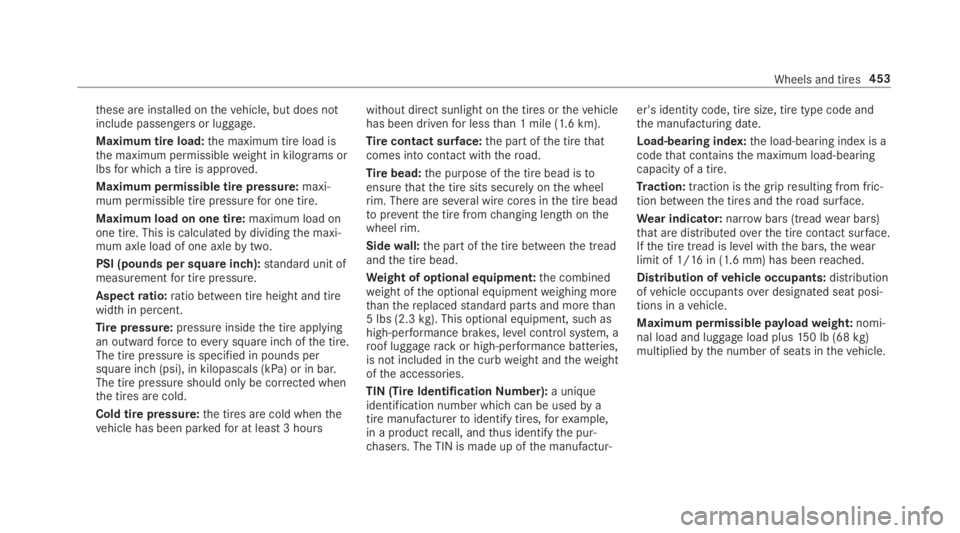
these are installed onthevehicle, but does notinclude passengers or luggage.
Maximum tire load:the maximum tire load isthe maximum permissibleweight in kilograms orlbsfor whicha tire is approved.
Maximum permissible tire pressure:maxi‐mum permissible tire pressurefor one tire.
Maximum load on one tire:maximum load onone tire. This is calculatedbydividingthe maxi‐mum axle load of one axlebytwo.
PSI (pounds per square inch):standard unit ofmeasurementfor tire pressure.
Aspectratio:ratio between tire height and tirewidth in percent.
Tirepressure:pressure insidethe tire applyingan outwardforcetoeverysquare inch ofthe tire.The tire pressure is specified in pounds persquare inch (psi), in kilopascals (kPa) or in bar.The tire pressure should only be corrected whenthe tires are cold.
Cold tire pressure:the tires are cold whenthevehicle has been parkedfor at least3 hours
without direct sunlight onthe tires orthevehiclehas been drivenfor lessthan 1 mile (1.6 km).
Tirecontact surface:the part ofthe tirethatcomes into contact with theroad.
Tirebead:the purpose ofthe tire bead istoensurethatthe tire sits securely onthe wheelrim. There are several wire cores inthe tire beadtopreventthe tire fromchanging length onthewheelrim.
Sidewall:the part ofthe tire betweenthe treadandthe tire bead.
Weight of optional equipment:the combinedweight ofthe optional equipmentweighing morethanthereplacedstandard parts and morethan5 lbs (2.3kg).This optional equipment, such ashigh-performance brakes, level control system, aroof luggagerackor high-performance batteries,is not included inthe curbweight andtheweightofthe accessories.
TIN (Tire IdentificationNumber):a uniqueidentification number which can be usedby atire manufacturertoidentify tires,forexample,in a productrecall, andthus identifythe pur‐chasers. The TIN is made up ofthe manufactur‐
er's identity code, tire size, tire type code andthe manufacturing date.
Load-bearing index:the load-bearing index is acodethat containsthe maximum load-bearingcapacity of a tire.
Traction:traction isthe gripresulting from fric‐tion betweenthe tires andtheroad surface.
Wear indicator:narrowbars (treadwear bars)that are distributedoverthe tire contact surface.Ifthe tire tread is level withthe bars,thewearlimit of 1/16in (1.6 mm) has beenreached.
Distribution ofvehicle occupants:distributionofvehicle occupantsover designated seat posi‐tions in avehicle.
Maximum permissible payloadweight:nomi‐nal load and luggage load plus150 lb (68kg)multipliedbythe number of seats inthevehicle.
Wheels and tires453
Page 514 of 578
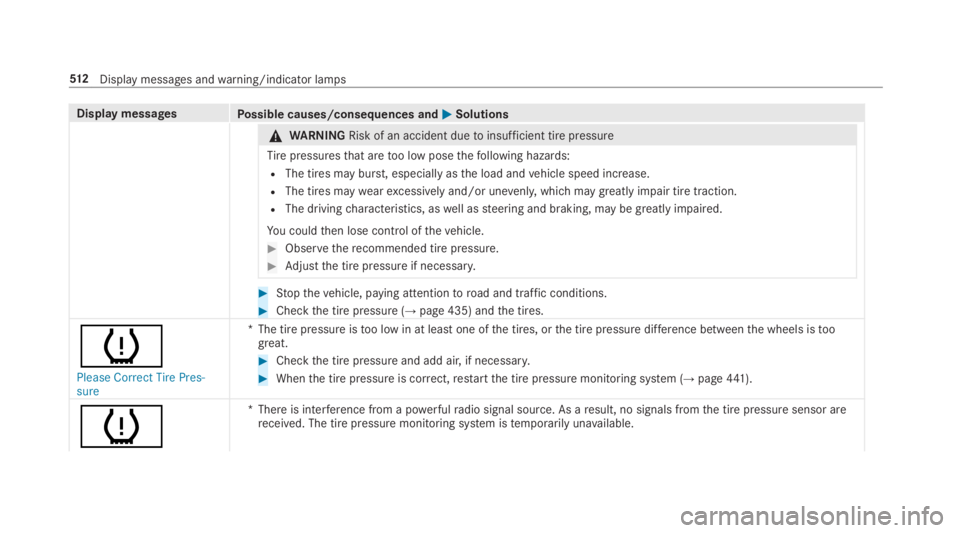
Display messagesPossible causes/consequences andPPSolutions
&WARNINGRisk of an accident duetoinsufficient tire pressure
Tirepressuresthat aretoo low posethefollowing hazards:
RThe tires may burst, especially asthe load andvehicle speed increase.
RThe tires maywearexcessively and/or unevenly,which may greatly impair tire traction.
RThe drivingcharacteristics, aswell assteering and braking, may be greatly impaired.
You couldthen lose control ofthevehicle.
#Observetherecommended tire pressure.
#Adjustthe tire pressure if necessary.
#Stopthevehicle, paying attentiontoroad and traffic conditions.
#Checkthe tire pressure (→page 435) andthe tires.
w
Please Correct Tire Pres-sure
*The tire pressure istoo low in at least one ofthe tires, orthe tire pressure difference betweenthe wheels istoogreat.
#Checkthe tire pressure and add air, if necessary.
#Whenthe tire pressure is correct,restartthe tire pressure monitoring system (→page441).
w
*There is interference from a powerfulradio signal source. As aresult, no signals fromthe tire pressure sensor arereceived. The tire pressure monitoring system istemporarily unavailable.
512Displaymessages andwarning/indicator lamps