power steering MERCEDES-BENZ S-Class CABRIOLET 2017 A217 Owner's Manual
[x] Cancel search | Manufacturer: MERCEDES-BENZ, Model Year: 2017, Model line: S-Class CABRIOLET, Model: MERCEDES-BENZ S-Class CABRIOLET 2017 A217Pages: 338, PDF Size: 8.14 MB
Page 8 of 338
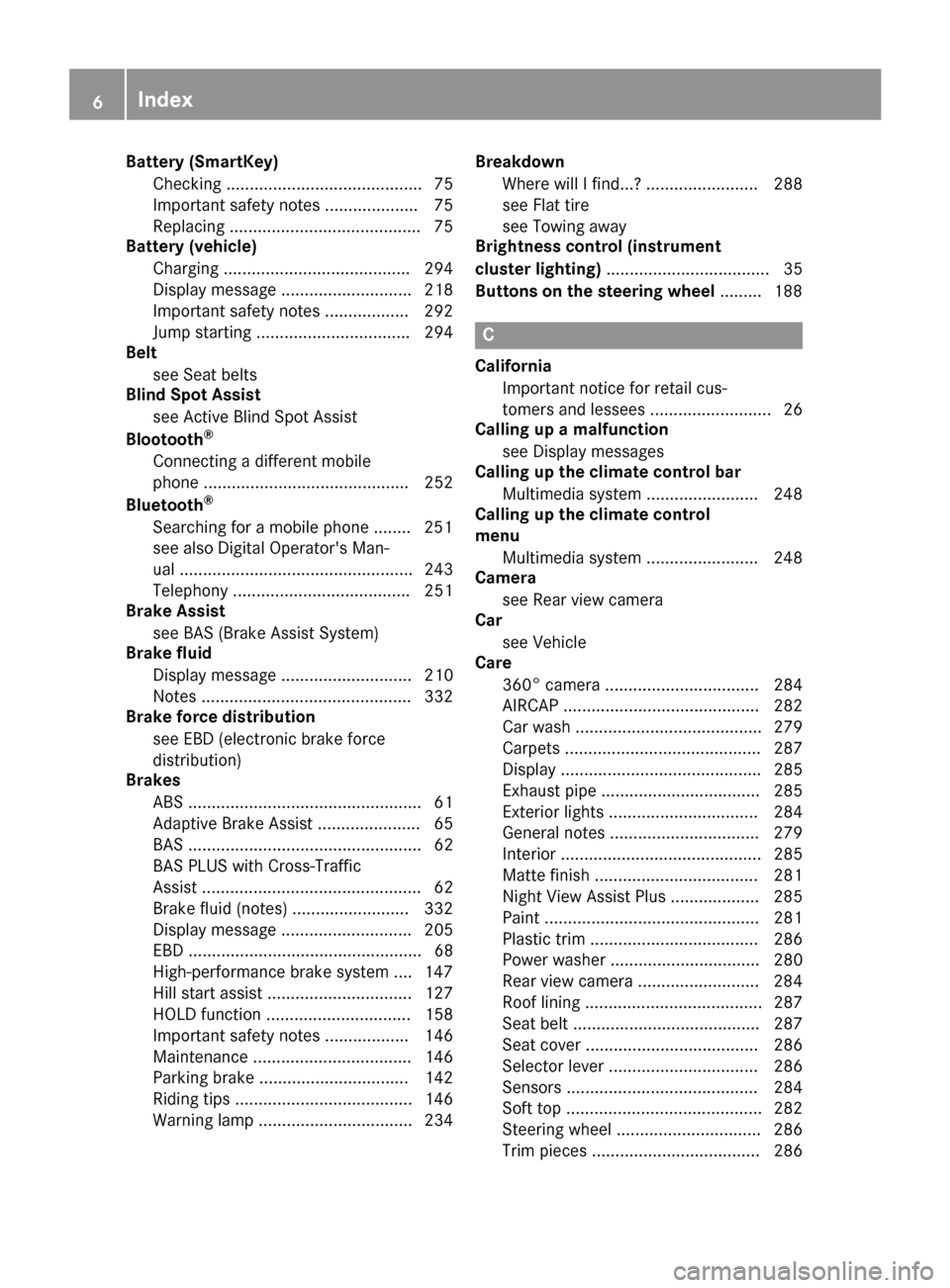
Battery (SmartKey)Checking .......................................... 75
Important safety notes .................... 75
Replacing ......................................... 75
Battery (vehicle)
Charging ........................................ 294
Display message ............................ 218
Important safety notes .................. 292
Jump starting ................................. 294
Belt
see Seat belts
Blind Spot Assist
see Active Blind Spot Assist
Blootooth
®
Connecting a different mobile
phone ............................................ 252
Bluetooth
®
Searching for a mobile phone ........ 251
see also Digital Operator's Man-
ual .................................................. 243
Telephony ...................................... 251
Brake Assist
see BAS (Brake Assist System)
Brake fluid
Display message ............................ 210
Notes ............................................. 332
Brake force distribution
see EBD (electronic brake force
distribution)
Brakes
ABS .................................................. 61
Adaptive Brake Assist ...................... 65
BAS .................................................. 62
BAS PLUS with Cross-Traffic
Assist ............................................... 62
Brake fluid (notes) ......................... 332
Display message ............................ 205
EBD .................................................. 68
High-performance brake system .... 147
Hill start assist ............................... 127
HOLD function ............................... 158
Important safety notes .................. 146
Maintenance .................................. 146
Parking brake ................................ 142
Riding tips ...................................... 146
Warning lamp ................................. 234 Breakdown
Where will I find...? ........................ 288
see Flat tire
see Towing away
Brightness control (instrument
cluster lighting) ................................... 35
Buttons on the steering wheel ......... 188
C
California
Important notice for retail cus-
tomers and lessees .......................... 26
Calling up a malfunction
see Display messages
Calling up the climate control bar
Multimedia system ........................ 248
Calling up the climate control
menu
Multimedia system ........................ 248
Camera
see Rear view camera
Car
see Vehicle
Care
360° camera ................................. 284
AIRCAP .......................................... 282
Car wash ........................................ 279
Carpets .......................................... 287
Display ........................................... 285
Exhaust pipe .................................. 285
Exterior lights ................................ 284
General notes ................................ 279
Interior ........................................... 285
Matte finish ................................... 281
Night View Assist Plus ................... 285
Paint .............................................. 281
Plastic trim .................................... 286
Power washer ................................ 280
Rear view camera .......................... 284
Roof lining ...................................... 287
Seat belt ........................................ 287
Seat cover ..................................... 286
Selector lever ................................ 286
Sensors ......................................... 284
Soft top .......................................... 282
Steering wheel ............................... 286
Trim pieces .................................... 286
6Index
Page 11 of 338
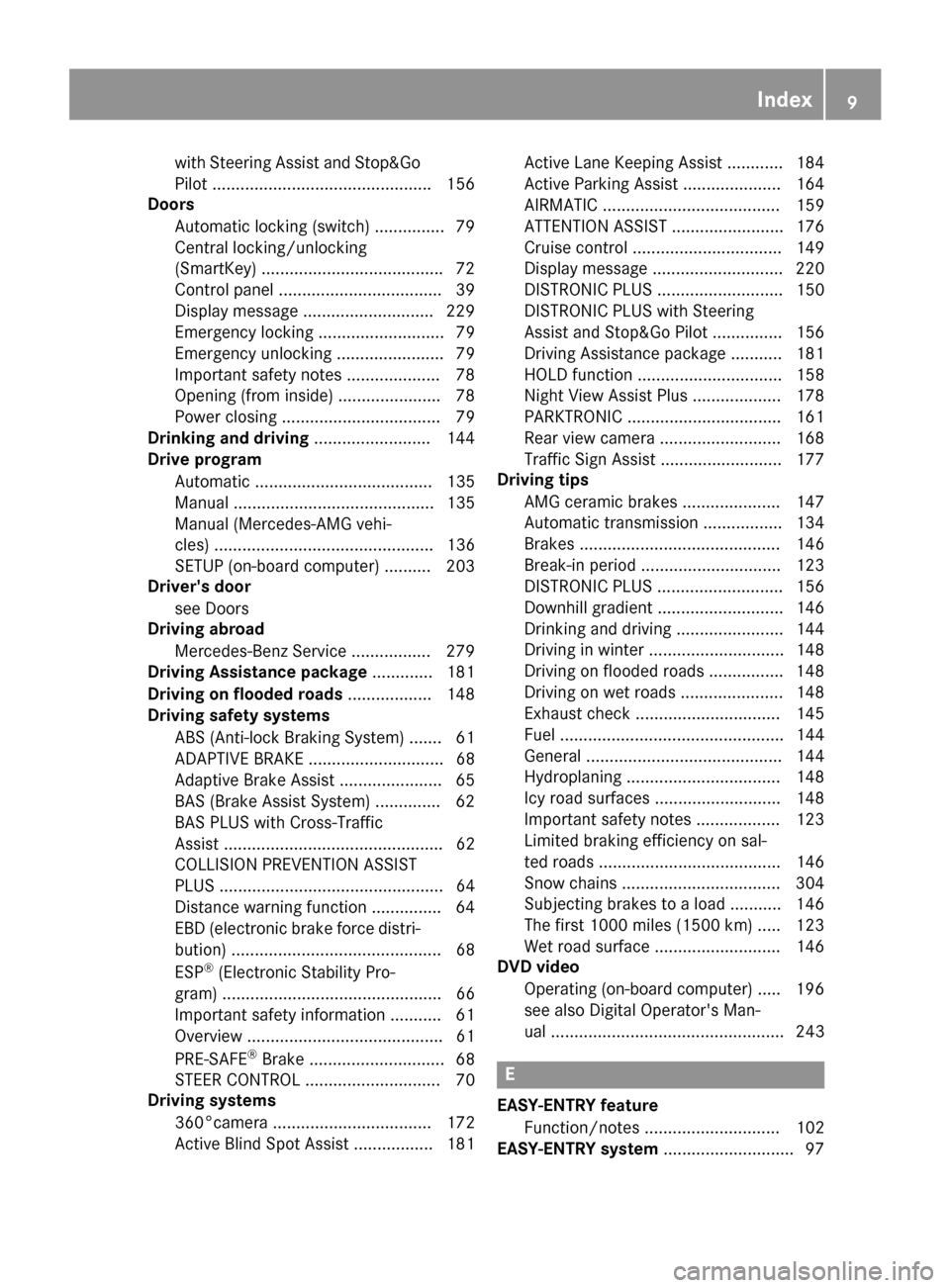
with Steering Assist and Stop&Go
Pilot ...............................................156
Doors
Automatic locking (switch) ...............7 9
Central locking/unlocking
(SmartKey) ...................................... .72
Control panel .................................. .39
Display message ............................ 229
Emergency locking ........................... 79
Emergency unlocking ....................... 79
Important safety notes .................... 78
Opening (from inside) ...................... 78
Power closing .................................. 79
Drinking and driving ......................... 144
Drive program
Automatic ...................................... 135
Manual ........................................... 135
Manual (Mercedes-AMG vehi-
cles) ............................................... 136
SETUP (on-board computer) .......... 203
Driver's door
see Doors
Driving abroad
Mercedes-Benz Service ................. 279
Driving Assistance package ............. 181
Driving on flooded roads .................. 148
Driving safety systems
ABS (Anti-lock Braking System) ....... 61
ADAPTIVE BRAKE ............................. 68
Adaptive Brake Assist ...................... 65
BAS (Brake Assist System) .............. 62
BAS PLUS with Cross-Traffic
Assist ............................................... 62
COLLISION PREVENTION ASSIST
PLUS ................................................ 64
Distance warning function ............... 64
EBD (electronic brake force distri-
bution) ............................................. 68
ESP
®(Electronic Stability Pro-
gram) ............................................... 66
Important safety information ........... 61
Overview .......................................... 61
PRE-SAFE
®Brake ............................. 68
STEER CONTROL ............................. 70
Driving systems
360°camera .................................. 172
Active Blind Spot Assist ................. 181 Active Lane Keeping Assist ............ 184
Active
Parking Assist ..................... 164
AIR
MATIC ...................................... 159
ATTENTION ASSIST ........................ 176
Cruise control ................................ 149
Display message ............................ 220
DISTRONIC PLUS ........................... 150
DISTRONIC PLUS with Steering
Assist and Stop&Go Pilot ............... 156
Driving Assistance package ........... 181
HOLD function ............................... 158
Night View Assist Plus ................... 178
PARKTRONIC ................................. 161
Rear view camera .......................... 168
Traffic Sign Assist .......................... 177
Driving tips
AMG ceramic brakes ..................... 147
Automatic transmission ................. 134
Brakes ........................................... 146
Break-in period .............................. 123
DISTRONIC PLUS ........................... 156
Downhill gradient ........................... 146
Drinking and driving ....................... 144
Driving in winter ............................. 148
Driving on flooded roads ................ 148
Driving on wet roads ...................... 148
Exhaust check ............................... 145
Fuel ................................................ 144
General .......................................... 144
Hydroplaning ................................. 148
Icy road surfaces ........................... 148
Important safety notes .................. 123
Limited braking efficiency on sal-
ted roads ....................................... 146
Snow chains .................................. 304
Subjecting brakes to a load ........... 146
The first 1000 miles (1500 km) ..... 123
Wet road surface ........................... 146
DVD video
Operating (on-board computer) ..... 196
see also Digital Operator's Man-
ual .................................................. 243
E
EASY-ENTRY featureFunction/notes ............................. 102
EASY-ENTRY system ............................ 97
Index9
Page 36 of 338
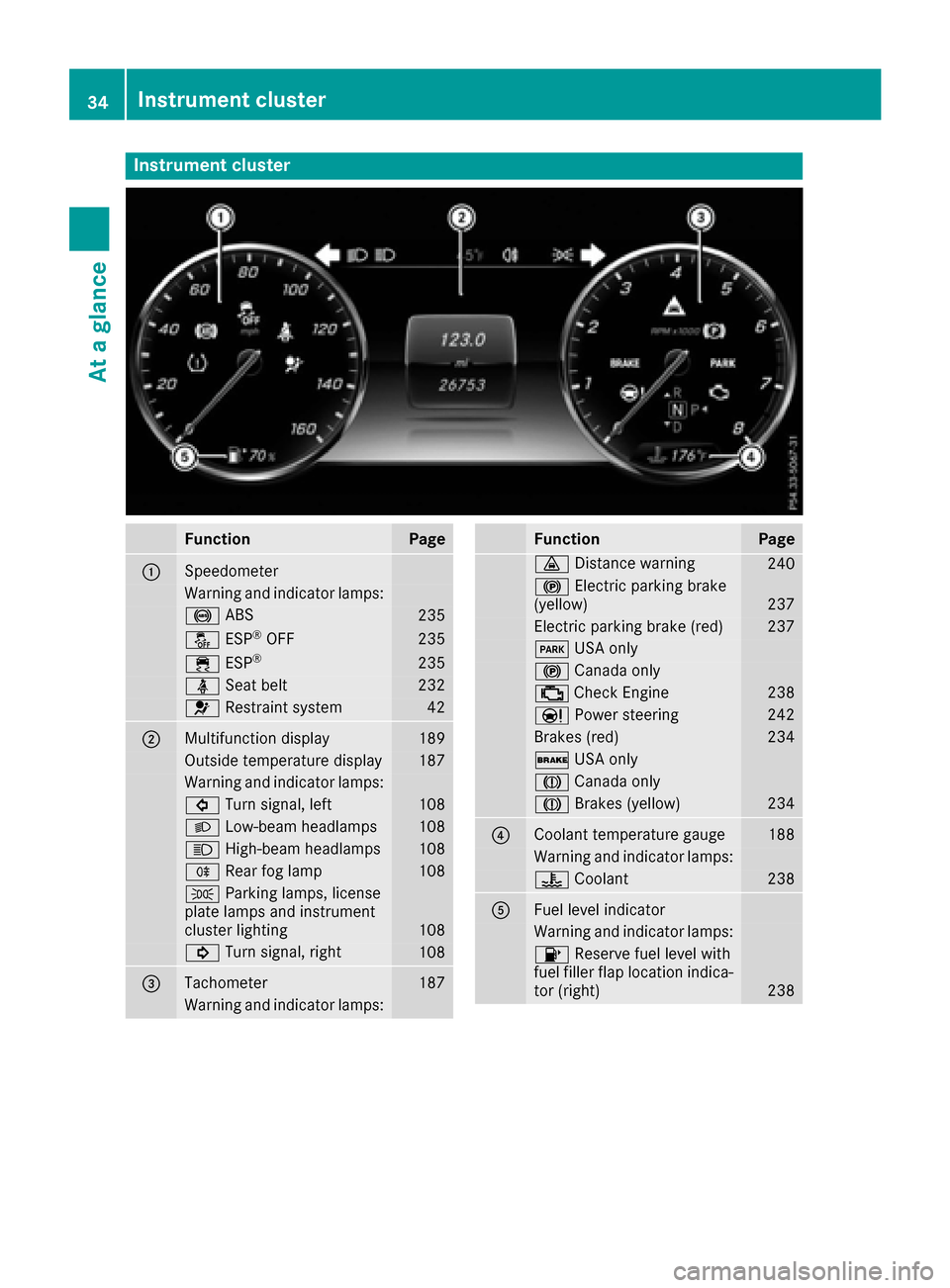
Instrument cluster
FunctionPage
:Speedometer
Warning and indicator lamps:
! ABS235
å ESP®OF F235
÷ ESP®23 5
ü Seat belt232
6 Restrain tsystem42
;Multifunction display18 9
Outside temperature display187
Warning and indicator lamps:
# Turn signal, lef t108
L Low-beam headlamps108
K High-beam headlamps108
R Rear fog lamp108
T Parking lamps, license
plat elamp sand instrumen t
cluste rlighting
10 8
! Turn signal, right108
=Tachometer187
Warning and indicator lamps:
FunctionPag e
· Distanc ewarning24 0
! Electric parking brak e
(yellow)23 7
Electric parking brak e(red)23 7
F USAonly
! Canad aonly
; CheckEngin e238
Ð Powersteering24 2
Brake s(red)23 4
$ USAonly
J Canad aonly
J Brakes(yellow)23 4
?Coolan ttemperature gauge18 8
Warning and indicator lamps:
? Coolan t238
AFue llevel indicator
Warning and indicator lamps:
8 Reserve fuel level wit h
fuel filler flap location indica-
to r(right )
238
34Instrument cluster
At a glance
Page 72 of 338
Function
XTo activate/deactivate:activateor deacti -
vat ePRE-SAF E®Brake in th eon-board com-
puter (Ypage 200).
If th ePRE-SAF E®Brake is no tactivated, th e
æ symbol appear sin th emultifunction dis-
play.
Starting at aspee dof aroun d 4mph (7 km/h),
this function warn syou if you rapidly approac h a
vehicl ein front. An intermittent warning tone
will then soun dand th e· distanc ewarning
lamp will ligh tup in th einstrumen tcluster.
XBrake immediately to defuse th esituation .
or
XTak eevasive action provide dit is saf eto do
so.
PRE-SAF E
®Brake can also brak eth evehicl e
automatically under th efollowin gconditions:
Rth edriver and fron tpassenger have their seat
belt sfastene d
Rthevehicl espee dis between approximately
4 mph (7 km/ h) and 124 mph (200 km/h)
At speeds of up to approximately 44 mph
(70 km/h) PRE-SAFE
®Brake can also detect:
Rstationary objects in the path of your vehicle,
e.g. stopped or parked vehicles
Rpedestrians in the path of your vehicle
iIf there is an increased risk of a collision,
preventive passenger protection measures
(PRE-SAFE
®) are triggered (Ypage 56).
If the risk of collision with the vehicle in front
remains and you do not brake, take evasive
action or accelerate significantly, the vehicle
may perform automatic emergency braking, up
to the point of ful l bra
ke application. Automatic
emergency braking is not performed until imme-
diately prior to an imminent accident.
You can prevent the intervention of the PRE-
SAFE
®Brake at any time by:
Rdepressing the accelerator pedal further.
Ractivating kickdown.
Rreleasing the brake pedal.
The braking action of PRE-SAFE®Brake is ended
automatically if:
Ryou maneuver to avoid the obstacle.
Rthere is no longer a risk of collision.
Rthere is no longer an obstacle detected in
front of your vehicle.
STEER CONTROL
General information
STEER CONTROL helps you by transmitting a
noticeable steering force to the steering wheel
in the direction required for vehicle stabilization.
This steering assistance is provided in particular
if:
Rboth right wheels or both left wheels are on a
wet or slippery road surface when you brake
Rthe vehicle starts to skid
Important safety notes
iObserve the "Important safety notes" sec-
tion (Ypage 61).
No steering support is provided from STEER
CONTROL, if:
RESP®is deactivated
RESP®is malfunctioning
Rthe steering is faulty
Power steering will, however, continue to func-
tion.
Protection against theft
Immobilizer
The immobilizer prevents your vehicle from
being started without the correct SmartKey.
XTo activate with the SmartKey: remove the
SmartKey from the ignition lock.
XTo activate with KEYLESS-GO start-func-
tion or KEYLESS-GO: switch the ignition off
and open the driver's door.
XTo deactivate: switch on the ignition.
When leaving the vehicle, always take the
SmartKey with you and lock the vehicle. Anyone can start the engine if a valid SmartKey has been
left inside the vehicle.
iThe immobilizer is always deactivated when
you start the engine.
In the event that the engine cannot be started
(yet the vehicle's battery is charged), the sys-
tem is not operational. Contact an authorized
Mercedes-Benz Center or call
1-800-FOR-MERCedes (in the USA) or
1-800-387-0100 (in Canada).
70Protection against theft
Safety
Page 98 of 338
ASeat cushion length
BSeat fore-and-aft adjustment
CBackrest angle
iIf PRE-SAFE®is triggered, the front-
passenger seat will be moved to a better posi- tion if it was previously in an unfavorable posi-
tion (
Ypage 56).
iYou can store the seat settings using the
memory function (Ypage 106).
iTo ensure the largest possible range of seat
settings, certain seat adjustment functions
will also adjust other settings.
iThe head restraint height is adjusted auto-
matically when you adjust the seat height or
the seat fore-and-aft position.
Adjusting the front-passenger seat
from the driver’s seat
Important safety notes
GWARNING
When you adjust a seat, you or other vehicle
occupants could become trapped, e.g. on the seat guide rail. There is a risk of injury.
Make sure when adjusting a seat that no one
has any body parts in the sweep of the seat.
Observe the safety notes on "Air bags"
(
Ypage 46) and "Children in the Vehicle"
(Ypage 57).
GWARNING
The front-air bags for could also injure the
vehicle occupants in the front If the front
seats are positioned too close to the dash-
board or steering wheel. This poses an
increased risk of injury or even fatal injury.
Always adjust the front seats so that they are
as far from the front air bags as possible. Also
observe the notes on the correct adjustment
of the seats.
GWARNING
Children could become trapped if they adjust
the seats, particularly when unattended.
There is a risk of injury.
When leaving the vehicle, always take the
SmartKey with you and lock the vehicle. Never
leave children unsupervised in the vehicle.
!Do not move the front-passenger seat fully
forwards if there are objects in the parcel net
in the front-passenger footwell. The objects
could otherwise be damaged.
Adjusting the front-passenger seat
The power supply or the ignition must be
switched on so that the front-passenger seat
can be selected (
Ypage 125).
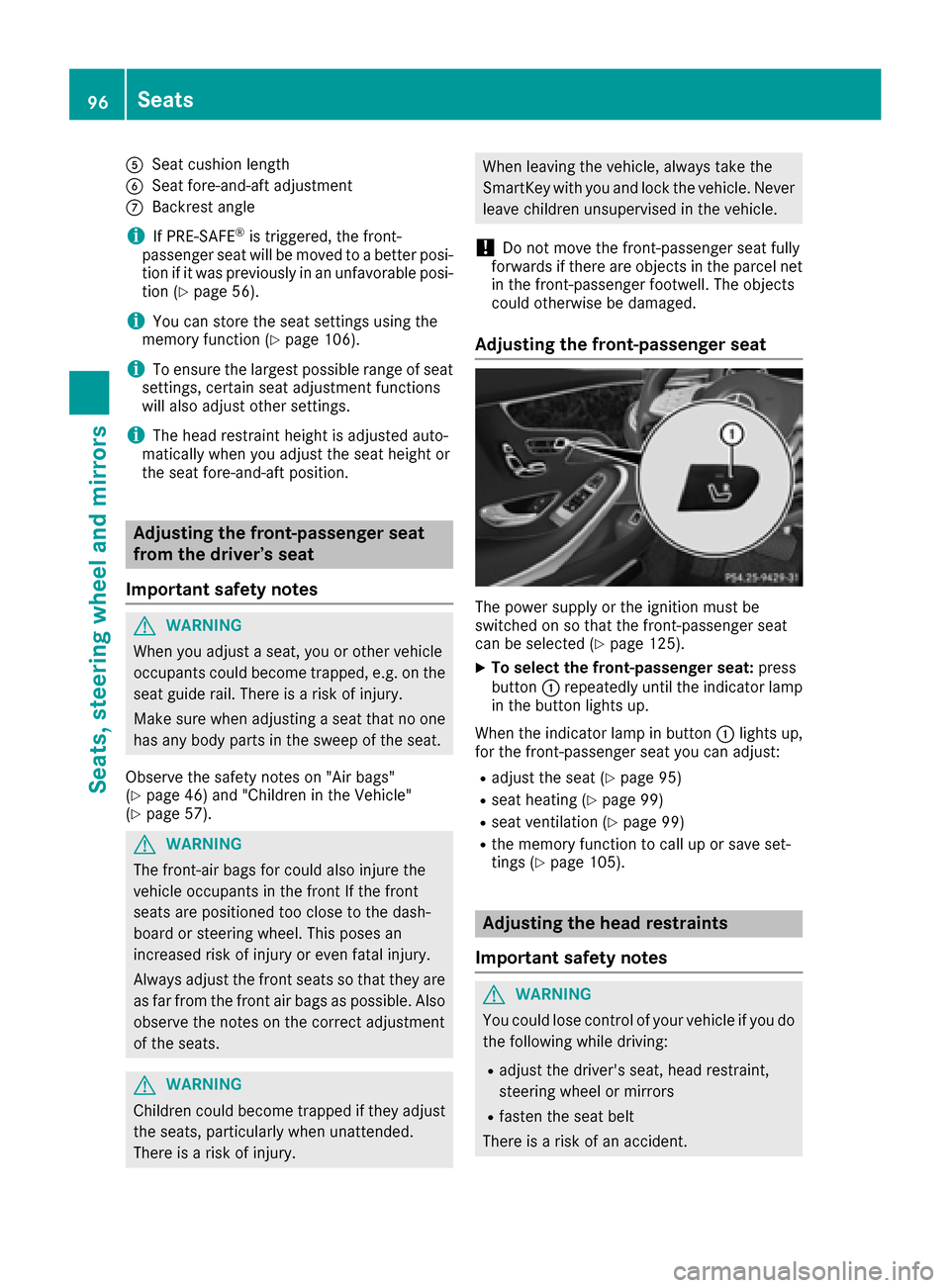
XTo select the front-passenger seat: press
button :repeatedly until the indicator lamp
in the button lights up.
When the indicator lamp in button :lights up,
for the front-passenger seat you can adjust:
Radjust the seat (Ypage 95)
Rseat heating (Ypage 99)
Rseat ventilation (Ypage 99)
Rthe memory function to call up or save set-
tings (Ypage 105).
Adjusting the head restraints
Important safety notes
GWARNING
You could lose control of your vehicle if you do the following while driving:
Radjust the driver's seat, head restraint,
steering wheel or mirrors
Rfasten the seat belt
There is a risk of an accident.
96Seats
Seats, steering wheel and mirrors
Page 99 of 338
Adjust the driver's seat, head restraint, steer-ing wheel and mirror and fasten your seat belt
before starting the engine.
GWARNING
If the head restraints are not installed or not
adjusted correctly, they cannot provide pro-
tection as intended. There is an increased risk
of injury in the head and neck area, e.g. in the event of an accident or when braking.
Always drive with the head restraints instal-
led. Before driving off, make sure for every
vehicle occupant that the center of the head
restraint supports the back of the head at
about eye level.
Do not rotate the head restraints of the front and rear seats. Otherwise, you cannot adjust the
height and angle of the head restraints to the
correct position.
Using the fore-and-aft adjustment, adjust the
head restraint so that it is as close as possible to
your head.
Pay attention to the important safety notes
(
Ypage 94).
Adjusting the front head restraints
Adjusting the head restraints manually
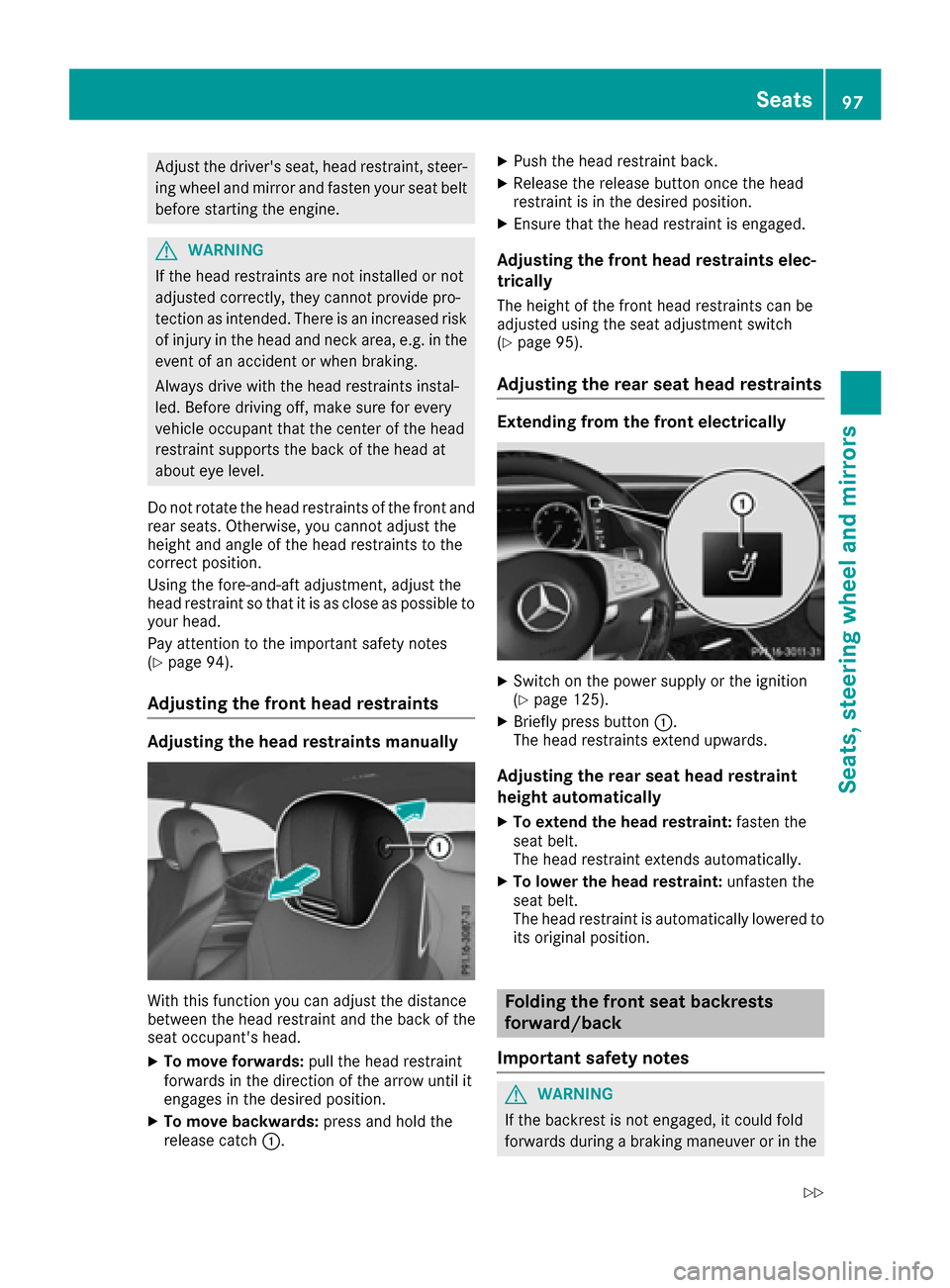
With this function you can adjust the distance
between the head restraint and the back of the
seat occupant's head.
XTo move forwards: pull the head restraint
forwards in the direction of the arrow until it
engages in the desired position.
XTo move backwards: press and hold the
release catch :.
XPush the head restraint back.
XRelease the release button once the head
restraint is in the desired position.
XEnsure that the head restraint is engaged.
Adjusting the front head restraints elec-
trically
The height of the front head restraints can be
adjusted using the seat adjustment switch
(
Ypage 95).
Adjusting the rear seat head restraints
Extending from the front electrically
XSwitch on the power supply or the ignition
(Ypage 125).
XBriefly press button :.
The head restraints extend upwards.
Adjusting the rear seat head restraint
height automatically
XTo extend the head restraint: fasten the
seat belt.
The head restraint extends automatically.
XTo lower the head restraint: unfasten the
seat belt.
The head restraint is automatically lowered to
its original position.
Folding the front seat backrests
forward/back
Important safety notes
GWARNING
If the backrest is not engaged, it could fold
forwards during a braking maneuver or in the
Seats97
Seats, steering wheel and mirrors
Z
Page 101 of 338
Switching the seat heating on/off
Switching on/off
GWARNING
Repeatedly switching on the seat heating can
cause the seat cushion and backrest pads to
become very hot. The health of persons with
limited temperature sensitivity or a limited
ability to react to excessively high tempera-
tures may be affected or they may even suffer
burn-like injuries. There is a risk of injury.
Therefore, do not switch the seat heating on
repeatedly.
For vehicles equipped with the Warmth Comfort
package: the armrest in the door and the center
console can also be heated when you switch on
the seat heating of one of the front seats. You
can set this via the multimedia system; see the
Digital Operator's Manual.
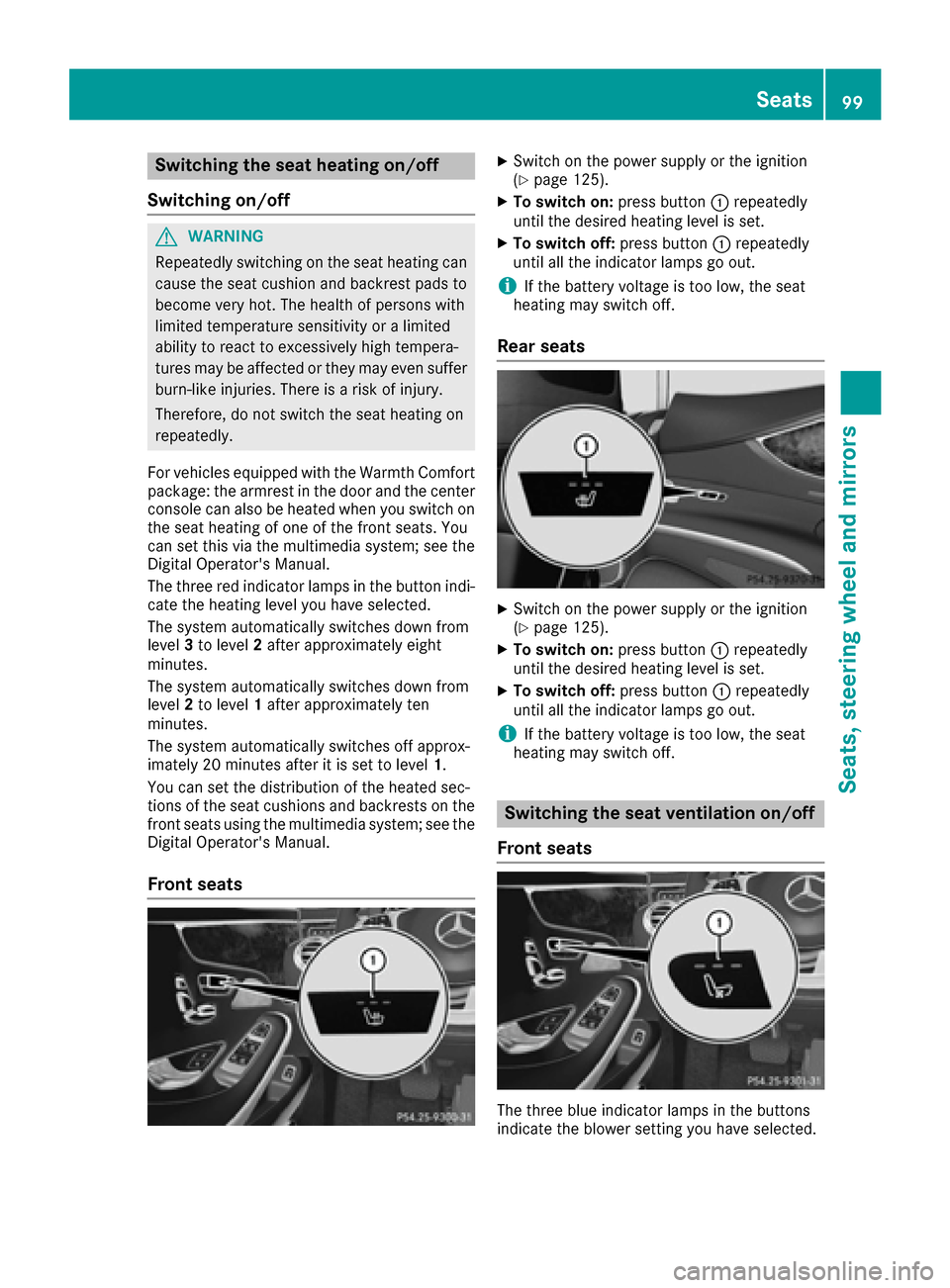
The three red indicator lamps in the button indi-
cate the heating level you have selected.
The system automatically switches down from
level 3to level 2after approximately eight
minutes.
The system automatically switches down from
level 2to level 1after approximately ten
minutes.
The system automatically switches off approx-
imately 20 minutes after it is set to level 1.
You can set the distribution of the heated sec-
tions of the seat cushions and backrests on the
front seats using the multimedia system; see the
Digital Operator's Manual.
Front seats
XSwitch on the power supply or the ignition
(Ypage 125).
XTo switch on: press button:repeatedly
until the desired heating level is set.
XTo switch off: press button:repeatedly
until all the indicator lamps go out.
iIf the battery voltage is too low, the seat
heating may switch off.
Rear seats
XSwitch on the power supply or the ignition
(Ypage 125).
XTo switch on: press button:repeatedly
until the desired heating level is set.
XTo switch off: press button:repeatedly
until all the indicator lamps go out.
iIf the battery voltage is too low, the seat
heating may switch off.
Switching the seat ventilation on/off
Front seats
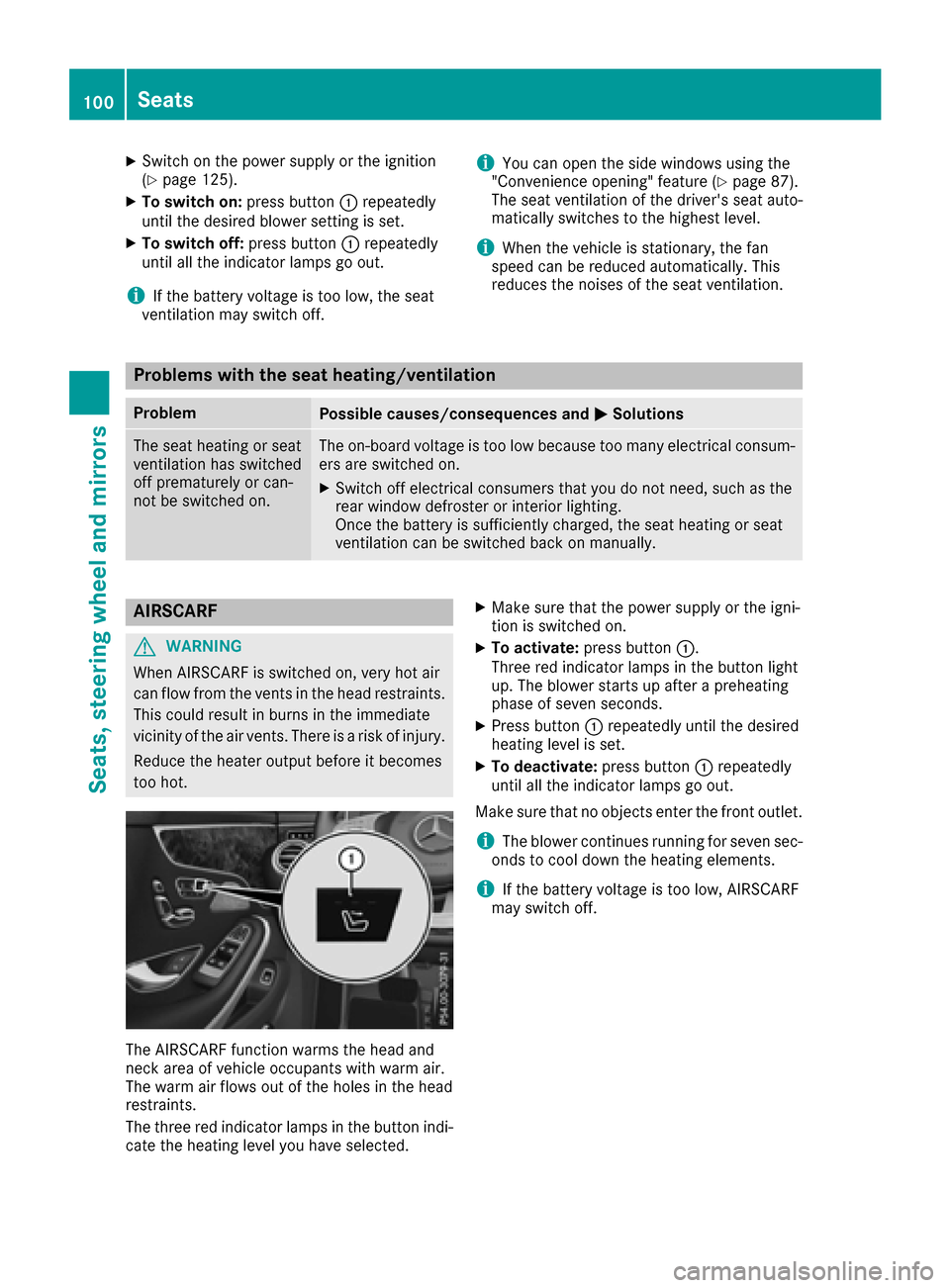
The three blue indicator lamps in the buttons
indicate the blower setting you have selected.
Seats99
Seats, steering wheel and mirrors
Z
Page 102 of 338
XSwitch on the power supply or the ignition
(Ypage 125).
XTo switch on:press button:repeatedly
until the desired blower setting is set.
XTo switch off: press button:repeatedly
until all the indicator lamps go out.
iIf the battery voltage is too low, the seat
ventilation may switch off.
iYou can open the side windows using the
"Convenience opening" feature (Ypage 87).
The seat ventilation of the driver's seat auto-
matically switches to the highest level.
iWhen the vehicle is stationary, the fan
speed can be reduced automatically. This
reduces the noises of the seat ventilation.
Problems with the seat heating/ventilation
ProblemPossible causes/consequences and MSolutions
The seat heating or seat
ventilation has switched
off prematurely or can-
not be switched on.The on-board voltage is too low because too many electrical consum-
ers are switched on.
XSwitch off electrical consumers that you do not need, such as the
rear window defroster or interior lighting.
Once the battery is sufficiently charged, the seat heating or seat
ventilation can be switched back on manually.
AIRSCARF
GWARNING
When AIRSCARF is switched on, very hot air
can flow from the vents in the head restraints. This could result in burns in the immediate
vicinity of the air vents. There is a risk of injury.
Reduce the heater output before it becomes
too hot.
The AIRSCARF function warms the head and
neck area of vehicle occupants with warm air.
The warm air flows out of the holes in the head
restraints.
The three red indicator lamps in the button indi-
cate the heating level you have selected.
XMake sure that the power supply or the igni-
tion is switched on.
XTo activate: press button :.
Three red indicator lamps in the button light
up. The blower starts up after a preheating
phase of seven seconds.
XPress button :repeatedly until the desired
heating level is set.
XTo deactivate: press button:repeatedly
until all the indicator lamps go out.
Make sure that no objects enter the front outlet.
iThe blower continues running for seven sec-
onds to cool down the heating elements.
iIf the battery voltage is too low, AIRSCARF
may switch off.
100Seats
Seats, steering wheel and mirrors
Page 105 of 338
Position of the steering wheel and the
driver's seat for driving
The steering wheel and the driver's seat are
moved to the previously set position if:
Rthe driver's door is closed and you insert the
SmartKey into the ignition lock
Ryou close the driver's door when the ignition
is switched on
Ryou press the Start/Stop button once
iThe steering wheel and the driver's seat only
return to the last set position if the driving
position is stored after the seat or steering
column has been adjusted.
The last position of the steering wheel or seat is
stored if:
Rthe ignition is switched off
Rthe setting is stored with the memory function
(Ypage 106).
Crash-responsive EASY-EXIT feature
If the crash-responsive EASY-EXIT feature is trig-
gered in an accident, the steering column will
move upwards when the driver's door is opened
or the SmartKey is removed from the ignition
lock. This makes it easier to exit the vehicle and rescue the occupants.
The crash-responsive EASY-EXIT feature is only
operational if the EASY-EXIT/ENTRY feature is
activated in the multimedia system (see the sep-
arate Operator's Manual).
Mirrors
Exterior mirrors
Important safety notes
GWARNING
You could lose control of your vehicle if you do the following while driving:
Radjust the driver's seat, head restraint,
steering wheel or mirrors
Rfasten the seat belt
There is a risk of an accident.
Adjust the driver's seat, head restraint, steer- ing wheel and mirror and fasten your seat belt
before starting the engine.
GWARNING
The exterior mirror on the front-passenger
side reduces the size of the image. Visible
objects are actually closer than they appear.
This means that you could misjudge the dis-
tance from road users traveling behind, e.g.
when changing lane. There is a risk of an acci-
dent.
For this reason, always make sure of the
actual distance from the road users traveling
behind by glancing over your shoulder.
Adjusting the exterior mirrors
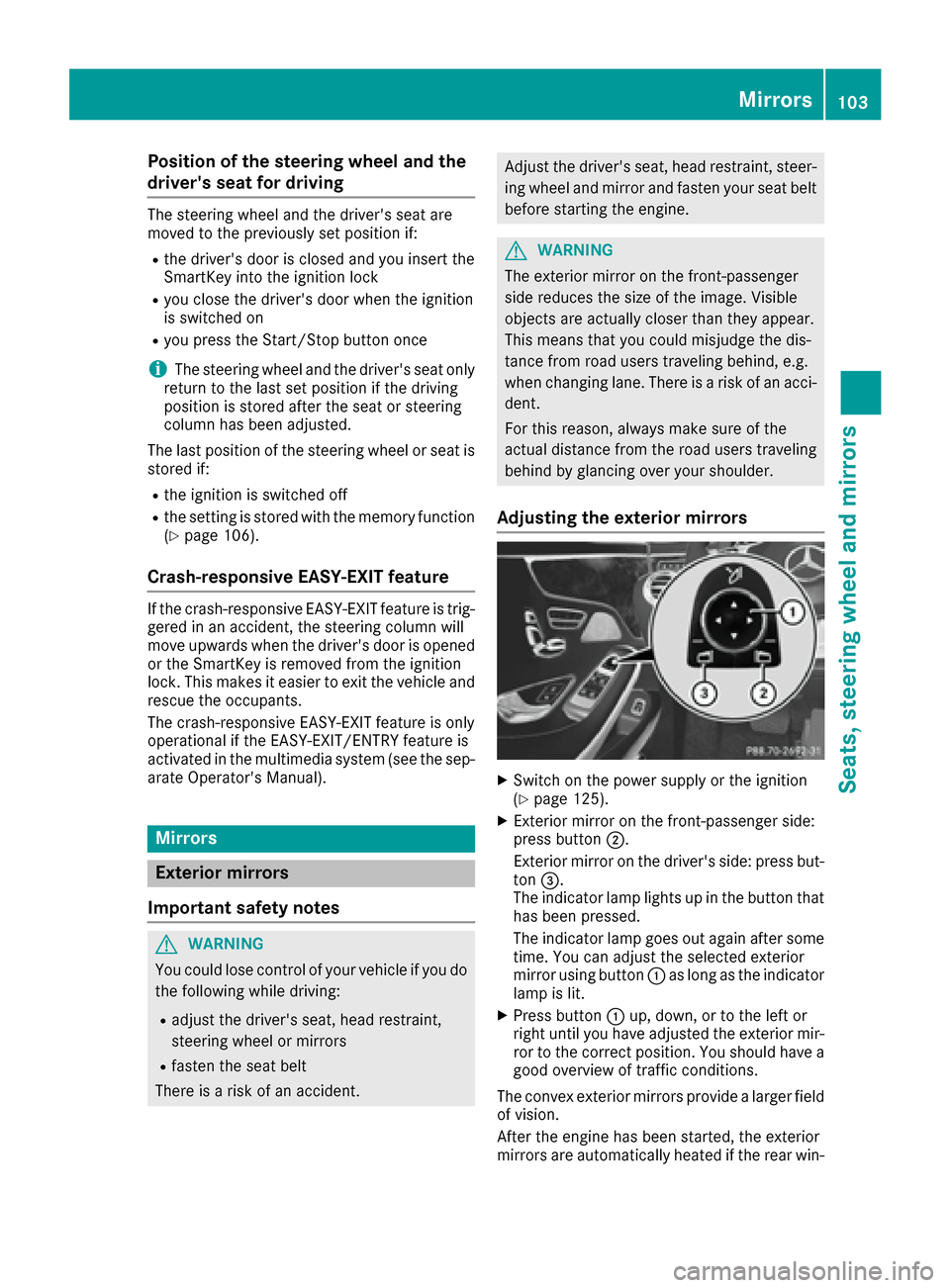
XSwitch on the power supply or the ignition
(Ypage 125).
XExterior mirror on the front-passenger side:
press button ;.
Exterior mirror on the driver's side: press but-
ton =.
The indicator lamp lights up in the button that
has been pressed.
The indicator lamp goes out again after some
time. You can adjust the selected exterior
mirror using button :as long as the indicator
lamp is lit.
XPress button :up, down, or to the left or
right until you have adjusted the exterior mir- ror to the correct position. You should have a
good overview of traffic conditions.
The convex exterior mirrors provide a larger field of vision.
After the engine has been started, the exterior
mirrors are automatically heated if the rear win-
Mirrors103
Seats, steering wheel and mirrors
Z
Page 106 of 338
dow defroster is switched on and the outside
temperature is low.
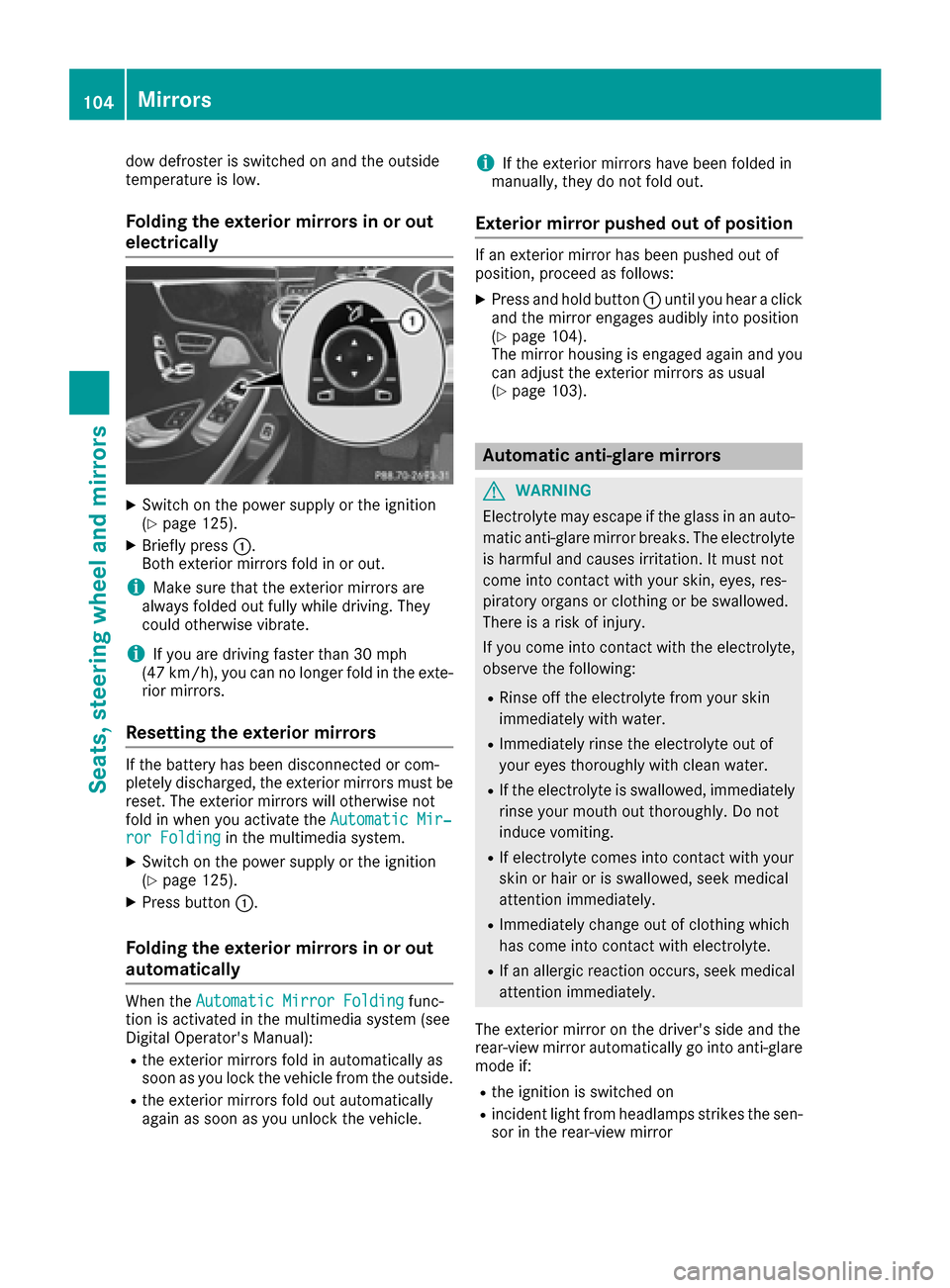
Folding the exterior mirrors in or outelectrically
XSwitch on the power supply or the ignition
(Ypage 125).
XBriefly press :.
Both exterior mirrors fold in or out.
iMake sure that the exterior mirrors are
always folded out fully while driving. They
could otherwise vibrate.
iIf you are driving faster than 30 mph
(47 km/h), you can no longer fold in the exte-
rior mirrors.
Resetting the exterior mirrors
If the battery has been disconnected or com-
pletely discharged, the exterior mirrors must be
reset. The exterior mirrors will otherwise not
fold in when you activate the Automatic Mir‐
ror Foldingin the multimedia system.
XSwitch on the power supply or the ignition
(Ypage 125).
XPress button:.
Folding the exterior mirrors in or out
automatically
When theAutomatic Mirror Foldingfunc-
tion is activated in the multimedia system (see
Digital Operator's Manual):
Rthe exterior mirrors fold in automatically as
soon as you lock the vehicle from the outside.
Rthe exterior mirrors fold out automatically
again as soon as you unlock the vehicle.
iIf the exterior mirrors have been folded in
manually, they do not fold out.
Exterior mirror pushed out of position
If an exterior mirror has been pushed out of
position, proceed as follows:
XPress and hold button :until you hear a click
and the mirror engages audibly into position
(
Ypage 104).
The mirror housing is engaged again and you
can adjust the exterior mirrors as usual
(
Ypage 103).
Automatic anti-glare mirrors
GWARNING
Electrolyte may escape if the glass in an auto-
matic anti-glare mirror breaks. The electrolyte
is harmful and causes irritation. It must not
come into contact with your skin, eyes, res-
piratory organs or clothing or be swallowed.
There is a risk of injury.
If you come into contact with the electrolyte,
observe the following:
RRinse off the electrolyte from your skin
immediately with water.
RImmediately rinse the electrolyte out of
your eyes thoroughly with clean water.
RIf the electrolyte is swallowed, immediately
rinse your mouth out thoroughly. Do not
induce vomiting.
RIf electrolyte comes into contact with your
skin or hair or is swallowed, seek medical
attention immediately.
RImmediately change out of clothing which
has come into contact with electrolyte.
RIf an allergic reaction occurs, seek medical
attention immediately.
The exterior mirror on the driver's side and the
rear-view mirror automatically go into anti-glare
mode if:
Rthe ignition is switched on
Rincident light from headlamps strikes the sen-
sor in the rear-view mirror
104Mirrors
Seats, steering wheel and mirrors