bulb MERCEDES-BENZ S-CLASS COUPE 2014 Owners Manual
[x] Cancel search | Manufacturer: MERCEDES-BENZ, Model Year: 2014, Model line: S-CLASS COUPE, Model: MERCEDES-BENZ S-CLASS COUPE 2014Pages: 413, PDF Size: 12.76 MB
Page 16 of 413
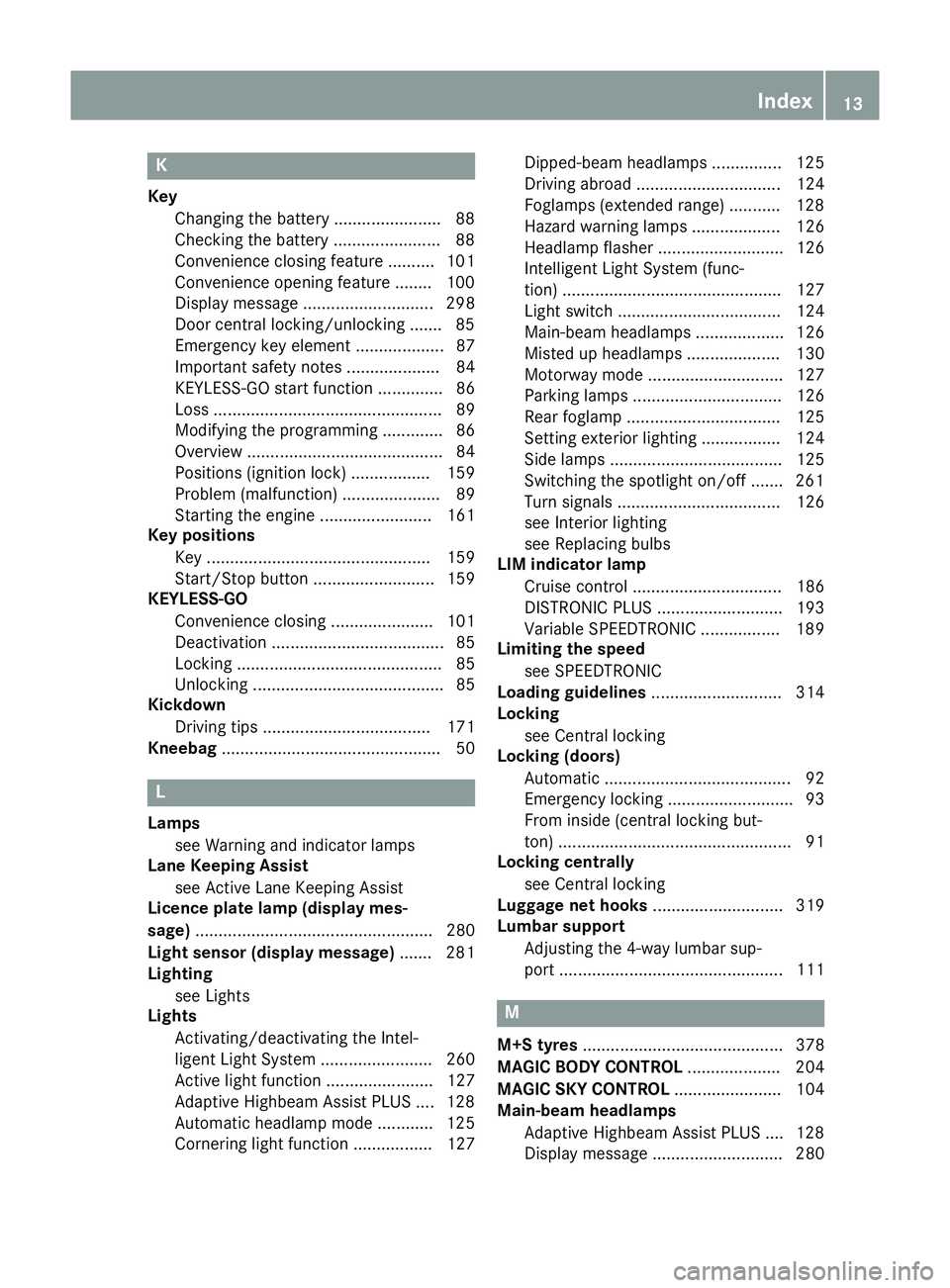
K
Key Changing the battery ...................... .88
Checking the battery ...................... .88
Convenience closing feature .......... 101
Convenience opening feature ........ 100
Display message ............................ 298
Door central locking/unlocking ...... .85
Emergency key element ................... 87
Important safety note s.................... 84
KEYLESS-GO start function .............. 86
Loss ................................................. 89
Modifying the programming ............. 86
Overview .......................................... 84
Positions (ignition lock) ................. 159
Problem (malfunction) ..................... 89
Starting the engine ........................ 161
Key positions
Key ................................................ 159
Start/Stop button .......................... 159
KEYLESS-GO
Convenience closing ...................... 101
Deactivation ..................................... 85
Locking ............................................ 85
Unlocking ......................................... 85
Kickdown
Driving tip s.................................... 171
Kneebag ............................................... 50 L
Lamps see Warning and indicator lamps
Lane Keeping Assist
see Active Lane Keeping Assist
Licence plate lamp (display mes-
sage) ................................................... 280
Light sensor (display message) ....... 281
Lighting
see Lights
Lights
Activating/deactivating the Intel-
ligent Light System ........................ 260
Active light function ....................... 127
Adaptive Highbeam Assist PLUS .... 128
Automatic headlamp mode ............ 125
Cornering light function ................. 127 Dipped-beam headlamp
s............... 125
Driving abroad ............................... 124
Foglamps (extended range) ........... 128
Hazard warning lamps ................... 126
Headlamp flashe r........................... 126
Intelligent Light System (func-
tion) ............................................... 127
Light switch ................................... 124
Main-beam headlamp s................... 126
Misted up headlamp s.................... 130
Motorway mode ............................. 127
Parking lamps ................................ 126
Rear foglamp ................................. 125
Setting exterior lighting ................. 124
Side lamps ..................................... 125
Switching the spotlight on/of f....... 261
Turn signals ................................... 126
see Interior lighting
see Replacing bulbs
LIM indicator lamp
Cruise control ................................ 186
DISTRONIC PLUS ........................... 193
Variable SPEEDTRONIC ................. 189
Limiting the speed
see SPEEDTRONIC
Loading guidelines ............................ 314
Locking
see Central locking
Locking (doors)
Automatic ........................................ 92
Emergency locking ........................... 93
From inside (central locking but-
ton) .................................................. 91
Locking centrally
see Central locking
Luggage net hooks ............................ 319
Lumbar support
Adjusting the 4-way lumbar sup-
port ................................................ 111 M
M+S tyres ........................................... 378
MAGIC BODY CONTROL .................... 204
MAGIC SKY CONTROL ....................... 104
Main-beam headlamps
Adaptive Highbeam Assist PLUS .... 128
Display message ............................ 280 Index
13
Page 19 of 413
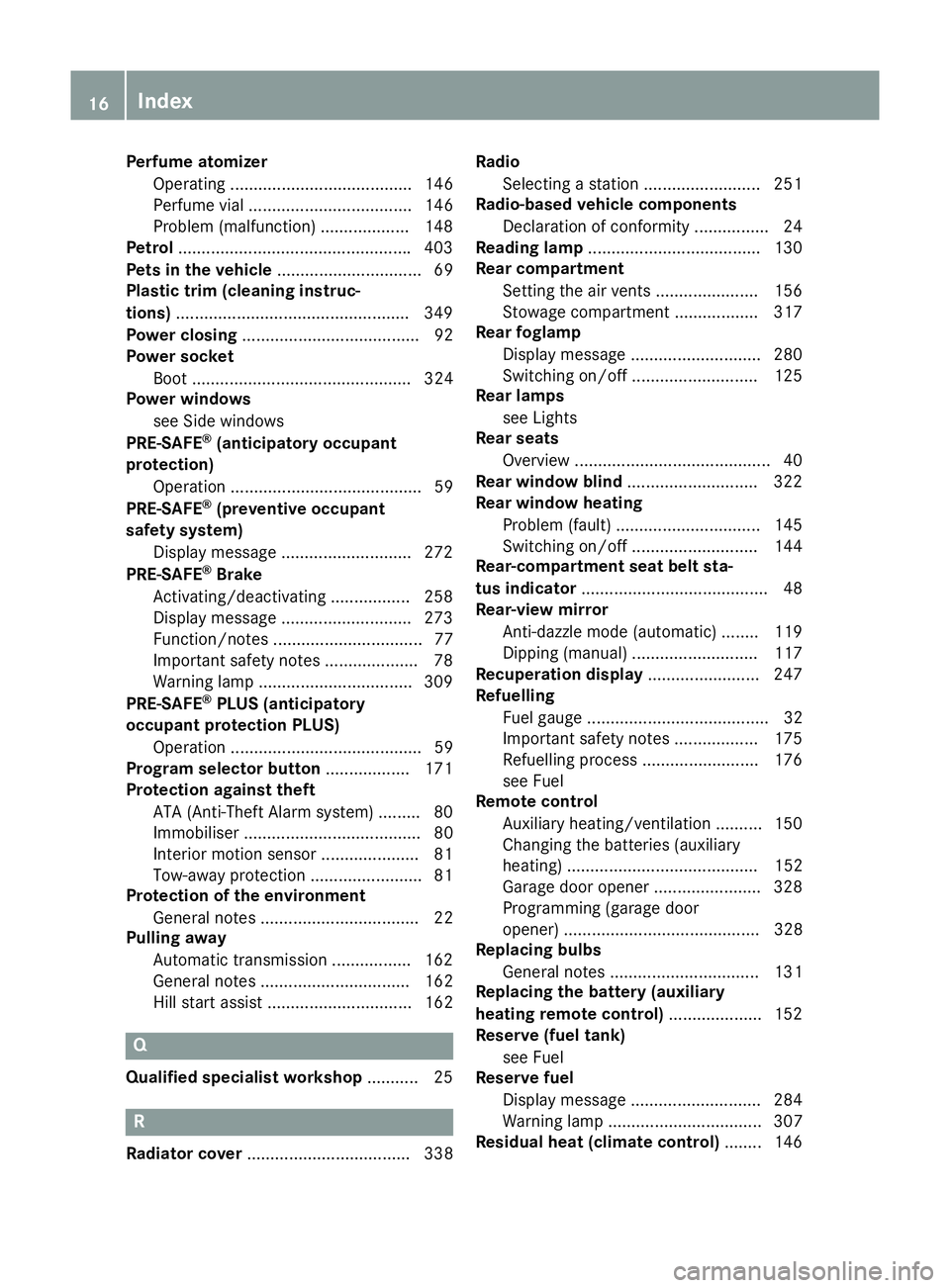
Perfume atomizer
Operating ....................................... 146
Perfume vial ................................... 146
Problem (malfunction) ...................1 48
Petrol ................................................. .403
Pets in the vehicle ............................... 69
Plastic trim (cleaning instruc-
tions) ................................................. .349
Power closing ...................................... 92
Power socket
Boot ............................................... 324
Power windows
see Side windows
PRE-SAFE ®
(anticipatory occupant
protection)
Operation ......................................... 59
PRE-SAFE ®
(preventive occupant
safety system)
Display message ............................ 272
PRE-SAFE ®
Brake
Activating/deactivating ................. 258
Display message ............................ 273
Function/notes ................................ 77
Important safety notes .................... 78
Warning lamp ................................. 309
PRE-SAFE ®
PLUS (anticipatory
occupant protection PLUS)
Operation ......................................... 59
Program selector button .................. 171
Protection against theft
ATA (Anti-Theft Alarm system) ......... 80
Immobiliser ...................................... 80
Interior motion sensor ..................... 81
Tow-away protectio n ........................81
Protection of the environment
General notes .................................. 22
Pulling away
Automatic transmission ................. 162
General notes ................................ 162
Hill start assist ............................... 162 Q
Qualified specialist workshop ........... 25R
Radiator cover ................................... 338 Radio
Selecting a station ......................... 251
Radio-based vehicle components
Declaration of conformity ................ 24
Reading lamp ..................................... 130
Rear compartment
Setting the air vents ..................... .156
Stowage compartment .................. 317
Rear foglamp
Display message ............................ 280
Switching on/off ........................... 125
Rear lamps
see Lights
Rear seats
Overview .......................................... 40
Rear window blind ............................ 322
Rear window heating
Problem (fault) ............................... 145
Switching on/off ........................... 144
Rear-compartment seat belt sta-
tus indicator ........................................ 48
Rear-view mirror
Anti-dazzle mode (automatic) ....... .119
Dipping (manual )........................... 117
Recuperation display ........................ 247
Refuelling
Fuel gaug e....................................... 32
Important safety notes .................. 175
Refuelling process ......................... 176
see Fuel
Remote control
Auxiliary heating/ventilation .......... 150
Changing the batteries (auxiliary
heating) ......................................... 152
Garage door opener ....................... 328
Programming (garage door
opener) .......................................... 328
Replacing bulbs
General notes ................................ 131
Replacing the battery (auxiliary
heating remote control) .................... 152
Reserve (fuel tank)
see Fuel
Reserve fuel
Display message ............................ 284
Warning lamp ................................. 307
Residual heat (climate control) ........ 14616
Index
Page 126 of 413
Useful information
............................124
Exterior lighting ................................ 124
Interior lighting ................................. 130
Replacing bulbs ................................. 131
Windscreen wipers ...........................131 123Lights and windscreen wipers
Page 134 of 413
X
To switch on/off: press the|button.
When the automatic interior lighting con-
trol is activated, the button is flush with the overhead control panel.
The interior lighting automatically switches
on if you:
R unlock the vehicle
R open a door
R remove the key from the ignition lock
The interior lighting is activated for a short
time when the key is removed from the igni-
tion lock. This delayed switch-off can be
adjusted using COMAND Online (see the sep- arate COMAND Online operating instruc-
tions).
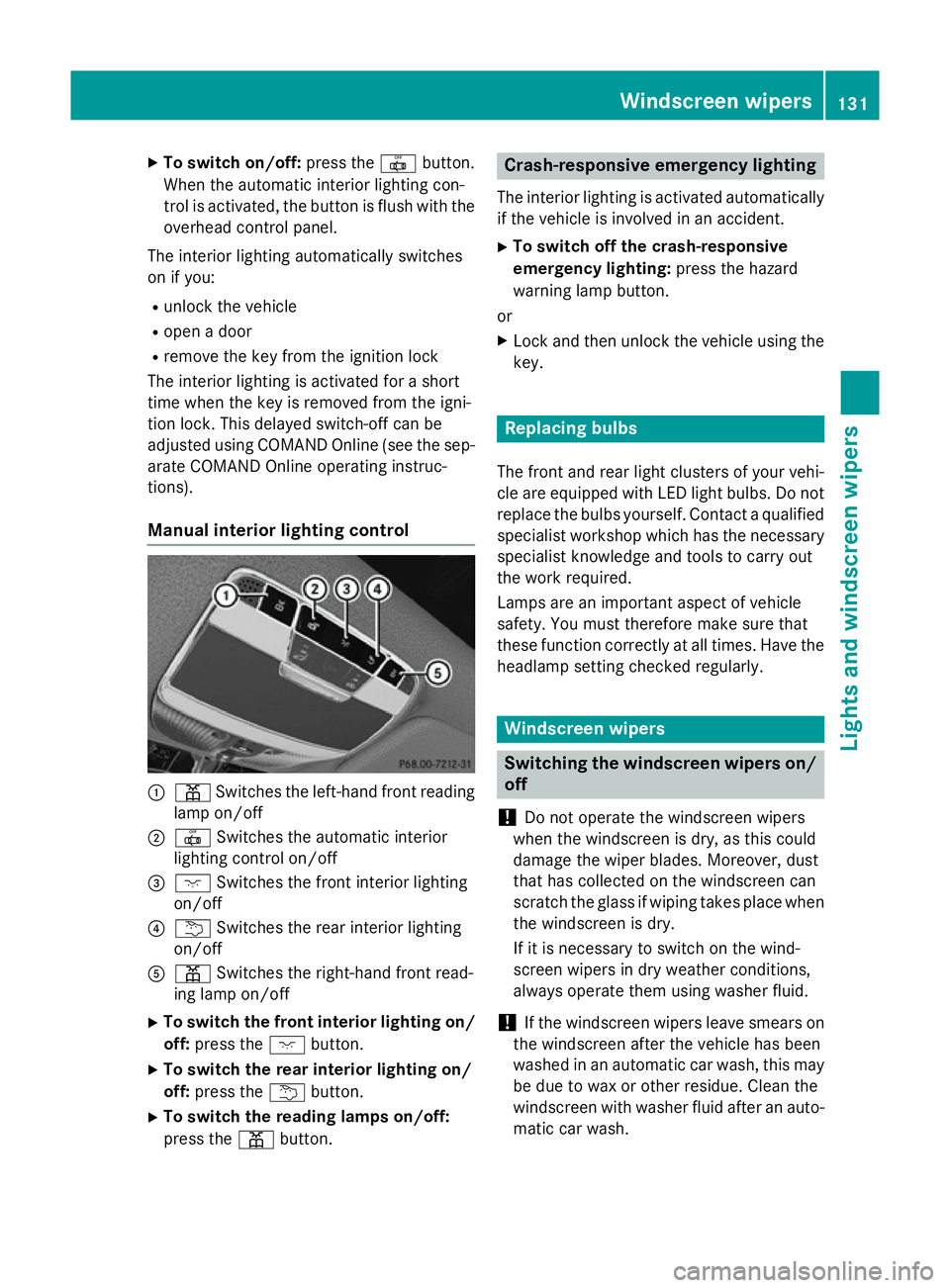
Manual interior lighting control :
p Switches the left-hand front reading
lamp on/off
; | Switches the automatic interior
lighting control on/off
= c Switches the front interior lighting
on/off
? u Switches the rear interior lighting
on/off
A p Switches the right-hand front read-
ing lamp on/off
X To switch the front interior lighting on/
off: press the cbutton.
X To switch the rear interior lighting on/
off: press the ubutton.
X To switch the reading lamps on/off:
press the pbutton. Crash-responsive emergency lighting
The interior lighting is activated automatically
if the vehicle is involved in an accident.
X To switch off the crash-responsive
emergency lighting: press the hazard
warning lamp button.
or X Lock and then unlock the vehicle using the
key. Replacing bulbs
The front and rear light clusters of your vehi-
cle are equipped with LED light bulbs. Do not replace the bulbs yourself. Contact a qualifiedspecialist workshop which has the necessaryspecialist knowledge and tools to carry out
the work required.
Lamps are an important aspect of vehicle
safety. You must therefore make sure that
these function correctly at all times. Have the
headlamp setting checked regularly. Windscreen wipers
Switching the windscreen wipers on/
off
! Do not operate the windscreen wipers
when the windscreen is dry, as this could
damage the wiper blades. Moreover, dust
that has collected on the windscreen can
scratch the glass if wiping takes place when the windscreen is dry.
If it is necessary to switch on the wind-
screen wipers in dry weather conditions,
always operate them using washer fluid.
! If the windscreen wipers leave smears on
the windscreen after the vehicle has been
washed in an automatic car wash, this may
be due to wax or other residue. Clean the
windscreen with washer fluid after an auto-
matic car wash. Windscreen wipers
131Lights andwindscreen wipers Z
Page 220 of 413
shows the
Park Assist cancelled
Park Assist cancelled mes-
sage.
When Active Parking Assist is cancelled, you
must steer and brake again yourself.
If a system malfunction occurs, the vehicle is braked to a standstill. To drive on, depress the
accelerator again. Reversing camera
General notes Reversing camera
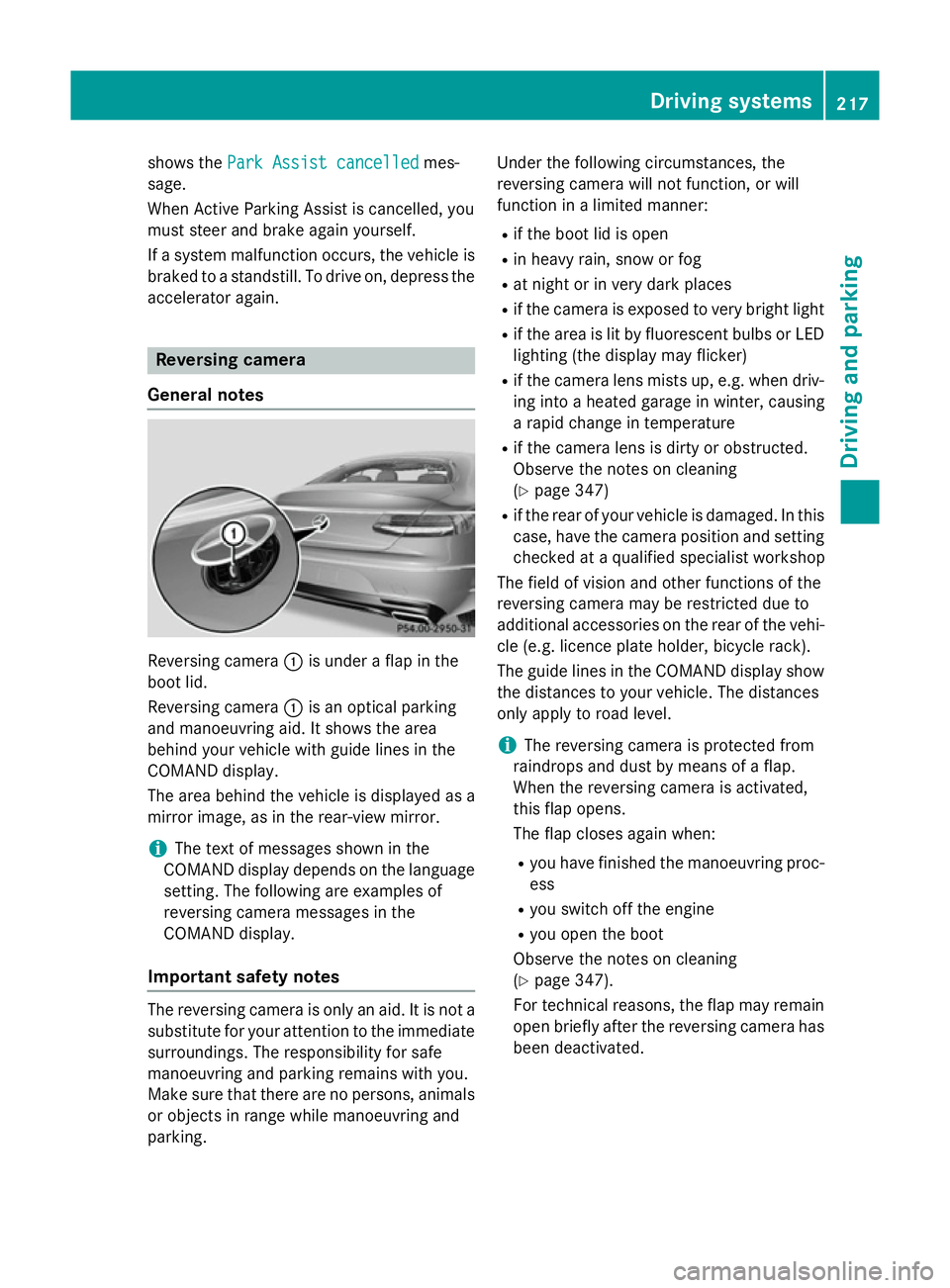
:is under a flap in the
boot lid.
Reversing camera :is an optical parking
and manoeuvring aid. It shows the area
behind your vehicle with guide lines in the
COMAND display.
The area behind the vehicle is displayed as a
mirror image, as in the rear-view mirror.
i The text of messages shown in the
COMAND display depends on the language setting. The following are examples of
reversing camera messages in the
COMAND display.
Important safety notes The reversing camera is only an aid. It is not a
substitute for your attention to the immediate
surroundings. The responsibility for safe
manoeuvring and parking remains with you.
Make sure that there are no persons, animals
or objects in range while manoeuvring and
parking. Under the following circumstances, the
reversing camera will not function, or will
function in a limited manner:
R if the boot lid is open
R in heavy rain, snow or fog
R at night or in very dark places
R if the camera is exposed to very bright light
R if the area is lit by fluorescent bulbs or LED
lighting (the display may flicker)
R if the camera lens mists up, e.g. when driv-
ing into a heated garage in winter, causing
a rapid change in temperature
R if the camera lens is dirty or obstructed.
Observe the notes on cleaning
(Y page 347)
R if the rear of your vehicle is damaged. In this
case, have the camera position and setting checked at a qualified specialist workshop
The field of vision and other functions of the
reversing camera may be restricted due to
additional accessories on the rear of the vehi-
cle (e.g. licence plate holder, bicycle rack).
The guide lines in the COMAND display show
the distances to your vehicle. The distances
only apply to road level.
i The reversing camera is protected from
raindrops and dust by means of a flap.
When the reversing camera is activated,
this flap opens.
The flap closes again when:
R you have finished the manoeuvring proc-
ess
R you switch off the engine
R you open the boot
Observe the notes on cleaning
(Y page 347).
For technical reasons, the flap may remain
open briefly after the reversing camera has been deactivated. Driving systems
217Driving and parking Z
Page 225 of 413
You are always responsible for safety, and
must always pay attention to your surround-
ings when parking and manoeuvring. This
applies to the areas behind, in front of and
beside the vehicle. You could otherwise
endanger yourself and others.
The 360° camera will not function or will
function only in a limited manner:
R if the doors are open
R if the exterior mirrors are folded in
R if the boot lid is open
R in heavy rain, snow or fog
R at night or in very dark places
R if the cameras are exposed to very bright
light
R if the area is lit by fluorescent bulbs or LED
lighting (the display may flicker)
R if the camera lenses mist up, e.g. when
driving into a heated garage in winter, caus- ing a rapid change in temperature
R if the camera lenses are dirty or covered.
Observe the notes on cleaning
(Y page 347)
R if the vehicle components in which the
cameras are fitted are damaged. In this
event, have the camera position and setting
checked at a qualified specialist workshop.
Do not use the 360° camera in this case. You
could otherwise injure others or damage
objects when parking the vehicle.
The guide lines in the COMAND display show the distances to your vehicle. The distances
only apply to road level.
i The camera in the rear area is protected
from raindrops and dust by means of a flap. This flap opens when the 360° camera is
activated.
The flap closes again when:
R you have finished the manoeuvring proc-
ess
R you switch off the engine
R you open the boot
Observe the notes on cleaning
(Y page 347). For technical reasons, the flap may remain
open briefly after the 360° camera has
been deactivated.
Activation conditions The 360° camera image can be displayed if:
R COMAND Online is switched on (see the
separate operating instructions)
R the 360° camera 360° camera function is switched on.
i If the 360° camera is activated at speeds
above approximately 30 km/h, a warning
message appears.
The warning message disappears if:
R the vehicle's speed falls below approx-
imately 30 km/h. The 360° camera is
then activated.
R the message is confirmed with the %
button.
Activating the 360° camera using the
button X
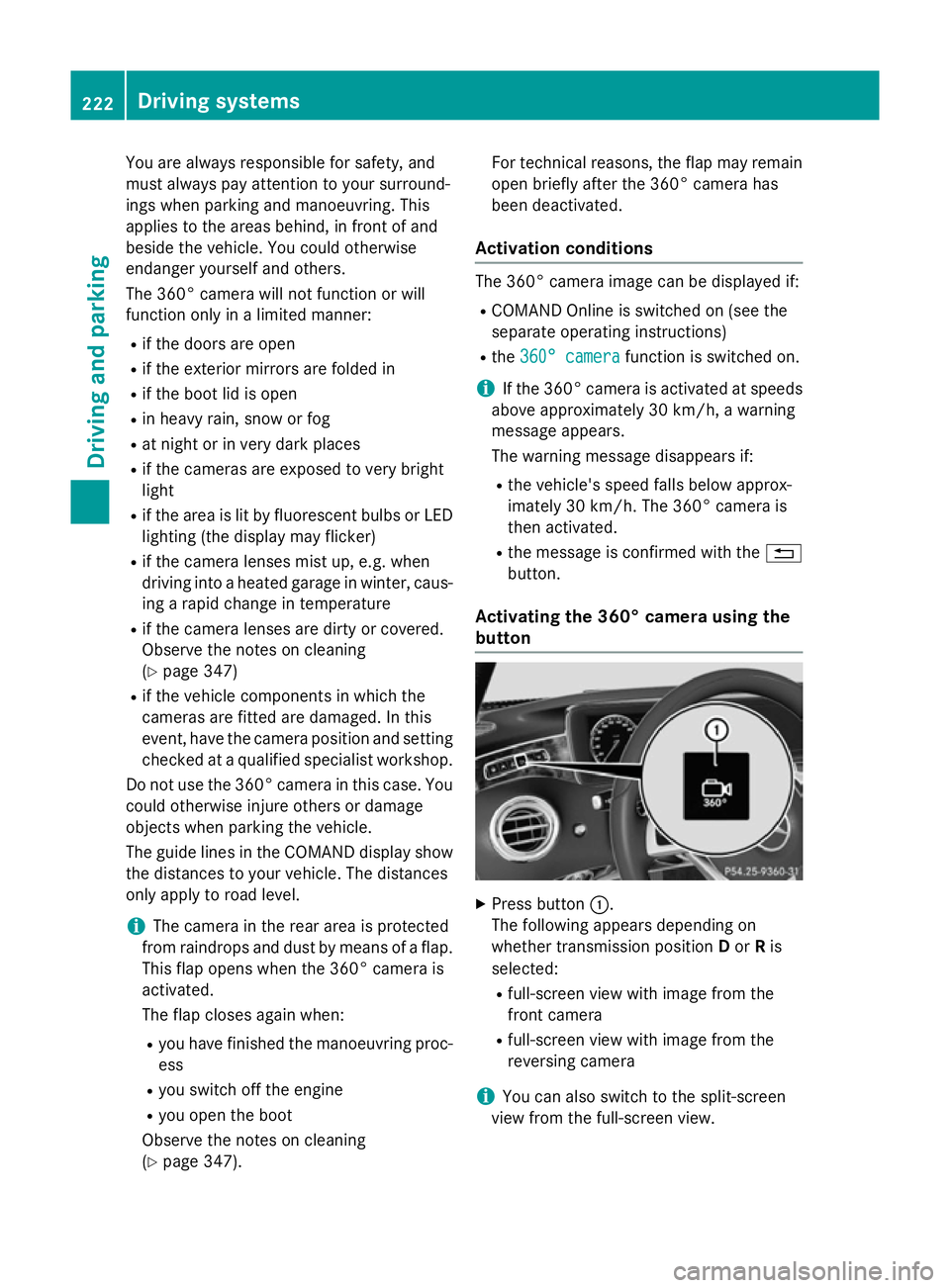
Press button :.
The following appears depending on
whether transmission position Dor Ris
selected:
R full-screen view with image from the
front camera
R full-screen view with image from the
reversing camera
i You can also switch to the split-screen
view from the full-screen view. 222
Driving systemsDriving and parking
Page 326 of 413
lighter when road and traffic conditions per-
mit.
Cigarette lighter in the front compart-
ment X
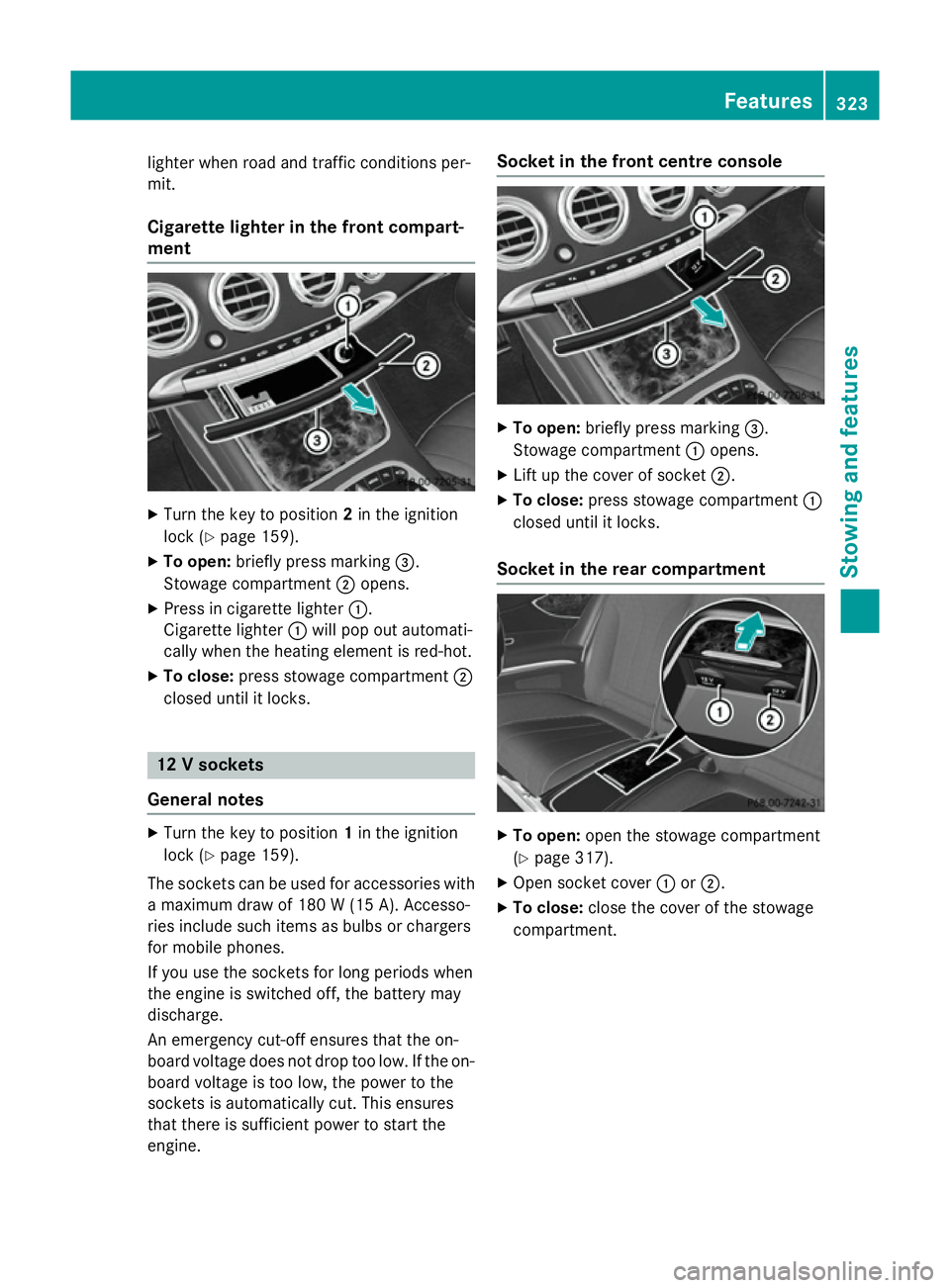
Turn the key to position 2in the ignition
lock (Y page 159).
X To open: briefly press marking =.
Stowage compartment ;opens.
X Press in cigarette lighter :.
Cigarette lighter :will pop out automati-
cally when the heating element is red-hot.
X To close: press stowage compartment ;
closed until it locks. 12 V sockets
General notes X
Turn the key to position 1in the ignition
lock (Y page 159).
The sockets can be used for accessories with a maximum draw of 180 W (15A). Accesso-
ries include such items as bulbs or chargers
for mobile phones.
If you use the sockets for long periods when
the engine is switched off, the battery may
discharge.
An emergency cut-off ensures that the on-
board voltage does not drop too low. If the on-
board voltage is too low, the power to the
sockets is automatically cut. This ensures
that there is sufficient power to start the
engine. Socket in the front cent
re console X
To open: briefly press marking =.
Stowage compartment :opens.
X Lift up the cover of socket ;.
X To close: press stowage compartment :
closed until it locks.
Socket in the rear compartment X
To open: open the stowage compartment
(Y page 317).
X Open socket cover :or;.
X To close: close the cover of the stowage
compartment. Features
323Stowing an d features Z