service MERCEDES-BENZ S-CLASS COUPE 2015 Owner's Manual
[x] Cancel search | Manufacturer: MERCEDES-BENZ, Model Year: 2015, Model line: S-CLASS COUPE, Model: MERCEDES-BENZ S-CLASS COUPE 2015Pages: 417, PDF Size: 13.42 MB
Page 202 of 417
Afterwards, the vehicle accelerates back to
the speed you set.
The system takes into account the fact that
overtaking on the right is not permitted on
motorways or high-speed major roads at
speeds above 80 km/h. The driving speed is
adjusted to the speed of the queue of vehicles
in the adjacent lane to the left.
i Prevention of overtaking on the right
applies to countries where traffic drives on
the right. In countries where traffic drives
on the left, overtaking on the left is preven-
ted accordingly.
Stopping G
WARNING
When leaving the vehicle, even if it is braked
only by DISTRONIC PLUS, it could roll away if:
R there is a malfunction in the system or in
the voltage supply.
R DISTRONIC PLUS has been deactivated
with the cruise control lever, e.g. by a vehi-
cle occupant or from outside the vehicle.
R the electrical system in the engine com-
partment, the battery or the fuses have
been tampered with.
R the battery is disconnected.
R the accelerator pedal has been depressed,
e.g. by a vehicle occupant.
There is a risk of an accident.
If you wish to exit the vehicle, always turn off
DISTRONIC PLUS and secure the vehicle
against rolling away.
Further information on deactivating
DISTRONIC PLUS (Y page 201).
If DISTRONIC PLUS detects that the vehicle in front is stopping, it brakes your vehicle until it is stationary.
Once your vehicle is stationary, it remains
stationary and you do not need to depress the
brake.
After a short period, the vehicle is secured by
the electric parking brake, thus relieving the
service brake. Depending on the specified minimum dis-
tance, your vehicle will come to a standstill at
a sufficient distance behind the vehicle in
front. The specified minimum distance is set
using the control on the cruise control lever.
When DISTRONIC PLUS is activated, the
transmission is shifted automatically to posi-
tion Pif:
R the driver's seat belt is not fastened and the
driver's door is open
R the engine is switched off, unless it is auto-
matically switched off by the ECO start/
stop function
The electric parking brake secures the vehicle automatically if DISTRONIC PLUS is activated
when the vehicle is stationary and:
R a system fault occurs
R the power supply is insufficient
If a malfunction in the electric parking brake
occurs, then the transmission may also be
shifted into position Pautomatically.
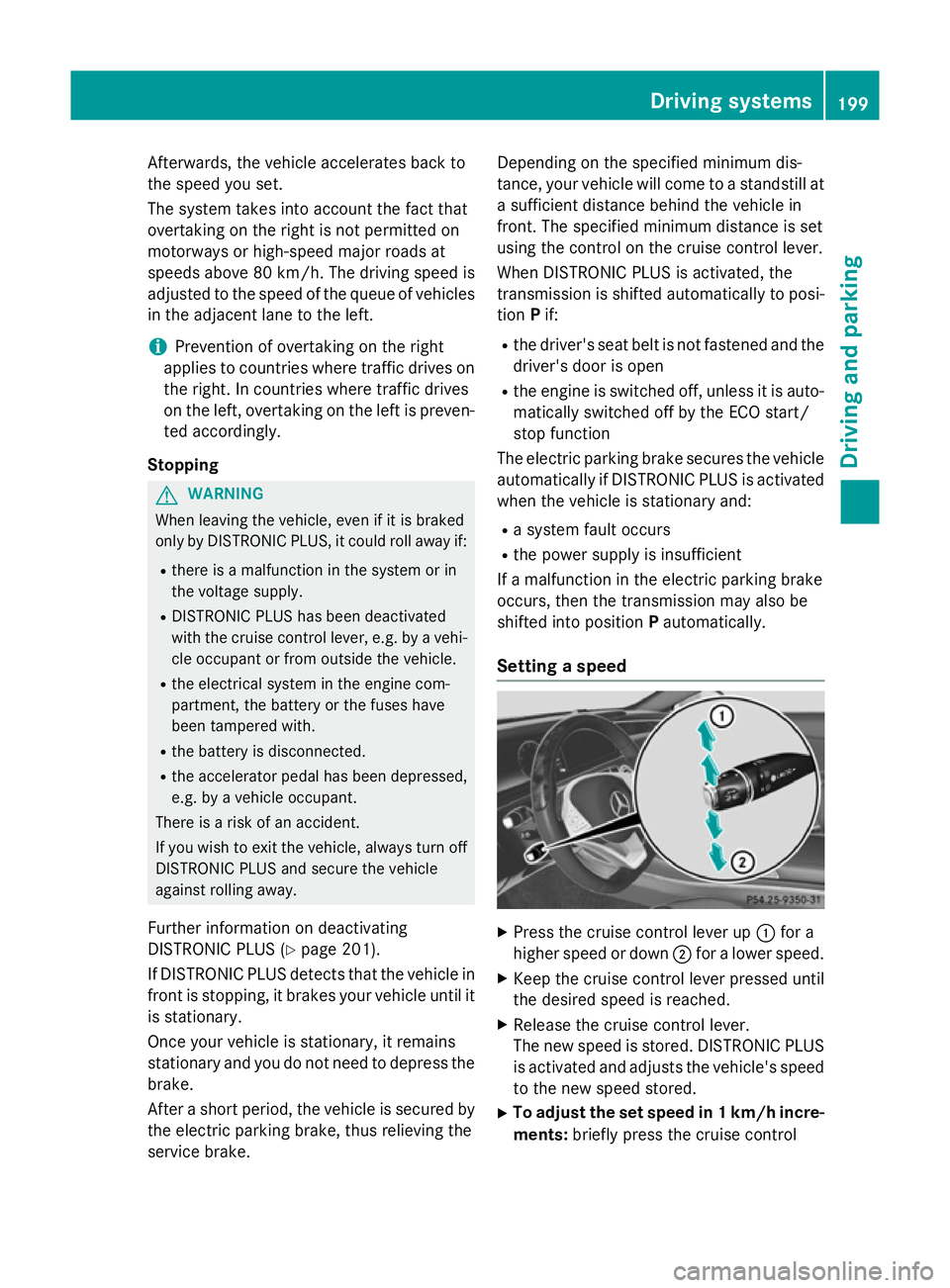
Setting a speed X
Press the cruise control lever up :for a
higher speed or down ;for a lower speed.
X Keep the cruise control lever pressed until
the desired speed is reached.
X Release the cruise control lever.
The new speed is stored. DISTRONIC PLUS
is activated and adjusts the vehicle's speed to the new speed stored.
X To adjust the set speed in 1 km/h incre-
ments: briefly press the cruise control Driving systems
199Driving and parking Z
Page 209 of 417
Important safety notes
G
WARNING
When leaving the vehicle, it can still roll away despite being braked by the HOLD function if:
R there is a malfunction in the system or in
the voltage supply
R the HOLD function is deactivated by the
accelerator pedal being depressed, e.g. by
a vehicle occupant
R the electrical system in the engine com-
partment, the battery or the fuses are tam-
pered with
R the battery is disconnected
There is a risk of an accident.
Before leaving the vehicle, always deactivate
the HOLD function and secure the vehicle
from rolling away.
Further information on deactivating the HOLD function (Y page 206).
! When DISTRONIC PLUS or the HOLD
function is activated, the vehicle brakes
automatically in certain situations.
To avoid damage to the vehicle, deactivate DISTRONIC PLUS and the HOLD function in the following or similar situations:
R when towing away
R in a car wash
Activation conditions You can activate the HOLD function if all of
the following conditions are fulfilled:
R the vehicle is stationary
R the engine is running or if it has been auto-
matically switched off by the ECO start/
stop function
R the driver's door is closed or your seat belt
is fastened
R the electric parking brake is released
R the transmission is in position D,Ror N
R DISTRONIC PLUS is deactivated Activating the HOLD function
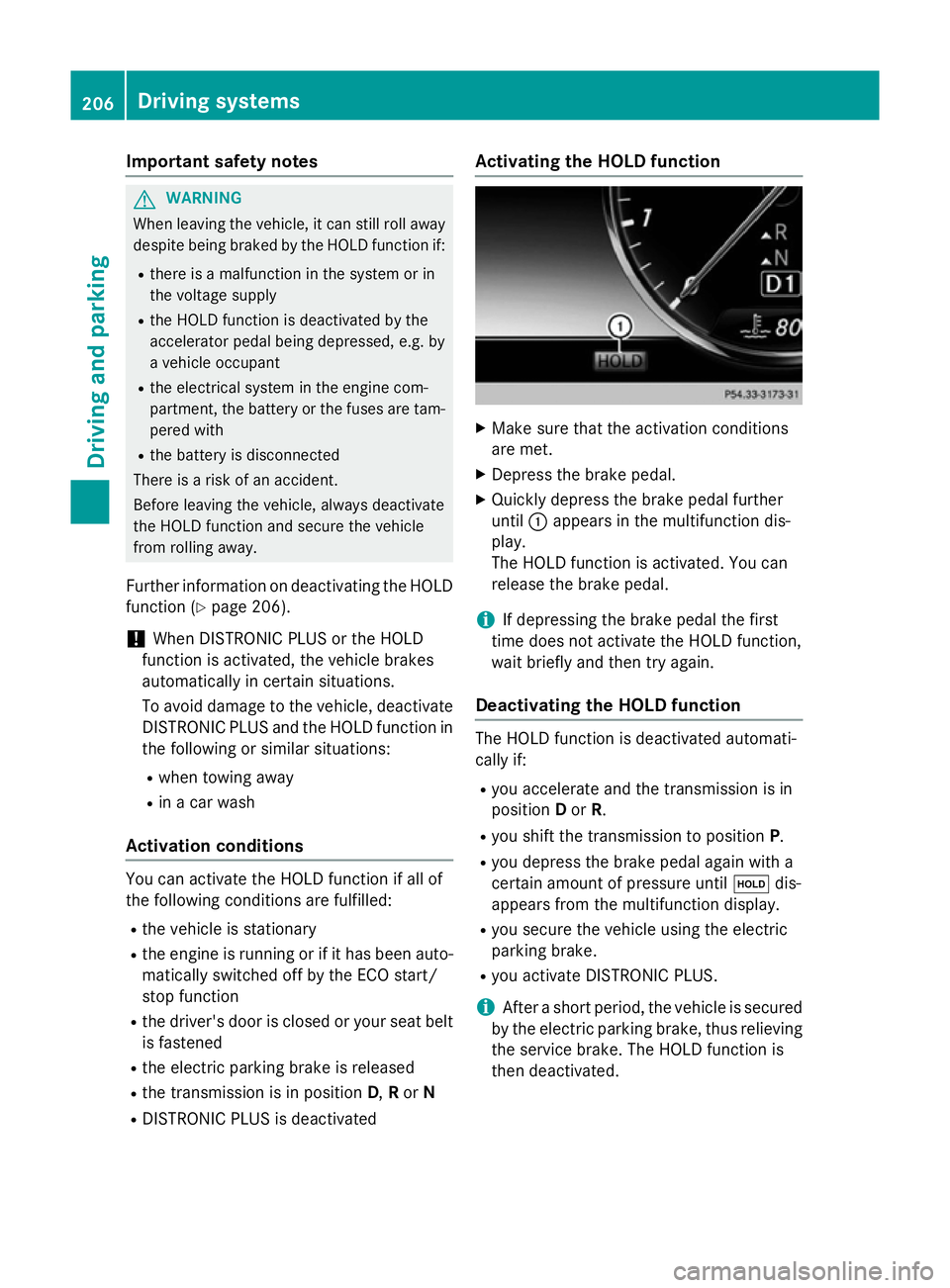
X
Make sure that the activation conditions
are met.
X Depress the brake pedal.
X Quickly depress the brake pedal further
until :appears in the multifunction dis-
play.
The HOLD function is activated. You can
release the brake pedal.
i If depressing the brake pedal the first
time does not activate the HOLD function,
wait briefly and then try again.
Deactivating the HOLD function The HOLD function is deactivated automati-
cally if:
R you accelerate and the transmission is in
position Dor R.
R you shift the transmission to position P.
R you depress the brake pedal again with a
certain amount of pressure until ëdis-
appears from the multifunction display.
R you secure the vehicle using the electric
parking brake.
R you activate DISTRONIC PLUS.
i After a short period, the vehicle is secured
by the electric parking brake, thus relieving
the service brake. The HOLD function is
then deactivated. 206
Driving systemsDriving and pa
rking
Page 233 of 417
only happen if ATTENTION ASSIST still
detects typical indicators of fatigue or
increasing lapses in concentration.
If a warning is output in the multifunction dis-
play, COMAND Online provides a service sta-
tion search. You can select a service station
and navigation to this service station will then
begin. This function can be activated and
deactivated in COMAND Online. Traffic Sign Assist
General notes Traffic Sign Assist displays the maximum
speed permitted and overtaking restrictions
to the driver in the instrument cluster. Driving
onto a section of road in the wrong direction
triggers a warning. Traffic Sign Assist detects
traffic signs with camera system :attached
behind the top of the windscreen. The data
and general traffic regulations stored in the
navigation system are also used to determine the current speed limit.
If a traffic sign that is relevant to your vehicleis passed, the display of the speed limits and
overtaking restrictions is updated.
The display can also be updated without a
visible traffic sign if:
R the vehicle changes roads (e.g. motorway
exit or slip road)
R a village or town boundary is passed which
is stored in the digital map
R the last traffic sign detected by the camera
has not been repeated If a sign indicating the end of a restriction
(speed limit or overtaking restriction) is
passed, the sign is displayed for five seconds.
The currently applicable traffic regulation
continues to be shown in the assistance
graphic display (Y page 257).
The camera also detects traffic signs with a
restriction indicated by an additional sign
(e.g. in wet conditions).
The traffic signs are only displayed with the
restrictions if:
R the regulation must be observed with the
restriction, or
R Traffic Sign Assist is unable to determine
whether the restriction applies
If Traffic Sign Assist is unable to determine a
maximum permitted speed from any of the
available sources, no speed limit is displayed
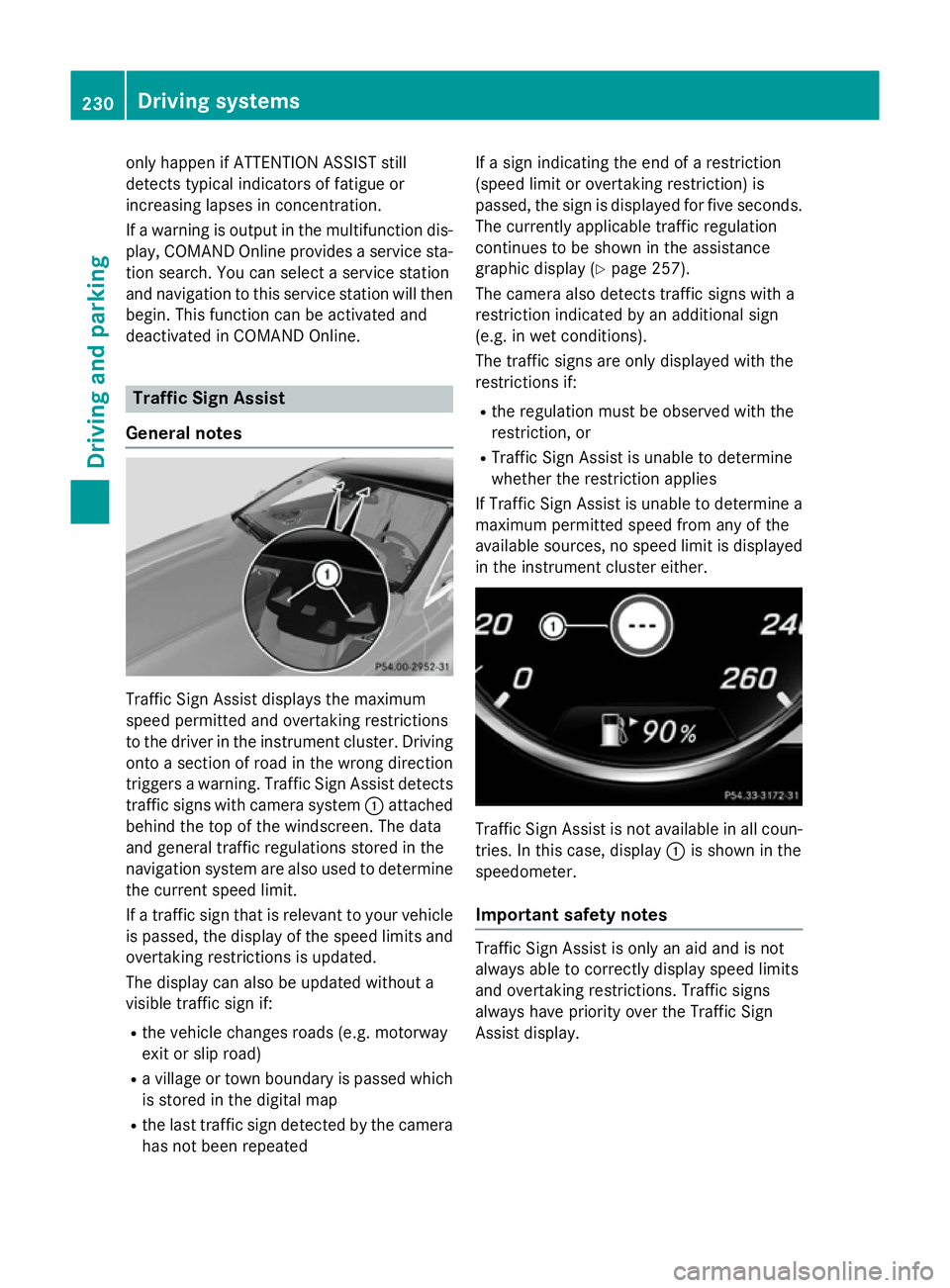
in the instrument cluster either. Traffic Sign Assist is not available in all coun-
tries. In this case, display :is shown in the
speedometer.
Important safety notes Traffic Sign Assist is only an aid and is not
always able to correctly display speed limits
and overtaking restrictions. Traffic signs
always have priority over the Traffic Sign
Assist display.230
Driving systemsDriving and parking
Page 252 of 417
=
Upshift indicator
? Currently selected gear, gearshift options when shifting manually
Setting options
You can make the following settings in the
head-up display submenu:
R adjust the position of the head-up display
on the windscreen (Y page 262)
R adjust the brightness of the displays in the
head-up display (Y page 262)
R select desired displays in the head-up dis-
play (Y page 261)
Using the Display content
Display content function, you
can, depending on your vehicle's equip-
ment, choose between four standard dis-
plays. The selected contents then appear in
the head-up display.
In Mercedes-AMG vehicles, you can also
choose between two AMG displays. If you
select an AMG display, the head-up display shows AMG-specific contents.
If you select a display with traffic signs,
detected traffic signs from Traffic Sign
Assist appear in the head-up display. Menus and submenus
Menu overview
Press the òbutton on the steering wheel
to open the menu list.
Operating the on-board computer
(Y page 245).
Depending on the vehicle equipment, you can
select the following menus:
R Trip
Trip menu (Y page 249)
R Navi Navi menu (navigation instructions)
(Y page 251)
R Radio Radio menu (Y page 253)
R Media
Media menu (Y page 254)
R Telephone
Telephone menu (Ypage 256)
R Assistance graphic
Assistance graphic menu
(Y page 257)
R Service
Service menu (Ypage 258) R
Settings
Settings menu (Ypage 258)
R AMG
AMG menu (Mercedes-AMG vehicles)
(Y page 265) Trip menu
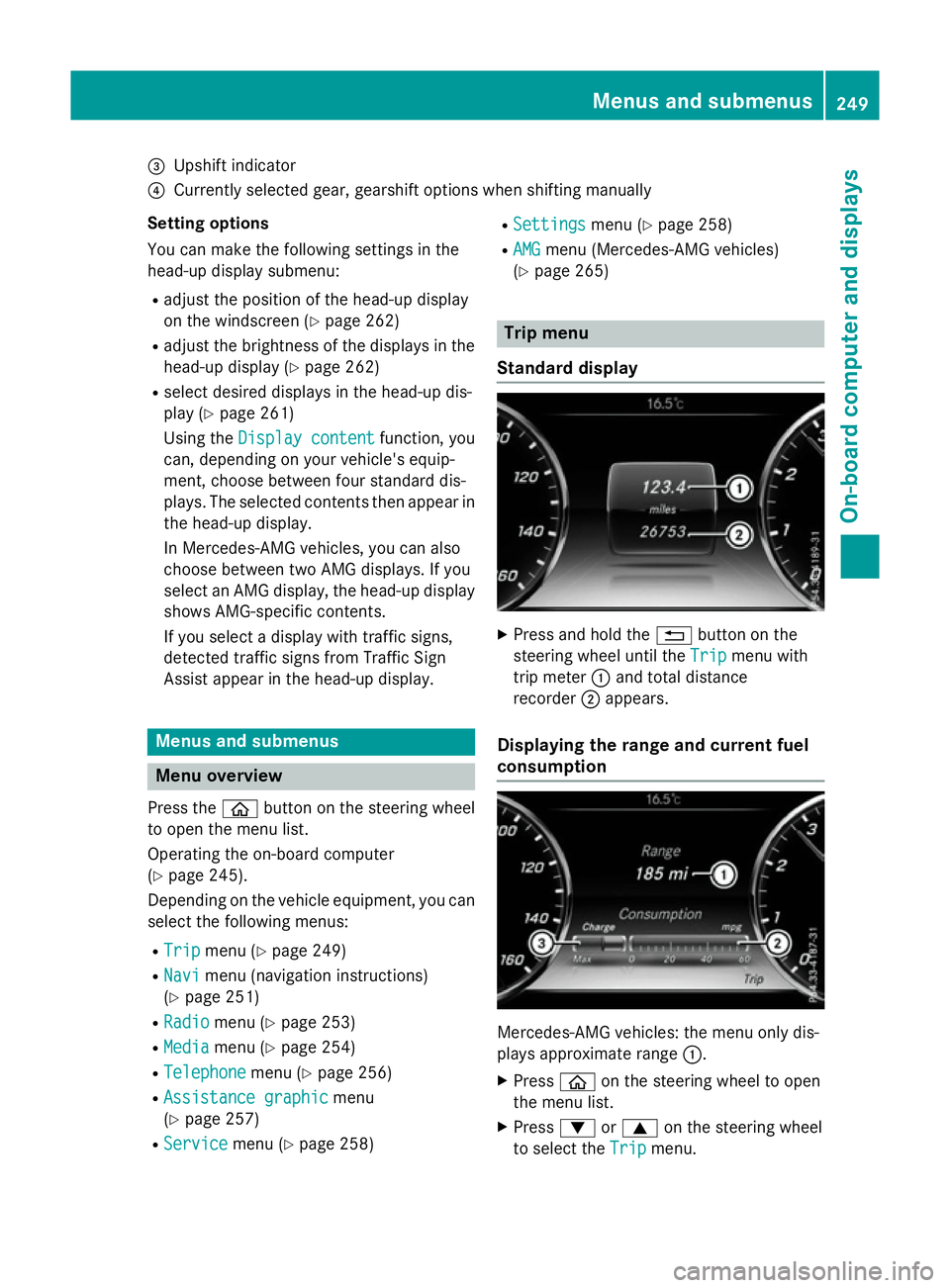
Standard display X
Press and hold the %button on the
steering wheel until the Trip
Tripmenu with
trip meter :and total distance
recorder ;appears.
Displaying the range and current fuel
consumption Mercedes-AMG vehicles: the menu only dis-
plays approximate range
:.
X Press òon the steering wheel to open
the menu list.
X Press :or9 on the steering wheel
to select the Trip Tripmenu. Menus and submenus
249On-board computer and displays Z
Page 259 of 417
X
To select TV: pressabriefly.
The list containing the media sources
appears.
X Press :or9 to select TV.
X Press ato confirm your selection.
X To open the channel list: press the:
or 9 button briefly.
X To select a channel in the channel list:
press the :or9 button briefly.
X To select a channel in the channel list
using rapid scroll: press and hold
the : or9 button.
X Press ato confirm the selection.
You can store TV channels in COMAND
Online; see the separate operating instruc-
tions. Telephone menu
Introduction G
WARNING
Operating the integrated information systems and communications equipment in the vehicle
while driving will distract you from traffic con-
ditions. You could then lose control of the
vehicle. There is a risk of an accident.
Only operate these devices if road traffic con-
ditions permit. If you are unsure about the
surrounding conditions, pull over to a safe
location and make entries only while the vehi-
cle is stationary.
When telephoning, you must observe the
legal requirements for the country in which
you are currently driving. X Switch on the mobile phone (see the man-
ufacturer's operating instructions).
X Switch on COMAND Online, see the sepa-
rate operating instructions. X
Insert the mobile phone into the bracket
(Y page 328).
or
X Establish a Bluetooth ®
connection to
COMAND Online, see the separate operat-
ing instructions.
X Press the òbutton on the steering
wheel to open the menu list.
X Press :or9 on the steering wheel
to select the Telephone Telephonemenu.
X Confirm by pressing aon the steering
wheel.
You will see one of the following display mes- sages in the multifunction display:
R Telephone ready
Telephone ready or the name of the net-
work provider: the mobile phone has found a network and is ready to receive.
R Telephone No service Telephone No service: there is no net-
work available or the mobile phone is
searching for a network.
i You can obtain further information about
suitable mobile phones and connecting
mobile phones via Bluetooth ®
:
R from any Mercedes-Benz Service Centre
R on the Internet at http://
www.mercedes-benz.com/connect
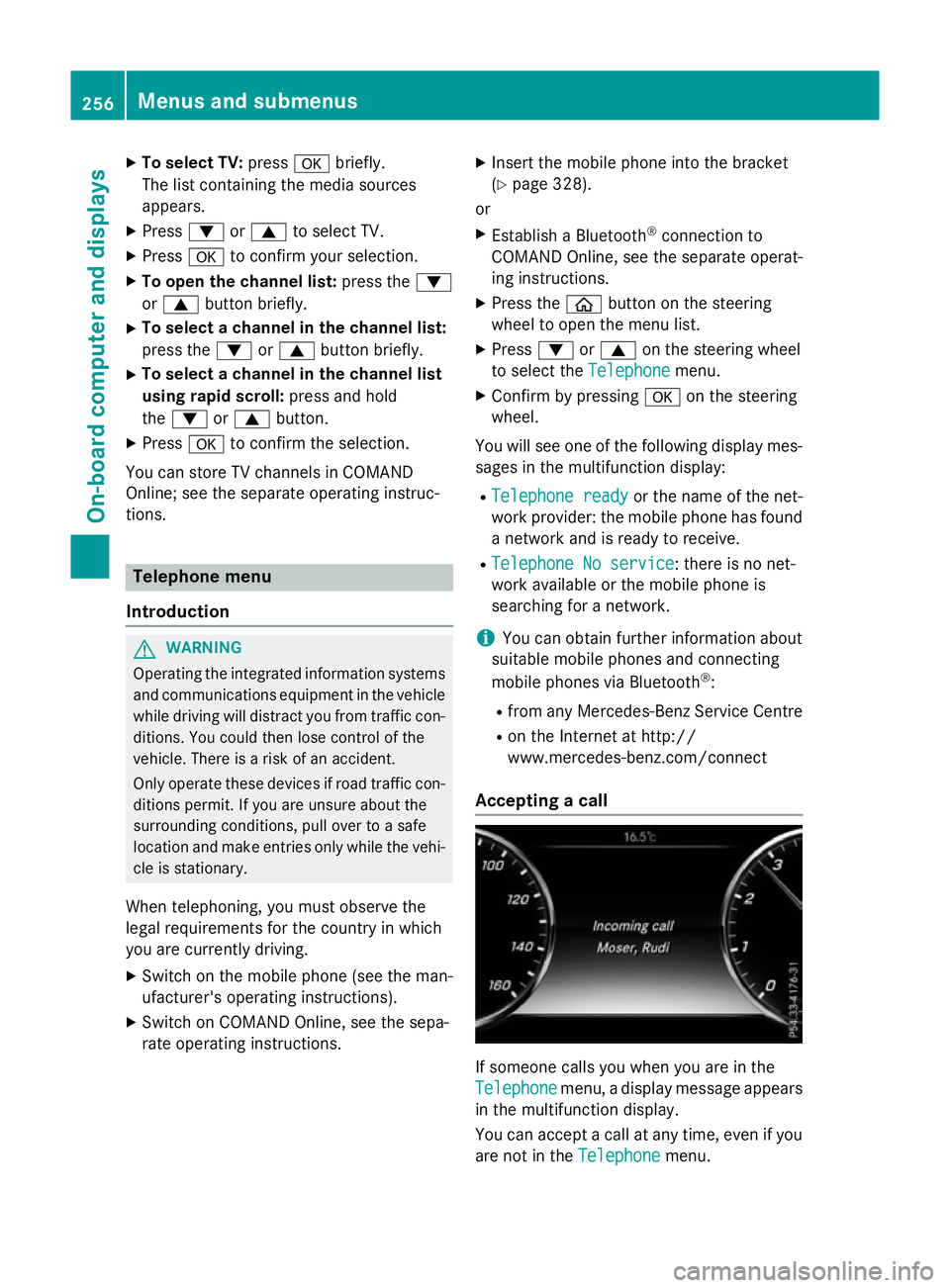
Accepting a call If someone calls you when you are in the
Telephone Telephone menu, a display message appears
in the multifunction display.
You can accept a call at any time, even if you
are not in the Telephone Telephonemenu.256
Menus and submenusOn-board computer and displays
Page 261 of 417
X
Confirm by pressing aon the steering
wheel.
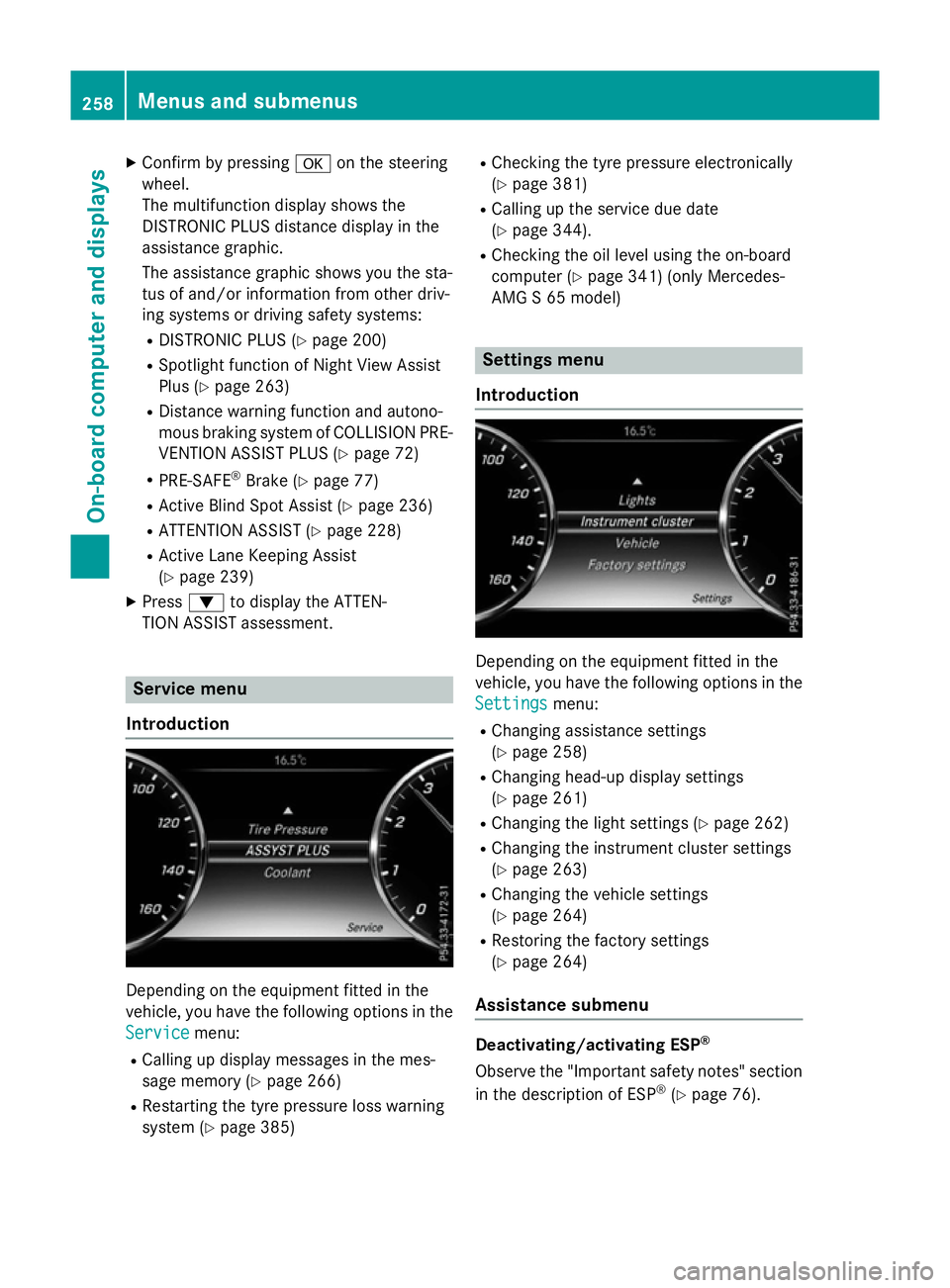
The multifunction display shows the
DISTRONIC PLUS distance display in the
assistance graphic.
The assistance graphic shows you the sta-
tus of and/or information from other driv-
ing systems or driving safety systems:
R DISTRONIC PLUS (Y page 200)
R Spotlight function of Night View Assist
Plus (Y page 263)
R Distance warning function and autono-
mous braking system of COLLISION PRE-
VENTION ASSIST PLUS (Y page 72)
R PRE-SAFE ®
Brake (Y page 77)
R Active Blind Spot Assist (Y page 236)
R ATTENTION ASSIST (Y page 228)
R Active Lane Keeping Assist
(Y page 239)
X Press :to display the ATTEN-
TION ASSIST assessment. Service menu
Introduction Depending on the equipment fitted in the
vehicle, you have the following options in the
Service Service menu:
R Calling up display messages in the mes-
sage memory (Y page 266)
R Restarting the tyre pressure loss warning
system (Y page 385) R
Checking the tyre pressure electronically
(Y page 381)
R Calling up the service due date
(Y page 344).
R Checking the oil level using the on-board
computer (Y page 341) (only Mercedes-
AMG S 65 model) Settings menu
Introduction Depending on the equipment fitted in the
vehicle, you have the following options in the
Settings
Settings menu:
R Changing assistance settings
(Y page 258)
R Changing head-up display settings
(Y page 261)
R Changing the light settings (Y page 262)
R Changing the instrument cluster settings
(Y page 263)
R Changing the vehicle settings
(Y page 264)
R Restoring the factory settings
(Y page 264)
Assistance submenu Deactivating/activating ESP
®
Observe the "Important safety notes" section
in the description of ESP ®
(Y page 76). 258
Menus and submenusOn-board computer and displays
Page 267 of 417
R
additional speedometer in the status area
of the multifunction display.
The unit in the additional speedometer is
displayed inversely to the selected dis-
tance unit.
R total distance recorder and trip meter
R trip computer
R current consumption and the range
R navigation instructions in the Navi
Navi menu
R cruise control
R SPEEDTRONIC
R DISTRONIC PLUS
R DISTRONIC PLUS with Steering Assist and
Stop&Go Pilot
R ASSYST PLUS service interval display
Switching the additional speedometer
on/off
The Digital speedo [km/h] Digital speedo [km/h] function
allows you to choose whether the status area
in the multifunction display shows the speed
digitally. The unit in the additional speedom-
eter is always inverse to the speedometer
unit.
X Press òon the steering wheel to open
the menu list.
X Press :or9 on the steering wheel
to select the Settings
Settings menu.
X Confirm by pressing aon the steering
wheel.
X Press :or9 to select the Instru‐
Instru‐
ment cluster ment cluster submenu.
X Press ato confirm your selection.
X Press the :or9 button to select the
Digital speedo [km/h]
Digital speedo [km/h] function.
The current selection appears.
X To activate/deactivate: pressa
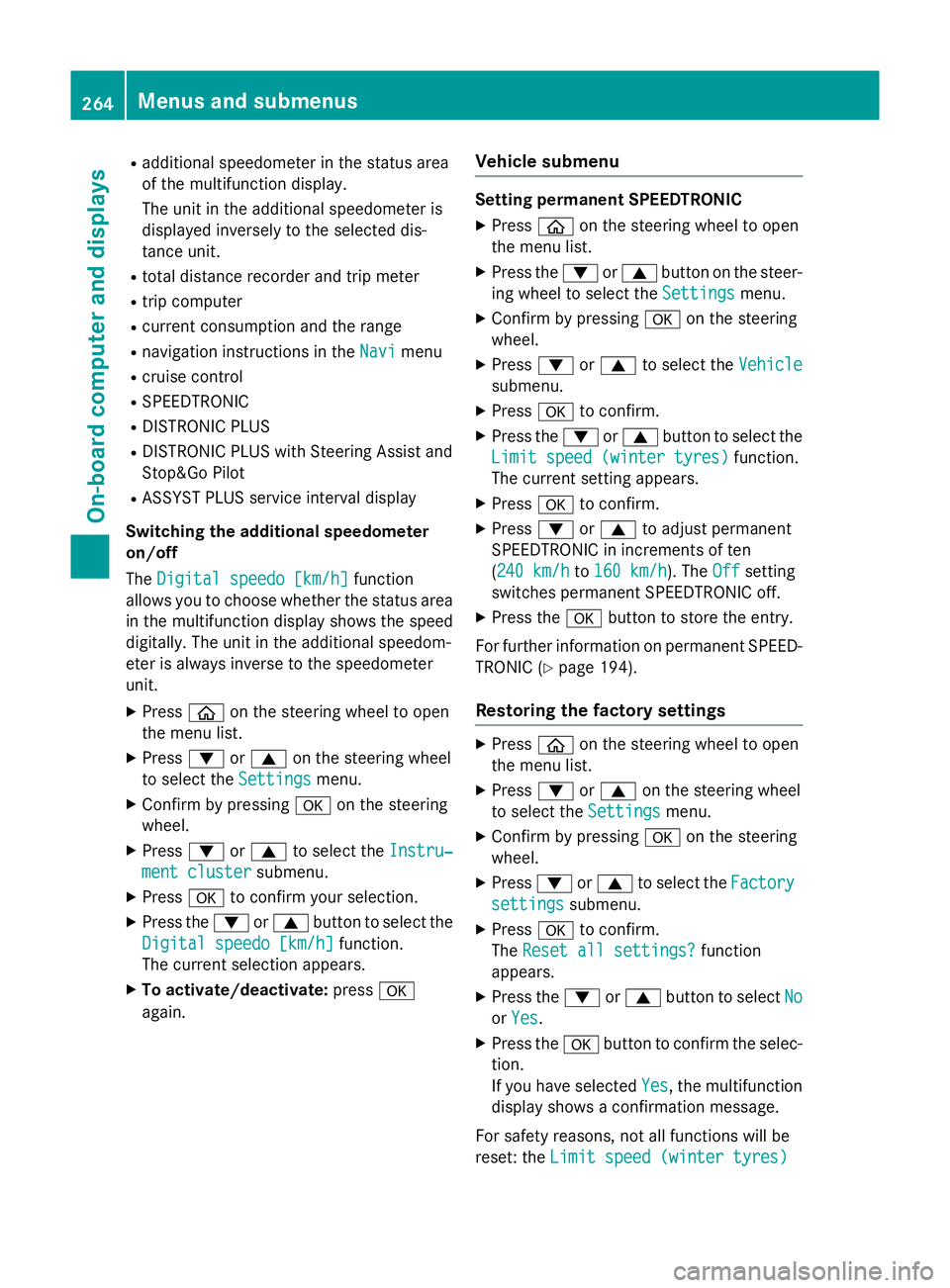
again. Vehicle submenu Setting permanent SPEEDTRONIC
X Press òon the steering wheel to open
the menu list.
X Press the :or9 button on the steer-
ing wheel to select the Settings
Settings menu.
X Confirm by pressing aon the steering
wheel.
X Press :or9 to select the Vehicle Vehicle
submenu.
X Press ato confirm.
X Press the :or9 button to select the
Limit speed (winter tyres) Limit speed (winter tyres) function.
The current setting appears.
X Press ato confirm.
X Press :or9 to adjust permanent
SPEEDTRONIC in increments of ten
(240 km/h 240 km/h to160 km/h 160 km/h). The Off
Offsetting
switches permanent SPEEDTRONIC off.
X Press the abutton to store the entry.
For further information on permanent SPEED- TRONIC (Y page 194).
Restoring the factory settings X
Press òon the steering wheel to open
the menu list.
X Press :or9 on the steering wheel
to select the Settings
Settingsmenu.
X Confirm by pressing aon the steering
wheel.
X Press :or9 to select the Factory
Factory
settings
settings submenu.
X Press ato confirm.
The Reset all settings?
Reset all settings? function
appears.
X Press the :or9 button to select No
No
or Yes
Yes .
X Press the abutton to confirm the selec-
tion.
If you have selected Yes Yes, the multifunction
display shows a confirmation message.
For safety reasons, not all functions will be
reset: the Limit speed (winter tyres) Limit speed (winter tyres) 264
Menus and submenusOn-board computer and displays
Page 269 of 417
Display messages
Introduction
General notes Display messages appear in the multifunction display.
Display messages with graphic symbols are simplified in the Owner's Manual and may differ
from the symbols in the multifunction display.
Please respond in accordance with the display messages and follow the additional notes in this Owner's Manual.
With certain display messages, you will also hear a warning tone.
You can hide the display messages. The display messages are then stored in the message
memory. Rectify the cause of a display message as soon as possible.
When you stop and park the vehicle, please observe the notes on:
R HOLD function (Y page 205)
R Parking (Y page 181)
Hiding display messages X
Press aor% on the steering wheel.
The multifunction display hides the display message.
The multifunction display shows high-priority display messages in red. Some high-priority dis- play messages cannot be hidden.
The multifunction display shows these messages continuously until the causes for the mes-
sages have been remedied.
Message memory The on-board computer saves certain display messages in the
message memory. You can call
up the display messages:
X Press òon the steering wheel to open the menu list.
X Press :or9 on the steering wheel to select the Service Servicemenu.
X Confirm by pressing aon the steering wheel.
X Press :or9 to select the message memory.
If there are no display messages, the No messages
No messagesdisplay appears in the multifunction
display.
When there are display messages, the number of stored messages appears.
X Press ato confirm.
X Press :or9 to scroll through the display messages. 266
Display
messagesOn-board computer and displays
Page 319 of 417
Useful information
i This Owner's Manual describes all mod-
els, series and optional equipment for your
vehicle that were available at the time of
going to press. National variations are pos- sible. Note that your vehicle may not be
equipped with all of the functions descri-
bed. This is also the case for systems and
functions relevant to safety.
i Read the information on qualified special-
ist workshops: (Y page 26). Stowage areas
Loading guidelines
G
WARNING
Combustion engines emit poisonous exhaust
gases such as carbon monoxide. Exhaust
gases can enter the vehicle interior if the boot
lid is open when the engine is running, espe-
cially if the vehicle is in motion. There is a risk of poisoning.
Always switch off the engine before opening
the boot lid. Never drive with the boot lid
open. G
WARNING
If objects, luggage or loads are not secured or not secured sufficiently, they could slip, tip
over or be flung around and thereby hit vehicle
occupants. There is a risk of injury, especially when braking or abruptly changing directions.
Always store objects so that they cannot be
flung around. Secure objects, luggage or
loads against slipping or tipping before the
journey. G
WARNING
The exhaust tail pipe and tail pipe trim can
become very hot. If you come into contact
with these parts of the vehicle, you could burn
yourself. There is a risk of injury. Always be particularly careful around the
exhaust tail pipe and the tail pipe trim. Allow
these components to cool down before touch-
ing them.
The handling characteristics of a laden vehi-
cle are dependent on the distribution of the
load within the vehicle. For this reason, you
should observe the following notes when
transporting a load:
R never exceed the maximum permissible
gross vehicle weight or the permissible axle
loads for the vehicle (including occupants).
R the boot is the preferred place to carry
objects.
R position heavy loads as far forwards as pos-
sible and as low down in the boot as pos-
sible.
R the load must not protrude above the upper
edge of the seat backrests.
R always place the load behind unoccupied
seats if possible.
R secure the load with sufficiently strong and
wear-resistant lashing material. Pad sharp
edges for protection.
i Load restraints are available at any quali-
fied specialist workshop, e.g. a Mercedes-
Benz Service Centre. Stowage compartments
Important safety notes G
WARNING
If you do not correctly store objects in the
vehicle interior, they can slip or be flung
around, thus striking vehicle occupants.
There is a risk of injury, especially when brak- ing or abruptly changing directions.
R Always store objects so that they cannot be
flung around in these or in similar situa-
tions.
R Always make sure that objects do not pro-
trude from stowage compartments, lug-
gage nets or stowage nets. 316
Stowage areasStowing and features
Page 332 of 417
sion surrounding the possible health risk
posed by electromagnetic fields.
Mercedes-Benz recommends the use of an
approved exterior aerial. This ensures:
R optimal mobile phone reception quality in
the vehicle
R that mutual interference between the vehi-
cle electronics and mobile phones is mini-
mised
An exterior aerial has the following advan-
tages:
R it conducts the electromagnetic fields gen-
erated by a wireless device to the exterior
R the field strength in the vehicle interior is
lower than in a vehicle that does not have
an exterior aerial
Information on retrofitting two-way radios
and mobile phones (RF transmitters)
(Y page 402).
General notes Depending on the vehicle equipment, there
are various mobile phone brackets that may
be fitted in your vehicle; in some cases, these
are country-specific.
More information on suitable mobile phones,
mobile phone brackets and on connecting
Bluetooth ®
-capable mobile phones with
COMAND Online can be obtained:
R at your Mercedes-Benz Service Centre
R on the Internet at http://www.mercedes-
benz.com/connect
The functions and services available when
you use the phone depend on your mobile
phone model and service provider.
Using a mobile phone To connect a mobile phone to the exterior
aerial and charge it, insert it into the mobile
phone bracket. X
Open the telephone compartment
(Y page 318).
X Place the mobile phone bracket into the
pre-installed fitting; see the separate instal-
lation instructions for the mobile phone fit-
ting.
X Insert the mobile phone into the mobile
phone bracket; see the separate installa-
tion instructions for the mobile phone fit-
ting.
i The mobile phone can also be operated
without being in the bracket. However, the charging function and aerial function are
not available.
In order to use Bluetooth ®
(SAP profile) on
your telephone module, you must first insert
the telephone module into the pre-installed
fitting. This connects it to the exterior aerial.
If you wish to charge the mobile phone, then
you must connect it to a USB port.
Further information on the telephone module
with Bluetooth ®
(SAP profile) can be found in
the Digital Owner's Manual.
Operating the mobile phone You can operate the telephone using the
6 and~ buttons on the multifunction
steering wheel. You can operate other mobile
phone functions via the on-board computer
(Y page 256).
When you remove the key from the ignition
lock, the mobile phone is disconnected from
the vehicle. You can then no longer make calls using the hands-free system.
If a call is active and you remove the key from the ignition lock, the conversation is trans-
ferred over to the mobile phone. It is then
possible to continue the conversation on the
mobile phone. Features
329Stowing and features Z