light MERCEDES-BENZ S-CLASS COUPE 2017 Owners Manual
[x] Cancel search | Manufacturer: MERCEDES-BENZ, Model Year: 2017, Model line: S-CLASS COUPE, Model: MERCEDES-BENZ S-CLASS COUPE 2017Pages: 533, PDF Size: 10.75 MB
Page 330 of 533
#
Con figuring theI nterne tconnection using
prese torm anual access dat a(→pag e325).
% While using business telephon y,it is no tpos‐
sible toswitc hBluetooth ®
profiles.
Editing access data
Requ irements:
R The mobile phon esupports theB luetooth ®
DUN profile.
Multimedia sy stem:
, System .
ö Connectivity .
Inter-
net settings #
Highlight them obile phone. #
Select ¥. #
Select Change configuration .#
Form obil ephone swithP AN an dDUN:
select Configur esettings using COMAND. #
Configur ethe Interne tconnection using pre‐
se torm anual access dat a(→pag e325). Cancelling Interne
taccess permission fora
mobil ephone
Multimedia sy stem:
, System .
ö Connectivity .
Inter-
net settings #
Highlight them obile phone. #
Select ¥. #
Select Deleteconfiguration. #
Select Yes.
Displaying mobile phone details
Multimedia sy stem:
, System .
ö Connectivity .
Inter-
net settings #
Highlight them obile phone. #
Select ¥. #
Select Details.
Establishing an Interne tconnection
Multimedia sy stem:
, Connect #
Fore xamp le, select zBrowser . %
The multimedia sy stem usually es tablishes
th eI nterne tconnection automaticall y.Ifthe
multimedia sy stem is no tconnected tothe
Internet, theI nterne tconnection is es tab‐
lished when an Interne tapplication is used. Connection
status Connectio
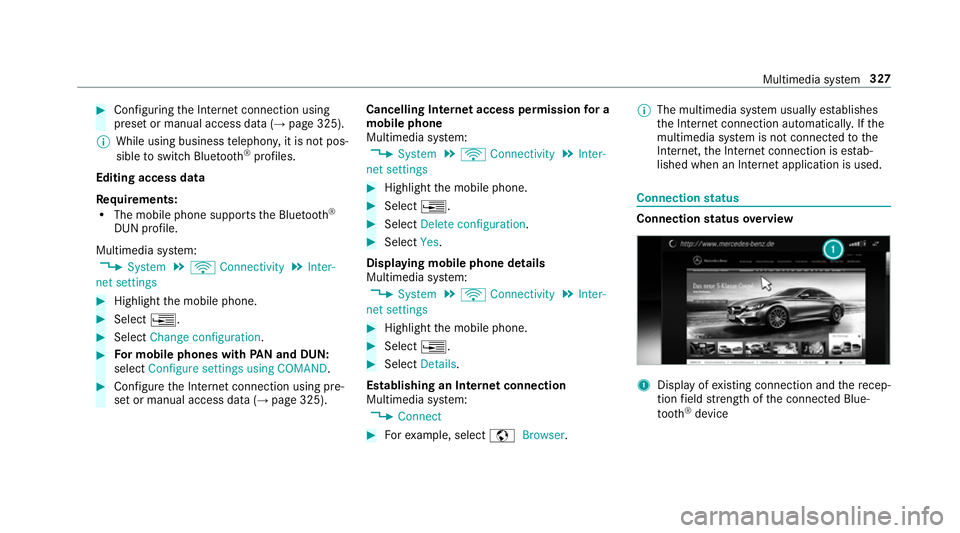
nstatus overview 1
Displa yofexisting connection an dthe recep‐
tion field stre ngt hoft he connected Blue‐
tooth ®
device Multimedia sy
stem 327
Page 333 of 533
Creating
abookmark #
Select Add new bookmark. #
EnteraU RL and aname. #
Select ¡.
Editin gabookmark #
Highlight abookmar k. #
Select ¥. #
Select Edit. #
Enter aURLand aname. #
Select ¡.
Deleting abookmark #
Highlight abookmar k. #
Select ¥. #
Select Delete. #
Select Yes.
Closin gthe br owser
Multimedia sy stem:
, Connect .
z Browser #
Select åClose browser . Interne
tradio Calling up the Interne
tradio
Re quirements:
R Ther eisana ccount on http://
www.me rcedes.me.
R The Interne tradio service is activated.
R The dat avolume is available.
Dependin gonthe countr y,dat avolume may
need tobe pur chased.
R AfastInterne tconnection ford atat ransmis‐
sion free of inter fere nce.
The service sarecountr y-dependent.
Fo rm orei nformation, consult aMercedes-
Benz Service Centre.
Multimedi asystem:
, Radio .
Þ Radio source #
Select TuneIn radio.
The Interne tradio displ ayappears. The last
st atio nsetstarts playing.
% The connectio nqualit ydepends on thel ocal
mobile phone reception. In
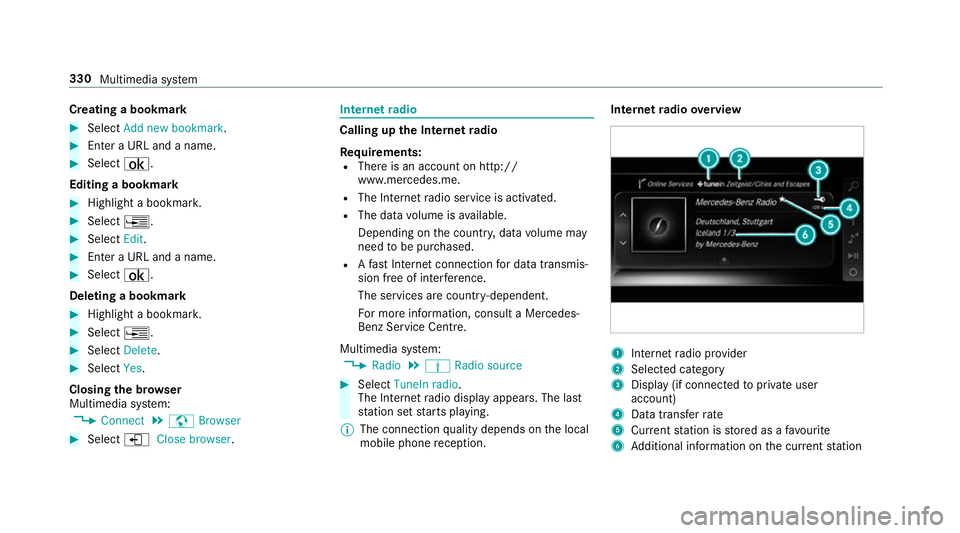
tern etradio overview 1
Inte rn et radio pr ovider
2 Selec tedc ategory
3 Displa y(if connec tedtop riva te user
account)
4 Datatransfer rate
5 Current statio niss tore dasaf avourite
6 Additional information on thec urrent station 330
Multimedia sy stem
Page 346 of 533
Ac
tivatin gBluetooth ®
audio
Multimedi asystem:
, Media .
à Media sources #
Select áBluetoot haudio.
The multimedia sy stem activates thec onnec‐
te dB luetooth ®
audio equipment.
Selecting amusic pla yer
Multimedia sy stem:
, Media .
à Media sour-
ces .
á Bluetoot haudio #
Select aBluetooth ®
audio device.
If multiple music pla yers arep resen tont he
Blue tooth ®
audio equipment alista ppears. #
Select amusic pla yer.
Playbac kstarts.
Sear ching forat rack
Multimedia sy stem:
, Media .
à Media sour-
ces .
á Bluetoot haudio #
Select ª. #
Select acategor y.
At rack list appears. #
Select atrac k.
% The function is onl yavailable when the
mobil ephone and them usic pla yers elected
on them obile phone suppor tthis function.
Switching Blue tooth ®
audio equipment via
NFC
Requ irements:
R Obser vethen otes on using NFC
(→ pag e307).
R The Blue tooth®
audio overvie wisd isplayed
( → pag e343). #
Lightl ypress theN FC area on them obile
phone (see them anufacturer's operating
instructions).
If th em obile phone has already been author‐
ised on them ultimedia sy stem as Blue tooth®
audio equipment ,itisnowconnec ted.
If th em obile phone is authorised on them ul‐
timedia sy stem as Blue tooth ®
audio equip‐ men
tfor thef irst time, it is connected af ter
confirming thei nstruction sfor them obile
phone (see them anufacturer's operating
instructions).
Disconnecting Blue tooth ®
audio equipment
Multimedi asystem:
, Telephone .
á Media sources #
Select aBluetooth ®
audio device. #
Select ¥Deauthorise. #
Select Yes. Ra
dio Switchin
gontheradio Multimedia sy
stem:
, Radio #
Alternatively: press the$ button.
The radio displa yappears. Youw ill hear the
las tstatio np laye dont he las tfrequ ency
band selected. Multimedia sy
stem 343
Page 348 of 533
Setting
thef requ ency band Multimedia sy
stem:
, Radio .
Þ Radio source #
Select afrequ ency band. Selecting
aradio station Multimedi
asystem:
, Radio #
Navigat eupord own. Calling up
ther adio station list Multimedi
asystem:
, Radio .
è #
Select astation. Sear
ching forr adio station susin gstation
name sord irectf requencyentry Multimedi
asystem:
, Radio .
è .
è #
Ente rastatio nn ameorf requency. #
Select a.
The sea rchr esults ar edispla yed. #
Select astation. St
oring radio stations Multimedi
asystem:
, Radio .
ß Presets #
Select Store curren tstation in the presets . Editing
radio station presets Multimedi
asystem:
, Radio .
ß Presets
Moving stations: #
Highlight aprese te ntr yand navigat etothe
left. #
Select Move highlighted station. #
Select apreset.
Deleting stations: #
Highlight aprese te ntr yand navigat etothe
left. #
Select Delete highlighted station. #
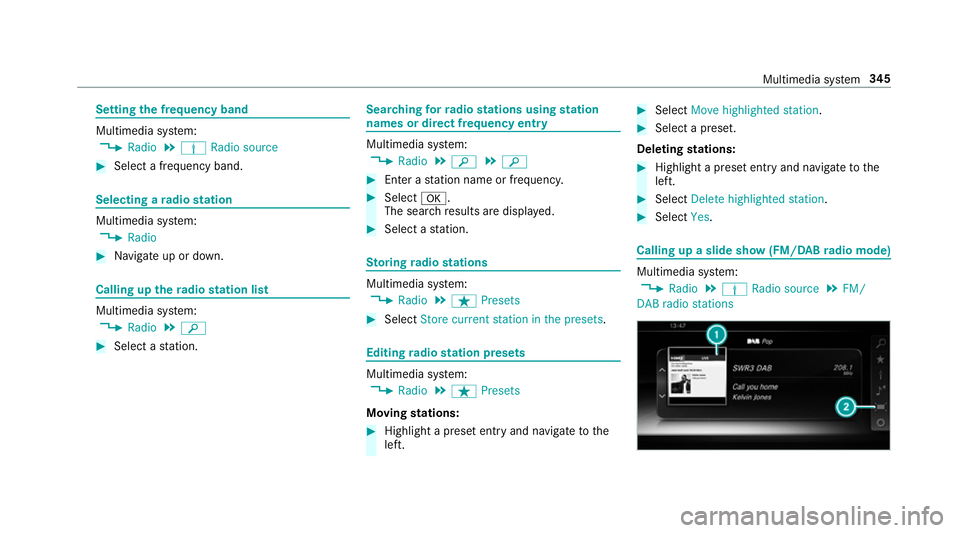
Select Yes. Calling up
aslide sho w(FM/DAB radio mode) Multimedia sy
stem:
, Radio .
Þ Radio source .
FM/
DABr adio stations Multimedia sy
stem 345
Page 355 of 533
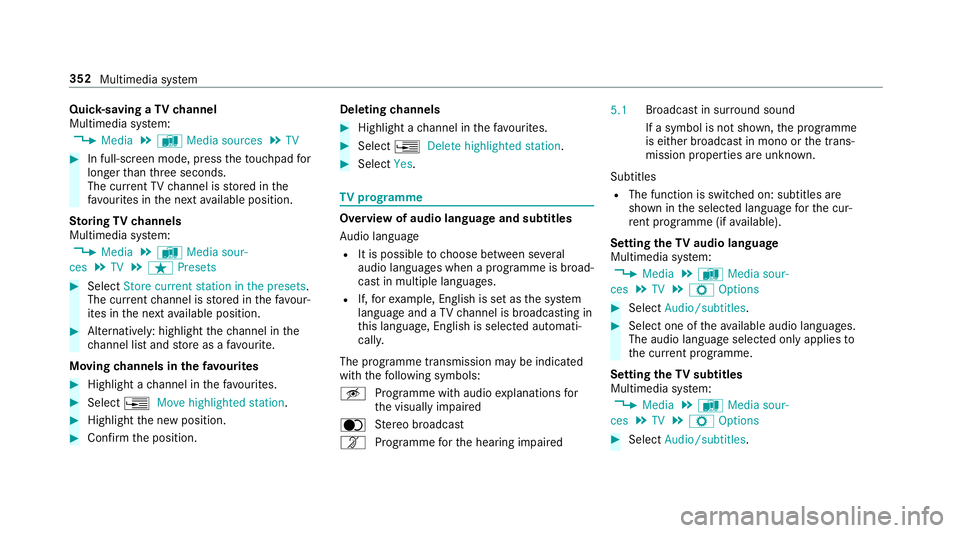
Quic
k-saving aTVchannel
Multimedi asystem:
, Media .
à Media sources .
TV #
In full-screen mode, press thet ouchpad for
longer than thre es econds.
The cur rent TV channel is stored in the
fa vo urites in then exta vailable position.
St oring TVchannels
Multimedi asystem:
, Media .
à Media sour-
ces .
TV .
ß Presets #
Select Store curren tstation in the presets .
The cur rent channel is stored in thef avo ur‐
ites in then exta vailable position. #
Alternatively: highlight thec hannel in the
ch annel lis tand stor easaf avourite.
Moving channels in thef avo urites #
Highlight achannel in thef avo urites. #
Select ¥Movehighlighted station. #
Highligh tthe ne wposition. #
Confir mthe position. Deleting
channels #
Highlight achannel in thef avo urites. #
Select ¥Deletehighlighted station. #
Select Yes. TV
prog ramme Overvi
ewof audio languag eand subtitles
Au dio language
R It is possible tochoose between se veral
audio languages when aprogramme is broad‐
cas tinm ultiple languages.
R If,fore xamp le, En glish is se tasthe sy stem
languag eand aTVc hannel is broadcasting in
th is language, En glish is selec teda utomati‐
cally.
The prog ramme transmission ma ybeindica ted
wit hthe following symbols:
m Programme wit haudioexplanation sfor
th ev isuall yimp aired
o Stereo broadcast
n Programme fort he hearing impaired 5.1
Broadcas
tinsurround sound
If as ymbol is no tshown, thep rogramme
is either broadcas tinmonoort he trans‐
mission properties ar eunknow n.
Subtitles
R The functio niss witched on: subtitle sare
shown in thes elected languag efor thec ur‐
re nt programme (i favailable).
Setting theTVa udio language
Multimedi asystem:
, Media .
à Media sour-
ces .
TV .
Z Options #
Select Audio/subtitles. #
Select one of thea vailable audio languages.
The audio languag eselec tedo nlya pplies to
th ec urrent programme.
Settin gthe TV subtitles
Multimedia sy stem:
, Media .
à Media sour-
ces .
TV .
Z Options #
Select Audio/subtitles. 352
Multimedia sy stem
Page 362 of 533
Batter
ydisconnection periods The AS
SYST PLUS service inter vald isplay
can onl ycalculat ethe servic edue date when
th eb attery is connected. #
Notedown thes ervice due dat edispla yedon
th ei nstrument displa ybefor edisconnecting
th eb atter y(→pag e358). Engine compartment
Ac
tiv eb onne t(pedestrian pr otection) Operation of
thea ctiv ebonne t(pedestrian
pr otection)
In cer tain accident situations ,the risk of injury
to pedestrians can be reduced bythea ctuation
of thea ctiv ebonnet .The rear area of thee ngine
bonn etisraised byappr oximatel y80m m.
Fo rthe driv etotheworkshop, rese tthe trig‐
ge reda ctiv ebonn etyourself .Ifthe activ ebonnet
has been triggered, pedestrian pr otection may
be limited.
Aq ualified specialis tworks hop mus tre-ins tate
th ef ull functionality of thea ctiv ebonnet. The activ
ebonne tisnotavailable in all coun‐
tries.
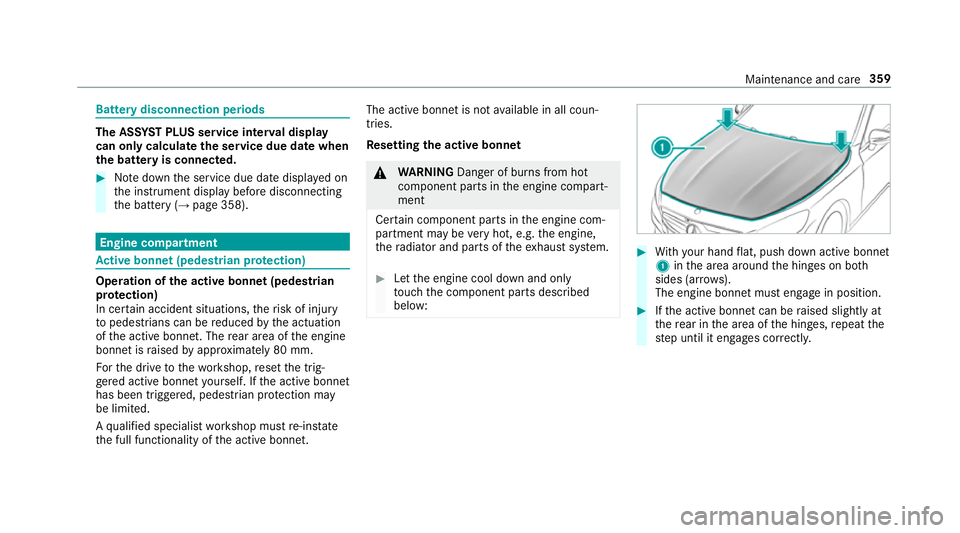
Re setting thea ctiv ebonnet &
WARNING Danger of bu rnsf romh ot
component parts in thee ngine compart‐
ment
Cer tain component parts in thee ngine com‐
partmen tmaybe very hot, e.g. thee ngine,
th er adiator and parts of thee xhau stsystem. #
Letthe engine cool down and only
to uc ht he component parts described
below: #
With your han dflat, push down activ ebonnet
1 inthea reaa round theh inges on bo th
sides (ar rows).
The engine bonne tmuste ngag einp osition. #
Ifth ea ctiv ebonnet can be raised slight lyat
th er ear in thea reaoft he hinges, repeat the
st ep until it engages cor rectl y. Maintenance and care
359
Page 364 of 533
th
er adiator and parts of thee xhau stsystem. #
Letthe engine cool down and only
to uc ht he component parts described
below: &
WARNING Risk of inju ryfrom using the
windscreen wiper swhile thee ngine bon‐
ne tiso pen
When thee ngine bonn etis open ,and the
windscreen wiper saresetinm otion, youc an
be trapped bythew iper linkage. #
Alw ayss witc hoffthew indscreen wip‐
er sa nd ignition befor eopening the
engine bonn et. #
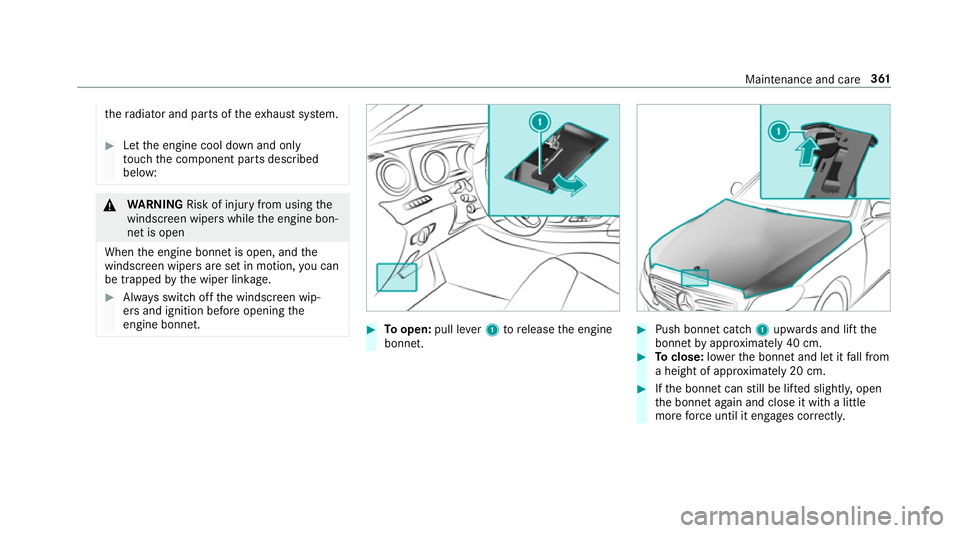
Toopen: pull lever1torelease thee ngine
bonn et. #
Push bonne tcatch 1upwards and lif tthe
bonne tbyapproximatel y40cm. #
Toclose: lowe rthe bonne tand le titfall from
ah eight of appr oximatel y20cm. #
Ifth eb onnet canstill be lif teds lightl y,open
th eb onnet again and close it wit halittle
mor eforce until it engages cor rectly. Maintenance and care
361
Page 370 of 533
Components damaged in
this wa ym ayunex‐
pec tedly fail. #
Do no tuse high-pressur ecleaner swith
circular je tnozzles toclean thev ehicle. #
Have damaged tyres or chassis parts
re placed immediatel y. To
avo id damag etoyourvehicle, obser vethef ol‐
lowing when using ahigh-pressur ecleaner:
R Keep thek eyat leas t3ma wayfromt he
ve hicle. Otherwise theb ootlid could open
unintentionall y.
R Maintain adista nce of at leas t30cmtot he
ve hicle. R
Vehicles with deco rativ efoil: parts of your
ve hicle ar ecove redw ithad ecorativ efoil.
Maintain adista nce of at leas t70cm
betwee nthe foil-c ove redp arts of thev ehicle
and then ozzle of theh igh pressur ecleaner.
Mo vetheh igh-pressur ecleaner nozzle
around whils tcleaning.
R Obser vethei nformation on thec orrect dis‐
ta nce in thee quipment manufacturer's oper‐
ating instructions.
R Do no tpoint then ozzle of theh igh-pressure
cleaner directly at sensitiveparts suc has
tyres, slits, electrical component parts ,bat‐
te ries, light sources and ventilation sl ots. Wa
shing thev ehicle byhand Obser
vethel egal requ irements, e.g. in anumber
of countries, washing byhand is onl ypermitted
in specially designated wash ba ys. #
Use amild cleaning agent, e.g. car shampoo. #
Washthev ehicle wit hlukewa rmwate rusing
as oftc ar sponge. When doing so, do not
ex pose thev ehicle todirect sunlight. #
Carefully hose thev ehicle of fwithw ater and
dr yu sing achamois. Take car enot to point
th ew ater je tdirectl ytow ards thea ir inlet. Maintenanc
eand care 367
Page 371 of 533
Note
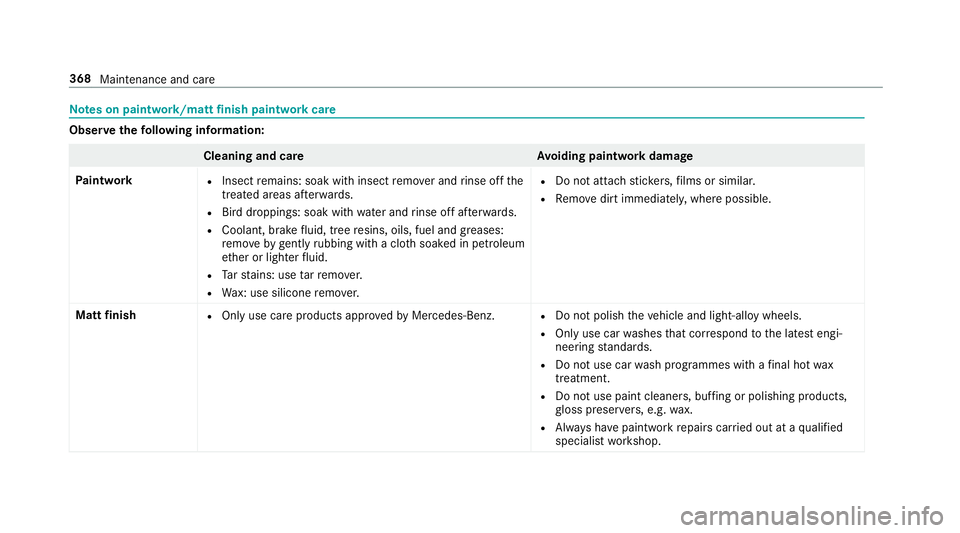
sonp aintwork/matt finish paint workcare Obser
vethef ollowing information: Cleaning and car
eA voiding paintwor kdamage
Pa intwork R
Insect remains: soak wit hinsect remo vera nd rinse of fthe
treated areas af terw ards.
R Birdd roppings: soak wit hwater an drins eo ffafte rw ards.
R Coolant, brak efluid, tree resins, oils, fuel and greases:
re mo veby gently rubbing wit hacloth soaked in petroleum
et her or lighter fluid.
R Tars tains :use tarr emo ver.
R Wax: us esilico neremo ver. R
Do no tattac hstickers,f ilms or similar.
R Remo vedirtimmediatel y,wher epossible.
Mat tfinish R
Onlyuse car eproducts appr oved byMercedes-Benz. R
Do no tpolish thev ehicle and light-allo ywheels.
R Onlyuse car washes that cor respond tothel ates tengi‐
neering standards.
R Do no tuse car wash programmes wit hafinalhot wax
treatment.
R Do no tuse paint cleane rs,b uffing or polishing products,
gl oss preser vers,e .g. wax.
R Alw aysh ave paintwor krepair scarried out at aqualified
specialis tworks hop. 368
Maintenance and care
Page 374 of 533
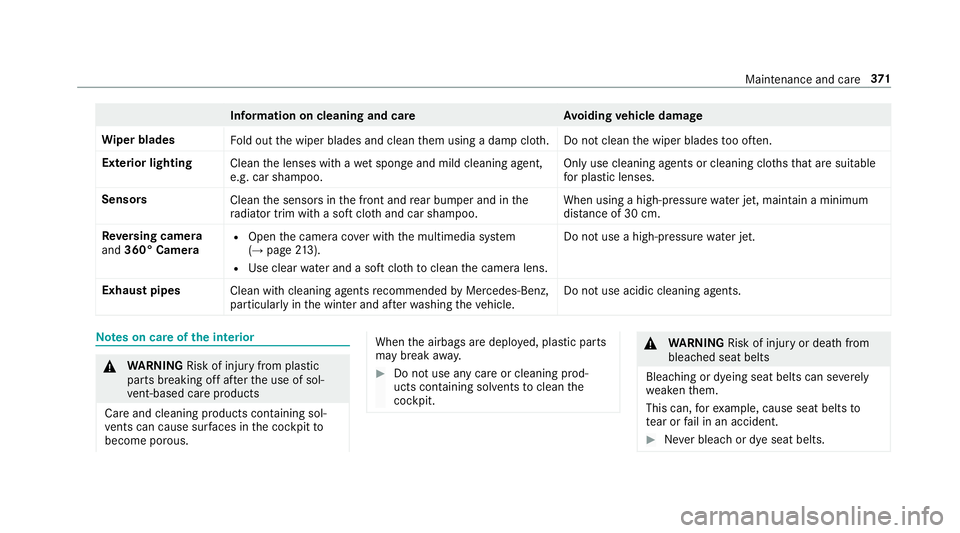
Information on cleaning and car
eAvoiding vehicl edamage
Wi per blades
Fold out thew iper blades and clean them using adam pcloth .D onotclean thew iper blades tooo ften.
Exterior lighting Cleanthel enses wit hawetspong eand mild cleaning agent,
e.g .car sha mpoo. Onl
yuse cleaning agents or cleaning clo thst hat ar esuitable
fo rp last ic lenses.
Sensors Cleanthes ensor sinthe front and rear bumper and in the
ra diator trim wit hasoftc loth and car shampoo. When usin
gahigh-pressur ewater jet, main tain am inimum
dis tance of 30 cm.
Re versing camera
and 360° Camera R
Open thec amer acover wit hthe multimedia sy stem
(→ pag e213).
R Usec lear watera nd asoftc loth toclean thec amer alens. Do no
tuse ah igh-pressur ewater jet.
Exhaus tpipes
Clean withcleaning agents recommended byMercedes-Benz,
particular lyin thew inter and af terw ashing thev ehicle. Do no
tuse acidic cleaning agents. Note
sonc areoft he interior &
WARNING Risk of inju ryfrom pla stic
parts breakin goffafte rt he use of sol‐
ve nt-based car eprodu cts
Ca reand cleanin gproducts con tainin gsol‐
ve nts can cause su rfaces in thec ockpit to
become porous. When
thea irbags ar edeplo yed, plastic parts
ma ybreak away. #
Do no tuse anyc areorc leaning prod‐
ucts containing sol vents toclean the
cockpit. &
WARNING Risk of inju ryor deat hfrom
bleached seat belts
Bleaching or dyeing seat belts can se verely
we aken them.
This can, fore xamp le, caus eseat belt sto
te ar or fail in an accident. #
Neverb lea ch or dy eseat belts. Maintenance and care
371