ECO mode MERCEDES-BENZ S-CLASS COUPE 2019 User Guide
[x] Cancel search | Manufacturer: MERCEDES-BENZ, Model Year: 2019, Model line: S-CLASS COUPE, Model: MERCEDES-BENZ S-CLASS COUPE 2019Pages: 518, PDF Size: 43.51 MB
Page 135 of 518
The
engine isaut omaticall yswitc hedoffif th e
fo llo wing condition sar eme t:
R youbr ak eth eve hicle toast ands tillin trans‐
miss ionposit ion005Bor005C.
R ifall vehicle conditions foran automatic
engine stop areme t.
The 00D6 symbol appearsin themultifunc tion
displa ywhen theve hicle isstatio nary.
The engine isrestar tedaut omatic allyif:
R youre lease thebr ak epedal intra nsmiss ion
position 005Bwhen theHOLD function isno t
activ e.
R youshif tfr om transm issionposi tion005D.
R youen gage trans missi on positio n005B or005E.
R youdepr esstheaccelera torpeda l.
R youch ang eth eve hicle leve l.
R anaut omat icengin est ar tis nec essar y.
If th eengine wasswitc hedoffby theEC Ostar t/
st op funct ionand youlea vetheve hicle, awa rn‐
ing tone sou nds. TheVehicleOpe rationa lSwi tch
the IgnitionOff Befo reExiti ngdispl aymessa ge
also appear sin themultifunc tiondispla y.Ifyo u do
notswitc hof fth eignition ,th eignition is
aut omaticall yswitc hedoffaf te rone minut e.
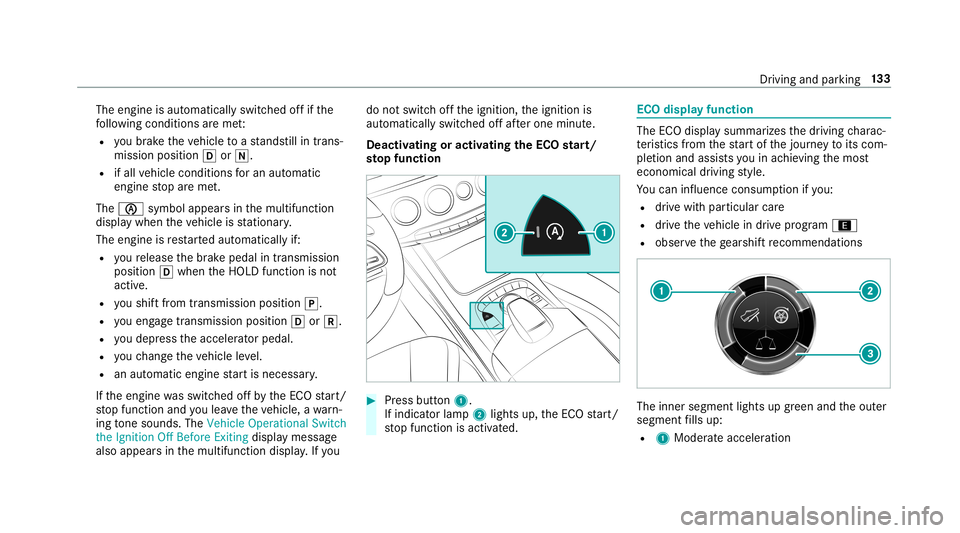
De activ ating oractiv ating theECO star t/
st op fun ction 0007
Press butt on1.
If indic ator lam p2 light sup, theEC Ostar t/
st op funct ionisactiv ated. ECO
displa yfunction The
ECOdispla ysummar izesthedr iving charac‐
te rist ics from thest ar tof thejour neyto its com ‐
ple tion andassis tsyouin achie vingth emos t
econ omical driving style.
Yo ucan influen ceconsum ption ifyo u:
R drive wit hpar ticular care
R drive th eve hicle indrive pr ogr am ;
R obser vethege arshif tre comme ndations The
inner segment lights upgreen and theout er
segment fills up:
R 1 Moderat eacc eler ation Dr
ivin gand parking13
3
Page 140 of 518
0007
Toactiv ate: pul lst eer ing wheel paddle
shif ter1 or2.
Manua lge arshif tingis act ivat ed fora shor t
time. Thecurrent gear isdispla yedin the
multifu nctiondisplay.
0009 Howlong themanual gearshif tingst ay sacti‐
va tedis dependen ton thedr iving style. 0007
Toshif tup: pull steer ing wheel paddle
shif ter2. 0007
Toshif tdo wn: pullsteer ing wheel paddle
shif ter1. 0007
Todeac tivate: pullst eer ing wheel paddle
shif ter2 and hold itin pla ce.
The transmiss ionposi tion 005Bapp earsin the
multifu nctiondisplay.
Pe rm anen tse tting: 0007
Cha ngeto drive pr og ram
= (0013 page13 4). 0007
Select drive pr ogr am Manual
(0013 page13 5). Mer
cedes- AMG vehicl es:obse rveth eno tesin
th eSupplement .Ot her wise, youma yfa ilto rec‐
ogni zedangers. Gearshif
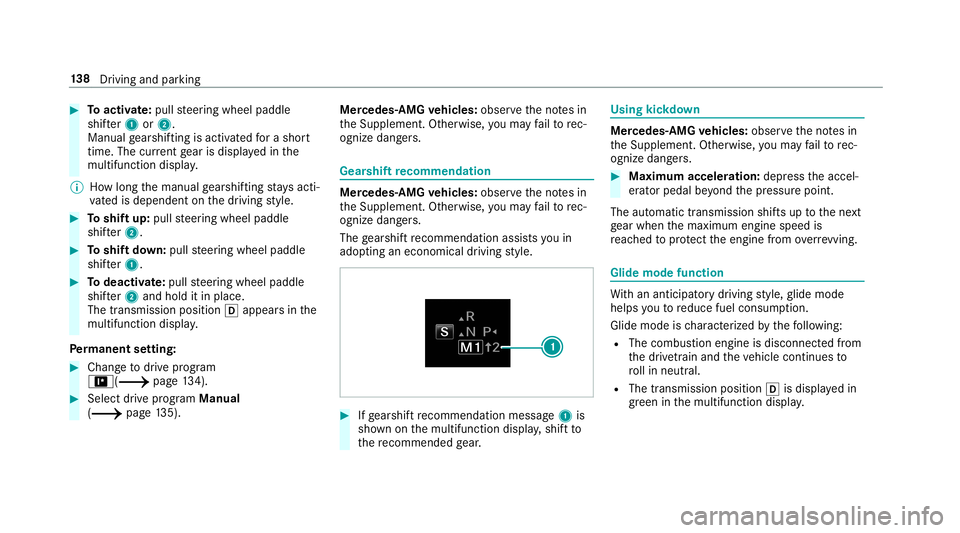
tre comm endation Mer
cedes -AMG vehicl es:obse rveth eno tesin
th eSupplement .Ot her wise, youma yfa ilto rec‐
ogni zedangers.
The gearshif tre comme ndation assists youin
adop tingan eco nomic aldrivin gst yle. 0007
Ifge arshif tre comme ndation mess age1 is
sho wnonthemultifunc tiondispla y,shif tto
th ere comme ndedgear. Using
kickdow n Mer
cede s-AMG vehicl es:obse rveth eno tesin
th eSupplement .Ot her wise, youma yfa ilto rec‐
ogni zedangers. 0007
Maxi mum acceler atio n:dep ress theaccel‐
er ator pedal beyond thepr essur epoint .
The automatic transmiss ionshiftsup tothene xt
ge ar when themaximum enginespeedis
re ac hed toprotect theengine from overrev ving. Glide
mode functio n Wi
th an ant icip ator ydr ivin gst yle, glide mode
helps youto reduce fuelconsum ption.
Glide mode isch aract erize dby thefo llo wing:
R The com bustion engin eis disco nnect edfrom
th edr ivet ra in and theve hicle continues to
ro llin neut ral.
R The transmiss ionposit ion005Bisdispla yedin
gr een inthemultifunc tiondispla y. 13
8
Driving and parking
Page 260 of 518
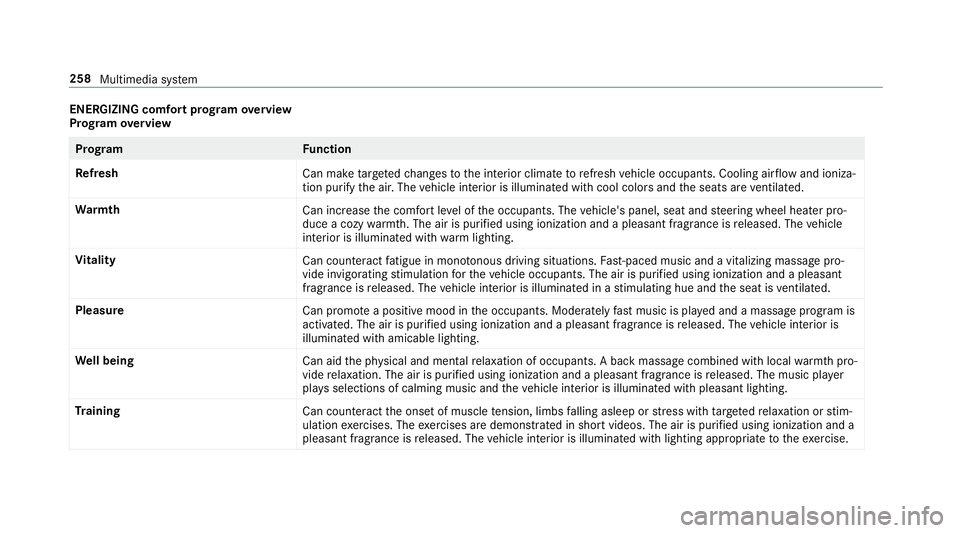
ENER
GIZIN Gcomf ortpr og ram ove rview
Pr og ram ove rview Pr
og ramF unction
Re fresh
Canmaketa rgeted chang estotheint erior climat eto refresh vehicle occupants. Coolingairflow and ioniza‐
tio npur ifytheair .The vehicle interior isillu minat edwithcool color sand theseats areve ntil ated .
Wa rmth
Canincrease thecomf ortle ve lof theoccupant s.The vehicle's panel,seatandsteer ing wheel heaterpro‐
duce acoz ywa rmth.The airis pu rified using ionizat ionand apleasant fragr ance isreleased. Thevehicle
int erior isillu minat edwithwa rm light ing.
Vi tali ty
Cancoun tera ct fatig ue inmono tonou sdr ivi ng situa tions. Fast-pa ced music and avit alizi ng mas sage pro‐
vide invigor ating stimulatio nfo rth eve hicle occupants. Theairispur ified using ionization andapleasa nt
fr agr ance isreleased. Thevehicle interior isillu minat edinast imulatin ghue and theseat isventil ated .
Pl eas ure
Canpr omo teaposit ive moo din theoccupant s.Moder atelyfa st musi cis pla yedand amassag epr ogr am is
activ ated. The airispur ified using ionization andapleasant fragr ance isreleased. Thevehicle interior is
illu minat edwithamicable lighting.
We llbeing
Canaidtheph ysical and men talre lax ation ofocc upant s.Abac kmassag ecom bined withlocal warmthpro‐
vide relax ation .The airispur ified using ionization andapleasant fragr anc eis released. Themusic player
pla ysselections ofcalming musicandtheve hicle interior isillu minat edwithpleasa ntlighting.
Tr aini ng
Cancount eract theonse tof muscle tensi on, limbs falling asleep orstre ss wit hta rgeted relax ation orstim‐
ulation exercises. Theexercises aredemon stra tedin shor tvideos. Theairispur ified using ionization anda
pleasant fragr ance isreleased. Thevehicle interior isillu minat edwithlighting appropriateto theex ercise. 258
Multimedia system
Page 268 of 518
Ent
ering thedes tina tion asa3 wo rdaddr ess
Re quirement s:
R Sear ching fora des tination using 3wo rd
addr esse sis poss ibleintheonline search
( 0013 page260) .
R Ther eis an Interne tcon nection .
0009 Sear ching fora des tination using 3wo rd
addr esse sis no tposs ibleinall coun tries.
Mult imed iasystem:
0018 Navigation 0019
ª Enter Dest ination 0007
Select Online Search. 0007
Enterth edes tinat ionaddr essasa3 wo rd
addr ess. Separateeac hof thewo rdswit ha
full stop.
The sear chresults aredispla yed. 0007
Select thedes tinat ioninthelis t.
The destinat ionaddr essissho wn. The route
can becalc ulated.
0009 3wo rdaddr esse sfrom what 3words arean
alt ernat ive addr essingsystem formulti lin‐
gua lge orefer encin gof global locations with
a re solution ofthre eme ters.Usi ngthis grid, locat
ionsontheEar th's sur face areincl uded
whi chdo notha ve abuildin gaddr esssuch
as stre et and house number,fo rex am ple.
The EmpireSt ateBuild inginNe wYo rk has
th efo llo wing languag edepen dent3wo rd
addr ess, forex am ple:
R English: parade.he lp.bleat
R Frenc h:commu n.verbe.bisq uer
R Spanish: suertes.dig a.pesca
3 wo rdaddr esse sar euniq ue,easy to
re member andsuffice formos tro utin eappli‐
cat ions.
The bidir ectionalco nve rsion of3wo rd
addr esse scan becar ried out here:
R atthewe bsit ehtt p:// what3w ords.c om
R inthewhat3w ords apps
Selecting ades tinat iononthema p
Multi media system:
0018 Navigation 0019
Z Option s 0007
Select MapMenu.
or 0007
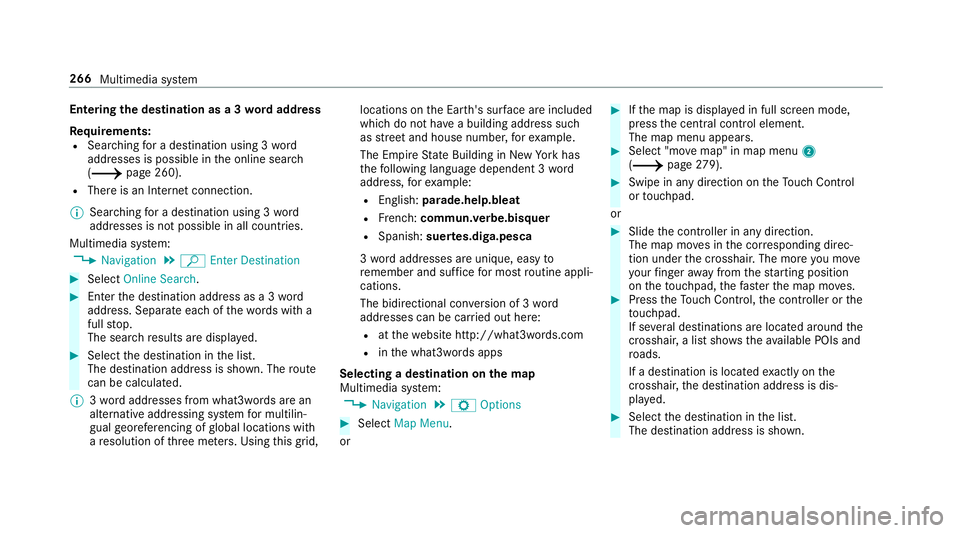
Ifth emap isdispla yedin full screen mode,
pr ess thecent ralcon trol elemen t.
The map menuappear s. 0007
Selec t"mo vemap" inmap menu 2
(0013 page27 9). 0007
Swi peinanydi re ction ontheTo uc hCon trol
or touc hpad.
or 0007
Slid eth econ troller inanydir ect ion.
The map movesin thecor responding direc‐
tion under thecr osshair .The moreyo umo ve
yo ur fing er aw ay from thest ar tin gposit ion
on theto uc hpad, thefa ster themap moves. 0007
Press theTo uc hCon trol, thecon troller orthe
to uc hpad.
If se veraldes tination sar elocat edaround the
cr oss hair,a list sho wstheav ailable POIsand
ro ads.
If ades tinatio nis loc ated exact lyon the
cr oss hair,th edes tinat ionaddr essisdis‐
pla yed. 0007
Select thedes tinat ioninthelis t.
The destinat ionaddr essissho wn. 266
Multimedia system
Page 274 of 518
Ther
ear eth re ephases whenchang ingdirect ion:
R Preparation phase
If th er eis enough timebetween thech ang es
of dir ect ion,th emultimedia system prepar es
yo ufo rth eupcoming chang eof dir ect ion.A
na vig atio nann oun cem entisissue d,e.g .
"Pr epar eto tur nright".
The map appear sin full-scr eenmode.
R Ann ouncemen tphase
The multimedia system announ cesthe
upco mingch ang eof dir ect ion,e.g .by
ann oun cing"T ur nright in300 ft(100 m)".
The displa yis split intotw opar ts.The map is
displa yedon thelef t;on theright, ther eis a
de tailed imag eof theint ersect ionora3D
imag eof theupcoming chang eof dir ect ion.
R Chan ge-of-d irecti onpha se
The multimed iasystem announ cestheimmi‐
nen tch ang eof dir ect ion,e.g .by ann oun cing
"No wtur nright".
The displa yis split intotw opar ts.
The vehicle hassuccessfull ych ang eddirec‐
tio nwhen thelight- color barontheright dr
ops down to0feet (0 m) and thecur rent
ve hicle position symbolhasreac hed the
highlight edchang e-of-dir ect ion poin t.
When thech ang eof dir ect ion iscom plete,
th emap appear sin full-scr eenmode.
0009 Chang esofdir ect ion arealso showninthe
Ins trument Display.
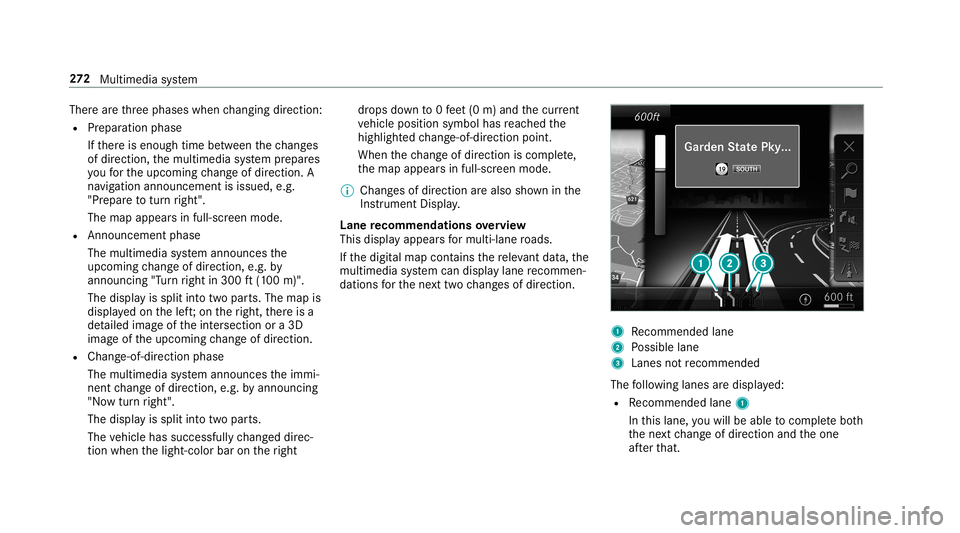
Lane recomm endationsov ervie w
This displa yappear sfo rmulti -lane roads.
If th edigit almap contains there leva nt data,th e
multime diasystem can displa ylane recomme n‐
da tions forth ene xt twoch ang esofdir ect ion. 1
Recomme ndedlane
2 Possible lane
3 Lanes notre comme nded
The follo wing lanes aredispla yed:
R Recomme ndedlane 1
In this lane, youwill beable tocom plet ebo th
th ene xt chang eof dir ect ion and theone
af te rth at. 27
2
Multimedia system
Page 277 of 518
Ov
ervie wof routeguidanc efrom anoff-r oad
loc ation toades tinatio n
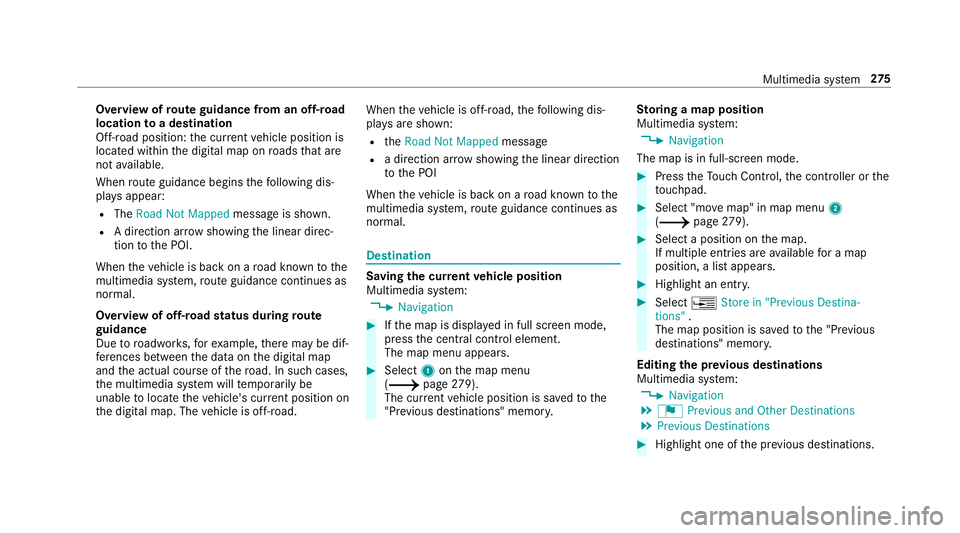
Of f-road position: thecur rent vehicle position is
locat edwithin thedigit almap onroads that are
no tav ailable.
When routeguidan cebegin sth efo llo wing dis‐
pla ysappear :
R The Road NotMapped messageis sho wn.
R Adir ect ion arro w sho wing thelinear direc‐
tion tothePOI.
When theve hicle isbac kon aro ad know nto the
multime diasystem, routeguidan cecontinue sas
no rm al.
Ov ervie wof off-ro ad status during route
guidanc e
Due toroadw orks ,fo rex am ple, ther ema ybe dif‐
fe re nces betwee nth edat aon thedigit almap
and theactual courseofthero ad. Insuc hcas es,
th emultimedia system will temp orarily be
unable tolocat eth eve hicle's current positio non
th edigit almap. Thevehicle isoff-r oad. When
theve hicle isoff-r oad, thefo llo wing dis‐
pla ysaresho wn:
R theRoad NotMapped message
R adir ect ion arrow showing thelinear direct ion
to thePOI
When theve hicle isbac kon aro ad know nto the
multime diasystem, routeguidan cecontinue sas
no rm al. Des
tination Sa
ving thecur rent vehicl eposi tion
Mul timedi asy stem:
0018 Navigation 0007
Ifth emap isdispla yedin full screen mode,
pr ess thecent ralcon trol elemen t.
The map menuappear s. 0007
Selec t1 onthemap menu
(0013 page27 9).
Th ecur rent vehicle position issave dto the
"Pr evious destination s"memo ry. St
oring ama pposit ion
Mult imedia system:
0018 Navigation
The map isin full-scr eenmode. 0007
Press theTo uc hCon trol, thecon troller orthe
to uc hpad. 0007
Select "mo vemap" inmap menu 2
(0013 page27 9). 0007
Select apos ition onthemap.
If multiple entries areav ailable fora map
posi tion, alis tapp ears. 0007
Highl ightanentr y. 0007
Select 0080 Store in"Previ ousDesti na-
tions ".
The map position issave dto the"Pr evious
des tination s"memo ry.
Edit ingthepr ev ious destina tions
Multime diasystem:
0018 Navigation
0019 ¬ Previous andOther Destination s
0019 Previous Destination s 0007
Highlight oneofthepr ev ious destination s. Multim
ediasystem 27
5
Page 279 of 518
Im
por tant informa tionon LiveTr af fic Inf orma‐
tion:
R Current traffic repor tsarere cei vedvia the
Int erne tconnection.
R The traf fic situ ation isup datedat shor t,re gu‐
lar interva ls.
R The subsc ript ion informatio nsho wsthest a‐
tus (0013 page27 7).
In fo rm atio non theve hicle's position isregular ly
sent toDai mle rAG .The data isimmed iatelyre n‐
de redanon ymous byDai mle rAG and forw arded
to thetraf fic da ta prov ider .Usin gth is dat a,traf‐
fi c re por tsreleva nt totheve hicle's position are
sent totheve hicle. Thevehicle actsasasensor
fo rth eflow oftraf fic and helpstoimprov eth e
qu alit yof thetra ffic repor ts.
If yo udo notwish totrans mityo ur vehicle posi‐
tion, youcan have this ser vice deact ivat ed atan
aut hor ized Mercedes -Benz Cent er.
Displa yingsubscr iption informa tion
Re quirement s:
R The vehicle iseq uipped withLiv eTr af fic
Inf ormation. Multime
diasystem:
0018 Navigation 0019
Z Option s
The subscr iption expir ation dateis aut omatic ally
displa yed:
R one mont hbef oreth eex pir ation date.
R one week bef oreth eex pir ation date.
R ontheex pir ation date. 0007
Todispl aymanu ally:select LiveTraffic Sub-
scription Info.
Depending onthest atus ,on eof thefo llo wing
mess ages appear s:
R theper iod ofvalidity forth esubscr iption
is displa yed.
R thesubscr iption hasexpir ed.
0009 The subscr iption canbeextende d:
R atan author ized Mercedes-B enzCent er
R viaanMB Infocall totheMer cedes- Benz
Cus tomer Assis tance Center Di
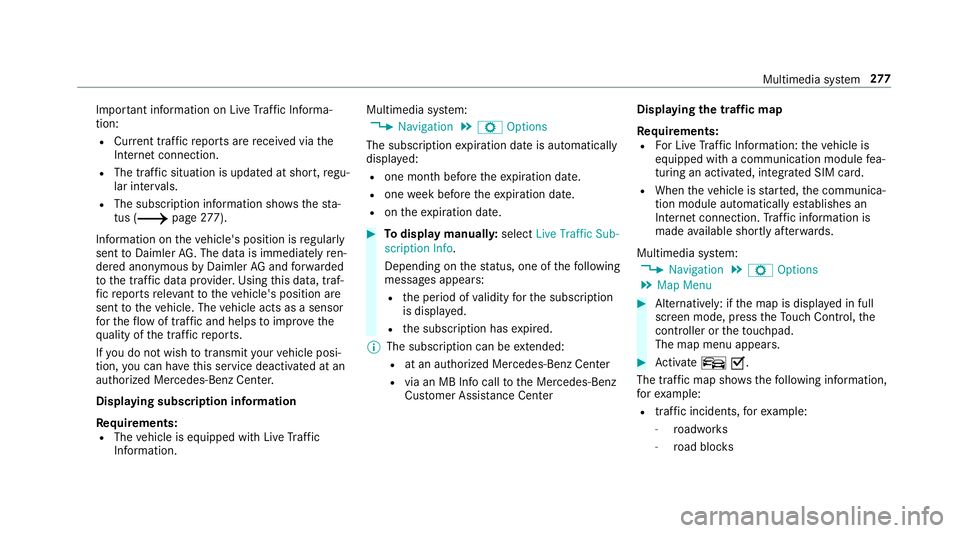
spl aying thetraf fic ma p
Re quirement s:
R ForLiv eTr af fic Inf ormati on:theve hicle is
eq uipped withacommunication modulefea‐
tur ing anact ivat ed, integrat edSIM car d.
R When theve hicle isstar ted, thecomm unica‐
tion module automatic allyes tab lishes an
Int erne tcon nection .Tr af fic inf ormati onis
mad eav ailable shortly af te rw ards.
Mult imed iasystem:
0018 Navigation 0019
Z Option s
0019 Map Menu 0007
Alternativ ely:ifth emap isdispla yedin full
scr een mode, press theTo uc hCon trol, the
contr oller or theto uc hpad.
The map menuappear s. 0007
Activateº 0073.
Th etraf fic map showsthefo llo wing informatio n,
fo rex am ple:
R traf fic inci dents ,fo rex am ple:
- roadw orks
- road bloc ks Multimedia
system 27
7
Page 281 of 518
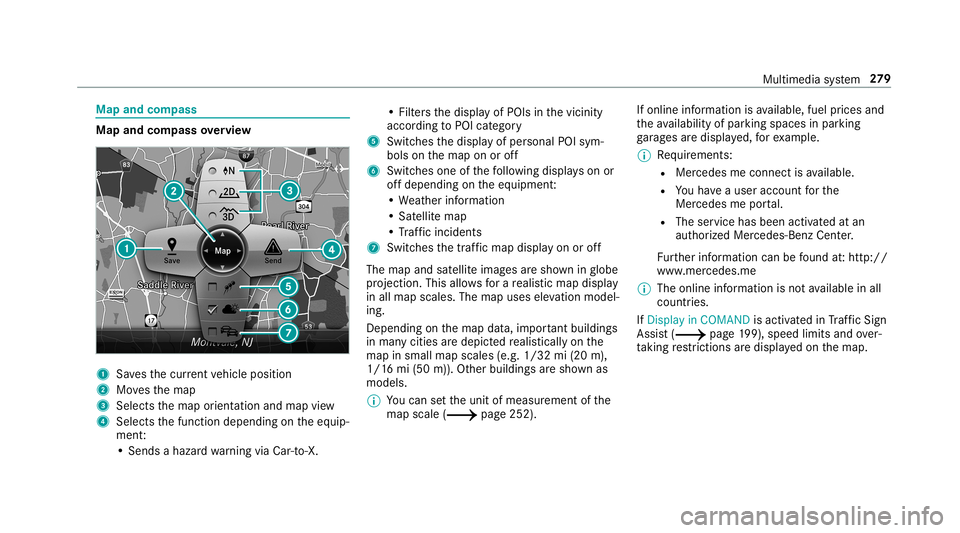
Map
andcom pass Map
andcom pass overview 1
Savesth ecur rent vehicle position
2 Movesth emap
3 Select sth emap orient ation andmap view
4 Select sth efunc tion depending ontheeq uip‐
ment :
• Sends ahazar dwa rning viaCar -to-X . •
Filt ersth edispla yof POIs inthevicinit y
accor dingtoPOI categor y
5 Switc hesthedispla yof per sonal POIsym‐
bols onthemap onoroff
6 Switc hesone ofthefo llo wing displa yson or
of fdepending ontheeq uipment :
• We ather informat ion
• Sat ellit emap
• Traf fic inci dents
7 Switches thetra ffic map displa yon oroff
The map andsatellit eimag esaresho wninglobe
pr oject ion.This allowsfora re alis ticmap displa y
in all map scales. Themap uses elevatio nmod el‐
ing .
Dep endingonthemap data,im por tant buildi ngs
in ma nyciti esaredep icted realis ticallyon the
map insmal lmap scale s(e.g. 1/32 mi(20 m),
1/1 6mi (50 m)). Other buildings aresho wnas
model s.
0009 Youcan setth eunit ofmeasur ementofthe
map scale (0013 page252) . If
online information isavailable, fuelprice sand
th eav ailabilit yof par kingspac esinpar king
ga rage sar edispla yed, forex am ple.
0009 Requiremen ts:
R Mer cedes meconnectis available.
R Youha ve auser accoun tfo rth e
Mer cedes meportal.
R The service hasbeen activat ed atan
aut hor ized Mercedes -Benz Cent er.
Fu rther information canbefound at:ht tp :/ /
www .merced es.me
0009 The onlineinf ormat ionisno tav ailable inall
coun tries.
If Dis play inCOMA NDisact ivat ed inTraf fic Sign
Assi st(0013 page19 9),sp ee dlim its an dove r‐
ta king restrictions aredispl ayed on themap. Multimedia
system 27
9
Page 282 of 518
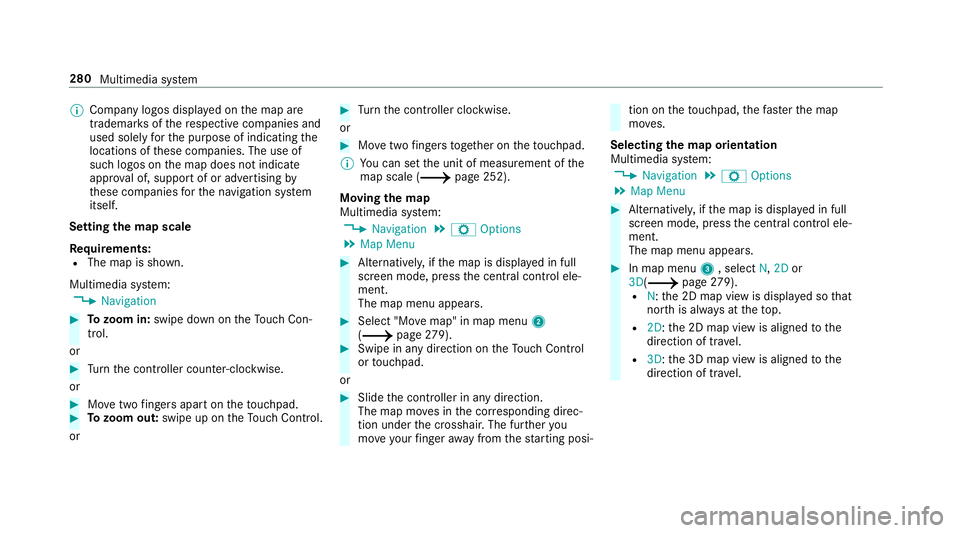
0009
Com panylogo sdispl ayed on themap are
tra demar ksofthere spectiv ecom panies and
used solely forth epur pose ofindicat ingthe
locat ionsofthese com panies. Theuseof
suc hlogos onthemap does notindicat e
appr oval of, suppo rtof or adv ertising by
th ese com panies forth ena vig ation system
itself.
Se tting thema pscale
Re quirement s:
R The map issho wn.
Multime diasystem:
0018 Navigation 0007
Tozoo min: swi pedown ontheTo uc hCon ‐
tr ol.
or 0007
Turn thecon troller count er-cloc kwise.
or 0007
Movetwofing ersap arton theto uc hpad. 0007
Tozoo mout: swipeup on theTo uc hCon trol.
or 0007
Turn thecon troller clockwise.
or 0007
Movetwofing ersto ge ther on theto uc hpad.
0009 Youcan setth eunit ofmeasur ementofthe
map scale (0013 page252) .
Mo ving thema p
Multi media system:
0018 Navigation 0019
Z Option s
0019 Map Menu 0007
Alternativ ely,if th emap isdispla yedin full
scr een mode, press thecent ralcon trol ele‐
men t.
The map menuappear s. 0007
Selec t"Mo vemap" inmap menu 2
(0013 page27 9). 0007
Swi peinanydi re ction ontheTo uc hCon trol
or touc hpad.
or 0007
Slid eth econ troller inanydir ect ion.
The map movesin thecor responding direc‐
tion under thecr osshair .The further you
mo veyour fing er aw ay from thest ar tin gposi‐ tio
non theto uc hpad, thefa ster themap
mo ves.
Selec tingthema por ientat ion
Multi media system:
0018 Navigation 0019
Z Option s
0019 Map Menu 0007
Alternativ ely,if th emap isdispla yedin full
scr een mode, press thecent ralcon trol ele‐
men t.
The map menuappear s. 0007
Inmap menu3 ,selec tN, 2D or
3D( 0013 page27 9).
R N:the2D map viewisdispla yedso that
no rth is alw aysat theto p.
R 2D: the2D map viewisaligned tothe
dir ect ion oftra vel.
R 3D: the3D map viewisaligned tothe
dir ect ion oftrav el. 280
Multimedia system
Page 286 of 518
R
The activ ation codeisno ttr ansf erable
R The activ ation codehassixdigits
In theeve ntofthefo llo wing problems ,please
con tactan author ized Mercedes-B enzCent er:
R The multimedia system does notaccep tth e
act ivatio ncod e
R Youha ve los tth eactiv ation code
Displa yingthecom pass
Multi media system:
0018 Navigation 0019
À Route andPosition 0007
Select Compass.
The com pass displa ysho wsthefo llo wing
inf ormatio n:
R thecur rent dire ction oftrave lwit hbear‐
ing (360 °fo rm at) and compass direct ion
R longitude andlatitude coordinat esin
degr ees, minutes and seco nds
R height (rounded )
R numb erofGPS satellit esfrom whic ha
sign alcan berecei ved Se
tting thema pscale automa tically
Multi media system:
0018 Navigation 0019
Z Option s
The map scale issetaut omaticall ydepending on
yo ur drivin gspee d.
Fo rjour neys incit ies withde tailed citymodels ,a
map viewfrom thedr iver's perspect ive is used. 0007
Switc hAuto Zoom on0073 oroff0053.
0009 The automaticall yselect edmap scale canbe
ch ang edman uallyfo ra shor ttime. Theset‐
ting isrese taut omatically afte ra fe w sec ‐
ond s.
Displa yingthesat ellit ema p
Multi media system:
0018 Navigation 0019
Z Option s
0019 Map Conten t 0007
Switc hSatellit eMap on0073 oroff0053.
or 0007
Ifsat ellit emap displa y6 isavailable inthe
map menu, switchit on 0073 oroff0053
(0013 page27 9).
Swi tched on0073: satellit emaps aredispla yed
in map scales of2mi (2km )or less.
Swit ched off0053: satellit emaps areno tdis‐
pla yedin map scales from 2mi (2km) to
10 mi(10 km).
0009 Satellite maps forth ese map scales areno t
av ailable inall coun tries.
Displ aying weather information
Re quirement s:
R Mer cedes meconnectis available.
R Youha ve auser accoun tfo rth eMer cedes
me portal.
R The service isavailable.
R The servicehas been activat ed atan aut hor ‐
ize dMer cedes-Ben zCent er.
Fu rther information canbefound at:ht tp :/ /
www .merced es.me 28
4
Mult imed iasystem