language MERCEDES-BENZ S-CLASS SEDAN 2013 User Guide
[x] Cancel search | Manufacturer: MERCEDES-BENZ, Model Year: 2013, Model line: S-CLASS SEDAN, Model: MERCEDES-BENZ S-CLASS SEDAN 2013Pages: 536, PDF Size: 24.14 MB
Page 246 of 536
X
Select Title Selection by turning cVd
the COMAND controller and press W to
confirm.
X Select a film/title and press W to confirm.
DVD menu Calling up the DVD menu
The
DVD menu is the menu stored on the DVD
itself. It is structured in various ways
according to the individual DVD and permits
certain actions and settings.
In the case of multi-language DVDs, for
example, you can set the language in the DVD
menu.
X Press W the COMAND controller to show
the menu.
X Select DVD-V in the menu by turning cVd
the COMAND controller and press W to
confirm.
X Select DVD Functions and press W to
confirm.
X Select Menu and press W to confirm.
The DVD menu appears.
Selecting menu items in the DVD menu
X Select a menu item by sliding ZVÆ or
turning XVY the COMAND controller and
press W to confirm.
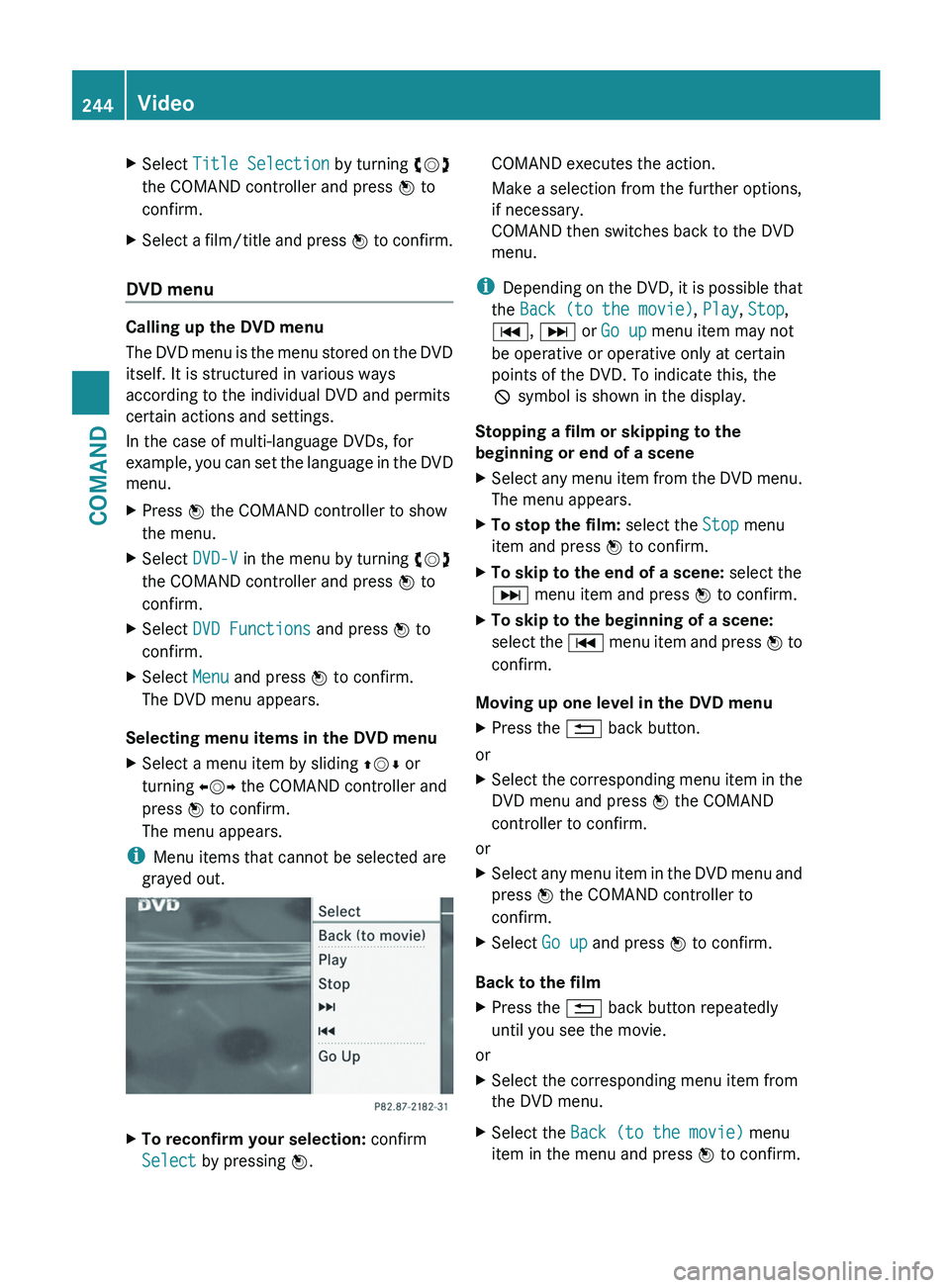
The menu appears.
i Menu items that cannot be selected are
grayed out. X
To reconfirm your selection: confirm
Select by pressing W. COMAND executes the action.
Make a selection from the further options,
if necessary.
COMAND then switches back to the DVD
menu.
i Depending
on the DVD, it is possible that
the Back (to the movie), Play, Stop,
C, D or Go up menu item may not
be operative or operative only at certain
points of the DVD. To indicate this, the
K symbol is shown in the display.
Stopping a film or skipping to the
beginning or end of a scene
X Select any menu item from the DVD menu.
The menu appears.
X To stop the film: select the Stop menu
item and press W to confirm.
X To skip to the end of a scene: select the
D menu item and press W to confirm.
X To skip to the beginning of a scene:
select
the C menu item and press W to
confirm.
Moving up one level in the DVD menu
X Press the % back button.
or
X Select the corresponding menu item in the
DVD menu and press W the COMAND
controller to confirm.
or
X Select any menu item in the DVD menu and
press W the COMAND controller to
confirm.
X Select Go up and press W to confirm.
Back to the film
X Press the % back button repeatedly
until you see the movie.
or
X Select the corresponding menu item from
the DVD menu.
X Select the Back (to the movie) menu
item in the menu and press W to confirm. 244
Video
COMAND
Page 247 of 536
Setting the language and audio format
This function is not available on all DVDs. If it
is available, you can set the DVD menu
language, the audio language or the audio
format.
The number of settings is determined
by the DVD content. It is possible that the
settings may also be accessed in the DVD
menu (Y page 244).
X Press W the COMAND controller to show
the menu.
X Select DVD-V in the menu by turning cVd
the COMAND controller and press W to
confirm.
X Select DVD Functions and press W to
confirm.
X Select Audio Language and press W to
confirm.
In both cases, a menu appears after a few
seconds. The # dot in front of an entry
indicates the currently selected language.
X Select a setting by turning cVd the
COMAND controller and press W to
confirm.
X To exit the menu:
slide XVY the COMAND
controller.
Subtitles and camera angle These functions are not available on all DVDs.
The
number of subtitle languages and camera
angles available depends on the content of
the DVD. It is possible that the settings may
also be accessed in the DVD menu
(Y page 244).
X Press W the COMAND controller to show
the menu.
X Select DVD-V in the menu by turning cVd
the COMAND controller and press W to
confirm. X
Select DVD Functions and press W to
confirm.
X Select Subtitles or Camera angle and
press W to confirm.
In
both cases, a menu appears. The # dot
in front of an entry indicates the current
setting.
X Select a setting by turning cVd the
COMAND controller and press W to
confirm.
X To exit the menu:
slide XVY the COMAND
controller.
Interactive content DVDs can contain interactive content (e.g. a
video game). In a video game, for example,
you may be able to influence events by
selecting
and triggering actions. The type and
number of actions depend on the DVD.
X Select an action by sliding ZVÆ
or XVY the
COMAND controller and press W to
execute it.
A menu appears and the first entry,
Select, is highlighted.
X Press W the COMAND controller. AUX video mode
AUX jacks An external video source (video AUX) can be
connected to COMAND via the media
interface (Y
page 233) using the AUX jacks in
the glove box.
i In vehicles with a rear view camera, the
video AUX jack cannot be used for external
video sources. Video
245
COMAND Z
Page 251 of 536
R
calling up the DVD menu and navigating
within it
R setting
the language, subtitles and camera
angle
R calling up interactive DVD content
The following functions affect only one
screen:
R audio and video functions as well as picture
settings
R switching between full screen and the
menu
Switching between operating modes
When you exit an operating mode (e.g. audio
CD mode), the current setting is saved. If you
call up this operating mode again later, there
are two possibilities:
R the operating mode has been changed on
the other screen.
R the operating mode has not been changed.
In the first case, the operating mode appears
as it is on the other screen.
In the second case, the setting appears on the
screen as it was when you last exited the
operating mode.
Picture settings Overview
You can select these settings in video DVD
and AUX mode. Instructions for AUX mode
are detailed later
(Y page 258).
Adjusting the brightness, contrast and
color
X Switch on video DVD mode ( Y page 241).
X To show the menu: press the 9 button
on the remote control.
or
X Select Menu while the navigation menu
(Y page 241) is shown and press the 9
button to confirm.
X In both cases, select Video DVD using
the :=; buttons and press the
9 button to confirm. X
Select Brightness, Contrast, Color or
Auto using the 9: buttons and
press 9 to confirm.
An adjustment scale appears.
X Select a setting using the 9:
buttons
and press the 9 button to confirm.
Changing the picture format
X To show the menu: press the 9 button
on the remote control.
or
X Select Menu while the navigation menu
(Y page 241) is shown and press the 9
button to confirm.
X Select Video DVD using
the :=; buttons and press the
9 button to confirm.
The ä symbol in front of the Auto, 16:9
Optimized, 4:3
or Widescreen menu item
indicates the format currently set.
X Select a format using the 9:
buttons
and press the 9 button to confirm. System settings
Note You can adjust almost all system settings
individually
for each screen without affecting
the other screen. You make these settings
using the remote control.
Selecting the display language X
Select System using the 9=;
buttons on the remote control and press
the 9 button to confirm.
You see the system menu on the selected
rear screen. Rear Seat Entertainment System
249
COMAND Z
Page 252 of 536
X
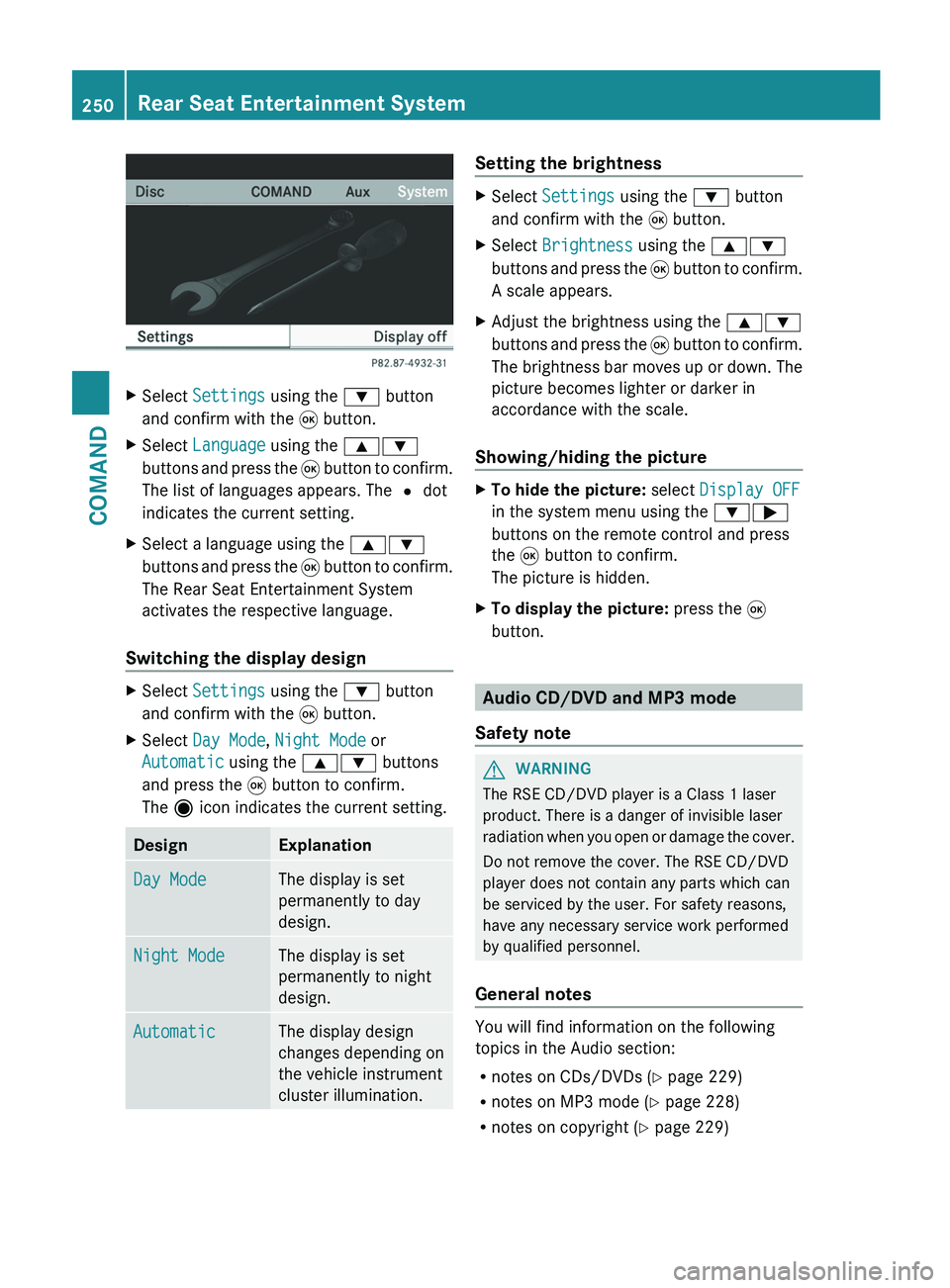
Select Settings using the : button
and confirm with the 9 button.
X Select Language using the 9:
buttons and press the 9 button to confirm.
The list of languages appears. The # dot
indicates the current setting.
X Select a language using the 9:
buttons
and press the 9 button to confirm.
The Rear Seat Entertainment System
activates the respective language.
Switching the display design X
Select Settings using the : button
and confirm with the 9 button.
X Select Day Mode, Night Mode or
Automatic using the 9: buttons
and press the 9 button to confirm.
The ä icon indicates the current setting. Design Explanation
Day Mode The display is set
permanently to day
design.
Night Mode The display is set
permanently to night
design.
Automatic The display design
changes depending on
the vehicle instrument
cluster illumination. Setting the brightness
X
Select Settings using the : button
and confirm with the 9 button.
X Select Brightness using the 9:
buttons
and press the 9 button to confirm.
A scale appears.
X Adjust the brightness using the 9:
buttons
and press the 9 button to confirm.
The brightness bar moves up or down. The
picture becomes lighter or darker in
accordance with the scale.
Showing/hiding the picture X
To hide the picture: select Display OFF
in the system menu using the :;
buttons on the remote control and press
the 9 button to confirm.
The picture is hidden.
X To display the picture: press the 9
button. Audio CD/DVD and MP3 mode
Safety note G
WARNING
The RSE CD/DVD player is a Class 1 laser
product. There is a danger of invisible laser
radiation
when you open or damage the cover.
Do not remove the cover. The RSE CD/DVD
player does not contain any parts which can
be serviced by the user. For safety reasons,
have any necessary service work performed
by qualified personnel.
General notes You will find information on the following
topics in the Audio section:
R
notes on CDs/DVDs
(Y page 229)
R notes on MP3 mode ( Y page 228)
R notes on copyright ( Y page 229)250
Rear Seat Entertainment System
COMAND
Page 260 of 536
X
Option 2: select any menu item in the DVD
menu.
X Select the Go up menu item in the menu
and press the 9 button to confirm.
Back to the film
X Option 1: press the % back button on
the
remote control repeatedly until you see
the film or select the corresponding menu
item in the DVD menu.
X Option 2:
select any menu item in the DVD
menu and press the 9 button to confirm.
X Select the Back (to the movie) menu
item in the menu and press the 9 button
to confirm.
Setting the audio format This function is not available on all DVDs. If it
is available, you can set the audio language
or the audio format. The number of settings
is determined by the DVD content. It is
possible that the settings may also be
accessed from the DVD menu.
X
Press the 9 button on the remote control
and show the menu.
X Select Video
DVD and press the 9 button
on the remote control to confirm.
X Select DVD Functions and press the 9
button to confirm.
X Select Audio Language and press the 9
button to confirm.
A menu appears after a short while. The
# dot in front of an entry indicates the
currently selected language.
X Select a language using the 9 or :
button
and press the 9 button to confirm.
X To exit the menu: press the =
or ; button.
Subtitles and camera angle These functions are not available on all DVDs.
The
number of subtitle languages and camera
angles available depends on the content of the DVD. It is possible that the settings may
also be accessed from the DVD menu.
X
Press the 9 button on the remote control
and show the menu.
X Select Video
DVD and press the 9 button
on the remote control to confirm.
X Select DVD Functions and press the 9
button to confirm.
X Select Subtitles or Camera Angle and
press the 9 button to confirm.
In both cases, a menu appears after a few
seconds. The # dot in front of an entry
indicates the current setting.
X Select the setting using the 9 or :
button
and press the 9 button to confirm.
X To exit the menu: press the =
or ; button.
Interactive content DVDs can also contain interactive content
(e.g.
a video game). In a video game, you may
be able to influence events by selecting and
triggering actions. The type and number of
actions depend on the DVD.
X Select an action using the
9;:= buttons on the
remote control and press the 9 button to
execute it.
A menu appears and the first entry,
Select, is highlighted.
X Press the 9 button. AUX mode
Introduction You can connect one external video source to
each of the displays of the Rear Seat
Entertainment
System (AUX display) and also
one external video source to the rear-seat
CD/DVD drive (AUX drive) with a sound and
video signal. 258
Rear Seat Entertainment System
COMAND