service indicator MERCEDES-BENZ S-COUPE 2015 Owners Manual
[x] Cancel search | Manufacturer: MERCEDES-BENZ, Model Year: 2015, Model line: S-COUPE, Model: MERCEDES-BENZ S-COUPE 2015Pages: 286, PDF Size: 29.85 MB
Page 6 of 286
1, 2, 3 ...
4ETSsee ETS/4ETS (Electronic Trac-
tion System)
4MATIC (permanent four-wheel
drive) .................................................. 141
12 V socket
see Sockets
360° camera
Cleaning ........................................ .217
Function/notes ............................ .146
A
ABS (Anti-lock Braking System)
Display message ............................ 166
Function/notes ................................ 66
Important safety notes .................... 66
Warning lamp ................................. 179
Accident
Automatic measures after an acci-
dent ................................................. 60
Activating/deactivating cooling
with air dehumidification ................. 111
Activating/deactivating Night
View Assist Plus
With spotlight function ................... 152
Active Blind Spot Assist
Activating/deactivating (on-
board computer) ............................ 164
Display message ............................ 165
Function/informatio n.................... 153
Active Body Control (ABC)
Function/note s............................. 140
Active Lane Keeping Assist
Activating/deactivating (on-
board computer) ............................ 164
Display message ............................ 165
Function/information .................... 155
Active multicontour seat .................... 98
Active Parking Assist
Display message ............................ 165
Function/note s............................. 143
Important safety notes .................. 143
ADAPTIVE BRAKE ................................. 73
Adaptive Brake Assist
Function/note s................................ 70 Adaptive Highbeam Assist
Display message ............................ 165
Adaptive Highbeam Assist PLUS
Function/note s............................. 104
Switching on/of f........................... 105
Additives (engine oil) ........................ 278
Address book
see also Digital Operator's Man-
ual .................................................. 188
Air bags
Deployment ..................................... 57
Display message ............................ 172
Front air bag (driver, front
passenger) ....................................... 50
Important safety notes .................... 48
Introduction ..................................... 48
Knee bag .......................................... 50
PASSENGER AIR BAG indicator
lamps ............................................... 43
Side impact air ba g.......................... 50
Window curtain air ba g.................... 51
Air vents
Setting ........................................... 111
Air-conditioning system
see Climate control
AIRMATIC
Function/note s............................. 140
Alarm
ATA (Anti-Theft Alarm system )......... 76
Switching off (ATA) .......................... 76
Switching the function on/off
(ATA) ................................................ 76
Alarm system
see ATA (Anti-Theft Alarm system)
Anti-lock braking system
see ABS (Anti-lock Braking System)
Anti-Theft Alarm system
see ATA (Anti-Theft Alarm system)
Ashtray ............................................... 198
Assistance display (on-board com- puter) .................................................. 164
ASSYST PLUS
Displaying a service message ........ 216
Hiding a service message .............. 216
Notes ............................................. 216
Resetting the service interval dis-
play ................................................ 216
Service message ............................ 216
4Index
Page 16 of 286
Displaying a service message ........ 216
DISTRONIC PLUS ........................... 134
Factory settings submenu .............164
Head-up displa y............................. 162
Important safety notes .................. 160
Lighting submenu .......................... 164
Media menu ................................... 164
Menu overview .............................. 164
Message memory .......................... 165
Navigation menu ............................ 164
Operation ....................................... 161
Radio menu ................................... 164
Service menu ................................. 164
Standard display ............................ 164
Video DVD operation ..................... 164
Operating safety
Declaration of conformity ................ 27
Important safety notes .................... 26
Operating system
see On-board computer
Operation
Digital Operator's Manua l................ 21
Operator's Manual
Overview .......................................... 24
Vehicle equipment ........................... 24
Outside temperature display ........... 160
Overhead control panel ...................... 38
P
Paint code number............................ 274
Paintwork (cleaning instructions) ... 217
Panic alarm .......................................... 42
Panorama roof ..................................... 91
Parcel net hooks ............................... 197
Parking
Important safety notes .................. 125
Parking brake ................................ 126
Position of exterior mirror, front-
passenger side ................................. 99
Rear view camera .......................... 144
see PARKTRONIC
Parking aid
Active Parking Assist ..................... 143
see Exterior mirrors
see PARKTRONIC
Parking assistance
see PARKTRONIC Parking brake
Display message ............................ 165
Electric parking brake .................... 126
Parking lamps
Switching on/of f........................... 103
PARKTRONIC
Deactivating/activating ................. 143
Driving system ............................... 142
Function/note s............................. 142
Important safety notes .................. 142
Problem (malfunction) ................... 143
Range of the sensors ..................... 142
Warning display ............................. 143
PASSENGER AIR BAG
Indicator lamps ................................ 43
PASSENGER AIR BAG indicatorlamp
Problem (malfunction) ................... 172
Pets in the vehicle ............................... 65
Phone book
see also Digital Operator's Man-
ual .................................................. 188
Plastic trim (cleaning instruc-
tions) .................................................. 218
Power locks ......................................... 82
Power washers .................................. 217
Power windows
see Side windows
PRE-SAFE ®
(anticipatory occupant
protection)
Operation ......................................... 59
PRE-SAFE ®
Brake
Activating/deactivating ................. 164
Function/note s................................ 73
Important safety notes .................... 73
Warning lamp ................................. 184
PRE-SAFE ®
PLUS (anticipatory
occupant protection PLUS)
Operation ......................................... 59
Program selector button .................. 121
Protection against theft
ATA (Anti-Theft Alarm system )......... 76
Immobilizer ...................................... 75
Protection of the environment
General notes .................................. 23
Pulling away
Automatic transmission ................. 118
14Index
Page 78 of 286
When leaving the vehicle, always take the
SmartKey with you and lock the vehicle. Any-
one can start the engine if a valid SmartKey
has been left inside the vehicle.
iThe immobilizer is always deactivated
when you start the engine.
In the event that the engine cannot be star- ted (yet the vehicle's battery is charged),
the system is not operational. Contact an
authorized Mercedes-Benz Center or call
1-800-FOR-MERCedes (in the USA) or
1-800-387-0100 (in Canada).
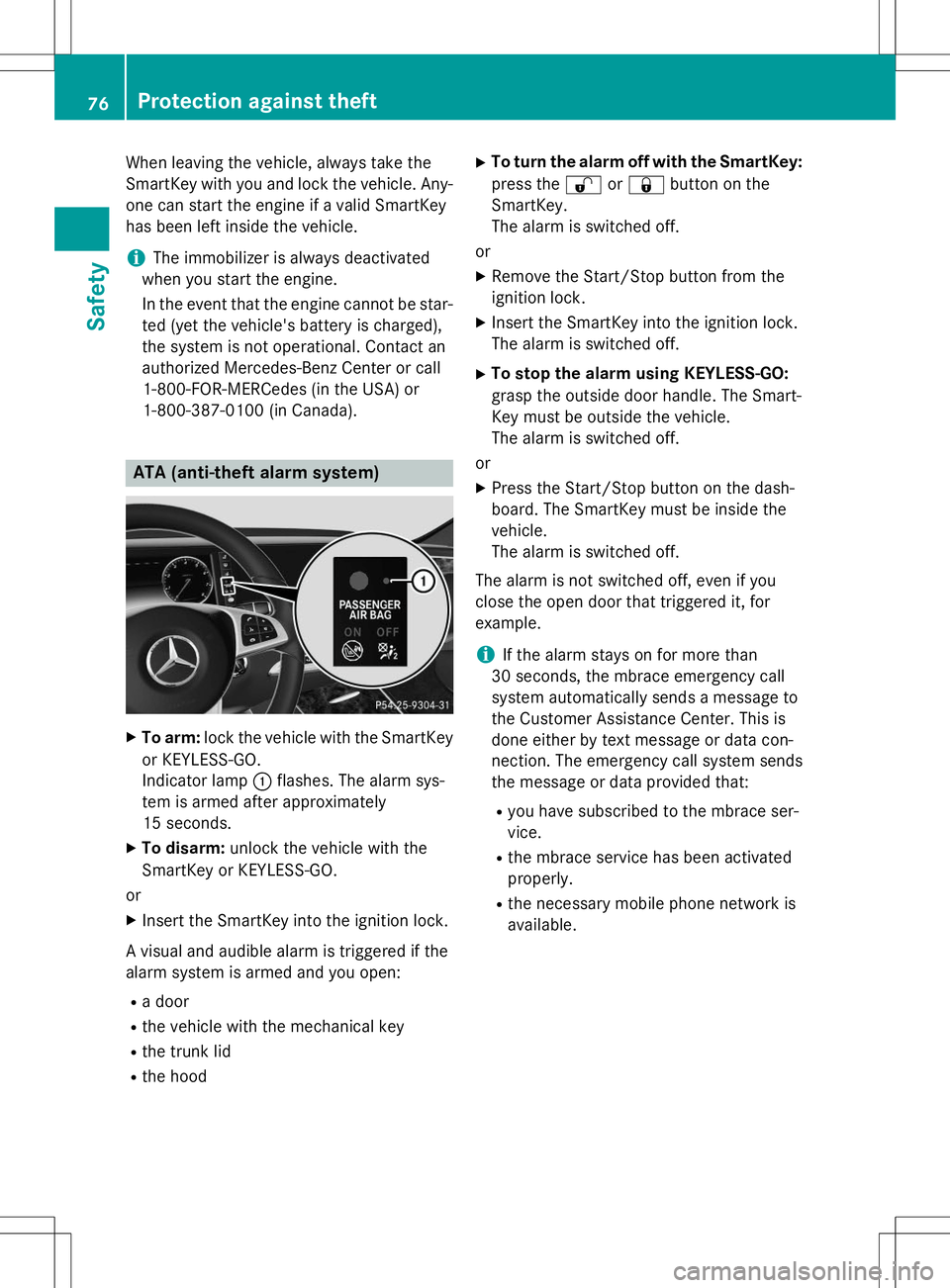
ATA (anti-theft alarm system)
X To arm: lock the vehicle with the SmartKey
or KEYLESS-GO.
Indicator lamp :flashes. The alarm sys-
tem is armed after approximately
15 seconds.
X To disarm: unlock the vehicle with the
SmartKey or KEYLESS-GO.
or X Insert the SmartKey into the ignition lock.
A visual and audible alarm is triggered if the
alarm system is armed and you open: R a door
R the vehicle with the mechanical key
R the trunk lid
R the hood X
To turn the alarm off with the SmartKey:
press the %or& button on the
SmartKey.
The alarm is switched off.
or
X Remove the Start/Stop button from the
ignition lock.
X Insert the SmartKey into the ignition lock.
The alarm is switched off.
X To stop the alarm using KEYLESS-GO:
grasp the outside door handle. The Smart-
Key must be outside the vehicle.
The alarm is switched off.
or
X Press the Start/Stop button on the dash-
board. The SmartKey must be inside thevehicle.
The alarm is switched off.
The alarm is not switched off, even if you
close the open door that triggered it, forexample.
iIf the alarm stays on for more than
30 seconds, the mbrace emergency call
system automatically sends a message to
the Customer Assistance Center. This is
done either by text message or data con-
nection. The emergency call system sends
the message or data provided that:
R you have subscribed to the mbrace ser-vice.
R the mbrace service has been activatedproperly.
R the necessary mobile phone network isavailable.
76Protection against theft
Safety
Page 151 of 286
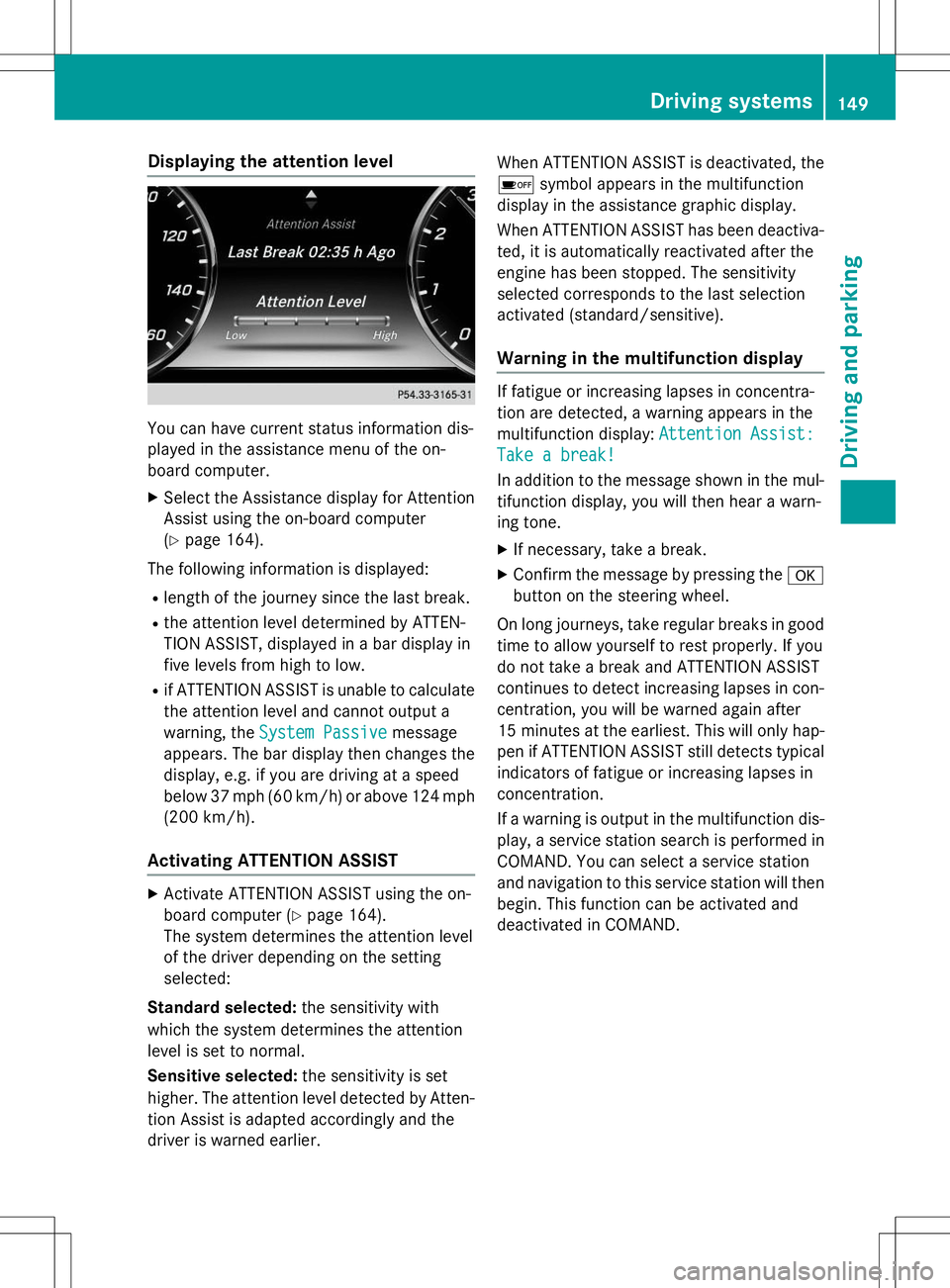
Displaying the attention level
You can have current status information dis-
played in the assistance menu of the on-
board computer.
X Select the Assistance display for Attention
Assist using the on-board computer( Y page 164).
The following information is displayed: R length of the journey since the last break.
R the attention level determined by ATTEN-
TION ASSIST, displayed in a bar display in
five levels from high to low.
R if ATTENTION ASSIST is unable to calculate
the attention level and cannot output a
warning, the
System Passivemessage
appears. The bar display then changes the
display, e.g. if you are driving at a speed
below 37 mph (60 km/h) or above 124 mph
(200 km/ h).
Activating ATTENTION ASSIST
X
Activate ATTENTION ASSIST using the on-
board computer ( Ypage 164).
The system determines the attention level
of the driver depending on the setting
selected:
Standard selected: the sensitivity with
which the system determines the attention
level is set to normal.
Sensitive selected: the sensitivity is set
higher. The attention level detected by Atten-
tion Assist is adapted accordingly and the
driver is warned earlier. When ATTENTION ASSIST is deactivated, the
é symbol appears in the multifunction
display in the assistance graphic display.
When ATTENTION ASSIST has been deactiva- ted, it is automatically reactivated after the
engine has been stopped. The sensitivity
selected corresponds to the last selection
activated (standard/sensitive).
Warning in the multifunction display
If fatigue or increasing lapses in concentra-
tion are detected, a warning appears in the
multifunction display:
Attention Assist:
Take a break!
In addition to the message shown in the mul-
tifunction display, you will then hear a warn-
ing tone.
X If necessary, take a break.
X Confirm the message by pressing the a
button on the steering wheel.
On long journeys, take regular breaks in good time to allow yourself to rest properly. If you
do not take a break and ATTENTION ASSIST
continues to detect increasing lapses in con-centration, you will be warned again after
15 minute sat the earliest. This will only hap-
pen if ATTENTION ASSIST still detects typical indicators of fatigue or increasing lapses in
concentration.
If a warning is output in the multifunction dis-
play, a service station search is performed in
COMAND. You can select a service station
and navigation to this service station will then
begin. This function can be activated and
deactivated in COMAND.
Driving systems149
Driving an d parking
Z
Page 202 of 286
A malfunction in the system has been detec-
ted if one of the following occurs:
R The indicator lamp in the SOS button does
not come on during the system self-test.
R The indicator lamp in the FRoadside
Assistance button does not light up during
self-diagnosis of the system.
R The indicator lamp in the ïMB Info call
button does not light up during self-diag-
nosis of the system.
R The indicator lamp in one or more of the
following buttons continues to light up red
after the system self-diagnosis:
- SOS button
- F Roadside Assistance call button
- ï MB Info call button
R The
Inoperativeor theService Not
Activatedmessage appears in the multi-
function display after the system self-diag-
nosis.
If a malfunction is indicated as outlined
above, the system may not operate as expec-
ted. In the event of an emergency, help will
have to be summoned by other means.
Have the system checked at the nearest
authorized Mercedes-Benz Center or contact the following service hotlines:
Mercedes-Benz Customer Assistance Center
at 1-800-FOR-MERCede s (1-800-367-6372)
or 1-866-990-9007
Emergency call
Important safety notes
GWARNING
It can be dangerous to remain in the vehicle,
even if you have pressed the SOS button in an emergency if:
R you see smoke inside or outside of the vehi-
cle, e.g. if there is a fire after an accident
R the vehicle is on a dangerous section of
road
R the vehicle is not visible or cannot easily be
seen by other road users, particularly whendark or in poor visibility conditions
There is a risk of an accident and injury.
Leave the vehicle immediately in this or simi-
lar situations as soon as it is safe to do so.
Move to a safe location along with other vehi-
cle occupants. In such situations, secure the
vehicle in accordance with national regula-
tions, e. g. with a warning triangle.
General notes
Observe the notes on system activation ( Y page 199).
An emergency call is dialed automatically if an
air bag or Emergency Tensioning Device is
triggered. You cannot end an automatically
triggered emergency call yourself.
An emergency call can also be initiated man- ually.
As soon as the emergency call has been ini-
tiated, the indicator lamp in the SOS button
flashes. The
Connecting Callmessage
appears in the multifunction display.
The audio output is muted.
Once the connection has been made, the
Call Connectedmessage appears in the
multifunction display.
200Features
Sto wage an d features
Page 204 of 286
If a mobile phone network and GPS receptionare available, the system transfers data to the
Mercedes-Benz Customer Assistance Center, for example:
R current location of the vehicle
R vehicle identification number
The COMAND display indicates that a call is
active. During the call, you can change to the
navigation menu by pressing the NAVI button
on COMAND, for example.
Voice output is not available in this case.
A voice connection is established between
the Mercedes-Benz Customer Assistance
Center and the vehicle occupants.
From the remote malfunction diagnosis, the
Mercedes-Benz Customer Assistance Center
can ascertain the nature of the problem. In
the Digital Operator's Manual, you will find
information on remote malfunction diagno-sis.
The Mercedes-Benz Customer Assistance
Center either sends a qualified Mercedes-
Benz technician or makes arrangements for
your vehicle to be transported to the nearest authorized Mercedes-Benz Center.
You may be charged for services such as
repair work and/or towing.
You can find more information in the separatembrace manual.
The system has not been able to initiate a
Roadside Assistance call, if:
R the indicator lamp for Roadside Assistance
call button Fis flashing continuously.
R no voice connection to the Mercedes-Benz
Customer Assistance Center was estab-
lished.
This can occur if the relevant mobile phone
network is not available, for example. The
Call Failedmessage appears in the
multifunction display. X
To end a call: press the~button on the
multifunction steering wheel.
or
X Press the corresponding COMAND button
for ending a phone call.
MB Info call button
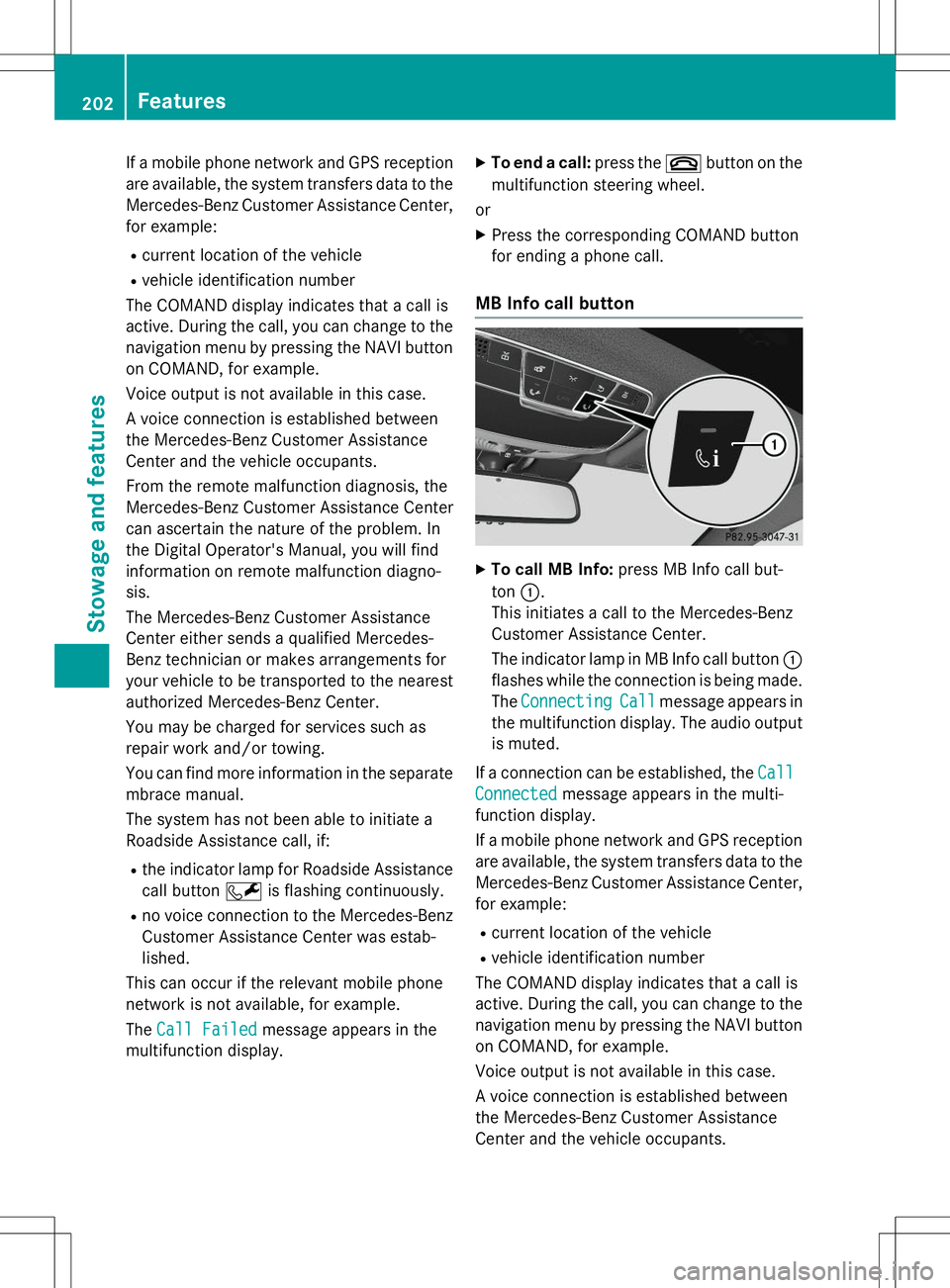
XTo call MB Info: press MB Info call but-
ton :.
This initiates a call to the Mercedes-Benz
Customer Assistance Center.
The indicator lamp in MB Info call button :
flashes while the connection is being made.
The
ConnectingCallmessage appears in
the multifunction display. The audio output
is muted.
If a connection can be established, the
Call
Connectedmessage appears in the multi-
function display.
If a mobile phone network and GPS reception are available, the system transfers data to the
Mercedes-Benz Customer Assistance Center, for example:
R current location of the vehicle
R vehicle identification number
The COMAND display indicates that a call is
active. During the call, you can change to the
navigation menu by pressing the NAVI button on COMAND, for example.
Voice output is not available in this case.
A voice connection is established between
the Mercedes-Benz Customer Assistance
Center and the vehicle occupants.
202Features
Stowage and features
Page 205 of 286
You receive information about operating yourvehicle, about the nearest authorized
Mercedes-Benz Center and about other prod-
ucts and services from Mercedes-Benz.
You can find further information on the
mbrace system under "Owners Online" at
http://www.mbusa.com.
The system has not been able to initiate an
MB Info call, if:
R the indicator lamp in MB Info call buttonï is flashing continuously.
R no voice connection to the Mercedes-Benz
Customer Assistance Center was estab-lished.
This can occur if the relevant mobile phone
network is not available, for example. The
Call Failedmessage appears in the
multifunction display.
X To end a call: press the~button on the
multifunction steering wheel.
or X Press the corresponding COMAND button
for ending a phone call.
Call priority
When service calls are active, e.g. Roadside
Assistance or MB Info calls, an emergency
call can still be initiated. In this case, an emer-
gency call will take priority and override all
other active calls.
The indicator lamp of the respective button
flashes until the call is ended.
An emergency call can only be terminated by the Mercedes-Benz Customer Assistance
Center.
All other calls can be ended by pressing:
R the ~ button on the multifunction steer-
ing wheel
R the corresponding button in COMAND to
end the voice call
When a call is initiated, the audio system is
muted. The mobile phone is no longer connected to
COMAND.
However, if you want to use your mobile
phone, do so only when the vehicle is station-
ary and in a safe location.
Garage door opener
General notes
The HomeLink ®
garage door opener integra-
ted in the rear-view mirror allows you to oper-
ate up to three different door and gate sys-
tems.
Use the integrated garage door opener only
on garage doors that:
R have safety stop and reverse features and
R meet current U.S. federal safety standards
Once programed, the integrated garage door opener in the rear-view mirror will assume the
function of the garage door system's remote
control. Please also read the operating
instructions for the garage door system.
When programming a garage door opener,
park the vehicle outside the garage. Do not
run the engine while programming.
Certain garage door drives are incompatible
with the integrated garage door opener. If you
have difficulty programing the integrated
garage door opener, contact an authorized
Mercedes-Benz Center.
Alternatively, you can call the following tele-
phone assistance services:
R USA: Mercedes-Benz Customer Assistance
Center at 1-800-FOR-MERCedes
R Canada: Customer Service at
1-800-387-0100
R HomeLink ®
hotline 1-800-355-3515 (free
of charge)
More information on HomeLink ®
and/or
compatible products is also available online
at http://www.homelink.com.
Notes on the declaration of conformity ( Y page 27).
Features203
Stowage and features
Z
Page 228 of 286
RWhen jump-starting, make sure that the
battery poles with identical polarity are
connected.
R It is particularly important to observe the
described order when connecting and dis-
connecting the jumper cables.
R Never connect or disconnect the battery
terminals while the engine is running.
GWARNING
Battery acid is caustic. There is a risk of injury.
Avoid contact with skin, eyes or clothing. Do
not inhale any battery gases. Do not lean over
the battery. Keep children away from batter-
ies. Wash away battery acid immediately with
plenty of clean water and seek medical atten-tion.
All vehicles:
HEnvironmental note
Batteries contain dangerous
substances. It is against the
law to dispose of them with
the household rubbish. They
must be collected separately and recycled to protect the
environment.
Dispose of batteries in an
environmentally friendly
manner. Take discharged
batteries to a qualified spe-
cialist workshop or a special
collection point for used bat-teries.
!Have the battery checked regularly at a
qualified specialist workshop.
Observe the service intervals in the Main-
tenance Booklet or contact a qualified spe-
cialist workshop for more information.
!Always have work on the batteries carried
out at a qualified specialist workshop.
Should it, in exceptional circumstances, be absolutely necessary to disconnect the 12- volt battery yourself, please observe thefollowing:
R secure the vehicle to prevent it from roll-
ing away.
R you switch off the engine and remove the
SmartKey. Make sure the ignition is
switched off. Check that all the indicator lamps in the instrument cluster are off.
Otherwise, electronic components, such
as the alternator, may be damaged.
R you first remove the negative terminal
clamp and then the positive terminal
clamp. Never swap the terminal clamps.
Otherwise, the vehicle's electronic sys-
tem may be damaged.
R the transmission is locked in position P
after disconnecting the battery. The vehi-
cle is secured against rolling away. You
can then no longer move the vehicle.
The batteries and the covers of the positive
terminal clamps must always be installed
securely during operation.
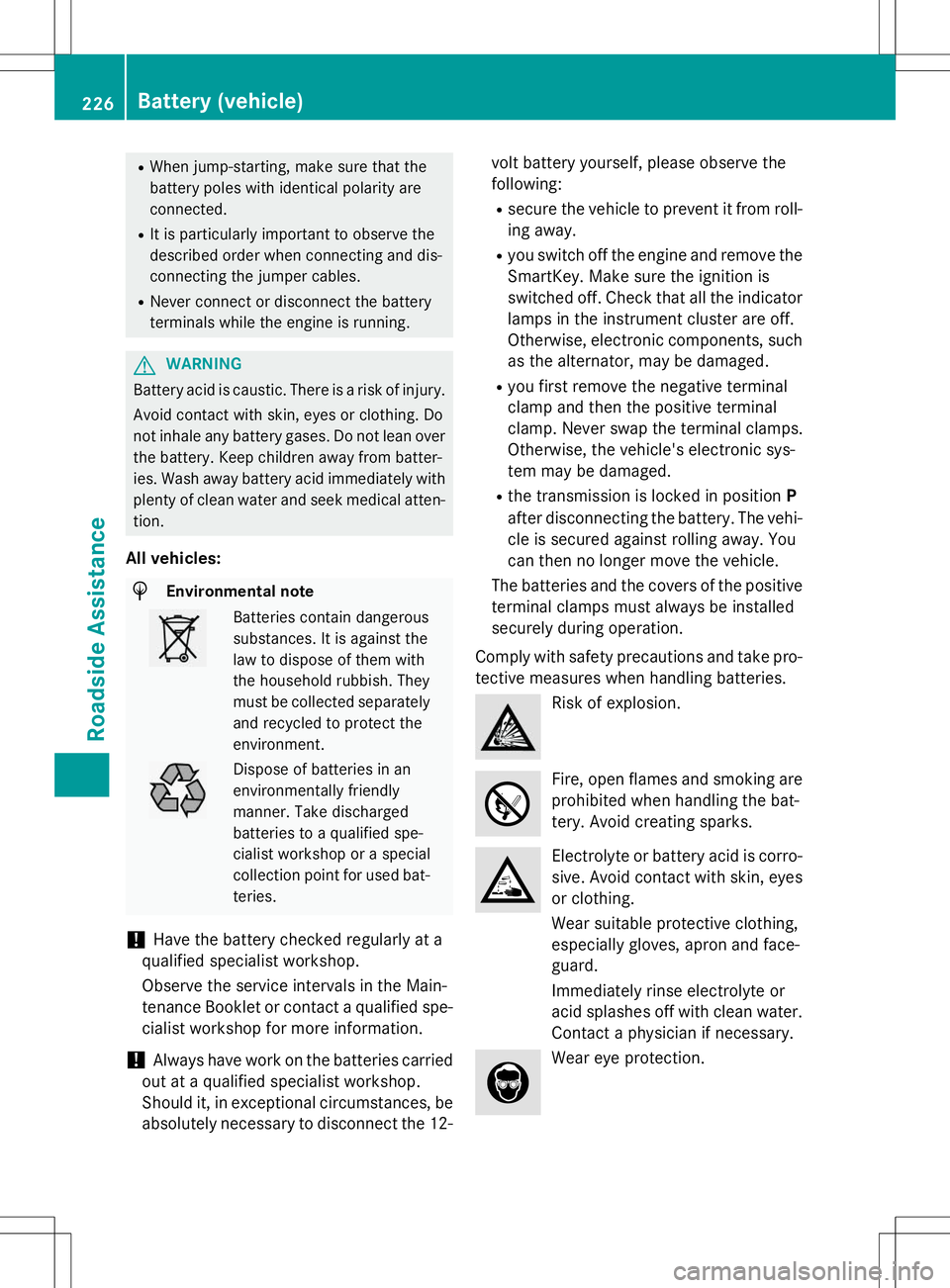
Comply with safety precautions and take pro-
tective measures when handling batteries.
Risk of explosion.
Fire, open flames and smoking are
prohibited when handling the bat-
tery. Avoid creating sparks.
Electrolyte or battery acid is corro-
sive. Avoid contact with skin, eyes
or clothing.
Wear suitable protective clothing,
especially gloves, apron and face-guard.
Immediately rinse electrolyte or
acid splashes off with clean water. Contact a physician if necessary.
Wear eye protection.
226Battery (vehicle)
Roadside Assistance
Page 230 of 286
Benz vehicles and tested and approved by
Mercedes-Benz is available as an accessory.
It permits the charging of the battery in its
installed position. Contact an authorized
Mercedes-Benz Center for further informa-
tion and availability. Read the battery charg-
er's operating instructions before charging
the battery.
All vehicles except AMG vehicles:if the
indicator/warning lamps in the instrument
cluster do not light up at low temperatures, it is very likely that the discharged battery has
frozen. In this case you may neither jump-
start the vehicle nor charge the battery. The
service life of a thawed-out battery may be
shorter. The starting characteristics can be
impaired, particularly at low temperatures.
Have the thawed-out battery checked at a
qualified specialist workshop.
AMG vehicles: at low temperatures, do not
charge a battery which has been removed
using a battery charger. Allow the battery to
warm up gently first, if necessary. Otherwise,
the service life can be shortened and the
starting characteristics impaired, especially
at low temperatures.
228Battery (vehicle)
Roadside Assistance
Page 231 of 286
Jump-starting
For the jump-starting procedure, use only the jump-starting connection point, consisting of apositive terminal and a ground point, in the engine compartment.
All vehicles except AMG vehicles:
GWARNING
Battery acid is caustic. There is a risk of injury.
Avoid contact with skin, eyes or clothing. Do not inhale any battery gases. Do not lean over the
battery. Keep children away from batteries. Wash away battery acid immediately with plenty of
clean water and seek medical attention.
GWARNING
During charging and jump-starting, explosive gases can escape from the battery. There is a risk of an explosion.
Particularly avoid fire, open flames, creating sparks and smoking. Ensure there is sufficient ven-
tilation while charging and jump-starting. Do not lean over a battery.
GWARNING
During the charging process, a battery produces hydrogen gas. If a short circuit occurs or sparks
are created, the hydrogen gas can ignite. There is a risk of an explosion.
R Make sure that the positive terminal of a connected battery does not come into contact with
vehicle parts.
R Never place metal objects or tools on a battery.
R It is important that you observe the described order of the battery terminals when connecting
and disconnecting a battery.
R When jump-starting, make sure that the battery poles with identical polarity are connected.
R It is particularly important to observe the described order when connecting and disconnecting
the jumper cables.
R Never connect or disconnect the battery terminals while the engine is running.
GWARNING
A discharged battery can freeze at temperatures below freezing point. When jump-starting the
vehicle or charging the battery, gases can escape from the battery. There is a risk of an explosion.
Allow the frozen battery to thaw out before charging it or jump-starting.
!Avoid repeated and lengthy starting attempts. Otherwise, the catalytic converter could be
damaged by the non-combusted fuel.
If, at low temperatures, the indicator lamps/warning lamps in the instrument cluster do not
light up, it is highly likely that the discharged battery has frozen. In this case, you may neither
charge the battery nor jump-start the vehicle. The service life of a thawed-out battery may be
shorter. The starting characteristics can be impaired, particularly at low temperatures. Have
the thawed-out battery checked at a qualified specialist workshop.
All vehicles:
Jump-starting229
Roadside Assistance
Z