key MERCEDES-BENZ S-COUPE 2016 Service Manual
[x] Cancel search | Manufacturer: MERCEDES-BENZ, Model Year: 2016, Model line: S-COUPE, Model: MERCEDES-BENZ S-COUPE 2016Pages: 410, PDF Size: 8.62 MB
Page 111 of 410
!Do not move the front-passenger seat
fully forwards if there are objects in the
parcel net in the front-passenger footwell.
The objects could otherwise be damaged.
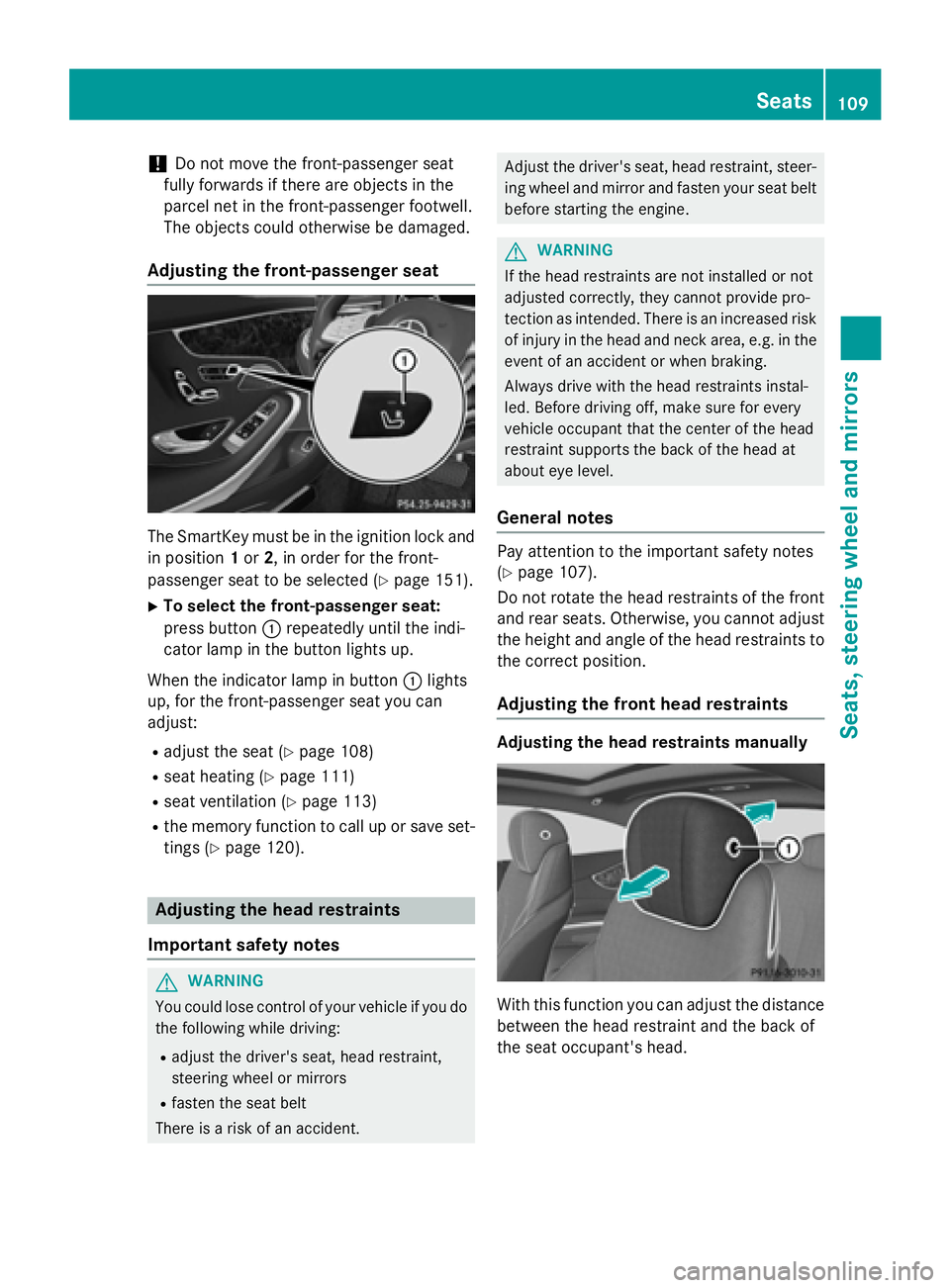
Adjusting the front-passenger seat
The SmartKey must be in the ignition lock and in position 1or 2, in order for the front-
passenger seat to be selected (
Ypage 151).
XTo select the front-passenger seat:
press button :repeatedly until the indi-
cator lamp in the button lights up.
When the indicator lamp in button :lights
up, for the front-passenger seat you can
adjust:
Radjust the seat (Ypage 108)
Rseat heating (Ypage 111)
Rseat ventilation (Ypage 113)
Rthe memory function to call up or save set- tings (
Ypage 120).
Adjusting the head restraints
Important safety notes
GWARNING
You could lose control of your vehicle if you do the following while driving:
Radjust the driver's seat, head restraint,
steering wheel or mirrors
Rfasten the seat belt
There is a risk of an accident.
Adjust the driver's seat, head restraint, steer- ing wheel and mirror and fasten your seat belt
before starting the engine.
GWARNING
If the head restraints are not installed or not
adjusted correctly, they cannot provide pro-
tection as intended. There is an increased risk
of injury in the head and neck area, e.g. in the event of an accident or when braking.
Always drive with the head restraints instal-
led. Before driving off, make sure for every
vehicle occupant that the center of the head
restraint supports the back of the head at
about eye level.
General notes
Pay attention to the important safety notes
(
Ypage 107).
Do not rotate the head restraints of the front
and rear seats. Otherwise, you cannot adjust
the height and angle of the head restraints to
the correct position.
Adjusting the front head restraints
Adjusting the head restraints manually
With this function you can adjust the distance
between the head restraint and the back of
the seat occupant's head.
Seats109
Seats, steering wheel and mirrors
Z
Page 112 of 410
XTo move forwards:pull the head restraint
forwards in the direction of the arrow until
it engages in the desired position.
XTo move backwards: press and hold
release button :.
XPush the head restraint back.
XRelease the release button once the head
restraint is in the desired position.
XEnsure that the head restraint has engaged
properly.
Adjusting the front head restraints elec-
trically
The height of the front head restraints can be
adjusted using the seat adjustment switch
(
Ypage 108).
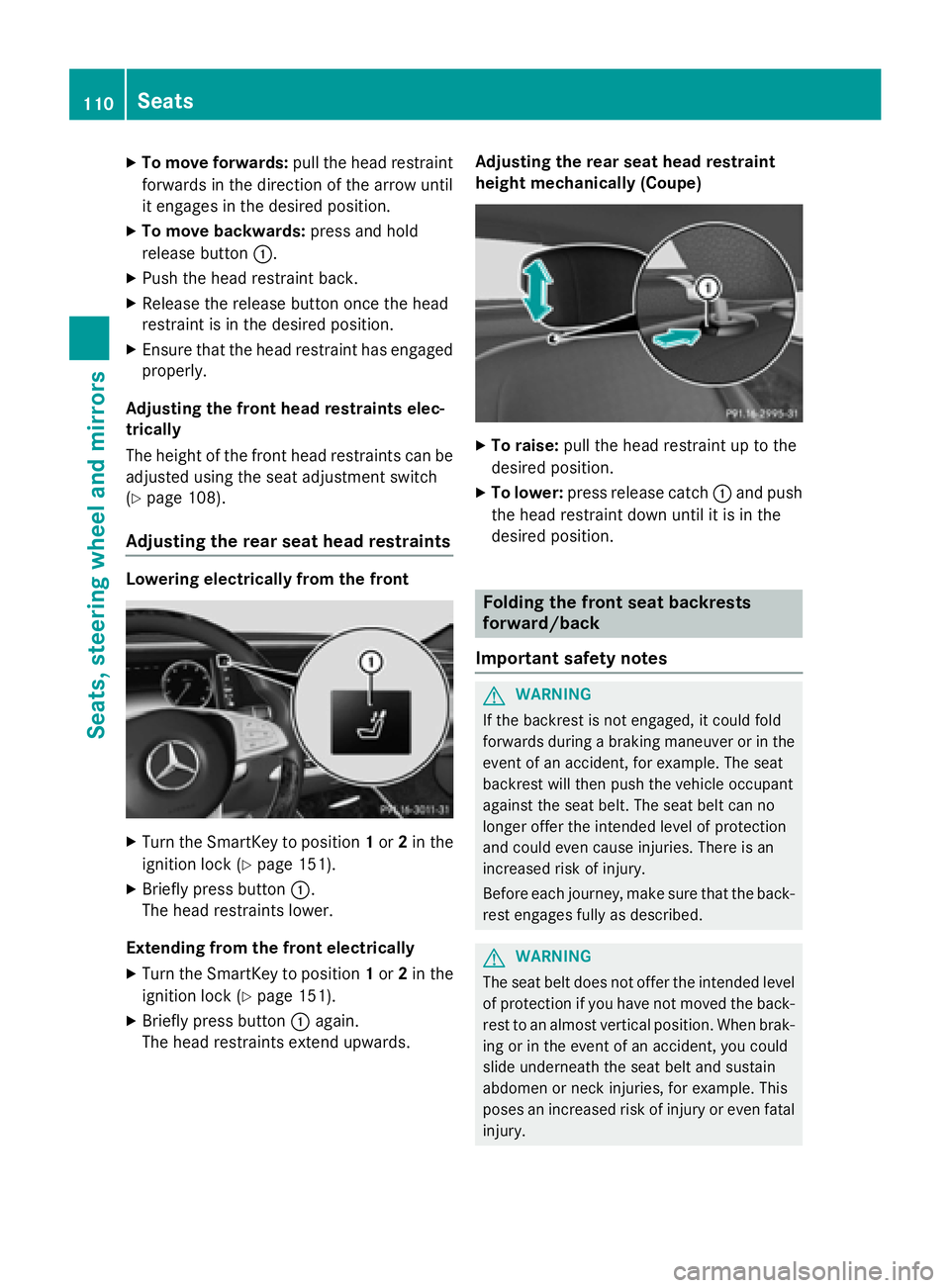
Adjusting the rear seat head restraints
Lowering electrically from the front
XTurn the SmartKey to position 1or 2in the
ignition lock (
Ypage 151).
XBriefly press button :.
The head restraints lower.
Extending from the front electrically
XTurn the SmartKey to position 1or 2in the
ignition lock (
Ypage 151).
XBriefly press button :again.
The head restraints extend upwards. Adjusting the rear seat head restraint
height mechanically (Coupe)
XTo raise:
pull the head restraint up to the
desired position.
XTo lower: press release catch :and push
the head restraint down until it is in the
desired position.
Folding the front seat backrests
forward/back
Important safety notes
GWARNING
If the backrest is not engaged, it could fold
forwards during a braking maneuver or in the
event of an accident, for example. The seat
backrest will then push the vehicle occupant
against the seat belt. The seat belt can no
longer offer the intended level of protection
and could even cause injuries. There is an
increased risk of injury.
Before each journey, make sure that the back-
rest engages fully as described.
GWARNING
The seat belt does not offer the intended level of protection if you have not moved the back-
rest to an almost vertical position. When brak-
ing or in the event of an accident, you could
slide underneath the seat belt and sustain
abdomen or neck injuries, for example. This
poses an increased risk of injury or even fatal injury.
110Seats
Seats, steering wheel and mirrors
Page 114 of 410
For vehicles equipped with the Warmth Com-
fort package: the armrest in the door and thecenter console can also be heated when you
switch on the seat heating of one of the front
seats. This can be set with COMAND (see the
separate operating instructions).
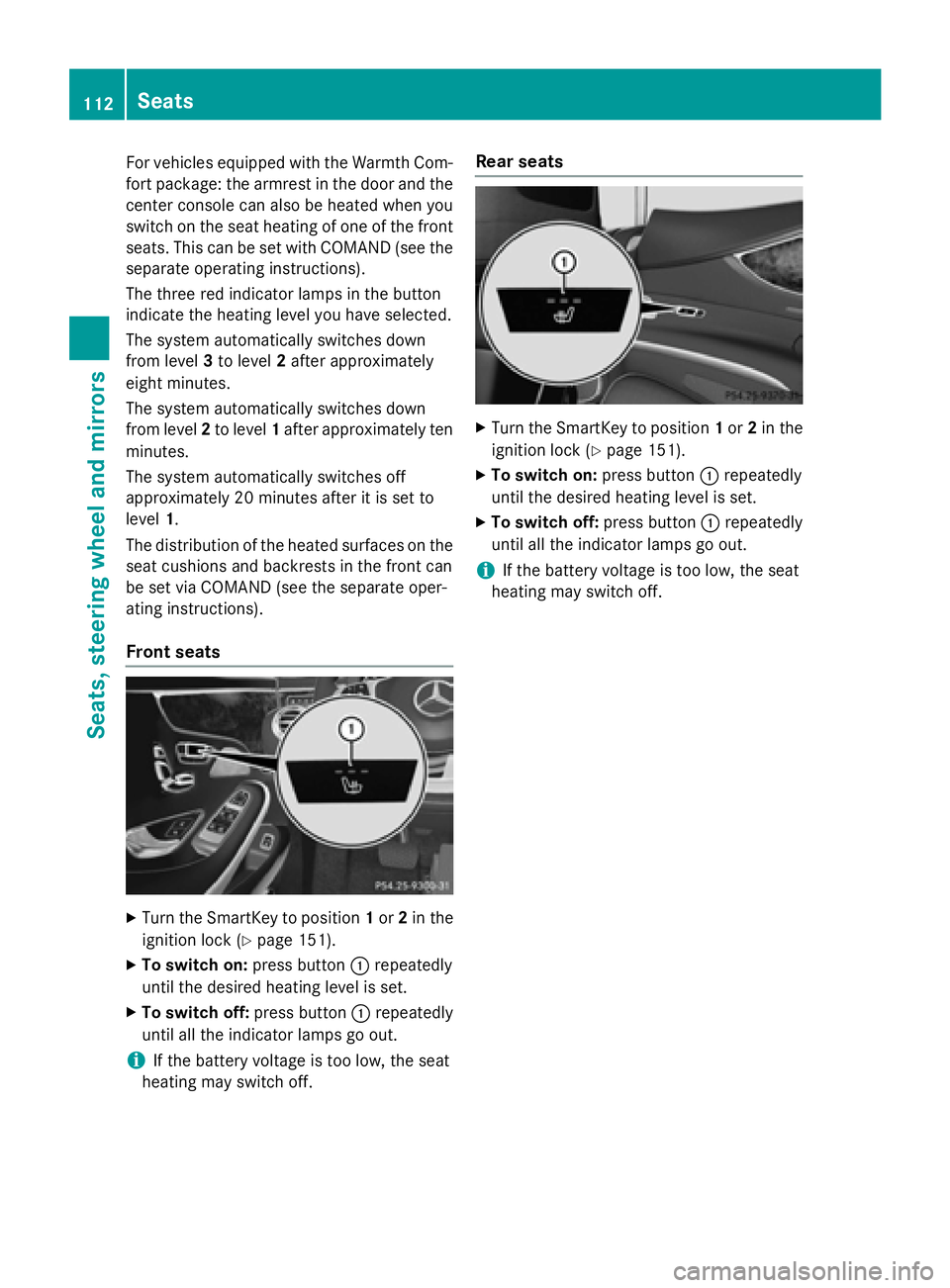
The three red indicator lamps in the button
indicate the heating level you have selected.
The system automatically switches down
from level 3to level 2after approximately
eight minutes.
The system automatically switches down
from level 2to level 1after approximately ten
minutes.
The system automatically switches off
approximately 20 minutes after it is set to
level 1.
The distribution of the heated surfaces on the seat cushions and backrests in the front can
be set via COMAND (see the separate oper-
ating instructions).
Front seats
XTurn the SmartKey to position 1or 2in the
ignition lock (
Ypage 151).
XTo switch on: press button:repeatedly
until the desired heating level is set.
XTo switch off: press button:repeatedly
until all the indicator lamps go out.
iIf the battery voltage is too low, the seat
heating may switch off.
Rear seats
XTurn the SmartKey to position 1or 2in the
ignition lock (
Ypage 151).
XTo switch on: press button:repeatedly
until the desired heating level is set.
XTo switch off: press button:repeatedly
until all the indicator lamps go out.
iIf the battery voltage is too low, the seat
heating may switch off.
112Seats
Seats, steering wheel and mirrors
Page 115 of 410
Problems with the seat heating
ProblemPossible causes/consequences andMSolutions
The seat heating has
switched off prema-
turely or cannot be
switched on.The on-board voltage is too low because too many electrical con-
sumers are switched on.
XSwitch off electrical consumers that you do not need, such as
the rear window defroster or interior lighting.
Once the battery is sufficiently charged, the seat heating can be
switched back on manually.
Switching the seat ventilation on/off
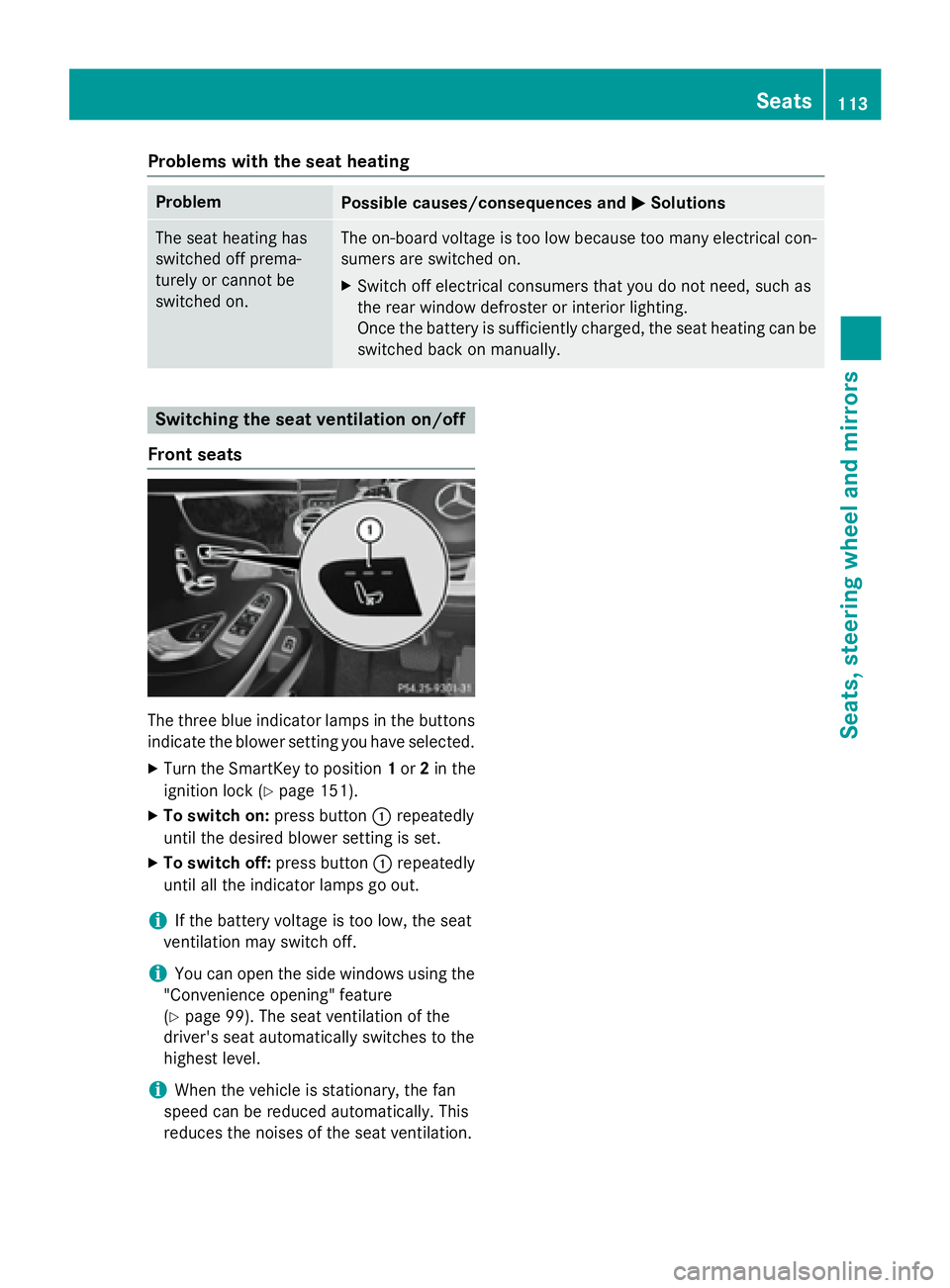
Front seats
The three blue indicator lamps in the buttons
indicate the blower setting you have selected.
XTurn the SmartKey to position 1or 2in the
ignition lock (
Ypage 151).
XTo switch on: press button:repeatedly
until the desired blower setting is set.
XTo switch off: press button:repeatedly
until all the indicator lamps go out.
iIf the battery voltage is too low, the seat
ventilation may switch off.
iYou can open the side windows using the
"Convenience opening" feature
(
Ypage 99). The seat ventilation of the
driver's seat automatically switches to the
highest level.
iWhen the vehicle is stationary, the fan
speed can be reduced automatically. This
reduces the noises of the seat ventilation.
Seats113
Seats, steering wheel and mirrors
Z
Page 116 of 410
Problems with the seat ventilation
ProblemPossible causes/consequences andMSolutions
The seat ventilation has
switched off prema-
turely or cannot be
switched on.The on-board voltage is too low because too many electrical con-
sumers are switched on.
XSwitch off electrical consumers that you do not need, such as
the rear window defroster or interior lighting.
Once the battery is sufficiently charged, the seat ventilation can
be switched back on.
Steering wheel
Important safety notes
GWARNING
You could lose control of your vehicle if you do the following while driving:
Radjust the driver's seat, head restraint,
steering wheel or mirrors
Rfasten the seat belt
There is a risk of an accident.
Adjust the driver's seat, head restraint, steer-
ing wheel and mirror and fasten your seat belt before starting the engine.
GWARNING
Children could injure themselves if they
adjust the steering wheel. There is a risk of
injury.
When leaving the vehicle, always take the
SmartKey with you and lock the vehicle. Never
leave children unsupervised in the vehicle.
The electrically adjustable steering wheel can
still be adjusted when there is no SmartKey in
the ignition lock.
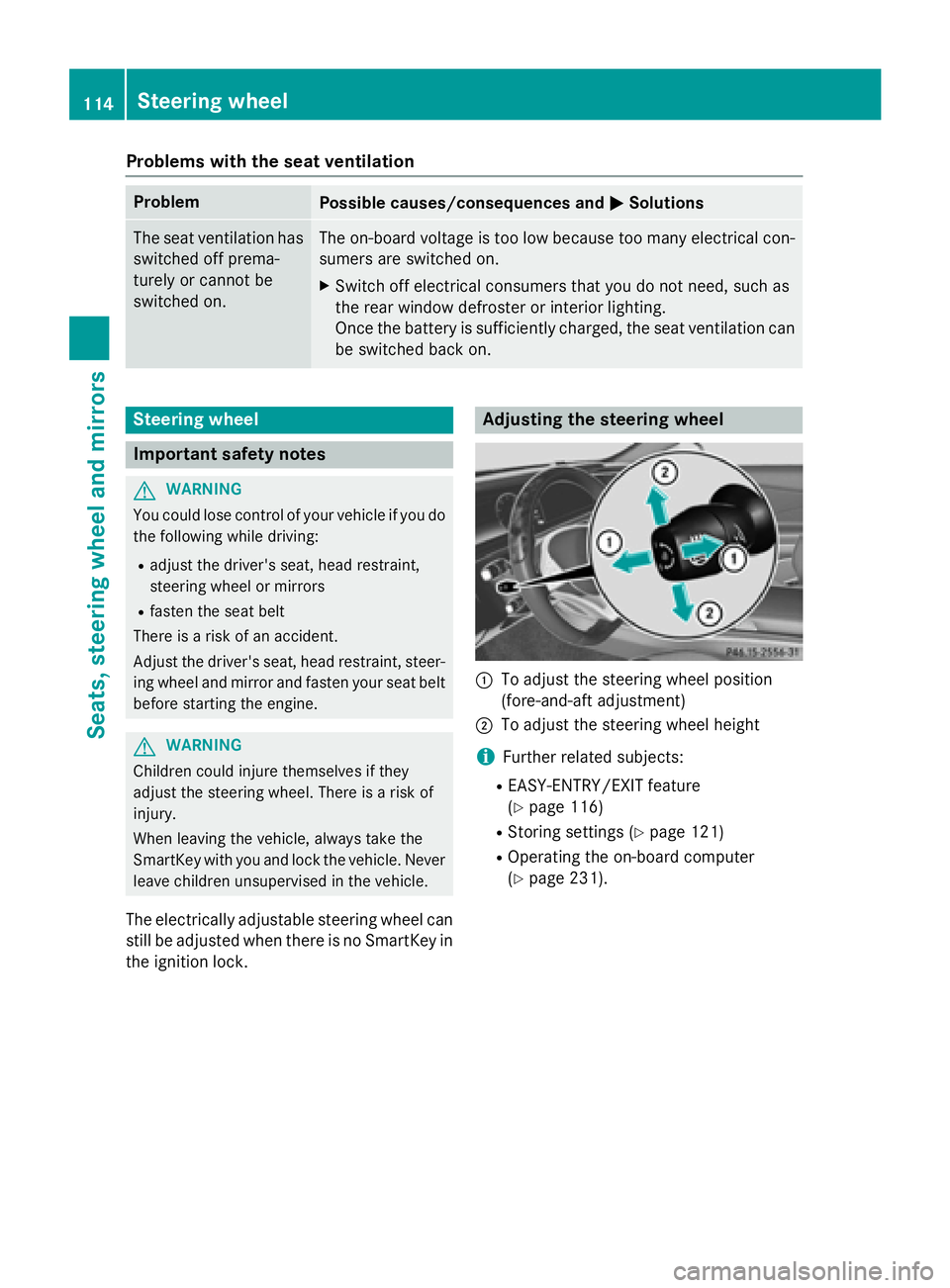
Adjusting the steering wheel
:To adjust the steering wheel position
(fore-and-aft adjustment)
;To adjust the steering wheel height
iFurther related subjects:
REASY-ENTRY/EXIT feature
(
Ypage 116)
RStoring settings (Ypage 121)
ROperating the on-board computer
(
Ypage 231).
114Steering wheel
Seats, steering wheel and mirrors
Page 117 of 410
Steering wheel heating
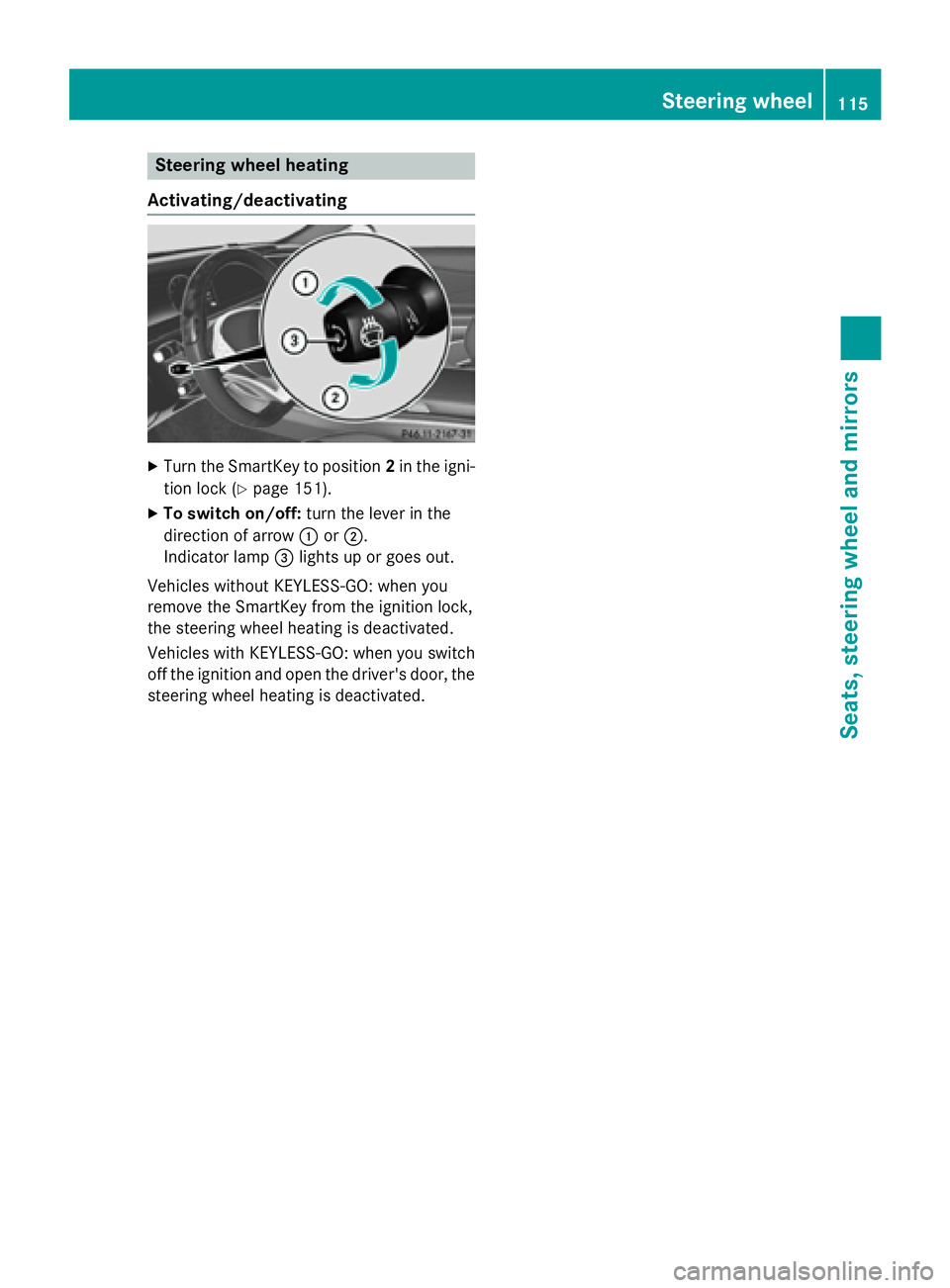
Activating/deactivating
XTurn the SmartKey to position 2in the igni-
tion lock (
Ypage 151).
XTo switch on/off: turn the lever in the
direction of arrow :or;.
Indicator lamp =lights up or goes out.
Vehicles without KEYLESS-GO: when you
remove the SmartKey from the ignition lock,
the steering wheel heating is deactivated.
Vehicles with KEYLESS-GO: when you switch
off the ignition and open the driver's door, the steering wheel heating is deactivated.
Steering wheel115
Seats, steering wheel and mirrors
Z
Page 118 of 410
Problems with the steering wheel heating
ProblemPossible causes/consequences andMSolutions
The steering wheel
heating has switched
off prematurely or can-
not be switched on.The on-board voltage is too low because too many electrical con-
sumers are switched on.
XSwitch off electrical consumers that you do not need, such as
the rear window defroster or interior lighting.
EASY-ENTRY/EXIT feature
Important safety notes
GWARNING
When the EASY-ENTRY/EXIT feature adjusts
the steering wheel and the driver's seat, you
and other vehicle occupants – particularly
children – could become trapped. There is a
risk of injury.
While the EASY-ENTRY/EXIT feature is mak-
ing adjustments, make sure that no one has
any body parts in the sweep of the seat and
the steering wheel.
If there is a risk of becoming trapped by
Rthe steering wheel: move the steering
wheel adjustment lever.
Rthe seat: press the switch for seat adjust-
ment.
The adjustment process is stopped.
Press one of the memory function position
switches. The adjustment process is stopped.
GWARNING
If children activate the EASY-ENTRY/EXIT fea-
ture, they can become trapped, particularly
when unattended. There is a risk of injury.
When leaving the vehicle, always take the
SmartKey with you and lock the vehicle. Never
leave children unsupervised in the vehicle.
GWARNING
If you drive off while the EASY-ENTRY/EXIT
feature is making adjustments, you could lose
control of the vehicle. There is a risk of an
accident.
Always wait until the adjustment process is
complete before driving off.
The EASY-ENTRY/EXIT feature makes getting
in and out of your vehicle easier.
You can activate and deactivate the EASY-
ENTRY/EXIT feature using COMAND (see the
separate operating instructions).
Position of the steering wheel and the
driver's seat when the EASY-ENTRY/
EXIT feature is active
The steering wheel tilts upwards and the driv-
er's seat moves backwards if you:
Rremove the SmartKey from the ignition lock
Rwith KEYLESS-GO: open the driver's door;
KEYLESS-GO must be in position 1
Rwith the SmartKey:open the driver's
door; the SmartKey must be in position 0or
1 in the ignition lock (
Ypage 151)
Ropen the driver's door when the ignition is
switched off
iThe steering wheel only tilts upwards and
the driver's seat only moves backwards if
the driving position is stored after seat or
steering wheel adjustment.
The last position of the steering wheel or seat
is stored if:
Rthe ignition is switched off
Rthe setting is stored with the memory func-
tion (
Ypage 121).
iThe steering wheel only moves upwards if
it has not already reached the upper stop.
116Steering wheel
Seats, steering wheel and mirrors
Page 119 of 410
The driver's seat only moves backwards if itis not already in the rearmost position.
Position of the steering wheel and the
driver's seat for driving
The steering wheel and the driver's seat are
moved to the previously set position if:
Rthe driver's door is closed and you insert
the SmartKey into the ignition lock
Ryou close the driver's door when the igni-
tion is switched on
Ryou press the Start/Stop button once on
vehicles with KEYLESS-GO
iThe steering wheel and the driver's seat
only return to the last set position when the
driving position is stored after seat or steer-
ing wheel adjustment.
The last position of the steering wheel or seat
is stored if:
Rthe ignition is switched off
Rthe setting is stored with the memory func-
tion (
Ypage 121).
Crash-responsive EASY-EXIT feature
If the crash-responsive EASY-EXIT feature is
triggered in an accident, the steering column
will move upwards when the driver's door is
opened or the SmartKey is removed from the ignition lock. This makes it easier to exit the
vehicle and rescue the occupants.
The crash-responsive EASY-EXIT feature is
only operational if the EASY-EXIT/ENTRY fea-
ture is activated in COMAND (see the sepa-
rate operating instructions).
Mirrors
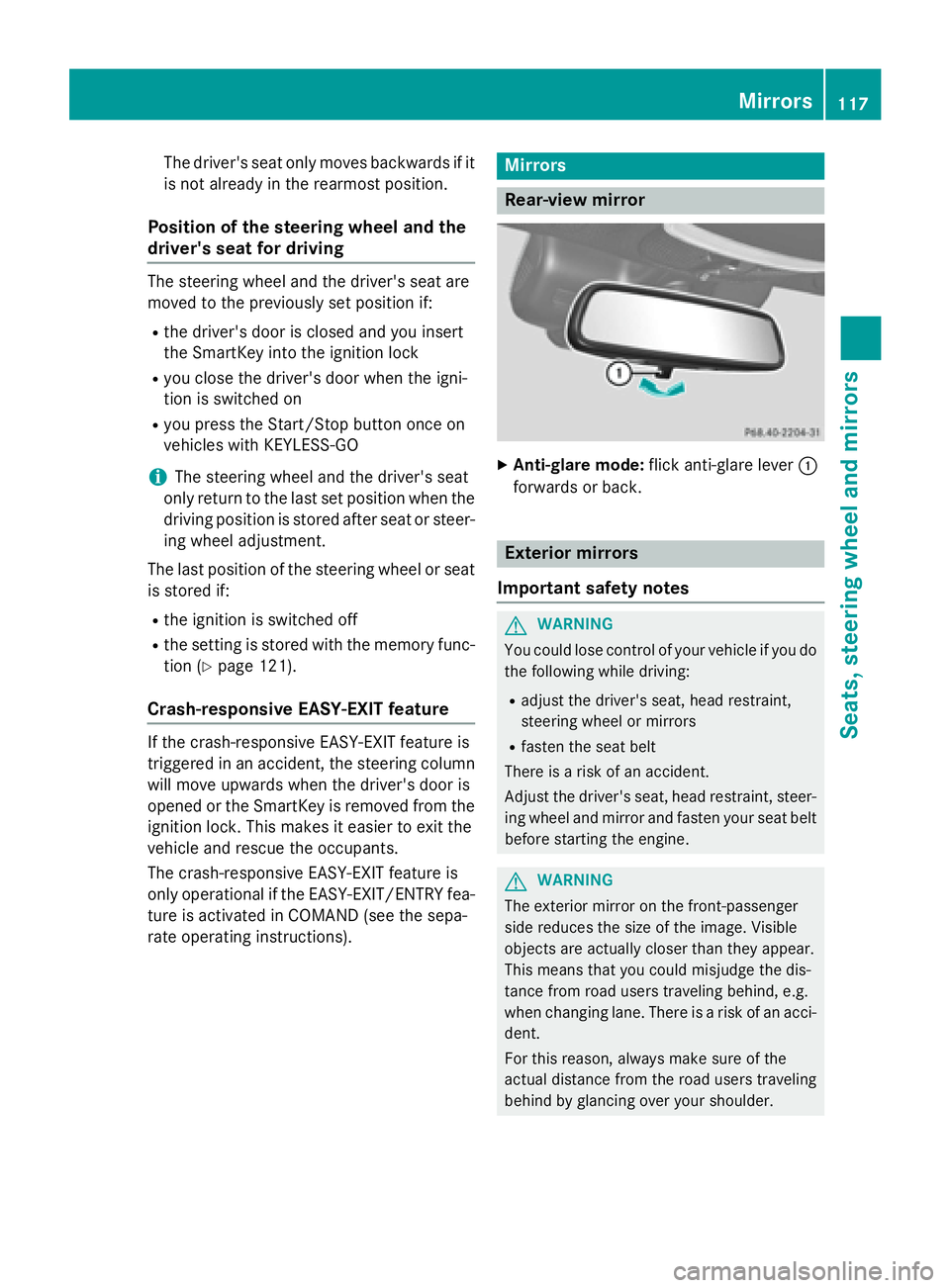
Rear-view mirror
XAnti-glare mode: flick anti-glare lever :
forwards or back.
Exterior mirrors
Important safety notes
GWARNING
You could lose control of your vehicle if you do the following while driving:
Radjust the driver's seat, head restraint,
steering wheel or mirrors
Rfasten the seat belt
There is a risk of an accident.
Adjust the driver's seat, head restraint, steer-
ing wheel and mirror and fasten your seat belt before starting the engine.
GWARNING
The exterior mirror on the front-passenger
side reduces the size of the image. Visible
objects are actually closer than they appear.
This means that you could misjudge the dis-
tance from road users traveling behind, e.g.
when changing lane. There is a risk of an acci-
dent.
For this reason, always make sure of the
actual distance from the road users traveling
behind by glancing over your shoulder.
Mirrors117
Seats, steering wheel and mirrors
Z
Page 120 of 410
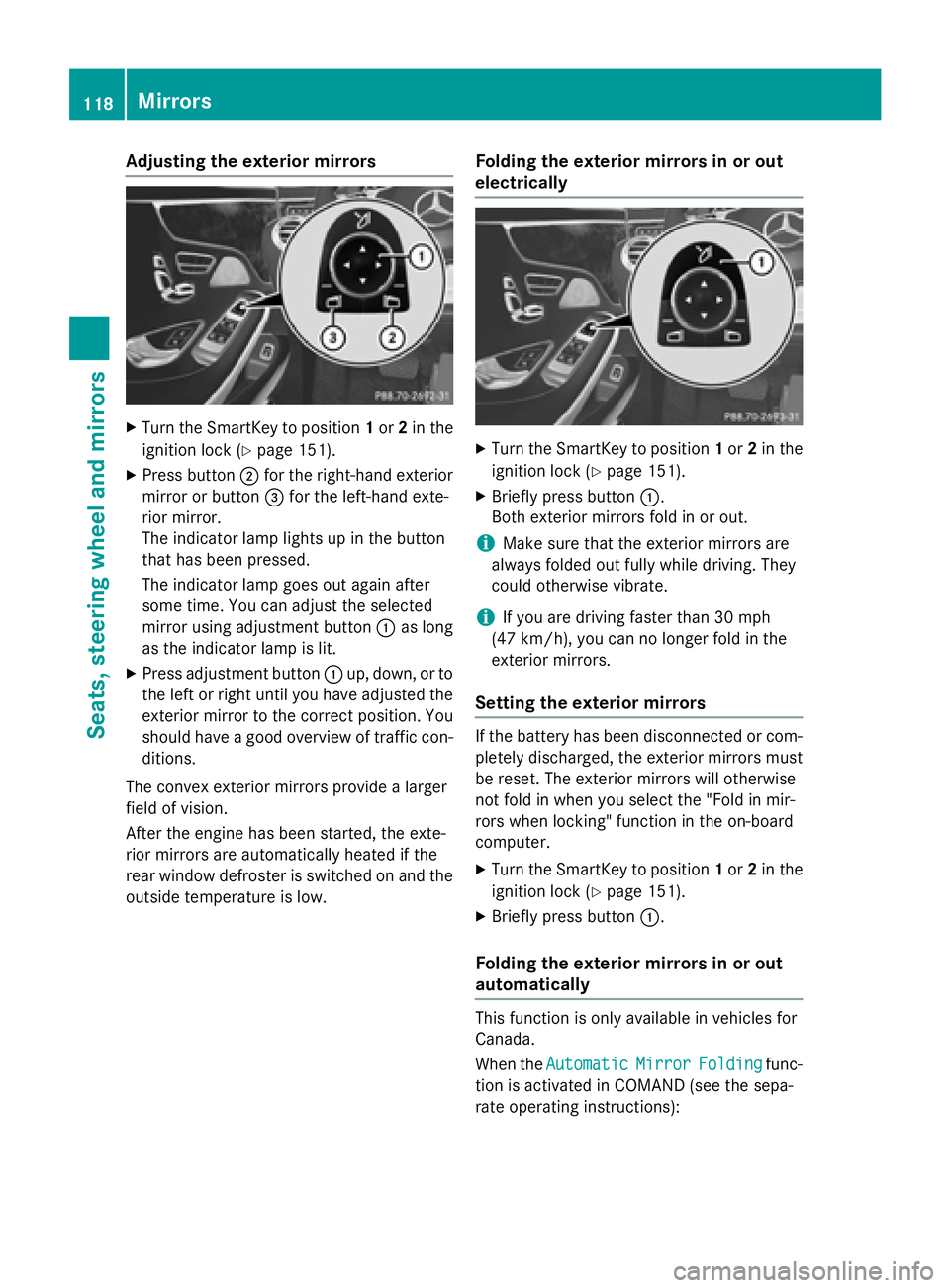
Adjusting the exterior mirrors
XTurn theSmartKey to position 1or 2in th e
ignition loc k (
Ypage 151).
XPress butto n; for th eright-hand exterio r
mirror or butto n= for th eleft-han dexte -
rio rmirror .
The indicator lamp lights up in th ebutto n
that has been pressed.
The indicator lamp goes out again after
som etime. You can adjust th eselected
mirror usin gadjustmen tbutto n: as lon g
as th eindicator lamp is lit .
XPress adjustmentbutto n: up, down ,or to
th elef tor right until you hav eadjusted th e
exterio rmirror to th ecorrec tposition .You
should hav e agoo doverview of traffic con-
ditions.
The convex exterio rmirror sprovide alarger
field of vision .
Afte rth eengin ehas been started, th eexte -
rio rmirror sare automatically heated if th e
rear window defroste ris switched on and th e
outside temperature is low.
Folding the exteri or mirrorsinor out
electri cally
XTurn th eSmartKey to position 1or 2in th e
ignition loc k (
Ypage 151).
XBriefly pressbutto n:.
Both exterio rmirror sfol din or out .
iMake sure that theexterio rmirror sare
always folded out fully while driving .The y
could otherwise vibrate .
iIf you are driving fasterthan 30 mph
(47 km/ h), you can no longer fold in the
exterior mirrors.
Setting the exterior mirrors
If the battery has been disconnected or com-
pletely discharged, the exterior mirrors must
be reset. The exterior mirrors will otherwise
not fold in when you select the "Fold in mir-
rors when locking" function in the on-board
computer.
XTurn the SmartKey to position 1or 2in the
ignition lock (
Ypage 151).
XBriefly press button :.
Folding the exterior mirrors in or out
automatically
This function is only available in vehicles for
Canada.
When theAutomatic
MirrorFoldingfunc-
tion is activated in COMAND (see the sepa-
rate operating instructions):
118Mirrors
Seats, steering wheel and mirrors
Page 122 of 410
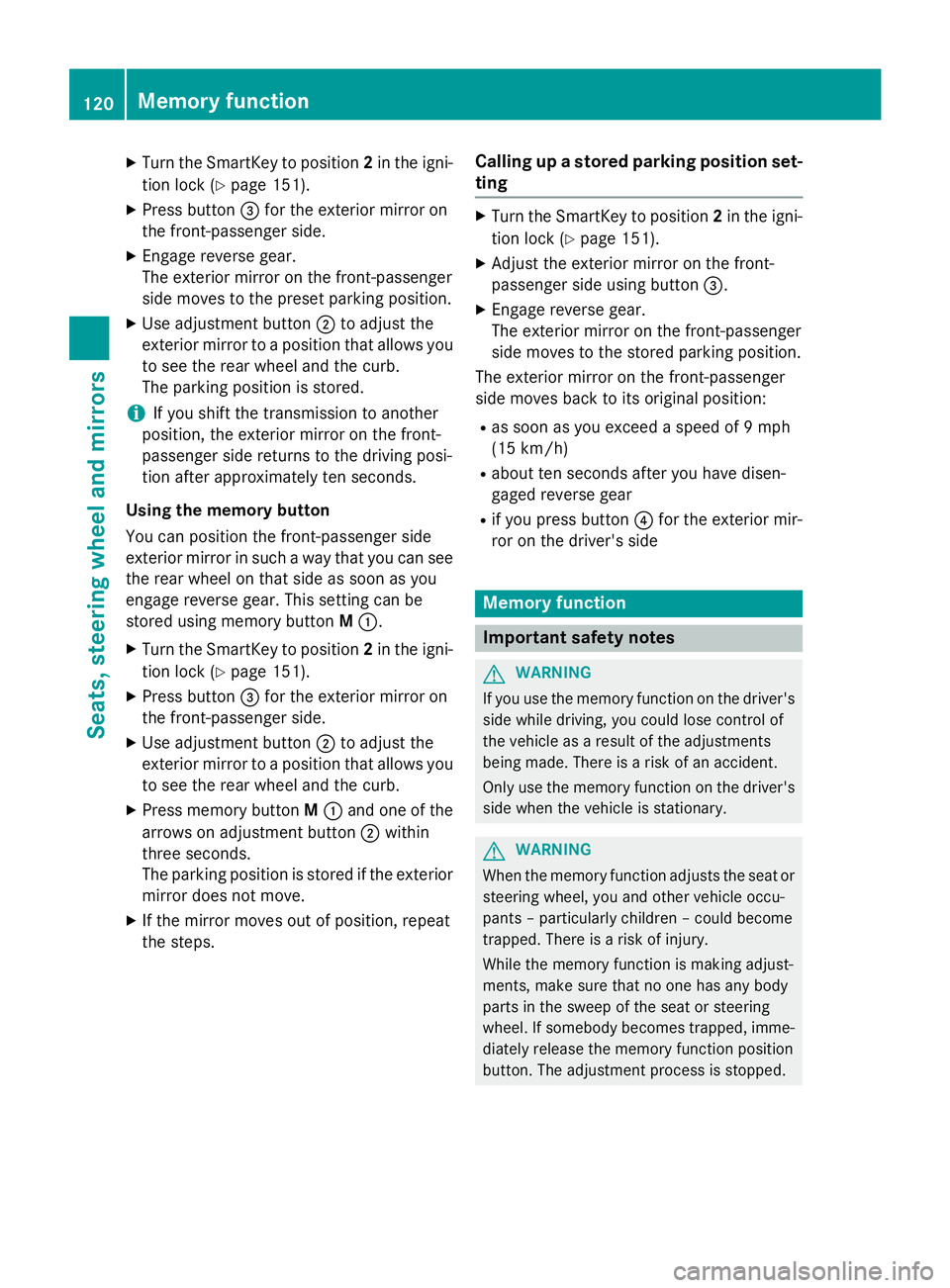
XTurn the SmartKey to position2in the igni-
tion lock (
Ypage 151).
XPress button =for the exterior mirror on
the front-passenger side.
XEngage reverse gear.
The exterior mirror on the front-passenger
side moves to the preset parking position.
XUse adjustment button ;to adjust the
exterior mirror to a position that allows you
to see the rear wheel and the curb.
The parking position is stored.
iIf you shift the transmission to another
position, the exterior mirror on the front-
passenger side returns to the driving posi-
tion after approximately ten seconds.
Using the memory button
You can position the front-passenger side
exterior mirror in such a way that you can see
the rear wheel on that side as soon as you
engage reverse gear. This setting can be
stored using memory button M:.
XTurn the SmartKey to position 2in the igni-
tion lock (
Ypage 151).
XPress button =for the exterior mirror on
the front-passenger side.
XUse adjustment button ;to adjust the
exterior mirror to a position that allows you
to see the rear wheel and the curb.
XPress memory button M: and one of the
arrows on adjustment button ;within
three seconds.
The parking position is stored if the exterior
mirror does not move.
XIf the mirror moves out of position, repeat
the steps.
Calling up a stored parking position set-
ting
XTurn the SmartKey to position 2in the igni-
tion lock (
Ypage 151).
XAdjust the exterior mirror on the front-
passenger side using button =.
XEngage reverse gear.
The exterior mirror on the front-passenger
side moves to the stored parking position.
The exterior mirror on the front-passenger
side moves back to its original position:
Ras soon as you exceed a speed of 9 mph
(15 km/h)
Rabout ten seconds after you have disen-
gaged reverse gear
Rif you press button ?for the exterior mir-
ror on the driver's side
Memory function
Important safety notes
GWARNING
If you use the memory function on the driver's side while driving, you could lose control of
the vehicle as a result of the adjustments
being made. There is a risk of an accident.
Only use the memory function on the driver's
side when the vehicle is stationary.
GWARNING
When the memory function adjusts the seat or steering wheel, you and other vehicle occu-
pants – particularly children – could become
trapped. There is a risk of injury.
While the memory function is making adjust-
ments, make sure that no one has any body
parts in the sweep of the seat or steering
wheel. If somebody becomes trapped, imme-
diately release the memory function position
button. The adjustment process is stopped.
120Memory function
Seats, steering wheel and mirrors