Starter MERCEDES-BENZ S500 2000 W220 Owner's Manual
[x] Cancel search | Manufacturer: MERCEDES-BENZ, Model Year: 2000, Model line: S500, Model: MERCEDES-BENZ S500 2000 W220Pages: 421, PDF Size: 20.52 MB
Page 6 of 421

3 ContentsParcel net in trunk ........................204
Telephone, general ........................205
Garage door opener .......................206
Infrared reflecting
windshield ................................. 210
DrivingControl and operation of
radio transmitters ..................... 212
The first 1 000 miles
(1 500 km) ................................. 213
Maintenance ................................... 213
Tele Aid ........................................... 214
Catalytic converter ........................224
Emission control ............................225
Starter switch .................................226
Starter switch –
KEYLESS-GO ..............................228
Starting and turning off
the engine .................................. 231Automatic transmission ............... 233
Parking brake ................................ 242
Driving instructions ...................... 243
Drive sensibly – Save Fuel ....... 243
Drinking and driving ................ 243
Pedals .......................................... 243
Power assistance ........................ 244
Brakes .......................................... 244
Driving off ................................... 245
Parking ........................................ 246
Tires ............................................. 247
Snow chains ............................... 249
Winter driving instructions ..... 250
Block heater ................................ 251
Deep water .................................. 252
Passenger compartment ........... 252
Traveling abroad ........................ 252
Cruise control ................................ 253
Distronic (DTR) .............................. 256Brake assist system
(BAS) ........................................... 271
Antilock brake system
(ABS) ...........................................272
Electronic stability program
(ESP) ........................................... 274
Active body control (ABC) ............278
Level control system
for vehicles
with Airmatic system ...............279
Level control system
for vehicles
with Active Body Control
(ABC) ..........................................280
Ad aptive da mping system
(ADS) ...........................................283
Parking assist (Parktronic) ..........285
What you should know
at the gas station .......................290
Check regularly and
before a long trip ......................293
Page 26 of 421
23 Instruments and controls
Te ch n ica l
data Instruments
and controlsOperation DrivingInstrument
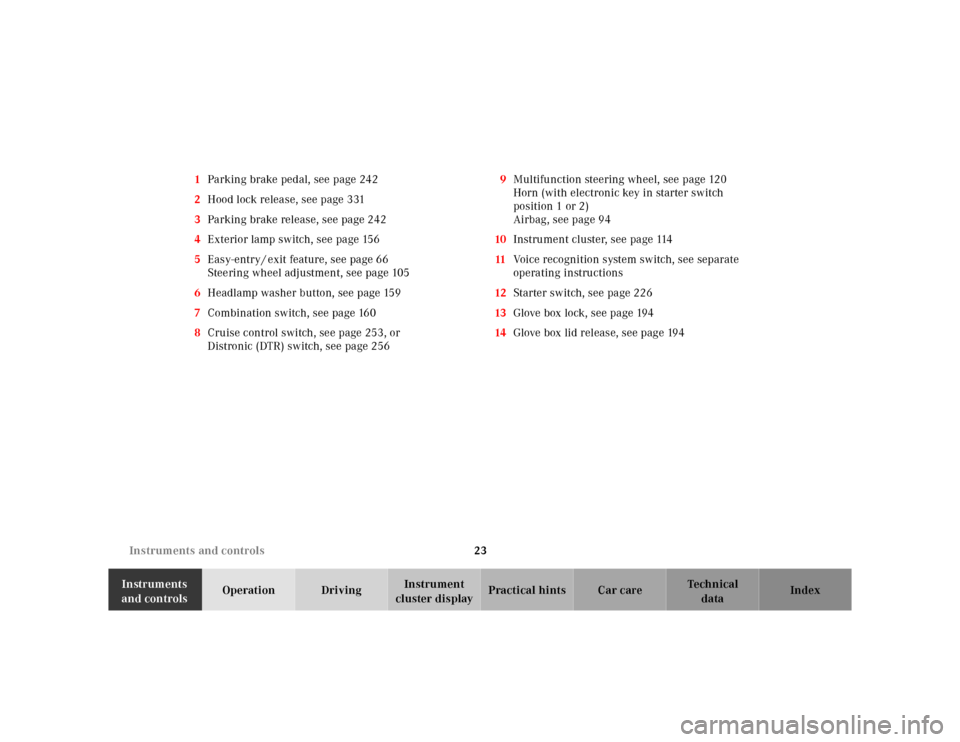
cluster displayPractical hints Car care Index 1Parking brake pedal, see page 242
2Hood lock release, see page 331
3Parking brake release, see page 242
4Exterior lamp switch, see page 156
5Easy-entry / exit feature, see page 66
Steering wheel adjustment, see page 105
6Headlamp washer button, see page 159
7Combination switch, see page 160
8Cruise control switch, see page 253, or
Distronic (DTR) switch, see page 2569Multifunction steering wheel, see page 120
Horn (with electronic key in starter switch
position 1 or 2)
Airbag, see page 94
10Instrument cluster, see page 114
11Voice recognition system switch, see separate
operating instructions
12Starter switch, see page 226
13Glove box lock, see page 194
14Glove box lid release, see page 194
Page 28 of 421
25 Instruments and controls
Te ch n ica l
data Instruments
and controlsOperation DrivingInstrument
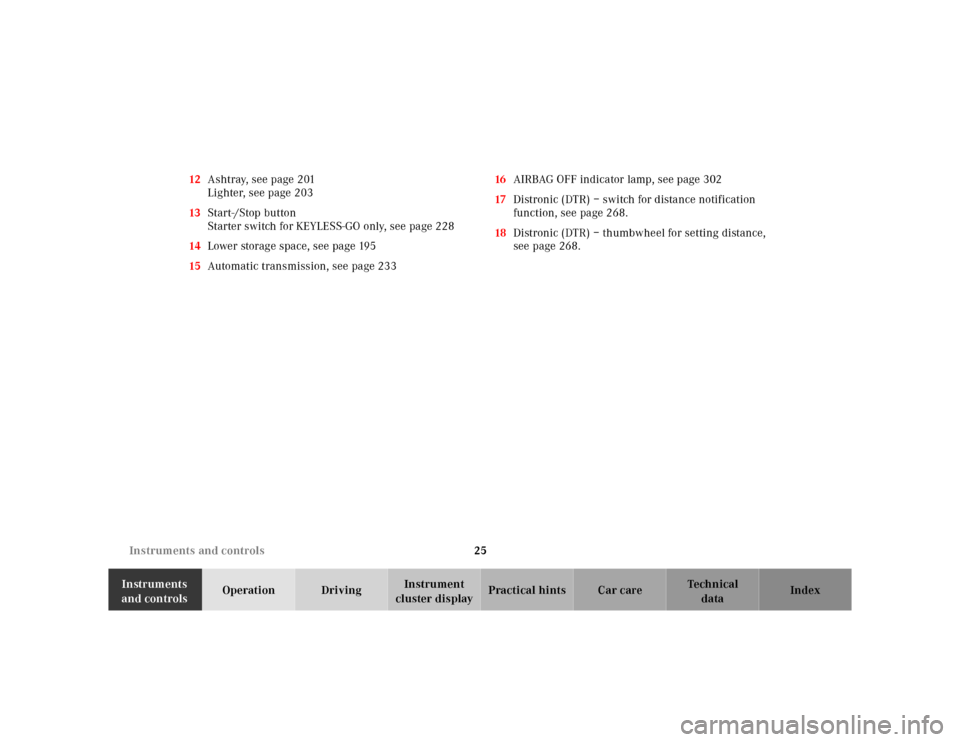
cluster displayPractical hints Car care Index 12Ashtray, see page 201
Lighter, see page 203
13Start-/Stop button
Starter switch for KEYLESS-GO only, see page 228
14Lower storage space, see page 195
15Automatic transmission, see page 23316AIRBAG OFF indicator lamp, see page 302
17Distronic (DTR) – switch for distance notification
function, see page 268.
18Distronic (DTR) – thumbwheel for setting distance,
see page 268.
Page 31 of 421
28 Central locking system
Te ch n ica l
data Instruments
and controlsOperationDrivingInstrument
cluster displayPractical hints Car care Index
Vehicle keys and KEYLESS-GO-cards (optional)
Included with your vehicle are:
•2 electronic main keys with integrated radio
frequency and infrared remote controls plus
removable mechanical key.
The locking tabs for the mechanical key portion of
the two electronic main keys are a different color to
help distinguish each individual key.
•1 electronic reserve key without remote control
functions, plus removable mechanical key.
•Ve h i c l e s w i t h K E Y L E S S - G O :
2 KEYLESS-GO-cards without removable mechanical
key.Ve h i c l e s w i t h K E Y L E S S - G O :
See page 44 on how to use the electronic key together
with the KEYLESS-GO-card.
Important!
In the case of the loss of a KEYLESS-GO-card, electronic
keys or mechanical keys, please, contact an authorized
Mercedes-Benz Center or call 1-800-FOR-MERCedes (in
the USA), or 1-800-387-0100 (in Canada) as soon as
possible to have the keys or KEYLESS-GO-card
deactivated.
Wa r n i n g !
When leaving the vehicle always remove the
electronic key from the starter switch and take the
KEYLESS-GO-card (if so equipped) with you, and
lock your vehicle. Do not leave children unattended
in the vehicle, or with access to an unlocked
vehicle. Unsupervised use of vehicle equipment
may cause serious personal injury.
Page 33 of 421
30 Central locking system
Te ch n ica l
data Instruments
and controlsOperationDrivingInstrument
cluster displayPractical hints Car care Index
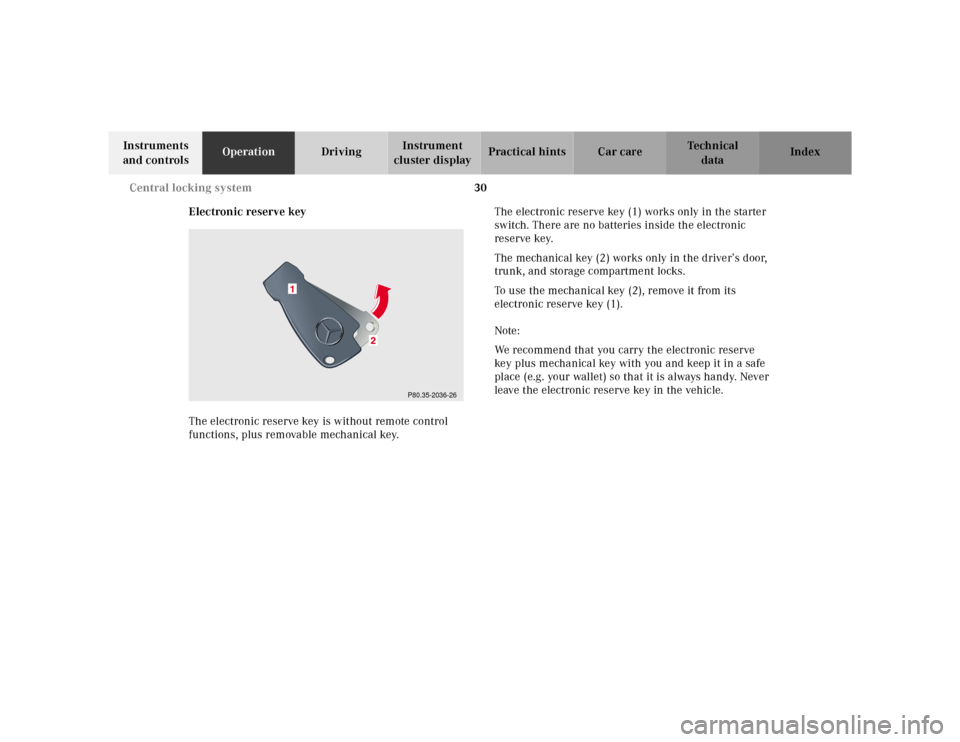
Electronic reserve key
The electronic reserve key is without remote control
functions, plus removable mechanical key.The electronic reserve key (1) works only in the starter
switch. There are no batteries inside the electronic
reserve key.
The mechanical key (2) works only in the driver’s door,
trunk, and storage compartment locks.
To use the mechanical key (2), remove it from its
electronic reserve key (1).
Note:
We recommend that you carry the electronic reserve
key plus mechanical key with you and keep it in a safe
place (e.g. your wallet) so that it is always handy. Never
leave the electronic reserve key in the vehicle.
P80.35-2036-26
1
Page 34 of 421
31 Central locking system
Te ch n ica l
data Instruments
and controlsOperationDrivingInstrument
cluster displayPractical hints Car care Index KEYLESS-GO-card
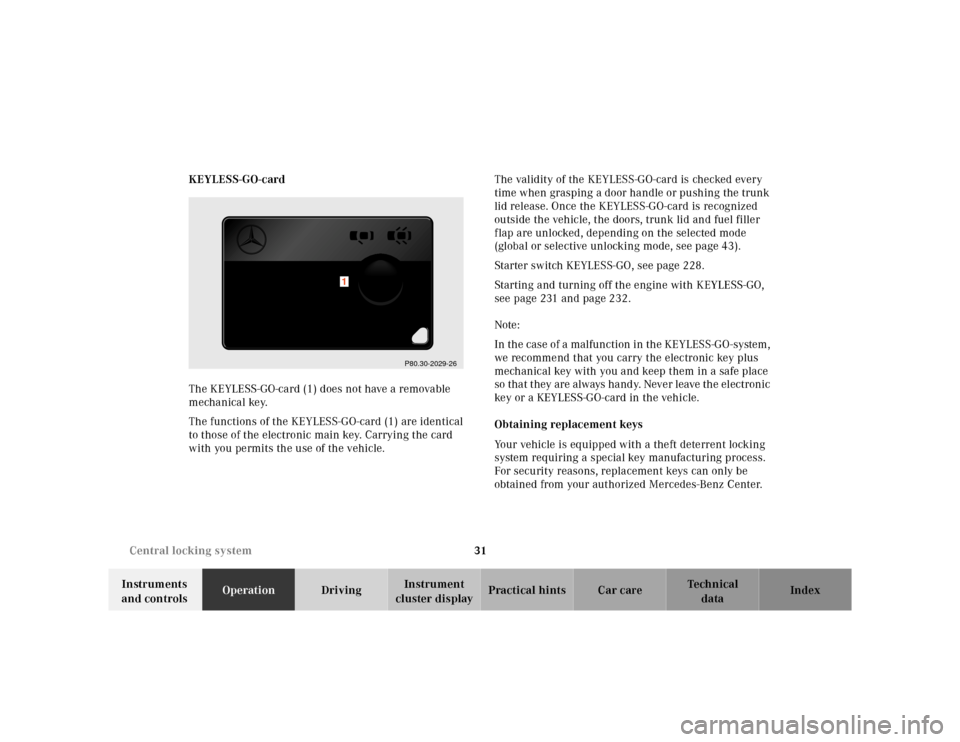
The KEYLESS-GO-card (1) does not have a removable
mechanical key.
The functions of the KEYLESS-GO-card (1) are identical
to those of the electronic main key. Carrying the card
with you permits the use of the vehicle.The validity of the KEYLESS-GO-card is checked every
time when grasping a door handle or pushing the trunk
lid release. Once the KEYLESS-GO-card is recognized
outside the vehicle, the doors, trunk lid and fuel filler
flap are unlocked, depending on the selected mode
(global or selective unlocking mode, see page 43).
Starter switch KEYLESS-GO, see page 228.
Starting and turning off the engine with KEYLESS-GO,
see page 231 and page 232.
Note:
In the case of a malfunction in the KEYLESS-GO-system,
we recommend that you carry the electronic key plus
mechanical key with you and keep them in a safe place
so that they are always handy. Never leave the electronic
key or a KEYLESS-GO-card in the vehicle.
Obtaining replacement keys
Your vehicle is equipped with a theft deterrent locking
system requiring a special key manufacturing process.
For security reasons, replacement keys can only be
obtained from your authorized Mercedes-Benz Center.
P80.30-2029-26
1
Page 35 of 421
32 Central locking system
Te ch n ica l
data Instruments
and controlsOperationDrivingInstrument
cluster displayPractical hints Car care Index
Start lock-out
Important!
Operating with electronic key:
Removing the electronic key from the starter switch
activates the start lock-out. The engine cannot be
started.
Inserting the electronic key in the starter switch
deactivates the start lock-out.
Operating with KEYLESS-GO:
Turning off the engine with the start- / stop button on
the gear selector lever activates the start lock-out. For
turning off the engine with KEYLESS-GO, see page 232.
Starting the engine with the start- / stop button
deactivates the start lock-out, if a valid KEYLESS-GO-
card is recognized inside the vehicle. For starting the
engine with KEYLESS-GO, see page 231. The engine
cannot be started with a KEYLESS-GO-card outside the
vehicle.Note:
In case the engine cannot be started (vehicle’s battery is
in order), the system is not operational. Contact an
authorized Mercedes-Benz Center or call 1-800-FOR-
MERCedes (in the USA), or 1-800-387-0100 (in Canada).
Page 36 of 421
33 Central locking system
Te ch n ica l
data Instruments
and controlsOperationDrivingInstrument
cluster displayPractical hints Car care Index General notes on the central locking system
If the electronic key is inserted in the starter switch, the
vehicle cannot be locked or unlocked with the remote
control.
If the vehicle cannot be locked or unlocked:
•Aim transmitter eye at a receiver on either front
door handle. Check the batteries of the electronic
main key, see page 363, or synchronize the remote
control, see page 365.
•Use the mechanical key to unlock the vehicle. To
start engine, insert the electronic key in the starter
switch. There could be a slight delay until the
electronic key can be turned in the starter switch.
•Vehicles with KEYLESS-GO only:
A KEYLESS-GO-card must be recognized by the
system as being outside the vehicle to enable the
vehicle to be locked or unlocked (maximum distance
between card and doors or trunk is approx. 3 ft.
(1 m). Check the location of the KEYLESS-GO-card,
see page 38. Check the batteries of the KEYLESS-
GO-card, see page 366. The trunk lid will open
automatically if a KEYLESS-GO card is detected in
the trunk, see page 38.Note:
If neither the remote control nor KEYLESS-GO system
functions, use the mechanical key to unlock or lock the
vehicle. To start engine, insert the electronic key in the
starter switch. There could be a slight delay until the
electronic key can be turned in the starter switch.
Important!
When unlocking the driver’s door with the mechanical
key, the exterior lamps will flash and the alarm will
sound.
To cancel the alarm, insert the electronic key in the
starter switch, or press buttonŒ or‹ on the
electronic main key; or with the optional KEYLESS-GO-
system, when carrying a KEYLESS-GO-card, by grasping
a door handle or pressing the start- / stop button on the
gear selector lever.
Page 37 of 421
34 Central locking system
Te ch n ica l
data Instruments
and controlsOperationDrivingInstrument
cluster displayPractical hints Car care Index
Central locking system
Radio frequency and infrared remote control
The electronic main key has an integrated radio
frequency and infrared remote control.
Due to the extended operational range of the remote
control, it could be possible to unintentionally lock or
unlock the vehicle by pressing the transmit button. If
one of the transmit buttons is pressed, the battery check
lamp lights up briefly – indicating that the batteries are
in order. See page 363 for checking batteries.
The vehicle doors, trunk and fuel filler flap can be
centrally locked and unlocked via remote control.
Opening and closing the windows and sliding/pop-up
roof and switching on the driver’s seat ventilation can
only be done with the infrared portion of the remote
control. Aim transmitter eye at a receiver (6 or 7), press
and hold transmit button Œor ‹, see page 45.
With vehicle centrally locked, the trunk can also be
opened by using the remote control.
If the electronic key is inserted in starter switch, the
vehicle cannot be locked or unlocked, and the trunk lid
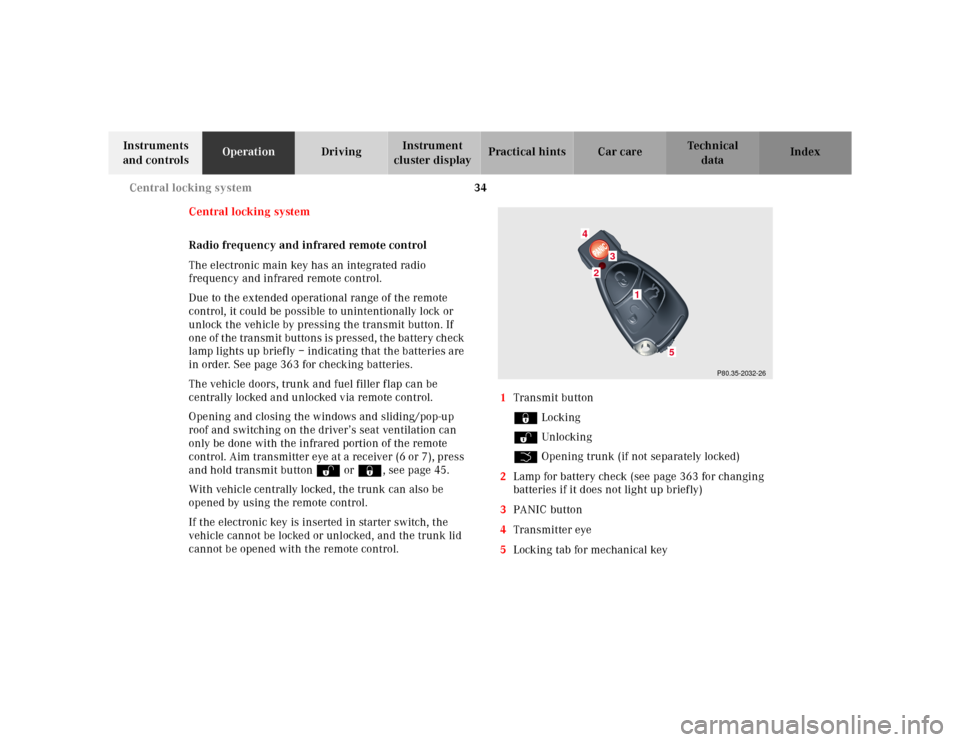
cannot be opened with the remote control.1Transmit button
‹ Locking
ΠUnlocking
Š Opening trunk (if not separately locked)
2Lamp for battery check (see page 363 for changing
batteries if it does not light up briefly)
3PANIC button
4Transmitter eye
5Locking tab for mechanical key
P80.35-2032-26
24
3
5
1
Page 39 of 421
36 Central locking system
Te ch n ica l
data Instruments
and controlsOperationDrivingInstrument
cluster displayPractical hints Car care Index
Locking and unlocking with remote control
Unlocking:
Press transmit button Œ. All turn signal lamps blink
once to indicate that the vehicle is unlocked.
The remote control can be programmed for two kinds of
unlocking modes (see below):
Selective unlocking mode –
Press transmit button Œ once to unlock driver’s door
and fuel filler flap.
Press transmit button Πtwice to unlock all doors,
fuel filler flap, and trunk.
Global unlocking mode –
Press transmit button Πonce to unlock all doors,
fuel filler flap, and trunk.
Notes:
If the trunk was previously locked separately, it will
remain locked, see page 53.
The presently active unlocking mode (selective or
global) can only be determined by unlocking the vehicle
with the remote control (see below for changing mode).If within 40 seconds of unlocking with the remote
control, neither door nor trunk is opened, the electronic
key is not inserted in the starter switch, or the central
locking switch is not activated, the vehicle will
automatically lock.
Locking:
Press transmit button ‹ once. All turn signal lamps
blink three times to indicate that the vehicle is locked. If
they do not blink three times, a door or trunk is not
properly closed.
Note:
If the vehicle cannot be locked or unlocked by pressing
the transmit button, then it may be necessary to change
the batteries in the electronic main key (if ok, battery
check lamp in electronic main key will light briefly
when pressing transmit button) or to synchronize the
remote control, see pages 363 and 365.