Button MERCEDES-BENZ S500 2002 W220 Workshop Manual
[x] Cancel search | Manufacturer: MERCEDES-BENZ, Model Year: 2002, Model line: S500, Model: MERCEDES-BENZ S500 2002 W220Pages: 430, PDF Size: 20.81 MB
Page 127 of 430
124 Multifunction steering wheel, multifunction display
Te ch n i c a l
data Instruments
and controlsOperationDrivingInstrument
cluster displayPractical hints Car care Index
Audio systems
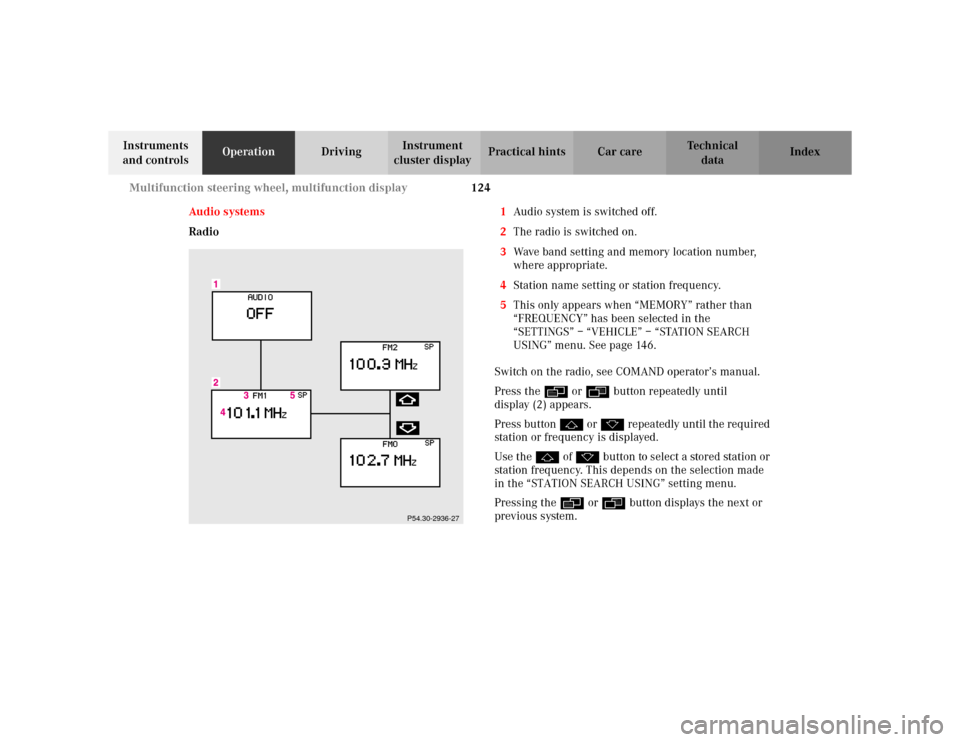
Radio1Audio system is switched off.
2The radio is switched on.
3Wave band setting and memory location number,
where appropriate.
4Station name setting or station frequency.
5This only appears when “MEMORY” rather than
“FREQUENCY” has been selected in the
“SETTINGS” – “VEHICLE” – “STATION SEARCH
USING” menu. See page 146.
Switch on the radio, see COMAND operator’s manual.
Press the è or ÿ button repeatedly until
display (2) appears.
Press button j or k repeatedly until the required
station or frequency is displayed.
Use the j of k button to select a stored station or
station frequency. This depends on the selection made
in the “STATION SEARCH USING” setting menu.
Pressing the è or ÿ button displays the next or
previous system.
P54.30-2936-27
Page 128 of 430
125 Multifunction steering wheel, multifunction display
Te ch n i c a l
data Instruments
and controlsOperationDrivingInstrument
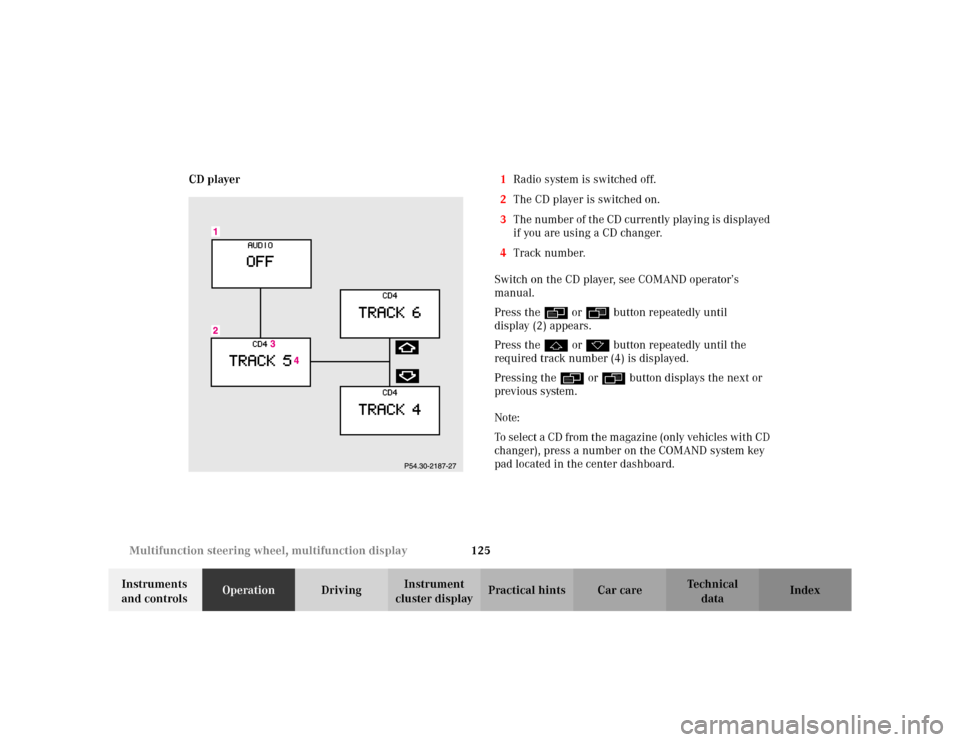
cluster displayPractical hints Car care Index CD player1Radio system is switched off.
2The CD player is switched on.
3The number of the CD currently playing is displayed
if you are using a CD changer.
4Track number.
Switch on the CD player, see COMAND operator’s
manual.
Press the è or ÿ button repeatedly until
display (2) appears.
Press the j or k button repeatedly until the
required track number (4) is displayed.
Pressing the è or ÿ button displays the next or
previous system.
Note:
To select a CD from the magazine (only vehicles with CD
changer), press a number on the COMAND system key
pad located in the center dashboard.
Page 129 of 430
126 Multifunction steering wheel, multifunction display
Te ch n i c a l
data Instruments
and controlsOperationDrivingInstrument
cluster displayPractical hints Car care Index
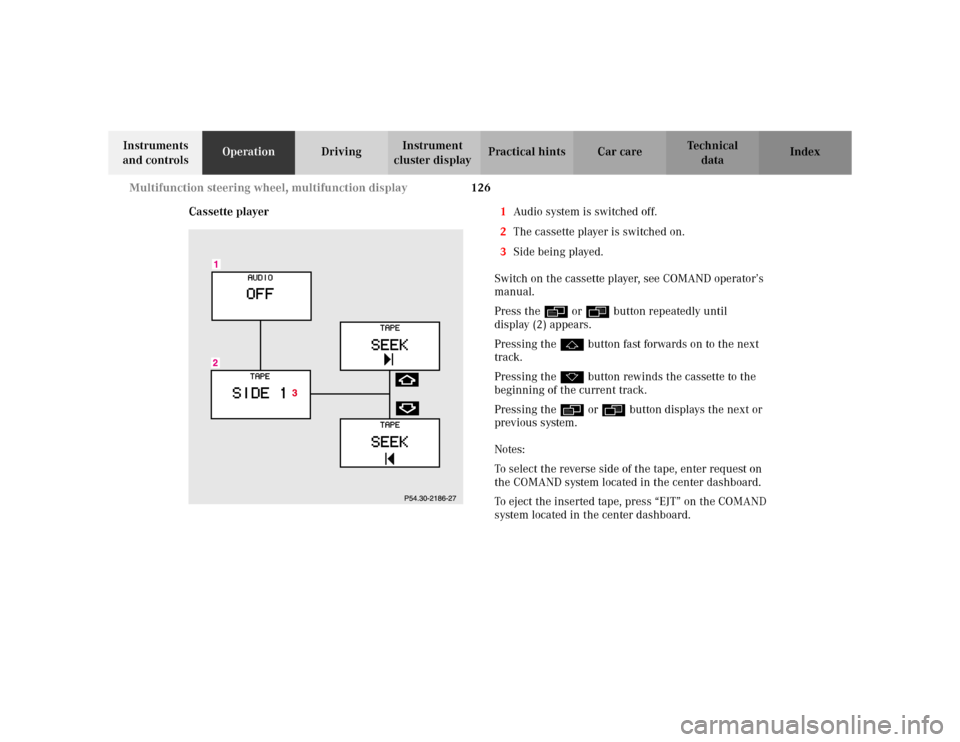
Cassette player1Audio system is switched off.
2The cassette player is switched on.
3Side being played.
Switch on the cassette player, see COMAND operator’s
manual.
Press the è or ÿ button repeatedly until
display (2) appears.
Pressing the j button fast forwards on to the next
track.
Pressing the k button rewinds the cassette to the
beginning of the current track.
Pressing the è or ÿ button displays the next or
previous system.
Notes:
To select the reverse side of the tape, enter request on
the COMAND system located in the center dashboard.
To eject the inserted tape, press “EJT” on the COMAND
system located in the center dashboard.
Page 131 of 430
128 Multifunction steering wheel, multifunction display
Te ch n i c a l
data Instruments
and controlsOperationDrivingInstrument
cluster displayPractical hints Car care Index
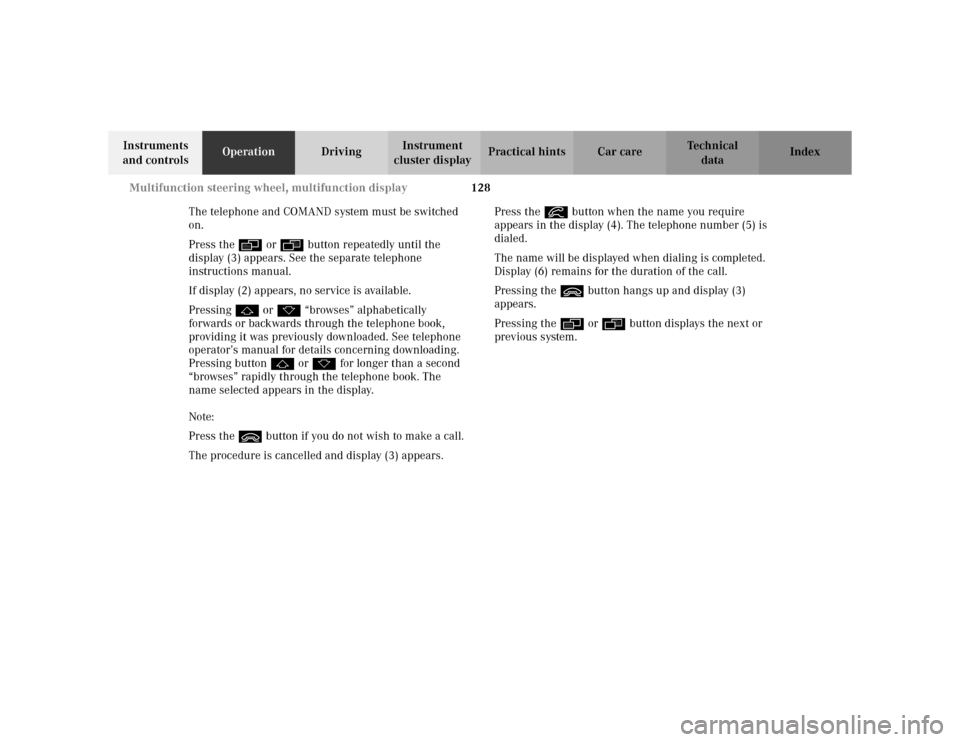
The telephone and COMAND system must be switched
on.
Press the è or ÿ button repeatedly until the
display (3) appears. See the separate telephone
instructions manual.
If display (2) appears, no service is available.
Pressing j or k “browses” alphabetically
forwards or backwards through the telephone book,
providing it was previously downloaded. See telephone
operator’s manual for details concerning downloading.
Pressing button j or k for longer than a second
“browses” rapidly through the telephone book. The
name selected appears in the display.
Note:
Press the ì button if you do not wish to make a call.
The procedure is cancelled and display (3) appears.Press the í button when the name you require
appears in the display (4). The telephone number (5) is
dialed.
The name will be displayed when dialing is completed.
Display (6) remains for the duration of the call.
Pressing the ì button hangs up and display (3)
appears.
Pressing the è or ÿ button displays the next or
previous system.
Page 133 of 430
130 Multifunction steering wheel, multifunction display
Te ch n i c a l
data Instruments
and controlsOperationDrivingInstrument
cluster displayPractical hints Car care Index
The telephone and COMAND system must be switched
on.
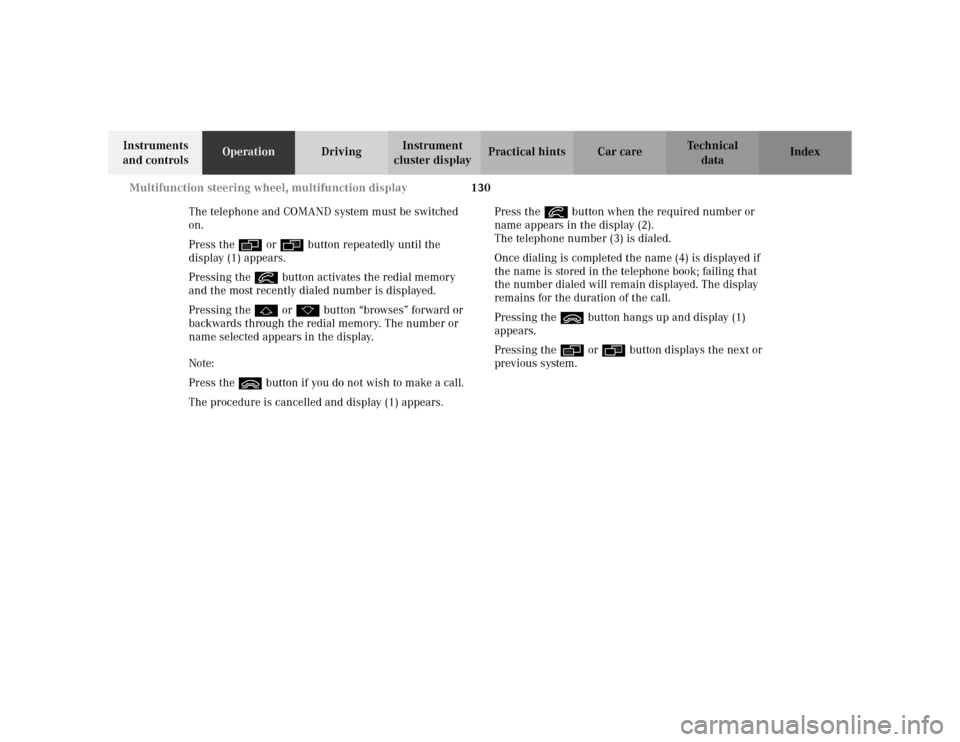
Press the è or ÿ button repeatedly until the
display (1) appears.
Pressing the í button activates the redial memory
and the most recently dialed number is displayed.
Pressing the j or k button “browses” forward or
backwards through the redial memory. The number or
name selected appears in the display.
Note:
Press the ì button if you do not wish to make a call.
The procedure is cancelled and display (1) appears.Press the í button when the required number or
name appears in the display (2).
The telephone number (3) is dialed.
Once dialing is completed the name (4) is displayed if
the name is stored in the telephone book; failing that
the number dialed will remain displayed. The display
remains for the duration of the call.
Pressing the ì button hangs up and display (1)
appears.
Pressing the è or ÿ button displays the next or
previous system.
Page 134 of 430
131 Multifunction steering wheel, multifunction display
Te ch n i c a l
data Instruments
and controlsOperationDrivingInstrument
cluster displayPractical hints Car care Index Incoming call
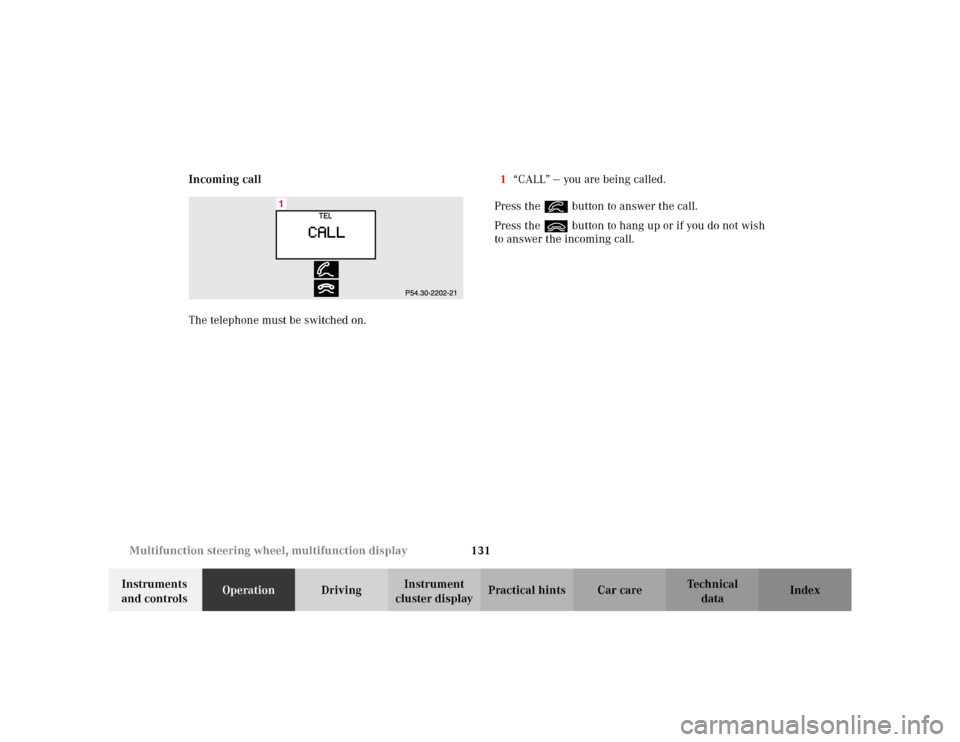
The telephone must be switched on.1“CALL” — you are being called.
Press the í button to answer the call.
Press the ì button to hang up or if you do not wish
to answer the incoming call.
Page 135 of 430
132 Multifunction steering wheel, multifunction display
Te ch n i c a l
data Instruments
and controlsOperationDrivingInstrument
cluster displayPractical hints Car care Index
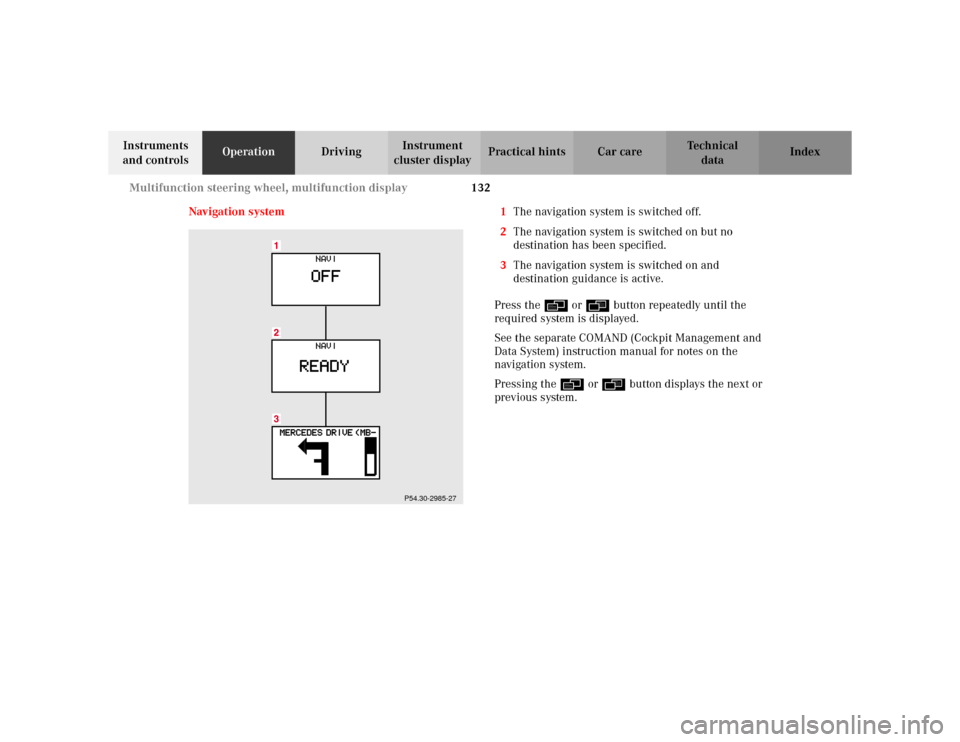
Navigation system 1The navigation system is switched off.
2The navigation system is switched on but no
destination has been specified.
3The navigation system is switched on and
destination guidance is active.
Press the è or ÿ button repeatedly until the
required system is displayed.
See the separate COMAND (Cockpit Management and
Data System) instruction manual for notes on the
navigation system.
Pressing the è or ÿ button displays the next or
previous system.
P54.30-2985-27
Page 136 of 430
133 Multifunction steering wheel, multifunction display
Te ch n i c a l
data Instruments
and controlsOperationDrivingInstrument
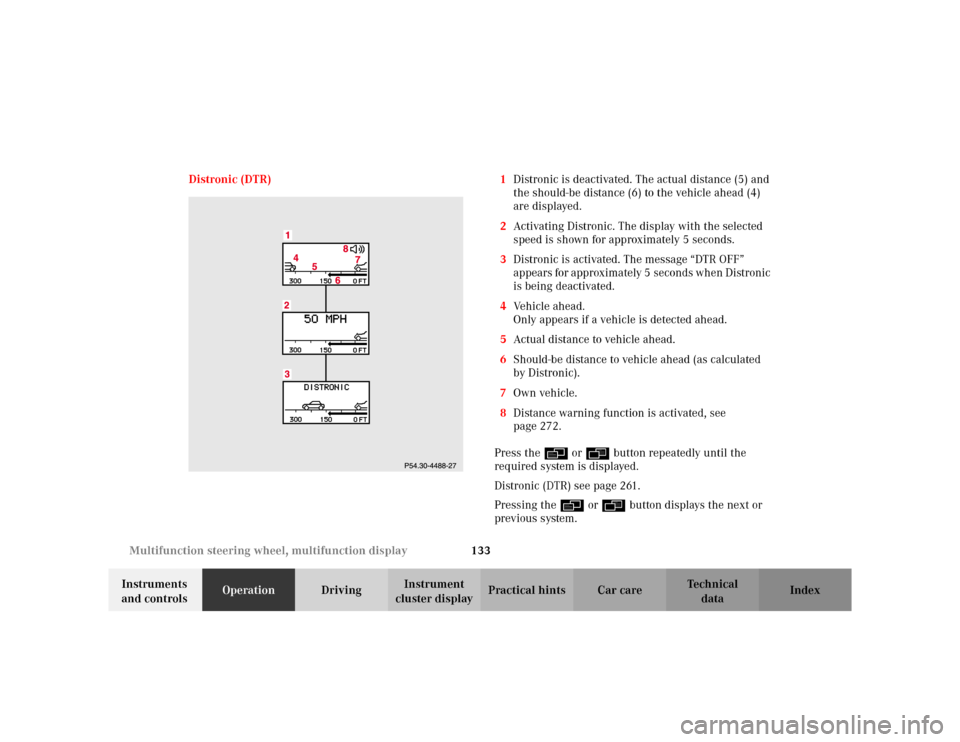
cluster displayPractical hints Car care Index Distronic (DTR) 1Distronic is deactivated. The actual distance (5) and
the should-be distance (6) to the vehicle ahead (4)
are displayed.
2Activating Distronic. The display with the selected
speed is shown for approximately 5 seconds.
3Distronic is activated. The message “DTR OFF”
appears for approximately 5 seconds when Distronic
is being deactivated.
4Vehicle ahead.
Only appears if a vehicle is detected ahead.
5Actual distance to vehicle ahead.
6Should-be distance to vehicle ahead (as calculated
by Distronic).
7Own vehicle.
8Distance warning function is activated, see
page 272.
Press the è or ÿ button repeatedly until the
required system is displayed.
Distronic (DTR) see page 261.
Pressing the è or ÿ button displays the next or
previous system.
Page 137 of 430
134 Multifunction steering wheel, multifunction display
Te ch n i c a l
data Instruments
and controlsOperationDrivingInstrument
cluster displayPractical hints Car care Index
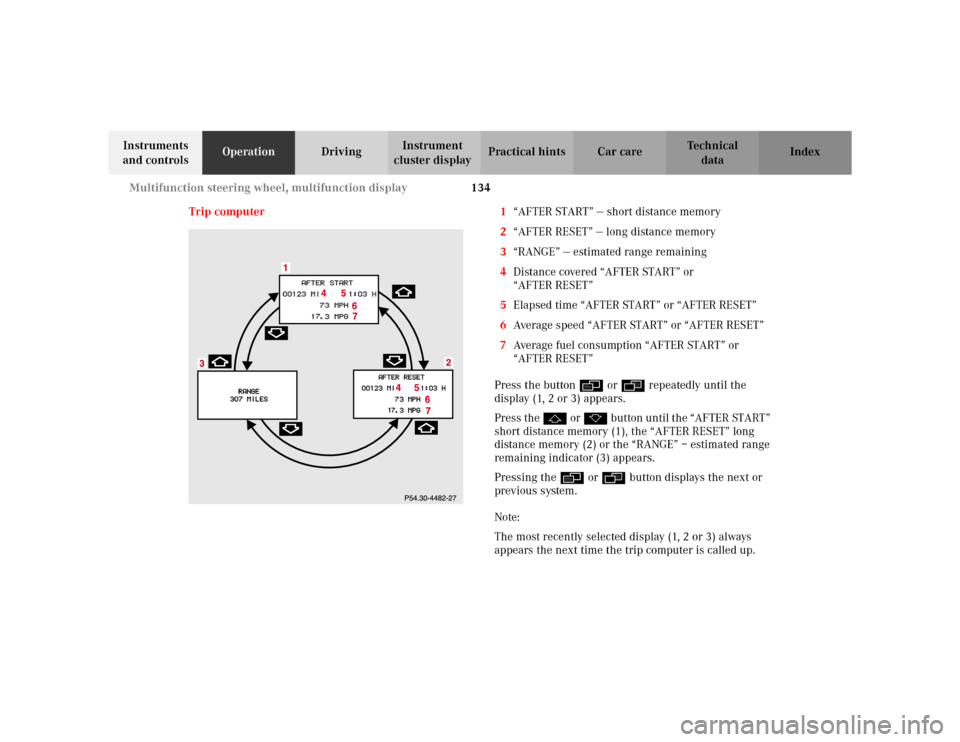
Trip computer 1“AFTER START” — short distance memory
2“AFTER RESET” — long distance memory
3“RANGE” — estimated range remaining
4Distance covered “AFTER START” or
“AFTER RESET”
5Elapsed time “AFTER START” or “AFTER RESET”
6Average speed “AFTER START” or “AFTER RESET”
7Average fuel consumption “AFTER START” or
“AFTER RESET”
Press the button è or ÿ repeatedly until the
display (1, 2 or 3) appears.
Press the j or k button until the “AFTER START”
short distance memory (1), the “AFTER RESET” long
distance memory (2) or the “RANGE” – estimated range
remaining indicator (3) appears.
Pressing the è or ÿ button displays the next or
previous system.
Note:
The most recently selected display (1, 2 or 3) always
appears the next time the trip computer is called up.
Page 138 of 430
135 Multifunction steering wheel, multifunction display
Te ch n i c a l
data Instruments
and controlsOperationDrivingInstrument
cluster displayPractical hints Car care Index Transferring values from the previous journey to the
“AFTER START” short distance memory (1):
The “AFTER START” display will flash until a distance of
approximately 1 mile (1.6 km) has been covered or two
minutes have elapsed since the engine was restarted.
During this period you can incorporate the values for
the previous journey by pressing button Jin the
instrument cluster.
If buttonJis not pressed, the short distance memory
is reset to “0”.To reset the short “AFTER START” (1) or long
“AFTER RESET” distance memory (2):
Call up the relevant display (1 or 2) using the j or
k button and press the Jbutton in the instrument
cluster until the values are reset to “0”.