Rest MERCEDES-BENZ S500 2002 W220 Workshop Manual
[x] Cancel search | Manufacturer: MERCEDES-BENZ, Model Year: 2002, Model line: S500, Model: MERCEDES-BENZ S500 2002 W220Pages: 430, PDF Size: 20.81 MB
Page 172 of 430
169 Automatic climate control
Te ch n i c a l
data Instruments
and controlsOperationDrivingInstrument
cluster displayPractical hints Car care Index Automatic climate control
The system is always at operational readiness, except
when manually switched off.
The automatic climate control only operates with the
engine running.
The temperature selector should be left at the desired
temperature setting. The temperature selected is
reached as quickly as possible.
The system will not heat or cool any quicker by setting a
higher or lower temperature.
The desired interior temperature and air distribution
can be selected separately for the left and right side of
the passenger compartment. Adjust the temperature
settings in small increments.
The automatic climate control removes considerable
moisture from the air during operation in the cooling
mode. It is normal for water to drip on the ground
through ducts in the underbody.
The air conditioning will not engage (no cooling) if the
economy mode AC
OFF
is selected, see page 176. Notes:
The current settings (Temperature, Air volume, AC
OFF,
Activated charcoal filter, ON / OFF) are stored for each
electronic key before the electronic key is removed from
the starter switch or when the vehicle is locked using
the KEYLESS-GO-card (vehicles with keyless-go), see
key dependent memory settings on page 111.
Do not obstruct the air flow by placing objects on the air
flow-through exhaust slots below the rear window.
Also keep the air intake grill in front of the windshield
free of snow and debris.
The storage compartment between the front seats can be
ventilated. See page 178 for notes on ventilating the
storage space under the armrest in the center console.
The air conditioner switches itself off for its own
protection if refrigerant is lost. No cooling will then take
place. Economy mode AC
OFF
cannot be switched off.
Have the air conditioner checked by a Mercedes-Benz
Center should this happen.
If the vehicle interior has been heated by direct sunlight
and is very hot, ventilate the interior (open door or
windows for a short period) before driving off.
Page 179 of 430
176 Automatic climate control
Te ch n i c a l
data Instruments
and controlsOperationDrivingInstrument
cluster displayPractical hints Car care Index
Economy mode
The function of this setting corresponds to the
automatic mode. However, because the air conditioning
compressor will not engage (fuel savings), it is not
possible to air condition in this setting.
Press AC
OFF
button to activate. The indicator lamp in the
button illuminates.
Press AC
OFF
button once again to return to the previous
setting. The indicator lamp in the button goes out.
Important!
In the ACOFF
mode the windows could fog up on the
inside. Switch off AC
OFF mode.Residual engine heat utilization
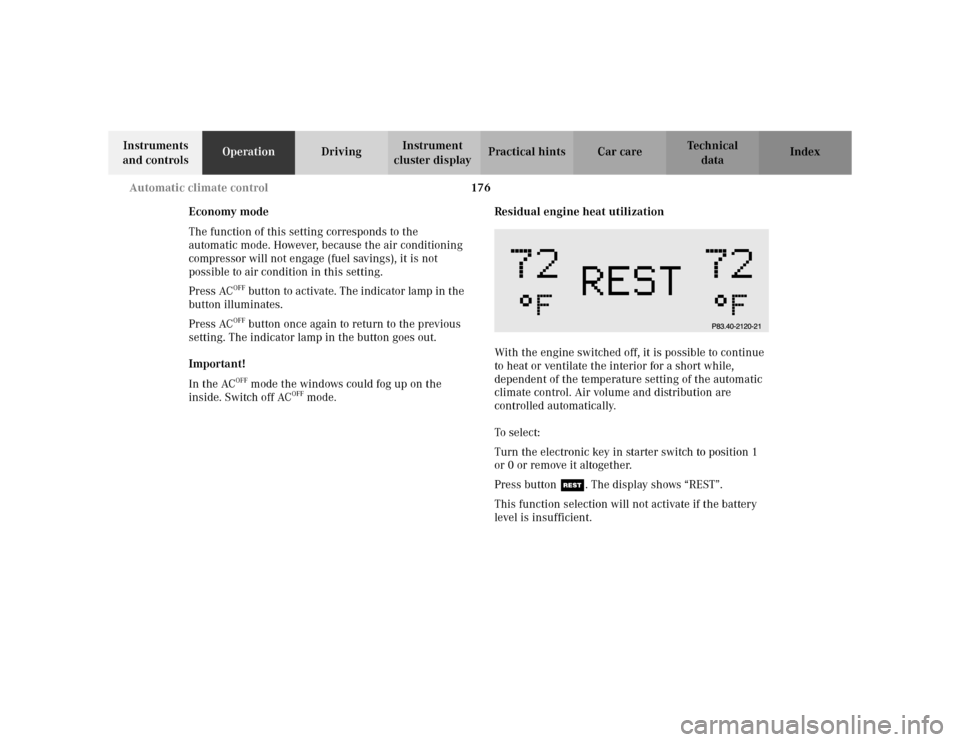
With the engine switched off, it is possible to continue
to heat or ventilate the interior for a short while,
dependent of the temperature setting of the automatic
climate control. Air volume and distribution are
controlled automatically.
To s e l e c t :
Turn the electronic key in starter switch to position 1
or 0 or remove it altogether.
Press button T. The display shows “REST”.
This function selection will not activate if the battery
level is insufficient.
Page 189 of 430
186 Interior equipment
Te ch n i c a l
data Instruments
and controlsOperationDrivingInstrument
cluster displayPractical hints Car care Index
Blocking of rear door window operation
If no operation of the rear door windows by switch (for
instance by children) is desired, slide override
switch (3) to the right; the N symbol becomes
visible.
Operation of the rear door windows with the switches
located in the driver’s door is still possible.
Note:
The operation of the rear door lighters and the setting of
the front passenger power seat from the rear is blocked.
See page 206 for lighter and page 80 for power seat
setting passenger position from rear.Synchronizing power windows
If the power supply was interrupted, (battery
disconnected or low), the windows cannot be opened or
closed by the express feature.
To resynchronize the express feature, press j side of
power window switch until the window is completely
closed and hold down for approximately 1 second.
Repeat procedure for each window.
The automatic full opening and closing procedure of the
windows should now be restored.
Page 199 of 430
196 Interior equipment
Te ch n i c a l
data Instruments
and controlsOperationDrivingInstrument
cluster displayPractical hints Car care Index
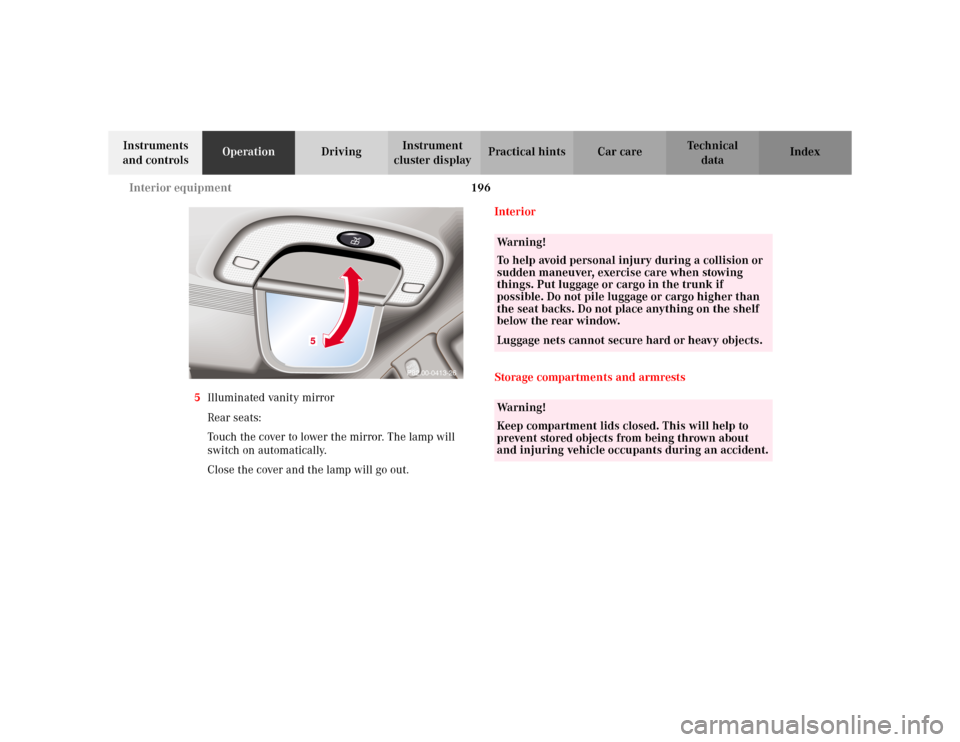
5Illuminated vanity mirror
Rear seats:
Touch the cover to lower the mirror. The lamp will
switch on automatically.
Close the cover and the lamp will go out.Interior
Storage compartments and armrests
P82.00-0413-26
5
Wa r n i n g !
To help avoid personal injury during a collision or
sudden maneuver, exercise care when stowing
things. Put luggage or cargo in the trunk if
possible. Do not pile luggage or cargo higher than
the seat backs. Do not place anything on the shelf
below the rear window.Luggage nets cannot secure hard or heavy objects. Wa r n i n g !
Keep compartment lids closed. This will help to
prevent stored objects from being thrown about
and injuring vehicle occupants during an accident.
Page 201 of 430
198 Interior equipment
Te ch n i c a l
data Instruments
and controlsOperationDrivingInstrument
cluster displayPractical hints Car care Index
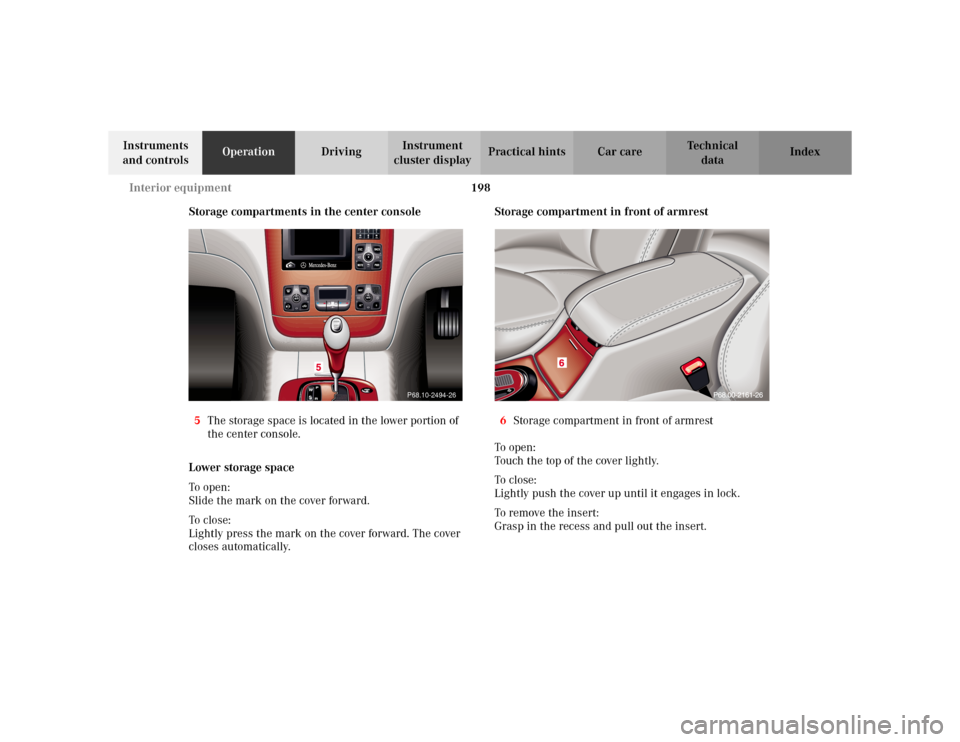
Storage compartments in the center console
5The storage space is located in the lower portion of
the center console.
Lower storage space
To o pen :
Slide the mark on the cover forward.
To c lo se:
Lightly press the mark on the cover forward. The cover
closes automatically.Storage compartment in front of armrest
6Storage compartment in front of armrest
To o p e n :
Touch the top of the cover lightly.
To c l o s e :
Lightly push the cover up until it engages in lock.
To remove the insert:
Grasp in the recess and pull out the insert.
P68.10-2494-26
Page 203 of 430
200 Interior equipment
Te ch n i c a l
data Instruments
and controlsOperationDrivingInstrument
cluster displayPractical hints Car care Index
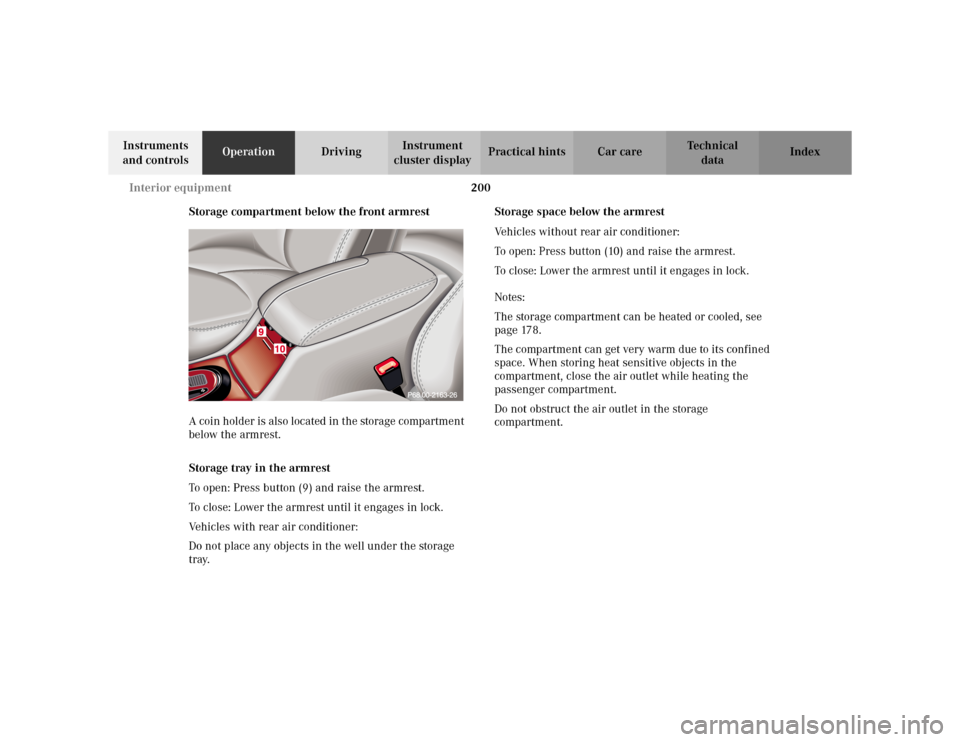
Storage compartment below the front armrest
A coin holder is also located in the storage compartment
below the armrest.
Storage tray in the armrest
To open: Press button (9) and raise the armrest.
To close: Lower the armrest until it engages in lock.
Vehicles with rear air conditioner:
Do not place any objects in the well under the storage
tray.Storage space below the armrest
Vehicles without rear air conditioner:
To open: Press button (10) and raise the armrest.
To close: Lower the armrest until it engages in lock.
Notes:
The storage compartment can be heated or cooled, see
page 178.
The compartment can get very warm due to its confined
space. When storing heat sensitive objects in the
compartment, close the air outlet while heating the
passenger compartment.
Do not obstruct the air outlet in the storage
compartment.
Page 204 of 430
201 Interior equipment
Te ch n i c a l
data Instruments
and controlsOperationDrivingInstrument
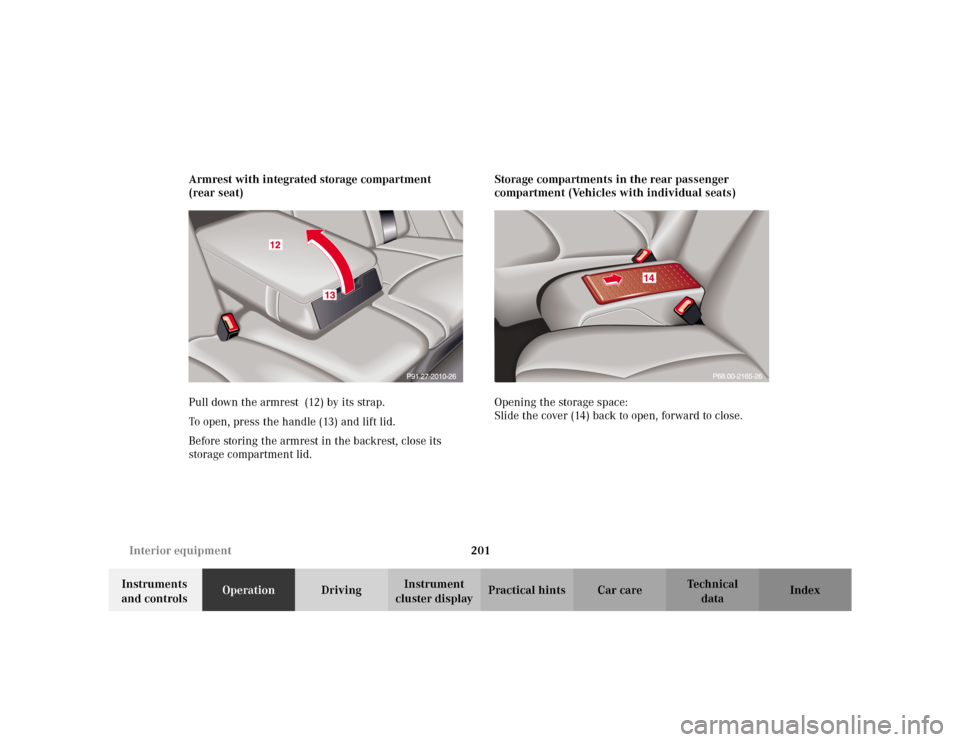
cluster displayPractical hints Car care Index Armrest with integrated storage compartment
(rear seat)
Pull down the armrest (12) by its strap.
To open, press the handle (13) and lift lid.
Before storing the armrest in the backrest, close its
storage compartment lid.Storage compartments in the rear passenger
compartment (Vehicles with individual seats)
Opening the storage space:
Slide the cover (14) back to open, forward to close.
Page 205 of 430
202 Interior equipment
Te ch n i c a l
data Instruments
and controlsOperationDrivingInstrument
cluster displayPractical hints Car care Index
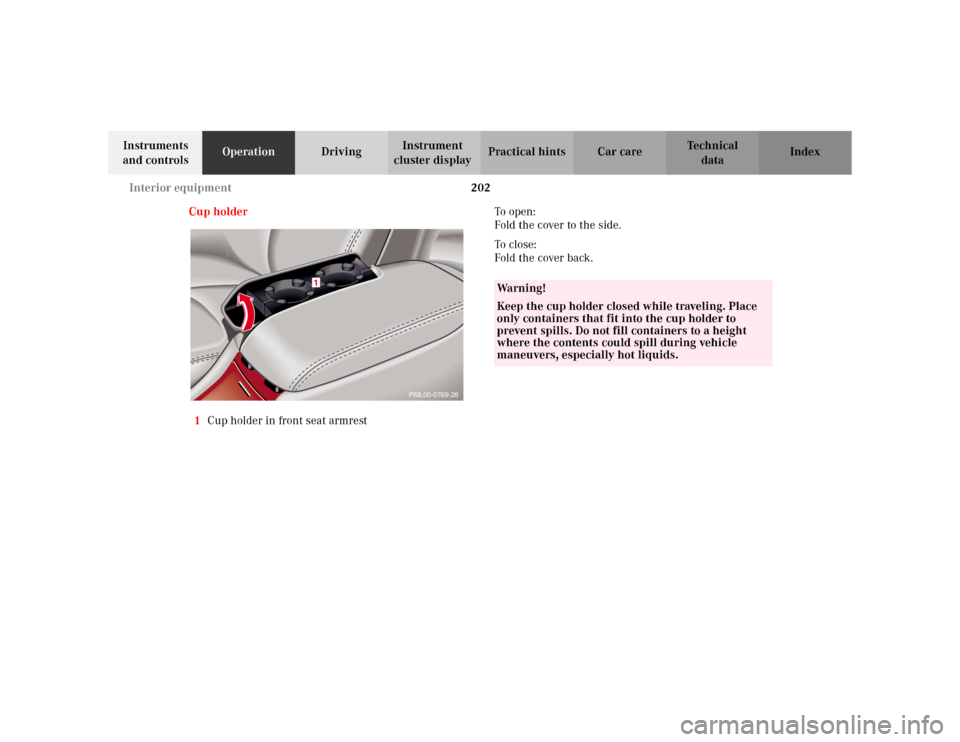
Cup holder
1Cup holder in front seat armrestTo o p e n :
Fold the cover to the side.
To c l o s e :
Fold the cover back.
P68.00-0769-26
1
Wa r n i n g !
Keep the cup holder closed while traveling. Place
only containers that fit into the cup holder to
prevent spills. Do not fill containers to a height
where the contents could spill during vehicle
maneuvers, especially hot liquids.
Page 206 of 430
203 Interior equipment
Te ch n i c a l
data Instruments
and controlsOperationDrivingInstrument
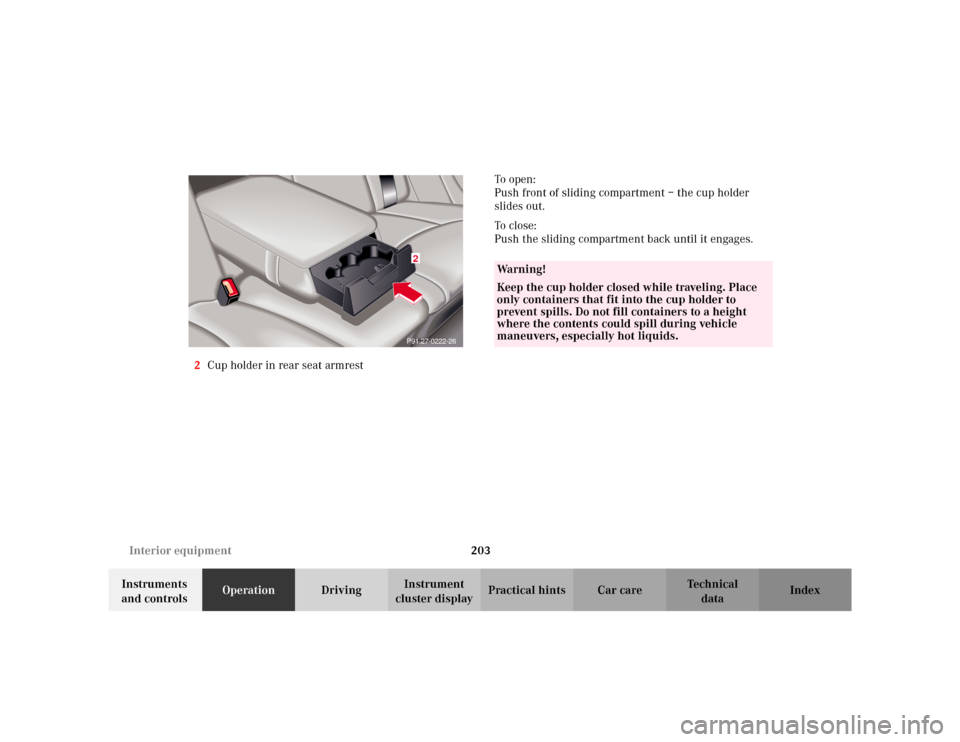
cluster displayPractical hints Car care Index 2Cup holder in rear seat armrestTo o p e n :
Push front of sliding compartment – the cup holder
slides out.
To c l o s e :
Push the sliding compartment back until it engages.
P91.27-0222-262
Wa r n i n g !
Keep the cup holder closed while traveling. Place
only containers that fit into the cup holder to
prevent spills. Do not fill containers to a height
where the contents could spill during vehicle
maneuvers, especially hot liquids.
Page 222 of 430
219 Tele Aid
Te ch n i c a l
data Instruments
and controlsOperationDrivingInstrument
cluster displayPractical hints Car care Index Important!
Always make sure that the indicator lamps in the
“SOS” button, in the “Roadside Assistance” button and
in the “Information” button do not remain illuminated
constantly in red and the message “TELE AID – VISIT
WORKSHOP” is not displayed in the multifunction
display after the system self check.
If a malfunction is indicated as outlined above, have the
system checked at the nearest Mercedes-Benz Center as
soon as possible.
Emergency calls
An emergency call is initiated automatically:
•following an accident in which the Emergency
Tensioning Retractors (ETR’s) or airbags deploy,
•if the antitheft alarm or the tow away alarm stays on
for more than 20 seconds, see pages 60 and 61.
An emergency call can also be initiated manually by
opening the cover next to the inside rear view mirror
labeled “SOS”, then briefly pressing the button located
under the cover. See below for instructions on initiating
an emergency call manually.Once the emergency call is in progress, the indicator
lamp in the “SOS” button will begin to flash. The
message “EMERGENCY CALL – CONNECTING CALL”
appears in the multifunction display. When the
connection is established, the message “EMERGENCY
CALL – CALL CONNECTED” appears in the
multifunction display. All information relevant to the
emergency, such as the location of the vehicle
(determined by the GPS satellite location system),
vehicle model, identification number and color are
generated.
A voice connection between the Response Center and
the occupants of the vehicle will be established
automatically soon after the emergency call has been
initiated. When a voice connection is established the
audio system mutes and the message “TELE AID –
EMERGENCY CALL ACTIVE” appears in the
multifunction display. The Response Center will attempt
to determine more precisely the nature of the accident
provided they can speak to an occupant of the vehicle.