lock MERCEDES-BENZ SL CLASS 2011 Workshop Manual
[x] Cancel search | Manufacturer: MERCEDES-BENZ, Model Year: 2011, Model line: SL CLASS, Model: MERCEDES-BENZ SL CLASS 2011Pages: 316, PDF Size: 6.55 MB
Page 124 of 316
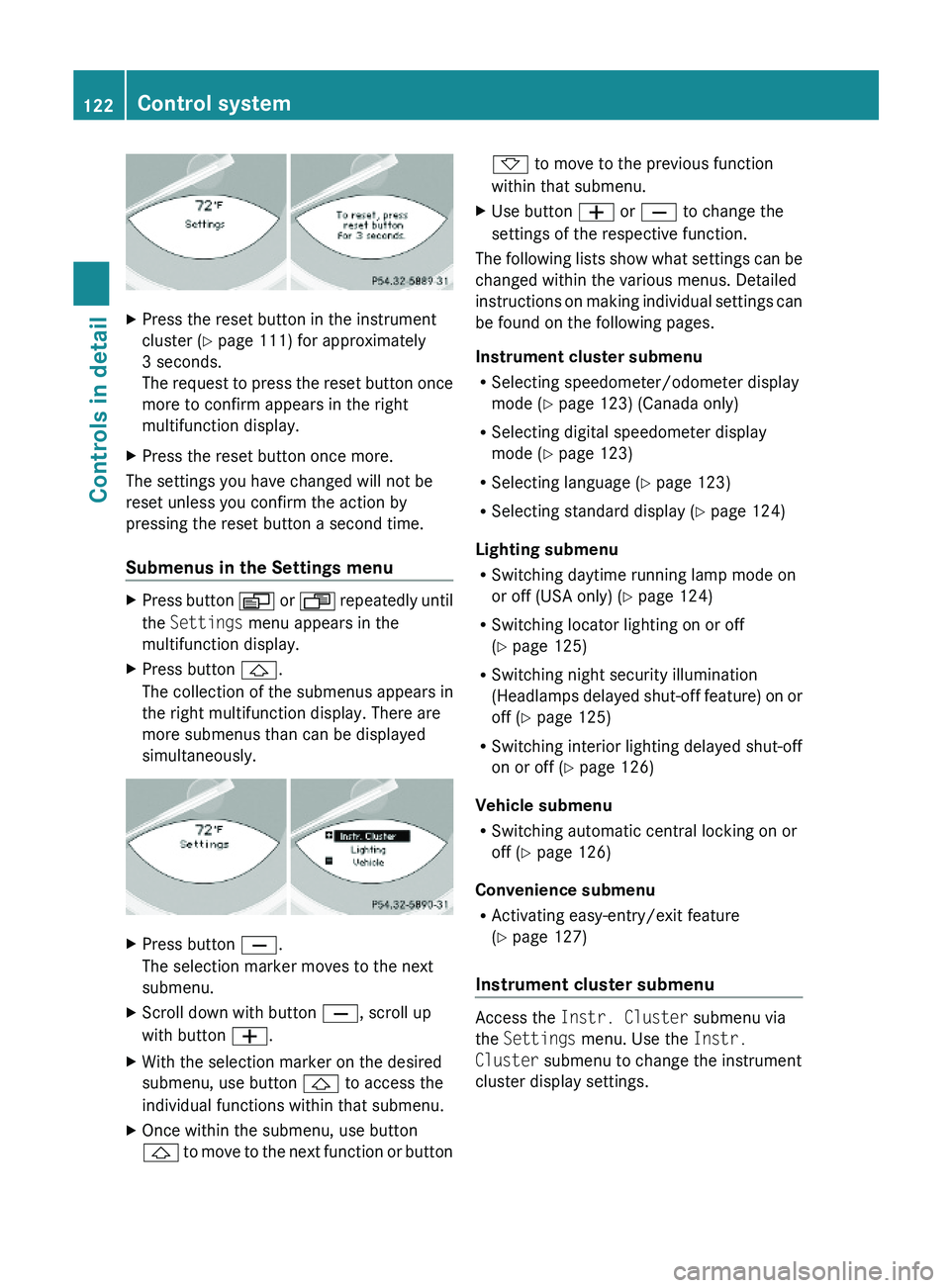
XPress the reset button in the instrument
cluster (Y page 111) for approximately
3 seconds.
The request to press the reset button once
more to confirm appears in the right
multifunction display.
XPress the reset button once more.
The settings you have changed will not be
reset unless you confirm the action by
pressing the reset button a second time.
Submenus in the Settings menu
XPress button \000Y or \000X repeatedly until
the Settings menu appears in the
multifunction display.
XPress button \000\).
The collection of the submenus appears in
the right multifunction display. There are
more submenus than can be displayed
simultaneously.
XPress button \000[.
The selection marker moves to the next
submenu.
XScroll down with button \000[, scroll up
with button \000Z.
XWith the selection marker on the desired
submenu, use button \000\) to access the
individual functions within that submenu.
XOnce within the submenu, use button
\000\) to move to the next function or button
\000- to move to the previous function
within that submenu.
XUse button \000Z or \000[ to change the
settings of the respective function.
The following lists show what settings can be
changed within the various menus. Detailed
instructions on making individual settings can
be found on the following pages.
Instrument cluster submenu
RSelecting speedometer/odometer display
mode (Y page 123) (Canada only)
RSelecting digital speedometer display
mode (Y page 123)
RSelecting language (Y page 123)
RSelecting standard display (Y page 124)
Lighting submenu
RSwitching daytime running lamp mode on
or off (USA only) (Y page 124)
RSwitching locator lighting on or off
(Y page 125)
RSwitching night security illumination
(Headlamps delayed shut-off feature) on or
off (Y page 125)
RSwitching interior lighting delayed shut-off
on or off (Y page 126)
Vehicle submenu
RSwitching automatic central locking on or
off (Y page 126)
Convenience submenu
RActivating easy-entry/exit feature
(Y page 127)
Instrument cluster submenu
Access the Instr. Cluster submenu via
the Settings menu. Use the Instr.
Cluster submenu to change the instrument
cluster display settings.
122Control systemControls in detail
230_AKB; 6; 22, en-USd2ureepe,Version: 2.11.8.12009-07-28T18:49:58+02:00 - Seite 122
Page 127 of 316
For safety reasons, resetting all the functions
of all submenus to the factory settings while
driving (Y page 121) will not deactivate the
daytime running lamp mode.
The following message appears in the
multifunction display:
Lighting Cannot be fully reset to
factory settings while driving.
Switching locator lighting on or off
With the locator lighting feature activated and
the exterior lamp switch in position \000Z, the
following lamps will come on during darkness
when the vehicle is unlocked using button
\0006 on the SmartKey:
RParking lamps
RTail lamps
RLicense plate lamps
RSide marker lamps
RFront fog lamps
The locator lighting goes out when the driver’s
door is opened.
If you do not open the driver’s door after
unlocking the vehicle with the SmartKey, the
lamps will go out automatically after
approximately 40 seconds.
XPress button \000Y or \000X repeatedly until
the Settings menu appears in the
multifunction display.
XPress button \000\).XMove the selection marker with button
\000Z or \000[ to the Lighting submenu.
XPress button \000\) or \000- repeatedly until
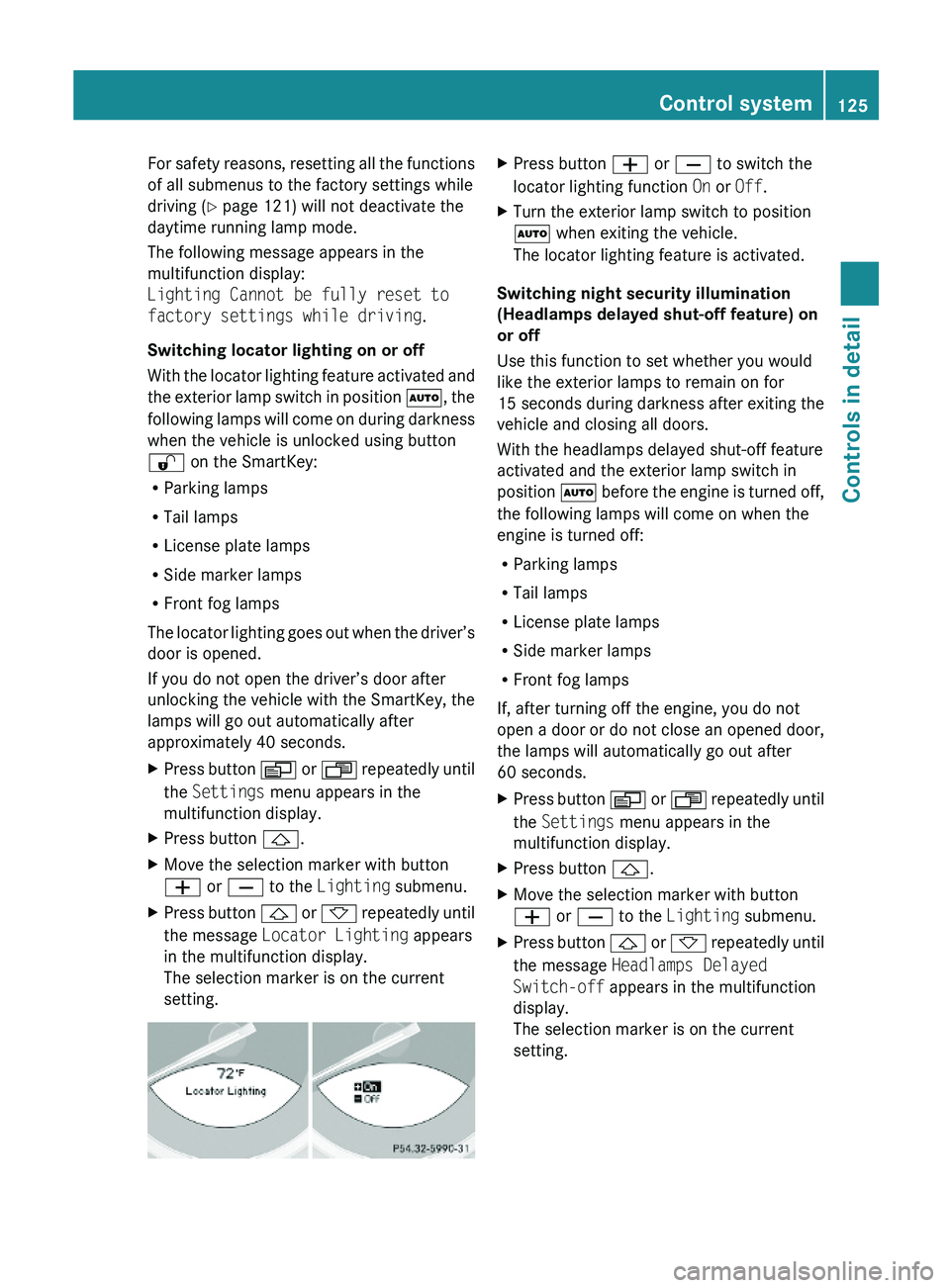
the message Locator Lighting appears
in the multifunction display.
The selection marker is on the current
setting.
XPress button \000Z or \000[ to switch the
locator lighting function On or Off.
XTurn the exterior lamp switch to position
\000Z when exiting the vehicle.
The locator lighting feature is activated.
Switching night security illumination
(Headlamps delayed shut-off feature) on
or off
Use this function to set whether you would
like the exterior lamps to remain on for
15 seconds during darkness after exiting the
vehicle and closing all doors.
With the headlamps delayed shut-off feature
activated and the exterior lamp switch in
position \000Z before the engine is turned off,
the following lamps will come on when the
engine is turned off:
RParking lamps
RTail lamps
RLicense plate lamps
RSide marker lamps
RFront fog lamps
If, after turning off the engine, you do not
open a door or do not close an opened door,
the lamps will automatically go out after
60 seconds.
XPress button \000Y or \000X repeatedly until
the Settings menu appears in the
multifunction display.
XPress button \000\).XMove the selection marker with button
\000Z or \000[ to the Lighting submenu.
XPress button \000\) or \000- repeatedly until
the message Headlamps Delayed
Switch-off appears in the multifunction
display.
The selection marker is on the current
setting.
Control system125Controls in detail230_AKB; 6; 22, en-USd2ureepe,Version: 2.11.8.12009-07-28T18:49:58+02:00 - Seite 125Z
Page 128 of 316
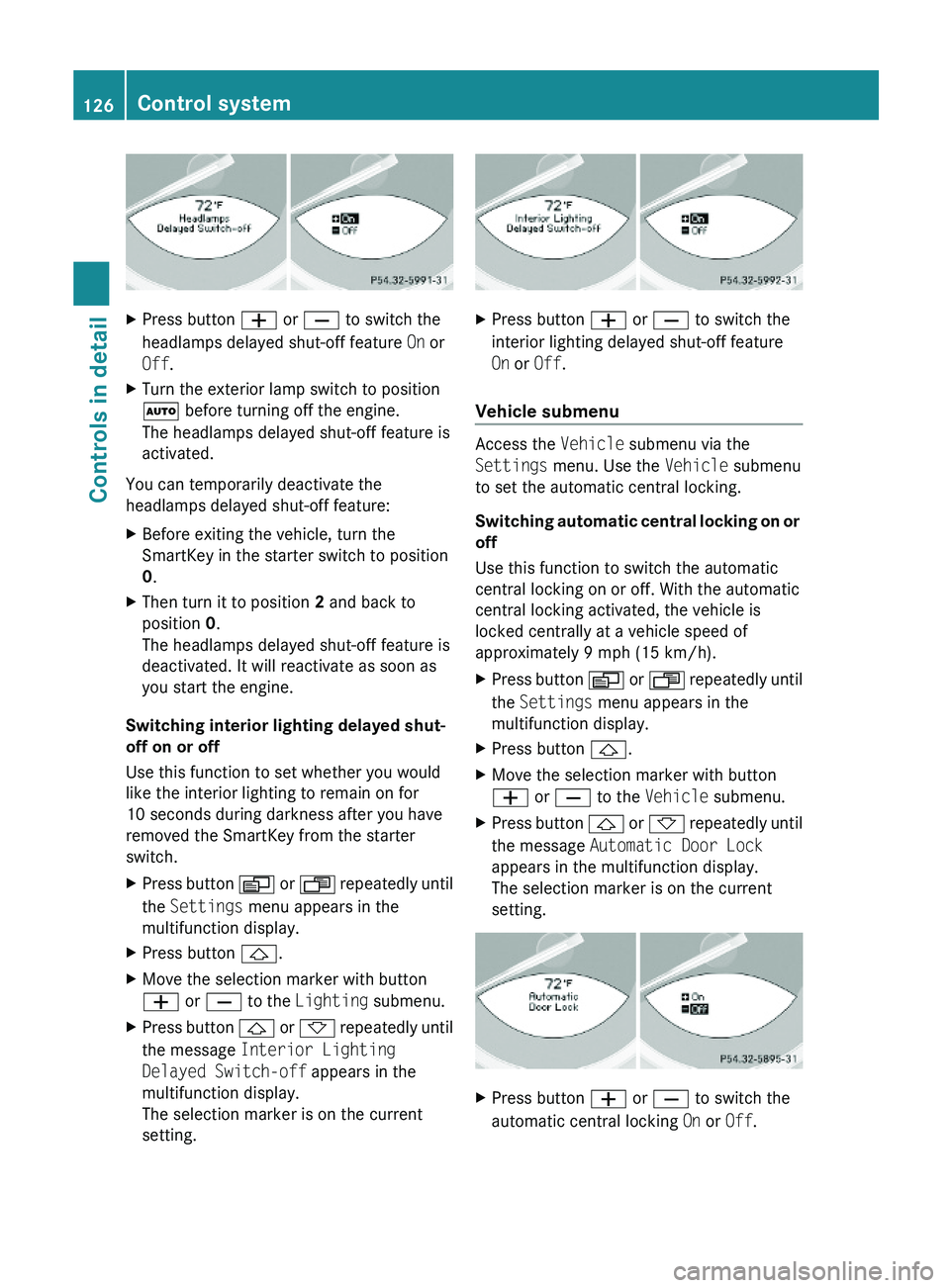
XPress button \000Z or \000[ to switch the
headlamps delayed shut-off feature On or
Off.
XTurn the exterior lamp switch to position
\000Z before turning off the engine.
The headlamps delayed shut-off feature is
activated.
You can temporarily deactivate the
headlamps delayed shut-off feature:
XBefore exiting the vehicle, turn the
SmartKey in the starter switch to position
0.
XThen turn it to position 2 and back to
position 0.
The headlamps delayed shut-off feature is
deactivated. It will reactivate as soon as
you start the engine.
Switching interior lighting delayed shut-
off on or off
Use this function to set whether you would
like the interior lighting to remain on for
10 seconds during darkness after you have
removed the SmartKey from the starter
switch.
XPress button \000Y or \000X repeatedly until
the Settings menu appears in the
multifunction display.
XPress button \000\).XMove the selection marker with button
\000Z or \000[ to the Lighting submenu.
XPress button \000\) or \000- repeatedly until
the message Interior Lighting
Delayed Switch-off appears in the
multifunction display.
The selection marker is on the current
setting.
XPress button \000Z or \000[ to switch the
interior lighting delayed shut-off feature
On or Off.
Vehicle submenu
Access the Vehicle submenu via the
Settings menu. Use the Vehicle submenu
to set the automatic central locking.
Switching automatic central locking on or
off
Use this function to switch the automatic
central locking on or off. With the automatic
central locking activated, the vehicle is
locked centrally at a vehicle speed of
approximately 9 mph (15 km/h).
XPress button \000Y or \000X repeatedly until
the Settings menu appears in the
multifunction display.
XPress button \000\).XMove the selection marker with button
\000Z or \000[ to the Vehicle submenu.
XPress button \000\) or \000- repeatedly until
the message Automatic Door Lock
appears in the multifunction display.
The selection marker is on the current
setting.
XPress button \000Z or \000[ to switch the
automatic central locking On or Off.
126Control systemControls in detail
230_AKB; 6; 22, en-USd2ureepe,Version: 2.11.8.12009-07-28T18:49:58+02:00 - Seite 126
Page 129 of 316
Convenience submenu
Access the Convenience submenu via the
Settings menu. Use the Convenience
submenu to activate the easy-entry/exit
feature (Y page 127), or to set the fold-in
function for exterior rear view mirrors
(Y page 127).
Activating easy-entry/exit feature
Use this function to activate and deactivate
the easy-entry/exit feature (Y page 85).
GWarning!
You must make sure no one can become
trapped or injured by the moving steering
wheel when the easy-entry/exit feature is
activated.
To stop steering wheel movement do one of
the following:
RMove steering wheel adjustment stalk.
RPress one of the memory position buttons.
RPress memory button M.
Do not leave children unattended in the
vehicle, or with access to an unlocked vehicle.
Children could open the driver’s door and
unintentionally activate the easy-entry/exit
feature, which could result in an accident
and/or serious personal injury.
XPress button \000Y or \000X repeatedly until
the Settings menu appears in the
multifunction display.
XPress button \000\).XMove the selection marker with button
\000Z or \000[ to the Convenience
submenu.
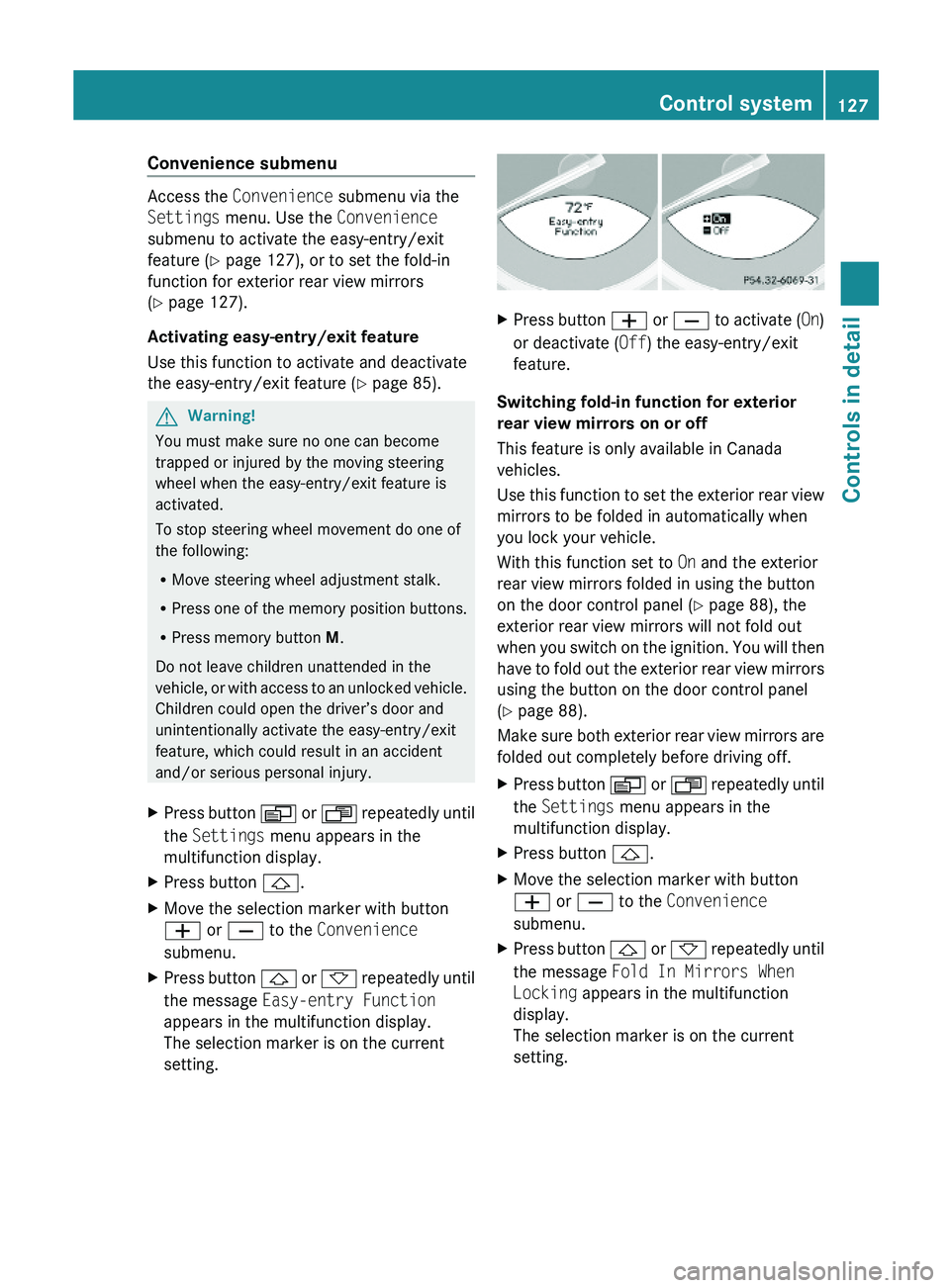
XPress button \000\) or \000- repeatedly until
the message Easy-entry Function
appears in the multifunction display.
The selection marker is on the current
setting.
XPress button \000Z or \000[ to activate (On)
or deactivate (Off) the easy-entry/exit
feature.
Switching fold-in function for exterior
rear view mirrors on or off
This feature is only available in Canada
vehicles.
Use this function to set the exterior rear view
mirrors to be folded in automatically when
you lock your vehicle.
With this function set to On and the exterior
rear view mirrors folded in using the button
on the door control panel (Y page 88), the
exterior rear view mirrors will not fold out
when you switch on the ignition. You will then
have to fold out the exterior rear view mirrors
using the button on the door control panel
(Y page 88).
Make sure both exterior rear view mirrors are
folded out completely before driving off.
XPress button \000Y or \000X repeatedly until
the Settings menu appears in the
multifunction display.
XPress button \000\).XMove the selection marker with button
\000Z or \000[ to the Convenience
submenu.
XPress button \000\) or \000- repeatedly until
the message Fold In Mirrors When
Locking appears in the multifunction
display.
The selection marker is on the current
setting.
Control system127Controls in detail230_AKB; 6; 22, en-USd2ureepe,Version: 2.11.8.12009-07-28T18:49:58+02:00 - Seite 127Z
Page 143 of 316
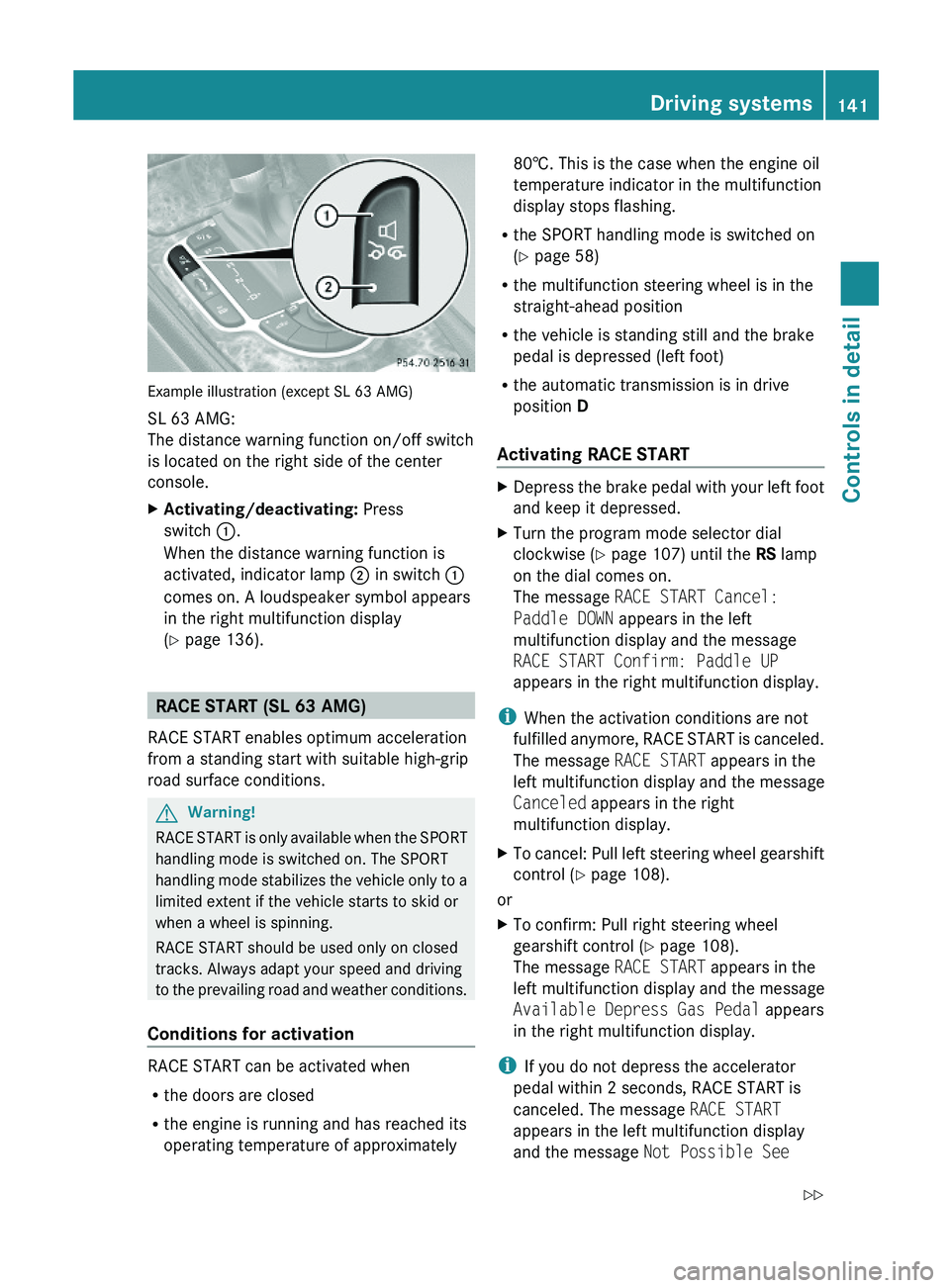
Example illustration (except SL 63 AMG)
SL 63 AMG:
The distance warning function on/off switch
is located on the right side of the center
console.
XActivating/deactivating: Press
switch \000F.
When the distance warning function is
activated, indicator lamp \000G in switch \000F
comes on. A loudspeaker symbol appears
in the right multifunction display
(Y page 136).
RACE START (SL 63 AMG)
RACE START enables optimum acceleration
from a standing start with suitable high-grip
road surface conditions.
GWarning!
RACE START is only available when the SPORT
handling mode is switched on. The SPORT
handling mode stabilizes the vehicle only to a
limited extent if the vehicle starts to skid or
when a wheel is spinning.
RACE START should be used only on closed
tracks. Always adapt your speed and driving
to the prevailing road and weather conditions.
Conditions for activation
RACE START can be activated when
Rthe doors are closed
Rthe engine is running and has reached its
operating temperature of approximately
80†. This is the case when the engine oil
temperature indicator in the multifunction
display stops flashing.
Rthe SPORT handling mode is switched on
(Y page 58)
Rthe multifunction steering wheel is in the
straight-ahead position
Rthe vehicle is standing still and the brake
pedal is depressed (left foot)
Rthe automatic transmission is in drive
position D
Activating RACE START
XDepress the brake pedal with your left foot
and keep it depressed.
XTurn the program mode selector dial
clockwise (Y page 107) until the RS lamp
on the dial comes on.
The message RACE START Cancel:
Paddle DOWN appears in the left
multifunction display and the message
RACE START Confirm: Paddle UP
appears in the right multifunction display.
iWhen the activation conditions are not
fulfilled anymore, RACE START is canceled.
The message RACE START appears in the
left multifunction display and the message
Canceled appears in the right
multifunction display.
XTo cancel: Pull left steering wheel gearshift
control (Y page 108).
or
XTo confirm: Pull right steering wheel
gearshift control (Y page 108).
The message RACE START appears in the
left multifunction display and the message
Available Depress Gas Pedal appears
in the right multifunction display.
iIf you do not depress the accelerator
pedal within 2 seconds, RACE START is
canceled. The message RACE START
appears in the left multifunction display
and the message Not Possible See
Driving systems141Controls in detail230_AKB; 6; 22, en-USd2ureepe,Version: 2.11.8.12009-07-28T18:49:58+02:00 - Seite 141Z
Page 152 of 316
XTurn temperature controls 006E or 0073
( Y page 148) clockwise or
counterclockwise.
The indicator lamp in button 0061 goes out.
or
XPress button 005A.
The indicator lamp in button 005A comes
on. The air volume and air distribution are
adjusted automatically.
or
XPress button 0066.
The indicator lamp in button 0061 goes out.
Air conditioning
The air conditioning is operational while the
engine is running and cools the interior air to
the temperature set by the operator. In
addition, the air conditioning dehumidifies
the interior air and helps prevent window
fogging.
GWarning!
If you deactivate the air conditioning, the
vehicle will not be cooled when weather
conditions are warm. The windows can fog up
more quickly. Window fogging may impair
visibility and endanger you and others.
i Condensated water may drip out from
underneath the vehicle. This is normal and
not an indication of a malfunction.
The air conditioning uses the refrigerant
R134a. This refrigerant is free of CFCs which
are harmful to the ozone layer.
Deactivating
It is possible to deactivate the air
conditioning. The interior air will then no
longer be cooled or dehumidified.
XPress button 0058.
The indicator lamp in the button goes out.
The cooling function switches off after a
short delay.Activating
Moist air can fog up the windows. You can
dehumidify the interior air with the air
conditioning.
XPress button 0058.
The indicator lamp in the button comes on.
Automatic mode
Air distribution and air volume can be
adjusted automatically by the climate control
system. You can also adjust the settings for
air distribution and air volume manually.
When operating the climate control system in
automatic mode, the interior air temperature,
air volume and air distribution are adjusted
automatically.
In automatic mode, cooling with
dehumidification is switched on. This function
can be switched off if necessary.
GWarning!
If you deactivate the air conditioning, the
vehicle will not be cooled when weather
conditions are warm. The windows can fog up
more quickly. Window fogging may impair
visibility and endanger you and others.
XSet the desired temperature
( Y page 151).XActivating: Press button 005A.
The indicator lamp in the button comes on.
The air volume and air distribution are
adjusted automatically.XDeactivating: Press button 005A.
The indicator lamp in the button goes out.
The blower will run at speed setting 3. The
air flows through the center and side air
vents.
or
XPress one button 0056.
The indicator lamp in button 005A goes out.
The climate control settings for the
respective side of the passenger
compartment is adjusted manually.150Climate control systemControls in detail
230_AKB; 6; 22, en-USd2ureepe,Version: 2.11.8.12009-07-28T18:49:58+02:00 - Seite 150
Page 155 of 316
Adjusting air distribution
The air distribution can be adjusted
separately on each side of the passenger
compartment with buttons 0056.
The symbols on the controls represent the
following functions:SymbolFunction0063Directs air through the
defroster air vents to the
windshield and door windows009EDirects air through the center
and side air vents009DDirects air to the footwells009CDirects air through the center,
side air vents and to the
footwells0088Directs air through the
defroster air vents to the
windshield, door windows and
footwellsXPress one button 0056 until the desired
setting for the respective side of the
passenger compartment appears in air
distribution display 0046 or 0086 (Y page 148).
Adjusting air volume
XDecreasing/increasing: Turn air volume
control 0071 (Y page 148) clockwise or
counterclockwise.
Front defroster
You can use this setting to defrost the
windshield, for example if it is iced up.
You can also defog the windshield and the
door windows.
i Keep this setting selected only until the
windshield or the door windows are clear
again.XActivating: Press button 0066.
The indicator lamp in the button comes on.
The climate control switches to the following
functions automatically:
R cooling on to dehumidify
R most efficient blower speed and heating
power, depending on outside temperature
R air flows onto the windshield and the door
windows
R the air recirculation mode is switched off
XDeactivating: Press button 0066 again.
The indicator lamp in the button goes out.
The previous settings are once again in
effect. The cooling remains switched on.
The air recirculation remains switched off.
or
XPress button 005A.
The indicator lamp in button 0066 goes out.
Air volume and air distribution are adjusted
automatically.
or
XTurn temperature controls 006E and 0073
( Y page 148) clockwise or
counterclockwise.
or
XTurn air volume control 0071 (Y page 148)
clockwise or counterclockwise.
Windshield fogged on the outside
XSwitch the windshield wipers on
( Y page 95).XPress one button 0056 until the setting
009E , 009C or 009D appears in air
distribution display 0046 or 0086 (Y page 148).
Maximum cooling MAX COOL
MAX COOL is only available in U.S. vehicles.
Climate control system153Controls in detail230_AKB; 6; 22, en-USd2ureepe,Version: 2.11.8.12009-07-28T18:49:58+02:00 - Seite 153Z
Page 157 of 316
The residual heat is deactivated
automatically:
R when the ignition is switched on
R after approximately 30 minutes
R if the battery voltage drops
Rear window defroster
GWarning!
Any accumulation of snow and ice should be
removed from the rear window before driving.
Visibility could otherwise be impaired,
endangering you and others.
The rear window defroster uses a large
amount of power. To keep the battery drain
to a minimum, switch off the defroster as
soon as the rear window is clear. The
defroster is switched off automatically after
some time of operation depending on the
outside temperature.
XSwitch on the ignition.XSwitching on: Press button 006E.
The indicator lamp in the button comes on.
! The rear window defroster cannot be
switched on when the retractable hardtop
is open. The indicator lamp will start
flashing if the hardtop is open.
R Close the retractable hardtop.
The rear window defroster can then be
switched on.
XSwitching off: Press button 006E again.
The rear window defroster switches off when
the battery voltage is too low. The indicator
lamp in button 006E flashes. Too many
electrical consumers may be operating
simultaneously.
XSwitch off consumers that are currently not
needed if required.Retractable hardtop
Safety notes
For safety reasons, the retractable hardtop
can only be opened and closed when the
vehicle is standing still.
GObserve Safety notes, see page 51.GWarning!
To prevent possible accidents, only drive the
vehicle with the retractable hardtop either
completely closed and locked, or fully lowered
into its storage compartment.
If the retractable hardtop does not completely
open or close, the roof hydraulics will lose
pressure and the retractable hardtop is
lowered
R after approximately 7 minutes when the
ignition is switched on
R after approximately 15 seconds when the
ignition is switched off
Shortly before the retractable hardtop is
lowered, a warning will sound. In the
multifunction display you will see 0059 and
the message Retractable Roof Lowering .
Properly lock the retractable hardtop before
continuing to drive. Otherwise, the unlocked
hardtop could open while the vehicle is in
motion and cause you to lose control of the
vehicle. You or others could be injured as a
result.
GWarning!
Before operating the retractable hardtop,
make sure there is no danger of anyone being
injured by the moving parts (retractable
hardtop, roof frame, and trunk lid).
Hands must never be placed near the roof
frame, upper windshield area, hardtop, shelf
behind roll bars, or trunk lid while the
retractable hardtop is being raised or
lowered. Serious personal injury may occur.
If potential danger exists, release the
retractable hardtop switch or button 0036 or
Retractable hardtop155Controls in detail230_AKB; 6; 22, en-USd2ureepe,Version: 2.11.8.12009-07-28T18:49:58+02:00 - Seite 155Z
Page 158 of 316
\0007 on the SmartKey. This immediately
interrupts the raising or lowering procedure.
You then can operate the retractable hardtop
switch or press button \0006 or \0007 on the
SmartKey to raise or lower the retractable
hardtop away from the danger zone
! Never sit or place heavy objects on the
rear shelf. Doing so could cause damage to
the retractable hardtop and the rear shelf.
! Please keep in mind that weather
conditions can sometimes change rapidly.
Make sure to close the retractable hardtop
when leaving the vehicle. If water enters
the vehicle interior, vehicle electronics
could be damaged which is not covered by
the Mercedes-Benz Limited Warranty.
! When opening and closing the retractable
hardtop, make sure
Rthere is sufficient clearance for the
retractable hardtop to move up and for
the trunk lid to move back
Rthe luggage cover is installed, extended
and closed
Rthe trunk is loaded only to the height of
the luggage cover
Rthe luggage/cargo does not push up the
closed luggage cover
Rthe trunk lid is closed
Rthe outside temperature is above +5‡
(-15†)
Otherwise the retractable hardtop and
trunk as well as other parts of the vehicle
could be damaged.
Opening and closing
With the retractable hardtop switch
GObserve Safety notes, see page 155.XEngage the parking brake.XClose the luggage cover (Y page 158).XClose the trunk lid.XSwitch on the ignition.
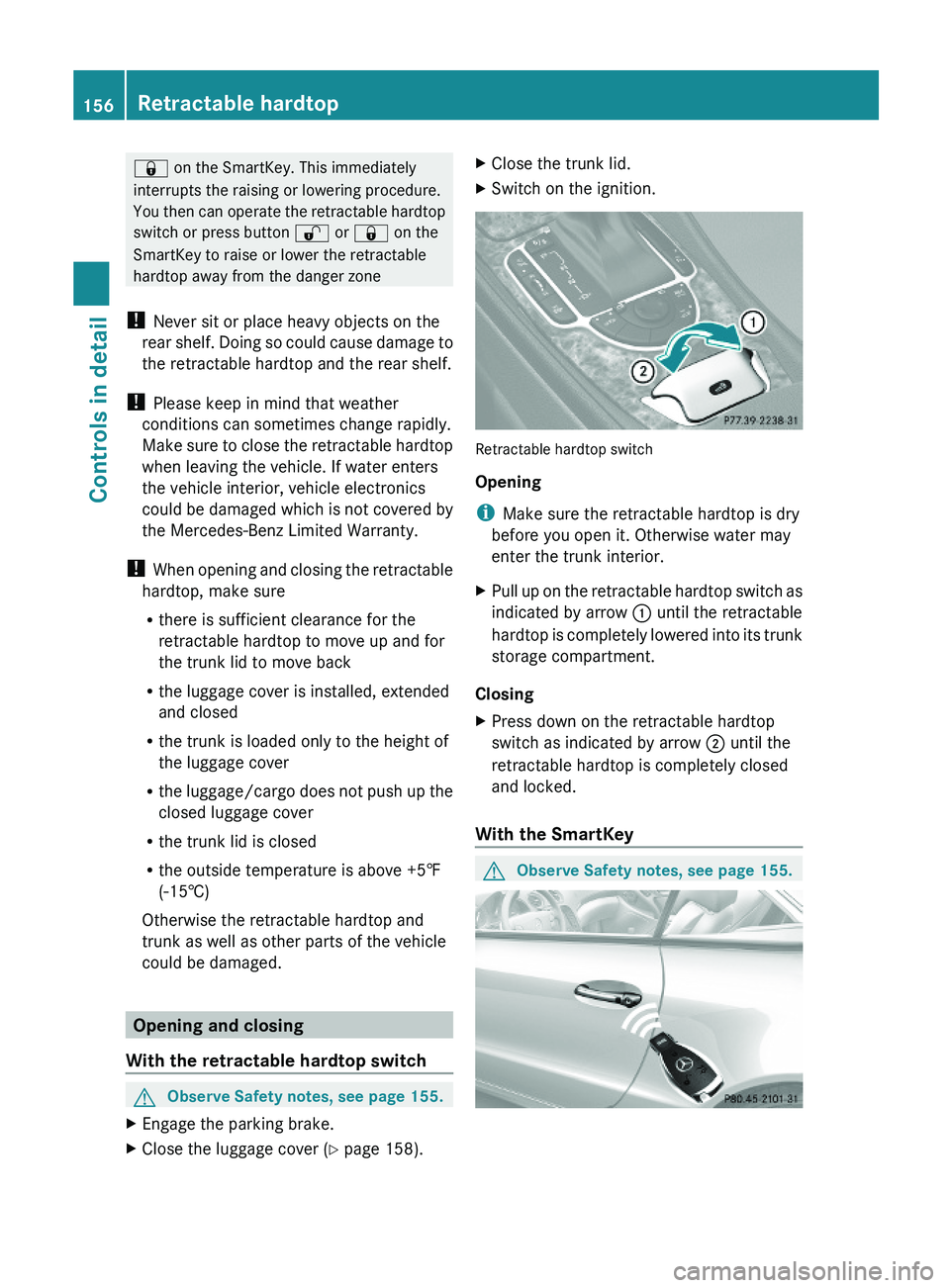
Retractable hardtop switch
Opening
iMake sure the retractable hardtop is dry
before you open it. Otherwise water may
enter the trunk interior.
XPull up on the retractable hardtop switch as
indicated by arrow \000F until the retractable
hardtop is completely lowered into its trunk
storage compartment.
Closing
XPress down on the retractable hardtop
switch as indicated by arrow \000G until the
retractable hardtop is completely closed
and locked.
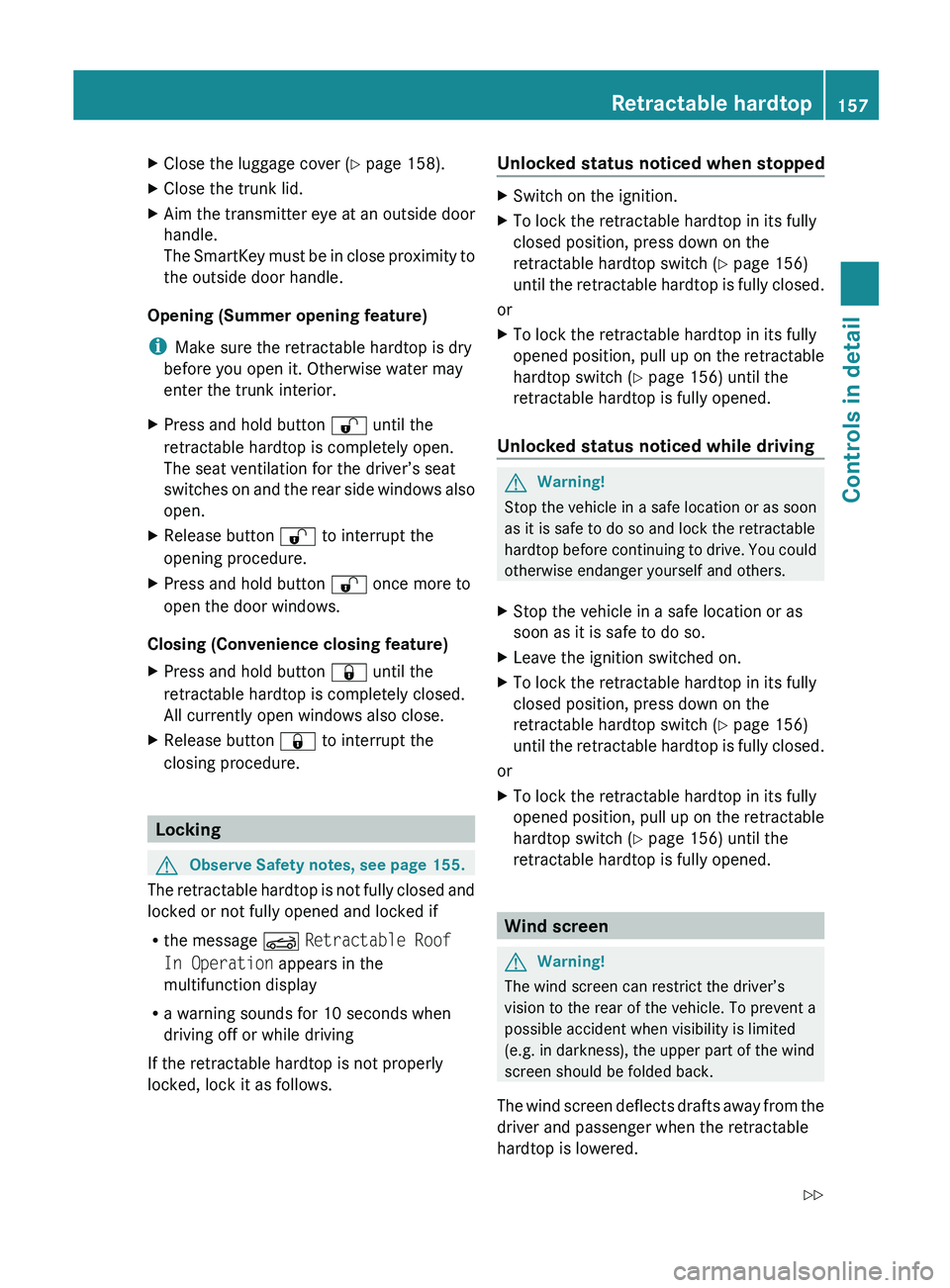
With the SmartKey
GObserve Safety notes, see page 155.156Retractable hardtopControls in detail
230_AKB; 6; 22, en-USd2ureepe,Version: 2.11.8.12009-07-28T18:49:58+02:00 - Seite 156
Page 159 of 316
XClose the luggage cover (Y page 158).XClose the trunk lid.XAim the transmitter eye at an outside door
handle.
The SmartKey must be in close proximity to
the outside door handle.
Opening (Summer opening feature)
i Make sure the retractable hardtop is dry
before you open it. Otherwise water may
enter the trunk interior.
XPress and hold button 0036 until the
retractable hardtop is completely open.
The seat ventilation for the driver’s seat
switches on and the rear side windows also
open.XRelease button 0036 to interrupt the
opening procedure.XPress and hold button 0036 once more to
open the door windows.
Closing (Convenience closing feature)
XPress and hold button 0037 until the
retractable hardtop is completely closed.
All currently open windows also close.XRelease button 0037 to interrupt the
closing procedure.
Locking
GObserve Safety notes, see page 155.
The retractable hardtop is not fully closed and
locked or not fully opened and locked if
R the message 0059 Retractable Roof
In Operation appears in the
multifunction display
R a warning sounds for 10 seconds when
driving off or while driving
If the retractable hardtop is not properly
locked, lock it as follows.
Unlocked status noticed when stoppedXSwitch on the ignition.XTo lock the retractable hardtop in its fully
closed position, press down on the
retractable hardtop switch ( Y page 156)
until the retractable hardtop is fully closed.
or
XTo lock the retractable hardtop in its fully
opened position, pull up on the retractable
hardtop switch ( Y page 156) until the
retractable hardtop is fully opened.
Unlocked status noticed while driving
GWarning!
Stop the vehicle in a safe location or as soon
as it is safe to do so and lock the retractable
hardtop before continuing to drive. You could
otherwise endanger yourself and others.
XStop the vehicle in a safe location or as
soon as it is safe to do so.XLeave the ignition switched on.XTo lock the retractable hardtop in its fully
closed position, press down on the
retractable hardtop switch ( Y page 156)
until the retractable hardtop is fully closed.
or
XTo lock the retractable hardtop in its fully
opened position, pull up on the retractable
hardtop switch ( Y page 156) until the
retractable hardtop is fully opened.
Wind screen
GWarning!
The wind screen can restrict the driver’s
vision to the rear of the vehicle. To prevent a
possible accident when visibility is limited
(e.g. in darkness), the upper part of the wind
screen should be folded back.
The wind screen deflects drafts away from the
driver and passenger when the retractable
hardtop is lowered.
Retractable hardtop157Controls in detail230_AKB; 6; 22, en-USd2ureepe,Version: 2.11.8.12009-07-28T18:49:58+02:00 - Seite 157Z