center console MERCEDES-BENZ SL CLASS 2011 Owners Manual
[x] Cancel search | Manufacturer: MERCEDES-BENZ, Model Year: 2011, Model line: SL CLASS, Model: MERCEDES-BENZ SL CLASS 2011Pages: 316, PDF Size: 6.55 MB
Page 27 of 316

Exterior view .......................................26
Multifunction steering wheel .............27
Cockpit .................................................28
Instrument cluster ..............................30
Center console ....................................33
Overhead control panel ......................35
Door control panel ..............................35
25At a glance230_AKB; 6; 22, en-USd2ureepe,Version: 2.11.8.12009-07-28T18:49:58+02:00 - Seite 25
Page 35 of 316

Center console
Upper part
FunctionPage\000FCentral locking switch73Alarm system indicator
lamp63
\000GHazard warning flasher
switch92
\000
Page 53 of 316
Roll barGWarning!
This vehicle is a two occupant vehicle. The
rear storage area is not equipped to properly
seat or restrain occupants and therefore is
not permitted for use by any persons.
Make sure that the roll bar’s path of motion is
clear and no persons are injured by the
moving roll bar. Raising or lowering of the roll
bar could injure someone in it’s proximity.
For your own safety, we recommend to drive
with the roll bar raised if the outside
temperature is below +5‡ (-15†).
! If the outside temperature falls below
+5‡ (-15†), the roll bar must be raised
manually using the buttons provided to
avoid damaging the hydraulics.
The roll bar raises automatically in an
accident or in a critical driving situation.
iWhen the roll bar is raised automatically,
you will hear a ratcheting sound.
You can also raise and lower the roll bar
manually using the buttons provided.
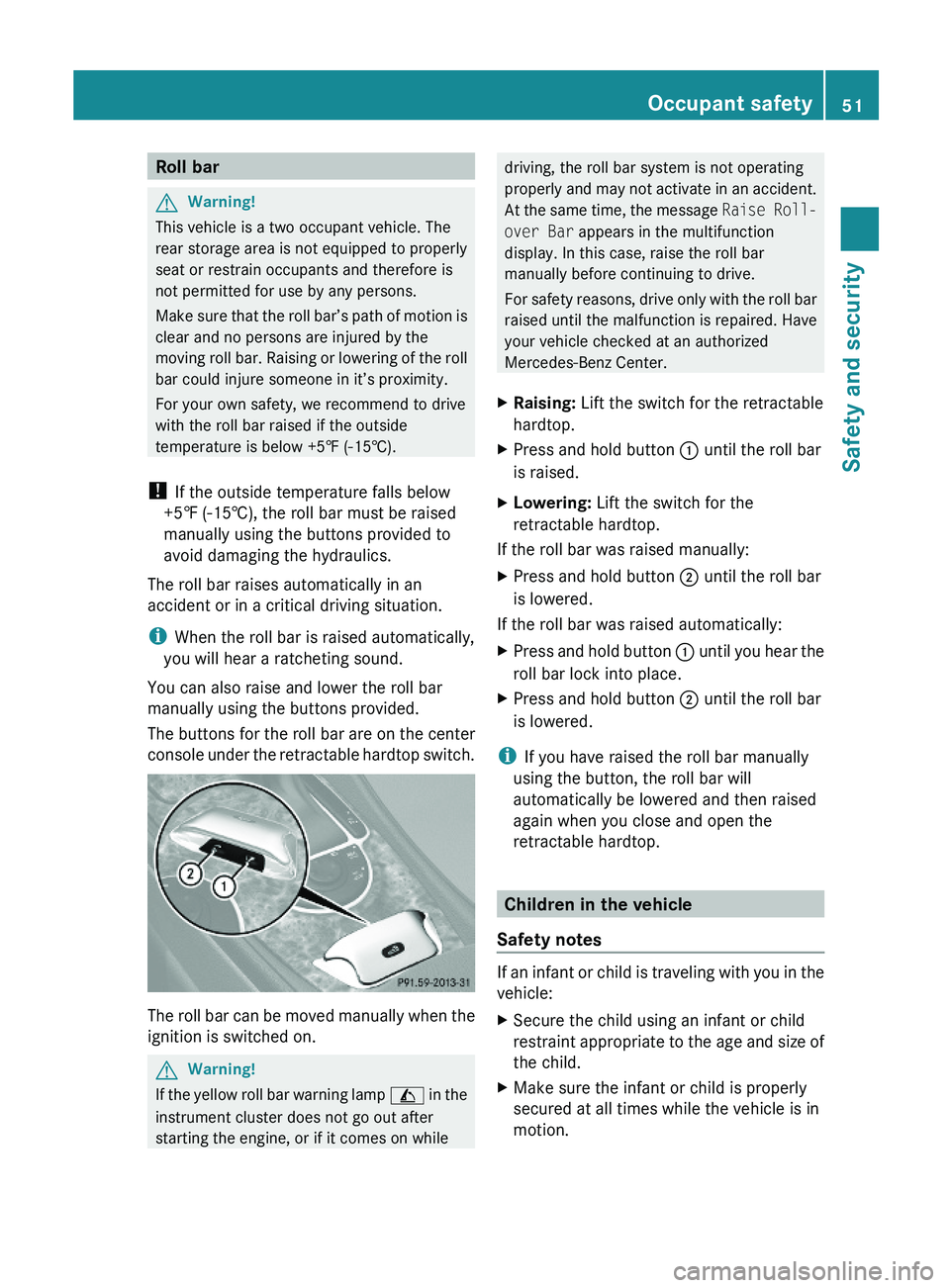
The buttons for the roll bar are on the center
console under the retractable hardtop switch.
The roll bar can be moved manually when the
ignition is switched on.
GWarning!
If the yellow roll bar warning lamp \000W in the
instrument cluster does not go out after
starting the engine, or if it comes on while
driving, the roll bar system is not operating
properly and may not activate in an accident.
At the same time, the message Raise Roll-
over Bar appears in the multifunction
display. In this case, raise the roll bar
manually before continuing to drive.
For safety reasons, drive only with the roll bar
raised until the malfunction is repaired. Have
your vehicle checked at an authorized
Mercedes-Benz Center.
XRaising: Lift the switch for the retractable
hardtop.
XPress and hold button \000F until the roll bar
is raised.
XLowering: Lift the switch for the
retractable hardtop.
If the roll bar was raised manually:
XPress and hold button \000G until the roll bar
is lowered.
If the roll bar was raised automatically:
XPress and hold button \000F until you hear the
roll bar lock into place.
XPress and hold button \000G until the roll bar
is lowered.
iIf you have raised the roll bar manually
using the button, the roll bar will
automatically be lowered and then raised
again when you close and open the
retractable hardtop.
Children in the vehicle
Safety notes
If an infant or child is traveling with you in the
vehicle:
XSecure the child using an infant or child
restraint appropriate to the age and size of
the child.
XMake sure the infant or child is properly
secured at all times while the vehicle is in
motion.
Occupant safety51Safety and security230_AKB; 6; 22, en-USd2ureepe,Version: 2.11.8.12009-07-28T18:49:58+02:00 - Seite 51Z
Page 114 of 316
As a result, you will not be able to see
information about your driving conditions,
such as
Rspeed
Routside temperature
Rwarning/indicator lamps
Rmalfunction/warning messages
Rfailure of any systems
Driving characteristics may be impaired.
If you must continue to drive, do so with added
caution. Contact an authorized Mercedes-
Benz Center as soon as possible.
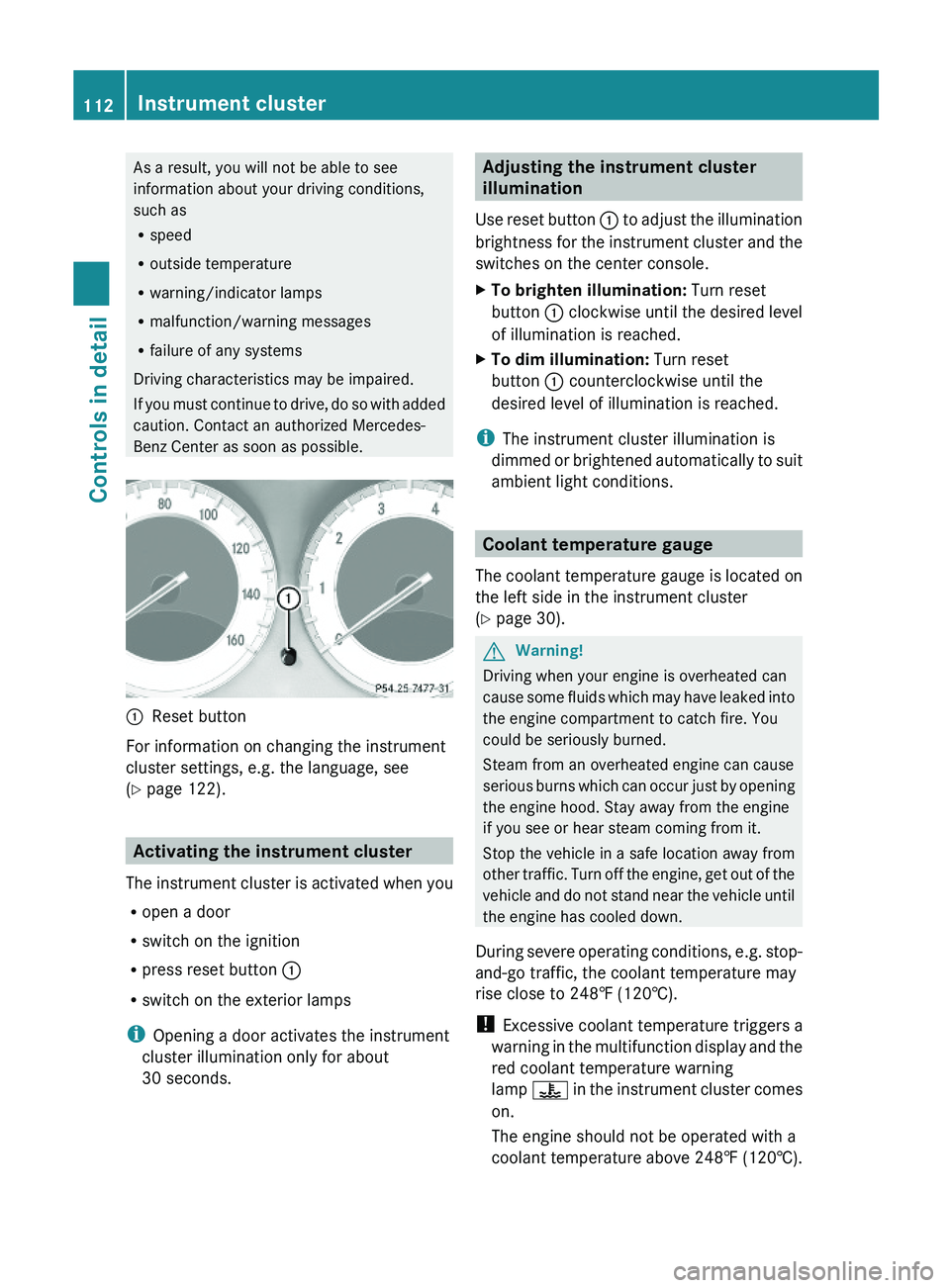
\000FReset button
For information on changing the instrument
cluster settings, e.g. the language, see
(Y page 122).
Activating the instrument cluster
The instrument cluster is activated when you
Ropen a door
Rswitch on the ignition
Rpress reset button \000F
Rswitch on the exterior lamps
iOpening a door activates the instrument
cluster illumination only for about
30 seconds.
Adjusting the instrument cluster
illumination
Use reset button \000F to adjust the illumination
brightness for the instrument cluster and the
switches on the center console.
XTo brighten illumination: Turn reset
button \000F clockwise until the desired level
of illumination is reached.
XTo dim illumination: Turn reset
button \000F counterclockwise until the
desired level of illumination is reached.
iThe instrument cluster illumination is
dimmed or brightened automatically to suit
ambient light conditions.
Coolant temperature gauge
The coolant temperature gauge is located on
the left side in the instrument cluster
(Y page 30).
GWarning!
Driving when your engine is overheated can
cause some fluids which may have leaked into
the engine compartment to catch fire. You
could be seriously burned.
Steam from an overheated engine can cause
serious burns which can occur just by opening
the engine hood. Stay away from the engine
if you see or hear steam coming from it.
Stop the vehicle in a safe location away from
other traffic. Turn off the engine, get out of the
vehicle and do not stand near the vehicle until
the engine has cooled down.
During severe operating conditions, e.g. stop-
and-go traffic, the coolant temperature may
rise close to 248‡ (120†).
! Excessive coolant temperature triggers a
warning in the multifunction display and the
red coolant temperature warning
lamp \000
Page 119 of 316
The engine oil temperature flashes if the
engine oil temperature has not yet reached
80†. During this time, avoid driving at full
engine speed.
If the engine reaches the overspeed range in
the manual shift program, the menu will be
shown in red. In addition, you will see UP next
to gear indicator \000G as a reminder to upshift.
Use buttons \000\) or \000- to select the
following functions in the AMG menu:
RSETUP (Y page 117)
RRACETIMER (Y page 117)
ROverall analysis (Y page 118)
RLap analysis (Y page 118)
SETUP
XPress button \000Y or \000X repeatedly until
the AMG menu appears in the
multifunction display.
XPress button \000\) repeatedly until the
SETUP appears in the multifunction
display.
or
XTap the AMG button on the center console
(SL 63 AMG only) (Y page 144).
iYou can store and call up automatic
transmission program mode and
suspension style settings with the AMG
button on the center console (SL 63 AMG
only). For more information, see
(Y page 144).
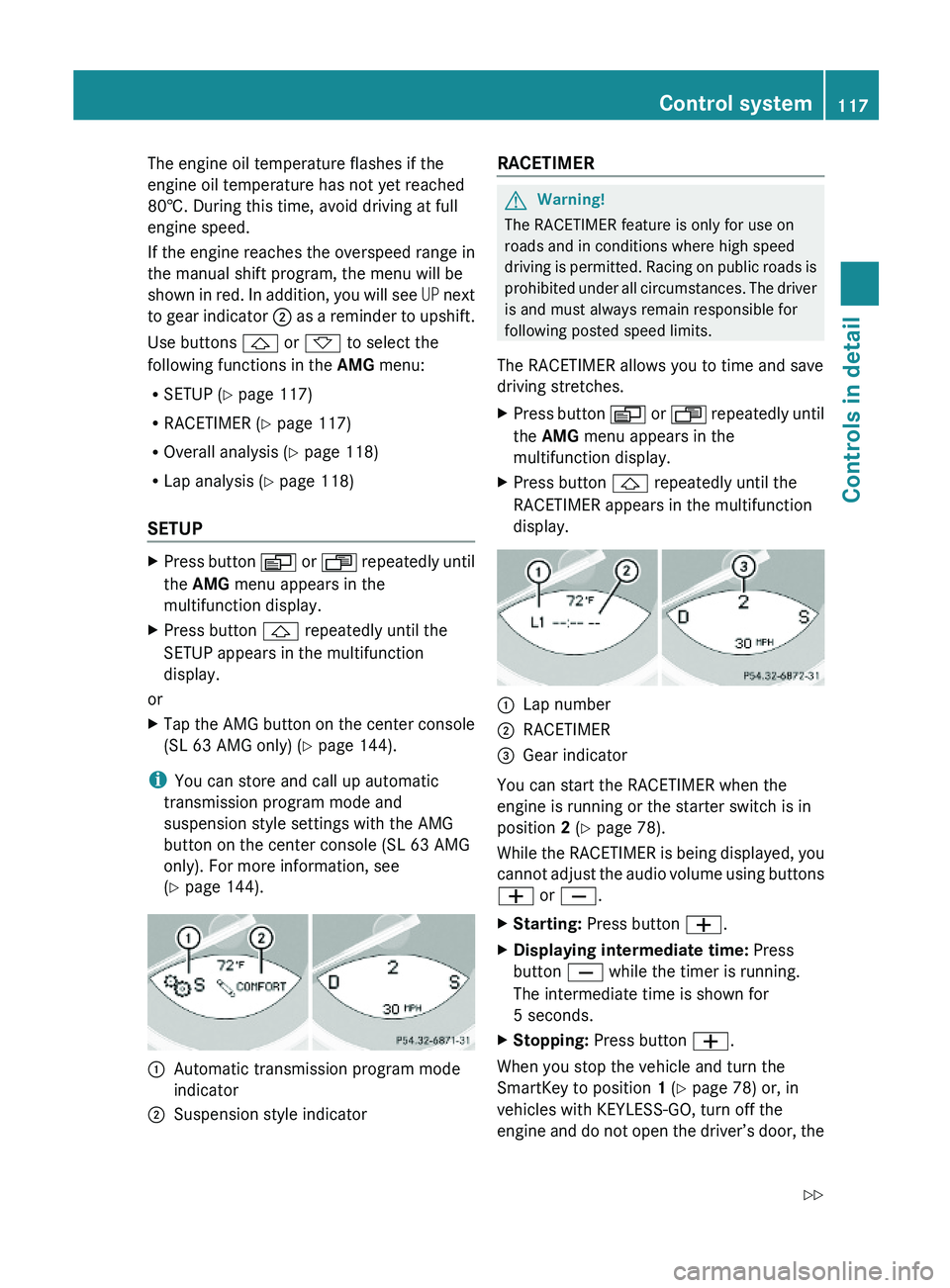
\000FAutomatic transmission program mode
indicator
\000GSuspension style indicatorRACETIMER GWarning!
The RACETIMER feature is only for use on
roads and in conditions where high speed
driving is permitted. Racing on public roads is
prohibited under all circumstances. The driver
is and must always remain responsible for
following posted speed limits.
The RACETIMER allows you to time and save
driving stretches.
XPress button \000Y or \000X repeatedly until
the AMG menu appears in the
multifunction display.
XPress button \000\) repeatedly until the
RACETIMER appears in the multifunction
display.
\000FLap number\000GRACETIMER\000
Page 141 of 316
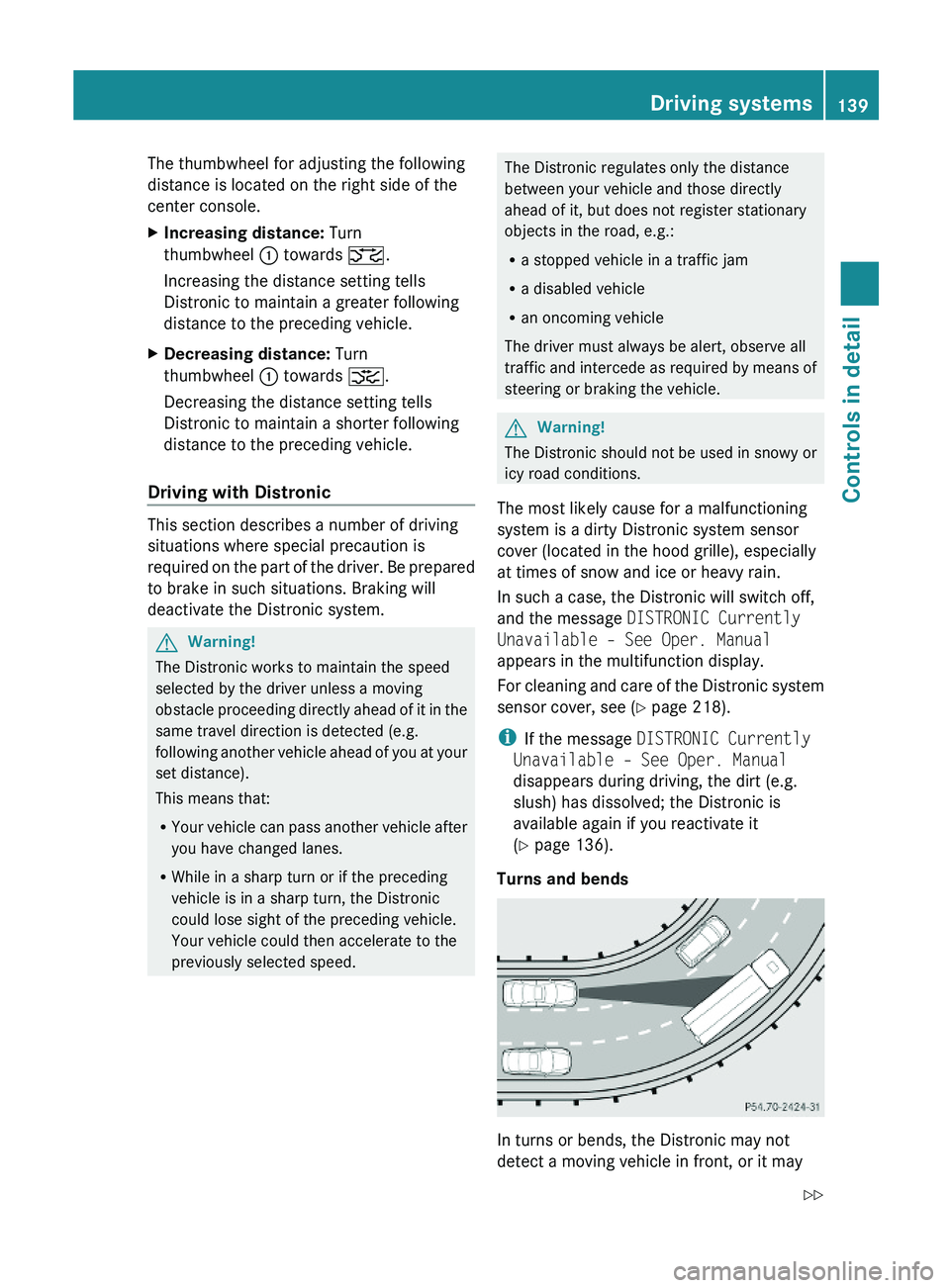
The thumbwheel for adjusting the following
distance is located on the right side of the
center console.
XIncreasing distance: Turn
thumbwheel \000F towards \000
Page 143 of 316
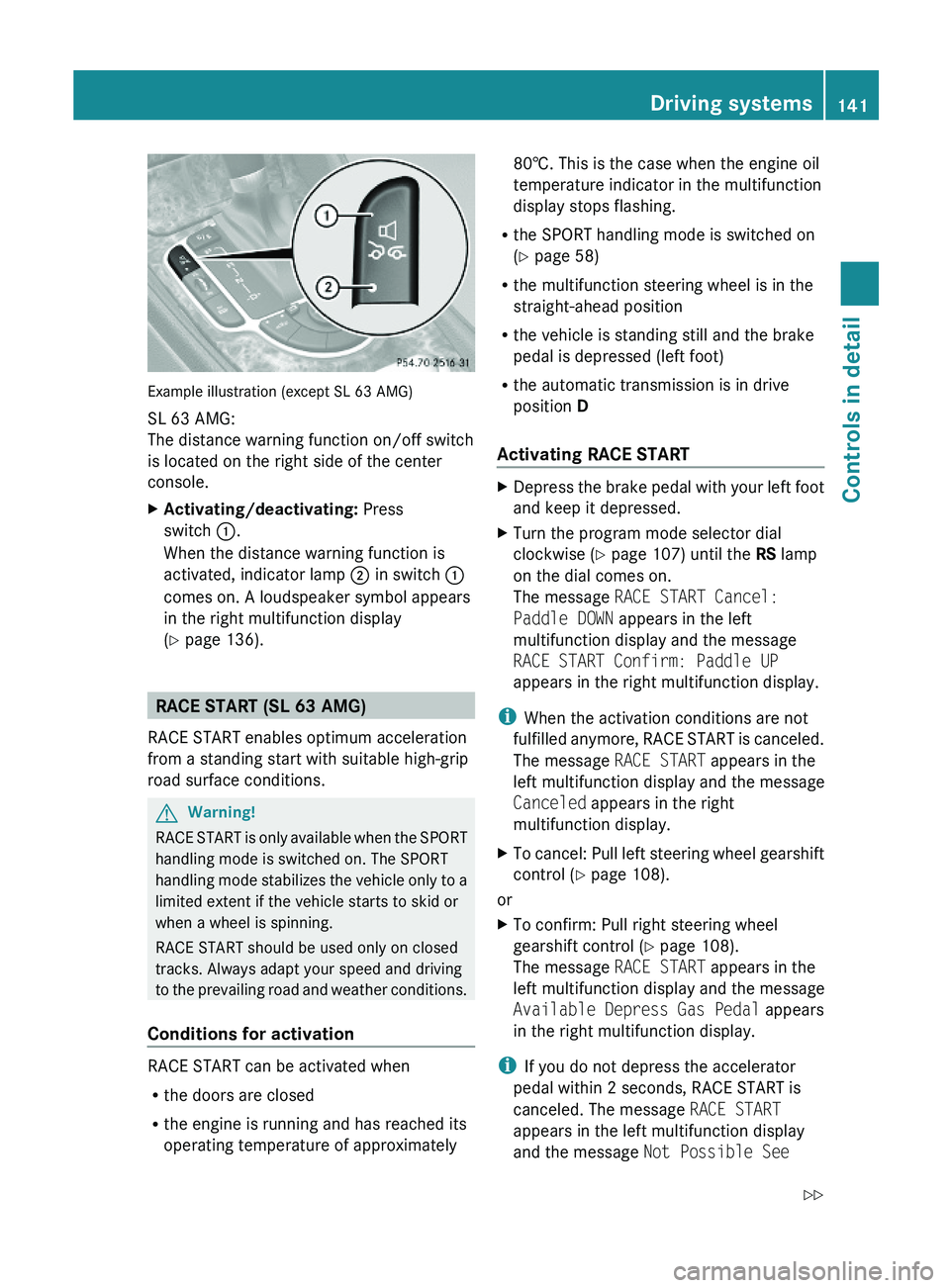
Example illustration (except SL 63 AMG)
SL 63 AMG:
The distance warning function on/off switch
is located on the right side of the center
console.
XActivating/deactivating: Press
switch \000F.
When the distance warning function is
activated, indicator lamp \000G in switch \000F
comes on. A loudspeaker symbol appears
in the right multifunction display
(Y page 136).
RACE START (SL 63 AMG)
RACE START enables optimum acceleration
from a standing start with suitable high-grip
road surface conditions.
GWarning!
RACE START is only available when the SPORT
handling mode is switched on. The SPORT
handling mode stabilizes the vehicle only to a
limited extent if the vehicle starts to skid or
when a wheel is spinning.
RACE START should be used only on closed
tracks. Always adapt your speed and driving
to the prevailing road and weather conditions.
Conditions for activation
RACE START can be activated when
Rthe doors are closed
Rthe engine is running and has reached its
operating temperature of approximately
80†. This is the case when the engine oil
temperature indicator in the multifunction
display stops flashing.
Rthe SPORT handling mode is switched on
(Y page 58)
Rthe multifunction steering wheel is in the
straight-ahead position
Rthe vehicle is standing still and the brake
pedal is depressed (left foot)
Rthe automatic transmission is in drive
position D
Activating RACE START
XDepress the brake pedal with your left foot
and keep it depressed.
XTurn the program mode selector dial
clockwise (Y page 107) until the RS lamp
on the dial comes on.
The message RACE START Cancel:
Paddle DOWN appears in the left
multifunction display and the message
RACE START Confirm: Paddle UP
appears in the right multifunction display.
iWhen the activation conditions are not
fulfilled anymore, RACE START is canceled.
The message RACE START appears in the
left multifunction display and the message
Canceled appears in the right
multifunction display.
XTo cancel: Pull left steering wheel gearshift
control (Y page 108).
or
XTo confirm: Pull right steering wheel
gearshift control (Y page 108).
The message RACE START appears in the
left multifunction display and the message
Available Depress Gas Pedal appears
in the right multifunction display.
iIf you do not depress the accelerator
pedal within 2 seconds, RACE START is
canceled. The message RACE START
appears in the left multifunction display
and the message Not Possible See
Driving systems141Controls in detail230_AKB; 6; 22, en-USd2ureepe,Version: 2.11.8.12009-07-28T18:49:58+02:00 - Seite 141Z
Page 231 of 316
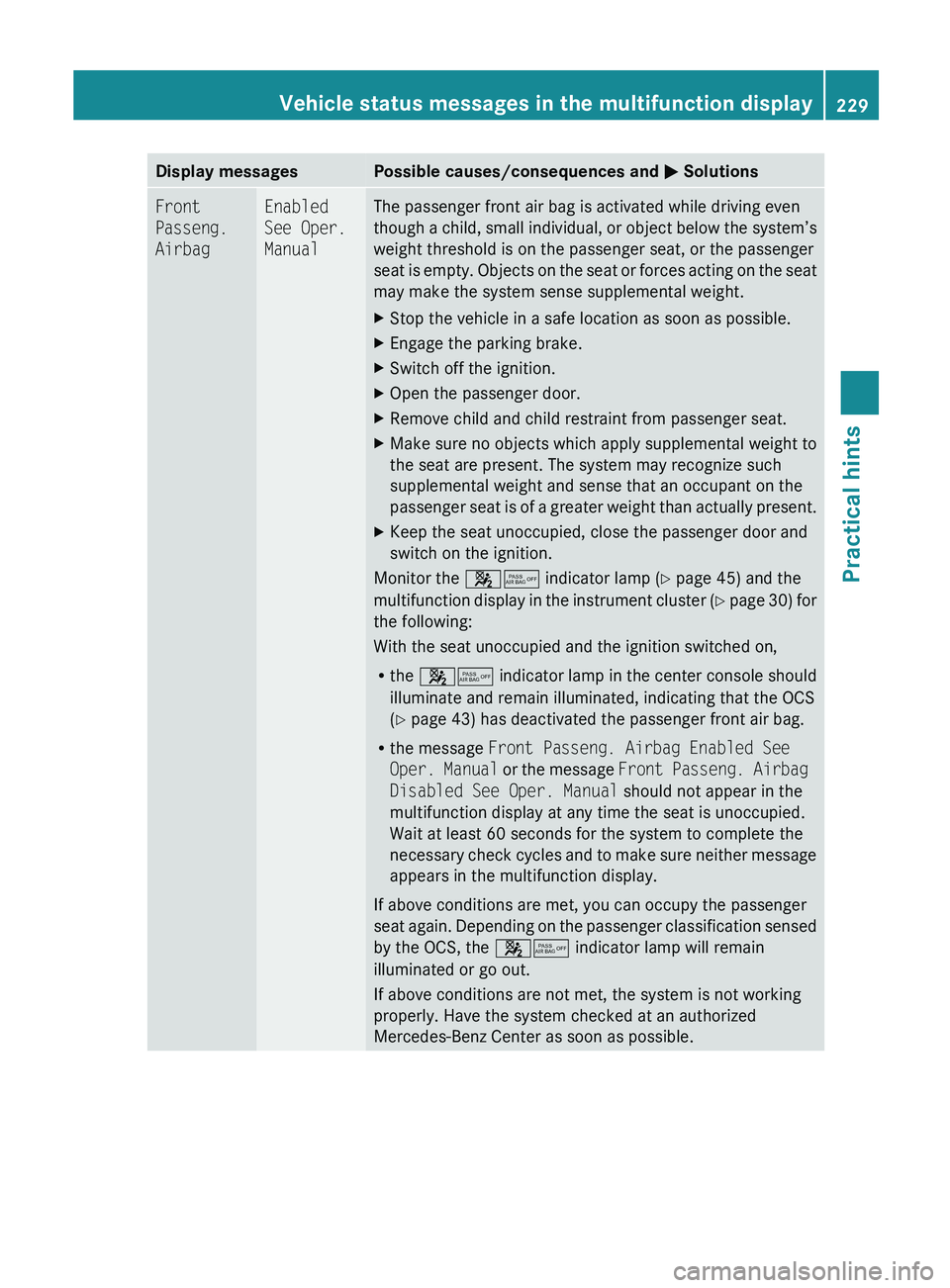
Display messagesPossible causes/consequences and 0050 SolutionsFront
Passeng.
AirbagEnabled
See Oper.
ManualThe passenger front air bag is activated while driving even
though a child, small individual, or object below the system’s
weight threshold is on the passenger seat, or the passenger
seat is empty. Objects on the seat or forces acting on the seat
may make the system sense supplemental weight.XStop the vehicle in a safe location as soon as possible.XEngage the parking brake.XSwitch off the ignition.XOpen the passenger door.XRemove child and child restraint from passenger seat.XMake sure no objects which apply supplemental weight to
the seat are present. The system may recognize such
supplemental weight and sense that an occupant on the
passenger seat is of a greater weight than actually present.XKeep the seat unoccupied, close the passenger door and
switch on the ignition.
Monitor the 007F0080 indicator lamp ( Y page 45) and the
multifunction display in the instrument cluster (Y page 30) for
the following:
With the seat unoccupied and the ignition switched on,
R the 007F0080 indicator lamp in the center console should
illuminate and remain illuminated, indicating that the OCS
( Y page 43) has deactivated the passenger front air bag.
R the message Front Passeng. Airbag Enabled See
Oper. Manual or the message Front Passeng. Airbag
Disabled See Oper. Manual should not appear in the
multifunction display at any time the seat is unoccupied.
Wait at least 60 seconds for the system to complete the
necessary check cycles and to make sure neither message
appears in the multifunction display.
If above conditions are met, you can occupy the passenger
seat again. Depending on the passenger classification sensed
by the OCS, the 007F0080 indicator lamp will remain
illuminated or go out.
If above conditions are not met, the system is not working
properly. Have the system checked at an authorized
Mercedes-Benz Center as soon as possible.
Vehicle status messages in the multifunction display229Practical hints230_AKB; 6; 22, en-USd2ureepe,Version: 2.11.8.12009-07-28T18:49:58+02:00 - Seite 229Z
Page 268 of 316
Underinflation also reduces fuel efficiency
and tire tread life, and may affect the vehicle’s
handling and stopping ability. Please note that
the TPMS is not a substitute for proper tire
maintenance, and it is the driver’s
responsibility to maintain correct tire
pressure, even if underinflation has not
reached the level to trigger illumination of the
TPMS low tire pressure telltale.
USA only:
Your vehicle has also been equipped with a
TPMS malfunction indicator to indicate when
the system is not operating properly. The
TPMS malfunction indicator is combined with
the low tire pressure telltale. When the
system detects a malfunction, the telltale will
flash for approximately 1 minute and thenremain continuously illuminated. This
sequence will continue upon subsequent
vehicle start-ups as long as the malfunction
exists. When the malfunction indicator is
illuminated, the system may not be able to
detect or signal low tire pressure as intended.
TPMS malfunctions may occur for a variety of
reasons, including the installation of
incompatible replacement or alternate tires
or wheels on the vehicle that prevent the
TPMS from functioning properly. Always
check the TPMS malfunction telltale after
replacing one or more tires or wheels on your
vehicle to ensure that the replacement or
alternate tires and wheels allow the TPMS to
continue to function properly.
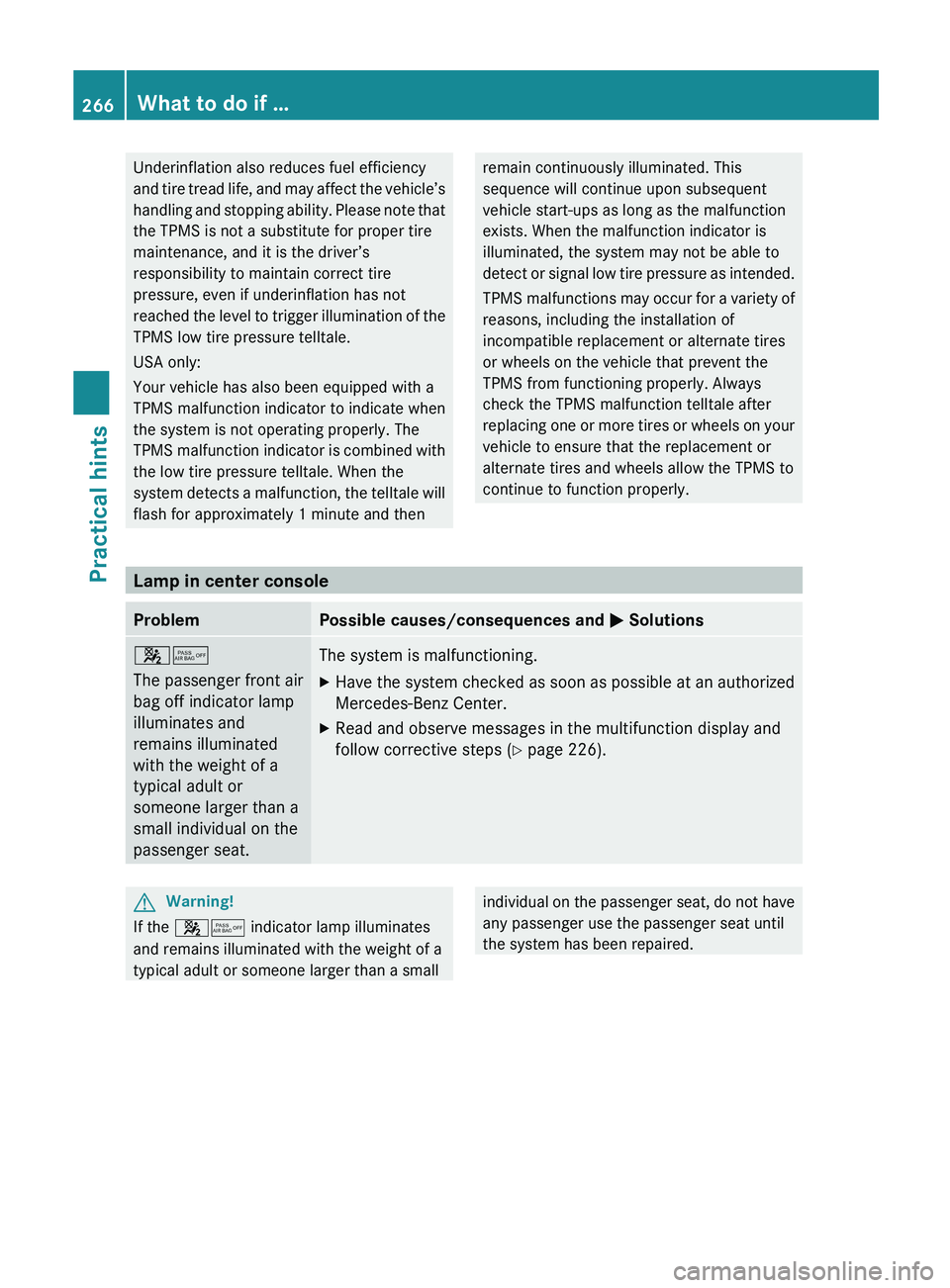
Lamp in center console
ProblemPossible causes/consequences and 0050 Solutions007F0080
The passenger front air
bag off indicator lamp
illuminates and
remains illuminated
with the weight of a
typical adult or
someone larger than a
small individual on the
passenger seat.The system is malfunctioning.XHave the system checked as soon as possible at an authorized
Mercedes-Benz Center.XRead and observe messages in the multifunction display and
follow corrective steps ( Y page 226).GWarning!
If the 007F0080 indicator lamp illuminates
and remains illuminated with the weight of a
typical adult or someone larger than a small
individual on the passenger seat, do not have
any passenger use the passenger seat until
the system has been repaired.266What to do if …Practical hints
230_AKB; 6; 22, en-USd2ureepe,Version: 2.11.8.12009-07-28T18:49:58+02:00 - Seite 266