USB port MERCEDES-BENZ SL-Class 2015 R131 Owner's Manual
[x] Cancel search | Manufacturer: MERCEDES-BENZ, Model Year: 2015, Model line: SL-Class, Model: MERCEDES-BENZ SL-Class 2015 R131Pages: 610, PDF Size: 12.21 MB
Page 6 of 610
1, 2, 3 ...
12 V socket see Sockets
911 emergency call .......................... 380A
ABS (Anti-lock Braking System) Display message ............................ 240
Function/notes ................................ 72
Important safety notes .................... 72
Warning lamp .................................2 71
Access data of the mobile phone
network provider
Deleting ......................................... 416
Editing .......................................... .416
Making entries ............................... 413
Selecting ........................................ 412
Accident
Automatic measures after an acci-
dent ................................................. 68
Activating/deactivating cooling
with air dehumidification ................. 139
Activating/deactivating Night
View Assist Plus
With spotlight function ................... 213
Active Blind Spot Assist
Activating/deactivating (on-
board computer) ............................ 231
Display message ............................ 259
Function/informatio n.................... 214
Active Body Control (AMG vehi-
cles)
Display message ............................ 257
Driving conditions menu in the
COMAND display (AMG vehicles) ... 198
Function/note s............................. 197
Active Body Control (except AMG
vehicles)
Display message ............................ 257
Driving conditions menu in the
COMAND display ........................... 196
Function/note s............................. 194
Active Driving Assistance package .. 214Active Lane Keeping Assist
Activating/deactivating (on-
board computer) ............................ 231
Display message ............................ 259
Function/information .................... 217
Active light function ......................... 127
Active Parking Assist Display message ............................ 260
Function/note s............................. 202
Important safety notes .................. 202
Active partition (USB devices
only)
Selecting ........................................ 450
ADAPTIVE BRAKE ................................. 77
Adaptive Damping System Function/note s............................. 193
Adaptive Highbeam Assist
Display message ............................ 253
Function/note s............................. 127
Switching on/of f........................... 128
Additives (engine oil) ........................ 604
Address book Browsing ........................................ 401
Calling up ....................................... 401
Changing an entry .......................... 403
Connecting a call ........................... 404
Creating an entry ........................... 402
Deleting an entry ........................... 402
Deleting contacts ........................... 407
Details about an entry ................... 403
Entering characters ....................... 299
Entry as a home address ............... 360
Hiding contact details .................... 408
Importing contacts ........................ 406
Introduction ................................... 401
Receiving vCards ........................... 407
Searching for an entry ................... 402
Starting route guidance ................. 404
Voice tag ....................................... 405
Address entry menu .......................... 322
Adjusting the sound settings Balance .......................................... 296
Adjusting the vehicle height
Active Body Control (AMG vehi-
cles) ............................................... 197
Active Body Control (except AMG
vehicles) ........................................ 194 4
Index
Page 10 of 610
Changing direction
Announcement phase .................... 345
Change of direction phase ............ .345
Preparation phase ......................... 345
Changing the character set .............. 302
Channel presets ................................ 436
Characters Changing the character set ............ 300
Changing the language .................. 300
Deleting ......................................... 301
Entering ......................................... 301
Entering (address book, phone
book) ............................................. 299
Entering (navigation) ..................... .301
Moving the cursor .......................... 301
Switching to letters ........................ 300
Children
Restraint systems ............................ 69
Special seat belt retractor .............. .69
Child seat
Forward-facing restraint system ...... 70
On the front-passenger seat ............ 70
Rearward-facing restraint system .... 70
Cigarette lighter ................................ 518
Cleaning Mirror turn signal .......................... .543
Clear button ....................................... 293
Climate control Automatic climate control (dual-
zone) .............................................. 137
Controlling automatically .............. .141
Cooling with air dehumidification .. 139
Defrosting the windows ................. 144
Defrosting the windshield .............. 143
General notes ................................ 136
Indicator lamp ................................ 141
Information about using auto-
matic climate control ..................... 138
Maximum cooling .......................... 144
Overview of systems ..................... .136
Problems with cooling with air
dehumidification ............................ 141
Problem with the rear window
defroster ........................................ 146
Refrigerant ..................................... 606
Refrigerant filling capacity ............. 607
Setting the air distribution ............. 142 Setting the airflow ......................... 143
Setting the air vents .....................
.147
Setting the climate mode (AIR
FLOW) ............................................ 141
Setting the temperature ................ 142
Switching air-recirculation mode
on/off ............................................ 146
Switching on/off ........................... 139
Switching residual heat on/off ...... 146
Switching the rear window
defroster on/off ............................ 144
Switching the ZONE function on/
off ................................................. .143
Cockpit
Overview .......................................... 40
see Instrument cluster
Color, setting (TV, video) .................. 473
COMAND Active multicontour seat ................ 314
Basic functions .............................. 295
Calling up drive status regulator
(ABC) ............................................. 313
Display .......................................... .286
Examples of operation ................... 293
Importing POIs ............................... 422
Menu overview .............................. 288
Multicontour seat .......................... 314
Seat functions ............................... 314
Settings ......................................... 433
Switching on/off ........................... 295
COMAND and Internet
see Online and Internet functions
COMAND controller ........................... 292
COMAND control panel ..................... 291
COMAND display Cleaning ......................................... 544
Cleaning instructions ..................... 290
Driving conditions menu (AMG
vehicles) ........................................ 198
Driving conditions menu (except
AMG vehicles) ................................ 196
Setting .......................................... .306
Switching on/off ........................... 290
Combination switch .......................... 125
Compass function .............................373
Connecting a USB device ................. 4458
Index
Page 16 of 610
HOLD function
Activating ....................................... 192
Deactivating ................................... 192
Display message ............................ 258
Function/notes ............................. 191
Home address
Entering and saving ....................... 327
Selecting from the destination
memory ........................................ .328
Hood
Closing .......................................... .535
Display message ............................ 266
Important safety notes .................. 534
Opening ......................................... 534
Horn ...................................................... 40
Hydroplaning ..................................... 179 I
Ignition lock see Key positions
Immobilizer .......................................... 79
Incident (traffic report) ..................... 355
Indicator lamps see Warning and indicator lamps
Indicators
see Turn signals
Instrument cluster
Overview .......................................... 41
Warning and indicator lamps ........... 42
Instrument cluster lighting .............. 222
Interface (USB, iPod ®
)
see Media Interface
Interior lighting
Automatic control .......................... 129
Delayed switch-off (on-board
computer) ...................................... 234
Emergency lighting ........................ 129
Manual control ............................... 129
Overview ........................................ 128
Reading lamp ................................. 128
Setting the brightness of the
ambient lighting (on-board com-
puter) ............................................. 233
Setting the color of the ambient
lighting (on-board computer) ......... 233 Internet
Calling up the carousel view .......... 426
Conditions for access .................... 409
Creating favorites .......................... 432
Entering the URL ............................ 427
Favorites manager ......................... 432
Favorites menu .............................. 432
Menu functions .............................. 429
Opening favorites .......................... 431
Selecting/setting access data ....... 411
Selecting favorites ......................... 428
Internet radio
Calling up ....................................... 426
Searching for stations .................... 426
iPod ®
Alphabetical track selection .......... 469
Connecting to the Media Inter-
face ............................................... 465
Selecting a category/playlis t......... 468
iTunes ®
............................................... 469 J
Jack Storage location ............................ 548
Using ............................................. 590
Jump starting (engine) ...................... 557 K
KEYLESS-GO Convenience closing feature ............ 99
Display message ............................ 268
Locking ............................................ 83
Removing the Start/Stop button ... 153
Start/Stop button .......................... 151
Starting the engine ........................ 154
Unlocking ......................................... 83
Key positions
KEYLESS-GO .................................. 151
SmartKey ....................................... 151
Kickdown
Driving tips .................................... 163
Manual drive progra m.................... 167
Knee bag .............................................. 57 14
Index
Page 29 of 610
Trunk lid
Display message ............................ 266
Opening/closing .............................. 91
Opening dimensions ...................... 607
Trunk load (maximum) ...................... 607
Trunk partition Display message ............................ 266
General notes ................................ 102
Installing ........................................ 103
Opening/closing ............................ 103
Removing ....................................... 103
Turn signals
Display message ............................ 251
Switching on/off ........................... 125
TV
Automatic picture shutoff .............. 472
Picture settings .............................. 473
Sound settings (balance, bass,
treble) ............................................ 296
Type identification plate
see Vehicle identification plate U
Umbrella holder ................................. 513
Unlocking Emergency unlocking ....................... 90
From inside the vehicle (central
unlocking button) ............................. 89
Updating the digital map .................. 375
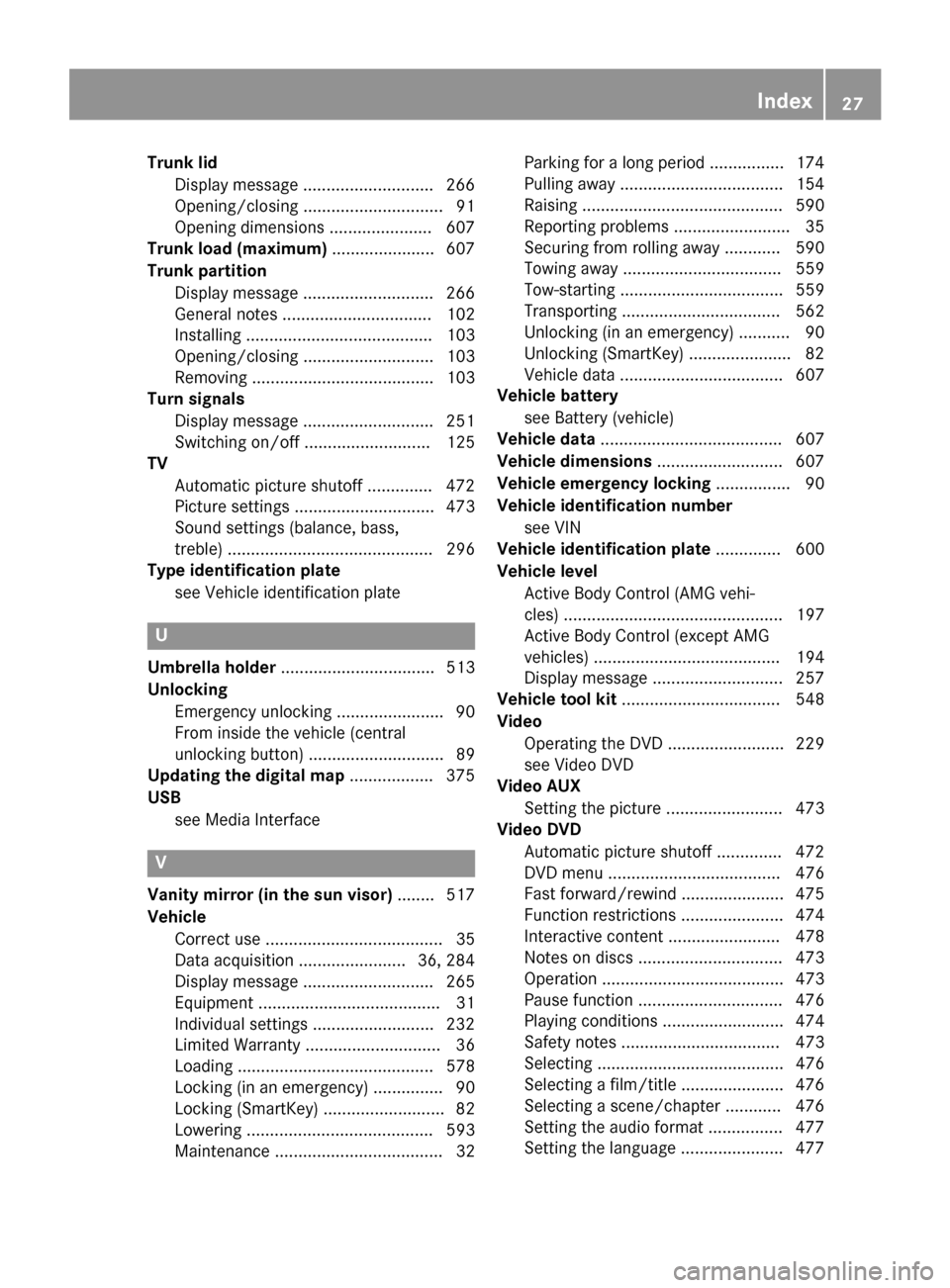
USB see Media Interface V
Vanity mirror (in the sun visor) ........ 517
Vehicle Correct use ...................................... 35
Data acquisition ....................... 36, 284
Display message ............................ 265
Equipment ....................................... 31
Individual settings .......................... 232
Limited Warranty ............................. 36
Loading .......................................... 578
Locking (in an emergency) ............... 90
Locking (SmartKey) .......................... 82
Lowering ........................................ 593
Maintenance .................................... 32 Parking for a long period ................ 174
Pulling away ................................... 154
Raising ........................................... 590
Reporting problems ........................
.35
Securing from rolling away ............ 590
Towing away .................................. 559
Tow-starting ................................... 559
Transporting .................................. 562
Unlocking (in an emergency) ........... 90
Unlocking (SmartKey )...................... 82
Vehicle data ................................... 607
Vehicle battery
see Battery (vehicle)
Vehicle data ....................................... 607
Vehicle dimensions ........................... 607
Vehicle emergency locking ................ 90
Vehicle identification number see VIN
Vehicle identification plate .............. 600
Vehicle level Active Body Control (AMG vehi-
cles) ............................................... 197
Active Body Control (except AMG
vehicles) ........................................ 194
Display message ............................ 257
Vehicle tool kit .................................. 548
Video Operating the DVD ......................... 229
see Video DVD
Video AUX
Setting the picture ......................... 473
Video DVD
Automatic picture shutoff .............. 472
DVD menu ..................................... 476
Fast forward/rewind ...................... 475
Function restrictions ...................... 474
Interactive content ........................ 478
Notes on discs ............................... 473
Operation ....................................... 473
Pause function ............................... 476
Playing conditions .......................... 474
Safety notes .................................. 473
Selecting ........................................ 476
Selecting a film/title ...................... 476
Selecting a scene/chapter ............ 476
Setting the audio format ................ 477
Setting the language ...................... 477 Index
27
Page 299 of 610
X
Select Bal/Fad
Bal/Fad (balance/fader) in the
sound menu by turning 00790052007Athe COMAND
controller and press 0098to confirm.
X Select a balance setting by sliding 009500520096the
COMAND controller and press 0098to con-
firm.
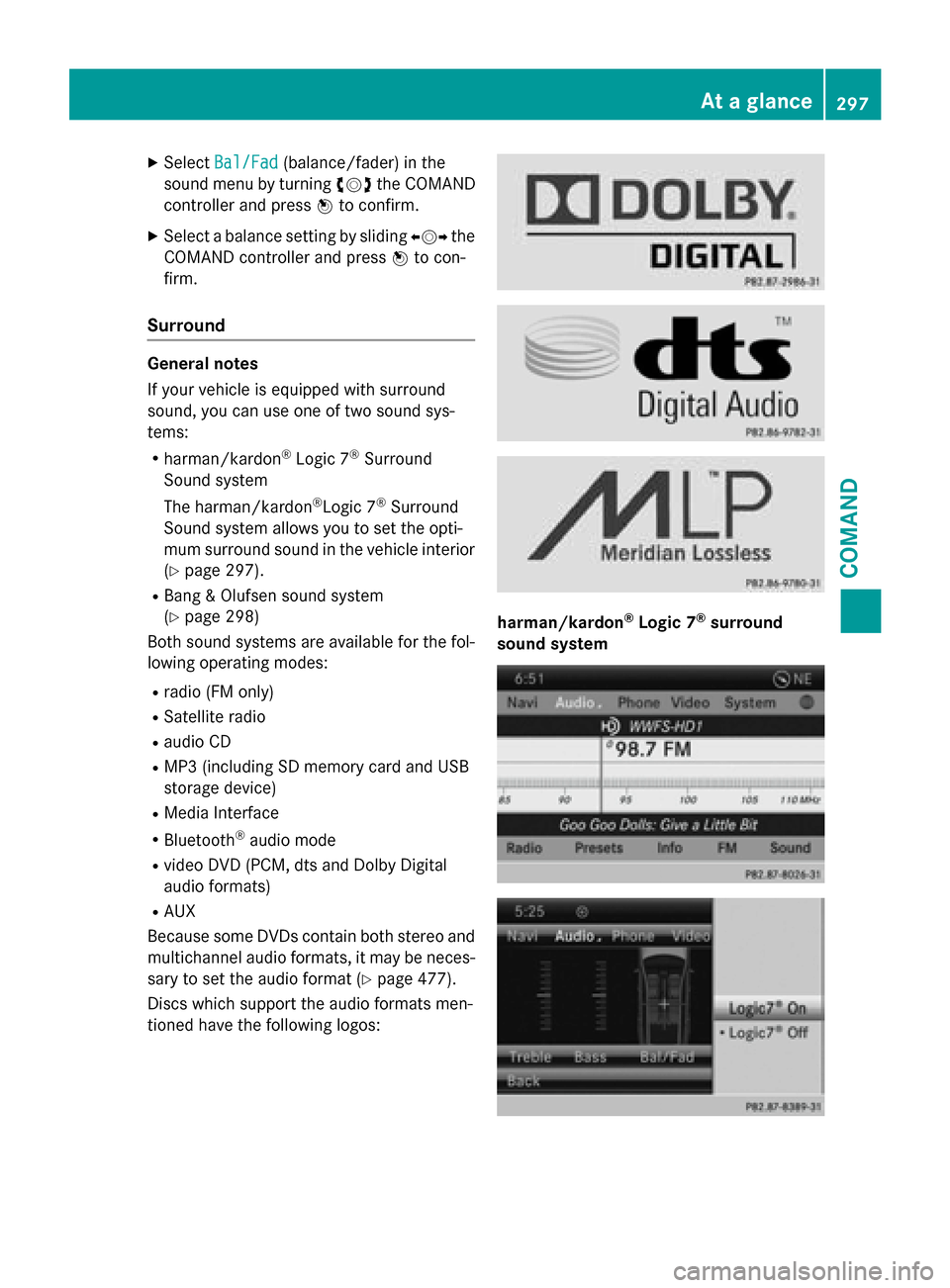
Surround General notes
If your vehicle is equipped with surround
sound, you can use one of two sound sys-
tems:
R harman/kardon ®
Logic 7 ®
Surround
Sound system
The harman/kardon ®
Logic 7 ®
Surround
Sound system allows you to set the opti-
mum surround sound in the vehicle interior
(Y page 297).
R Bang & Olufsen sound system
(Y page 298)
Both sound systems are available for the fol-
lowing operating modes:
R radio (FM only)
R Satellite radio
R audio CD
R MP3 (including SD memory card and USB
storage device)
R Media Interface
R Bluetooth ®
audio mode
R video DVD (PCM, dts and Dolby Digital
audio formats)
R AUX
Because some DVDs contain both stereo and multichannel audio formats, it may be neces-
sary to set the audio format (Y page 477).
Discs which support the audio formats men-
tioned have the following logos: harman/kardon
®
Logic 7 ®
surround
sound system At a glance
297COMAND Z
Page 311 of 610
able, the navigation announcements will be in
English.
When you set the system language, the lan-
guage of the Voice Control System will
change accordingly. If the selected language
is not supported by the Voice Control System,
English will be selected.
X Press the 0066button.
X Select System System by turning 00790052007Athe
COMAND controller and press 0098to con-
firm.
X Select Language
Language and press0098to confirm.
The list of languages appears. The 003Bdot
indicates the current setting.
X Select the language by turning 00790052007Athe
COMAND controller and press 0098to con-
firm.
COMAND loads the selected language and
sets it. Assigning a favorites button
X To assign a favorites button: press the
0066 button.
X Select System
System by turning 00790052007Athe
COMAND controller and press 0098to con-
firm.
X Select Assign
Assign as asFavorite
Favorite and press0098
to confirm.
The list of predefined functions appears.
The dot 003Bindicates the currently selected
function.
X Select the function by turning 00790052007Athe
COMAND controller and press 0098to con-
firm.
The favorites button is assigned the selec-
ted function.
X Example: to call up a favorite: press the
007D favorites button.
This calls up the predefined function. You can select the following predefined func-
tions in a menu:
R SplitView on/off SplitView on/off : you can switch the
screen view for the front passenger on or
off.
R Display On/Off Display On/Off : you can switch the dis-
play off or on.
R Full Screen: 'Clock'
Full Screen: 'Clock': you can call up
the full screen with the clock.
R 00A7 Menu
Menu: you can call up the online and
Internet functions.
R 360°
360° Camera
Camera : you can call up the picture of
the 360° camera.
R Full screen: 'Map'
Full screen: 'Map' : you can call up the
full screen with the map.
R Spoken Driving Tip
Spoken Driving Tip : you can call up the
current driving recommendation.
R Display
Display Traffic
Traffic Messages
Messages: you can call
up traffic reports.
R Navigate Home
Navigate Home: you can start route guid-
ance to your home address if you have
already entered and saved the address
(Y page 327).
R Detour Menu Detour Menu: you can call up the Detour
menu and then block a section of the route
and recalculate the route (Y page 349).
R Compass Compass Screen
Screen: you can call up the com-
pass. Importing/exporting data
General notes !
Never remove the stick or card when writ-
ing data to the USB stick or the memory
card. You may otherwise lose data. System settings
309COMAND Z
Page 312 of 610

Using this function, you can:
R transfer your personal COMAND data from
one system/vehicle to another.
R make a backup copy of your personal data
(export data) and load it again (import
data).
R protect your data from unwanted export by
activating a pin prompt (presetting: deacti-
vated 0053).
You can either use an SD memory card or a
USB storage device (e.g. a USB stick) as tem- porary storage.
Activating/deactivating PIN protection X
Press the 0066button.
The system menu appears.
X Select Settings Settings by turning 00790052007Athe
COMAND controller and press 0098to con-
firm.
X Select Import/Export
Import/Export Data
Dataand press 0098
to confirm.
X Select Activate PIN Protection
Activate PIN Protection and
press 0098to confirm.
Activate 0073or deactivate 0053PIN protec-
tion. When activating PIN protection, you
will be prompted to enter a PIN. X
Enter a 4-digit PIN, select 0054and press0098
to confirm.
You will be prompted to enter the PIN
again.
X Re-enter the PIN, select 0054and press 0098
to confirm.
The PIN prompt now protects your personal data from unwanted export.
i If you deactivate your PIN protection, you
will first be prompted to enter your PIN. If
you have forgotten your PIN, a Mercedes-
Benz service station can deactivate your
PIN protection for you. Alternatively, you
can deactivate PIN protection by resetting
your personal COMAND data
(Y page 311). 310
System settingsCOMAND
Page 313 of 610
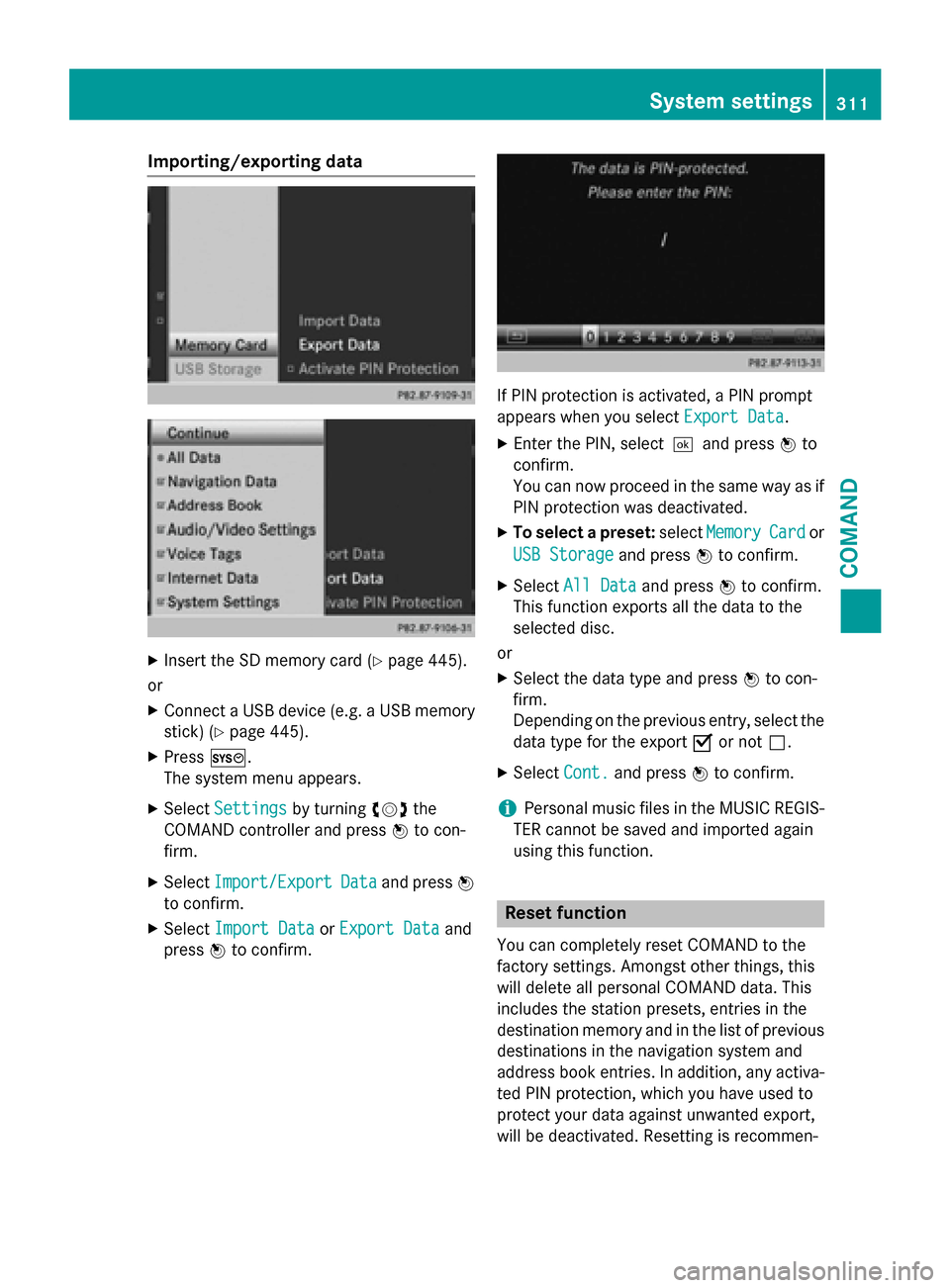
Importing/exporting data
X
Insert the SD memory card (Y page 445).
or X Connect a USB device (e.g. a USB memory
stick) (Y page 445).
X Press 0066.
The system menu appears.
X Select Settings
Settings by turning 00790052007Athe
COMAND controller and press 0098to con-
firm.
X Select Import/Export
Import/Export Data
Dataand press 0098
to confirm.
X Select Import Data
Import Data orExport Data
Export Data and
press 0098to confirm. If PIN protection is activated, a PIN prompt
appears when you select
Export Data
Export Data.
X Enter the PIN, select0054and press 0098to
confirm.
You can now proceed in the same way as if
PIN protection was deactivated.
X To select a preset: selectMemory Memory Card
Cardor
USB Storage
USB Storage and press0098to confirm.
X Select All Data
All Data and press0098to confirm.
This function exports all the data to the
selected disc.
or
X Select the data type and press 0098to con-
firm.
Depending on the previous entry, select the
data type for the export 0073or not 0053.
X Select Cont. Cont.and press 0098to confirm.
i Personal music files in the MUSIC REGIS-
TER cannot be saved and imported again
using this function. Reset function
You can completely reset COMAND to the
factory settings. Amongst other things, this
will delete all personal COMAND data. This
includes the station presets, entries in the
destination memory and in the list of previous
destinations in the navigation system and
address book entries. In addition, any activa-
ted PIN protection, which you have used to
protect your data against unwanted export,
will be deactivated. Resetting is recommen- System settings
311COMAND Z
Page 394 of 610
i
You can also call up the phone book using
the multifunction steering wheel; see the
separate vehicle Operator's Manual.
Closing the phone book X Select the 0039symbol in the character bar
by sliding 00640052and turning 00790052007Athe
COMAND controller and press 0098to con-
firm.
or
X Press the 003Dbutton.
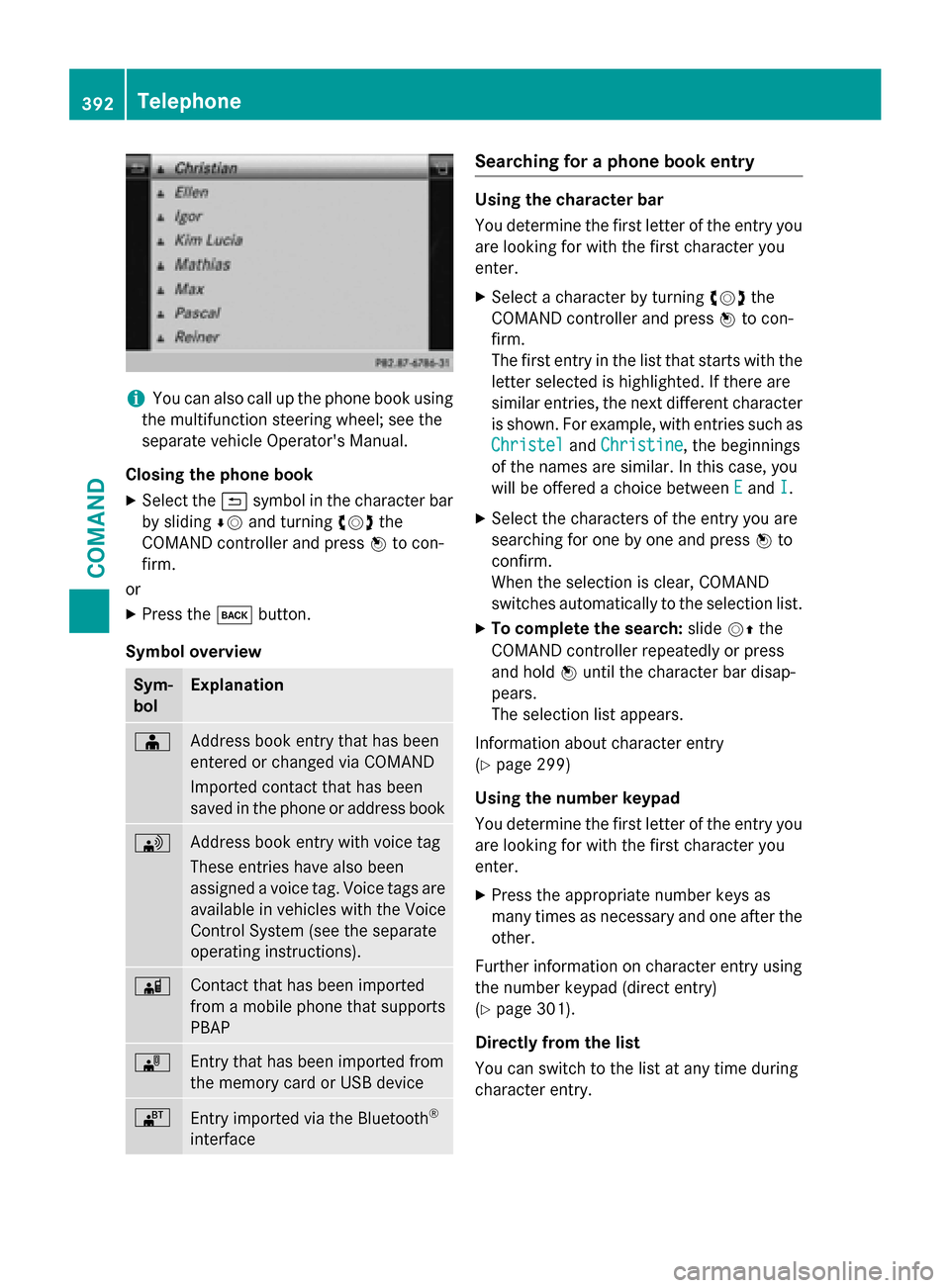
Symbol overview Sym-
bol Explanation
00D8
Address book entry that has been
entered or changed via COMAND
Imported contact that has been
saved in the phone or address book
0094
Address book entry with voice tag
These entries have also been
assigned a voice tag. Voice tags are
available in vehicles with the Voice
Control System (see the separate
operating instructions). 00D7
Contact that has been imported
from a mobile phone that supports
PBAP 00BB
Entry that has been imported from
the memory card or USB device
00BA
Entry imported via the Bluetooth
®
interface Searching for a phone book entry
Using the character bar
You determine the first letter of the entry you
are looking for with the first character you
enter.
X Select a character by turning 00790052007Athe
COMAND controller and press 0098to con-
firm.
The first entry in the list that starts with the letter selected is highlighted. If there are
similar entries, the next different character
is shown. For example, with entries such as
Christel Christel andChristine
Christine, the beginnings
of the names are similar. In this case, you
will be offered a choice between E Eand I
I.
X Select the characters of the entry you are
searching for one by one and press 0098to
confirm.
When the selection is clear, COMAND
switches automatically to the selection list.
X To complete the search: slide00520097the
COMAND controller repeatedly or press
and hold 0098until the character bar disap-
pears.
The selection list appears.
Information about character entry
(Y page 299)
Using the number keypad
You determine the first letter of the entry you
are looking for with the first character you
enter.
X Press the appropriate number keys as
many times as necessary and one after the
other.
Further information on character entry using
the number keypad (direct entry)
(Y page 301).
Directly from the list
You can switch to the list at any time during
character entry. 392
TelephoneCOMAND
Page 403 of 610
X
Select Delete
Delete and press 0098to confirm.
A deletion prompt appears.
X Select Yes
YesorNo
No and press 0098to confirm.
If you select Yes
Yes, the text message is
deleted.
If you select No No, the process will be can-
celed.
i This delete function is not supported by all
mobile phones. The Delete failed
Delete failedmes-
sage appears. Using the address book
Introduction Always pay attention to traffic conditions.
Before starting the journey, familiarize your-
self with the address book functions.
Only use COMAND when the road and traffic
conditions permit. You could otherwise
become involved in an accident in which you
or others could be injured.
The address book organizes and stores
entries that are entered from different sour-
ces (mobile phone, memory card, USB device,
COMAND phone book, navigation system).
You can use these entries to make telephone calls and for navigation.
i Number of contacts in the address
book: the address book can store a total of
4000 contacts.
1500 entries each are reserved in the
address book for:
R contacts from the mobile phone
R contacts that you create in COMAND or
import from other sources
The remaining 1,000 entries are assigned
by COMAND as necessary.
i Display of mobile phone contacts:
con-
tacts downloaded from the mobile phone
remain in the address book even if you dis- connect the mobile phone from COMAND.
Contacts that have previously been availa-
ble can be displayed as soon as the mobile phone is reconnected. COMAND down-
loads the contacts again so that any new
contacts that have been added to the
mobile phone can be displayed.
As soon as you connect a new mobile
phone to COMAND all the contacts from
the previous mobile phone are replaced by
those from the new phone's address book.
Address book entries remain stored when
the mobile phone is disconnected. For this reason, delete your personal data using the
reset function before selling your vehicle,
for example (Y page 311).
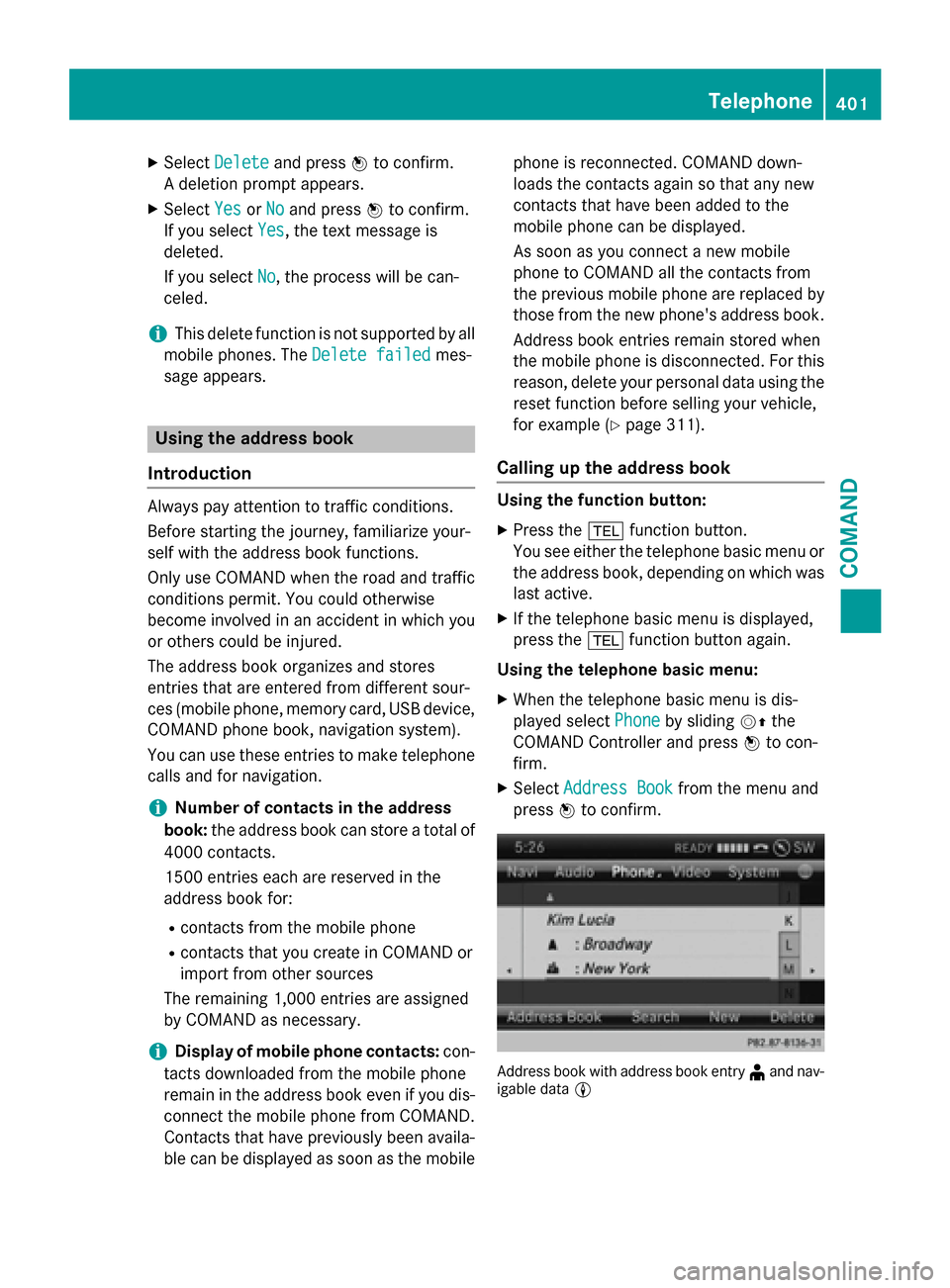
Calling up the address book Using the function button:
X Press the 002Bfunction button.
You see either the telephone basic menu or the address book, depending on which was
last active.
X If the telephone basic menu is displayed,
press the 002Bfunction button again.
Using the telephone basic menu:
X When the telephone basic menu is dis-
played select Phone Phoneby sliding 00520097the
COMAND Controller and press 0098to con-
firm.
X Select Address Book
Address Book from the menu and
press 0098to confirm. Address book with address book entry
¥and nav-
igable data 0048 Telephone
401COMAND Z