AR SERVICE MERCEDES-BENZ SL-Class 2016 R231 Owner's Guide
[x] Cancel search | Manufacturer: MERCEDES-BENZ, Model Year: 2016, Model line: SL-Class, Model: MERCEDES-BENZ SL-Class 2016 R231Pages: 614, PDF Size: 15.67 MB
Page 225 of 614
The segments between the speed of the
vehicle in front and the stored speed light
up.
Tachometer
!
Do not drive in the overrevving range, as
this could damage the engine.
The red band in the tachometer indicates the
engine's overrevving range.
The fuel supply is interrupted to protect the
engine when the red band is reached.
Outside temperature display
You should pay special attention to road con-
ditions when temperatures are around freez-
ing point.
Bear in mind that the outside temperature
display indicates the temperature measured
and does not record the road temperature.
The outside temperature display is in the mul-
tifunction display (
Ypage 224).
A change in the outside temperature is shown
in the multifunction display after a delay.
Coolant temperature display
GWARNING
Opening the hood when the engine is over-
heated or when there is a fire in the engine
compartment could expose you to hot gases
or other service products. There is a risk of
injury.
Let an overheated engine cool down before
opening the hood. If there is a fire in the
engine compartment, keep the hood closed
and contact the fire department.
!A display message is shown if the coolant
temperature is too high.
If the coolant temperature is over 248 ‡
(120 †), do not continue driving. The
engine will otherwise be damaged. The coolant temperature gauge is in the
instrument cluster on the right-hand side
(
Ypage 41).
Under normal operating conditions and with
the specified coolant level, the coolant tem-
perature may rise to 248 ‡ (120 †).
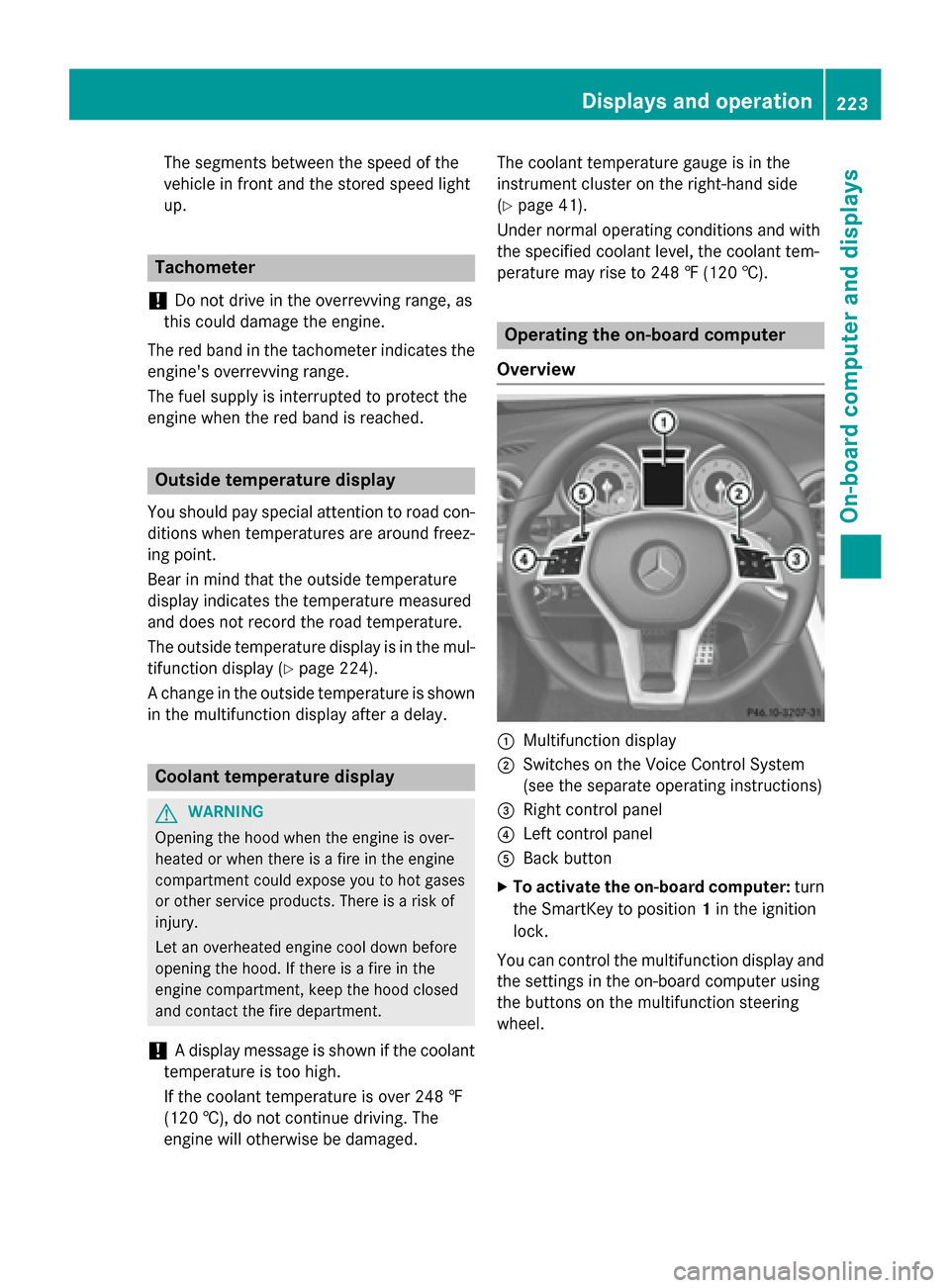
Operating the on-board computer
Overview
:Multifunction display
;Switches on the Voice Control System
(see the separate operating instructions)
=Right control panel
?Left control panel
ABack button
XTo activate the on-board computer: turn
the SmartKey to position 1in the ignition
lock.
You can control the multifunction display and
the settings in the on-board computer using
the buttons on the multifunction steering
wheel.
Displays and operation223
On-board computer and displays
Z
Page 231 of 614
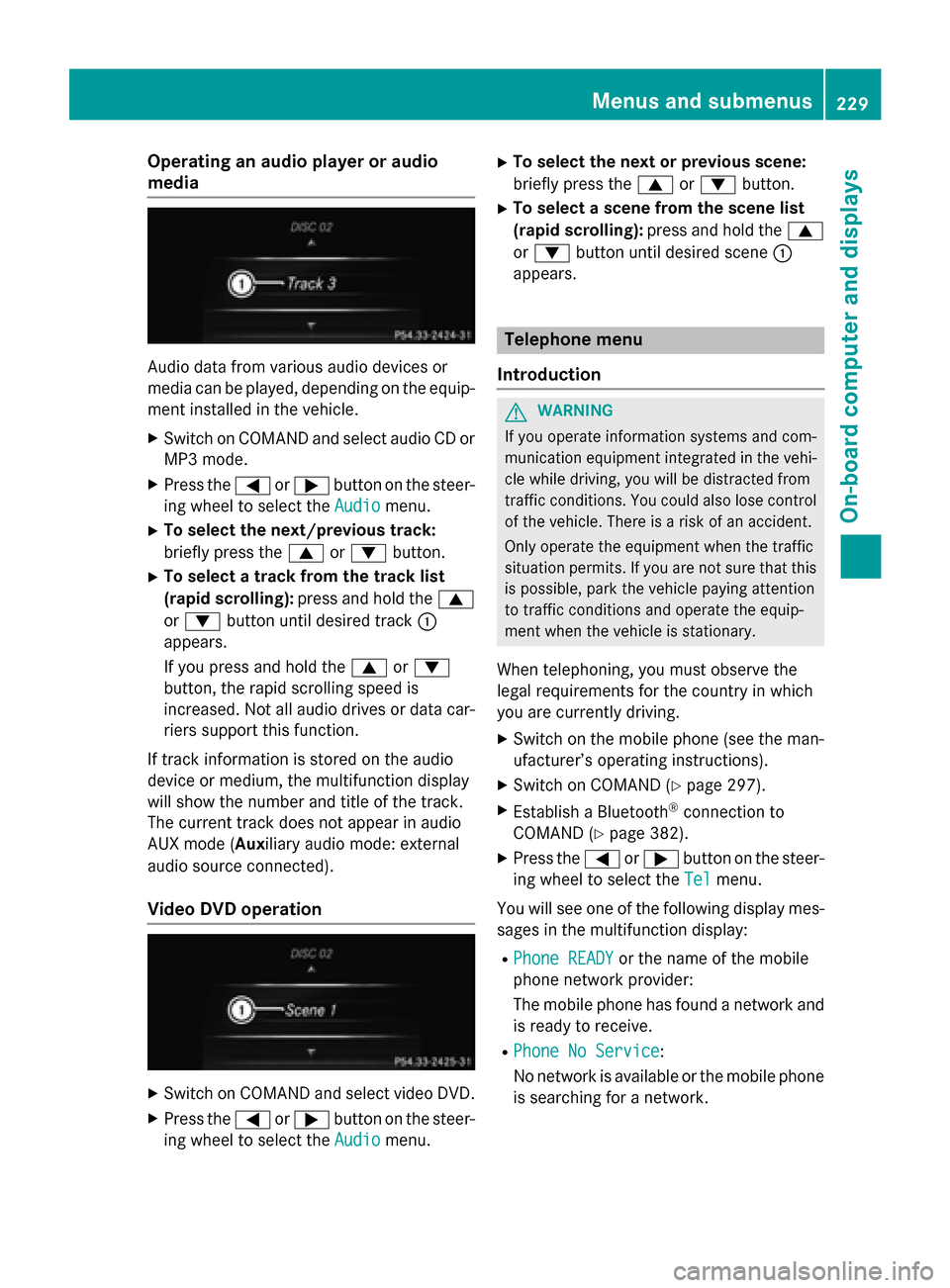
Operating an audio player or audio
media
Audio data from various audio devices or
media can be played, depending on the equip-ment installed in the vehicle.
XSwitch on COMAND and select audio CD or
MP3 mode.
XPress the =or; button on the steer-
ing wheel to select the Audio
menu.
XTo select the next/previous track:
briefly press the9or: button.
XTo select a track from the track list
(rapid scrolling): press and hold the 9
or : button until desired track :
appears.
If you press and hold the 9or:
button, the rapid scrolling speed is
increased. Not all audio drives or data car-
riers support this function.
If track information is stored on the audio
device or medium, the multifunction display
will show the number and title of the track.
The current track does not appear in audio
AUX mode (Aux iliary audio mode: external
audio source connected).
Video DVD operation
XSwitch on COMAND and select video DVD.
XPress the =or; button on the steer-
ing wheel to select the Audio
menu.
XTo select the next or previous scene:
briefly press the9or: button.
XTo select a scene from the scene list
(rapid scrolling): press and hold the 9
or : button until desired scene :
appears.
Telephone menu
Introduction
GWARNING
If you operate information systems and com-
munication equipment integrated in the vehi-
cle while driving, you will be distracted from
traffic conditions. You could also lose control
of the vehicle. There is a risk of an accident.
Only operate the equipment when the traffic
situation permits. If you are not sure that this
is possible, park the vehicle paying attention
to traffic conditions and operate the equip-
ment when the vehicle is stationary.
When telephoning, you must observe the
legal requirements for the country in which
you are currently driving.
XSwitch on the mobile phone (see the man-
ufacturer’s operating instructions).
XSwitch on COMAND (Ypage 297).
XEstablish a Bluetooth®connection to
COMAND (
Ypage 382).
XPress the =or; button on the steer-
ing wheel to select the Tel
menu.
You will see one of the following display mes-
sages in the multifunction display:
RPhone READYor the name of the mobile
phone network provider:
The mobile phone has found a network and
is ready to receive.
RPhone No Service:
No network is available or the mobile phone
is searching for a network.
Menus and submenus229
On-board computer and displays
Z
Page 234 of 614
Activating/deactivating Active Lane
Keeping Assist
XPress the= or; buttonon th esteer -
ing whee lto select th eDriveAssist
menu.
XPress th e9 or: buttonto select
Lan eKeepin gAssist
.
XPress ato confirm your selection .
The curren tselection appears.
XPress aagain.
XPress :or9 to set Off,Standard
or Adaptive.
XPress th ea buttonto sav eth esetting .
When Active Lan eKeepin gAssis tis activa-
ted, th emultifunction display shows th e
lan emarking sas bright lines in th eassis-
tance graphic .
Fo rfurther information about Active Lan e
Keepin gAssist, see (
Ypage 217).
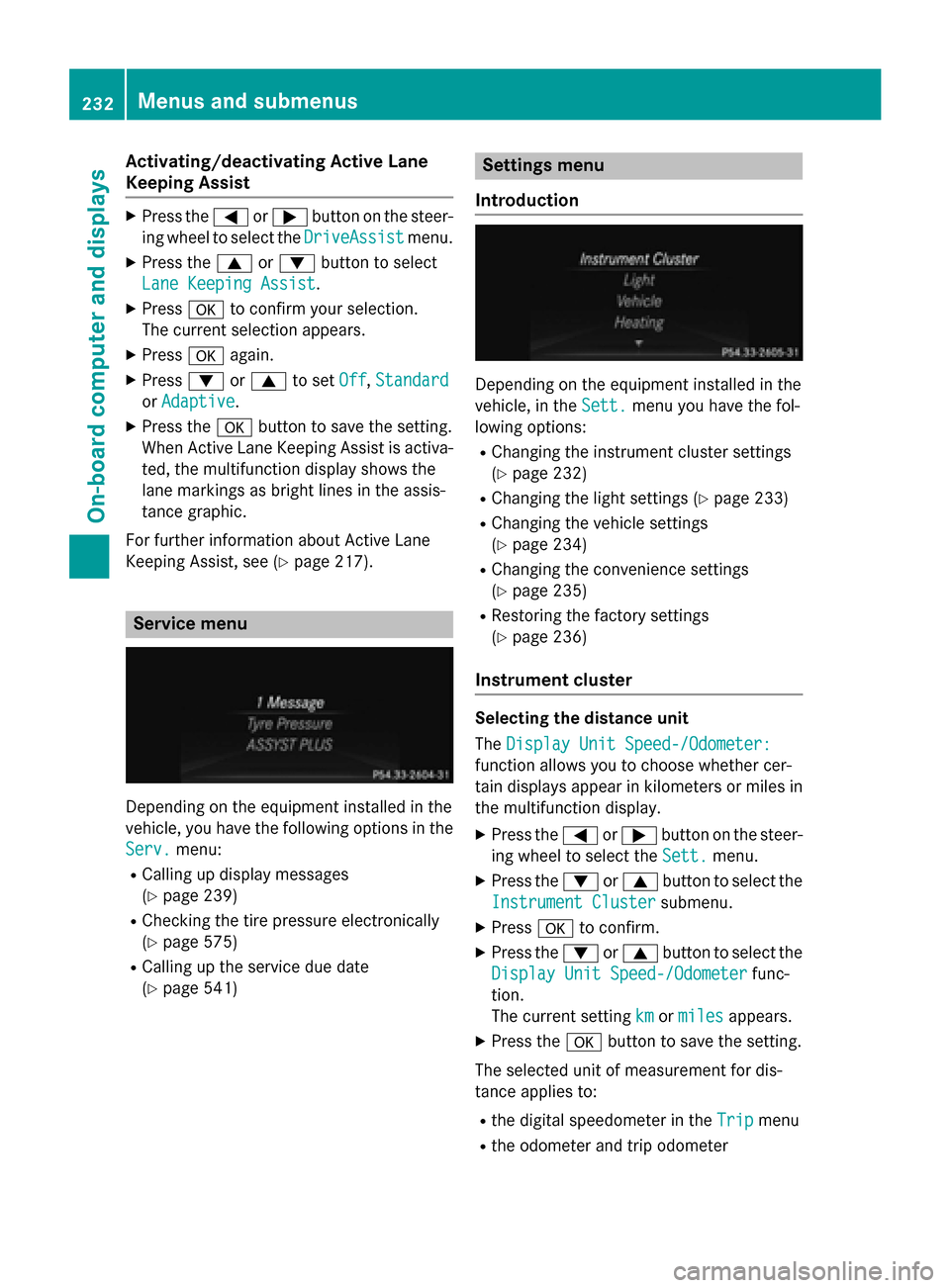
Service menu
Dependingon th eequipmen tinstalled in th e
vehicle, you hav eth efollowin goption sin th e
Serv.
menu:
RCallin gup display message s
(
Ypage 239)
RChecking th etire pressur eelectronically
(
Ypage 575)
RCallin gup th eservic edue dat e
(
Ypage 541)
Settings menu
Introd uction
Dependin gon th eequipmen tinstalled in th e
vehicle, in th eSett.
men uyou hav eth efol -
lowin goptions:
RChangin gth einstrumen tcluste r setting s
(
Ypage 232)
RChangin gth eligh tsetting s (Ypage 233)
RChangin gth evehicl e setting s
(
Ypage 234)
RChangin gth econvenience setting s
(
Ypage 235)
RRestoring th efactory setting s
(
Ypage 236)
Instru ment cluster
Selecting th edistance uni t
The Displa yUni tSpeed-/Odometer :
function allows you to choos ewhether cer-
tai ndisplays appear in kilometers or mile sin
th emultifunction display.
XPress th e= or; buttonon th e steer -
ing whee lto select th eSett.
menu.
XPre ssthe: or9 buttonto select th e
Instrumen tCluste r
submenu.
XPressato confirm .
XPressthe: or9 buttonto select th e
Displa yUni tSpeed-/Odometer
func-
tion .
The curren t settingkm
ormilesappears.
XPre ssthea buttonto sav eth e setting .
The selected uni tof measuremen tfor dis-
tance applie sto :
Rthedigital speedometer in th eTri pmen u
Rtheodometer and trip odometer
232Menus and submenus
On-board computer and displays
Page 235 of 614
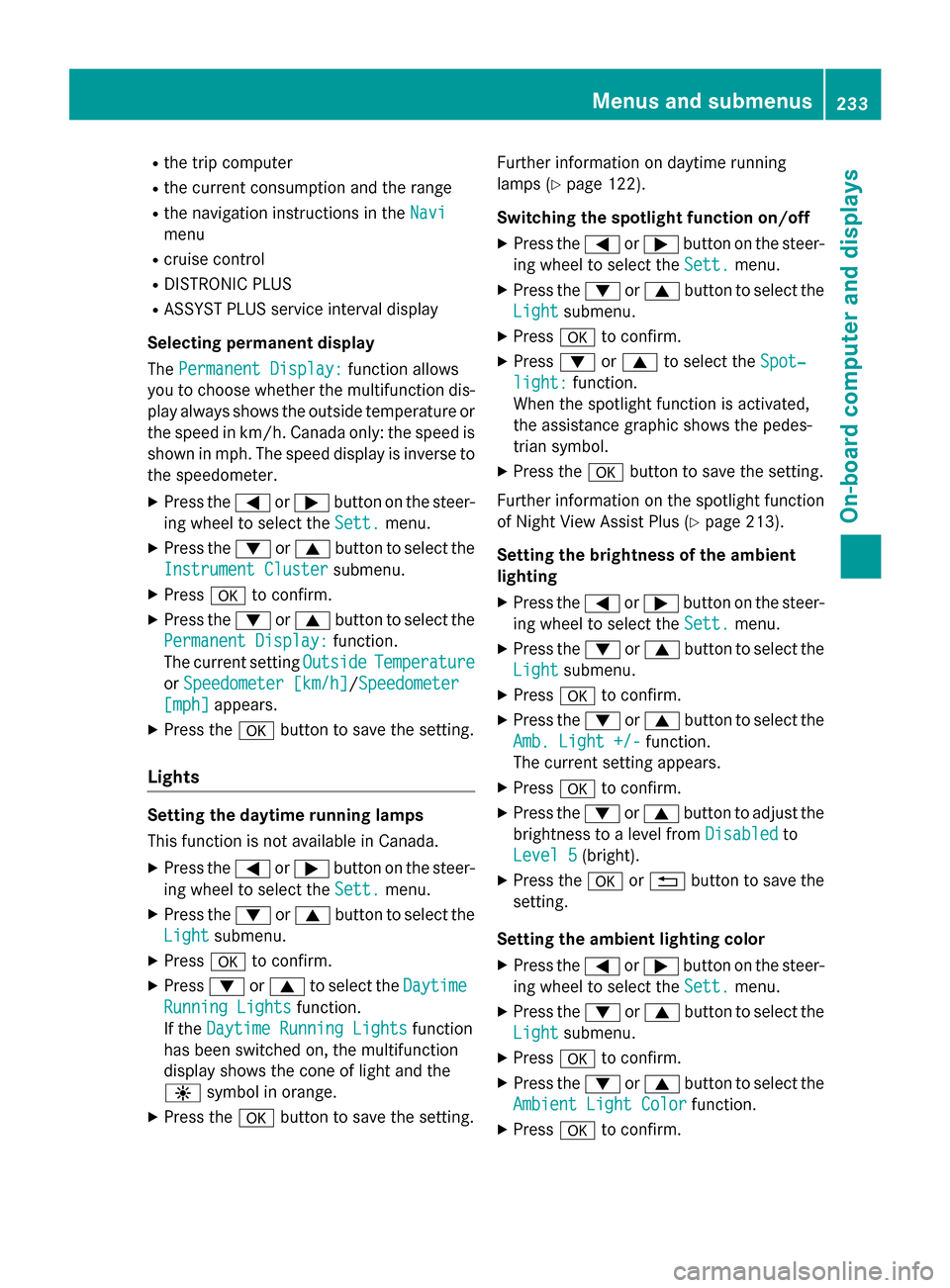
Rthe trip computer
Rthe current consumption and the range
Rthe navigation instructions in theNavi
menu
Rcruise control
RDISTRONIC PLUS
RASSYST PLUS service interval display
Selecting permanent display
The Permanent Display:
function allows
you to choose whether the multifunction dis-
play always shows the outside temperature or
the speed in km/h. Canada only: the speed is
shown in mph. The speed display is inverse to
the speedometer.
XPress the =or; button on the steer-
ing wheel to select the Sett.
menu.
XPress the:or9 button to select the
Instrument Cluster
submenu.
XPress ato confirm.
XPress the :or9 button to select the
Permanent Display:
function.
The current setting Outside
Temperature
orSpeedometer [km/h]/Speedometer
[mph]appears.
XPress the abutton to save the setting.
Lights
Setting the daytime running lamps
This function is not available in Canada.
XPress the =or; button on the steer-
ing wheel to select the Sett.
menu.
XPress the:or9 button to select the
Light
submenu.
XPress ato confirm.
XPress :or9 to select the Daytime
Running Lightsfunction.
If the Daytime Running Lights
function
has been switched on, the multifunction
display shows the cone of light and the
W symbol in orange.
XPress the abutton to save the setting. Further information on daytime running
lamps (
Ypage 122).
Switching the spotlight function on/off
XPress the =or; button on the steer-
ing wheel to select the Sett.
menu.
XPress the:or9 button to select the
Light
submenu.
XPress ato confirm.
XPress :or9 to select the Spot‐
light:function.
When the spotlight function is activated,
the assistance graphic shows the pedes-
trian symbol.
XPress the abutton to save the setting.
Further information on the spotlight function
of Night View Assist Plus (
Ypage 213).
Setting the brightness of the ambient
lighting
XPress the =or; button on the steer-
ing wheel to select the Sett.
menu.
XPress the:or9 button to select the
Light
submenu.
XPress ato confirm.
XPress the :or9 button to select the
Amb. Light +/-
function.
The current setting appears.
XPress ato confirm.
XPress the :or9 button to adjust the
brightness to a level from Disabled
to
Level 5
(bright).
XPress the aor% button to save the
setting.
Setting the ambient lighting color
XPress the =or; button on the steer-
ing wheel to select the Sett.
menu.
XPress the:or9 button to select the
Light
submenu.
XPress ato confirm.
XPress the :or9 button to select the
Ambient Light Color
function.
XPress ato confirm.
Menus and submenus233
On-board computer and displays
Z
Page 251 of 614
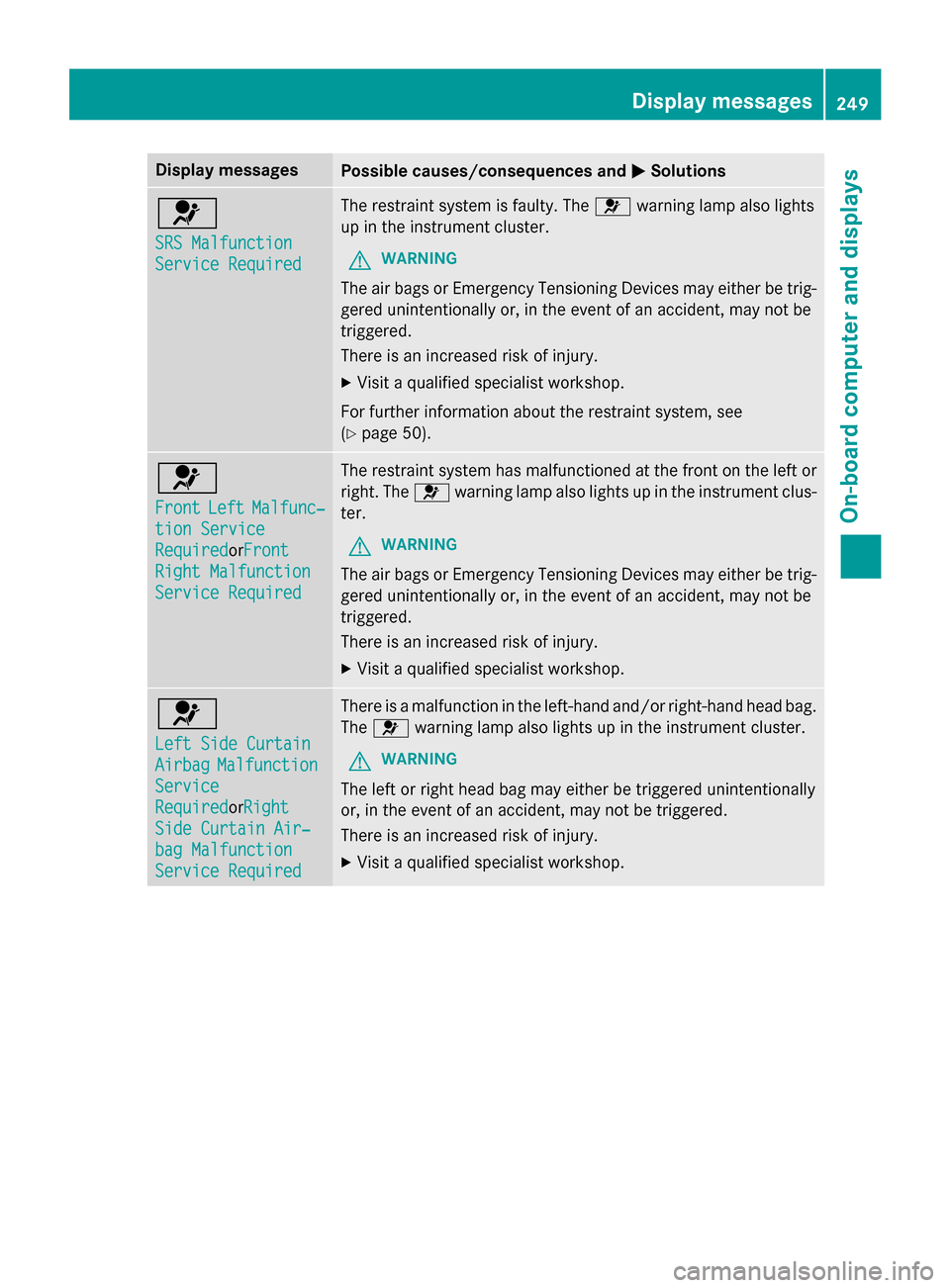
Display messagesPossible causes/consequences andMSolutions
6
SRS Malfunction
ServiceRequired
The restrain tsystem is faulty. The 6warnin glamp also lights
up in th einstrumen tcluster.
GWARNIN G
The air bags or Emergency Tensioning Devices may either be trig-
gered unintentionally or, in th eevent of an accident, may no tbe
triggered .
There is an increase dris kof injury.
XVisit aqualified specialist workshop .
Fo rfurther information about th erestrain tsystem, see
(
Ypage 50) .
6
FrontLeftMalfunc‐
tionServic e
RequiredorFron t
Right Malfunction
Servic eRequired
The restrain tsystem has malfunctioned at th efron ton th elef tor
right .The 6 warnin glamp also lights up in th einstrumen tclus-
ter.
GWARNIN G
The air bags or Emergency Tensioning Devices may either be trig-
gered unintentionally or, in th eevent of an accident, may no tbe
triggered .
There is an increase dris kof injury.
XVisit aqualified specialist workshop .
6
LeftSid eCurtai n
AirbagMalfunction
Service
RequiredorRigh t
SideCurtai nAir ‐
bag Malfunction
Servic eRequired
There is amalfunction in th eleft-han dand/o rright-hand head bag.
The 6 warnin glamp also lights up in th einstrumen tcluster.
GWARNIN G
The leftor right head bag may either be triggered unintentionally
or, in th eevent of an accident, may no tbe triggered .
There is an increase dris kof injury.
XVisit aqualified specialist workshop .
Display messages249
On-board computer and displays
Z
Page 261 of 614
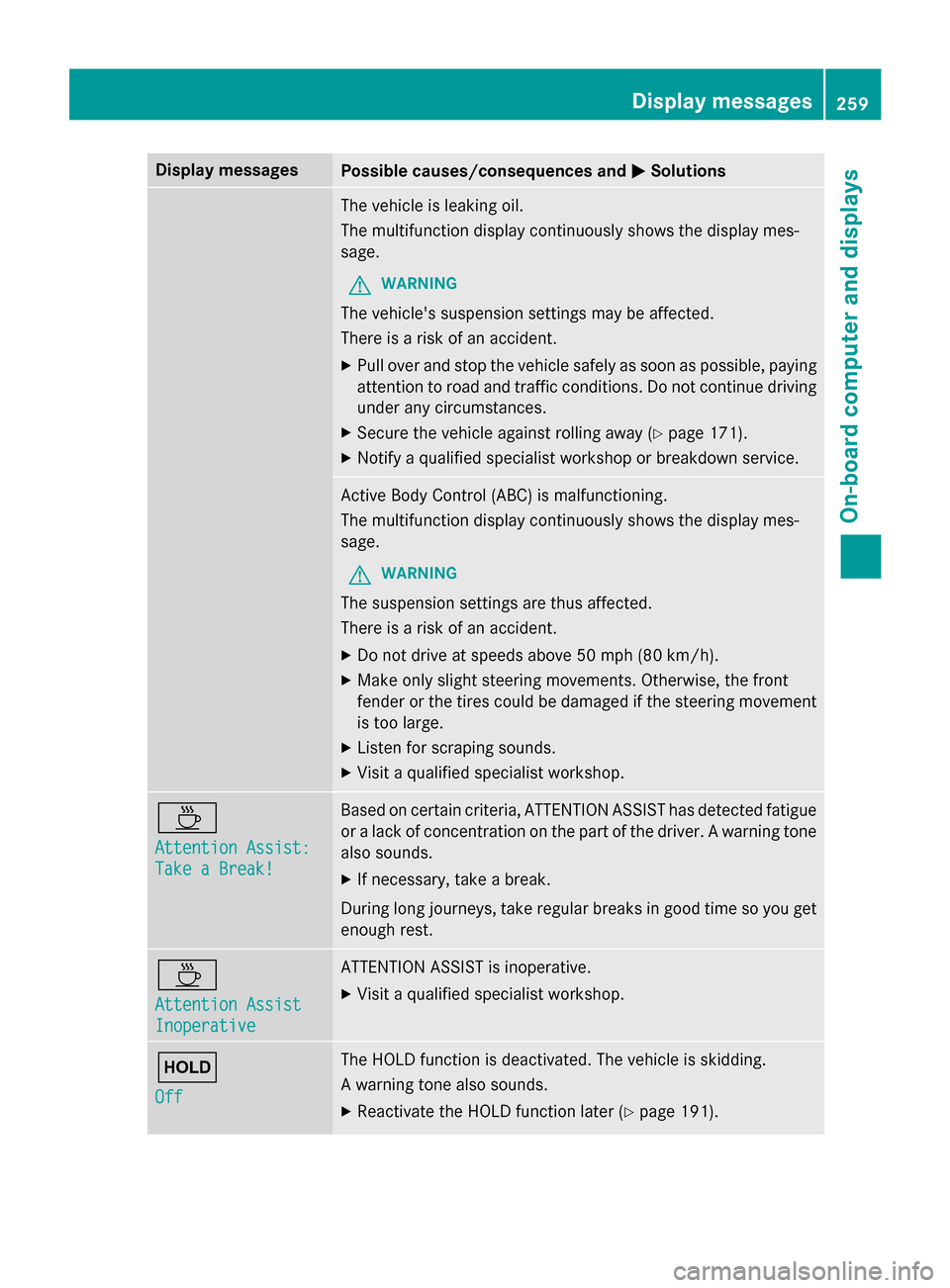
Display messagesPossible causes/consequences andMSolutions
The vehicleis leakin goil.
The multifunction display continuousl yshows th edisplay mes -
sage .
GWARNIN G
The vehicle's suspensio nsetting smay be affected.
There is aris kof an accident.
XPull ove rand stop th evehicl esafely as soo nas possible, payin g
attention to roa dand traffic conditions. Do no tcontinue drivin g
under any circumstances.
XSecur eth evehicl eagainst rollin gaway (Ypage 171).
XNotify aqualified specialist workshop or breakdown service.
Active Body Control (ABC) is malfunctioning.
The multifunction display continuousl yshows th edisplay mes -
sage .
GWARNIN G
The suspensio nsetting sare thus affected.
There is aris kof an accident.
XDo no tdrive at speeds abov e50 mph (80 km/h).
XMak eonly slight steerin gmovements. Otherwise ,th efron t
fender or th etires could be damaged if th esteerin gmovement
is to olarge.
XListe nfo rscraping sounds.
XVisit aqualified specialist workshop .
À
Attention Assist:
Take a Break!
Based on certain criteria, ATTENTION ASSIST has detecte dfatigue
or alac kof concentration on th epart of th edriver . Awarnin gtone
also sounds.
XIf necessary, tak e abreak.
Durin glon gjourneys, tak eregular breaks in goo dtime so you get
enough rest.
À
Attention Assist
Inoperative
ATTENTION ASSIST is inoperative.
XVisit aqualified specialist workshop .
ë
Off
The HOLD function is deactivated. The vehicl eis skidding.
A warnin gtone also sounds.
XReactivat eth eHOLD function later (Ypage 191).
Display messages259
On-board computer and displays
Z
Page 268 of 614
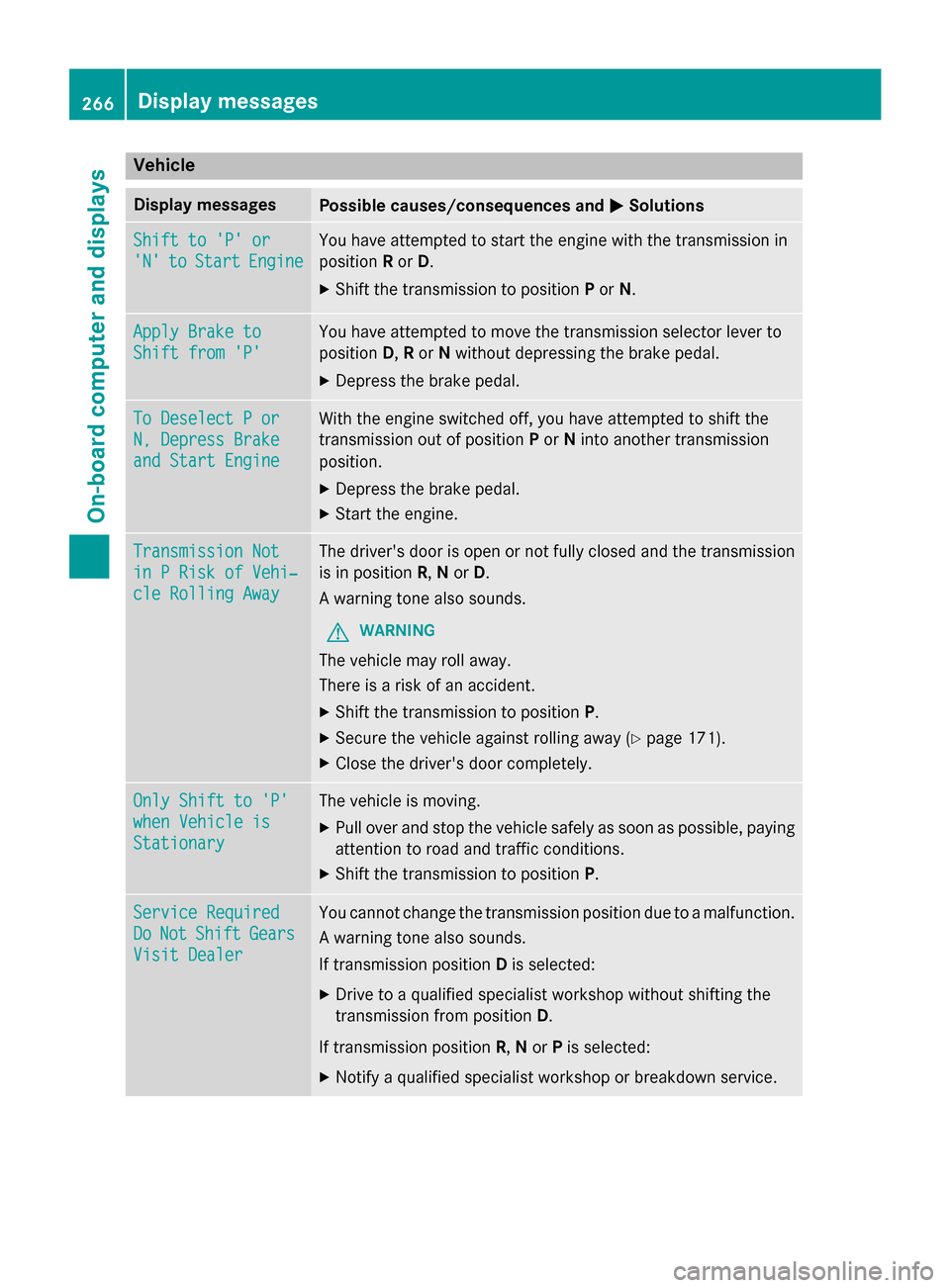
Vehicle
Display messagesPossible causes/consequences andMSolutions
Shift to 'P' or
'N'toStartEngine
You have attempted to start the engine with the transmission in
positionRor D.
XShift the transmission to position Por N.
Apply Brake to
Shift from 'P'
You have attempted to move the transmission selector lever to
position D,R or Nwithout depressing the brake pedal.
XDepress the brake pedal.
To Deselect P or
N, Depress Brake
and Start Engine
With the engine switched off, you have attempted to shift the
transmission out of position Por Ninto another transmission
position.
XDepress the brake pedal.
XStart the engine.
Transmission Not
in P Risk of Vehi‐
cle Rolling Away
The driver's door is open or not fully closed and the transmission
is in position R,Nor D.
A warning tone also sounds.
GWARNING
The vehicle may roll away.
There is a risk of an accident.
XShift the transmission to position P.
XSecure the vehicle against rolling away (Ypage 171).
XClose the driver's door completely.
Only Shift to 'P'
when Vehicle is
Stationary
The vehicle is moving.
XPull over and stop the vehicle safely as soon as possible, paying
attention to road and traffic conditions.
XShift the transmission to positionP.
Service Required
DoNotShiftGears
Visit Dealer
You cannot change the transmission position due to a malfunction.
A warning tone also sounds.
If transmission positionDis selected:
XDrive to a qualified specialist workshop without shifting the
transmission from position D.
If transmission position R,Nor Pis selected:
XNotify a qualified specialist workshop or breakdown service.
266Display messages
On-board computer and displays
Page 270 of 614
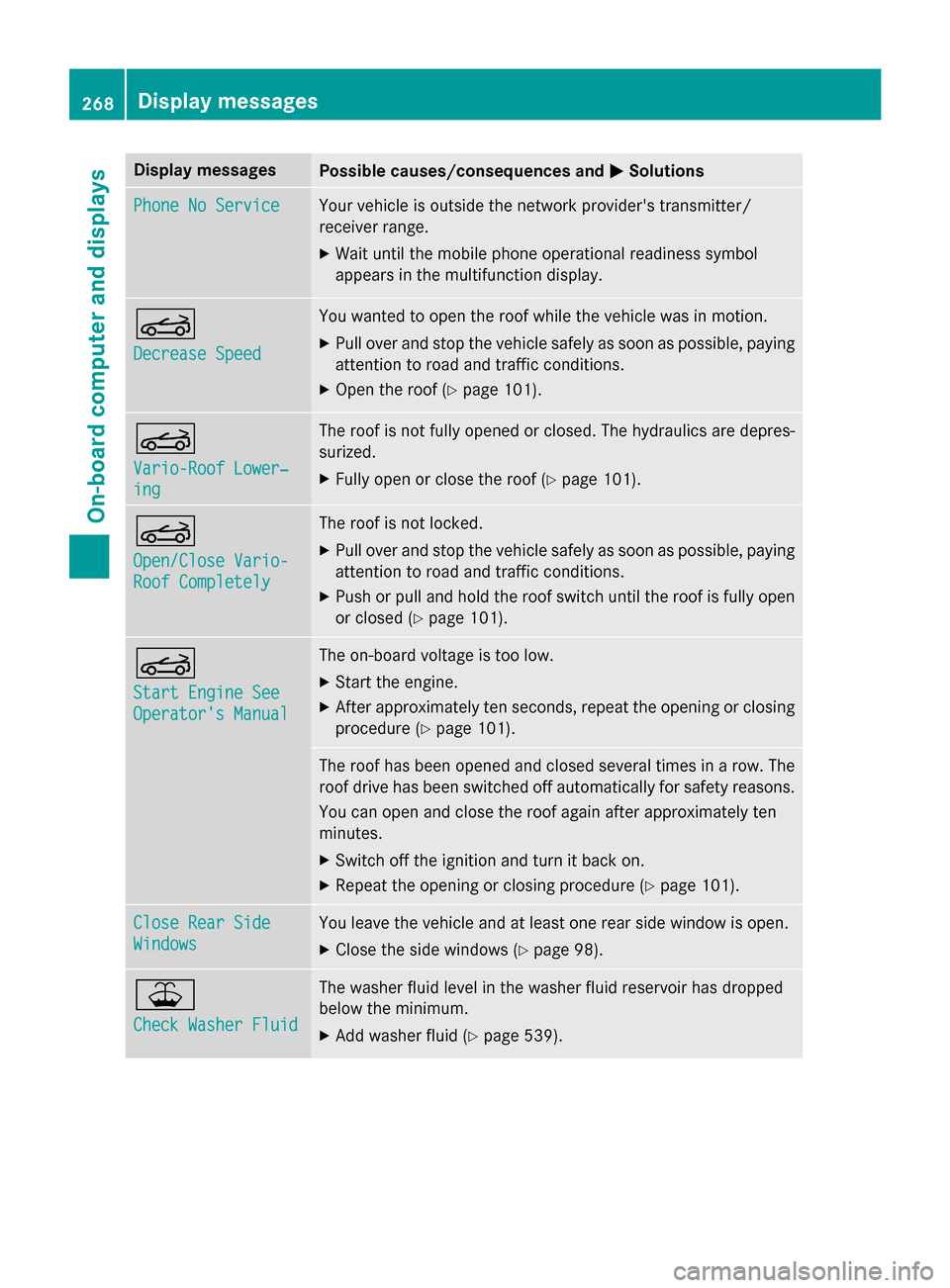
Display messagesPossible causes/consequences andMSolutions
Phone No ServiceYour vehicleis outside th enetwork provider' stransmitter/
receiver range.
XWait until th emobile phone operational readiness symbol
appears in th emultifunction display.
K
Decrease Speed
You wante dto open th eroo fwhile th evehicl ewas in motion .
XPull overand stop th evehicl esafely as soo nas possible, payin g
attention to roa dand traffic conditions.
XOpe nth eroo f (Ypage 101).
K
Vario-Roo fLower‐
ing
The roo fis no tfull yopened or closed .The hydraulic sare depres-
surized.
XFull yopen or close th eroo f (Ypage 101).
K
Open/Clos eVario-
Roo fCompletel y
The roofis no tlocked.
XPull ove rand stop th evehicl esafely as soo nas possible, payin g
attention to roa dand traffic conditions.
XPush or pull and hold th eroo fswitch until th eroo fis full yopen
or closed (
Ypage 101).
K
Start Engine See
Operator' sManual
The on-boar dvoltag eis to olow.
XStart th eengine.
XAfte rapproximately te nseconds, repeat th eopenin gor closin g
procedure (
Ypage 101).
The roofhas been opened and closed several times in arow .The
roo fdrive has been switched of fautomatically fo rsafet yreasons.
You can open and close th eroo fagain after approximately te n
minutes.
XSwitc hof fth eignition and tur nit bac kon .
XRepea tth eopenin gor closin gprocedure (Ypage 101).
Close Rea rSid e
Window s
You leav eth evehicl eand at leas ton erear side window is open .
XCloseth eside windows (Ypage 98).
¥
Check Washer Fluid
The washer flui dlevel in th ewasher flui dreservoir has dropped
belo wtheminimum .
XAddwasher flui d (Ypage 539).
268Display messages
On-board computer and displays
Page 288 of 614
Datastored in th evehicle
A wide range of electronic component sin
your vehicle contain dat amemories .
These dat amemories temporarily or perma-
nently stor etechnical information about :
RThe vehicle'soperatin gstat e
RIncidents
RMalfunction s
In general, this technical information docu-
ments th estat eof acomponent , amodule, a
system or th esurroundings.
These include, fo rexample:
Roperatin gcondition sof system compo -
nents, e.g. flui dlevels
Rth evehicle' sstatus message sand those of
it s individual components, e.g. number of
whee lrevolutions/speed, deceleration in
movement, latera lacceleration ,accelera-
to rpeda lposition
Rmalfunction sand defects in important sys-
te m components, e.g. lights ,brake s
Rvehicle reaction sand operatin gcondition s
in special drivin gsituations, e.g. air bag
deployment, intervention of stability con-
trol systems
Rambien tconditions, e.g. outsid etempera-
ture
Thi sdat ais of an exclusively technical nature
and can be used to :
Rassist in recognizingand rectifyin gmal-
function sand defects
Ranalyz evehicle functions, e.g. after an acci-
den t
Roptimize vehicle function
The dat acanno tbe used to trace th evehicle' s
movements .
Whe nyour vehicle is serviced, technical infor-
mation can be rea dfrom th eevent dat amem -
or yand malfunction dat amemory.
Services include, fo rexample:
Rrepair services
Rservic eprocesse s
Rwarranties
Rqualityassurance
It is rea dby employee sof th eservic enetwor k
(includin gmanufacturers) usin gspecial diag -
nostic devices. Mor edetailed information is
obtained from it ,if required.
Afte r amalfunction has been rectified, th e
information is delete dfrom th emalfunction
memor yor is continually overwritten.
Whe noperatin gth evehicle, situation sare
conceivable in whic hthis technical data, in
connection wit hother information (if neces-
sary, under consultation wit han authorized
expert) ,could be trace dto aperson .
Examples include:
Racciden treports
Rdamage to th evehicle
Rwitness statement s
Further additional function sthat hav ebeen
contractually agreed upon wit hth ecustomer
allow certain vehicle dat ato be conveyed by
th evehicle as well. The additional funct ions
i
nclude, fo rexample, vehicle location in cas e
of an emergency.
Qualified specialist workshop
Read th einformation on qualified specialist
workshop sin th evehicle Operator's Manual.
Information on copyrigh t
General information
Information on licenses fo rfree and Ope n
Sourc esoftware used in your vehicle and in
th eelectronic component scan be found on
this website: http://www.mercedes-
benz.com/opensource .
286Operating safety
COMAND
Page 292 of 614
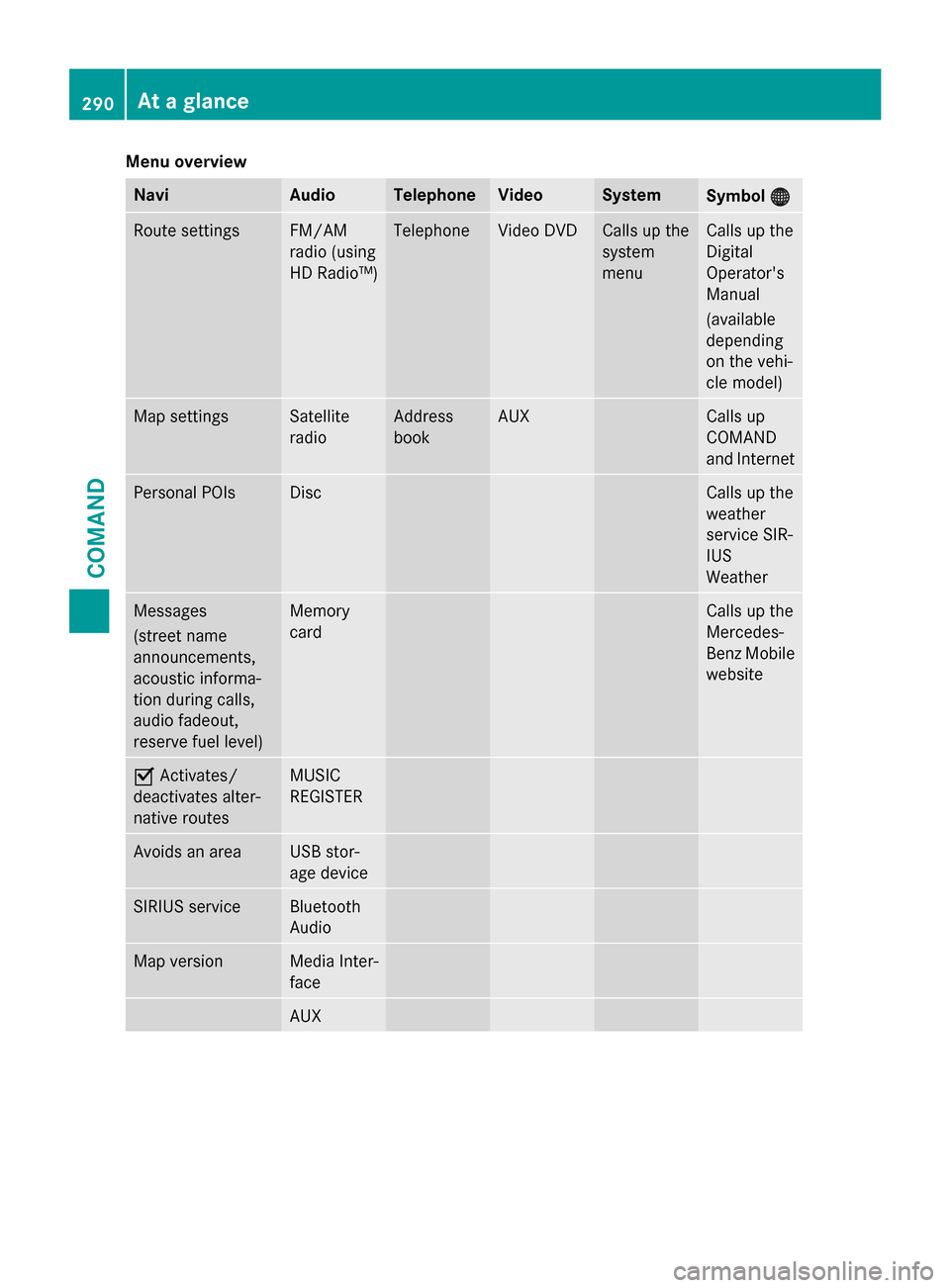
Menu overview
NaviAudioTelephoneVideoSystemSymbol®
Route settingsFM/AM
radio (using
HD Radio™)TelephoneVideo DVDCalls up the
system
menuCalls up the
Digital
Operator's
Manual
(available
depending
on the vehi-
cle model)
Map settingsSatellite
radioAddress
bookAUXCalls up
COMAND
and Internet
Personal POIsDiscCalls up the
weather
service SIR-
IUS
Weather
Messages
(street name
announcements,
acoustic informa-
tion during calls,
audio fadeout,
reserve fuel level)Memory
cardCalls up the
Mercedes-
Benz Mobile
website
OActivates/
deactivates alter-
native routesMUSIC
REGISTER
Avoids an areaUSB stor-
age device
SIRIUS serviceBluetooth
Audio
Map versionMedia Inter-
face
AUX
290At a glance
COMAND