phone MERCEDES-BENZ SL-Class 2016 R231 Service Manual
[x] Cancel search | Manufacturer: MERCEDES-BENZ, Model Year: 2016, Model line: SL-Class, Model: MERCEDES-BENZ SL-Class 2016 R231Pages: 614, PDF Size: 15.67 MB
Page 312 of 614
XSelectSet Time Manuallyand press W
to confirm.
XSet the time by turning cVdthe COMAND
controller and press Wto confirm.
The time is accepted.
Text reader settings
XPress the Wbutton.
XSelect Systemby turning cVdthe
COMAND controller and press Wto con-
firm.
XSelect Text Reader Speedand press W
to confirm.
A list appears. The #dot indicates the cur-
rent setting.
XSelect a setting by turning cVdthe
COMAND controller and press Wto con-
firm.
Voice Control System settings
Opening/closing the help window
The help window provides information in addi-
tion to the audible instructions during indi-
vidualization and during the subsequent voice
control.
XPress W.
XSelect Systemby turning cVdthe
COMAND controller and press Wto con-
firm.
XSelect Voice Controland press Wto
confirm.
XSelect Help Windowand press Wto con-
firm.
You have switched the help window on O
or off ª.
Individualization
Using individualization, you can fine-tune the
Voice Control System to your own voice and thus improve voice recognition. See the sep-
arate operating instructions.
Bluetooth®settings
General information about Bluetooth
®
Bluetooth®-capable devices, e.g. mobile
phones, have to comply with a certain profile
in order to be connected to COMAND. Every
Bluetooth
®device has its own specific Blue-
tooth®name.
Bluetooth
®technology is a standard for
short-range wireless data transmissions up to
approximately 10 meters. Bluetooth
®allows,
for example, the exchange of vCards.
Bluetooth®is a registered trademark of Blue-
tooth Special Interest Group (SIG) Inc.
Activating/deactivating Bluetooth®
XPress W.
The system menu appears.
XSelect Settingsby turning cVdthe
COMAND controller and press Wto con-
firm.
XSelect ActivateBluetoothand press W
to confirm.
This switches Bluetooth
®on O or off ª.
Setting the system language
This function allows you to determine the lan-
guage for the menu displays and the naviga-
tion announcements. The selected language
affects the characters available for entry.
The navigation announcements are not avail-
able in all languages. If a language is not avail-
310System settings
COMAND
Page 323 of 614
COMAND can give incorrect navigation com-
mands if the actual street/traff icsituation
does not correspond with the digital map's
data. Dig ital maps donot cover all areas nor
all routes inan area. For example, a route may
have been diverted or the direction of a one-
way street may have changed.
For th isreason, you must always observe
road and traff icrules and regulations during
your journey. Road and traffic rules and reg-
ulations always have priority over the sys-
tem's driving recommendations.
Navigation announcements are intended to
dire ct you whiledriving without diverting your
attention from the road and driving.
Please always use this feature instead of con-
sulting the map display for directions. Look-
ing at the icons or map display can distract
you from traffic cond itions and driving, and
increase the risk of an accident.
General notes
Operational readiness of the navigation
system
The navigation system must determine the
position of the vehicle before first use or
whenever operational status isrestored.
Therefore, you may have to drive for a while
before precise route guidance ispossible.
GPS reception
Among other things, correct functioning of
the navigation system depends on GPS recep-
tion. Incertain situations, GPS reception may
be impaired, there may beinterference or
there may beno reception at all,e.g. in tun-
ne lsor parking garages.
iUsing roof carriers may impair the correct
functioning of a roof antenna (phone, sat-
ellit e radio, GPS).
Entry restriction
On veh icles for certain countries, there isa
restriction on entering data.
The restriction isactive from a vehicle speed
of above approximately 3 mph (5 km/h).As soon as the speed falls below approximately
2 mph (3 km/h), the restriction becomes
inactive.
When the restriction is active, certain entries
cannot be made. This will be indicated by the
fact that certain menu items are grayed out
and cannot be selected.
The following entries are not possible, for
example:
Rentering the destination city and street
Rentering a destination via the map
Rentering POIs in the vicinity of a city or via a
name search
Rediting entries
Rusing the number keypad for direct entry
Other entries are possible, such as entering
points of interest in the vicinity of the desti-
nation or current position.
Switching to navigation mode
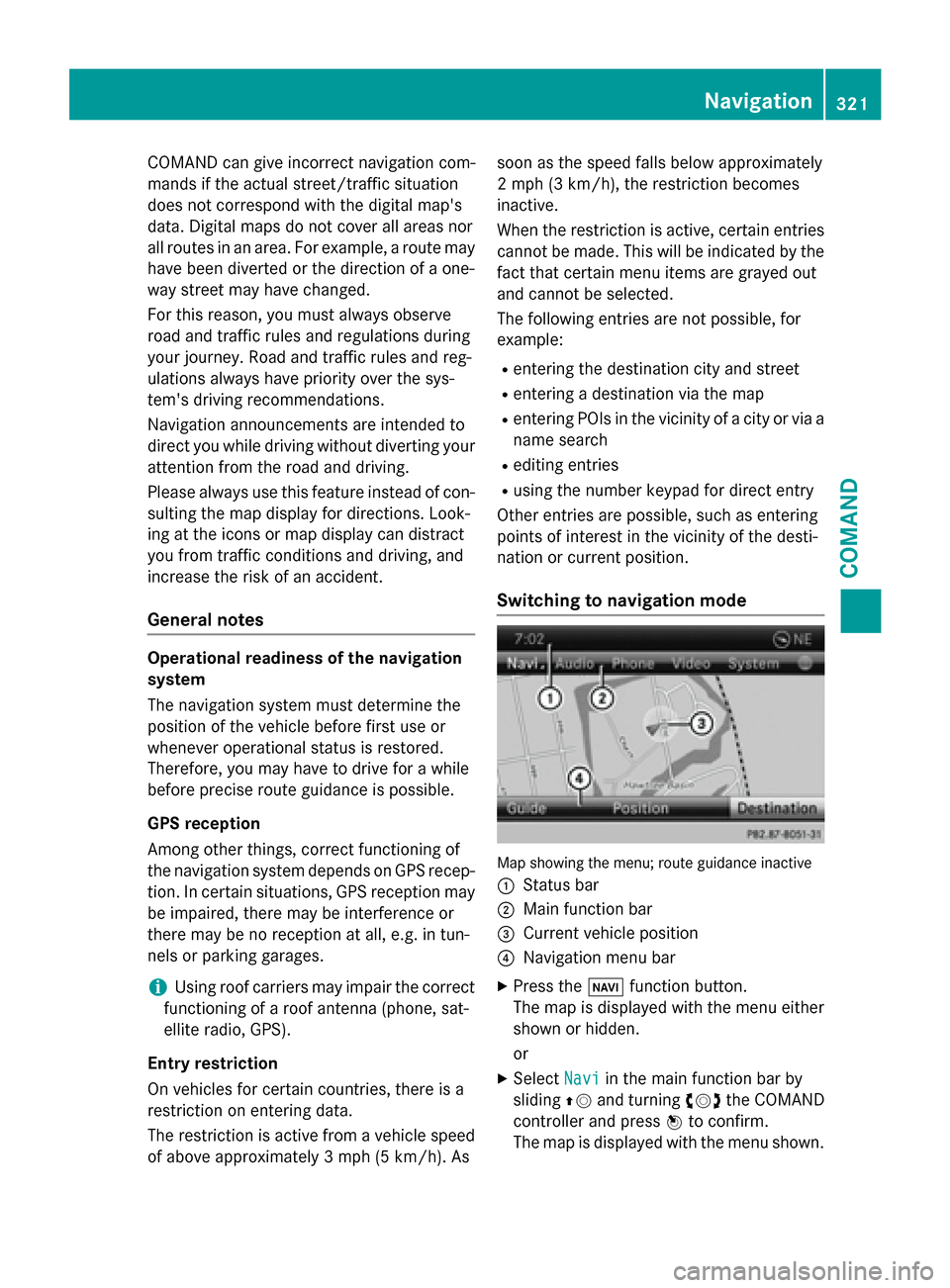
Map showing the menu; route guidance inactive
:
Status bar
;Main function bar
=Current vehicle position
?Navigation menu bar
XPress the Øfunction button.
The map is displayed with the menu either
shown or hidden.
or
XSelect Naviin the main function bar by
sliding ZVand turning cVdthe COMAND
controller and press Wto confirm.
The map is displayed with the menu shown.
Navigation321
COMAND
Z
Page 337 of 614
XTo accept the way point:confirmOKby
pressing W.
Once you have accepted the way point, it is entered in the way point menu.
XTo display the details: selectDetailsby
turning cVdthe COMAND controller and
press Wto confirm.
XTo make a call: selectCallwith the
COMAND controller and press Wto con-
firm. COMAND switches to telephone
mode (
Ypage 389).
iThis menu item is available if the way
point has a telephone number and if a
mobile phone is connected to COMAND
(
Ypage 383).
XTo call up the map: selectMapwith the
COMAND controller and press Wto con-
firm.
XYou can move the map and select the des-
tination.
XTo store the way point in the destina-
tion memory: selectPresets
with the
COMAND controller and press Wto con-
firm (
Ypage 364).
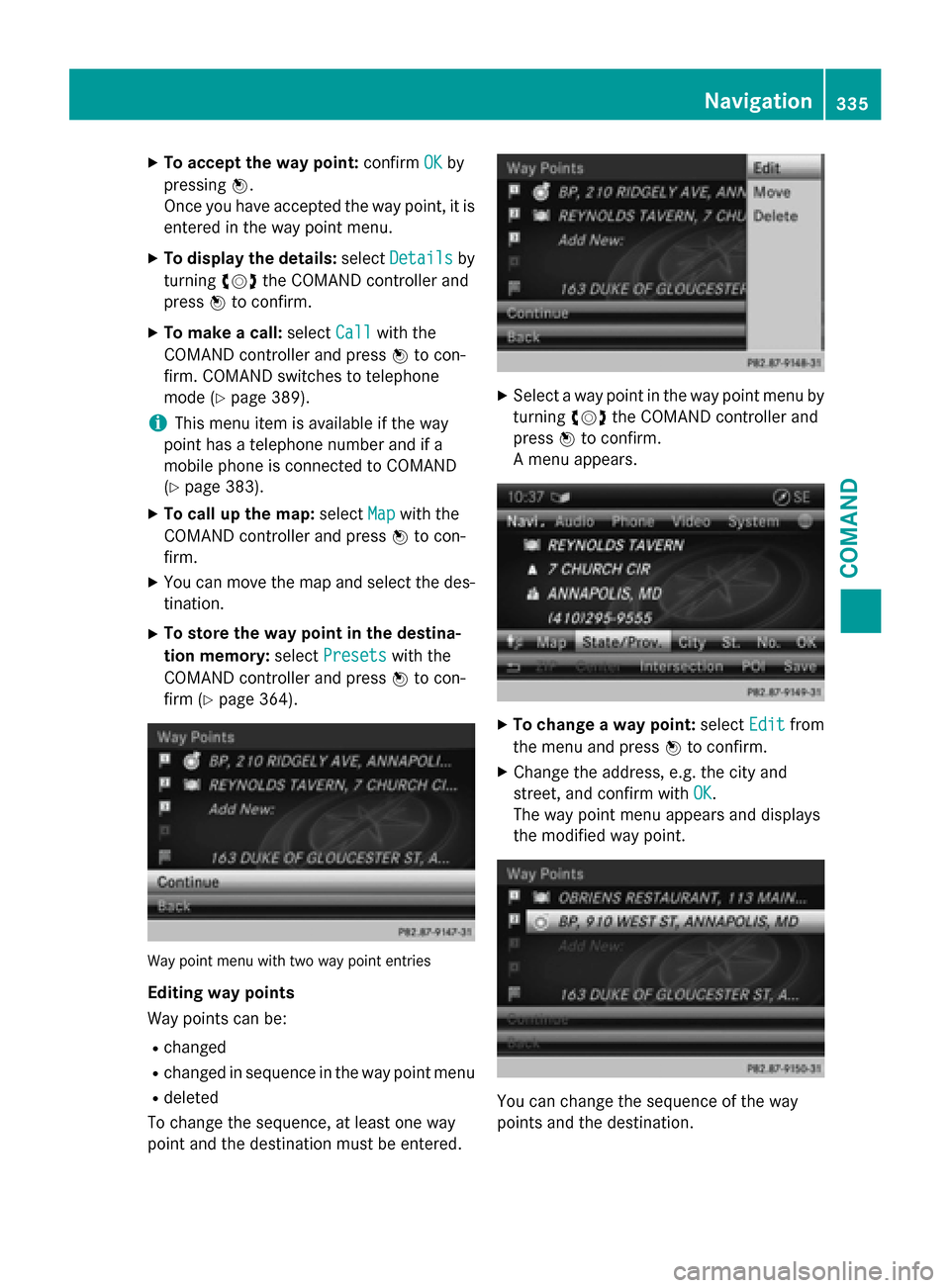
Way point menu with two way point entries
Editing way points
Way points can be:
Rchanged
Rchanged in sequence in the way point menu
Rdeleted
To change the sequence, at least one way
point and the destination must be entered.
XSelect a way point in the way point menu by
turning cVdthe COMAND controller and
press Wto confirm.
A menu appears.
XTo change a way point: selectEditfrom
the menu and press Wto confirm.
XChange the address, e.g. the city and
street, and confirm with OK
.
The way point menu appears and displays
the modified way point.
You can change the sequence of the way
points and the destination.
Navigation335
COMAND
Z
Page 339 of 614
Defining theposition for th ePOI searc h
SelectionCharacteristicInstructions
NearDestina‐
tio n
Entr yis only possible
when rout eguidanc eis
active .XSelectNea rDestinationfrom th ePOI
men uand press Wto confirm .
XSelect aPOI category (Ypage 338).
CurrentPosi‐
tio n
The system looks fo r a
poin tof interes tin th e
vicinit yof th ecurren t
vehicle position .XSelectCurren tPositionin th ePOI
men uand press Wto confirm .
XSelect aPOI category (Ypage 338).
Other CityAfterenterin g acity, th e
system looks fo rth ePOI
within th ecity.Option 1
XSelectOtherCit yin th ePOI men uand
press Wto confirm .
XIf desired, selec tth estate/province
(
Ypage 325).
XEnte rth ecity. Proceed as described in
th e"Entering acity" section
(
Ypage 325).
XSelec t aPOI category (Ypage 338).
Option 2
XEnter acity in th eaddress entr ymen u
(
Ypage 324).
XSelec tPOIand press Wto confirm .
XSelect apoin tof interes tcategory.
Search By Nam eYou can callup all th e
points of interes tin th e
digita lmap or focus your
search on th ethree pre -
viously selecte dposi-
tions.XSelec tSearchByNam ein th ePOI men u
and press Wto confirm .
XSelectAllPOI sor on eof th ethree pre -
viously selecte dpositions.
The POI list wit hcharacte rbar appears .
XProceed as described in th e"POI list wit h
characte rbar "section (
Ypage 339).
SearchByPhone
Number
Thisfunction gives you
access to all POI sthat
hav e a phone number .XSelectSearch By Phone Numberand
press Wto confirm .
You will see alist of phone numbers.
XProceed as described in th e"POI list wit h
characte rbar "section (
Ypage 339).
Navigation337
COMAND
Z
Page 341 of 614
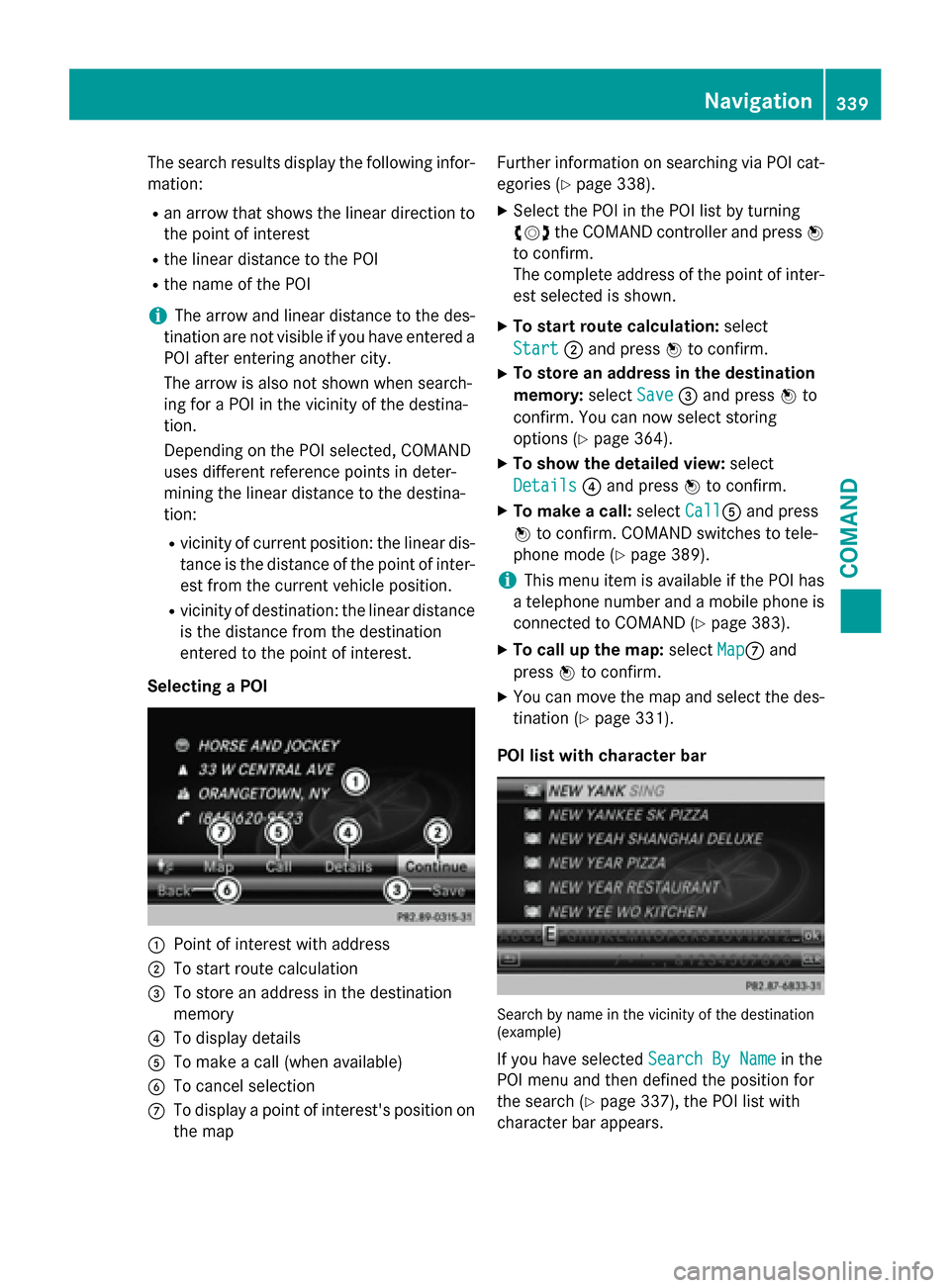
The search results display the following infor-
mation:
Ran arrow that shows the linear direction to
the point of interest
Rthe linear distance to the POI
Rthe name of the POI
iThe arrow and linear distance to the des-
tination are not visible if you have entered a POI after entering another city.
The arrow is also not shown when search-
ing for a POI in the vicinity of the destina-
tion.
Depending on the POI selected, COMAND
uses different reference points in deter-
mining the linear distance to the destina-
tion:
Rvicinity of current position: the linear dis-tance is the distance of the point of inter-
est from the current vehicle position.
Rvicinity of destination: the linear distance
is the distance from the destination
entered to the point of interest.
Selecting a POI
:Point of interest with address
;To start route calculation
=To store an address in the destination
memory
?To display details
ATo make a call (when available)
BTo cancel selection
CTo display a point of interest's position on
the map Further information on searching via POI cat-
egories (
Ypage 338).
XSelect the POI in the POI list by turning
cVd
the COMAND controller and press W
to confirm.
The complete address of the point of inter-
est selected is shown.
XTo start route calculation: select
Start
; and press Wto confirm.
XTo store an address in the destination
memory: selectSave
=and press Wto
confirm. You can now select storing
options (
Ypage 364).
XTo show the detailed view: select
Details
? and press Wto confirm.
XTo make a call: selectCallAand press
W to confirm. COMAND switches to tele-
phone mode (
Ypage 389).
iThis menu item is available if the POI has
a telephone number and a mobile phone is
connected to COMAND (
Ypage 383).
XTo call up the map: selectMapCand
press Wto confirm.
XYou can move the map and select the des-
tination (
Ypage 331).
POI list with character bar
Search by name in the vicinity of the destination
(example)
If you have selected Search By Namein the
POI menu and then defined the position for
the search (
Ypage 337), the POI list with
character bar appears.
Navigation339
COMAND
Z
Page 342 of 614
Depending on your selection, you can select
all available points of interest on the digital
map or the points of interest in the vicinity of
the selected position.
XProceed as described in "Searching for a
phone book entry" (
Ypage 394).
If COMAND can assign the characters
entered to one entry unambiguously, the
address entry appears automatically.
XTo start route calculation: selectStart
and press Wto confirm.
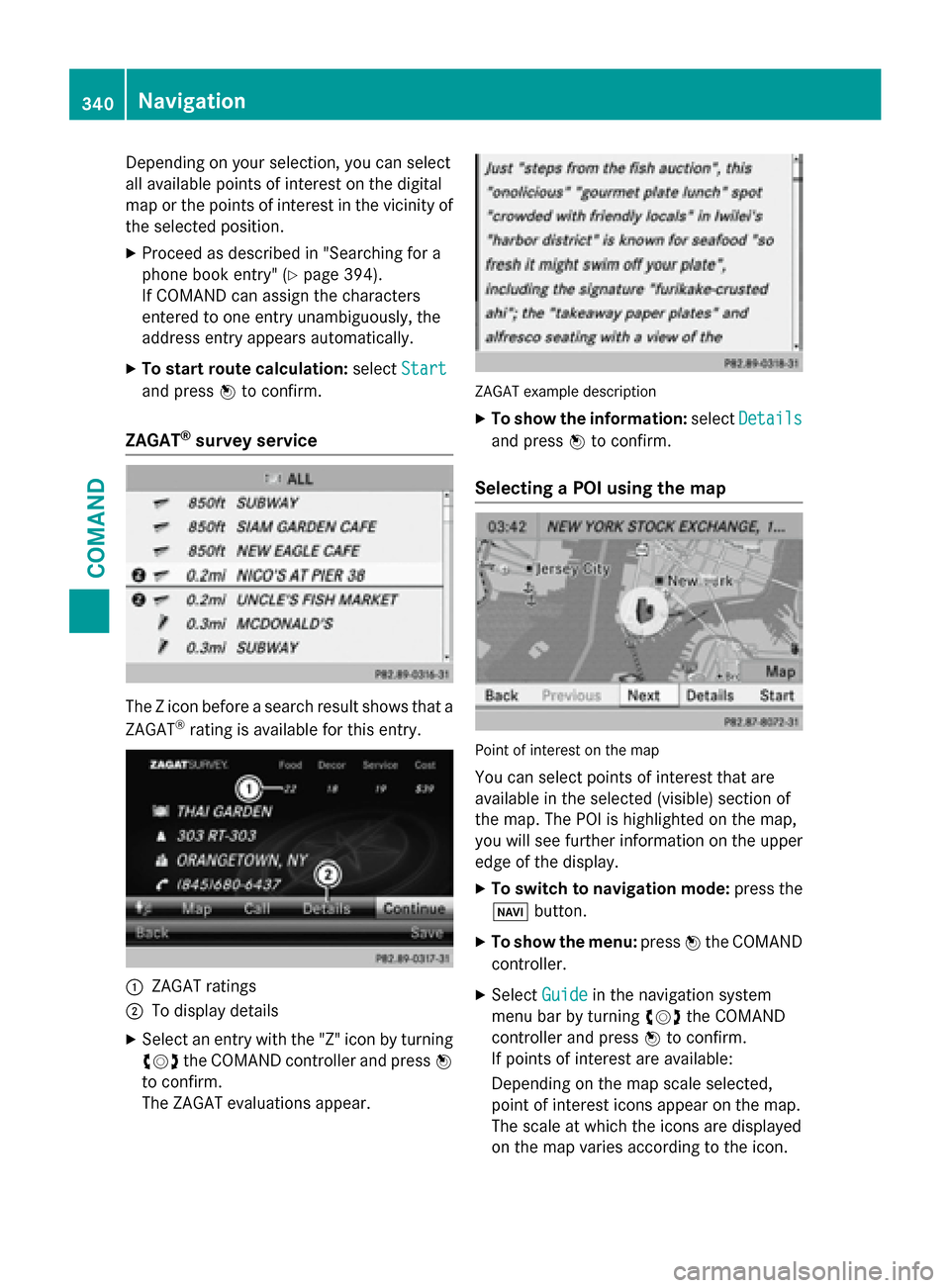
ZAGAT®survey service
The Z icon before a search result shows that a
ZAGAT®rating is available for this entry.
:ZAGAT ratings
;To display details
XSelect an entry with the "Z" icon by turning
cVd the COMAND controller and press W
to confirm.
The ZAGAT evaluations appear.
ZAGAT example description
XTo show the information: selectDetails
and press Wto confirm.
Selecting a POI using the map
Point of interest on the map
You can select points of interest that are
available in the selected (visible) section of
the map. The POI is highlighted on the map,
you will see further information on the upper
edge of the display.
XTo switch to navigation mode: press the
Ø button.
XTo show the menu: pressWthe COMAND
controller.
XSelect Guidein the navigation system
menu bar by turning cVdthe COMAND
controller and press Wto confirm.
If points of interest are available:
Depending on the map scale selected,
point of interest icons appear on the map.
The scale at which the icons are displayed
on the map varies according to the icon.
340Navigation
COMAND
Page 347 of 614
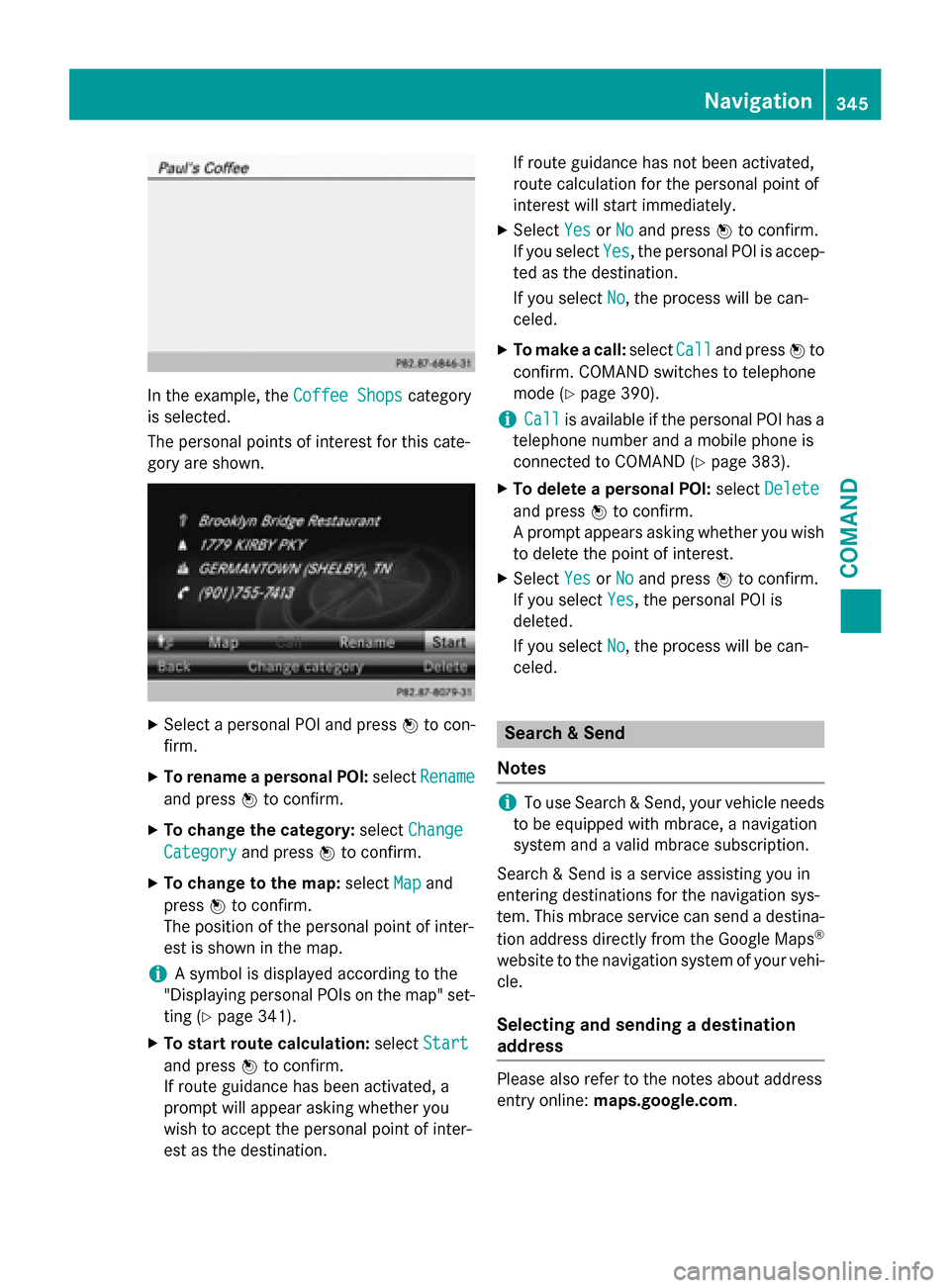
In the example, theCoffee Shopscategory
is selected.
The personal points of interest for this cate-
gory are shown.
XSelect a personal POI and press Wto con-
firm.
XTo rename a personal POI: selectRename
and press Wto confirm.
XTo change the category: selectChange
Categoryand press Wto confirm.
XTo change to the map: selectMapand
press Wto confirm.
The position of the personal point of inter-
est is shown in the map.
iA symbol is displayed according to the
"Displaying personal POIs on the map" set- ting (
Ypage 341).
XTo start route calculation: selectStart
and press Wto confirm.
If route guidance has been activated, a
prompt will appear asking whether you
wish to accept the personal point of inter-
est as the destination. If route guidance has not been activated,
route calculation for the personal point of
interest will start immediately.
XSelect
YesorNoand press Wto confirm.
If you select Yes
, the personal POI is accep-
ted as the destination.
If you select No
, the process will be can-
celed.
XTo make a call: selectCalland press Wto
confirm. COMAND switches to telephone
mode (
Ypage 390).
iCallis available if the personal POI has a
telephone number and a mobile phone is
connected to COMAND (
Ypage 383).
XTo delete a personal POI: selectDelete
and press Wto confirm.
A prompt appears asking whether you wish
to delete the point of interest.
XSelect YesorNoand press Wto confirm.
If you select Yes
, the personal POI is
deleted.
If you select No
, the process will be can-
celed.
Search & Send
Notes
iTo use Search & Send, your vehicle needs
to be equipped with mbrace, a navigation
system and a valid mbrace subscription.
Search & Send is a service assisting you in
entering destinations for the navigation sys-
tem. This mbrace service can send a destina- tion address directly from the Google Maps
®
website to the navigation system of your vehi-
cle.
Selecting and sending a destination
address
Please also refer to the notes about address
entry online: maps.google.com.
Navigation345
COMAND
Z
Page 352 of 614
XTo show the menu:pressWthe COMAND
controller.
XSelect RPTin the navigation system menu
bar by turning cVdthe COMAND control-
ler and press Wto confirm.
Switching navigation announcements
on/off
XTo switch off: press the8button dur-
ing an announcement.
You will briefly see the message: The
driving instructions have been
muted.
XTo switch on:pressWthe COMAND con-
troller.
XSelect RPTin the navigation system menu
bar by turning cVdthe COMAND control-
ler and press Wto confirm.
iCOMAND automatically switches the nav-
igation announcements back on when:
Ryou have a new route calculated
Ryou switch COMAND on again or start the engine
Switching announcements and audio
fadeout on/off
XSelect Naviin the main function bar by
sliding ZVand turning cVdthe COMAND
controller and press Wto confirm.
XSelect Announcementsand press Wto
confirm.
A menu appears.
You can activate/deactivate the following
functions:
RAnnounce Street Names
Street names are announced during
route guidance.
RAudible Info During Phone Call
During a phone call, navigation
announcements and traffic reports are
audible in the background.
RAudio Fadeout
The volume of an active audio or video
source is automatically reduced during a navigation announcement.
RGas on Reserve
Once you have reached reserve fuel
level, you will see a prompt asking
whether you wish to start the search for a
gas station (
Ypage 336).
XSelect the function and press Wto confirm.
Switch the function on Oor off ª.
Setting the volume manually
XAdjust the volume using the qcontrol
knob during a navigation announcement.
or
XSelect RPTin the map view with the menu
shown and adjust the volume using the q
control knob.
Announce Street Names
If the function is switched on, the name of the
street which you are turning into is
announced.
Announcements are not made in the chosen
language in all countries. They are made when
relevant street names for the selected lan-
guage are available in the database.
XTo switch to navigation mode: press the
Ø button.
XTo show the menu: pressWthe COMAND
controller.
XSelect Naviin the main function bar by
sliding ZVthe COMAND controller and
press Wto confirm.
XSelect AnnounceStreetNamesand press
W to confirm.
The function is switched on Oor off ª,
depending on the previous status.
350Navigation
COMAND
Page 355 of 614
XTo close the destination information:
slideXVY the COMAND controller or press
the k back button.
iYou can display destination information
for the destination, for both way points and
for the intermediate stop, if they are part of
the route.
If a mobile phone is connected to COMAND
and a phone number is included in the des-
tination information, you can call it
(
Ypage 383).
Route overview
You can use the route overview to move along
the active route section by section and view
information and details about each section of
the route.
You can see information relevant to the sec-
tion of the route, such as the length of the
road section you will be driving along and the
road name. The highlighted route section is
marked in white with a red border on the map.
XTo switch to navigation mode: press the
Ø button.
XTo show the menu: pressWthe COMAND
controller.
XSelect Routein the navigation system
menu bar by turning cVdthe COMAND
controller and press Wto confirm.
XSelect Route Browserand press Wto
confirm.
XTo view the next or previous route sec-
tion: select Next
orPreviousand press W
to confirm.
iIf the first or last route section is high-
lighted, you cannot select Previous
or
Next
.
XTo zoom in or out of the map: selectNor
M and press Wto confirm.
XTo close the route overview: selectBack
and press Wto confirm. Route demonstration
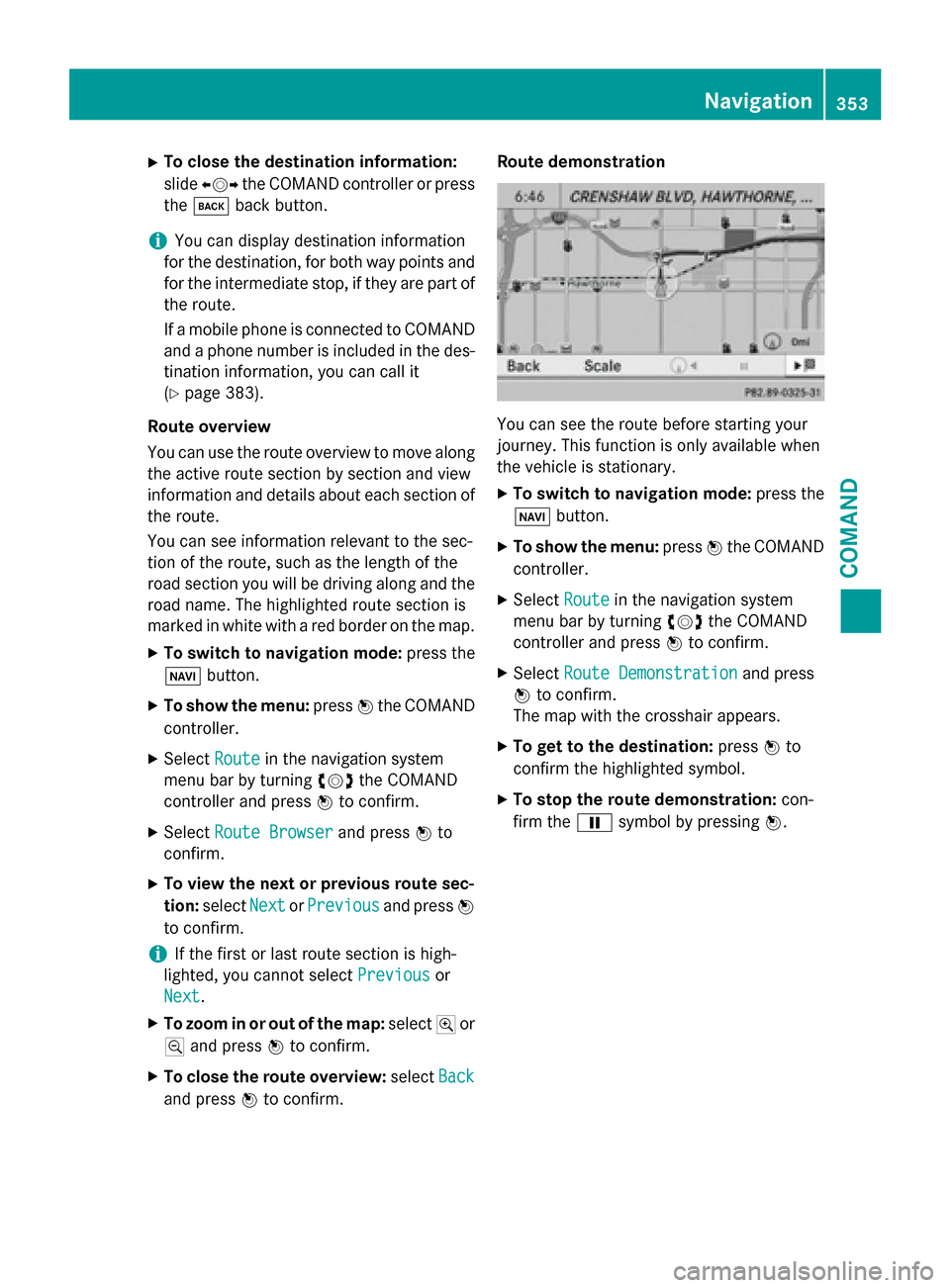
You can see the route before starting your
journey. This function is only available when
the vehicle is stationary.
XTo switch to navigation mode:
press the
Ø button.
XTo show the menu: pressWthe COMAND
controller.
XSelect Routein the navigation system
menu bar by turning cVdthe COMAND
controller and press Wto confirm.
XSelect Route Demonstrationand press
W to confirm.
The map with the crosshair appears.
XTo get to the destination: pressWto
confirm the highlighted symbol.
XTo stop the route demonstration: con-
firm the Ësymbol by pressing W.
Navigation353
COMAND
Z
Page 368 of 614
XSelectYesorNoand press Wto confirm.
If you select Yes
, COMAND deletes the
destination. You will see a message to this
effect.
If you select No
, the process will be can-
celed.
iIf the navigable address data for the des-
tination being deleted is also assigned to an
address book entry, COMAND will also
delete this data from there. If the corre-
sponding address book entry does not con-
tain any further data, such as telephone
numbers, COMAND deletes the entire
address book entry.
Last destinations
Introduction
COMAND automatically stores the previous
destinations for which route calculation has
been started. If the memory is full, COMAND
deletes the oldest destination. You can also
save a destination from the list of previous
destinations in the destination memory. It will
be stored there permanently.
Storing a destination permanently in
the destination memory
XProceed as described in the "From the list
of previous destinations" section
(
Ypage 330).
Storing the vehicle position in the list of
previous destinations
XTo switch on navigation mode: press the
Ø function button.
XTo show the menu: pressWthe COMAND
controller.
XSelect Positionin the navigation system
menu bar by turning cVdthe COMAND
controller and press Wto confirm.
XSelect SaveVehiclePositionand press
W to confirm.
COMAND stores the current vehicle posi-
tion as a destination in the list of previous
destinations.
Storing the crosshair position in the list
of previous destinations
A crosshair appears on the map if you have
moved the map manually (
Ypage 367). You
can store the crosshair position as a destina-
tion in the list of previous destinations.
XTo show the menu: pressWthe COMAND
controller.
XSelect Positionin the navigation system
menu bar by turning cVdthe COMAND
controller and press Wto confirm.
XSelect Save Crosshair Positionand
press Wto confirm.
Deleting one of the previous destina-
tions
XTo switch on navigation mode: press the
Ø function button.
XTo show the menu: pressWthe COMAND
controller.
XSelect Destinationin the navigation sys-
tem menu bar by turning cVdthe
COMAND controller and press Wto con-
firm.
XSelect From Last Destinationsand
press Wto confirm.
The list of last destinations appears.
XSelect the desired destination and press W
to confirm.
The destination address appears.
XSelect Deleteand press Wto confirm.
A prompt appears asking whether the entry
should be deleted.
XSelect YesorNoand press Wto confirm.
If you select Yes
, the entry is deleted.
366Navigation
COMAND