phone MERCEDES-BENZ SL CLASS 2018 User Guide
[x] Cancel search | Manufacturer: MERCEDES-BENZ, Model Year: 2018, Model line: SL CLASS, Model: MERCEDES-BENZ SL CLASS 2018Pages: 298, PDF Size: 4.54 MB
Page 125 of 298
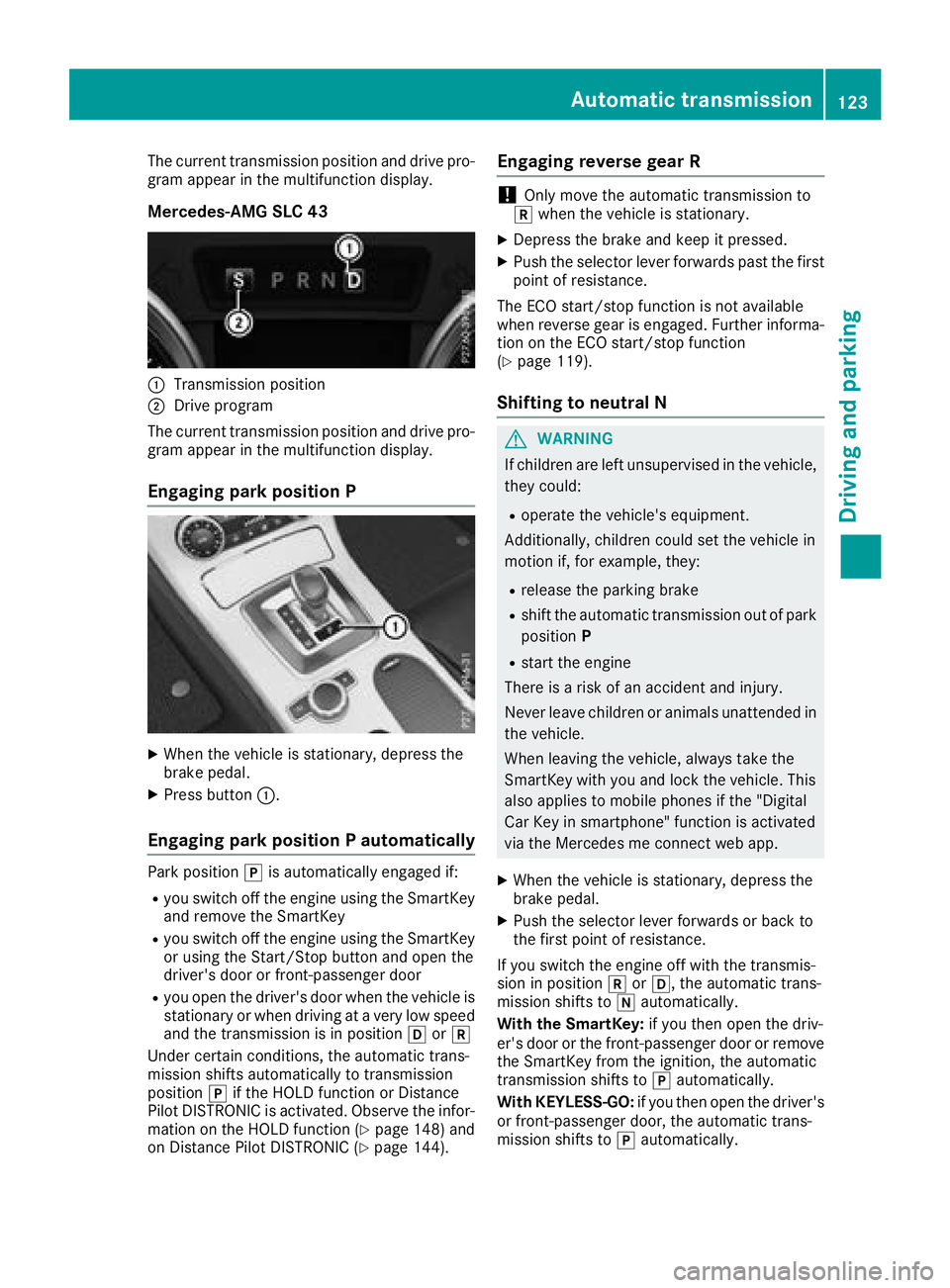
The current transmission position and drive pro-
gram appear in the multifunction display.
Mercedes-AMG SLC 43
C
Transmission positionD
Drive program
The current transmission position and drive pro-
gram appear in the multifunction display.
Engaging par kp osition P
X
When the vehicle is stationary, depress the
brake pedal. X
Press button C .
Engaging par kp osition Pa utomaticallyPark position ] is automatically engaged if:R
you switch off the engine using the SmartKey
and remove the SmartKey R
you switch off the engine using the SmartKey
or using the Start/Stop button and open the
driver's door or front-passenger door R
you open the driver's door when the vehicle is
stationary or when driving at av ery low speed
and the transmission is in position [ or ^
Under certain conditions, the automatic trans-
mission shifts automatically to transmission
position ] if the HOLD function or Distance
Pilot DISTRONIC is activated. Observe the infor-
mation on the HOLD function ( Y
page 148) and
on Distance Pilot DISTRONIC ( Y
page 144). Engaging reverse gear R
! Only move the automatic transmission to
^ when the vehicle is stationary. X
Depress the brake and keep it pressed. X
Push the selector lever forwards past the first
point of resistance.
The ECO start/sto pf unction is not available
when reverse gear is engaged. Further informa-
tion on the ECO start/sto pf unction
( Y
page 119).
Shifting to neutral N
G WARNING
If children are left unsupervised in the vehicle,
they could: R
operate the vehicle's equipment.
Additionally, children could set the vehicle in
motion if, for example, they: R
release the parking brake R
shift the automatic transmission out of park
position P R
start the engine
There is ar isk of an accident and injury.
Never leave children or animals unattended in
the vehicle.
When leaving the vehicle, alway st ake the
SmartKey with you and lock the vehicle. This
also applies to mobile phones if the "Digital
Car Key in smartphone" function is activated
via the Mercedes me connect web app. X
When the vehicle is stationary, depress the
brake pedal. X
Push the selector lever forwards or back to
the first point of resistance.
If you switch the engine off with the transmis-
sion in position ^ or [ ,t he automatic trans-
mission shifts to \\ automatically.
With the SmartKey: if you then open the driv-
er's door or the front-passenger door or remove
the SmartKey from the ignition, the automatic
transmission shifts to ] automatically.
With KEYLESS-GO: if you then open the driver's
or front-passenger door, the automatic trans-
mission shifts to ] automatically.Automatic transmission 123
Driving and parking Z
Page 136 of 298
Drivin gt ip s
General notes
Important safet yn otes
G WARNING
If you switch of ft he ignition whil ed riving,
safety-relevant function sa re only available
wit hl imitations, or no tata ll. Thi sc ou ld affect,
fo re xa mple, th ep owe rs te erin ga nd th eb rake
boostin ge ffect. You will require considerably
more effort to steer and brake .T here is ar is k
of an accident.
Do no ts witch of ft he ignition whil ed riving.
G WARNING
If you operat em ob ile communication equip -
men tw hen driving, you may be distracted
from th et ra ffic situation .Y ou could also los e
contro loft he vehicle. There is ar is kofa n
accident.
Only operat et hi se quipmen tw hen th ev ehicle
is stationary.
Observ et he lega lr equirements fo rt he country
in whic hy ou are driving. Some jurisdiction sp ro -
hibi tt he driver from usin gam ob ile phone whil e
drivin gav ehicle.
If you mak eac al lw hil ed riving, always use
hands-free mode. Only operat et he telephon e
when th et ra ffic situation permits. If you are
unsure ,p ull over to as af el ocation and stop
befor eo peratin gt he telephone.
Bear in min dt ha tatas peed of only 30 mph
(approximately 50 km/h), th ev ehicle cover sa
distanc eo f4 4f t( approximately 14 m) per sec-
ond.
Drive sensibly –s ave fuelObserve the following tips to save fuel: R
The tires should always be inflated to the rec-
ommended tire pressure. R
Remove unnecessary loads. R
Warm up the engin eatl ow engin es peeds.R
Avoid frequen ta cceleration or braking.R
Observe the servic ei ntervals in the Mainte-
nanc eB ooklet or in the servic ei nterval dis- play. Have all the maintenanc ew ork carried in
accordance with Daimler AG regulations.
Fuel consumption also increases when driving in
cold weather, in stop-start traffic and in hilly ter-
rain.
Drinking and driving
G WARNING
Drinkin ga nd driving and/or takin gd rugs and
driving are very dangerous combinations.
Even as mall amount of alcohol or drugs can
affect your reflexes, perceptions and judg-
ment.
The possibility of as erious or even fatal acci-
dent is greatly increased when you drink or
take drugs and drive.
Do not drink or take drugs and drive or allow
anyone to drive who has been drinking or tak-
ing drugs.
Emission control
G WARNING
Combustion engines emit poisonous exhaust
gases such as carbon monoxide. Inhaling
these exhaust gases leads to poisoning. There
is ar isk of fatal injury. Therefor en ever leave
the engin er unning in enclosed spaces with-
out sufficien tv entilation.
Certain engin es ystems are designed to keep
the level of poisonous component sine xhaust
fumes within legal limits.
These systems only work at peak efficiency if
they are serviced exactly in accordance with the
manufacturer's specifications .A lways have
work on the engin ec arried out at aq ualified
specialist workshop. Mercedes-Benz recom-
mends that you use an authorized Mercedes-
Ben zC enter for this purpose. In particular, work
relevant to safety or on safety-related systems
must be carried out at aq ualified specialist
workshop.
The engin es ettings must not be changed under
any circumstances. Furthermore, all specific
servic ew ork must be carried out at regular
intervals and in accordance with the Mercedes-
Ben zs ervic er equirements. Details can be found
in the Maintenance Booklet.134
Driving tips
Driving and parking
Page 167 of 298
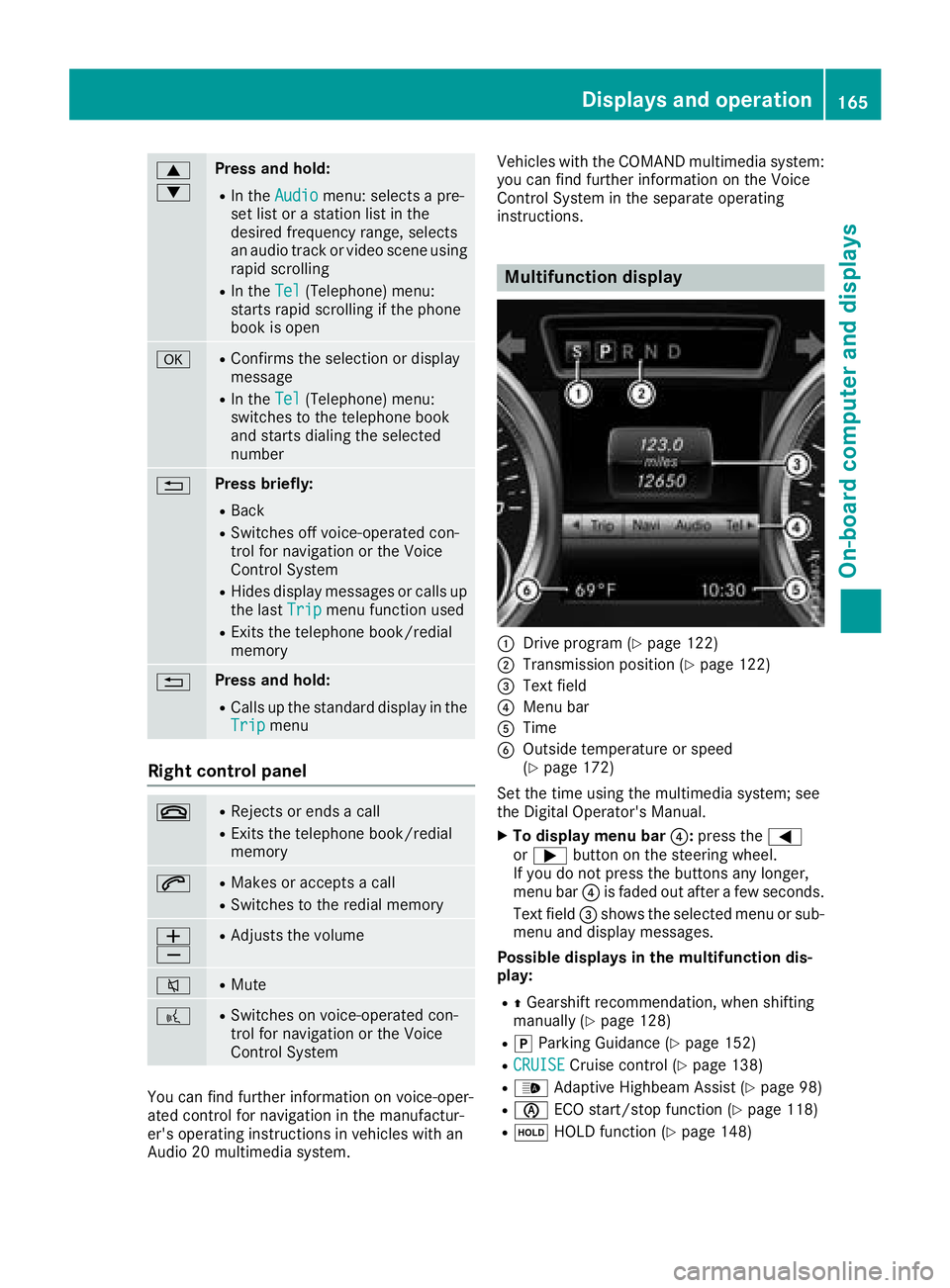
c
d Press and hold: R
In the Audio menu: selects ap re-
set list or as tation list in the
desired frequency range, selects
an audio track or video scene using
rapid scrolling R
In the Tel (Telephone) menu:
starts rapid scrolling if the phone
book is open
v R
Confirms the selection or display
message R
In the Tel (Telephone) menu:
switches to the telephone book
and starts dialing the selected
number
8 Press briefly: R
Back R
Switches off voice-operated con-
trol for navigation or the Voice
Control System R
Hides display messages or calls up
the last Trip menu function usedR
Exit st he telephone book/redial
memory
8 Press and hold: R
Call supt he standard display in the
Trip menu
Right control panel v R
Rejects or ends ac allR
Exit st he telephone book/redial
memory
a R
Makes or accepts ac allR
Switches to the redial memory
Page 168 of 298
Menus and submenus
Menu overview Using the Y or e button on the steering
wheel, open the menu bar.
Operating the on-board compute r( Y
pag e1 64).
Depending on the vehicl ee quipment, you can
select the following menu: R
Trip menu ( Y
pag e1 66)R
Navi menu (navigatio ni nstructions)
( Y
pag e1 67)R
Audio menu ( Y
pag e1 68)R
Tel menu (telephone) ( Y
pag e1 69)R
DriveAssist menu (assistance)
( Y
pag e1 70)R
Serv. menu ( Y
pag e1 71)R
Sett. menu (settings) ( Y
pag e1 72)R
AMG menu (Mercedes-AMG SLC 43)
( Y
pag e1 75)
Trip menu
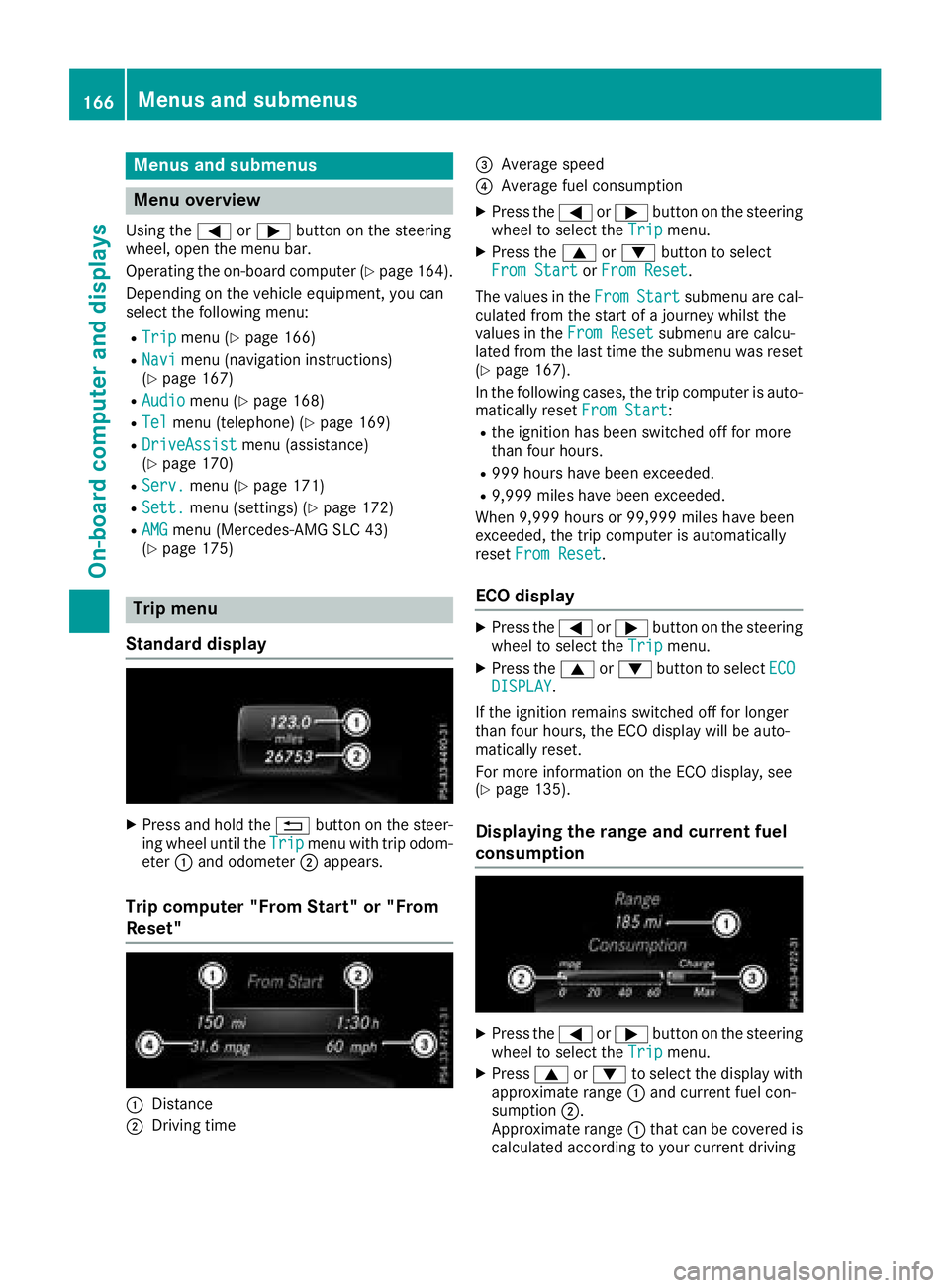
Standard display X
Press and hold the 8 button on the steer-
ing whee lu ntil the Trip menu with trip odom-
eter C and odometer D appears.
Trip computer "From Start" or "From
Reset"
C
Distance
D
Driving time
Page 171 of 298
the prese tl is tors tatio nl is tint he desired
frequency range is shown. X
To select as tation: briefl yp ress c
or d .
SIRIUS XM ®
satellite radi oa cts like an ormal
radio.
For mor ei nformation on radi oo pe ration, see
"Satellite radio" in the Digita lO pe rator' sM an -
ual.
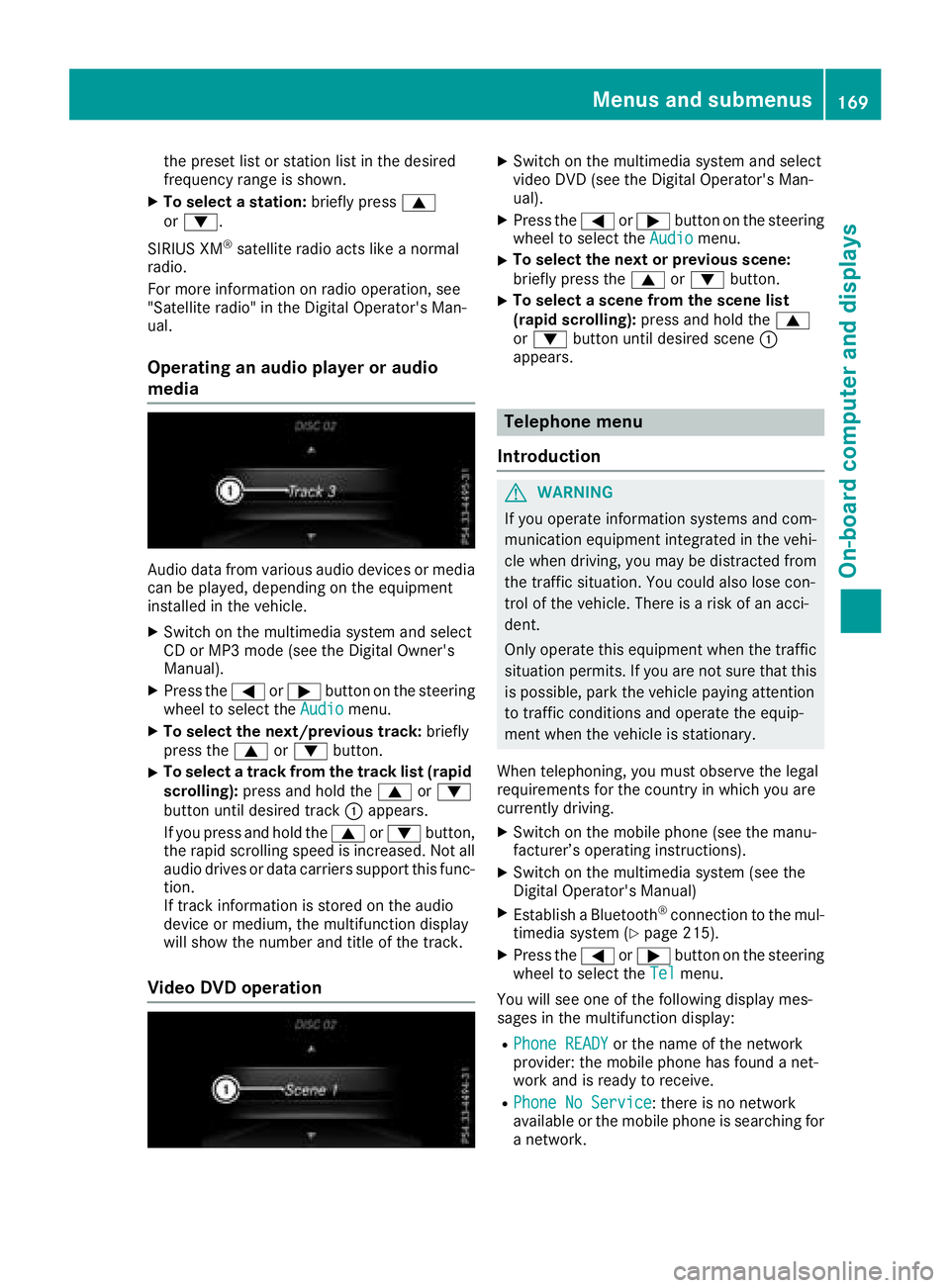
Operatin gana udi op layer or audio
media
Audio data fro mv ar ious audi od ev ices or media
can be played ,d epen ding on the equipment
installe dint he vehicle.X
Switch on the multimedia syste ma nd select
CD or MP 3m od e( se et he Digita lO wn er's
Manual). X
Press the Y or e button on the steering
whee ltos elect the Audio menu.X
To select the next/previous track: briefly
press the c or d button.X
To select at rac kf ro mt he trac kl is t( rapid
scrolling): press and hol dt he c or d
button unti ld esir ed track C appears.
If yo up ress and hol dt he c or d button,
the rapi ds crolling spee disi ncreased. Not all
audi od rives or data carriers support thi sf un c-
tion.
If track information is stored on the audio
devic eorm edium, the multifunctio nd isplay
will sho wt he numbe ra nd titl eoft he track.
Vide oD VD operation X
Switch on the multimedia syste ma nd select
video DVD (see the Digita lO pe rator' sM an -
ual). X
Press the Y or e button on the steering
whee ltos elect the Audio menu.X
To select the next or previous scene:
briefl yp ress the c or d button.X
To select as cene fro mt he scen el is t
(rapid scrolling): press and hol dt he c
or d button unti ld esir ed scene C
appears.
Telephon em enu
Introduction
G WARNING
If yo uo pe rate information systems and com-
municatio ne quipment integrated in the vehi-
cle when driving, yo um ay be distracted from
the traffi cs it uation. Yo uc ould also lose con-
trol of the vehicle. There is ar is kofana cci-
dent.
Onl yo pe rate thi se quipment when the traffic
situatio np er mits. If yo ua re not sure tha tt his
is possible, park the vehicl ep ayin ga ttention
to traffi cc onditions and operate the equip-
ment when the vehicl eiss tationary.
When telephoning ,y ou must observe the legal
requirements for the country in which yo ua re
currentl yd riving. X
Switch on the mobil ep ho ne (see the manu-
facturer’ so pe rating instructions). X
Switch on the multimedia syste m( se et he
Digita lO pe rator' sM an ual)X
Establis haB luetooth ®
connectio ntot he mul-
timedia syste m( Y
page 215).X
Press the Y or e button on the steering
whee ltos elect the Tel menu.
Yo uw il ls ee one of the following displa ym es-
sage sint he multifunctio nd isplay :R
Phone READY or the nam eoft he network
provider: the mobil ep ho ne ha sf ound an et-
work and is ready to receive. R
Phone No Service :t here is no network
availabl eort he mobil ep ho ne is searching for
an etwork.Menus and submenus 169
On-board computer and displays Z
Page 172 of 298
Accepting ac allIf someon ec all sy ou when you are in th e Tel
menu, ad isplay message appear sint he multi-
function display.
You can accept ac all at any time regardless of
th em en us elected.X
Press th e a butto nont he steering whee l
to accept an incoming call .
Rejects or end sac allX
Press th e v butto nont he steering whee l
to rejec tore nd ac all .
Selecting an ent ry in th ep ho ne bookX
Press th e Y or e butto nont he steering
whee lt os elect th e Tel menu.X
Press th e c , d or v butto nt o
switch to th ep hone book .X
Authoriz ea ccess to th ep hone book on th e
phone .X
Press d or c to select th en ames on e
after th eo th er .
or X
To star tr ap id scrolling: press and hold
th e d or c butto nf or longer than on e
second.
The names in th ep hone book are displayed
quickl yo ne after th eo th er .
Rapid scrollin gs to ps when you release th e
butto norr eac ht he en doft he list .X
If only one telephone number is store df or
an ame: press th e a or v butto nt o
start dialing.
or X
If there is mor et ha no ne number for a
particular name: press th e a or v
butto ntod isplay th en umbers.X
Press th e c or d butto ntos elect th e
number you want to dial. X
Press th e a or v butto ntos ta rt dialing.
or X
To exit th et elephone book : press th e v
or 8 button. Redialing The on-board computer saves th el ast names or
number sd ialed in th er edial memory.X
Press th e Y or e butto nont he steering
whee lt os elect th e Tel menu.X
Press th e a butto ntos witch to th er edial
memory. X
Press th e c or d butto ntos elect th e
desired nam eorn umber .X
Press th e a or v butto ntos ta rt dialing.
or X
To exit th er edial memory : press th e v
or 8 button.
Assistance menu
Int rod uction Dependin gony our vehicle's equipment, in th e
DriveAssist menu, you hav et he followin g
options: R
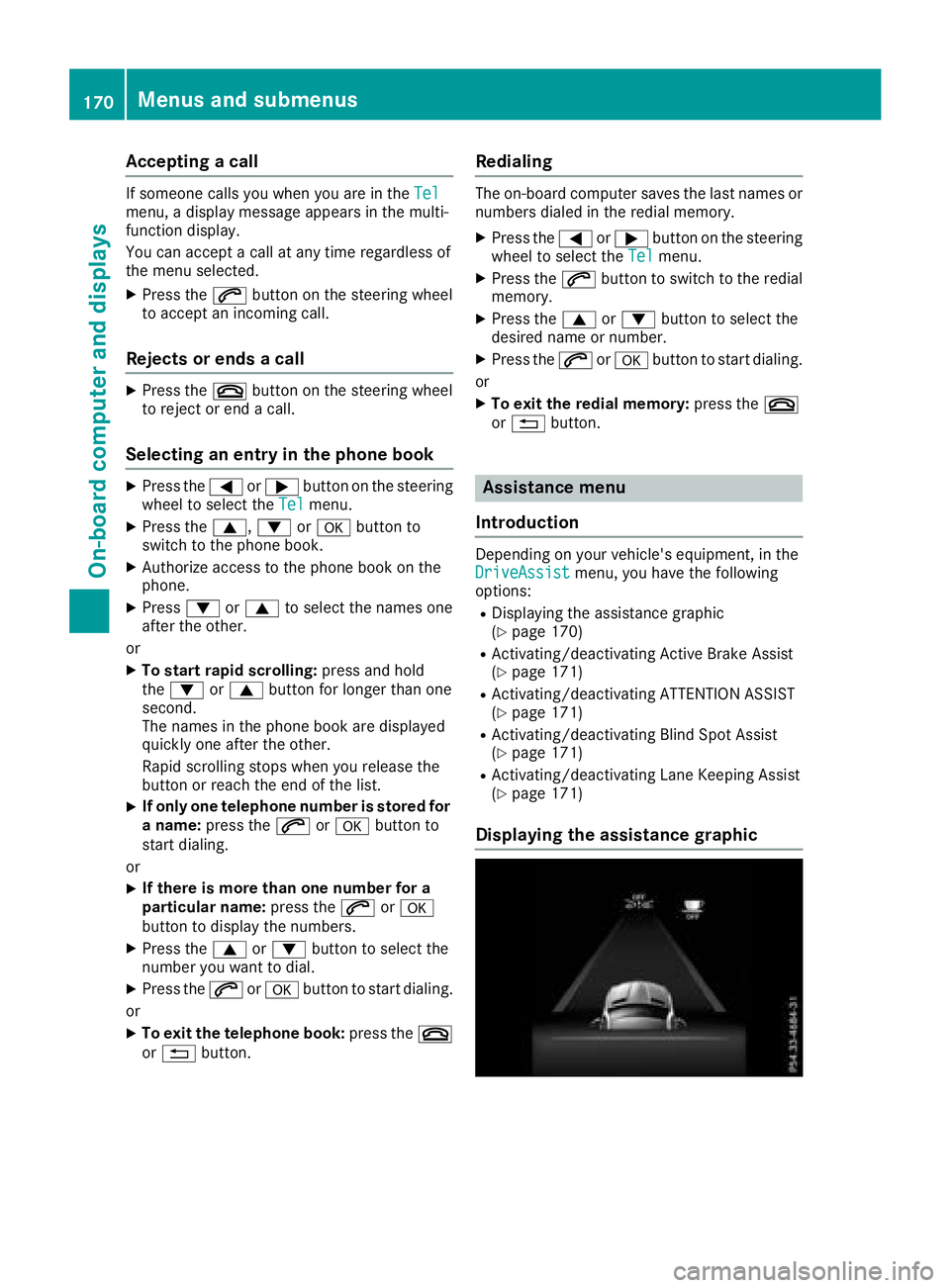
Displaying th ea ssistanc eg raphic
( Y
page 170) R
Activating/deactivating Active Brake Assis t
( Y
page 171) R
Activating/deactivating ATTENTION ASSIST
( Y
page 171) R
Activating/deactivating Blind Spot Assis t
( Y
page 171) R
Activating/deactivating Lan eK eepin gA ss is t
( Y
page 171)
Displaying th ea ssistance graphic170
Menu sa nd submenus
On-boar dc omputer an dd isplays
Page 216 of 298
Traffic reports on the route for the route guid-
ance are taken into account (not availabl ei n
all countries). R
Dynamic TRF. Route After Request
You can decide whether or not current traffic
reports should be included in the route cal-
culation (not availabl eina ll countries).R
Calculate Alternative Routes
Different routes are being calculated. In order
to do so, instead of Start ,s elect the menu
item Continue .X
To avoid/use rout eo ptions: select Avoid
Options .X
Select ar oute option.
Notes for route options: R
Use Toll Roads
The route calculation includes roads which
require you to pay au sage fee (toll).R
Number of Occupants in the Vehicle:
(only availabl eint he USA)
Prerequisite: your vehicle meets the access
conditions for carpool lanes.
Carpool lanes will be included if the carpool
lanes option is activated.
Entering an address Multimedia system: X
Select Navi { Navigation .
The map shows the vehicle's current position. X
Slide 6 the controller.X
Select Destination { Address Entry .
Enter an address, e.g. as follows: R
city or ZIP code, street ,h ouse numberR
state/province, city or ZIP code R
city or ZIP code, center R
street ,c ity or ZIP code, intersectionX
Select City .
The city in which the vehicle is currently loca-
ted (current vehicle position) is at the top.
Below this, you will see locations for which
route guidance has already been carried out. X
Enter the city.
The C symbol: the location is contained on
the digital map multiple times. X
To switch to the list: slide 5 the control-
ler. X
Select the location.
If available, the ZIP code is shown. If there are
different ZIP codes availabl ef or the location,
the corresponding digits are displayed with an
X . X
Enter the street and house number.
The address is in the menu.
Further options for destination entry: R
search for ak eyword
The keyword search finds destinations using
fragment sofw ords. R
select the last destination R
select ac ontact R
select aP OI
You can search for aP OI by location, name or
telephone number. R
select destination on the map R
enter intermediate destination
You can map the route to the destination
yourself with up to four intermediate destina-
tions. R
select destinations from Mercedes-Benz
Apps R
select geo-coordinates
Calculating the route Prerequisite: the address has been entered and
is in the menu. X
Select Start or Continue .
The route is calculated with the selected route
type and the selected route options.
If route guidance has already been activated,
ap rompt will appear asking whether you wish
to end the current route guidance. X
Select Cancel Active Route Guidance or
Set as Intermediat eD estination .
Cancel Active Route Guidance cancels
the current route guidance and start sr oute
calculation to the new destination.
Set as Intermediat eD estination adds
the new destination in addition to the existing
destination and opens the intermediate des-
tinations list.214
Operating system
Multimedia system
Page 217 of 298
Connecting am obile phone
(COMAND)
Requirements For telephony via th eB luetooth ®
interface, you
require aB luetooth ®
-capable mobile phone. The
mobile phon em ust support Hands-Free Profile
1. 0ora bove.
Multimedia system: X
Select Vehicle { Sy stem Set‐
tings { Activate Bluetooth .X
Activate Bluetooth ®
s .
Mobil ep hone:X
Activate Bluetooth ®
and ,ifn ec essary, Blue-
tooth ®
visibilit yf or other devices (see the
manufacturer' so peratin gi nstructions).
The Bluetooth ®
device names for all of on em an-
ufacturer' sp roduct sm igh tbei dentical. To
mak eitp ossible to clearly identif yy our mobile
phone, chang et he device nam e( see th em an-
ufacturer' so peratin gi nstructions).
If th em obile phon es upport st he PBA P( P hone
B oo k A ccess P rofile) and MA P( M essage
A cc ess P rofile )B luetooth ®
profiles, th ef ollow-
ing informatio nw ill be transmitte da fter you
connect: R
Phon eb ookR
Call lists R
Tex tm essages and e-mail
i Further informatio nons uitable mobile
phones can be foun da t: http://
www.mercedes-benz.com/connect
i In th eU SA ,y ou can get in touch wit ht he
Mercedes-Ben zC ustome rA ss istanc eC enter
on 1-800-FOR-MERCedes (1-800-367-6372 ).
In Canada, you can get in touch with the Cus-
tomer Relations Center on 1-800-387-0100.
Searchin gf or and authorizing (connect-
ing) am obile phone
Before using you rm obil ep hone with the multi-
media system for the first time, you wil ln eed to
search for the phone and then authorize (con-
nect) it. Depending on the mobil ep hone, author-
ization either takes place by means of Secure
Simple Pairing or by entering ap asskey .T he
multimedia system automatically makes the procedure that is relevant for you rm obil ep hone
available. The mobil ep hone is always connec-
ted automatically after authorization. Further
information on using am obil ep hone with the
multimedia system (see the Digital Operator's
Manual).
If the multimedia system does not detect your
mobil ep hone, this may be due to particular
security settings on you rm obil ep hone (see the
manufacturer's operating instructions).
Only one mobil ep hone can be connected to the
multimedia system at any one time.
Searchin gf or am obile phone
Multimedia system: X
Select Tel/
Page 218 of 298
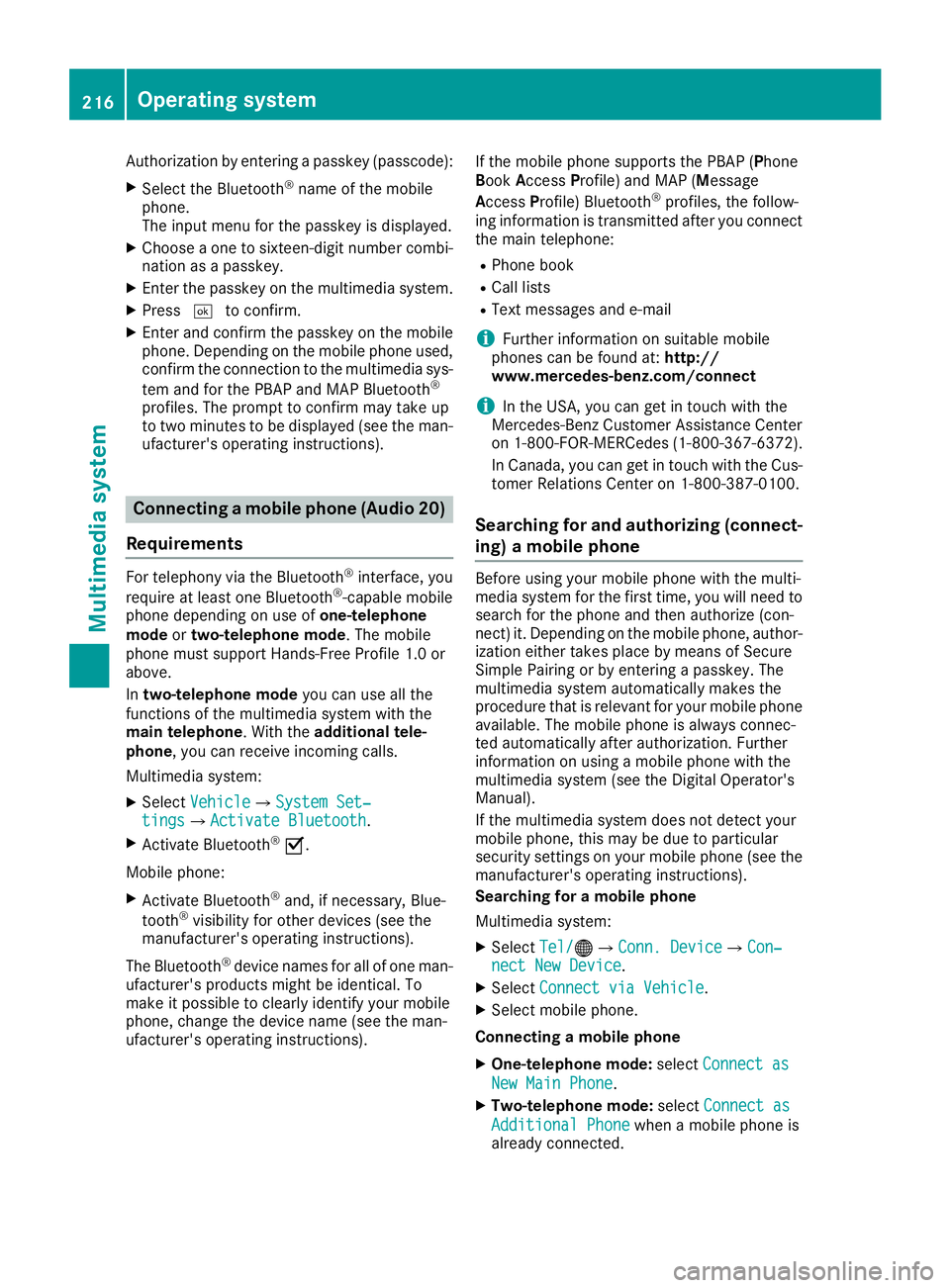
Authorization by entering ap as ske y( pass code):X
Select the Bluetooth ®
nam eoft he mobile
phone.
The input menu for the passke yisd is played.X
Choos eao ne to sixteen-digi tn umbe rc ombi-
nation as ap as skey.X
Enter the passke yont he multimedia system.X
Press T to confirm.X
Enter and confirm the passke yont he mobile
phone. Depending on the mobil ep hone used,
confirm the connectio ntot he multimedia sys-
tem and for the PBAP and MAP Bluetooth ®
profiles. The prompt to confirm ma yt ake up
to two minutes to be displayed (se et he man-
ufacturer's operating instructions).
Connectin gam obil ep hon e( Au dio 20)
Requirements For telephony via the Bluetooth ®
interface, you
require at leas to ne Bluetooth ®
-capable mobile
phone depending on us eo f one-telephone
mode or two-telephon em ode .T he mobile
phone must support Hands-Fre eP rofil e1 .0 or
above.
In two-telephon em ode yo uc an us ea ll the
functions of the multimedia system with the
main telephone .W it ht he additional tele-
phone ,y ou can receive incoming calls.
Multimedia system: X
Select Vehicle { Sy stem Set‐
tings { Activate Bluetooth .X
Activate Bluetooth ®
s .
Mobil ep hone:X
Activate Bluetooth ®
and ,ifn ecessary ,B lue-
tooth ®
visibility for othe rd ev ice s( se et he
manufacturer's operating instructions).
The Bluetooth ®
device names for al lofo ne man-
ufacturer's products might be identical .T o
make it possibl etoc learly identify your mobile
phone, change the device nam e( se et he man-
ufacturer's operating instructions). If the mobil ep hone supports the PBAP ( P hone
B ook A ccess P rofile )a nd MAP ( M es sage
A ccess P rofile) Bluetooth ®
profiles, the follow-
ing informatio ni st ransmitte da fte ry ou connect
the main telephone: R
Phone book R
Call lists R
Text messages and e-mail
i Further informatio nons ui tabl em obile
phones can be found at: http://
www.mercedes-benz.com/connect
i In the USA, yo uc an ge tint ouch with the
Mercedes-Benz Customer Assistance Center
on 1-800-FOR-MERCedes (1-800-367-6372).
In Canada, yo uc an ge tint ouch with the Cus-
tome rR elat ions Center on 1-800-387-010 0.
Searching for and authorizing (connect-
ing) am obile phoneBefore using your mobile phone with the multi-
media system for the first time, you will need to
search for the phone and then authorize (con-
nect )i t. Depending on the mobile phone, author-
ization either takes place by means of Secure
Simple Pairing or by enterin gap asskey. The
multimedia system automatically makes the
procedure that is relevant for your mobile phone
available. The mobile phone is always connec-
ted automatically after authorization. Further
information on using am obile phone with the
multimedia system (see the Digital Operator's
Manual).
If the multimedia system does not detect your
mobile phone, this may be due to particular
security settings on your mobile phone (see the
manufacturer's operating instructions).
Searching for am obile phone
Multimedia system: X
Select Tel/
Page 219 of 298
X
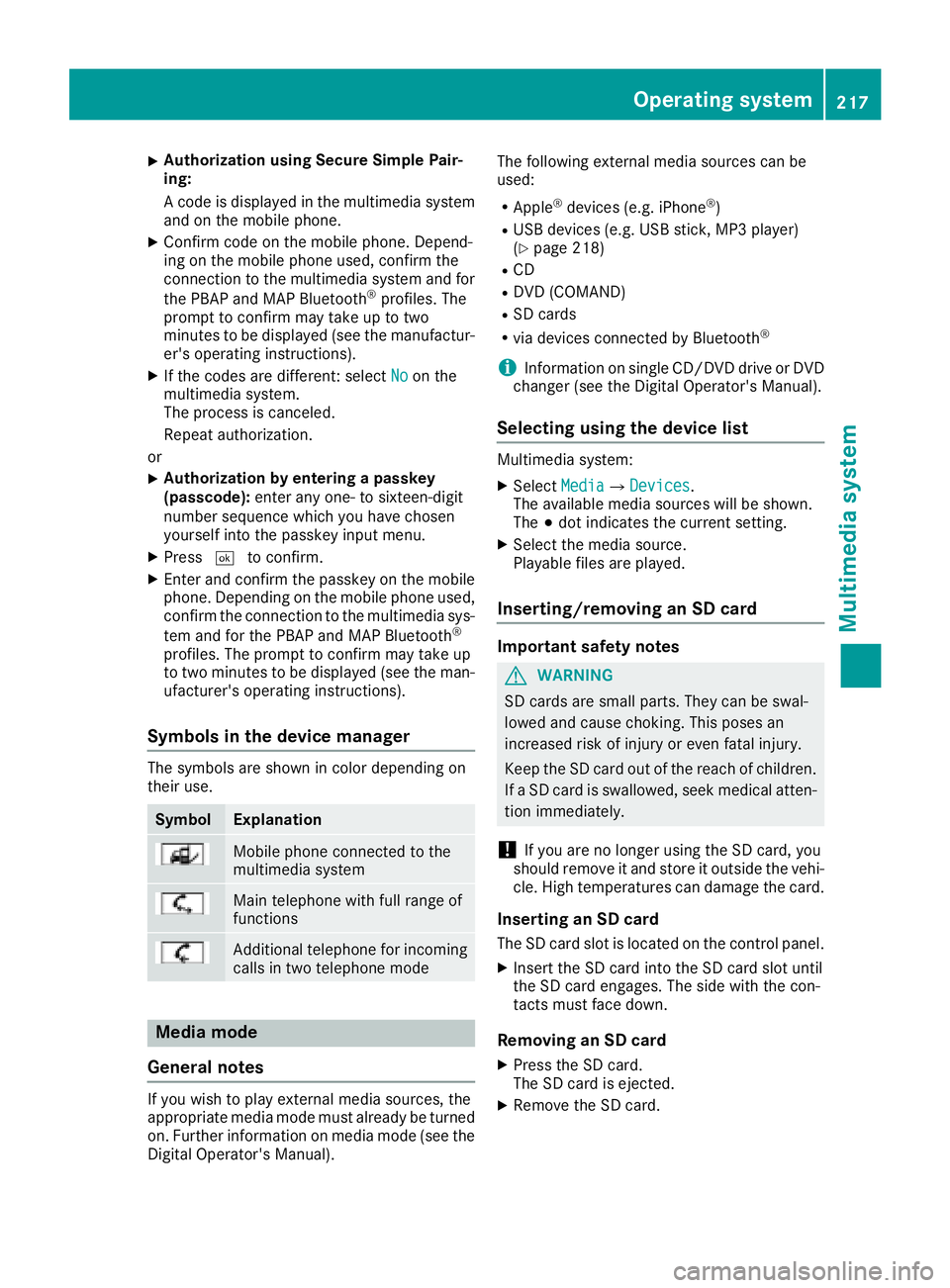
Authorizatio nu sin gS ecur eS imple Pai r-
ing:
Ac od eisd ispl ayed in th em ultimed ia system
and on th em ob ile phone.X
Confir mc od eont he mob ile phone. Depen d-
ing on th em ob ile phon eu sed, confirm the
connection to th em ultimed ia system and for
th eP BA Pa nd MA PB luetooth ®
pro file s. The
prompt to confirm may tak euptot wo
minute stobed ispl ayed (see th em anufactur-
er' so peratin gi nstructions).X
If th ec od es are diff erent :s elect No on the
multimed ia system.
The proces sisc anceled.
Repeat authorization.
or X
Authorizatio nbye ntering ap as skey
(passcode): ente ra ny one- to sixteen-digit
number sequenc ew hic hy ou have chosen
yourself int ot he passke yi nput menu.X
Press T to confirm.X
Ente ra nd confirm th ep asske yo nt he mob ile
phone. Depen din gont he mob ile phon eu sed,
confirm th ec onnectio ntot he multimed ia sys-
te ma nd for th eP BA Pa nd MA PB luetooth ®
pro file s. The prompt to confirm may tak eu p
to two minute stobed ispl ayed (see th em an-
ufacturer' so peratin gi nstructions).
Symbols in th ed evice managerThe symbols are sho wn in color depen din go n
their use.
Symbol Explanation
Mobi le phon ec onnected to the
multimed ia system
Main telephone wit hf ull range of
functions
Ad dit ional telephone for incoming
calls in two telephone mode
Media mode
General notes
If you wish to play external medi as ources ,t he
appropriat em edi am od em ust alread ybet urned
on .F urther informatio nonm edi am od e( see the
Digital Operator's Manual). The followin ge xterna lm edi as ources can be
used: R
Apple ®
device s( e.g. iPhone ®
)R
US Bd evice s( e.g. US Bs ti ck ,M P3 player)
( Y
page 218) R
CD R
DV D( COMAND) R
SD cards R
via device sc onnected by Bluetooth ®
i In formation on single CD/DV Dd riv eorD VD
changer (see th eD ig ital Operator's Manual).
Selecting usin gt he device listMultimed ia system: X
Select Media { Devices .
The available medi as ources will be shown.
The ; dot indicates th ec urren ts etting.X
Select th em edi as ource.
Playable file sa re played.
Inserting/removing an SD card
Important safety notes
G WARNING
SD car ds are smal lp arts. They can be swal-
lowed and caus ec hoking. This pose sa n
increased ris kofi njury or eve nf atal injury.
Keep th eS Dc ar do ut of th er eac hofc hi ldren.
If aS Dc ar diss wallo wed, seek medical atten-
tio ni mmediately.
! If you are no longer usin gt he SD car d, you
should remove it and store it out side th ev eh i-
cle .H ig ht em peratures can damag et he card.
Insertin ganSDc ard
The SD car ds lot is locate dont he control panel.X
In ser tt he SD car di nt ot he SD car ds lot until
th eS Dc ar de ng ages .T he side wit ht he con-
tacts must fac ed own.
Removing an SD card X
Press th eS Dc ard.
The SD car dise je cted.X
Remo ve th eS Dc ar d.Operatin gs ystem 217
Multimedia system Z