ECO mode MERCEDES-BENZ SL CLASS 2019 Owner's Manual
[x] Cancel search | Manufacturer: MERCEDES-BENZ, Model Year: 2019, Model line: SL CLASS, Model: MERCEDES-BENZ SL CLASS 2019Pages: 330, PDF Size: 16.53 MB
Page 174 of 330
Each time you start the engine with the Smart-Key or the Start/Stop button, the comfortablesetting is activated. For further informationabout starting the engine, see (Ypage 127).
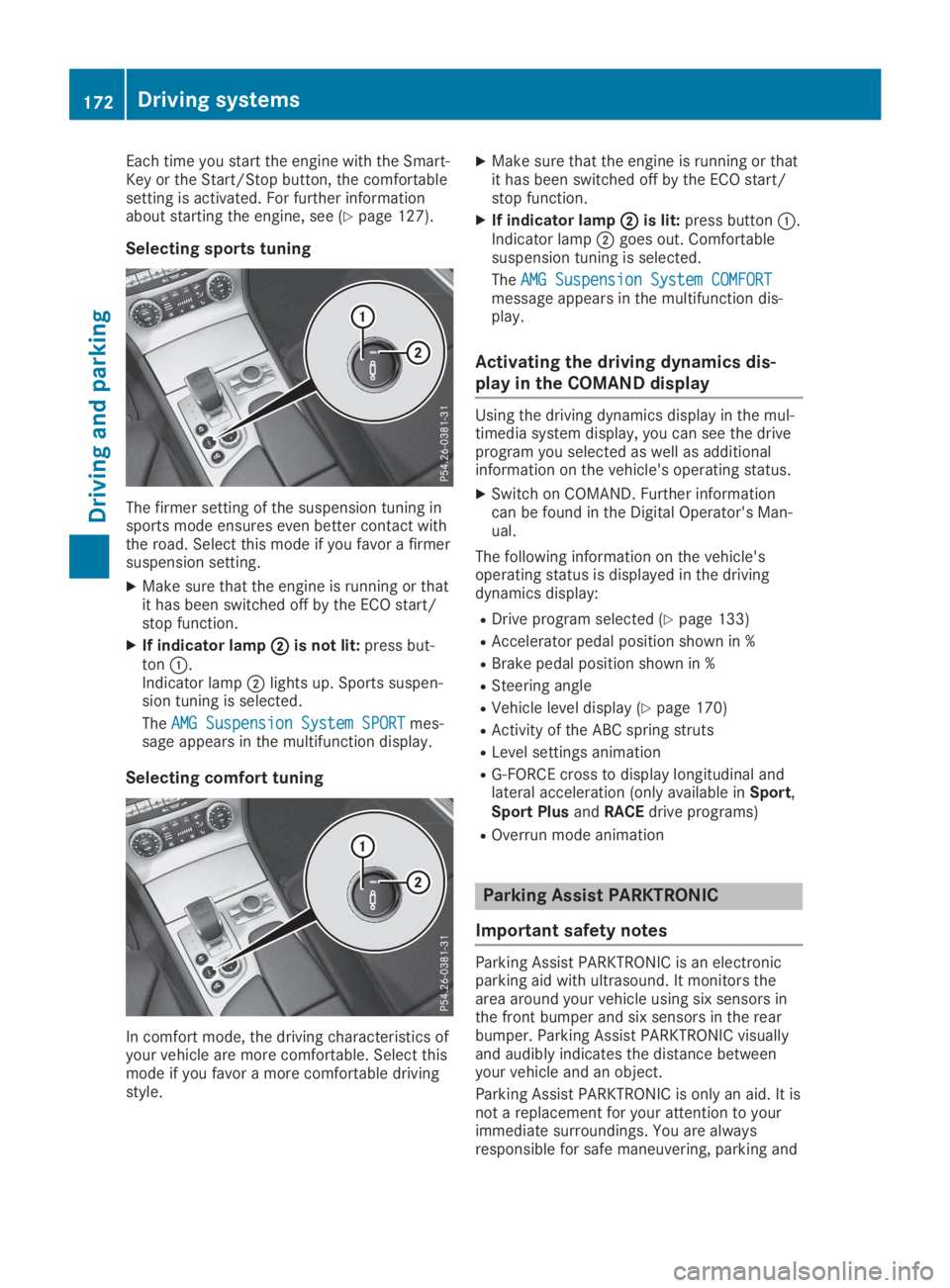
Selecting sports tuning
The firmer setting of the suspension tuning insports mode ensures even better contact withthe road. Select this mode if you favor a firmersuspension setting.
XMake sure that the engine is running or thatit has been switched off by the ECO start/stop function.
XIf indicator lampDDis not lit:press but-tonC.Indicator lampDlights up. Sports suspen-sion tuning is selected.
TheAMG Suspension System SPORTAMG Suspension System SPORTmes-sage appears in the multifunction display.
Selecting comfort tuning
In comfort mode, the driving characteristics ofyour vehicle are more comfortable. Select thismode if you favor a more comfortable drivingstyle.
XMake sure that the engine is running or thatit has been switched off by the ECO start/stop function.
XIf indicator lampDDis lit:press buttonC.Indicator lampDgoes out. Comfortablesuspension tuning is selected.
TheAMG Suspension System COMFORTAMG Suspension System COMFORTmessage appears in the multifunction dis-play.
Activating the driving dynamics dis-
play in the COMAND display
Using the driving dynamics display in the mul-timedia system display, you can see the driveprogram you selected as well as additionalinformation on the vehicle's operating status.
XSwitch on COMAND. Further informationcan be found in the Digital Operator's Man-ual.
The following information on the vehicle'soperating status is displayed in the drivingdynamics display:
RDrive program selected (Ypage 133)
RAccelerator pedal position shown in %
RBrake pedal position shown in %
RSteering angle
RVehicle level display (Ypage 170)
RActivity of the ABC spring struts
RLevel settings animation
RG-FORCE cross to display longitudinal andlateral acceleration (only available inSport,Sport PlusandRACEdrive programs)
ROverrun mode animation
Parking Assist PARKTRONIC
Important safety notes
Parking Assist PARKTRONIC is an electronicparking aid with ultrasound. It monitors thearea around your vehicle using six sensors inthe front bumper and six sensors in the rearbumper. Parking Assist PARKTRONIC visuallyand audibly indicates the distance betweenyour vehicle and an object.
Parking Assist PARKTRONIC is only an aid. It isnot a replacement for your attention to yourimmediate surroundings. You are alwaysresponsible for safe maneuvering, parking and
172Driving systems
Driving an d parking
Page 203 of 330
automatic headlamp mode is activated(Ypage 109).
Rexterior lighting delayed switch-off:theexterior lighting remains lit for 60 secondsafter the engine is switched off. If you closeall the doors and the trunk lid, the exteriorlighting goes off after 15 seconds.
Depending on your vehicle's equipment, whenthe surround lighting and delayed switch-offexterior lighting are on, the following light up:
Rparking lamps
Rlow-beam headlamps
Rdaytime running lamps
Rside marker lamps
Rsurround lighting in the exterior mirrors
Activating/deactivating the interior
lighting delayed switch-off
If you activate theInterior LightingInterior LightingDelayDelayfunction, the interior lighting remainson for 20 seconds after you remove the Smart-Key from the ignition lock.
XPress theYorebutton on the steer-ing wheel to select theSett.Sett.menu.
XPress thedorcbutton to select theLightLightsubmenu.
XPressvto confirm.
XPress thedorcbutton to select theInterior Lighting DelayInterior Lighting Delayfunction.When theInterior Lighting DelayInterior Lighting Delayfunc-tion is activated, the vehicle interior is dis-played in orange in the multifunction dis-play.
XPress thevbutton to save the setting.
Vehicle
Activating/deactivating the automatic
door locking mechanism
If you activate theAutomatic Door LockAutomatic Door Lockfunction, the vehicle is centrally locked abovea speed of approximately 9 mph (15 km/h).
XPress theYorebutton on the steer-ing wheel to select theSett.Sett.menu.
XPress thedorcbutton to select theVehicleVehiclesubmenu.
XPressvto confirm.
XPress thedorcbutton to select theAutomatic Door LockAutomatic Door Lockfunction.When theAutomatic Door LockAutomatic Door Lockfunctionis activated, the multifunction display showsthe left-hand vehicle door in orange.
XPress thevbutton to save the setting.
For further information on the automatic lock-ing feature, see (Ypage 81).
Activating/deactivating the acoustic
locking verification signal
If you switch on theAcoustic LockAcoustic Lockfunction,an acoustic signal sounds when you lock thevehicle.
XPress theYorebutton on the steer-ing wheel to select theSett.Sett.menu.
XPress thedorcbutton to select theVehicleVehiclesubmenu.
XPressvto confirm.
XPress thedorcbutton to select theAcoustic LockAcoustic Lockfunction.If theAcoustic LockAcoustic Lockfunction is activated,the7symbol in the multifunction displaylights up orange.
XPress thevbutton to save the setting.
Comfort
Activating/deactivating the EASY-
ENTRY/EXIT feature
GWARNING
When the EASY-ENTRY/EXIT feature adjusts
the steering wheel, you and other vehicle
occupants – particularly children – could
become trapped. There is a risk of injury.
While the EASY-ENTRY/EXIT feature is mak-
ing adjustments, make sure that no one has
any body parts in the sweep of the steering
wheel.
If somebody becomes trapped:
Rpress one of the memory function posi-
tion buttons, or
Rmove the switch for steering wheel
adjustment in the opposite direction to
that in which the steering wheel is mov-
ing.
The adjustment process is stopped.
Menus and submenus201
On-board computer and displays
Z
Page 246 of 330
Operating system
Overview
General notes
!Do not use the space in front of the dis-play for storage. Objects placed here coulddamage the display or impair its function.Avoid any direct contact with the displaysurface. Pressure on the display surfacemay result in impairments to the display,which could be irreversible.
Wearing polarized sunglasses may impair yourability to read the display.
The display has an automatic temperature-controlled switch-off feature. The brightness isautomatically reduced if the temperature istoo high. The display may temporarily switchoff completely.
Cleaning instructions
!Do not touch the display. The display has avery sensitive high-gloss surface; there is arisk of scratching. If you have to clean thescreen, however, use a mild cleaning agentand a soft, lint-free cloth.
The display must be switched off and havecooled down before you start cleaning. Do notapply pressure to the display surface whencleaning it, as this could cause irreversibledamage to the display.
Switching the multimedia system
on/off
XPress theCcontrol knob.
Adjusting the volume
XTurn theCcontrol knob.
The volume is adjusted:
Rfor the currently selected media source
Rduring traffic or navigation announcements
Rin hands-free mode during an active call
Switching the sound on or off
XPress thecbutton on the control panel.If the audio output is switched off, the sta-tus line will show thecsymbol. If you
switch the media source or set the volume,the sound is automatically switched on.
iNavigation announcements will be heardeven if the sound is muted.
Functions
The multimedia system has the following func-tions:
RRadio mode
RMedia mode with media search
RSound systems
RNavigation system
RCommunication functions
RSIRIUS Weather
RVehicle functions with system settings
RFavorites functions
Controller
The controller in the center console lets you:
Rselect menu items on the display
Renter characters
Rselect a destination on the map
Rsave entries
The controller can be:
Rturned3
Rslid left or right1
Rslid forwards or back4
Rslid diagonally2
Rpressed briefly or pressed and held7
Back button
You can use the8button to exit a menu orto call up the main menu of the current operat-ing mode.
XTo exit the menu:briefly press the8button.The multimedia system changes to the nexthigher menu level in the current operatingmode.
XTo call up the main menu:press the8button for longer than two seconds.The multimedia system changes to the mainmenu of the current operating mode.
244Operating system
Multimedia system
Page 247 of 330
Favorites button
You can assign predefined functions using the}favorites button and call them up bypressing the button (Ypage 245).
Favorites
Calling up and exiting favorites
XTo call up:press the}button on thecontroller.
XSelect a favorite, e.g.VehicleVehicle.The favorites are displayed.
XTo exit:press the}button again.
Adding favorites
Adding predefined favorites
XPress the}button.
XSlide6the controller.
XSelectReassignReassign.The categories are displayed.
XSelect a category.The favorites are displayed.
XSelect a favorite.
XTo add the favorite to the desired position,turn and press the controller.If a favorite has already been added at thisposition, it will be overwritten.
Adding your own favorites
You can add climate control as a favorite, forexample.
XSelectVehicleVehicle{Vehicle SettingsVehicle Settings.
XPress and hold the}button until thefavorites are displayed.
XAdd a favorite to the desired position.If a favorite has already been added at thisposition, it will be overwritten.
Navigation mode
Important safety notes
GWARNING
If you operate information systems and com-
munication equipment integrated in the
vehicle when driving, you may be distracted
from the traffic situation. You could also
lose control of the vehicle. There is a risk of
an accident.
Only operate this equipment when the traffic
situation permits. If you are not sure that
this is possible, park the vehicle paying
attention to traffic conditions and operate
the equipment when the vehicle is station-
ary.
You must observe the legal requirements forthe country in which you are currently drivingwhen operating the navigation system.
General notes
Among other things, correct functioning of thenavigation system depends on GPS reception.In certain situations, GPS reception may beimpaired, there may be interference or theremay be no reception at all, e.g. in tunnels orparking garages.
Further information can be found in the DigitalOperator's Manual.
Selecting a route type and route
options
Multimedia system:
XSelectNaviNavi{NavigationNavigation.The map shows the vehicle's current posi-tion.
XSlide6the controller.
XSelectOptionsOptions{Route SettingsRoute Settings.
Notes for route types:
REco RouteEco Route
RDynamic Traffic RouteDynamic Traffic Route
Traffic reports on the route for the routeguidance are taken into account (not availa-ble in all countries).
RDynamic TRF. Route After RequestDynamic TRF. Route After Request
You can decide whether or not current traf-fic reports should be included in the routecalculation (not available in all countries).
RCalculate Alternative RoutesCalculate Alternative Routes
Different routes are being calculated. Inorder to do so, instead ofStartStart, select themenu itemContinueContinue.
Operating system245
Multimedia system
Z
Page 272 of 330
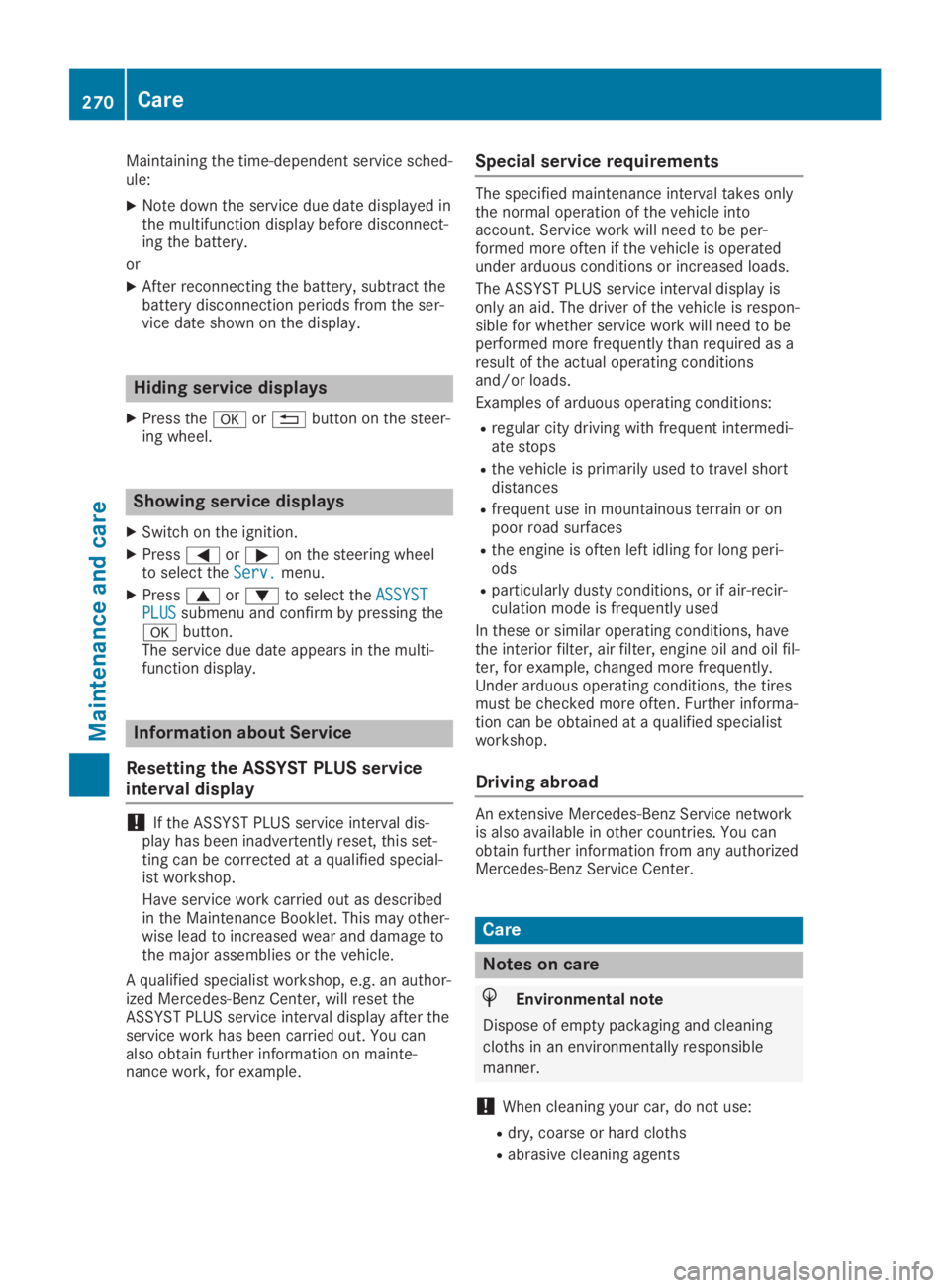
Maintaining the time-dependent service sched-ule:
XNote down the service due date displayed inthe multifunction display before disconnect-ing the battery.
or
XAfter reconnecting the battery, subtract thebattery disconnection periods from the ser-vice date shown on the display.
Hiding service displays
XPress thevor8button on the steer-ing wheel.
Showing service displays
XSwitch on the ignition.
XPressYoreon the steering wheelto select theServ.Serv.menu.
XPresscordto select theASSYSTASSYSTPLUSPLUSsubmenu and confirm by pressing thevbutton.The service due date appears in the multi-function display.
Information about Service
Resetting the ASSYST PLUS service
interval display
!If the ASSYST PLUS service interval dis-play has been inadvertently reset, this set-ting can be corrected at a qualified special-ist workshop.
Have service work carried out as describedin the Maintenance Booklet. This may other-wise lead to increased wear and damage tothe major assemblies or the vehicle.
A qualified specialist workshop, e.g. an author-ized Mercedes-Benz Center, will reset theASSYST PLUS service interval display after theservice work has been carried out. You canalso obtain further information on mainte-nance work, for example.
Special service requirements
The specified maintenance interval takes onlythe normal operation of the vehicle intoaccount. Service work will need to be per-formed more often if the vehicle is operatedunder arduous conditions or increased loads.
The ASSYST PLUS service interval display isonly an aid. The driver of the vehicle is respon-sible for whether service work will need to beperformed more frequently than required as aresult of the actual operating conditionsand/or loads.
Examples of arduous operating conditions:
Rregular city driving with frequent intermedi-ate stops
Rthe vehicle is primarily used to travel shortdistances
Rfrequent use in mountainous terrain or onpoor road surfaces
Rthe engine is often left idling for long peri-ods
Rparticularly dusty conditions, or if air-recir-culation mode is frequently used
In these or similar operating conditions, havethe interior filter, air filter, engine oil and oil fil-ter, for example, changed more frequently.Under arduous operating conditions, the tiresmust be checked more often. Further informa-tion can be obtained at a qualified specialistworkshop.
Driving abroad
An extensive Mercedes-Benz Service networkis also available in other countries. You canobtain further information from any authorizedMercedes-Benz Service Center.
Care
Notes on care
HEnvironmental note
Dispose of empty packaging and cleaning
cloths in an environmentally responsible
manner.
!When cleaning your car, do not use:
Rdry, coarse or hard cloths
Rabrasive cleaning agents
270Care
Maintenance and care
Page 281 of 330
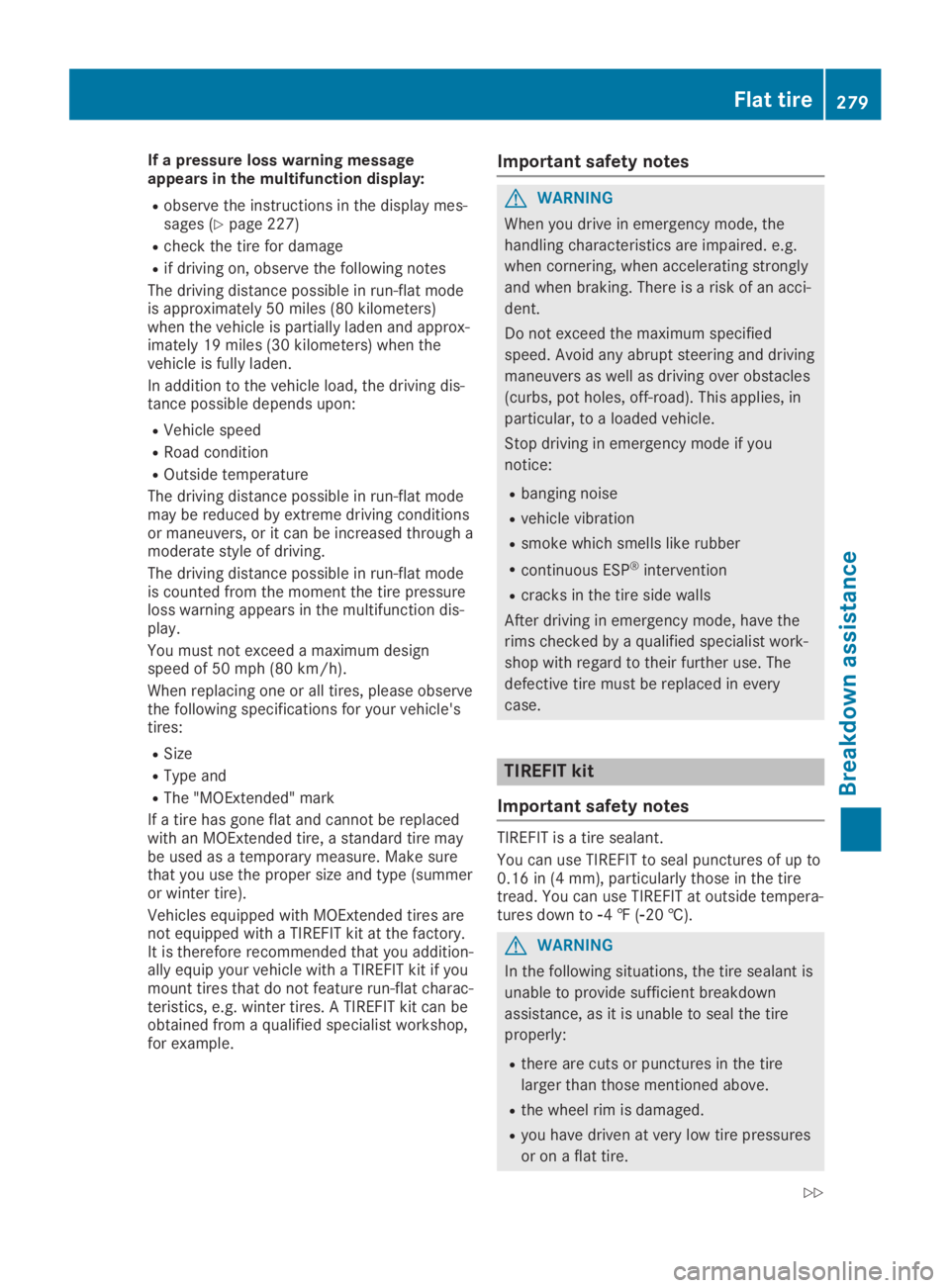
If a pressure loss warning messageappears in the multifunction display:
Robserve the instructions in the display mes-sages (Ypage 227)
Rcheck the tire for damage
Rif driving on, observe the following notes
The driving distance possible in run-flat modeis approximately 50 miles (80 kilometers)when the vehicle is partially laden and approx-imately 19 miles (30 kilometers) when thevehicle is fully laden.
In addition to the vehicle load, the driving dis-tance possible depends upon:
RVehicle speed
RRoad condition
ROutside temperature
The driving distance possible in run-flat modemay be reduced by extreme driving conditionsor maneuvers, or it can be increased through amoderate style of driving.
The driving distance possible in run-flat modeis counted from the moment the tire pressureloss warning appears in the multifunction dis-play.
You must not exceed a maximum designspeed of 50 mph (80 km/h).
When replacing one or all tires, please observethe following specifications for your vehicle'stires:
RSize
RType and
RThe "MOExtended" mark
If a tire has gone flat and cannot be replacedwith an MOExtended tire, a standard tire maybe used as a temporary measure. Make surethat you use the proper size and type (summeror winter tire).
Vehicles equipped with MOExtended tires arenot equipped with a TIREFIT kit at the factory.It is therefore recommended that you addition-ally equip your vehicle with a TIREFIT kit if youmount tires that do not feature run-flat charac-teristics, e.g. winter tires. A TIREFIT kit can beobtained from a qualified specialist workshop,for example.
Important safety notes
GWARNING
When you drive in emergency mode, the
handling characteristics are impaired. e.g.
when cornering, when accelerating strongly
and when braking. There is a risk of an acci-
dent.
Do not exceed the maximum specified
speed. Avoid any abrupt steering and driving
maneuvers as well as driving over obstacles
(curbs, pot holes, off-road). This applies, in
particular, to a loaded vehicle.
Stop driving in emergency mode if you
notice:
Rbanging noise
Rvehicle vibration
Rsmoke which smells like rubber
Rcontinuous ESP®intervention
Rcracks in the tire side walls
After driving in emergency mode, have the
rims checked by a qualified specialist work-
shop with regard to their further use. The
defective tire must be replaced in every
case.
TIREFIT kit
Important safety notes
TIREFIT is a tire sealant.
You can use TIREFIT to seal punctures of up to0.16 in (4 mm), particularly those in the tiretread. You can use TIREFIT at outside tempera-tures down to
Page 295 of 330
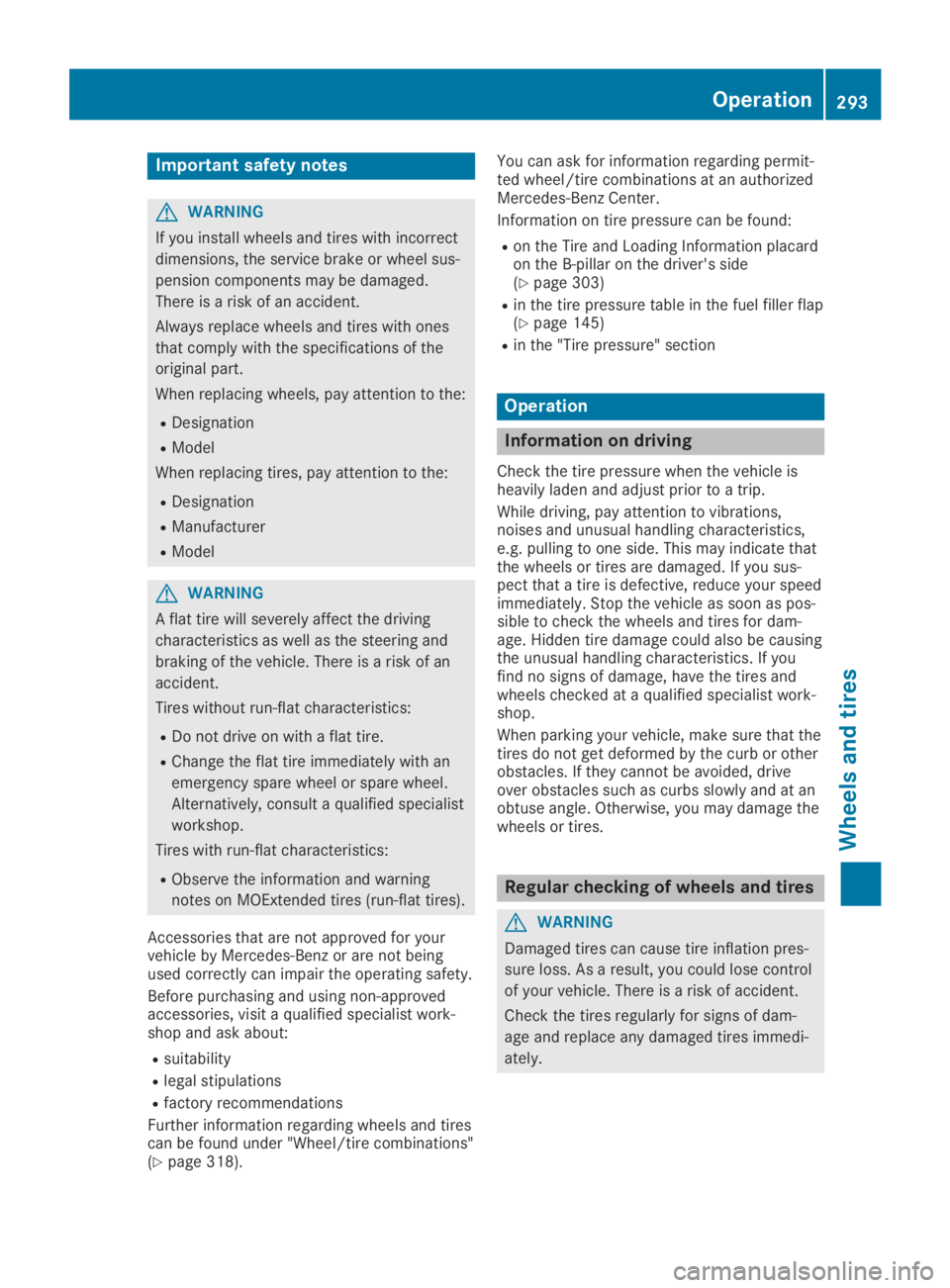
Important safety notes
GWARNING
If you install wheels and tires with incorrect
dimensions, the service brake or wheel sus-
pension components may be damaged.
There is a risk of an accident.
Always replace wheels and tires with ones
that comply with the specifications of the
original part.
When replacing wheels, pay attention to the:
RDesignation
RModel
When replacing tires, pay attention to the:
RDesignation
RManufacturer
RModel
GWARNING
A flat tire will severely affect the driving
characteristics as well as the steering and
braking of the vehicle. There is a risk of an
accident.
Tires without run-flat characteristics:
RDo not drive on with a flat tire.
RChange the flat tire immediately with an
emergency spare wheel or spare wheel.
Alternatively, consult a qualified specialist
workshop.
Tires with run-flat characteristics:
RObserve the information and warning
notes on MOExtended tires (run-flat tires).
Accessories that are not approved for yourvehicle by Mercedes-Benz or are not beingused correctly can impair the operating safety.
Before purchasing and using non-approvedaccessories, visit a qualified specialist work-shop and ask about:
Rsuitability
Rlegal stipulations
Rfactory recommendations
Further information regarding wheels and tirescan be found under "Wheel/tire combinations"(Ypage 318).
You can ask for information regarding permit-ted wheel/tire combinations at an authorizedMercedes-Benz Center.
Information on tire pressure can be found:
Ron the Tire and Loading Information placardon the B-pillar on the driver's side(Ypage 303)
Rin the tire pressure table in the fuel filler flap(Ypage 145)
Rin the "Tire pressure" section
Operation
Information on driving
Check the tire pressure when the vehicle isheavily laden and adjust prior to a trip.
While driving, pay attention to vibrations,noises and unusual handling characteristics,e.g. pulling to one side. This may indicate thatthe wheels or tires are damaged. If you sus-pect that a tire is defective, reduce your speedimmediately. Stop the vehicle as soon as pos-sible to check the wheels and tires for dam-age. Hidden tire damage could also be causingthe unusual handling characteristics. If youfind no signs of damage, have the tires andwheels checked at a qualified specialist work-shop.
When parking your vehicle, make sure that thetires do not get deformed by the curb or otherobstacles. If they cannot be avoided, driveover obstacles such as curbs slowly and at anobtuse angle. Otherwise, you may damage thewheels or tires.
Regular checking of wheels and tires
GWARNING
Damaged tires can cause tire inflation pres-
sure loss. As a result, you could lose control
of your vehicle. There is a risk of accident.
Check the tires regularly for signs of dam-
age and replace any damaged tires immedi-
ately.
Operation293
Wheels and ti res
Z
Page 324 of 330
Other identifications, for example:
R0 W-30
R5 W-30
R5 W-40
Fuel
Important safety notes
GWARNING
Fuel is highly flammable. Improper handling
of fuel creates a risk of fire and explosion.
Avoid fire, open flames, smoking and creat-
ing sparks under all circumstances. Switch
off the engine and, if applicable, the auxiliary
heating before refueling.
GWARNING
Fuels are toxic and harmful to health. There
is a risk of injury.
You must avoid fuels coming into contact
with skin, eyes and clothes or being swal-
lowed.
Do not inhale the fuel vapors. Keep children
away from fuels.
Keep doors and windows closed during the
refueling process.
If you or others come into contact with fuel,
observe the following points:
RImmediately rinse the fuel off your skin
with soap and water.
RIf you get fuel into your eyes, immediately
rinse your eyes throughly with clean
water. Seek medical attention immedi-
ately.
RSeek medical attention immediately if fuel
has been swallowed. Do not induce vomit-
ing.
RImmediately change out of clothing which
has come into contact with fuel.
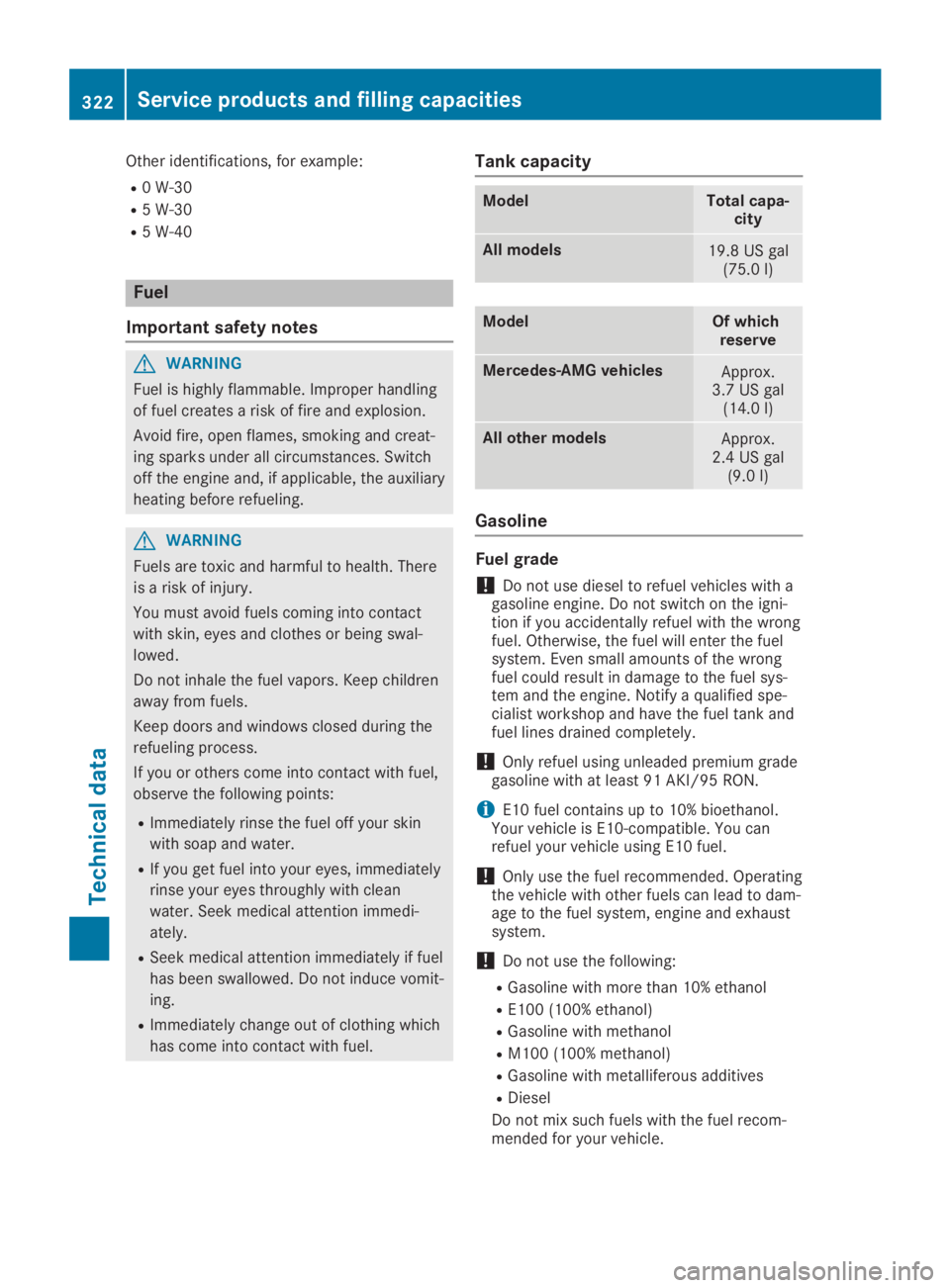
Tank capacity
ModelTotal capa-city
All models19.8 US gal(75.0l)
ModelOf whichreserve
Mercedes‑AMG vehiclesApprox.3.7 US gal(14.0l)
All other modelsApprox.2.4 US gal(9.0 l)
Gasoline
Fuel grade
!Do not use diesel to refuel vehicles with agasoline engine. Do not switch on the igni-tion if you accidentally refuel with the wrongfuel. Otherwise, the fuel will enter the fuelsystem. Even small amounts of the wrongfuel could result in damage to the fuel sys-tem and the engine. Notify a qualified spe-cialist workshop and have the fuel tank andfuel lines drained completely.
!Only refuel using unleaded premium gradegasoline with at least 91 AKI/95 RON.
iE10 fuel contains up to 10% bioethanol.Your vehicle is E10-compatible. You canrefuel your vehicle using E10 fuel.
!Only use the fuel recommended. Operatingthe vehicle with other fuels can lead to dam-age to the fuel system, engine and exhaustsystem.
!Do not use the following:
RGasoline with more than 10% ethanol
RE100 (100% ethanol)
RGasoline with methanol
RM100(100% methanol)
RGasoline with metalliferous additives
RDiesel
Do not mix such fuels with the fuel recom-mended for your vehicle.
322Service products and filling capacities
Technical data
Page 327 of 330
The coolant is a mixture of water and anti-freeze/corrosion inhibitor. It is responsible forthe following:
Ranti-corrosion protection
Rantifreeze protection
Rraising the boiling point
If the coolant has antifreeze protection downto -35 ‡ (-37 †), the boiling point of the cool-ant during operation is approximately 266 ‡(130 †).
The antifreeze/corrosion inhibitor concentra-tion in the engine cooling system should:
Rbe at least 50%. This will protect the enginecooling system against freezing down toapproximately -35 ‡ (-37 †).
Rnot exceed 55% (antifreeze protection downto -49 ‡ [-45 †]). Otherwise, heat will notbe dissipated as effectively.
If the vehicle has lost coolant, add equalamounts of water and antifreeze/corrosioninhibitor.
Mercedes-Benz recommends an antifreeze/corrosion inhibitor concentrate in accordancewith MB Specifications for Service Products310.1.
iWhen the vehicle is first delivered, it is fil-led with a coolant mixture that ensures ade-quate antifreeze and anti-corrosion protec-tion.
iThe coolant is checked with every mainte-nance interval at a qualified specialist work-shop.
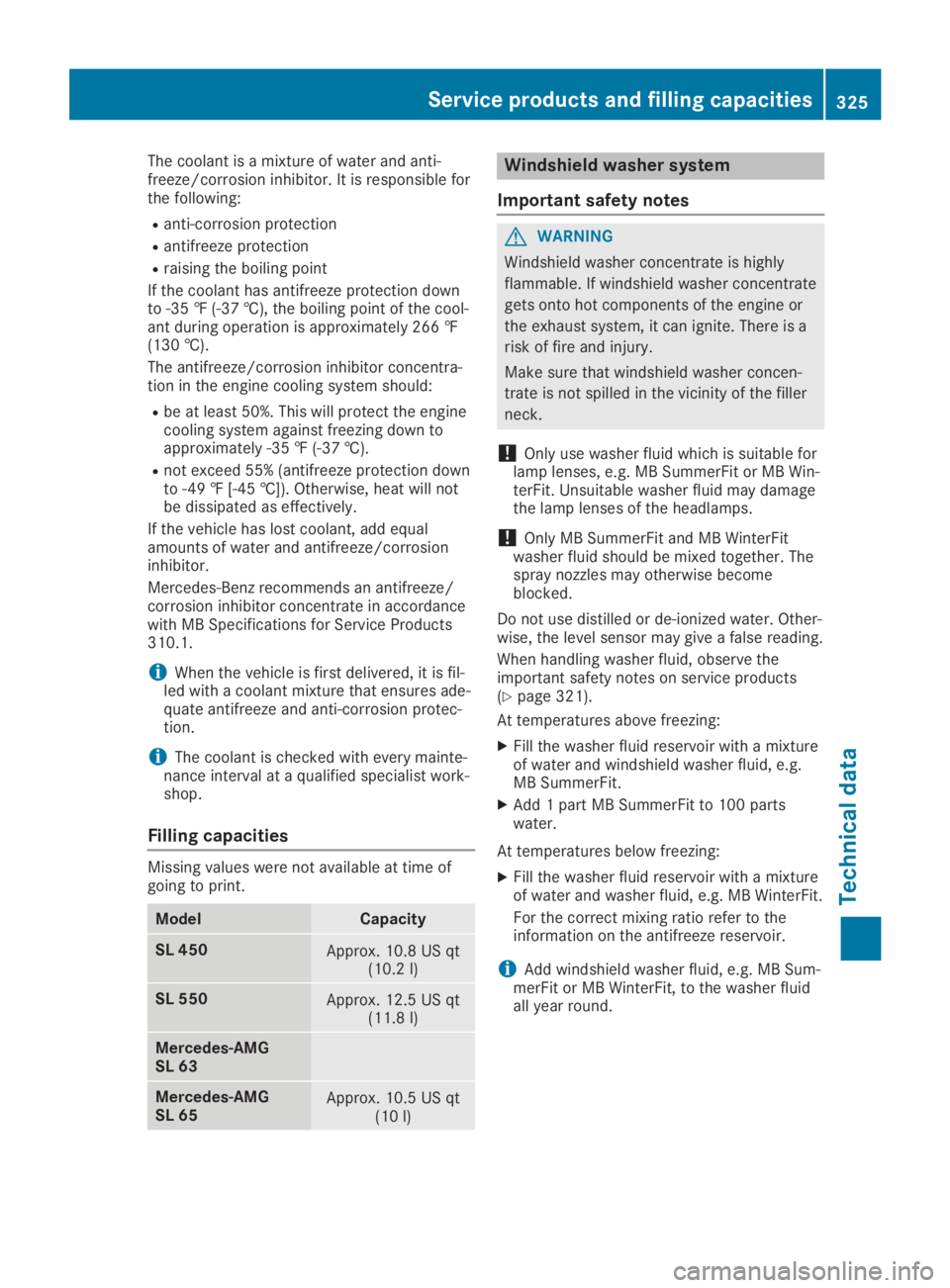
Filling capacities
Missing values were not available at time ofgoing to print.
ModelCapacity
SL 450Approx. 10.8 US qt(10.2l)
SL 550Approx. 12.5 US qt(11.8l)
Mercedes‑AMGSL 63
Mercedes‑AMGSL 65Approx. 10.5 US qt(10l)
Windshield washer system
Important safety notes
GWARNING
Windshield washer concentrate is highly
flammable. If windshield washer concentrate
gets onto hot components of the engine or
the exhaust system, it can ignite. There is a
risk of fire and injury.
Make sure that windshield washer concen-
trate is not spilled in the vicinity of the filler
neck.
!Only use washer fluid which is suitable forlamp lenses, e.g. MB SummerFit or MB Win-terFit. Unsuitable washer fluid may damagethe lamp lenses of the headlamps.
!Only MB SummerFit and MB WinterFitwasher fluid should be mixed together. Thespray nozzles may otherwise becomeblocked.
Do not use distilled or de-ionized water. Other-wise, the level sensor may give a false reading.
When handling washer fluid, observe theimportant safety notes on service products(Ypage 321).
At temperatures above freezing:
XFill the washer fluid reservoir with a mixtureof water and windshield washer fluid, e.g.MB SummerFit.
XAdd 1 part MB SummerFit to 100 partswater.
At temperatures below freezing:
XFill the washer fluid reservoir with a mixtureof water and washer fluid, e.g. MB WinterFit.
For the correct mixing ratio refer to theinformation on the antifreeze reservoir.
iAdd windshield washer fluid, e.g. MB Sum-merFit or MB WinterFit, to the washer fluidall year round.
Service products and filling capacities325
Technical data
Z