warning MERCEDES-BENZ SL CLASS 2020 Owner's Guide
[x] Cancel search | Manufacturer: MERCEDES-BENZ, Model Year: 2020, Model line: SL CLASS, Model: MERCEDES-BENZ SL CLASS 2020Pages: 334, PDF Size: 17.43 MB
Page 84 of 334

!
Only
close thetrunk oncetheroof islow-
ered completely. Otherwise,youcould dam-
age theroof.
If you close thetrunk lidbefore theroof is
lowered completely, theloadi ngaid switch
lights upand awarning tonesounds.
The opening dimensions ofthe trunk lidcan be
found inthe "Vehicle data"section
(Y page 330).
With theroof open, youcan usetheloadi ng
aid toraise thefolded roofinthe trunk to
make loadingeasier (Ypage 254). Thetrunk
partition opensautomaticall y.
You canunlock thetrunk lidifthe vehicle is
stationary andtheroof iscompletely openor
closed.
Do not leave theSmartKey inthe trunk. You
could otherwise lockyoursel fout.
The trunk lidcan be:
R opened/closed fromoutside
R opened andclosed automaticall yfrom out-
side (vehicles withtrunk lidremote closing
feature)
R opened andclosed automaticall yfrom
inside (vehicles withtrunk lidremote closing
feature)
R opened, closedorstopped duringoperation
without theuse ofyour hands (vehicles with
KEYLES S-GOandHAND S-FREE ACCESS)
R locked separately
R opened withtheemergency releasebutton
R unlocked withthemechanical key
You should preferably placeluggageorloads
in the trunk. Tru
nklidreversing feature
The trunk lidisequip pedwith anautomatic
reversing feature.Itreacts ifasolid object
obstructs orrestrict sthe trunk lidduring the
closing procedure. Thetrunk lidopens again
automaticall y.The automatic reversingfunc-
tion isonly anaid and isnot asubstitute for
your attent iveness tothe trunk lidwhile itis
closing. G
WARNING
The reversing featuredoesnotrespond:
R to soft, lightandthin objects, e.g.fingers
R over thelast 1/3 in(8 mm) ofthe closing
movement
The reversing featurecannotprevent some-
one being trapped inthese situations inpar-
ticular. Thereisarisk ofinjury.
Make surethatnobody parts areinclose
proximity duringtheclosing procedure.
If somebody becomestrapped:
R press the0054 button onthe SmartKey,
or
R pull orpress theremote operating switch
on the driver's dooror
R press theclosing orlocking buttononthe
trunk lid,or
R pull onthe trunk lidhandle Opening/
closing from outside
Opening X
Press the0036 button onthe SmartKey.
X Pull handle 0043.
X Lift the trunk lid.
If the trunk partition wasclosed, itopens
automaticall yand remains open.
With theroof open, youcan usetheloadi ng
aid toraise thefolded roofinthe trunk to
make loadingeasier (Ypage 254). Thetrunk
partition opensautomaticall y. 82
Tr
unkOpening andclosing
Page 86 of 334

HANDS
-FREEACCESS
Gene ralnote s With
KEYLESS-GO andHANDS-F REEACCESS,
you can open orclose thetrunk lidorstop the
proced urewitho utusi ng you rhands. Thisis
use fulifyou have yourhands full.To do this,
make akicking movement underthebump er
with yourfoot.
Observe thefollowi ngpoints:
R Ca rry you rKEYLESS-GO keyaboutyou rper-
son. TheSmartKey mustbeatthe rear of
the vehicl ein the detection rangeofKEY-
LESS-GO.
R When making thekicking movement, make
sure thatyouarestanding firmlyonthe
grou ndand that there issuffi cient clearance
to the rear ofthe vehicl e.You couldother-
wis elose yourbal ance, forexampl eon ice.
Important safetynotes G
WARNING
The vehicl eexhau stsystem canbecome
very hot.Ifyou useHANDS-F REEACCESS,
you couldburn yourself bytouching the
exhau stsystem. Thereisarisk ofinjury .
Alwa ysensure thatyoumake thekicking
movement onlywithi nthe detection rangeof
the sensors.
! If
the SmartKey iswithi nthe rear detection
range ofKEYLESS-GO, thefollowi ngsitua -
tions, forexampl e,coul dlea dto the unin-
tentional openingofthe trunk lid:
R when using anautomatic carwas h
R when using apow erwas her
Make surethattheSmartKey isat lea st
10 ft(3 m) awa yfrom thevehicl e. R
Alwa ysensure thatyoumake thekicking
movement onlywithi nthe detection range
of sensors 0043.
R Stand atlea st12 in(30 cm) awayfrom the
rear area whiledoing so.
R Do not come intocontact withthebump er
whi lemaking thekicking movement. Other-
wis e,the sensors maynotfunction cor-
rectly.
R HANDS-F REEACCESS doesnotfunction
duri ngengine start.
R Dirt caus edbyroad saltand snow build-u p
arou ndsensors 0043may restrict functional -
ity.
R Using theHANDS-F REEACCESS witha
prostheti cleg may restrict functional ity.
R IfaKEYLESS-GO keyisat the rear ofthe
vehicl ein the detection rangeofKEYLESS-
GO, HANDS-F REEACCESS couldbe trig-
gered .The trunk lidcoul dthus beopened or
closed unintentiona lly,for exampl e,ifyou :
- sit on the edge ofthe trunk.
- set somethi ngdow nor lift somethi ngup
behi ndthe vehicl e.
- poli shthe rear ofthe vehicl e.
Do not carry theKEYLESS-GO keyabout
you rperso nin these situations orinsitua -
tions similartothese. Thiswillprevent the
unintentiona lopeni ng/closing ofthe trunk
lid . 84
TrunkOpen
ingand closi ng
Page 87 of 334

Opera
tion X
To open/close: kickyour footintosensor
detec tionzone0043 below thebumper.
A warning tonewill sound whilethetrun klid
is opening orclosing .
X If
the trunk liddoes notopen aftersev-
eral attempt s:wait atleast tensecon ds
then move yourlegunder thebumper once
again.
If you hold your footunder thebumper fortoo
long, thetrun klid does notopen orclose.
Repeat thelegmovemen tmore quickly ifthis
occurs .
To stop theopening orclosing procedure, you
have thefollowing options:
R kick with your footintosensor detection
range 0043under thebumper
R Pull thehandle onthe outside ofthe trun k
lid.
R Press theclosing buttononthe trun klid.
R Pull orpress theremot eoperatin gswitch on
the driver's door.
R Press the0054 button onthe Smart Key.
If the trun klid closing procedure hasbeen
stopped:
R Move yourfootunder thebumper againand
the trun klid will open.
If the trun klid opening procedure hasbeen
stopped:
R Move yourfootunder thebumper againand
the trun klid will close. Opening/closing
automat ically from
inside
Impor tantsafet ynotes G
WARN
ING
Parts ofthe body could become trapped
during automatic closingofthe trun klid. In
addition, peoplemaybestan ding inthe clos-
ing area ormay enterthe closing area,e.g.
children ,during theclosing procedure.
There isarisk ofinjur y.
Make surethatnobody isin the vicin ityof
the closing areaduring theclosing process .
Release theremot eoperatin gswitch imme-
diately ifsomebody becomestrapped.Tore-
open thetrun klid, pull onthe remot eoper-
ating switch. G
WARN
ING
The trunklid can beautomatic allyopened or
closed evenifthe Smart Keyisnot inthe
vehicle. Ifchildren areleft unsupervised in
the vehicle, theycould activat ethe func -
tion s.There isarisk ofinjur y.
When leaving thevehicle, alwaystake the
Smart Keywith youand lock thevehicle.
Never leavechildren unsupervised inthe
vehicle.
! The
trunklid swings upwards when
opened. Therefore,make surethatthere is
sufficien tclearanc eabove thetrun klid.
The opening dimension sof the trun klid can be
found inthe "Vehicle data"section
(Y page 330). Tr
unk
85Opening andclosi ng Z
Page 92 of 334

Problems
withtheside window s G
WARNING
If you close aside window againimmediately afterithas been blocked, theside window closes
with increased ormaximum force.Thereversing functionisthen notactive. Partsofthe body
could betrapped inthe closing areainthe process. Thisposes anincreased riskofinjury or
even fatalinjury.
Make surethatnoparts ofthe body areinthe closing area.Tostop theclosing process,
release theswitch orpush theswitch againtoreopen theside window. Problem
Possible
causes/co nsequences and0050 0050
Solutions A
side window cannot
be closed because itis
blocked byobject s,e.g.
leaves inthe window
guide. X
Remove theobject s.
X Close theside window. A
side window cannot
be closed andyoucan-
not see thecause. If
aside window isobstruct edduring closing andreopens again
slightly:
X Immediately afterthewindow blocks,pullthecorrespondin g
switch againuntiltheside window hasclosed.
The side window isclosed withincreased force.
If aside window isobstruct edagain during closing andreopens
again slightly:
X Immediately afterthewindow blocks,pullthecorrespondin g
switch againuntiltheside window hasclosed.
The side window isclosed without theautomatic reversingfunc-
tion. The
side windows can-
not beopened orclosed
using theconven ience
opening/c losingfea-
ture. The
SmartK eybattery isdischarged ornearly discharged.
X Check theSmartK eybattery (Ypage 77)and replace itifneces-
sary (Ypage 77). Roof
Import
antsafety notes G
WARNING
If you donot fully open/close thesoft top,
the soft- tophydraul icsdepressurize aftera
short time.Thiscauses thesoft toptolower
unexpect edlyandmay cause youorothers
to be trapped. Thereisarisk ofinjury.
Always openorclose thesoft topcom-
pletely. G
WARNING
Closing theroof manually isacomplicated
and techn ically demanding procedure,which
requires alot ofstren gth.Youorothers can
become trapped. Thereisarisk ofinjury.
Only have thesoft topclosed manually ata
quali fiedspecialist workshop.
! Never
siton the rear compartmen ttrim or
stow heavy objectsthere. Youwillotherwise
damage theroof andrear compartmen ttrim
of the vehicle. 90
RoofOpening
andclosing
Page 93 of 334
!
Do
not forget thattheweather canchange
abruptly .Make certain thattheroof is
closed whenyouleave thevehicle. Thevehi-
cle electronics canbedamage difwater
enters thevehicle interior.
! When
opening andclosing theroof, make
sure that:
R there issufficient clearance, asthe roof
swings upwards.
R there issufficient clearance behindthe
vehicle, asthe trunk lidswings backwards
beyond thebumper.
R the trunk isonly loade dto below the
trunk partition.
R the trunk partition isnot pushed upbythe
load.
R the trunk partition isclosed.
R the trunk lidisclosed.
R the outside temperature isabove 5‡
(00F815 †).
You could otherwise damagetheroof, trunk
and other partsofthe vehicle.
The vehicle dimensions foropening/closing
the roof canbefound inthe "Vehicle data"
section (Ypage 330).
Make surethattheroof andrear window are
clean anddrybefore opening theroof. Other-
wise, water ordirt could enterthevehicle inte-
rior ortrunk. Opening
andclosing using theroof
switch
Importa ntsafety notes G
WARNING
When opening orclosing theroof, body
parts could betrapped by,forexample, the
roof mechanism, trunklidorside windows.
There isarisk ofinjury.
When raising orlowering theroof, make
sure thatnobody parts areinthe vicinity of
moving component s.Ifsomeone becomes
trapped, releasethebutton.
For safety reasons, youcan only open orclose
the roof when thevehicle isstationary. !
Operating
theroof while pulling awa y:
R Observe thefollowi ngtraffic carefully .
R Do not drive faster than25mph
(40 km/h).
R Avoid abrupt braking andswerving
maneuvers.
Do not operate theroof when cornering,
driving onuneven surfaces orduring strong
winds. Thevehicle mayotherwise bedam-
aged.
i If
the traffic conditions meanthatyouhave
to drive offwhile opening/closing theroof,
the procedure whichwasstarted whilesta-
tionary canbecont inued atspeeds ofup to
approximately 25mph (40km/h).
Opening andclosing X
Close thetrunk lid(Ypage 81).
If the trunk isloade dcorrect ly,the trunk
partition closesautomaticall y.
X Turn theSmartKey toposition 0048inthe igni-
tion lock.
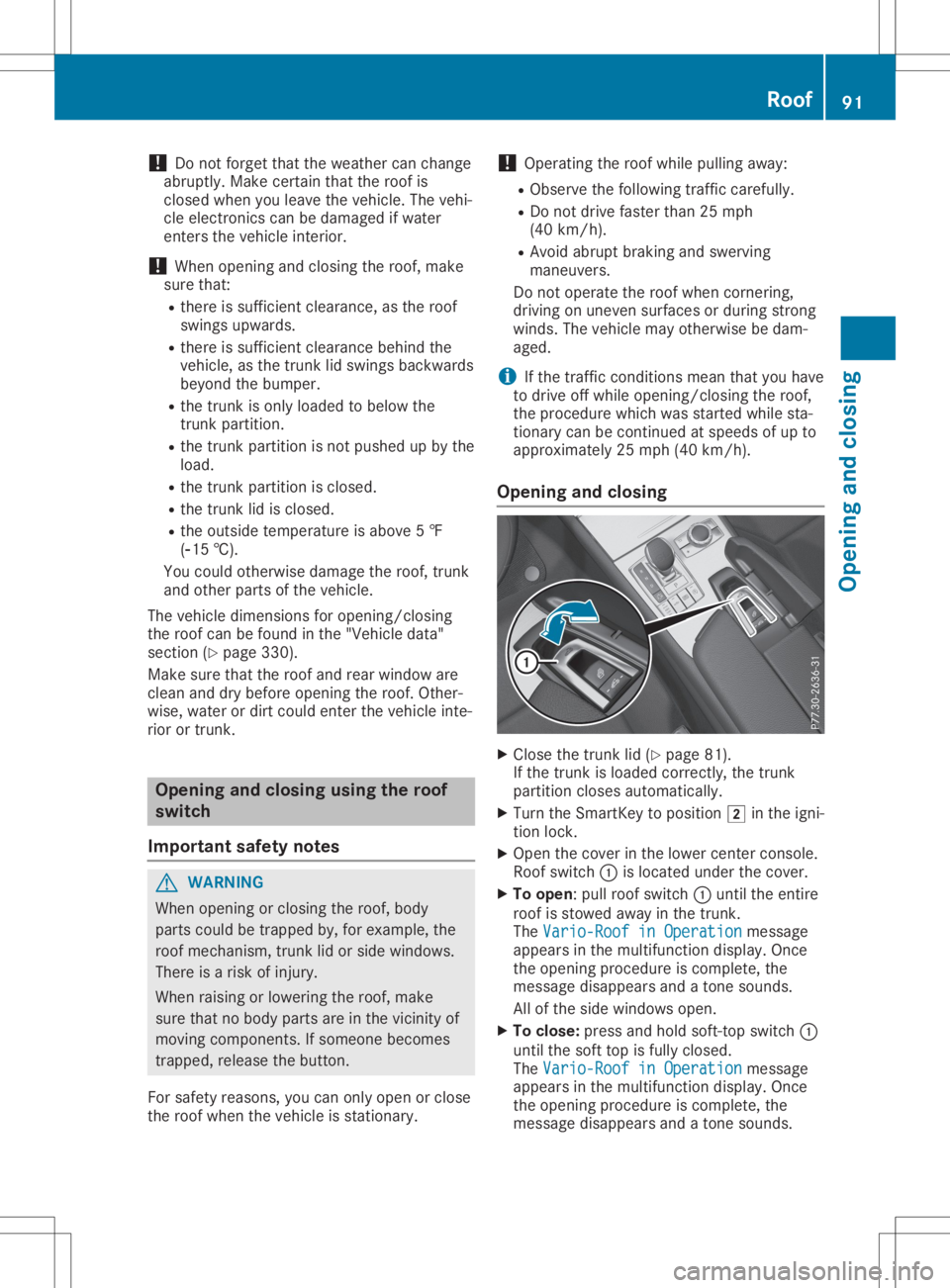
X Open thecover inthe lower center console.
Roof switch 0043islocated underthecover.
X To open: pullroof switch 0043until theentire
roof isstowed awayin the trunk.
The Vario-Roof inOperation Vario-Roof
inOperation message
appea rsinthe multifunction display.Once
the opening procedure iscomplete, the
message disappearsandatone sounds.
All ofthe side windows open.
X To clos e:press andhold soft-t opswitch 0043
until thesoft topisfully closed.
The Vario-Roof inOperation Vario-Roof
inOperation message
appea rsinthe multifunction display.Once
the opening procedure iscomplete, the
message disappearsandatone sounds. Roof
91Opening andclosing Z
Page 97 of 334
Key
topositio n0092 inthe ignition lockor
remove theSmartKey.
Risk ofele ctric shock G
DA
NGER
MAGIC SKYCONTR OLopera tesusing high
voltage .If the trim behind theoverhea dcon-
trol panel isdama gedorremoved, electrical
components willbe exposed .If you touch
these components, youcould getanelectric
shock. Thereisarisk offatal injury.
R Never remove thetrim behind theover-
head control panel.
R Ifthe trim isdama ged,never touch the
electrical components behindit.
R Alway shave work onthe MAGIC SKY
CONTR OLcarried outataqua lified spe-
ciali stworkshop.
The electrical components ofMAGIC SKY
CONTR OLare protected byapanel ingbehi nd
the overhea dcontrol panel.
The MAGIC SKYCONTR OLcontrol unitis
marked withayel low warning stickerthat warns
youofhigh voltage .The electric cables
of the high-vol tagesection arecolor orange.
Operating MAGICSKYCONTROL X
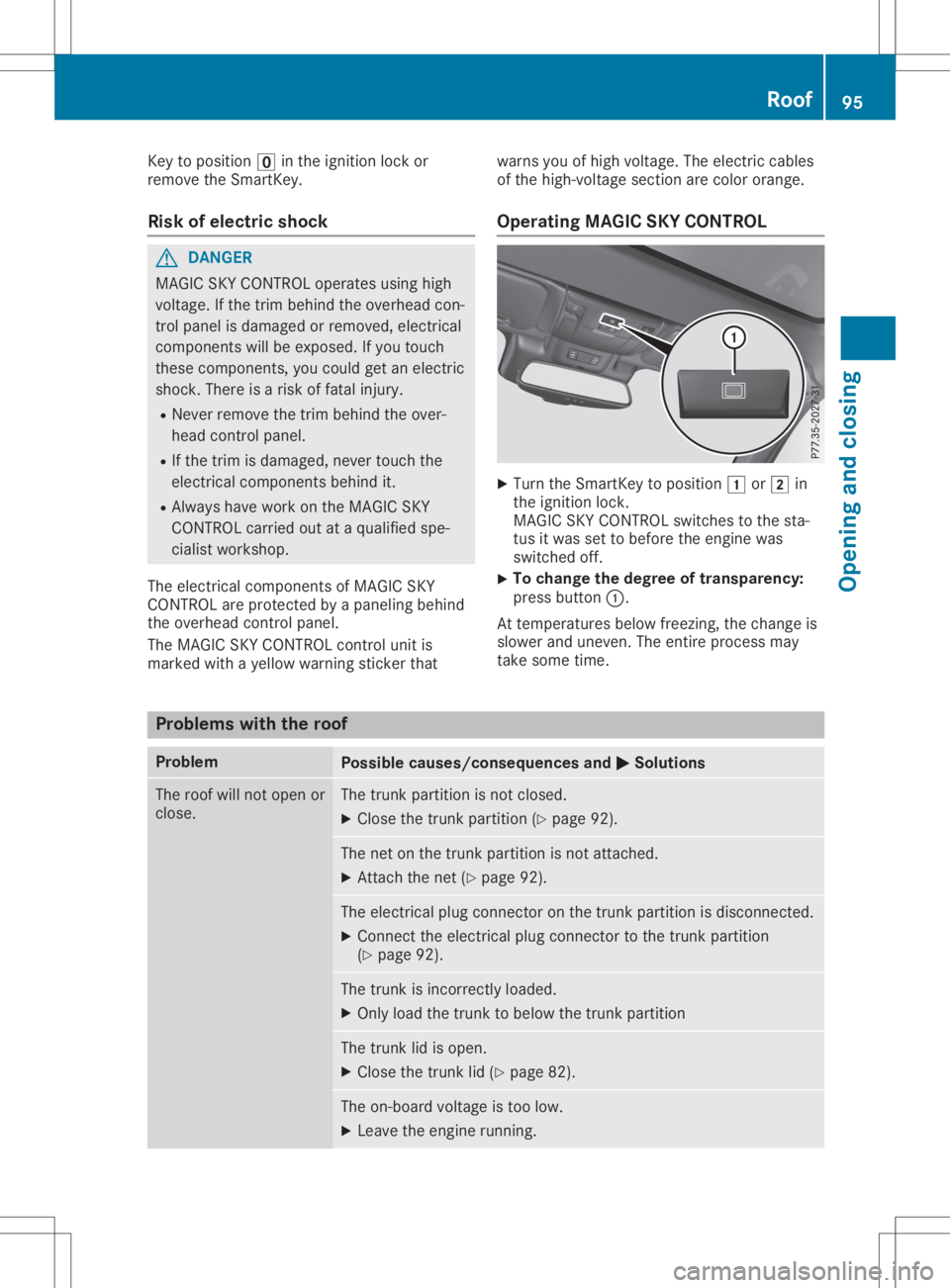
Turn theSmartKey topositio n0047 or0048 in
the ignition lock.
MAGIC SKYCONTR OLswitches tothe sta-
tus itwas settobefore theengine was
switched off.
X To
change thedegree oftransparency:
press button 0043.
At temperature sbelo wfreezing, thechange is
slow erand uneven. Theentire process may
take some time. Proble
mswith theroof Proble
m Possi
blecauses /consequen cesand 0050 0050
Solutio ns The
roof willnot open or
close. The
trunk partition isnot closed.
X Clo sethe trunk partition (Ypage 92). The
netonthe trunk partition isnot attached.
X Attach thenet (Ypage 92). The
electrical plugconnector onthe trunk partition isdisconnected.
X Connect theelectrical plugconnector tothe trunk partition
(Y page 92). The
trunk isincorrectly loaded.
X Only loadthe trunk tobelo wthe trunk partition The
trunk lidisopen.
X Clo sethe trunk lid(Ypage 82). The
on-board voltageistoo low.
X Leave theengine running. Roof
95Openingand closi ng Z
Page 102 of 334
seat
beltguide .This makes iteasier tomove
the seats forward.
Before youdrive off,theseat beltmust be
inserted intotheseat beltguide .
Observe thesafety guidelinesforseat belts
(Y page 42).
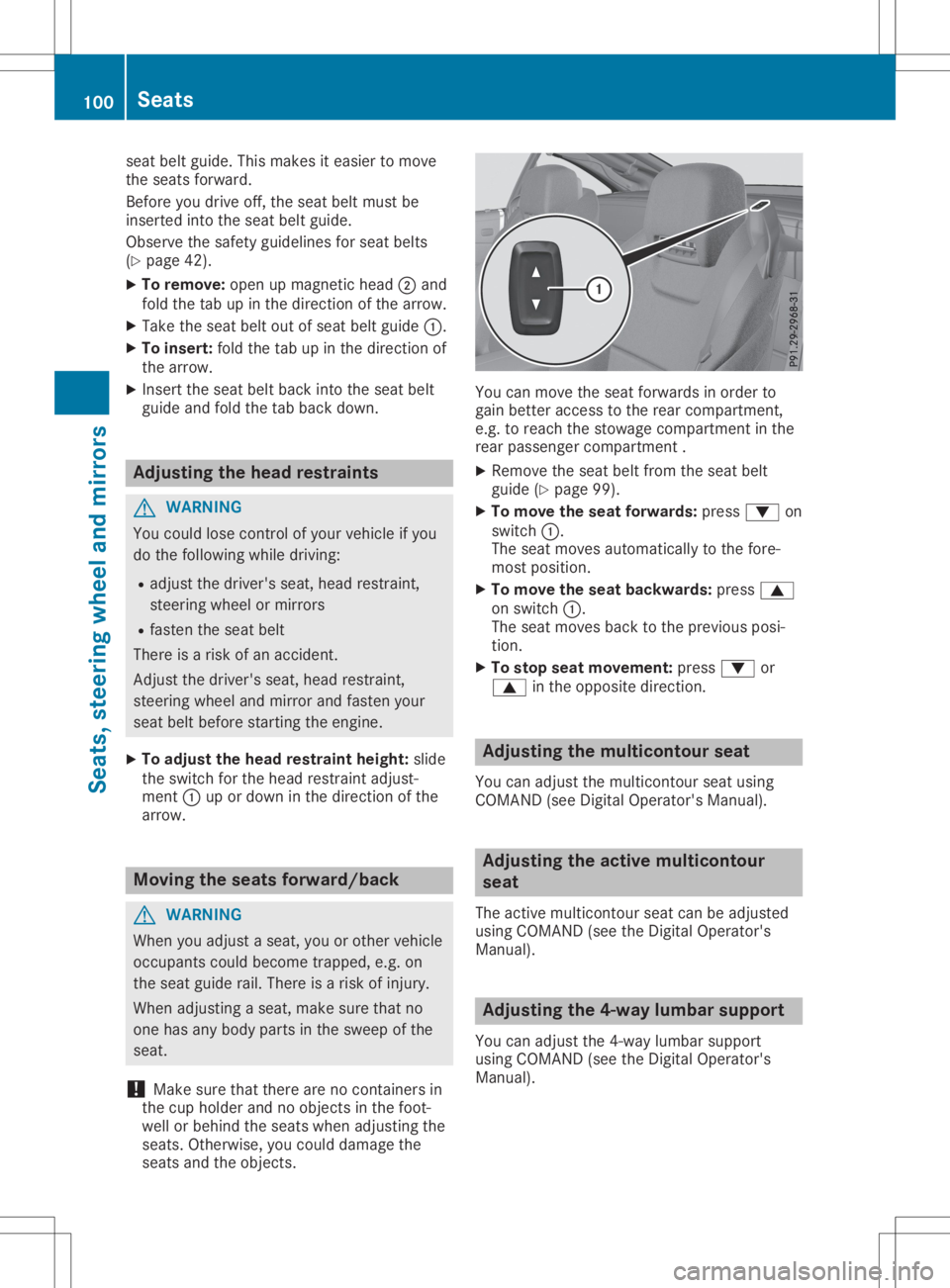
X To remove: openupmagnetic head0044and
fold thetabupinthe direction ofthe arrow.
X Take theseat beltoutofseat beltguide 0043.
X To insert: foldthetabupinthe direction of
the arrow.
X Insert theseat beltback intotheseat belt
guide andfold thetabback down. Adjusting
thehead restra ints G
WARNING
You could losecontrolofyour vehicle ifyou
do the followi ngwhile driving:
R adjust thedriver's seat,head restraint,
steering wheelormirrors
R fasten theseat belt
There isarisk ofan accident.
Adjust thedriver's seat,head restraint,
steering wheelandmirror andfasten your
seat beltbefore starting theengine.
X To adju stthe head restra intheight: slide
the switch forthe head restraint adjust-
ment 0043upordown inthe direction ofthe
arrow. Moving
theseats forward/back G
WARNING
When youadjust aseat, youorother vehicle
occupants couldbecome trapped, e.g.on
the seat guide rail.There isarisk ofinjury.
When adjusting aseat, make surethatno
one hasany body parts inthe sweep ofthe
seat.
! Make
surethatthere arenocont ainers in
the cup holder andnoobjects inthe foot-
well orbehind theseats when adjusting the
seats. Otherwise, youcould damage the
seats andtheobjects. You
canmove theseat forwards inorder to
gain better access tothe rear compartment ,
e.g. toreach thestowage compartment inthe
rear passenger compartment .
X Remove theseat beltfrom theseat belt
guide (Ypage 99).
X To move theseat forwards: press0064on
switch 0043.
The seat moves automaticall yto the fore-
most position.
X To move theseat backwards: press0063
on switch 0043.
The seat moves backtothe previous posi-
tion.
X To stop seatmovement: press0064or
0063 inthe opposite direction. Adjusting
themulticontour seat
You canadjust themulticontour seatusing
COMAND (seeDigital Operator's Manual). Adjusting
theactive multicontour
seat
The active multicontour seatcanbeadjusted
using COMAND (seetheDigital Operator's
Manual ). Adjusting
the4-way lumbar support
You canadjust the4-way lumbarsupport
using COMAND (seetheDigital Operator's
Manual ). 100
SeatsSeats,
steering wheeland mirrors
Page 103 of 334
Switching
theseat heating on/off
Switching on/off G
WARNING
Repeatedly switchingonthe seat heating
can cause theseat cushion andbackrest
pads tobecome veryhot.Thehealth ofper-
sons withlimited temperature sensitivityor
a limited abilityto react tohigh tempera-
tures maybeaffected orthey mayeven suf-
fer burn-like injuries.Thereisarisk ofinjury.
Therefore, donot switch theseat heating on
repeatedly.
! When
theseat heating isswitched on,the
seat surface canbedamaged asaresult of
object sbeing placed onthe seats, forexam-
ple, seat cushions, childseats andprotec-
tive covers notapproved byMercedes-B enz.
Ensure thatthere arenoobject son the seat
surface whentheseat heating isswitched
on. Driver's
andfront -passenger seat The
three redindicator lampsinthe button
indicate theheating levelyouhave selected.
The system automatically switchesdownfrom
level 3to level 2after approximately eight
minutes.
The system automatically switchesdownfrom
level 2to level 1after approximately ten
minutes.
The system automatically switchesoffapprox-
imately 20minutes afteritis set tolevel 1.
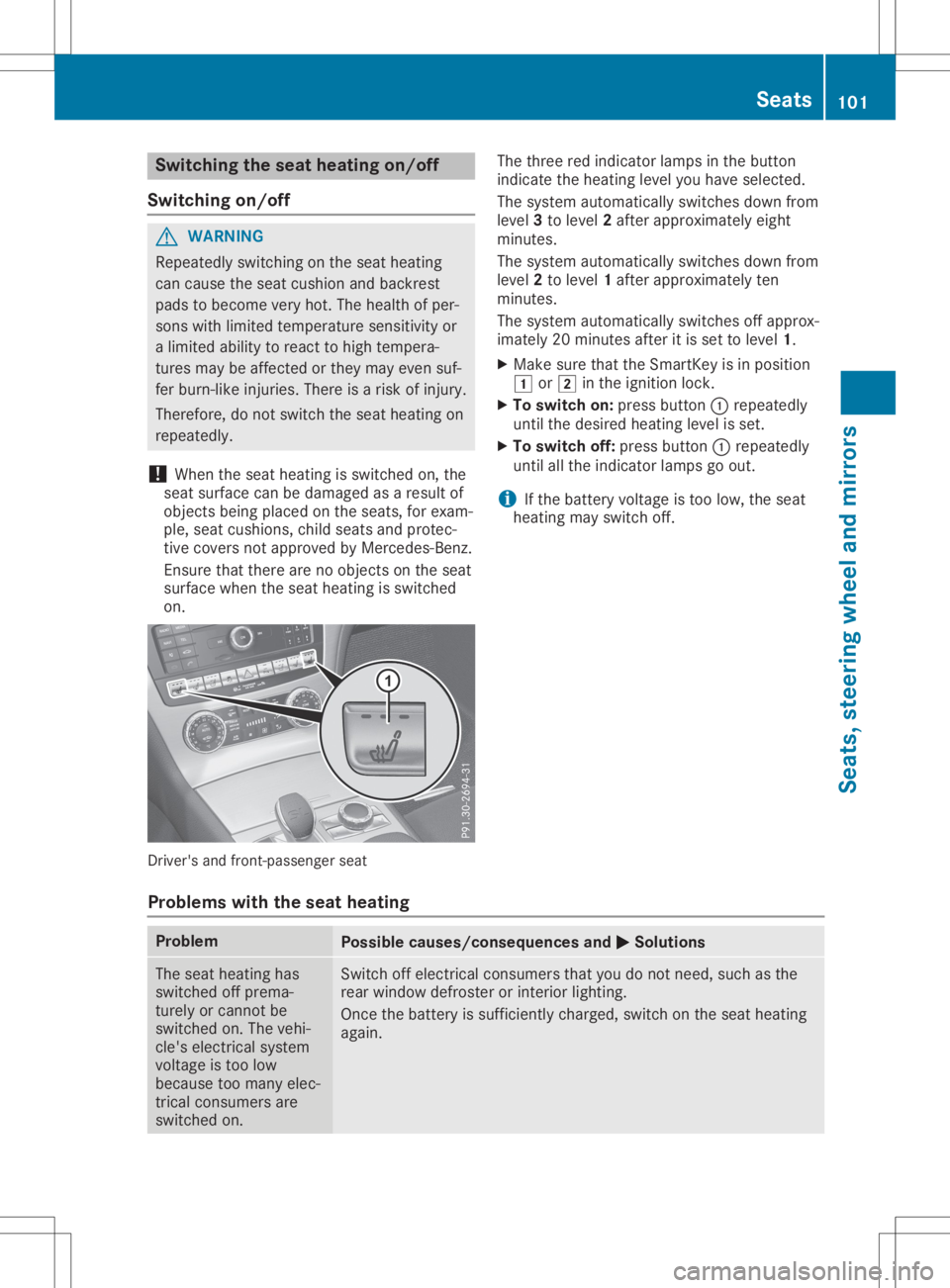
X Make surethattheSmartK eyisin position
0047 or0048 inthe ignition lock.
X To switch on:press button 0043repeatedly
until thedesired heating levelisset.
X To switch off:press button 0043repeatedly
until allthe indicator lampsgoout.
i If
the battery voltage istoo low, theseat
heating mayswitch off.
Problems withtheseat heating Problem
Possible
causes/co nsequences and0050 0050
Solutions The
seat heating has
switched offprema-
turely orcannot be
switched on.The vehi-
cle's electrical system
voltage istoo low
because toomany elec-
trical consumers are
switched on. Switch
offelectrical consumers thatyoudonot need, suchasthe
rear window defroster orinterior lighting.
Once thebattery issufficiently charged,switchonthe seat heating
again. Seats
101Seats,steering wheeland mirrors Z
Page 104 of 334
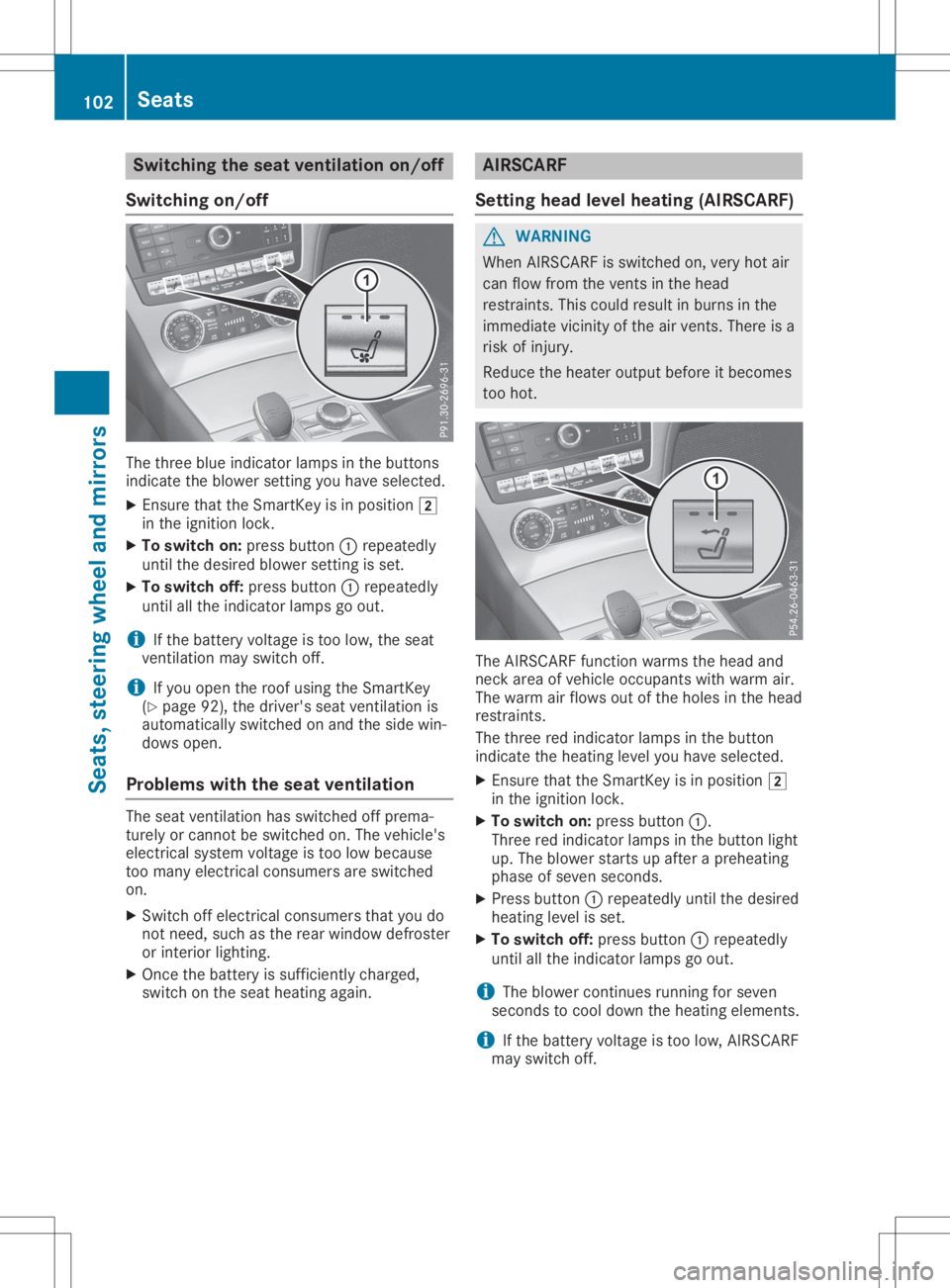
Switching
theseat ventilation on/off
Switching on/off The
three blueindicator lampsinthe buttons
indicate theblower settingyou have selected.
X Ensure thattheSmartK eyisin position 0048
in the ignition lock.
X To switch on:press button 0043repeatedly
until thedesired blowersettingis set.
X To switch off:press button 0043repeatedly
until allthe indicator lampsgoout.
i If
the battery voltage istoo low, theseat
vent ilation mayswitch off.
i If
you open theroof using theSmartK ey
(Y page 92),thedriver's seatventilation is
automatically switchedonand theside win-
dows open.
Problems withtheseat ventilation The
seat ventilation hasswitched offprema-
turely orcannot beswitched on.The vehicle's
electrical systemvoltage istoo low because
too many electrical consumers areswitched
on.
X Switch offelectrical consumers thatyoudo
not need, suchasthe rear window defroster
or interior lighting.
X Once thebattery issufficiently charged,
switch onthe seat heating again. AIRSCA
RF
Setting headlevelheating (AIRSCARF) G
WARNING
When AIRSCARF isswitched on,very hotair
can flow from thevent sin the head
restraint s.This could result inburns inthe
immediate vicinityofthe airvent s.There isa
risk ofinjury.
Reduce theheater output beforeitbecomes
too hot. The
AIRSCARF functionwarms thehead and
neck areaofvehicle occupants withwarm air.
The warm airflows outofthe holes inthe head
restraint s.
The three redindicator lampsinthe button
indicate theheating levelyouhave selected.
X Ensure thattheSmartK eyisin position 0048
in the ignition lock.
X To switch on:press button 0043.
Three redindicator lampsinthe button light
up. The blower startsupafter apreheating
phase ofseven seconds.
X Press button 0043repeatedly untilthedesired
heating levelisset.
X To switch off:press button 0043repeatedly
until allthe indicator lampsgoout.
i The
blower continues running forseven
seconds tocool down theheating elements.
i If
the battery voltage istoo low, AIRSCARF
may switch off. 102
SeatsSeats,
steering wheeland mirrors
Page 105 of 334

Steering
wheel Import
antsafety notes G
WARNING
You could losecontrolofyour vehicle ifyou
do the following whiledriving:
R adjust thedriver's seat,head restraint ,
steering wheelormirrors
R fasten theseat belt
There isarisk ofan accident.
Adjust thedriver's seat,head restraint ,
steering wheelandmirror andfasten your
seat beltbefore startingthe engine. G
WARNING
Children couldinjure themselves ifthey
adjust thesteering wheel.Thereisarisk of
injury.
Never leavechildren unsupervised inthe
vehicle.
When leaving thevehicle, alwaystake the
SmartK eywith youand lock thevehicle. This
also applie sfor the Digital Vehicle Keyifthe
"Digital Vehicle Key"functionisactivated via
Mercedes meconn ect.
The electrically adjustablesteeringwheelcan
still beadjusted whenthereisno SmartK eyin
the ignition lock. Adjust
ingthe steering wheelelectri-
cally 0043
Adjust sthe steering wheelheight
0044 Adjust sthe steering wheelposition (fore-
and-aft adjustment )
i Further relatedsubjects:
R EAS Y-ENTRY/E XITfeature (Ypage 103)
R Stor ingsettin gs(Y page 107) EASY
-ENTR Y/EXITfeatur e
Import antsafety notes G
WARNING
If you drive offwhile theEAS Y-ENTRY/E XIT
feature ismaking adjustment s,you could
lose controlofthe vehicle. Thereisarisk of
an accident.
Always waituntil theadjustment processis
complete beforedriving off. G
WARNING
When theEAS Y-ENTRY/E XITfeature adjusts
the steering wheel,youand other vehicle
occupants –particularly children–could
become trapped. Thereisarisk ofinjury.
While theEAS Y-ENTRY/E XITfeature ismak-
ing adjustment s,make surethatnoone has
any body parts inthe sweep ofthe steering
wheel. Steering
wheel
103Seats,steering wheeland mirrors
Z