odometer MERCEDES-BENZ SL-CLASS ROADSTER 2012 User Guide
[x] Cancel search | Manufacturer: MERCEDES-BENZ, Model Year: 2012, Model line: SL-CLASS ROADSTER, Model: MERCEDES-BENZ SL-CLASS ROADSTER 2012Pages: 316, PDF Size: 7.21 MB
Page 118 of 316
FunctionBVehicle status message
memory13 menu (Y page 120)
CSettings menu (Y page 121)DTrip computer menu (Y page 128)ETelephone menu (Y page 129)
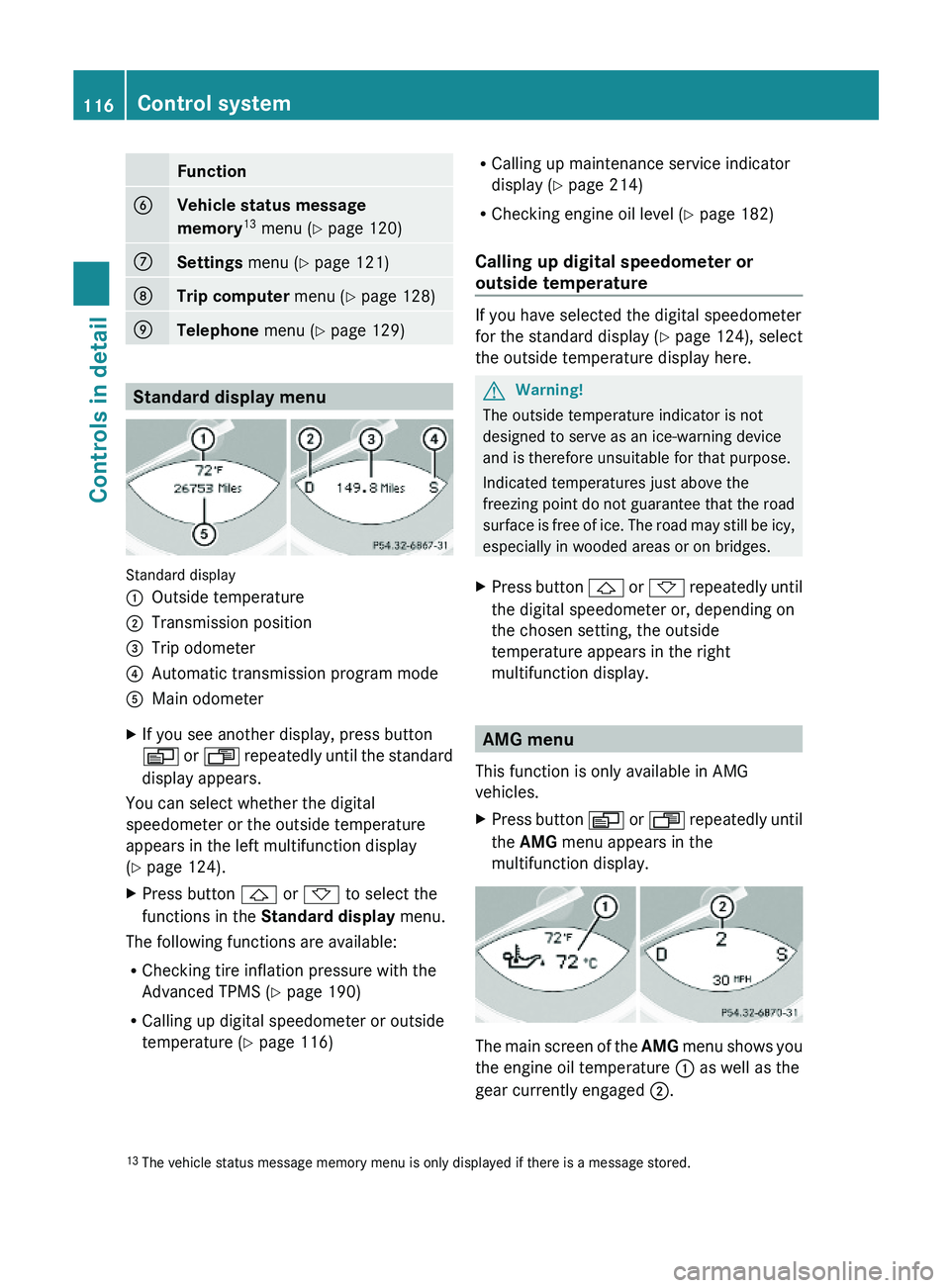
Standard display menu
Standard display
:Outside temperature;Transmission position=Trip odometer?Automatic transmission program modeAMain odometerXIf you see another display, press button
V or U repeatedly until the standard
display appears.
You can select whether the digital
speedometer or the outside temperature
appears in the left multifunction display
(Y page 124).
XPress button & or * to select the
functions in the Standard display menu.
The following functions are available:
RChecking tire inflation pressure with the
Advanced TPMS (Y page 190)
RCalling up digital speedometer or outside
temperature (Y page 116)
RCalling up maintenance service indicator
display (Y page 214)
RChecking engine oil level (Y page 182)
Calling up digital speedometer or
outside temperature
If you have selected the digital speedometer
for the standard display (Y page 124), select
the outside temperature display here.
GWarning!
The outside temperature indicator is not
designed to serve as an ice-warning device
and is therefore unsuitable for that purpose.
Indicated temperatures just above the
freezing point do not guarantee that the road
surface is free of ice. The road may still be icy,
especially in wooded areas or on bridges.
XPress button & or * repeatedly until
the digital speedometer or, depending on
the chosen setting, the outside
temperature appears in the right
multifunction display.
AMG menu
This function is only available in AMG
vehicles.
XPress button V or U repeatedly until
the AMG menu appears in the
multifunction display.
The main screen of the AMG menu shows you
the engine oil temperature : as well as the
gear currently engaged ;.
13The vehicle status message memory menu is only displayed if there is a message stored.116Control systemControls in detail
230_AKB; 6; 22, en-USd2ureepe,Version: 2.11.8.12009-07-28T18:49:58+02:00 - Seite 116
Page 124 of 316
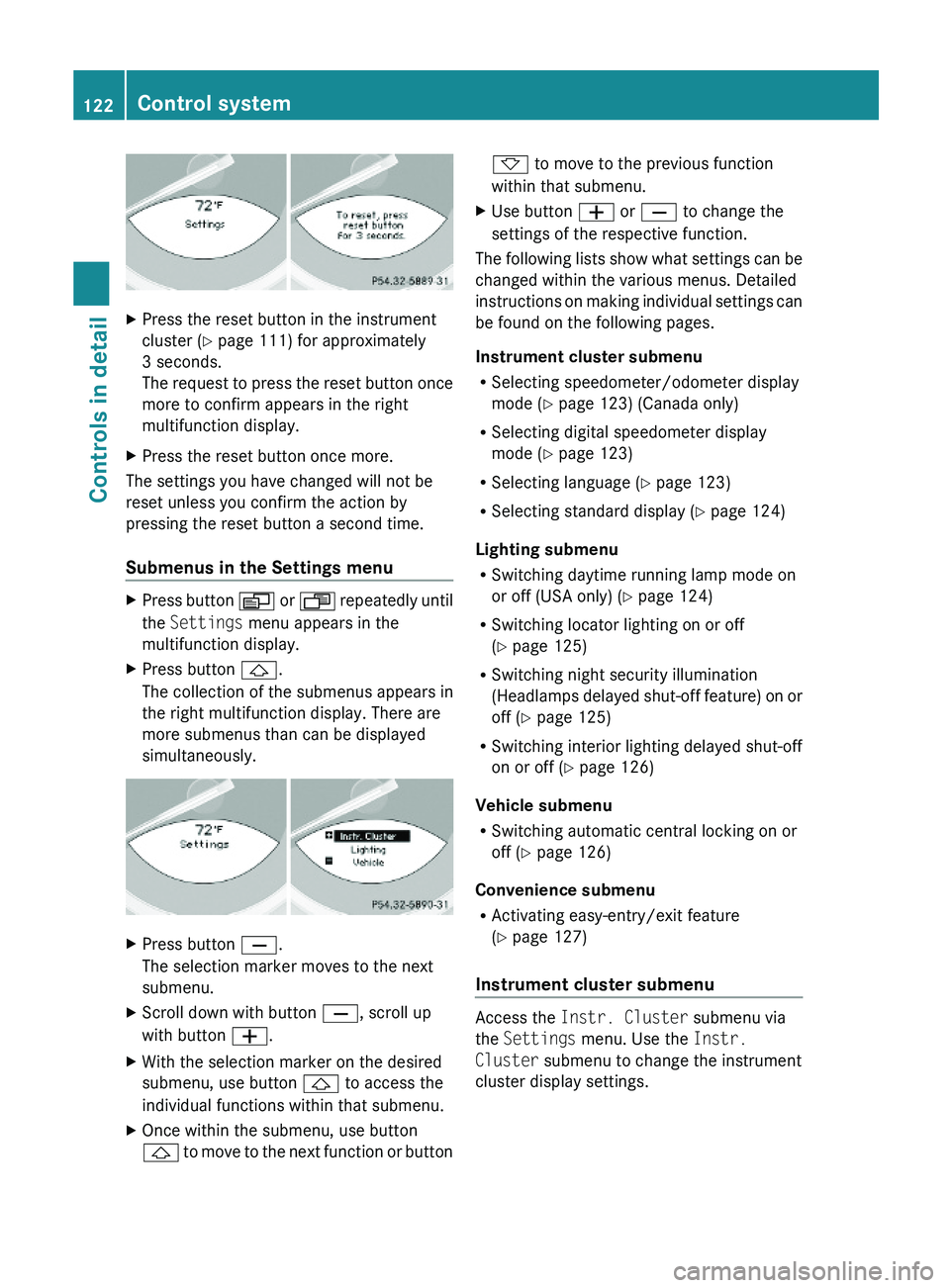
XPress the reset button in the instrument
cluster (Y page 111) for approximately
3 seconds.
The request to press the reset button once
more to confirm appears in the right
multifunction display.
XPress the reset button once more.
The settings you have changed will not be
reset unless you confirm the action by
pressing the reset button a second time.
Submenus in the Settings menu
XPress button V or U repeatedly until
the Settings menu appears in the
multifunction display.
XPress button &.
The collection of the submenus appears in
the right multifunction display. There are
more submenus than can be displayed
simultaneously.
XPress button X.
The selection marker moves to the next
submenu.
XScroll down with button X, scroll up
with button W.
XWith the selection marker on the desired
submenu, use button & to access the
individual functions within that submenu.
XOnce within the submenu, use button
& to move to the next function or button
* to move to the previous function
within that submenu.
XUse button W or X to change the
settings of the respective function.
The following lists show what settings can be
changed within the various menus. Detailed
instructions on making individual settings can
be found on the following pages.
Instrument cluster submenu
RSelecting speedometer/odometer display
mode (Y page 123) (Canada only)
RSelecting digital speedometer display
mode (Y page 123)
RSelecting language (Y page 123)
RSelecting standard display (Y page 124)
Lighting submenu
RSwitching daytime running lamp mode on
or off (USA only) (Y page 124)
RSwitching locator lighting on or off
(Y page 125)
RSwitching night security illumination
(Headlamps delayed shut-off feature) on or
off (Y page 125)
RSwitching interior lighting delayed shut-off
on or off (Y page 126)
Vehicle submenu
RSwitching automatic central locking on or
off (Y page 126)
Convenience submenu
RActivating easy-entry/exit feature
(Y page 127)
Instrument cluster submenu
Access the Instr. Cluster submenu via
the Settings menu. Use the Instr.
Cluster submenu to change the instrument
cluster display settings.
122Control systemControls in detail
230_AKB; 6; 22, en-USd2ureepe,Version: 2.11.8.12009-07-28T18:49:58+02:00 - Seite 122
Page 125 of 316
The following functions are available:
RSelecting speedometer/odometer display
mode (Y page 123) (Canada only)
RSelecting digital speedometer display
mode (Y page 123)
RSelecting language (Y page 123)
RSetting standard display (Y page 124)
Selecting speedometer/odometer
display mode (Canada only)
XPress button V or U repeatedly until
the Settings menu appears in the
multifunction display.
XPress button &.XMove the selection marker with button
W or X to the Instr. Cluster
submenu.
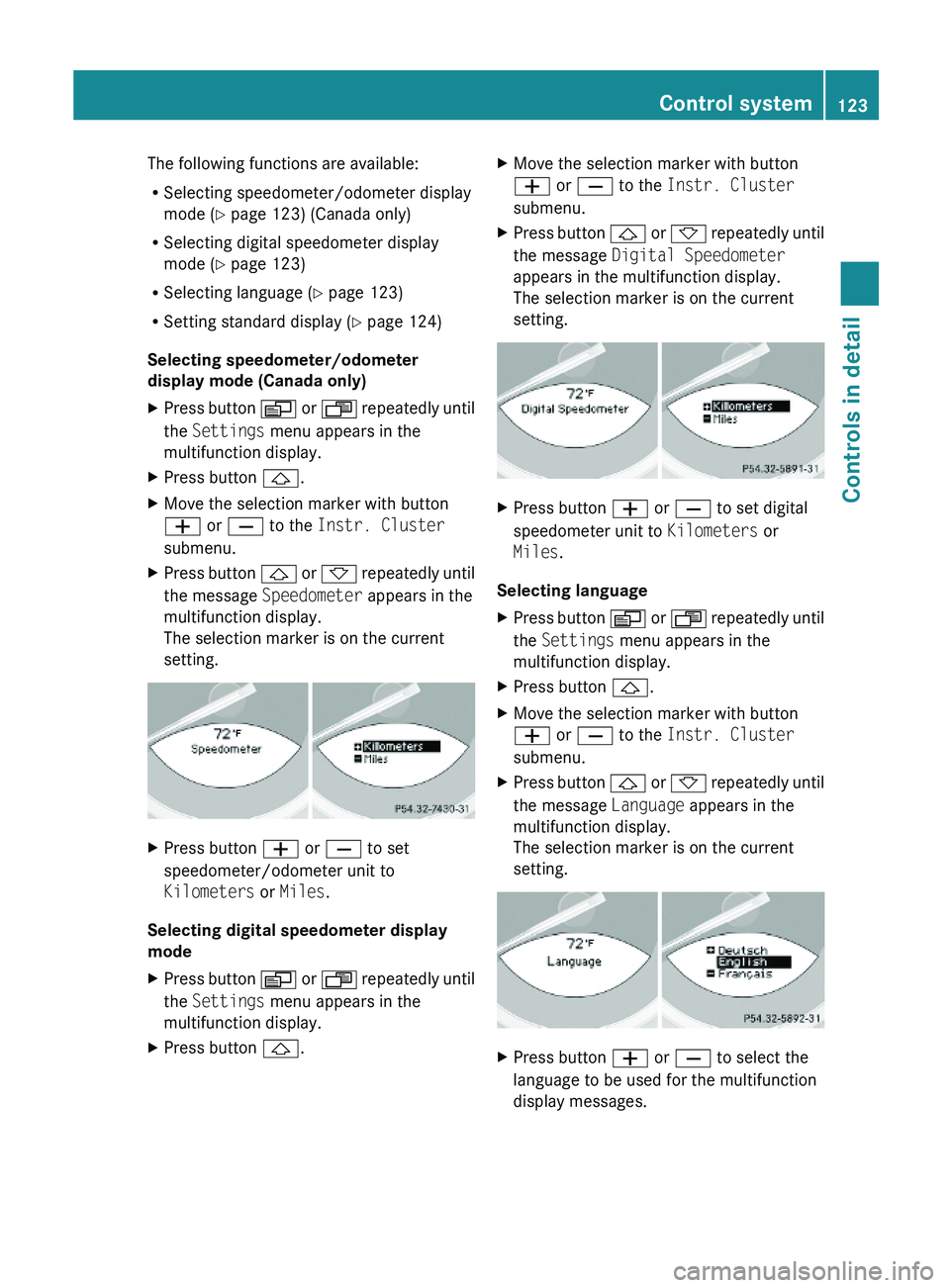
XPress button & or * repeatedly until
the message Speedometer appears in the
multifunction display.
The selection marker is on the current
setting.
XPress button W or X to set
speedometer/odometer unit to
Kilometers or Miles.
Selecting digital speedometer display
mode
XPress button V or U repeatedly until
the Settings menu appears in the
multifunction display.
XPress button &.XMove the selection marker with button
W or X to the Instr. Cluster
submenu.
XPress button & or * repeatedly until
the message Digital Speedometer
appears in the multifunction display.
The selection marker is on the current
setting.
XPress button W or X to set digital
speedometer unit to Kilometers or
Miles.
Selecting language
XPress button V or U repeatedly until
the Settings menu appears in the
multifunction display.
XPress button &.XMove the selection marker with button
W or X to the Instr. Cluster
submenu.
XPress button & or * repeatedly until
the message Language appears in the
multifunction display.
The selection marker is on the current
setting.
XPress button W or X to select the
language to be used for the multifunction
display messages.
Control system123Controls in detail230_AKB; 6; 22, en-USd2ureepe,Version: 2.11.8.12009-07-28T18:49:58+02:00 - Seite 123Z