fog light MERCEDES-BENZ SL-CLASS ROADSTER 2013 User Guide
[x] Cancel search | Manufacturer: MERCEDES-BENZ, Model Year: 2013, Model line: SL-CLASS ROADSTER, Model: MERCEDES-BENZ SL-CLASS ROADSTER 2013Pages: 572, PDF Size: 9.23 MB
Page 127 of 572
for the front-passenger side as well. The
indicator
lamp
in the á button goes out.
R Use the residual heat function if you want
to heat or ventilate the vehicle interior
when the ignition is switched off. The
"residual heat" function can only be
activated or deactivated with the ignition
switched off. Operating the climate control
systems
Activating/deactivating climate
control
General notes G
WARNING
When the climate control system is switched
off, the outside air supply and circulation are
also switched
off. Only choose this setting for
a short time when the retractable hardtop
(vario-roof) is closed. Otherwise, the windows
could fog up, impairing visibility and
endangering you and others.
i Switch on climate control primarily using
the à button ( Y page 126).
Activating/deactivating X
Turn the SmartKey to position 2 in the
ignition lock.
X To switch on: press button Ã.
The indicator
lamp in the à button lights
up. Airflow and air distribution are set to
automatic mode.
or
X Press the ^ button.
The indicator
lamp in the ^ button goes
out. The previously selected settings come
into effect again.
X To switch off: press the ^ button.
The indicator
lamp in the ^ button lights
up. Activating/deactivating cooling with
air dehumidification
General notes G
WARNING
If you switch off the cooling function, the
vehicle will not be cooled when weather
conditions are
warm. The windows can fog up
more quickly. This may prevent you from
observing the traffic conditions, thereby
causing an accident.
The cooling with air dehumidification function
is only available when the engine is running.
The air inside the vehicle is cooled and
dehumidified according to the temperature
selected.
Condensation may drip from the underside of
the vehicle when it is in cooling mode. This is
normal and not a sign that there is a
malfunction.
i The cooling with air dehumidification
function uses refrigerant R1234yF. This
coolant does not contain
chlorofluorocarbons, and therefore does
not damage the ozone layer.
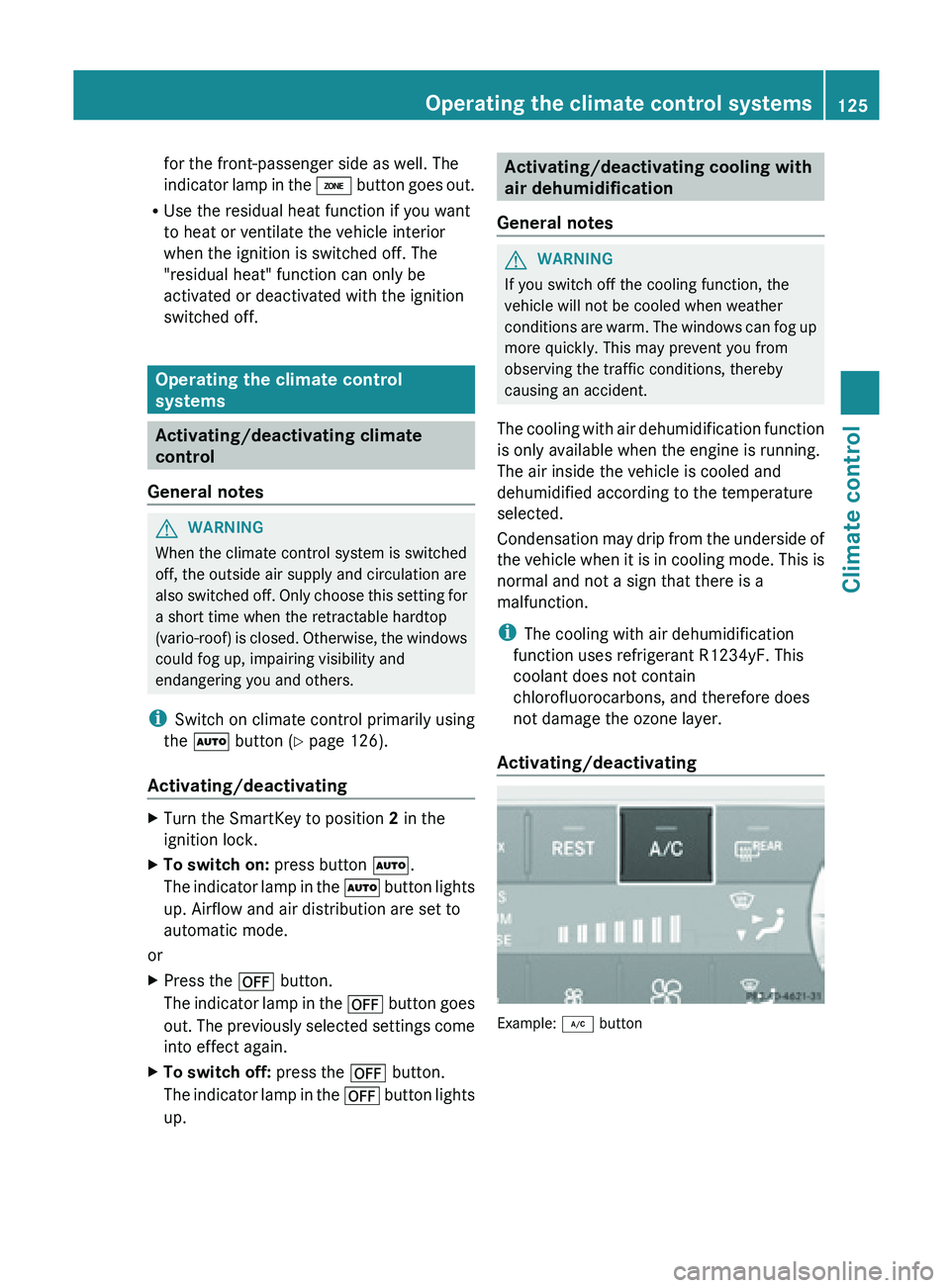
Activating/deactivating Example: ¿ buttonOperating the climate control systems
125
Climate control Z
Page 128 of 572
X
To activate: press the ¿ button.
The indicator
lamp in the ¿ button lights
up.
X To deactivate: press the ¿ button.
The indicator
lamp in the ¿ button goes
out. The cooling with air dehumidification
function has a delayed switch-off feature.
Problems with the cooling with air
dehumidification function When you press the
¿ button, the
indicator lamp in the button flashes three
times or
remains off. You can no longer switch
on the cooling with air dehumidification
function.
X Visit a qualified specialist workshop. Setting climate control to automatic
G
WARNING
If you switch off the cooling function, the
vehicle will not be cooled when weather
conditions are
warm. The windows can fog up
more quickly. Window fogging may impair
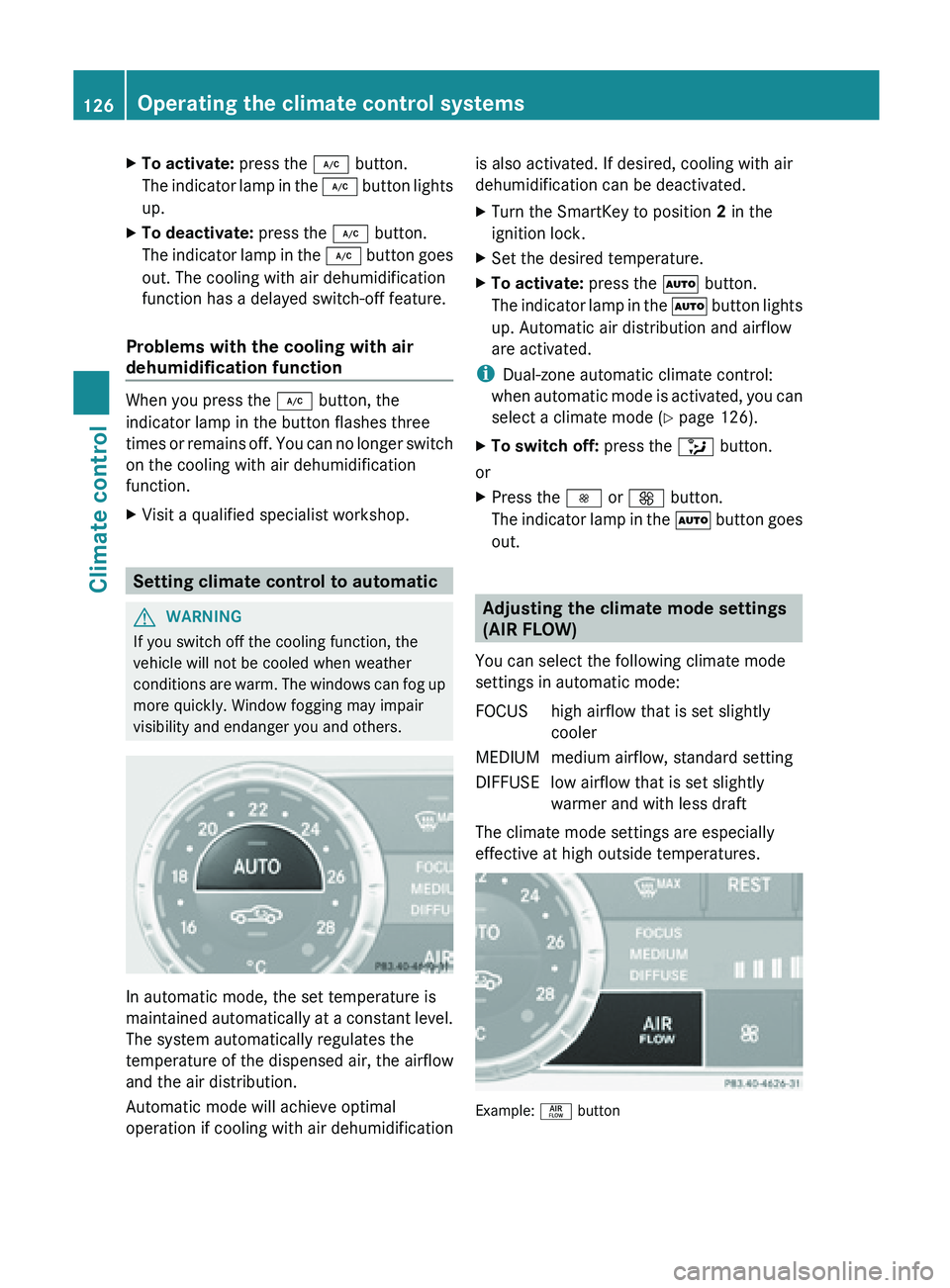
visibility and endanger you and others. In automatic mode, the set temperature is
maintained
automatically
at a constant level.
The system automatically regulates the
temperature of the dispensed air, the airflow
and the air distribution.
Automatic mode will achieve optimal
operation if cooling with air dehumidification is also activated. If desired, cooling with air
dehumidification can be deactivated.
X
Turn the SmartKey to position 2 in the
ignition lock.
X Set the desired temperature.
X To activate: press the à button.
The indicator
lamp in the à button lights
up. Automatic air distribution and airflow
are activated.
i Dual-zone automatic climate control:
when automatic
mode is activated, you can
select a climate mode ( Y page 126).
X To switch off: press the _ button.
or
X Press the I or K button.
The indicator
lamp in the à button goes
out. Adjusting the climate mode settings
(AIR FLOW)
You can select the following climate mode
settings in automatic mode:
FOCUS high airflow that is set slightly cooler
MEDIUM medium airflow, standard setting
DIFFUSE low airflow that is set slightly warmer and with less draft
The climate mode settings are especially
effective at high outside temperatures. Example: ñ button126
Operating the climate control systems
Climate control
Page 131 of 572
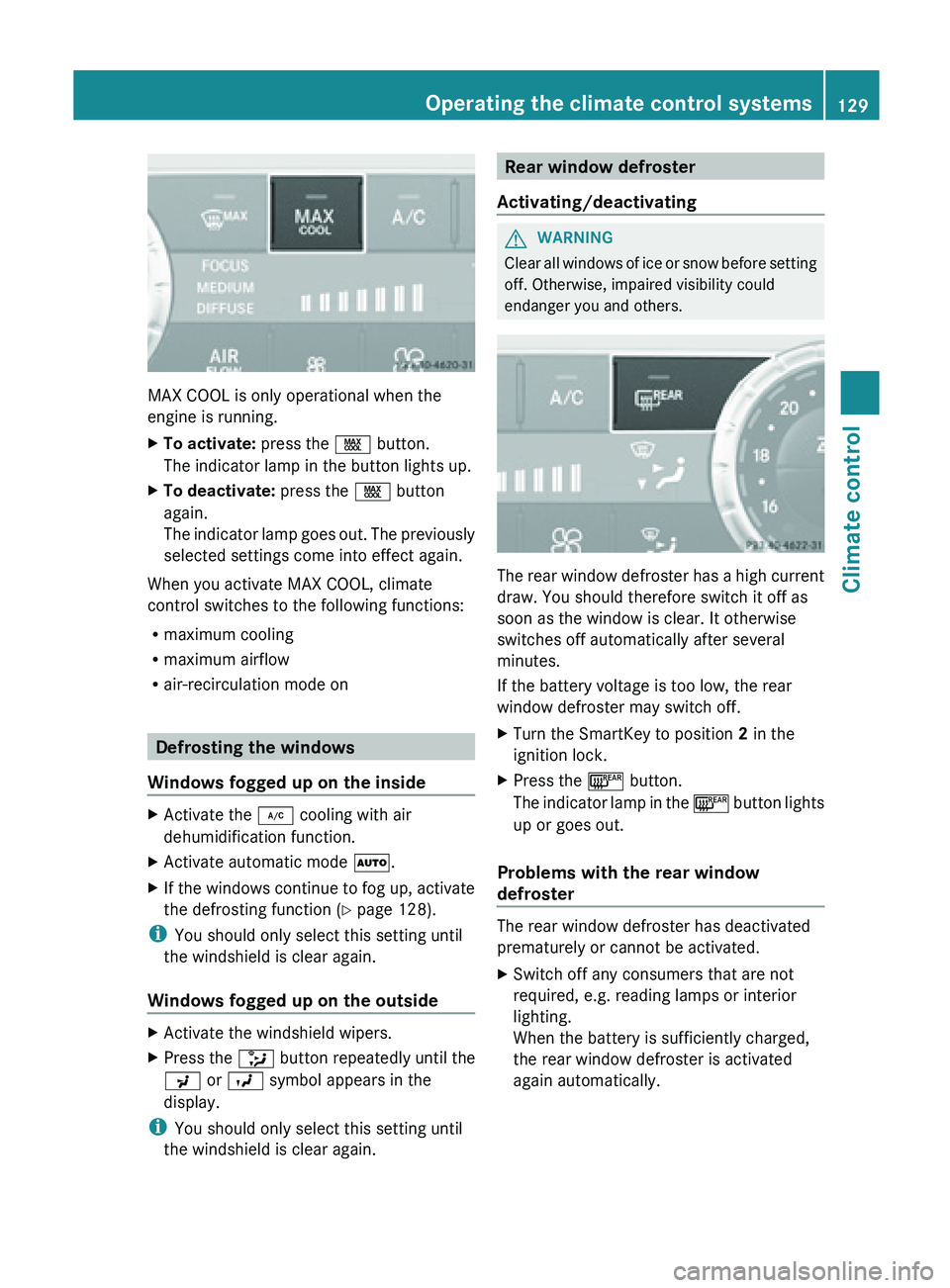
MAX COOL is only operational when the
engine is running.
X
To activate: press the Ù button.
The indicator lamp in the button lights up.
X To deactivate: press the Ù button
again.
The indicator
lamp goes out. The previously
selected settings come into effect again.
When you activate MAX COOL, climate
control switches to the following functions:
R maximum cooling
R maximum airflow
R air-recirculation mode on Defrosting the windows
Windows fogged up on the inside X
Activate the ¿ cooling with air
dehumidification function.
X Activate automatic mode Ã.
X If the windows continue to fog up, activate
the defrosting function (Y
page 128).
i You should only select this setting until
the windshield is clear again.
Windows fogged up on the outside X
Activate the windshield wipers.
X Press the _ button repeatedly until the
P or O symbol appears in the
display.
i You should only select this setting until
the windshield is clear again. Rear window defroster
Activating/deactivating G
WARNING
Clear all windows of ice or snow before setting
off. Otherwise, impaired visibility could
endanger you and others. The rear window defroster has a high current
draw. You should therefore switch it off as
soon as the window is clear. It otherwise
switches off automatically after several
minutes.
If the battery voltage is too low, the rear
window defroster may switch off.
X
Turn the SmartKey to position 2 in the
ignition lock.
X Press the ¤ button.
The indicator
lamp in the ¤ button lights
up or goes out.
Problems with the rear window
defroster The rear window defroster has deactivated
prematurely or cannot be activated.
X
Switch off any consumers that are not
required, e.g. reading lamps or interior
lighting.
When the battery is sufficiently charged,
the rear window defroster is activated
again automatically. Operating the climate control systems
129
Climate control Z
Page 132 of 572
Activating/deactivating air-
recirculation mode
G
WARNING
At low outside temperatures, only switch over
to air-recirculation mode for brief periods.
Otherwise, the windows could fog up, thus
impairing visibility and endangering yourself
and others. This may prevent you from
observing the traffic conditions and thereby
cause an accident. X
Turn the SmartKey to position 2 in the
ignition lock.
X To activate: press the g button.
The indicator
lamp in the g button lights
up.
i Air-recirculation mode is automatically
activated at high levels of pollution or at
high outside temperatures. When air-
recirculation mode is activated
automatically, the indicator lamp in the
g button is not lit.
Outside air
is added after about 30minutes.
X To switch off: press the g button.
The indicator
lamp in the g button goes
out. i
Air-recirculation mode deactivates
automatically:
R after approximately five minutes at
outside temperatures below
approximately 41 ‡ (5 †)
R after approximately five minutes if
cooling with air dehumidification is
deactivated
R after approximately
30 minutes at
outside temperatures above
approximately 41 ‡ (5 †) Activating/deactivating the residual
heat function
The residual
heat function is only available on
vehicles for Canada. It
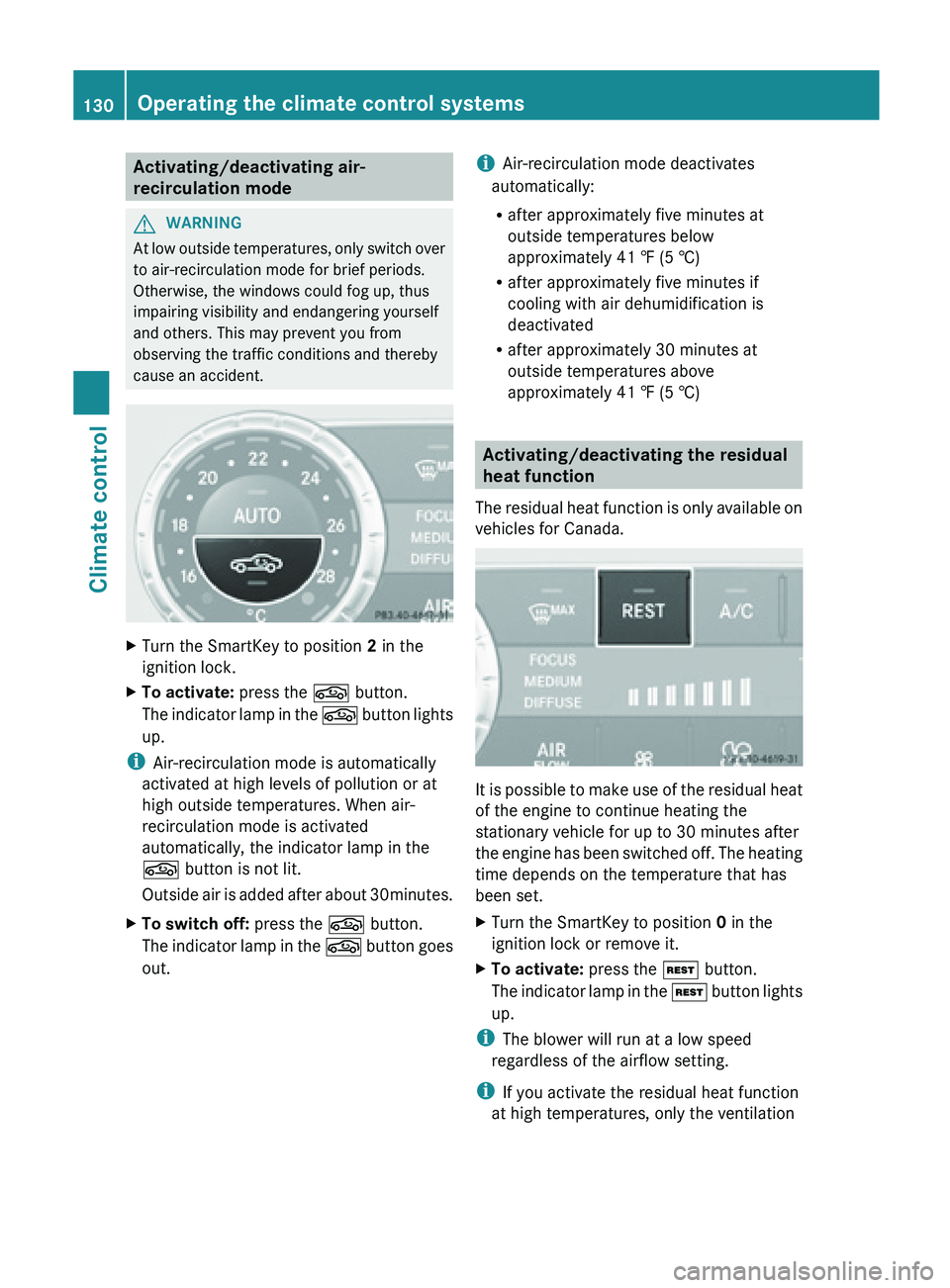
is possible to make use of the residual heat
of the engine to continue heating the
stationary vehicle for up to 30 minutes after
the engine
has been switched off. The heating
time depends on the temperature that has
been set.
X Turn the SmartKey to position 0 in the
ignition lock or remove it.
X To activate: press the Ì button.
The indicator
lamp in the Ì button lights
up.
i The blower will run at a low speed
regardless of the airflow setting.
i If you activate the residual heat function
at high temperatures, only the ventilation 130
Operating the climate control systems
Climate control
Page 142 of 572
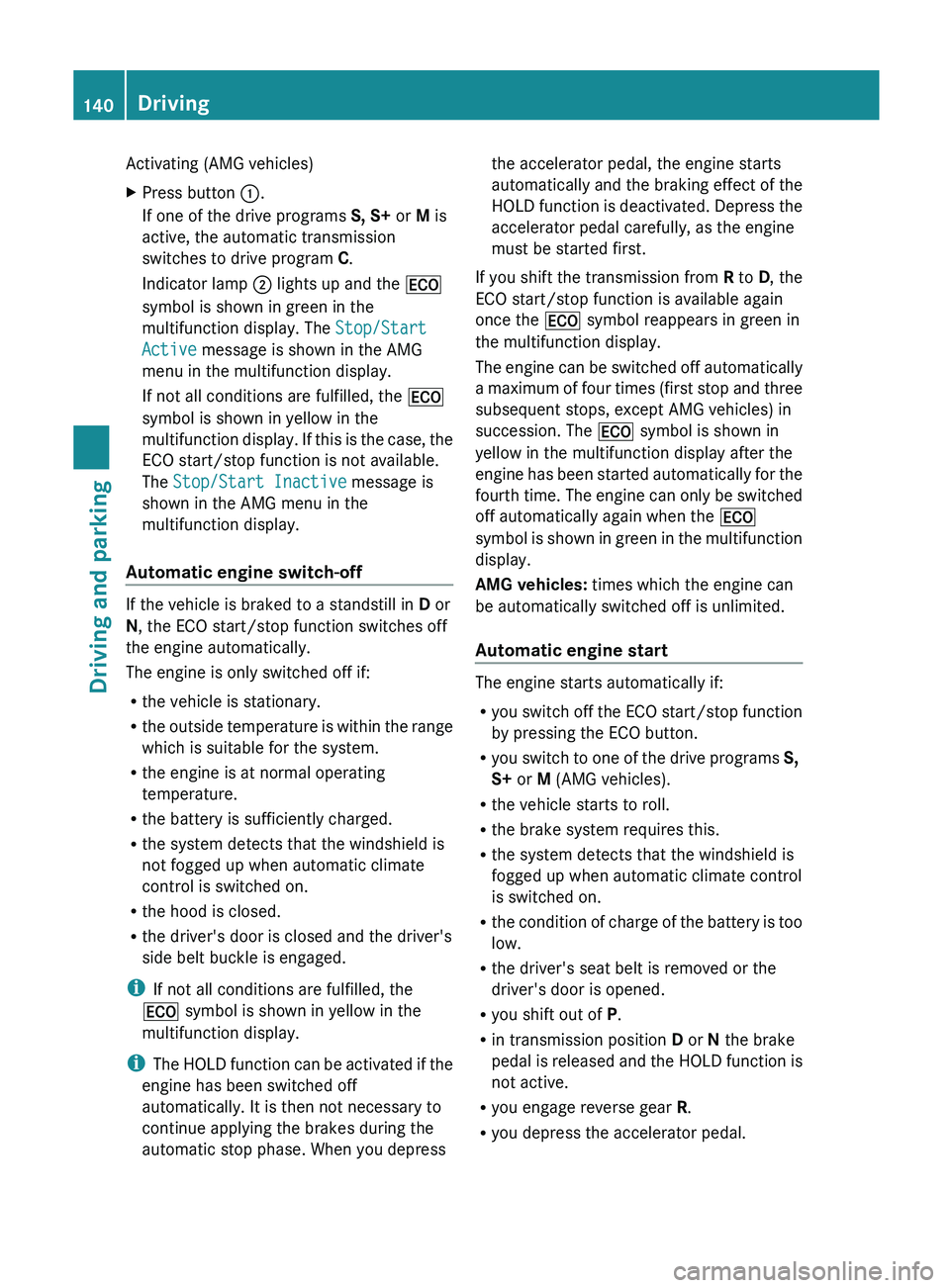
Activating (AMG vehicles)
X
Press button :.
If one of the drive programs S, S+ or M is
active, the automatic transmission
switches to drive program C.
Indicator lamp ; lights up and the ¤
symbol is shown in green in the
multifunction display. The Stop/Start
Active message is shown in the AMG
menu in the multifunction display.
If not all conditions are fulfilled, the ¤
symbol is shown in yellow in the
multifunction display.
If this is the case, the
ECO start/stop function is not available.
The Stop/Start Inactive message is
shown in the AMG menu in the
multifunction display.
Automatic engine switch-off If the vehicle is braked to a standstill in
D or
N, the ECO start/stop function switches off
the engine automatically.
The engine is only switched off if:
R the vehicle is stationary.
R the outside
temperature is within the range
which is suitable for the system.
R the engine is at normal operating
temperature.
R the battery is sufficiently charged.
R the system detects that the windshield is
not fogged up when automatic climate
control is switched on.
R the hood is closed.
R the driver's door is closed and the driver's
side belt buckle is engaged.
i If not all conditions are fulfilled, the
¤ symbol is shown in yellow in the
multifunction display.
i The HOLD function can be activated if the
engine has been switched off
automatically. It is then not necessary to
continue applying the brakes during the
automatic stop phase. When you depress the accelerator pedal, the engine starts
automatically
and
the braking effect of the
HOLD function is deactivated. Depress the
accelerator pedal carefully, as the engine
must be started first.
If you shift the transmission from R to D, the
ECO start/stop function is available again
once the ¤ symbol reappears in green in
the multifunction display.
The engine can be switched off automatically
a maximum of four times (first stop and three
subsequent stops, except AMG vehicles) in
succession. The ¤ symbol is shown in
yellow in the multifunction display after the
engine has been started automatically for the
fourth time. The engine can only be switched
off automatically again when the ¤
symbol is shown in green in the multifunction
display.
AMG vehicles: times which the engine can
be automatically switched off is unlimited.
Automatic engine start The engine starts automatically if:
R
you switch
off the ECO start/stop function
by pressing the ECO button.
R you switch to one of the drive programs S,
S+ or M (AMG vehicles).
R the vehicle starts to roll.
R the brake system requires this.
R the system detects that the windshield is
fogged up when automatic climate control
is switched on.
R the condition of charge of the battery is too
low.
R the driver's seat belt is removed or the
driver's door is opened.
R you shift out of P.
R in transmission position D or N the brake
pedal is released and the HOLD function is
not active.
R you engage reverse gear R.
R you depress the accelerator pedal.140
DrivingDriving and parking
Page 193 of 572
G
WARNING
Under the following circumstances, the rear
view camera
will not function, or will function
in a limited manner:
R if the trunk lid is open
R in heavy rain, snow or fog
R at night or in very dark places
R if the camera is exposed to very bright light
R if the area is lit by fluorescent light or LED
lighting (the display may flicker)
R if there is a sudden change in temperature,
e.g. when driving into a heated garage in
winter
R if the camera lens is dirty or obstructed
R if the rear of your vehicle is damaged. In this
event, have the camera position and setting
checked at a qualified specialist workshop.
Do not use the rear view camera in these
types of situation. You could otherwise injure
others or damage objects and your vehicle
while you are parking.
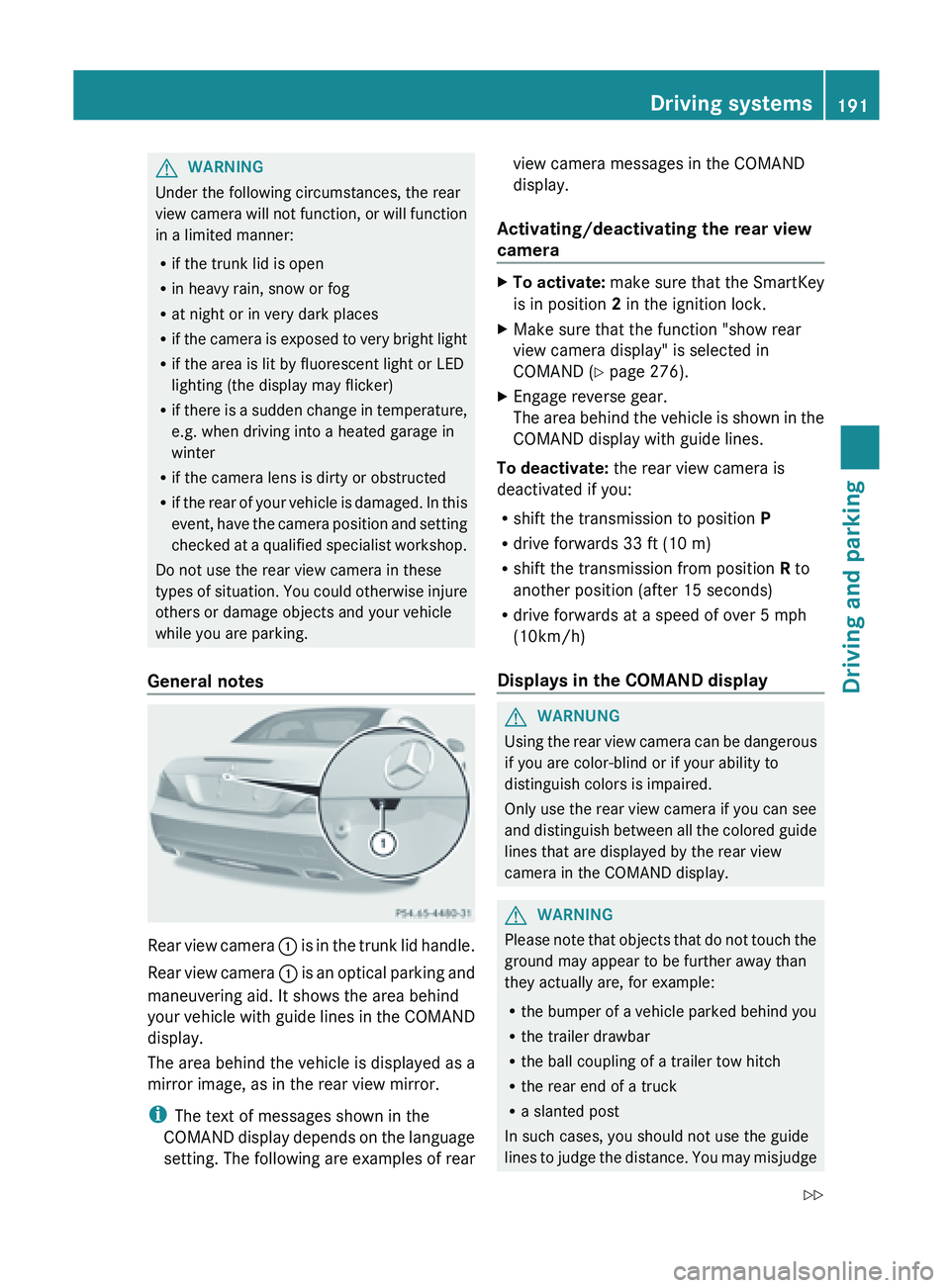
General notes Rear
view camera
: is
in the trunk lid handle.
Rear view camera : is an optical parking and
maneuvering aid. It shows the area behind
your vehicle with guide lines in the COMAND
display.
The area behind the vehicle is displayed as a
mirror image, as in the rear view mirror.
i The text of messages shown in the
COMAND display depends on the language
setting. The following are examples of rear view camera messages in the COMAND
display.
Activating/deactivating the rear view
camera X
To activate: make
sure that the SmartKey
is in position 2 in the ignition lock.
X Make sure that the function "show rear
view camera display" is selected in
COMAND (Y page 276).
X Engage reverse gear.
The area
behind the vehicle is shown in the
COMAND display with guide lines.
To deactivate: the rear view camera is
deactivated if you:
R shift the transmission to position P
R drive forwards 33 ft (10 m)
R shift the transmission from position R to
another position (after 15 seconds)
R drive forwards at a speed of over 5 mph
(10km/h)
Displays in the COMAND display G
WARNUNG
Using
the rear view camera can be dangerous
if you are color-blind or if your ability to
distinguish colors is impaired.
Only use the rear view camera if you can see
and distinguish
between all the colored guide
lines that are displayed by the rear view
camera in the COMAND display. G
WARNING
Please
note that objects that do not touch the
ground may appear to be further away than
they actually are, for example:
R the bumper
of a vehicle parked behind you
R the trailer drawbar
R the ball coupling of a trailer tow hitch
R the rear end of a truck
R a slanted post
In such cases, you should not use the guide
lines to judge the distance. You may misjudge Driving systems
191
Driving and parking
Z
Page 201 of 572
R
a driving safety system intervenes, e.g.
ESP ®
or PRE-SAFE ®
Brake.
R ESP ®
is switched off.
R a loss of tire pressure or a defective tire is
detected.
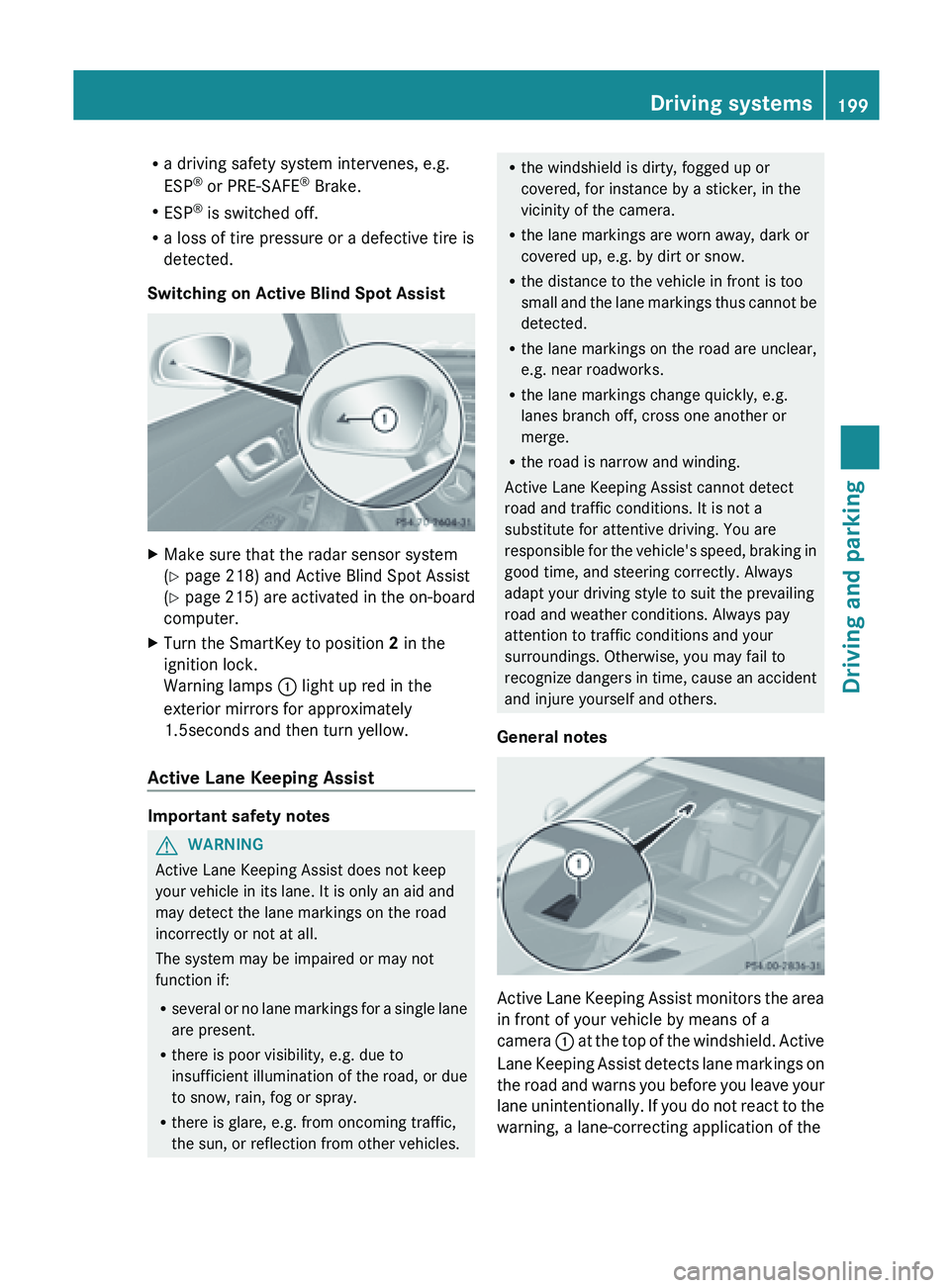
Switching on Active Blind Spot Assist X
Make sure that the radar sensor system
(Y page 218) and Active Blind Spot Assist
(Y page 215)
are activated in the on-board
computer.
X Turn the SmartKey to position 2 in the
ignition lock.
Warning lamps : light up red in the
exterior mirrors for approximately
1.5seconds and then turn yellow.
Active Lane Keeping Assist Important safety notes
G
WARNING
Active Lane Keeping Assist does not keep
your vehicle in its lane. It is only an aid and
may detect the lane markings on the road
incorrectly or not at all.
The system may be impaired or may not
function if:
R several or
no lane markings for a single lane
are present.
R there is poor visibility, e.g. due to
insufficient illumination of the road, or due
to snow, rain, fog or spray.
R there is glare, e.g. from oncoming traffic,
the sun, or reflection from other vehicles. R
the windshield is dirty, fogged up or
covered, for instance by a sticker, in the
vicinity of the camera.
R the lane markings are worn away, dark or
covered up, e.g. by dirt or snow.
R the distance to the vehicle in front is too
small and
the lane markings thus cannot be
detected.
R the lane markings on the road are unclear,
e.g. near roadworks.
R the lane markings change quickly, e.g.
lanes branch off, cross one another or
merge.
R the road is narrow and winding.
Active Lane Keeping Assist cannot detect
road and traffic conditions. It is not a
substitute for attentive driving. You are
responsible for the vehicle's speed, braking in
good time, and steering correctly. Always
adapt your driving style to suit the prevailing
road and weather conditions. Always pay
attention to traffic conditions and your
surroundings. Otherwise, you may fail to
recognize dangers in time, cause an accident
and injure yourself and others.
General notes Active Lane Keeping Assist monitors the area
in front of your vehicle by means of a
camera
: at
the top of the windshield. Active
Lane Keeping Assist detects lane markings on
the road and warns you before you leave your
lane unintentionally. If you do not react to the
warning, a lane-correcting application of the Driving systems
199
Driving and parking Z
Page 219 of 572
Setting the ambient lighting color
X
Press the = or ; button on the
steering wheel to select the Sett. menu.
X Press the : or 9 button to select the
Lights submenu.
X Press the a button to confirm.
X Press the : or 9
button to select the
Ambient Light Color function.
X Press the a button to confirm.
X Press the : or 9 button to set the
color to SOLAR, SOLAR Orange or SOLAR
Red.
X Press the a or % button
to save the
setting.
Switching Adaptive Highbeam Assist on/
off
X Press the = or ; button on the
steering wheel to select the Settings
menu.
X Press the : or 9
button to select the
Lights submenu.
X Press the a button to confirm.
X Press the :
or 9
button to select the
Adaptive Highbeam function.
If the Adaptive Highbeam function has
been switched on, the cone of light and the
_ symbol in the upper multifunction
display are shown in red.
X Press the a button to save the setting.
When Adaptive Highbeam Assist is activated,
the _ symbol appears in the lower
multifunction display.
For further information about Adaptive
Highbeam Assist, see ( Y page 114).
Surround lighting and exterior lighting
delayed switch-off
X Press the = or ; button on the
steering wheel to select the Settings
menu.
X Press the :
or 9
button to select the
Lights submenu. X
Press the a button to confirm.
X Press the :
or 9
button to select the
Surround Lighting: function.
When the Surround Lighting function is
activated, the cone of light in the
multifunction display is shown in red.
X Press the a button to save the setting.
Deactivating delayed switch-off of the
exterior lighting temporarily:
X Before leaving the vehicle, turn the
SmartKey to
position 0 in the ignition lock.
X Turn the SmartKey to position 2 in the
ignition lock.
The exterior lighting delayed switch-off is
deactivated.
Delayed switch-off of the exterior lighting is
reactivated the next time you start the
engine.
If you have activated the Surround
Lighting function
and the light switch is set
to Ã, the following functions are activated
when it is dark:
R Surround lighting: the exterior lighting
remains lit for 40 seconds after unlocking
with the SmartKey. If you start the engine,
the surround lighting is switched off and
the automatic headlamp mode is activated
(Y page 110).
R Exterior lighting delayed switch-off: the
exterior lighting remains lit for
60 seconds after the engine is switched off.
If you close all the doors and the trunk lid,
the exterior lighting goes off after
15 seconds.
i Depending on your vehicle's equipment,
when the surround lighting and delayed
switch-off exterior lighting are on, the
following light up:
R parking lamps
R front fog lamps
R low-beam headlamps
R daytime running lamps Menus and submenus
217
On-board computer and displays Z
Page 239 of 572
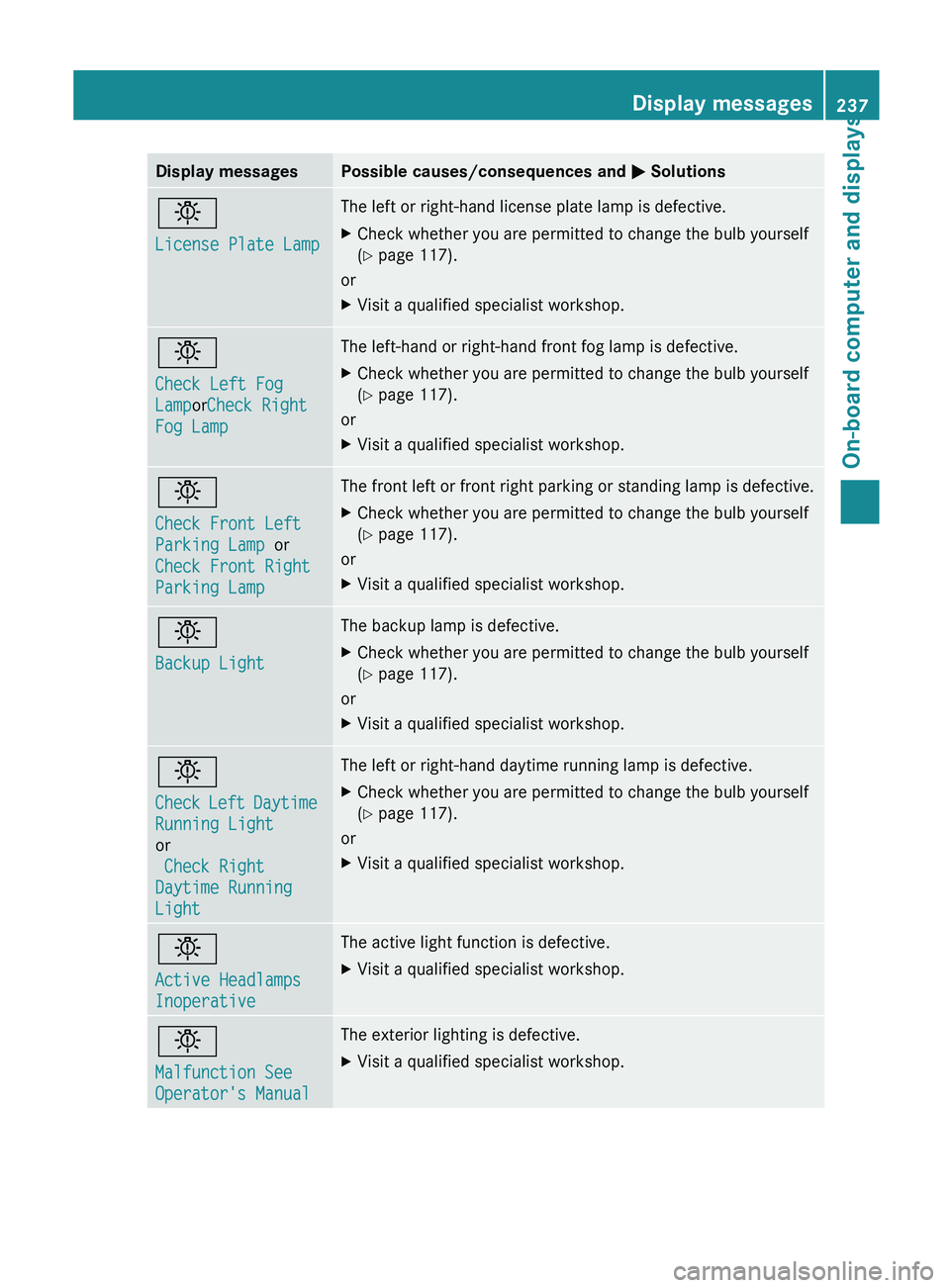
Display messages Possible causes/consequences and
M Solutionsb
License Plate Lamp The left or right-hand license plate lamp is defective.
X
Check whether you are permitted to change the bulb yourself
(Y page 117).
or
X Visit a qualified specialist workshop. b
Check Left Fog
LamporCheck Right
Fog Lamp The left-hand or right-hand front fog lamp is defective.
X
Check whether you are permitted to change the bulb yourself
(Y page 117).
or
X Visit a qualified specialist workshop. b
Check Front Left
Parking Lamp or
Check Front Right
Parking Lamp The front left or front right parking or standing lamp is defective.
X
Check whether you are permitted to change the bulb yourself
(Y page 117).
or
X Visit a qualified specialist workshop. b
Backup Light The backup lamp is defective.
X
Check whether you are permitted to change the bulb yourself
(Y page 117).
or
X Visit a qualified specialist workshop. b
Check
Left
Daytime
Running Light
or
Check Right
Daytime Running
Light The left or right-hand daytime running lamp is defective.
X
Check whether you are permitted to change the bulb yourself
(Y page 117).
or
X Visit a qualified specialist workshop. b
Active Headlamps
Inoperative The active light function is defective.
X
Visit a qualified specialist workshop. b
Malfunction See
Operator's Manual The exterior lighting is defective.
X
Visit a qualified specialist workshop. Display messages
237
On-board computer and displays Z
Page 240 of 572
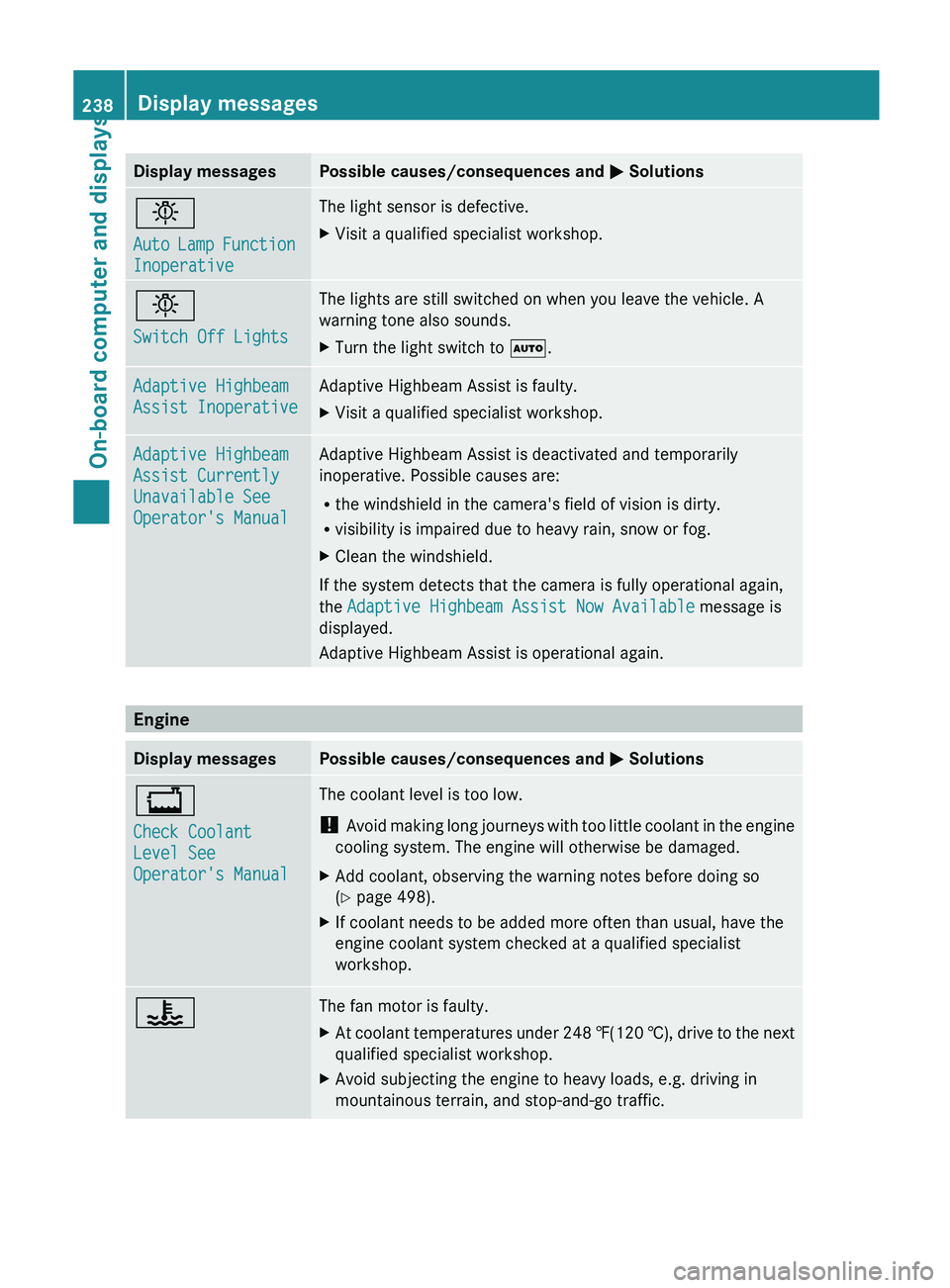
Display messages Possible causes/consequences and
M Solutionsb
Auto
Lamp
Function
Inoperative The light sensor is defective.
X
Visit a qualified specialist workshop. b
Switch Off Lights The lights are still switched on when you leave the vehicle. A
warning tone also sounds.
X
Turn the light switch to Ã. Adaptive Highbeam
Assist Inoperative Adaptive Highbeam Assist is faulty.
X
Visit a qualified specialist workshop. Adaptive Highbeam
Assist Currently
Unavailable See
Operator's Manual Adaptive Highbeam Assist is deactivated and temporarily
inoperative. Possible causes are:
R
the windshield in the camera's field of vision is dirty.
R visibility is impaired due to heavy rain, snow or fog.
X Clean the windshield.
If the system detects that the camera is fully operational again,
the Adaptive Highbeam Assist Now Available message is
displayed.
Adaptive Highbeam Assist is operational again. Engine
Display messages Possible causes/consequences and
M Solutions+
Check Coolant
Level See
Operator's Manual The coolant level is too low.
!
Avoid making
long journeys with too little coolant in the engine
cooling system. The engine will otherwise be damaged.
X Add coolant, observing the warning notes before doing so
(Y page 498).
X If coolant needs to be added more often than usual, have the
engine coolant system checked at a qualified specialist
workshop. ? The fan motor is faulty.
X
At coolant temperatures under 248 ‡(120 †), drive
to the next
qualified specialist workshop.
X Avoid subjecting the engine to heavy loads, e.g. driving in
mountainous terrain, and stop-and-go traffic.238
Display messages
On-board computer and displays