engine MERCEDES-BENZ SL-CLASS ROADSTER 2013 Repair Manual
[x] Cancel search | Manufacturer: MERCEDES-BENZ, Model Year: 2013, Model line: SL-CLASS ROADSTER, Model: MERCEDES-BENZ SL-CLASS ROADSTER 2013Pages: 572, PDF Size: 9.23 MB
Page 147 of 572
Using KEYLESS-GO:
R
make sure
that the ignition is switched on.
R when the vehicle is stationary, depress the
brake pedal and keep it depressed.
R engage park position P.
R release the brake pedal.
R remove the Start/Stop button from the
ignition lock.
R insert the SmartKey into the ignition lock.
R switch on the ignition.
R depress the brake pedal and keep it
depressed.
R shift to neutral N.
R release the brake pedal.
R if the electric parking brake is applied,
release it.
R switch off the ignition and leave the
SmartKey in the ignition lock.
Shifting to transmission position D X
When the vehicle is stationary, depress the
brake pedal.
X Push the selector lever back past the first
point of resistance.
i If the
vehicle is braked to a standstill when
in transmission position D(Y page 138) and
the brake pedal continues to be depressed,
the ECO start/stop function switches the
engine off automatically. Transmission position and drive
program display
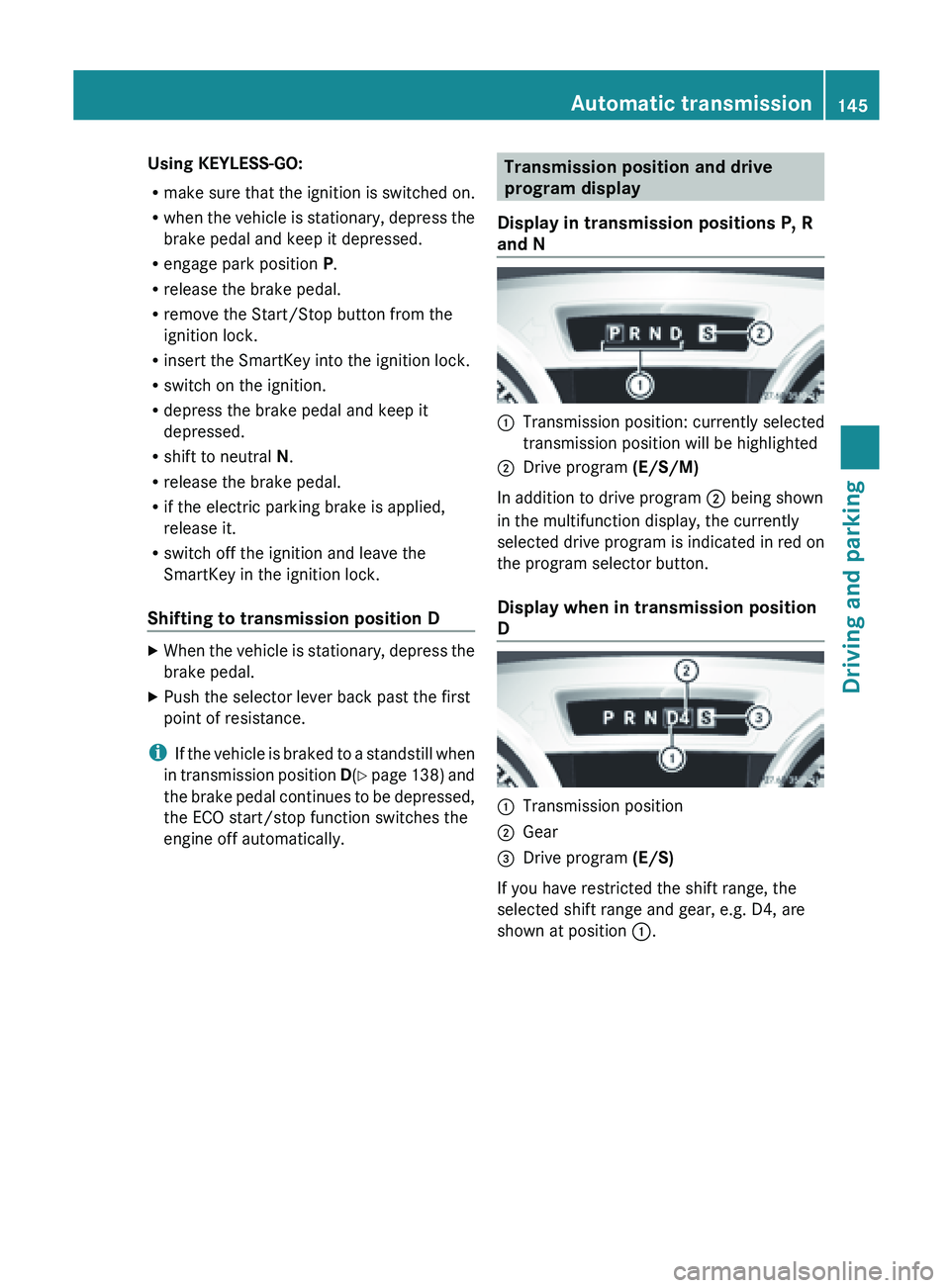
Display in transmission positions P, R
and N :
Transmission position: currently selected
transmission position will be highlighted
; Drive program (E/S/M)
In addition to drive program ; being shown
in the multifunction display, the currently
selected drive program is indicated in red on
the program selector button.
Display when in transmission position
D :
Transmission position
; Gear
= Drive program (E/S)
If you have restricted the shift range, the
selected shift range and gear, e.g. D4, are
shown at position :. Automatic transmission
145
Driving and parking Z
Page 148 of 572
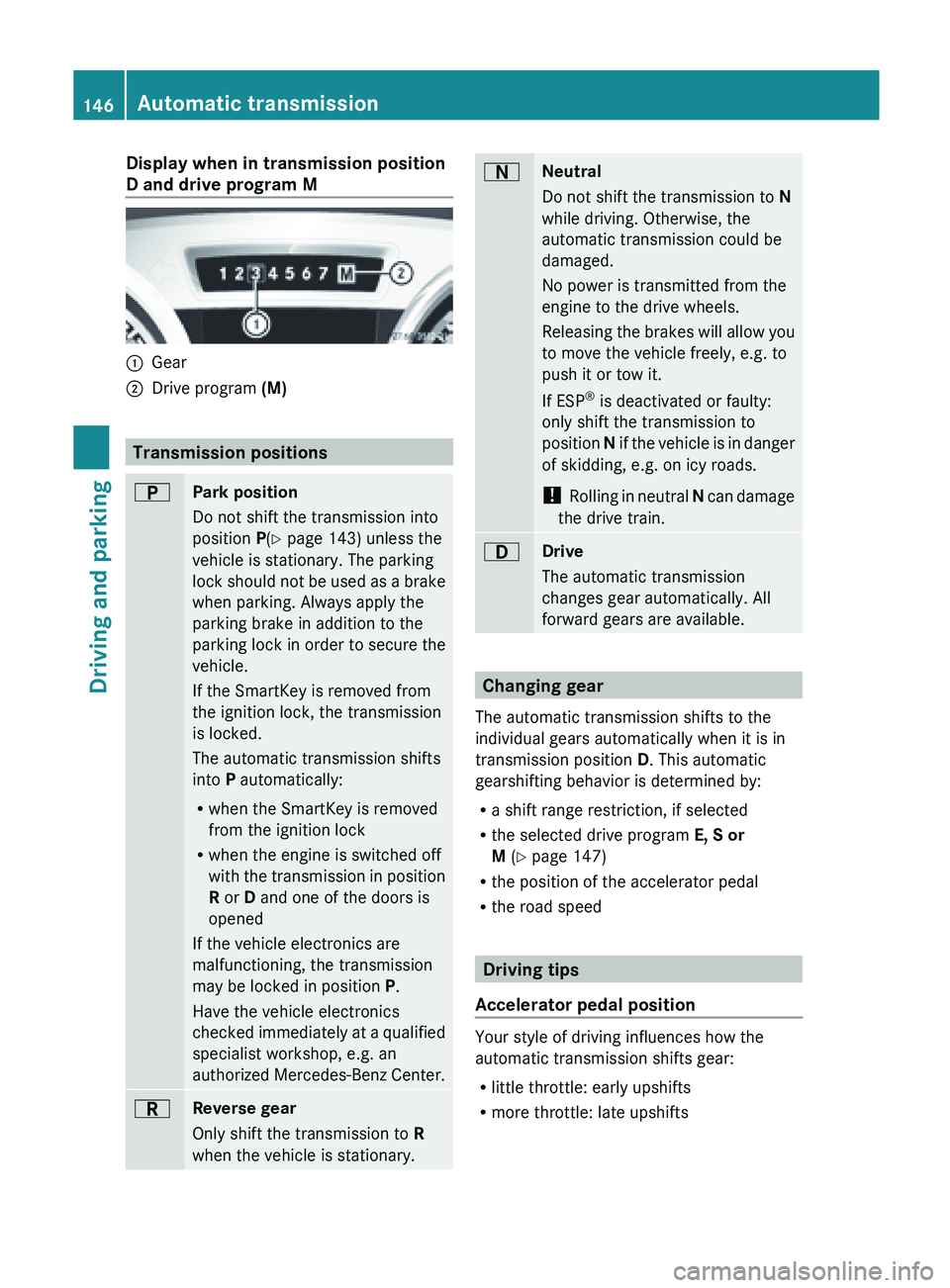
Display when in transmission position
D and drive program M
:
Gear
; Drive program (M) Transmission positions
B
Park position
Do not shift the transmission into
position P(Y page 143) unless the
vehicle is stationary. The parking
lock
should
not be used as a brake
when parking. Always apply the
parking brake in addition to the
parking lock in order to secure the
vehicle.
If the SmartKey is removed from
the ignition lock, the transmission
is locked.
The automatic transmission shifts
into P automatically:
R when the SmartKey is removed
from the ignition lock
R when the engine is switched off
with the transmission in position
R or D and one of the doors is
opened
If the vehicle electronics are
malfunctioning, the transmission
may be locked in position P.
Have the vehicle electronics
checked immediately at a qualified
specialist workshop, e.g. an
authorized Mercedes-Benz Center. C
Reverse gear
Only shift the transmission to
R
when the vehicle is stationary. A
Neutral
Do not shift the transmission to
N
while driving. Otherwise, the
automatic transmission could be
damaged.
No power is transmitted from the
engine to the drive wheels.
Releasing the
brakes will allow you
to move the vehicle freely, e.g. to
push it or tow it.
If ESP ®
is deactivated or faulty:
only shift the transmission to
position N if the vehicle is in danger
of skidding, e.g. on icy roads.
! Rolling in neutral N can damage
the drive train. 7
Drive
The automatic transmission
changes gear automatically. All
forward gears are available.
Changing gear
The automatic transmission shifts to the
individual gears automatically when it is in
transmission position D. This automatic
gearshifting behavior is determined by:
R a shift range restriction, if selected
R the selected drive program E, S or
M (Y page 147)
R the position of the accelerator pedal
R the road speed Driving tips
Accelerator pedal position Your style of driving influences how the
automatic transmission shifts gear:
R
little throttle: early upshifts
R more throttle: late upshifts146
Automatic transmission
Driving and parking
Page 149 of 572
Double-clutch function
When shifting down, the double-clutch
function is active regardless of the currently
selected drive program. The double-clutch
function reduces load change reactions and
is conducive to a sporty driving style. The
sound generated by the double-clutch
function depends on the drive program
selected.
Kickdown
Use kickdown for maximum acceleration.
X
Vehicles for USA except AMG vehicles:
fully depress the accelerator pedal.
The transmission shifts to a lower gear
depending on the engine speed.
X Vehicles for Canada except AMG
vehicles: depress the accelerator pedal
beyond the pressure point.
The transmission shifts to a lower gear
depending on the engine speed.
Working on the vehicle G
WARNING
When working on the vehicle, engage the
parking brake and shift the automatic
transmission into park position P. Otherwise
the vehicle
could roll away which could result
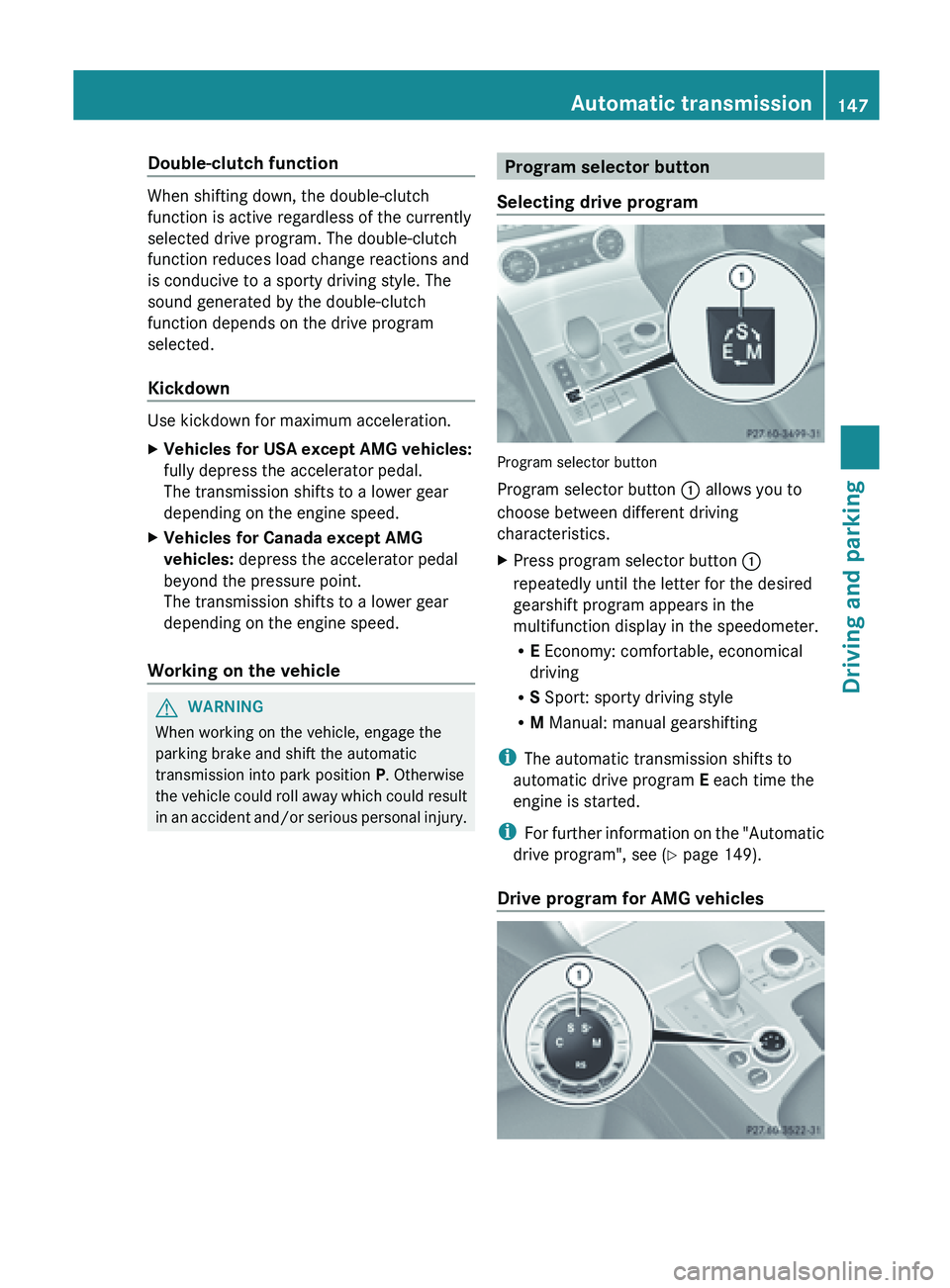
in an accident and/or serious personal injury. Program selector button
Selecting drive program Program selector button
Program selector button
: allows you to
choose between different driving
characteristics.
X Press program selector button :
repeatedly until the letter for the desired
gearshift program appears in the
multifunction display in the speedometer.
R
E Economy: comfortable, economical
driving
R S Sport: sporty driving style
R M Manual: manual gearshifting
i The automatic transmission shifts to
automatic drive program E each time the
engine is started.
i For further
information on the "Automatic
drive program", see ( Y page 149).
Drive program for AMG vehicles Automatic transmission
147
Driving and parking Z
Page 150 of 572
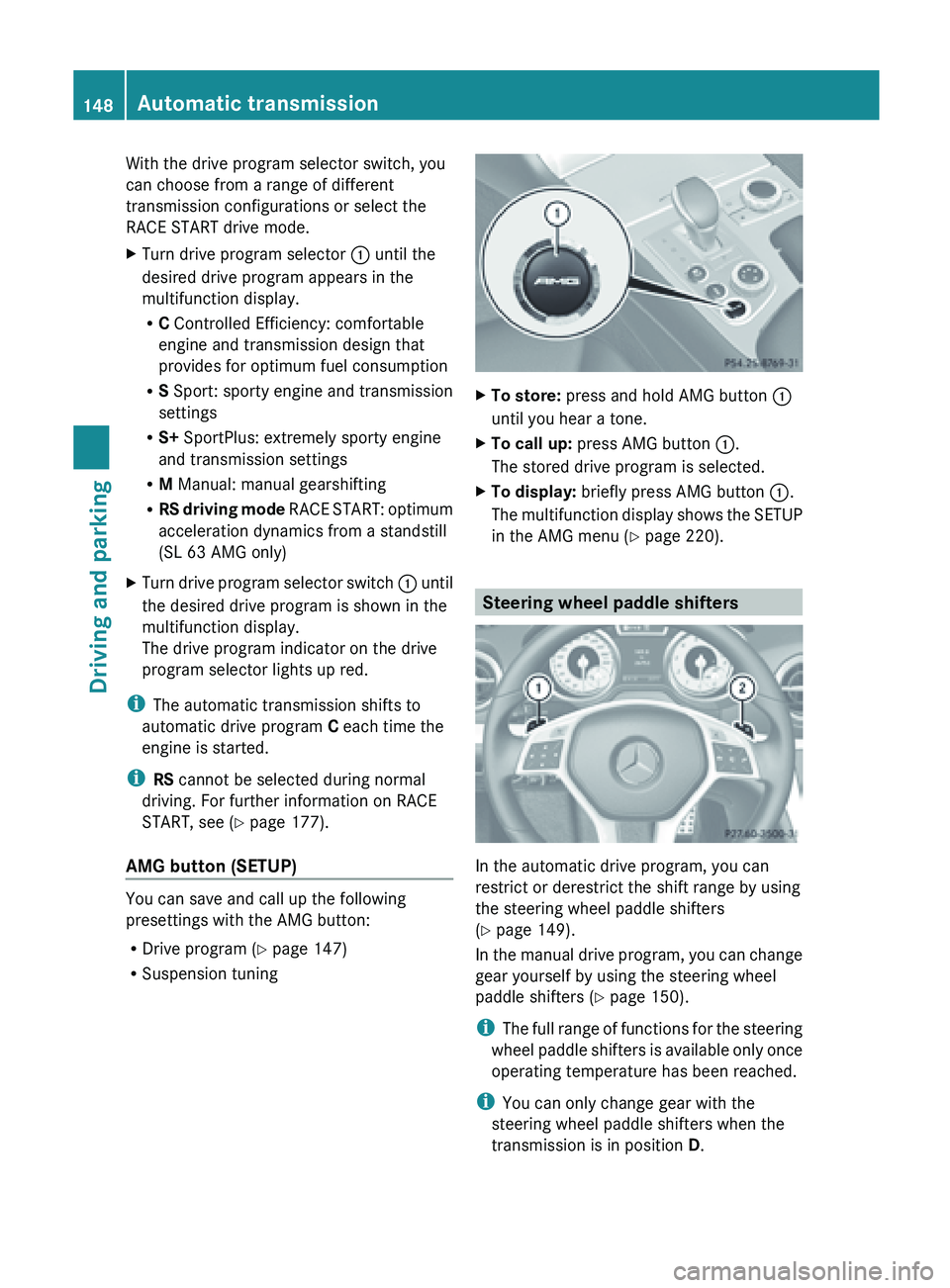
With the drive program selector switch, you
can choose from a range of different
transmission configurations or select the
RACE START drive mode.
X
Turn drive program selector : until the
desired drive program appears in the
multifunction display.
R
C Controlled Efficiency: comfortable
engine and transmission design that
provides for optimum fuel consumption
R S Sport: sporty engine and transmission
settings
R S+ SportPlus: extremely sporty engine
and transmission settings
R M Manual: manual gearshifting
R RS driving
mode RACE START: optimum
acceleration dynamics from a standstill
(SL 63 AMG only)
X Turn drive program selector switch : until
the desired drive program is shown in the
multifunction display.
The drive program indicator on the drive
program selector lights up red.
i The automatic transmission shifts to
automatic drive program C
each time the
engine is started.
i RS cannot be selected during normal
driving. For further information on RACE
START, see ( Y page 177).
AMG button (SETUP) You can save and call up the following
presettings with the AMG button:
R
Drive program (Y page 147)
R Suspension tuning X
To store: press and hold AMG button :
until you hear a tone.
X To call up: press AMG button :.
The stored drive program is selected.
X To display: briefly press AMG button :.
The multifunction
display shows the SETUP
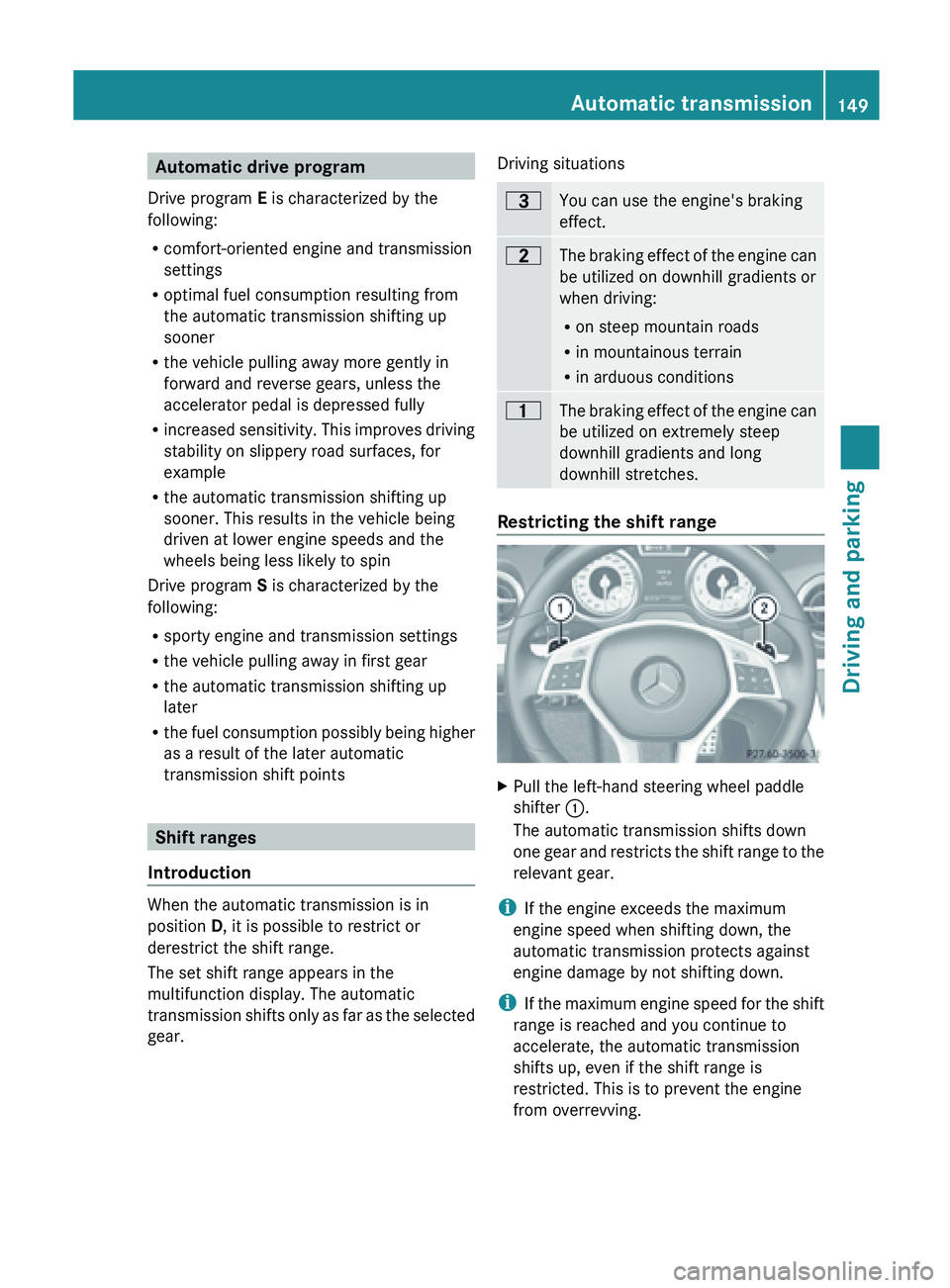
in the AMG menu (Y page 220). Steering wheel paddle shifters
In the automatic drive program, you can
restrict or derestrict the shift range by using
the steering wheel paddle shifters
(Y page 149).
In
the
manual drive program, you can change
gear yourself by using the steering wheel
paddle shifters ( Y page 150).
i The full range of functions for the steering
wheel paddle shifters is available only once
operating temperature has been reached.
i You can only change gear with the
steering wheel paddle shifters when the
transmission is in position D. 148
Automatic transmission
Driving and parking
Page 151 of 572
Automatic drive program
Drive program E is characterized by the
following:
R comfort-oriented engine and transmission
settings
R optimal fuel consumption resulting from
the automatic transmission shifting up
sooner
R the vehicle pulling away more gently in
forward and reverse gears, unless the
accelerator pedal is depressed fully
R increased sensitivity.
This improves driving
stability on slippery road surfaces, for
example
R the automatic transmission shifting up
sooner. This results in the vehicle being
driven at lower engine speeds and the
wheels being less likely to spin
Drive program S is characterized by the
following:
R sporty engine and transmission settings
R the vehicle pulling away in first gear
R the automatic transmission shifting up
later
R the fuel consumption possibly being higher
as a result of the later automatic
transmission shift points Shift ranges
Introduction When the automatic transmission is in
position
D, it is possible to restrict or
derestrict the shift range.
The set shift range appears in the
multifunction display. The automatic
transmission shifts
only as far as the selected
gear. Driving situations =
You can use the engine's braking
effect.
5
The
braking effect of the engine can
be utilized on downhill gradients or
when driving:
R on steep mountain roads
R in mountainous terrain
R in arduous conditions 4
The braking effect of the engine can
be utilized on extremely steep
downhill gradients and long
downhill stretches. Restricting the shift range
X
Pull the left-hand steering wheel paddle
shifter :.
The automatic transmission shifts down
one gear
and restricts the shift range to the
relevant gear.
i If the engine exceeds the maximum
engine speed when shifting down, the
automatic transmission protects against
engine damage by not shifting down.
i If the
maximum engine speed for the shift
range is reached and you continue to
accelerate, the automatic transmission
shifts up, even if the shift range is
restricted. This is to prevent the engine
from overrevving. Automatic transmission
149
Driving and parking Z
Page 152 of 572
Derestricting the shift range
X
Pull the right-hand steering wheel paddle
shifter ;.
The shift range is derestricted.
Clearing the shift range restriction X
Pull and hold right-hand steering wheel
paddle shifter ; until D is shown again in
the multifunction display.
or
X Use the selector lever to shift the
transmission to transmission position D.
The automatic
transmission shifts from the
current shift range directly to D.
Selecting the ideal shift range X
Pull and hold left-hand steering wheel
paddle shifter : until the function is
activated.
Depending on the selected drive program,
the automatic
transmission shifts to a gear
which allows ideal acceleration and
deceleration. To do this, the automatic
transmission shifts down one or more
gears. Manual drive program
Switching on
the manual drive programManual drive program
M is different from
drive program S with regard to spontaneity,
responsiveness and smoothness of gear
changes.
You can select manual drive program M with
the program selector button or the drive
program selector
(AMG vehicles ). In manual
drive program M, you can change gear using
the steering wheel paddle shifters if the
transmission is in position D. The selected
gear appears in the multifunction display.
X Press the program selector button until M
(Y page 147) appears in the multifunction
display. X
AMG vehicles: turn the drive program
selector until M
(Y page 147) appears in the
multifunction display.
Upshifting X
Pull the right-hand steering wheel paddle
shifter (Y page 148).
The automatic
transmission shifts up to the
next gear.
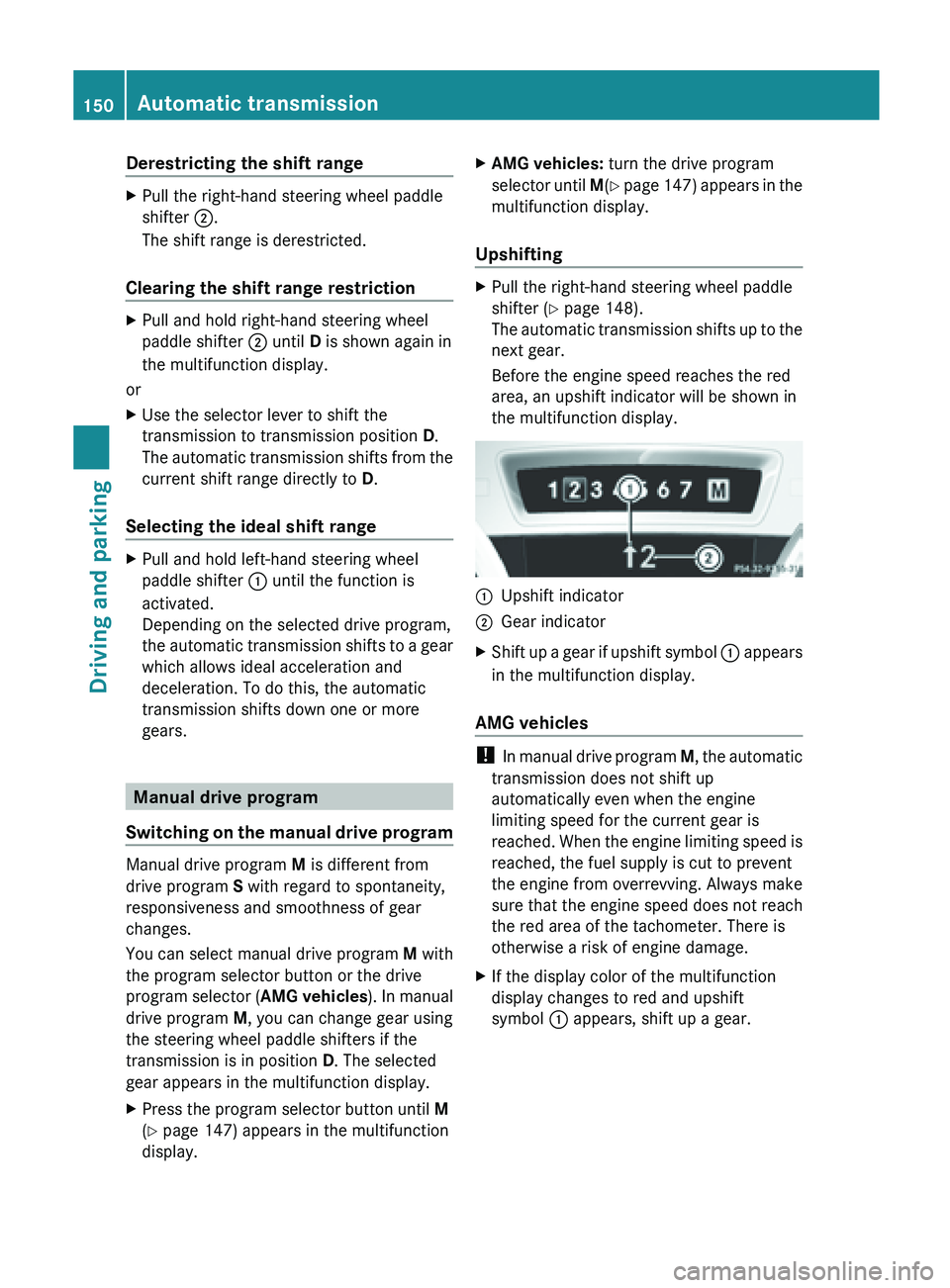
Before the engine speed reaches the red
area, an upshift indicator will be shown in
the multifunction display. :
Upshift indicator
; Gear indicator
X Shift up a gear if upshift symbol : appears
in the multifunction display.
AMG vehicles !
In manual
drive program M, the automatic
transmission does not shift up
automatically even when the engine
limiting speed for the current gear is
reached. When the engine limiting speed is
reached, the fuel supply is cut to prevent
the engine from overrevving. Always make
sure that the engine speed does not reach
the red area of the tachometer. There is
otherwise a risk of engine damage.
X If the display color of the multifunction
display changes to red and upshift
symbol : appears, shift up a gear.150
Automatic transmission
Driving and parking
Page 153 of 572
Downshifting
X
Pull the left-hand steering wheel paddle
shifter (Y page 148).
The automatic
transmission shifts down to
the next gear.
Maximum acceleration
X Pull the left-hand steering wheel paddle
shifter until the transmission selects the
optimum gear according to the speed.
i If you brake the vehicle or stop without
shifting down, the automatic transmission
will shift down to a gear that will allow the
vehicle to accelerate or pull away again.
Kickdown You can also use kickdown for maximum
acceleration in manual drive program
M.
X Depress the accelerator pedal beyond the
pressure point.
The transmission shifts to a lower gear
depending on the engine speed.
i AMG vehicles: it is not possible to use
kickdown in manual drive program M.
Switching off
the manual drive programX
Press the program selector button
(Y page 147) repeatedly until E or S
appears in the multifunction display.
X AMG vehicles: turn the drive program
selector until C, S or S+(Y page 147)
appears in the multifunction display. Automatic transmission
151Driving and parking Z
Page 154 of 572
Problems with the transmission
Problem Possible causes/consequences and
M Solutions
The transmission has
problems shifting gear. The transmission is losing oil.
X
Have the transmission checked at a qualified specialist
workshop immediately. The acceleration ability
is deteriorating.
The transmission no
longer changes gear. The transmission is in emergency mode.
It is only possible to shift into
second
gear and reverse gear.
X Stop the vehicle.
X Shift the transmission to position P.
X Switch off the engine.
X Wait at least ten seconds before restarting the engine.
X Shift the transmission to position D or R.
If D
is
selected, the transmission shifts into second gear; if R is
selected, the transmission shifts into reverse gear.
X Have the transmission checked at a qualified specialist
workshop, e.g. an authorized Mercedes-Benz Center,
immediately. Refueling
Important safety notes
G
WARNING
Gasoline is highly flammable and poisonous.
It burns violently and can cause serious
personal injury.
Never allow sparks, flames or smoking
materials near gasoline.
Turn off the engine before refueling.
Whenever you are around gasoline, avoid
inhaling fumes and any skin or clothing
contact.
Direct skin contact with fuels and the
inhalation of
fuel vapors are damaging to your
health. G
WARNING
Overfilling of the fuel tank may create
pressure in the system which could cause a
gas discharge. This could cause the gasoline
to spray back out when removing the fuel pump nozzle, which could cause personal
injury.
! Do not
use diesel to refuel vehicles with a
gasoline engine. Even small amounts of the
wrong fuel result in damage to the fuel
system and engine.
! Do not switch on the ignition if you
accidentally refuel with the wrong fuel.
Otherwise, the fuel will enter the fuel lines.
Notify a qualified specialist workshop and
have the fuel tank and fuel lines drained
completely.
! Overfilling the fuel tank could damage the
fuel system.
! Take care not to spill any fuel on painted
surfaces. You could otherwise damage the
paintwork.
! Use a filter when refueling from a fuel can.
Otherwise, the fuel lines and/or injection
system could be blocked by particles from
the fuel can. 152
Refueling
Driving and parking
Page 155 of 572
For further information on fuel and fuel quality
(Y page 561).
Refueling
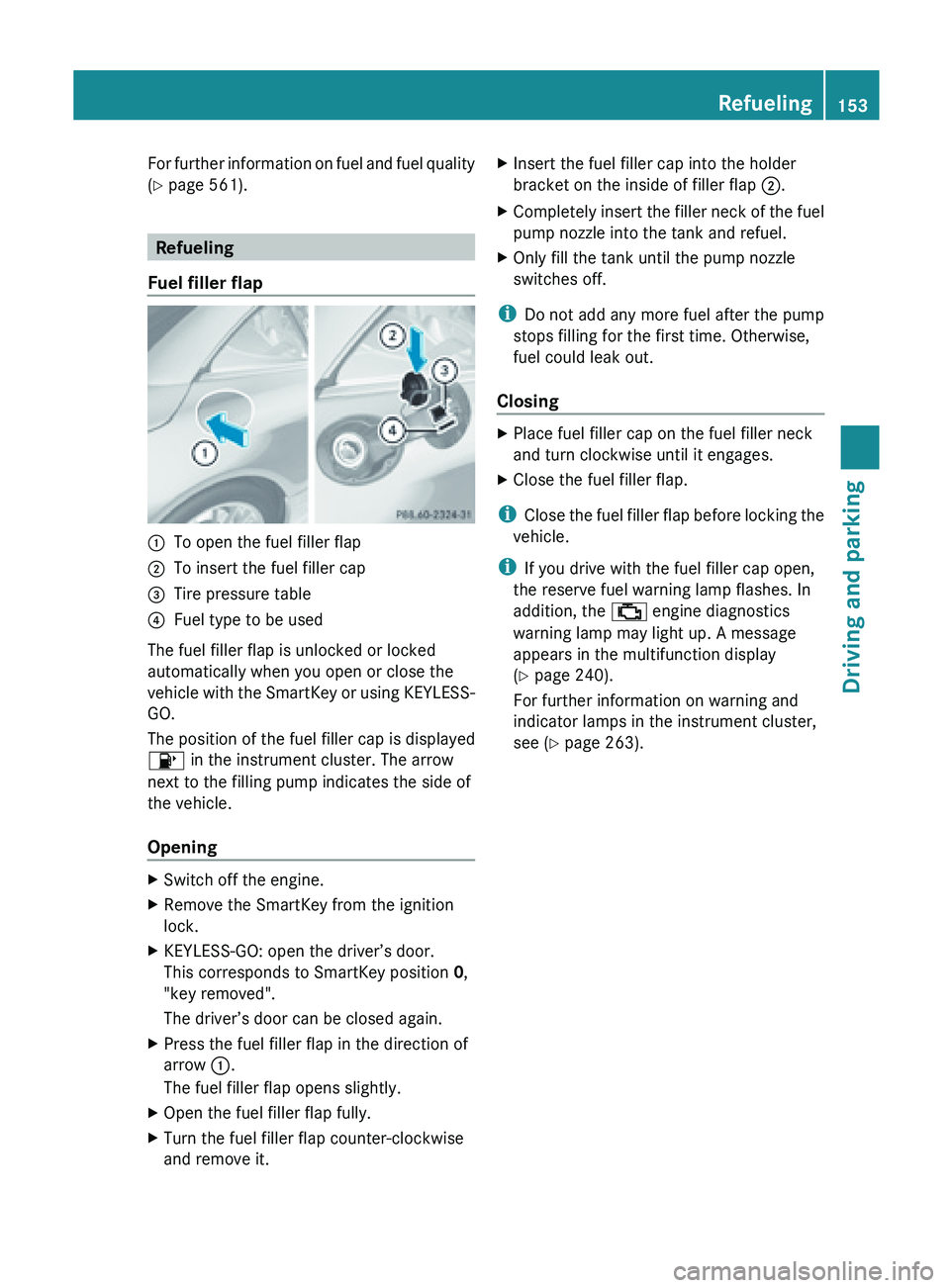
Fuel filler flap :
To open the fuel filler flap
; To insert the fuel filler cap
= Tire pressure table
? Fuel type to be used
The fuel filler flap is unlocked or locked
automatically when you open or close the
vehicle with
the SmartKey or using KEYLESS-
GO.
The position of the fuel filler cap is displayed
8 in the instrument cluster. The arrow
next to the filling pump indicates the side of
the vehicle.
Opening X
Switch off the engine.
X Remove the SmartKey from the ignition
lock.
X KEYLESS-GO: open the driver’s door.
This corresponds to SmartKey position 0,
"key removed".
The driver’s door can be closed again.
X Press the fuel filler flap in the direction of
arrow :.
The fuel filler flap opens slightly.
X Open the fuel filler flap fully.
X Turn the fuel filler flap counter-clockwise
and remove it. X
Insert the fuel filler cap into the holder
bracket on the inside of filler flap ;.
X Completely insert the filler neck of the fuel
pump nozzle into the tank and refuel.
X Only fill the tank until the pump nozzle
switches off.
i Do not add any more fuel after the pump
stops filling for the first time. Otherwise,
fuel could leak out.
Closing X
Place fuel filler cap on the fuel filler neck
and turn clockwise until it engages.
X Close the fuel filler flap.
i Close the
fuel filler flap before locking the
vehicle.
i If you drive with the fuel filler cap open,
the reserve fuel warning lamp flashes. In
addition, the ; engine diagnostics
warning lamp may light up. A message
appears in the multifunction display
(Y page 240).
For further information on warning and
indicator lamps in the instrument cluster,
see ( Y page 263). Refueling
153
Driving and parking Z
Page 156 of 572
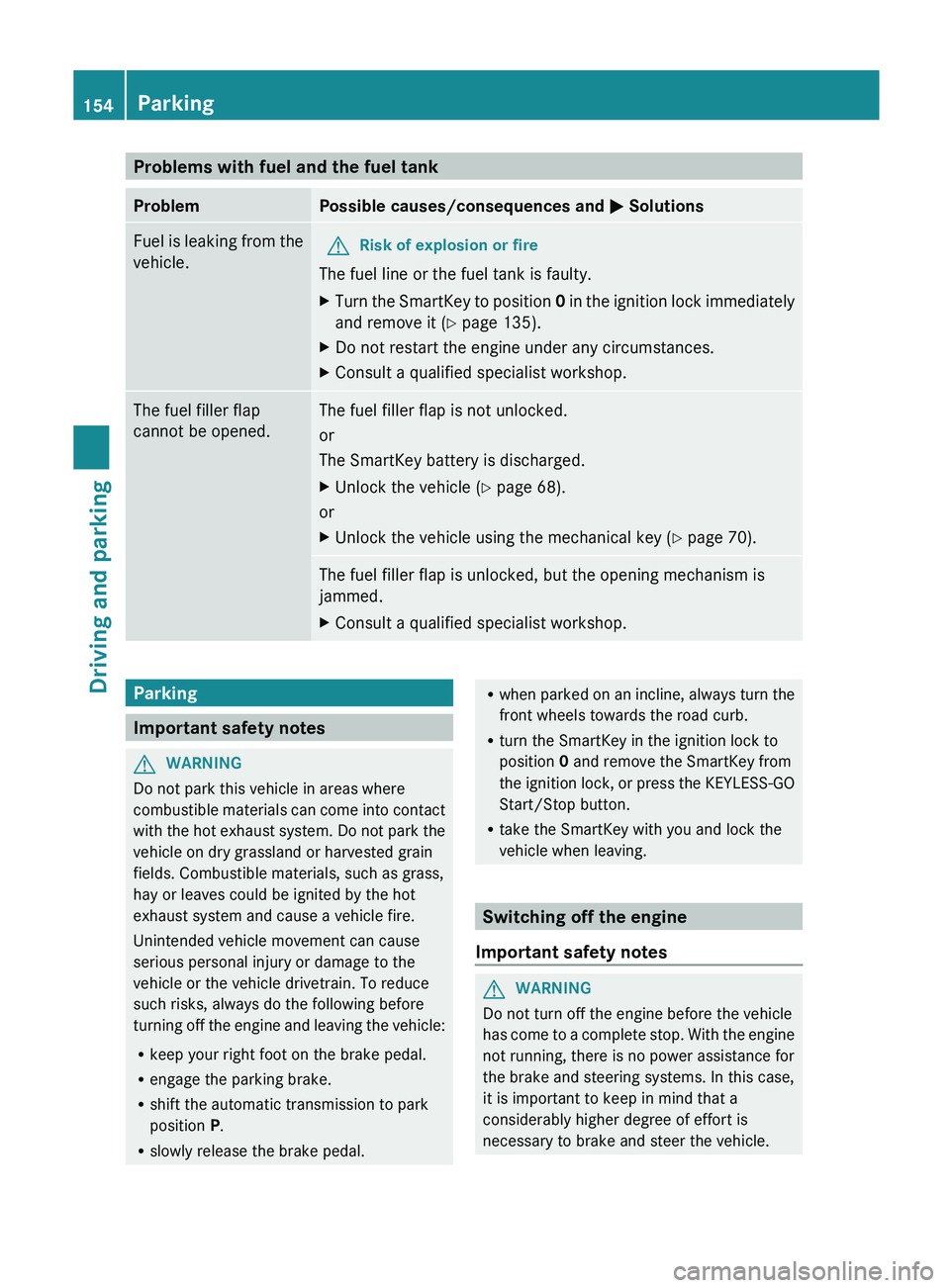
Problems with fuel and the fuel tank
Problem Possible causes/consequences and
M Solutions
Fuel is leaking from the
vehicle. G
Risk of explosion or fire
The fuel line or the fuel tank is faulty.
X Turn the SmartKey to position
0
in
the ignition lock immediately
and remove it (Y page 135).
X Do not restart the engine under any circumstances.
X Consult a qualified specialist workshop. The fuel filler flap
cannot be opened. The fuel filler flap is not unlocked.
or
The SmartKey battery is discharged.
X
Unlock the vehicle (
Y page 68).
or
X Unlock the vehicle using the mechanical key ( Y page 70).The fuel filler flap is unlocked, but the opening mechanism is
jammed.
X
Consult a qualified specialist workshop. Parking
Important safety notes
G
WARNING
Do not park this vehicle in areas where
combustible materials
can come into contact
with the hot exhaust system. Do not park the
vehicle on dry grassland or harvested grain
fields. Combustible materials, such as grass,
hay or leaves could be ignited by the hot
exhaust system and cause a vehicle fire.
Unintended vehicle movement can cause
serious personal injury or damage to the
vehicle or the vehicle drivetrain. To reduce
such risks, always do the following before
turning off the engine and leaving the vehicle:
R keep your right foot on the brake pedal.
R engage the parking brake.
R shift the automatic transmission to park
position P.
R slowly release the brake pedal. R
when parked
on an incline, always turn the
front wheels towards the road curb.
R turn the SmartKey in the ignition lock to
position 0 and remove the SmartKey from
the ignition lock, or press the KEYLESS-GO
Start/Stop button.
R take the SmartKey with you and lock the
vehicle when leaving. Switching off the engine
Important safety notes G
WARNING
Do not turn off the engine before the vehicle
has come
to a complete stop. With the engine
not running, there is no power assistance for
the brake and steering systems. In this case,
it is important to keep in mind that a
considerably higher degree of effort is
necessary to brake and steer the vehicle. 154
Parking
Driving and parking