fuel reserve MERCEDES-BENZ SL-CLASS ROADSTER 2013 Owners Manual
[x] Cancel search | Manufacturer: MERCEDES-BENZ, Model Year: 2013, Model line: SL-CLASS ROADSTER, Model: MERCEDES-BENZ SL-CLASS ROADSTER 2013Pages: 572, PDF Size: 9.23 MB
Page 14 of 572
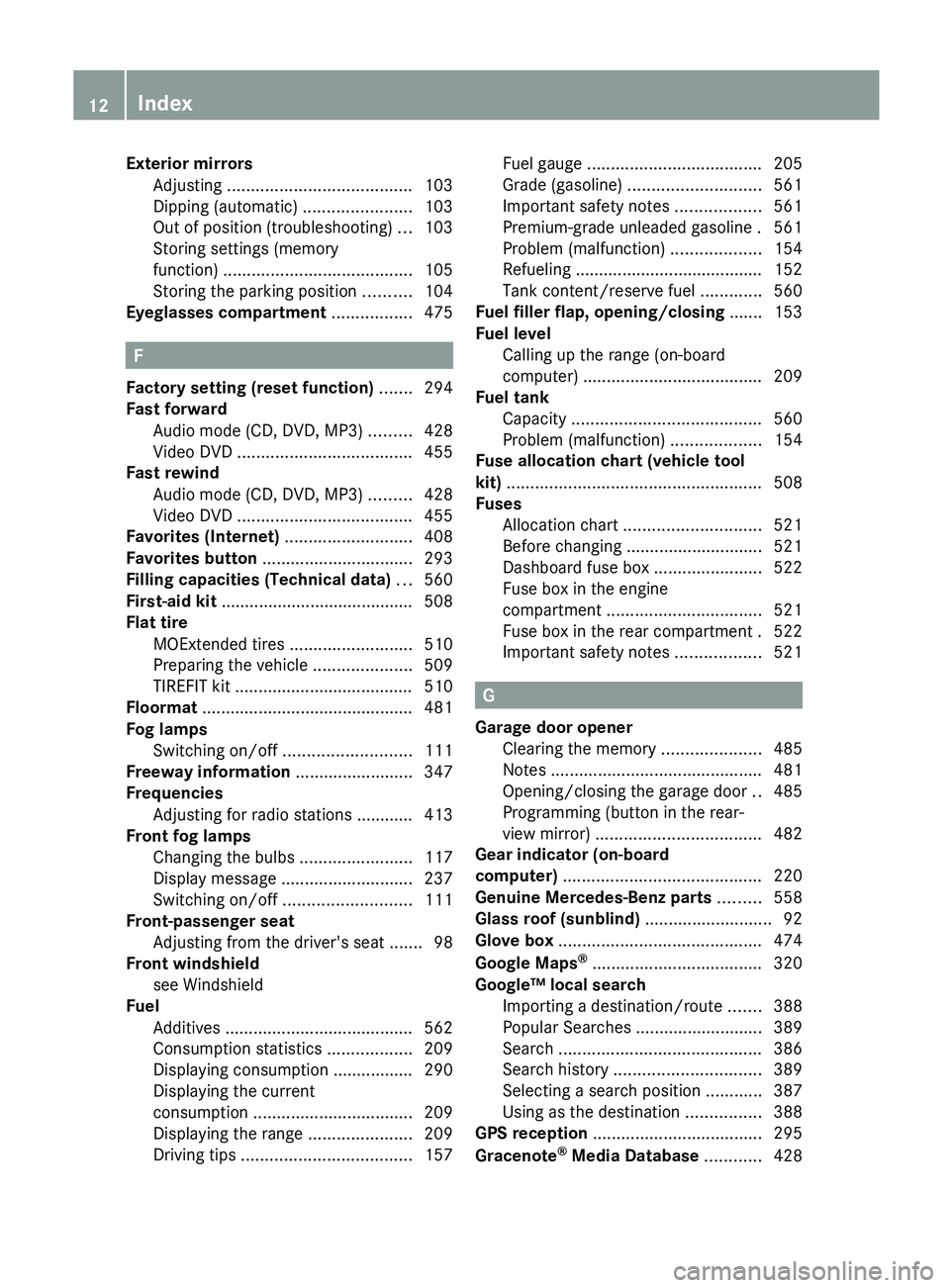
Exterior mirrors
Adjusting ....................................... 103
Dipping (automatic) .......................103
Out of position (troubleshooting) ...103
Storing settings (memory
function) ........................................ 105
Storing the parking position
..........104
Eyeglasses compartment ................. 475F
Factory setting (reset function) .......294
Fast forward Audio mode (CD, DVD, MP3) .........428
Video DVD ..................................... 455
Fast rewind
Audio mode (CD, DVD, MP3) .........428
Video DVD ..................................... 455
Favorites (Internet) ...........................408
Favorites button ................................ 293
Filling capacities (Technical data) ...560
First-aid kit .........................................
508
Flat tire MOExtended tires
..........................510
Preparing the vehicle .....................509
TIREFIT kit ...................................... 510
Floormat ............................................. 481
Fog lamps Switching on/off ........................... 111
Freeway information .........................347
Frequencies Adjusting for radio stations ............ 413
Front fog lamps
Changing the bulbs ........................ 117
Display message ............................ 237
Switching on/off ........................... 111
Front-passenger seat
Adjusting from the driver's seat ....... 98
Front windshield
see Windshield
Fuel
Additives ........................................ 562
Consumption statistics ..................209
Displaying consumption ................. 290
Displaying the current
consumption .................................. 209
Displaying the range ...................... 209
Driving tips .................................... 157Fuel gauge
..................................... 205
Grade (gasoline)
............................ 561
Important safety notes .................. 561
Premium-grade unleaded gasoline . 561
Problem (malfunction) ...................154
Refueling ........................................ 152
Tank content/reserve fuel .............560
Fuel filler flap, opening/closing ....... 153
Fuel level Calling up the range (on-board
computer) ...................................... 209
Fuel tank
Capacity ........................................ 560
Problem (malfunction) ...................154
Fuse allocation chart (vehicle tool
kit) ...................................................... 508
Fuses Allocation chart ............................. 521
Before changing ............................. 521
Dashboard fuse box ....................... 522
Fuse box in the engine
compartment ................................. 521
Fuse box in the rear compartment . 522
Important safety notes .................. 521 G
Garage door opener Clearing the memory
.....................485
Notes ............................................. 481
Opening/closing the garage door ..485
Programming (button in the rear-
view mirror) ................................... 482
Gear indicator (on-board
computer) .......................................... 220
Genuine Mercedes-Benz parts ......... 558
Glass roof (sunblind) ...........................92
Glove box ........................................... 474
Google Maps ®
.................................... 320
Google™ local search Importing a destination/route .......388
Popular Searches ........................... 389
Search ........................................... 386
Search history ............................... 389
Selecting a search position ............ 387
Using as the destination ................ 388
GPS reception .................................... 295
Gracenote ®
Media Database ............ 42812
Index
Page 21 of 572
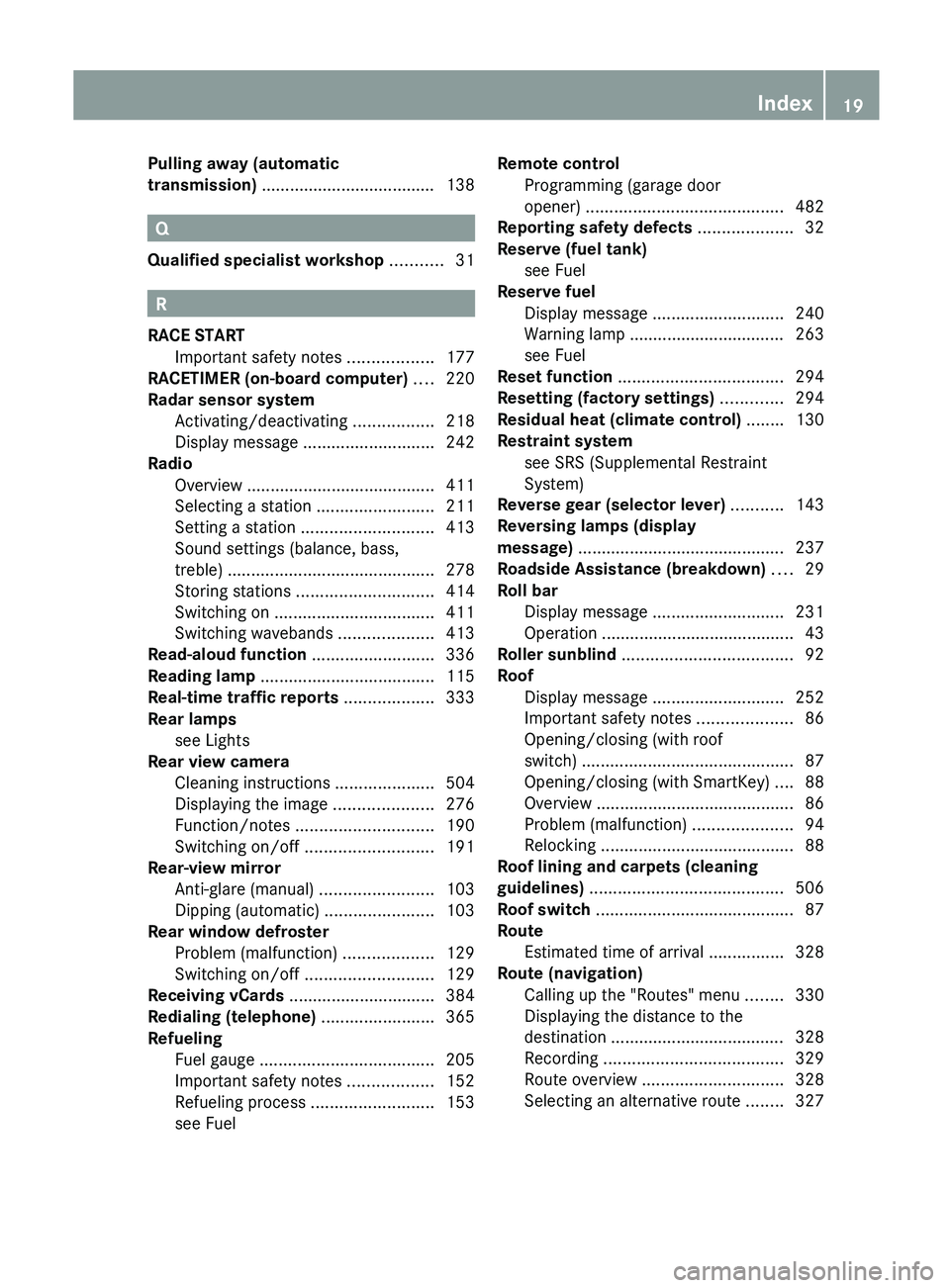
Pulling away (automatic
transmission) .....................................
138Q
Qualified specialist workshop ...........31 R
RACE START Important safety notes
..................177
RACETIMER (on-board computer) .... 220
Radar sensor system Activating/deactivating ................. 218
Display message ............................ 242
Radio
Overview ........................................ 411
Selecting a station .........................211
Setting a station ............................ 413
Sound settings (balance, bass,
treble) ............................................ 278
Storing stations ............................. 414
Switching on .................................. 411
Switching wavebands ....................413
Read-aloud function .......................... 336
Reading lamp ..................................... 115
Real-time traffic reports ...................333
Rear lamps see Lights
Rear view camera
Cleaning instructions ..................... 504
Displaying the image .....................276
Function/notes ............................. 190
Switching on/off ........................... 191
Rear-view mirror
Anti-glare (manual) ........................103
Dipping (automatic) .......................103
Rear window defroster
Problem (malfunction) ...................129
Switching on/off ........................... 129
Receiving vCards ............................... 384
Redialing (telephone) ........................365
Refueling Fuel gauge ..................................... 205
Important safety notes .................. 152
Refueling process .......................... 153
see Fuel Remote control
Programming (garage door
opener) .......................................... 482
Reporting safety defects .................... 32
Reserve (fuel tank) see Fuel
Reserve fuel
Display message ............................ 240
Warning lamp ................................. 263
see Fuel
Reset function ................................... 294
Resetting (factory settings) .............294
Residual heat (climate control) ........130
Restraint system see SRS (Supplemental Restraint
System)
Reverse gear (selector lever) ...........143
Reversing lamps (display
message) ............................................ 237
Roadside Assistance (breakdown) ....29
Roll bar Display message ............................ 231
Operation ......................................... 43
Roller sunblind .................................... 92
Roof Display message ............................ 252
Important safety notes .................... 86
Opening/closing (with roof
switch) ............................................. 87
Opening/closing (with SmartKey) .... 88
Overview .......................................... 86
Problem (malfunction) .....................94
Relocking ......................................... 88
Roof lining and carpets (cleaning
guidelines) ......................................... 506
Roof switch .......................................... 87
Route Estimated time of arrival ................ 328
Route (navigation)
Calling up the "Routes" menu ........ 330
Displaying the distance to the
destination ..................................... 328
Recording ...................................... 329
Route overview .............................. 328
Selecting an alternative route ........ 327 Index
19
Page 28 of 572
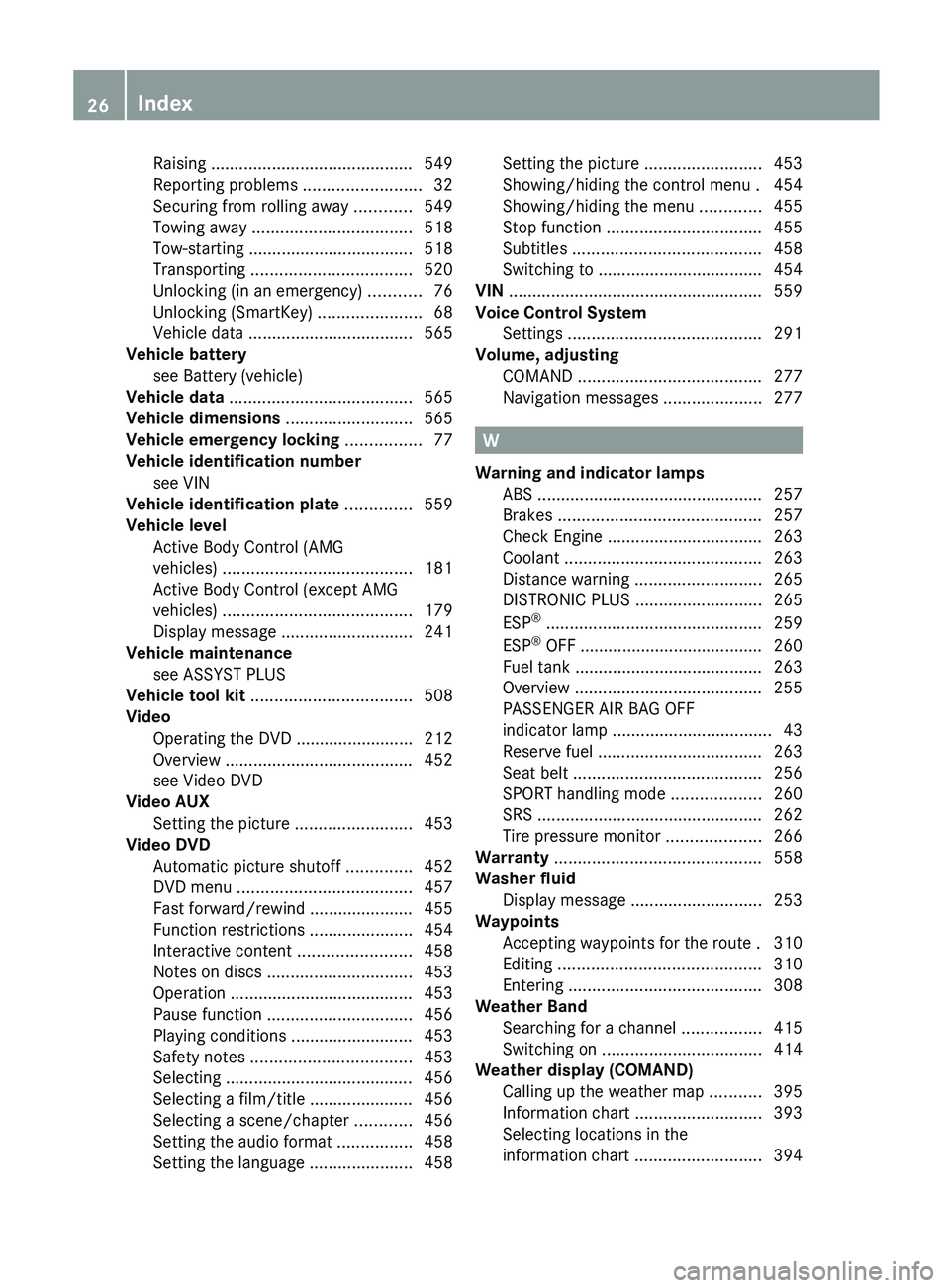
Raising ...........................................
549
Reporting problems .........................32
Securing from rolling away ............ 549
Towing away
.................................. 518
Tow-starting ................................... 518
Transporting .................................. 520
Unlocking (in an emergency) ........... 76
Unlocking (SmartKey) ......................68
Vehicle data ................................... 565
Vehicle battery
see Battery (vehicle)
Vehicle data ....................................... 565
Vehicle dimensions ...........................565
Vehicle emergency locking ................77
Vehicle identification number see VIN
Vehicle identification plate ..............559
Vehicle level Active Body Control (AMG
vehicles) ........................................ 181
Active Body Control (except AMG
vehicles) ........................................ 179
Display message ............................ 241
Vehicle maintenance
see ASSYST PLUS
Vehicle tool kit .................................. 508
Video Operating the DVD ......................... 212
Overview ........................................ 452
see Video DVD
Video AUX
Setting the picture ......................... 453
Video DVD
Automatic picture shutoff ..............452
DVD menu ..................................... 457
Fast forward/rewind ...................... 455
Function restrictions ...................... 454
Interactive content ........................458
Notes on discs ............................... 453
Operation ....................................... 453
Pause function ............................... 456
Playing conditions .......................... 453
Safety notes .................................. 453
Selecting ........................................ 456
Selecting a film/title ...................... 456
Selecting a scene/chapter ............ 456
Setting the audio format ................ 458
Setting the language ...................... 458Setting the picture .........................
453
Showing/hiding the control menu . 454
Showing/hiding the menu
.............455
Stop function ................................. 455
Subtitles ........................................ 458
Switching to ................................... 454
VIN ...................................................... 559
Voice Control System Settings ......................................... 291
Volume, adjusting
COMAND ....................................... 277
Navigation messages ..................... 277 W
Warning and indicator lamps ABS
................................................ 257
Brakes ........................................... 257
Check Engine ................................. 263
Coolant .......................................... 263
Distance warning ........................... 265
DISTRONIC PLUS ........................... 265
ESP ®
.............................................. 259
ESP ®
OFF ....................................... 260
Fuel tank ........................................ 263
Overview ........................................ 255
PASSENGER AIR BAG OFF
indicator lamp .................................. 43
Reserve fuel ................................... 263
Seat belt ........................................ 256
SPORT handling mode ................... 260
SRS ................................................ 262
Tire pressure monitor .................... 266
Warranty ............................................ 558
Washer fluid Display message ............................ 253
Waypoints
Accepting waypoints for the route . 310
Editing ........................................... 310
Entering ......................................... 308
Weather Band
Searching for a channel ................. 415
Switching on .................................. 414
Weather display (COMAND)
Calling up the weather map ...........395
Information chart ........................... 393
Selecting locations in the
information chart ........................... 39426
Index
Page 155 of 572
For further information on fuel and fuel quality
(Y page 561).
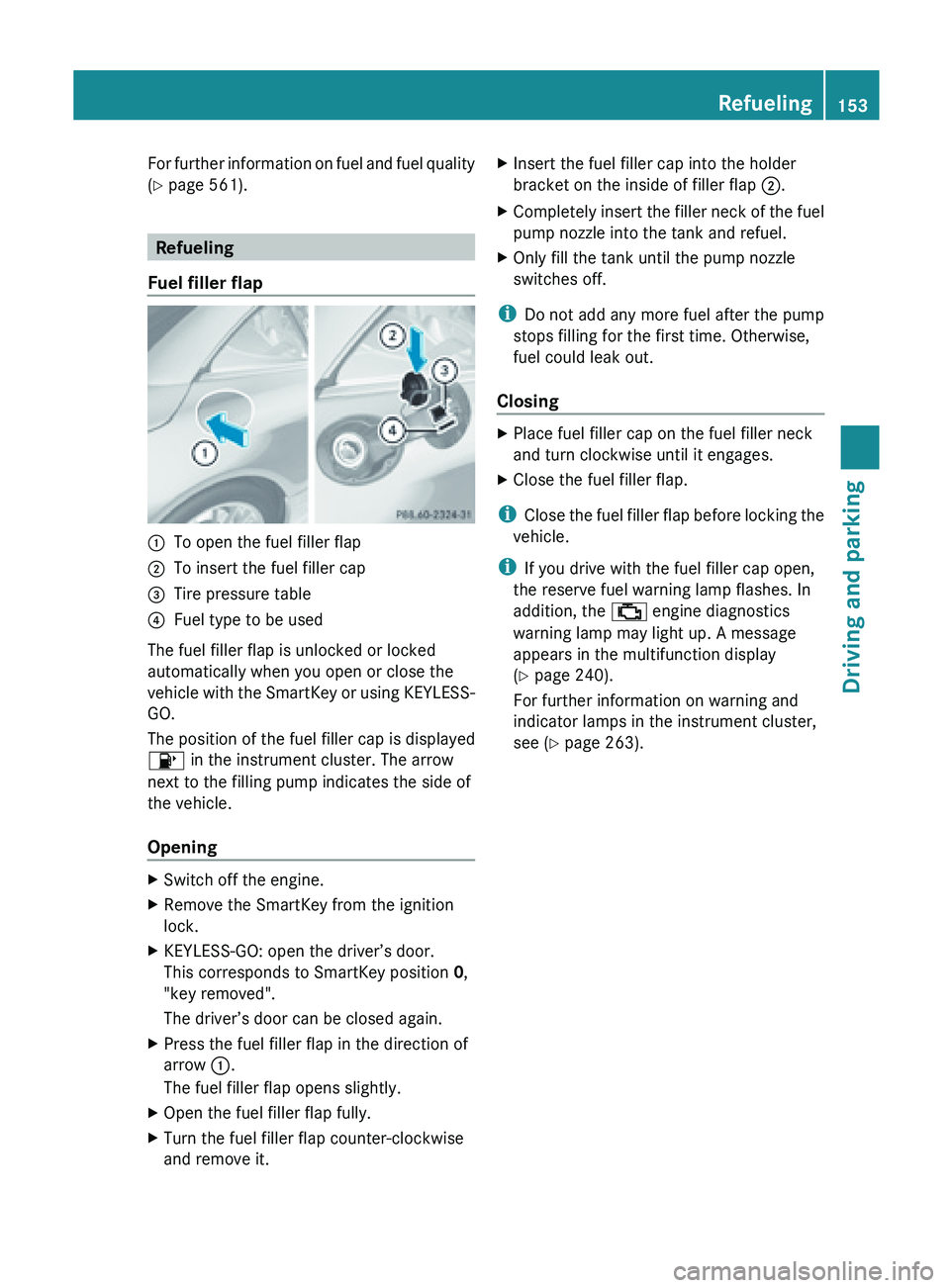
Refueling
Fuel filler flap :
To open the fuel filler flap
; To insert the fuel filler cap
= Tire pressure table
? Fuel type to be used
The fuel filler flap is unlocked or locked
automatically when you open or close the
vehicle with
the SmartKey or using KEYLESS-
GO.
The position of the fuel filler cap is displayed
8 in the instrument cluster. The arrow
next to the filling pump indicates the side of
the vehicle.
Opening X
Switch off the engine.
X Remove the SmartKey from the ignition
lock.
X KEYLESS-GO: open the driver’s door.
This corresponds to SmartKey position 0,
"key removed".
The driver’s door can be closed again.
X Press the fuel filler flap in the direction of
arrow :.
The fuel filler flap opens slightly.
X Open the fuel filler flap fully.
X Turn the fuel filler flap counter-clockwise
and remove it. X
Insert the fuel filler cap into the holder
bracket on the inside of filler flap ;.
X Completely insert the filler neck of the fuel
pump nozzle into the tank and refuel.
X Only fill the tank until the pump nozzle
switches off.
i Do not add any more fuel after the pump
stops filling for the first time. Otherwise,
fuel could leak out.
Closing X
Place fuel filler cap on the fuel filler neck
and turn clockwise until it engages.
X Close the fuel filler flap.
i Close the
fuel filler flap before locking the
vehicle.
i If you drive with the fuel filler cap open,
the reserve fuel warning lamp flashes. In
addition, the ; engine diagnostics
warning lamp may light up. A message
appears in the multifunction display
(Y page 240).
For further information on warning and
indicator lamps in the instrument cluster,
see ( Y page 263). Refueling
153
Driving and parking Z
Page 242 of 572
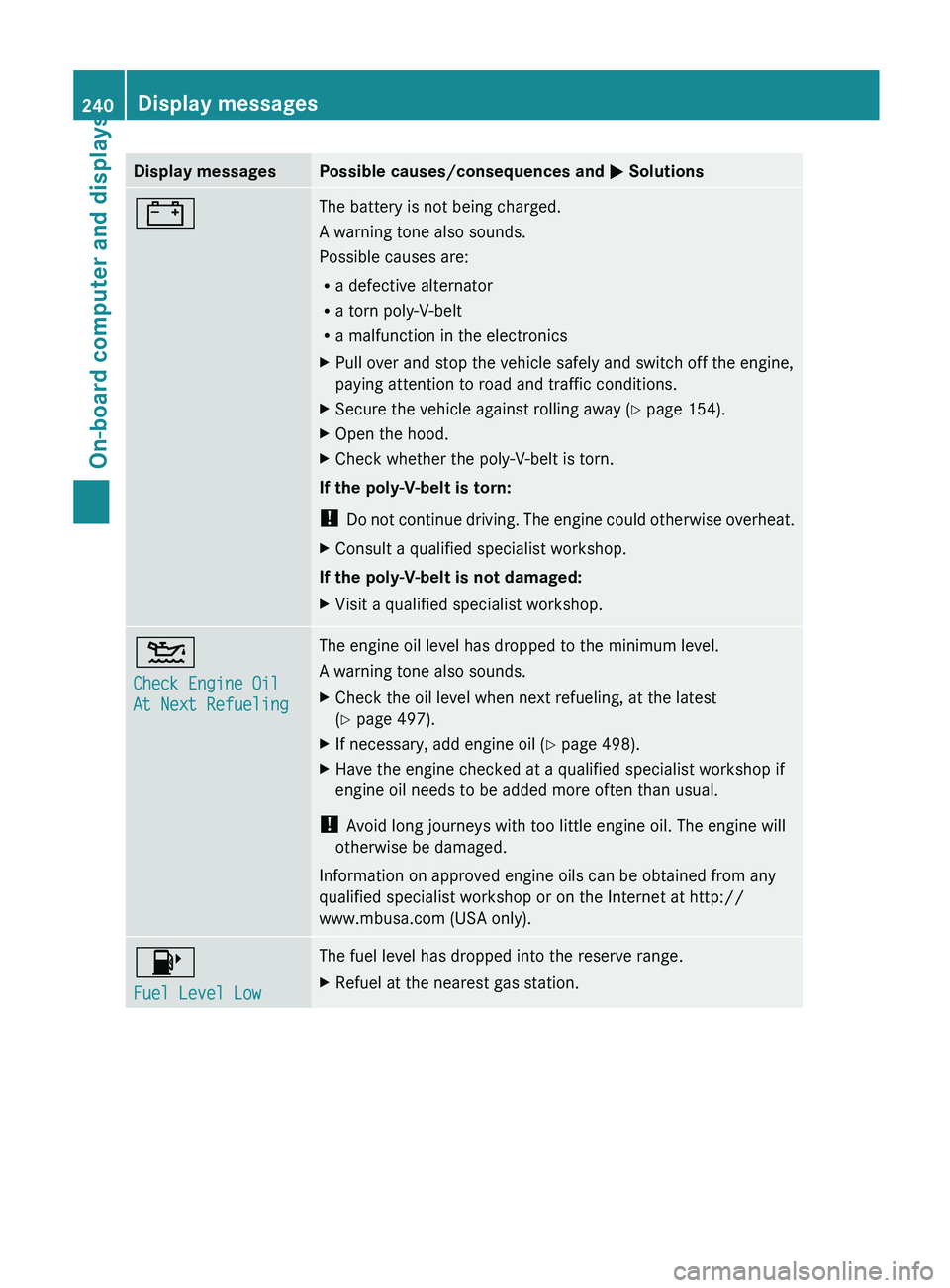
Display messages Possible causes/consequences and
M Solutions# The battery is not being charged.
A warning tone also sounds.
Possible causes are:
R
a defective alternator
R a torn poly-V-belt
R a malfunction in the electronics
X Pull over and stop the vehicle safely and switch off the engine,
paying attention to road and traffic conditions.
X Secure the vehicle against rolling away ( Y page 154).
X Open the hood.
X Check whether the poly-V-belt is torn.
If the poly-V-belt is torn:
! Do not
continue driving. The engine could otherwise overheat.
X Consult a qualified specialist workshop.
If the poly-V-belt is not damaged:
X Visit a qualified specialist workshop. 4
Check Engine Oil
At Next Refueling The engine oil level has dropped to the minimum level.
A warning tone also sounds.
X
Check the oil level when next refueling, at the latest
(Y page 497).
X If necessary, add engine oil ( Y page 498).
X Have the engine checked at a qualified specialist workshop if
engine oil needs to be added more often than usual.
! Avoid long journeys with too little engine oil. The engine will
otherwise be damaged.
Information on approved engine oils can be obtained from any
qualified specialist workshop or on the Internet at http://
www.mbusa.com (USA only). 8
Fuel Level Low The fuel level has dropped into the reserve range.
X
Refuel at the nearest gas station.240
Display messages
On-board computer and displays
Page 257 of 572
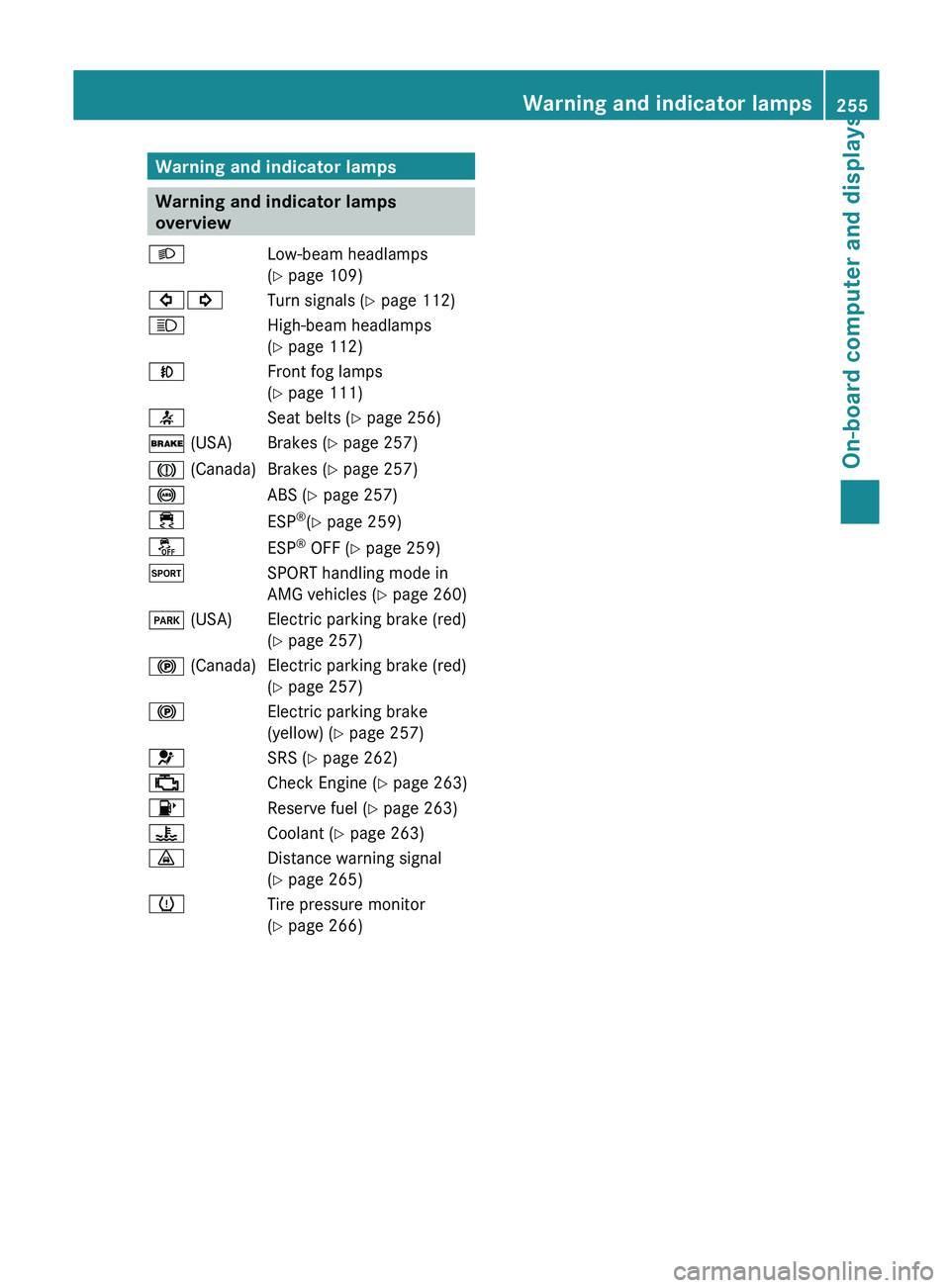
Warning and indicator lamps
Warning and indicator lamps
overview
L Low-beam headlamps
( Y page 109)
#! Turn signals (Y page 112)
K High-beam headlamps
(Y page 112)
N Front fog lamps
(Y page 111)
7 Seat belts (Y page 256)
$ (USA) Brakes (Y page 257)
J (Canada) Brakes (Y page 257)
! ABS (Y page 257)
÷ ESP®
(Y page 259)
å ESP®
OFF (Y page 259)
M SPORT handling mode in
AMG vehicles (Y page 260)
F (USA) Electric parking brake (red) (Y page 257)
! (Canada) Electric parking brake (red) (Y page 257)
! Electric parking brake
(yellow) (Y
page 257)
6 SRS (Y page 262)
; Check Engine (Y page 263)
8 Reserve fuel (Y page 263)
? Coolant (Y page 263)
· Distance warning signal
(Y page 265)
h Tire pressure monitor
(Y page 266) Warning and indicator lamps
255
On-board computer and displays Z
Page 265 of 572
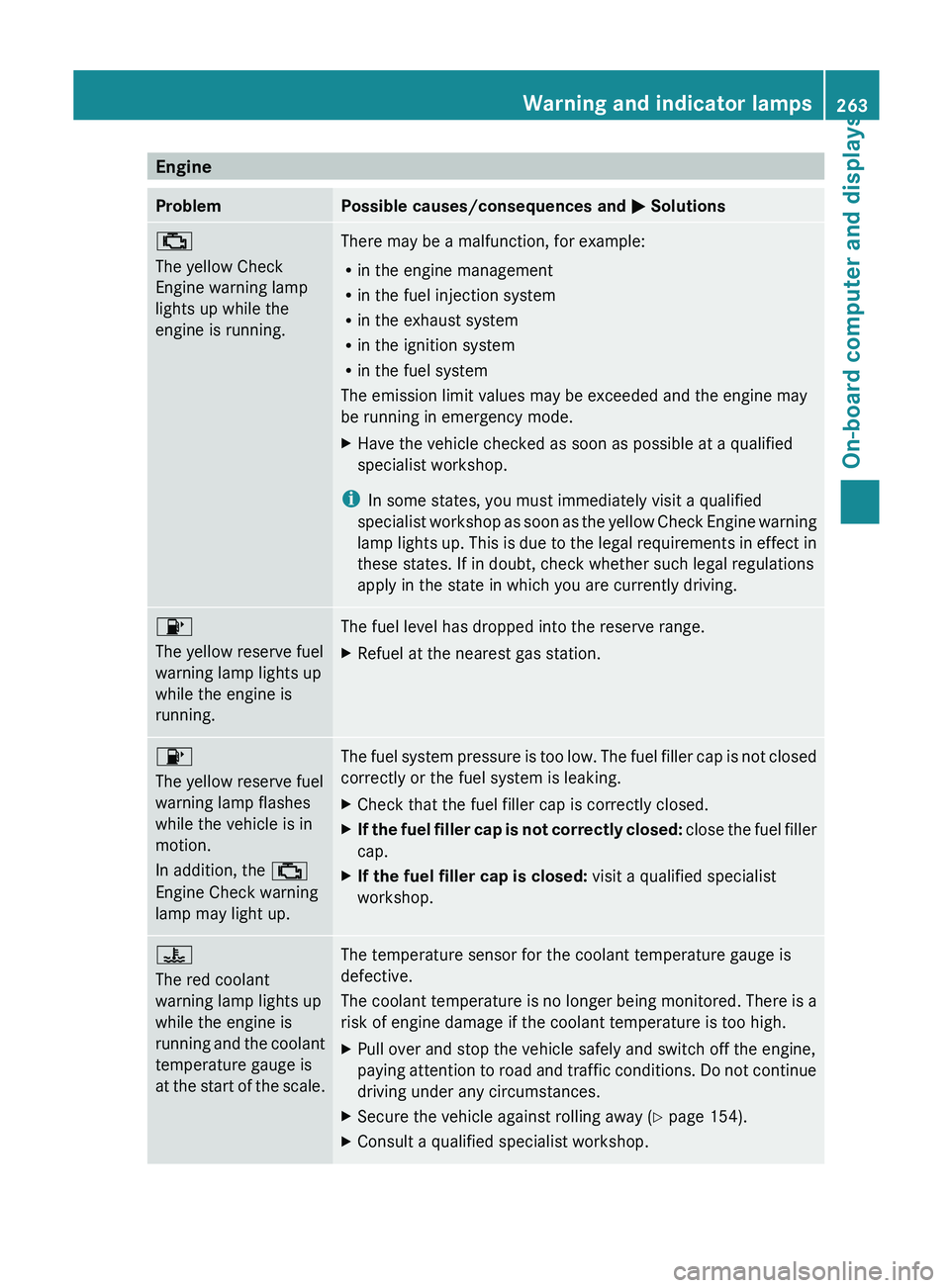
Engine
Problem Possible causes/consequences and
M Solutions
;
The yellow Check
Engine warning lamp
lights up while the
engine is running.
There may be a malfunction, for example:
R
in the engine management
R in the fuel injection system
R in the exhaust system
R in the ignition system
R in the fuel system
The emission limit values may be exceeded and the engine may
be running in emergency mode.
X Have the vehicle checked as soon as possible at a qualified
specialist workshop.
i In some states, you must immediately visit a qualified
specialist workshop
as soon as the yellow Check Engine warning
lamp lights up. This is due to the legal requirements in effect in
these states. If in doubt, check whether such legal regulations
apply in the state in which you are currently driving. 8
The yellow reserve fuel
warning lamp lights up
while the engine is
running.
The fuel level has dropped into the reserve range.
X
Refuel at the nearest gas station. 8
The yellow reserve fuel
warning lamp flashes
while the vehicle is in
motion.
In addition, the
;
Engine Check warning
lamp may light up. The fuel system pressure is too low. The fuel filler cap is not closed
correctly or the fuel system is leaking.
X Check that the fuel filler cap is correctly closed.
X If the fuel filler cap is not correctly closed:
close
the fuel filler
cap.
X If the fuel filler cap is closed: visit a qualified specialist
workshop. ?
The red coolant
warning lamp lights up
while the engine is
running
and
the coolant
temperature gauge is
at the start of the scale. The temperature sensor for the coolant temperature gauge is
defective.
The
coolant
temperature is no longer being monitored. There is a
risk of engine damage if the coolant temperature is too high.
X Pull over and stop the vehicle safely and switch off the engine,
paying attention
to road and traffic conditions. Do not continue
driving under any circumstances.
X Secure the vehicle against rolling away ( Y page 154).
X Consult a qualified specialist workshop. Warning and indicator lamps
263
On-board computer and displays Z
Page 300 of 572
Carpool lanes may only be used under certain
conditions.
Normally
you can use these lanes
when two or more occupants are traveling in
the vehicle. However, there are lanes that can
only be used when three or four occupants
(e.g. in New York) travel in the vehicle. In
California, lone drivers can use a carpool lane
if their vehicle's emission level or fuel
consumption is below a fixed threshold.
Carpool lanes may be reserved for specific
times (e.g. during the peak period).
Carpool lanes are identified by HOV symbols
on special road signs and by markings on the
road. The road signs may also include the
designation CARPOOL. The lanes are arranged
as a separate lane next to the others or are
built as a physically separate lane.
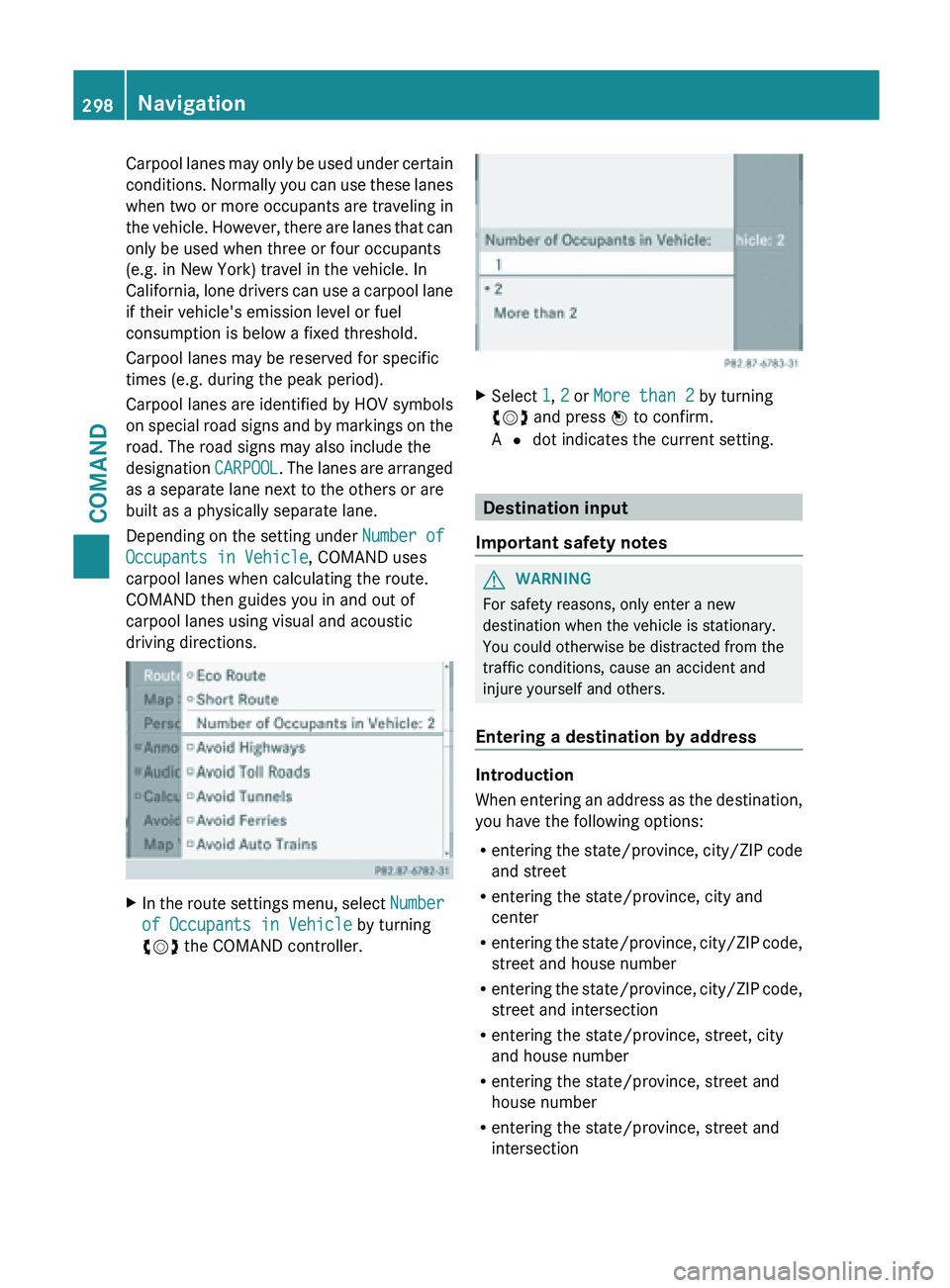
Depending on the setting under Number of
Occupants in Vehicle, COMAND uses
carpool lanes when calculating the route.
COMAND then guides you in and out of
carpool lanes using visual and acoustic
driving directions. X
In the route settings menu, select Number
of Occupants in Vehicle by turning
cVd the COMAND controller. X
Select 1, 2 or More than 2 by turning
cVd and press W to confirm.
A # dot indicates the current setting. Destination input
Important safety notes G
WARNING
For safety reasons, only enter a new
destination when the vehicle is stationary.
You could otherwise be distracted from the
traffic conditions, cause an accident and
injure yourself and others.
Entering a destination by address Introduction
When
entering
an address as the destination,
you have the following options:
R entering the state/province, city/ZIP code
and street
R entering the state/province, city and
center
R entering the state/province, city/ZIP code,
street and house number
R entering the state/province, city/ZIP code,
street and intersection
R entering the state/province, street, city
and house number
R entering the state/province, street and
house number
R entering the state/province, street and
intersection298
Navigation
COMAND
Page 504 of 572
Scratches, corrosive deposits, areas affected
by corrosion and damage caused by
inadequate
care
cannot always be completely
repaired. In such cases, visit a qualified
specialist workshop.
X Remove dirt immediately, where possible,
while avoiding rubbing too hard.
X Soak insect remains with insect remover
and rinse off the treated areas afterwards.
X Soak bird droppings with water and rinse
off the treated areas afterwards.
X Remove coolant, brake fluid, tree resin,
oils, fuels and greases by rubbing gently
with a cloth soaked in petroleum ether or
lighter fluid.
X Use tar remover to remove tar stains.
X Use silicone remover to remove wax.
If water no longer forms "beads" on the paint
surface, use the paint care products
recommended and approved by Mercedes-
Benz. This is the case approximately every
three to five months, depending on the
climate conditions
and the care product used.
If dirt has penetrated the paint surface or if
the paint has become dull, the paint cleaner
recommended and approved by Mercedes-
Benz should be used.
Do not use these care products in the sun or
on the hood while the hood is hot.
X Use a suitable touch-up stick, e.g. MB
Touch-Up Stick, to repair slight damage to
the paintwork quickly and provisionally.
Matte finish care !
Never polish the vehicle or the light alloy
wheels. Polishing causes the finish to
shine. !
The following may cause the paint to
become shiny and thus reduce the matte
effect:
R Vigorous rubbing with unsuitable
materials.
R Frequent use of car washes.
R Washing the vehicle in direct sunlight.
! Never use paint cleaner, buffing or
polishing products,
or gloss preserver, e.g.
wax. These products are only suitable for
high-gloss surfaces. Their use on vehicles
with matte finish leads to considerable
surface damage (shiny, spotted areas).
Always have paintwork repairs carried out
at a qualified specialist workshop.
! Do not use wash programs with a hot wax
treatment under any circumstances.
Observe these notes if your vehicle has a
clear matte finish. This will help you to avoid
damage to the paintwork due to incorrect
treatment.
These notes also apply to light alloy wheels
with a clear matte finish.
i The vehicle should preferably be washed
by hand using a soft sponge, car shampoo
and plenty of water.
i Use only insect remover and car shampoo
from the range of recommended and
approved Mercedes-Benz care products. Cleaning the vehicle parts
Cleaning the wheels !
Do not
use acidic wheel cleaning products
to remove brake dust. This could damage
wheel bolts and brake components.
! Do not park the vehicle for an extended
period straight after cleaning it, particularly
after having cleaned the wheels with wheel
cleaner. Wheel cleaners could cause
increased corrosion of the brake discs and
brake pads/linings. For this reason, you 502
Care
Maintenance and care
Page 563 of 572
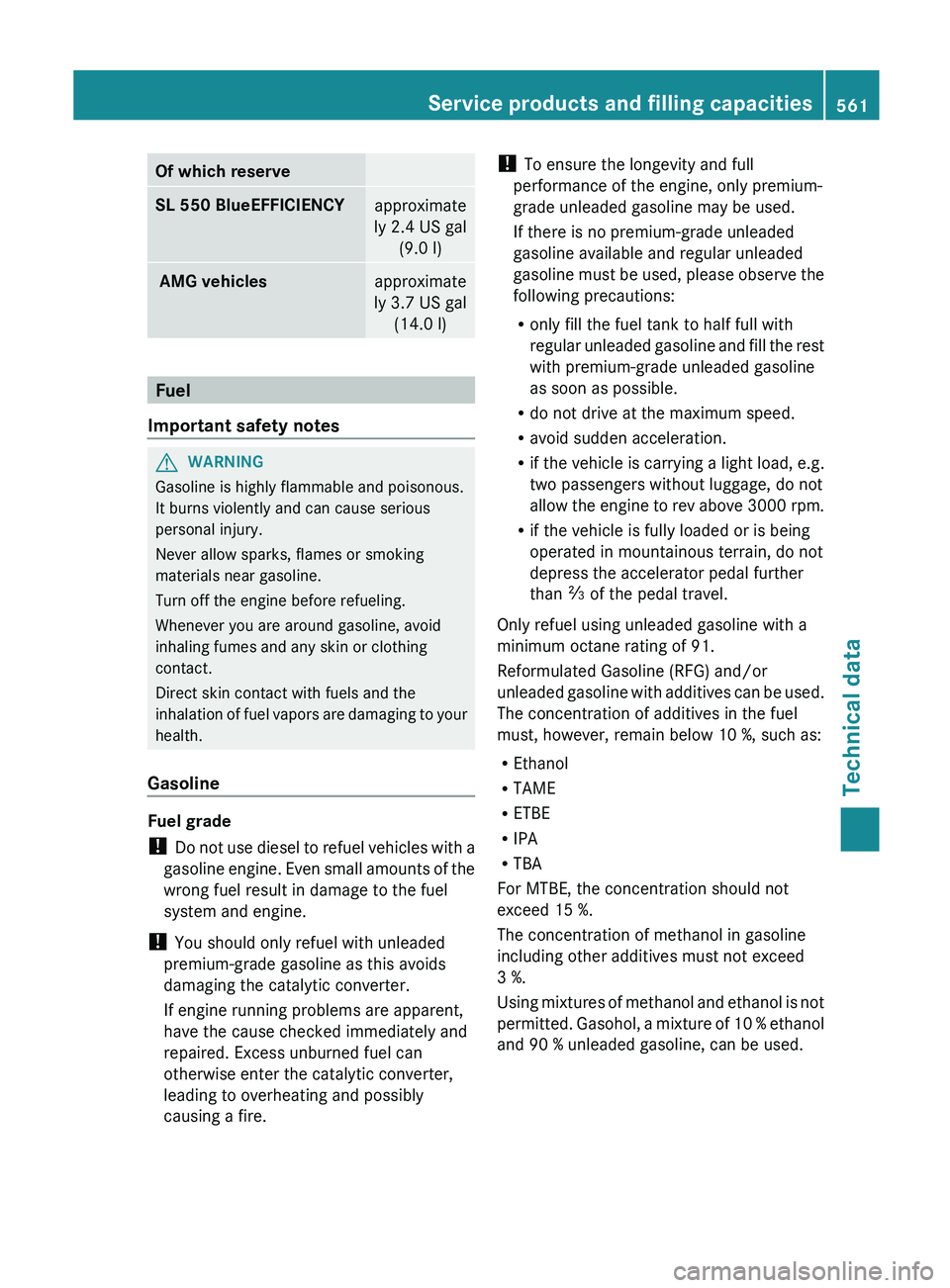
Of which reserve
SL 550 BlueEFFICIENCY
approximate
ly 2.4 US gal (9.0 l) AMG vehicles
approximate
ly 3.7 US gal (14.0 l) Fuel
Important safety notes G
WARNING
Gasoline is highly flammable and poisonous.
It burns violently and can cause serious
personal injury.
Never allow sparks, flames or smoking
materials near gasoline.
Turn off the engine before refueling.
Whenever you are around gasoline, avoid
inhaling fumes and any skin or clothing
contact.
Direct skin contact with fuels and the
inhalation of
fuel vapors are damaging to your
health.
Gasoline Fuel grade
!
Do not
use diesel to refuel vehicles with a
gasoline engine. Even small amounts of the
wrong fuel result in damage to the fuel
system and engine.
! You should only refuel with unleaded
premium-grade gasoline as this avoids
damaging the catalytic converter.
If engine running problems are apparent,
have the cause checked immediately and
repaired. Excess unburned fuel can
otherwise enter the catalytic converter,
leading to overheating and possibly
causing a fire. !
To ensure the longevity and full
performance of the engine, only premium-
grade unleaded gasoline may be used.
If there is no premium-grade unleaded
gasoline available and regular unleaded
gasoline must
be used, please observe the
following precautions:
R only fill the fuel tank to half full with
regular unleaded gasoline and fill the rest
with premium-grade unleaded gasoline
as soon as possible.
R do not drive at the maximum speed.
R avoid sudden acceleration.
R if the vehicle is carrying a light load, e.g.
two passengers without luggage, do not
allow the engine to rev above 3000 rpm.
R if the vehicle is fully loaded or is being
operated in mountainous terrain, do not
depress the accelerator pedal further
than Ô of the pedal travel.
Only refuel using unleaded gasoline with a
minimum octane rating of 91.
Reformulated Gasoline (RFG) and/or
unleaded gasoline with additives can be used.
The concentration of additives in the fuel
must, however, remain below 10 %, such as:
R Ethanol
R TAME
R ETBE
R IPA
R TBA
For MTBE, the concentration should not
exceed 15 %.
The concentration of methanol in gasoline
including other additives must not exceed
3 %.
Using mixtures of methanol and ethanol is not
permitted. Gasohol, a mixture of 10 % ethanol
and 90 % unleaded gasoline, can be used. Service products and filling capacities
561
Technical data Z