check engine MERCEDES-BENZ SL-CLASS ROADSTER 2014 Owners Manual
[x] Cancel search | Manufacturer: MERCEDES-BENZ, Model Year: 2014, Model line: SL-CLASS ROADSTER, Model: MERCEDES-BENZ SL-CLASS ROADSTER 2014Pages: 284, PDF Size: 45.52 MB
Page 7 of 284
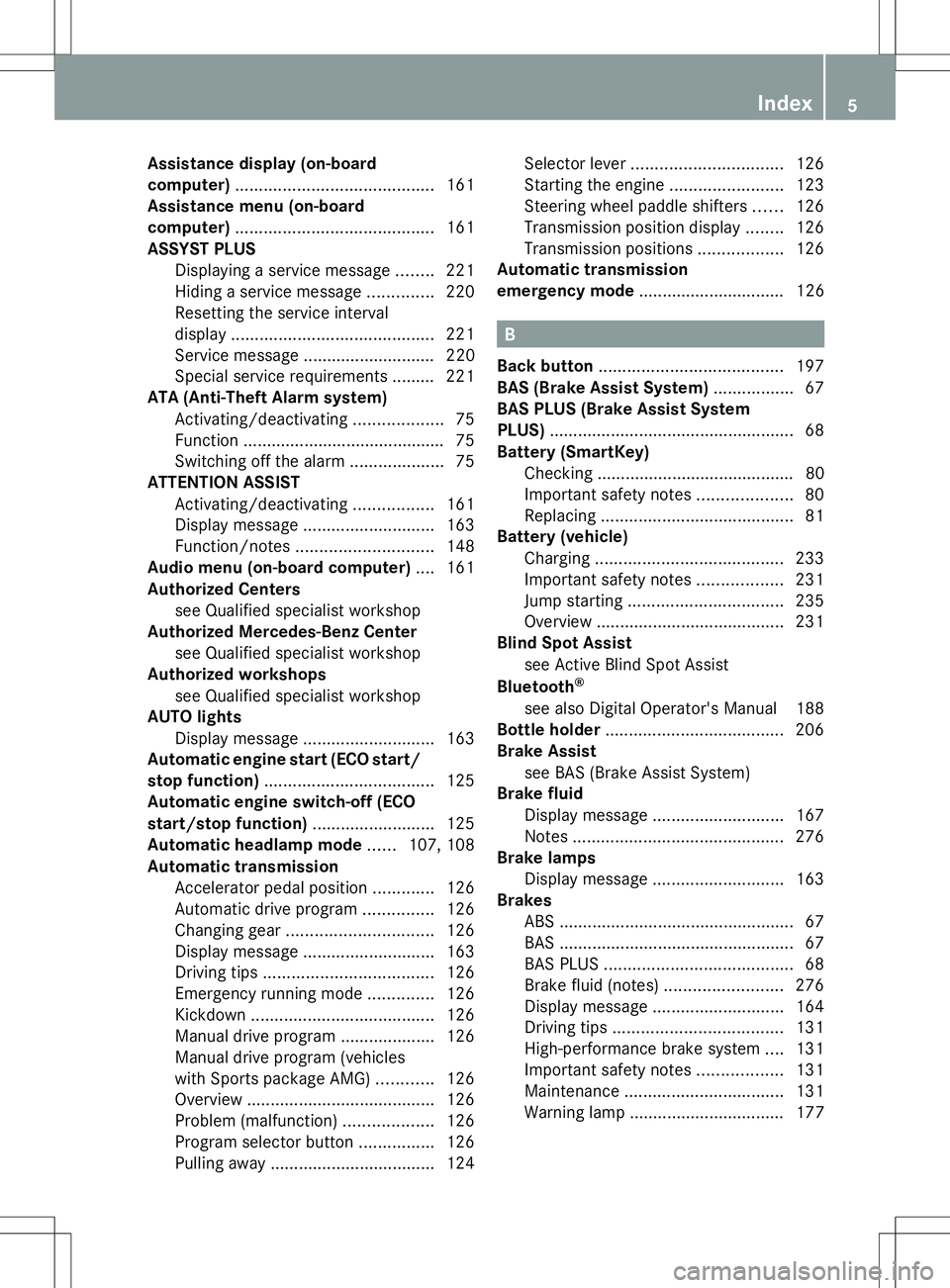
Assistance display (on-board
computer)
.......................................... 161
Assistance menu (on-board
computer) .......................................... 161
ASSYST PLUS Displaying a service message ........221
Hiding a service message ..............220
Resetting the service interval
displa y........................................... 221
Service message ............................ 220
Special service requirements ......... 221
ATA (Anti-Theft Alarm system)
Activating/deactivating ...................75
Function .......................................... .75
Switching off the alarm ....................75
ATTENTION ASSIST
Activating/deactivating .................161
Display message ............................ 163
Function/notes ............................. 148
Audio menu (on-board computer) ....161
Authorized Centers see Qualified specialist workshop
Authorized Mercedes-Benz Center
see Qualified specialist workshop
Authorized workshops
see Qualified specialist workshop
AUTO lights
Display message ............................ 163
Automatic engine start (ECO start/
stop function) .................................... 125
Automatic engine switch-off (ECO
start/stop function) ..........................125
Automatic headlamp mode ......107, 108
Automatic transmission Accelerator pedal position .............126
Automatic drive program ...............126
Changing gea r............................... 126
Display message ............................ 163
Driving tips .................................... 126
Emergency running mode ..............126
Kickdown ....................................... 126
Manual drive program ....................126
Manual drive program (vehicles
with Sports package AMG) ............126
Overview ........................................ 126
Problem (malfunction) ...................126
Program selector button ................126
Pulling away ................................... 124Selector lever
................................ 126
Starting the engine ........................123
Steering wheel paddle shifters ......126
Transmission position displa y........ 126
Transmission positions ..................126
Automatic transmission
emergency mode ............................... 126 B
Back button ....................................... 197
BAS (Brake Assist System) .................67
BAS PLUS (Brake Assist System
PLUS) .................................................... 68
Battery (SmartKey) Checking .......................................... 80
Important safety notes ....................80
Replacing ......................................... 81
Battery (vehicle)
Charging ........................................ 233
Important safety notes ..................231
Jump starting ................................. 235
Overview ........................................ 231
Blind Spot Assist
see Active Blind Spot Assist
Bluetooth ®
see also Digital Operator's Manual 188
Bottle holder ...................................... 206
Brake Assist see BAS (Brake Assist System)
Brake fluid
Display message ............................ 167
Notes ............................................. 276
Brake lamps
Display message ............................ 163
Brakes
ABS .................................................. 67
BAS .................................................. 67
BAS PLUS ........................................ 68
Brake fluid (notes) .........................276
Display message ............................ 164
Driving tips .................................... 131
High-performance brake system ....131
Important safety notes ..................131
Maintenance .................................. 131
Warning lamp ................................. 177 Index
5
Page 9 of 284
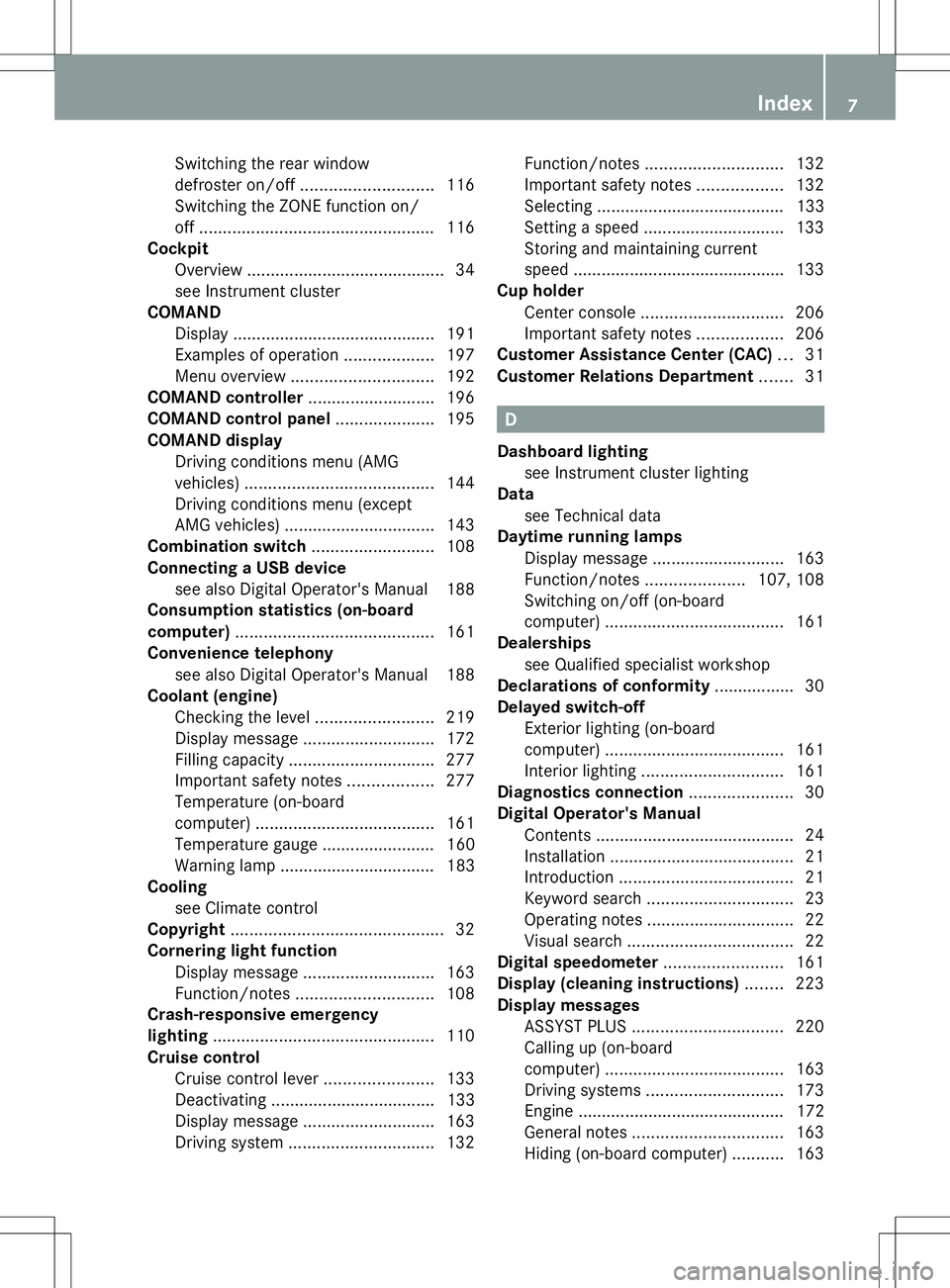
Switching the rear window
defroster on/of
f............................ 116
Switching the ZONE function on/
off .................................................. 116
Cockpit
Overview .......................................... 34
see Instrument cluster
COMAND
Display ........................................... 191
Examples of operation ...................197
Menu overview .............................. 192
COMAND controller ...........................196
COMAND control panel .....................195
COMAND display Driving conditions menu (AMG
vehicles) ........................................ 144
Driving conditions menu (except
AMG vehicles) ................................ 143
Combination switch ..........................108
Connecting a USB device see also Digital Operator's Manual 188
Consumption statistics (on-board
computer) .......................................... 161
Convenience telephony see also Digital Operator's Manual 188
Coolant (engine)
Checking the level .........................219
Display message ............................ 172
Filling capacity ............................... 277
Important safety notes ..................277
Temperature (on-board
computer) ...................................... 161
Temperature gauge ........................ 160
Warning lamp ................................. 183
Cooling
see Climate control
Copyright ............................................. 32
Cornering light function Display message ............................ 163
Function/notes ............................. 108
Crash-responsive emergency
lighting ............................................... 110
Cruise control Cruise control lever .......................133
Deactivating ................................... 133
Display message ............................ 163
Driving system ............................... 132Function/notes
............................. 132
Important safety notes ..................132
Selecting ........................................ 133
Setting a speed .............................. 133
Storing and maintaining current
speed ............................................ .133
Cup holder
Center console .............................. 206
Important safety notes ..................206
Customer Assistance Center (CAC) ...31
Customer Relations Department .......31 D
Dashboard lighting see Instrument cluster lighting
Data
see Technical data
Daytime running lamps
Display message ............................ 163
Function/notes .....................107, 108
Switching on/off (on-board
computer) ...................................... 161
Dealerships
see Qualified specialist workshop
Declarations of conformity ................. 30
Delayed switch-off Exterior lighting (on-board
computer) ...................................... 161
Interior lighting .............................. 161
Diagnostics connection ......................30
Digital Operator's Manual Contents .......................................... 24
Installation ....................................... 21
Introduction ..................................... 21
Keyword search ............................... 23
Operating notes ............................... 22
Visual search ................................... 22
Digital speedometer .........................161
Display (cleaning instructions) ........223
Display messages ASSYST PLUS ................................ 220
Calling up (on-board
computer) ...................................... 163
Driving systems ............................. 173
Engine ............................................ 172
General notes ................................ 163
Hiding (on-board computer) ...........163 Index
7
Page 11 of 284
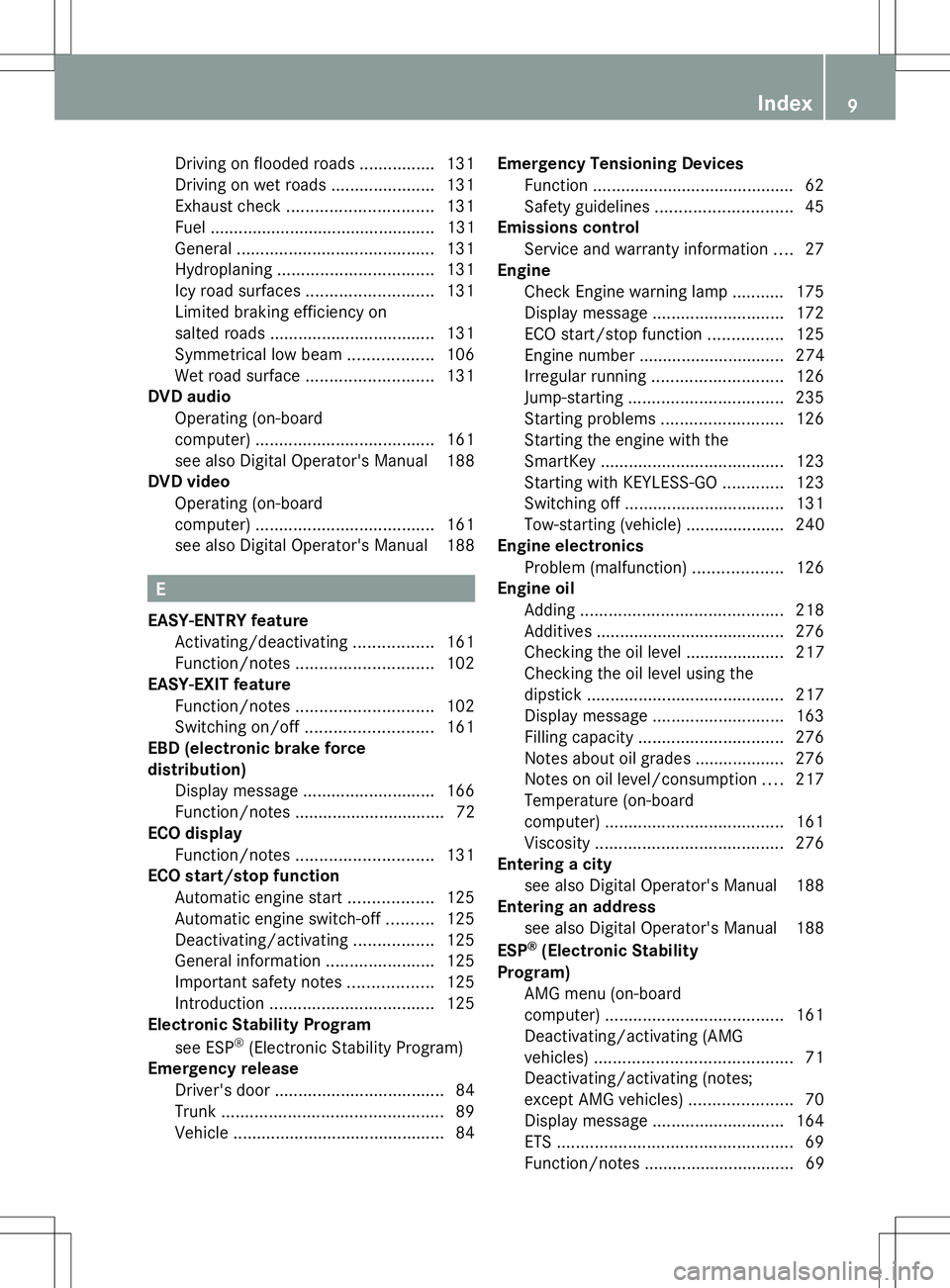
Driving on flooded roads
................131
Driving on wet roads ......................131
Exhaust check ............................... 131
Fuel ................................................ 131
General .......................................... 131
Hydroplaning ................................. 131
Icy road surfaces ........................... 131
Limited braking efficiency on
salted road s................................... 131
Symmetrical low bea m.................. 106
Wet road surface ........................... 131
DVD audio
Operating (on-board
computer) ...................................... 161
see also Digital Operator's Manual 188
DVD video
Operating (on-board
computer) ...................................... 161
see also Digital Operator's Manual 188 E
EASY-ENTRY feature Activating/deactivating .................161
Function/notes ............................. 102
EASY-EXIT feature
Function/notes ............................. 102
Switching on/off ........................... 161
EBD (electronic brake force
distribution)
Display message ............................ 166
Function/notes ................................ 72
ECO display
Function/notes ............................. 131
ECO start/stop function
Automatic engine start ..................125
Automatic engine switch-off ..........125
Deactivating/activating .................125
General information .......................125
Important safety notes ..................125
Introduction ................................... 125
Electronic Stability Program
see ESP ®
(Electronic Stability Program)
Emergency release
Driver's door .................................... 84
Trunk ............................................... 89
Vehicle ............................................. 84Emergency Tensioning Devices
Function .......................................... .62
Safety guideline s............................. 45
Emissions control
Service and warranty information ....27
Engine
Check Engine warning lamp ........... 175
Display message ............................ 172
ECO start/stop function ................125
Engine number ............................... 274
Irregular running ............................ 126
Jump-starting ................................. 235
Starting problems ..........................126
Starting the engine with the
SmartKey ....................................... 123
Starting with KEYLESS-GO .............123
Switching off .................................. 131
Tow-starting (vehicle) ..................... 240
Engine electronics
Problem (malfunction) ...................126
Engine oil
Adding ........................................... 218
Additives ........................................ 276
Checking the oil level ..................... 217
Checking the oil level using the
dipstick .......................................... 217
Display message ............................ 163
Filling capacity ............................... 276
Notes about oil grades ................... 276
Notes on oil level/consumption ....217
Temperature (on-board
computer) ...................................... 161
Viscosity ........................................ 276
Entering a city
see also Digital Operator's Manual 188
Entering an address
see also Digital Operator's Manual 188
ESP ®
(Electronic Stability
Program) AMG menu (on-board
computer) ...................................... 161
Deactivating/activating (AMG
vehicles) .......................................... 71
Deactivating/activating (notes;
except AMG vehicles) ......................70
Display message ............................ 164
ETS .................................................. 69
Function/notes ................................ 69 Index
9
Page 12 of 284
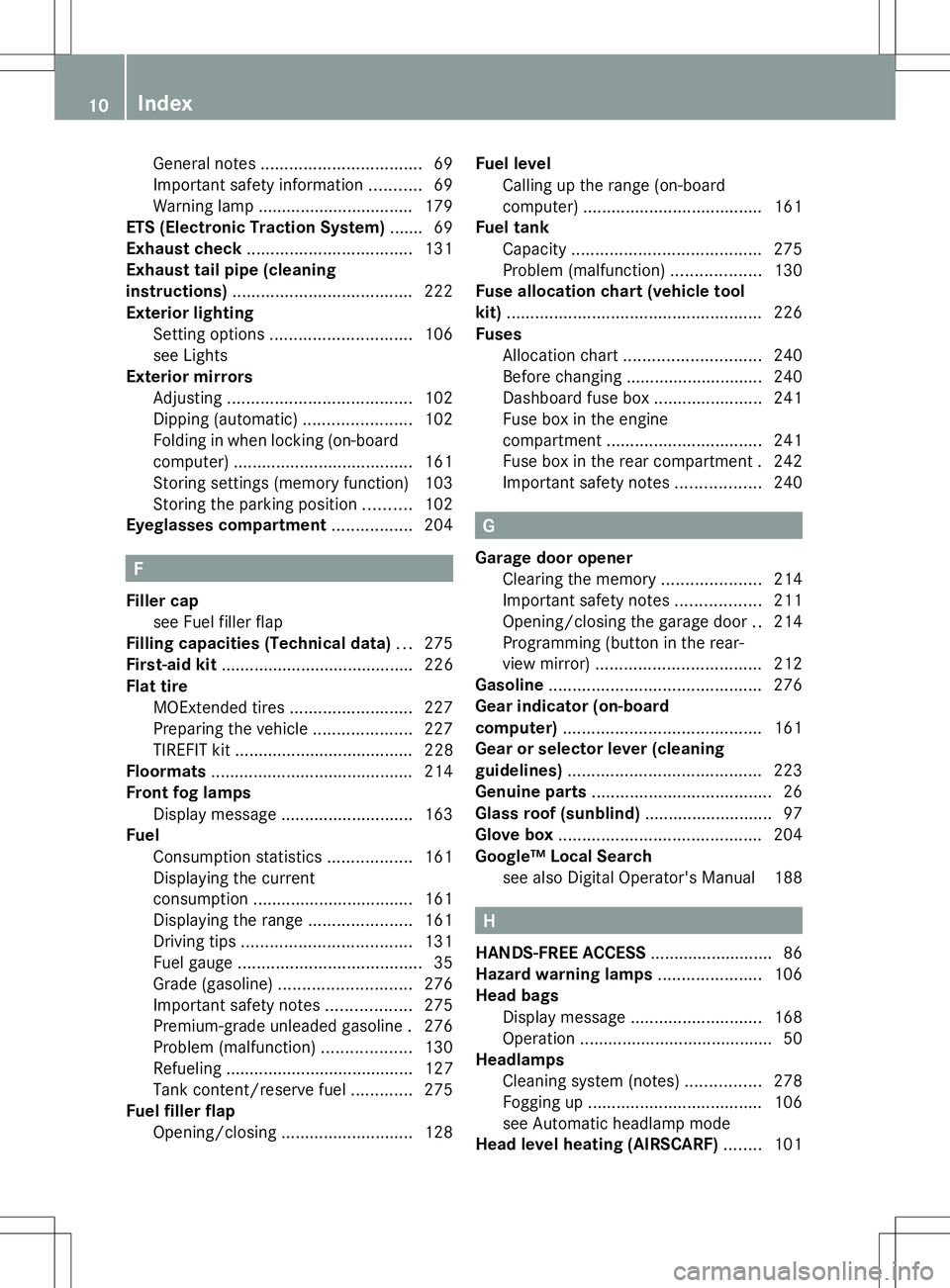
General notes
.................................. 69
Important safety information ...........69
Warning lamp ................................. 179
ETS (Electronic Traction System) ....... 69
Exhaust check ................................... 131
Exhaust tail pipe (cleaning
instructions) ...................................... 222
Exterior lighting Setting options .............................. 106
see Lights
Exterior mirrors
Adjusting ....................................... 102
Dipping (automatic) .......................102
Folding in when locking (on-board
computer) ...................................... 161
Storing settings (memory function) 103
Storing the parking position ..........102
Eyeglasses compartment .................204 F
Filler cap see Fuel filler flap
Filling capacities (Technical data) ...275
First-aid kit ......................................... 226
Flat tire MOExtended tires ..........................227
Preparing the vehicle .....................227
TIREFIT kit ...................................... 228
Floormats ........................................... 214
Front fog lamps Display message ............................ 163
Fuel
Consumption statistics ..................161
Displaying the current
consumption .................................. 161
Displaying the range ......................161
Driving tips .................................... 131
Fuel gauge ....................................... 35
Grade (gasoline) ............................ 276
Important safety notes ..................275
Premium-grade unleaded gasoline .276
Problem (malfunction) ...................130
Refueling ........................................ 127
Tank content/reserve fuel .............275
Fuel filler flap
Opening/closing ............................ 128Fuel level
Calling up the range (on-board
computer) ...................................... 161
Fuel tank
Capacity ........................................ 275
Problem (malfunction) ...................130
Fuse allocation chart (vehicle tool
kit) ...................................................... 226
Fuses Allocation chart ............................. 240
Before changing ............................. 240
Dashboard fuse box .......................241
Fuse box in the engine
compartment ................................. 241
Fuse box in the rear compartment .242
Important safety notes ..................240 G
Garage door opener Clearing the memory .....................214
Important safety notes ..................211
Opening/closing the garage door ..214
Programming (button in the rear-
view mirror) ................................... 212
Gasoline ............................................. 276
Gear indicator (on-board
computer) .......................................... 161
Gear or selector lever (cleaning
guidelines) ......................................... 223
Genuine parts ...................................... 26
Glass roof (sunblind) ...........................97
Glove box ........................................... 204
Google™ Local Search see also Digital Operator's Manual 188 H
HANDS-FREE ACCESS .......................... 86
Hazard warning lamps ......................106
Head bags Display message ............................ 168
Operation ........................................ .50
Headlamps
Cleaning system (notes) ................278
Fogging up ..................................... 106
see Automatic headlamp mode
Head level heating (AIRSCARF) ........101 10
Index
Page 18 of 284
Switching seat heating on/of
f....... 101
Switching seat ventilation on/off ..101
Selector lever
Positions ........................................ 126
Sensors (cleaning instructions) .......222
Service menu (on-board
computer) .......................................... 161
Service products Brake fluid ..................................... 276
Coolant (engine) ............................ 277
Engine oil ....................................... 276
Fuel ................................................ 275
Important safety notes ..................275
Refrigerant (air-conditioning
system) .......................................... 278
Washer fluid .................................. .278
Service work
see ASSYST PLUS
Settings
Factory (on-board computer) .........161
Menu overview .............................. 192
On-board computer .......................161
Setting the air distribution ...............116
Setting the airflow ............................116
Setting the date/time format see also Digital Operator's Manual 188
Setting the language
see also Digital Operator's Manual 188
Setting the time
see also Digital Operator's Manual 188
SETUP (on-board computer) .............161
Side impact air bag .............................49
Side marker lamp (display
message) ............................................ 163
Side windows Cleaning ......................................... 222
Important safety information .....89, 90
Opening/closing (all) .......................90
Opening/closing (front) ...................90
Overview .......................................... 89
Problem (malfunction) .....................91
Resetting ......................................... 90
SIRIUS services
see also Digital Operator's Manual 188
SmartKey
Changing the battery .......................81
Changing the programming .............79Checking the battery
.......................80
Display message ............................ 163
Door central locking/unlocking .......78
Important safety notes ....................78
Loss ................................................. 82
Mechanical key ................................ 80
Opening/closing the roof ................93
Overview .......................................... 78
Positions (ignition lock) .................121
Problem (malfunction) .....................82
Starting the engine ........................123
SMS
see also Digital Operator's Manual 188
Sockets
Front-passenger footwell ...............206
Points to observe before use .........206
Trunk ............................................. 206
Under the armrest .........................206
Specialist workshop ............................ 30
Special seat belt retractor .................. 66
Speed, controlling see Cruise control
Speedometer
Digital ............................................ 161
In the Instrument cluster .................35
Segments ...................................... 160
Selecting the unit of
measurement ................................ 161
SPORT handling mode
Activating/deactivating (AMG
vehicles) .......................................... 71
Warning lamp ................................. 180
SRS
see SRS (Supplemental Restraint
System)
SRS (Supplemental Restraint
System)
Display message ............................ 168
Introduction ..................................... 45
Warning lamp ................................. 182
Warning lamp (function) ................... 45
Standing lamps
Display message ............................ 163
Switching on/off ........................... 108
Start/stop function
see ECO start/stop function
Starting (engine) ................................ 123
STEER CONTROL .................................. 7416
Index
Page 22 of 284
Vehicle level
Active Body Control (AMG vehicles) 143
Active Body Control (except AMG
vehicles) ........................................ 142
Display message ............................ 173
Vehicle tool kit .................................. 226
Video Operating the DVD ......................... 161
see also Digital Operator's Manual 188
Video (DVD) ........................................ 161
VIN ...................................................... 274
Voice Control System see Separate operating instructions W
Warning and indicator lamps ABS ................................................ 177
Brakes ........................................... 177
Check Engine ................................. 175
Coolant .......................................... 183
Distance warning ........................... 184
DISTRONIC PLUS ........................... 184
ESP ®
.............................................. 179
ESP ®
OFF ....................................... 180
Fuel tank ........................................ 175
General notes ................................ 175
Overview .......................................... 36
PASSENGER AIRBAG OFF ................51
Reserve fuel ................................... 175
Seat belt ........................................ 176
SPORT handling mode ...................180
SRS ................................................ 182
Tire pressure monitor ....................185
Warranty ............................................ 274
Washer fluid Display message ............................ 163
Weather display (COMAND)
see also Digital Operator's Manual 188
Wheel bolt tightening torque ...........267
Wheel chock ...................................... 264
Wheels Changing a wheel .......................... 263
Checking ........................................ 245
Cleaning ......................................... 222
Cleaning (warning) .........................264
Important safety notes ..................244
Interchanging/changing ................263Mounting a new wheel
...................267
Mounting a wheel .......................... 264
Overview ........................................ 244
Removing a wheel ..........................266
Storing ........................................... 264
Tightening torque ........................... 267
Wheel size/tire size .......................268
Windows
see Side windows
Wind screen
Electrical wind screen ......................96
Manual wind screen .........................95
Windshield
Defrosting ...................................... 116
Windshield washer fluid
see Windshield washer system
Windshield washer system
Adding washer fluid .......................219
Notes ............................................. 278
Windshield wipers
Problem (malfunction) ...................112
Replacing the wiper blades ............111
Switching on/off ........................... 111
Winter driving
Slippery road surfaces ...................131
Wiper blades
Cleaning ......................................... 222
Important safety notes ..................111
Replacing ....................................... 111
Wooden trim (cleaning instructions) 223
Workshops see Qualified specialist workshop Z
ZONE function Switching on/off ........................... 11620
Index
Page 32 of 284
In situations like this, the body, the
undercarriage, chassis parts, wheels or
tires could be damaged without the
damage being visible. Components
damaged in this way can unexpectedly fail
or, in the case of an accident, no longer
withstand the strain they are designed to.
If the underbody paneling is damaged,
combustible materials such as leaves,
grass or twigs can gather between the
underbody and the underbody paneling. If
these materials come in contact with hot
parts of the exhaust system for an
extended period, they can catch fire.
Have the vehicle checked and repaired
immediately at a qualified specialist
workshop. If on continuing your journey
you notice that driving safety is impaired,
pull over and stop the vehicle immediately,
paying attention to road and traffic
conditions. In such cases, visit a qualified
specialist workshop. Declarations of conformity
Vehicle components which receive
and/or transmit radio waves USA:
"The wireless devices of this vehicle
comply with Part 15 of the FCC Rules.
Operation is subject to the following two
conditions: 1) These devices may not cause
harmful interference, and 2) These devices
must accept any interference received,
including interference that may cause
undesired operation. Changes or
modifications not expressly approved by the
party responsible for compliance could void
the user’s authority to operate the
equipment."
Canada: "The wireless devices of this vehicle
comply with Industry Canada license-exempt
RSS standard(s). Operation is subject to the
following two conditions: (1) These devices
may not cause interference, and (2) These
devices must accept any interference, including interference that may cause
undesired operation of the device." Diagnostics connection
The diagnostics connection is only intended
for the connection of diagnostic equipment at
a qualified specialist workshop. G
WARNING
If you connect equipment to the diagnostics
connection in the vehicle, it may affect the
operation of the vehicle systems. As a result,
the operating safety of the vehicle could be
affected. There is a risk of an accident.
Do not connect any equipment to a
diagnostics connection in the vehicle. G
WARNING
Objects in the driver's footwell can restrict the
pedal travel or obstruct a depressed pedal.
The operating and road safety of the vehicle
is jeopardized. There is a risk of an accident.
Make sure that all objects in the vehicle are
stowed correctly, and that they cannot enter
the driver's footwell. Install the floormats
securely and as specified in order to ensure
sufficient clearance for the pedals. Do not use
loose floormats and do not place floormats on
top of one another.
! If the engine is switched off and
equipment on the diagnostics connection
is used, the starter battery may discharge.
Connecting equipment to the diagnostics
connection can lead to emissions monitoring
information being reset, for example. This
may lead to the vehicle failing to meet the
requirements of the next emissions test
during the main inspection. Qualified specialist workshop
An authorized Mercedes-Benz Center is a
qualified specialist workshop. It has the
necessary specialist knowledge, tools and 30
Introduction
Page 38 of 284
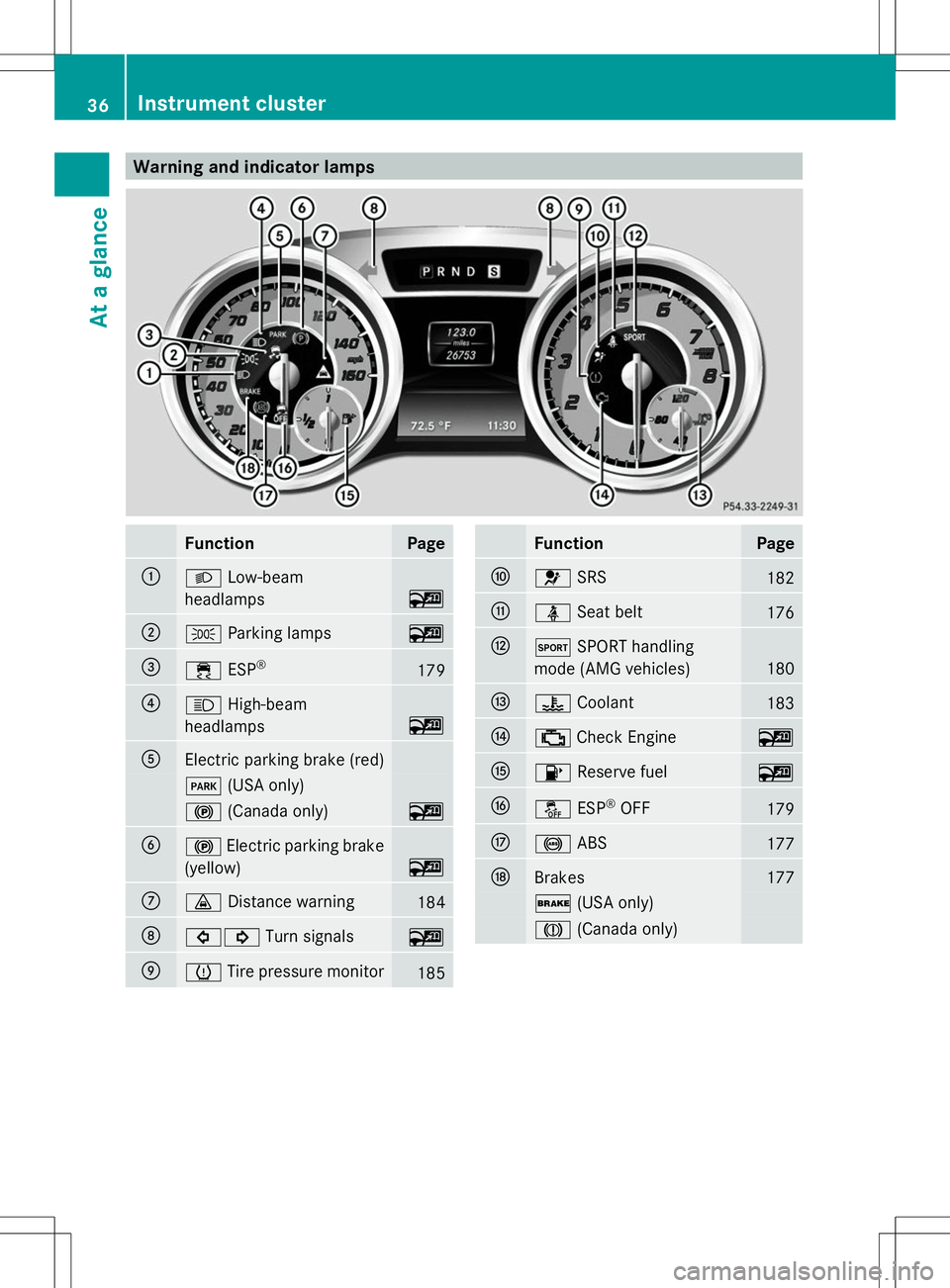
Warning and indicator lamps
Function Page
:
L
Low-beam
headlamps ~
;
T
Parking lamps ~
=
÷
ESP® 179
?
K
High-beam
headlamps ~
A
Electric parking brake (red)
F
(USA only) !
(Canada only) ~
B
!
Electric parking brake
(yellow) ~
C
·
Distance warning 184
D
#!
Turn signals ~
E
h
Tire pressure monitor 185 Function Page
F
6
SRS 182
G
ü
Seat belt 176
H
M
SPORT handling
mode (AMG vehicles) 180
I
?
Coolant 183
J
;
Check Engine ~
K
8
Reserve fuel ~
L
å
ESP®
OFF 179
M
!
ABS 177
N
Brakes 177
$
(USA only) J
(Canada only) 36
Instrument clusterAt a glance
Page 47 of 284
systems for infants and children, see
"Children in the vehicle" (Y
page 62).SRS (Supplemental Restraint System)
Introduction SRS consists of:
R
The 6 SRS warning lamp
R Air bags
R The air bag control unit with crash sensors
R Emergency Tensioning Device (ETD) for
seat belts
R Seat belt force limiter
SRS reduces the risk of vehicle occupants
coming into contact with parts of the
vehicle's interior in the event of an accident.
It can also reduce the forces to which vehicle
occupants are subjected during an accident.
SRS warning lamp G
WARNING
If SRS is malfunctioning, child restraint
system components may be triggered
unintentionally or might not be triggered at all
in the event of an accident with a high rate of
vehicle deceleration. There is an increased
risk of injury, possibly even fatal.
Have SRS checked and repaired immediately
at a qualified specialist workshop.
SRS functions are checked regularly when
you switch on the ignition and when the
engine is running. Therefore, malfunctions
can be detected in good time.
The 6 SRS warning lamp in the instrument
cluster lights up when the ignition is switched
on. It goes out no later than a few seconds
after the engine is started.
The SRS components are in operational
readiness when the 6SRS warning lamp
goes out while the engine is running. There is a malfunction if:
R
the 6 SRS warning lamp does not light
up when the ignition is switched on
R the engine is running and the 6SRS
warning lamp does not go out after a few
seconds
R the engine is running and the 6SRS
warning lamp lights up again
Safety guidelines for seat belts,
Emergency Tensioning Devices (ETDs)
and air bags G
WARNING
R Damaged seat belts or seat belts that have
been subjected to stress in an accident
must be replaced. Their anchoring points
must also be checked. Only use seat belts
installed or supplied by an authorized
Mercedes-Benz Center.
R Air bags and pyrotechnic Emergency
Tensioning Devices (ETDs) contain
perchlorate material, which may require
special handling and regard for the
environment. Check your national disposal
guidelines. In California, see
www.dtsc.ca.gov/HazardousWaste/
Perchlorate/index.cfm.
R Air bags and ETDs are designed to function
on a one-time-only basis. An air bag or ETD
that has deployed must be replaced.
R Do not pass seat belts over sharp edges.
They could tear.
R Do not make any modification that could
change the effectiveness of the seat belts.
R Do not bleach or dye seat belts, as this may
severely weaken them. In a crash, they may
not be able to provide adequate protection.
R Do not make any modifications to the SRS
wiring or components.
R Do not modify or remove any components
or parts of the SRS. Occupant safety
45Safety
Z
Page 66 of 284
system manufacturer's installation
instructions.
G
WARNING
Child restraint systems or their securing
systems which have been damaged or
subjected to a load in an accident can no
longer protect as intended. The child cannot
then be restrained in the event of an accident,
heavy braking or sudden changes of direction.
There is an increased risk of injury, possibly
even fatal.
Replace child restraint systems which have
been damaged or subjected to a load in an
accident as soon as possible. Have the
securing systems on the child restraint
system checked at a qualified specialist
workshop, before you install a child restraint
system again. G
WARNING
Infants and small children should never share
a seat belt with another occupant. In the event
of an accident, they could be crushed
between the occupant and seat belt.
A child's risk of serious or fatal injuries is
significantly increased if the child restraints
are not properly secured in the vehicle and/
or the child is not properly secured in the child
restraint.
Children that are too large for a child restraint
must travel in seats using normal seat belts.
Position the shoulder belt across the chest
and shoulder, not the face or neck. A booster
seat may be necessary to achieve proper seat
belt positioning for children over 41 lbs
(18 kg) until they reach a height where a lap/
shoulder belt fits properly without a booster
seat.
When the child restraint is not in use, remove
it from the vehicle or secure it with the seat
belt to prevent the child restraint from
becoming a projectile in the event of an
accident. G
WARNING
If children are left unsupervised in the vehicle,
they could:
R open the doors, thus endangering other
people or road users.
R get out and disrupt traffic.
R operate the vehicle's equipment.
Additionally, children could set the vehicle in
motion if, for example, they:
R release the parking brake.
R shifting the automatic transmission out of
park position P
R Start the engine.
There is a risk of an accident and injury.
When leaving the vehicle, always take the
SmartKey with you and lock the vehicle. Never
leave children or animals unattended in the
vehicle. Always keep the SmartKey out of
reach of children. G
WARNING
If persons, particularly children are subjected
to prolonged exposure to extreme heat or
cold, there is a risk of injury, possibly even
fatal. Never leave children unattended in the
vehicle. G
WARNING
If the child restraint system is subjected to
direct sunlight, parts may get very hot.
Children may burn themselves on these parts,
particularly on the metal parts of the child
restraint system. There is a risk of injury.
If you leave the vehicle, taking the child with
you, always ensure that the child restraint
system is not exposed to direct sunlight.
Protect it with a blanket, for example. If the
child restraint system has been exposed to
direct sunlight, let it cool down before
securing the child in it. Never leave children
unattended in the vehicle. 64
Child restraint systemsSafety