change language MERCEDES-BENZ SL-CLASS ROADSTER 2016 Owners Manual
[x] Cancel search | Manufacturer: MERCEDES-BENZ, Model Year: 2016, Model line: SL-CLASS ROADSTER, Model: MERCEDES-BENZ SL-CLASS ROADSTER 2016Pages: 614, PDF Size: 15.67 MB
Page 208 of 614
XStop the movement of the multifunction
steering wheel or steer yourself.
Active Parking Assist will be canceled at
once. ThePark Assist Canceled
mes-
sage appears in the multifunction display.
or
XPress the PARKTRONIC button on the cen-
ter console (
Ypage 201).
PARKTRONIC is switched off and Active
Parking Assist is immediately canceled.
The Park Assist Canceled
message
appears in the multifunction display.
Active Parking Assist is canceled automati-
cally if:
Rparking using Active Parking Assist is no
longer possible
Ryou are driving faster than 6 mph (10 km/h)
Ra wheel spins, ESP®intervenes or fails. The
÷ ESP warning lamp lights up in the
instrument cluster
A warning tone sounds. The parking symbol
goes out and the Park Assist Canceled
message appears in the multifunction dis-
play.
If Active Parking Assist is canceled, you must
steer again yourself.
Rear view camera
General notes
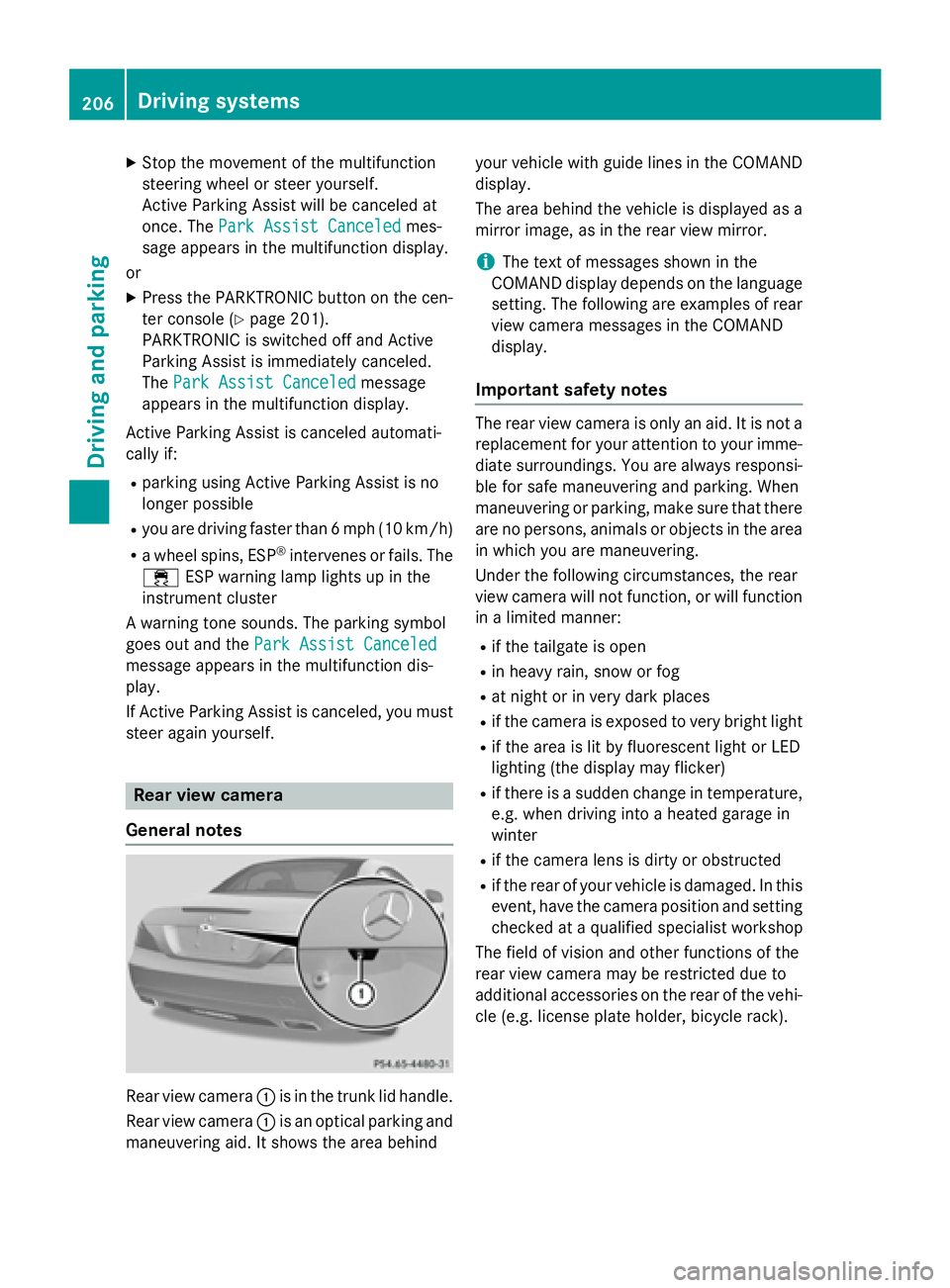
Rear view camera :is in the trunk lid handle.
Rear view camera :is an optical parking and
maneuvering aid. It shows the area behind your vehicle with guide lines in the COMAND
display.
The area behind the vehicle is displayed as a
mirror image, as in the rear view mirror.
iThe text of messages shown in the
COMAND display depends on the language
setting. The following are examples of rear
view camera messages in the COMAND
display.
Important safety notes
The rear view camera is only an aid. It is not a
replacement for your attention to your imme-
diate surroundings. You are always responsi-
ble for safe maneuvering and parking. When
maneuvering or parking, make sure that there
are no persons, animals or objects in the area
in which you are maneuvering.
Under the following circumstances, the rear
view camera will not function, or will function in a limited manner:
Rif the tailgate is open
Rin heavy rain, snow or fog
Rat night or in very dark places
Rif the camera is exposed to very bright light
Rif the area is lit by fluorescent light or LED
lighting (the display may flicker)
Rif there is a sudden change in temperature,
e.g. when driving into a heated garage in
winter
Rif the camera lens is dirty or obstructed
Rif the rear of your vehicle is damaged. In this
event, have the camera position and setting
checked at a qualified specialist workshop
The field of vision and other functions of the
rear view camera may be restricted due to
additional accessories on the rear of the vehi-
cle (e.g. license plate holder, bicycle rack).
206Driving systems
Driving and parking
Page 293 of 614
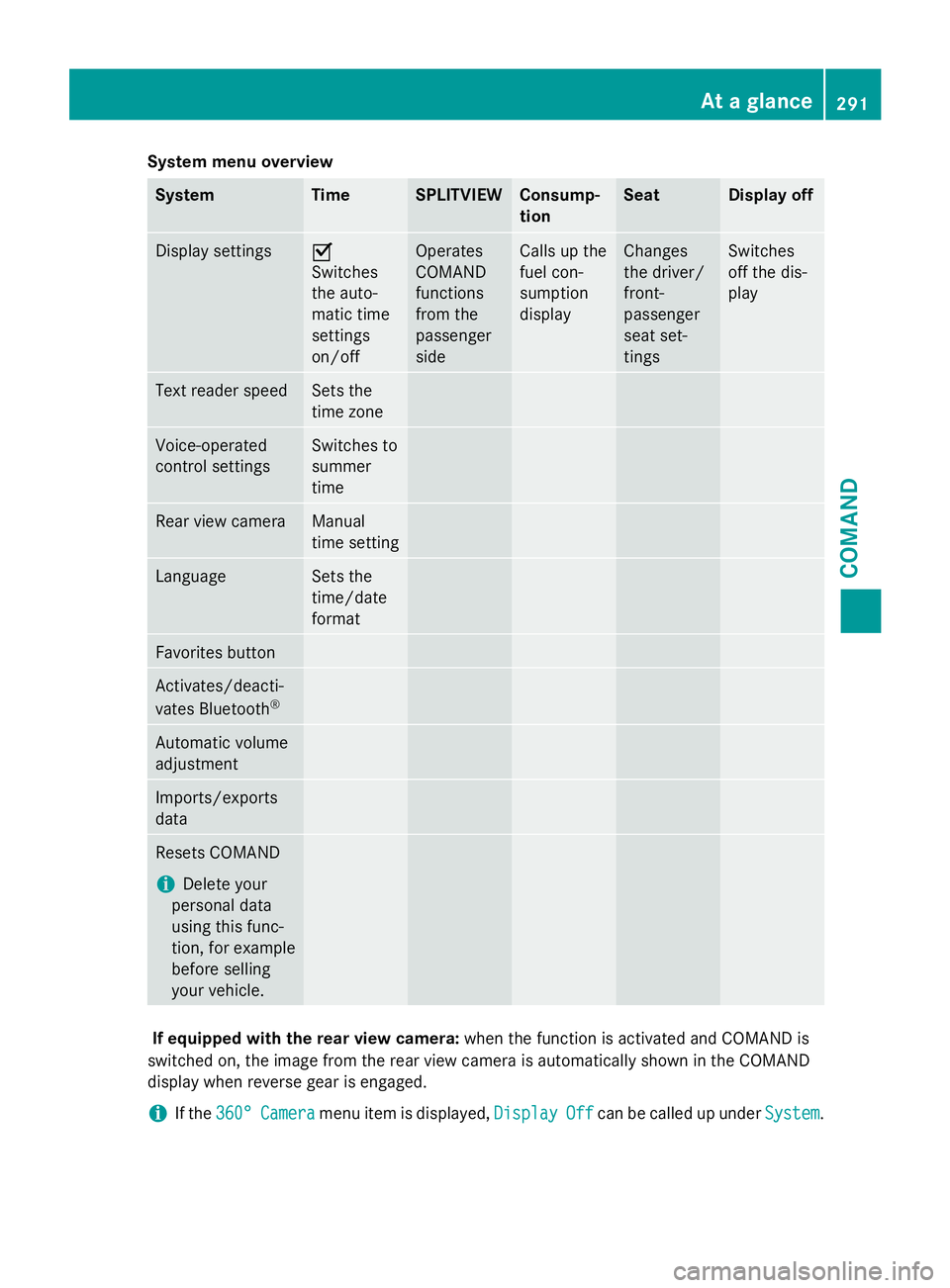
System menu overview
SystemTimeSPLITVIEWConsump-
tionSeatDisplay off
Display settingsO
Switches
the auto-
matic time
settings
on/offOperates
COMAND
functions
from the
passenger
sideCalls up the
fuel con-
sumption
displayChanges
the driver/
front-
passenger
seat set-
tingsSwitches
off the dis-
play
Text reader speedSets the
time zone
Voice-operated
control settingsSwitches to
summer
time
Rear view cameraManual
time setting
LanguageSets the
time/date
format
Favorites button
Activates/deacti-
vates Bluetooth®
Automatic volume
adjustment
Imports/exports
data
Resets COMAND
iDelete your
personal data
using this func-
tion, for example
before selling
your vehicle.
If equipped with the rear view camera: when the function is activated and COMAND is
switched on, the image from the rear view camera is automatically shown in the COMAND
display when reverse gear is engaged.
iIf the 360°Cameramenu item is displayed, DisplayOffcan be called up underSystem.
At a glance291
COMAND
Z
Page 303 of 614
This setting provides a crisp, clear, luxury
high-end sound setting for a studio atmos-
phere in your vehicle.
Rsurround
This setting enables a wide-ranging sound
experience for playing music and videos.
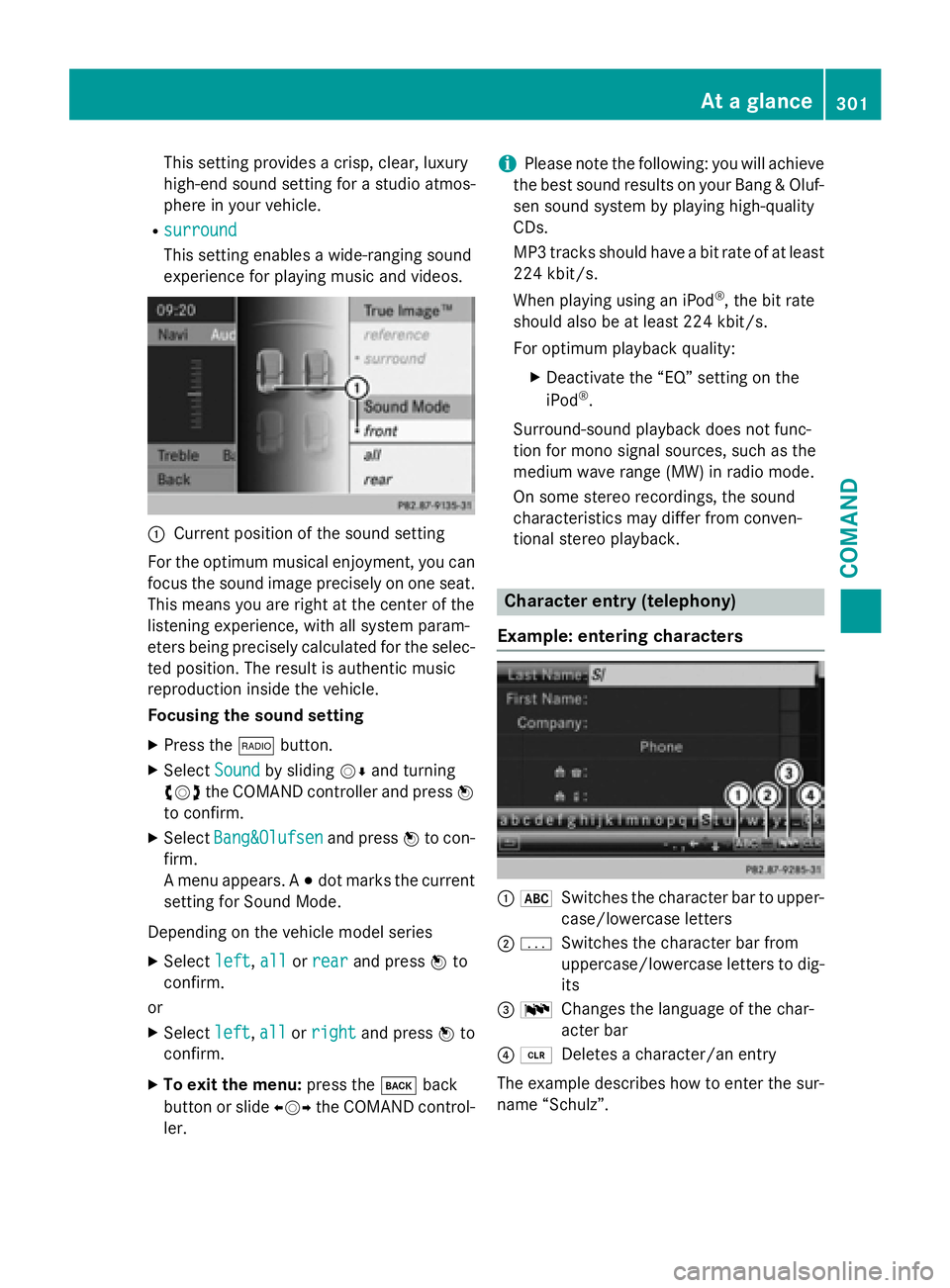
:Current position of the sound setting
For the optimum musical enjoyment, you can
focus the sound image precisely on one seat.
This means you are right at the center of the
listening experience, with all system param-
eters being precisely calculated for the selec-
ted position. The result is authentic music
reproduction inside the vehicle.
Focusing the sound setting
XPress the $button.
XSelect Soundby sliding VÆand turning
cVd the COMAND controller and press W
to confirm.
XSelect Bang&Olufsenand press Wto con-
firm.
A menu appears. A #dot marks the current
setting for Sound Mode.
Depending on the vehicle model series
XSelect left,allor rearand press Wto
confirm.
or
XSelect left,allor rightand press Wto
confirm.
XTo exit the menu: press thekback
button or slide XVYthe COMAND control-
ler.
iPlease note the following: you will achieve
the best sound results on your Bang & Oluf-
sen sound system by playing high-quality
CDs.
MP3 tracks should have a bit rate of at least
224 kbit/s.
When playing using an iPod
®, the bit rate
should also be at least 224 kbit/s.
For optimum playback quality:
XDeactivate the “EQ” setting on the
iPod®.
Surround-sound playback does not func-
tion for mono signal sources, such as the
medium wave range (MW) in radio mode.
On some stereo recordings, the sound
characteristics may differ from conven-
tional stereo playback.
Character entry (telephony)
Example: entering characters
: *Switches the character bar to upper-
case/lowercase letters
;pSwitches the character bar from
uppercase/lowercase letters to dig-
its
= BChanges the language of the char-
acter bar
?2Deletes a character/an entry
The example describes how to enter the sur-
name “Schulz”.
At a glance301
COMAND
Z
Page 312 of 614
XSelectSet Time Manuallyand press W
to confirm.
XSet the time by turning cVdthe COMAND
controller and press Wto confirm.
The time is accepted.
Text reader settings
XPress the Wbutton.
XSelect Systemby turning cVdthe
COMAND controller and press Wto con-
firm.
XSelect Text Reader Speedand press W
to confirm.
A list appears. The #dot indicates the cur-
rent setting.
XSelect a setting by turning cVdthe
COMAND controller and press Wto con-
firm.
Voice Control System settings
Opening/closing the help window
The help window provides information in addi-
tion to the audible instructions during indi-
vidualization and during the subsequent voice
control.
XPress W.
XSelect Systemby turning cVdthe
COMAND controller and press Wto con-
firm.
XSelect Voice Controland press Wto
confirm.
XSelect Help Windowand press Wto con-
firm.
You have switched the help window on O
or off ª.
Individualization
Using individualization, you can fine-tune the
Voice Control System to your own voice and thus improve voice recognition. See the sep-
arate operating instructions.
Bluetooth®settings
General information about Bluetooth
®
Bluetooth®-capable devices, e.g. mobile
phones, have to comply with a certain profile
in order to be connected to COMAND. Every
Bluetooth
®device has its own specific Blue-
tooth®name.
Bluetooth
®technology is a standard for
short-range wireless data transmissions up to
approximately 10 meters. Bluetooth
®allows,
for example, the exchange of vCards.
Bluetooth®is a registered trademark of Blue-
tooth Special Interest Group (SIG) Inc.
Activating/deactivating Bluetooth®
XPress W.
The system menu appears.
XSelect Settingsby turning cVdthe
COMAND controller and press Wto con-
firm.
XSelect ActivateBluetoothand press W
to confirm.
This switches Bluetooth
®on O or off ª.
Setting the system language
This function allows you to determine the lan-
guage for the menu displays and the naviga-
tion announcements. The selected language
affects the characters available for entry.
The navigation announcements are not avail-
able in all languages. If a language is not avail-
310System settings
COMAND
Page 313 of 614
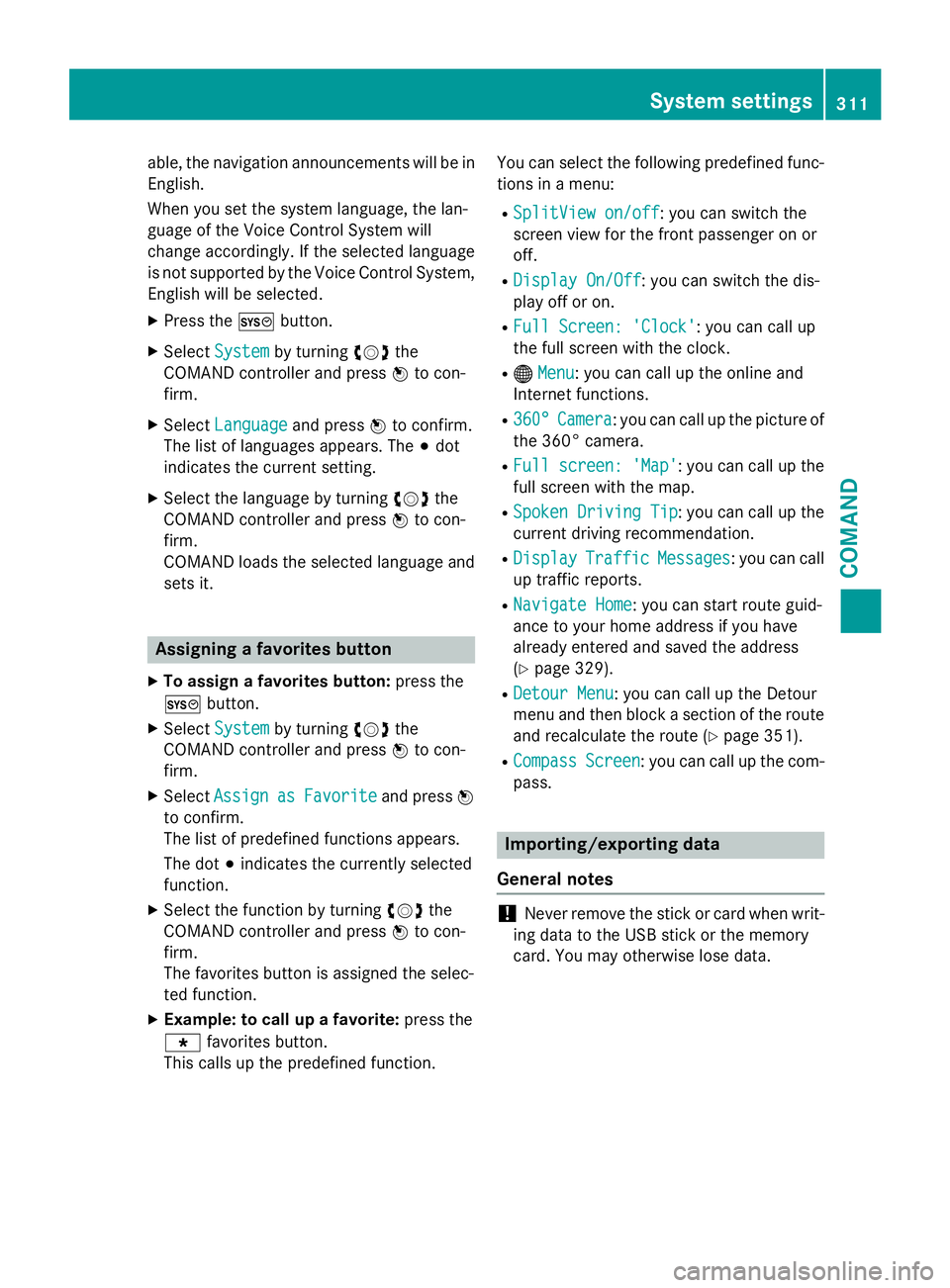
able, the navigation announcements will be in
English.
When you set the system language, the lan-
guage of the Voice Control System will
change accordingly. If the selected language
is not supported by the Voice Control System,
English will be selected.
XPress theWbutton.
XSelect Systemby turning cVdthe
COMAND controller and press Wto con-
firm.
XSelect Languageand press Wto confirm.
The list of languages appears. The #dot
indicates the current setting.
XSelect the language by turning cVdthe
COMAND controller and press Wto con-
firm.
COMAND loads the selected language and
sets it.
Assigning a favorites button
XTo assign a favorites button: press the
W button.
XSelect Systemby turning cVdthe
COMAND controller and press Wto con-
firm.
XSelect AssignasFavoriteand press W
to confirm.
The list of predefined functions appears.
The dot #indicates the currently selected
function.
XSelect the function by turning cVdthe
COMAND controller and press Wto con-
firm.
The favorites button is assigned the selec-
ted function.
XExample: to call up a favorite: press the
g favorites button.
This calls up the predefined function. You can select the following predefined func-
tions in a menu:
RSplitView on/off: you can switch the
screen view for the front passenger on or
off.
RDisplay On/Off: you can switch the dis-
play off or on.
RFull Screen: 'Clock': you can call up
the full screen with the clock.
R® Menu: you can call up the online and
Internet functions.
R360°Camera: you can call up the picture of
the 360° camera.
RFull screen: 'Map': you can call up the
full screen with the map.
RSpoken Driving Tip: you can call up the
current driving recommendation.
RDisplayTrafficMessages: you can call
up traffic reports.
RNavigate Home: you can start route guid-
ance to your home address if you have
already entered and saved the address
(
Ypage 329).
RDetour Menu: you can call up the Detour
menu and then block a section of the route
and recalculate the route (
Ypage 351).
RCompassScreen: you can call up the com-
pass.
Importing/exporting data
General notes
!Never remove the stick or card when writ-
ing data to the USB stick or the memory
card. You may otherwise lose data.
System settings311
COMAND
Z
Page 403 of 614
iCOMAND may not load all of the most
recent text messages:
This may occur inexceptional cases, for
example when using certain mobile
phones/brackets and ifthe mobile phone
inbox holds a large number of text mes-
sages.
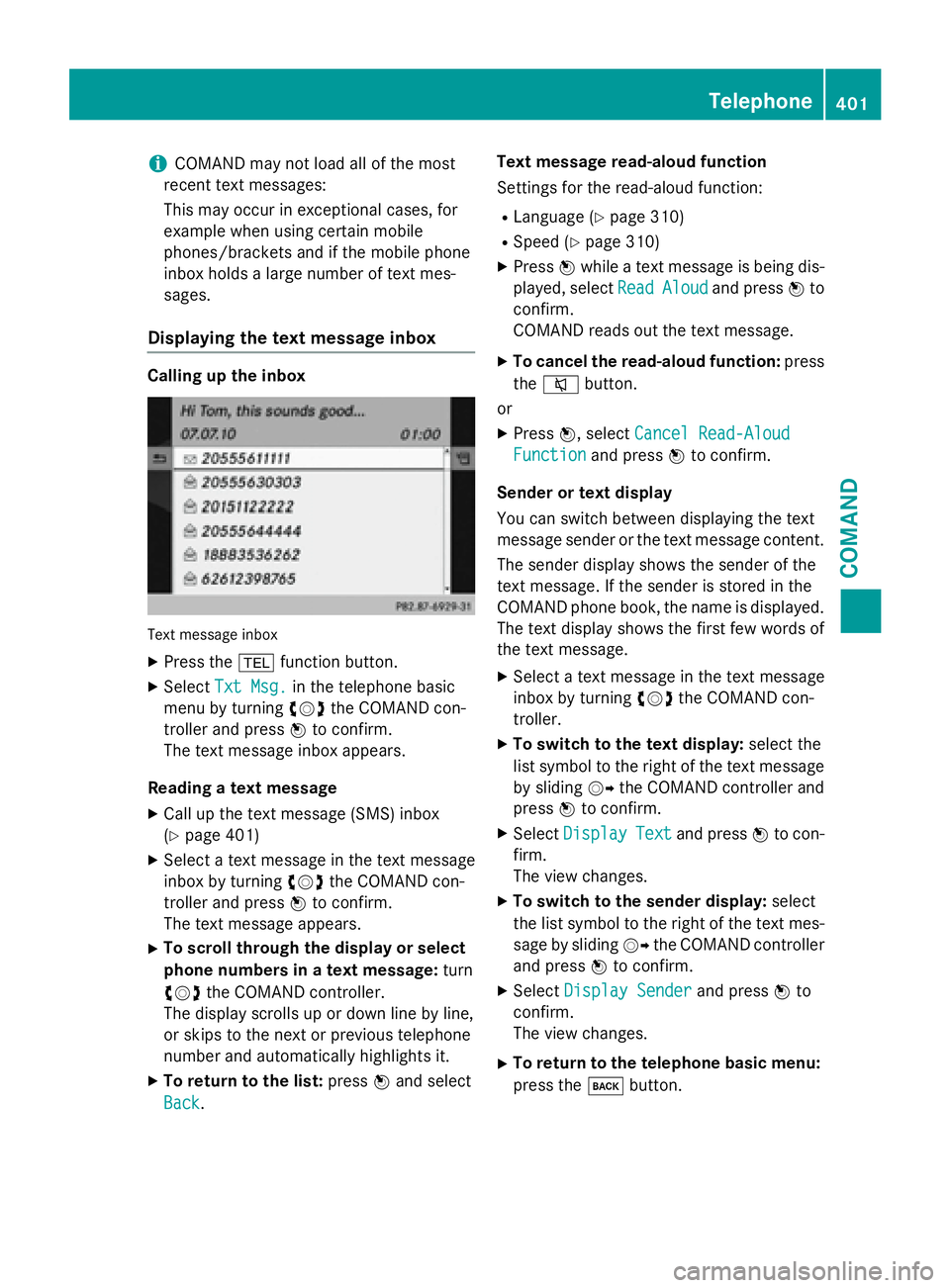
Displaying the text message inbox
Calling up the inbox
Tex tmessage inbox
XPress the %function button.
XSelect Txt Msg.inthe telephone basic
menu byturning cVdthe COMAND con-
troller and press Wto confirm.
The text message inbox appears.
Reading a text message
XCall up the text message (SMS)inbox
(
Ypage 401)
XSe lect a text message inthe text message
inbox byturning cVdthe COMAND con-
troller and press Wto confirm.
The text message appears.
XTo scroll th roughthe display orselect
phone numbers in a text message: turn
cVd the COMAND controller.
The display scrolls up or downlinebyline,
or skips to the next or previous telephone
number and automatically highlights it.
XTo return to the list: pressWand select
Back
. Text message read-aloud function
Se
ttings for the read-aloud function:
RLanguage (Ypage 310)
RSpe ed (Ypage 310)
XPress Wwhile a text message is being dis-
played, select Read
Aloudand pressWto
confirm.
COMAND reads out the text message.
XTo cancel the read-aloud function: press
the 8 button.
or
XPress W, select Cancel Read-Aloud
Functionand press Wto confirm.
Sender ortext display
You can switch between displaying the text
message sender or the text message content. The sender display shows the sender of the
text message. Ifthe sender isstored inthe
COMAND phone book, the name isdisplayed.
The text display shows the first few words of
the text message.
XSe lect a text message inthe text message
inbox byturning cVdthe COMAND con-
troller.
XTo switch to the text display: select the
list symbol to the right of the text message
by sliding VYthe COMAND controller and
press Wto confirm.
XSelect DisplayTextand press Wto con-
firm.
The view changes.
XTo switch to the sender display: select
the list symbol to the right of the text mes-
sage bysliding VYthe COMAND controller
and press Wto confirm.
XSelect Display Senderand press Wto
confirm.
The view changes.
XTo return to the telephone basic menu:
press the kbutton.
Telephone401
COMAND
Z
Page 473 of 614
XSelectSearchin the basic display by slid-
ing VÆ and turning cVdthe COMAND
controller and press Wto confirm.
The category list appears.
iSearchis not available until the device
has been activated.
iReading: if the media content of the con-
nected device is being read, this is indica-
ted on the upper right by a symbol. When
reading has ended, the categories Select
By CoverandKeyword Searchare avail-
able.
Depending on the connected device and
the size of the media content, reading may
take several minutes. When the device is
next started or reconnected, the advanced
functions will be quickly available.
However, if you change the media content
on your iPod
®/iPhone®, it has to be read
and analyzed again.
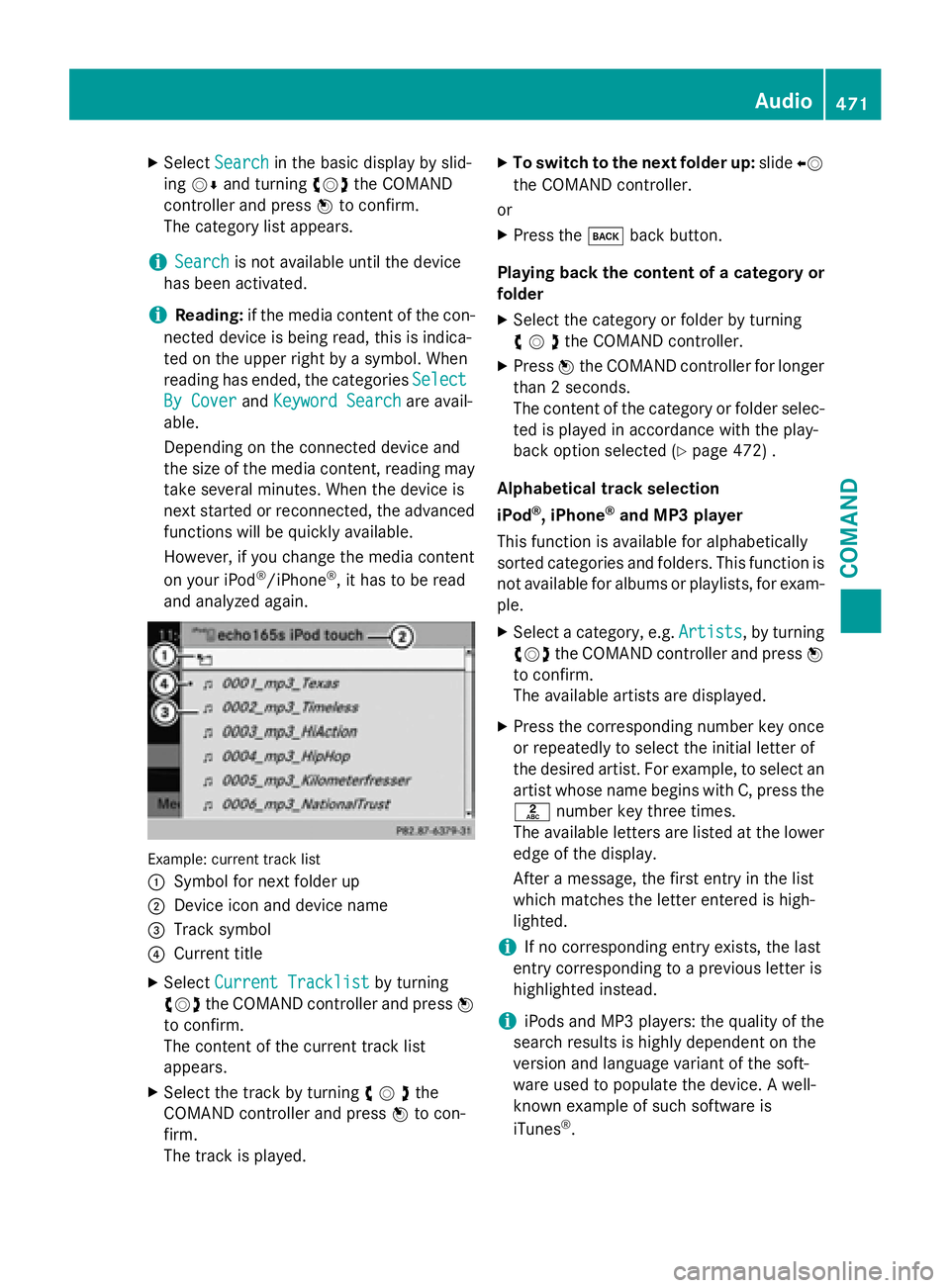
Example: current track list
:
Symbol for next folder up
;Device icon and device name
=Track symbol
?Current title
XSelect Current Tracklistby turning
cVd the COMAND controller and press W
to confirm.
The content of the current track list
appears.
XSelect the track by turning cVdthe
COMAND controller and press Wto con-
firm.
The track is played.
XTo switch to the next folder up: slideXV
the COMAND controller.
or
XPress the kback button.
Playing back the content of a category or
folder
XSelect the category or folder by turning
cVdthe COMAND controller.
XPress Wthe COMAND controller for longer
than 2 seconds.
The content of the category or folder selec-
ted is played in accordance with the play-
back option selected (
Ypage 472) .
Alphabetical track selection
iPod
®, iPhone®and MP3 player
This function is available for alphabetically
sorted categories and folders. This function is
not available for albums or playlists, for exam-
ple.
XSelect a category, e.g. Artists, by turning
cVd the COMAND controller and press W
to confirm.
The available artists are displayed.
XPress the corresponding number key once
or repeatedly to select the initial letter of
the desired artist. For example, to select an
artist whose name begins with C, press the
l number key three times.
The available letters are listed at the lower
edge of the display.
After a message, the first entry in the list
which matches the letter entered is high-
lighted.
iIf no corresponding entry exists, the last
entry corresponding to a previous letter is
highlighted instead.
iiPods and MP3 players: the quality of the
search results is highly dependent on the
version and language variant of the soft-
ware used to populate the device. A well-
known example of such software is
iTunes
®.
Audio471
COMAND
Z
Page 481 of 614
In the case of multi-language DVDs, for exam-
ple, you can change the DVD language in the
DVD menu.
XShow the menu (Ypage 477).
XSelectDVD-Videoin the menu by turning
cVd the COMAND controller and press W
to confirm.
XSelect DVD Functionsand press Wto
confirm.
XSelect Menuand press Wto confirm.
The DVD menu appears.
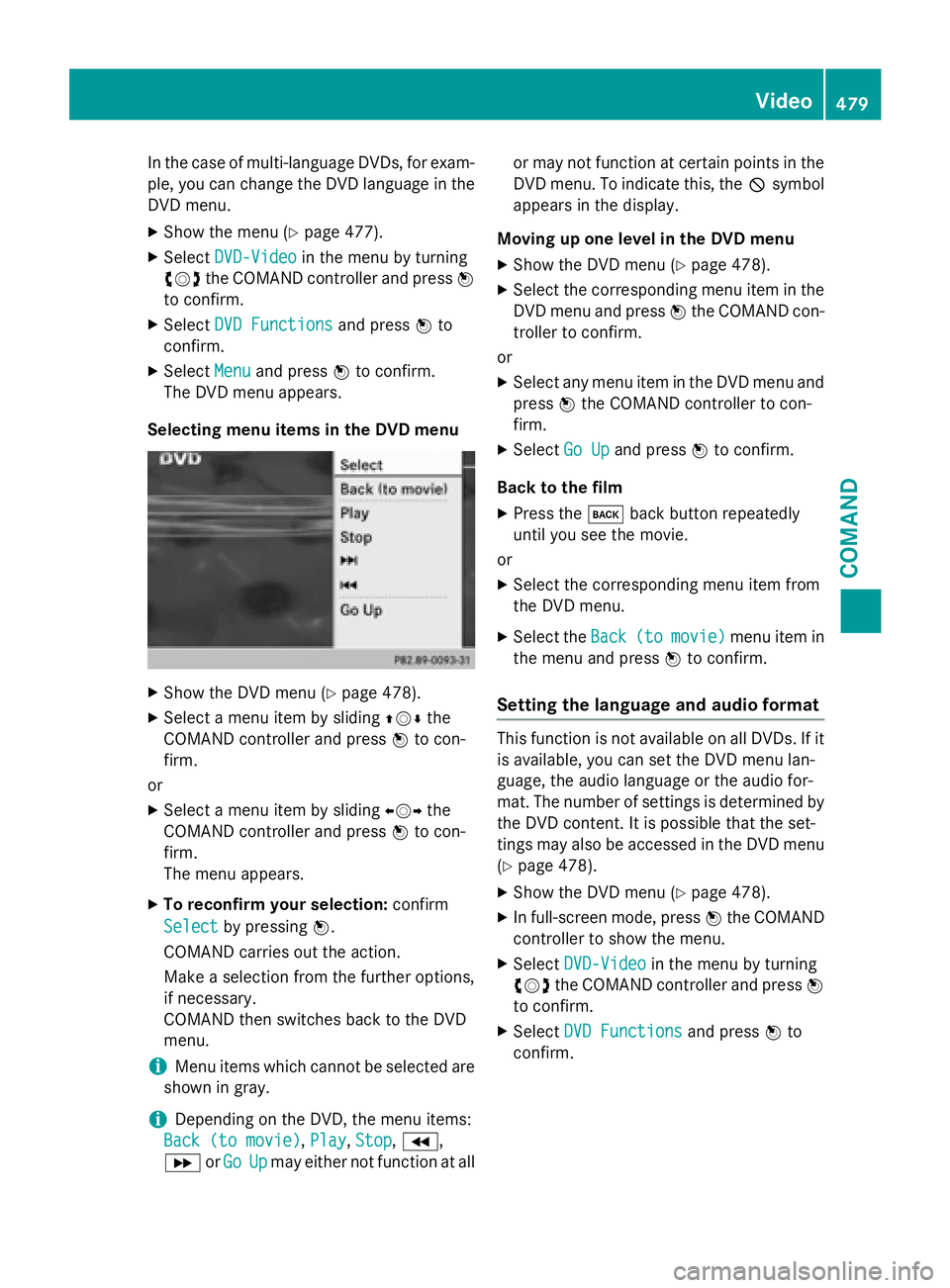
Selecting menu items in the DVD menu
XShow the DVD menu (Ypage 478).
XSelect a menu item by sliding ZVÆthe
COMAND controller and press Wto con-
firm.
or
XSelect a menu item by sliding XVYthe
COMAND controller and press Wto con-
firm.
The menu appears.
XTo reconfirm your selection: confirm
Select
by pressing W.
COMAND carries out the action.
Make a selection from the further options,
if necessary.
COMAND then switches back to the DVD
menu.
iMenu items which cannot be selected are
shown in gray.
iDepending on the DVD, the menu items:
Back (to movie)
, Play,Stop,K,
L orGo
Upmay either not function at all or may not function at certain points in the
DVD menu. To indicate this, the Ksymbol
appears in the display.
Moving up one level in the DVD menu
XShow the DVD menu (Ypage 478).
XSelect the corresponding menu item in the
DVD menu and press Wthe COMAND con-
troller to confirm.
or
XSelect any menu item in the DVD menu and press Wthe COMAND controller to con-
firm.
XSelect Go Upand press Wto confirm.
Back to the film
XPress the kback button repeatedly
until you see the movie.
or
XSelect the corresponding menu item from
the DVD menu.
XSelect the Back(tomovie)menu item in
the menu and press Wto confirm.
Setting the language and audio format
This function is not available on all DVDs. If it
is available, you can set the DVD menu lan-
guage, the audio language or the audio for-
mat. The number of settings is determined by
the DVD content. It is possible that the set-
tings may also be accessed in the DVD menu
(
Ypage 478).
XShow the DVD menu (Ypage 478).
XIn full-screen mode, press Wthe COMAND
controller to show the menu.
XSelect DVD-Videoin the menu by turning
cVd the COMAND controller and press W
to confirm.
XSelect DVD Functionsand press Wto
confirm.
Video479
COMAND
Z
Page 491 of 614
Selecting sound settings
You can select the sound settings in the CD/
MP3, video DVD and AUX modes.
XSwitch on an operating mode (e.g. audio
CD mode) (
Ypage 491).
XSelectTrebleorBassusing
the :=; buttons on the remote
control and press the 9button to confirm.
An adjustment scale appears.
XSelect a setting using the 9:but-
tons and press the 9button to confirm.
Multiple users
Simultaneous use of the rear-compart-
ment disc drive
The two rear-compartment screens can be
operated almost entirely independently from
one another. However, there can be a conflict
in some menus if the two screens are used
simultaneously.
If the rear-compartment disc drive is being
used for both screens simultaneously, select-
ing certain menus or settings on one of the
screens also affects the other screen.
The following functions affect both screens:
Rchanging playback options
Rselecting a track (from a track list or folder)
Rusing the play, pause and stop functions
Rfast forwarding/rewinding or scrolling
Rcalling up the DVD menu and navigating
within it
Rsetting the language, subtitles and camera
angle
Rcalling up interactive DVD content
The following functions affect only one
screen:
Raudio and video functions as well as picture
settings
Rswitching between full screen and the
menu Switching between operating modes
When you exit an operating mode (e.g. audio
CD mode), the current setting is saved. If you
call up this operating mode again later, there
are two possibilities:
Rthe operating mode has been changed on
the other screen.
Rthe operating mode has not been changed.
In the first case, the operating mode appears as it is on the other screen.
In the second case, the setting appears on the
screen as it was when you last exited the
operating mode.
Picture settings
Overview
You can select picture settings in video DVD
and AUX mode (
Ypage 500).
Adjusting the brightness, contrast and
color
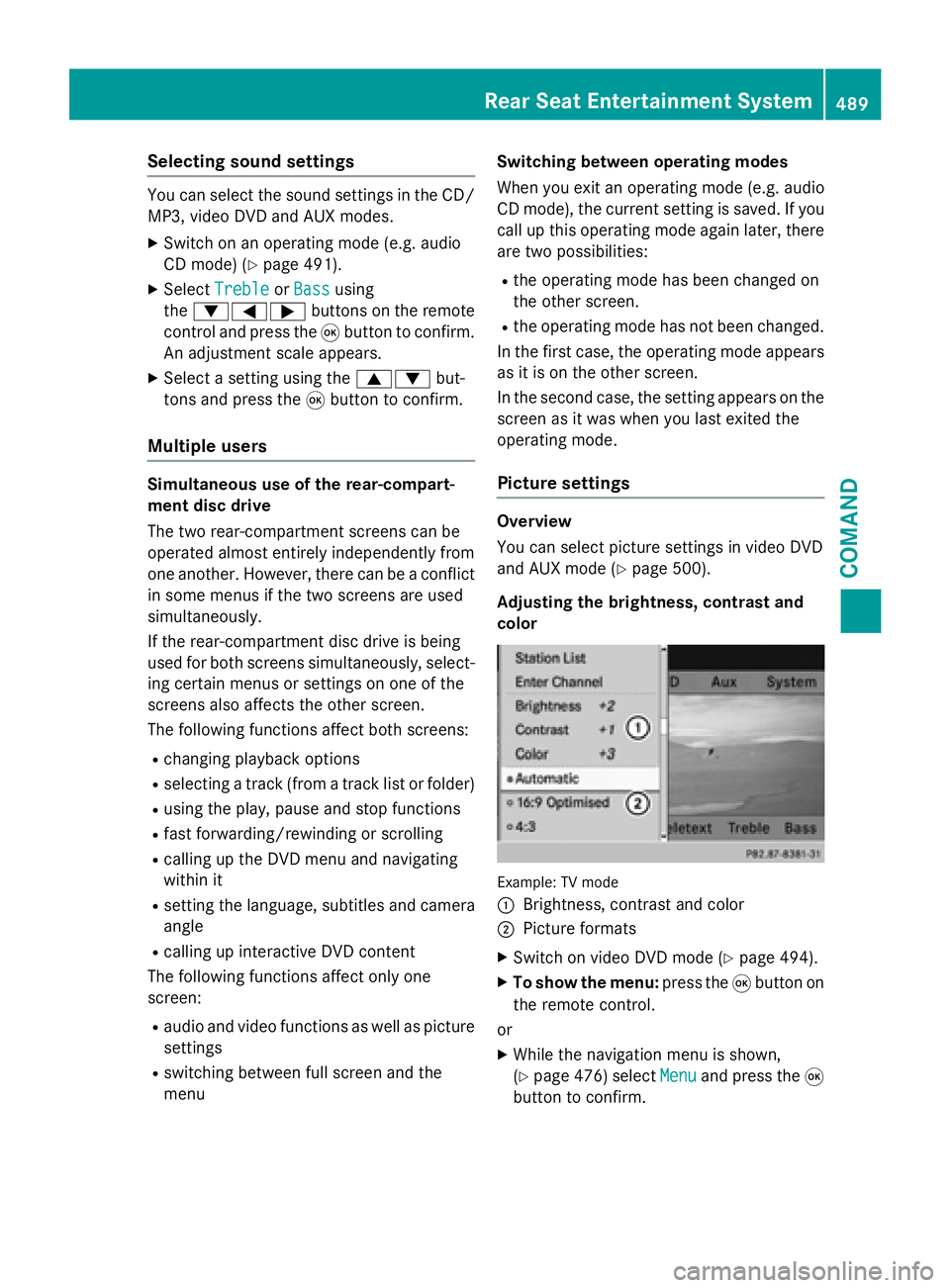
Example: TV mode
:
Brightness, contrast and color
;Picture formats
XSwitch on video DVD mode (Ypage 494).
XTo show the menu: press the9button on
the remote control.
or
XWhile the navigation menu is shown,
(
Ypage 476) select Menuand press the9
button to confirm.
Rear Seat Entertainment System489
COMAND
Z
Page 492 of 614
XSelectDVD-Videousing
the :=; buttons and press the
9 button to confirm.
XSelect Brightness,Contrastor Color
using the 9: buttons and press the
9 button to confirm.
An adjustment scale appears.
XSelect a setting using the 9:but-
tons and press the 9button to confirm.
Changing the picture format
XTo show the menu: press the9button on
the remote control.
or
XWhile the navigation menu is shown,
(
Ypage 476) select Menuand press the9
button to confirm.
XSelect DVD-Videousing
the :=; buttons and press the
9 button to confirm.
The dot in front of one of the menu items
16:9
Optimized, 4:3or Widescreenindi-
cates the format currently selected.
XSelect a format using the 9:but-
tons and press the 9button to confirm.
System settings
Note
You can adjust almost all system settings
individually for each screen without affecting
the other screen. You make these settings
using the remote control (
Ypage 484).
Selecting the display language
XSelect Systemusing the 9=;
buttons on the remote control and press 9
to confirm.
You see the system menu on the selected
rear screen.
XSelect Settingsusing the :button
and press 9to confirm.
XSelect Languageusing the 9: but-
tons and press the 9button to confirm.
The list of languages appears. A #dot
indicates the current setting.
XSelect a language using the 9:but-
tons and press the 9button to confirm.
The Rear Seat Entertainment System acti-
vates the selected language.
Switching the display design
XSelect Settingsusing the :button
and press 9to confirm.
XSelect Day Mode,Night Modeor Auto‐
maticusing the 9: buttons and
press the 9button to confirm.
The dot indicates the current setting.
DesignExplanation
Day ModeThe display is set per-
manently to day
design.
Night ModeThe display is set per-
manently to night
design.
AutomaticThe display design
changes depending on
the vehicle instrument
cluster illumination.
Setting the brightness
XSelect Settingsusing the :button
and press 9to confirm.
XSelect Brightnessusing the 9:
buttons and press the 9button to confirm.
A scale appears.
XAdjust the brightness using the 9:
buttons and press the 9button to confirm.
The brightness bar moves up or down. The
picture becomes lighter or darker in
accordance with the scale.
490Rear Seat Entertainment System
COMAND