engine MERCEDES-BENZ SL ROADSTER 2012 User Guide
[x] Cancel search | Manufacturer: MERCEDES-BENZ, Model Year: 2012, Model line: SL ROADSTER, Model: MERCEDES-BENZ SL ROADSTER 2012Pages: 637, PDF Size: 20.68 MB
Page 26 of 637
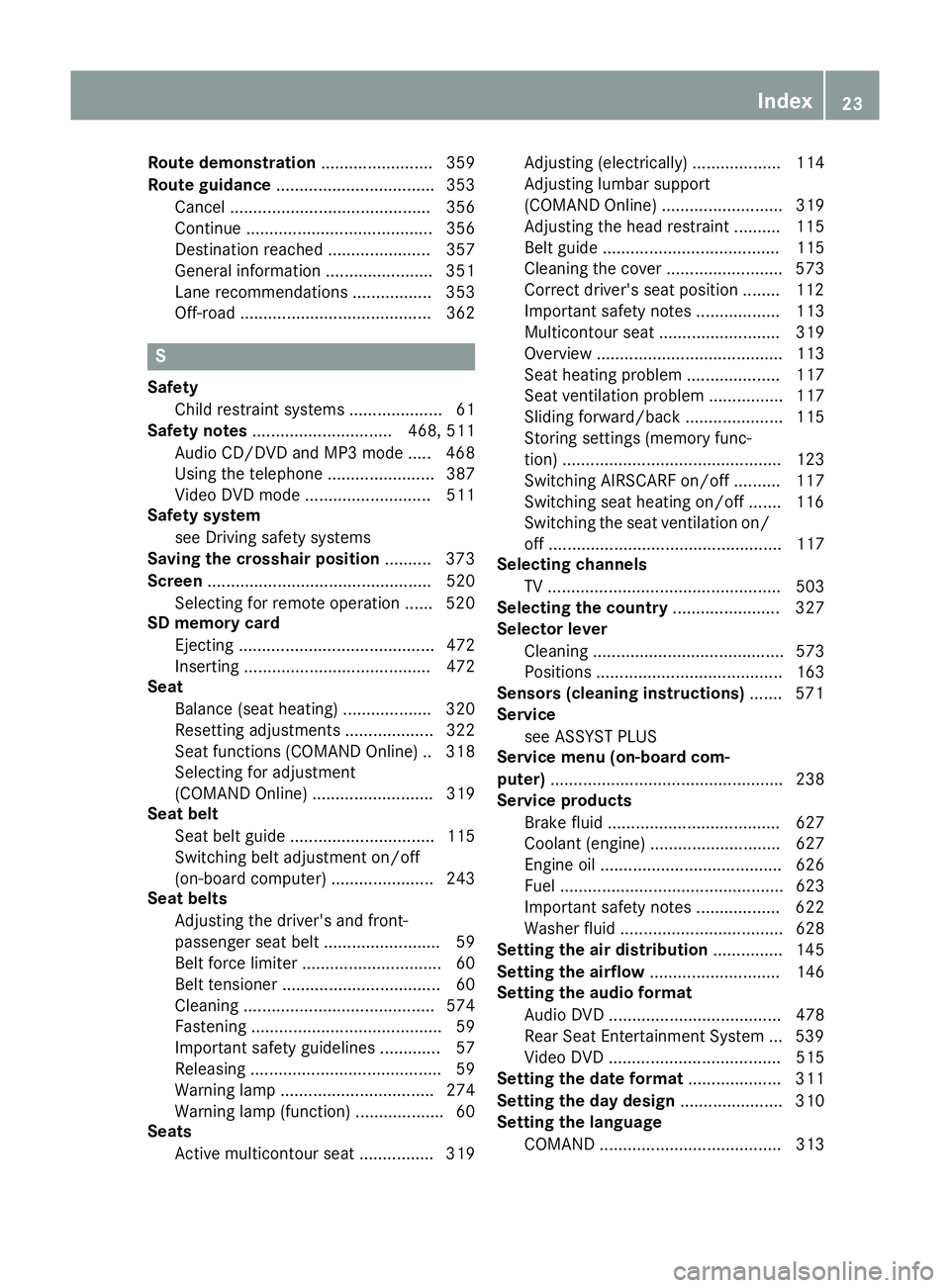
Route demonstration
........................ 359
Route guidance .................................. 353
Cancel ........................................... 356
Continue ........................................ 356
Destination reached ...................... 357
General information ....................... 351
Lane recommendations ................. 353
Off-road ......................................... 362 S
Safety Child restraint systems .................... 61
Safety notes .............................. 468, 511
Audio CD/DVD and MP3 mode ..... 468
Using the telephone ....................... 387
Video DVD mode ........................... 511
Safety system
see Driving safety systems
Saving the crosshair position .......... 373
Screen ................................................ 520
Selecting for remote operation ...... 520
SD memory card
Ejecting .......................................... 472
Inserting ........................................ 472
Seat
Balance (seat heating) ................... 320
Resetting adjustments ................... 322
Seat functions (COMAND Online) .. 318
Selecting for adjustment
(COMAND Online) .......................... 319
Seat belt
Seat belt guide ............................... 115
Switching belt adjustment on/off
(on-board computer) ...................... 243
Seat belts
Adjusting the driver's and front-
passenger seat bel t......................... 59
Belt force limite r.............................. 60
Belt tensioner .................................. 60
Cleaning ......................................... 574
Fastening ......................................... 59
Important safety guidelines ............. 57
Releasing ......................................... 59
Warning lamp ................................. 274
Warning lamp (function) ................... 60
Seats
Active multicontour seat ................ 319 Adjusting (electrically) ................... 114
Adjusting lumbar support
(COMAND Online) .......................... 319
Adjusting the head restraint .......... 115
Belt guide ...................................... 115
Cleaning the cover ......................... 573
Correct driver's seat position ........ 112
Important safety notes .................. 113
Multicontour seat .......................... 319
Overview ........................................ 113
Seat heating problem .................... 117
Seat ventilation problem ................ 117
Sliding forward/back ..................... 115
Storing settings (memory func-
tion) ............................................... 123
Switching AIRSCARF on/of
f.......... 117
Switching seat heating on/of f....... 116
Switching the seat ventilation on/ off .................................................. 117
Selecting channels
TV .................................................. 503
Selecting the country ....................... 327
Selector lever
Cleaning ......................................... 573
Positions ........................................ 163
Sensors (cleaning instructions) ....... 571
Service
see ASSYST PLUS
Service menu (on-board com-
puter) .................................................. 238
Service products
Brake fluid ..................................... 627
Coolant (engine) ............................ 627
Engine oil ....................................... 626
Fuel ................................................ 623
Important safety notes .................. 622
Washer fluid ................................... 628
Setting the air distribution ............... 145
Setting the airflow ............................ 146
Setting the audio format
Audio DVD ..................................... 478
Rear Seat Entertainment System ... 539
Video DVD ..................................... 515
Setting the date format .................... 311
Setting the day design ...................... 310
Setting the language
COMAND ....................................... 313 Index
23
Page 28 of 637
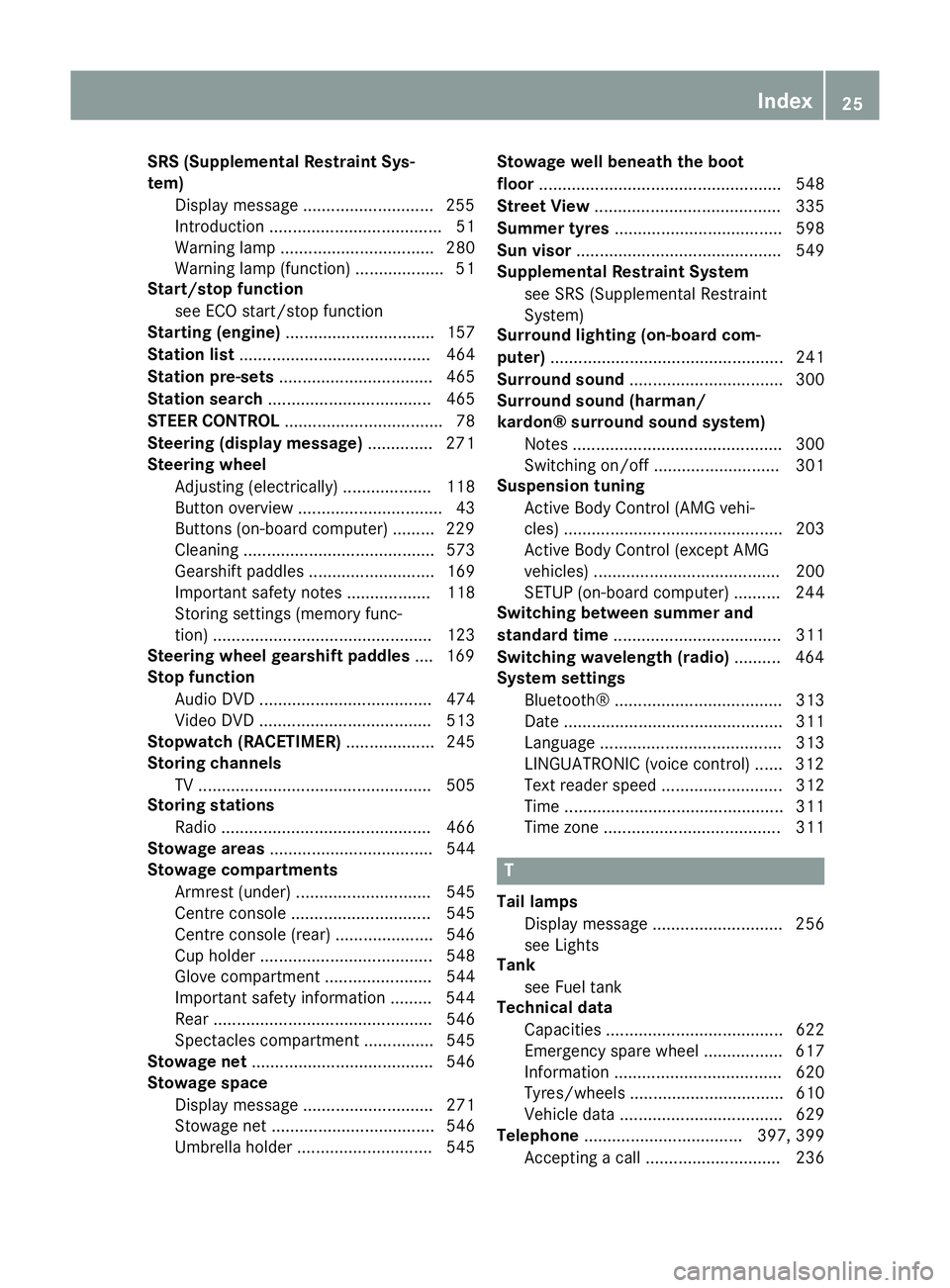
SRS (Supplemental Restraint Sys-
tem)
Display message ............................2 55
Introduction ..................................... 51
Warning lamp ................................. 280
Warning lamp (function) ................... 51
Start/stop function
see ECO start/stop function
Starting (engine) ................................ 157
Station list ......................................... 464
Station pre-sets ................................. 465
Station search ................................... 465
STEER CONTROL .................................. 78
Steering (display message) .............. 271
Steering wheel
Adjusting (electrically) ................... 118
Button overview ............................... 43
Buttons (on-board computer) ......... 229
Cleaning ......................................... 573
Gearshift paddle s........................... 169
Important safety notes .................. 118
Storing settings (memory func-
tion) ............................................... 123
Steering wheel gearshift paddles .... 169
Stop function
Audio DVD ..................................... 474
Video DVD ..................................... 513
Stopwatch (RACETIMER) ................... 245
Storing channels
TV .................................................. 505
Storing stations
Radi o............................................. 466
Stowage areas ................................... 544
Stowage compartments
Armrest (under) ............................. 545
Centre console .............................. 545
Centre console (rear) ..................... 546
Cup holde r..................................... 548
Glove compartment ....................... 544
Important safety information ......... 544
Rear ............................................... 546
Spectacles compartment ............... 545
Stowage net ....................................... 546
Stowage space
Display message ............................ 271
Stowage net ................................... 546
Umbrella holde r............................. 545 Stowage well beneath the boot
floor
.................................................... 548
Street View ........................................ 335
Summer tyres .................................... 598
Sun visor ............................................ 549
Supplemental Restraint System
see SRS (Supplemental Restraint
System)
Surround lighting (on-board com-
puter) .................................................. 241
Surround sound ................................. 300
Surround sound (harman/
kardon® surround sound system)
Notes ............................................. 300
Switching on/of f........................... 301
Suspension tuning
Active Body Control (AMG vehi-
cles) ............................................... 203
Active Body Control (except AMG
vehicles) ........................................ 200
SETUP (on-board computer) .......... 244
Switching between summer and
standard time .................................... 311
Switching wavelength (radio) .......... 464
System settings
Bluetooth® .................................... 313
Date ............................................... 311
Language ....................................... 313
LINGUATRONIC (voice control) ...... 312
Text reader speed .......................... 312
Time ............................................... 311
Time zone ...................................... 311 T
Tail lamps Display message ............................ 256
see Lights
Tank
see Fuel tank
Technical data
Capacities ...................................... 622
Emergency spare wheel ................. 617
Information .................................... 620
Tyres/wheels ................................. 610
Vehicle data ................................... 629
Telephone .................................. 397, 399
Accepting a cal l............................. 236 Index
25
Page 29 of 637
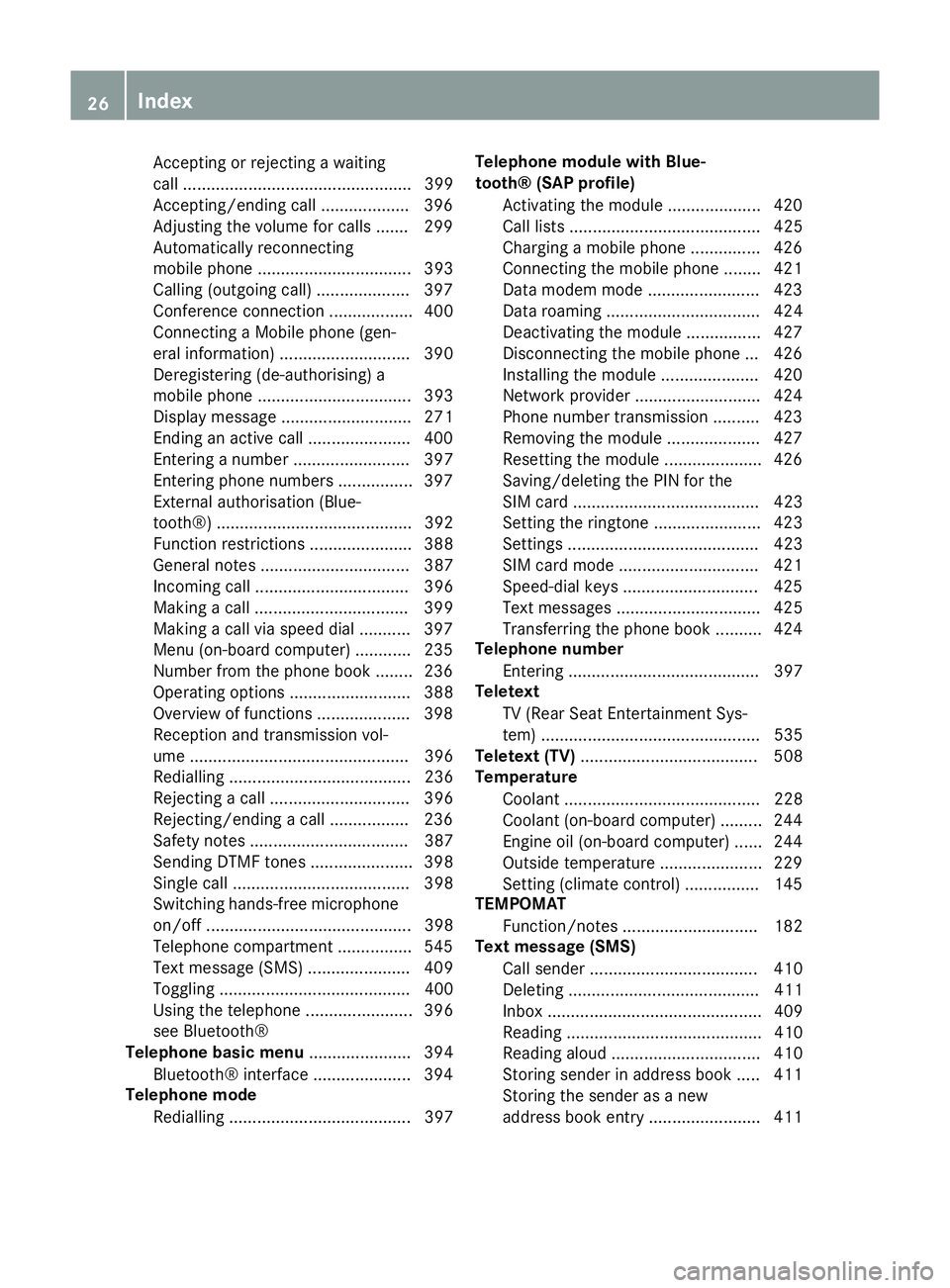
Accepting or rejecting a waiting
call ................................................. 399
Accepting/ending cal l................... 396
Adjusting the volume for calls ....... 299
Automatically reconnecting
mobile phone ................................. 393
Calling (outgoing call) .................... 397
Conference connection .................. 400
Connecting a Mobile phone (gen-
eral information) ............................ 390
Deregistering (de-authorising) a
mobile phone ................................. 393
Display message ............................ 271
Ending an active call ...................... 400
Entering a number ......................... 397
Entering phone numbers ................ 397
External authorisation (Blue-
tooth®) .......................................... 392
Function restrictions ...................... 388
General notes ................................ 387
Incoming call ................................. 396
Making a call ................................. 399
Making a call via speed dial ........... 397
Menu (on-board computer) ............ 235
Number from the phone book ........ 236
Operating options .......................... 388
Overview of functions .................... 398
Reception and transmission vol-
ume ............................................... 396
Redialling ....................................... 236
Rejecting a call .............................. 396
Rejecting/ending a call ................. 236
Safety notes .................................. 387
Sending DTMF tones ...................... 398
Single call ...................................... 398
Switching hands-free microphone
on/of f............................................ 398
Telephone compartment ................ 545
Text message (SMS) ...................... 409
Toggling ......................................... 400
Using the telephone ....................... 396
see Bluetooth®
Telephone basic menu ...................... 394
Bluetooth® interface ..................... 394
Telephone mode
Redialling ....................................... 397 Telephone module with Blue-
tooth® (SAP profile)
Activating the modul e.................... 420
Call lists ......................................... 425
Charging a mobile phone ............... 426
Connecting the mobile phone ........ 421
Data modem mode ........................ 423
Data roaming ................................. 424
Deactivating the module ................ 427
Disconnecting the mobile phone ... 426
Installing the module ..................... 420
Network provider ........................... 424
Phone number transmission .......... 423
Removing the module .................... 427
Resetting the module ..................... 426
Saving/deleting the PIN for the
SIM car d........................................ 423
Setting the ringtone ....................... 423
Setting s......................................... 423
SIM card mode .............................. 421
Speed-dial keys ............................. 425
Text messages ............................... 425
Transferring the phone book .......... 424
Telephone number
Entering ......................................... 397
Teletext
TV (Rear Seat Entertainment Sys-
tem) ............................................... 535
Teletext (TV) ...................................... 508
Temperature
Coolant .......................................... 228
Coolant (on-board computer) ......... 244
Engine oil (on-board computer) ...... 244
Outside temperature ...................... 229
Setting (climate control )................ 145
TEMPOMAT
Function/note s............................. 182
Text message (SMS)
Call sender .................................... 410
Deleting ......................................... 411
Inbox .............................................. 409
Reading .......................................... 410
Reading alou d................................ 410
Storing sender in address book ..... 411
Storing the sender as a new
address book entry ........................ 411 26
Index
Page 30 of 637
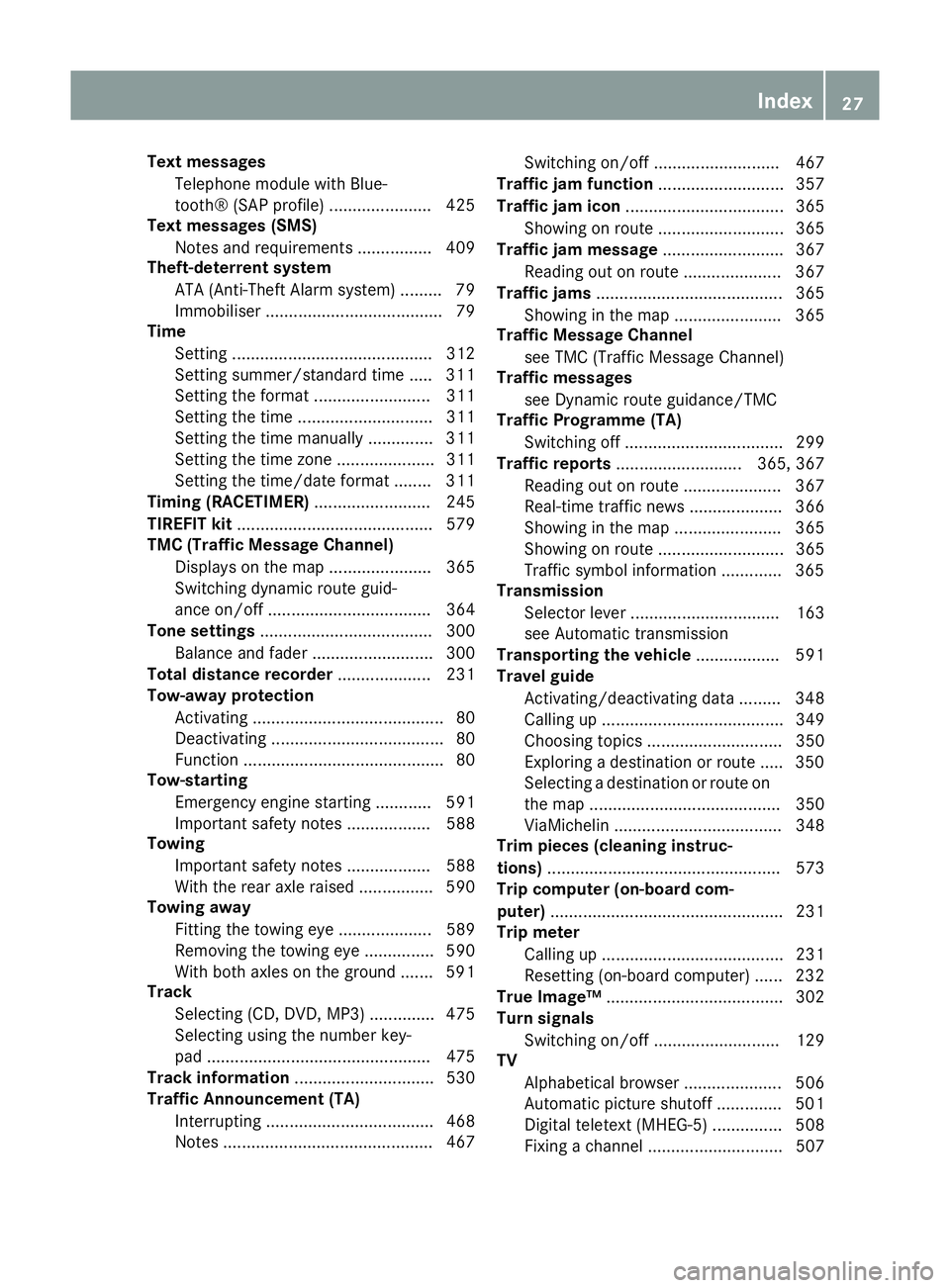
Text messages
Telephone module with Blue-
tooth® (SAP profile) ...................... 425
Text messages (SMS)
Notes and requirements ................ 409
Theft-deterrent system
ATA (Anti-Theft Alarm system )......... 79
Immobiliser ...................................... 79
Time
Setting ........................................... 312
Setting summer/standard time ..... 311
Setting the format ......................... 311
Setting the time ............................. 311
Setting the time manually .............. 311
Setting the time zone ..................... 311
Setting the time/date format ........ 311
Timing (RACETIMER) ......................... 245
TIREFIT kit .......................................... 579
TMC (Traffic Message Channel)
Displays on the map ...................... 365
Switching dynamic route guid-
ance on/of f................................... 364
Tone settings ..................................... 300
Balance and fader .......................... 300
Total distance recorder .................... 231
Tow-away protection
Activating ......................................... 80
Deactivating ..................................... 80
Function ........................................... 80
Tow-starting
Emergency engine starting ............ 591
Important safety notes .................. 588
Towing
Important safety notes .................. 588
With the rear axle raised ................ 590
Towing away
Fitting the towing eye .................... 589
Removing the towing eye ............... 590
With both axles on the ground ....... 591
Track
Selecting (CD, DVD, MP3 ).............. 475
Selecting using the number key-
pad ................................................ 475
Track information .............................. 530
Traffic Announcement (TA)
Interrupting .................................... 468
Notes ............................................. 467 Switching on/of
f........................... 467
Traffic jam function ........................... 357
Traffic jam icon .................................. 365
Showing on route ........................... 365
Traffic jam message .......................... 367
Reading out on route ..................... 367
Traffic jams ........................................ 365
Showing in the map ....................... 365
Traffic Message Channel
see TMC (Traffic Message Channel)
Traffic messages
see Dynamic route guidance/TMC
Traffic Programme (TA)
Switching off .................................. 299
Traffic reports ........................... 365, 367
Reading out on route ..................... 367
Real-time traffic news .................... 366
Showing in the map ....................... 365
Showing on route ........................... 365
Traffic symbol information ............. 365
Transmission
Selector lever ................................ 163
see Automatic transmission
Transporting the vehicle .................. 591
Travel guide
Activating/deactivating data ......... 348
Calling up ....................................... 349
Choosing topics ............................. 350
Exploring a destination or route ..... 350
Selecting a destination or route on
the map ......................................... 350
ViaMichelin .................................... 348
Trim pieces (cleaning instruc-
tions) .................................................. 573
Trip computer (on-board com-
puter) .................................................. 231
Trip meter
Calling up ....................................... 231
Resetting (on-board computer) ...... 232
True Image™ ...................................... 302
Turn signals
Switching on/of f........................... 129
TV
Alphabetical browser ..................... 506
Automatic picture shutoff .............. 501
Digital teletext (MHEG-5) ............... 508
Fixing a channel ............................. 507 Index
27
Page 34 of 637
Protection of the environment
General notes
H
Environmental note
Daimler's declared policy is one of compre-
hensive environmental protection.
Our objectives are to use the natural resour-
ces which form the basis of our existence on
this planet sparingly and in a manner which
takes the requirements of both nature and
humanity into consideration.
You too can help to protect the environment
by operating your vehicle in an environmen-
tally-responsible manner.
Fuel consumption and the rate of engine,
transmission, brake and tyre wear depend on
the following factors:
R operating conditions of your vehicle
R your personal driving style
You can influence both factors. Therefore,
please bear the following in mind:
Operating conditions:
R avoid short trips, as these increase fuel
consumption.
R observe the correct tyre pressure.
R do not carry any unnecessary weight in the
vehicle.
R remove the roof rack once you no longer
need it.
R a regularly serviced vehicle will contribute
to environmental protection. You should
therefore adhere to the service intervals.
R all maintenance work should be carried out
at a qualified specialist workshop.
Personal driving style:
R do not depress the accelerator pedal when
starting the engine.
R do not warm up the engine when the vehicle
is stationary.
R drive carefully and maintain a safe distance
from the vehicle in front.
R avoid frequent, sudden acceleration and
braking. R
change gear in good time and use each gear
only up to Ôof its maximum engine speed.
R switch off the engine in stationary traffic.
R monitor the vehicle's fuel consumption. Returning an end-of-life vehicle
EU countries only:
Mercedes-Benz will take back your old vehicle to dispose of it in an environmentally-respon-sible manner in accordance with the Euro-
pean Union (EU) End of Life Vehicles Direc-
tive.
There is a network of return points and dis-
assembly plants available. You can return
your vehicle to these plants free of charge.
This makes a valuable contribution to the
recycling process and the conservation of
resources.
For further information on recycling old vehi- cles, recovery and the terms of the policy,
visit the Mercedes-Benz homepage. Genuine Mercedes-Benz parts
H
Environmental note
Daimler AG also supplies reconditioned
assemblies and parts which are of the same
quality as new parts. For these, the same war-
ranty applies as for new parts.
! Airbags and seat belt tensioners, as well
as control units and sensors for these
restraint systems, may be installed in the
following areas of your vehicle:
R doors
R door pillars
R door sills
R seats
R dashboard
R instrument cluster
R centre console Introduction
31 Z
Page 37 of 637
G
WARNING
If you connect equipment to a diagnostics
connection in the vehicle, it can affect the
operation of the vehicle systems. This may
affect the operating safety of the vehicle.
There is a risk of an accident.
Do not connect any equipment to a diagnos-
tics connection in the vehicle. G
WARNING
Objects in the driver's footwell may restrict
the clearance around the pedals or block a
depressed pedal. This jeopardises the oper-
ating and road safety of the vehicle. There is a risk of an accident.
Stow all objects securely in the vehicle so that
they do not get into the driver's footwell.
Always fit the floormats securely and as pre-
scribed in order to ensure that there is always sufficient room for the pedals. Do not use
loose floormats and do not place several floor- mats on top of one another.
! If the engine is switched off and equip-
ment on the diagnostics connection is
used, the starter battery may discharge.
Connecting equipment to the diagnostics
connection can lead to emissions monitoring information being reset, for example. This
may lead to the vehicle failing to meet the
requirements of the next emissions test dur-
ing the main inspection. Qualified specialist workshop
A qualified specialist workshop has the nec-
essary special skills, tools and qualifications
to correctly carry out any necessary work on
your vehicle. This particularly applies to work
relevant to safety.
Observe the notes in the Service Booklet.
Always have the following work carried out at a qualified specialist workshop:
R work relevant to safety
R service and maintenance work R
repair work
R modifications, installations and conver-
sions
R work on electronic components
Mercedes-Benz recommends that you use a
Mercedes-Benz Service Centre. Vehicle registration
Mercedes-Benz may ask its Service Centres
to carry out technical inspections on certain
vehicles. The quality or safety of the vehicle is
improved as a result of the inspection.
Mercedes-Benz can only inform you about
vehicle checks if it has your registration data.
It is possible that your vehicle has not yet
been registered in your name in the following
cases:
R if your vehicle was not purchased at an
authorised specialist dealer.
R if your vehicle has not yet been examined at
a Mercedes-Benz Service Centre.
It is advisable to register your vehicle with a
Mercedes-Benz Service Centre.
Inform Mercedes-Benz as soon as possible
about any change in address or vehicle own-
ership. You can do this at a Mercedes-Benz
Service Centre, for example. Correct use
If you remove any warning stickers, you or
others could fail to recognise certain dangers.
Leave warning stickers in position.
Observe the following information when driv- ing your vehicle:
R the safety notes in this manual
R the technical data in this manual
R traffic rules and regulations
R laws and safety standards pertaining to
motor vehicles 34
Introduction
Page 45 of 637
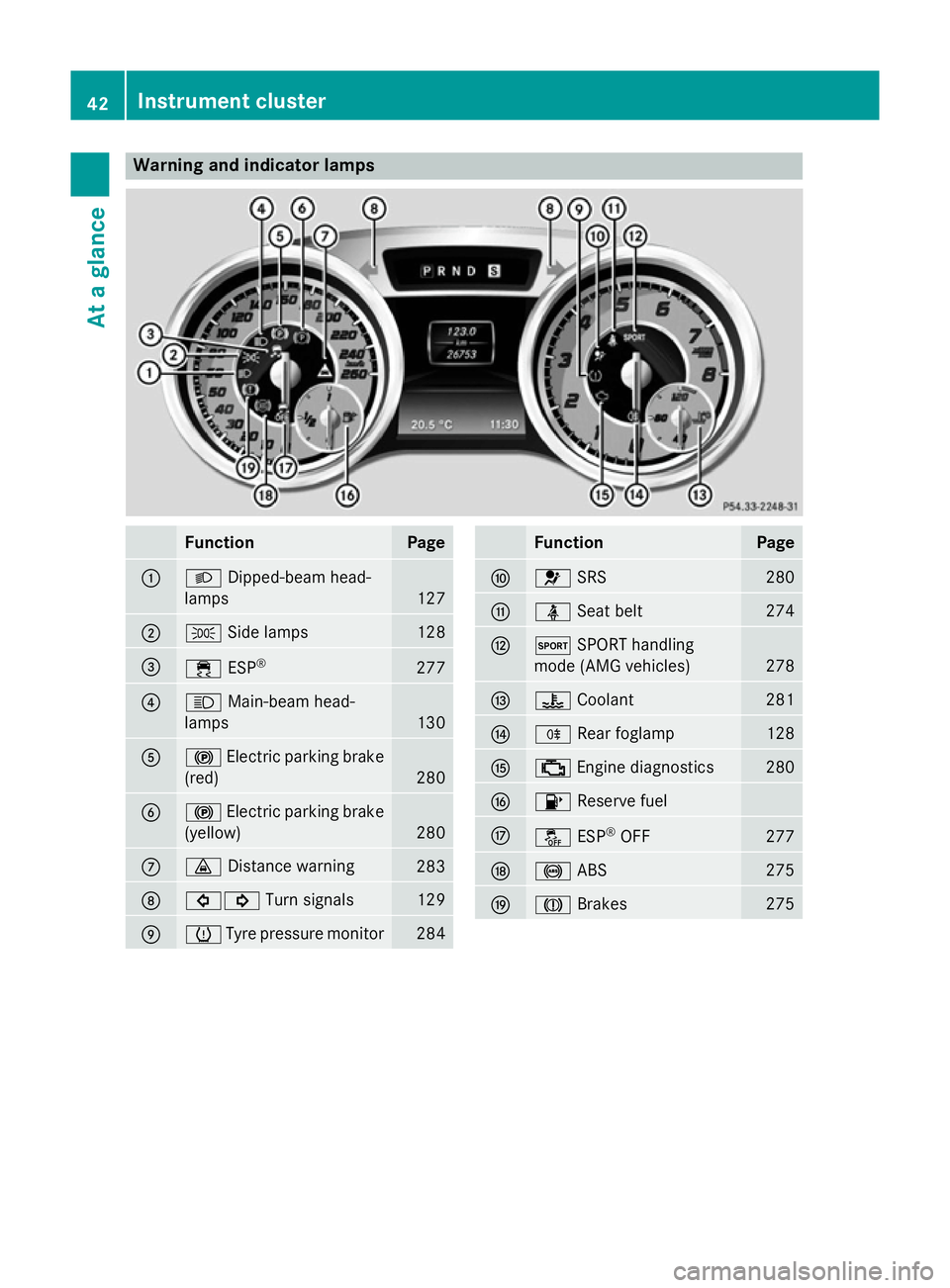
Warning and indicator lamps
Function Page
:
L
Dipped-beam head-
lamps 127
;
T
Side lamps 128
=
÷
ESP® 277
?
K
Main-beam head-
lamps 130
A
!
Electric parking brake
(red) 280
B
!
Electric parking brake
(yellow) 280
C
·
Distance warning 283
D
#!
Turn signals 129
E
h
Tyre pressure monitor 284 Function Page
F
6
SRS 280
G
ü
Seat belt 274
H
M
SPORT handling
mode (AMG vehicles) 278
I
?
Coolant 281
J
R
Rear foglamp 128
K
;
Engine diagnostics 280
L
8
Reserve fuel M
å
ESP®
OFF 277
N
!
ABS 275
O
J
Brakes 27542
Instrument clusterAt a glance
Page 54 of 637
their seat belts correctly at all times, even if
the vehicle is equipped with airbags. The air-
bags are not deployed in all types of acci-
dents. For example, if the protective capacity of correctly fastened seat belts is not
increased by deploying the airbags, the air-
bags will not deploy.
Airbag deployment only provides increased
protection if the seat belt is worn correctly.
The seat belt helps, firstly, to keep the vehicle occupant in the best position in relation to the
airbag. Secondly, in a head-on collision, for
example, the seat belt restricts movement of
the vehicle occupant towards the point of
impact. SRS (Supplemental Restraint System)
Introduction SRS consists of:
R the 6 SRS warning lamp
R airbags
R the airbag control unit with crash sensors
R belt tensioners
R belt force limiters
SRS reduces the risk of vehicle occupants
coming into contact with parts of the vehi-
cle's interior in the event of an accident. It can
also reduce the forces to which vehicle occu- pants are subjected during an accident.
SRS warning lamp G
WARNING
If SRS is malfunctioning, restraint system
components may be triggered unintentionally
or might not be triggered at all in the event of
an accident with a high rate of vehicle decel-
eration. There is an increased risk of injury,
possibly even fatal.
Have SRS checked and repaired immediately
at a qualified specialist workshop.
SRS functions are checked regularly when
you switch on the ignition and when the engine is running. Therefore, malfunctions
can be detected in good time.
The
6 SRS warning lamp in the instrument
cluster lights up when the ignition is switched on. It goes out no later than a few seconds
after the engine is started.
The SRS components are in operational read-
iness when the 6SRS warning lamp goes
out while the engine is running.
A malfunction has occurred if:
R the 6 SRS warning lamp does not light
up when the ignition is switched on
R the engine is running and the 6SRS
warning lamp does not go out after a few
seconds
R the engine is running and the 6SRS
warning lamp lights up again
Triggering of belt tensioners and air-
bags During the first stage of a collision, the airbag
control unit evaluates important physical
data relating to vehicle deceleration or accel-
eration, such as:
R duration
R direction
R magnitude
Based on the evaluation of this data, the air-
bag control unit triggers the belt tensioners in the first stage.
If there is an even higher rate of vehicle decel-
eration or acceleration in a longitudinal direc- tion, the front airbags are also deployed.
Your vehicle has adaptive, two-stage front air- bags. The airbag control unit evaluates vehi-
cle deceleration or acceleration in the event
of a collision. In the first deployment stage,
the front airbag is filled with enough propel-
lant gas to reduce the risk of injuries. The
front airbag is fully deployed if a second
deployment threshold is reached within a few
milliseconds.
The belt tensioner and airbag triggering
thresholds are variable and are adapted to the Occupant safety
51Safety Z
Page 63 of 637
X
Press release button ?on belt buckle =.
X Guide belt tongue ;back to seat belt
guide :.
Belt warning for the driver and front
passenger The
ü seat belt warning lamp in the instru-
ment cluster is a reminder for all occupants to
fasten their seat belts. It may light up contin- uously or flash. In addition, a warning tone
may sound.
The ü seat belt warning lamp goes out and
the warning tone ceases when the driver and
the front passenger have fastened their seat
belt.
Only for certain countries: the üseat belt
warning lamp lights up for six seconds after
every engine start. This happens regardless of whether the driver's and front-passenger seatbelts have already been fastened. It then goes
out if the driver and the front passenger have fastened their seat belts.
i For more information on the
üseat
belt warning lamp, see "Warning and indi-
cator lamps in the instrument cluster, seat
belt" (Y page 274).
Belt tensioners, belt force limiters G
WARNING
Pyrotechnic seat belt tensioners that have
been deployed are no longer operational and
are unable to perform their intended protec-
tive function. This poses an increased risk of
injury or even fatal injury.
Therefore, have pyrotechnic belt tensioners
which have been triggered immediately
replaced at a qualified specialist workshop.
! If the co-driver's seat is not occupied, do
not engage the seat belt tongue in the
buckle on the co-driver's seat. Otherwise,
the belt tensioner could be triggered in the
event of an accident and would have to be
replaced. i
Vehicles with PRE-SAFE ®
: an electric
motor is used by PRE-SAFE ®
to trigger the
tightening of the seat belt in hazardous sit-
uations. This procedure is reversible.
The seat belts are fitted with belt tensioners.
The belt tensioners tighten the seat belts in an
accident, pulling them close against the body.
Belt tensioners do not correct incorrect seat
positions or incorrectly fastened seat belts.
Belt tensioners do not pull vehicle occupants
back towards the backrest.
The belt tensioners can only be activated
when:
R the ignition is switched on
R the restraint systems are operational; see "
SRS warning lamp" (Y page 51)
R the belt tongue is engaged in the buckle on
each of the three-point seat belts
The belt tensioners are triggered depending
on the accident type and severity:
R in the event of a head-on or rear-end colli-
sion if the vehicle decelerates or acceler-
ates rapidly in a longitudinal direction dur-
ing the initial stages of the impact
R in the event of a side impact if the vehicle
decelerates or accelerates rapidly in a lat-
eral direction on the side opposite to the
impact
R in certain situations where the vehicle over-
turns and the system determines that it canprovide additional protection
If the airbags are deployed, you will hear a
bang, and a small amount of powder may also be released. Only in rare cases will the bang
affect your hearing. The powder that is
released generally does not constitute a
health hazard and does not indicate that thereis a fire in the vehicle. The powder may causeshort-term breathing difficulties to persons
suffering from asthma or other pulmonary
conditions. In order to prevent potential
breathing difficulties, you should leave the
vehicle as soon as it is safe to do so. You can
also open the window to allow fresh air to 60
Occupant safetySafety
Page 65 of 637
G
WARNING
If children are left unsupervised in the vehicle, they can:
R open doors and endanger other persons or
road users
R climb out and be injured by the traffic
R operate vehicle equipment and, for exam-
ple, trap themselves.
Children could also set the vehicle in motion, for example by:
R releasing the parking brake
R shifting the automatic transmission out of
park position P
R starting the engine.
There is a risk of an accident and injury.
When leaving the vehicle, always take the key
with you and lock the vehicle. Never leave
children unattended in the vehicle. Always
keep the key out of reach of children. G
WARNING
If persons (particularly children) are exposed
to heat or cold for a prolonged period, there is a risk of serious or even fatal injuries. Never
leave persons (particularly children) unatten-
ded in the vehicle. G
WARNING
If the child restraint system is placed in direct sunlight, the parts could become very hot.
Children could be suffer burns by touching
these parts, in particular on the metallic parts
of the child restraint system. There is a risk of injury.
If you and your child leave the vehicle, always
make sure that the child restraint system is
not in direct sunlight. Cover it with a blanket, for example. If the child restraint system has
been exposed to direct sunlight, leave it to
cool down before securing the child in it.
Never leave children unattended in the vehi-
cle.
If a child is travelling in your vehicle, secure
the child using a child restraint system which is appropriate to the age, weight and size of
the child. In order to correctly secure the child
in the child restraint system, always comply
with the child restraint system manufactur-
er's installation instructions. Make sure that
the child is secured for the trip.
Mercedes-Benz recommends that you use
the listed child restraint systems
(Y page 67). You can obtain further infor-
mation about the correct child restraint sys-
tem from any Mercedes-Benz Service Centre.
i It is advisable to use Mercedes-Benz care
products to clean child restraint systems.
You can obtain information about this from
any Mercedes-Benz Service Centre. Child restraint system on the front-
passenger seat
G
WARNING
If the front-passenger front airbag is not dis-
abled:
R a child secured in a child restraint system
on the front-passenger seat could be seri-
ously or even fatally injured by the front-
passenger airbag deploying. This is espe-
cially a risk if the child is in the immediate
vicinity of the front-passenger front airbag
when it deploys.
R never secure a child on the front-passenger
seat in a rearward-facing child restraint sys- tem.
R move the front-passenger seat as far back
as possible. When doing so, ensure that the
shoulder belt strap from the belt outlet on
the vehicle is routed towards the front to
the shoulder belt guide on the child
restraint system.
The front-passenger front airbag is not disa-
bled:
R on vehicles without automatic child seat
recognition on the front-passenger seat.
R on vehicles with automatic child seat rec-
ognition on the front-passenger seat, 62
Child restraint systemsSafety