jack points MERCEDES-BENZ SL ROADSTER 2012 Owners Manual
[x] Cancel search | Manufacturer: MERCEDES-BENZ, Model Year: 2012, Model line: SL ROADSTER, Model: MERCEDES-BENZ SL ROADSTER 2012Pages: 637, PDF Size: 20.68 MB
Page 311 of 637
X
Confirm BERLIN(1XXXX)
BERLIN(1XXXX) by pressingW
the COMAND controller.
The address entry menu appears.
Observe the information relating to destina-
tion entry (Y page 326). SPLITVIEW
Operation SPLITVIEW allows you to simultaneously use
different COMAND Online functions on the
front-passenger side and on the driver's side.
Different content is seen depending on your
perspective when viewing the display.
The "Navi" function, for example, can be used
from the driver's side while a video is watched from the front-passenger side.
SPLITVIEW is operated with the remote con-
trol from the front-passenger side.
To do so, use the cordless headphones. Using
the headphones on the correct sides ensures
an optimal sound.
You can connect your own headphones to a
special headphones jack. You can use the
remote control to operate them.
Points to remember R
You can only adjust the volume for the
headphones supplied, directly on the head-
phones.
R Only entertainment functions, i.e. audio,
TV, video and Internet, for example, may be
used with SPLITVIEW. R
Different media can be used on the driver
and front-passenger sides as long as they
use different media sources. Example: if a
medium from the DVD changer is being
played on the driver's side, then another
medium that is also played from the DVD
changer cannot be played separately on
the front-passenger side. However, other
media can be used at the same time on the
front-passenger side, including radio,
memory card, MUSIC REGISTER, Media
Interface, USB or AUX.
R If you use the same medium on both sides,
you can both carry out the respective set-
tings.
R Internet use is only available at any one
time to the driver or the front passenger.
A corresponding message appears on the
display.
R Internet can only be used, if it is set and
connected via a telephone on the driver's
side.
R The multifunction steering wheel can only
be used for functions which relate to the
driver's side.
Switching SPLITVIEW on/off Switching on SPLITVIEW
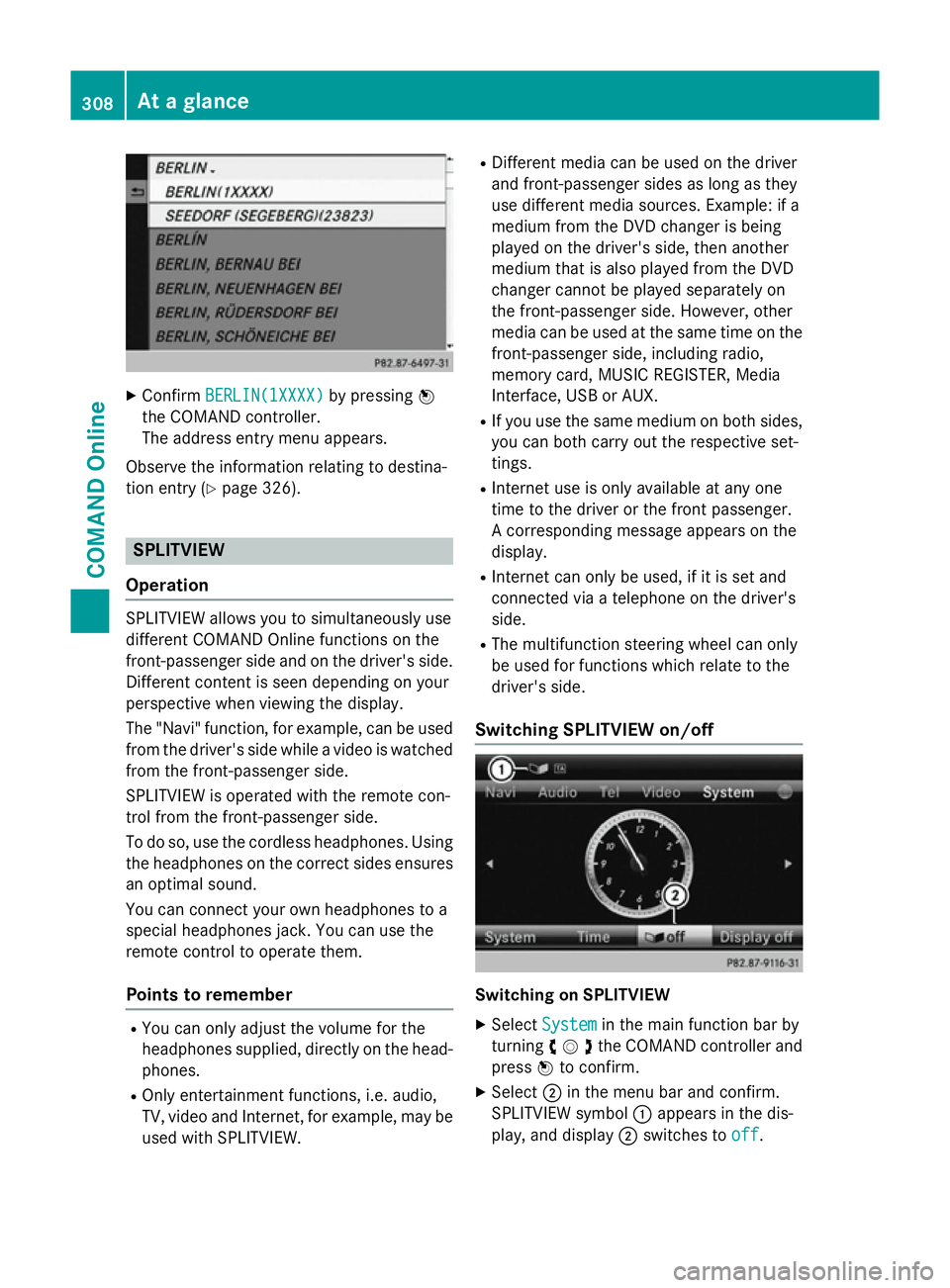
X Select System System in the main function bar by
turning cVdthe COMAND controller and
press Wto confirm.
X Select ;in the menu bar and confirm.
SPLITVIEW symbol :appears in the dis-
play, and display ;switches to off
off. 308
At a glanceCOMAND Online
Page 611 of 637
X
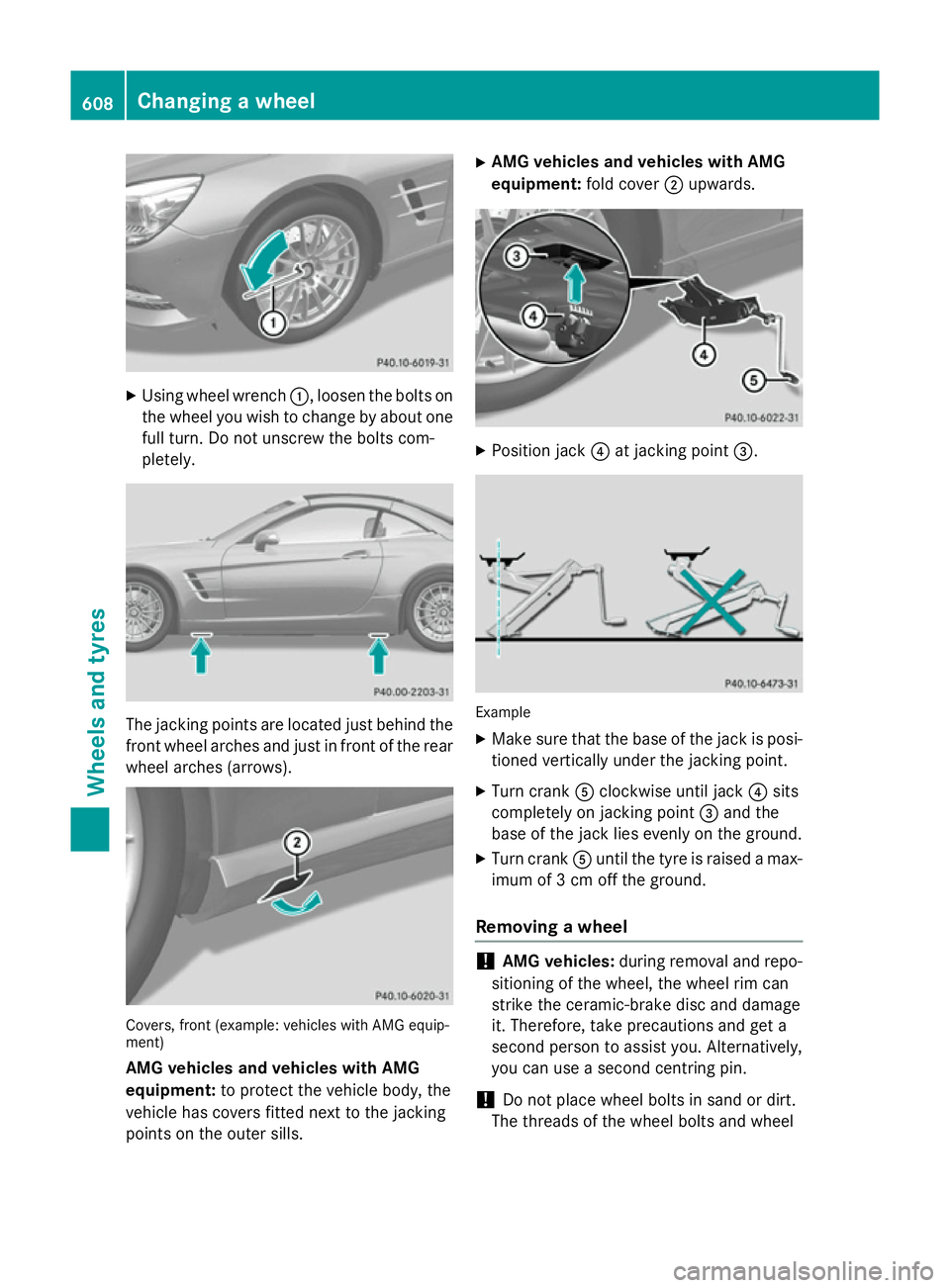
Using wheel wrench :, loosen the bolts on
the wheel you wish to change by about one full turn. Do not unscrew the bolts com-
pletely. The jacking points are located just behind the
front wheel arches and just in front of the rear wheel arches (arrows). Covers, front (example: vehicles with AMG equip-
ment)
AMG vehicles and vehicles with AMG
equipment: to protect the vehicle body, the
vehicle has covers fitted next to the jacking
points on the outer sills. X
AMG vehicles and vehicles with AMG
equipment: fold cover;upwards. X
Position jack ?at jacking point =. Example
X Make sure that the base of the jack is posi-
tioned vertically under the jacking point.
X Turn crank Aclockwise until jack ?sits
completely on jacking point =and the
base of the jack lies evenly on the ground.
X Turn crank Auntil the tyre is raised a max-
imum of 3 cm off the ground.
Removing a wheel !
AMG vehicles:
during removal and repo-
sitioning of the wheel, the wheel rim can
strike the ceramic-brake disc and damage
it. Therefore, take precautions and get a
second person to assist you. Alternatively,
you can use a second centring pin.
! Do not place wheel bolts in sand or dirt.
The threads of the wheel bolts and wheel 608
Changing a wheelWheels and tyres