fog light MERCEDES-BENZ SL ROADSTER 2016 Owners Manual
[x] Cancel search | Manufacturer: MERCEDES-BENZ, Model Year: 2016, Model line: SL ROADSTER, Model: MERCEDES-BENZ SL ROADSTER 2016Pages: 333, PDF Size: 11.85 MB
Page 13 of 333
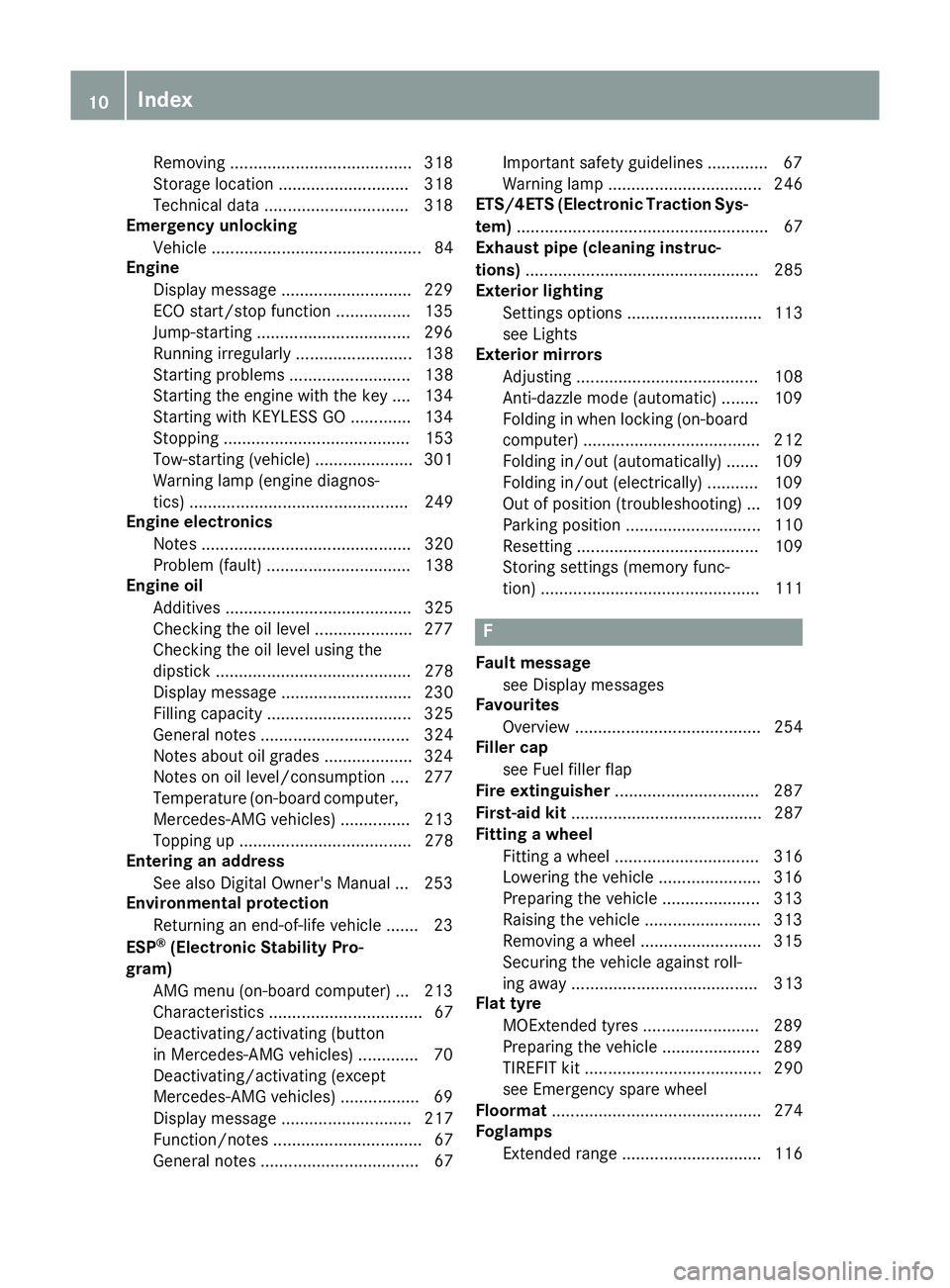
Removing ......................................
.318
Storage location ............................ 318
Technical data ............................... 318
Emergency unlocking
Vehicle ............................................. 84
Engine
Display message ............................ 229
ECO start/stop function ................ 135
Jump-starting ................................. 296
Running irregularl y......................... 138
Starting problems .......................... 138
Starting the engine with the key .... 134
Starting with KEYLESS GO ............. 134
Stopping ........................................ 153
Tow-starting (vehicle) ..................... 301
Warning lamp (engine diagnos-
tics) ............................................... 249
Engine electronics
Notes ............................................. 320
Problem (fault) ............................... 138
Engine oil
Additives ........................................ 325
Checking the oil level ..................... 277
Checking the oil level using the
dipstick .......................................... 278
Display message ............................ 230
Filling capacity ............................... 325
General notes ................................ 324
Notes about oil grade s................... 324
Notes on oil level/consumption .... 277
Temperature (on-board computer, Mercedes-AMG vehicles) ............... 213
Topping up ..................................... 278
Entering an address
See also Digital Owner's Manua l... 253
Environmental protection
Returning an end-of-life vehicle ....... 23
ESP ®
(Electronic Stability Pro-
gram)
AMG menu (on-board computer) ... 213
Characteristics ................................. 67
Deactivating/activating (button
in Mercedes-AMG vehicles) ............. 70
Deactivating/activating (except
Mercedes‑ AMG vehicles) ................. 69
Display message ............................ 217
Function/note s................................ 67
General notes .................................. 67 Important safety guidelines ............. 67
Warning lamp ................................. 246
ETS/4ETS (Electronic Traction Sys-
tem) ...................................................... 67
Exhaust pipe (cleaning instruc-
tions) .................................................. 285
Exterior lighting
Settings options ............................. 113
see Lights
Exterior mirrors
Adjusting ....................................... 108
Anti-dazzle mode (automatic) ........ 109
Folding in when locking (on-board computer) ...................................... 212
Folding in/out (automatically )....... 109
Folding in/out (electrically) ........... 109
Out of position (troubleshooting) ... 109
Parking position ............................. 110
Resetting ....................................... 109
Storing settings (memory func-
tion) ............................................... 111 F
Fault message see Display messages
Favourites
Overview ........................................ 254
Filler cap
see Fuel filler flap
Fire extinguisher ............................... 287
First-aid kit ......................................... 287
Fitting a wheel
Fitting a wheel ............................... 316
Lowering the vehicle ...................... 316
Preparing the vehicle ..................... 313
Raising the vehicle ......................... 313
Removing a wheel .......................... 315
Securing the vehicle against roll-
ing away ........................................ 313
Flat tyre
MOExtended tyre s......................... 289
Preparing the vehicle ..................... 289
TIREFIT kit ...................................... 290
see Emergency spare wheel
Floormat ............................................. 274
Foglamps
Extended rang e.............................. 116 10
Index
Page 16 of 333
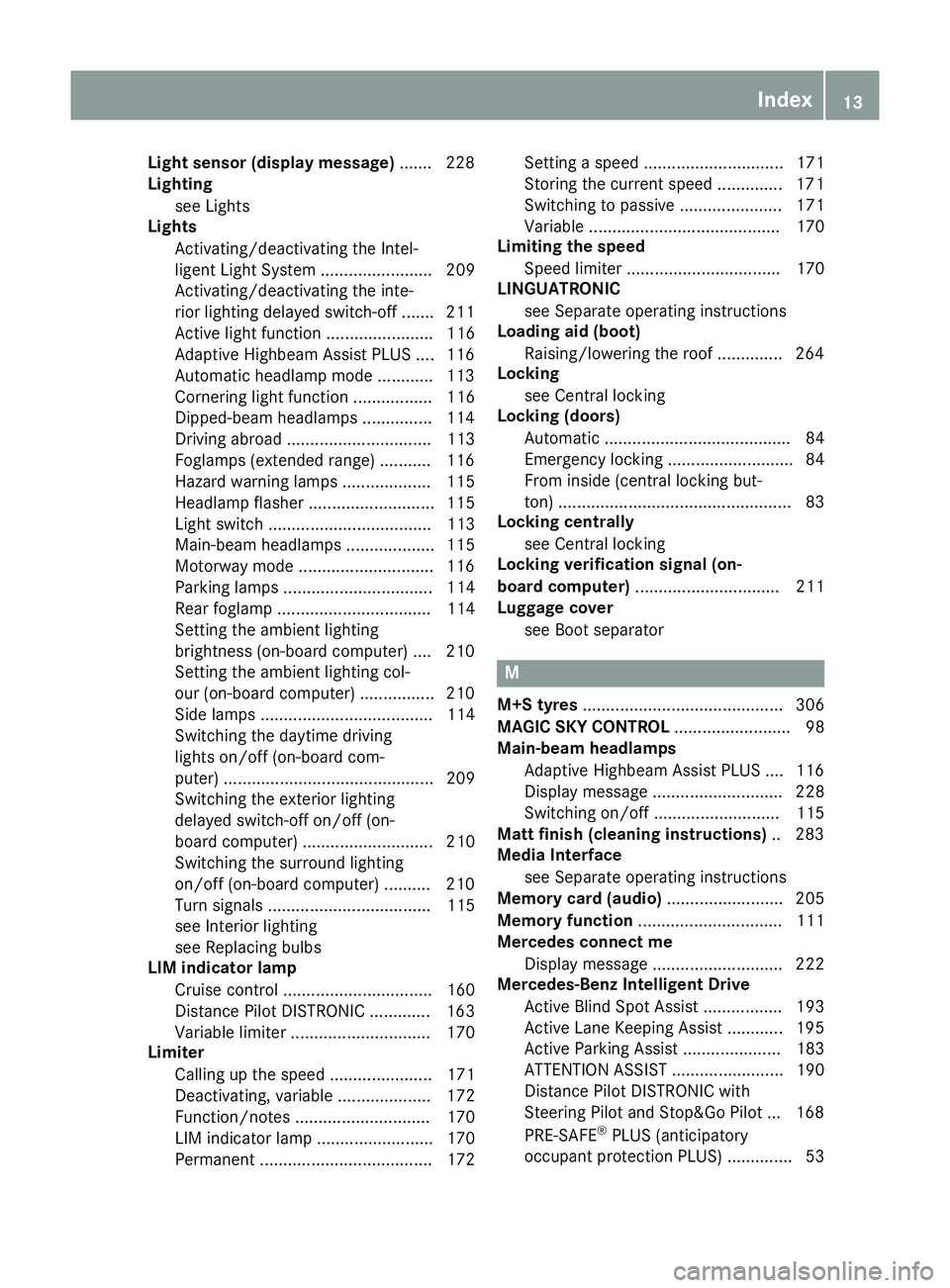
Light sensor (display message)
.......2 28
Lighting
see Lights
Lights
Activating/deactivating the Intel-
ligent Light System ........................ 209
Activating/deactivating the inte-
rior lighting delayed switch-off ....... 211
Active light function ....................... 116
Adaptive Highbeam Assist PLUS .... 116
Automatic headlamp mode ............ 113
Cornering light function ................. 116
Dipped-beam headlamps .............. .114
Driving abroad ............................... 113
Foglamps (extended range) ........... 116
Hazard warning lamps ................... 115
Headlamp flasher ........................... 115
Light switch ................................... 113
Main-beam headlamps ................... 115
Motorway mode ............................ .116
Parking lamps ................................ 114
Rear foglamp ................................. 114
Setting the ambient lighting
brightness (on-board computer) .... 210
Setting the ambient lighting col-
our (on-board computer) ................ 210
Side lamps ..................................... 114
Switching the daytime driving
lights on/off (on-board com-
puter) ............................................. 209
Switching the exterior lighting
delayed switch-off on/off (on-
board computer) ............................ 210
Switching the surround lighting
on/off (on-board computer) .......... 210
Turn signals ................................... 115
see Interior lighting
see Replacing bulbs
LIM indicator lamp
Cruise control ................................ 160
Distance Pilot DISTRONIC ............. 163
Variable limiter .............................. 170
Limiter
Calling up the spee d...................... 171
Deactivating, variable .................... 172
Function/note s............................. 170
LIM indicator lamp ......................... 170
Permanent ..................................... 172 Setting a speed .............................. 171
Storing the current speed .............. 171
Switching to passive ...................... 171
Variabl
e......................................... 170
Limiting the speed
Speed limiter ................................. 170
LINGUATRONIC
see Separate operating instructions
Loading aid (boot)
Raising/lowering the roof .............. 264
Locking
see Central locking
Locking (doors)
Automatic ........................................ 84
Emergency locking ........................... 84
From inside (central locking but-
ton) .................................................. 83
Locking centrally
see Central locking
Locking verification signal (on-
board computer) ............................... 211
Luggage cover
see Boot separator M
M+S tyres ........................................... 306
MAGIC SKY CONTROL ......................... 98
Main-beam headlamps
Adaptive Highbeam Assist PLUS .... 116
Display message ............................ 228
Switching on/of f........................... 115
Matt finish (cleaning instructions) .. 283
Media Interface
see Separate operating instructions
Memory card (audio) ......................... 205
Memory function ............................... 111
Mercedes connect me
Display message ............................ 222
Mercedes-Benz Intelligent Drive
Active Blind Spot Assist ................. 193
Active Lane Keeping Assist ............ 195
Active Parking Assist ..................... 183
ATTENTION ASSIST ........................ 190
Distance Pilot DISTRONIC with
Steering Pilot and Stop&Go Pilot ... 168
PRE-SAFE ®
PLUS (anticipatory
occupant protection PLUS) .............. 53 Index
13
Page 19 of 333
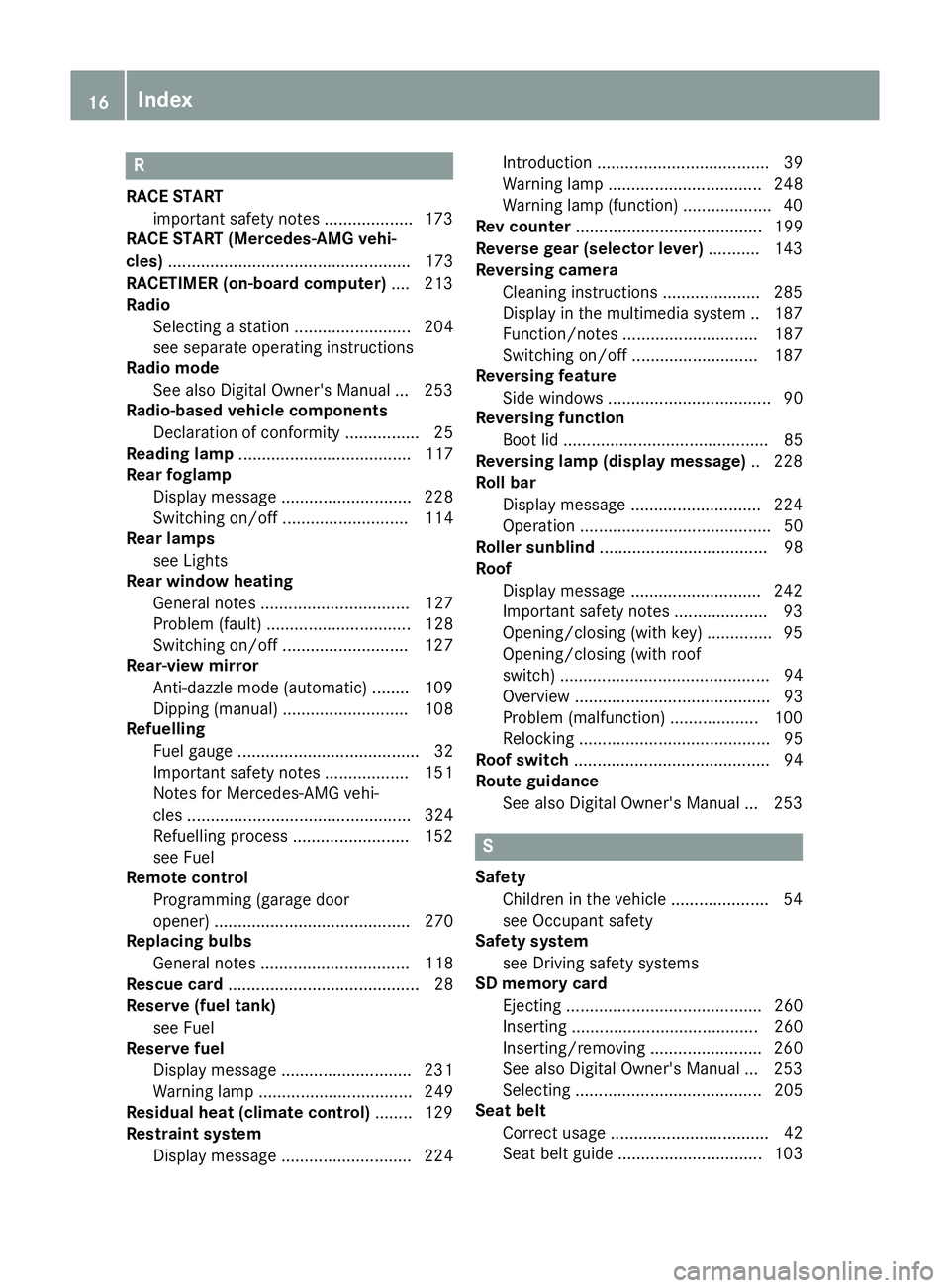
R
RACE START important safety notes ................... 173
RACE START (Mercedes-AMG vehi-
cles) .................................................... 173
RACETIMER (on-board computer) .... 213
Radio
Selecting a station ......................... 204
see separate operating instructions
Radio mode
See also Digital Owner's Manua l... 253
Radio-based vehicle components
Declaration of conformity ................ 25
Reading lamp ..................................... 117
Rear foglamp
Display message ............................ 228
Switching on/of f........................... 114
Rear lamps
see Lights
Rear window heating
General notes ................................ 127
Problem (fault) ............................... 128
Switching on/of f........................... 127
Rear-view mirror
Anti-dazzle mode (automatic) ........ 109
Dipping (manual) ........................... 108
Refuelling
Fuel gaug e....................................... 32
Important safety notes .................. 151
Notes for Mercedes‑AMG vehi-
cles ................................................ 324
Refuelling process ......................... 152
see Fuel
Remote control
Programming (garage door
opener) .......................................... 270
Replacing bulbs
General notes ................................ 118
Rescue card ......................................... 28
Reserve (fuel tank)
see Fuel
Reserve fuel
Display message ............................ 231
Warning lamp ................................. 249
Residual heat (climate control) ........ 129
Restraint system
Display message ............................ 224 Introduction ..................................... 39
Warning lamp ................................. 248
Warning lamp (function) ................... 40
Rev counter ........................................ 199
Reverse gear (selector lever) ........... 143
Reversing camera
Cleaning instructions ..................... 285
Display in the multimedia system .. 187
Function/note s............................. 187
Switching on/of f........................... 187
Reversing feature
Side windows ................................... 90
Reversing function
Boot lid ............................................ 85
Reversing lamp (display message) .. 228
Roll bar
Display message ............................ 224
Operation ......................................... 50
Roller sunblind .................................... 98
Roof
Display message ............................ 242
Important safety notes .................... 93
Opening/closing (with key) .............. 95
Opening/closing (with roof
switch) ............................................. 94
Overview .......................................... 93
Problem (malfunction) ................... 100
Relocking ......................................... 95
Roof switch .......................................... 94
Route guidance
See also Digital Owner's Manua l... 253 S
Safety Children in the vehicle ..................... 54
see Occupant safety
Safety system
see Driving safety systems
SD memory card
Ejecting .......................................... 260
Inserting ........................................ 260
Inserting/removing ........................ 260
See also Digital Owner's Manua l... 253
Selecting ........................................ 205
Seat belt
Correct usage .................................. 42
Seat belt guide ............................... 103 16
Index
Page 35 of 333
Instrument cluster
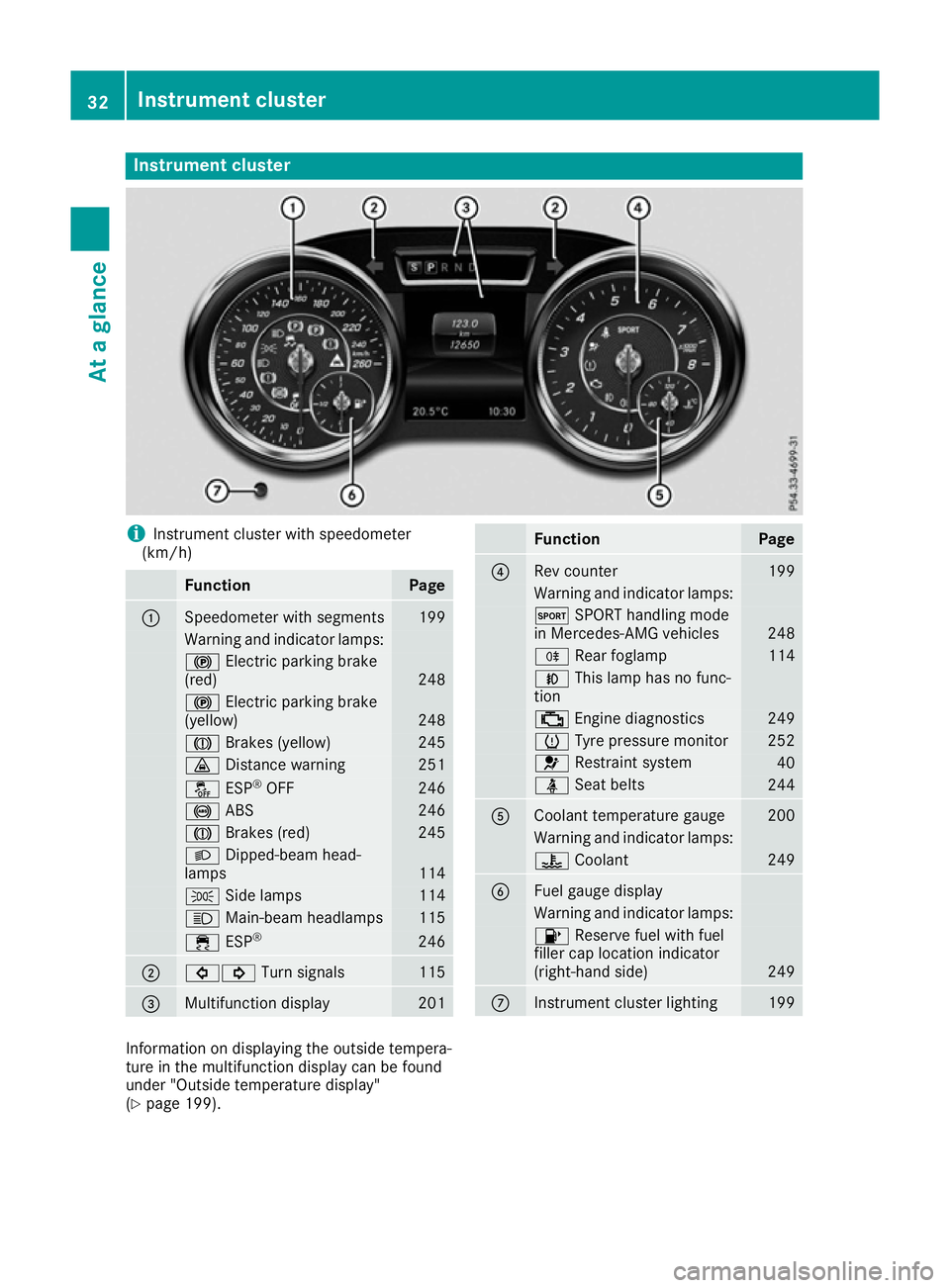
i
Instrument cluster with speedometer
(km/h) Function Page
:
Speedometer with segments 199
Warning and indicator lamps:
!
Electric parking brake
(red) 248
!
Electric parking brake
(yellow) 248
J
Brakes (yellow) 245
·
Distance warning 251
å
ESP®
OFF 246
!
ABS 246
J
Brakes (red) 245
L
Dipped-beam head-
lamps 114
T
Side lamps 114
K
Main-beam headlamps 115
÷
ESP® 246
;
#!
Turn signals 115
=
Multifunction display 201 Function Page
?
Rev counter 199
Warning and indicator lamps:
M
SPORT handling mode
in Mercedes-AMG vehicles 248
R
Rear foglamp 114
N
This lamp has no func-
tion ;
Engine diagnostics 249
h
Tyre pressure monitor 252
6
Restraint system 40
ü
Seat belts 244
A
Coolant temperature gauge 200
Warning and indicator lamps:
?
Coolant 249
B
Fuel gauge display
Warning and indicator lamps:
8
Reserve fuel with fuel
filler cap location indicator
(right-hand side) 249
C
Instrument cluster lighting 199
Information on displaying the outside tempera-
ture in the multifunction display can be found
under "Outside temperature display"
(Y
page 199). 32
Instrument clusterAt a glance
Page 116 of 333
Exterior lighting
General notes
For reasons of safety, Mercedes-Benz recom-
mends that you drive with the lights switched on even during the daytime. In some countries,
operation of the headlamps varies due to legal
requirements and self-imposed obligations. Driving abroad
Symmetrical dipped-beam headlamps If your journey takes you to countries where
vehicles are driven on the opposite side of the
road to the country in which the vehicle is reg-
istered, your headlamps must be switched to
symmetrical dipped beam. This prevents
oncoming traffic from being dazzled. Symmetri-
cal lights do not illuminate as large an area of the edge of the carriageway.
Convert the headlamps as close to the border aspossible before driving in these countries
(Y page 210).
Asymmetrical dipped-beam headlamps Convert the headlamps back to asymmetrical
dipped beam as soon as possible after crossing
the border (Y page 210).
If the headlamps are converted to symmetrical
dipped beam, the "motorway mode" and "exten-
ded range foglamps" functions (Intelligent Light
System) are not available. Setting the exterior lighting
Setting options Exterior lighting can be set by:
R using the light switch
R using the combination switch (Y page 115)
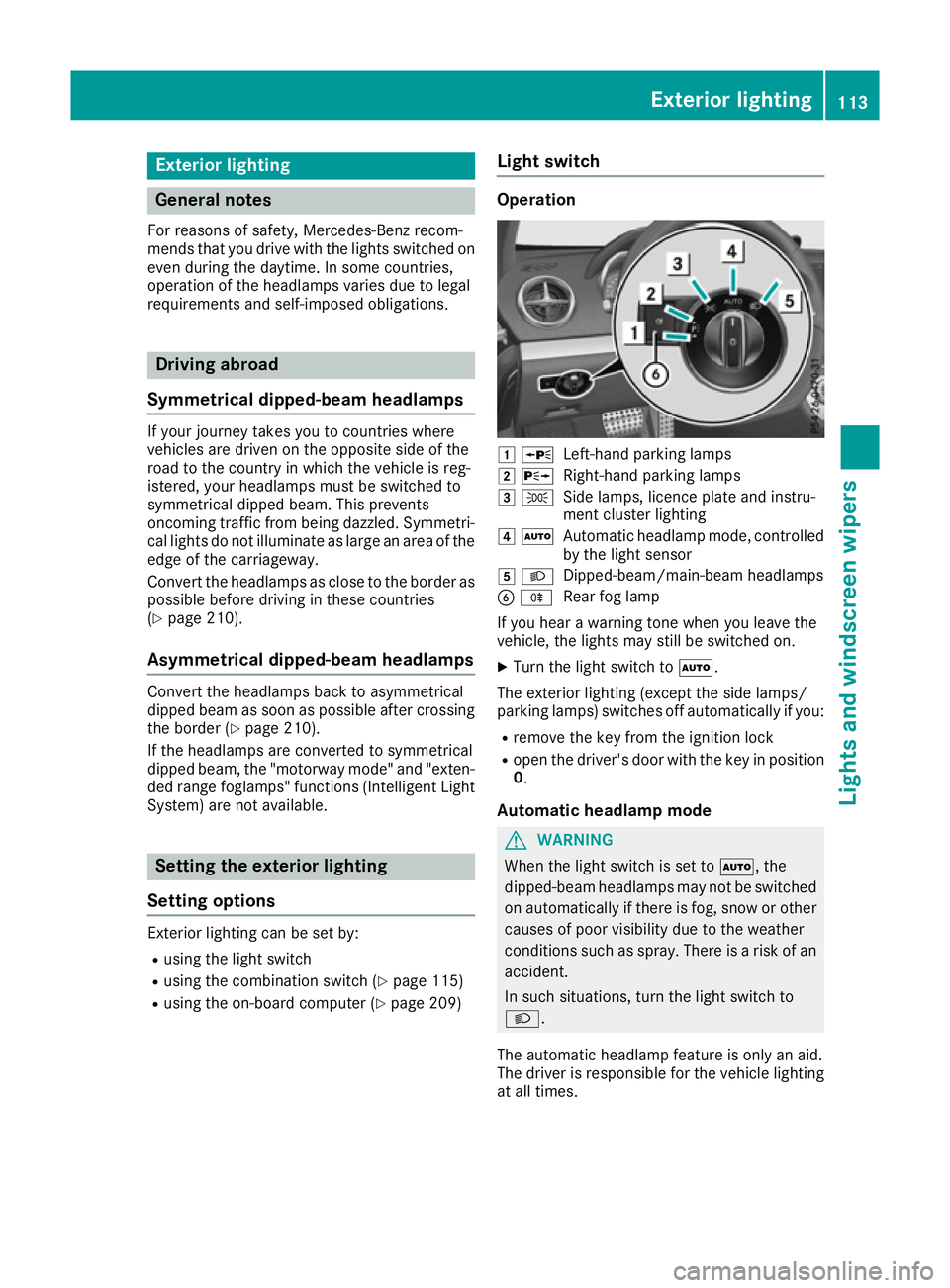
R using the on-board computer (Y page 209)Light switch Operation
1
W
Left-hand parking lamps
2 X
Right-hand parking lamps
3 T
Side lamps, licence plate and instru-
ment cluster lighting
4 Ã
Automatic headlamp mode, controlled
by the light sensor
5 L
Dipped-beam/main-beam headlamps
B R
Rear fog lamp
If you hear a warning tone when you leave the
vehicle, the lights may still be switched on.
X Turn the light switch to Ã.
The exterior lighting (except the side lamps/
parking lamps) switches off automatically if you: R remove the key from the ignition lock
R open the driver's door with the key in position
0.
Automatic headlamp mode G
WARNING
When the light switch is set to Ã, the
dipped-beam headlamps may not be switched on automatically if there is fog, snow or othercauses of poor visibility due to the weather
conditions such as spray. There is a risk of an
accident.
In such situations, turn the light switch to
L.
The automatic headlamp feature is only an aid.
The driver is responsible for the vehicle lighting at all times. Exterior lighting
113Lights and windscreen wipers Z
Page 117 of 333
Ã
is the preferred light switch position. The
light setting is automatically selected according to the brightness of the ambient light (excep-
tion: poor visibility due to weather conditions
such as fog, snow or spray):
R Key in position 1in the ignition lock: the side
lamps are switched on or off automatically
depending on the brightness of the ambient
light
R With the engine running: if you have switched
on the daytime driving lights function in the
on-board computer, the daytime driving lights
or the side lamps and dipped-beam head-
lamps are switched on or off automatically
depending on the brightness of the ambient
light
X To switch on automatic headlamp mode:
turn the light switch to
Ã.
The daytime driving lights improve the detecta-
bility of your vehicle during the day. Here, the
daytime driving lights function must be switched on via the on-board computer (Y page 209).
When the dipped-beam headlamps are switched
on, the green Lindicator lamp in the instru-
ment cluster lights up and the daytime driving
lights are switched off or dimmed.
Dipped-beam headlamps G
WARNING
When the light switch is set to Ã, the
dipped-beam headlamps may not be switched on automatically if there is fog, snow or othercauses of poor visibility due to the weather
conditions such as spray. There is a risk of an
accident.
In such situations, turn the light switch to
L.
When the ignition is switched on and the light
switch is in the Lposition, the side lamps
and dipped-beam headlamps are switched on
even if the light sensor does not sense dark
ambient light conditions. This is advantageous
when there is fog or rain.
X To switch on the dipped-beam headlamps:
turn the key in the ignition lock to position 2
or start the engine.
X Turn the light switch to L.
The green Lindicator lamp in the instru-
ment cluster lights up. Rear fog lamp
The rear foglamp improves the visibility of your
vehicle in heavy fog for the following traffic.
Please observe the country-specific laws on the
use of rear foglamps.
X To switch on the rear foglamp: turn the key
in the ignition lock to position 2or start the
engine.
X Turn the light switch to LorÃ.
X Press the Rbutton.
The yellow Rindicator lamp in the instru-
ment cluster lights up.
X To switch off the rear foglamp: press the
R button.
The yellow Rindicator lamp in the instru-
ment cluster goes out.
Side lamps
! If the battery has been discharged to a low
charge level, the side lamps or parking lamps
are automatically switched off to enable the
next engine start. Always leave your vehicle in
a safe position and adequately lit in accord-
ance with traffic regulations. Avoid using the
side lamps Tfor a period of several hours.
If possible, switch on the right Xor left
W parking lamp.
X To switch on: turn the light switch to T.
The green Tindicator lamp in the instru-
ment cluster lights up.
Parking lamps Switching on the parking lamps ensures that the
corresponding side of the vehicle is illuminated.
X To switch on the parking lamps: the key is
not in the ignition lock or it is in position 0.
X Turn the light switch to W(left-hand side of
the vehicle) or X(right-hand side of the
vehicle). 114
Exterior lightingLights and windscreen wipers
Page 118 of 333
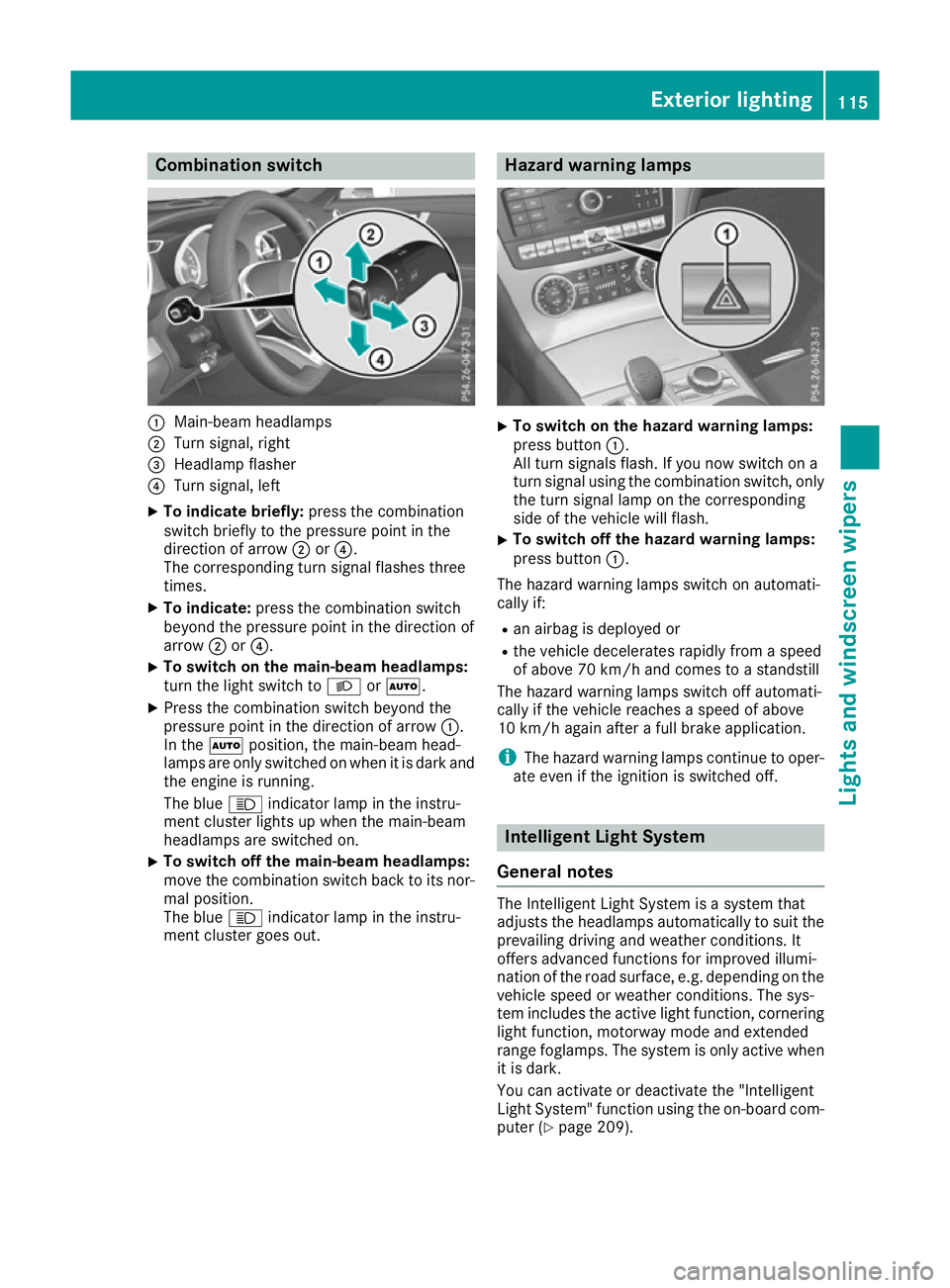
Combination switch
:
Main-beam headlamps
; Turn signal, right
= Headlamp flasher
? Turn signal, left
X To indicate briefly: press the combination
switch briefly to the pressure point in the
direction of arrow ;or?.
The corresponding turn signal flashes three
times.
X To indicate: press the combination switch
beyond the pressure point in the direction of
arrow ;or?.
X To switch on the main-beam headlamps:
turn the light switch to LorÃ.
X Press the combination switch beyond the
pressure point in the direction of arrow :.
In the Ãposition, the main-beam head-
lamps are only switched on when it is dark and the engine is running.
The blue Kindicator lamp in the instru-
ment cluster lights up when the main-beam
headlamps are switched on.
X To switch off the main-beam headlamps:
move the combination switch back to its nor- mal position.
The blue Kindicator lamp in the instru-
ment cluster goes out. Hazard warning lamps
X
To switch on the hazard warning lamps:
press button :.
All turn signals flash. If you now switch on a
turn signal using the combination switch, only the turn signal lamp on the corresponding
side of the vehicle will flash.
X To switch off the hazard warning lamps:
press button
:.
The hazard warning lamps switch on automati-
cally if:
R an airbag is deployed or
R the vehicle decelerates rapidly from a speed
of above 70 km/h and comes to a standstill
The hazard warning lamps switch off automati-
cally if the vehicle reaches a speed of above
10 km/h again after a full brake application.
i The hazard warning lamps continue to oper-
ate even if the ignition is switched off. Intelligent Light System
General notes The Intelligent Light System is a system that
adjusts the headlamps automatically to suit the
prevailing driving and weather conditions. It
offers advanced functions for improved illumi-
nation of the road surface, e.g. depending on the vehicle speed or weather conditions. The sys-
tem includes the active light function, corneringlight function, motorway mode and extended
range foglamps. The system is only active when it is dark.
You can activate or deactivate the "Intelligent
Light System" function using the on-board com-
puter (Y page 209). Exterior lighting
115Lights and windscreen wipers Z
Page 119 of 333
Active light function
The active light function is a system that moves
the headlamps according to the steering move-
ments of the front wheels. In this way, relevant
areas remain illuminated while you are driving.
This allows you to recognise pedestrians,
cyclists and animals.
Active: when the lights are switched on.
Vehicles with Lane Keeping Assist: the active
light function evaluates the course of the lane in which you are driving and adjusts the light in
advance.
Cornering light function The cornering light function improves the illu-
mination of the road over a wide angle in the
direction you are turning, enabling better visi-
bility in tight bends, for example. The cornering
light function can only be activated when the
dipped-beam headlamps are switched on.
Active:
R if you are driving at speeds below 40 km/h
and switch on the turn signal or turn the steer-
ing wheel
R if you are driving at speeds between 40 km/h
and 70 km/h and turn the steering wheel
The cornering light function may remain lit for a short time, but is automatically switched off
after no more than three minutes.
Cornering light function with roundabout
function:
The cornering light function is activated on both
sides before entering a roundabout through an
evaluation of the current GPS position of the
vehicle. It remains active until after the vehicle
has left the roundabout. In this way, pedestrians crossing the road, for example, are illuminated
by your vehicle in good time.
Motorway mode Motorway mode increases the range of the
beam.
Active:
R
if you are driving at speeds above 110 km/h
and do not make any large steering move-
ments for at least 1,000 m
R if you are driving at speeds above 130 km/h
Not active: if you are driving at speeds below
80 km/h following activation. Extended range foglamps The extended range foglamps reduce the glare
experienced by the driver and improve the illu-
mination of the edge of the carriageway.
Active: if you are driving at speeds below
70 km/h and you switch on the rear foglamp.
Not active: if, following activation, you are driv-
ing at speeds above 100 km/h or if you switch
off the rear foglamp. Adaptive Highbeam Assist Plus
General notes With Adaptive Highbeam Assist Plus, you can
automatically switch between dipped-beam,
partial main-beam and main-beam headlamps.
Partial main-beam illumination is a form of illu-
mination whereby the main beam is directed
past other road users. Other road users are kept
out of the main-beam. This prevents glare. If
there is a vehicle in front, for example, the main- beam headlamps illuminate the areas to its right
and left, and the vehicle in front is illuminated by
the dipped-beam headlamps.
The system automatically adapts the dipped-
beam headlamp range depending on the dis-
tance to the other vehicle. Once the system no
longer detects any other vehicles, it switches on the main-beam headlamps again.
If the main-beam or partial main-beam head-
lamps are causing too much reflection from traf- fic signs, the lights are automatically dimmed
and glare for the driver caused by the reflectionsis thus avoided.
The system's optical sensor is located behind
the windscreen near the overhead control
panel.
Vehicles with drive program S+(Sport Plus): the
speed at which Adaptive Highbeam Assist Plus
switches between full beam and dipped beam is
increased when the drive program is switched
on. 116
Exterior lightingLights and windscreen wipers
Page 120 of 333
Important safety notes
G
WARNING
Adaptive Highbeam Assist Plus does not rec-
ognise road users:
R who have no lights, e.g. pedestrians
R who have poor lighting, e.g. cyclists
R whose lighting is blocked, e.g. by a barrier
In very rare cases, Adaptive Highbeam Assist
Plus may not recognise road users who do
have lights, or may recognise them too late. In this, or in similar situations, the automatic
main-beam headlamps will not be deactivated
or will be activated despite the presence of
other road users. There is a risk of an acci-
dent.
Always carefully observe the traffic conditions and switch off the main-beam headlamps in
good time.
Adaptive Highbeam Assist Plus cannot take into
account road, weather or traffic conditions.
Adaptive Highbeam Assist Plus is only an aid.
You are responsible for adjusting the vehicle's
lighting to the prevailing light, visibility and traf-
fic conditions.
In particular, the detection of obstacles can be
restricted if there is:
R poor visibility, e.g. due to fog, heavy rain or
snow
R dirt on the sensors or if the sensors are
obscured
Switching Adaptive Highbeam Assist
Plus on/off X
To switch on: turn the light switch to Ã.
X Press the combination switch beyond the
pressure point in the direction of arrow :.
The _ indicator lamp in the multifunction
display lights up when it is dark and the light
sensor switches on the dipped-beam head-
lamps.
At speeds above approximately 25 km/h:
the headlamp range is automatically control-
led according to the distance to other road
users. At speeds above approximately 30 km/h:
R if no other road users are detected, the
main-beam headlamps are automatically
switched on
R if other road users are detected, the partial
main-beam headlamps are automatically
switched on
The K indicator lamp in the instrument
cluster also lights up.
At speeds below approximately 25 km/h or when there is sufficient street lighting:
R the partial main-beam headlamps are
switched off automatically
R the main-beam headlamps are switched off
automatically
The K indicator lamp in the instrument
cluster goes out. The _indicator lamp in
the multifunction display remains lit.
X To switch off: move the combination switch
back to its normal position or move the light
switch to another position.
The _ indicator lamp in the multifunction
display goes out. Interior lighting
Overview of interior lighting
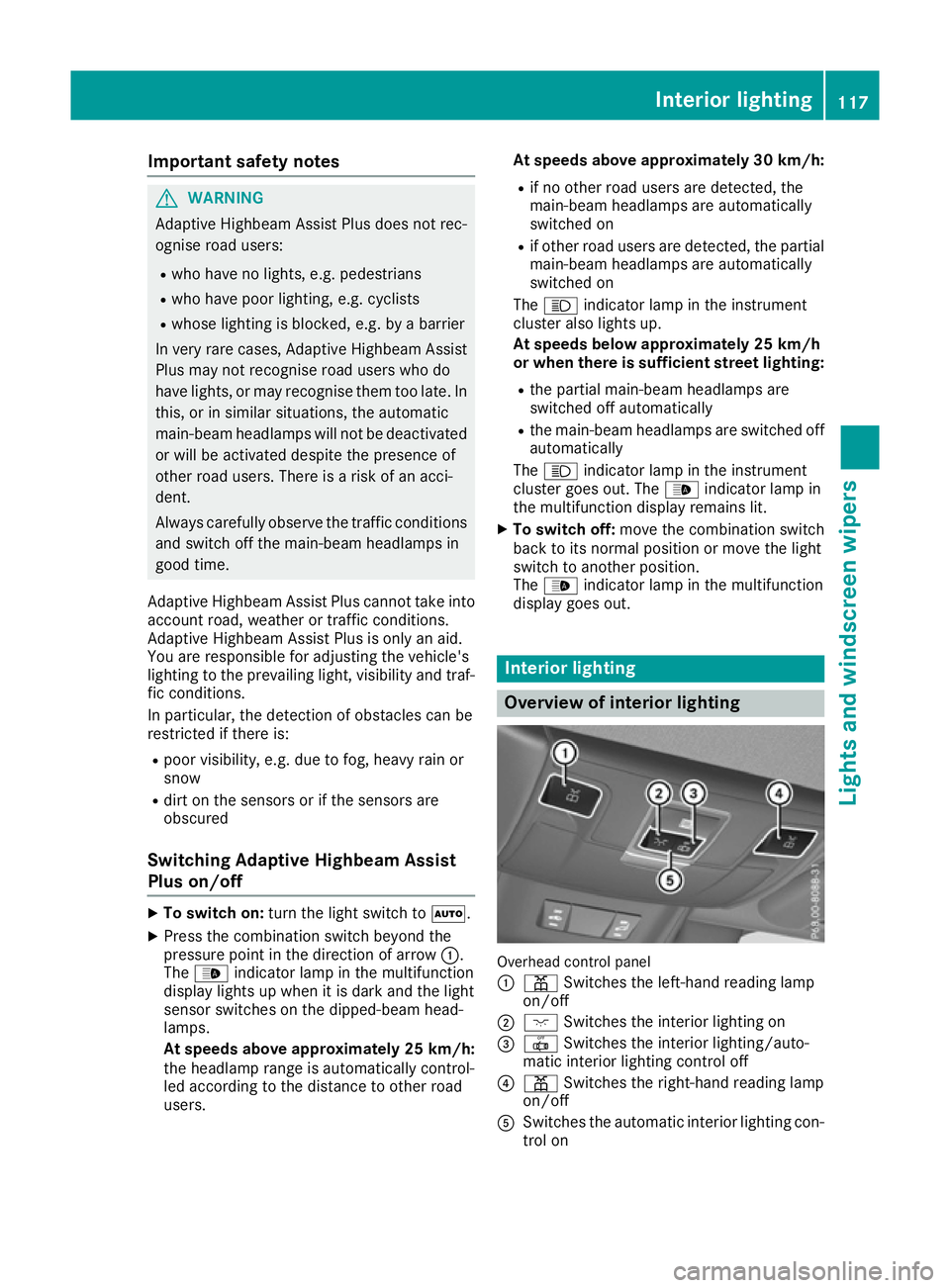
Overhead control panel
:
p Switches the left-hand reading lamp
on/off
; c Switches the interior lighting on
= | Switches the interior lighting/auto-
matic interior lighting control off
? p Switches the right-hand reading lamp
on/off
A Switches the automatic interior lighting con-
trol on Interior lighting
117Lights and windscreen wipers Z
Page 172 of 333
In a speed range from 0 - 60 km/h, Stop&Go
Pilot focuses on the vehicle in front, taking into
account lane markings, e.g. when following vehi-
cles in a traffic jam.
At speeds of more than 60 km/h, the Steering
Pilot focuses on detected lane markings (left
and right), only focusing on the vehicle in front if detected lane markings are not present at
speeds of up to 130 km/h.
If these conditions are not present, Steering
Pilot and Stop&Go Pilot cannot provide assis-
tance.
Distance Pilot DISTRONIC must be active in
order for the function to be available.
Important safety notes If you fail to adapt your driving style, Distance
Pilot DISTRONIC with Steering Pilot and
Stop&Go Pilot can neither reduce the risk of an
accident nor override the laws of physics. It can-
not take into account road, weather or traffic
conditions. Distance Pilot DISTRONIC with
Steering Pilot and Stop&Go Pilot is only an aid.
You are responsible for the distance to the vehi- cle in front, for vehicle speed, for braking in good
time and for staying in lane.
Distance Pilot DISTRONIC with Steering Pilot
and Stop&Go Pilot does not detect road and
traffic conditions and does not detect all road
users. If you are following a vehicle which is
driving towards the edge of the carriageway,
your vehicle could come into contact with the
kerb or other road boundaries. Be particularly
aware of other road users, e.g. cyclists, that are directly next to your vehicle.
Obstacles such as traffic pylons on the lane or
projecting into the lane are not detected.
An inappropriate steering intervention, e.g. after
intentionally driving over a lane marking, can be
corrected at any time if you steer slightly in the opposite direction.
Distance Pilot DISTRONIC with Steering Pilot
and Stop&Go Pilot cannot continuously keep
your vehicle in the lane. In some cases, the
steering intervention is not sufficient to bring
the vehicle back to the lane. In such cases, youmust steer the vehicle yourself to ensure that it
does not leave the lane. The support offered by the system may be
impaired if:
R
there is poor visibility, e.g. due to insufficient
illumination of the road, or due to snow, rain,fog or spray
R there is glare, e.g. from oncoming traffic, the
sun or reflection from other vehicles (e.g. if
the road surface is wet)
R the windscreen is dirty, misted up, damaged
or covered, for instance by a sticker, in the
vicinity of the camera
R there are no lane markings, or several unclear
lane markings are present, e.g. around con-
struction sites
R the lane markings are worn away, dark or cov-
ered up, e.g. by dirt or snow
R the distance to the vehicle in front is too short
and thus the lane markings cannot be detec-
ted
R the lane markings change quickly, e.g. lanes
branch off, cross one another or merge
R the road is narrow and winding
R there are highly variable shade conditions on
the road
The system is switched to passive and no longer assists you by performing steering interventions
if:
R you actively change lanes
R you switch on the turn signal
R you take your hands off the steering wheel or
do not steer for a prolonged period of time
i After you have finished changing lanes,
Steering Pilot and Stop&Go Pilot are auto-
matically active again.
Steering Pilot and Stop&Go Pilot cannot provide
assistance:
R on very sharp corners
R a loss of tyre pressure or a defective tyre has
been detected and displayed
Pay attention also to the important safety notes
on Distance Pilot DISTRONIC (Y page 162).
The steering interventions are carried out with a
limited steering moment. The system requires
the driver to keep his hands on the steering
wheel and to steer himself.
If you do not steer yourself or if you take your
hands off the steering wheel for a prolonged
period of time, the system will first alert you with a visual warning. A steering wheel symbol
appears in the multifunction display. If you have Driving systems
169Driving and parking Z