rear view mirror MERCEDES-BENZ SL ROADSTER 2016 Owners Manual
[x] Cancel search | Manufacturer: MERCEDES-BENZ, Model Year: 2016, Model line: SL ROADSTER, Model: MERCEDES-BENZ SL ROADSTER 2016Pages: 333, PDF Size: 11.85 MB
Page 9 of 333
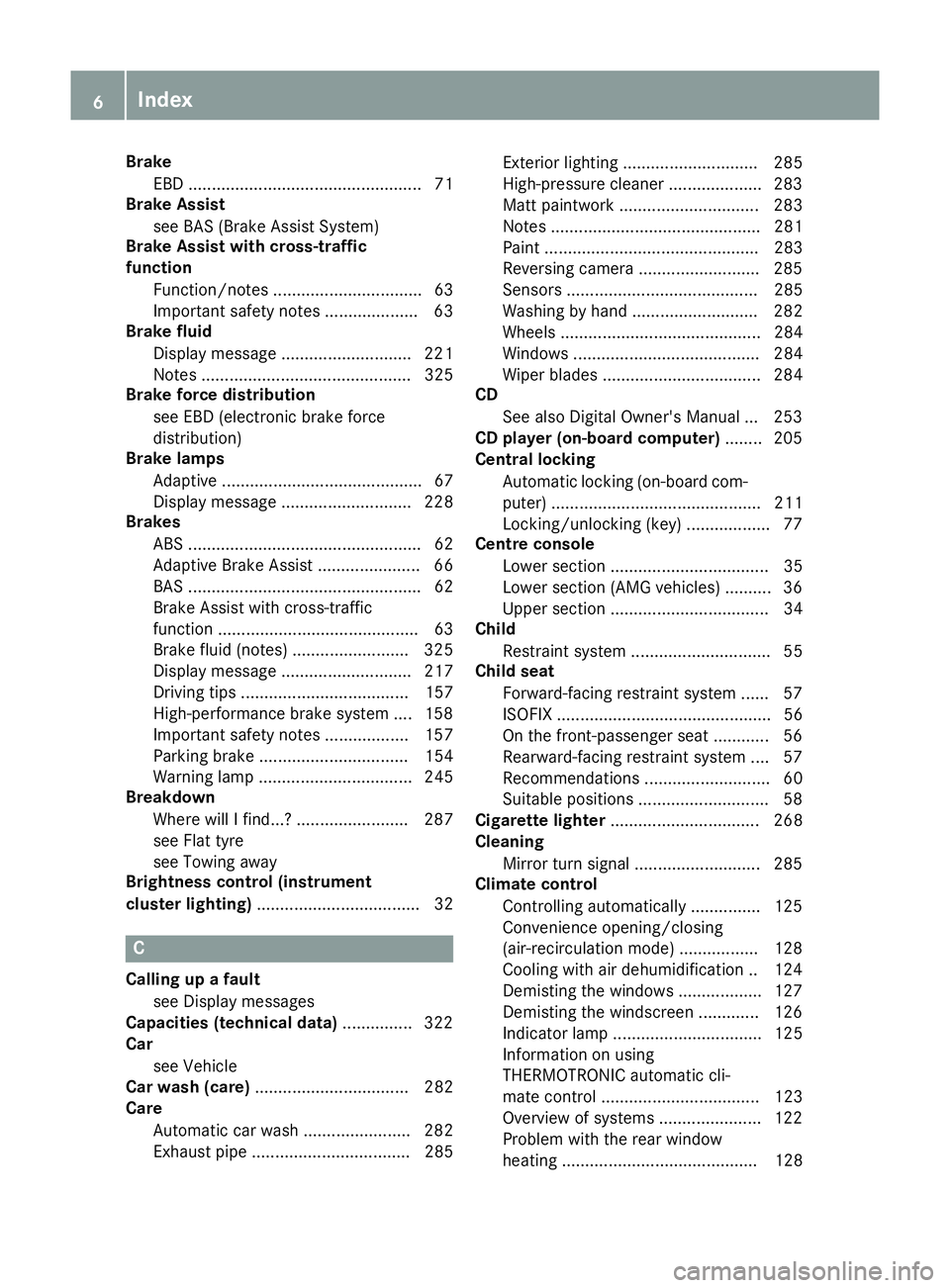
Brake
EBD .................................................. 71
Brake Assist
see BAS (Brake Assist System)
Brake Assist with cross-traffic
function
Function/note s................................ 63
Important safety notes .................... 63
Brake fluid
Display message ............................ 221
Notes ............................................. 325
Brake force distribution
see EBD (electronic brake force
distribution)
Brake lamps
Adaptive ........................................... 67
Display message ............................ 228
Brakes
ABS .................................................. 62
Adaptive Brake Assist ...................... 66
BAS .................................................. 62
Brake Assist with cross-traffic
function ........................................... 63
Brake fluid (notes) ......................... 325
Display message ............................ 217
Driving tips .................................... 157
High-performance brake system .... 158
Important safety notes .................. 157
Parking brake ................................ 154
Warning lamp ................................. 245
Breakdown
Where will I find...? ........................ 287
see Flat tyre
see Towing away
Brightness control (instrument
cluster lighting) ................................... 32 C
Calling up a fault see Display messages
Capacities (technical data) ............... 322
Car
see Vehicle
Car wash (care) ................................. 282
Care
Automatic car wash ....................... 282
Exhaust pipe .................................. 285 Exterior lighting ............................. 285
High-pressure cleaner .................... 283
Matt paintwork .............................. 283
Note s............................................. 281
Paint .............................................. 283
Reversing camera .......................... 285
Sensors ......................................... 285
Washing by hand ........................... 282
Wheels ........................................... 284
Windows ........................................ 284
Wiper blades .................................. 284
CD
See also Digital Owner's Manua l... 253
CD player (on-board computer) ........ 205
Central locking
Automatic locking (on-board com-puter) ............................................. 211
Locking/unlocking (key) .................. 77
Centre console
Lower section .................................. 35
Lower section (AMG vehicles) .......... 36
Upper section .................................. 34
Child
Restraint system .............................. 55
Child seat
Forward-facing restraint system ...... 57
ISOFIX .............................................. 56
On the front-passenger seat ............ 56
Rearward-facing restraint system .... 57
Recommendations ........................... 60
Suitable positions ............................ 58
Cigarette lighter ................................ 268
Cleaning
Mirror turn signal ........................... 285
Climate control
Controlling automaticall y............... 125
Convenience opening/closing
(air-recirculation mode) ................. 128
Cooling with air dehumidification .. 124
Demisting the windows .................. 127
Demisting the windscreen ............. 126
Indicator lamp ................................ 125
Information on using
THERMOTRONIC automatic cli-
mate control .................................. 123
Overview of systems ...................... 122
Problem with the rear window
heating .......................................... 128 6
Index
Page 14 of 333
Frequencies
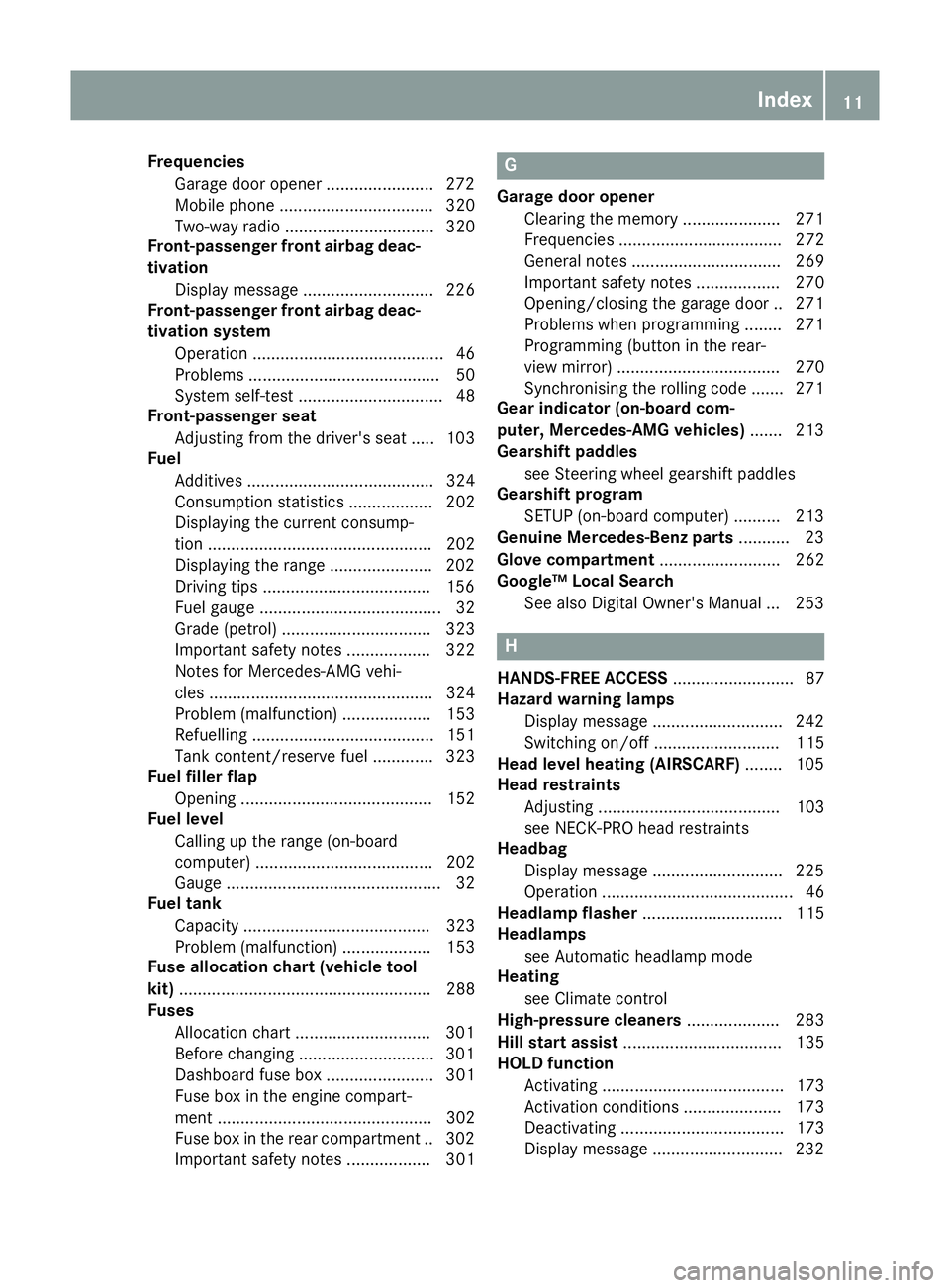
Garage door opener ...................... .272
Mobile phone ................................. 320
Two-way radio ................................ 320
Front-passenger front airbag deac-
tivation
Display message ............................ 226
Front-passenger front airbag deac-
tivation system
Operation ......................................... 46
Problems ......................................... 50
System self-test ............................... 48
Front-passenger seat
Adjusting from the driver's seat ..... 103
Fuel
Additives ........................................ 324
Consumption statistics .................. 202
Displaying the current consump-
tion ................................................ 202
Displaying the range ..................... .202
Driving tips ................................... .156
Fuel gauge ....................................... 32
Grade (petrol) ................................ 323
Important safety notes .................. 322
Notes for Mercedes‑AMG vehi-
cles ................................................ 324
Problem (malfunction) ................... 153
Refuelling ....................................... 151
Tank content/reserve fuel ............. 323
Fuel filler flap
Opening ......................................... 152
Fuel level
Calling up the range (on-board
computer) ...................................... 202
Gauge .............................................. 32
Fuel tank
Capacity ........................................ 323
Problem (malfunction) ................... 153
Fuse allocation chart (vehicle tool
kit) ...................................................... 288
Fuses
Allocation chart ............................ .301
Before changing ............................ .301
Dashboard fuse box ....................... 301
Fuse box in the engine compart-
ment .............................................. 302
Fuse box in the rear compartment .. 302
Important safety notes .................. 301 G
Garage door opener Clearing the memory ..................... 271
Frequencies ................................... 272
General notes ................................ 269
Important safety notes .................. 270
Opening/closing the garage door .. 271
Problems when programming ....... .271
Programming (button in the rear-
view mirror) ................................... 270
Synchronising the rolling code ....... 271
Gear indicator (on-board com-
puter, Mercedes-AMG vehicles) ....... 213
Gearshift paddles
see Steering wheel gearshift paddles
Gearshift program
SETUP (on-board computer) .......... 213
Genuine Mercedes-Benz parts ........... 23
Glove compartment .......................... 262
Google™ Local Search
See also Digital Owner's Manual ... 253 H
HANDS-FREE ACCESS .......................... 87
Hazard warning lamps
Display message ............................ 242
Switching on/off ........................... 115
Head level heating (AIRSCARF) ........105
Head restraints
Adjusting ....................................... 103
see NECK-PRO head restraints
Headbag
Display message ............................ 225
Operation ......................................... 46
Headlamp flasher .............................. 115
Headlamps
see Automatic headlamp mode
Heating
see Climate control
High-pressure cleaners .................... 283
Hill start assist .................................. 135
HOLD function
Activating ....................................... 173
Activation conditions ..................... 173
Deactivating ................................... 173
Display message ............................ 232 Index
11
Page 17 of 333
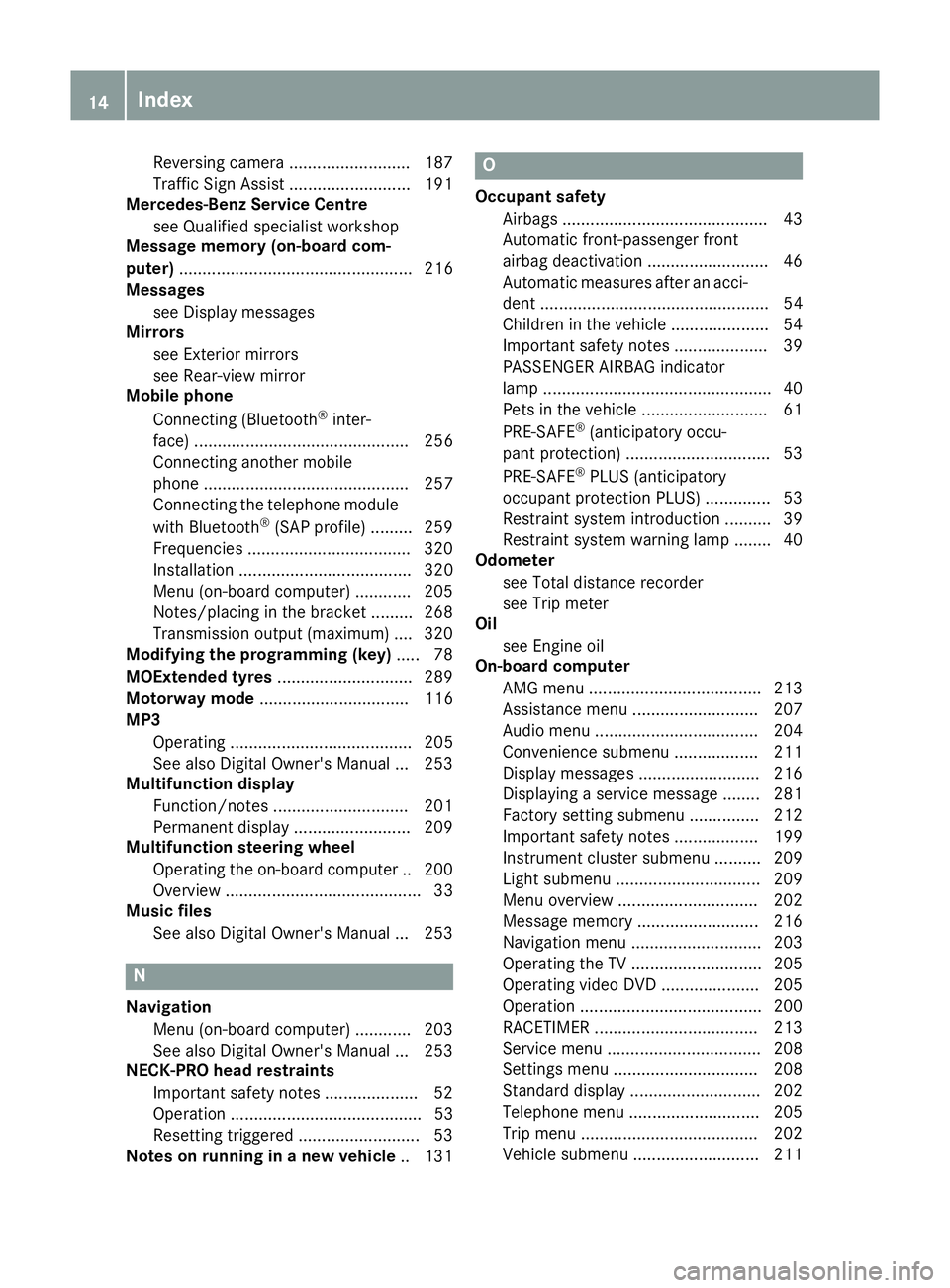
Reversing camera .......................... 187
Traffic Sign Assist .......................... 191
Mercedes-Benz Service Centre
see Qualified specialist workshop
Message memory (on-board com-
puter) .................................................. 216
Messages
see Display messages
Mirrors
see Exterior mirrors
see Rear-view mirror
Mobile phone
Connecting (Bluetooth ®
inter-
face) .............................................. 256
Connecting another mobile
phone ............................................ 257
Connecting the telephone module
with Bluetooth ®
(SAP profile ) ......... 259
Freq uencies .................................. .320
Installation ..................................... 320
Menu (on-board computer) ............ 205
Notes/placing in the bracket ......... 268
Transmission output (maximum) .... 320
Modifying the programming (key) ..... 78
MOExtended tyres .............................289
Motorway mode ................................ 116
MP3
Operating ....................................... 205
See also Digital Owner's Manual ... 253
Multifunction display
Function/notes ............................ .201
Permanent display ......................... 209
Multifunction steering wheel
Operating the on-board computer .. 200
Overview .......................................... 33
Music files
See also Digital Owner's Manual ... 253 N
Navigation Menu (on-board computer) ............ 203
See also Digital Owner's Manual ... 253
NECK-PRO head restraints
Important safety notes .................... 52
Operation ......................................... 53
Resetting triggered .......................... 53
Notes on running in a new vehicle .. 131 O
Occupant safety Airbags ............................................ 43
Automatic front-passenger front
airbag deactivatio n .......................... 46
Automatic measures after an acci-
dent ................................................. 54
Children in the vehicle ..................... 54
Important safety notes .................... 39
PASSENGER AIRBAG indicator
lamp ................................................. 40
Pets in the vehicle ........................... 61
PRE-SAFE ®
(anticipatory occu-
pant protection) ............................... 53
PRE-SAFE ®
PLUS (anticipatory
occupant protection PLUS) .............. 53
Restraint system introduction .......... 39
Restraint system warning lamp ....... .40
Odometer
see Total distance recorder
see Trip meter
Oil
see Engine oil
On-board computer
AMG menu .....................................2 13
Assistance menu ........................... 207
Audio menu ................................... 204
Convenience submenu .................. 211
Display messages .......................... 216
Displaying a service message ....... .281
Factory setting submenu .............. .212
Important safety notes .................. 199
Instrument cluster submenu .......... 209
Light submenu ............................... 209
Menu overview .............................. 202
Message memory .......................... 216
Navigation menu ............................ 203
Operating the TV ............................ 205
Operating video DVD ..................... 205
Operation ....................................... 200
RACETIMER ................................... 213
Service menu ................................. 208
Settings menu ............................... 208
Standard display ............................ 202
Telephone menu ............................ 205
Trip menu ...................................... 202
Vehicle submenu ........................... 211 14
Index
Page 19 of 333
R
RACE START important safety notes ................... 173
RACE START (Mercedes-AMG vehi-
cles) .................................................... 173
RACETIMER (on-board computer) .... 213
Radio
Selecting a station ......................... 204
see separate operating instructions
Radio mode
See also Digital Owner's Manua l... 253
Radio-based vehicle components
Declaration of conformity ................ 25
Reading lamp ..................................... 117
Rear foglamp
Display message ............................ 228
Switching on/of f........................... 114
Rear lamps
see Lights
Rear window heating
General notes ................................ 127
Problem (fault) ............................... 128
Switching on/of f........................... 127
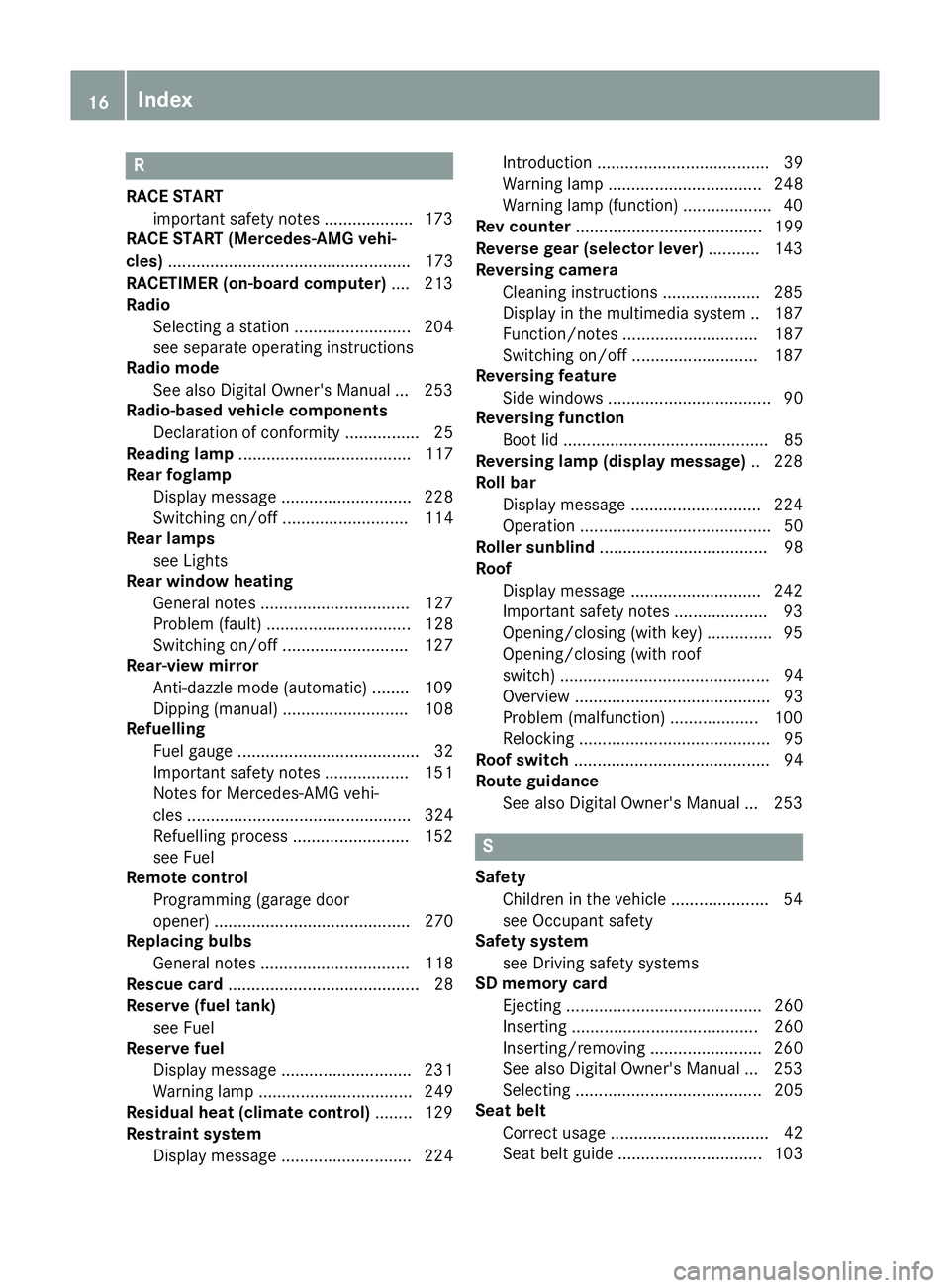
Rear-view mirror
Anti-dazzle mode (automatic) ........ 109
Dipping (manual) ........................... 108
Refuelling
Fuel gaug e....................................... 32
Important safety notes .................. 151
Notes for Mercedes‑AMG vehi-
cles ................................................ 324
Refuelling process ......................... 152
see Fuel
Remote control
Programming (garage door
opener) .......................................... 270
Replacing bulbs
General notes ................................ 118
Rescue card ......................................... 28
Reserve (fuel tank)
see Fuel
Reserve fuel
Display message ............................ 231
Warning lamp ................................. 249
Residual heat (climate control) ........ 129
Restraint system
Display message ............................ 224 Introduction ..................................... 39
Warning lamp ................................. 248
Warning lamp (function) ................... 40
Rev counter ........................................ 199
Reverse gear (selector lever) ........... 143
Reversing camera
Cleaning instructions ..................... 285
Display in the multimedia system .. 187
Function/note s............................. 187
Switching on/of f........................... 187
Reversing feature
Side windows ................................... 90
Reversing function
Boot lid ............................................ 85
Reversing lamp (display message) .. 228
Roll bar
Display message ............................ 224
Operation ......................................... 50
Roller sunblind .................................... 98
Roof
Display message ............................ 242
Important safety notes .................... 93
Opening/closing (with key) .............. 95
Opening/closing (with roof
switch) ............................................. 94
Overview .......................................... 93
Problem (malfunction) ................... 100
Relocking ......................................... 95
Roof switch .......................................... 94
Route guidance
See also Digital Owner's Manua l... 253 S
Safety Children in the vehicle ..................... 54
see Occupant safety
Safety system
see Driving safety systems
SD memory card
Ejecting .......................................... 260
Inserting ........................................ 260
Inserting/removing ........................ 260
See also Digital Owner's Manua l... 253
Selecting ........................................ 205
Seat belt
Correct usage .................................. 42
Seat belt guide ............................... 103 16
Index
Page 40 of 333
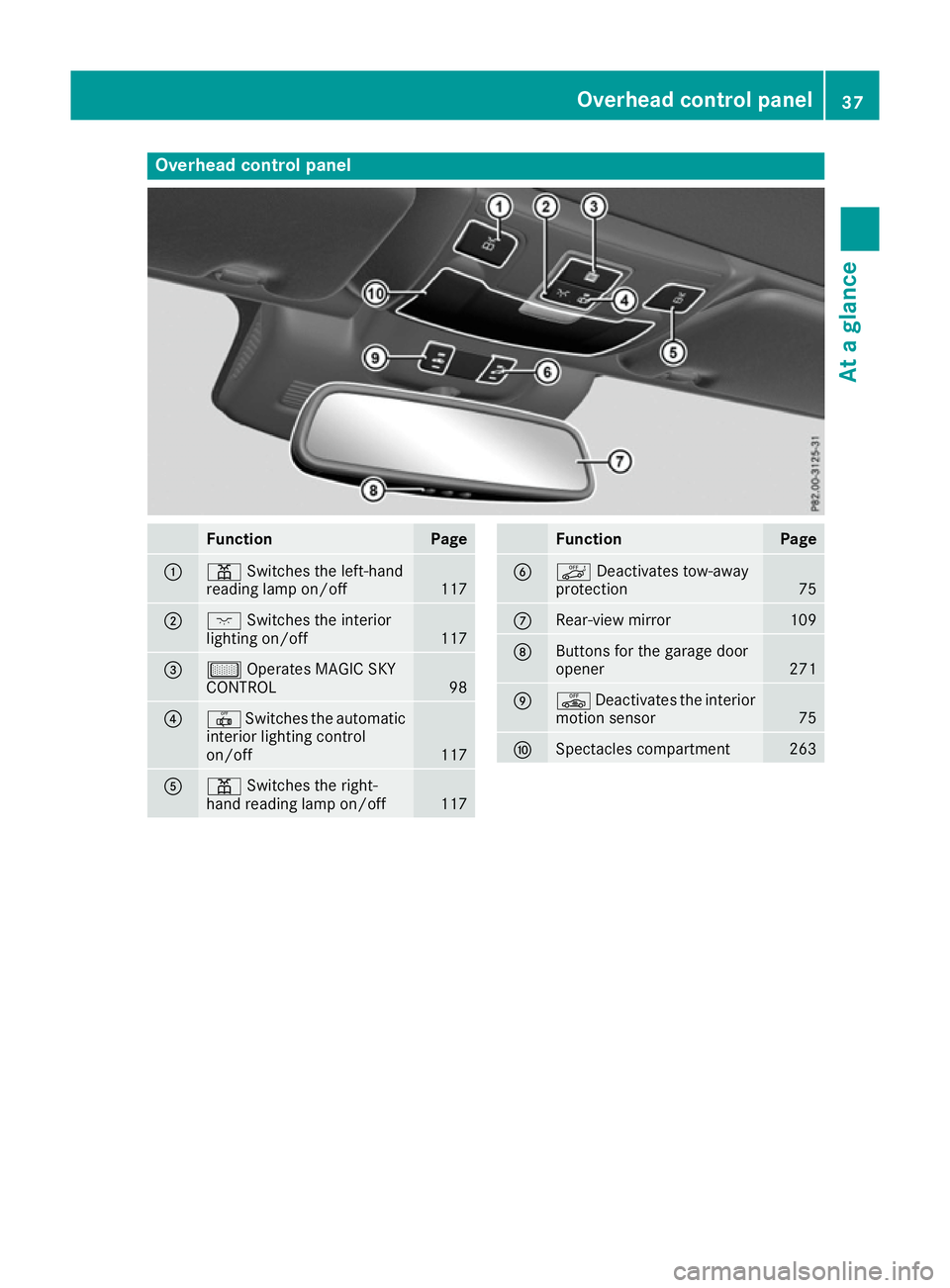
Overhead control panel
Function Page
:
p
Switches the left-hand
reading lamp on/off 117
;
c
Switches the interior
lighting on/off 117
=
µ
Operates MAGIC SKY
CONTROL 98
?
|
Switches the automatic
interior lighting control
on/off 117
A
p
Switches the right-
hand reading lamp on/off 117 Function Page
B
ë
Deactivates tow-away
protection 75
C
Rear-view mirror 109
D
Buttons for the garage door
opener
271
E
ê
Deactivates the interior
motion sensor 75
F
Spectacles compartment 263Overhead control panel
37At a glance
Page 104 of 333
Correct driver's seat position
G
WARNING
You could lose control of the vehicle while
driving if you:
R adjust the driver's seat, steering wheel or
mirrors
R fasten the seat belt
There is a risk of an accident.
Adjust the driver's seat, head restraint, steer-
ing wheel and mirrors and fasten your seat
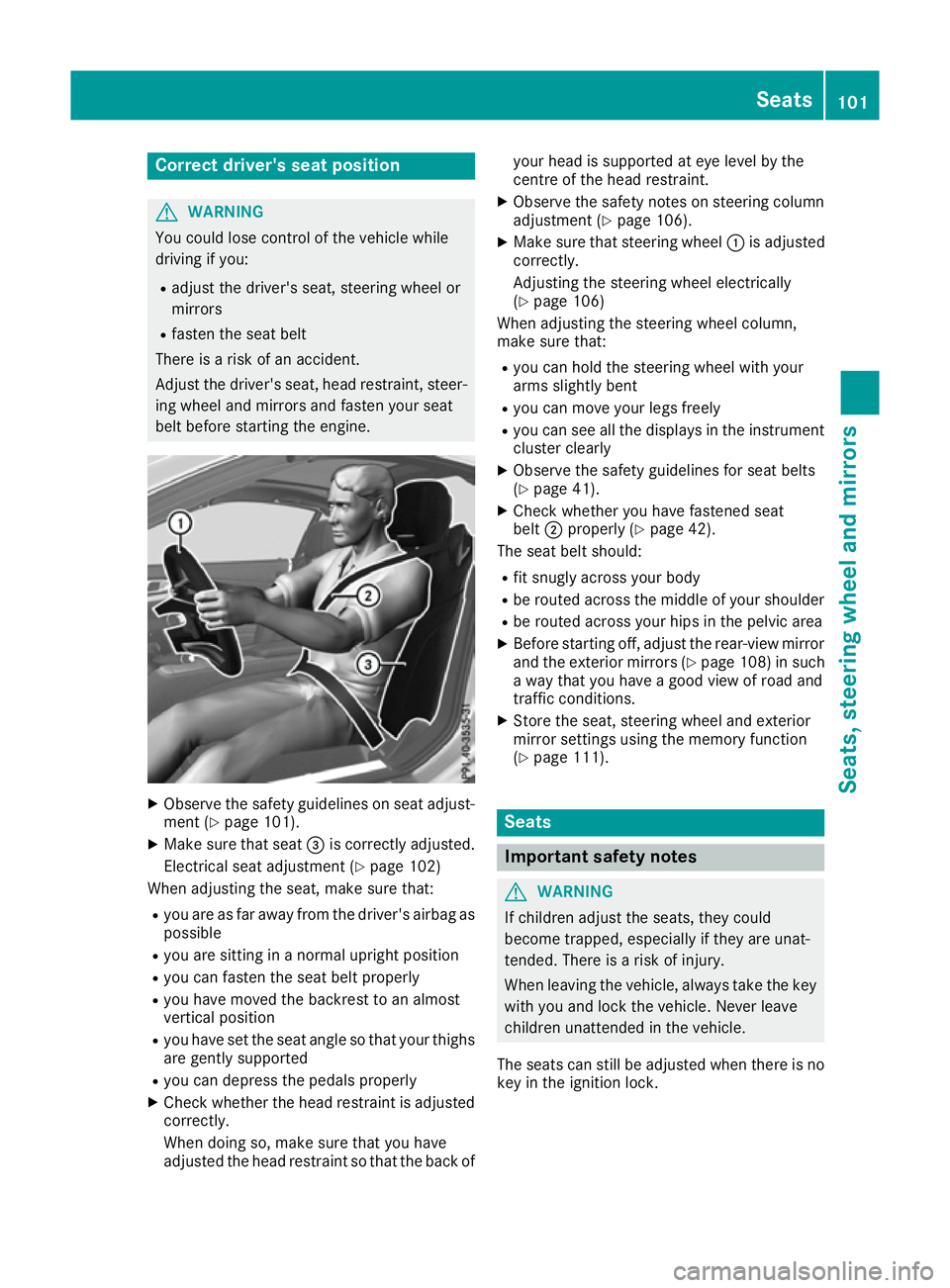
belt before starting the engine. X
Observe the safety guidelines on seat adjust-
ment (Y page 101).
X Make sure that seat =is correctly adjusted.
Electrical seat adjustment (Y page 102)
When adjusting the seat, make sure that:
R you are as far away from the driver's airbag as
possible
R you are sitting in a normal upright position
R you can fasten the seat belt properly
R you have moved the backrest to an almost
vertical position
R you have set the seat angle so that your thighs
are gently supported
R you can depress the pedals properly
X Check whether the head restraint is adjusted
correctly.
When doing so, make sure that you have
adjusted the head restraint so that the back of your head is supported at eye level by the
centre of the head restraint.
X Observe the safety notes on steering column
adjustment (Y page 106).
X Make sure that steering wheel :is adjusted
correctly.
Adjusting the steering wheel electrically
(Y page 106)
When adjusting the steering wheel column,
make sure that:
R you can hold the steering wheel with your
arms slightly bent
R you can move your legs freely
R you can see all the displays in the instrument
cluster clearly
X Observe the safety guidelines for seat belts
(Y page 41).
X Check whether you have fastened seat
belt ;properly (Y page 42).
The seat belt should:
R fit snugly across your body
R be routed across the middle of your shoulder
R be routed across your hips in the pelvic area
X Before starting off, adjust the rear-view mirror
and the exterior mirrors (Y page 108) in such
a way that you have a good view of road and
traffic conditions.
X Store the seat, steering wheel and exterior
mirror settings using the memory function
(Y page 111). Seats
Important safety notes
G
WARNING
If children adjust the seats, they could
become trapped, especially if they are unat-
tended. There is a risk of injury.
When leaving the vehicle, always take the key with you and lock the vehicle. Never leave
children unattended in the vehicle.
The seats can still be adjusted when there is no
key in the ignition lock. Seats
101Seats, steering wheel and mirrors Z
Page 111 of 333
Crash-responsive EASY-EXIT feature
If the crash-responsive EASY-EXIT feature is trig-
gered in an accident, the steering column will
move upwards when the driver's door is opened.
This occurs irrespective of the position of the
key in the ignition lock. This makes it easier to
exit the vehicle and rescue the occupants.
The crash-responsive EASY-EXIT feature is only
operational if the EASY-EXIT/ENTRY feature is
activated in the on-board computer
(Y page 211). Mirrors
Rear-view mirror
X
Anti-dazzle mode: move anti-dazzle lever :
forwards or back. Exterior mirrors
Adjusting the exterior mirrors G
WARNING
You could lose control of the vehicle while
driving if you:
R adjust the driver's seat, steering wheel or
mirrors
R fasten the seat belt
There is a risk of an accident.
Adjust the driver's seat, head restraint, steer-
ing wheel and mirrors and fasten your seat
belt before starting the engine. G
WARNING
The exterior mirrors reduce the size of the
image. Objects visible in the mirrors are
closer than they appear. You could misjudge
the distance from road users driving behind
you when changing lanes, for instance. There is a risk of an accident.
You should therefore always look over your
shoulder to determine the actual distance
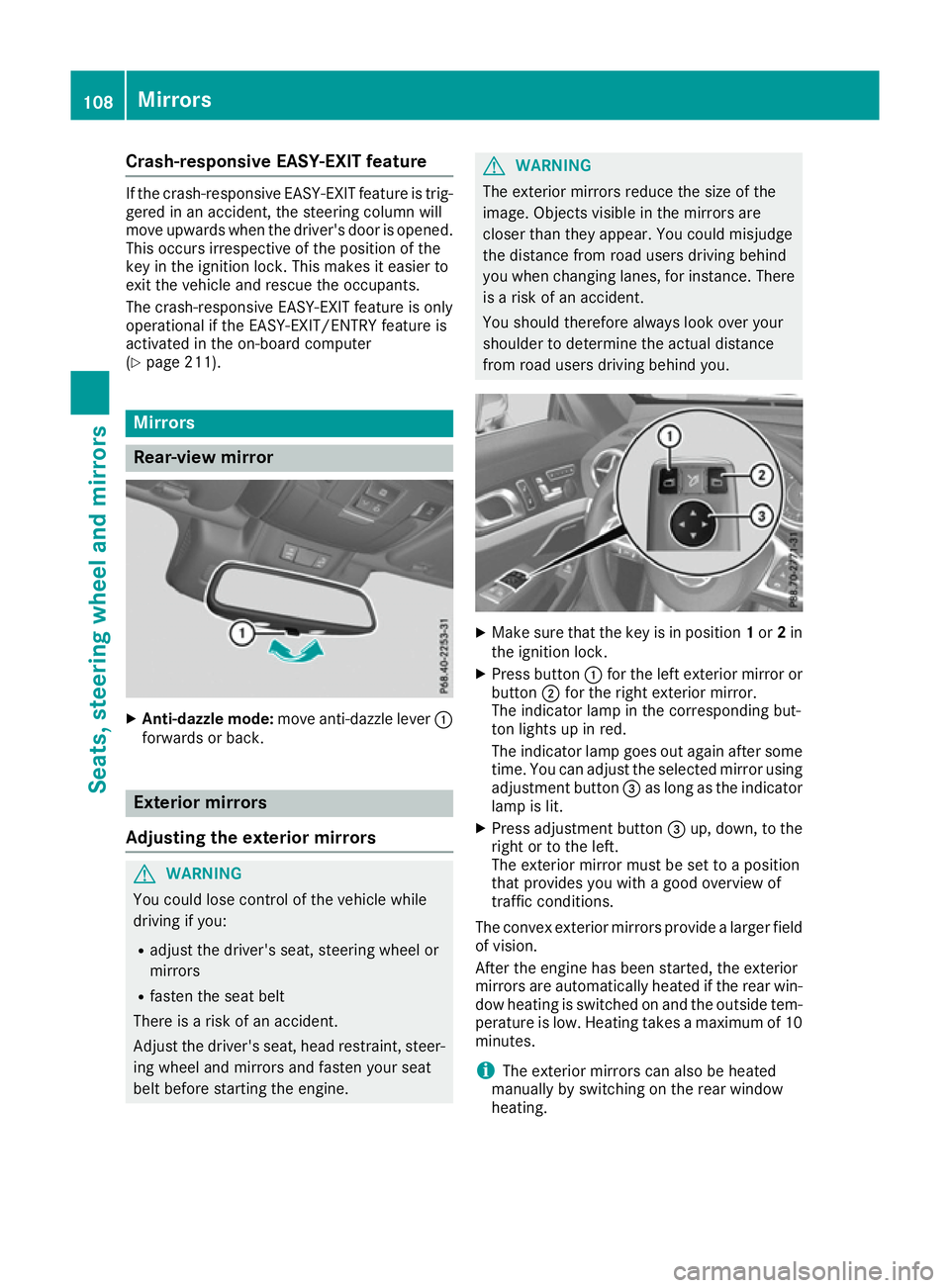
from road users driving behind you. X
Make sure that the key is in position 1or 2in
the ignition lock.
X Press button :for the left exterior mirror or
button ;for the right exterior mirror.
The indicator lamp in the corresponding but-
ton lights up in red.
The indicator lamp goes out again after some
time. You can adjust the selected mirror using
adjustment button =as long as the indicator
lamp is lit.
X Press adjustment button =up, down, to the
right or to the left.
The exterior mirror must be set to a position
that provides you with a good overview of
traffic conditions.
The convex exterior mirrors provide a larger field of vision.
After the engine has been started, the exterior
mirrors are automatically heated if the rear win- dow heating is switched on and the outside tem-
perature is low. Heating takes a maximum of 10 minutes.
i The exterior mirrors can also be heated
manually by switching on the rear window
heating. 108
MirrorsSeats, steering wheel and
mirrors
Page 113 of 333
R
if electrolyte comes into contact with skin
or eyes or is swallowed, seek medical atten-
tion immediately.
R immediately change out of clothing that has
been in contact with electrolyte.
R if an allergic reaction occurs, seek medical
attention immediately.
The rear-view mirror and the exterior mirror on
the driver's side automatically go into anti-daz-
zle mode if the following conditions are met
simultaneously:
R the ignition is switched on and
R incident light from headlamps strikes the sen-
sor in the rear-view mirror
The mirrors do not dip if reverse gear is engaged or if the interior lighting is switched on. Parking position of the exterior mirror
on the front-passenger side
Setting and storing the parking position Using reverse gear
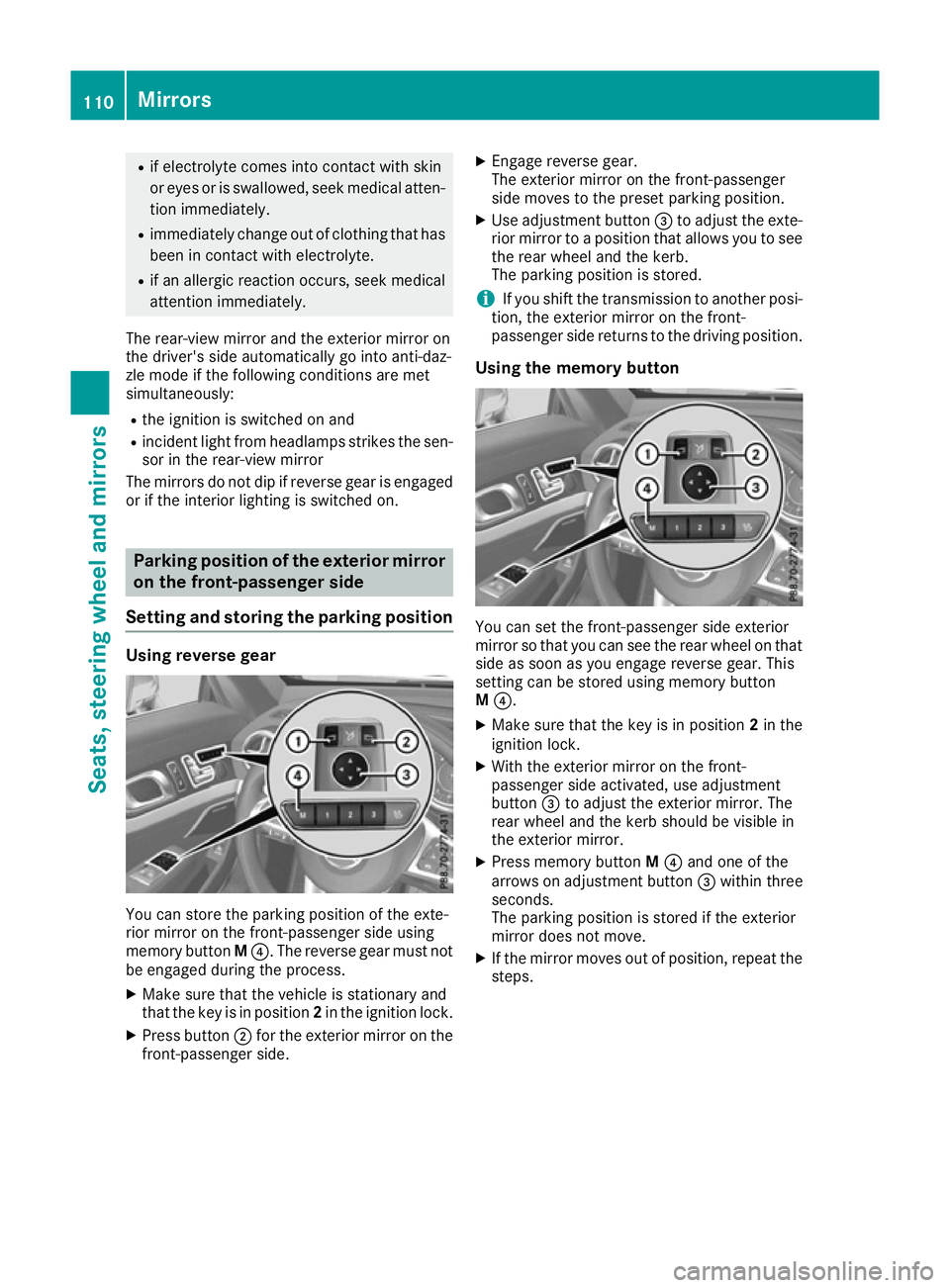
You can store the parking position of the exte-
rior mirror on the front-passenger side using
memory button M?. The reverse gear must not
be engaged during the process.
X Make sure that the vehicle is stationary and
that the key is in position 2in the ignition lock.
X Press button ;for the exterior mirror on the
front-passenger side. X
Engage reverse gear.
The exterior mirror on the front-passenger
side moves to the preset parking position.
X Use adjustment button =to adjust the exte-
rior mirror to a position that allows you to see
the rear wheel and the kerb.
The parking position is stored.
i If you shift the transmission to another posi-
tion, the exterior mirror on the front-
passenger side returns to the driving position.
Using the memory button You can set the front-passenger side exterior
mirror so that you can see the rear wheel on that side as soon as you engage reverse gear. This
setting can be stored using memory button
M ?.
X Make sure that the key is in position 2in the
ignition lock.
X With the exterior mirror on the front-
passenger side activated, use adjustment
button =to adjust the exterior mirror. The
rear wheel and the kerb should be visible in
the exterior mirror.
X Press memory button M? and one of the
arrows on adjustment button =within three
seconds.
The parking position is stored if the exterior
mirror does not move.
X If the mirror moves out of position, repeat the
steps. 110
MirrorsSeats, steering wheel and mirrors
Page 190 of 333
When Active Parking Assist is cancelled, you
must steer again yourself. Reversing camera
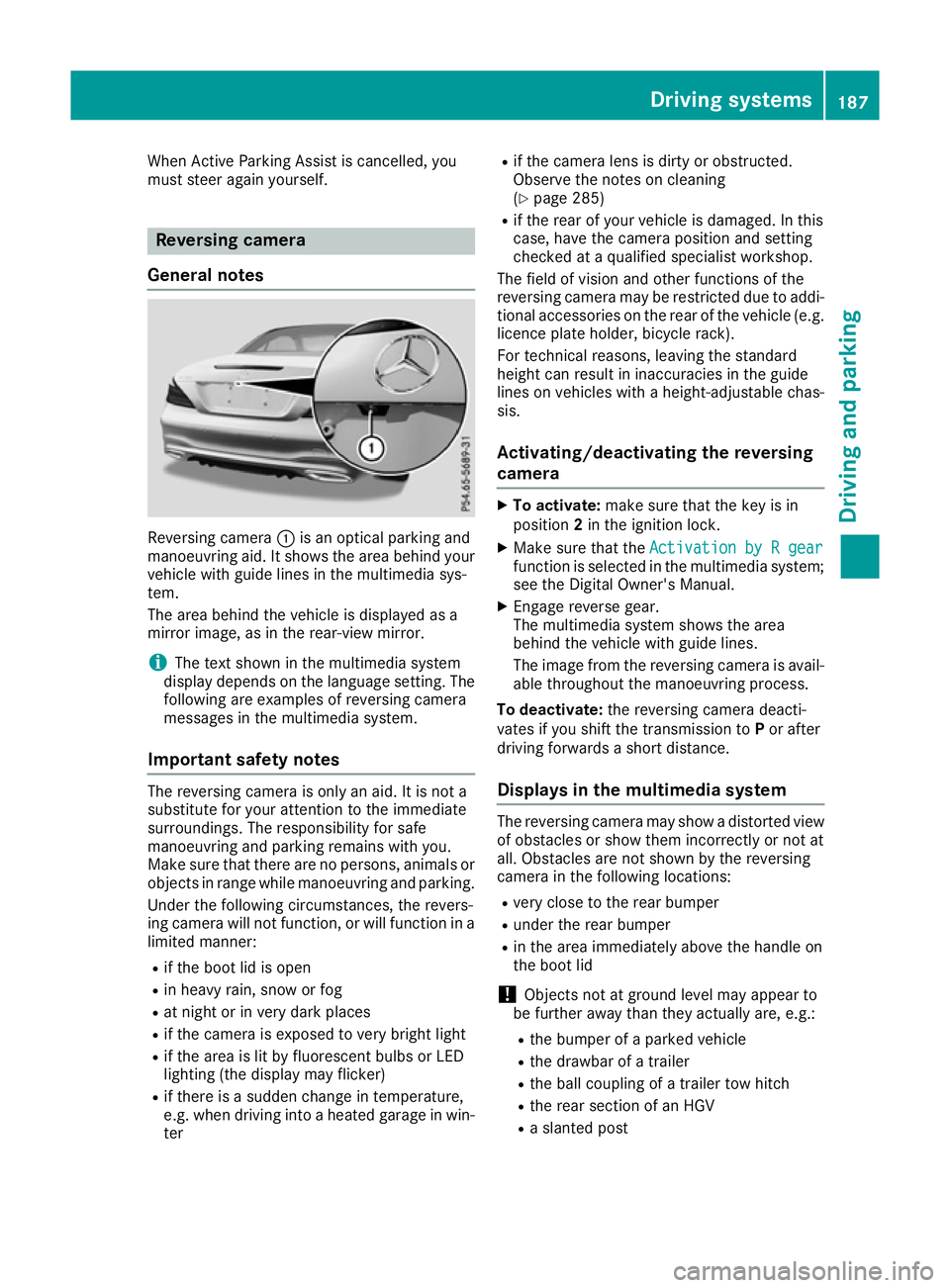
General notes Reversing camera
:is an optical parking and
manoeuvring aid. It shows the area behind your vehicle with guide lines in the multimedia sys-
tem.
The area behind the vehicle is displayed as a
mirror image, as in the rear-view mirror.
i The text shown in the multimedia system
display depends on the language setting. The following are examples of reversing camera
messages in the multimedia system.
Important safety notes The reversing camera is only an aid. It is not a
substitute for your attention to the immediate
surroundings. The responsibility for safe
manoeuvring and parking remains with you.
Make sure that there are no persons, animals or objects in range while manoeuvring and parking.
Under the following circumstances, the revers-
ing camera will not function, or will function in a limited manner:
R if the boot lid is open
R in heavy rain, snow or fog
R at night or in very dark places
R if the camera is exposed to very bright light
R if the area is lit by fluorescent bulbs or LED
lighting (the display may flicker)
R if there is a sudden change in temperature,
e.g. when driving into a heated garage in win- ter R
if the camera lens is dirty or obstructed.
Observe the notes on cleaning
(Y page 285)
R if the rear of your vehicle is damaged. In this
case, have the camera position and setting
checked at a qualified specialist workshop.
The field of vision and other functions of the
reversing camera may be restricted due to addi-
tional accessories on the rear of the vehicle (e.g. licence plate holder, bicycle rack).
For technical reasons, leaving the standard
height can result in inaccuracies in the guide
lines on vehicles with a height-adjustable chas-
sis.
Activating/deactivating the reversing
camera X
To activate: make sure that the key is in
position 2in the ignition lock.
X Make sure that the Activation by R gear Activation by R gear
function is selected in the multimedia system; see the Digital Owner's Manual.
X Engage reverse gear.
The multimedia system shows the area
behind the vehicle with guide lines.
The image from the reversing camera is avail-
able throughout the manoeuvring process.
To deactivate: the reversing camera deacti-
vates if you shift the transmission to Por after
driving forwards a short distance.
Displays in the multimedia system The reversing camera may show a distorted view
of obstacles or show them incorrectly or not at
all. Obstacles are not shown by the reversing
camera in the following locations:
R very close to the rear bumper
R under the rear bumper
R in the area immediately above the handle on
the boot lid
! Objects not at ground level may appear to
be further away than they actually are, e.g.:
R the bumper of a parked vehicle
R the drawbar of a trailer
R the ball coupling of a trailer tow hitch
R the rear section of an HGV
R a slanted post Driving systems
187Driving and parking Z
Page 272 of 333
cause you to lose control of the vehicle. There
is a risk of an accident.
Use this device only when the vehicle is sta-
tionary.
i You must observe the legal requirements for
the country in which you are currently driving
when operating mobile communications
equipment in the vehicle.
If it is permitted by law to operate communi-
cations equipment while the vehicle is in
motion, you may only do so if the traffic sit-
uation permits. You may otherwise be dis-
tracted from the traffic conditions, cause an
accident and injure yourself and others.
Excessive levels of electromagnetic radiation
may cause damage to your health and to the
health of others. The use of an exterior aerial
takes into consideration the scientific discus-
sion surrounding the possible health risk posed
by electromagnetic fields.
Mercedes-Benz recommends the use of an
approved exterior aerial. This ensures:
R optimal mobile phone reception quality in the
vehicle
R that mutual interference between the vehicle
electronics and mobile phones is minimised
An exterior aerial has the following advantages:
R it conducts the electromagnetic fields gener-
ated by a wireless device to the exterior
R the field strength in the vehicle interior is
lower than in a vehicle that does not have an
exterior aerial
Information on retrofitting two-way radios and
mobile phones (RF transmitters) (Y page 320).
General notes There are various mobile phone brackets that
may be fitted in your vehicle; in some cases,
these are country-specific.
You can connect a Bluetooth ®
-capable mobile
phone with COMAND Online through the Blue-
tooth ®
interface. This also applies if your vehicle
is equipped with convenience telephony. More information on suitable mobile phones,
mobile phone brackets and on connecting Blue-
tooth ®
-capable mobile phones with COMAND
Online can be obtained:
R at your Mercedes-Benz Service Centre
R on the Internet at https://www.mercedes-
benz.com/de/mercedes-me/
konnektivitaet/
i The functions and services available when
you use the phone depend on your mobile
phone model and service provider.
Using a mobile phone If the mobile phone is inserted in the mobile
phone bracket, the mobile phone will be
charged and connected with the exterior aerial.
X Open the telephone compartment
(Y page 262).
X Place the mobile phone bracket into the pre-
installed fitting; see the separate installation
instructions for the mobile phone fitting.
X Insert the mobile phone into the mobile phone
bracket; see the separate installation instruc-
tions for the mobile phone fitting.
Operating the mobile phone You can operate the telephone using the
6
and ~ buttons on the multifunction steering
wheel. You can operate other mobile phone
functions via the on-board computer
(Y page 205).
When you remove the key from the ignition lock,
the mobile phone is disconnected from the
hands-free system. Active calls will first be
transferred to the mobile phone directly. Garage door opener
General notes The HomeLink
®
garage door opener integrated
in the rear-view mirror allows you to operate up
to three different door and gate systems.
Once programmed, the integrated garage door
opener in the rear-view mirror will assume the
function of the garage door system's remote
control. Please also read the operating instruc-
tions for the garage door system. Features
269Stowing and features Z