change time MERCEDES-BENZ SLC 2017 User Guide
[x] Cancel search | Manufacturer: MERCEDES-BENZ, Model Year: 2017, Model line: SLC, Model: MERCEDES-BENZ SLC 2017Pages: 294, PDF Size: 9.12 MB
Page 147 of 294
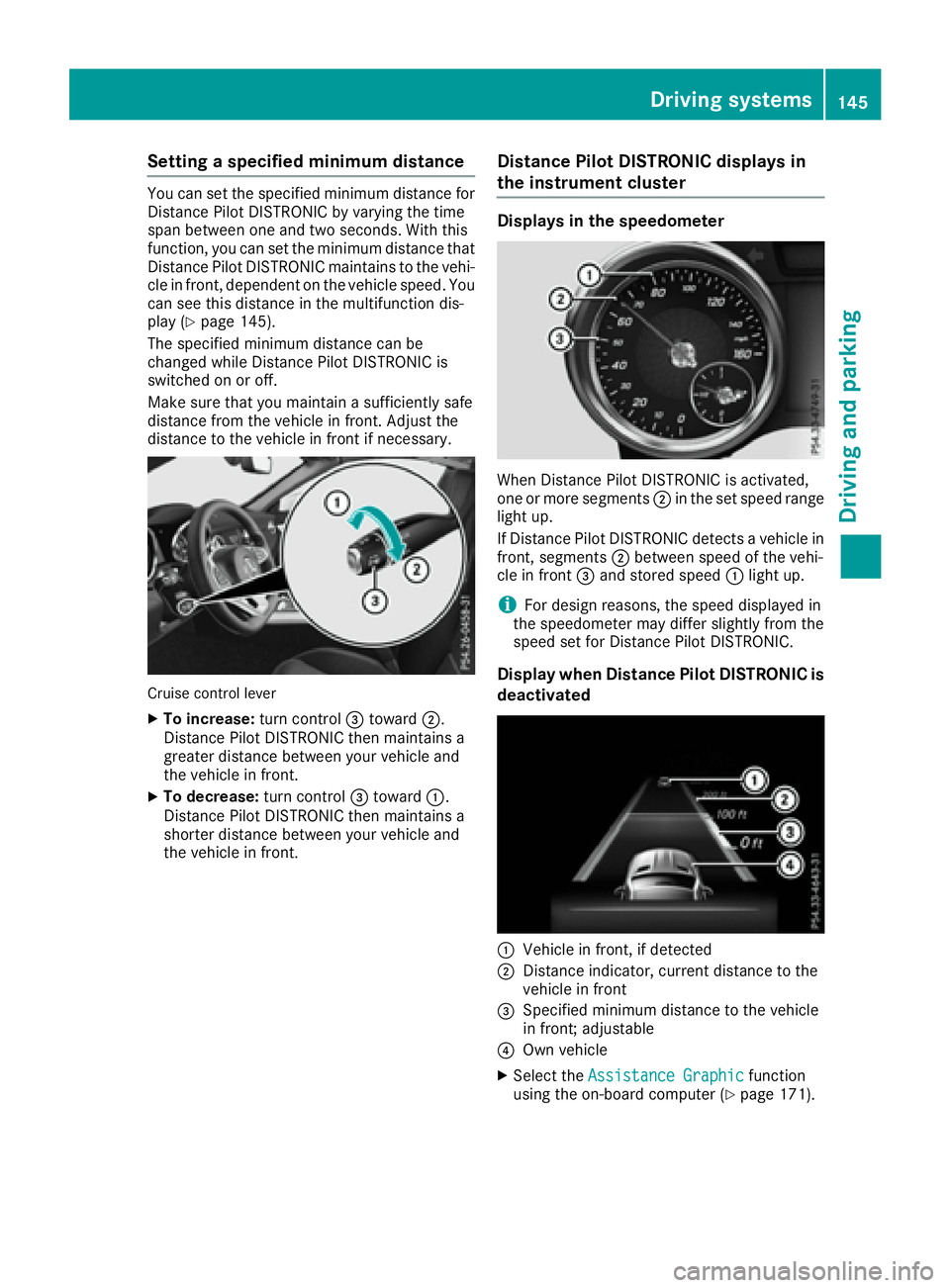
Setting as pecified minimum distanceYou can set the specified minimum distance for
Distanc eP ilot DISTRONIC by varying the time
span between one and two seconds. With this
function, you can set the minimum distance that
Distanc eP ilot DISTRONIC maintains to the vehi-
cle in front ,d ependent on the vehicle speed. You
can see this distance in the multifunction dis-
play ( Y
page 145).
The specified minimum distance can be
changed while Distanc eP ilot DISTRONIC is
switched on or off.
Make sure that you maintain as ufficiently safe
distance from the vehicle in front .A djust the
distance to the vehicle in front if necessary.
Cruise control lever X
To increase: turn control
Page 156 of 294
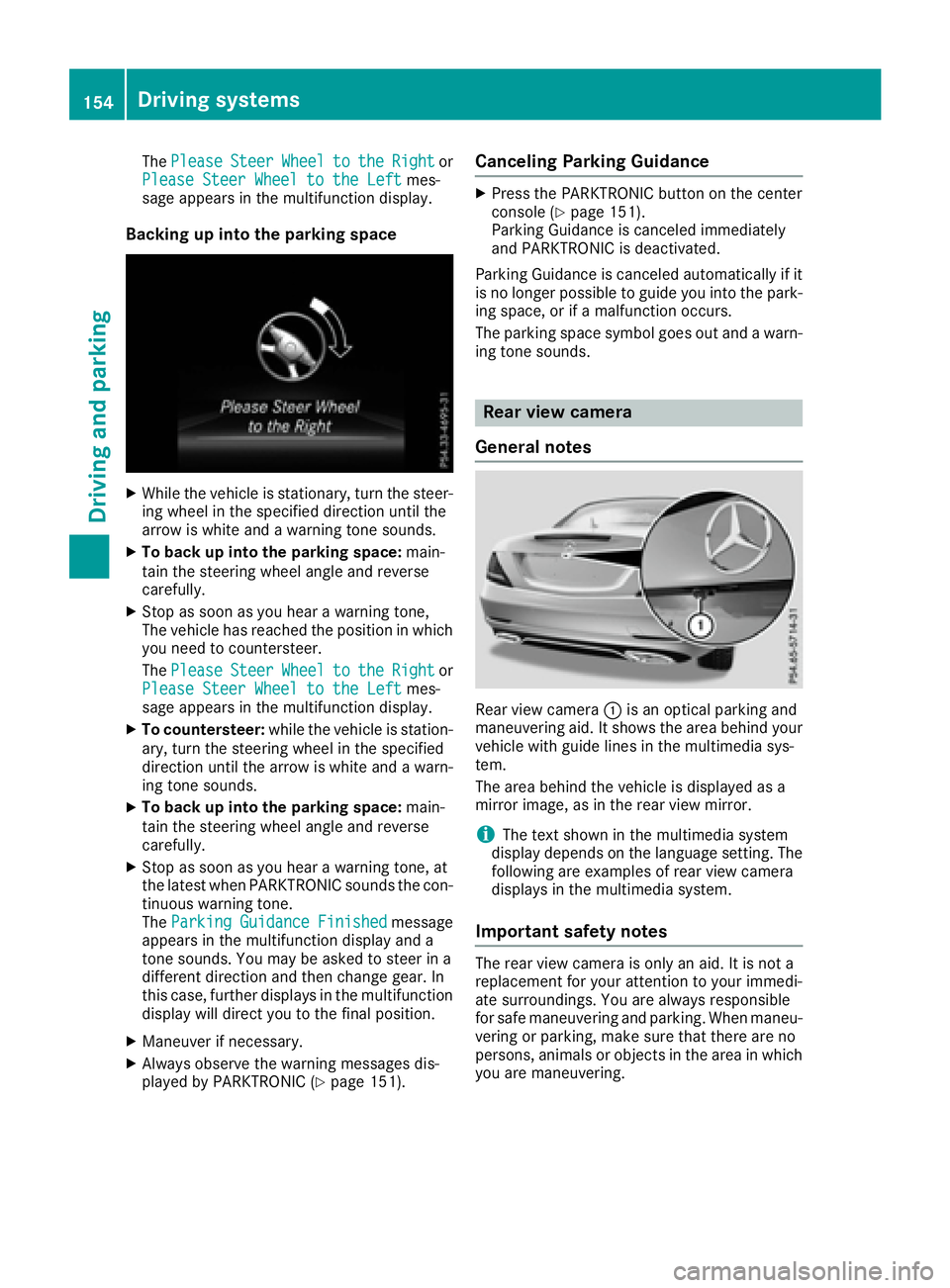
The Please Steer Wheel to the Right or
Please Steer Wheel to the Left mes-
sage appears in the multifunction display.
Backing up into the parking space X
While the vehicle is stationary, turn the steer-
ing wheel in the specified direction until the
arrow is white and aw arning ton es ounds.X
To back up into the parking space: main-
tain the steerin gw heel angle and reverse
carefully. X
Stop as soon as you hear aw arning tone,
The vehicle has reached the position in which
you need to countersteer.
The Please Steer Wheel to the Right or
Please Steer Wheel to the Left mes-
sage appears in the multifunction display. X
To countersteer: while the vehicle is station-
ary, turn the steerin gw heel in the specified
direction until the arrow is white and aw arn-
ing ton es ounds.X
To back up into the parking space: main-
tain the steerin gw heel angle and reverse
carefully. X
Stop as soon as you hear aw arning tone, at
the latest when PARKTRONIC sounds the con-
tinuous warning tone.
The Parking Guidance Finished message
appears in the multifunction display and a
ton es ounds. You may be asked to steer in a
different direction and then change gear. In
this case, further display sint he multifunction
display will direct you to the final position. X
Maneuver if necessary. X
Always observe the warning messages dis-
played by PARKTRONIC ( Y
page 151). Canceling Parking Guidance X
Press the PARKTRONIC button on the center
console ( Y
page 151).
Parking Guidance is canceled immediately
and PARKTRONIC is deactivated.
Parking Guidance is canceled automatically if it
is no longer possible to guide you into the park-
ing space, or if am alfunction occurs.
The parking space symbol goes out and aw arn-
ing ton es ounds.
Rear view camera
General notes
Rear view camera C is an optical parking and
maneuvering aid. It shows the area behind your
vehicle with guide lines in the multimedia sys-
tem.
The area behind the vehicle is displayed as a
mirror image, as in the rear view mirror.
i The text shown in the multimedia system
display depends on the language setting. The
following are examples of rear view camera
display sint he multimedia system.
Important safety notes The rear view camera is only an aid. It is not a
replacement for your attention to your immedi-
ate surroundings. You are alway sr esponsible
for safe maneuvering and parking. When maneu-
vering or parking, make sure that there are no
persons, animals or object sint he area in which
you are maneuvering.154
Driving systems
Driving and parking
Page 157 of 294
Under the following circumstances, the rear
view camera will not function, or will function in
al imited manner: R
if the trunk lid is open R
in heavy rain, snow or fog R
at night or in very dark places R
if the camera is exposed to very bright light R
if the area is lit by fluorescent bulb sorL ED
lighting (the displa ym ay flicker)R
if there is as udden change in temperature,
e.g. when driving into ah eated garage in win-
ter R
if the camera lens is dirty or obstructed
Observe the notes on cleaning
( Y
page 240) R
if the rear of your vehicle is damaged. In this
event, have the camera position and setting
checked at aq ualified specialist workshop
The field of vision and other functions of the rear
view camera may be restricted due to additional
accessories on the rear of the vehicle (e.g.
license plate holder, bicycle rack).
For technical reasons, leaving the standard
height can result in inaccuracies in the guide
lines on vehicles with ah eight-adjustable chas-
sis.
i The rear view camera is protected from rain-
drops and dust by means of af lap. When the
rear view camera is activated, this flap opens.
The flap closes agai nw hen:R
you have finished the maneuvering process R
you switch off the engine R
you open the trunk
Observe the notes on cleaning ( Y
page 240).
For technical reasons, the flap may remain
open briefly after the rear view camera has
been deactivated.
Activating/deactivating the rear view
camera X
To activate: make sure that the SmartKey is
in position 2 in the ignition lock.X
Make sure that the Activation by Rg ear
function is selected in the multimedia system;
see the Digital Operator's Manual. X
Engage reverse gear.
The rear view camera flap opens. The multi-
media system shows the area behind the vehi-
cle with guide lines. The image from the rear view camera is avail-
able throughout the maneuvering process.
To deactivate: the rear view camera deacti-
vates if you shift the transmission to P or after
driving forwards as hort distance.
Displays in the multimedia system The rear view camera may show ad istorted view
of obstacles, show them incorrectly or not at all.
The rear view camera does not show objects in
the following positions: R
very close to the rear bumper R
under the rear bumper R
in close range above the handle on the trunk
lid
! Objects not at ground level may appea rt o
be further awa yt han they actually are, e.g.: R
the bumper of ap arked vehicle R
the drawba rofat railer R
the ball coupling of at railer tow hitchR
the rear section of an HGV R
as lanted post
Use the guidelines only for orientation.
Approach objects no further than the bottom-
most guideline.
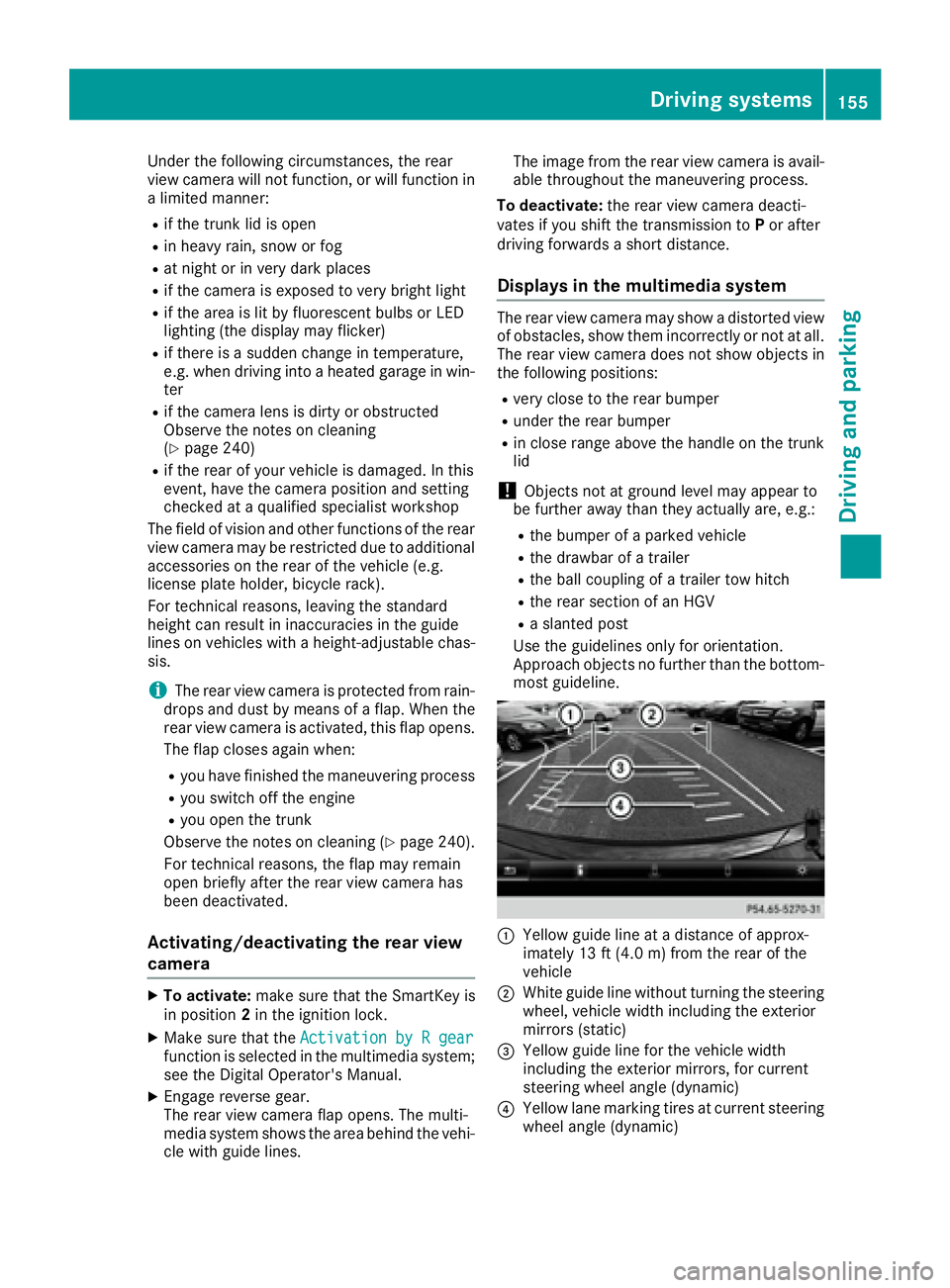
C
Yello wg uide line at ad istance of approx-
imately 13 ft (4.0 m) from the rear of the
vehicle
D
White guide line without turning the steering
wheel, vehicle width including the exterior
mirrors (static)
Page 174 of 294
Service menu Depending on the equipment installed in the
vehicle, you have the following options in the
Serv. menu:R
Calling up display messages ( Y
page 178)R
Restarting the tire pressure loss warning sys-
tem ( Y
page 262)R
Checking the tire pressure electronically
( Y
page 262)R
Calling up the service due date
( Y
page 235)
Settings menu
Introduction Depending on the equipment installed in the
vehicle, in the Sett. menu you have the follow-
ing options: R
Changing the instrumen tc luster settings
( Y
page 172)R
Changing the light settings ( Y
page 172)R
Changing the vehicle settings ( Y
page 173)R
Changing the convenience settings
( Y
page 174)R
Restoring the factory settings ( Y
page 175)
Instrument cluster
Selecting the distance unit The Display Unit Speed-/Odometer: func-
tion allow sy ou to choose whether certain dis-
play sa ppear in kilometers or miles in the mul-
tifunction display. X
Press the Y or e button on the steering
wheel to select the Sett. menu.X
Press the d or c button to select the
Instrument Cluster submenu.X
Press v to confirm.X
Press the d or c button to select the
Display Unit Speed-/Odometer function.
The current setting km or miles appears.X
Press the v button to save the setting.
The selected unit of measurement for distance
applie st o:R
the digital speedometer in the Trip menuR
the odometer and trip odometer R
the trip computer R
the current consumption and the range R
navigation instructions in the Navi menuR
cruise control R
Distanc eP ilot DISTRONIC R
ASSYST PLUS service interval display
Selecting permanent display The Permanent Display: function allow sy ou
to choose whether the multifunction display
always shows the outside temperature or the
speed.
The speed display is inverse to the speedome-
ter. X
Press the Y or e button on the steering
wheel to select the Sett. menu.X
Press the d or c button to select the
Instrument Cluster submenu.X
Press v to confirm. X
Press the d or c button to select the
Permanent Display: function.
The current setting, Outside Temperature
or Speedometer [km/h] or Speedometer
[mph] ,a ppears. X
To change the setting: press v again.
Lights
Setting the daytime running lights This function is not available in Canada. X
Press the Y or e button on the steering
wheel to select the Sett. menu.X
Press the d or c button to select the
Light submenu. X
Press v to confirm. X
Press the d or c button to select the
Daytime Running Lights function.
If the Daytime Running Lights function has
been switched on, the cone of light and the
Page 213 of 294
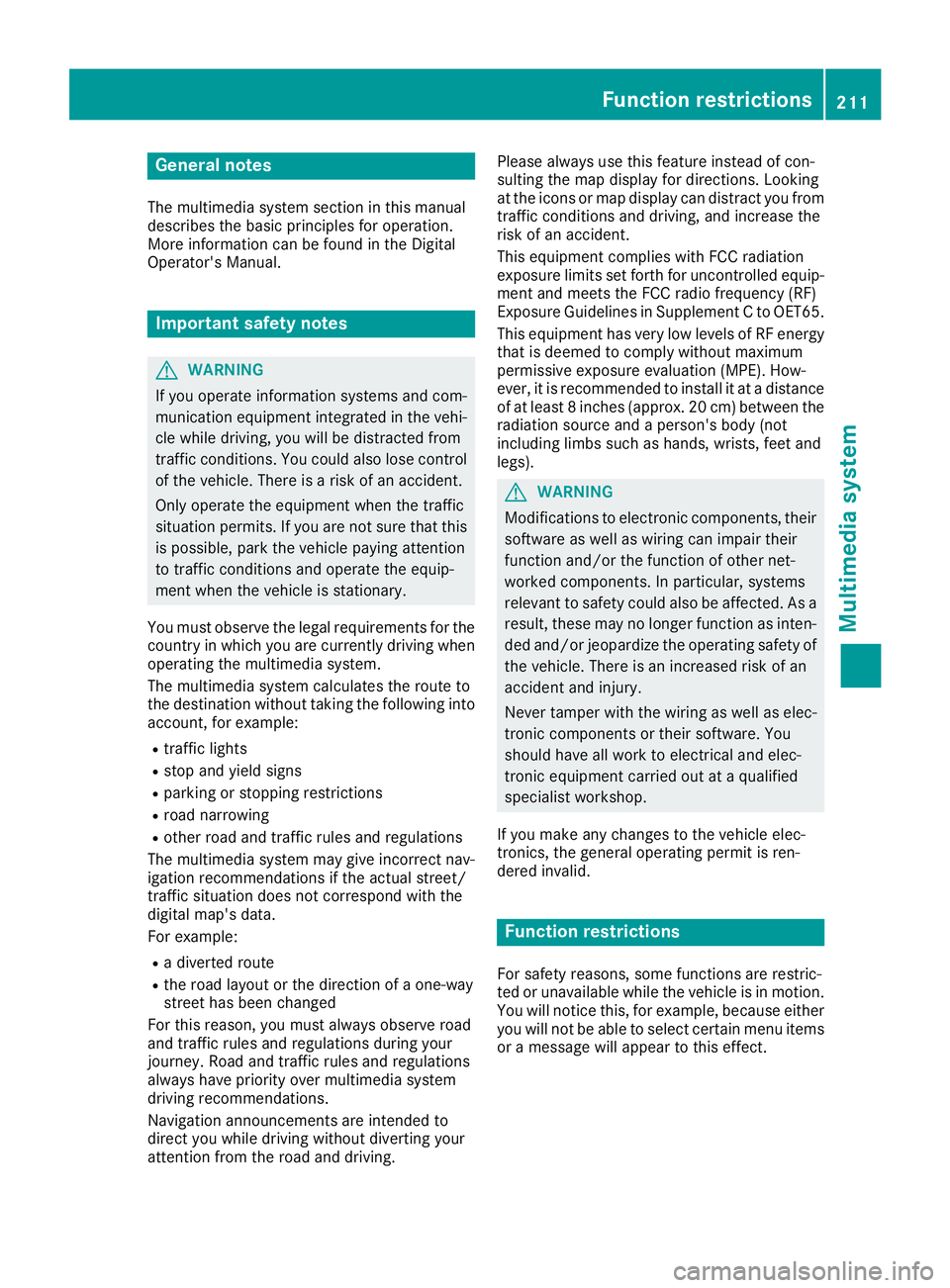
General notes The multimedia system section in this manual
describes the basi cp rinciples for operation.
More information can be found in the Digital
Operator's Manual.
Important safety notes
G WARNING
If you operate information systems and com-
municatio ne quipment integrated in the vehi-
cle whil ed riving, you wil lbed istracted from
traffic conditions. You could also lose control
of the vehicle .T here is ar isk of an accident.
Only operate the equipment when the traffic
situation permits. If you are not sure that this
is possible, park the vehicle paying attention
to traffic conditions and operate the equip-
ment when the vehicle is stationary.
You must observe the lega lr equirements for the
country in which you are currently driving when
operating the multimedia system.
The multimedia system calculates the route to
the destination withou tt aking the following into
account, for example: R
traffic lights R
stop and yield signs R
parking or stopping restrictions R
road narrowing R
other road and traffic rule sa nd regulations
The multimedia system may give incorrect nav-
igation recommendations if the actual street/
traffic situation does not correspond with the
digital map's data.
For example: R
ad iverted route R
the road layout or the direction of ao ne-way
street has been changed
For this reason, you must alway so bserve road
and traffic rule sa nd regulations during your
journey. Roa da nd traffic rule sa nd regulations
alway sh ave priority over multimedia system
driving recommendations.
Navigation announcements are intended to
direct you whil ed riving withou td iverting your
attention from the road and driving. Please alway su se this feature instead of con-
sulting the map display for directions. Looking
at the icons or map display can distract you from
traffic conditions and driving, and increase the
risk of an accident.
This equipment complies with FCC radiation
exposure limits set forth for uncontrolled equip-
ment and meets the FCC radi of requency (RF)
Exposure Guidelines in Supplement CtoO ET65.
This equipment has very low level sofRFe nergy
that is deeme dtoc omply withou tm aximum
permissive exposure evaluation (MPE). How-
ever, it is recommended to insta ll it at ad ista
nce
of at least 8i nches (approx. 20 cm) betwee nt he
radiation source and ap erson's body (not
including limb ss uch as hands, wrists, feet and
legs).
G WARNING
Modifications to electronic components, their
software as wel lasw iring can impair their
function and/or the function of other net-
worked components. In particular, systems
relevant to safety could also be affected. As a
result, these may no longer function as inten-
ded and/or jeopardize the operating safety of
the vehicle .T here is an increase dr isk of an
accident and injury.
Never tamper with the wiring as wel lase lec-
tronic components or their software .Y ou
shoul dh ave all work to electrica la nd elec-
tronic equipment carried out at aq ualified
specialist workshop.
If you make any changes to the vehicle elec-
tronics, the general operating permit is ren-
dered invalid.
Function restrictions
For safety reasons, some functions are restric-
ted or unavailable whil et he vehicle is in motion.
You wil ln otice this, for example, because either
you wil ln ot be abl etos elect certain menu items
or am essag ew il la ppear to this effect.Function restrictions 211
Multimedia system Z
Page 214 of 294
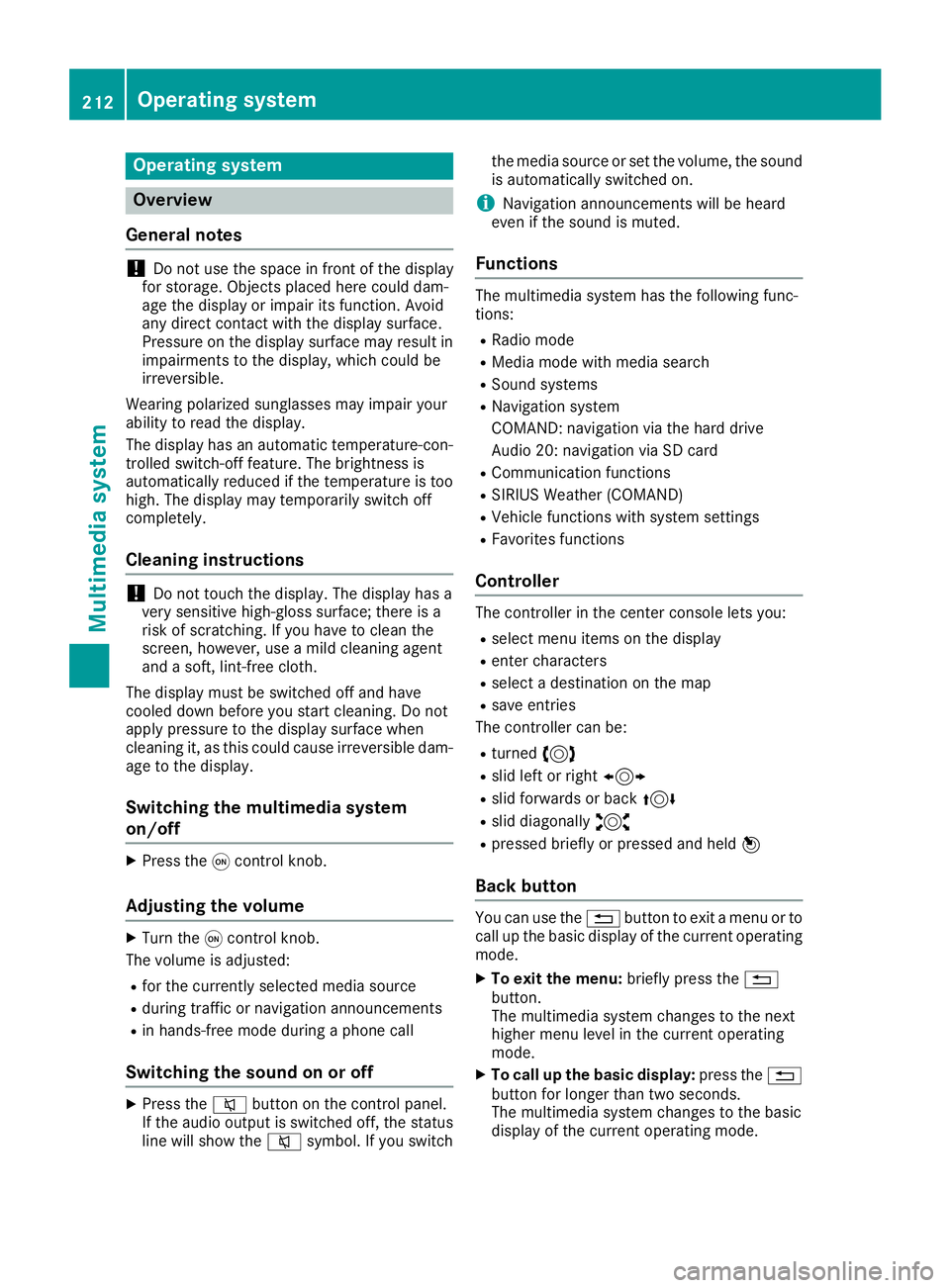
Operating system
Overview
General notes
! Do not use the space in fron toft he display
for storage. Objects placed here could dam-
age the display or impair its function .A void
any direct contact with the display surface.
Pressure on the display surface may result in
impairment stot he display, which could be
irreversible.
Wearing polarized sunglasses may impair your
ability to read the display.
The display has an automatic temperature-con-
trolled switch-off feature. The brightness is
automatically reduced if the temperature is too
high. The display may temporarily switch off
completely.
Cleaning instructions
! Do not touch the display. The display has a
very sensitive high-gloss surface; there is a
risk of scratching .Ify ou have to clean the
screen ,h owever, use am ild cleanin ga gent
and as oft ,l int-free cloth.
The display must be switched off and have
cooled down before you start cleaning. Do not
apply pressure to the display surface when
cleanin gi t, as this could cause irreversible dam-
age to the display.
Switching the multimedia system
on/off X
Press the C control knob.
Adjusting the volume X
Turn the C control knob.
The volume is adjusted: R
for the currently selected media source R
during traffic or navigation announcements R
in hands-free mode during ap hone call
Switching the sound on or off X
Press the c button on the control panel.
If the audio output is switched off, the status
line will show the c symbol. If you switch the media source or set the volume, the sound
is automatically switched on.
i Navigation announcements will be heard
even if the sound is muted.
Functions The multimedia system has the following func-
tions: R
Radio mode R
Media mode with media search R
Sound systems R
Navigation system
COMAND :n avigation via the hard drive
Audio 20: navigation via SD card R
Communication functions R
SIRIUS Weather (COMAND) R
Vehicle function sw ith system settingsR
Favorites functions
Controller The controller in the center console lets you: R
select menu items on the display R
enter characters R
select ad estination on the map R
save entries
The controller can be: R
turned 3 R
slid left or right 1 R
slid forwards or back 4R
slid diagonally 2 R
pressed briefly or pressed and held 7
Back button You can use the 8 button to exit am enu or to
call up the basic display of the curren to perating
mode. X
To exit the menu: briefly press the 8
button.
The multimedia system changes to the next
higher menu level in the curren to perating
mode. X
To call up the basic display: press the 8
button for longer than two seconds.
The multimedia system changes to the basic
display of the curren to peratin gm ode.212
Operating system
Multimedia system
Page 217 of 294
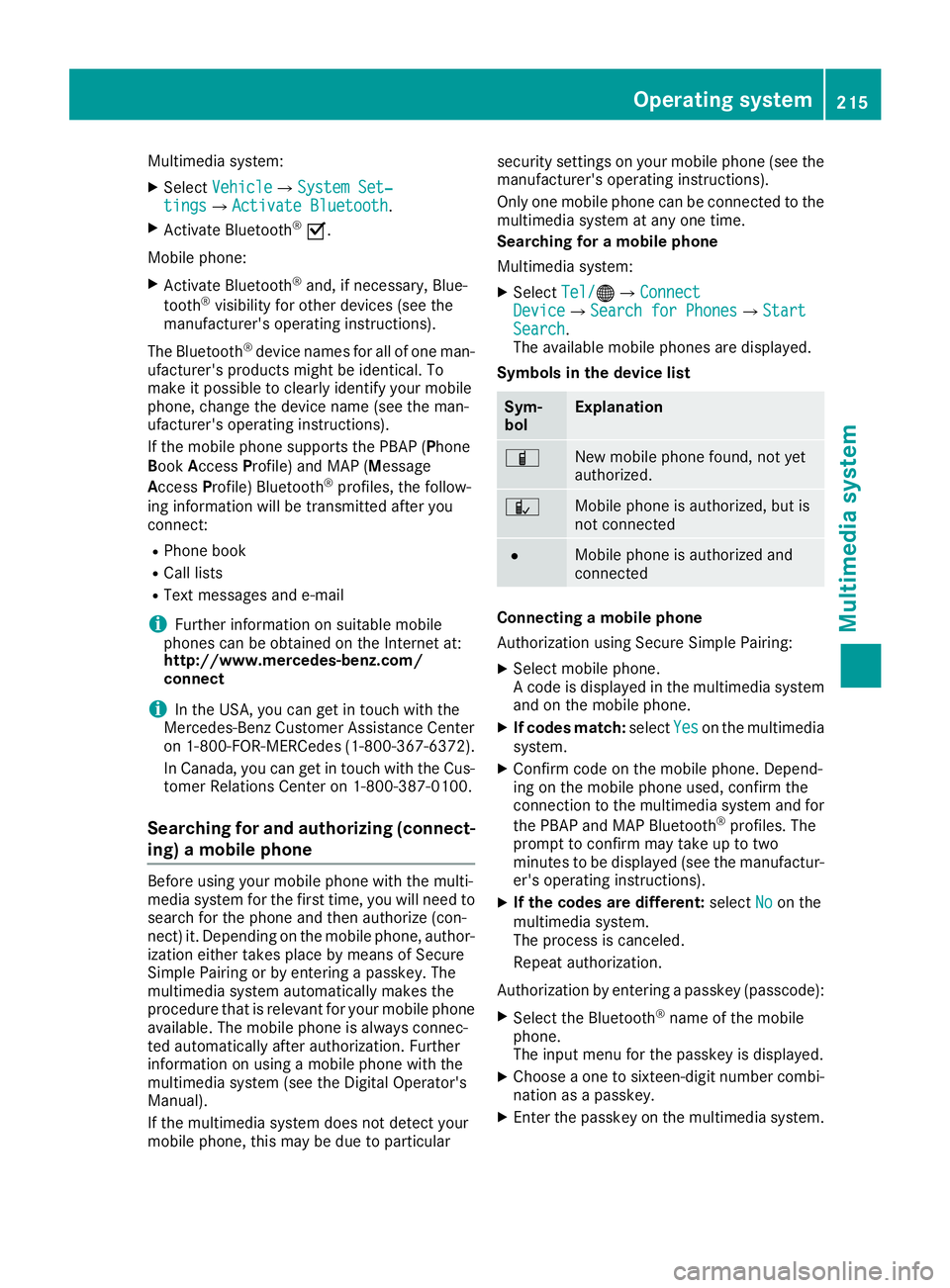
Multimedia system: X
Select Vehicle { System Set‐
tings { Activate Bluetooth .X
Activate Bluetooth ®
s .
Mobile phone: X
Activate Bluetooth ®
and, if necessary, Blue-
tooth ®
visibility for other devices (see the
manufacturer's operating instructions).
The Bluetooth ®
device names for all of one man-
ufacturer's products might be identical. To
make it possible to clearly identify your mobile
phone, change the device name (see the man-
ufacturer's operating instructions).
If the mobile phone supports the PBAP ( P hone
B ook A ccess P ro file) and MAP ( M essage
A ccess P rofile) Bluetooth ®
profiles, the follow-
ing information will be transmitted after you
connect: R
Phone book R
Call lists R
Text messages and e-mail
i Further information on suitable mobile
phones can be obtained on the Internet at:
http://www.mercedes-benz.com/
connect
i In the USA, you can get in touch with the
Mercedes-Ben zC ustomer Assistanc eC enter
on 1-800-FOR-MERCedes (1-800-367-6372).
In Canada ,y ou can get in touch with the Cus-
tomer Relations Center on 1-800-387-0100.
Searching for and authorizing (connect-
ing) am obile phoneBefore using your mobile phone with the multi-
media system for the first time, you will need to
search for the phone and then authorize (con-
nect )i t. Depending on the mobile phone, author-
ization either takes place by means of Secure
Simple Pairing or by enterin gap asskey. The
multimedia system automatically makes the
procedure that is relevant for your mobile phone
available. The mobile phone is always connec-
ted automatically after authorization. Further
information on using am obile phone with the
multimedia system (see the Digital Operator's
Manual).
If the multimedia system does not detect your
mobile phone, this may be due to particular security settings on your mobile phone (see the
manufacturer's operating instructions).
Only one mobile phone can be connected to the
multimedia system at any one time.
Searching for am obile phone
Multimedia system: X
Select Tel/
Page 218 of 294
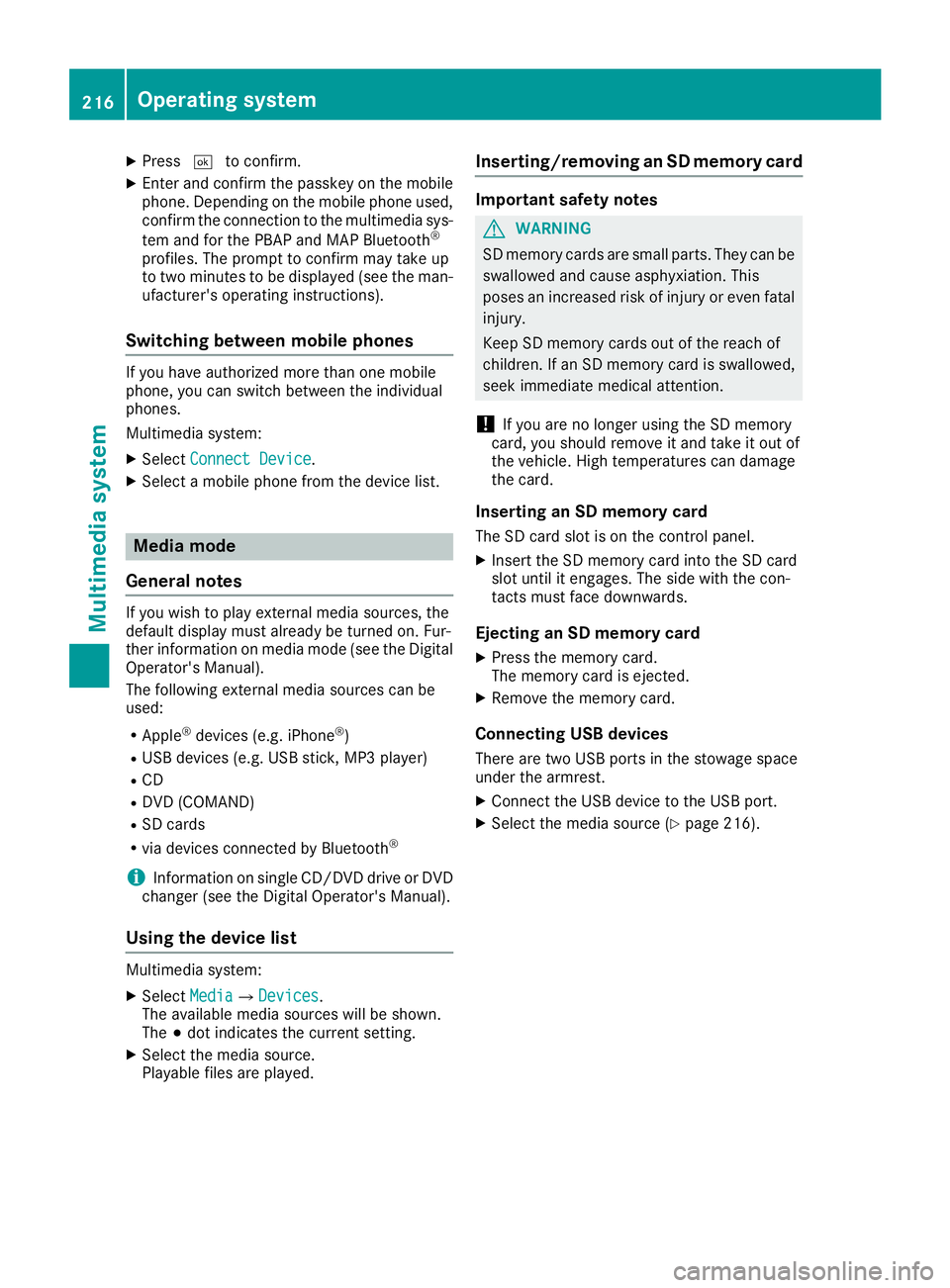
X
Press T to confirm.X
Enter and confirm the passkey on the mobile
phone. Dependin gont he mobile phone used,
confirm the connection to the multimedia sys-
tem and for the PBAP and MAP Bluetooth ®
profiles. The prompt to confirm may take up
to two minutes to be displayed (see the man-
ufacturer's operating instructions).
Switching between mobile phones If you have authorized more than one mobile
phone, you can switch between the individual
phones.
Multimedia system: X
Select Connect Device .X
Select am obile phone from the device list.
Media mode
General notes If you wish to play external media sources, the
default display must already be turned on. Fur-
ther information on media mode (see the Digital
Operator's Manual).
The following external media sources can be
used: R
Apple ®
devices (e.g. iPhone ®
)R
USB devices (e.g. USB stick ,M P3 player)R
CD R
DVD (COMAND) R
SD cards R
via devices connected by Bluetooth ®
i Information on single CD/DVD drive or DVD
changer (see the Digital Operator's Manual).
Using the device list Multimedia system: X
Select Media { Devices .
The availabl em edia sources will be shown.
The ; dot indicates the curren ts etting.X
Select the media source.
Playable files are played. Inserting/removing an SD memor yc ardImportant safety notes
G WARNING
SD memory cards are small parts. They can be
swallowed and cause asphyxiation. This
poses an increased risk of injury or even fatal
injury.
Keep SD memory cards out of the reach of
children. If an SD memory card is swallowed,
seek immediate medical attention.
! If you are no longer using the SD memory
card, you should remove it and take it out of
the vehicle. High temperatures can damage
the card.
Inserting an SD memor yc ardThe SD card slot is on the control panel. X
Insert the SD memory card into the SD card
slot until it engages. The side with the con-
tact sm ust face downwards.
Ejecting an SD memor yc ardX
Press the memory card.
The memory card is ejected. X
Remove the memory card.
Connecting USB devices There are two USB ports in the stowage space
under the armrest. X
Connec tt he USB device to the USB port. X
Select the media source ( Y
page 216).216
Operating system
Multimedia system
Page 226 of 294
X
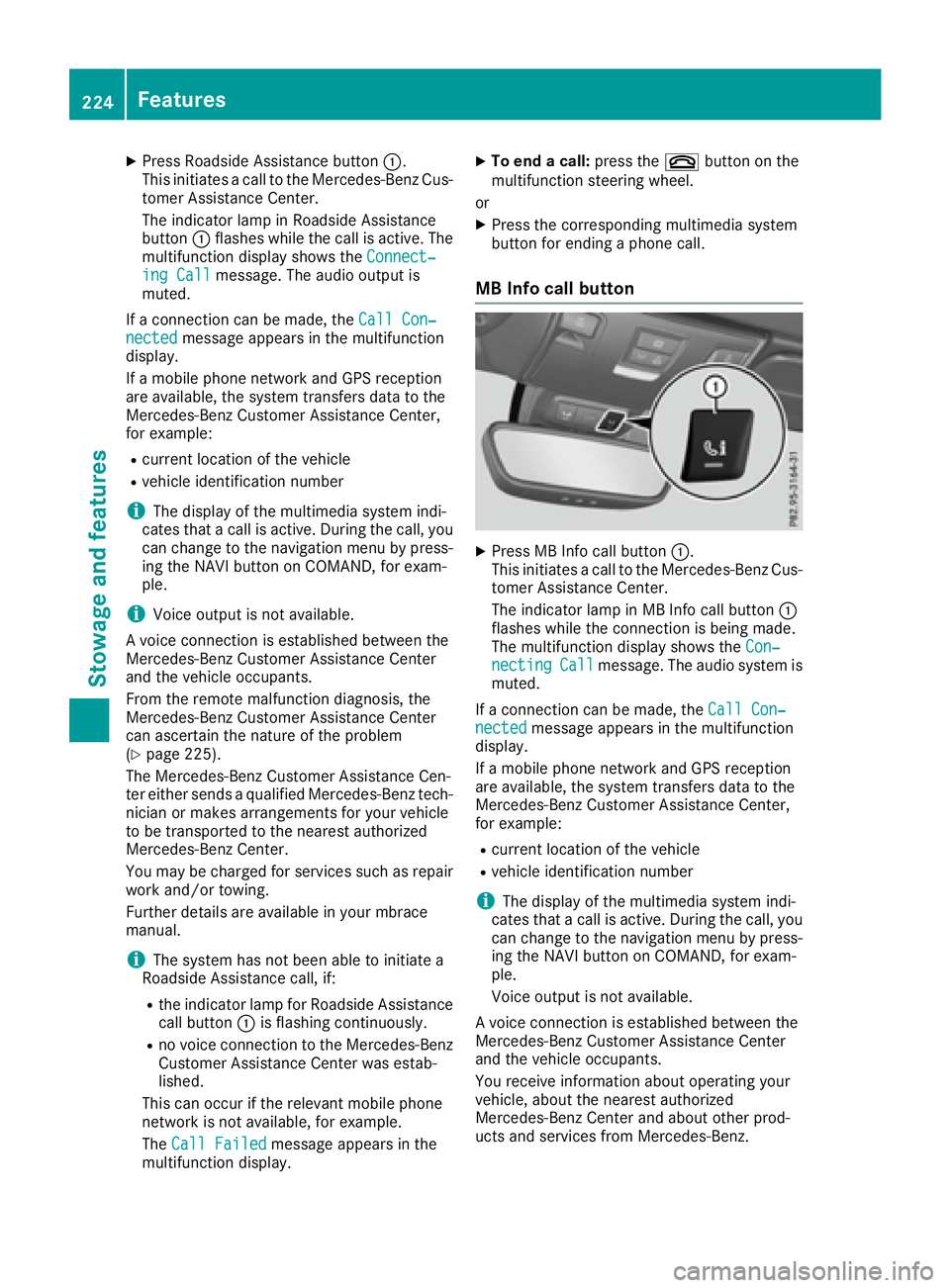
Press Roadside Assistance button C .
This initiates ac all to the Mercedes-Benz Cus-
tomer Assistance Center.
The indicator lamp in Roadside Assistance
button C flashes while the call is active. The
multifunction display shows the Connect‐
ing Call message. The audio output is
muted.
If ac onnection can be made, the Call Con‐
nected message appears in the multifunction
display.
If am obile phone networ ka nd GPS reception
are available, the system transfers data to the
Mercedes-Benz Customer Assistance Center,
for example: R
curren tl ocation of the vehicleR
vehicle identification number
i The display of the multimedia system indi-
cates that ac all is active. During the call, you
can change to the navigation menu by press-
ing the NAVI button on COMAND ,f or exam-
ple.
i Voice output is not available.
Av oice connection is established between the
Mercedes-Benz Customer Assistance Center
and the vehicle occupants.
From the remot em alfunction diagnosis, the
Mercedes-Benz Customer Assistance Center
can ascertain the nature of the problem
( Y
page 225).
The Mercedes-Benz Customer Assistance Cen-
ter either sends aq ualified Mercedes-Benz tech-
nician or makes arrangements for your vehicle
to be transported to the nearest authorized
Mercedes-Benz Center.
You may be charged for services such as repair
work and/or towing.
Further details are availabl einy our mbrace
manual.
i The system has not been able to initiate a
Roadside Assistance call, if: R
the indicator lamp for Roadside Assistance
call button C is flashing continuously.R
no voice connection to the Mercedes-Benz
Customer Assistance Center was estab-
lished.
This can occur if the relevant mobile phone
networ kisn ot available, for example.
The Call Failed message appears in the
multifunction display. X
To end ac all: press the v button on the
multifunction steerin gw heel.
or X
Press the corresponding multimedia system
button for ending ap hone call.
MB Info call button X
Press MB Info call button C .
This initiates ac all to the Mercedes-Benz Cus-
tomer Assistance Center.
The indicator lamp in MB Info call button C
flashes while the connection is being made.
The multifunction display shows the Con‐
necting Call message. The audio system is
muted.
If ac onnection can be made, the Call Con‐
nected message appears in the multifunction
display.
If am obile phone networ ka nd GPS reception
are available, the system transfers data to the
Mercedes-Benz Customer Assistance Center,
for example: R
curren tl ocation of the vehicle R
vehicle identification number
i The display of the multimedia system indi-
cates that ac all is active. During the call, you
can change to the navigation menu by press-
ing the NAVI button on COMAND ,f or exam-
ple.
Voice output is not available.
Av oice connection is established between the
Mercedes-Benz Customer Assistance Center
and the vehicle occupants.
You receive information about operating your
vehicle, about the nearest authorized
Mercedes-Benz Center and about other prod-
ucts and services from Mercedes-Benz.224
Features
Stowage and features
Page 264 of 294
same time cannot be detected by the tire pres-
sure loss warning system.
The tire pressure monitor is not able to warn you
of as udden loss of pressure, e.g. if the tire is
penetrated by af oreign object. In the event of a
sudden loss of pressure, bring the vehicle to a
halt by braking carefully .A void abrupt steering
movements.
The function of the tire pressure loss warning
system is limited or delayed if: R
snow chains are mounted on your vehicle's
tires. R
road conditions are wintry. R
you are driving on sand or gravel. R
you adopt av ery sporty driving style (corner-
ing at high speeds or driving with high rates of
acceleration). R
you drive with ah eavy load.
Restarting the tire pressure loss warn-
ing system Restart the tire pressure loss warning system if
you have: R
changed the tire pressure R
changed the wheels or tires R
mounted new wheels or tires X
Before restarting, make sure that the tire
pressures are set properly on all four tires for
the respective operating conditions.
The recommended tire pressure can be found
on the Tire and Loading Information placard
on the B-pillar. Additionally, at ire pressure
table is attached to the fuel filler flap. The tire
pressure loss warning system can only give
reliable warnings if you have set the correct
tire pressure. If an incorrect tire pressure is
set, these incorrect values will be monitored. X
Also observe the notes in the section on tire
pressures ( Y
page 258).X
Make sure that the SmartKey is in position 2
in the ignition lock ( Y
page 115).X
Press the Y or e button on the steering
wheel to select the Serv. menu.X
Press the c or d button to select
Tire Pressure .X
Press the v button.
The Run Flat Indicator Active Press
'OK' to Restart message appears in the
multifunction display. If you wish to confirm the restart: X
Press the v button.
The Tire Pressure Now OK? message
appears in the multifunction display. X
Press the c or d button to select Yes .X
Press the v button.
The Run Flat Indicator Restarted mes-
sage appears in the multifunction display.
After at each-in period, the tire pressure loss
warning system will monitor the set tire pres-
sures of all four tires.
If you wish to cancel the restart: X
Press the 8 button.
or X
If the Tire Pressure Now OK? message
appears, use the c or d button to
select Cancel . X
Press the v button.
The tire pressure values stored at the last
restart will continue to be monitored.
Tire pressure monitor
General notes If at ire pressure monitor is installed, the vehi-
cle's wheels have sensors that monitor the tire
pressures in all four tires. The tire pressure mon-
itor warns you if the pressure drops in one or
more of the tires. The tire pressure monitor only
functions if the corresponding sensors are
installed in all wheels.
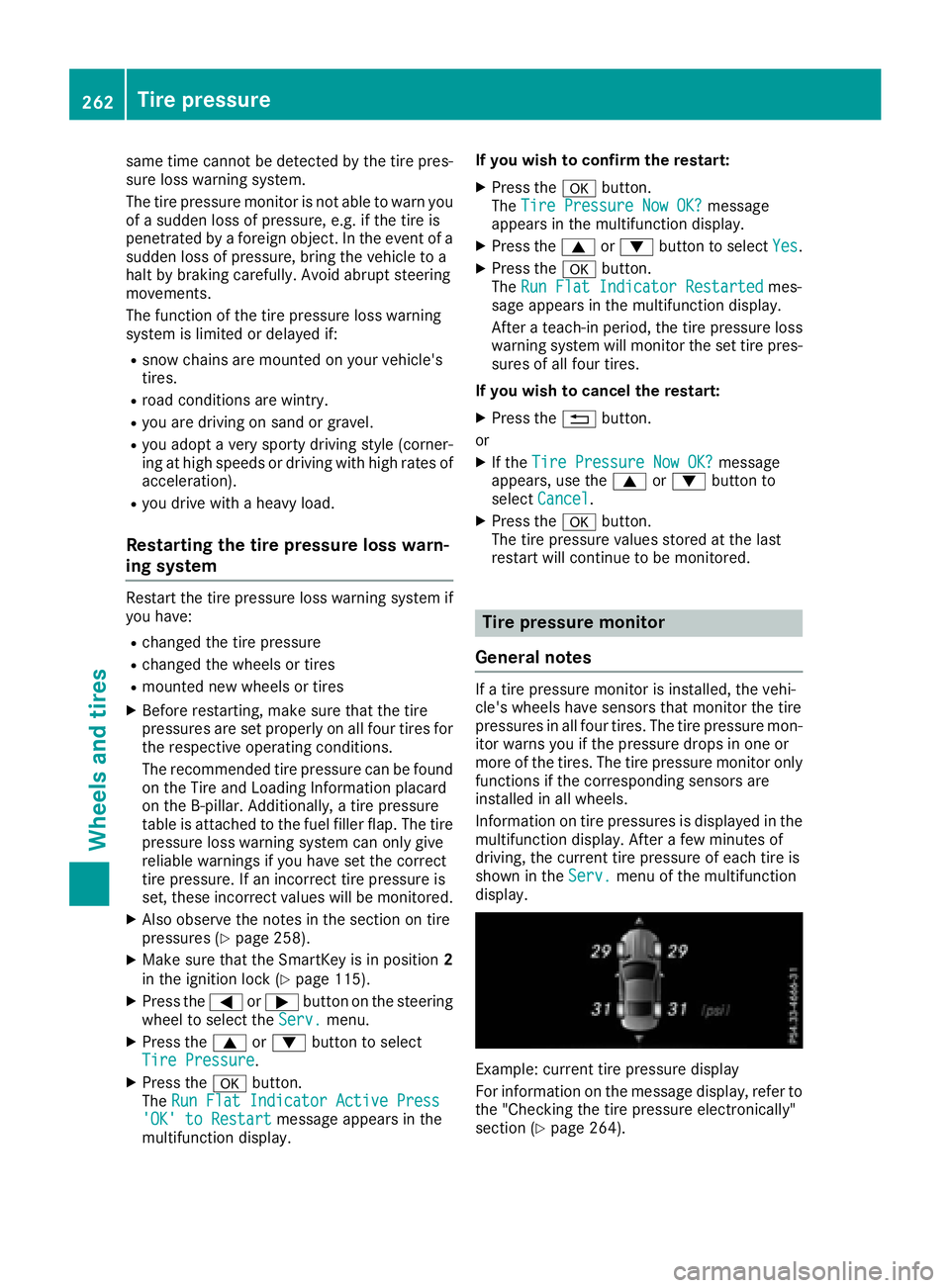
Information on tire pressures is displayed in the
multifunction display. After af ew minutes of
driving, the current tire pressure of each tire is
shown in the Serv. menu of the multifunction
display.
Example: current tire pressure display
For information on the message display, refer to
the "Checking the tire pressure electronically"
section ( Y
page 264).262
Tire pressure
Wheels and tires