steering wheel MERCEDES-BENZ SLC 2017 Owner's Guide
[x] Cancel search | Manufacturer: MERCEDES-BENZ, Model Year: 2017, Model line: SLC, Model: MERCEDES-BENZ SLC 2017Pages: 294, PDF Size: 9.12 MB
Page 237 of 294
ASSYS TP LUS
Service messages The ASSYS TP LU Ss ervic ei nterval display
inform sy ou of th en ex ts ervic ed ue date.
Information on th et yp eofs ervic ea nd servic e
intervals (see th es eparat eM aintenance Book -
let).
You can obtain further information from an
authorize dM ercedes-Benz Cente rora t
http://www.mbusa.co m( US Ao nl y).
i The ASSYS TP LU Ss ervic ei nterval display
does no ts ho wa ny information on th ee ng in e
oil level. Observ et he note sont he engin eo il
level ( Y
page 232).
The multifunction display shows as ervic em es -
sage for several seconds, e.g. :R
Servic eAin..D ay sR
Servic eAD ueR
Servic eAE xceeded by .. Day s
Dependin gont he operating condition soft he
vehicle, th er emaining time or distanc eu ntil th e
next servic ed ue dat eisd isplayed.
The lette r A or B ,p ossibl yinc onnectio nw it ha
number or another letter, shows th et yp eofs er -
vice. A stand sf or am inor servic ea nd B for a
major service.
You can obtain further information from an
authorize dM ercedes-Benz Center.
The ASSYS TP LU Ss ervic ei nterval display does
no tt ak ei nt oa ccoun ta ny periods of time during
whic ht he battery is disconnected.
Maintainin gt he time-dependen ts ervic es ch ed-
ule: X
Not ed own th es ervic ed ue dat ed isplayed in
th em ultifunction display before disconnect -
ing th eb attery.
or X
Afte rr econnecting th eb attery, subtrac tt he
battery disconnection periods from th es er -
vic ed at es hown on th ed isplay.
Hiding as ervice messageX
Press th e v or 8 butto nont he steering
wheel. Displaying service messages X
Switc hont he ignition .X
Press th e Y or e butto nont he steering
whee lt os elect th e Serv. menu.X
Press th e c or d butto ntos elect th e
ASSYST PLU S submen ua nd confirm by press-
ing th e v button.
The servic ed ue dat ea ppear sint he multi-
function display.
Infor ma ti on abou tS ervice
Resetting th eA SSYS TP LUS service
interval display
! If th eA SS YS TP LU Ss ervic ei nterval display
has been inadvertentl yr eset ,t hi ss etting can
be correcte dataq ualified specialist work-
shop.
Hav es ervic ew or kc arrie do ut as described in
th eM aintenance Booklet .T his may otherwise
lead to increased wear and damag etot he
major assemblies or th ev ehicle.
Aq ualified specialist workshop ,e .g .ana uthor-
ized Mercedes-Benz Center, will reset th e
ASSYS TP LU Ss ervic ei nterval display after th e
servic ew or kh as been carrie do ut .Y ou can also
obtain further information on maintenance
work, for example.
Special service requirements The specifie dm aintenance interval takes only
th en orma lo peration of th ev ehicl ei nt o
account. Under arduous operating condition so r
increased load on th ev ehicle, maintenance
wor km us tbec arrie do ut mor ef re quently, for
example: R
regular cit yd rivin gw it hf re quen ti ntermediat e
stops R
if th ev ehicl eisp rimarily used to travel short
distances R
use in mountainous terrain or on poor road
surfaces R
if th ee ng in eiso ften lef ti dlin gf or lon gp eriods
Under these or similar conditions, have, for
example, th ea ir filter, engin eo il and oil filter
replace dorc ha nged mor ef re quently. Under
arduous operating conditions, th et ir es mus tb e
checke dm or eo ften .F urther information can beASSYST PLUS 235
Maintenance and care Z
Page 244 of 294
X
If possible, bring the front wheel si nto the
straight-ahea dp osition.X
Switch off the engine. X
Vehicles without KEYLESS-GO: remove the
SmartKey from the ignition lock. X
Vehicles with KEYLESS-GO: open the driv-
er's door.
The on-board electronics now have status 0 .
This is the same as the SmartKey having been
removed. X
Vehicles with KEYLESS-GO: remove the
Start/Stop button from the ignition lock
( Y
page 115).X
Make sure that the passengers are not endan-
gered as they do so. Make sure that no one is
near the danger area whil eaw heel is being
changed. Anyone who is not directly assisting
in the wheel change should, for example,
stand behind the barrier. X
Get out of the vehicle .P ay attention to traffic
conditions when doing so. X
Clos et he driver's door.
MOExtended tires (tires with run-flat
properties)
General notes With MOExtended tires (tires with run flat char-
acteristics), you can continue to drive you rv ehi-
cle even if there is at otal loss of pressure in one
or more tires. The affected tire must not show
any clearl yv isible damage.
You can recognize MOExtended tires by the
MOExtended marking which appears on the
sidewall of the tire. You wil lf ind this marking
next to the tire size designation, the load-bear-
ing capacity and the speed index ( Y
page 269).
MOExtended tires may only be used in conjunc-
tion with an active tire pressure loss warning
system or with an active tire pressure monitor.
If ap ressure loss warning message appears
in the multifunction display: R
observe the instructions in the display mes-
sages ( Y
page 196).R
check the tire for damage. R
if driving on, observe the following notes.
The driving distance possible in run-flat mode is
approximately 50 miles (80 km) when the vehi-
cle is partially laden and approximately 19 miles
(30 km) when the vehicle is full yl aden. In addition to the vehicle load ,t he driving dis-
tance possible depends upon: R
vehicle speed R
road condition R
outsid et emperature
The driving distance possible in run-flat mode
may be reduced by extreme driving conditions
or maneuvers, or it can be increased through a
moderate style of driving.
The driving distance possible in run-flat mode is
counted from the moment the tire pressure loss
warning appears in the multifunction display.
You must not exceed am aximum speed of
50 mph (80 km/h).
When replacing one or all tires, please observe
the following specifications for you rv ehicle's
tires: R
size R
type and R
the "MOExtended" mark
If at ire has gone flat and cannot be replaced
with aM OExtended tire, as tandard tire may be
used as at emporary measure. Make sure that
you use the proper size and type (summe ro r
winter tire).
Vehicle se quipped with MOExtended tires are
not equipped with aT IREFIT kit at the factory. It
is therefore recommended that you additionally
equi py ou rv ehicle with aT IREFIT kit if y ou mount
tires
that do not feature run-flat properties, e.g.
winter tires. AT IREFIT kit is available, for exam-
ple, from aq ualifie ds pecialist workshop.
Important safety notes
G WARNING
When driving in emergency mode, the driving
characteristics deteriorate, e.g. when corner-
ing, accelerating quickly and when braking.
There is ar isk of an accident.
Do not exceed the stated maximum speed.
Avoid abrupt steering and driving maneuvers,
and driving over obstacle s( curbs, potholes,
off-road). This applies in particular to al aden
vehicle.
Stop driving in emergency mode if: R
you hear banging noises. R
the vehicle starts to shake.242
Flat tire
Breakdow na ssistance
Page 255 of 294
! Vehicles with automatic transmission must
not be towed with the rear axle raised. The
vehicle/trailer combination may otherwise
swerve or even roll over.
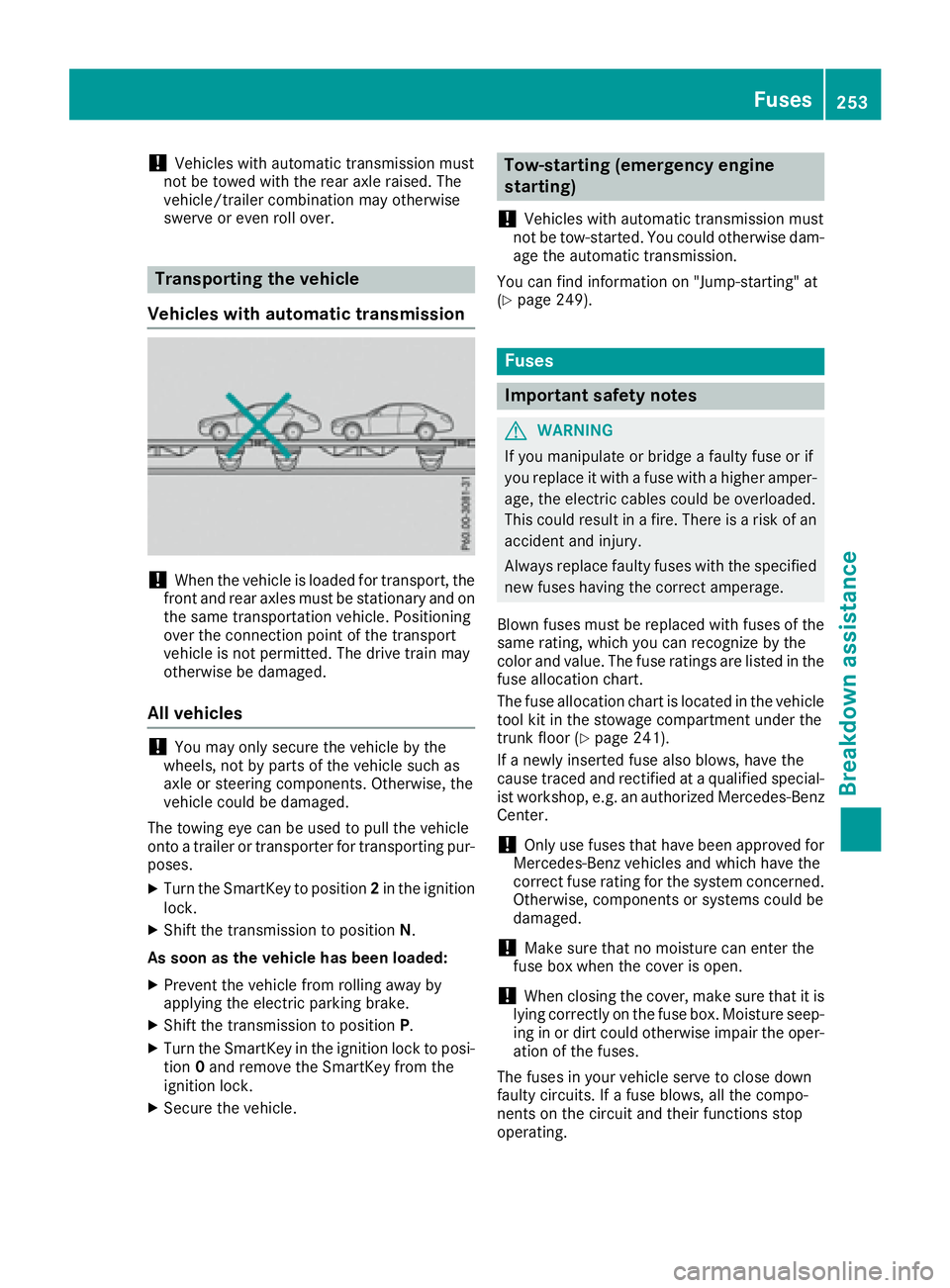
Transporting the vehicle
Vehicle sw ith automatic transmission
! When the vehicle is loade df or transport, the
front and rear axles must be stationary and on
the same transportation vehicle. Positioning
over the connection point of the transport
vehicle is not permitted. The drive train may
otherwise be damaged.
All vehicles
! You may only secure the vehicle by the
wheels, not by parts of the vehicle such as
axle or steering components. Otherwise, the
vehicle could be damaged.
The towing eye can be used to pull the vehicle
onto at railer or transporter for transporting pur-
poses. X
Turn the SmartKey to position 2 in the ignition
lock. X
Shift the transmission to position N .
As soon as the vehicl eh as been loaded:X
Prevent the vehicle from rolling awa yb y
applying the electric parking brake. X
Shift the transmission to position P .X
Turn the SmartKey in the ignition lock to posi-
tion 0 and remove the SmartKey from the
ignition lock. X
Secure the vehicle. Tow-starting (emergenc ye ngine
starting)
! Vehicles with automatic transmission must
not be tow-started. You could otherwise dam-
age the automatic transmission.
You can find information on "Jump-starting" at
( Y
page 249).
Fuses
Important safety notes
G WARNING
If you manipulate or bridge af aulty fuse or if
you replace it with af use with ah igher amper-
age, the electric cables could be overloaded.
This could result in af ire. There is ar isk of an
accident and injury.
Alway sr eplace faulty fuses with the specified
new fuses having the correct amperage.
Blown fuses must be replaced with fuses of the
same rating, which you can recognize by the
color and value .T he fuse ratings are listed in the
fuse allocation chart.
The fuse allocation chart is located in the vehicle
tool kit in the stowage compartment under the
trunk floor ( Y
page 241).
If an ewly inserted fuse also blows, have the
cause traced and rectified at aq ualified special-
ist workshop, e.g. an authorized Mercedes-Benz
Center.
! Only use fuses that have been approved for
Mercedes-Benz vehicles and which have the
correct fuse rating for the system concerned.
Otherwise, component sors ystems could be
damaged.
! Make sure that no moisture can enter the
fuse box when the cover is open.
! When closing the cover, make sure that it is
lying correctly on the fuse box. Moisture seep-
ing in or dirt could otherwise impair the oper-
ation of the fuses.
The fuses in your vehicle serve to close down
faulty circuits. If af use blows, all the compo-
nent sont he circuit and their functions stop
operating. Fuses 253
Breakdown assistance Z
Page 264 of 294
same time cannot be detected by the tire pres-
sure loss warning system.
The tire pressure monitor is not able to warn you
of as udden loss of pressure, e.g. if the tire is
penetrated by af oreign object. In the event of a
sudden loss of pressure, bring the vehicle to a
halt by braking carefully .A void abrupt steering
movements.
The function of the tire pressure loss warning
system is limited or delayed if: R
snow chains are mounted on your vehicle's
tires. R
road conditions are wintry. R
you are driving on sand or gravel. R
you adopt av ery sporty driving style (corner-
ing at high speeds or driving with high rates of
acceleration). R
you drive with ah eavy load.
Restarting the tire pressure loss warn-
ing system Restart the tire pressure loss warning system if
you have: R
changed the tire pressure R
changed the wheels or tires R
mounted new wheels or tires X
Before restarting, make sure that the tire
pressures are set properly on all four tires for
the respective operating conditions.
The recommended tire pressure can be found
on the Tire and Loading Information placard
on the B-pillar. Additionally, at ire pressure
table is attached to the fuel filler flap. The tire
pressure loss warning system can only give
reliable warnings if you have set the correct
tire pressure. If an incorrect tire pressure is
set, these incorrect values will be monitored. X
Also observe the notes in the section on tire
pressures ( Y
page 258).X
Make sure that the SmartKey is in position 2
in the ignition lock ( Y
page 115).X
Press the Y or e button on the steering
wheel to select the Serv. menu.X
Press the c or d button to select
Tire Pressure .X
Press the v button.
The Run Flat Indicator Active Press
'OK' to Restart message appears in the
multifunction display. If you wish to confirm the restart: X
Press the v button.
The Tire Pressure Now OK? message
appears in the multifunction display. X
Press the c or d button to select Yes .X
Press the v button.
The Run Flat Indicator Restarted mes-
sage appears in the multifunction display.
After at each-in period, the tire pressure loss
warning system will monitor the set tire pres-
sures of all four tires.
If you wish to cancel the restart: X
Press the 8 button.
or X
If the Tire Pressure Now OK? message
appears, use the c or d button to
select Cancel . X
Press the v button.
The tire pressure values stored at the last
restart will continue to be monitored.
Tire pressure monitor
General notes If at ire pressure monitor is installed, the vehi-
cle's wheels have sensors that monitor the tire
pressures in all four tires. The tire pressure mon-
itor warns you if the pressure drops in one or
more of the tires. The tire pressure monitor only
functions if the corresponding sensors are
installed in all wheels.
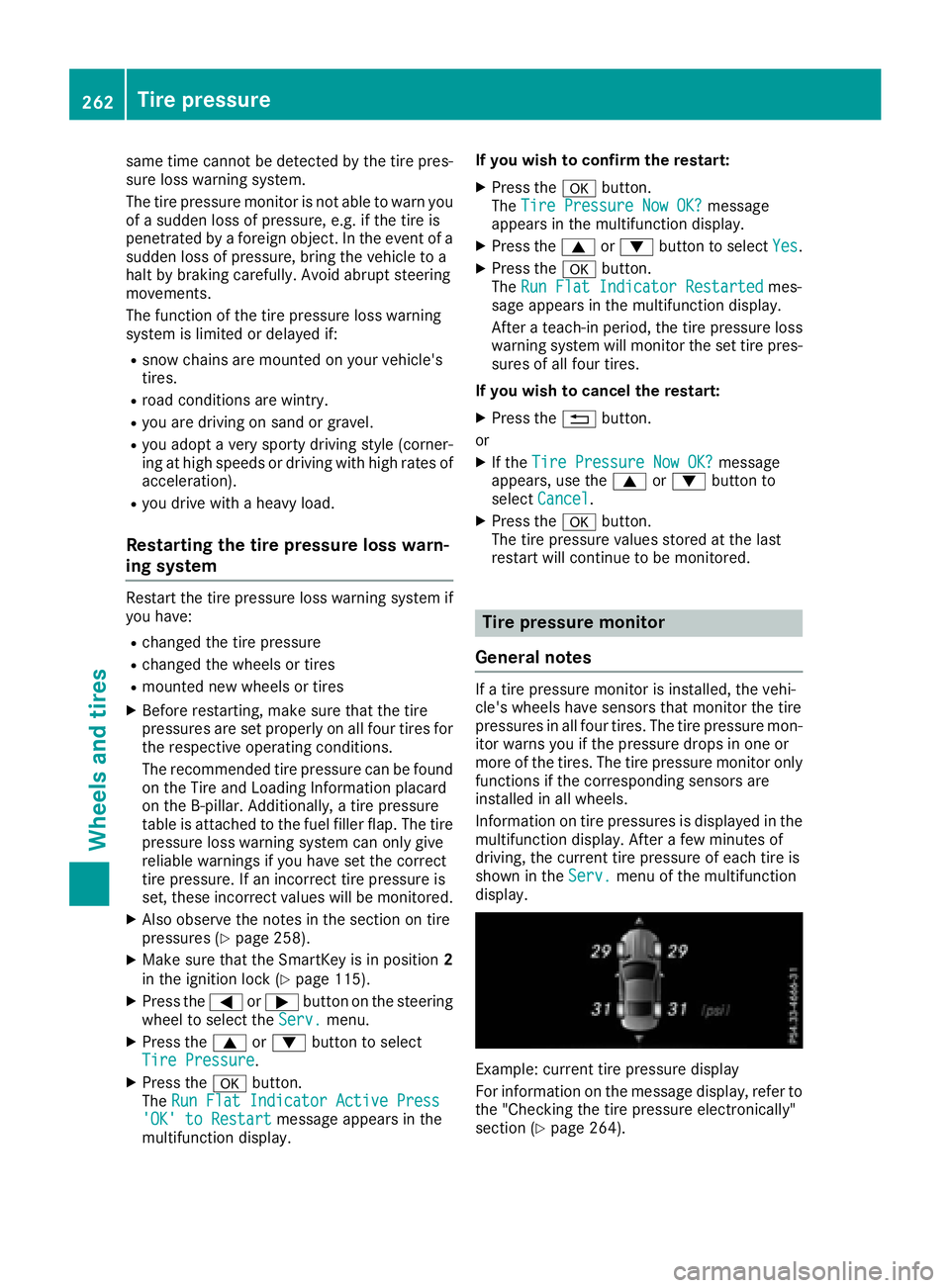
Information on tire pressures is displayed in the
multifunction display. After af ew minutes of
driving, the current tire pressure of each tire is
shown in the Serv. menu of the multifunction
display.
Example: current tire pressure display
For information on the message display, refer to
the "Checking the tire pressure electronically"
section ( Y
page 264).262
Tire pressure
Wheels and tires
Page 266 of 294
In addition to the warning lamp ,am essage
appears in the multifunction display. Observe
the information on display messages
( Y
page 196).
It may take up to ten minutes for am alfunction
of the tire pressure monitor to be indicated .A
malfunction wil lbei ndicated by the tire pres-
sure warning lamp flashing for approximately
one minute and then remaining lit. When the
malfunction has been rectified, the tire pressure
warning lamp goes out after af ew minutes of
driving.
The tire pressure values indicated by the on-
board computer may differ from those meas-
ured at ag as station with ap ressure gauge. The
tire pressures shown by the on-board computer
refer to those measured at sea level .Ath igh
altitudes, the tire pressure values indicated by a
pressure gauge are higher than those shown by
the on-board computer. In this case, do not
reduce the tire pressures.
The operation of the tire pressure monitor can
be affected by interference from radi ot ransmit-
ting equipment (e.g. radi oh eadphones, two-way
radios) that may be being operated in or near the
vehicle.
Checking the tire pressure electroni-
cally X
Make sure that the SmartKey is in position 2
in the ignition lock ( Y
page 115).X
Press the Y or e button on the steering
wheel to select the Serv. menu.X
Press the c or d button to select
Tire Pressure .X
Press the v button.
The current tire pressure of each tire is shown
in the multifunction display.
If the vehicle has been parked for over
20 minutes, the Tire pressure will be
displayed after driving af ew minutes
messag ea ppears.
After at each-in process, the tire pressure mon-
itor automatically detects new wheel sorn ew
sensors. As long as ac lear allocation of the tire
pressure valu etot he individual wheel sisn ot
possible, the Tire Pressure Monitor Active
display messag eiss hown instead of the tire
pressure display. The tire pressures are already
being monitored.
If an emergency spare wheel is mounted, the
system may continue to show the tire pressure of the wheel that has been removed for af ew
minutes. If this occurs, note that the valu ed is-
played for the positio nw here the spare wheel is
mounted is not the same as the current tire
pressure of the emergency spare wheel.
Tire pressure monitor warning mes-
sages If the tire pressure monitor detects ap ressure
loss in one or more tires, aw arning messag ei s
shown in the multifunction display. The yellow
tire pressure warning lamp then lights up. R
If the Please Correct Tire Pressure
messag ea ppears in the multifunction display,
the tire pressure in at least one tire is too low.
The tire pressure must be corrected when the
opportunity arises. R
If the Check Tires messag ea ppears in the
multifunction display, the tire pressure in at
least one tire has droppe ds ignificantly. The
tires must be checked. R
If the Warning Tire Malfunction message
appears in the multifunction display, the tire
pressure in at least one tire has droppe ds ud-
denly .T he tires must be checked.
Observe the instructions and safety notes in the
display messages in the "Tires" section
( Y
page 196).
If the wheel positions on the vehicle are rotated,
the tire pressures may be displaye df or the
wrong positions for as hort time. This is rectified
after af ew minutes of driving, and the tire pres-
sures are displaye df or the correct positions.
Restarting the tire pressure monitor When you restart the tire pressure monitor, all
existing warning messages are deleted and the
warning lamp sgoo ut. The monitor uses the cur-
rently set tire pressures as the reference values
for monitoring. In most cases, the tire pressure
monitor wil la utomatically detect the new refer-
ence values after you have changed the tire
pressure. However, you can also define refer-
ence values manually as describe dh ere. The tire
pressure monitor then monitors the new tire
pressure values. X
Set the tire pressure to the valu er ecommen-
ded for the corresponding driving situation on
the Tire and Loading Information placard on
the driver's side B-pilla r( Y
page 258).264
Tire pressure
Wheel sa nd tires
Page 267 of 294
Additiona lt ire pressure values for different
load sc an also be found on the tire pressure
table on the insid eoft he fuel fille rf lap
( Y
page 258). X
Make sure tha tt he tire pressure is correct on
al lf ou rw heels.X
Make sure tha tt he SmartKe yisinp osition 2
in the ignition lock. X
Press the Y or e button on the steering
whee ltos elect the Serv. menu.X
Press the c or d button to select
Tir eP ressure .X
Press the v button.
The multifunctio nd is play shows the current
tire pressure for the individual tire sort he
Tir ep ressure wil lbed isplayed
after drivin gaf ew minutes message.X
Press the d button.
The Use Current Pressures as New Ref‐
erence Values message appear sint he mul-
tifunctio nd is play.
If yo uw is htoc on firm the restart:X
Press the v button.
The Tire Press. Monitor Restarted mes-
sage appear sint he multifunctio nd is play.
After driving for af ew minutes, the system
checks whethe rt he current tire pressures are
withi nt he specified range .T he new tire pres-
sures ar et hen accepte dasr eference values
and monitored.
If yo uw is htoc ance lt he restart:X
Press the 8 button.
The tire pressure values stored at the last
restart will continue to be monitored.
Radio type approval fo rt he tire pres-
sure monitor Country Radio type approval number
USA FCC ID: MRXMW2433A
FCC ID: MRXGG4
FCC ID: MRXMC34MA4
Canada IC :2 546A-MW2433A
IC :2 546A-GG4
IC :2 546A-MC34MA4 Loadin gt he vehicle
Instructio nl abel sf or tire sa nd loads
G WARNING
Overloaded tire sc an overheat, causing a
blowout. Overloaded tire sc an also impai rt he
steering and driving characteristics and lead
to brake failure. There is ar is kofa ccident.
Observ et he load rating of the tires. The load
rating must be at leas th al foft he GAW Ro f
your vehicle. Never overload the tire sb y
exceeding the maximu ml oad.
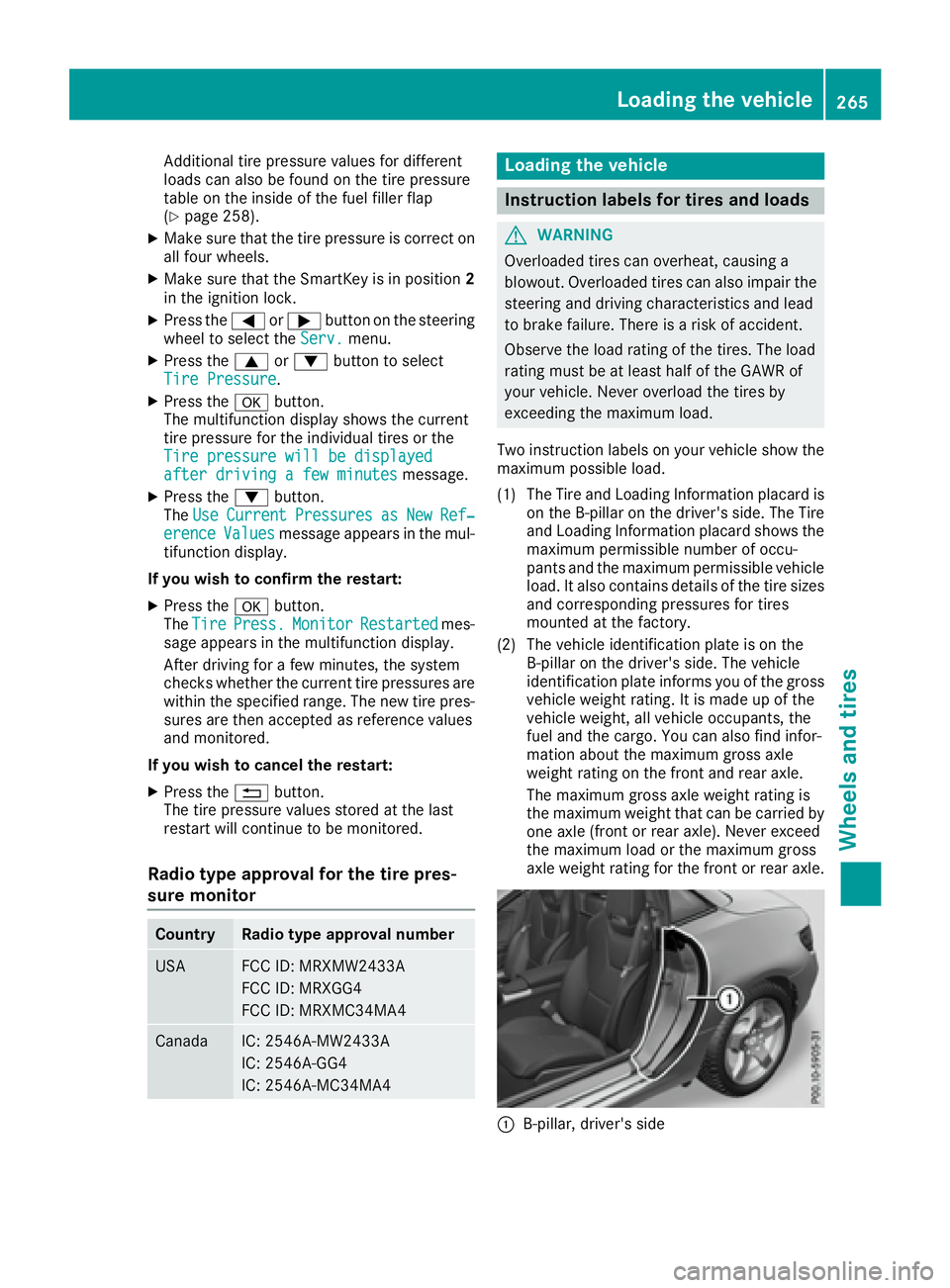
Tw oi nstructio nl abel sony ou rv ehicl es ho wt he
maximu mp os sibl el oad.
(1) The Tire and Loading Informatio np la card is
on the B-pillar on the driver's side .T he Tire
and Loading Informatio np la card shows the
maximu mp er missibl en umbe rofo ccu-
pants and the maximu mp er missibl ev ehicle
load .Ita ls oc ontains details of the tire sizes
and corresponding pressures for tires
mounted at the factory.
(2) The vehicl ei de ntificatio np la te is on the
B-pillar on the driver's side .T he vehicle
identificatio np la te informs yo uoft he gross
vehicl ew eigh tr at ing .Iti sm ad eupoft he
vehicl ew eigh t, al lv ehicl eo ccupants, the
fuel and the cargo. Yo uc an also find infor-
matio na bout the maximu mg ross axle
weight rating on the front and rea ra xle.
The maximu mg ross axl ew eigh tr at ing is
the maximu mw eigh tt ha tc an be carrie db y
one axl e( fro nt or rea ra xl e) .N ever exceed
the maximu ml oa dort he maximu mg ross
axl ew eigh tr at ing for the front or rea ra xle.
C
B-pillar, driver's sideLoadin gt he vehicle 265
Wheel sa nd tires Z