air conditioning MERCEDES-BENZ SLC 2019 Owners Manual
[x] Cancel search | Manufacturer: MERCEDES-BENZ, Model Year: 2019, Model line: SLC, Model: MERCEDES-BENZ SLC 2019Pages: 306, PDF Size: 15 MB
Page 6 of 306
1, 2, 3 ...
12 V socket
see Sockets
A
ABS (Anti-lock Braking System)
Display message ............................ 183
Function/notes ................................ 57
Important safety notes .................... 57
Warning lamp .................................210
Accident
Automatic measures after an
accident ...........................................53
Activating media mode
General notes ................................ 223
Activating/deactivating cooling
with air dehumidification.................110
Active Brake Assist
Activating or deactivating .............. 175
Display message ............................ 188
Function/notes ................................ 58
Active Distance Assist
DISTRONIC
Calling up a speed......................... 146
Cruise control lever ....................... 146
Deactivating ................................... 149
Display message ............................ 199
Displays in the multifunction dis-
play ................................................ 149
Driving tips .................................... 150
Function/notes............................. 144
Important safety notes .................. 144
Indicator and warning lamp ........... 215
Setting the specified minimum
distance ......................................... 148
Stopping ........................................ 147
Storing a speed .............................. 146
Warning lamp ................................. 215
Active light function......................... 100
ADAPTIVE BRAKE................................. 64
Adaptive Brake Assist
Function/notes................................ 59
Adaptive brake lights.......................... 60
Adaptive Damping System
Function/notes............................. 152
Adaptive Highbeam Assist
Display message ............................ 194
Function/notes............................. 100
Switching on/off........................... 100
Additives (engine oil)........................ 301
Address book
see also Digital Operator's Man-
ual .................................................. 217
Adjusting the volume
Multimedia system ........................ 218
Air bags
Deployment ..................................... 50
Display message ............................ 191
Front air bag (driver, front
passenger) ....................................... 44
Head bag ......................................... 45
Important safety notes .................... 43
Introduction ..................................... 43
Knee bag .......................................... 44
Occupant Classification System
(OCS) ............................................... 46
PASSENGER AIR BAG indicator
lamps ............................................... 39
Side impact air bag.......................... 45
Air vents
Important safety notes .................. 115
Setting ........................................... 115
Setting the blower output of the
AIRSCARF vents ............................. 116
Setting the center air vents ........... 115
Setting the side air vents ............... 115
Switching AIRSCARF on/off............ 89
Air-conditioning system
see Climate control
AIRGUIDE............................................. 82
AIRSCARF
Problem (malfunction) ..................... 89
Switching on/off.............................. 89
AIRSCARF vents
Setting the blower output .............. 116
Alarm
ATA (Anti-Theft Alarm system)......... 64
Switching off (ATA) .......................... 64
Switching the function on/off
(ATA) ................................................ 64
Alarm system
see ATA (Anti-Theft Alarm system)
4Index
Page 9 of 306
Children
Special seat belt retractor ...............54
Children in the vehicle
Important safety notes .................... 53
Cigarette lighter................................ 229
Cleaning
Mirror turn signal ...........................250
Climate control
Air-conditioning system ................. 106
Automatic climate control (dual-
zone) .............................................. 108
Controlling automatically ...............111
Cooling with air dehumidification .. 110
Defrosting the windows ................. 113
Defrosting the windshield .............. 112
General notes ................................ 106
Indicator lamp ................................ 111
Information about using auto-
matic climate control ..................... 109
Maximum cooling .......................... 113
Notes on using the air-condition-
ing system ..................................... 107
Overview of systems ......................106
Problem with the rear window
defroster ........................................ 114
Problems with cooling with air
dehumidification ............................ 111
Refrigerant ..................................... 303
Refrigerant filling capacity ............. 303
Setting the air distribution ............. 112
Setting the air vents ......................115
Setting the airflow ......................... 112
Setting the temperature ................ 111
Switching air-recirculation mode
on/off ............................................ 114
Switching on/off ........................... 110
Switching residual heat on/off ...... 114
Switching the rear window
defroster on/off ............................ 113
Switching the ZONE function
on/off ............................................ 112
Cockpit
Overview .......................................... 31
see Instrument cluster
Collapsible spare wheel
Inflating ......................................... 295
see Emergency spare wheel
Combination switch............................ 99
Compass
Calibrating ..................................... 238
Calling up ....................................... 237
Setting ...........................................238
Connecting a USB device
see also Digital Operator's Man-
ual ..................................................217
Consumption statistics (on-board
computer).......................................... 170
Controller...........................................218
Convenience closing feature.............. 77
Coolant (engine)
Checking the level ......................... 242
Display message ............................ 194
Filling capacity ............................... 302
Important safety notes .................. 301
Temperature (on-board com-
puter, Mercedes-AMG SLC 43) ...... 179
Temperature gauge ........................ 168
Warning lamp ................................. 213
Cooling
see Climate control
Copyright............................................. 30
Cornering light function
Display message ............................ 193
Function/notes ................................ 99
Cruise control
Cruise control lever ....................... 142
Deactivating ................................... 143
Display message ............................ 200
Driving system ............................... 142
Function/notes .............................142
Important safety notes .................. 142
Setting a speed .............................. 143
Storing and maintaining current
speed ............................................. 142
Cup holder
Center console .............................. 228
Important safety notes .................. 227
Customer Assistance Center
(CAC)..................................................... 28
Customer Relations Department....... 28
D
Dashboard
see Instrument cluster
Index7
Page 17 of 306
Operation ......................................... 53
Protection against theft
ATA (Anti-Theft Alarm system) ......... 64
Immobilizer ...................................... 64
Protection of the environment
General notes ..................................23
Pulling away
Automatic transmission ................. 120
General notes ................................ 120
Q
QR code
Mercedes-Benz Guide App ................. 1
Rescue card .....................................28
Qualified specialist workshop........... 27
R
RACE TIMER (on-board computer,
Mercedes-AMG vehicles).................. 180
Radio
Selecting a station .........................173
see Digital Operator's Manual
Radio mode
see also Digital Operator's Man-
ual ..................................................217
Radio-wave reception/transmis-
sion in the vehicle
Declaration of conformity ................ 26
REACH Regulation............................... 27
Reading lamp..................................... 101
Rear fog lamp
Display message ............................ 193
Switching on/off .............................. 98
Rear lamps
see Lights
Rear view camera
Cleaning instructions ..................... 250
Display in the multimedia system .. 160
Function/notes .............................159
Switching on/off ........................... 159
Rear window defroster
General notes ................................ 113
Problem (malfunction) ................... 114
Switching on/off ........................... 113
Rear-view mirror
Anti-glare (manual) .......................... 92
Dipping (automatic) ......................... 93
Refrigerant (air-conditioning sys-
tem)
Important safety notes .................. 303
Refueling
Fuel gauge ....................................... 32
Important safety notes .................. 132
Refueling process .......................... 133
see Fuel
Remote control
Programming (garage door
opener) .......................................... 235
Replacing bulbs
High-beam headlamps ................... 103
Important safety notes .................. 101
Installing/removing the cover
(front wheel arch) .......................... 102
Low-beam headlamps .................... 102
Overview of bulb types .................. 102
Reporting safety defects.................... 28
Rescue card......................................... 28
Reserve (fuel tank)
see Fuel
Reserve fuel
Display message ............................ 197
Warning lamp ................................. 213
Residual heat (climate control)........114
Restraint system
Display message ............................ 189
Introduction ..................................... 38
Warning lamp ................................. 212
Warning lamp (function) ................... 39
Reverse gear
Engaging (automatic transmis-
sion) ............................................... 126
Reversible floor panel (trunk).......... 227
Reversing feature
Side windows ................................... 75
Reversing lamps (display mes-
sage)................................................... 193
Roadside Assistance (breakdown).... 25
Roof
Display message ............................ 205
Important safety notes .................... 78
Opening/closing (with roof
switch) ............................................. 79
Opening/closing (with SmartKey) .... 80
Index15
Page 18 of 306
Overview .......................................... 78
Problem (malfunction) ..................... 84
Relocking ......................................... 80
Roof carrier........................................227
Roof switch.......................................... 79
Route guidance
see also Digital Operator's Man-
ual ..................................................217
Route guidance active......................172
S
Safety
Children in the vehicle ..................... 53
see Occupant safety
Safety system
see Driving safety systems
SD card
Inserting ........................................ 224
Inserting/removing ........................ 223
Removing ....................................... 224
SD memory card
see also Digital Operator's Man-
ual ..................................................217
Selecting ........................................ 173
Search & Send
see also Digital Operator's Man-
ual ..................................................217
Seat
Correct driver's seat position ........... 85
Seat belts
Adjusting the driver's and front-
passenger seat belt......................... 42
Correct usage .................................. 41
Fastening ......................................... 42
Important safety guidelines ............. 40
Introduction ..................................... 39
Releasing ......................................... 42
Switching belt adjustment on/off
(on-board computer) ...................... 178
Warning lamp ................................. 208
Warning lamp (function) ................... 42
Seats
Adjusting (electrically) ..................... 87
Adjusting (manually) ........................ 87
Adjusting the 4-way lumbar sup-
port .................................................. 88
Adjusting the head restraint ............ 87
Important safety notes .................... 85
Overview .......................................... 85
Seat heating problem ...................... 89
Storing settings (memory func-
tion) ................................................. 95
Switching AIRSCARF on/off............ 89
Switching seat heating on/off......... 88
Selector lever
Positions ........................................ 125
Sensors (cleaning instructions)....... 250
Service menu (on-board com-
puter).................................................. 176
Service message
see ASSYST PLUS
Service products
Brake fluid ..................................... 301
Coolant (engine) ............................ 301
Engine oil ....................................... 300
Fuel ................................................ 299
Important safety notes .................. 298
Refrigerant (air-conditioning sys-
tem) ............................................... 303
Washer fluid ................................... 302
Setting the air distribution............... 112
Setting the airflow............................ 112
Setting the date/time format
see also Digital Operator's Man-
ual .................................................. 217
Setting the language
see also Digital Operator's Man-
ual .................................................. 217
Setting the time
see also Digital Operator's Man-
ual .................................................. 217
Settings
Factory (on-board computer) ......... 179
On-board computer....................... 176
SETUP (on-board computer,
Mercedes-AMG vehicles).................. 180
Side impact air bag............................. 45
Side marker lamp
Changing bulbs (rear) .................... 103
Side marker lamp (display mes-
sage)................................................... 193
Side windows
Cleaning ......................................... 249
Convenience closing feature ............ 77
16Index
Page 108 of 306
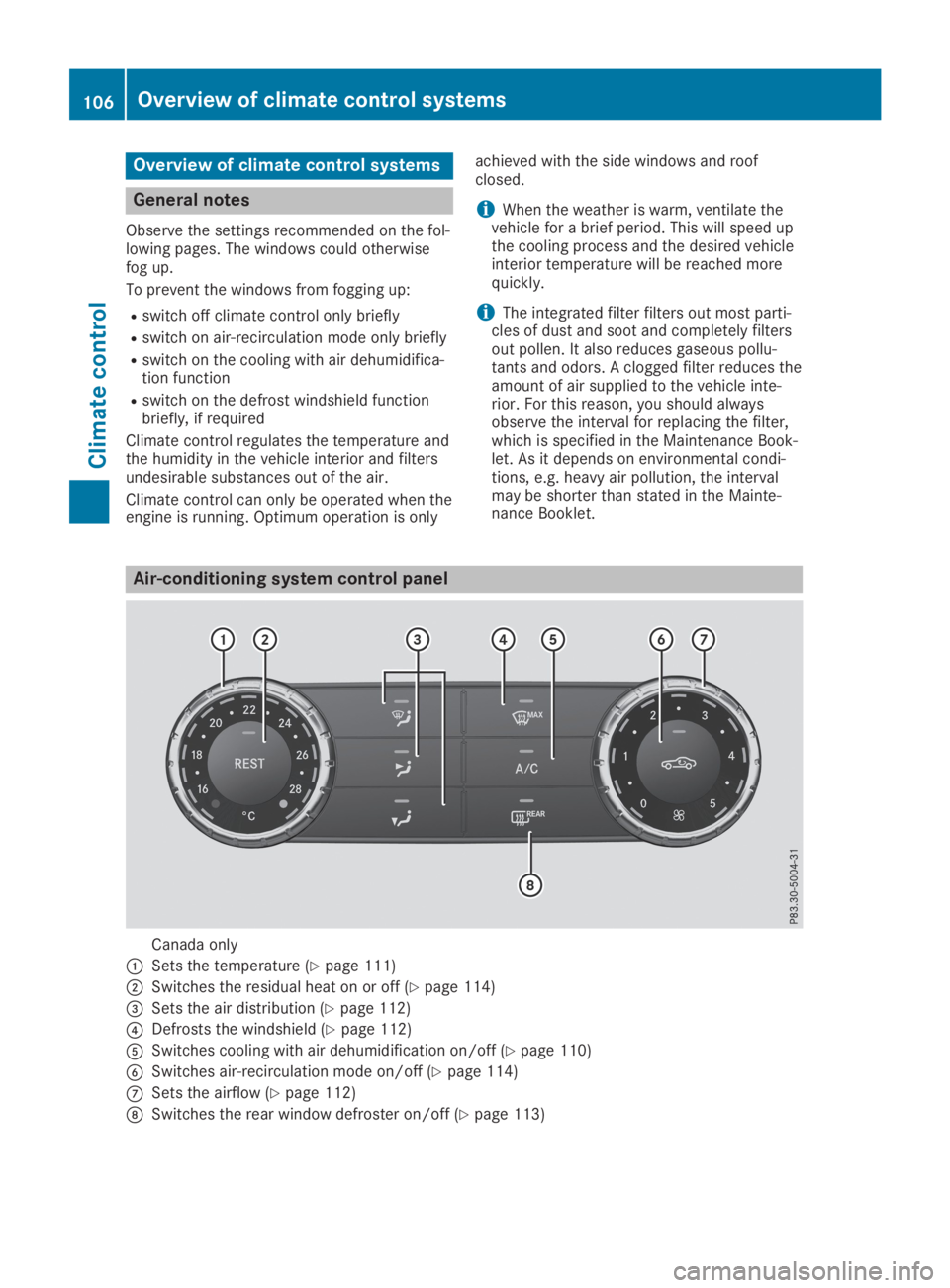
Overview of climate control systems
General notes
Observe the settings recommended on the fol-lowing pages. The windows could otherwisefog up.
To prevent the windows from fogging up:
Rswitch off climate control only briefly
Rswitch on air-recirculation mode only briefly
Rswitch on the cooling with air dehumidifica-tion function
Rswitch on the defrost windshield functionbriefly, if required
Climate control regulates the temperature andthe humidity in the vehicle interior and filtersundesirable substances out of the air.
Climate control can only be operated when theengine is running. Optimum operation is only
achieved with the side windows and roofclosed.
iWhen the weather is warm, ventilate thevehicle for a brief period. This will speed upthe cooling process and the desired vehicleinterior temperature will be reached morequickly.
iThe integrated filter filters out most parti-cles of dust and soot and completely filtersout pollen. It also reduces gaseous pollu-tants and odors. A clogged filter reduces theamount of air supplied to the vehicle inte-rior. For this reason, you should alwaysobserve the interval for replacing the filter,which is specified in the Maintenance Book-let. As it depends on environmental condi-tions, e.g. heavy air pollution, the intervalmay be shorter than stated in the Mainte-nance Booklet.
Air-conditioning system control panel
Canada only
CSets the temperature (Ypage 111)
DSwitches the residual heat on or off (Ypage 114)
Page 112 of 306
ECO start/stop function
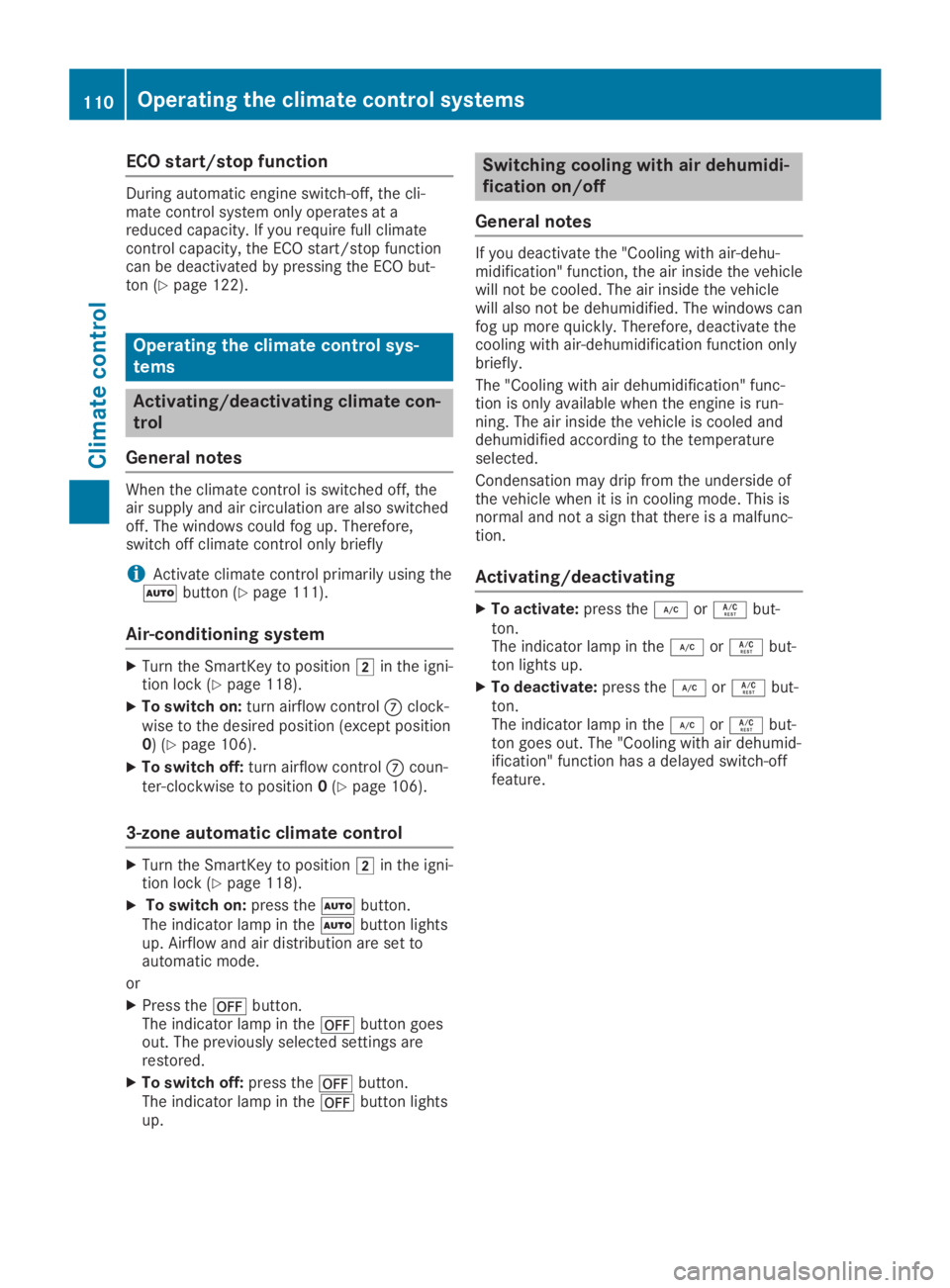
During automatic engine switch-off, the cli-mate control system only operates at areduced capacity. If you require full climatecontrol capacity, the ECO start/stop functioncan be deactivated by pressing the ECO but-ton (Ypage 122).
Operating the climate control sys-
tems
Activating/deactivating climate con-
trol
General notes
When the climate control is switched off, theair supply and air circulation are also switchedoff. The windows could fog up. Therefore,switch off climate control only briefly
iActivate climate control primarily using theXbutton (Ypage 111).
Air-conditioning system
XTurn the SmartKey to positionHin the igni-tion lock (Ypage 118).
XTo switch on:turn airflow controlkclock-wise to the desired position (except position0) (Ypage 106).
XTo switch off:turn airflow controlkcoun-ter-clockwise to position0(Ypage 106).
3-zone automatic climate control
XTurn the SmartKey to positionHin the igni-tion lock (Ypage 118).
XTo switch on:press theXbutton.The indicator lamp in theXbutton lightsup. Airflow and air distribution are set toautomatic mode.
or
XPress thexbutton.The indicator lamp in thexbutton goesout. The previously selected settings arerestored.
XTo switch off:press thexbutton.The indicator lamp in thexbutton lightsup.
Switching cooling with air dehumidi-
fication on/off
General notes
If you deactivate the "Cooling with air-dehu-midification" function, the air inside the vehiclewill not be cooled. The air inside the vehiclewill also not be dehumidified. The windows canfog up more quickly. Therefore, deactivate thecooling with air-dehumidification function onlybriefly.
The "Cooling with air dehumidification" func-tion is only available when the engine is run-ning. The air inside the vehicle is cooled anddehumidified according to the temperatureselected.
Condensation may drip from the underside ofthe vehicle when it is in cooling mode. This isnormal and not a sign that there is a malfunc-tion.
Activating/deactivating
XTo activate:press theZorVbut-ton.The indicator lamp in theZorVbut-ton lights up.
XTo deactivate:press theZorVbut-ton.The indicator lamp in theZorVbut-ton goes out. The "Cooling with air dehumid-ification" function has a delayed switch-offfeature.
110Operating the climate control systems
Climate control
Page 114 of 306
Setting the air distribution
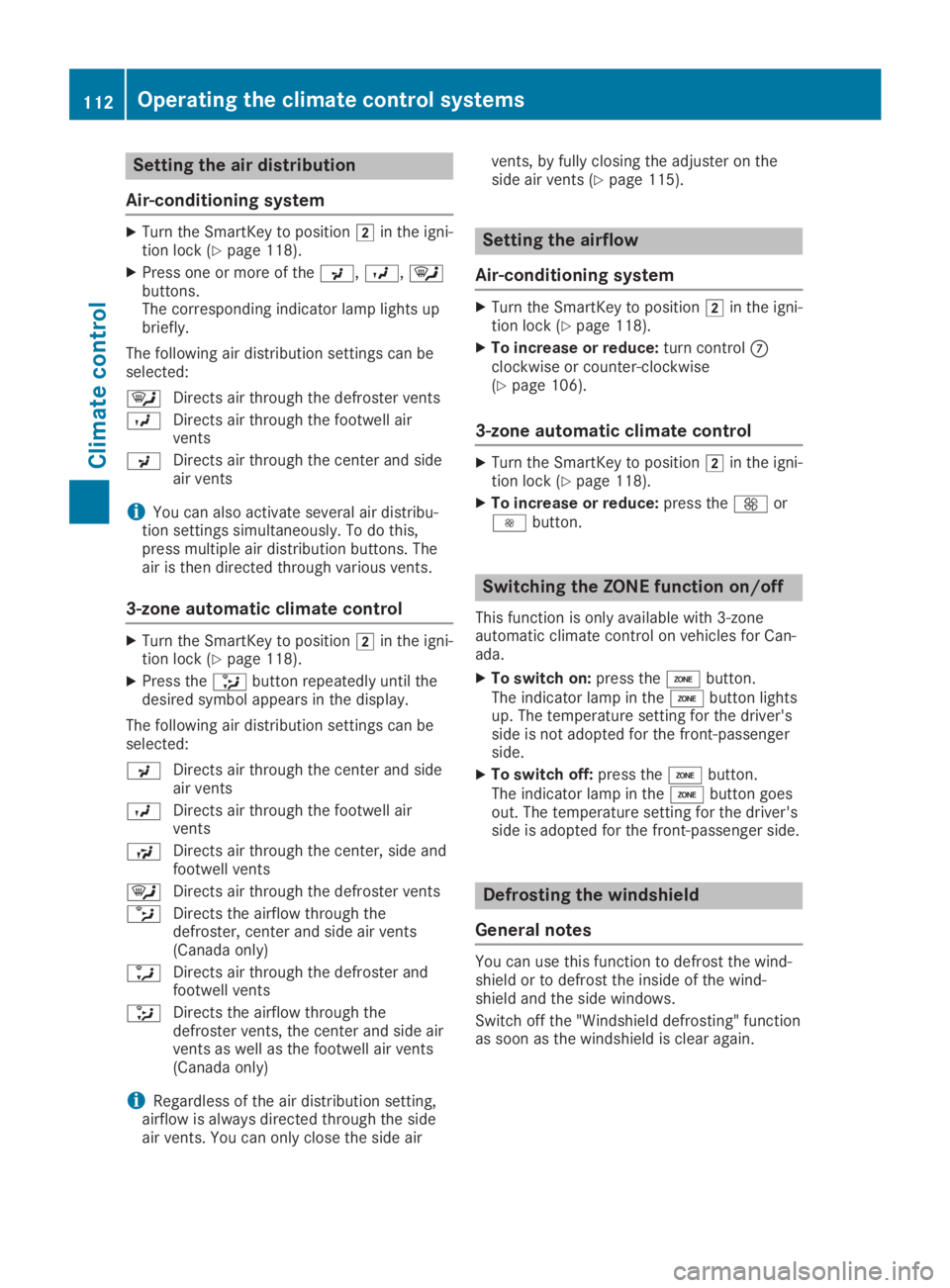
Air-conditioning system
XTurn the SmartKey to positionHin the igni-tion lock (Ypage 118).
XPress one or more of the
Page 124 of 306
starts automatically and the braking effect ofthe HOLD function is deactivated.
Automatic engine start
The engine starts automatically if:
Ryou switch off the ECO start/stop functionby pressing the ECO button
Ryou release the brake pedal in transmissionposition[or\\and the HOLD function isnot active
Ryou depress the accelerator pedal
Ryou engage reverse gear^
Ryou move the transmission out of position]
Ryou switch to drive programS+
Ryou unfasten your seat belt or open the driv-er's door
Rthe vehicle starts to roll
Rthe brake system requires this
Rthe temperature in the vehicle interior devi-ates from the set range
Rthe system detects moisture on the wind-shield when the air-conditioning system isswitched on
Rthe battery's condition of charge is too low
Shifting the transmission to position]doesnot start the engine.
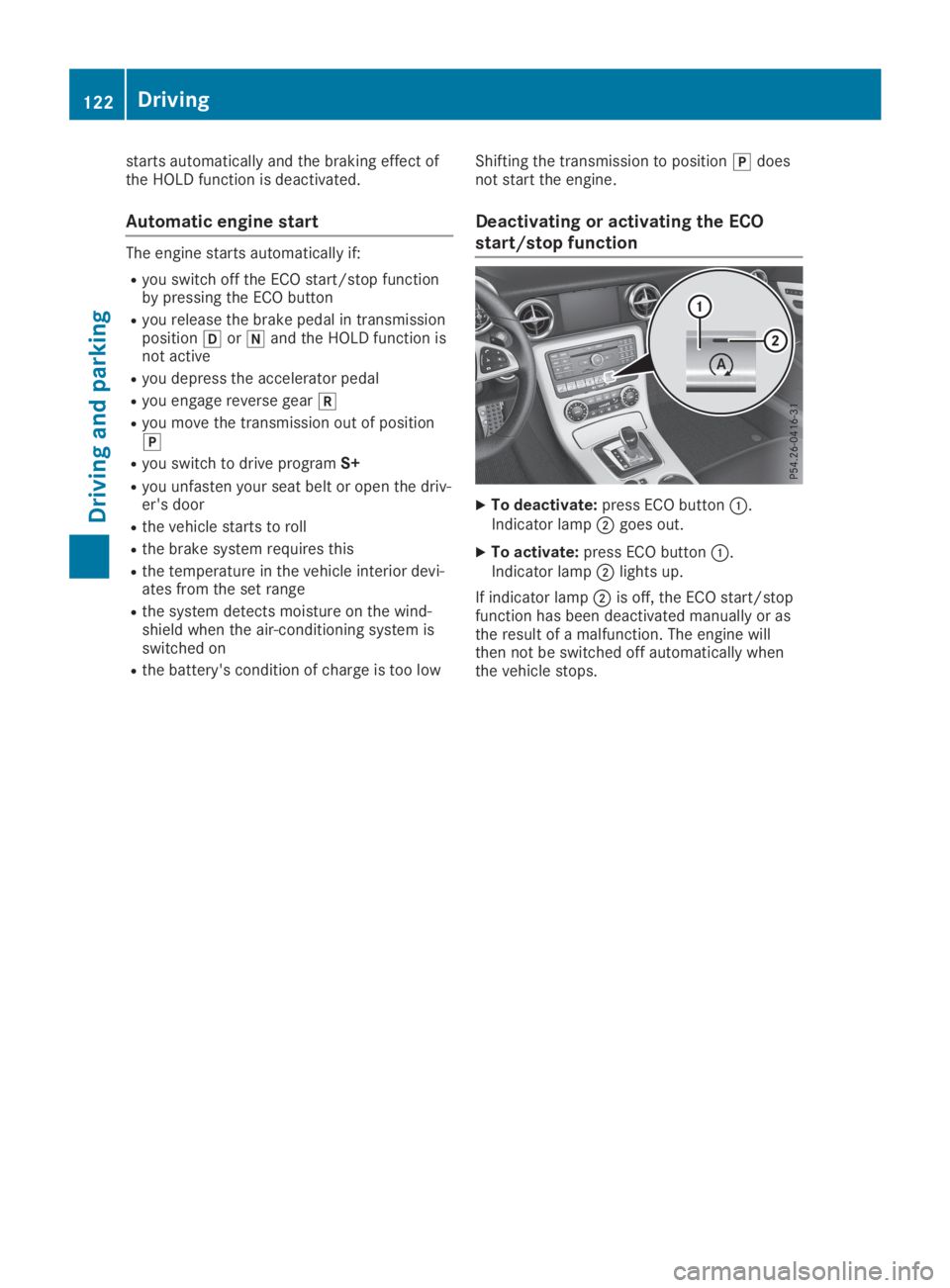
Deactivating or activating the ECO
start/stop function
XTo deactivate:press ECO buttonC.Indicator lampDgoes out.
XTo activate:press ECO buttonC.Indicator lampDlights up.
If indicator lampDis off, the ECO start/stopfunction has been deactivated manually or asthe result of a malfunction. The engine willthen not be switched off automatically whenthe vehicle stops.
122Driving
Driving and parking