alarm MERCEDES-BENZ SLK CLASS 2000 Owners Manual
[x] Cancel search | Manufacturer: MERCEDES-BENZ, Model Year: 2000, Model line: SLK CLASS, Model: MERCEDES-BENZ SLK CLASS 2000Pages: 273, PDF Size: 15.92 MB
Page 4 of 273

1 Contents
IntroductionProduct information .......................... 5
Operator’s manual ............................. 6
Where to find it ................................ 11
Reporting Safety Defects ................ 13Instruments and controlsInstruments and controls ............... 16
Center console .............................. 18
Overhead control panel ............... 19OperationVehicle keys ...................................... 22
Remote control with
folding master key ...................... 22
Start lock-out .................................... 24
General notes on the
central locking system ............... 24
Central locking system ................... 25
Remote control ............................. 25
Panic button .................................. 27
Doors .................................................. 28Central locking switch .................... 30
Automatic central locking ...............31
Emergency unlocking in
case of accident .......................... 32
Trunk ................................................. 33
Emergency release
for trunk lid ................................. 35
Antitheft alarm system ................... 35
Tow-away alarm ............................... 37
Seats .................................................. 38
Seat heater ........................................ 42
Seat belts and integrated
restraint system .......................... 44
Seat belts .......................................... 44
Seat belt nonusage
warning system ............................ 45
BabySmart
TM airbag
deactivation system ................... 50
Self-test BabySmart
TM without
special child
seat installed .................................51
Supplemental restraint
system (SRS) ................................51
Emergency tensioning
retractor (ETR) ............................ 52Airbags .............................................. 52
Safety guidelines for the
seat belt, emergency
tensioning retractor
and airbag .................................... 59
Infant and child
restraint systems ......................... 61
Adjusting telescoping
steering column .......................... 63
Rear view mirrors ............................ 64
Instrument cluster ........................... 68
Flexible service
system (FSS) ................................ 75
Checking engine oil level ............... 77
Engine oil consumption .................. 78
Exterior lamp switch ....................... 79
Headlamp cleaning system ............ 80
Combination switch ........................ 81
Hazard warning flasher
switch ............................................ 83
Climate control ................................. 84
Rear window defroster .................... 88
Audio and telephone,
operation ...................................... 91
Page 20 of 273
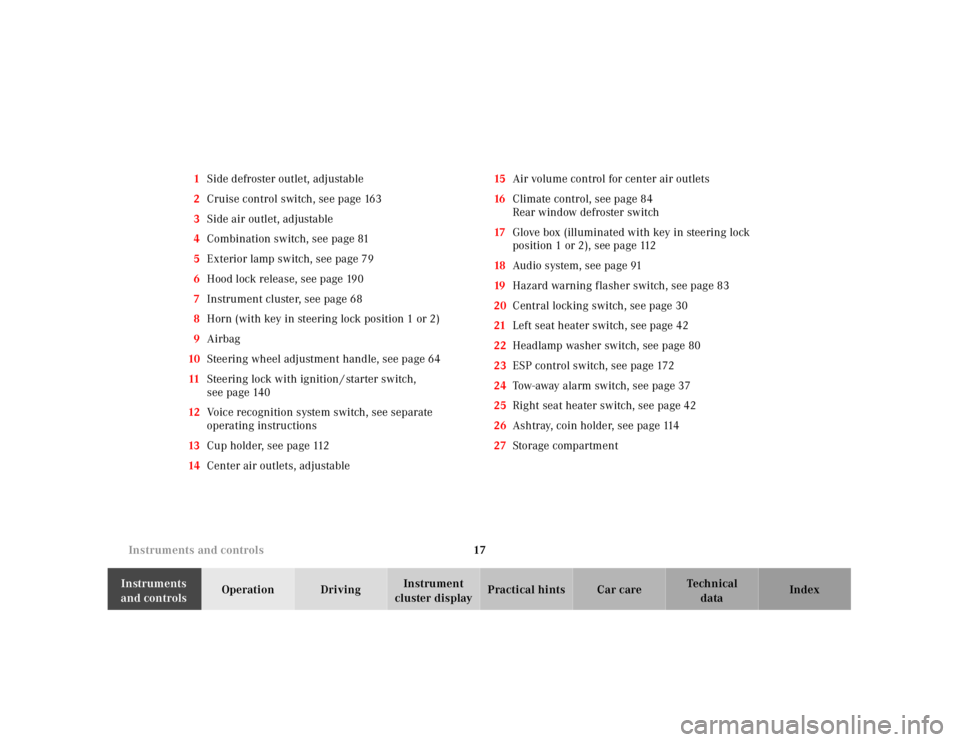
17 Instruments and controls
Te ch n ica l
data Instruments
and controlsOperation DrivingInstrument
cluster displayPractical hints Car care Index 1Side defroster outlet, adjustable
2Cruise control switch, see page 163
3Side air outlet, adjustable
4Combination switch, see page 81
5Exterior lamp switch, see page 79
6Hood lock release, see page 190
7Instrument cluster, see page 68
8Horn (with key in steering lock position 1 or 2)
9Airbag
10Steering wheel adjustment handle, see page 64
11Steering lock with ignition / starter switch,
see page 140
12Voice recognition system switch, see separate
operating instructions
13Cup holder, see page 112
14Center air outlets, adjustable15Air volume control for center air outlets
16Climate control, see page 84
Rear window defroster switch
17Glove box (illuminated with key in steering lock
position 1 or 2), see page 112
18Audio system, see page 91
19Hazard warning f lasher switch, see page 83
20Central locking switch, see page 30
21Left seat heater switch, see page 42
22Headlamp washer switch, see page 80
23ESP control switch, see page 172
24Tow-away alarm switch, see page 37
25Right seat heater switch, see page 42
26Ashtray, coin holder, see page 114
27Storage compartment
Page 23 of 273
20 Contents - Operation
Te ch n ica l
data Instruments
and controlsOperationDrivingInstrument
cluster displayPractical hints Car care Index
OperationVehicle keys ...................................... 22
Remote control
with folding master key ............. 22
Start lock-out .................................... 24
General notes on
the central locking system ........ 24
Central locking system ................... 25
Remote control ............................. 25
Panic button .................................. 27
Doors .................................................. 28
Central locking switch .................... 30
Automatic central locking .............. 31
Emergency unlocking in case of
accident ........................................ 32
Trunk ................................................. 33Emergency release for trunk lid ... 35
Antitheft alarm system ................... 35
Tow-away alarm ............................... 37
Seats .................................................. 38
Seat heater ........................................ 42
Seat belts and integrated restraint
system .......................................... 44
Seat belts .......................................... 44
Seat belt nonusage
warning system ............................ 45
BabySmart
TM airbag deactivation
system .......................................... 50
Self-test BabySmart
TM without
special child seat installed ..........51
Supplemental restraint system
(SRS) ..............................................51
Emergency tensioning retractor
(ETR) ............................................. 52Airbags .............................................. 52
Safety guidelines for the seat belt,
emergency tensioning retractor
and airbag .................................... 59
Infant and child
restraint systems ......................... 61
Adjusting telescoping steering
column .......................................... 63
Rear view mirrors ............................ 64
Instrument cluster ........................... 68
Flexible service system (FSS) ........ 75
Checking engine
oil level ......................................... 77
Engine oil consumption .................. 78
Exterior lamp switch ....................... 79
Headlamp cleaning system ............ 80
Combination switch ........................ 81
Page 30 of 273
27 Central locking system
Te ch n ica l
data Instruments
and controlsOperationDrivingInstrument
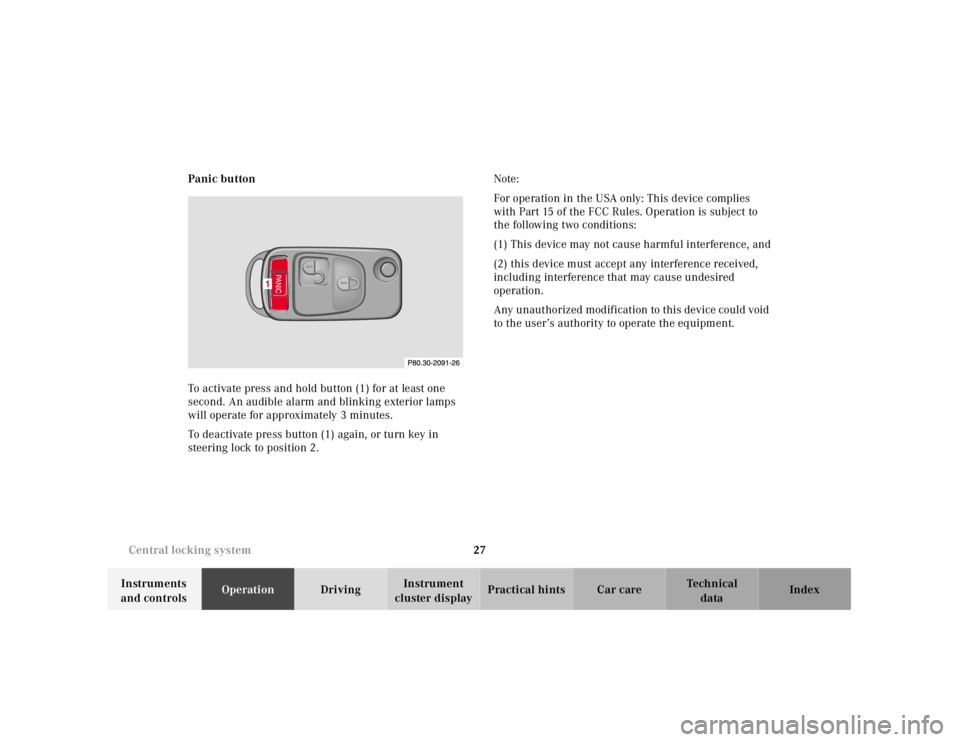
cluster displayPractical hints Car care Index Panic button
To activate press and hold button (1) for at least one
second. An audible alarm and blinking exterior lamps
will operate for approximately 3 minutes.
To deactivate press button (1) again, or turn key in
steering lock to position 2.Note:
For operation in the USA only: This device complies
with Part 15 of the FCC Rules. Operation is subject to
the following two conditions:
(1) This device may not cause harmful interference, and
(2) this device must accept any interference received,
including interference that may cause undesired
operation.
Any unauthorized modification to this device could void
to the user’s authority to operate the equipment.
1
Page 32 of 273
29 Central locking system
Te ch n ica l
data Instruments
and controlsOperationDrivingInstrument
cluster displayPractical hints Car care Index When you lock the vehicle, both door lock buttons
should move down. If any one stays up, the respective
door is not properly closed.
You should then unlock the vehicle, open and reclose
this door, and lock the vehicle again. Each individual
door can be locked with the respective door lock button
– the driver’s door can only be locked when it is closed.
If the vehicle has previously been locked from the
outside, only the door being opened from the inside will
unlock, and the alarm will come on. The other door, the
trunk, the storage compartment in armrest, and fuel
filler f lap remain locked.Notes:
In case of a malfunction in the central locking system
the doors can be locked and unlocked individually.
To lock, turn key in driver’s door lock to position 3 or
push down lock buttons.
To unlock, turn key in driver’s door lock to position 2 or
pull inside door handles.
Page 38 of 273
35 Antitheft alarm system
Te ch n ica l
data Instruments
and controlsOperationDrivingInstrument
cluster displayPractical hints Car care Index Emergency release for trunk lid
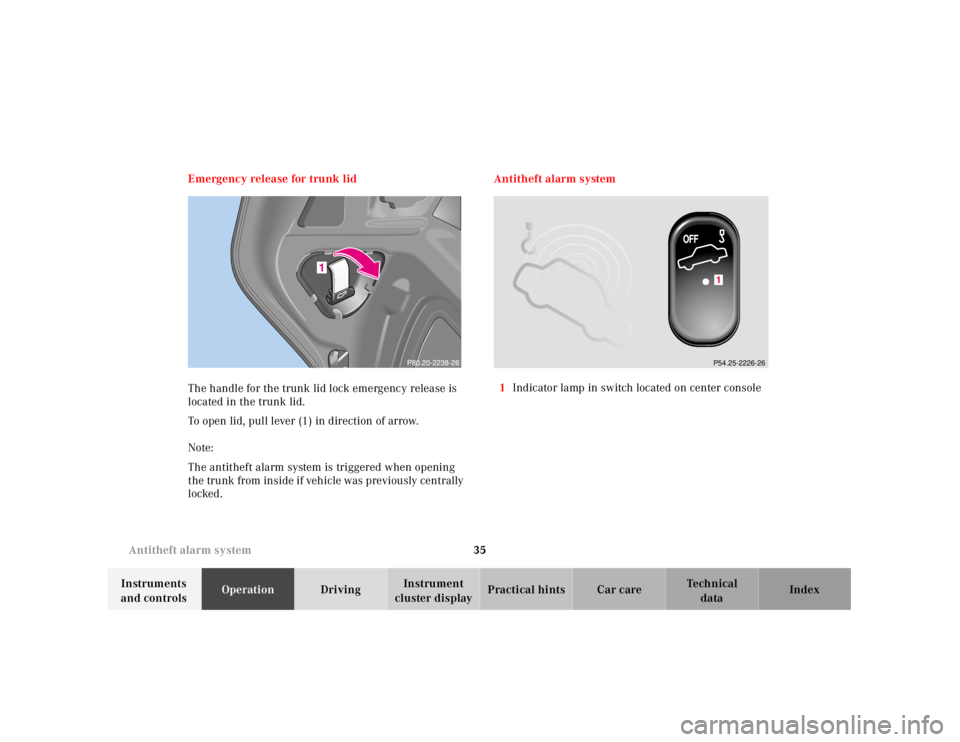
The handle for the trunk lid lock emergency release is
located in the trunk lid.
To open lid, pull lever (1) in direction of arrow.
Note:
The antitheft alarm system is triggered when opening
the trunk from inside if vehicle was previously centrally
locked.Antitheft alarm system
1Indicator lamp in switch located on center console
1P54.25-2226-26
Page 39 of 273
36 Antitheft alarm system
Te ch n ica l
data Instruments
and controlsOperationDrivingInstrument
cluster displayPractical hints Car care Index
The antitheft alarm is automatically armed or disarmed
with the remote control or any of your vehicle’s keys by
locking or unlocking the vehicle.
The antitheft alarm is armed within approximately
10 seconds after locking the vehicle.
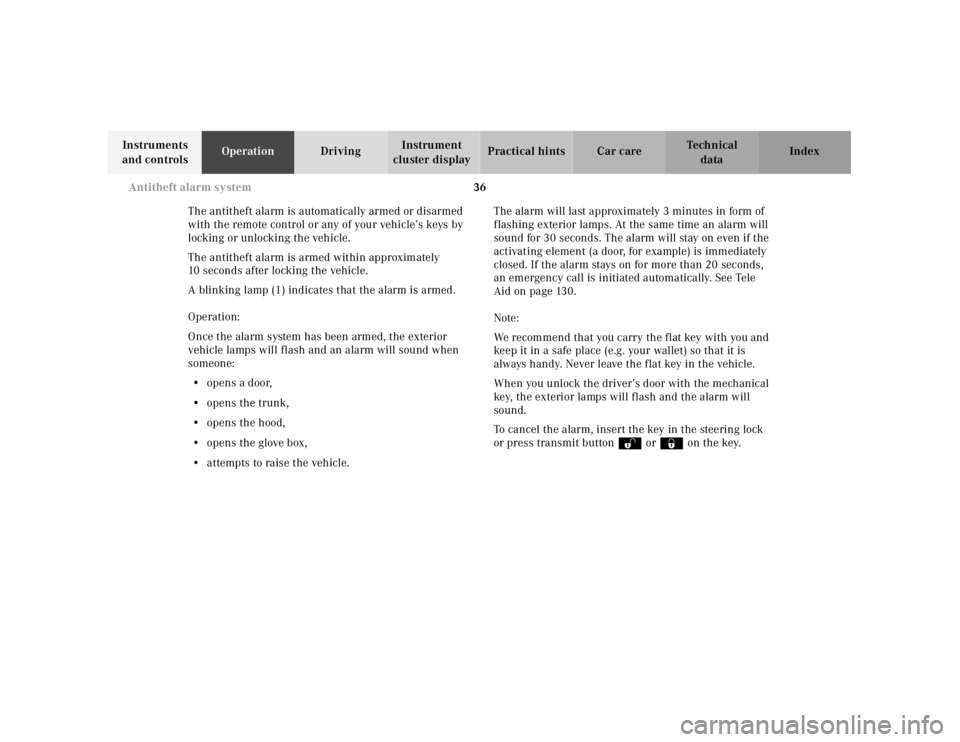
A blinking lamp (1) indicates that the alarm is armed.
Operation:
Once the alarm system has been armed, the exterior
vehicle lamps will flash and an alarm will sound when
someone:
•opens a door,
•opens the trunk,
•opens the hood,
•opens the glove box,
•attempts to raise the vehicle.The alarm will last approximately 3 minutes in form of
flashing exterior lamps. At the same time an alarm will
sound for 30 seconds. The alarm will stay on even if the
activating element (a door, for example) is immediately
closed. If the alarm stays on for more than 20 seconds,
an emergency call is initiated automatically. See Tele
Aid on page 130.
Note:
We recommend that you carry the flat key with you and
keep it in a safe place (e.g. your wallet) so that it is
always handy. Never leave the f lat key in the vehicle.
When you unlock the driver’s door with the mechanical
key, the exterior lamps will flash and the alarm will
sound.
To cancel the alarm, insert the key in the steering lock
or press transmit buttonŒ or‹ on the key.
Page 40 of 273
37 Tow-away alarm
Te ch n ica l
data Instruments
and controlsOperationDrivingInstrument
cluster displayPractical hints Car care Index Tow - aw ay al a rm
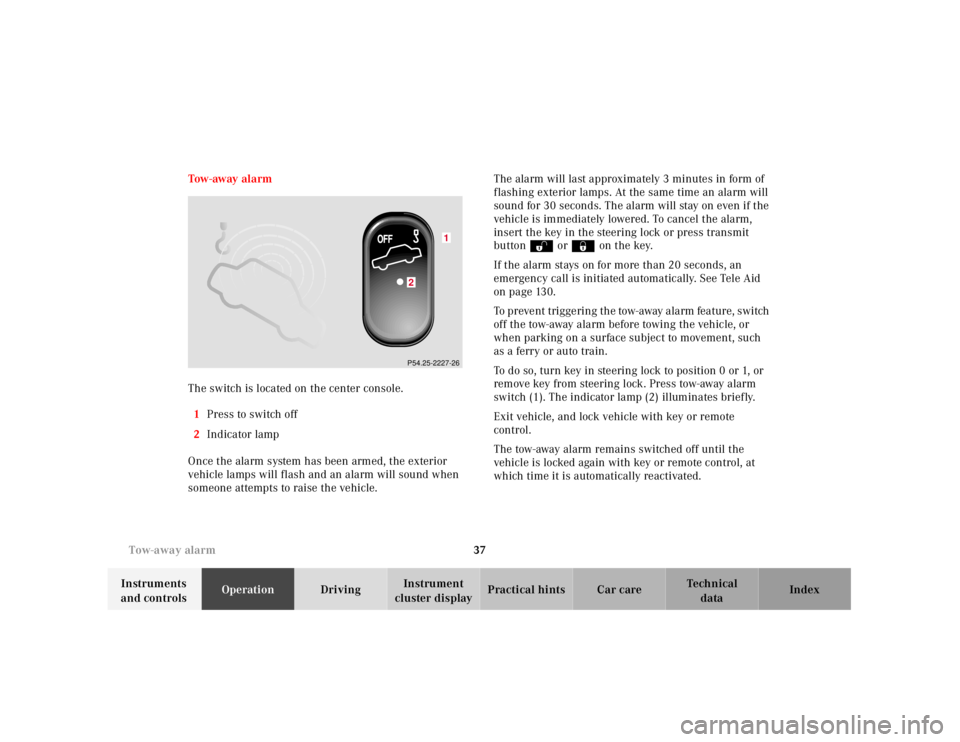
The switch is located on the center console.
1Press to switch off
2Indicator lamp
Once the alarm system has been armed, the exterior
vehicle lamps will flash and an alarm will sound when
someone attempts to raise the vehicle.The alarm will last approximately 3 minutes in form of
flashing exterior lamps. At the same time an alarm will
sound for 30 seconds. The alarm will stay on even if the
vehicle is immediately lowered. To cancel the alarm,
insert the key in the steering lock or press transmit
buttonŒ or‹ on the key.
If the alarm stays on for more than 20 seconds, an
emergency call is initiated automatically. See Tele Aid
on page 130.
To prevent triggering the tow-away alarm feature, switch
off the tow-away alarm before towing the vehicle, or
when parking on a surface subject to movement, such
as a ferry or auto train.
To do so, turn key in steering lock to position 0 or 1, or
remove key from steering lock. Press tow-away alarm
switch (1). The indicator lamp (2) illuminates brief ly.
Exit vehicle, and lock vehicle with key or remote
control.
The tow-away alarm remains switched off until the
vehicle is locked again with key or remote control, at
which time it is automatically reactivated.
1
2P54.25-2227-26
Page 133 of 273
130 Tele Aid
Te ch n ica l
data Instruments
and controlsOperationDrivingInstrument
cluster displayPractical hints Car care Index
Te l e A i d
Important!
The initial activation of the Tele Aid system may only be
performed by completing the subscriber agreement and
placing an acquaintance call using the “SOS” button.
Failure to complete either of these steps will result in a
system that is not activated. If the system is not
activated the indicator lamp in the “SOS” button stays
on after turning electronic key in starter switch to
position 2.
If you have any questions regarding activation, please
call the Response Center at 1-800-756-9018 (in the USA)
or 1-888-923-8367 (in Canada).
(Te l ematic Alarm Identification on Demand)
The Tele Aid system consists of three types of response;
automatic and manual emergency, roadside assistance
and information.
The Tele Aid system is operational providing that the
vehicle’s battery is charged and properly connected, not
damaged and cellular and GPS coverage is available. To
activate, press the “SOS” button, the Roadside
Assistance button or the Information button¡,
depending on the type of response required.Shortly after the completion of your Acquaintance Call,
you will receive a user ID and password via first call
mail. By visiting www.mbusa.com and selecting
“Tele Aid” (USA only), you will have access to account
information, remote door unlock and more.
System self-check
Initially, after turning the key in steering lock to
position 2, malfunctions are detected and indicated (the
indicator lamps in the “SOS” button, the Roadside
Assistance button and the Information
button¡ stay on longer than 10 seconds or do not
come on).
Important!
Always make sure that the indicator lamps in the
“SOS” button, in the “Roadside Assistance” button and
in the “Information” button do not remain illuminated
constantly in red after the system self check.
If a malfunction is indicated as outlined above, have the
system checked at the nearest Mercedes-Benz Center as
soon as possible.
Page 134 of 273
131 Tele Aid
Te ch n ica l
data Instruments
and controlsOperationDrivingInstrument
cluster displayPractical hints Car care Index Emergency calls
An emergency call is initiated automatically:
•following an accident in which the Emergency
Tensioning Retractors (ETR’s) or airbags deploy,
•if the antitheft alarm or the tow away alarm stays on
for more than 20 seconds, see pages 35 and 37.
An emergency call can also be initiated manually by
opening the cover next to the interior rear view mirror
labeled “SOS”, then pressing the button (for longer than
2 seconds) located under the cover. See below for
instructions on initiating an emergency call manually.
Once the emergency call is in progress, the indicator
lamp in the “SOS” button will begin to f lash. All
information relevant to the emergency, such as the
location of the vehicle (determined by the GPS satellite
location system), vehicle model, identification number
and color are generated.
A voice connection between the Response Center and
the occupants of the vehicle will be established
automatically soon after the emergency call has been
initiated. When a voice connection is established the
audio system mutes. The Response Center will attempt
to determine more precisely the nature of the accident
provided they can speak to an occupant of the vehicle.The Tele Aid system is available if:
•it has been activated and is operational. Activation
requires a subscription for monitoring services and
cellular air time
•the relevant cellular phone network and GPS signals
are available and pass the information on to the
Response Center.
Note:
Location of the vehicle on a map is possible if the
vehicle is able to receive signals from the GPS satellite
network and pass the information on to the Response
Center.
Wa r n i n g !
If the indicator lamp in the “SOS” button is
illuminated continuously and there was no voice
connection to the Response Center established,
then the Tele Aid system could not initiate an
emergency call (e.g. the relevant cellular phone
network is not available).Should this occur, assistance must be summoned
by other means.