phone MERCEDES-BENZ SLK-Class 2012 R172 Comand Manual
[x] Cancel search | Manufacturer: MERCEDES-BENZ, Model Year: 2012, Model line: SLK-Class, Model: MERCEDES-BENZ SLK-Class 2012 R172Pages: 234, PDF Size: 6.74 MB
Page 70 of 234
Selec
tion Charact
eristic Instructions
Search
ByName You
cancallupallthe
points ofinterest inthe
digital maporfocus your
search onthe three
previously selected
positions. X
Select Search By Name in
the points of
interest menuandpress Wtoconf irm.
X Select AllPOIs or
one ofthe three
previously selectedpositions.
The point ofinterest listwith character
bar appea rs.
X Proceed asdescribed inthe "point of
interest listwith character bar"section
(Y page 71). Search By Phone
Number This
funct iongives you
access toall points of
interest thathave a
phone number. X
Select Search ByPhone Number and
press Wtoconf irm.
You willsee alist ofphone numbers.
X Proceed asdescribed inthe "point of
interest listwith character bar"section
(Y page 71). Searching
bypoint ofinterest
category
Aft erselecting themenu items, thepoint of
interest categories appear:
R Near Destination R
Current Position R
Other City (after
enterin gacity)
i Ifyou have selected Search By Name and
then defined theposition forthe search,
the point ofinterest listwith character bar
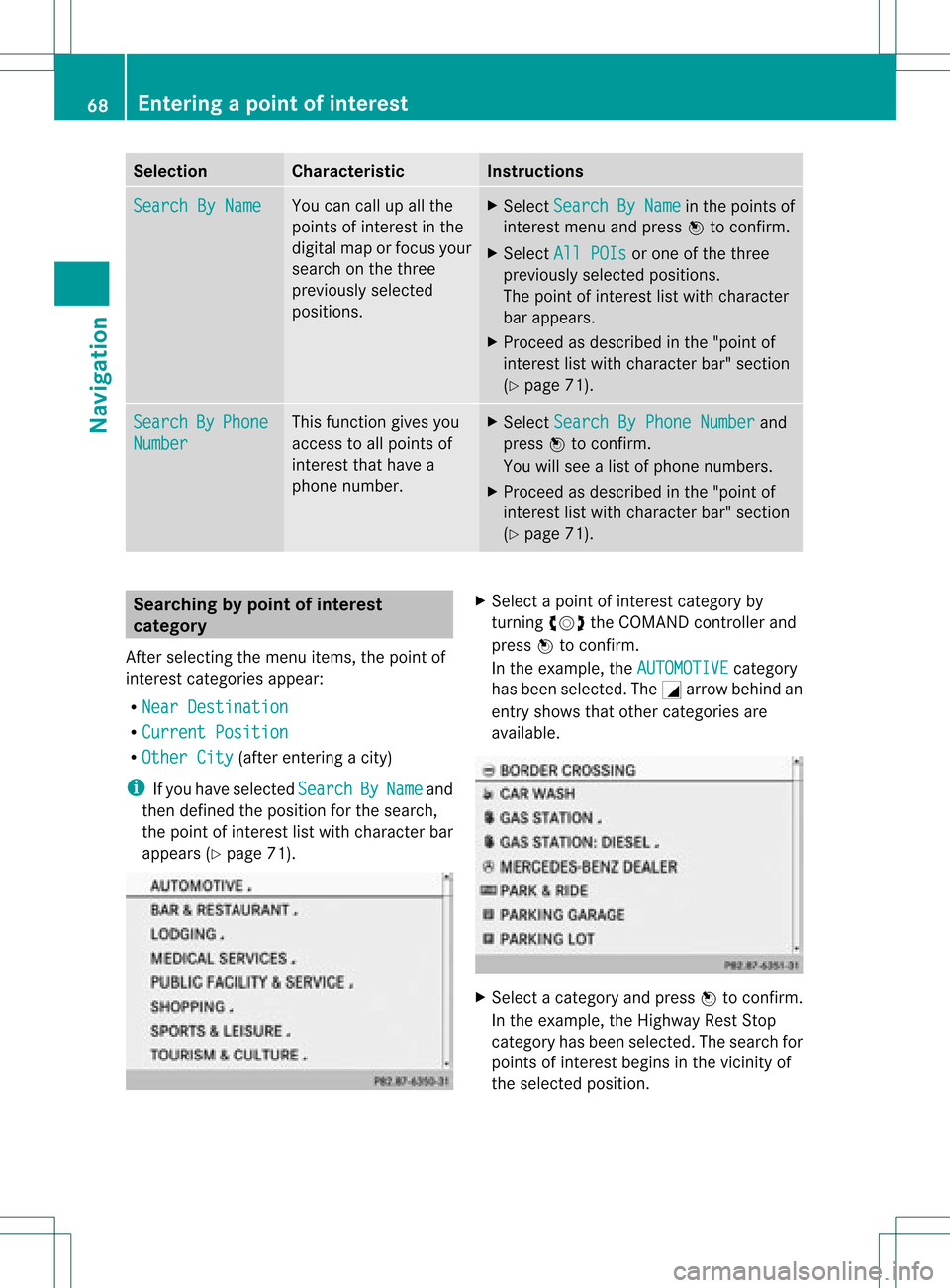
appea rs(Y page 71). X
Select apoint ofinterest category by
turnin gcVd theCOMAND controller and
press Wtoconf irm.
In the example, theAUTOMOTIVE category
has been selected. TheGarrow behind an
entr yshows thatother categories are
availa ble. X
Select acategory andpress Wtoconf irm.
In the example, theHighway RestStop
category hasbeen selected. Thesearch for
points ofinterest beginsinthe vicinity of
the selected position. 68
Entering
apoint ofint eres tNavi gatio n
Page 72 of 234
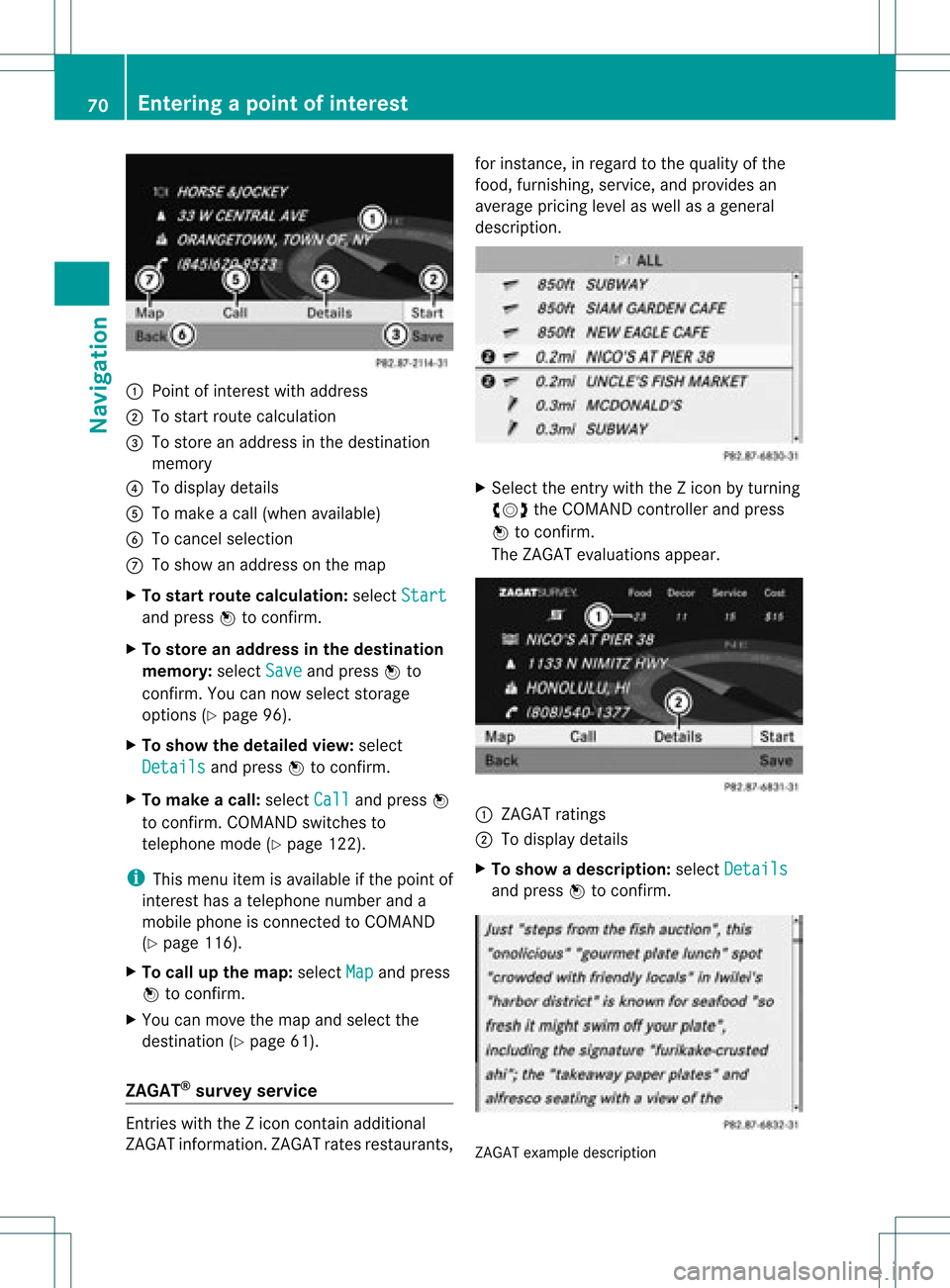
:
Point ofinter estwith address
; Tostart route calculation
= Tostore anaddress inthe destinat ion
memory
? Todisplay details
A Tomake acall (when availabl e)
B Tocanc elselection
C Toshow anaddress onthe map
X To star trout ecalculation: selectStart and
press Wtoconf irm.
X To store anadd ress inthe destinat ion
memor y:select Save and
press Wto
conf irm. Youcannow select storage
options (Ypage 96).
X To show thedeta iledview: select
Details and
press Wtoconf irm.
X To mak eacall: select Call and
press W
to conf irm. COMAND switchesto
telephone mode(Ypage 122).
i This menu itemisavailabl eif the point of
inter esthas atelephone numberanda
mobile phoneisconn ected toCOMAND
(Y page 116).
X To call upthe map :select Map and
press
W toconf irm.
X You canmove themap andselect the
destinat ion(Ypage 61).
ZAGAT ®
survey service En
tries withtheZicon containadditional
ZAGAT information.ZAGAT ratesrestaurant s,for
inst ance, inregard tothe quality ofthe
food, furnishin g,service, andprovides an
average pricinglevelaswell asageneral
descript ion. X
Select theentrywith theZicon byturn ing
cVd theCOMAND controller andpress
W toconf irm.
The ZAGAT evaluations appear. 1
ZAGAT ratings
2 Todisplay details
X To show adescri ption: selec tDet ails and
pres sW tocon firm. ZAGA
Texam pledesc ription 70
Enter
ingapoint ofint eres tNavi gatio n
Page 73 of 234
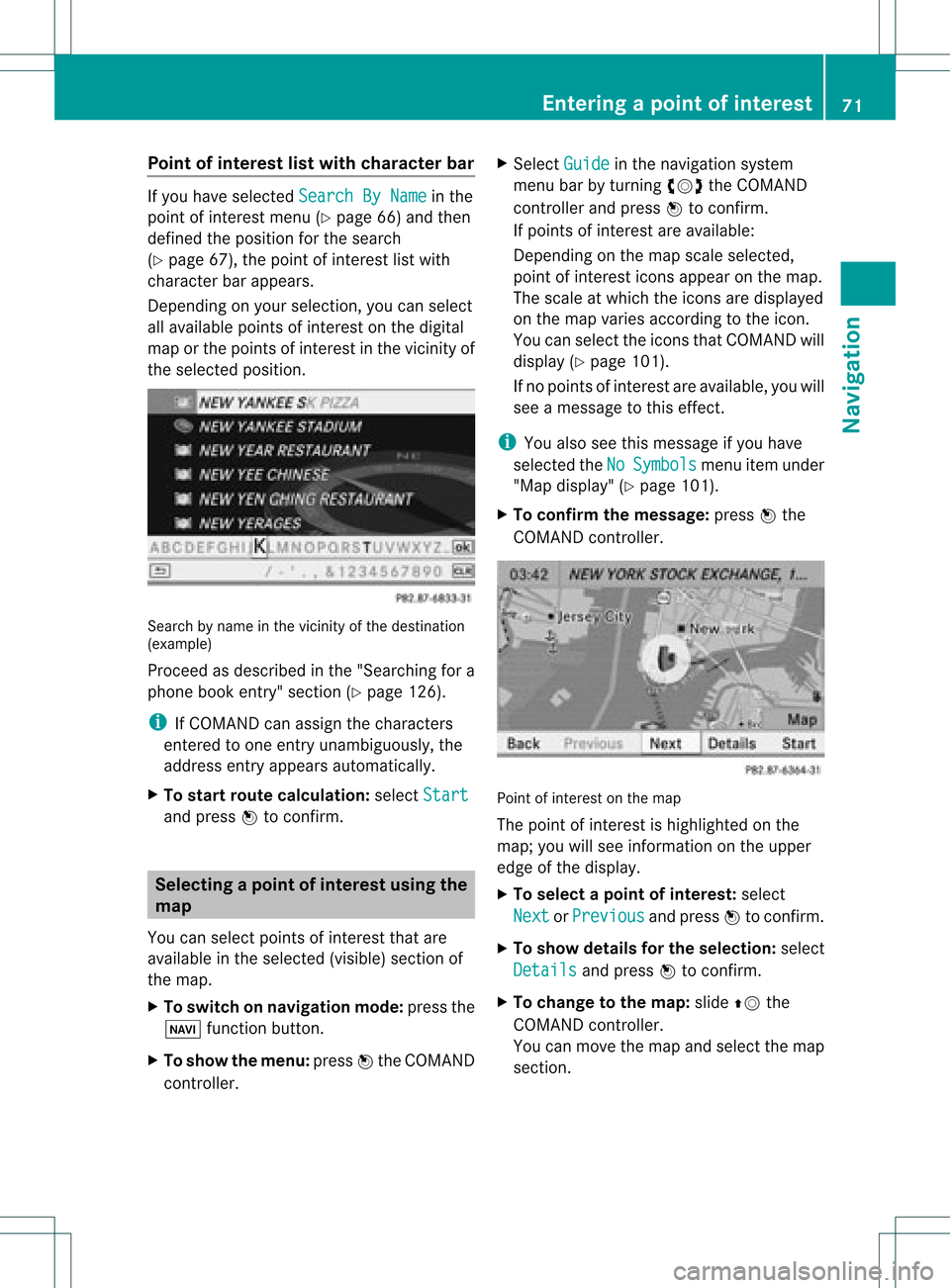
Point
ofinterest listwith charact erbar If
you have selected SearchByName in
the
point ofinterest menu(Ypage 66)and then
defined theposition forthe search
(Y page 67),thepoint ofinterest listwith
character barappears.
Depending onyour selection, youcan select
all availa blepoints ofinterest onthe digital
map orthe points ofinterest inthe vicinity of
the selected position. Search
byname inthe vicinity ofthe destination
(example)
Proceed asdescribed inthe "Searching fora
phone bookentry"section (Ypage 126).
i IfCOMAND canassign thecharacters
entered toone entryunambiguou sly,the
address entryappears automatically.
X To star troute calculation: selectStart and
press Wtoconf irm. Selec
tingapoint ofint eres tusing the
map
You canselect points ofinter estthat are
available inthe selected (visible)sectionof
the map.
X To switch onnavigat ionmode: pressthe
Ø function button .
X To show themenu: pressWthe COMAND
con troller. X
Select Guide in
the navigation system
menu barbyturn ingcVd theCOMAND
con troller andpress Wtocon firm.
If points ofinter estare available:
Depen dingonthe map scale selected,
point ofinter esticons appear onthe map.
The scale atwhich theicons aredisplayed
on the map varies accordin gto the icon.
You canselect theicons thatCOMAND will
display (Ypage 101).
If no points ofinter estare available, youwill
see amessage tothis effec t.
i You also seethis message ifyou have
selected theNo Symbols menu
itemunder
"Map display" (Ypage 101).
X To confirm themessage: pressWthe
COMAND controller. Point
ofinter estonthe map
The point ofinter estishighlighted onthe
map; youwillsee infor mation onthe upper
edge ofthe display.
X To select apoint ofint erest :selec t
Nex t or
Pre vious and
pres sW tocon firm.
X To show details fortheselecti on:selec t
Det ails and
pres sW tocon firm.
X To chan getothema p:slide ZVthe
COMA NDcontroller .
You canmov eth emap andselec tthe map
section. Entering
apoint ofint eres t
71Navi gatio n Z
Page 76 of 234
X
To del ete acate gory: select Delete and
pre ssW toconfi rm.
Ap rompt appears asking whethe rthe
category shouldbedeleted.
i Ifyou delete acategory, allpoints of
interest ofthis category arealso deleted.
X Select Yes and
press Wtoconfirm .
If you select Yes ,
the category willbe
deleted.
If you select No ,
the process willbe
canceled.
Managing personalpointsofinterest X
Select Manage Personal POIs in
the
menu andpress Wtoconfirm .
X Select NotClassified ,
COMAND or
your
own category andpress Wtoconfirm .
X Select apersonal pointofinterest and
press Wtoconfirm .
The personal pointofinterest isdispla yed.
The following functionsaredescribed inthe
"Select asdestination" section
(Y page 75):
R renaming
R changing thecategory
R deleting Saving
personal pointsofinterest
There arethree waysto save personal points
of interest .You must insert anSD memory
card todo so. The No Memory Card message
otherwise appears.
i Personal pointsofinterest androutes are
written tothe memory cardinadata format
based uponopenformat GPX(GPS
Exchange Format).Geodataissaved inthis
format. Option
1
X Insert theSDmemory card(Ypage 157).
X Hide themenu (Ypage 51)todispla ythe
map infull screen mode.
X Press Wthe COMAND controller forlonger
than twoseconds.
The current position ofthe vehicle issaved
as apersonal pointofinterest onthe SD
memory cardinthe "Unclassified"
category.
i The crosshair positionissaved while
scrolling themap (Ypage 61).
Option 2
X Insert theSDmemory card(Ypage 61).
X To show themenu: pressWthe COMAND
cont roller.
X Select Position in
the navigation system
menu barbyturning cVdtheCOMAND
cont roller andpress Wtoconfirm .
X Select SavePosition AsPersonal POI or
Save Crosshair Pos.As Personal
POI ("Move
map"function
active) andpress Wtoconfirm .
The listofpersonal categories appears.
X Select acategory andpress Wtoconfirm .
X Name forthe personal pointofinterest .
Proceed asdescribed under"Entering
characters" inthe "Ent ering characters in
the address andphone books" section
(Y page 31).
Option 3
X Insert theSDmemory card(Ypage 157).
X Select Save from
theaddress entrymenu
and press Wtoconfirm .
X Select SaveAsPersonal POI and
press
W toconfirm .
X Select acategory.
X Ent erthe name.
The current address issaved asapersonal
point ofinterest onthe SDmemory card. 74
Personal
pointsofinterestNavigat ion
Page 78 of 234
If
route guidance hasnotbeen activated,
route calculationforthe personal pointof
interest willstart immedi ately.
X Select Yes or
No and
press Wtoconfirm.
If you select Yes ,
the personal pointof
interest isaccepted asthe destination.
If you select No ,
the process willbe
canceled.
X To make acall :select Call and
press W
to confirm. COMAND switchesto
telepho nemode (Ypage 122).
i This menu itemisavai lableifthe personal
point ofinterest hasatelepho nenumber
and ifamobil ephone isconnect edto
COMAND (Ypage 116).
X To delete apersonal pointofinterest:
select Delete and
press Wtoconfirm.
Ap rompt appears asking whethe ryou wish
to delete thepoint ofinteres t.
X Select Yes or
No and
press Wtoconf irm.
If you select Yes ,
the personal pointof
inter estisdeleted.
If you select No ,
the process willbe
canceled. Search
&Send Not
es
i Touse Sear ch&S end, your vehicle needs
to be equipped withmbrace, anavigation
system andavalid mbrace subscript ion.
Searc h&S end isaservic eassistin gyou in
ent ering destin ations forthe navigation
system. Thismbrace servicecan send a
destin ationaddress directlyfrom theGoogle
Maps ®
website tothe navigation systemof
your vehicle. Selecting
andsending adesti nation
ad dress
i Please observetheno teson ent erin gan
addre sson thema ps.google. com
websit e.
X Call upthema ps.google. comwebsit eand
dest inationaddre ssintheaddre ssent ry
field .
X Click thecor respon ding buttontosen dth e
dest inationaddre sstothee-m ailaddre ss
regi stered withmbrace.
X En tert he e-mail address youspecified
when settingup your mbrace account into
the corresponding fieldinthe "Send" dialog
window.
X Click "Send". Calling
upadestination address
X Press theï mbrace information button
to start downloadi ngthe destination
address ontothenavigation systemofyour
vehicle. i
Ifyou have sentmore thanone
destination addresstoyour vehicle's
navigation system,youwillneed tocall up
the information individuallyfor every
address tobe downloaded .
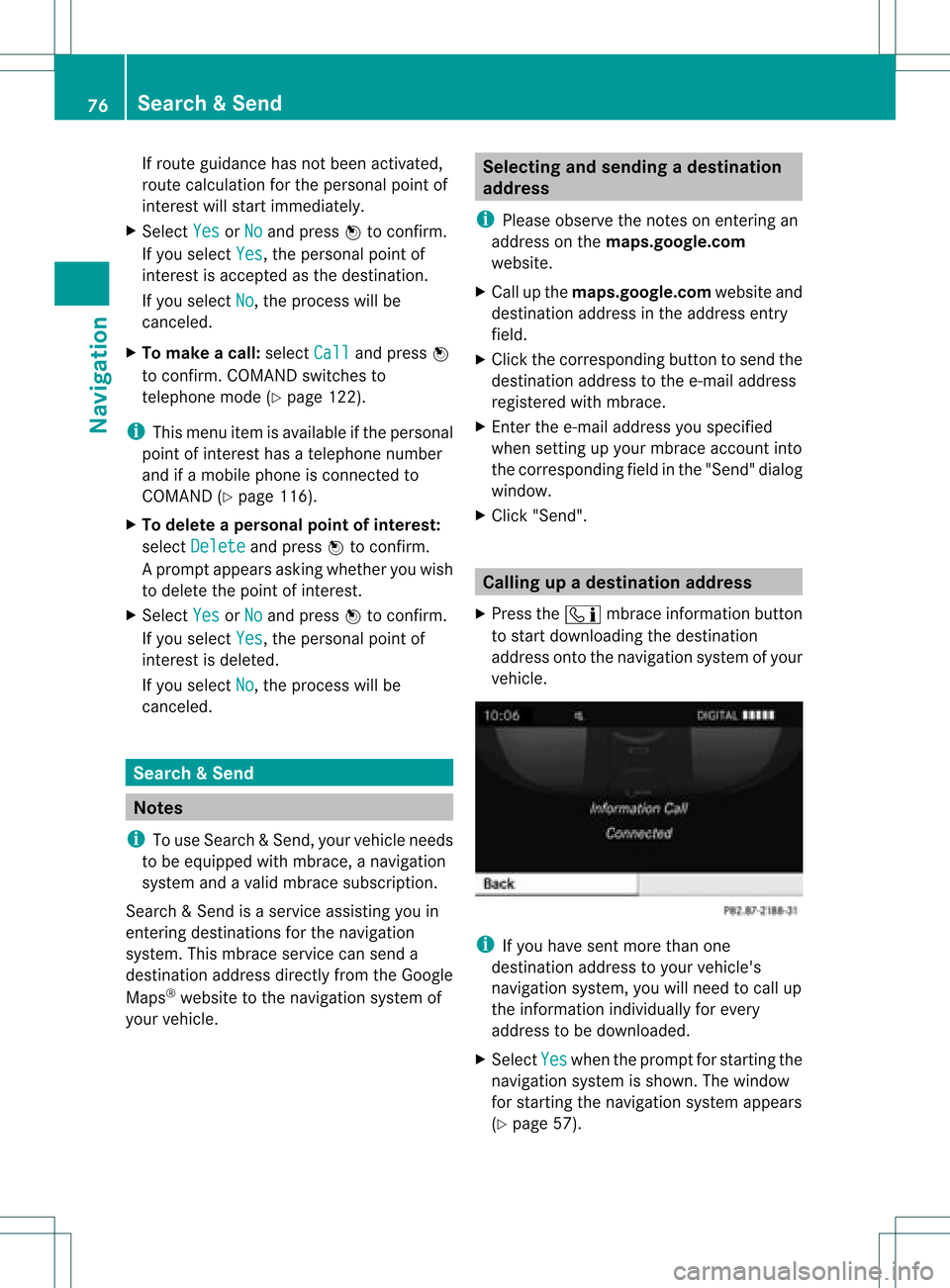
X Select Yes when
theprompt forstartin gthe
navigation systemisshown. Thewindow
for startin gthe navigation systemappears
(Y page 57). 76
Search
&SendNavi gatio n
Page 83 of 234
X
To sho wthe men u:pre ssW the COMAND
contro ller.
X Sel ect Navi in
the mainfunctio nba rby
sl id ing ZV theCOMAND controller and
pre ssW toconfi rm.
X Sel ect Ann ounce Str
eet Nam
es and
press
W toconfi rm.
Dep endingonthe previous sta tus ,the
fu nctio nisswitched onO oroff ª. Cance
lingorcontinuin groute
guidance
X To switch onnavigation mode:pressthe
Ø function button.
X To show themenu: pressWthe COMAND
cont roller.
X Select Dest. in
the navigation system
menu barbyturning cVdtheCOMAND
cont roller andpressing Wtoconfirm.
X To cance lroute guidance: selectCancel Route
Guidance and
press Wtoconfirm.
or
X To continue routeguidance: select
Continue RouteGuidance and
press W
to confirm.
COMAND calculatesthe route. Destination
orarea ofdestination
reached
When youreach yourdestination, COMAND
displa ysacheckered flagand route guidance
is automaticall yended.
If the destination isnot inclose proximity to
a digitized street,theArea of destination
reached message
appears
when thedestination isreached. Navigation
announcements
Repeating navigation announcements G
WARNING
Navigation announcement sare intended to
direct youwhile driving without diverting your
attent ionfrom theroad anddriving.
Please alwaysuse this feature instead of
consulting themap displa yfor directions.
Consulting thesymbols ormap displa yfor
directions maycause youtodivert your
attent ionfrom driving andincrease yourrisk
of an accident.
i Audible navigation announcement sare
muted duringatelephone call.
If you have missed anannouncement ,you can
call upthe current announcement atany
time.
X To show themenu: pressWthe COMAND
cont roller.
X Select RPT in
the navigation systemmenu
bar byturning cVdtheCOMAND
cont roller andpressing Wtoconfirm.
Switching navigation announcements
on/o ff X
To switch off:press the8 button
during anannouncement .
You willbriefly seethemessage: The driving
instructions havebeen muted .
X To switch on:press Wthe COMAND
cont roller.
X Select RPT in
the navigation systemmenu
bar byturning cVdtheCOMAND
cont roller andpressing Wtoconfirm.
i COMAND automaticall yswitches the
navigation announcement sback onwhen:
R you have anew route calcula ted.
R you switch COMAND backonagai nor
start theengine. Route
guidance
81Navigation Z
Page 86 of 234
The
example shows:
R the destinat ionO
R two waypoi nts
R the relevant informationondistanc e,
estimated timeofarrival andestimated
remaining drivingtime
i Ifamobile phoneisconn ected to
COMAND (Ypage 116)andaphone
number isincluded inthe destinat ion
inform ation,youcan callit.
X To call upfurther destinat ion
informa tion:turncVd theCOMAND
cont roller.
X To close thedestinat ioninforma tion:
slide XVY theCOMAND controller orpress
the k button . Route
overview
You canusetheroute overview tomove along
the active routesectionbysect ionand view
inform ationanddetails abouteachsectionof
the route.
X To switch onnavigation mode:pressthe
Ø functionbutton .
X To show themenu: pressWthe COMAND
cont roller.
X Select Route in
the navigation system
menu barbyturnin gcVd theCOMAND
cont roller andpress Wtoconf irm.
X Select Route Browser and
press Wto
conf irm.
At the top ofthe display ,you willsee
inform ationabout thehighlighted route
sect ion,forexample thedistanc eto be driven
on the road androad designation. The
highlighted routesectionismarked inwhite
with ared border onthe map.
X To view thenext orprevious route
section: selectNext or
Previous and
press Wtoconf irm. i
Ifthe first orlast route sectionis
highlighted, youcann otselect Previous or
Next .
X To zoom inor out ofthe map :select N
or M and press Wtoconf irm.
X To close therout eoverview: select
Back and
press Wtoconf irm. Route
display
You canseetheroute before startingyour
journey. Thisfunct ionisonly availab lewhen
the vehicle isstation ary.
X To switch onnavigation mode:pressthe
Ø functionbutton .
X To show themenu: pressWthe COMAND
cont roller.
X Select Route in
the navigation system
menu barbyturnin gcVd theCOMAND
cont roller andpress Wtoconf irm.
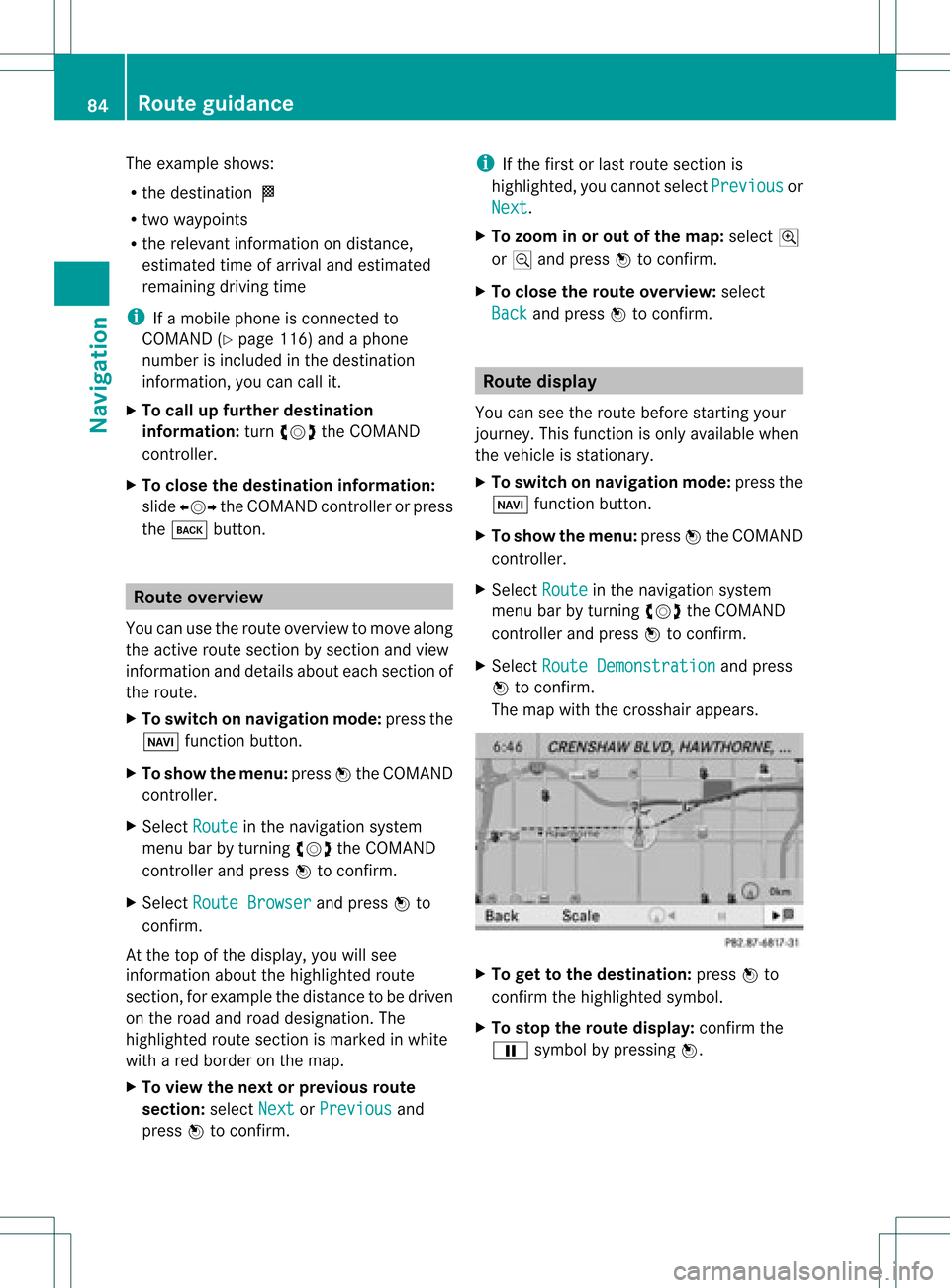
X Select Route Demonstrat ion and
press
W toconf irm.
The map withthecrosshair appears. X
To get tothe destinat ion:press Wto
conf irmthehighlighted symbol.
X To stop therout edisplay: confirmthe
Ë symbol bypressing W. 84
Rout
eguidanceNa vigation
Page 110 of 234
X
Sel ect SIRIUS Service and
pressW to
confi rm.
The window onthe right halfof the displ ay
sho wsthe telephone numb erofthe
pro vider(SIR IUSXM) andtheserialnumb er
of your ser vice module for rece iving traf fic
mes sages .
Reg isteri ngfor the SIRIU SXM traffic
repo rtse rvic e X
Ca llthe trafficrep ort provider'spho ne
numb ersho wnonthe scre en.
i Youcan also have the satel lite ser vice
acti vate donl ine.Todo so, visit theSIRIUS
XM Radio website at
htt <0010002C00210021001700170017002000130009001200090015001300200003
000F000DH (USA)or
htt <0010002C00210021001700170017002000130009001200090015001300030001
000E000100040001H .com
(Canada) .
Once theconn ection hasbeen established:
X Follow theinstr uctions ofthe operator.
The activation processmaytake uptoten
minutes.
If registrat ionisnot included when
purchasing thesystem, yourcredit card
details willberequired toactivate your
account . Compass
function
In the compass view,youcan seethecurrent
direction oftravel, thecurrent heightabove
sea level andthecoordinat esofthe vehicle
position, forexample.
X To switch onnavigation mode:pressthe
Ø functionbutton .
X To show themenu: pressWthe COMAND
cont roller.
X Select Pos. in
the navigation systemmenu
bar bysliding VÆandturnin gcVd the
COMAND controller andpress Wto
conf irm.
X Select Compass and
press Wtoconf irm. Compass
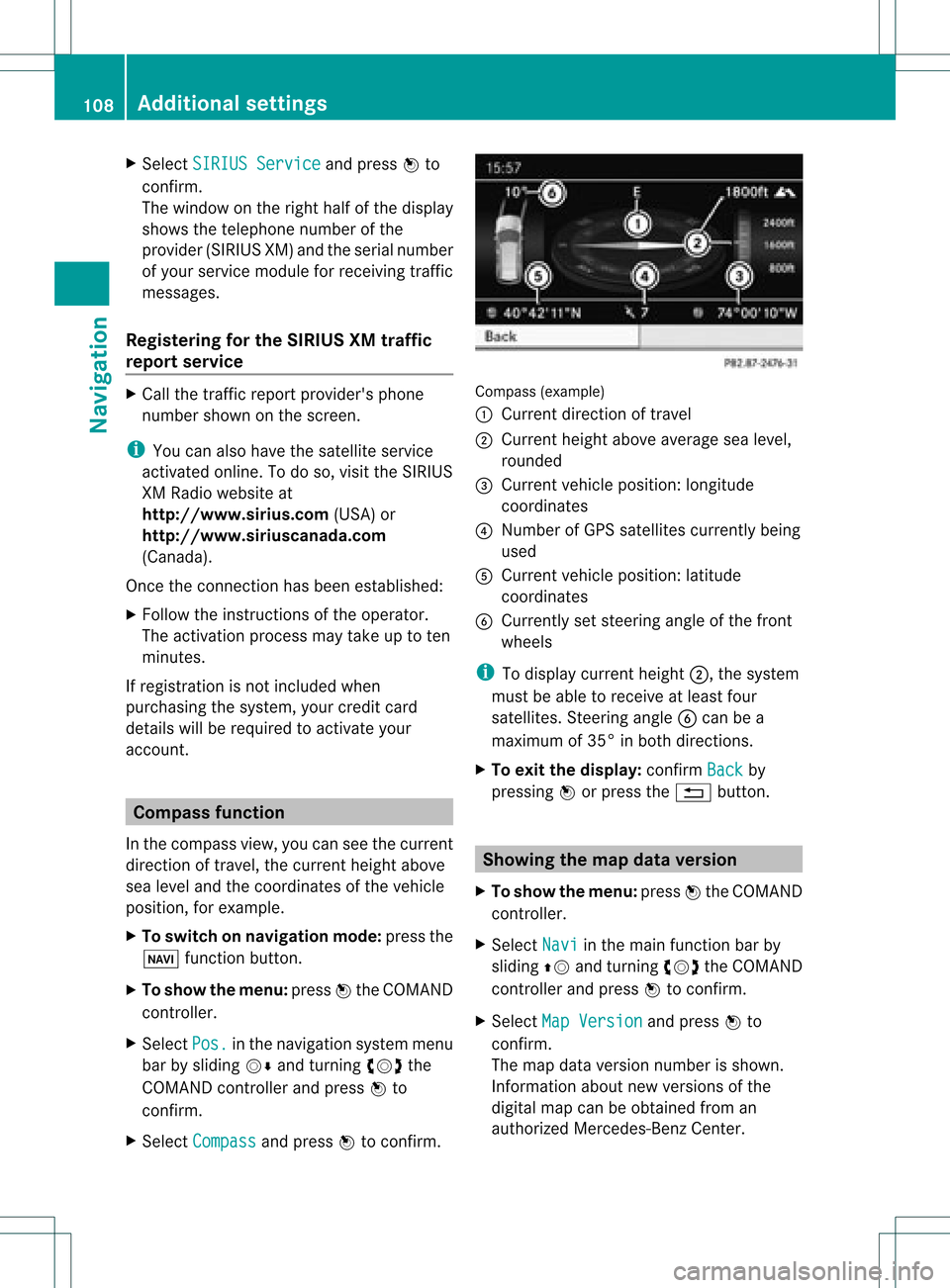
(example)
: Current direction oftravel
; Current heightaboveaverage sealevel,
rounded
= Current vehicleposition: longitude
coordinat es
? Number ofGPS satellites currentlybeing
used
A Current vehicleposition: latitude
coordinat es
B Currently setsteerin gangle ofthe front
wheels
i Todisplay current height;,thesystem
must beable toreceive atleast four
satellites. Steeringangle Bcan bea
maximum of35° inboth direction s.
X To exit thedisplay: confirmBack by
pressing Worpress the% button . Showing
themap dataversion
X To show themenu: pressWthe COMAND
cont roller.
X Select Navi in
the main functionbar by
sliding ZVandturnin gcVd theCOMAND
cont roller andpress Wtoconf irm.
X Select MapVersion and
press Wto
conf irm.
The map data version number isshown.
Infor mation aboutnewversions ofthe
digital mapcanbeobtained froman
authorized Mercedes-B enzCenter. 108
Additional
settingsNavigation
Page 115 of 234
COMAN
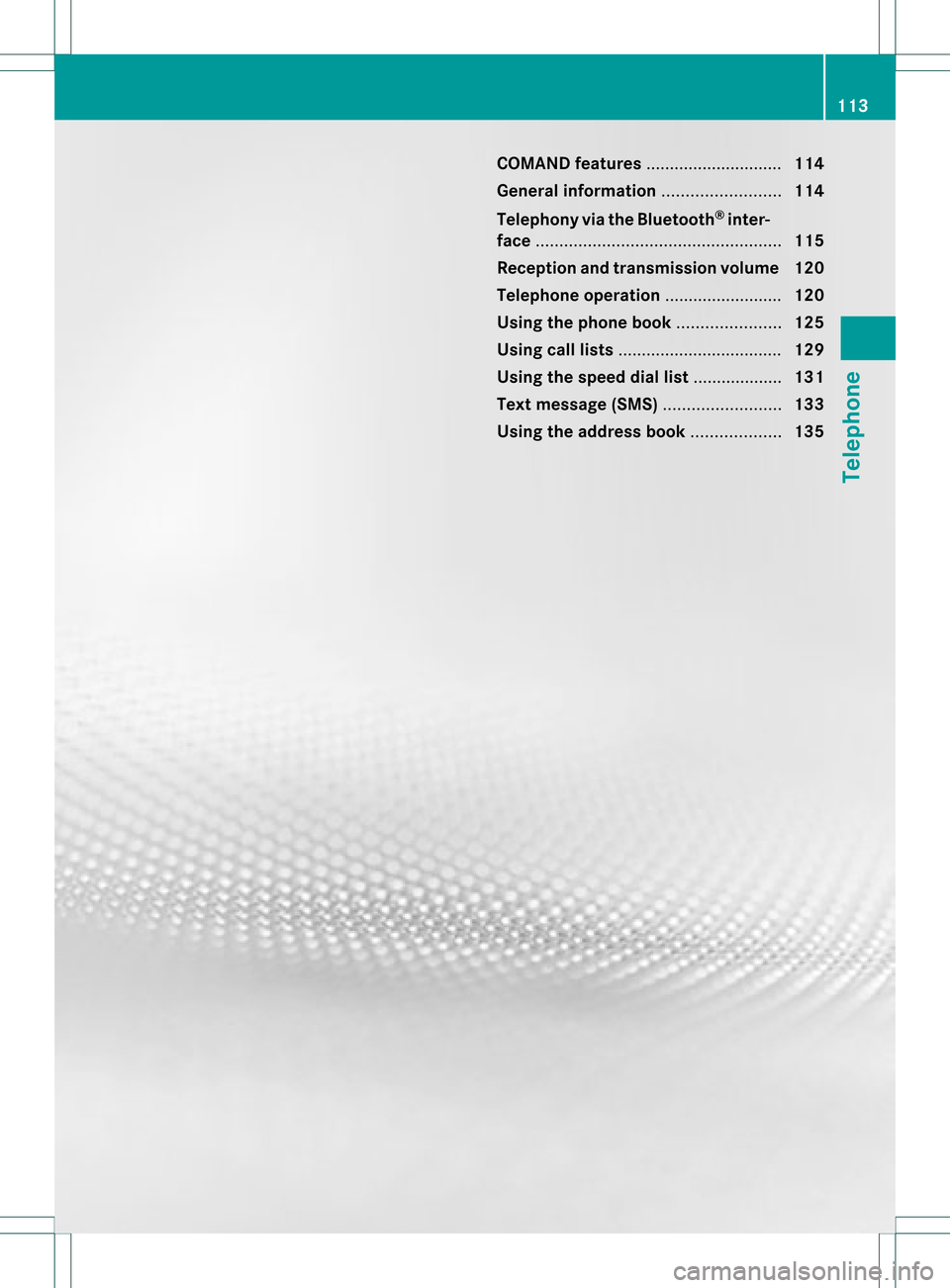
Dfea tures ........ .......... ........... 114
Gener alinfor mation <0021002100210021002100210021002100210021002100210021002100210021
002100210021002100210021002100210021V 114
Telephony viathe Bluet ooth®
inter-
face <0021002100210021002100210021002100210021002100210021002100210021
0021002100210021002100210021002100210021002100210021002100210021
0021002100210021002100210021002100210021002100210021002100210021
0021002100210021V 115
Reception andtransm ission volume 120
Telephone operation........ .......... ....... 120
Using thephone book<0021002100210021002100210021002100210021002100210021002100210021
002100210021002100210021V 125
Using calllists .................. ................. 129
Using thespeed diallist........ .......... . 131
Text message (SMS)<0021002100210021002100210021002100210021002100210021002100210021
002100210021002100210021002100210021V 133
Using theaddress book <0021002100210021002100210021002100210021002100210021002100210021
002100210021V 135 113Telephone
Page 116 of 234
COMAN
Dfea tures
Thes eOper atingIn st ruc tions desc ribeall
st andar dand optionalequipm enta vail able
for you rCOMAND systematthe time of
purcha se.Cou ntry-specifi cdeviation sare
possible. Pleasenotethat your COMAND
system maynotbeequipped withallthe
features described. General
information Introd
uction
COMAND offerstelephon yvia the
Bluetoot h®
int erface.
When connectingaBluetoot h®
-c apable
mobile phonewithPBAP(Phone BookAccess
Profile), contact sare automatic ally
downloaded toCOMAND .
With asuitable mobilephone, youcan usethe
hands- freesystem andreceive vCardsviathe
Bluetoot h®
int erface.
You canusethetextm essage (SMS)func tion
(receivin gand reading) ifthe mobile phone
supports theMAP (Message Access Profile)
Bluetoot h®
profile.
More detailed information onsuitable mobile
phones andoncon nectingwith Bluetoot h®
-
capable mobilephones withCOMAND canbe
found onthe Internet at
htt p://ww w.mbu sa-mobile.com. Orcall
the Mercedes- BenzCustome rAssistance
Center on
1-80 0-FOR-ME RCedes(1-800- 367-6372) for
the USA oron 1-80 0-387-0100for Canada . Safety
notes G
WARNING
A driver's attentiontothe road must always
be his/her primary focuswhendriving. For
your safety andthesafety ofothers, we
recommend thatyoupull over toasafe
location andstop before placing ortaking a telephone
call.Ifyou choose touse themobile
phone whiledriving, pleaseusethehandsfree
device andonly usethemobile phonewhen
weather, road,andtraffic conditions permit.
Some jurisdictions prohibitthedriver from
using acellula rmobile phone whiledriving a
vehicle.
Bear inmind thatataspeed ofjust 30mph
(approximately 50km/ h),your vehicle is
coverin gadistance of44 feet (approximately
14 m)every second. G
WARNING
Exc essive electrom agneticradiation may
const ituteahealth hazard toyourself and
others.
There isscient ificdiscussion surrounding the
possible healthrisksposed by
electrom agneticfields.Youcanreduce this
risk byusing anexter ioraerial.
Therefore, onlyusemobile communic ation
equipment ifit is conn ected tothe exter ior
aerial ofthe vehicle. Call
disconnec tionwhile thevehicle is
in motion
Ac allmay bedisc onnected if:
R there isins ufficie ntnetwo rkcover age in
cer tain areas .
R you mov efrom onetrans mitter/ rec eive r
area (cell)int oano ther and nochann elsare
fr ee.
R you useaSI M car dwhic his no tcompatible
with thenetwork available. Operat
ingoptions
You canoperate thetelephone by:
R using theCOMAND controller:
turn cVd.
slide XVY orZVÆ. 114
General
informationTelephone