tow MERCEDES-BENZ SLK-Class 2013 R172 User Guide
[x] Cancel search | Manufacturer: MERCEDES-BENZ, Model Year: 2013, Model line: SLK-Class, Model: MERCEDES-BENZ SLK-Class 2013 R172Pages: 358, PDF Size: 4.61 MB
Page 58 of 358
The ETDs do not correct incorrect seat
positions or incorrectly fastened seat belts.
The ETDs do not pull vehicle occupants back
towards the backrest.
When triggered, seat belt force limiters help
to reduce the peak force exerted by the seat
belt on the vehicle occupant.
The seat belt force limiters are synchronized
with the fronta
ir bags, which take on a part
of the deceleration force. Thus, the force
exerted on the occupant is distributed over a
greater area.
The ETDs can only be activated when:
R the ignition is switched on.
R the restraint systems are operational; see
"SRS warning lamp" (Y page 39).
R the belt tongue is engaged in the buckle on
each of the three-point seat belts.
The ETDs are triggered depending on the type
and severity of an accident:
R if, in the event of a head-on or rear-end
collision, the vehicle decelerates or
accelerates rapidly in a longitudinal
direction during the initial stages of the
impact
R if, in the even tofaside impact, on the side
opposite the impact the vehicle
decelerates or accelerates rapidly in a
lateral direction
R if, in certain situations where the vehicle
overturns, the system determines that it
can provide additional protection
If the ETDs are deployed, you will hear a bang,
and a small amount of powder may also be
released.O nly in rare cases will the bang
affect your hearing .The powder that is
released generally does not constitute a
health hazard. The 001BSRS warning lamp
lights up. Child restraint systems
Important safety notes
G
WARNING
Children 12 years old and under must be
seated and properly secured in an appropriate
infant restraint, toddler restraint, or booster
seat recommended for the size and weight of
the child.
The infant or child restraint system must be
correctly secured using the vehicle's seat belt
in complete accordance with the child seat
manufacturer's instructions.
Occupants, in particular children, must sit as
upright as possible, fasten the seat belt
correctly and use a suitable infant restraint
system, child restraint system or booster seat
suitable for the size and weight of the child.
Children can be seriously or even fatally
injured by an air bag deploying. Observe the
following information:
R Your vehicle is equipped with air bag
technology designed to deactivate the
front-passenger front air bag in your vehicle
when the system senses the weight of a
typical 12-month-old child or less along
with the weight of a standard appropriate
child restraint on the passenger seat.
R Ac hild in a rearward-facing child restraint
system on the front-passenger seat could
be seriously injured or even killed if the
front-passenger air bag inflates in a
collision despite the air bag technology
installed in your vehicle, which could occur
under some circumstances.
R If you install a rearward-facing child
restraint on the front-passenger seat, make
sure that the 0017PASSENGER AIR BAG
OFF indicator lamp is illuminated,
indicating that the front-passenger front air
bag is deactivated. Should the 0017
PASSENGER AIR BAG OFF indicator lamp
not illuminate or go out while a rearward-
facing child restraint system is installed,
please check installation. Periodically 56
Child restraint systemsSafety
Page 63 of 358
PLUS cannot intervene in these cases. There
is a risk of an accident.
Always pay careful attention to the traffic
situation and be ready to brake.
In particular, the detection of obstacles can
be impaired if there is:
R dirt on the sensors or anything else
covering the sensors
R snow or heavy rain
R interference by other radar sources
R the possibility of strong radar reflections,
for example in parking garages
R a narrow vehicle traveling in front, e.g. a
motorbike
R a vehicle traveling in frontonadifferent line
relative to the center of your vehicle G
WARNING
BAS PLUS does not react:
R to people or animals
R to oncoming vehicles
R to crossing traffic
R when cornering
As aresult, BAS PLUS may not intervene in all
critical situations. There is a risk of an
accident.
Always pay careful attention to the traffic
situation and be ready to brake.
Following damage to the fron tend of the
vehicle, have the configuratio nand operation
of the rada rsensors checked at a qualified
specialist workshop. This also applies to
collisions at low speeds where there is no
visible damage to the fron tofthe vehicle.
i This device has been approved by the FCC
as a "VehicularR adar System". The radar
sensor is intended for use in an automotive
radar system only. Removing, altering or
tampering with the device will void any
warranties, and is no tpermitted by the
FCC. Do not tamper with, alter, or use the
device in any non-approved way. Any unauthorized modification to this
device could void the user's authority to
operate the equipment. ESP
®
(Electronic Stability Program)
Important safety notes i
Observe the "Important safety notes"
section (Y page 59). G
WARNING
If ESP ®
is malfunctioning, ESP ®
is unable to
stabilize the vehicle. Additionally, further
driving safety systems are deactivated. This
increases the risk of skidding and an accident.
Drive on carefully. Have ESP ®
checked at a
qualified specialist workshop.
! When testing the electric parking brake
on a braking dynamometer, switch off the
ignition .Application of the brakes by
ESP ®
may otherwise destroy the brake
system.
When towing the vehicle with the rear axle
raised, observe the notes on
ESP ®
(Y page 302).
ESP ®
is deactivated if the 0014warning lamp
in the instrument cluster lights up
continuously when the engin eis running.
If the 000C warning lamp and the 0014
warning lamp are lit continuously, ESP ®
is not
available due to a malfunction.
Observe the information on warning lamps
(Y page 246) and displaym essages which
may be shown in the instrument cluster
(Y page 212).
If ESP ®
detects that the vehicle is deviating
from the direction desired by the driver, one
or more wheels are braked to stabilize the
vehicle. The engine output is also modified to
keep the vehicle on the desired course within
physical limits. ESP ®
assists the driver when
pulling away on wet or slippery roads. ESP ®
can also stabilize the vehicle during braking. Driving safet
ysystems
61Safety Z
Page 69 of 358
The immobilizer prevents your vehicle from
being started without the correct SmartKey.
When leaving the vehicle, always take the
SmartKey with you and lock the vehicle. The
engine can be started by anyone with a valid
SmartKey that is left inside the vehicle.
i The immobilizer is always deactivated
when you start the engine.
In the event that the engine cannot be
started when the starter battery is fully
charged, the immobilizer may be faulty.
Contact an authorized Mercedes-Benz
Center or call 1-800-FOR-MERCedes (in
USA) or 1-800-387-0100 (in Canada). ATA (anti-theft alarm system)
X
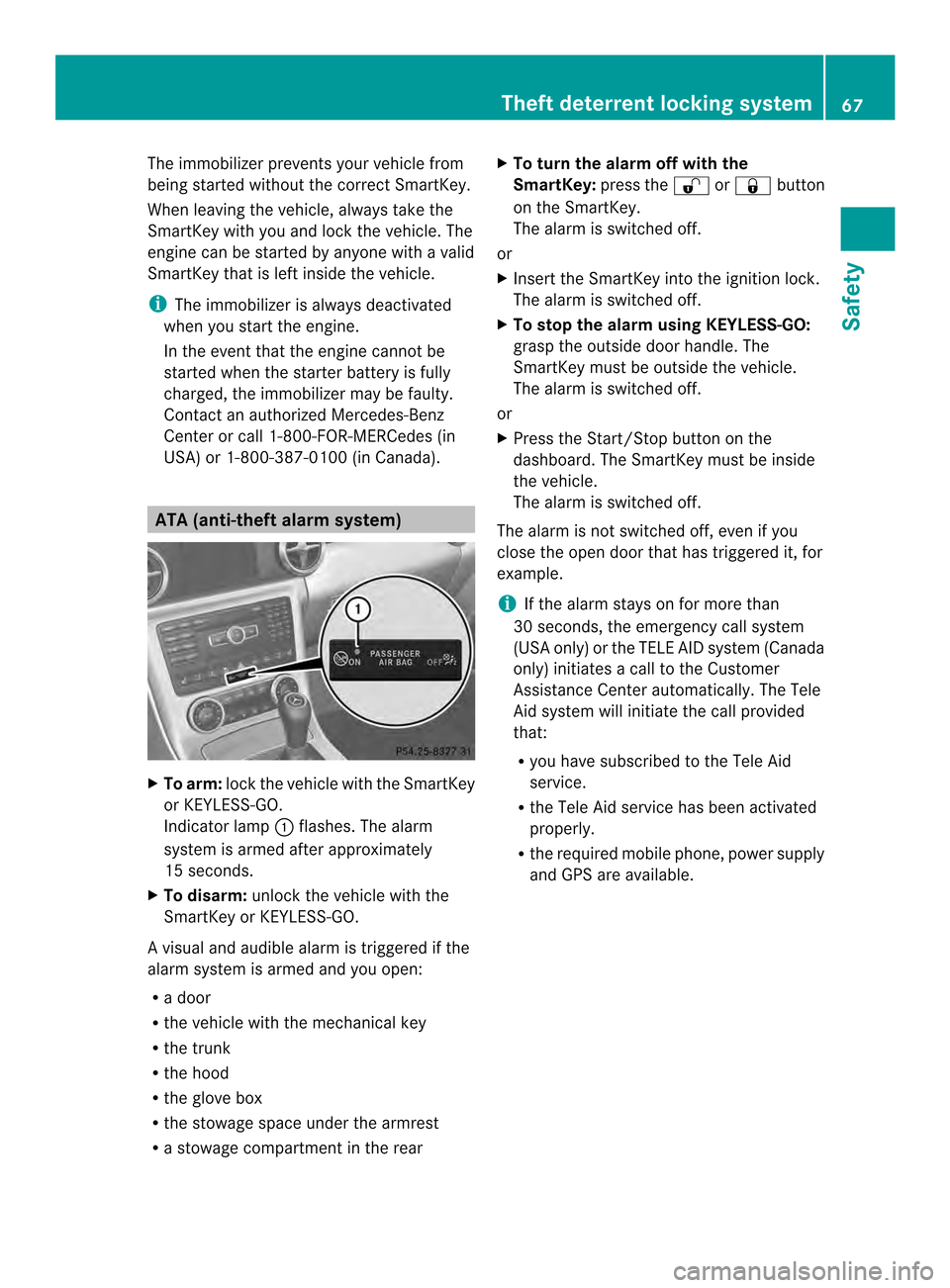
To arm: lock the vehicle with the SmartKey
or KEYLESS-GO.
Indicator lamp 0003flashes. The alarm
system is armed after approximately
15 seconds.
X To disarm: unlock the vehicle with the
SmartKey or KEYLESS-GO.
Av isual and audible alarm is triggered if the
alarm system is armed and you open:
R a door
R the vehicle with the mechanical key
R the trunk
R the hood
R the glove box
R the stowage space under the armrest
R a stowage compartmen tinthe rear X
To turn the alarm off with the
SmartKey: press the0010or000F button
on the SmartKey.
The alarm is switched off.
or
X Insert the SmartKey into the ignition lock.
The alarm is switched off.
X To stop the alarm using KEYLESS-GO:
grasp the outside door handle. The
SmartKey must be outside the vehicle.
The alarm is switched off.
or
X Press the Start/Stop button on the
dashboard. The SmartKey must be inside
the vehicle.
The alarm is switched off.
The alarm is not switched off, even if you
close the open door that has triggered it, for
example.
i If the alarm stays on for more than
30 seconds, the emergency call system
(USA only) or the TELE AID system (Canada
only) initiates a call to the Customer
Assistance Center automatically .The Tele
Aid system will initiate the call provided
that:
R you have subscribed to the Tele Aid
service.
R the Tele Aid service has been activated
properly.
R the required mobile phone, power supply
and GPS are available. Theft deterrent locking system
67Safety Z
Page 73 of 358
The Product label with FCC ID and IC
certification number can be found in the
battery case of the SmartKey.
R Do not keep the SmartKey:
- with electronic devices, e.g. a mobile
phone or another SmartKey
- with metallic objects, e.g. coins or metal
foil
- inside metallic objects, e.g. a metal case
This can affect the SmartKey's
functionality.
Keep the SmartKey away from strong
magnetic fields. Otherwise, the remote
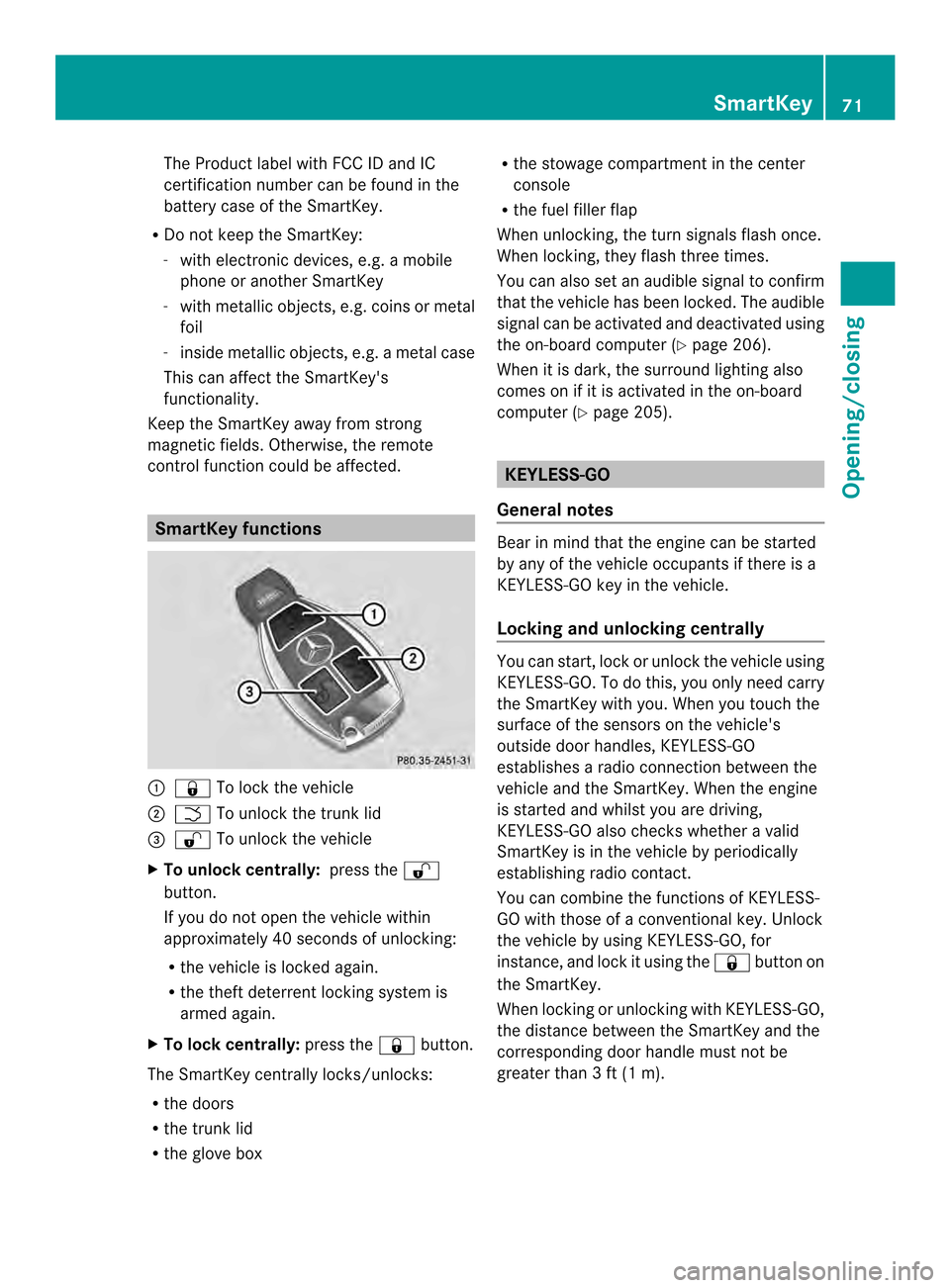
control function could be affected. SmartKey functions
0003
000F To lock the vehicle
0004 0006 To unlock the trunk lid
0024 0010 To unlock the vehicle
X To unlock centrally: press the0010
button.
If you do not open the vehicle within
approximately 40 seconds of unlocking:
R the vehicle is locked again.
R the theft deterrent locking system is
armed again.
X To lock centrally: press the000Fbutton.
The SmartKey centrally locks/unlocks:
R the doors
R the trunk lid
R the glove box R
the stowage compartment in the center
console
R the fuel filler flap
When unlocking, the turn signals flash once.
When locking, they flash three times.
You can also set an audible signal to confirm
that the vehicle has been locked. The audible
signal can be activated and deactivated using
the on-board computer (Y page 206).
When it is dark, the surround lighting also
comes on if it is activated in the on-board
computer (Y page 205). KEYLESS-GO
General notes Bear in mind that the engine can be started
by any of the vehicle occupants if there is a
KEYLESS-GO key in the vehicle.
Locking and unlocking centrally
You can start, lock or unlock the vehicle using
KEYLESS-GO. To do this, you only need carry
the SmartKey with you. When you touch the
surface of the sensors on the vehicle's
outside door handles, KEYLESS-GO
establishes a radio connection between the
vehicle and the SmartKey. When the engine
is started and whilst you are driving,
KEYLESS-GO also check
swhether a valid
SmartKey is in the vehicle by periodically
establishing radio contact.
You can combine the functions of KEYLESS-
GO with those of a conventional key. Unlock
the vehicle by using KEYLESS-GO, for
instance, and lock it using the 000Fbutton on
the SmartKey.
When locking or unlocking with KEYLESS-GO,
the distance between the SmartKey and the
corresponding door handle must not be
greater than 3 ft (1 m). SmartKey
71Opening/closing Z
Page 74 of 358
X
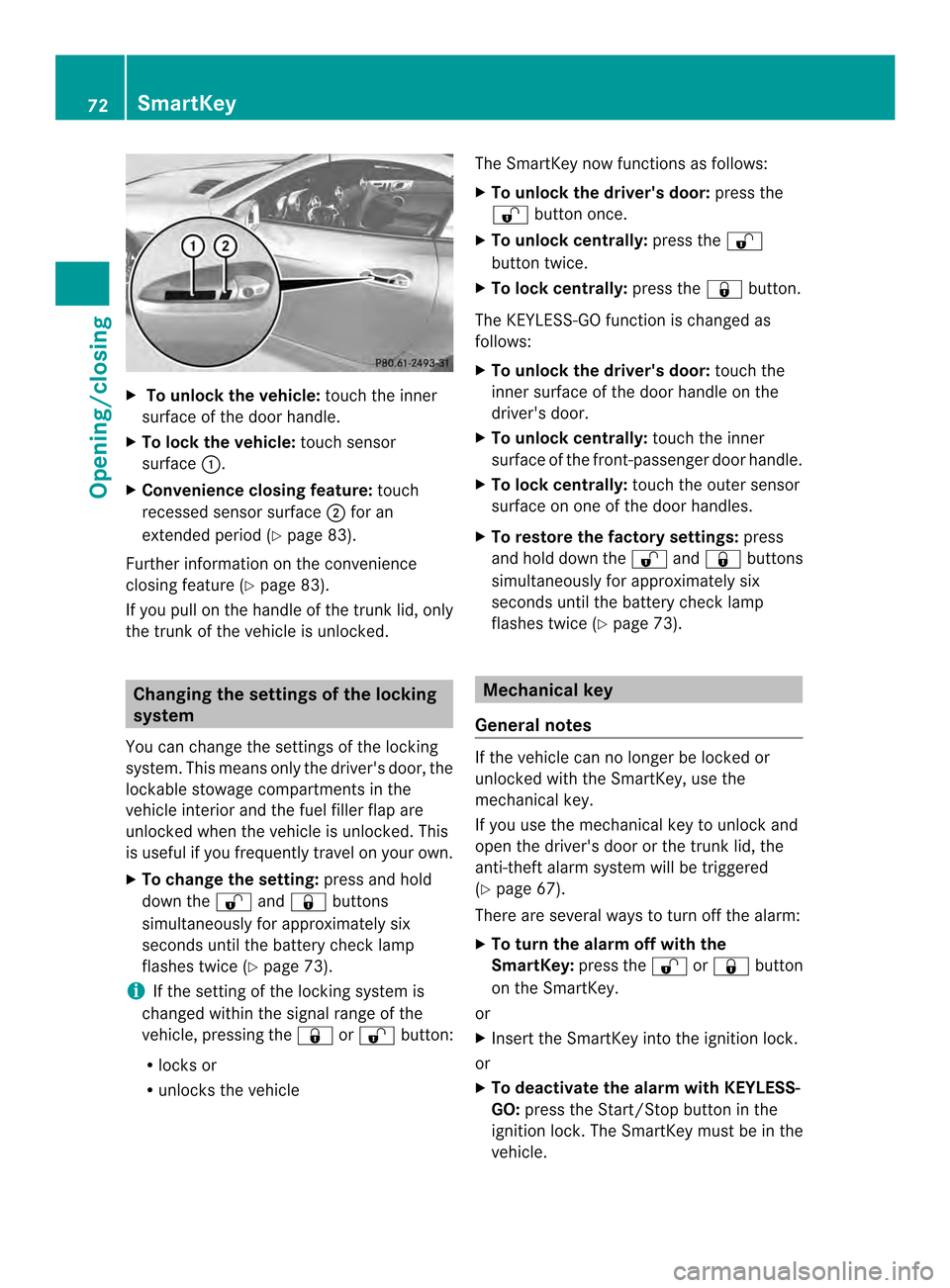
To unloc kthe vehicle: touch the inner
surface of the door handle.
X To loc kthe vehicle: touch sensor
surface 0003.
X Convenience closing feature: touch
recessed sensor surface 0004for an
extended period (Y page 83).
Further information on the convenience
closing feature (Y page 83).
If you pull on the handl eofthe trunk lid, only
the trunk of the vehicle is unlocked. Changing the settings of the locking
system
You can change the settings of the locking
system. This means only the driver's door, the
lockable stowage compartments in the
vehicle interior and the fuel filler flap are
unlocked when the vehicle is unlocked. This
is useful if you frequently travel on your own.
X To change the setting: press and hold
down the 0010and000F buttons
simultaneously for approximately six
seconds until the battery check lamp
flashes twice (Y page 73).
i If the setting of the locking system is
changed within the signal range of the
vehicle, pressing the 000For0010 button:
R locks or
R unlocks the vehicle The SmartKey now functions as follows:
X
To unlock the driver's door: press the
0010 button once.
X To unlock centrally: press the0010
button twice.
X To lock centrally: press the000Fbutton.
The KEYLESS-GO function is changed as
follows:
X To unlock the driver's door: touch the
inner surface of the door handle on the
driver's door.
X To unlock centrally: touch the inner
surface of the front-passenger door handle.
X To lock centrally: touch the outer sensor
surface on one of the door handles.
X To restore the factory settings: press
and hold down the 0010and000F buttons
simultaneously for approximately six
seconds until the battery check lamp
flashes twice (Y page 73). Mechanical key
General notes If the vehicle can no longer be locked or
unlocked with the SmartKey, use the
mechanical key.
If you use the mechanical key to unlock and
open the driver's door or the trunk lid, the
anti-theft alarm system will be triggered
(Y
page 67).
There are several ways to turn off the alarm:
X To turn the alarm off with the
SmartKey: press the0010or000F button
on the SmartKey.
or
X Insert the SmartKey into the ignition lock.
or
X To deactivate the alarm with KEYLESS-
GO: press the Start/Stop button in the
ignition lock. The SmartKey must be in the
vehicle. 72
SmartKeyOpening/closing
Page 79 of 358

Unlocking and opening doors from
the inside
! The side windows will not open/close if
the battery is discharged or if the side
windows have iced up. It will then not be
possible to close the door. Do not attempt
to force the door closed. You could
otherwise damage the door or the side
window.
You can open a door from inside the vehicle
even if it has been locked.
If the vehicle was previously locked with the
SmartKey or with KEYLESS-GO, opening the
vehicle from the inside will activate the anti-
theft alarm system. Switch off the alarm
(Y page 67). X
Pull door handle 0004.
If the door is locked, locking knob 0003pops
up. The door is unlocked and can be
opened.
i When a door is opened, the side window
on that side opens slightly. When the door
is closed, the side window closes again. Centrally locking and unlocking the
vehicle from the inside
You can centrally lock or unlock the vehicle
from the inside. For example, you can unlock
the front-passenger door from the inside or
lock the vehicle before you pull away. X
To unlock: press button 0003.
X To lock: press button 0004.
If the front-passenger door is closed, the
vehicle locks.
The central locking/unlocking button does
not lock or unlock the fuel filler flap or the
stowage compartments, such as the glove
box.
You cannot unlock the vehicle centrally from
the inside if the vehicle has been locked with
the SmartKey or KEYLESS-GO.
You can open a door from inside the vehicle
even if it has been locked.
If the vehicle has been locked using the
locking button for the central locking, or has
been locked automatically, and a door is
opened from the inside:
R the vehicle will be fully unlocked if it had
previously been fully unlocked
R only the door which has been opened form
the inside is unlocked if only the driver's
door had been previously unlocked Doors
77Opening/closing Z
Page 80 of 358

Automatic locking feature
0003
Disarming
0004 Arming
X To disarm: press and hold button 0003for
about five seconds until a tone sounds.
X To arm: press and hold button 0004for about
five seconds until a tone sounds.
i If you press one of th etwo buttons and
do not hear a tone, the relevant setting has
already been selected.
The vehicle is locked automatically when the
ignitio nis switched on and the wheels are
turning.
You could therefore lock yourselfo ut if:
R the vehicle is being pushed.
R the vehicle is being towed.
R the vehicle is on a roller dynamometer.
You can also switch the automatic locking
function on and off using the on-board
computer (Y page 206). Unlocking the driver's door
(mechanical key)
If the vehicle can no longer be unlocked with
the SmartKey, use the mechanical key.
If you use the mechanical key to unlock and
open the driver's door, the anti-thef talarm
system will be triggered ( Ypage 67). X
Take the mechanical key out of the
SmartKey (Y page 72).
X Insert the mechanical key into the lock of
the driver's door as far as it will go. X
Turn the mechanical key counter-clockwise
to position 0006.
The door is unlocked.
X Turn the mechanical key back and remove
it.
X Insert the mechanical key into the
SmartKey. Locking the vehicle (mechanical key)
If the vehicle can no longer be locked with the
SmartKey, use the mechanical key.
X Open the driver's door.
X Close the front-passenger door and the
trunk lid.
X Press the locking button (Y page 77).
X Check whether the locking knob on the
front-passenger door is still visible. If
necessary, press the locking knob down by
hand (Y page 77).
X Close the driver's door.
X Take the mechanical key out of the
SmartKey (Y page 72).
X Insert the mechanical key into the lock of
the driver's door as far as it will go. 78
DoorsOpening/closing
Page 92 of 358

Removing
Removing from the left side of the vehicle
(example)
X
Stop the vehicle, paying attention to road
and traffic conditions.
X Press unlocking button L0003.M eanwhile,
pull wind screen 0004on the side of the
vehicle facing you upwards and tilt it. Removing from the left side of the vehicle
(example)
X
Pull wind screen 0004out of the bracket of
the opposite roll bar in the direction of the
arrow.
X Secure wind screen 0004to the trun kfloor by
the rubber strips (Y page 258). AIRGUIDE
Important safety notes G
WARNING
You could lose control of the vehicle and
injure yourself or others if you operate
AIRGUIDE while driving.
Only fold the AIRGUIDE discs out or in when
the vehicle is stationary.
! AIRGUID Ecan only be positioned
correctly by folding it in or out. AIRGUIDE
canno tbe dismantled. Do not try to remove
AIRGUIDE from its anchorage. Otherwise,
you could damage AIRGUID Eorthe vehicle.
AIRGUIDE can be folded out or back in from
the driver's side or passenger side.
Perform operations involving AIRGUIDE
preferably on the side facing away from
traffic, after you have stopped the vehicle,
paying attention to road and traffic
conditions.
Operating AIRGUIDE Example: folding out from the left side of the
vehicle
X Stop the vehicle, paying attention to road
and traffic conditions.
X To fold out AIRGUIDE: turn disc0003in the
direction of the arrow towards the middle
of the vehicle to the stop.
X Repeatw ith disc0004.
X To fold in AIRGUIDE: turn discs0003
and 0004back behind the roll bar to the stop. 90
RoofOpening/closing
Page 137 of 358

Driving
Important safety notes
G
WARNING
Objects in the driver's footwell can restric tthe
pedal travel or obstruct adepressed pedal.
The operating and road safety of the vehicle
is jeopardized. There is a risk of an accident.
Make sure that all objects in the vehicle are
stowed correctly, and that they cannot enter
the driver's footwell. Install the floormats
securely and as specified in order to ensure
sufficien tclearance for the pedals. Do not use
loose floormats. G
WARNING
Unsuitable footwear can hinde rcorrect usage
of the pedals, e.g.:
R shoes with thick soles
R shoes with high heels
R slippers
There is a risk of an accident.
Wear suitable footwear to ensure correct
usage of the pedals. G
WARNING
If you switch off the ignition while driving,
safety-relevant functions are only available
with limitations, or not at all. This could affect,
for example, the power steering and the brake
boosting effect .You will require considerably
more effort to steer and brake. There is a risk
of an accident.
Do not switch off the ignition while driving. G
WARNING
If the parking brake has not been fully
released when driving, the parking brake can:
R overheat and cause a fire
R lose its hold function.
There is a risk of fire and an accident .Release
the parking brake fully before driving off. !
Warm up the engine quickly. Do not use
the engine's full performance until it has
reached operating temperature.
Only shift the automatic transmission to
the desired drive position when the vehicle
is stationary.
Where possible, avoid spinning the drive
wheels when pulling away on slippery
roads. You could otherwise damage the
drive train.
! AMG vehicles: at low engine oil
temperatures below 68 ‡(+20 †), the
maximu mengine speed is restricted in
order to protect the engine .To protec tthe
engine and maintain smooth engine
operation, avoid driving at full throttle when
the engine is cold. SmartKey positions
SmartKey 0010
To remove the SmartKey
Vehicles with automatic transmission:
shift the transmission to position P
0006 Power supply for some consumers, such
as the windshield wipers
0007 Ignition (power supply for all consumers)
and drive position
0008 To start the engine
i The SmartKey can be turned in the
ignition lock even if it is not the correct
SmartKey for the vehicle. The ignition is not
switched on. The engine cannot be started. Driving
135Driving and parking Z
Page 149 of 358
0002
Neutral
Do not shift the transmission to
N
while driving. Otherwise, the
automatic transmission could be
damaged.
No power is transmitted from the
engine to the drive wheels.
Releasing the brakes will allow you
to move the vehicle freely, e.g .to
push it or tow it.
If ESP ®
is deactivated or faulty:
only shift the transmission to
position Nif the vehicle is in danger
of skidding, e.g. on icy roads.
! Rolling in neutral Ncan damage
the drive train. 0009
Drive
The automatic transmission
changes gear automatically. All
forward gears are available.
Changing gear
The automatic transmission shifts to the
individual gears automatically when it is in
transmission position D.This automatic
gearshifting behavior is determined by:
R a shift range restriction, if selected
R the selected drive program (Y page 147)
R the position of the accelerator pedal
R the road speed Driving tips
Accelerator pedal position Your style of driving influences how the
automatic transmission shifts gear:
R little throttle: early upshifts
R more throttle: late upshifts Double-clutch function When shifting down, the double-clutch
function is active regardless of the currently
selected drive program. The double-clutch
function reduces load change reactions and
is conducive to a sporty driving style. The
sound generated by the double-clutch
function depends on the drive program
selected.
Kickdown
Use kickdown for maximum acceleration.
X
Depress the accelerator pedal beyond the
pressure point.
The transmission shifts to a lower gear
depending on the engine speed.
X Ease off the accelerator pedal once the
desired speed is reached.
The automatic transmission shifts back up. Program selector button
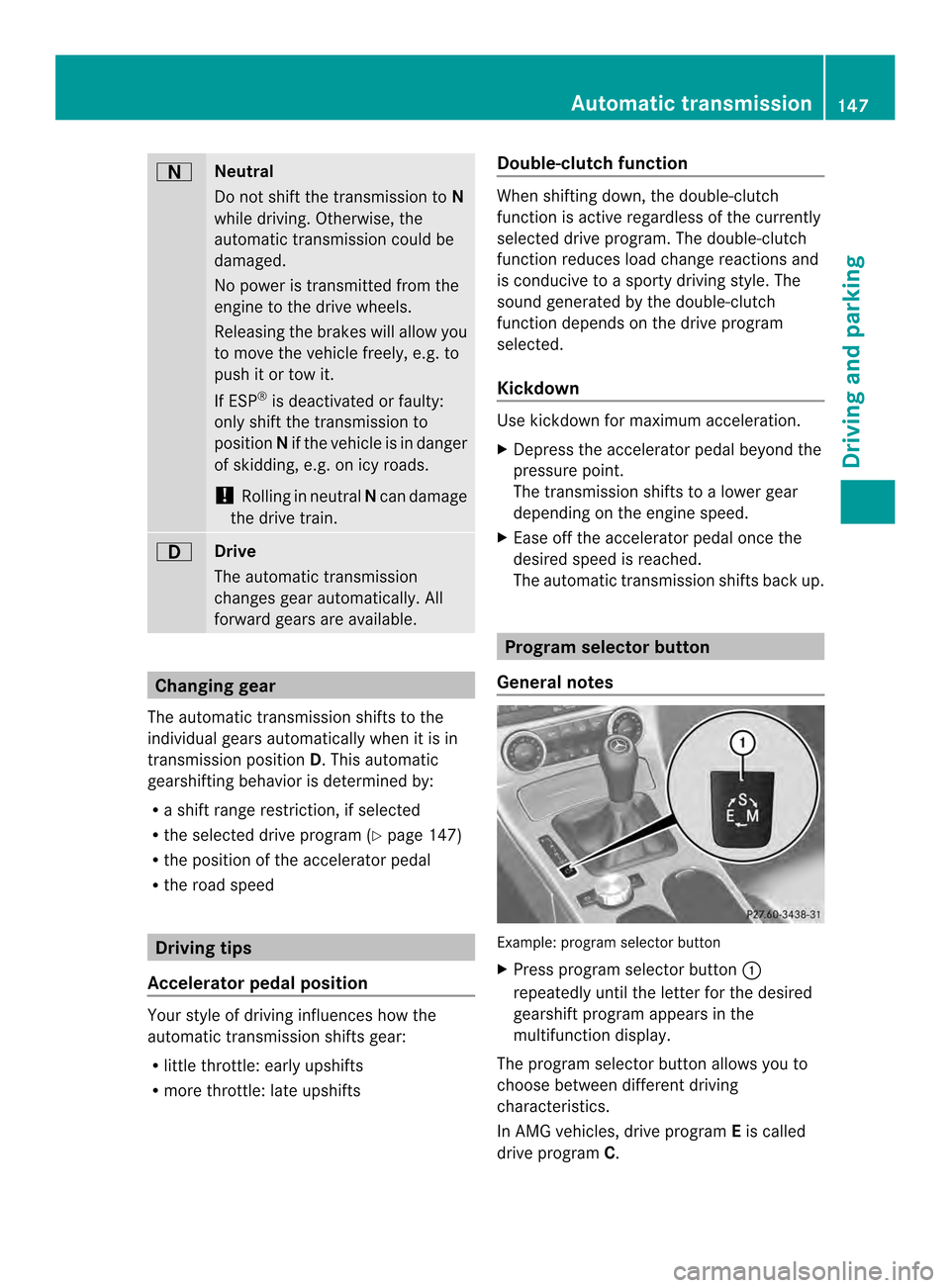
General notes Example: program selector button
X
Press program selector button 0003
repeatedly until the letter for the desired
gearshift program appears in the
multifunction display.
The program selector button allows you to
choose between different driving
characteristics.
In AMG vehicles, drive program Eis called
drive program C. Automatic transmission
147Driving and parking Z