mp3 MERCEDES-BENZ SLK-Class 2014 R172 Comand Manual
[x] Cancel search | Manufacturer: MERCEDES-BENZ, Model Year: 2014, Model line: SLK-Class, Model: MERCEDES-BENZ SLK-Class 2014 R172Pages: 270, PDF Size: 5.76 MB
Page 35 of 270
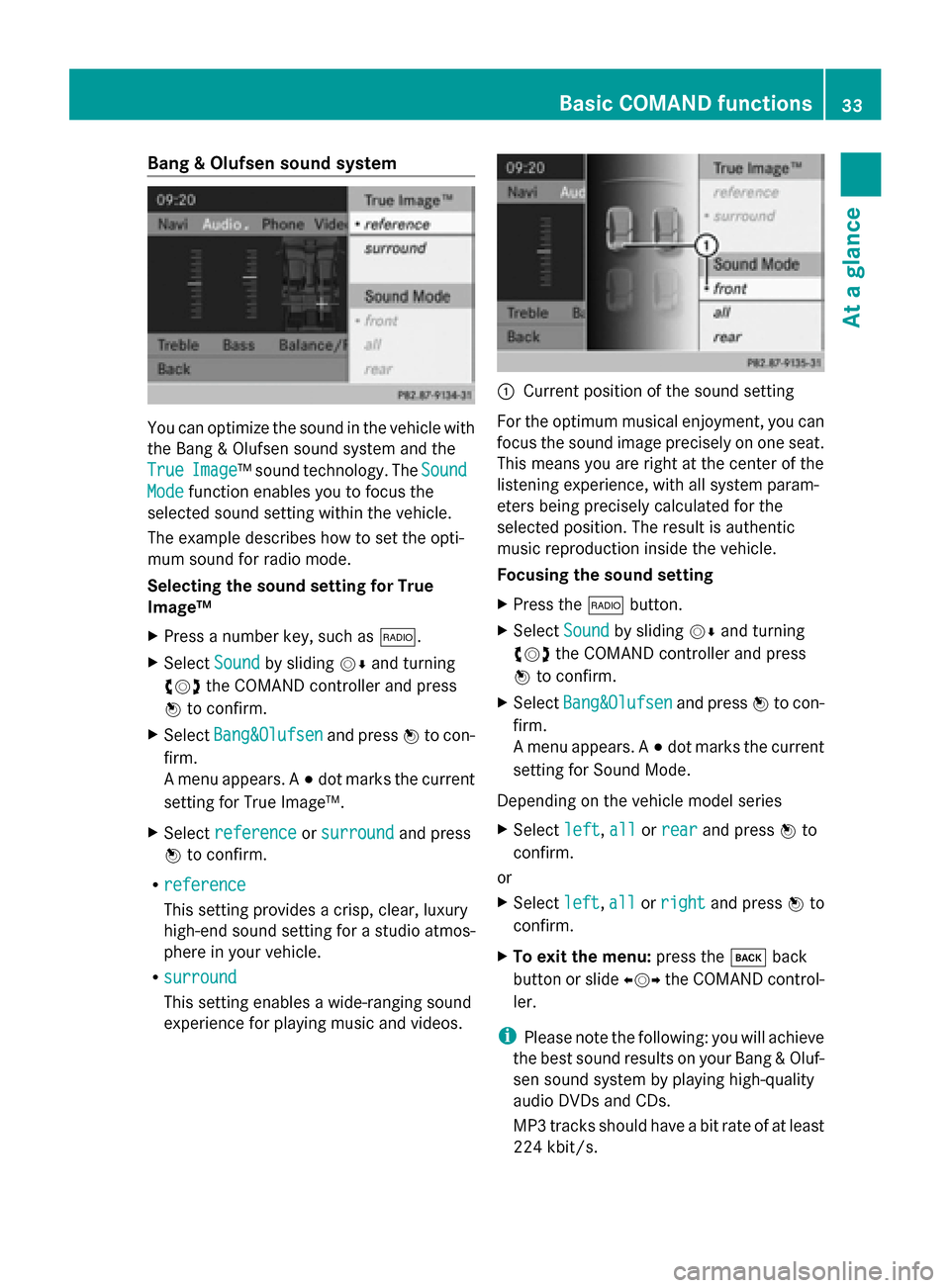
Bang & Olufsen sound system
You can optimize the sound in the vehicle with
the Bang & Olufsen sound system and the
True
True Image
Image™s ound technology. The Sound
Sound
Mode
Mode function enables you to focus the
selected sound setting within the vehicle.
The example describes how to set the opti-
mum sound for radio mode.
Selecting the sound setting for True
Image™
X Press a number key, such as 002A.
X Select Sound Soundby sliding 00520064and turning
00790052007A the COMAND controller and press
0098 to confirm.
X Select Bang&Olufsen
Bang&Olufsen and press0098to con-
firm.
A menu appears. A 003Bdot marks the current
setting for True Image™.
X Select reference
reference orsurround surround and press
0098 to confirm.
R reference
reference
This setting provides a crisp, clear, luxury
high-end sound setting for a studio atmos-
phere in your vehicle.
R surround
surround
This setting enables a wide-ranging sound
experience for playing music and videos. 0043
Current position of the sound setting
For the optimum musical enjoyment, you can
focus the sound image precisely on one seat.
This means you are right at the center of the
listening experience, with all system param-
eters being precisely calculated for the
selected position. The result is authentic
music reproduction inside the vehicle.
Focusing the sound setting
X Press the 002Abutton.
X Select Sound Soundby sliding 00520064and turning
00790052007A the COMAND controller and press
0098 to confirm.
X Select Bang&Olufsen
Bang&Olufsen and press0098to con-
firm.
A menu appears. A 003Bdot marks the current
setting for Sound Mode.
Depending on the vehicle model series
X Select left left,all
allorrear
rear and press 0098to
confirm.
or
X Select left left,all
allorright
right and press 0098to
confirm.
X To exit the menu: press the003Dback
button or slide 009500520096the COMAND control-
ler.
i Please note the following: you will achieve
the best sound results on your Bang & Oluf-
sen sound system by playing high-quality
audio DVDs and CDs.
MP3 tracks should have a bit rate of at least
224 kbit/s. Basic COMAND functions
33At a glance
Page 179 of 270
Your COMAND equipment
................178
Radio mode ........................................ 178
Satellite radio .................................... 182
CD/audio DVD and MP3 mode ........187
Music search ..................................... 200
MUSIC REGISTER .............................. 203
Bluetooth ®
audio mode .................... 207
Operation with the Media Inter-
face .................................................... 213
Audio AUX mode ............................... 220 177Audio
Page 189 of 270
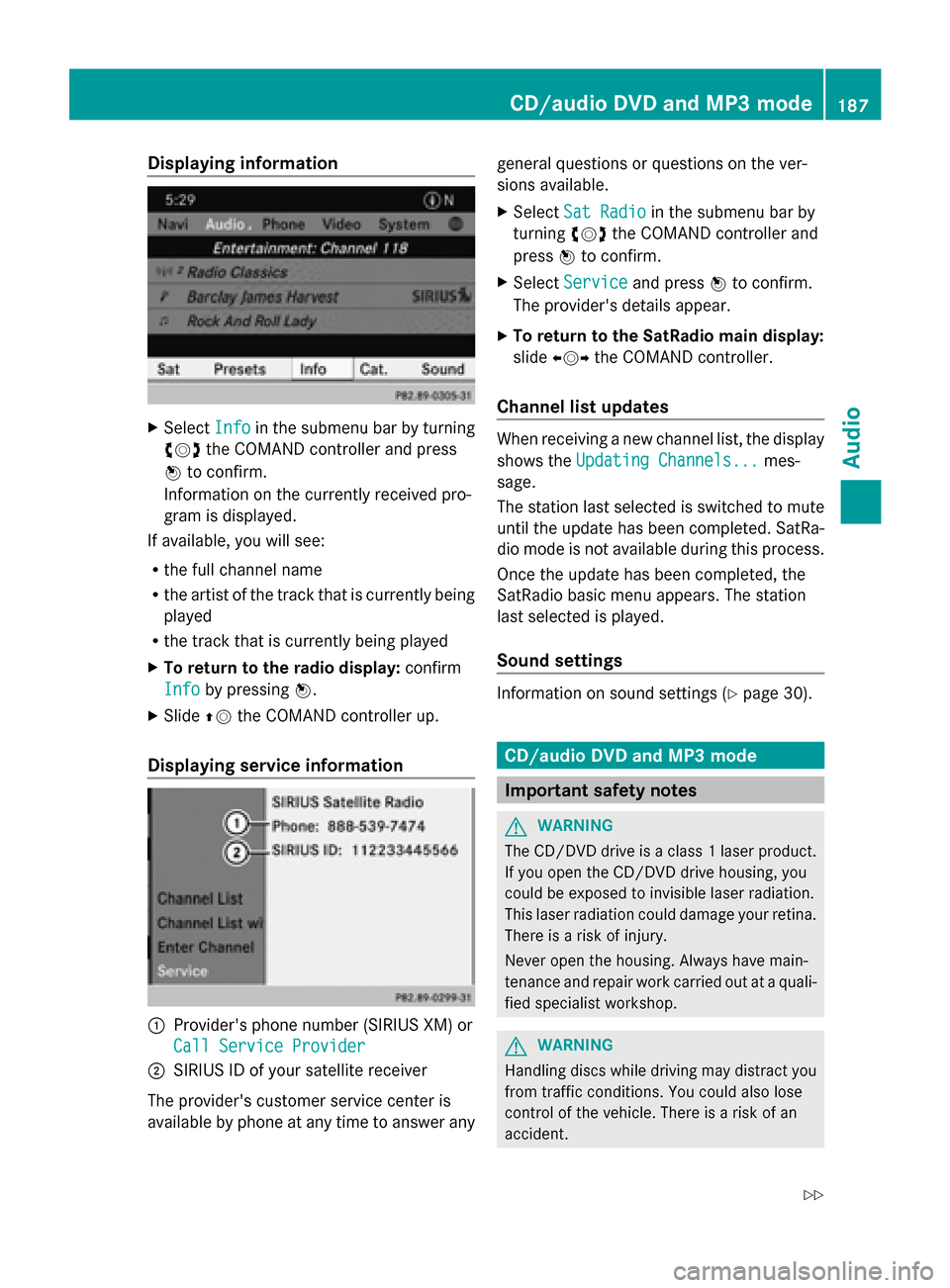
Displaying information
X
Select Info
Infoin the submenu bar by turning
00790052007A the COMAND controller and press
0098 to confirm.
Information on the currently received pro-
gram is displayed.
If available, you will see:
R the full channel name
R the artist of the track that is currently being
played
R the track that is currently being played
X To return to the radio display: confirm
Info
Info by pressing 0098.
X Slide 00970052the COMAND controller up.
Displaying service information 0043
Provider's phone number (SIRIUS XM) or
Call Service Provider
Call Service Provider
0044 SIRIUS ID of your satellite receiver
The provider's customer service center is
available by phone at any time to answer any general questions or questions on the ver-
sions available.
X
Select Sat Radio
Sat Radio in the submenu bar by
turning 00790052007Athe COMAND controller and
press 0098to confirm.
X Select Service Service and press 0098to confirm.
The provider's details appear.
X To return to the SatRadio main display:
slide 009500520096 the COMAND controller.
Channel list updates When receiving a new channel list, the display
shows the
Updating Channels... Updating Channels... mes-
sage.
The station last selected is switched to mute
until the update has been completed. SatRa-
dio mode is not available during this process.
Once the update has been completed, the
SatRadio basic menu appears. The station
last selected is played.
Sound settings Information on sound settings (Y
page 30). CD/audio DVD and MP3 mode
Important safety notes
G
WARNING
The CD/DVD drive is a class 1 laser product.
If you open the CD/DVD drive housing, you
could be exposed to invisible laser radiation.
This laser radiation could damage your retina.
There is a risk of injury.
Never open the housing. Always have main-
tenance and repair work carried out at a quali-
fied specialist workshop. G
WARNING
Handling discs while driving may distract you
from traffic conditions. You could also lose
control of the vehicle. There is a risk of an
accident. CD/audio DVD and MP3
mode
187Audio
Z
Page 190 of 270
Handle discs only when the vehicle is station-
ary.
Bear in mind that at a speed of just 30 mph
(approximately 50 km/h), your vehicle is cov-
ering a distance of 44 feet (approximately
14 m) every second. G
WARNING
SD cards are small objects measuring 24 x 32
x 2.1 mm. Small parts can be swallowed and
are a choking hazard. There is a risk of fatal
injury.
Keep SD cards out of the reach of children. If
an SD card is swallowed, seek immediate
medical attention. Inserting/ejecting CDs/DVDs
Notes If the CD/DVD has a printed side, this must
face upwards when the CD/DVD is inserted.
If neither side is printed, the side to be played
should face downwards. The system may not
be able to play CDs/DVDs with copy protec-
tion.
i If a medium contains other files in addi-
tion to music files, the loading time before
the first track starts to play may be longer.
Inserting a disc into the single DVD
drive X
Press the 0062eject button.
If there is a disc already inserted, it will be
ejected.
X Take the disc out of the slot.
X Insert a disc into the slot.
If the disc is correctly inserted and is a suit-
able disc, it is drawn in by the drive and
played. Ejecting a disc from the single DVD
drive X
Press the 0062eject button.
X Take the disc out of the slot.
If you do not take the disc out of the slot, it
is drawn in again automatically after a short
while and reloaded.
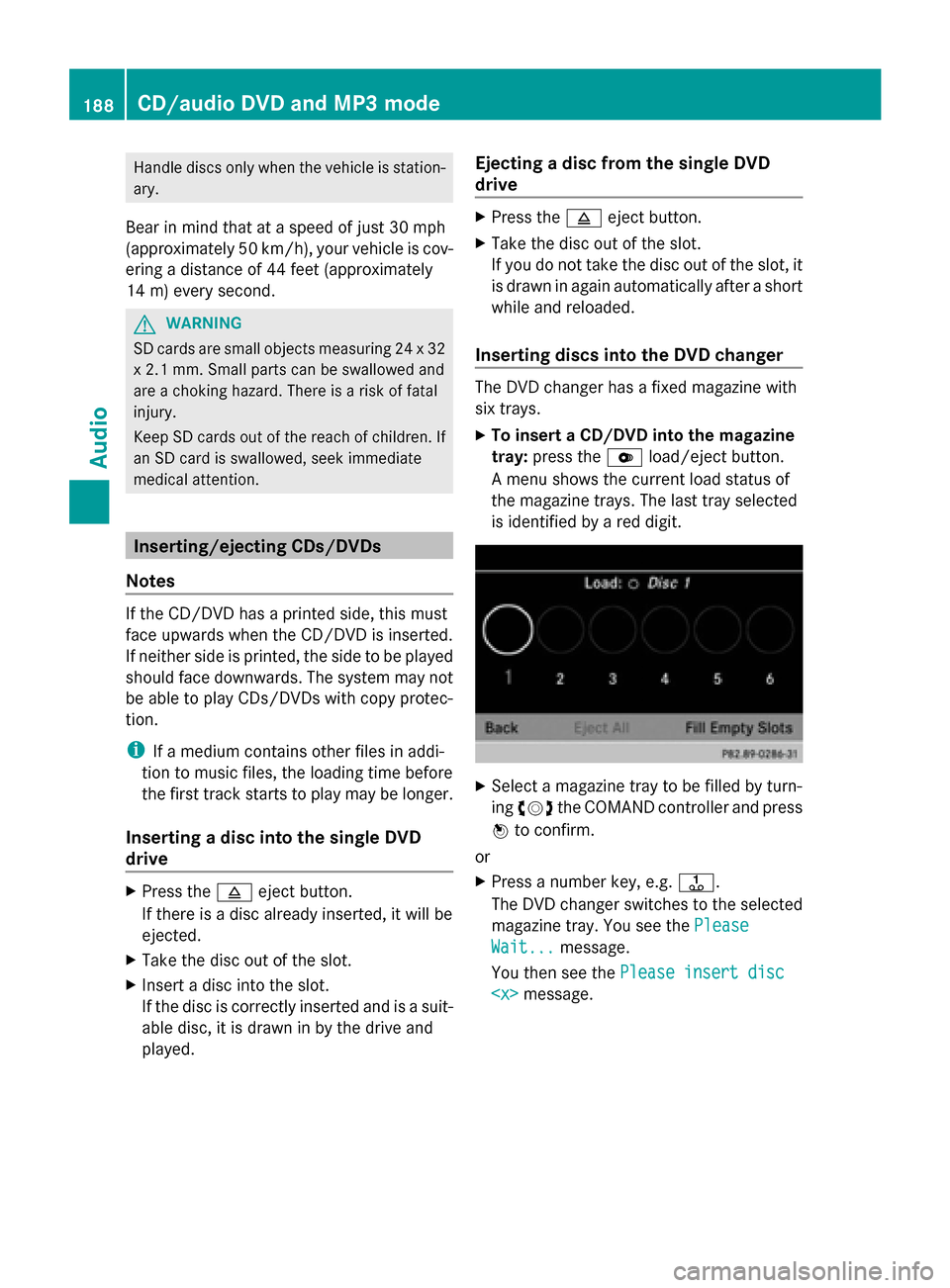
Inserting discs into the DVD changer The DVD changer has a fixed magazine with
six trays.
X
To insert a CD/DVD into the magazine
tray: press the 0065load/eject button.
A menu shows the current load status of
the magazine trays. The last tray selected
is identified by a red digit. X
Select a magazine tray to be filled by turn-
ing 00790052007A the COMAND controller and press
0098 to confirm.
or
X Press a number key, e.g. 0080.
The DVD changer switches to the selected
magazine tray. You see the Please Please
Wait...
Wait... message.
You then see the Please insert disc
Please insert disc
CD/audio DVD and MP3 modeAudio
Page 191 of 270
X
Insert a disc into the disc slot with the
printed side facing upwards.
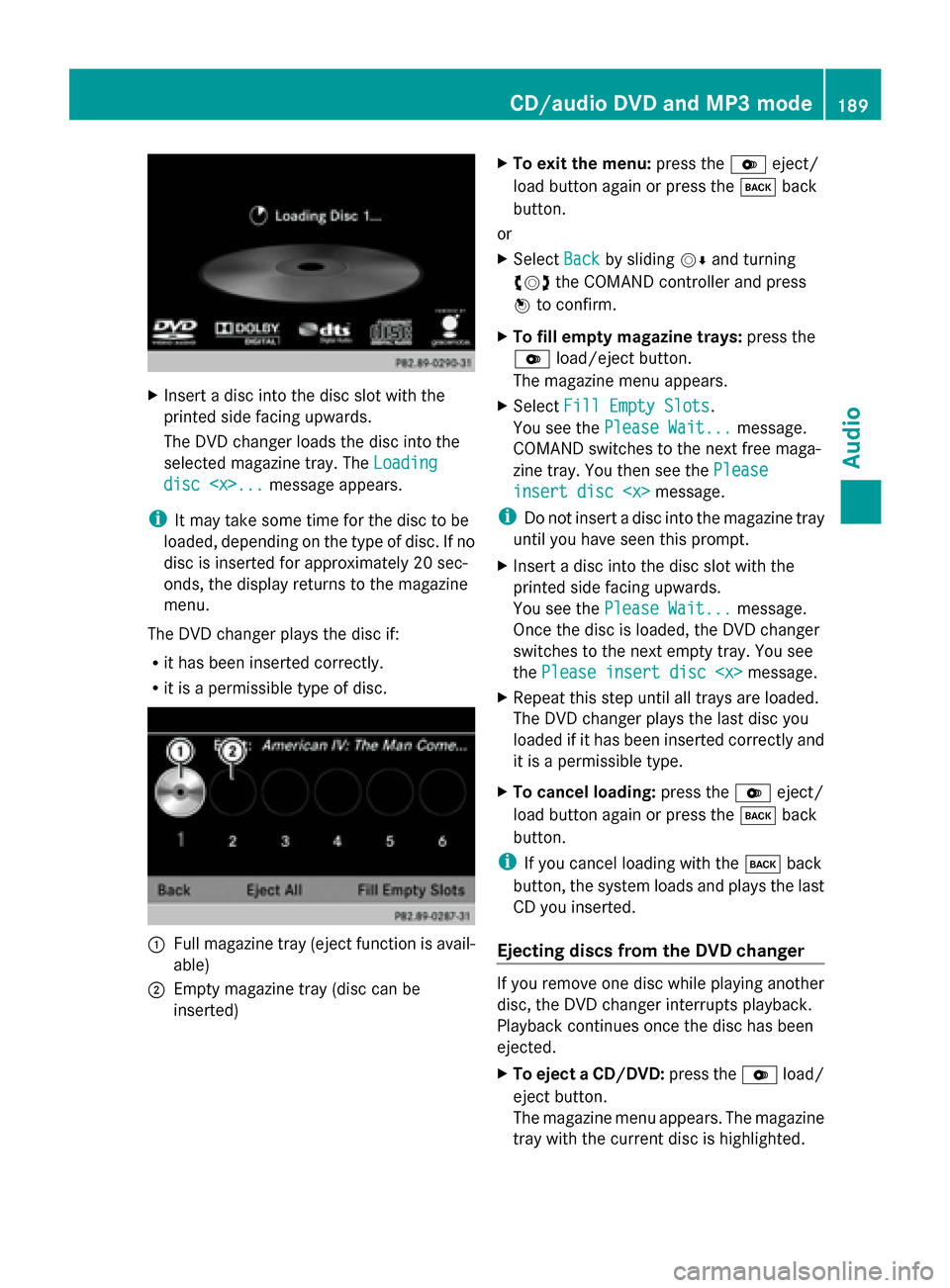
The DVD changer loads the disc into the
selected magazine tray. The Loading
Loading
disc
i It may take some time for the disc to be
loaded, depending on the type of disc. If no
disc is inserted for approximately 20 sec-
onds, the display returns to the magazine
menu.
The DVD changer plays the disc if:
R it has been inserted correctly.
R it is a permissible type of disc. 0043
Full magazine tray (eject function is avail-
able)
0044 Empty magazine tray (disc can be
inserted) X
To exit the menu: press the0065eject/
load button again or press the 003Dback
button.
or
X Select Back
Back by sliding 00520064and turning
00790052007A the COMAND controller and press
0098 to confirm.
X To fill empty magazine trays: press the
0065 load/eject button.
The magazine menu appears.
X Select Fill Empty Slots
Fill Empty Slots.
You see the Please Wait... Please Wait... message.
COMAND switches to the next free maga-
zine tray. You then see the Please
Please
insert disc
insert disc
i Do not insert a disc into the magazine tray
until you have seen this prompt.
X Insert a disc into the disc slot with the
printed side facing upwards.
You see the Please Wait... Please Wait... message.
Once the disc is loaded, the DVD changer
switches to the next empty tray. You see
the Please insert disc
X Repeat this step until all trays are loaded.
The DVD changer plays the last disc you
loaded if it has been inserted correctly and
it is a permissible type.
X To cancel loading: press the0065eject/
load button again or press the 003Dback
button.
i If you cancel loading with the 003Dback
button, the system loads and plays the last
CD you inserted.
Ejecting discs from the DVD changer If you remove one disc while playing another
disc, the DVD changer interrupts playback.
Playback continues once the disc has been
ejected.
X
To eject a CD/DVD: press the0065load/
eject button.
The magazine menu appears. The magazine
tray with the current disc is highlighted. CD/audio DVD and MP3 mode
189Audio Z
Page 192 of 270
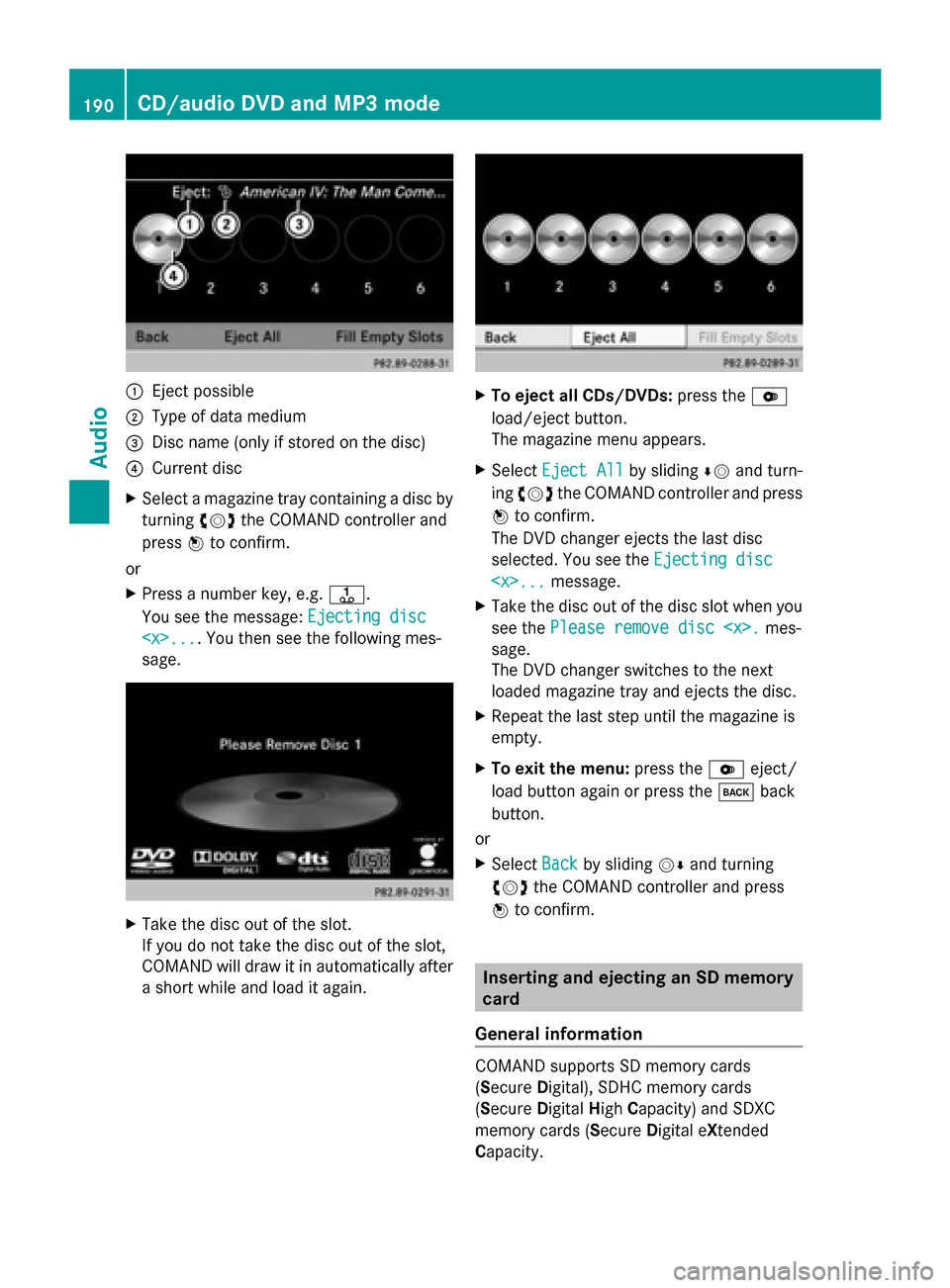
0043
Eject possible
0044 Type of data medium
0087 Disc name (only if stored on the disc)
0085 Current disc
X Select a magazine tray containing a disc by
turning 00790052007Athe COMAND controller and
press 0098to confirm.
or
X Press a number key, e.g. 0080.
You see the message: Ejecting disc
Ejecting disc
sage. X
Take the disc out of the slot.
If you do not take the disc out of the slot,
COMAND will draw it in automatically after
a short while and load it again. X
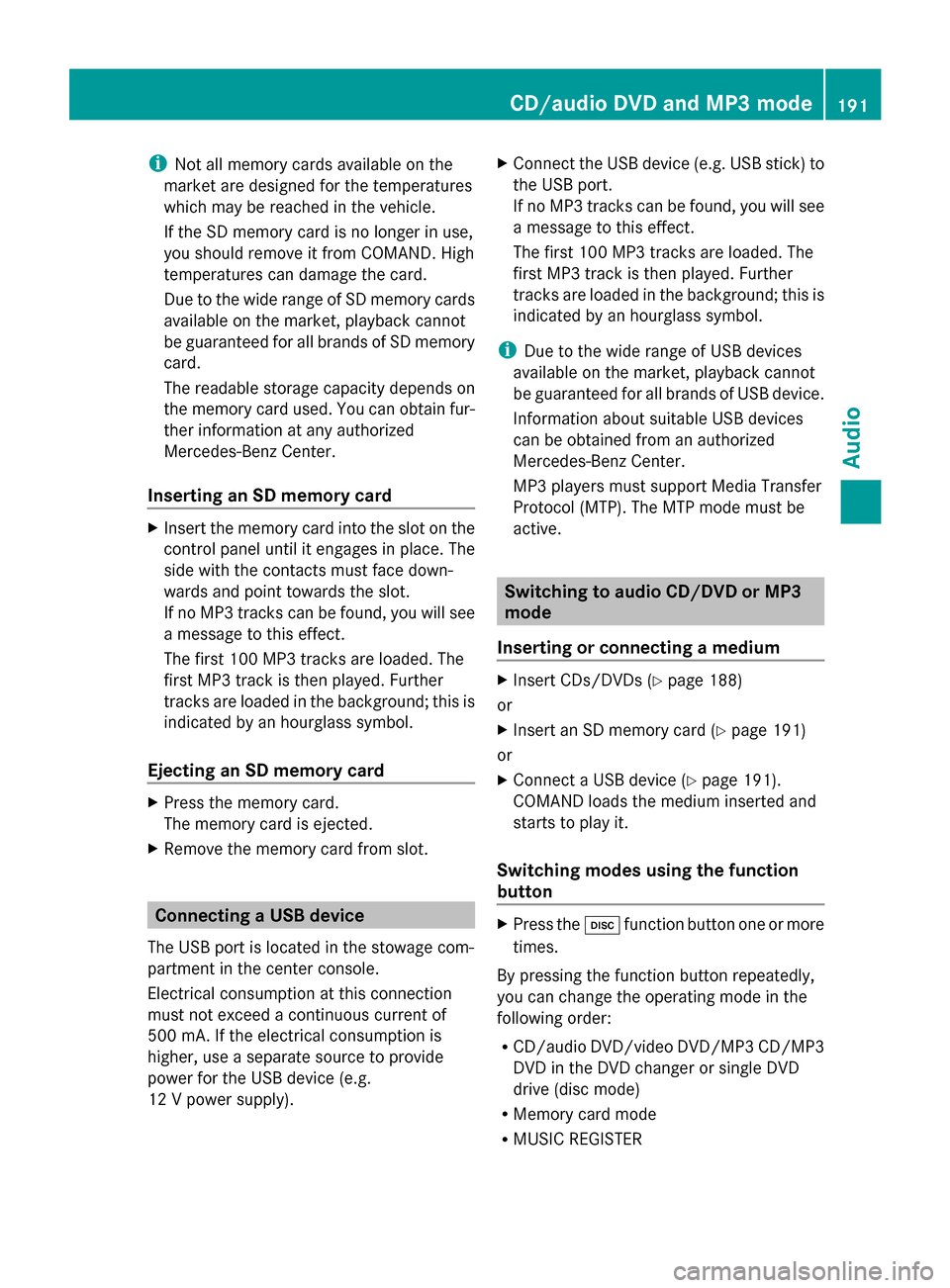
To eject all CDs/DVDs: press the0065
load/eject button.
The magazine menu appears.
X Select Eject All Eject All by sliding00640052and turn-
ing 00790052007A the COMAND controller and press
0098 to confirm.
The DVD changer ejects the last disc
selected. You see the Ejecting disc Ejecting disc
X Take the disc out of the disc slot when you
see the Please remove disc
sage.
The DVD changer switches to the next
loaded magazine tray and ejects the disc.
X Repeat the last step until the magazine is
empty.
X To exit the menu: press the0065eject/
load button again or press the 003Dback
button.
or
X Select Back Backby sliding 00520064and turning
00790052007A the COMAND controller and press
0098 to confirm. Inserting and ejecting an SD memory
card
General information COMAND supports SD memory cards
(Secure
Digital), SDHC memory cards
(Secure DigitalHighCapacity) and SDXC
memory cards (Secure Digital eXtended
Capacity. 190
CD/audio
DVD and MP3 modeAudio
Page 193 of 270
i
Not all memory cards available on the
market are designed for the temperatures
which may be reached in the vehicle.
If the SD memory card is no longer in use,
you should remove it from COMAND. High
temperatures can damage the card.
Due to the wide range of SD memory cards
available on the market, playback cannot
be guaranteed for all brands of SD memory
card.
The readable storage capacity depends on
the memory card used. You can obtain fur-
ther information at any authorized
Mercedes-Benz Center.
Inserting an SD memory card X
Insert the memory card into the slot on the
control panel until it engages in place. The
side with the contacts must face down-
wards and point towards the slot.
If no MP3 tracks can be found, you will see
a message to this effect.
The first 100 MP3 tracks are loaded. The
first MP3 track is then played. Further
tracks are loaded in the background; this is
indicated by an hourglass symbol.
Ejecting an SD memory card X
Press the memory card.
The memory card is ejected.
X Remove the memory card from slot. Connecting a USB device
The USB port is located in the stowage com-
partment in the center console.
Electrical consumption at this connection
must not exceed a continuous current of
500 mA. If the electrical consumption is
higher, use a separate source to provide
power for the USB device (e.g.
12 V power supply). X
Connect the USB device (e.g. USB stick) to
the USB port.
If no MP3 tracks can be found, you will see
a message to this effect.
The first 100 MP3 tracks are loaded. The
first MP3 track is then played. Further
tracks are loaded in the background; this is
indicated by an hourglass symbol.
i Due to the wide range of USB devices
available on the market, playback cannot
be guaranteed for all brands of USB device.
Information about suitable USB devices
can be obtained from an authorized
Mercedes-Benz Center.
MP3 players must support Media Transfer
Protocol (MTP). The MTP mode must be
active. Switching to audio CD/DVD or MP3
mode
Inserting or connecting a medium X
Insert CDs/DVDs (Y page 188)
or
X Insert an SD memory card (Y page 191)
or
X Connect a USB device (Y page 191).
COMAND loads the medium inserted and
starts to play it.
Switching modes using the function
button X
Press the 003Afunction button one or more
times.
By pressing the function button repeatedly,
you can change the operating mode in the
following order:
R CD/audio DVD/video DVD/MP3 CD/MP3
DVD in the DVD changer or single DVD
drive (disc mode)
R Memory card mode
R MUSIC REGISTER CD/audio DVD and MP3 mode
191Audio Z
Page 194 of 270
R
USB storage device
R Media Interface or audio AUX mode
R Bluetooth ®
audio mode
X Select an audio medium from the media list
(Y page 193).
Switching modes via the audio menu X
Select Audio
Audioin the main function bar by
sliding 00970052and turning 00790052007Athe COMAND
controller and press 0098to confirm.
The last active audio source is now acti-
vated.
You can activate a different audio source
using the audio menu.
X Select Audio
Audio by sliding 00970052and turning
00790052007Athe COMAND controller and press
0098 to confirm.
The audio menu appears.
X Select Disc Disc,Memory Card
Memory Card, Music Reg‐
Music Reg‐
ister
ister, USB Storage
USB Storage orMedia Inter‐
Media Inter‐
face
face and press 0098to confirm.
This switches to the desired audio source.
X Select an audio medium from the media list
(Y page 193).
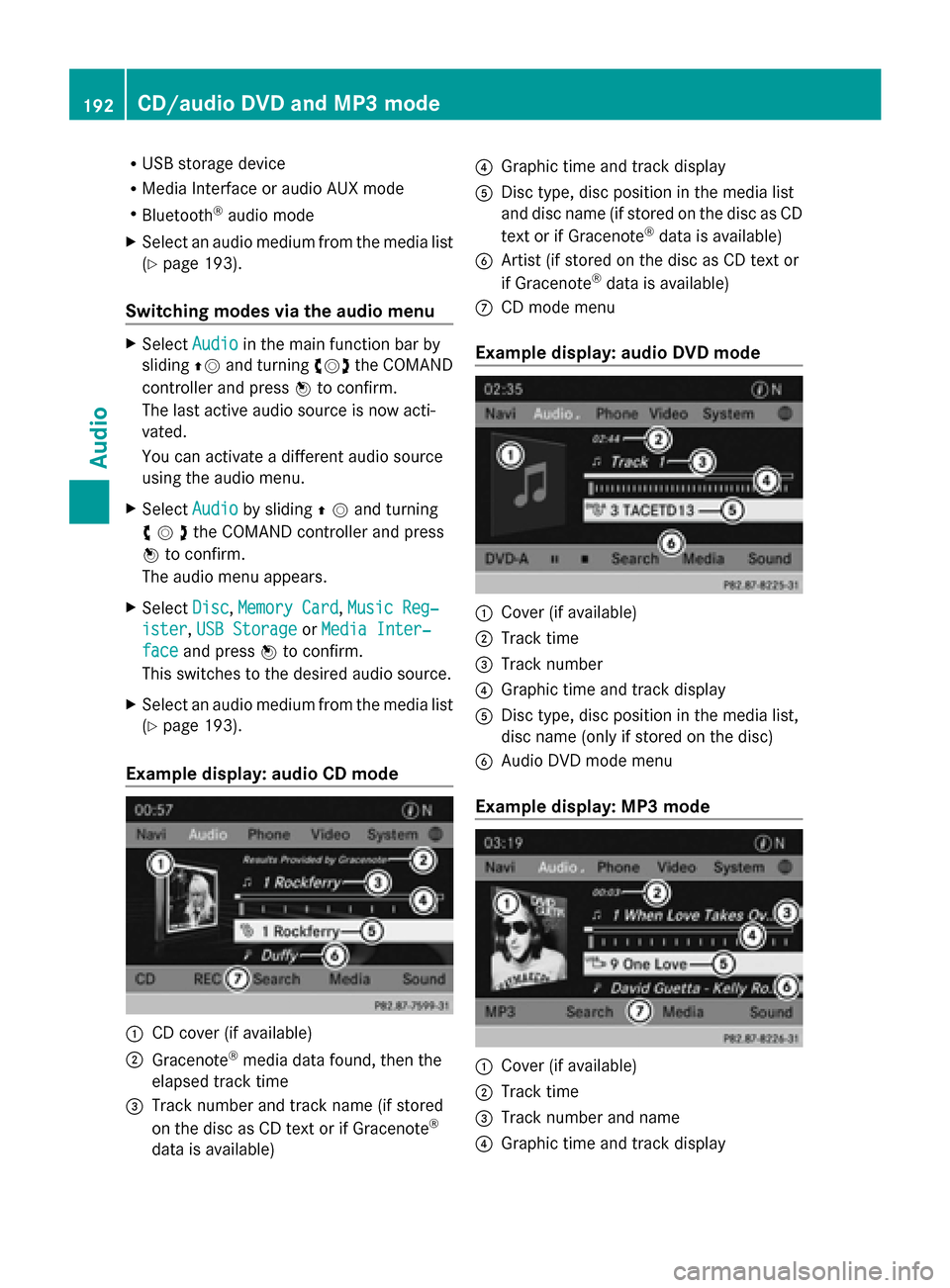
Example display: audio CD mode 0043
CD cover (if available)
0044 Gracenote ®
media data found, then the
elapsed track time
0087 Track number and track name (if stored
on the disc as CD text or if Gracenote ®
data is available) 0085
Graphic time and track display
0083 Disc type, disc position in the media list
and disc name (if stored on the disc as CD
text or if Gracenote ®
data is available)
0084 Artist (if stored on the disc as CD text or
if Gracenote ®
data is available)
006B CD mode menu
Example display: audio DVD mode 0043
Cover (if available)
0044 Track time
0087 Track number
0085 Graphic time and track display
0083 Disc type, disc position in the media list,
disc name (only if stored on the disc)
0084 Audio DVD mode menu
Example display: MP3 mode 0043
Cover (if available)
0044 Track time
0087 Track number and name
0085 Graphic time and track display 192
CD/audio
DVD and MP3 modeAudio
Page 195 of 270
0083
Medium type, position of medium in the
media list, current folder or current album
0084 Artist (if available)
006B MP3 mode menu
i If no Media Interface is connected during
operation with a DVD changer, 006Bdisplays
Changer
Changer instead of Media
Media(Ypage 213). Pause function
In CD/audio DVD and MP3 mode X
To pause playback: briefly press the
0063 button.
The 006B symbol appears at the top left in
the status bar.
X To continue playback: briefly press the
0063 button again.
The 006B symbol disappears.
In audio DVD mode only X
To pause playback: switch on audio DVD
mode (Y page 191).
X Select 00CFby sliding 00520064and turning
00790052007A the COMAND controller and press
0098 to confirm.
The 00CF display changes to 00D0.
X To continue playback: select00D0and
press 0098to confirm.
Playback continues from the point where it
was interrupted. The 00D0display changes
to 00CF. Stop function
This function is only available in audio DVD
mode.
X Switch on audio DVD mode (Y page 191).
X To interrupt playback: select00DBby
sliding 00520064and turning 00790052007Athe COMAND
controller and press 0098to confirm.
The 00CF display changes to 00D0. The
00DB symbol remains highlighted.
X To continue playback: select00D0and
press 0098to confirm.
Playback continues from the point where it
was interrupted.
X To stop playback: while playback is inter-
rupted, select 00DBagain and press 0098to
confirm.
or
X Select 00DBand confirm by pressing 0098
twice in rapid succession.
00D0 is highlighted.
X To restart playback: select00D0and
press 0098to confirm.
Playback starts at the beginning of the
DVD. Selecting CD/audio DVD/MP3 discs
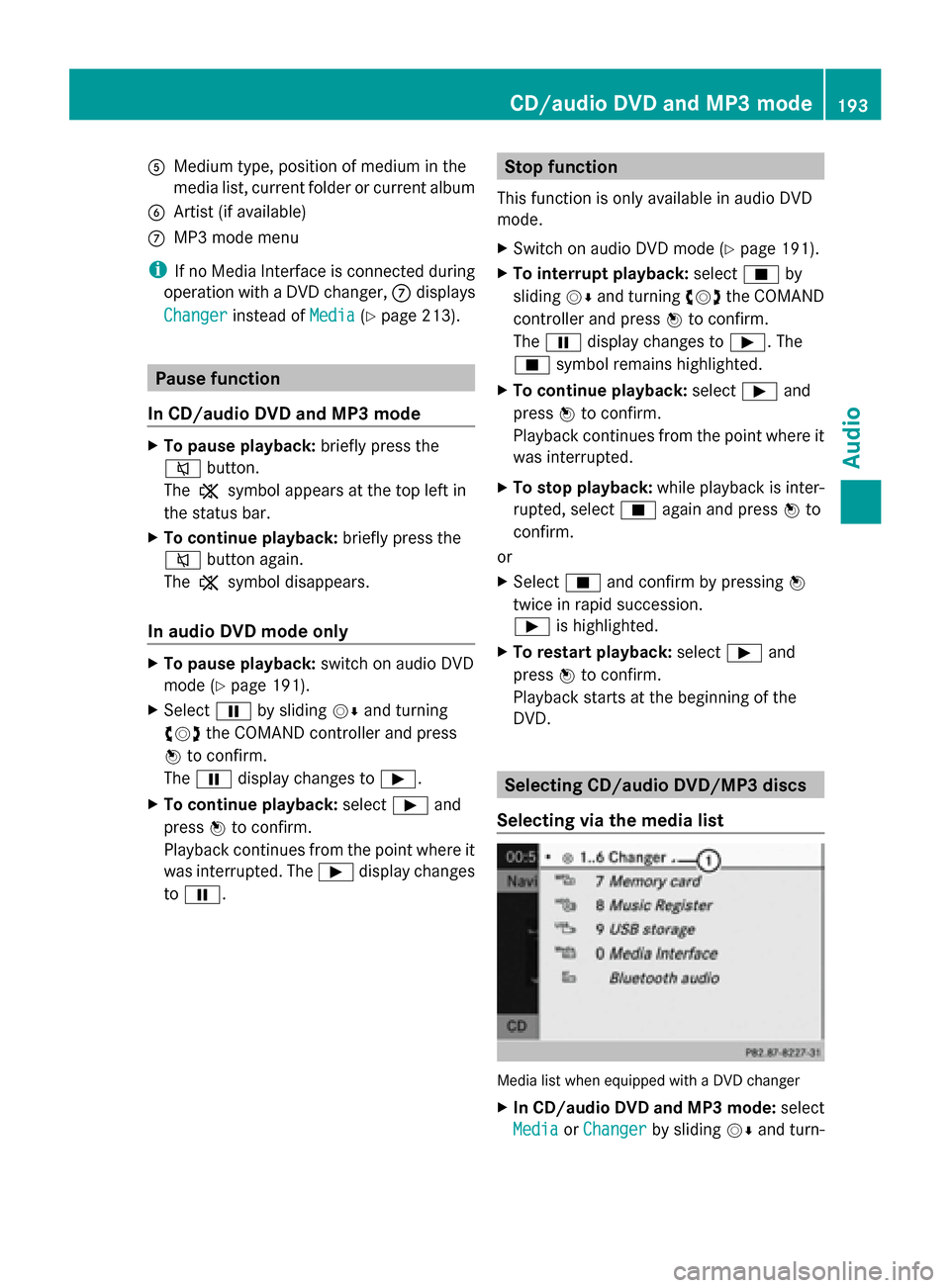
Selecting via the media list Media list when equipped with a DVD changer
X
In CD/audio DVD and MP3 mode: select
Media Media orChanger
Changer by sliding 00520064and turn- CD/audio DVD and MP3 mode
193Audio Z
Page 196 of 270
ing
00790052007A the COMAND controller and press
0098 to confirm.
In CD/audio DVD and MP3 mode: select
Media Media by sliding 00520064or turning 00790052007Athe
COMAND controller and press 0098to con-
firm.
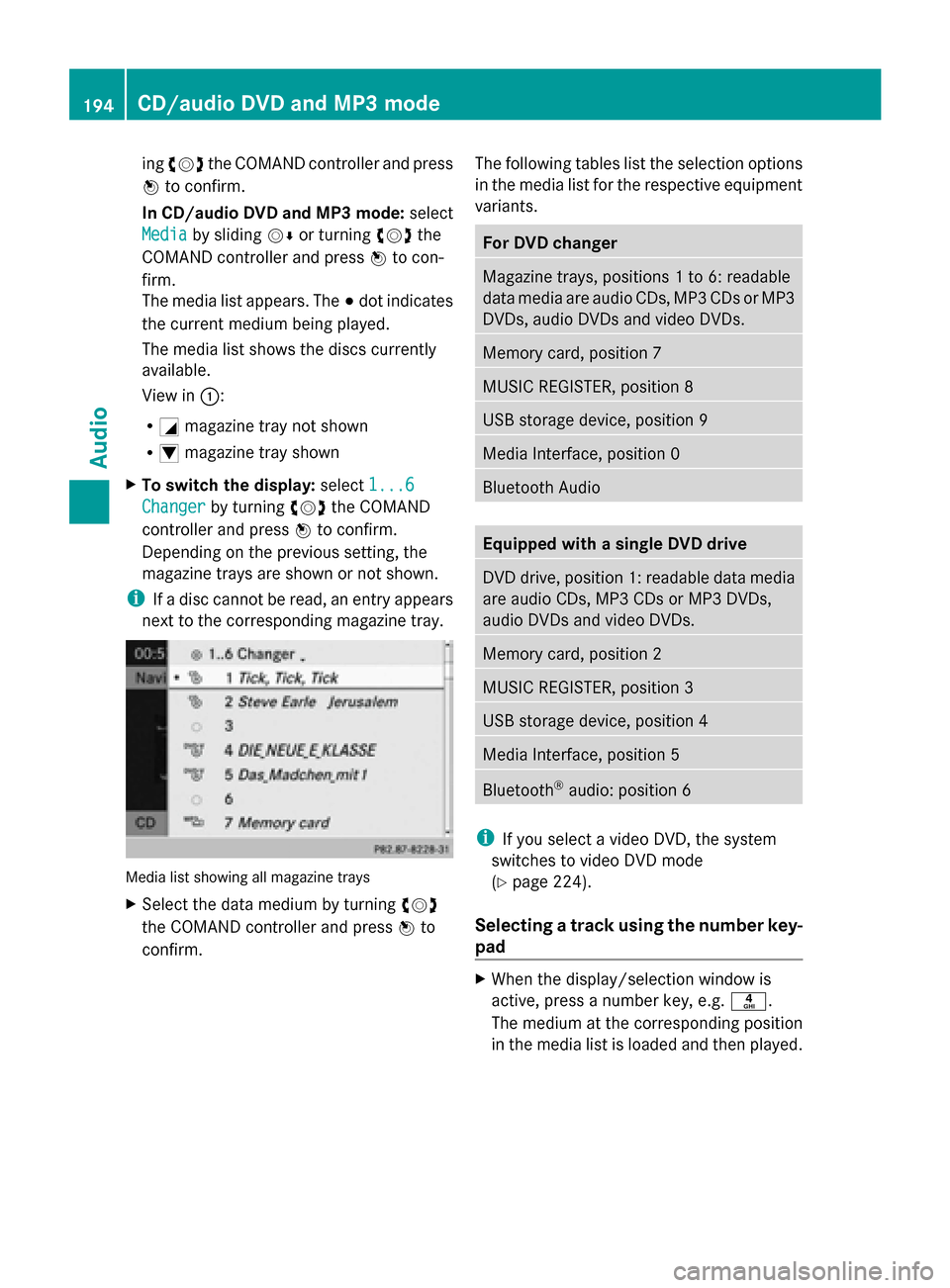
The media list appears. The 003Bdot indicates
the current medium being played.
The media list shows the discs currently
available.
View in 0043:
R 0043 magazine tray not shown
R 0045 magazine tray shown
X To switch the display: select1...6 1...6
Changer
Changer by turning 00790052007Athe COMAND
controller and press 0098to confirm.
Depending on the previous setting, the
magazine trays are shown or not shown.
i If a disc cannot be read, an entry appears
next to the corresponding magazine tray. Media list showing all magazine trays
X
Select the data medium by turning 00790052007A
the COMAND controller and press 0098to
confirm. The following tables list the selection options
in the media list for the respective equipment
variants. For DVD changer
Magazine trays, positions 1 to 6: readable
data media are audio CDs, MP3 CDs or MP3
DVDs, audio DVDs and video DVDs.
Memory card, position 7
MUSIC REGISTER, position 8
USB storage device, position 9
Media Interface, position 0
Bluetooth Audio
Equipped with a single DVD drive
DVD drive, position 1: readable data media
are audio CDs, MP3 CDs or MP3 DVDs,
audio DVDs and video DVDs.
Memory card, position 2
MUSIC REGISTER, position 3
USB storage device, position 4
Media Interface, position 5
Bluetooth
®
audio: position 6 i
If you select a video DVD, the system
switches to video DVD mode
(Y page 224).
Selecting a track using the number key-
pad X
When the display/selection window is
active, press a number key, e.g. 0084.
The medium at the corresponding position
in the media list is loaded and then played. 194
CD/audio DVD and MP3 modeAudio