heating MERCEDES-BENZ SLK-CLASS ROADSTER 2012 Owners Manual
[x] Cancel search | Manufacturer: MERCEDES-BENZ, Model Year: 2012, Model line: SLK-CLASS ROADSTER, Model: MERCEDES-BENZ SLK-CLASS ROADSTER 2012Pages: 336, PDF Size: 24.02 MB
Page 12 of 336
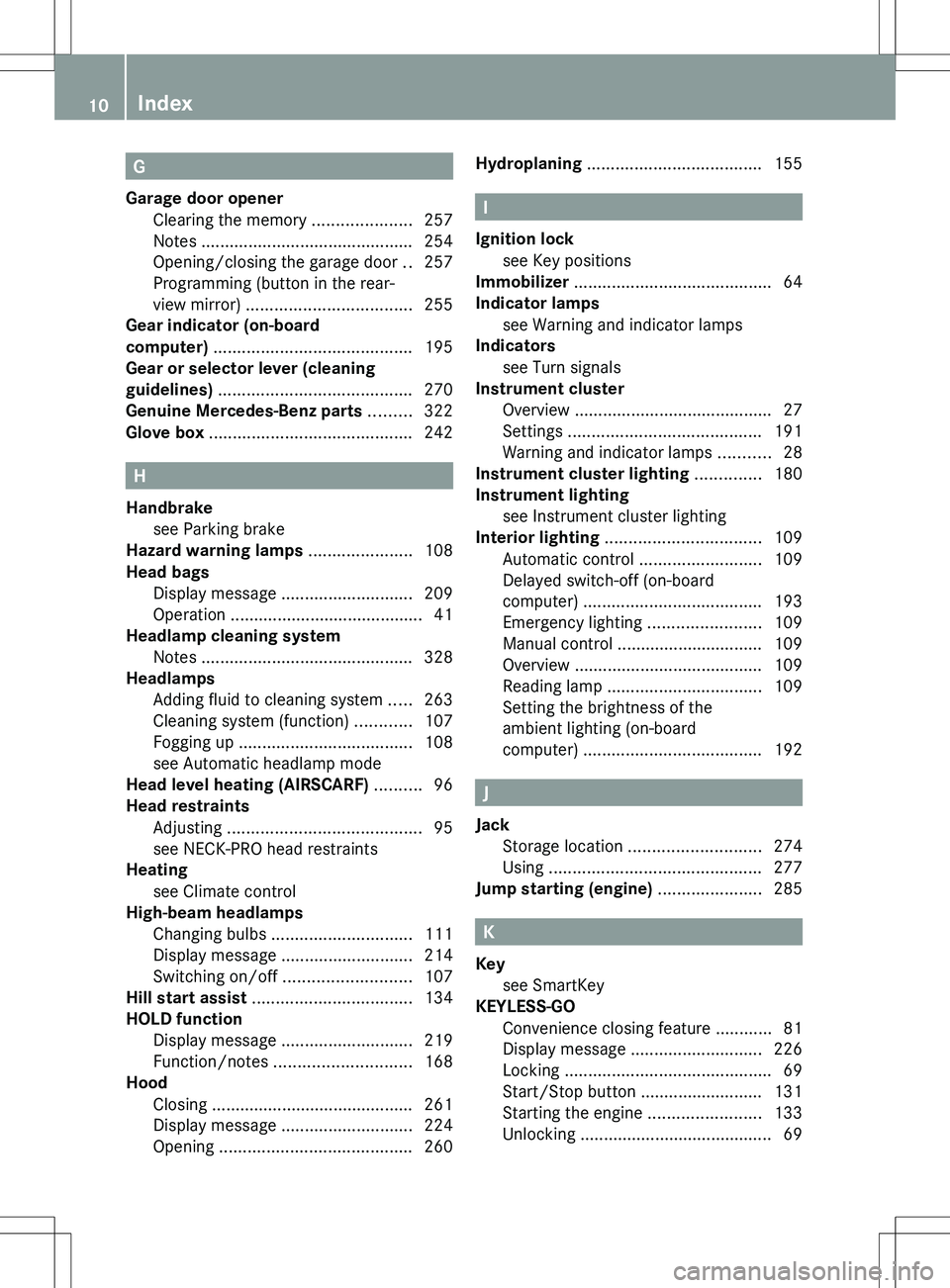
G
Garage door opener Clearing the memory .....................257
Notes ............................................. 254
Opening/closing the garage door ..257
Programming (button in the rear-
view mirror) ................................... 255
Gear indicator (on-board
computer) .......................................... 195
Gear or selector lever (cleaning
guidelines) ......................................... 270
Genuine Mercedes-Benz parts ......... 322
Glove box ........................................... 242
H
Handbrake see Parking brake
Hazard warning lamps ...................... 108
Head bags Display message ............................ 209
Operation ......................................... 41
Headlamp cleaning system
Notes ............................................. 328
Headlamps
Adding fluid to cleaning system .....263
Cleaning system (function) ............107
Fogging up ..................................... 108
see Automatic headlamp mode
Head level heating (AIRSCARF) .......... 96
Head restraints Adjusting ......................................... 95
see NECK-PRO head restraints
Heating
see Climate control
High-beam headlamps
Changing bulbs .............................. 111
Display message ............................ 214
Switching on/off ........................... 107
Hill start assist .................................. 134
HOLD function Display message ............................ 219
Function/notes ............................. 168
Hood
Closing ........................................... 261
Display message ............................ 224
Opening ......................................... 260
Hydroplaning ..................................... 155
I
Ignition lock see Key positions
Immobilizer .......................................... 64
Indicator lamps see Warning and indicator lamps
Indicators
see Turn signals
Instrument cluster
Overview .......................................... 27
Settings ......................................... 191
Warning and indicator lamps ...........28
Instrument cluster lighting .............. 180
Instrument lighting see Instrument cluster lighting
Interior lighting ................................. 109
Automatic control ..........................109
Delayed switch-off (on-board
computer) ...................................... 193
Emergency lighting ........................109
Manual control ............................... 109
Overview ........................................ 109
Reading lamp ................................. 109
Setting the brightness of the
ambient lighting (on-board
computer) ...................................... 192
J
Jack Storage location ............................ 274
Using ............................................. 277
Jump starting (engine) ...................... 285
K
Key see SmartKey
KEYLESS-GO
Convenience closing feature ............81
Display message ............................ 226
Locking ............................................ 69
Start/Stop button .......................... 131
Starting the engine ........................133
Unlocking ......................................... 69
10Index
Page 14 of 336
Downloading destinations
(COMAND) ..................................... 252
Emergency call .............................. 249
Important safety notes ..................248
Locating a stolen vehicle ...............254
MB info call button ........................251
Remote vehicle locking ..................254
Roadside Assistance button ..........251
Search & Send ............................... 253
Self-test ......................................... 249
System .......................................... 249
Vehicle remote unlocking ..............253
Mechanical key
Function/notes ................................ 70
Locking vehicle ................................ 76
Unlocking the driver's door ..............76
Memory card (audio) ......................... 188
Memory function ............................... 100
Message memory (on-board
computer) .......................................... 199
Messages see Display messages
Mirrors
see Exterior mirrors
see Rear-view mirror
see Vanity mirror
Mobile phone
Menu (on-board computer) ............189
see Phone
Modifying the programming
(SmartKey) ........................................... 70
MOExtended run-flat system ........... 281
MP3 Operation ....................................... 188
see separate operating instructions
Multifunction display
Function/notes ............................. 183
Permanent display .........................192
Multifunction steering wheel
Operating the on-board computer . 181
Overview .......................................... 29N
Navigation Menu (on-board computer) ............186
On-board computer .......................186
see separate operating instructions
Neck level heating
see AIRSCARF
NECK-PRO head restraints
Operation ......................................... 47
Resetting after being triggered ........48
Notes on breaking-in a new
vehicle ................................................ 130
O
Occupant Classification System
(OCS) Faults ............................................... 46
Operation ......................................... 42
System self-test ............................... 45
Occupant safety
Children in the vehicle .....................53
System overview .............................. 36
OCS
Faults ............................................... 46
Operation ......................................... 42
System self-test ............................... 45
Odometer ........................................... 185
see Trip odometer
Oil
see Engine oil
On-board computer
AMG menu ..................................... 195
Assistance menu ........................... 190
Audio menu ................................... 188
Convenience submenu ..................194
Displaying a service message ........264
Display messages ..........................199
DISTRONIC PLUS ........................... 165
Factory settings submenu .............195
Important safety notes ..................180
Instrument cluster submenu ..........191
Lighting submenu .......................... 192
Menu overview .............................. 184
Message memory .......................... 199
Navigation menu ............................ 186
Operation ....................................... 181
12Index
Page 16 of 336
RefuelingFuel gauge ....................................... 27
Important safety notes ..................146
Refueling process ..........................147
see Fuel
Releasing the parking lock
manually (automatic
transmission) ..................................... 146
Remote control Garage door opener .......................254
Programming (garage door
opener) .......................................... 255
Reserve (fuel tank)
see Fuel
Reserve fuel
Display message ............................ 219
Warning lamp ................................. 234
see Fuel
Residual heat (climate control) ........ 125
Restraint system see SRS (Supplemental Restraint
System)
Reverse gear
Engaging (automatic
transmission) ................................. 140
Engaging (manual transmission) ....139
Reversible floor panel (trunk) .......... 244
Roadside Assistance (breakdown) .... 21
Roof Display message ............................ 225
Important safety notes ....................82
Opening/closing (with roof
switch) ............................................. 84
Opening/closing (with SmartKey) ....84
Problem (malfunction) .....................86
Relocking ......................................... 85
Roof carrier ........................................ 245
Roof lining and carpets (cleaning
guidelines) ......................................... 271
Roof switch .......................................... 83
Route (navigation) see Route guidance (navigation)
Route guidance (navigation) ............ 186S
Safety Children in the vehicle .....................53
Child restraint systems ....................53
Occupant Classification System
(OCS) ............................................... 42
Overview of occupant safety
systems ........................................... 36
Safety systems
see Driving safety systems
Seat belts
Adjusting the driver's and front-
passenger seat belt .........................51
Belt force limiters ............................ 52
Cleaning ......................................... 270
Correct usage .................................. 49
Emergency Tensioning Devices ........ 52
Fastening ......................................... 50
Important safety guidelines .............48
Releasing ......................................... 51
Safety guidelines ............................. 37
Special seat belt retractor ...............55
Switching belt adjustment on/off
(on-board computer) ......................194
Warning lamp ................................. 228
Warning lamp (function) ................... 51
Seats
Adjusting (electrically) .....................94
Adjusting (manually) ........................94
Adjusting the 4-way lumbar
support ............................................ 95
Adjusting the head restraint ............95
Cleaning the cover .........................270
Correct driver's seat position ........... 92
Important safety notes ....................93
Seat heating problem ......................96
Storing settings (memory
function) ........................................ 100
Switching AIRSCARF on/off ............96
Switching seat heating on/off .........95
Sensors (cleaning instructions) ....... 269
Service Center see Qualified specialist workshop
Service interval display
Displaying service messages .........264
Hiding service messages ...............26414Index
Page 32 of 336
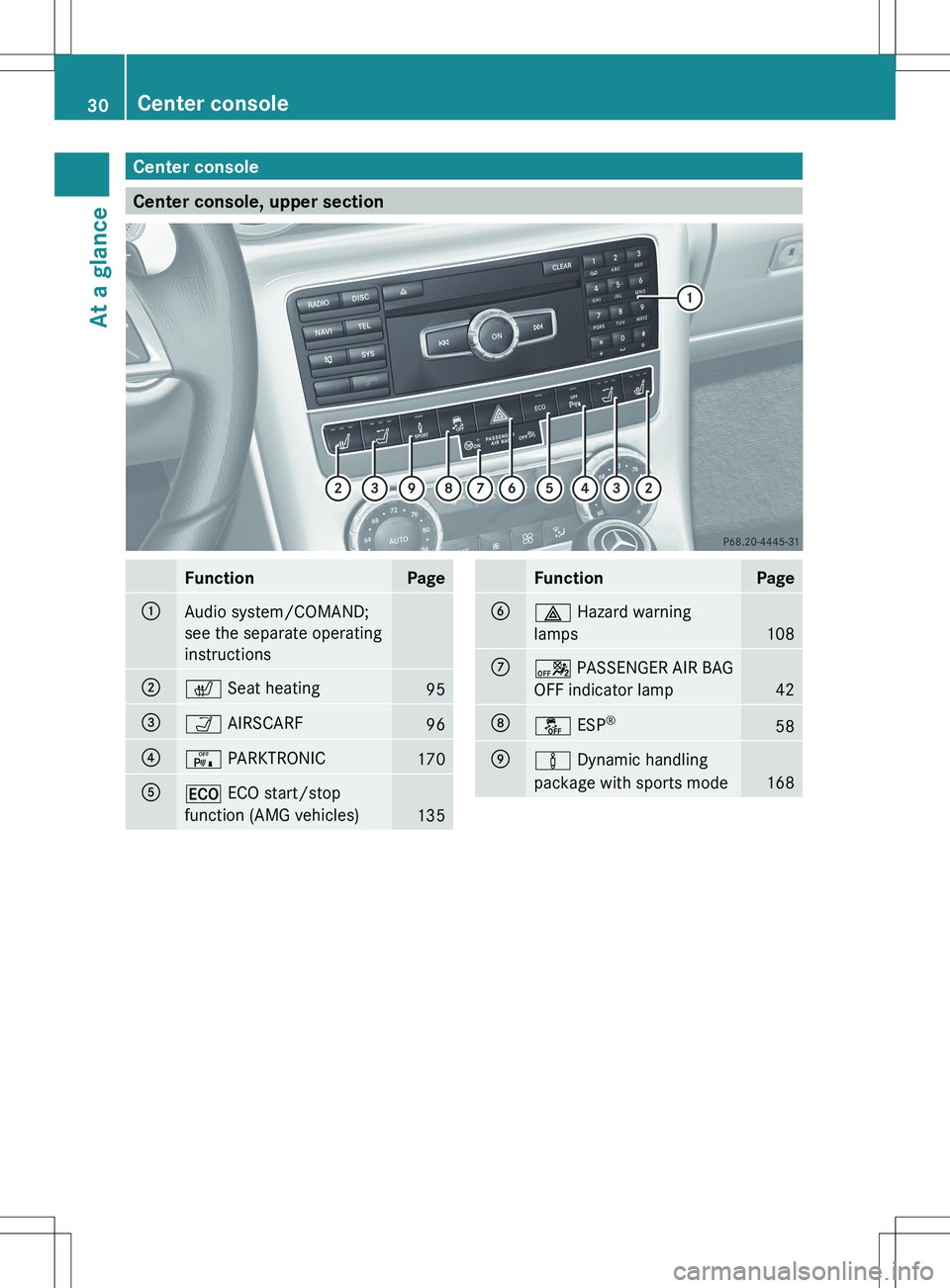
Center console
Center console, upper section
FunctionPage:Audio system/COMAND;
see the separate operating
instructions;c Seat heating95=Ò AIRSCARF96?c PARKTRONIC170A¤ ECO start/stop
function (AMG vehicles)
135
FunctionPageB£ Hazard warning
lamps
108
Ca PASSENGER AIR BAG
OFF indicator lamp
42
Då ESP®58Eà
Dynamic handling
package with sports mode
168
30Center consoleAt a glance
Page 76 of 336
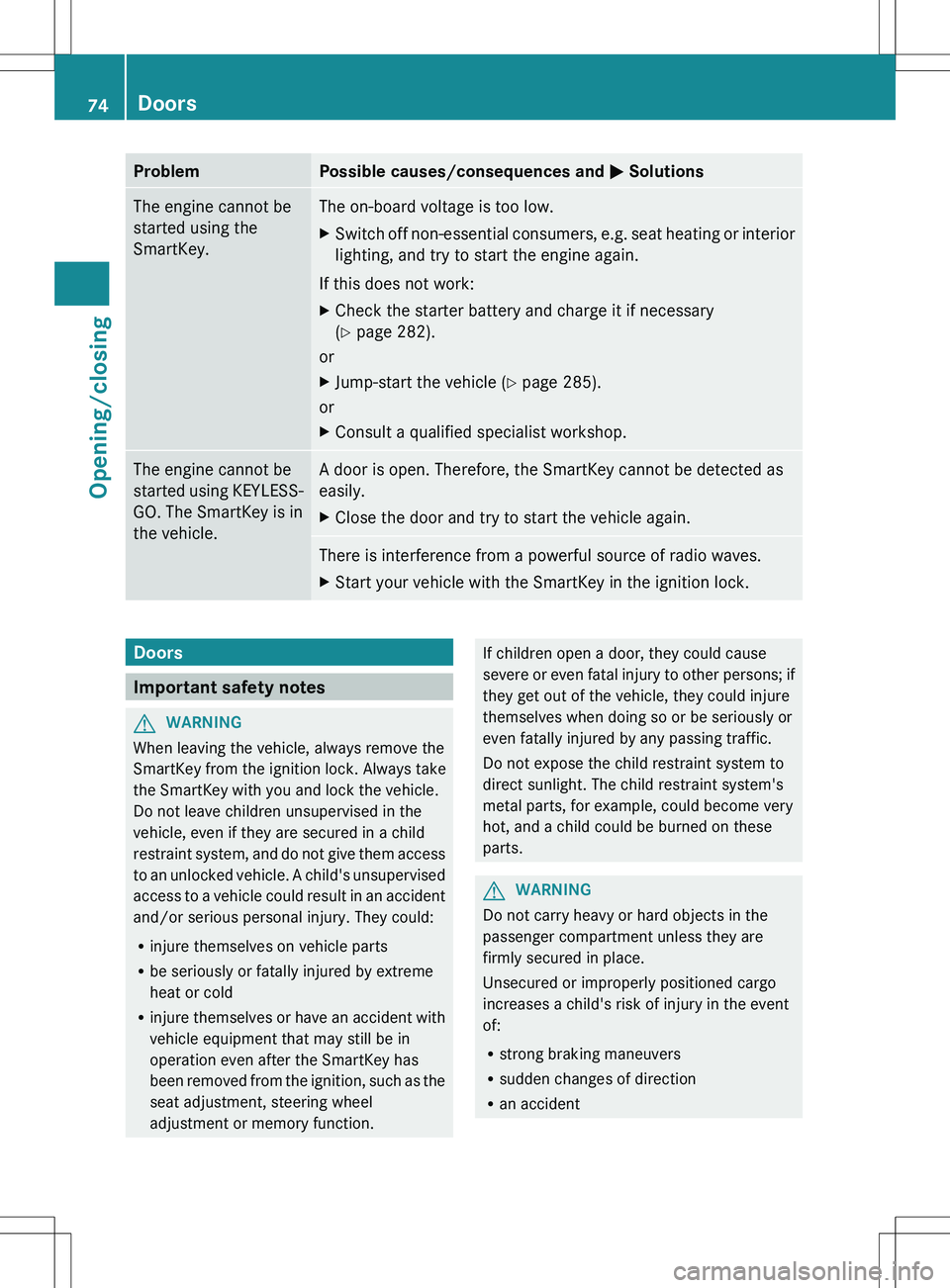
ProblemPossible causes/consequences and M SolutionsThe engine cannot be
started using the
SmartKey.The on-board voltage is too low.XSwitch off non-essential consumers, e.g. seat heating or interior
lighting, and try to start the engine again.
If this does not work:
XCheck the starter battery and charge it if necessary
( Y page 282).
or
XJump-start the vehicle ( Y page 285).
or
XConsult a qualified specialist workshop.The engine cannot be
started using KEYLESS-
GO. The SmartKey is in
the vehicle.A door is open. Therefore, the SmartKey cannot be detected as
easily.XClose the door and try to start the vehicle again.There is interference from a powerful source of radio waves.XStart your vehicle with the SmartKey in the ignition lock.Doors
Important safety notes
GWARNING
When leaving the vehicle, always remove the
SmartKey from the ignition lock. Always take
the SmartKey with you and lock the vehicle.
Do not leave children unsupervised in the
vehicle, even if they are secured in a child
restraint system, and do not give them access
to an unlocked vehicle. A child's unsupervised
access to a vehicle could result in an accident
and/or serious personal injury. They could:
R injure themselves on vehicle parts
R be seriously or fatally injured by extreme
heat or cold
R injure themselves or have an accident with
vehicle equipment that may still be in
operation even after the SmartKey has
been removed from the ignition, such as the
seat adjustment, steering wheel
adjustment or memory function.
If children open a door, they could cause
severe or even fatal injury to other persons; if
they get out of the vehicle, they could injure
themselves when doing so or be seriously or
even fatally injured by any passing traffic.
Do not expose the child restraint system to
direct sunlight. The child restraint system's
metal parts, for example, could become very
hot, and a child could be burned on these
parts.GWARNING
Do not carry heavy or hard objects in the
passenger compartment unless they are
firmly secured in place.
Unsecured or improperly positioned cargo
increases a child's risk of injury in the event
of:
R strong braking maneuvers
R sudden changes of direction
R an accident
74DoorsOpening/closing
Page 96 of 336
! To avoid damage to the seats and the seat
heating, observe the following information:
R do not spill any liquids on the seats. If
liquid is spilled on the seats, dry them as
soon as possible.
R if the seat covers are damp or wet, do not
switch on the seat heating. The seat
heating should also not to be used to dry
the seats.
R clean the seat covers as recommended;
see the "Interior care" section.
R do not transport heavy loads on the
seats. Do not place sharp objects on the
seat cushions, e.g. knives, nails or tools.
The seats should only be occupied by
passengers, if possible.
R when the seat heating is in operation, do
not cover the seats with insulating
materials, e.g. blankets, coats, bags,
seat covers, child seats or booster seats.
! Make sure that there are no objects in the
footwell or behind the seats when resetting
the seats. There is a risk that the seats
and/or the objects could be damaged.
i The head restraints are equipped with the
NECK-PRO system ( Y page 47). For this
reason, it is not possible to remove the
head restraints from the seats.
For more information, contact a qualified
specialist workshop.
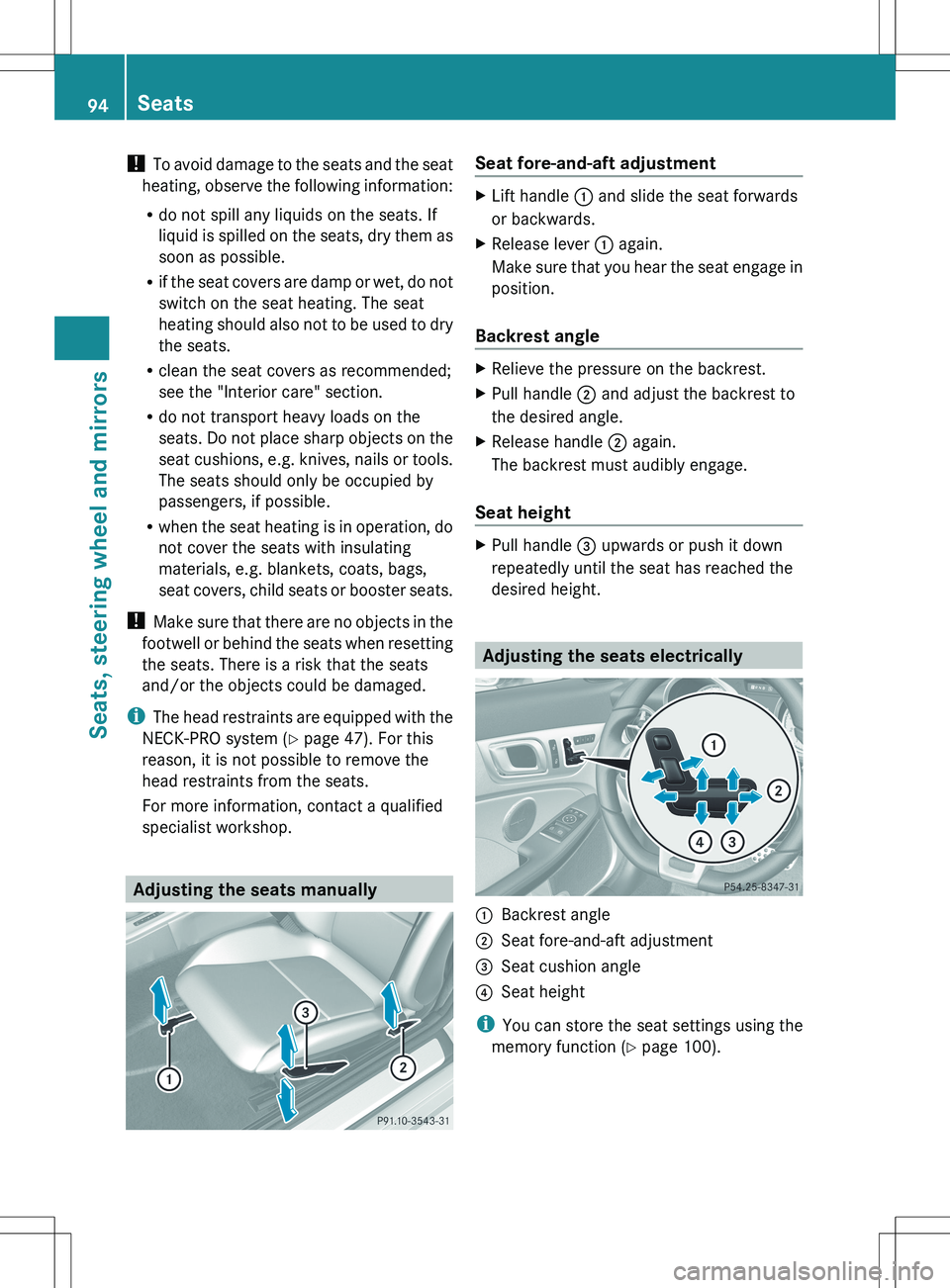
Adjusting the seats manually
Seat fore-and-aft adjustmentXLift handle : and slide the seat forwards
or backwards.XRelease lever : again.
Make sure that you hear the seat engage in
position.
Backrest angle
XRelieve the pressure on the backrest.XPull handle ; and adjust the backrest to
the desired angle.XRelease handle ; again.
The backrest must audibly engage.
Seat height
XPull handle = upwards or push it down
repeatedly until the seat has reached the
desired height.
Adjusting the seats electrically
:Backrest angle;Seat fore-and-aft adjustment=Seat cushion angle?Seat height
i You can store the seat settings using the
memory function ( Y page 100).
94SeatsSeats, steering wheel and mirrors
Page 97 of 336
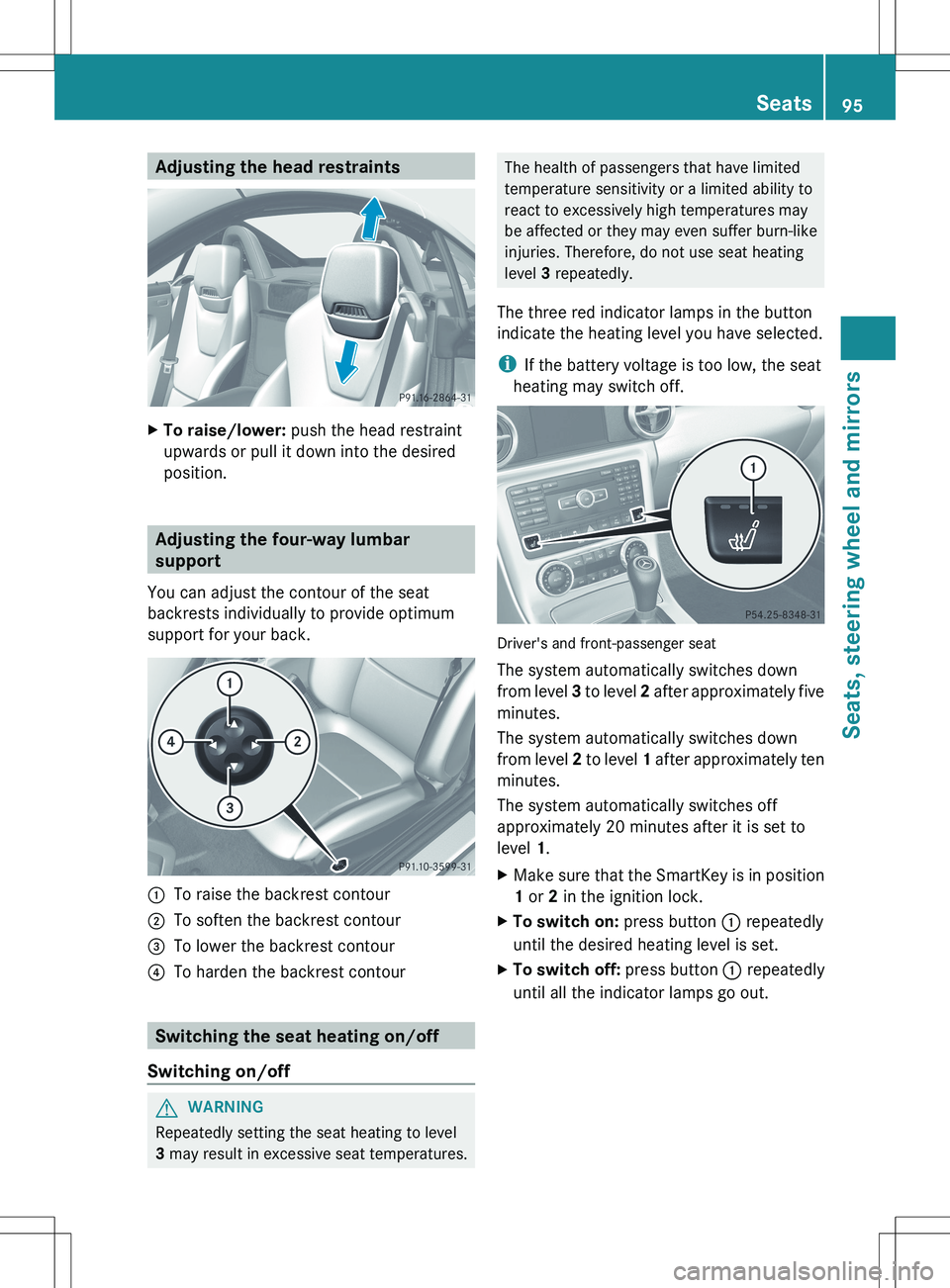
Adjusting the head restraintsXTo raise/lower: push the head restraint
upwards or pull it down into the desired
position.
Adjusting the four-way lumbar
support
You can adjust the contour of the seat
backrests individually to provide optimum
support for your back.
:To raise the backrest contour;To soften the backrest contour=To lower the backrest contour?To harden the backrest contour
Switching the seat heating on/off
Switching on/off
GWARNING
Repeatedly setting the seat heating to level
3 may result in excessive seat temperatures.
The health of passengers that have limited
temperature sensitivity or a limited ability to
react to excessively high temperatures may
be affected or they may even suffer burn-like
injuries. Therefore, do not use seat heating
level 3 repeatedly.
The three red indicator lamps in the button
indicate the heating level you have selected.
i If the battery voltage is too low, the seat
heating may switch off.
Driver's and front-passenger seat
The system automatically switches down
from level 3 to level 2 after approximately five
minutes.
The system automatically switches down
from level 2 to level 1 after approximately ten
minutes.
The system automatically switches off
approximately 20 minutes after it is set to
level 1.
XMake sure that the SmartKey is in position
1 or 2 in the ignition lock.XTo switch on: press button : repeatedly
until the desired heating level is set.XTo switch off: press button : repeatedly
until all the indicator lamps go out.Seats95Seats, steering wheel and mirrorsZ
Page 98 of 336
Problems with the seat heating
The seat heating has switched itself off
prematurely. The vehicle's electrical system
voltage is too low because too many electrical
consumers are switched on.
XSwitch off electrical consumers that you do
not need, such as the rear window
defroster or interior lighting.XOnce the battery is sufficiently charged,
switch on the seat heating again.
AIRSCARF
Switching on/off
GWARNING
Very hot air can flow out of the AIRSCARF
vents in the head restraints when AIRSCARF
is in operation. This can cause burns on
unprotected skin near the AIRSCARF vents.
Lower the heating output in good time, when
necessary.
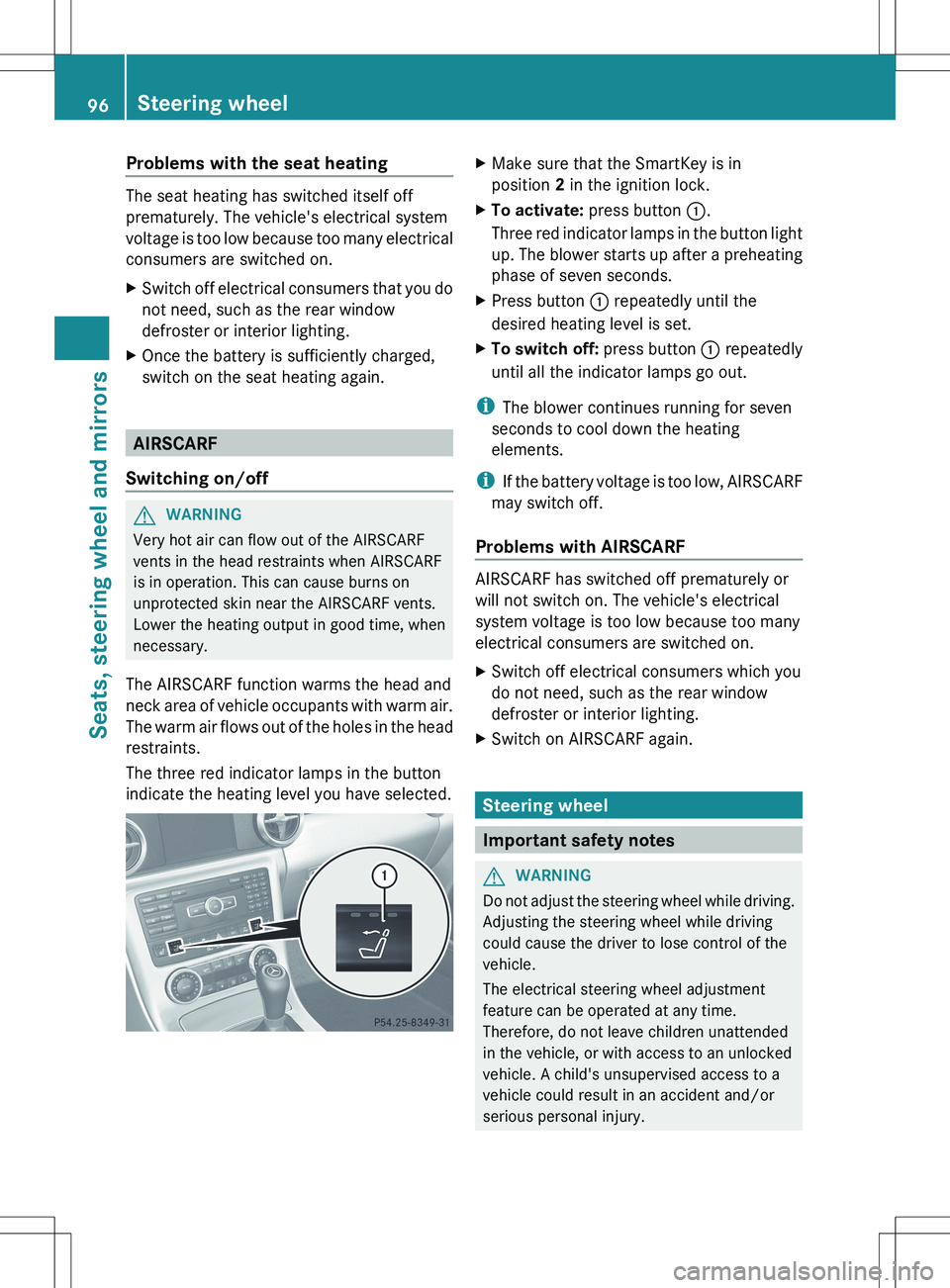
The AIRSCARF function warms the head and
neck area of vehicle occupants with warm air.
The warm air flows out of the holes in the head
restraints.
The three red indicator lamps in the button
indicate the heating level you have selected.
XMake sure that the SmartKey is in
position 2 in the ignition lock.XTo activate: press button :.
Three red indicator lamps in the button light
up. The blower starts up after a preheating
phase of seven seconds.XPress button : repeatedly until the
desired heating level is set.XTo switch off: press button : repeatedly
until all the indicator lamps go out.
i The blower continues running for seven
seconds to cool down the heating
elements.
i If the battery voltage is too low, AIRSCARF
may switch off.
Problems with AIRSCARF
AIRSCARF has switched off prematurely or
will not switch on. The vehicle's electrical
system voltage is too low because too many
electrical consumers are switched on.
XSwitch off electrical consumers which you
do not need, such as the rear window
defroster or interior lighting.XSwitch on AIRSCARF again.
Steering wheel
Important safety notes
GWARNING
Do not adjust the steering wheel while driving.
Adjusting the steering wheel while driving
could cause the driver to lose control of the
vehicle.
The electrical steering wheel adjustment
feature can be operated at any time.
Therefore, do not leave children unattended
in the vehicle, or with access to an unlocked
vehicle. A child's unsupervised access to a
vehicle could result in an accident and/or
serious personal injury.
96Steering wheelSeats, steering wheel and mirrors
Page 118 of 336
Useful information
i This Operator's Manual describes all
models and all standard and optional
equipment of your vehicle available at the
time of publication of the Operator's
Manual. Country-specific differences are
possible. Please note that your vehicle may
not be equipped with all features
described. This also applies to safety-
related systems and functions.
i Please read the information on qualified
specialist workshops ( Y page 23).
Overview of climate control systems
Important safety notes
GWARNING
Severe conditions (e.g. strong air pollution)
may require replacement of the filter before
its scheduled replacement interval. A clogged
filter will reduce the air volume to the interior
and the windows could fog up, impairing
visibility and endangering you and others.
Have a blocked filter replaced at a Mercedes-
Benz Center as soon as possible.
GWARNING
Follow the recommended settings for heating
and cooling given on the following pages.
Otherwise, the windows could fog up,
impairing visibility and endangering you and
others.
The air-conditioning system/automatic
climate control controls the temperature and
the humidity of the vehicle interior and filters
undesirable substances from the air.
The air-conditioning system/automatic
climate control is only operational when the
engine is running. 7
The system only works
optimally when the side windows and the roof
are closed.
i Ventilate the vehicle for a brief period
during warm weather. This will speed up the
cooling process and the desired vehicle
interior temperature will be reached more
quickly.
i The integrated filter can filter out most
particles of dust and completely filters out
pollen. A clogged filter reduces the amount
of air supplied to the vehicle interior. For
this reason, you should always observe the
interval for replacing the filter, which is
specified in the Maintenance Booklet. As it
depends on environmental conditions, e.g.
heavy air pollution, the interval may be
shorter than stated in the Maintenance
Booklet.7 The residual heat function can only be activated/deactivated when the ignition is switched off.116Overview of climate control systemsClimate control
Page 127 of 336
If the battery voltage is too low, the rear
window defroster may switch off.XTurn the SmartKey to position 2 in the
ignition lock.XPress the ¤ button.
The indicator lamp in the ¤ button lights
up or goes out.
Problems with the rear window
defroster
If the indicator lamp in the ¤ rear window
defroster button flashes, the on-board
voltage is too low or the roof is open. The rear
window defroster has deactivated
prematurely or cannot be activated.
XSwitch off any consumers that are not
required, e.g. reading lamps or interior
lighting.
When the battery is sufficiently charged,
the rear window defroster is activated
again automatically.
or
XClose the roof.
The rear window defroster can be activated
again.
Activating/deactivating air-
recirculation mode
You can deactivate the flow of fresh air if
unpleasant odors are entering the vehicle
from outside. The air already inside the
vehicle will then be recirculated.
GWARNING
Fogged windows impair visibility,
endangering you and others. If the windows
begin to fog on the inside, switching off the
air recirculation mode immediately should
clear interior window fogging. If interior
window fogging persists, make sure the air
conditioning is activated, or press the ¬
button.
XTurn the SmartKey to position 2 in the
ignition lock.XTo activate: press the g button.
The indicator lamp in the g button lights
up.
i Air-recirculation mode is activated
automatically at high outside
temperatures. When air-recirculation mode
is activated automatically, the indicator
lamp in the g button is not lit.
Outside air is added after about
30 minutes.
XTo deactivate: press the g button.
The indicator lamp in the g button goes
out.
i Air-recirculation mode deactivates
automatically:
R after approximately five minutes at
outside temperatures below
approximately 41 ‡ (5 †)
R after approximately five minutes if
cooling with air dehumidification is
deactivated
R after approximately 30 minutes at
outside temperatures above
approximately 41 ‡ (5 †)
Activating/deactivating the residual
heat function
It is possible to make use of the residual heat
of the engine to continue heating the
stationary vehicle for up to 30 minutes after
the engine has been switched off. The heating
time depends on the temperature that has
been set.
Depending on the equipment level, the
control panel has either the Ì or the
Á button.
The "residual heat" function is only available
in Canada.
i The blower will run at a low speed
regardless of the airflow setting.
Operating the climate control systems125Climate controlZ