sensor MERCEDES-BENZ SLK ROADSTER 2012 Owner's Guide
[x] Cancel search | Manufacturer: MERCEDES-BENZ, Model Year: 2012, Model line: SLK ROADSTER, Model: MERCEDES-BENZ SLK ROADSTER 2012Pages: 321, PDF Size: 6.9 MB
Page 173 of 321
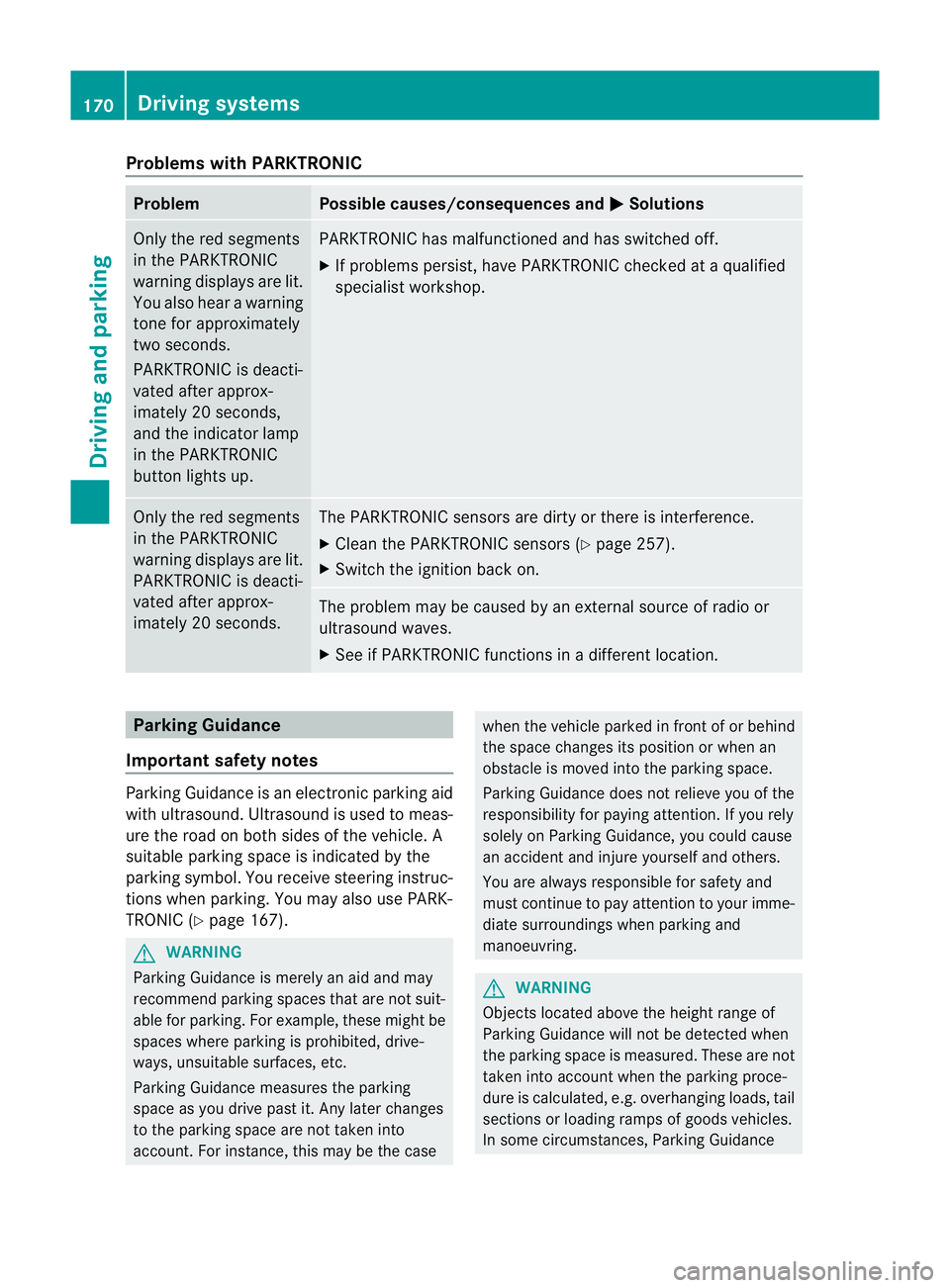
Problems with PARKTRONIC
Problem Possible causes/consequences and
M Solutions
Only the red segments
in the PARKTRONIC
warning displays are lit.
You also hear a warning
tone for approximately
two seconds.
PARKTRONIC is deacti-
vated after approx-
imately 20 seconds,
and the indicator lamp
in the PARKTRONIC
button lights up. PARKTRONIC has malfunctioned and has switched off.
X
If problems persist, have PARKTRONIC checked at a qualified
specialist workshop. Only the red segments
in the PARKTRONIC
warning displays are lit.
PARKTRONIC is deacti-
vated after approx-
imately 20 seconds. The PARKTRONIC sensors are dirty or there is interference.
X
Cleant he PARKTRONIC sensors (Y page 257).
X Switch the ignition back on. The problem may be caused by an external source of radio or
ultrasound waves.
X
See if PARKTRONIC functions in a different location. Parking Guidance
Important safety notes Parking Guidance is an electronic parking aid
with ultrasound. Ultrasound is used to meas-
ure the road on both sides of the vehicle. A
suitable parking space is indicated by the
parking symbol. You receive steering instruc-
tions when parking. You may also use PARK-
TRONIC (Y
page 167). G
WARNING
Parking Guidance is merely an aid and may
recommend parking spaces that are not suit-
able for parking. For example, these might be
spaces where parking is prohibited, drive-
ways, unsuitable surfaces, etc.
Parking Guidance measures the parking
space as you drive past it. Any later changes
to the parking space are not taken into
account. For instance, this may be the case when the vehicle parked in front of or behind
the space changes its position or when an
obstacle is moved into the parking space.
Parking Guidance does not relieve you of the
responsibility for paying attention. If you rely
solely on Parking Guidance, you could cause
an accident and injure yourself and others.
You are always responsible for safety and
must continue to pay attention to your imme-
diate surroundings when parking and
manoeuvring. G
WARNING
Objects located above the height range of
Parking Guidance will not be detected when
the parking space is measured. These are not
taken into account when the parking proce-
dure is calculated, e.g. overhanging loads, tail
sections or loading ramps of goods vehicles.
In some circumstances, Parking Guidance 170
Driving systemsDriving and parking
Page 181 of 321
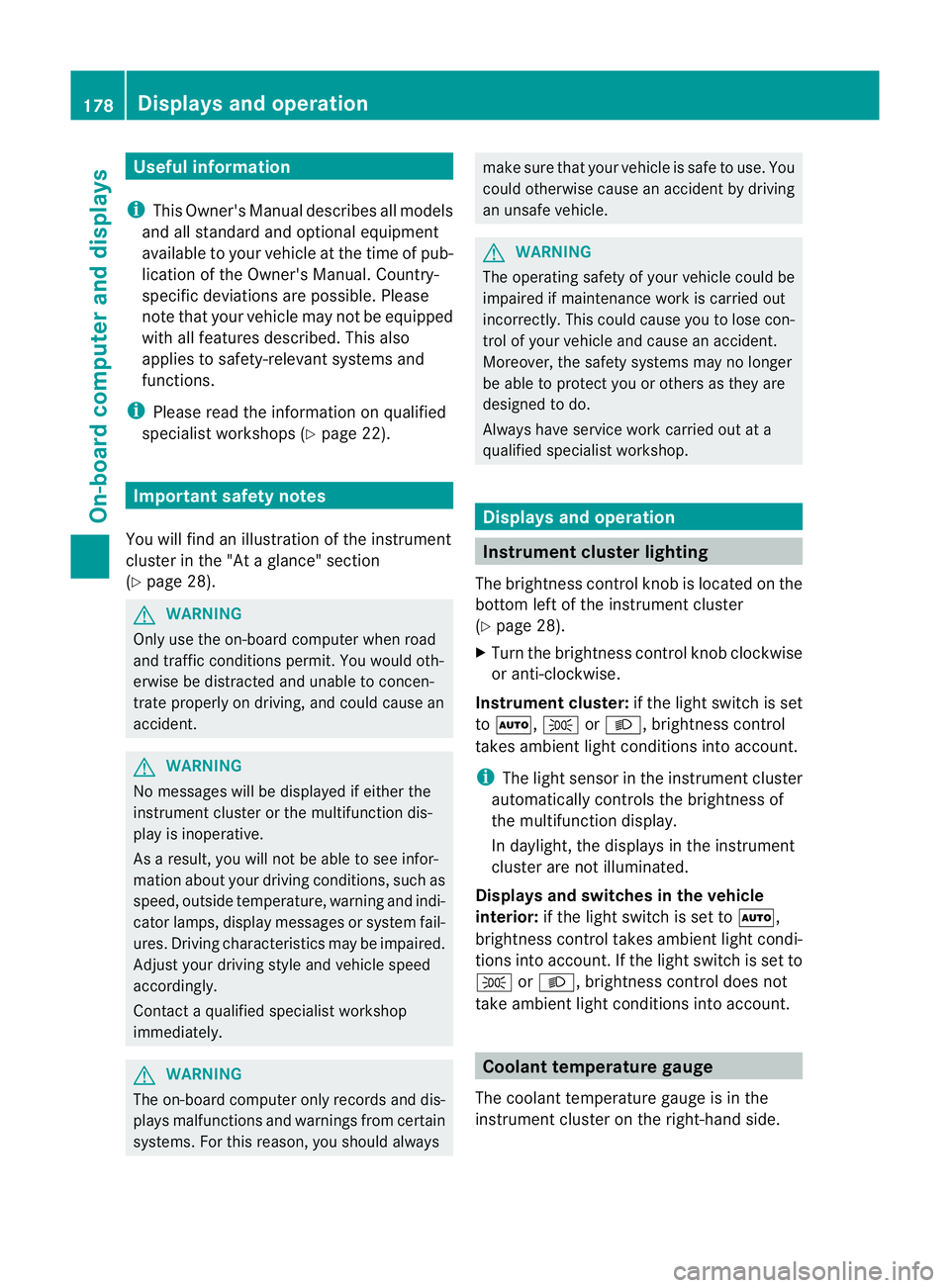
Useful information
i This Owner's Manual describes all models
and all standard and optional equipment
available to your vehicle at the time of pub-
lication of the Owner's Manual. Country-
specific deviations are possible. Please
note that your vehicle may not be equipped
with all features described. This also
applies to safety-relevan tsystems and
functions.
i Please read the information on qualified
specialist workshops (Y page 22).Important safety notes
You will find an illustration of the instrument
cluster in the "At a glance" section
(Y page 28). G
WARNING
Only use the on-board computer when road
and traffic conditions permit .You would oth-
erwise be distracted and unable to concen-
trate properly on driving, and could cause an
accident. G
WARNING
No messages will be displayed if either the
instrument cluster or the multifunction dis-
play is inoperative.
As a result, you will not be able to see infor-
mation about your driving conditions, such as
speed, outside temperature, warning and indi-
cator lamps, display messages or system fail-
ures. Driving characteristics may be impaired.
Adjust your driving style and vehicle speed
accordingly.
Contact a qualified specialist workshop
immediately. G
WARNING
The on-board computer only records and dis-
plays malfunctions and warnings from certain
systems. For this reason, you should always make sure that your vehicle is safe to use. You
could otherwise cause an accident by driving
an unsafe vehicle.
G
WARNING
The operating safety of your vehicle could be
impaired if maintenance work is carried out
incorrectly. This could cause you to lose con-
trol of your vehicle and cause an accident.
Moreover, the safety systems may no longer
be able to protect you or others as they are
designed to do.
Always have service work carried out at a
qualified specialist workshop. Displays and operation
Instrument cluster lighting
The brightness control knob is located on the
bottom left of the instrument cluster
(Y page 28).
X Turn the brightness control knob clockwise
or anti-clockwise.
Instrument cluster: if the light switch is set
to Ã, TorL, brightness control
takes ambient light conditions into account.
i The light sensor in the instrument cluster
automatically controls the brightness of
the multifunction display.
In daylight, the displays in the instrument
cluster are not illuminated.
Displays and switches in the vehicle
interior: if the light switch is set to Ã,
brightness control takes ambient light condi-
tions into account .Ifthe light switch is set to
T orL, brightness control does not
take ambient light conditions into account. Coolant temperature gauge
The coolant temperature gauge is in the
instrumentc lusteront he right-hand side. 178
Displays and operationOn-board computer and displays
Page 197 of 321
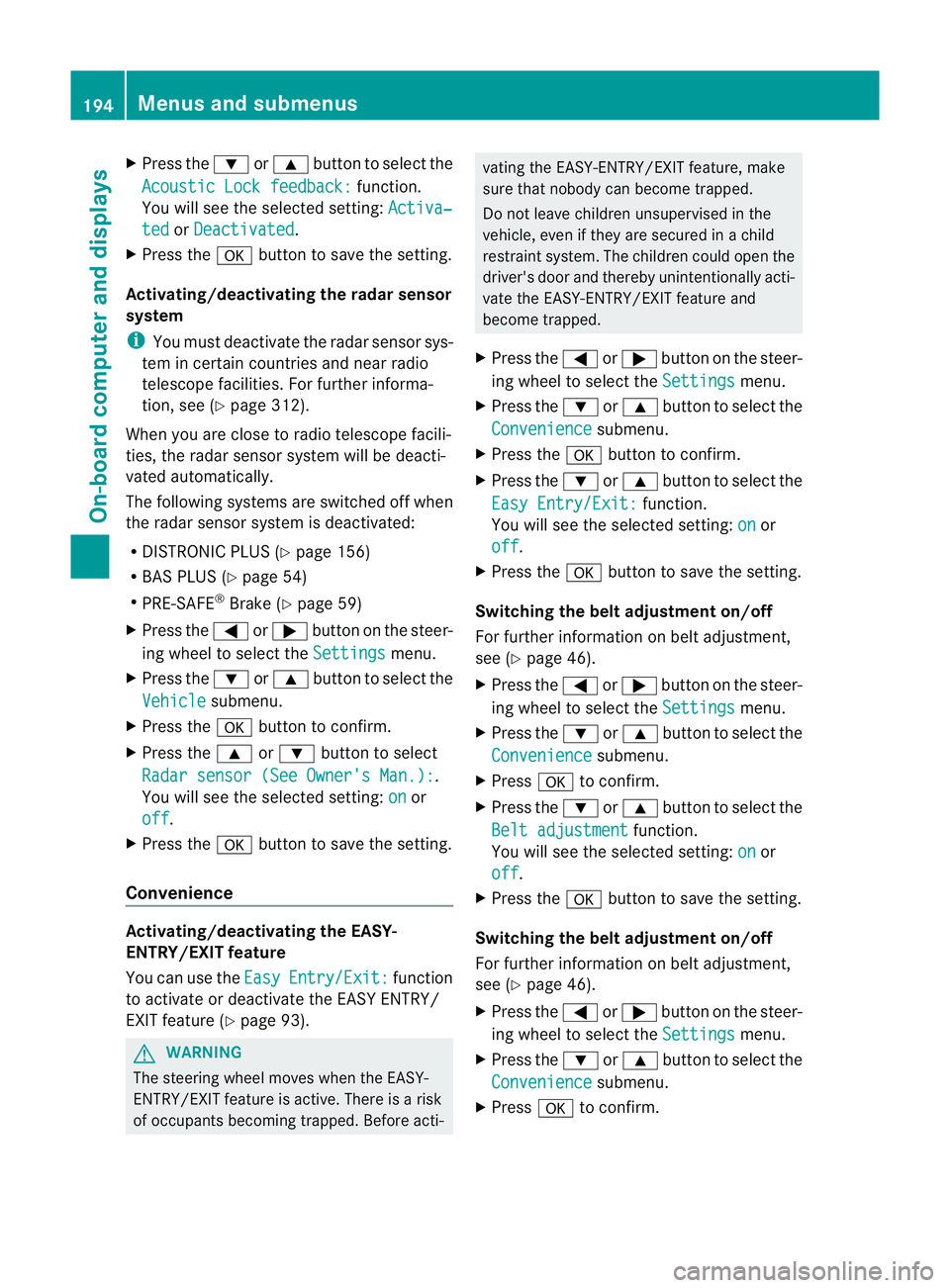
X
Press the :or9 button to select the
Acoustic Lock feedback: function.
You will see the selected setting: Activa‐ted or
Deactivated .
X Press the abutton to save the setting.
Activating/deactivating the radar sensor
system
i You must deactivate the radar sensor sys-
tem in certain countries and near radio
telescope facilities. For further informa-
tion, see (Y page 312).
When you are close to radio telescope facili-
ties, the radar sensor system will be deacti-
vated automatically.
The following systems are switched off when
the radar sensor system is deactivated:
R DISTRONIC PLUS (Y page 156)
R BAS PLUS (Y page 54)
R PRE-SAFE ®
Brake (Y page 59)
X Press the =or; button on the steer-
ing wheel to select the Settings menu.
X Press the :or9 button to select the
Vehicle submenu.
X Press the abutton to confirm.
X Press the 9or: button to select
Radar sensor (See Owner's Man.): .
You will see the selected setting: on or
off .
X Press the abutton to save the setting.
Convenience Activating/deactivating the EASY-
ENTRY/EXIT feature
You can use the
Easy Entry/Exit: function
to activate or deactivate the EASY ENTRY/
EXIT feature (Y page 93). G
WARNING
The steering wheel moves when the EASY-
ENTRY/EXIT feature is active. There is a risk
of occupants becoming trapped. Before acti- vating the EASY-ENTRY/EXIT feature, make
sure that nobody can become trapped.
Do not leave children unsupervised in the
vehicle, even if they are secured in a child
restraint system. The children could open the
driver's door and thereby unintentionally acti-
vate the EASY-ENTRY/EXIT feature and
become trapped.
X Press the =or; button on the steer-
ing wheel to select the Settings menu.
X Press the :or9 button to select the
Convenience submenu.
X Press the abutton to confirm.
X Press the :or9 button to select the
Easy Entry/Exit: function.
You will see the selected setting: on or
off .
X Press the abutton to save the setting.
Switching the belt adjustment on/off
For further information on belt adjustment,
see (Y page 46).
X Press the =or; button on the steer-
ing wheel to select the Settings menu.
X Press the :or9 button to select the
Convenience submenu.
X Press ato confirm.
X Press the :or9 button to select the
Belt adjustment function.
You will see the selected setting: on or
off .
X Press the abutton to save the setting.
Switching the belt adjustment on/off
For further information on belt adjustment,
see (Y page 46).
X Press the =or; button on the steer-
ing wheel to select the Settings menu.
X Press the :or9 button to select the
Convenience submenu.
X Press ato confirm. 194
Menus and submenusOn-board computer and displays
Page 210 of 321
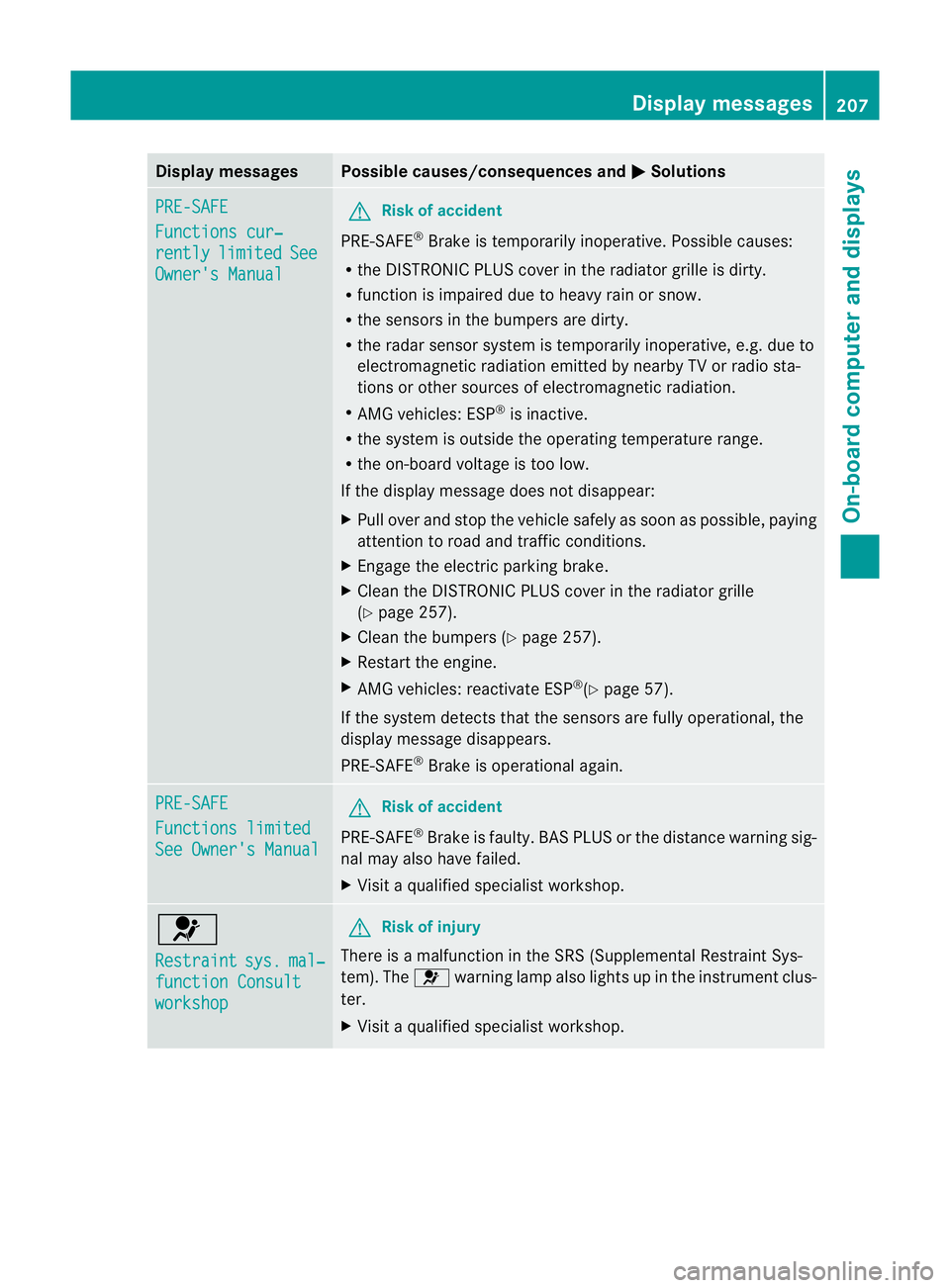
Display messages Possible causes/consequences and
M Solutions
PRE-SAFE
Functions cur‐
rently limited See
Owner's Manual G
Risk of accident
PRE-SAFE ®
Brake is temporarily inoperative. Possible causes:
R the DISTRONIC PLUS cover in the radiator grille is dirty.
R function is impaired due to heavy rain or snow.
R the sensors in the bumpers are dirty.
R the rada rsensor system is temporarily inoperative, e.g. due to
electromagnetic radiation emitted by nearby TV or radio sta-
tions or other sources of electromagnetic radiation.
R AMG vehicles: ESP ®
is inactive.
R the system is outside the operating temperature range.
R the on-board voltage is too low.
If the display message does not disappear:
X Pull over and stop the vehicle safely as soon as possible, paying
attention to road and traffic conditions.
X Engage the electric parking brake.
X Clean the DISTRONIC PLUS cover in the radiator grille
(Y page 257).
X Clean the bumpers (Y page 257).
X Restart the engine.
X AMG vehicles: reactivate ESP ®
(Y page 57).
If the system detects that the sensors are fully operational, the
display message disappears.
PRE-SAFE ®
Brake is operational again. PRE-SAFE
Functions limited
See Owner's Manual G
Risk of accident
PRE-SAFE ®
Brake is faulty. BASP LUS or the distance warning sig-
nal may also have failed.
X Visit a qualified specialist workshop. 6
Restraint
sys. mal‐
function Consult
workshop G
Risk of injury
There is a malfunction in the SRS (Supplemental Restraint Sys-
tem). The 6warning lamp also lights up in the instrument clus-
ter.
X Visit a qualified specialist workshop. Display messages
207On-board computer and displays Z
Page 214 of 321
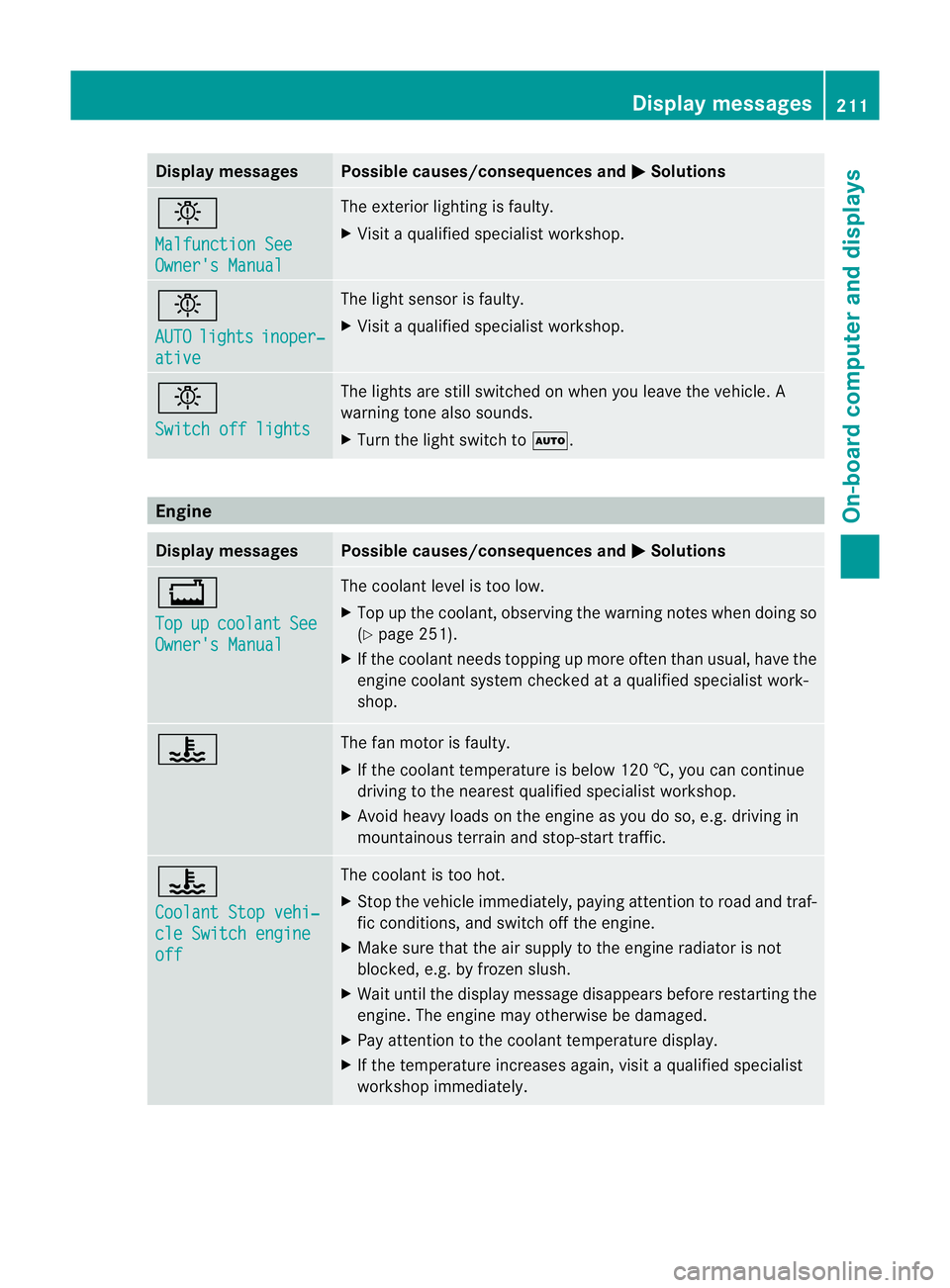
Display messages Possible causes/consequences and
M Solutions
b
Malfunction See
Owner's Manual The exterio
rlighting is faulty.
X Visit a qualified specialist workshop. b
AUTO
lights inoper‐
ative The light sensor is faulty.
X
Visit a qualified specialist workshop. b
Switch off lights The lights are still switched on when you leave the vehicle. A
warning tone also sounds.
X
Turn the light switch to Ã.Engine
Displa
ymessages Possible causes/consequences and
M Solutions
+
Top
up coolant See
Owner's Manual The coolant level is too low.
X
Top up the coolant, observing the warning notes when doing so
(Y page 251).
X If the coolant needs topping up more often than usual, have the
engine coolant system checked at a qualified specialist work-
shop. ? The fan motor is faulty.
X
If the coolant temperature is below 120 †, you can continue
driving to the nearest qualified specialist workshop.
X Avoid heavy loads on the engine as you do so, e.g .driving in
mountainous terrain and stop-start traffic. ?
Coolant Stop vehi‐
cle Switch engine
off The coolant is too hot.
X
Stop the vehicle immediately, paying attention to road and traf-
fic conditions, and switch off the engine.
X Make sure that the air supply to the engine radiator is not
blocked, e.g. by frozen slush.
X Waitu ntil the display message disappears before restarting the
engine .The engine may otherwise be damaged.
X Pay attention to the coolant temperature display.
X If the temperature increases again, visit a qualified specialist
workshop immediately. Display messages
211On-board computer and displays Z
Page 217 of 321
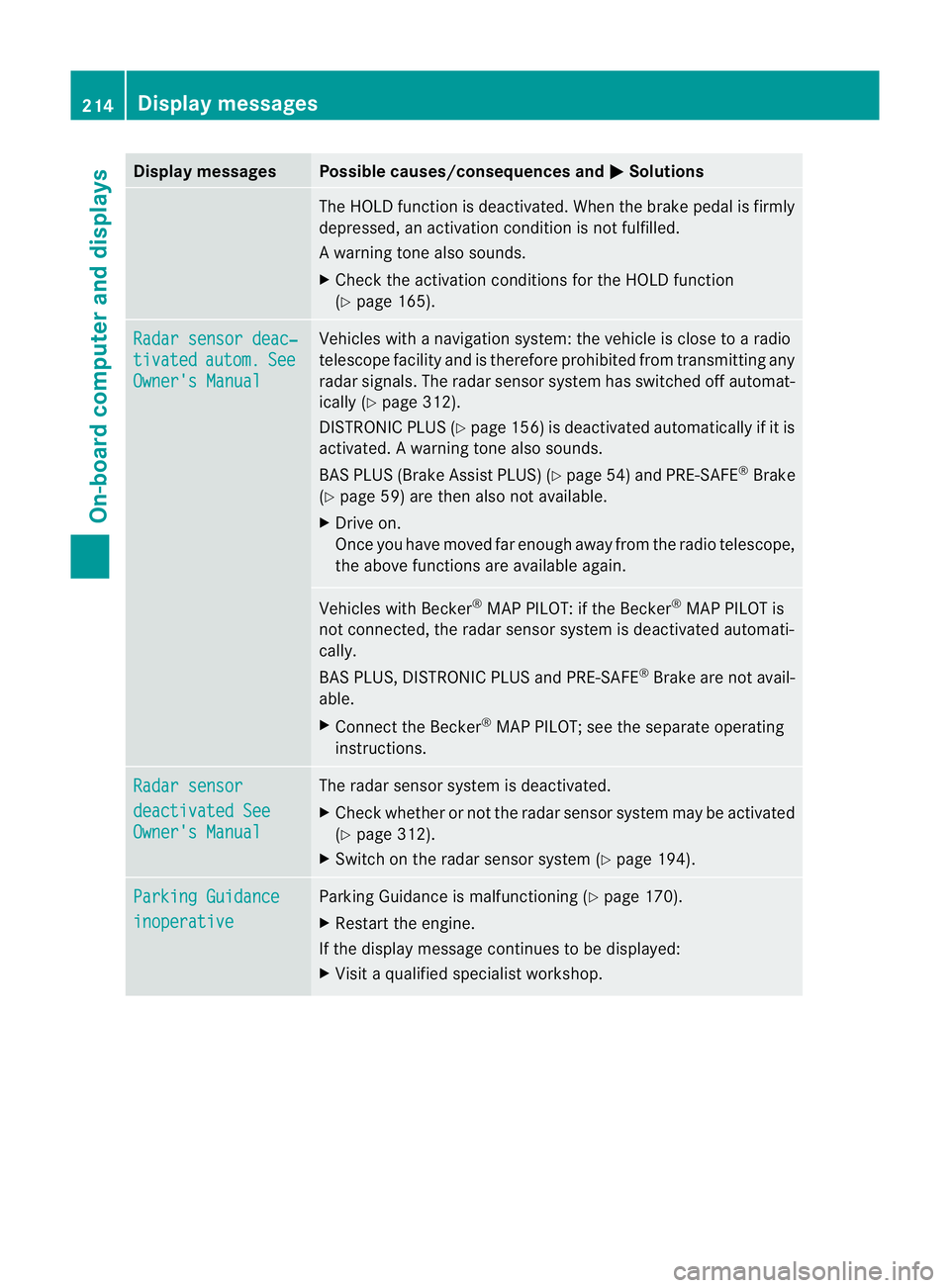
Display messages Possible causes/consequences and
M Solutions
The HOLD function is deactivated. Whe
nthe brake pedal is firmly
depressed, an activation condition is not fulfilled.
Aw arning tone also sounds.
X Check the activation conditions for the HOLD function
(Y page 165). Radar sensor deac‐
tivated autom. See
Owner's Manual Vehicles with a navigation system: the vehicle is close to a radio
telescope facility and is therefore prohibited from transmitting any
radar signals. The radar sensor system has switched off automat-
ically (Y
page 312).
DISTRONI CPLUS (Y page 156) is deactivated automatically if it is
activated. Awarning tone also sounds.
BAS PLUS (Brake Assist PLUS) (Y page 54)and PRE-SAFE ®
Brake
(Y page 59) are then also not available.
X Drive on.
Once you have moved fa renough away from the radio telescope,
the above functions are available again. Vehicles with Becker
®
MAP PILOT: if the Becker ®
MAP PILOT is
not connected, the rada rsensor system is deactivated automati-
cally.
BAS PLUS, DISTRONIC PLUS and PRE-SAFE ®
Brake are not avail-
able.
X Connect the Becker ®
MAP PILOT; see the separate operating
instructions. Radar sensor
deactivated See
Owner's Manual The radar sensor system is deactivated.
X
Check whether or not the radar sensor system may be activated
(Y page 312).
X Switch on the radar sensor system (Y page 194).Parking Guidance
inoperative Parking Guidance is malfunctioning (
Ypage 170).
X Restart the engine.
If the display message continues to be displayed:
X Visit a qualified specialist workshop. 214
Display messagesOn-board computer and displays
Page 218 of 321
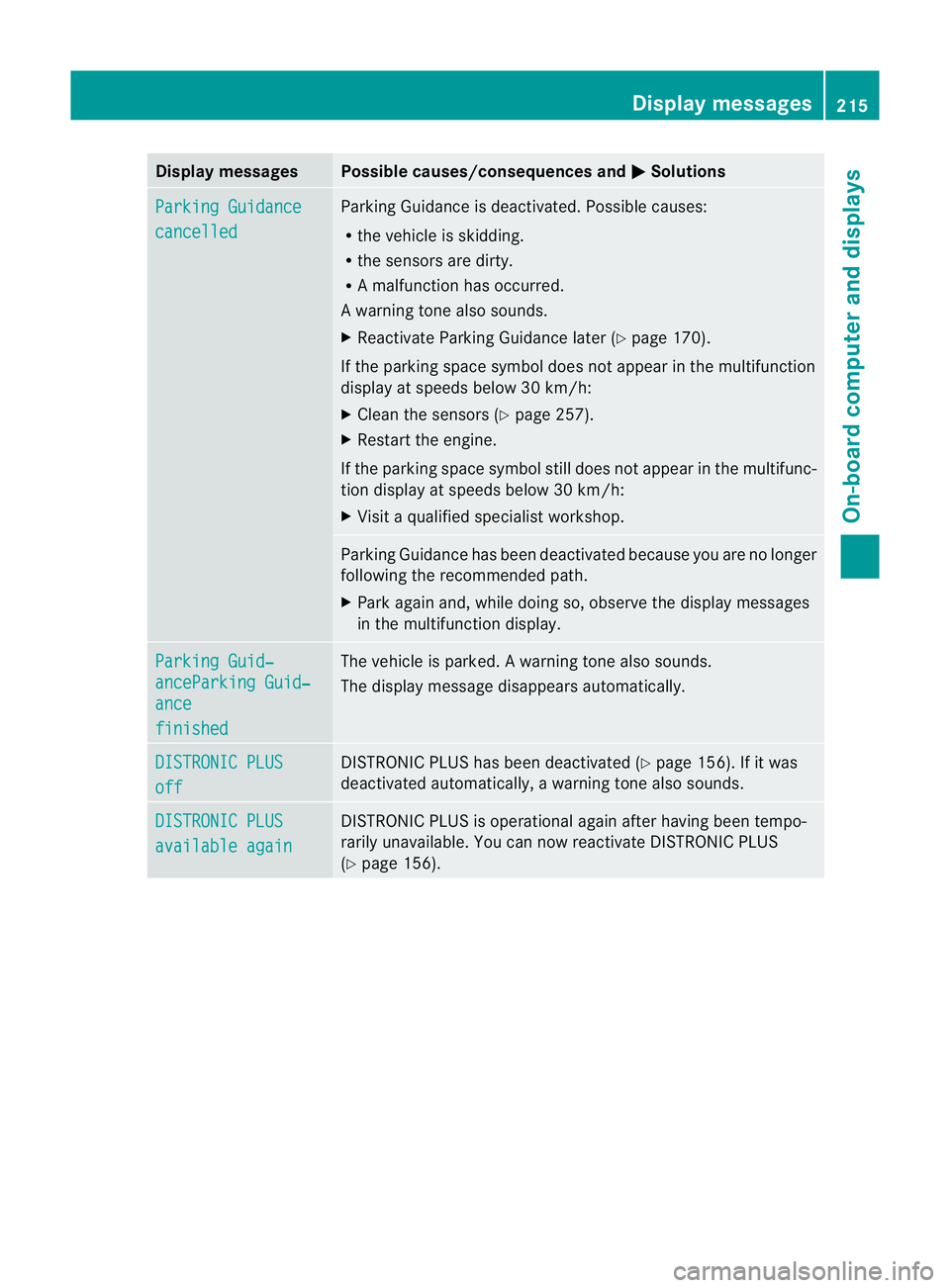
Display messages Possible causes/consequences and
M Solutions
Parking Guidance
cancelled Parking Guidance is deactivated. Possible causes:
R
the vehicle is skidding.
R the sensors are dirty.
R A malfunction has occurred.
Aw arning tone also sounds.
X Reactivate Parking Guidance late r(Y page 170).
If the parking space symbol does not appear in the multifunction
display at speeds below 30 km/h:
X Clean the sensors (Y page 257).
X Restart the engine.
If the parking space symbol still does not appear in the multifunc-
tion display at speeds below 30 km/h:
X Visit a qualified specialist workshop. Parking Guidance has been deactivated because you are no longer
following the recommended path.
X Park again and, while doing so, observe the display messages
in the multifunction display. Parking Guid‐
anceParking Guid‐
ance
finished The vehicle is parked.
Awarning tone also sounds.
The display message disappears automatically. DISTRONIC PLUS
off DISTRONIC PLU
Shas been deactivated (Y page 156). If it was
deactivated automatically, a warning tone also sounds. DISTRONIC PLUS
available again DISTRONIC PLU
Sis operational againa fter having been tempo-
rarily unavailable .You can now reactivate DISTRONIC PLUS
(Y page 156). Display messages
215On-board computer and displays Z
Page 219 of 321
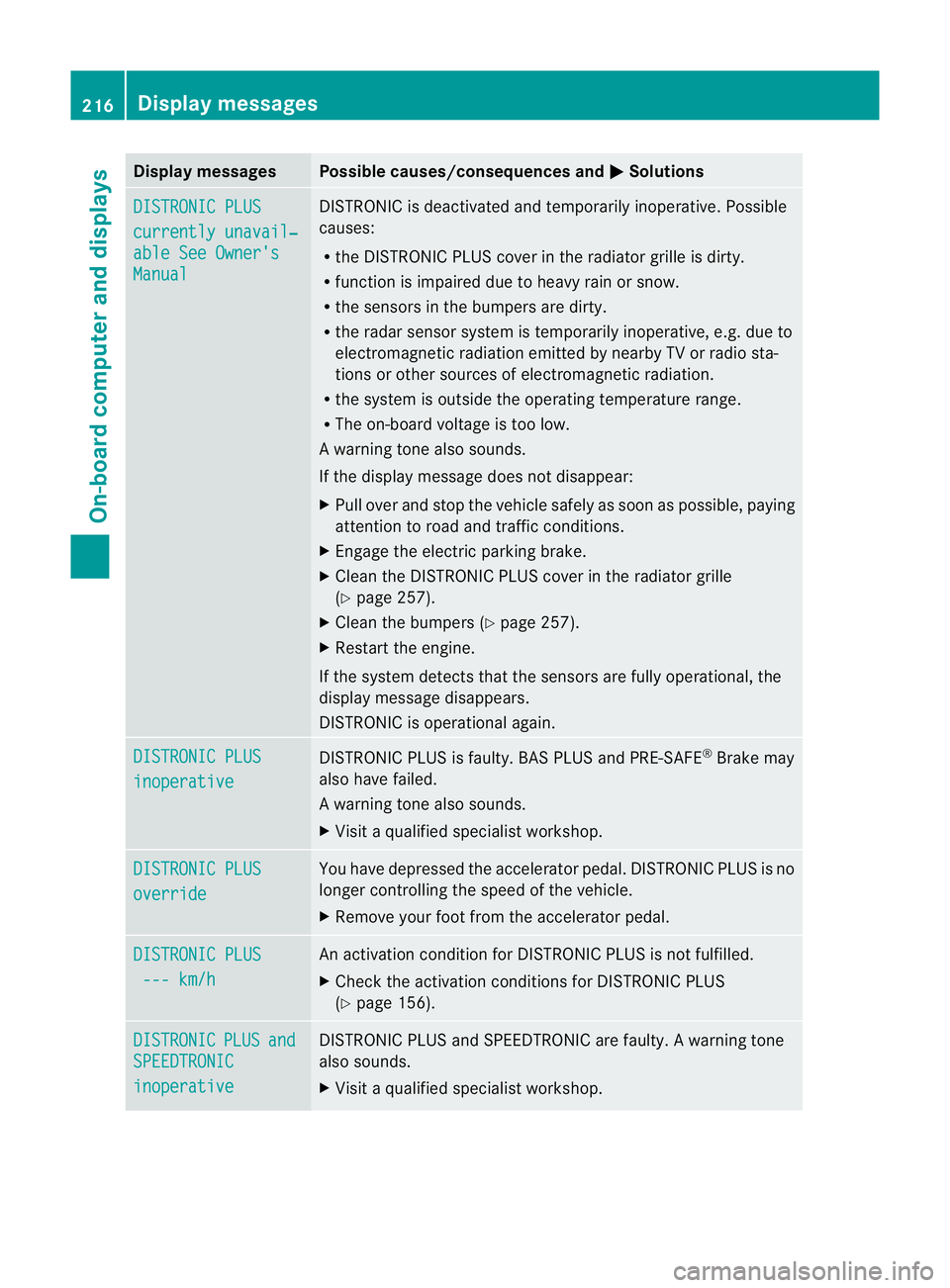
Display messages Possible causes/consequences and
M Solutions
DISTRONIC PLUS
currently unavail‐
able See Owner's
Manual DISTRONIC is deactivated and temporarily inoperative. Possible
causes:
R
the DISTRONIC PLUS cover in the radiator grille is dirty.
R function is impaired due to heavy rain or snow.
R the sensors in the bumpers are dirty.
R the rada rsensor system is temporarily inoperative, e.g. due to
electromagnetic radiation emitted by nearby TV or radio sta-
tions or other sources of electromagnetic radiation.
R the system is outside the operating temperature range.
R The on-board voltage is too low.
Aw arning tone also sounds.
If the display message does no tdisappear:
X Pull over and stop the vehicle safely as soon as possible, paying
attention to road and traffic conditions.
X Engage the electric parking brake.
X Clean the DISTRONIC PLUS cover in the radiator grille
(Y page 257).
X Clean the bumpers (Y page 257).
X Restar tthe engine.
If the system detects that the sensors are fully operational, the
display message disappears.
DISTRONIC is operational again. DISTRONIC PLUS
inoperative DISTRONIC PLUS is faulty. BAS PLUS and PRE-SAFE
®
Brake may
also have failed.
Aw arning tone also sounds.
X Visi taqualified specialist workshop. DISTRONIC PLUS
override You have depressed the accelerator pedal. DISTRONIC PLUS is no
longer controlling the speed of the vehicle.
X
Remove your foot from the accelerator pedal. DISTRONIC PLUS
--- km/h An activation condition for DISTRONIC PLUS is not fulfilled.
X
Check the activation conditions for DISTRONIC PLUS
(Y page 156). DISTRONIC PLUS and
SPEEDTRONIC
inoperative DISTRONIC PLUS and SPEEDTRONIC are faulty. A warning tone
also sounds.
X
Visit a qualified specialist workshop. 216
Display messagesOn-board computer and displays
Page 221 of 321
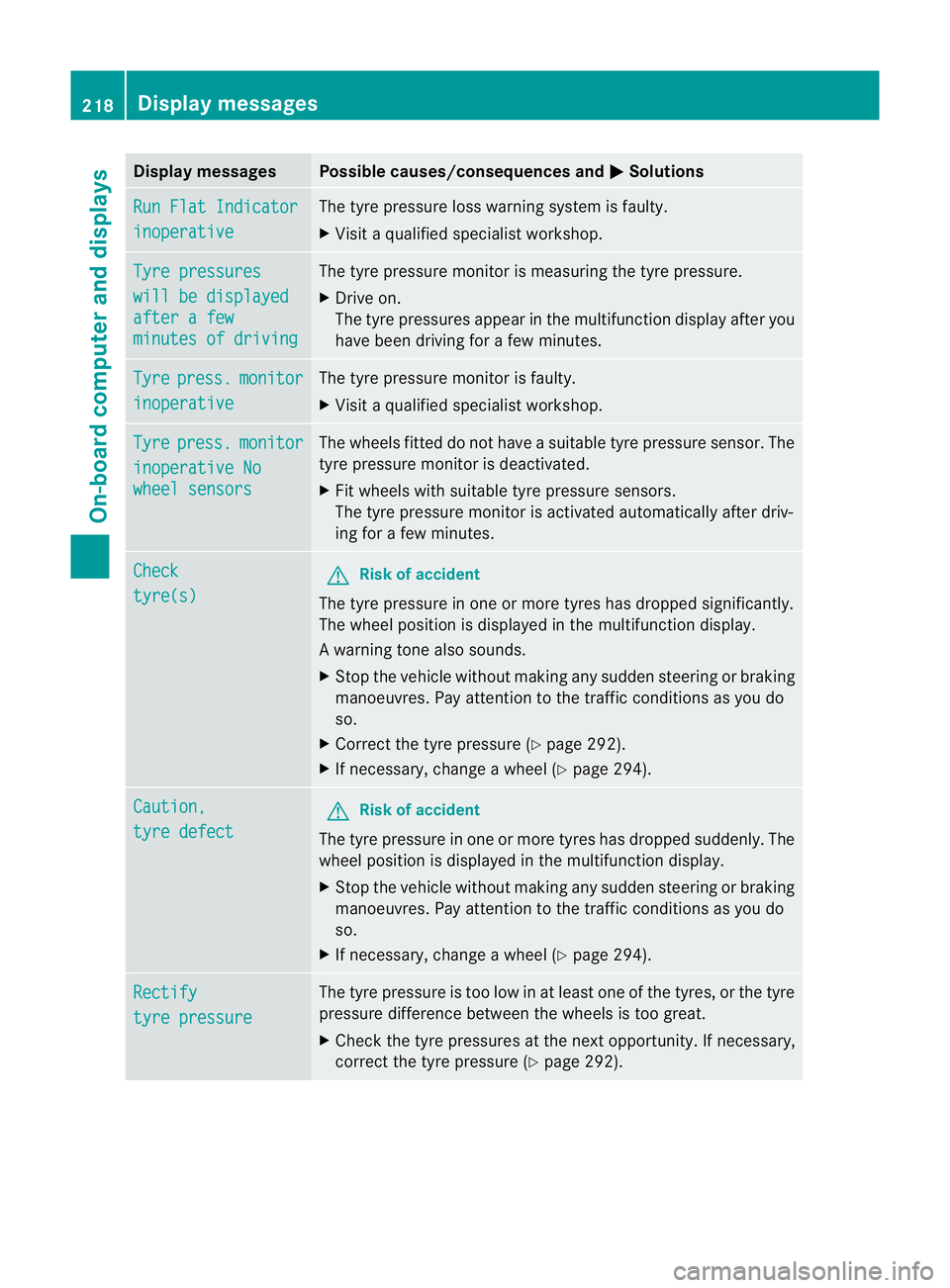
Display messages Possible causes/consequences and
M Solutions
Run Flat Indicator
inoperative The tyre pressure loss warning system is faulty.
X
Visit a qualified specialist workshop. Tyre pressures
will be displayed
after a few
minutes of driving The tyre pressure monitor is measuring the tyre pressure.
X
Drive on.
The tyre pressures appea rinthe multifunction displaya fter you
have been driving for a few minutes. Tyre press. monitor
inoperative The tyre pressure monitor is faulty.
X
Visi taqualified specialist workshop. Tyre press. monitor
inoperative No
wheel sensors The wheels fitted do not have a suitable tyre pressure sensor. The
tyre pressure monitor is deactivated.
X
Fit wheels with suitable tyre pressure sensors.
The tyre pressure monitor is activated automatically after driv-
ing for a few minutes. Check
tyre(s) G
Risk of accident
The tyre pressure in one or more tyres has dropped significantly.
The wheel position is displayed in the multifunction display.
Aw arning tone also sounds.
X Stop the vehicle without making any sudde nsteering or braking
manoeuvres .Pay attentio nto the traffic conditions as you do
so.
X Correct the tyre pressure (Y page 292).
X If necessary, change a wheel (Y page 294).Caution,
tyre defect G
Risk of accident
The tyre pressure in one or more tyres has dropped suddenly. The
wheel position is displayed in the multifunction display.
X Stop the vehicle without making any sudden steering or braking
manoeuvres. Pay attention to the traffic conditions as you do
so.
X If necessary, change a wheel (Y page 294).Rectify
tyre pressure The tyre pressure is too low in at least one of the tyres, or the tyre
pressure difference between the wheels is too great.
X
Check the tyre pressures at the next opportunity. If necessary,
correct the tyre pressure (Y page 292).218
Display messagesOn-board computer and displays
Page 222 of 321
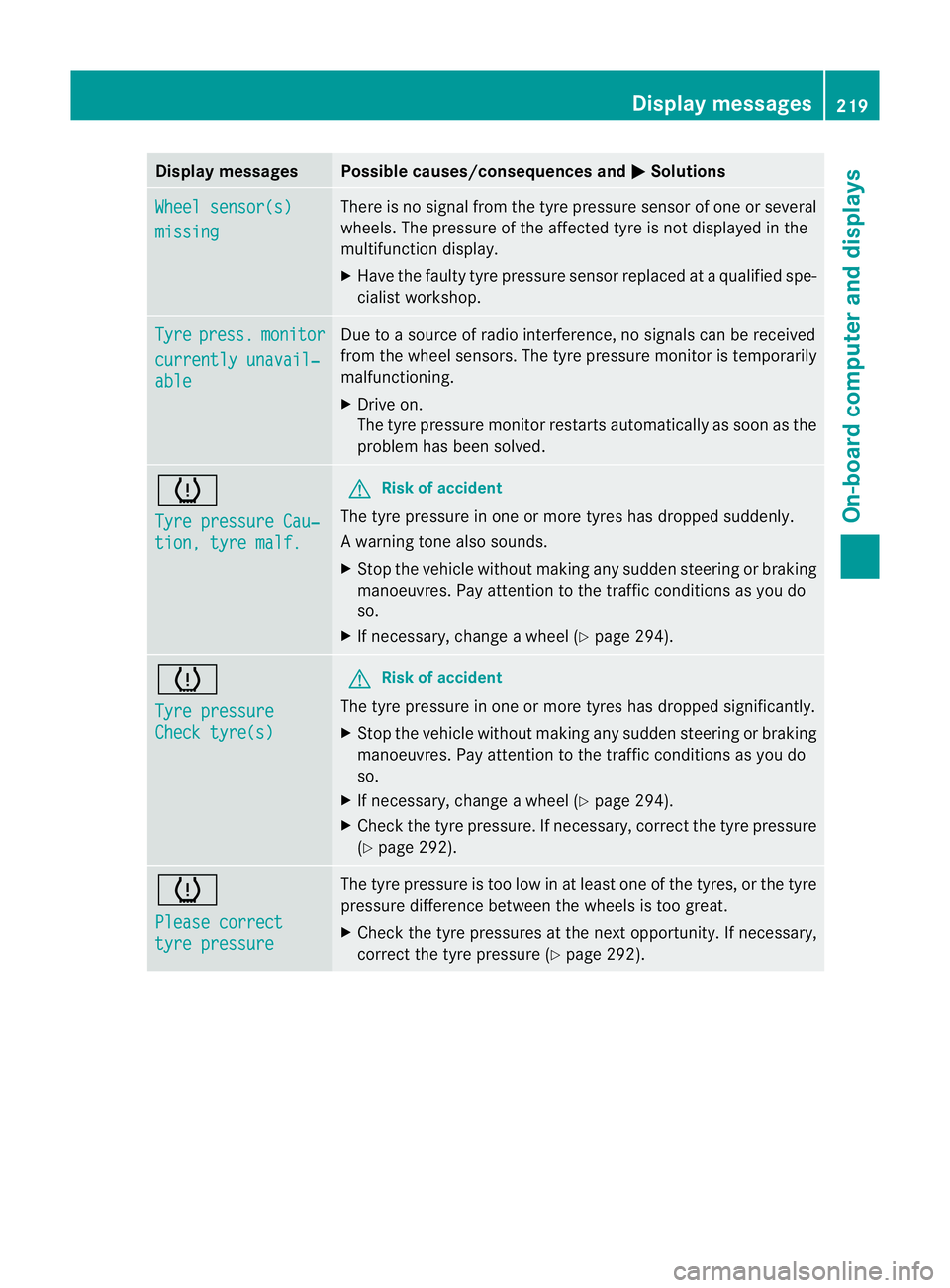
Display messages Possible causes/consequences and
M Solutions
Wheel sensor(s)
missing There is no signal from the tyre pressure sensor of one or several
wheels. The pressure of the affected tyre is no
tdisplayed in the
multifunction display.
X Have the faulty tyre pressure sensor replaced at a qualified spe-
cialist workshop. Tyre press. monitor
currently unavail‐
able Due to a source of radio interference, no signals can be received
fro
mt he wheel sensors. The tyre pressure monitor is temporarily
malfunctioning.
X Drive on.
The tyre pressure monitor restarts automatically as soon as the
problem has been solved. h
Tyre pressure Cau‐
tion, tyre malf. G
Risk of accident
The tyre pressure in one or more tyres has dropped suddenly.
Aw arning tone also sounds.
X Stop the vehicle without making any sudde nsteering or braking
manoeuvres .Pay attentio nto the traffic conditions as you do
so.
X If necessary, change a wheel (Y page 294).h
Tyre pressure
Check tyre(s) G
Risk of accident
The tyre pressure in one or more tyres has dropped significantly.
X Stop the vehicle without making any sudden steering or braking
manoeuvres. Pay attention to the traffic conditions as you do
so.
X If necessary, change a wheel (Y page 294).
X Check the tyre pressure. If necessary, correc tthe tyre pressure
(Y page 292). h
Please correct
tyre pressure The tyre pressure is too low in at least one of the tyres, or the tyre
pressure difference between the wheels is too great.
X
Check the tyre pressures at the next opportunity. If necessary,
correct the tyre pressure (Y page 292). Display messages
219On-board computer and displays Z