air conditioning MERCEDES-BENZ SLK ROADSTER 2012 Owners Manual
[x] Cancel search | Manufacturer: MERCEDES-BENZ, Model Year: 2012, Model line: SLK ROADSTER, Model: MERCEDES-BENZ SLK ROADSTER 2012Pages: 321, PDF Size: 6.9 MB
Page 7 of 321
1, 2, 3 ...
12 Vsocket
see Socket A
ABS (Anti-lock Braking System) Display message ............................ 200
Function/notes ................................ 54
Important safety notes ....................54
Warning lamp ................................. 226
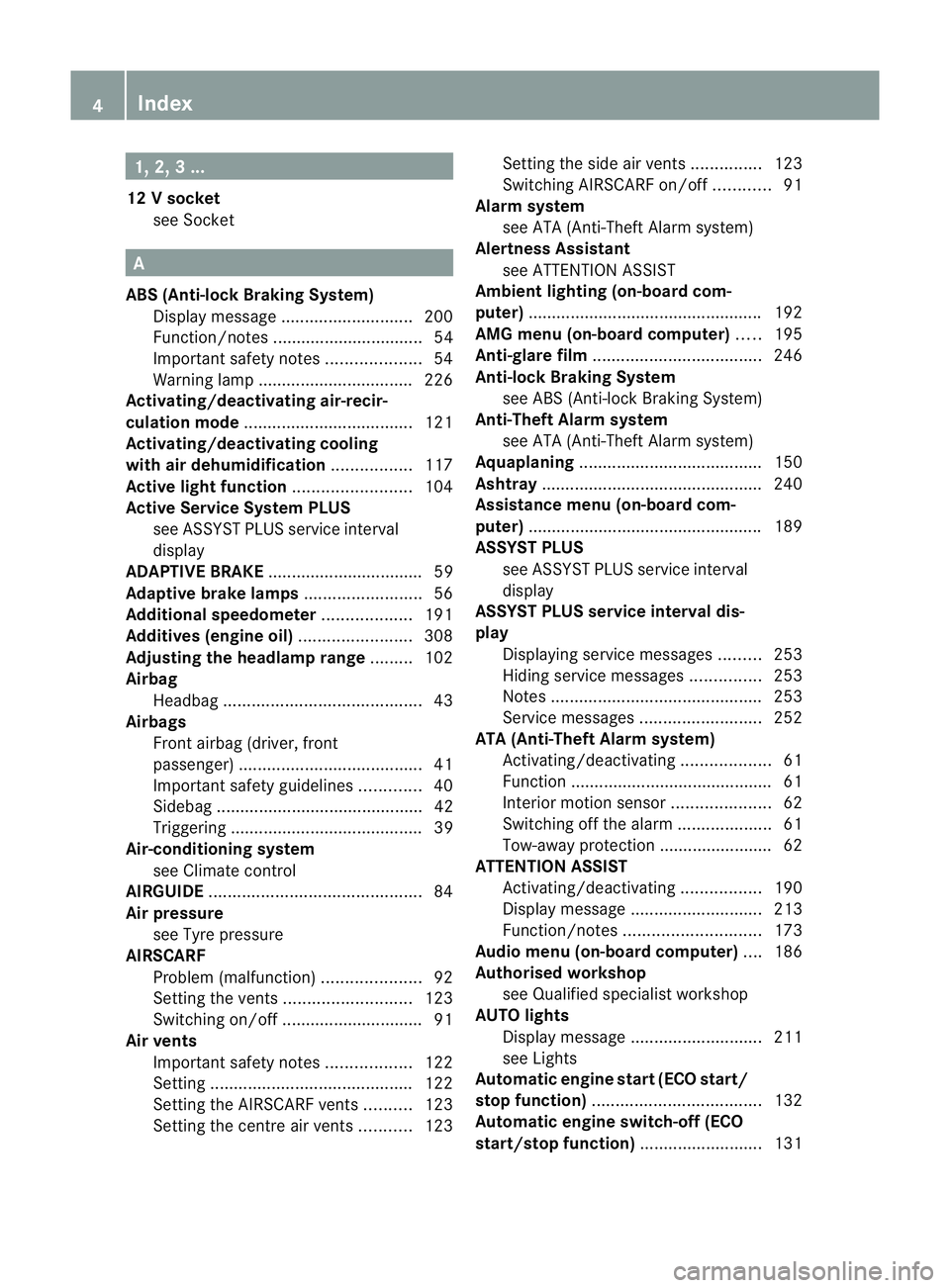
Activating/deactivating air-recir-
culation mode .................................... 121
Activating/deactivating cooling
with air dehumidification .................117
Active light function .........................104
Active Service Syste mPLUS
see ASSYS TPLUS service interval
display
ADAPTIVE BRAKE .................................59
Adaptive brake lamps .........................56
Additional speedometer ...................191
Additives (engine oil) ........................308
Adjusting the headlamp range .........102
Airbag Headbag .......................................... 43
Airbags
Front airbag (driver, front
passenger )....................................... 41
Important safety guidelines .............40
Sidebag ............................................ 42
Triggering ......................................... 39
Air-conditioning system
see Climate control
AIRGUIDE ............................................. 84
Air pressure see Tyre pressure
AIRSCARF
Problem (malfunction) .....................92
Setting the vents ........................... 123
Switching on/off .............................. 91
Airv ents
Important safet ynotes .................. 122
Setting ........................................... 122
Setting the AIRSCARF vents ..........123
Setting the centre air vents ...........123 Setting the side air vents
...............123
Switching AIRSCARF on/off ............91
Alarm system
see ATA (Anti-Theft Alarm system)
Alertness Assistant
see ATTENTION ASSIST
Ambient lighting (on-board com-
puter) ................................................. .192
AMG menu (on-board computer) .....195
Anti-glare film .................................... 246
Anti-loc kBraking System
see ABS (Anti-lock Braking System)
Anti-Theft Alarm system
see ATA (Anti-Theft Alarm system)
Aquaplaning ....................................... 150
Ashtray ............................................... 240
Assistance menu (on-board com-
puter) ................................................. .189
ASSYST PLUS see ASSYST PLUS service interval
display
ASSYST PLUS service interval dis-
play
Displaying service messages .........253
Hiding service messages ...............253
Notes ............................................. 253
Service messages ..........................252
ATA (Anti-Theft Alarm system)
Activating/deactivating ...................61
Function .......................................... .61
Interior motion sensor .....................62
Switching off the alarm ....................61
Tow-away protection ........................ 62
ATTENTIO NASSIST
Activating/deactivating .................190
Display message ............................ 213
Function/notes ............................. 173
Audio menu (on-board computer) ....186
Authorised workshop see Qualified specialist workshop
AUTO lights
Display message ............................ 211
see Lights
Automatic engine start (ECO start/
stop function) .................................... 132
Automatic engine switch-off (ECO
start/stop function) ..........................1314
Index
Page 9 of 321
C
Calling up a fault see Display messages
Capacities
see Technical data
Car
see Vehicle
Care
Automatic car wash .......................254
Carpets .......................................... 258
Display ........................................... 257
Exterior lighting ............................. 256
Gea rors electo rlever .................... 258
High-pressure cleaner .................... 254
Interior ........................................... 257
Matt paintwork .............................. 255
Notes ............................................. 253
Paint .............................................. 255
Plastic trim .................................... 257
Roof lining ...................................... 258
Seat bel t........................................ 258
Seat cover ..................................... 258
Sensors ......................................... 257
Steering wheel ............................... 258
Tai lpipes ....................................... 257
Trim pieces .................................... 258
Washing by hand ........................... 254
Wheels ........................................... 255
Windows ........................................ 256
Wiper blades .................................. 256
Wooden trim .................................. 258
Car key
see Key
Car wash (care) ................................. 254
CD player/CD changer(on-board
computer) .......................................... 186
Cell phone see Mobile phone
Central locking
Automatic locking (on-board com-
puter) ............................................. 193
Locking/unlocking (key ).................. 66
Centre console
Lowe rsection .................................. 33
Uppe rsection .................................. 32Changing bulbs
Dipped-bea mheadlamps ............... 108
Important safety notes ..................106
Main-beam headlamps ................... 108
Overview of bul btypes .................. 107
Parking lamps (front) .....................108
Removing/replacing the cover
(front wheel arch) .......................... 107
Reversing lamps ............................ 109
Standing lamps .............................. 108
Turn signals (front) ......................... 108
Children
In the vehicle ................................... 47
Restraint systems ............................ 47
Child seat
Automatic recognition .....................49
On the front-passenger sea t............ 48
Problem (malfunction) .....................51
Recommendations ...........................52
Suitable positions ............................ 51
Cigarette lighter ................................ 240
Cleaning Mirro rturn signal ........................... 256
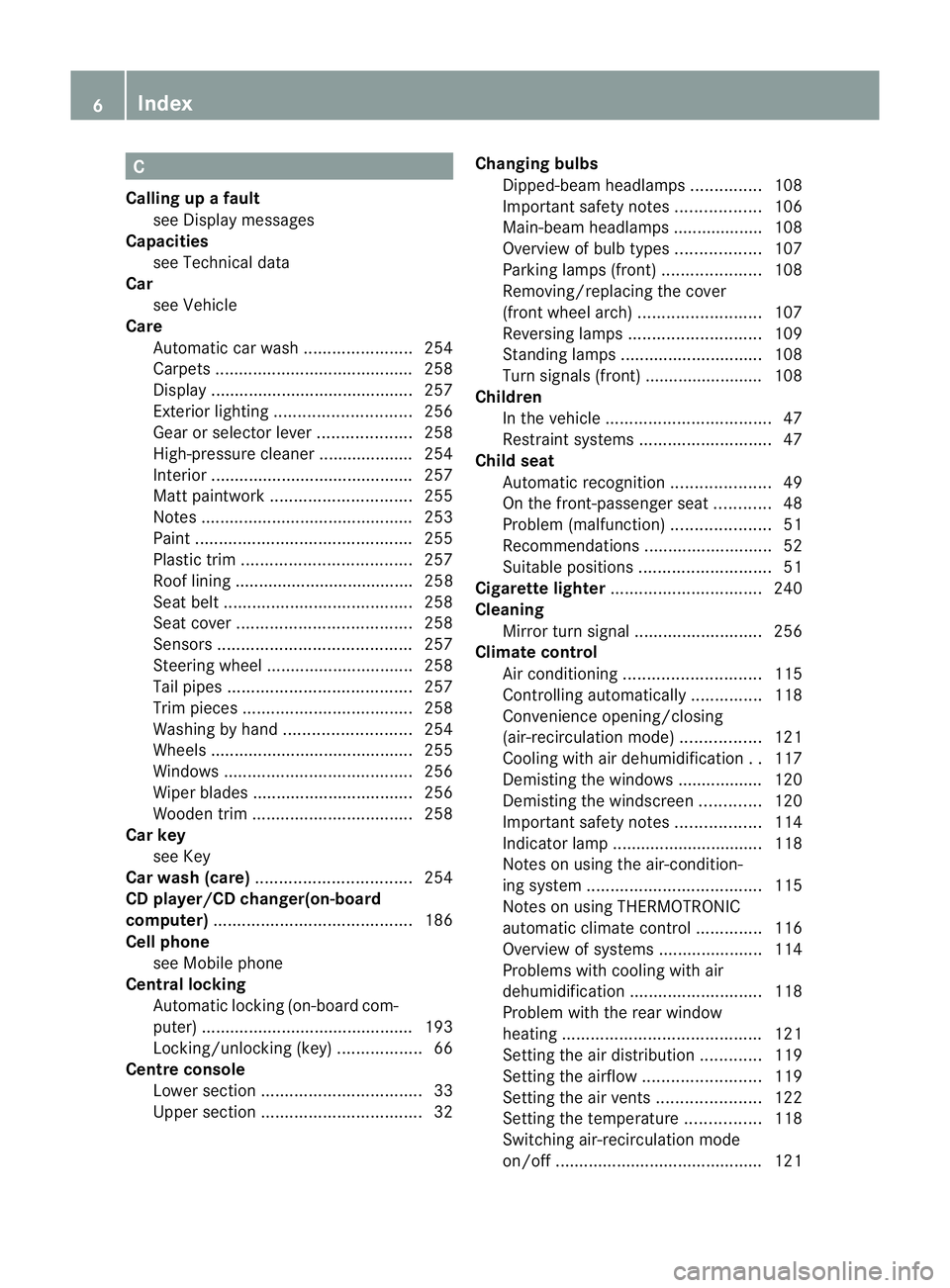
Climate control
Air conditioning ............................. 115
Controlling automatically ...............118
Convenience opening/closing
(air-recirculatio nmode) ................. 121
Cooling with aird ehumidification..117
Demisting the windows .................. 120
Demisting the windscreen .............120
Important safety notes ..................114
Indicator lamp ................................ 118
Notes on using the air-condition-
ing system ..................................... 115
Notes on using THERMOTRONIC
automatic climate control ..............116
Overview of systems ......................114
Problems with cooling with air
dehumidification ............................ 118
Problem with the rear window
heating .......................................... 121
Setting the aird istribution.............119
Setting the airflow .........................119
Setting the airv ents...................... 122
Setting the temperature ................118
Switching air-recirculation mode
on/off ............................................ 1216
Index
Page 117 of 321
Useful information
i This Owner's Manual describes all models
and all standard and optional equipment
available to your vehicle at the time of pub-
lication of the Owner's Manual. Country-
specific deviations are possible. Please
note that your vehicle may not be equipped
with all features described. This also
applies to safety-relevan tsystems and
functions.
i Please read the information on qualified
specialist workshops (Y page 22).Overview of climate control systems
Important safety notes
G
WARNING
Observe the settings recommended on the
following pages. Otherwise, th ewindows
could mist up. This may obstruct your view of
the traffic situation and, as a result, you may
cause an accident.
The air-conditioning system/
THERMOTRONIC automatic climate control
controls the temperature and the humidity of
the vehicle interior and filters undesirable
substances fro mthe air.
The air-conditioning system/
THERMOTRONIC automatic climate control is
only operational when the engine is run-
ning. 8
The function only works optimally when
the side windows and the roof are closed.
i Ventilate the vehicle for a brief period
during warm weather. This will speed up the
cooling process and the desired vehicle
interior temperature will be reached more
quickly.
i The integrated filter can filter out most
particles of dust and completely filters out
pollen. Aclogged filter reduces the amount
of air supplied to the vehicle interior .For this reason, you should always observe the
interval for replacing the filter, which is
specified in the Service Booklet
.As it
depends on environmental conditions, e.g.
heavy air pollution, the interval may be
shorter than stated in the Service Booklet.
8 The residual heat function can only be activated/deactivated when the ignition is switched off. 114
Overview of climate control systemsClimate control
Page 118 of 321
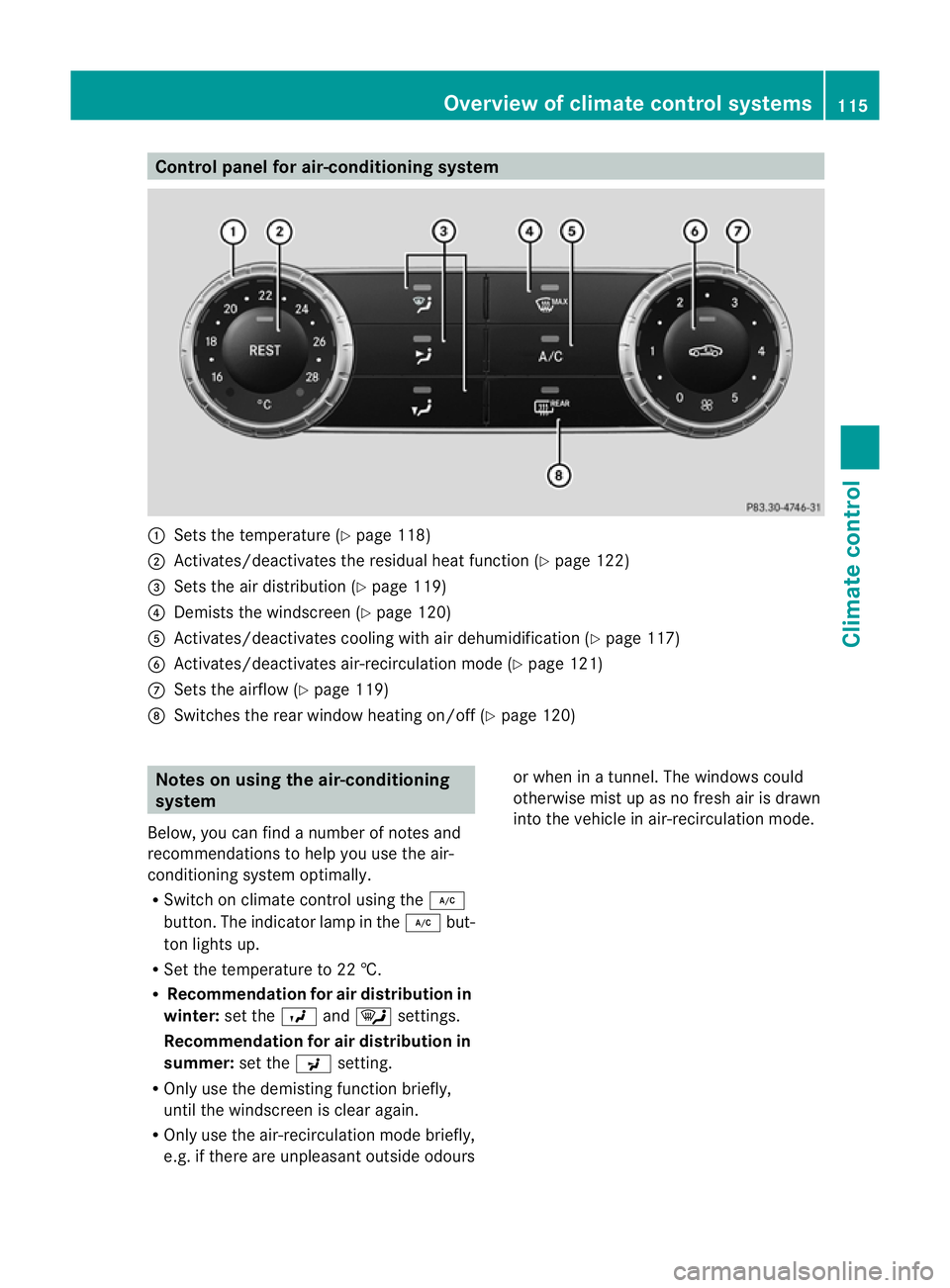
Control panel for air-conditioning system
:
Sets the temperature (Y page 118)
; Activates/deactivates the residual heat function (Y page 122)
= Sets the air distribution (Y page 119)
? Demists the windscreen (Y page 120)
A Activates/deactivates coolin gwith air dehumidification ( Ypage 117)
B Activates/deactivates air-recirculation mode (Y page 121)
C Sets the airflow (Y page 119)
D Switches the rear window heating on/off (Y page 120)Notes on using the air-conditioning
system
Below, you can find a number of notes and
recommendations to help you use the air-
conditioning system optimally.
R Switch on climate control using the ¿
button. The indicator lamp in the ¿but-
ton lights up.
R Set the temperature to 22 †.
R Recommendation for air distribution in
winter: set theOand¯ settings.
Recommendation for air distribution in
summer: set thePsetting.
R Only use the demisting function briefly,
until the windscreen is clear again.
R Only use the air-recirculation mode briefly,
e.g. if there are unpleasan toutside odours or when in a tunnel. The windows could
otherwise mis
tup as no fresh air is drawn
into the vehicle in air-recirculation mode. Overview of climate control systems
115Climate control Z
Page 120 of 321
partment as well. The indicator lamp in the
á button goes out.
R Use the residual heat function if you want
to heat or ventilate the vehicle interior
when the ignition is switched off. The resid-
ual heat function can only be activated or
deactivated with the ignition switched off. Operating the climate control system
Switching climate control on/off
Important information i
When climate control is switched off, the
air supply and air circulation are also
switched off. Only select this setting
briefly. Otherwise, the windows may mist
up.
i Switch on climate control primarily using
the à button (Y page 118).
Activating/deactivating Air-conditioning system
X
To activate: turn airflow control
C(Y page 115) clockwise to the desired
position (except position 0).
X To deactivate: turn airflow control
C(Y page 115) anti-clockwise to position
0. THERMOTRONIC automatic climate con-
trol
X
Turn the key to position 2in the ignition
lock.
X To activate: press theÃbutton.
The indicator lamp in the Ãbutton lights
up. Airflow and air distribution are set to
automatic mode.
or
X Press the ^button.
The indicator lamp in the ^button goes
out. The previously selected settings come
into effect again.
X To switch off: press the^button.
The indicator lamp in the ^button lights
up. Activating/deactivating the cooling
with air dehumidification function
Important information The cooling with air dehumidification function
is only available when the engine is running.
The air inside the vehicle is cooled and dehu-
midified according to the temperature selec-
ted.
G
WARNING
If the "cooling with air dehumidification" func-
tion is deactivated, the air inside the vehicle
will not be cooled (during warm weather) or
dehumidified. The windows could mist up
more quickly. This may preven tyou from
observing the traffic conditions, thereby caus-
ing an accident.
Condensation may drip from the underside of
the vehicle when THERMOTRONIC is in cool-
ing mode. This is normal and not a sign that
there is a malfunction.
Depending on the equipment level, the con-
trol panel has either the Ábutton or the
¿ button.
i The cooling with air dehumidification
function uses refrigerant R134a. This cool- Operating the climate control system
117Climate control Z
Page 121 of 321
ant does no
tcontain chlorofluorocarbons,
and therefore does not damage the ozone
layer.
Activating/deactivating X
To switch on: press the¿orÁ but-
ton.
The indicator lamp in the ¿orÁ
button lights up.
X To deactivate: press the¿orÁ
button.
The indicator lamp in the ¿orÁ
button goes out. The cooling with air dehu-
midification function has a delayed switch-
off feature.
Problems with the cooling with air
dehumidification function When you press the
¿orÁ button, the
indicator lamp in the button flashes three
times or remains off. You can no longer switch
on the cooling with air dehumidification func-
tion.
X Consult a qualified specialist workshop. Setting climate control to automatic
mode
Only THERMOTRONIC automatic climate con-
trol features the "control climate control
automatically" function.
In automatic mode, the set temperature is
maintained automatically at a constant level.
The system automatically regulates the tem-
perature of the dispensed air, the airflow and
the air distribution.
Automatic mode will achieve optimal opera-
tion if cooling with air dehumidification is also
activated. If desired, cooling with air dehu-
midification can be deactivated. X
Turn the key to position 2in the ignition
lock.
X Set the desired temperature.
X To activate: press theÃbutton.
The indicator lamp in the Ãbutton lights
up. Automatic air distribution and airflow
are activated.
X To switch off: press the_button.
or
X Press the IorK button.
The indicator lamp in the Ãbutton goes
out. Setting the temperature
Air-conditioning system X
Turn the key to position 2in the ignition
lock.
X To increase/reduce: turn thumb-
wheel :clockwise or anti-clockwise
(Y page 115).
Only change the temperature setting in
small increments. Start at 22 †.
THERMOTRONIC automatic climate
control Different temperatures can be set for the
driver's and front-passenger sides.
X Turn the key to position 2in the ignition
lock.
X To increase/reduce: turn controls:and
B (Ypage 116) clockwise or anti-clock-
wise.
Only change the temperature setting in
small increments. Start at 22 †. 118
Operating the climate control systemClimate control
Page 122 of 321
Setting the air distribution
Air distribution settings Air-conditioning system
¯
Directs the airflow through the demis-
ter vents
O Directs the airflow through the foot-
well air vents
P Directs the airflow through the centre
and side air vents
i You can also activate several of the air
distribution settings simultaneously .In
order to do this, press several of the air
distribution buttons. The air is then routed
through different air vents.
THERMOTRONIC automatic climate con-
trol
P Directs the airflow through the centre
and side air vents
O Directs the airflow through the foot-
well air vents
S Directs the airflow through the centre
and side air vents and the footwell air
vents
¯ Directs the airflow through the demis-
ter vents
b Directs the airflow through the centre
and side air vents as well as the demis-
ter vents
a Directs the airflow through the foot-
well and demister vents
_ Directs the airflow through the demis-
ter, centre and side air vents as well as
the footwell air vents
i Regardless of the air distribution setting,
airflow is always directed through the side
air vents. You can only close the side air
vents, by fully closing the adjuster on the
side air vents (Y page 123). Air-conditioning system X
Turn the key to position 2in the ignition
lock.
X Press one or more of the P,O,
¯ buttons.
The corresponding indicator lamp comes
on.
THERMOTRONIC automatic climate
control X
Turn the key to position 2in the ignition
lock.
X Press the _button repeatedly until the
desired symbol appears in the display. Setting the airflow
Air-conditioning system X
Turn the key to position 2in the ignition
lock.
X To increase/reduce: turn thumbwheel
C clockwise or anti-clockwise
(Y page 115).
THERMOTRONIC automatic climate
control X
Turn the key to position 2in the ignition
lock.
X To increase/reduce: press theKor
I button. Switching the ZONE function on/off
This function is only available with the
THERMOTRONIC automatic climate control.
X To switch on: press theábutton.
The indicator lamp in the ábutton lights
up.
The temperature setting for the driver's
side is not adopted for the front-passenger
side. Operating the climate control system
119Climate control Z
Page 123 of 321
When the buttons or controls for tempera-
ture, airflow or air distribution are activated,
the temperature setting for the driver's side
is not adopted for the other climate control
zones.
X To switch off: press theábutton.
The indicato rlamp in the ábuttongoes
out.
The temperature setting for the driver's
side is adopted for the front-passenger
side. Defrosting the windscreen
You can use this function to defrost the wind-
screen or to demist the inside of the wind-
screen and the side windows.
i You should only select the demisting
function until the windscreen is clear again.
X Turn the key to position 2in the ignition
lock.
X To activate: press the¬button.
The indicator lamp in the ¬button lights
up.
The climate control system switches to the
following functions:
R cooling with air dehumidification on
R high airflow 9
R high temperature 9
R air distribution to the windscreen and
front side windows
R air-recirculation mode off
X To switch off: press the¬button.
The indicator lamp in the ¬button goes
out. The previously selected settings come
into effect again. The cooling with air dehu- midification function remains on. Air-recir-
culation mode remains deactivated.
or
X Press the Ãbutton 10
The indicator lamp in the ¬button goes
out. Airflow and air distribution are set to
automatic mode. Demisting the windows
Windows misted up on the inside X
Activate the "cooling with air dehumidifica-
tion" function ¿11
/Á 12
.
X Activate automatic mode Ã.12
X If the windows continue to mist up, activate
the demisting function (Y page 120).
i You should only select this setting until
the windscreen is clear again.
Windows misted up on the outside X
Activate the windscreen wipers.
X Set the air distribution to OorP.
i You should only select this setting until
the windscreen is clear again. Rear window heating
Switching on/off G
WARNING
Clear all windows of ice or snow before setting
off. Otherwise, impaired visibility could
endanger you and others.
The rear window heating has ahigh current
draw. You should therefore switch it off as
soon as the window is clear .Itotherwise
switches off automatically after several
minutes.
9 Depending on the outside temperature.
10 THERMOTRONIC automatic climate control.
11 Air-conditioning system.
12 THERMOTRONIC automatic climate control. 120
Operating the climate control systemClimate control
Page 134 of 321
General notes
The ECO start/stop function switches the
engine off automatically if the vehicle stops
moving.
When pulling away again, the engine starts
automatically. The ECO start/stop function
thereby helps you to reduce the fuel con-
sumptio nand emissions of your vehicle.
All vehicles (except AM Gvehicles)
The ECO start/stop function is activated each
time the engine is switched on. The system is
operational if all conditions for automatic
engine switch-off have been fulfilled
(Y page 131) and the ¤symbol is shown
in the multifunction display.
If conditions for automatic engine switch-off
have not been fulfilled, the ¤symbol will
not be shown.
If the ECO start/stop function is deactivated
(Y page 132), the ¤symbol is not shown.
AMG vehicles
The ECO start/stop function is only available
in drive program C.
The ECO start/stop function is activated each
time the engine is switched on. The system is
operational if all conditions for automatic
engine switch-off have been fulfilled
(Y page 131) and the ¤symbol is shown
in the multifunction display. In addition, the
Stop/Start active message is shown in
the AMG menu in the multifunction display.
If not all conditions for automatic engine
switch-off are fulfilled, the border of the ECO
symbol disappears in the multifunction dis-
play. In addition, the Stop/Start inac‐tive message is shown in the AMG menu in
the multifunction display.
If the ECO start/stop function is deactivated
(Y page 132), the ¤symbol and the
Stop/Start active or
Stop/Start inac‐ tive message are not shown.
i If automatic cylinder shut-off is active in
drive program C, the active number of cyl-
inders 4is also shown in the ¤symbol. This means that the engine will only oper-
ate with four cylinders.
If cylinder shut-of fis not active, the engine
will operate with all eight cylinders. In this
case, the active number of cylinders 8is
shown in the ¤symbol.
Automatic engine switch-off The engine is only switched off if:
R
the vehicle is at a standstill.
R the outside temperature is within the range
that is suitable for the system.
R the engine is at normal operating temper-
ature.
R the battery is sufficiently charged.
R the system detects that the windscreen is
not misted up when the air-conditioning
system is switched on.
R the bonnet is closed.
R there are no active engine-related diagno-
ses.
R the front door is closed and the seat belt is
fastened.
i You can also activate the HOLD function
when the vehicle is stationary if the engine
has been switched off automatically. It is
then not necessary to continue applying
the brakes during the automatic stop
phase. When you depress the accelerator
pedal, the engine starts automatically and
the braking effect of the HOLD function is
deactivated. Depress the accelerator pedal
carefully, as the engine must be started
first.
i If you shift the transmission from Rto D,
the ECO start/stop function is available
againo nce the ¤symbol reappears in
the multifunctio ndisplay.
i All vehicles (except AMG vehicles): the
engine can be switched off automatically a
maximum of three times in succession .The
automatic engine switch-off is then availa-
ble again after the ¤symbol appears in
the multifunction display. Driving
131Driving and parking Z
Page 135 of 321
i
AMG vehicles: the engine can be
switched off automatically amaximum of
three times in succession .The automatic
engine switch-off is then available again
after the border of the ECO symbol appears
in the multifunction display.
Vehicles with manual transmission The ECO start/stop function switches off the
engine automatically at low speeds.
X Brake the vehicle until it comes to a stand-
still.
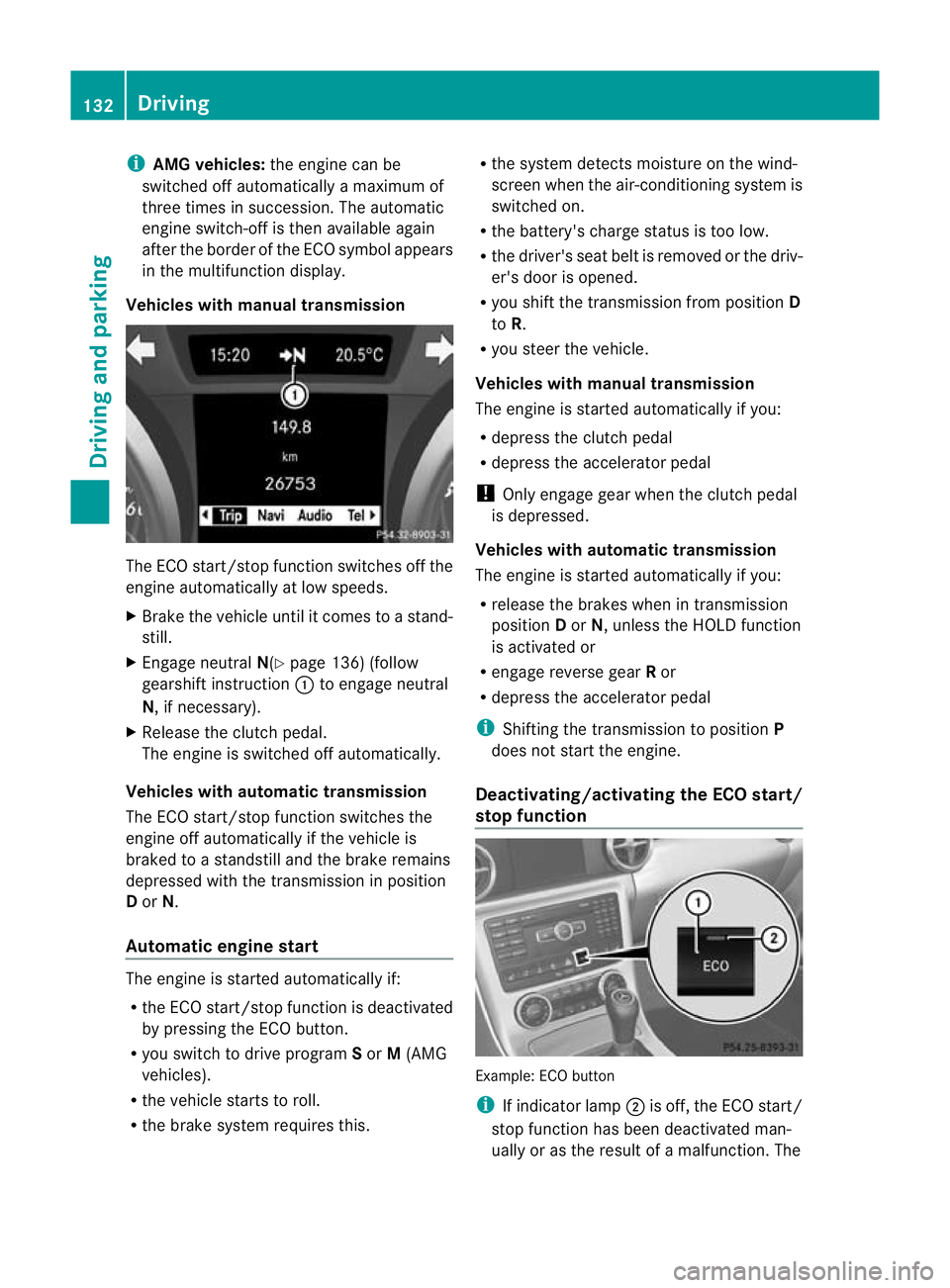
X Engage neutral N(Ypage 136) (follow
gearshift instruction :to engage neutral
N, if necessary).
X Release the clutch pedal.
The engine is switched off automatically.
Vehicles with automatic transmission
The ECO start/stop function switches the
engine off automatically if the vehicle is
braked to a standstill and the brake remains
depressed with the transmission in position
D or N.
Automatic engine start The engine is started automatically if:
R
the ECO start/stop function is deactivated
by pressing the ECO button.
R you switch to drive program Sor M(AMG
vehicles).
R the vehicle starts to roll.
R the brake system requires this. R
the system detects moisture on the wind-
screen when the air-conditioning system is
switched on.
R the battery's charge status is too low.
R the driver's seat belt is removed or the driv-
er's door is opened.
R you shift the transmission from position D
to R.
R you steer the vehicle.
Vehicles with manual transmission
The engine is started automatically if you:
R depress the clutch pedal
R depress the accelerator pedal
! Only engage gear when the clutch pedal
is depressed.
Vehicles with automatic transmission
The engine is started automatically if you:
R release the brakes when in transmission
position Dor N, unless the HOLD function
is activated or
R engage reverse gear Ror
R depress the accelerator pedal
i Shifting the transmission to position P
does not start the engine.
Deactivating/activating the ECO start/
stop function Example: ECO button
i
If indicator lamp ;is off, the ECO start/
stop function has been deactivated man-
ually or as the result of a malfunction. The 132
DrivingDriving and parking