turn signal bulb MERCEDES-BENZ SLK ROADSTER 2012 Owners Manual
[x] Cancel search | Manufacturer: MERCEDES-BENZ, Model Year: 2012, Model line: SLK ROADSTER, Model: MERCEDES-BENZ SLK ROADSTER 2012Pages: 321, PDF Size: 6.9 MB
Page 9 of 321
C
Calling up a fault see Display messages
Capacities
see Technical data
Car
see Vehicle
Care
Automatic car wash .......................254
Carpets .......................................... 258
Display ........................................... 257
Exterior lighting ............................. 256
Gea rors electo rlever .................... 258
High-pressure cleaner .................... 254
Interior ........................................... 257
Matt paintwork .............................. 255
Notes ............................................. 253
Paint .............................................. 255
Plastic trim .................................... 257
Roof lining ...................................... 258
Seat bel t........................................ 258
Seat cover ..................................... 258
Sensors ......................................... 257
Steering wheel ............................... 258
Tai lpipes ....................................... 257
Trim pieces .................................... 258
Washing by hand ........................... 254
Wheels ........................................... 255
Windows ........................................ 256
Wiper blades .................................. 256
Wooden trim .................................. 258
Car key
see Key
Car wash (care) ................................. 254
CD player/CD changer(on-board
computer) .......................................... 186
Cell phone see Mobile phone
Central locking
Automatic locking (on-board com-
puter) ............................................. 193
Locking/unlocking (key ).................. 66
Centre console
Lowe rsection .................................. 33
Uppe rsection .................................. 32Changing bulbs
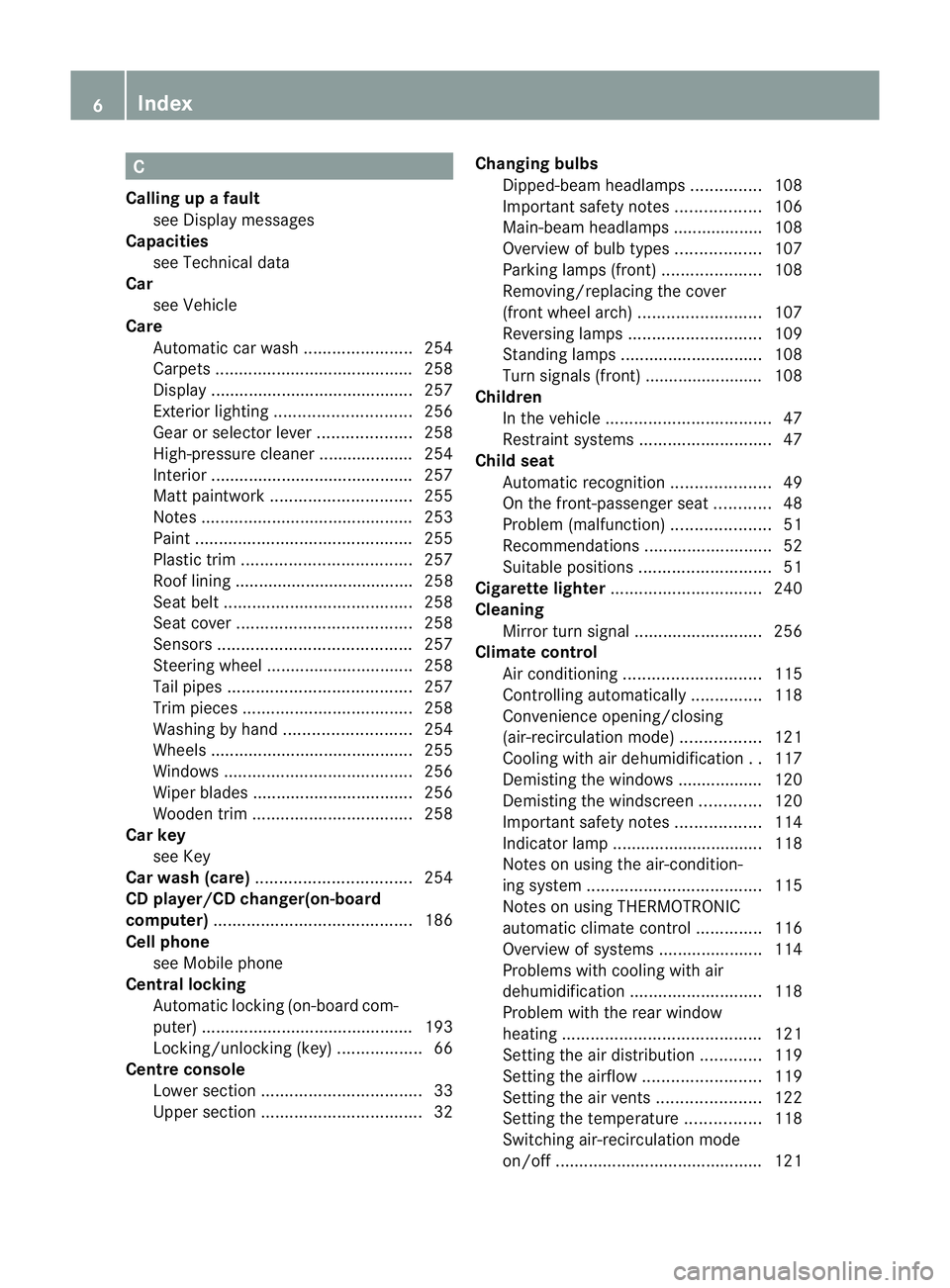
Dipped-bea mheadlamps ............... 108
Important safety notes ..................106
Main-beam headlamps ................... 108
Overview of bul btypes .................. 107
Parking lamps (front) .....................108
Removing/replacing the cover
(front wheel arch) .......................... 107
Reversing lamps ............................ 109
Standing lamps .............................. 108
Turn signals (front) ......................... 108
Children
In the vehicle ................................... 47
Restraint systems ............................ 47
Child seat
Automatic recognition .....................49
On the front-passenger sea t............ 48
Problem (malfunction) .....................51
Recommendations ...........................52
Suitable positions ............................ 51
Cigarette lighter ................................ 240
Cleaning Mirro rturn signal ........................... 256
Climate control
Air conditioning ............................. 115
Controlling automatically ...............118
Convenience opening/closing
(air-recirculatio nmode) ................. 121
Cooling with aird ehumidification..117
Demisting the windows .................. 120
Demisting the windscreen .............120
Important safety notes ..................114
Indicator lamp ................................ 118
Notes on using the air-condition-
ing system ..................................... 115
Notes on using THERMOTRONIC
automatic climate control ..............116
Overview of systems ......................114
Problems with cooling with air
dehumidification ............................ 118
Problem with the rear window
heating .......................................... 121
Setting the aird istribution.............119
Setting the airflow .........................119
Setting the airv ents...................... 122
Setting the temperature ................118
Switching air-recirculation mode
on/off ............................................ 1216
Index
Page 15 of 321
Convenience opening feature
..........77
Display message ............................ 222
Door central locking/unlocking .......66
Emergency key element ................... 68
Loss ................................................. 70
Modifying the programming .............67
Opening/closing the roof ................80
Positions (ignition lock) .................127
Problem (malfunction) .....................70
Starting the engine ........................129
KEYLESS-GO
Convenience closing ........................77
Display message ............................ 222
Locking ............................................ 67
Start/Stop button .......................... 127
Starting the engine ........................129
Unlocking ......................................... 67
Keyp ositions
Key ................................................ 127
KEYLESS GO .................................. 127
Kickdown
Driving tips .................................... 138
Manual drive program ....................141 L
Lamps see Warning and indicator lamps
Lap time (RACETIMER) ......................196
Licence plate lamp (display mes-
sage) ................................................... 210
Lighting see Lights
Lights
Activating/deactivating the Intel-
ligent Ligh tSystem ........................ 191
Activating/deactivating the inte-
rior lighting delayed switch-off .......193
Active light function .......................104
Automatic headlamp mode ............101
Cornering light function .................104
Dipped-bea mheadlamps ............... 101
Display message ............................ 208
Driving abroad ............................... 100
Foglamps ....................................... 101
Foglamps (extended range) ...........105
Hazard warning lamps ...................103
Headlamp flasher ........................... 103 Headlamp range
............................ 102
Ligh tswitc h................................... 100
Main-beam headlamps ................... 103
Motorway mode ............................. 104
Parking lamps ................................ 100
Rea rfoglamp ................................. 102
Setting the ambient lighting
brightness (on-board computer) ....192
Switching the daytime driving
lights on/off (on-board computer) .191
Switching the daytime driving
lights on/off (switch) .....................101
Switching the exterio rlighting
delayed switch-off on/off (on-
board computer )............................ 192
Switching the surround lighting
on/off (on-board computer) ..........192
Turn signals ................................... 103
see Changing bulbs
see Interior lighting
Light sensor (display message) .......211
LIM indicator lamp Cruise control ................................ 151
DISTRONI CPLUS ........................... 157
Variabl eSPEEDTRONIC .................154
Limiting the speed
see SPEEDTRONIC
Locking
see Centra llocking
Locking (doors)
Automatic ........................................ 72
Emergency locking ........................... 73
From inside (central locking but-
ton) .................................................. 72
Locking centrally
see Centra llocking
Locking verification signal (on-
board computer) ............................... 193
Luggage cover see Boot separator
Luggage net ....................................... 238
Lumbar support ................................... 90 M
M+S tyres ........................................... 288
MAGIC SKY CONTROL .........................8412
Index
Page 20 of 321
Summer opening
see Convenience opening feature
Summer tyres .................................... 288
Sun visor ............................................ 240
Supplement Restraint System see SRS (Supplemental Restraint
System)
Surround lighting (on-board com-
puter) ................................................. .192
Switching off the alarm (ATA) ............61 T
Tail lamps Display message ............................ 209
see Lights
Tank
see Fuel tank
Technical data
Notes ............................................. 300
Tyres/wheels ................................. 295
Vehicle data ................................... 310
Telephone
Accepting acall............................. 188
Display message ............................ 221
Menu (on-board computer) ............187
Number from the phone book ....... .188
Redialling ....................................... 188
Rejecting/ending acall................. 188
Telephone compartment ................237
Temperature
Coolant .......................................... 178
Coolant (on-board computer) ......... 195
Engine oil (on-board computer) ...... 195
Outside temperature ..................... .179
Setting (climate control) ................118
TEMPOMAT
Function/notes ............................. 151
Theft-deterrent system
ATA (Anti-Theft Alarm system) .........61
Immobiliser ...................................... 61
Time
see Separate Owner' smanual
Timing (RACETIMER) .........................196
TIREFIT kit .......................................... 263
Total distance recorder ....................183
Tow-away protection ..........................62Towing
Important safety notes ..................278
With the rear axle raised ................280
Towing away
Fitting the towing eye. ...................279
Removing the towing eye. ..............280
With both axles on the ground .......280
Tow-starting
Emergency engine starting ............281
Fitting the towing eye. ...................279
Important safety notes ..................278
Removing the towing eye. ..............280
Transmission
see Automatic transmission
see Manual transmission
Transporting the vehicle ..................281
Trim pieces (cleaning instructions) .258
Trip computer (on-board com-
puter) ................................................. .183
Trip meter Calling up ....................................... 183
Resetting (on-board computer) ......184
Trip odometer
see Trip meter
Turn signals
Changing bulbs (front) ...................108
Switching on/off ........................... 103
Two-way radio
Frequencies ................................... 301
Installatio n..................................... 301
Transmission output (maximum) .... 301
Type identification plate
see Vehicle identification plate
Tyre pressure
Calling up (on-board computer) .....292
Display message ............................ 217
Not reached (TIREFIT) ....................265
Pressure loss warning ....................291
Reached (TIREFIT) ..........................265
Recommended ............................... 289
Tyre pressure monitor
Function/notes ............................. 292
Restarting ...................................... 293
Warning lamp ................................. 233
Tyres
Checking ........................................ 287
Direction of rotatio n...................... 295 Index
17
Page 110 of 321
eye protection and gloves when you are
changing them. Overview of bulb replacement
–bulbs
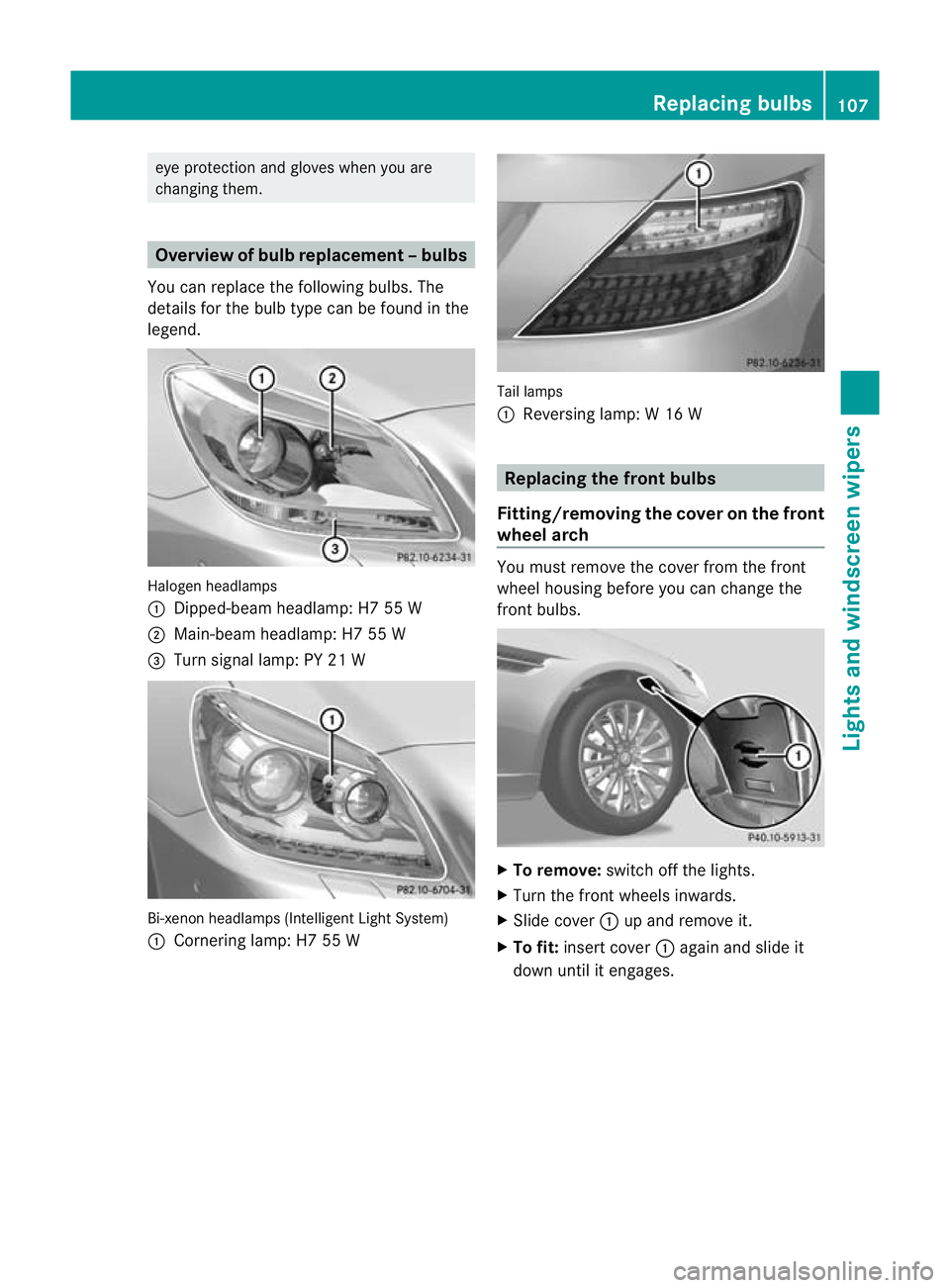
You can replace the following bulbs. The
details for the bulb type can be found in the
legend. Halogen headlamps
:
Dipped-bea mheadlamp: H7 55 W
; Main-beam headlamp: H7 55 W
= Turn signal lamp: PY 21 W Bi-xenon headlamps (Intelligent Light System)
: Cornering lamp: H7 55 W Tail lamps
:
Reversing lamp: W 16 W Replacing the front bulbs
Fitting/removing the cover on the front
wheel arch You must remove the cover from the front
wheel housing before you can change the
fron
tbulbs. X
To remove: switch off the lights.
X Turn the fron twheels inwards.
X Slide cover :up and remove it.
X To fit: insert cover :again and slide it
down until it engages. Replacing bulbs
107Lights and windscreen wipers Z
Page 111 of 321
Dipped-beam headlamps (halogen
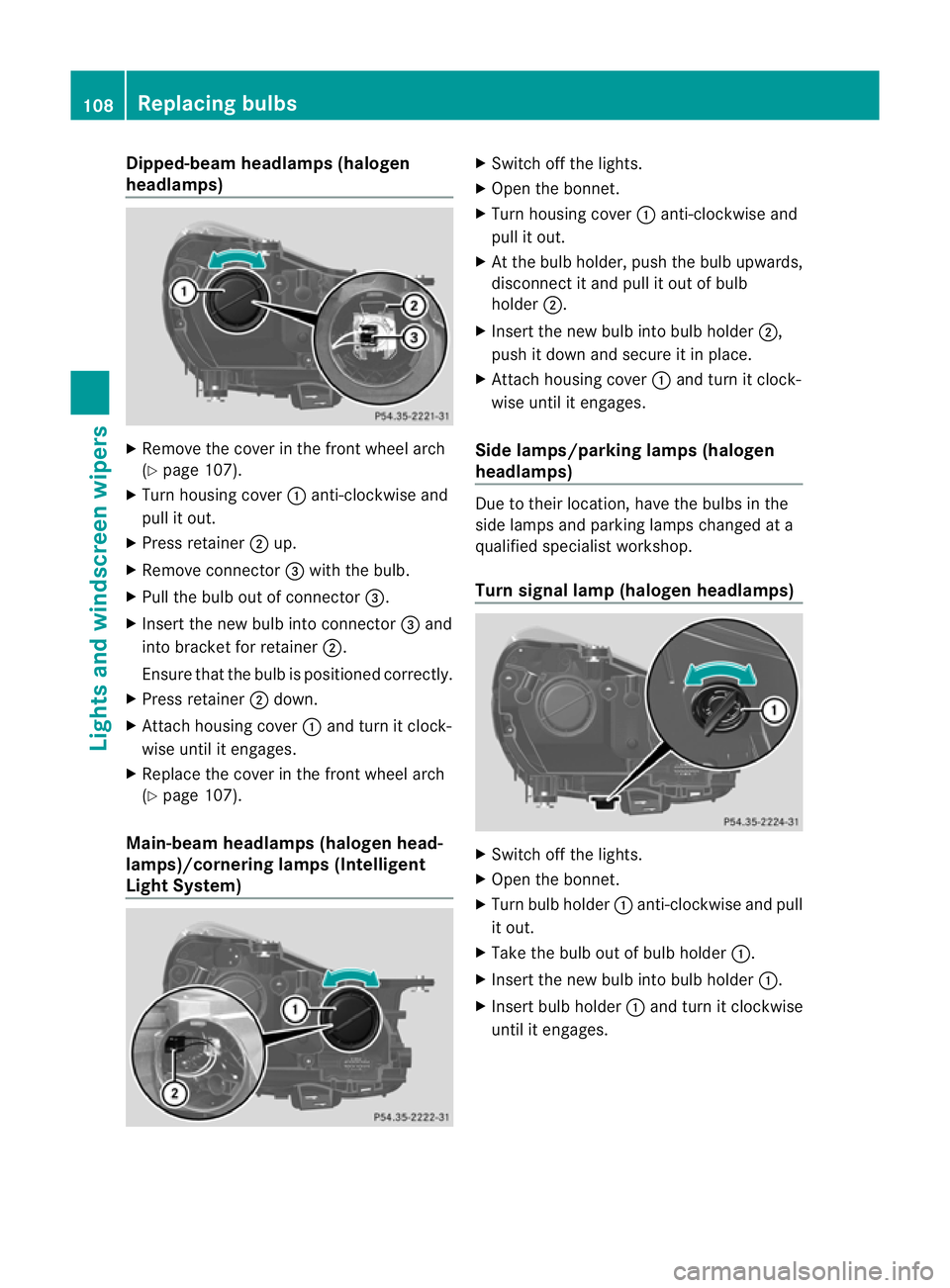
headlamps)
X
Remove the cover in the front wheel arch
(Y page 107).
X Tur nhousing cover :anti-clockwise and
pull it out.
X Press retainer ;up.
X Remove connector =with the bulb.
X Pull the bulb out of connector =.
X Insert the new bulb into connector =and
into bracket for retainer ;.
Ensure that the bulb is positioned correctly.
X Press retainer ;down.
X Attach housing cover :and turn it clock-
wise until it engages.
X Replace the cover in the front wheel arch
(Y page 107).
Main-beam headlamps (halogen head-
lamps)/cornering lamps (Intelligent
Light System) X
Switch off the lights.
X Open the bonnet.
X Turn housing cover :anti-clockwise and
pull it out.
X At the bulb holder, push the bulb upwards,
disconnect it and pull it out of bulb
holder ;.
X Insert the new bulb into bulb holder ;,
push it down and secure it in place.
X Attach housing cover :and turn it clock-
wise until it engages.
Side lamps/parking lamps( halogen
headlamps) Due to their location, have the bulbs in the
side lamps and parking lamps changed at a
qualified specialist workshop.
Turn signal lamp (halogen headlamps) X
Switch off the lights.
X Open the bonnet.
X Turn bulb holder :anti-clockwise and pull
it out.
X Take the bulb out of bulb holder :.
X Insert the new bulb into bulb holder :.
X Insert bulb holder :and turn it clockwise
until it engages. 108
Replacing bulbsLights and windscreen wipers
Page 211 of 321
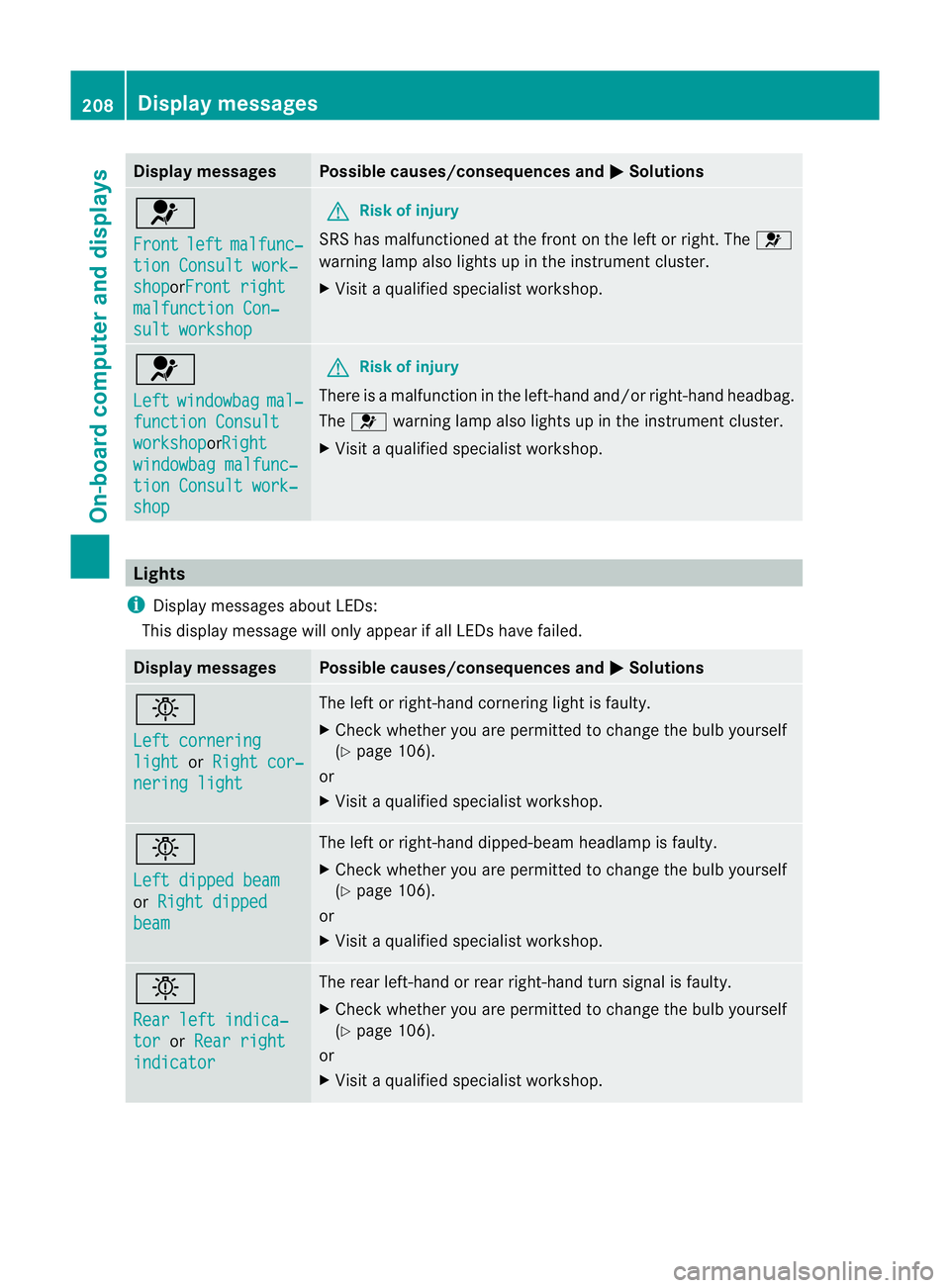
Display messages Possible causes/consequences and
M Solutions
6
Front
left malfunc‐
tion Consult work‐
shop orFront right
malfunction Con‐
sult workshop G
Risk of injury
SRS has malfunctioned at the front on the left or right. The 6
warning lamp also lights up in the instrumen tcluster.
X Visit a qualified specialist workshop. 6
Left
windowbag mal‐
function Consult
workshop orRight
windowbag malfunc‐
tion Consult work‐
shop G
Risk of injury
There is a malfunction in the left-hand and/or right-hand headbag.
The 6 warning lamp also lights up in the instrumen tcluster.
X Visit a qualified specialist workshop. Lights
i Display messages about LEDs:
This display message will only appear if all LEDs have failed. Displa
ymessages Possible causes/consequences and
M Solutions
b
Left cornering
light or
Right cor‐ nering light The left or right-hand cornering light is faulty.
X
Chec kwhether you are permitted to change the bulb yourself
(Y page 106).
or
X Visit a qualified specialist workshop. b
Left dipped beam
or
Right dipped beam The left or right-hand dipped-beamh
eadlamp is faulty.
X Check whether you are permitted to change the bulb yourself
(Y page 106).
or
X Visit a qualified specialist workshop. b
Rear left indica‐
tor or
Rear right indicator The rear left-hand or rear right-hand turn signal is faulty.
X
Check whether you are permitted to change the bulb yourself
(Y page 106).
or
X Visit a qualified specialist workshop. 208
Display messagesOn-board computer and displays
Page 212 of 321
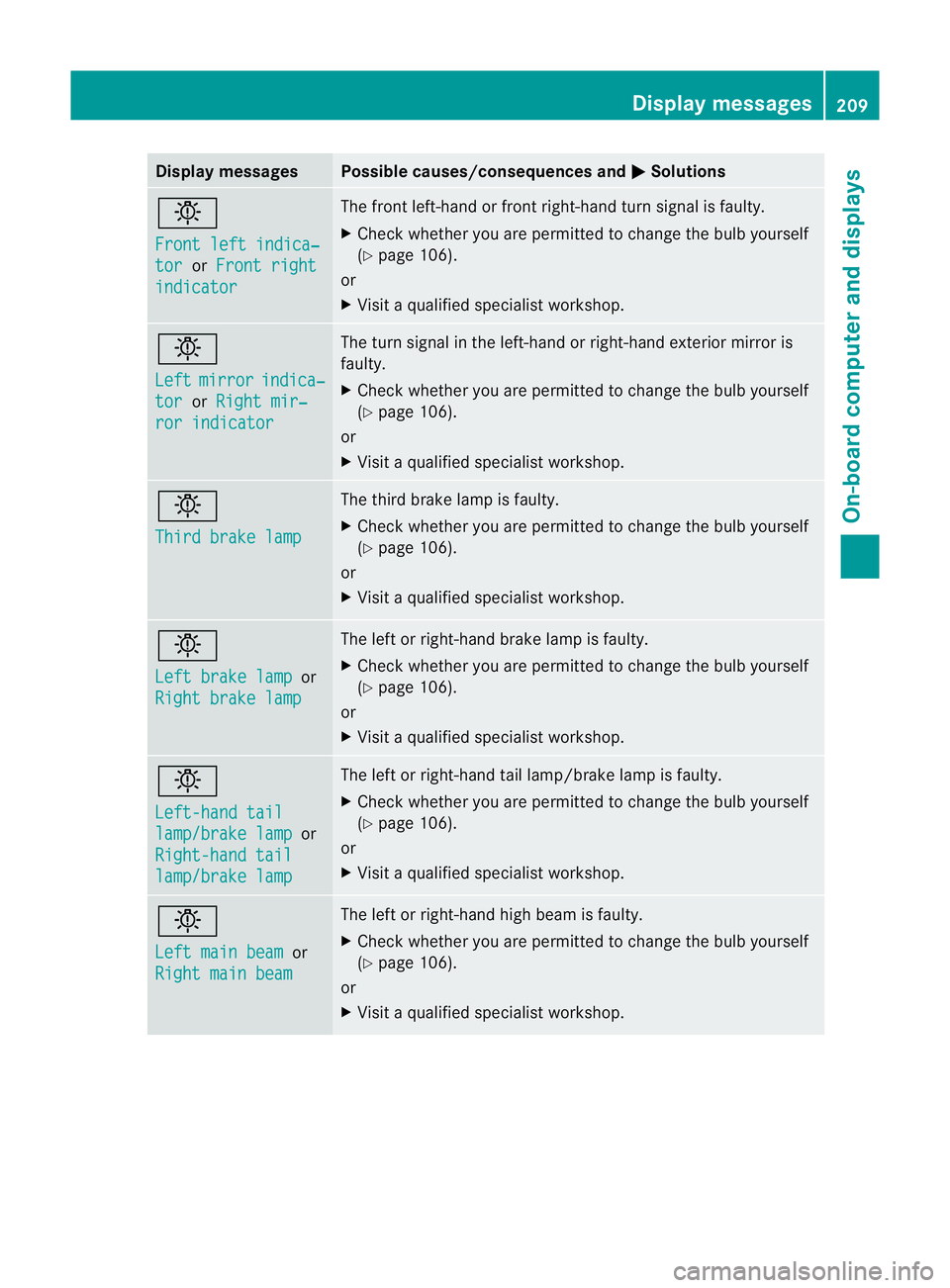
Display messages Possible causes/consequences and
M Solutions
b
Front left indica‐
tor or
Front right indicator The front left-hand or front right-hand turn signal is faulty.
X Chec kwhether you are permitted to change the bulb yourself
(Y page 106).
or
X Visit a qualified specialist workshop. b
Left
mirror indica‐
tor or
Right mir‐ ror indicator The turn signal in the left-hand or right-hand exterior mirror is
faulty.
X
Check whether you are permitted to change the bulb yourself
(Y page 106).
or
X Visit a qualified specialist workshop. b
Third brake lamp The third brake lamp is faulty.
X
Check whether you are permitted to change the bulb yourself
(Y page 106).
or
X Visit a qualified specialist workshop. b
Left brake lamp
or
Right brake lamp The left or right-hand brake lamp is faulty.
X
Check whether you are permitted to change the bulb yourself
(Y page 106).
or
X Visit a qualified specialist workshop. b
Left-hand tail
lamp/brake lamp or
Right-hand tail lamp/brake lamp The left or right-hand tail lamp/brake lamp is faulty.
X
Check whether you are permitted to change the bulb yourself
(Y page 106).
or
X Visit a qualified specialist workshop. b
Left main beam
or
Right main beam The left or right-hand high beam is faulty.
X
Check whether you are permitted to change the bulb yourself
(Y page 106).
or
X Visit a qualified specialist workshop. Display messages
209On-board computer and displays Z