brake light MERCEDES-BENZ SLS 2011 C197 Owner's Manual
[x] Cancel search | Manufacturer: MERCEDES-BENZ, Model Year: 2011, Model line: SLS, Model: MERCEDES-BENZ SLS 2011 C197Pages: 436, PDF Size: 20.86 MB
Page 7 of 436
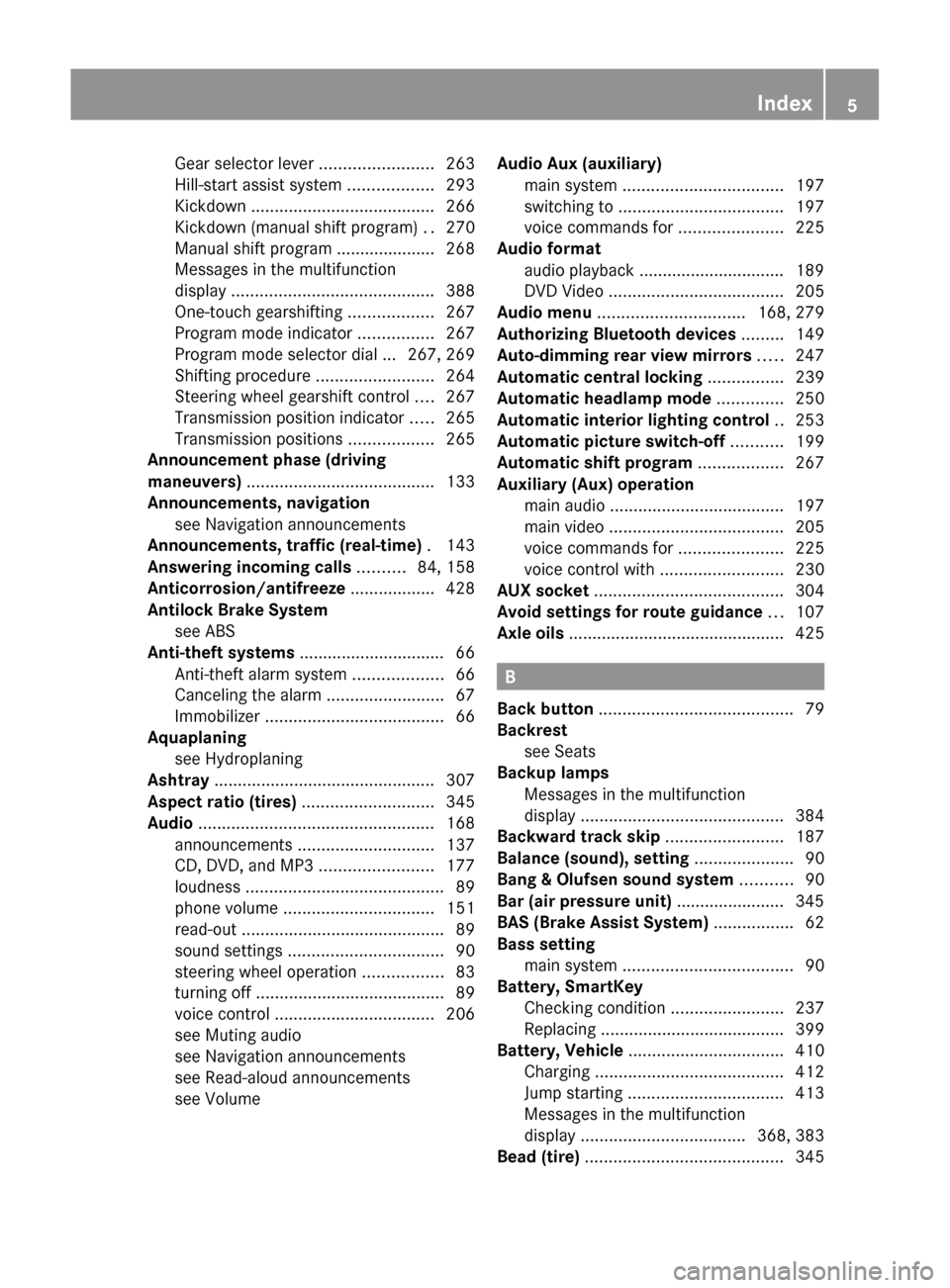
Gear selector lever ........................263
Hill-start assist system ..................293
Kickdown ....................................... 266
Kickdown (manual shift program) ..270
Manual shift program ..................... 268
Messages in the multifunction
display ........................................... 388
One-touch gearshifting ..................267
Program mode indicator ................267
Program mode selector dial ... 267, 269
Shifting procedure .........................264
Steering wheel gearshift control ....267
Transmission position indicator .....265
Transmission positions ..................265
Announcement phase (driving
maneuvers) ........................................ 133
Announcements, navigation see Navigation announcements
Announcements, traffic (real-time) . 143
Answering incoming calls .......... 84, 158
Anticorrosion/antifreeze .................. 428
Antilock Brake System see ABS
Anti-theft systems ............................... 66
Anti-theft alarm system ...................66
Canceling the alarm .........................67
Immobilizer ...................................... 66
Aquaplaning
see Hydroplaning
Ashtray ............................................... 307
Aspect ratio (tires) ............................ 345
Audio .................................................. 168
announcements ............................. 137
CD, DVD, and MP3 ........................177
loudness .......................................... 89
phone volume ................................ 151
read-out ........................................... 89
sound settings ................................. 90
steering wheel operation .................83
turning off ........................................ 89
voice control .................................. 206
see Muting audio
see Navigation announcements
see Read-aloud announcements
see Volume Audio Aux (auxiliary)
main system .................................. 197
switching to ................................... 197
voice commands for ......................225
Audio format
audio playback ............................... 189
DVD Video ..................................... 205
Audio menu ............................... 168, 279
Authorizing Bluetooth devices ......... 149
Auto-dimming rear view mirrors ..... 247
Automatic central locking ................ 239
Automatic headlamp mode .............. 250
Automatic interior lighting control .. 253
Automatic picture switch-off ........... 199
Automatic shift program .................. 267
Auxiliary (Aux) operation main audio ..................................... 197
main video ..................................... 205
voice commands for ......................225
voice control with .......................... 230
AUX socket ........................................ 304
Avoid settings for route guidance ... 107
Axle oils .............................................. 425
B
Back button ......................................... 79
Backrest see Seats
Backup lamps
Messages in the multifunction
display ........................................... 384
Backward track skip ......................... 187
Balance (sound), setting ..................... 90
Bang & Olufsen sound system ........... 90
Bar (air pressure unit) ....................... 345
BAS (Brake Assist System) ................. 62
Bass setting main system .................................... 90
Battery, SmartKey
Checking condition ........................237
Replacing ....................................... 399
Battery, Vehicle ................................. 410
Charging ........................................ 412
Jump starting ................................. 413
Messages in the multifunction
display ................................... 368, 383
Bead (tire) .......................................... 345
Index5BA 197 USA, CA Edition A 2011; 1; 27, en-UShereepeVersion: 3.0.3.52010-03-24T15:31:10+01:00 - Seite 5
Page 9 of 436
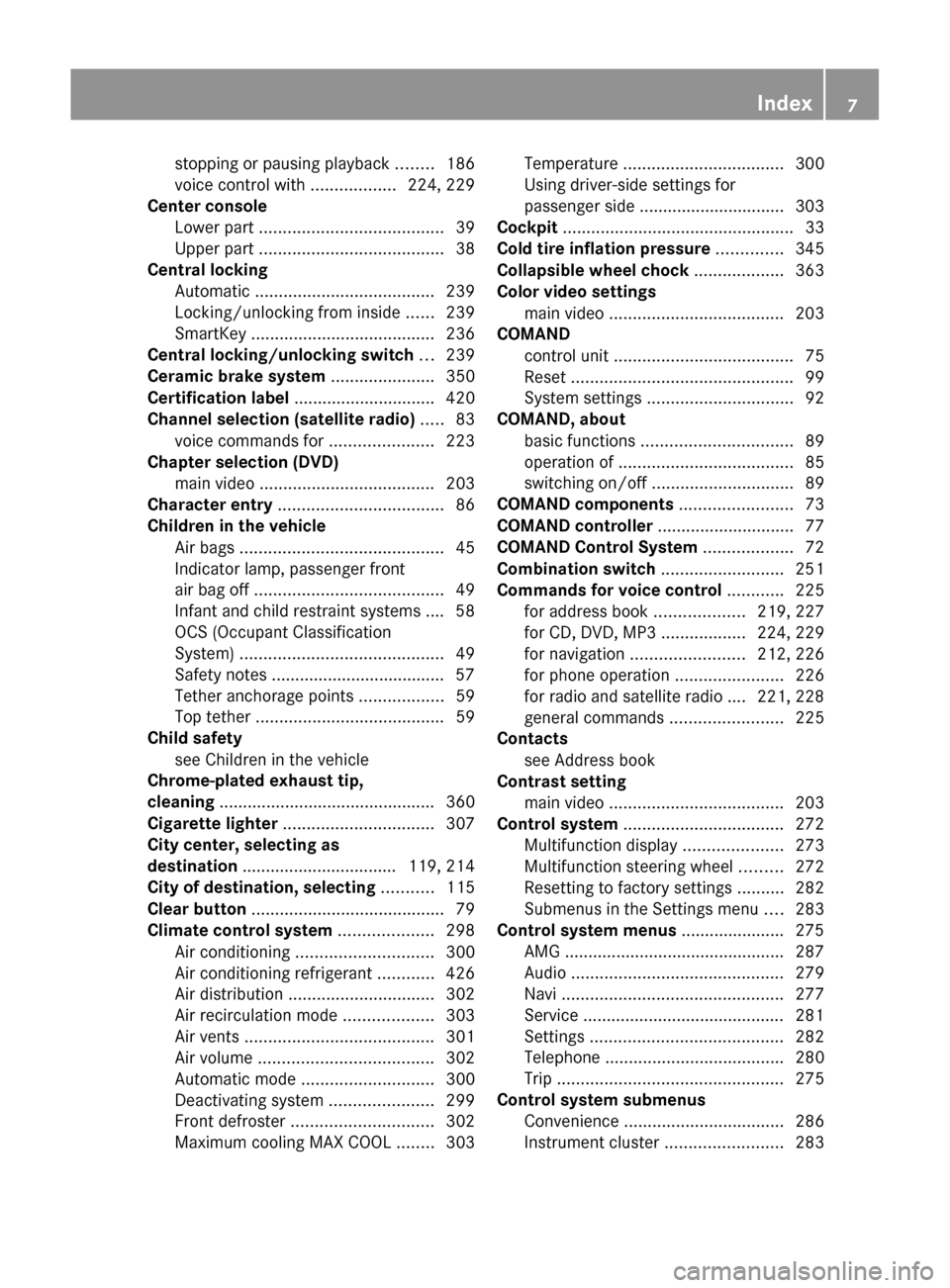
stopping or pausing playback ........186
voice control with ..................224, 229
Center console
Lower part ....................................... 39
Upper part ....................................... 38
Central locking
Automatic ...................................... 239
Locking/unlocking from inside ......239
SmartKey ....................................... 236
Central locking/unlocking switch ... 239
Ceramic brake system ...................... 350
Certification label .............................. 420
Channel selection (satellite radio) ..... 83
voice commands for ......................223
Chapter selection (DVD)
main video ..................................... 203
Character entry ................................... 86
Children in the vehicle Air bags ........................................... 45
Indicator lamp, passenger front
air bag off ........................................ 49
Infant and child restraint systems .... 58
OCS (Occupant Classification
System) ........................................... 49
Safety notes ..................................... 57
Tether anchorage points ..................59
Top tether ........................................ 59
Child safety
see Children in the vehicle
Chrome-plated exhaust tip,
cleaning .............................................. 360
Cigarette lighter ................................ 307
City center, selecting as
destination ................................. 119, 214
City of destination, selecting ........... 115
Clear button ......................................... 79
Climate control system .................... 298
Air conditioning ............................. 300
Air conditioning refrigerant ............426
Air distribution ............................... 302
Air recirculation mode ...................303
Air vents ........................................ 301
Air volume ..................................... 302
Automatic mode ............................ 300
Deactivating system ......................299
Front defroster .............................. 302
Maximum cooling MAX COOL ........303Temperature .................................. 300
Using driver-side settings for
passenger side ............................... 303
Cockpit ................................................. 33
Cold tire inflation pressure .............. 345
Collapsible wheel chock ................... 363
Color video settings main video ..................................... 203
COMAND
control unit ...................................... 75
Reset ............................................... 99
System settings ............................... 92
COMAND, about
basic functions ................................ 89
operation of ..................................... 85
switching on/off .............................. 89
COMAND components ........................ 73
COMAND controller ............................. 77
COMAND Control System ................... 72
Combination switch .......................... 251
Commands for voice control ............ 225
for address book ...................219, 227
for CD, DVD, MP3 ..................224, 229
for navigation ........................ 212, 226
for phone operation .......................226
for radio and satellite radio .... 221, 228
general commands ........................225
Contacts
see Address book
Contrast setting
main video ..................................... 203
Control system .................................. 272
Multifunction display .....................273
Multifunction steering wheel .........272
Resetting to factory settings ..........282
Submenus in the Settings menu ....283
Control system menus ...................... 275
AMG ............................................... 287
Audio ............................................. 279
Navi ............................................... 277
Service ........................................... 281
Settings ......................................... 282
Telephone ...................................... 280
Trip ................................................ 275
Control system submenus
Convenience .................................. 286
Instrument cluster .........................283Index7BA 197 USA, CA Edition A 2011; 1; 27, en-UShereepeVersion: 3.0.3.52010-03-24T15:31:10+01:00 - Seite 7
Page 14 of 436
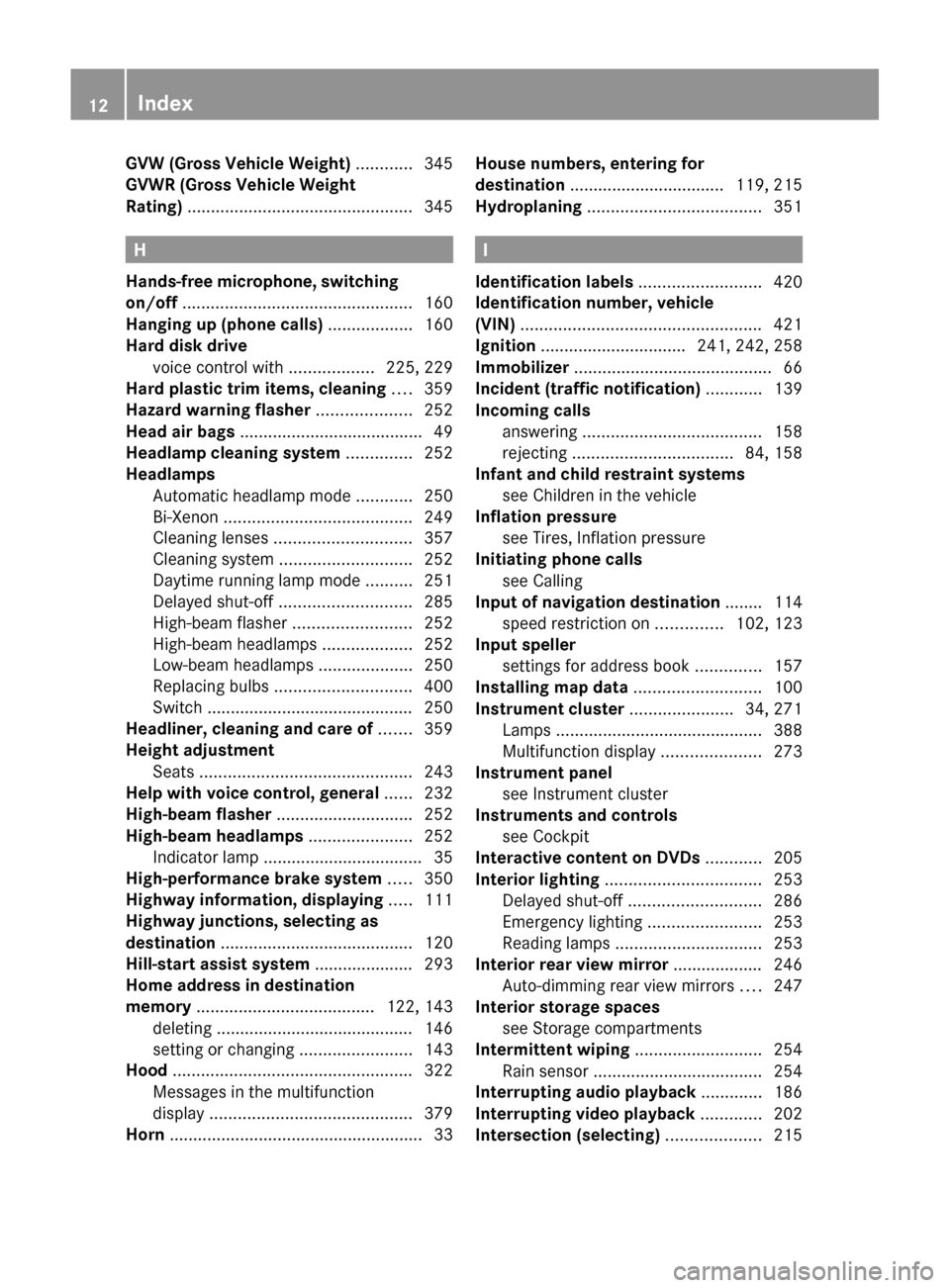
GVW (Gross Vehicle Weight) ............ 345
GVWR (Gross Vehicle Weight
Rating) ................................................ 345
H
Hands-free microphone, switching
on/off ................................................. 160
Hanging up (phone calls) .................. 160
Hard disk drive voice control with ..................225, 229
Hard plastic trim items, cleaning .... 359
Hazard warning flasher .................... 252
Head air bags ....................................... 49
Headlamp cleaning system .............. 252
Headlamps Automatic headlamp mode ............250
Bi-Xenon ........................................ 249
Cleaning lenses ............................. 357
Cleaning system ............................ 252
Daytime running lamp mode ..........251
Delayed shut-off ............................ 285
High-beam flasher .........................252
High-beam headlamps ...................252
Low-beam headlamps ....................250
Replacing bulbs ............................. 400
Switch ............................................ 250
Headliner, cleaning and care of ....... 359
Height adjustment Seats ............................................. 243
Help with voice control, general ...... 232
High-beam flasher ............................. 252
High-beam headlamps ...................... 252
Indicator lamp .................................. 35
High-performance brake system ..... 350
Highway information, displaying ..... 111
Highway junctions, selecting as
destination ......................................... 120
Hill-start assist system ..................... 293
Home address in destination
memory ...................................... 122, 143
deleting .......................................... 146
setting or changing ........................143
Hood ................................................... 322
Messages in the multifunction
display ........................................... 379
Horn ...................................................... 33
House numbers, entering for
destination ................................. 119, 215
Hydroplaning ..................................... 351
I
Identification labels .......................... 420
Identification number, vehicle
(VIN) ................................................... 421
Ignition ............................... 241, 242, 258
Immobilizer .......................................... 66
Incident (traffic notification) ............ 139
Incoming calls answering ...................................... 158
rejecting .................................. 84, 158
Infant and child restraint systems
see Children in the vehicle
Inflation pressure
see Tires, Inflation pressure
Initiating phone calls
see Calling
Input of navigation destination ........ 114
speed restriction on ..............102, 123
Input speller
settings for address book ..............157
Installing map data ........................... 100
Instrument cluster ...................... 34, 271
Lamps ............................................ 388
Multifunction display .....................273
Instrument panel
see Instrument cluster
Instruments and controls
see Cockpit
Interactive content on DVDs ............ 205
Interior lighting ................................. 253
Delayed shut-off ............................ 286
Emergency lighting ........................253
Reading lamps ............................... 253
Interior rear view mirror ................... 246
Auto-dimming rear view mirrors ....247
Interior storage spaces
see Storage compartments
Intermittent wiping ........................... 254
Rain sensor .................................... 254
Interrupting audio playback ............. 186
Interrupting video playback ............. 202
Intersection (selecting) .................... 215
12IndexBA 197 USA, CA Edition A 2011; 1; 27, en-UShereepeVersion: 3.0.3.52010-03-24T15:31:10+01:00 - Seite 12
Page 15 of 436
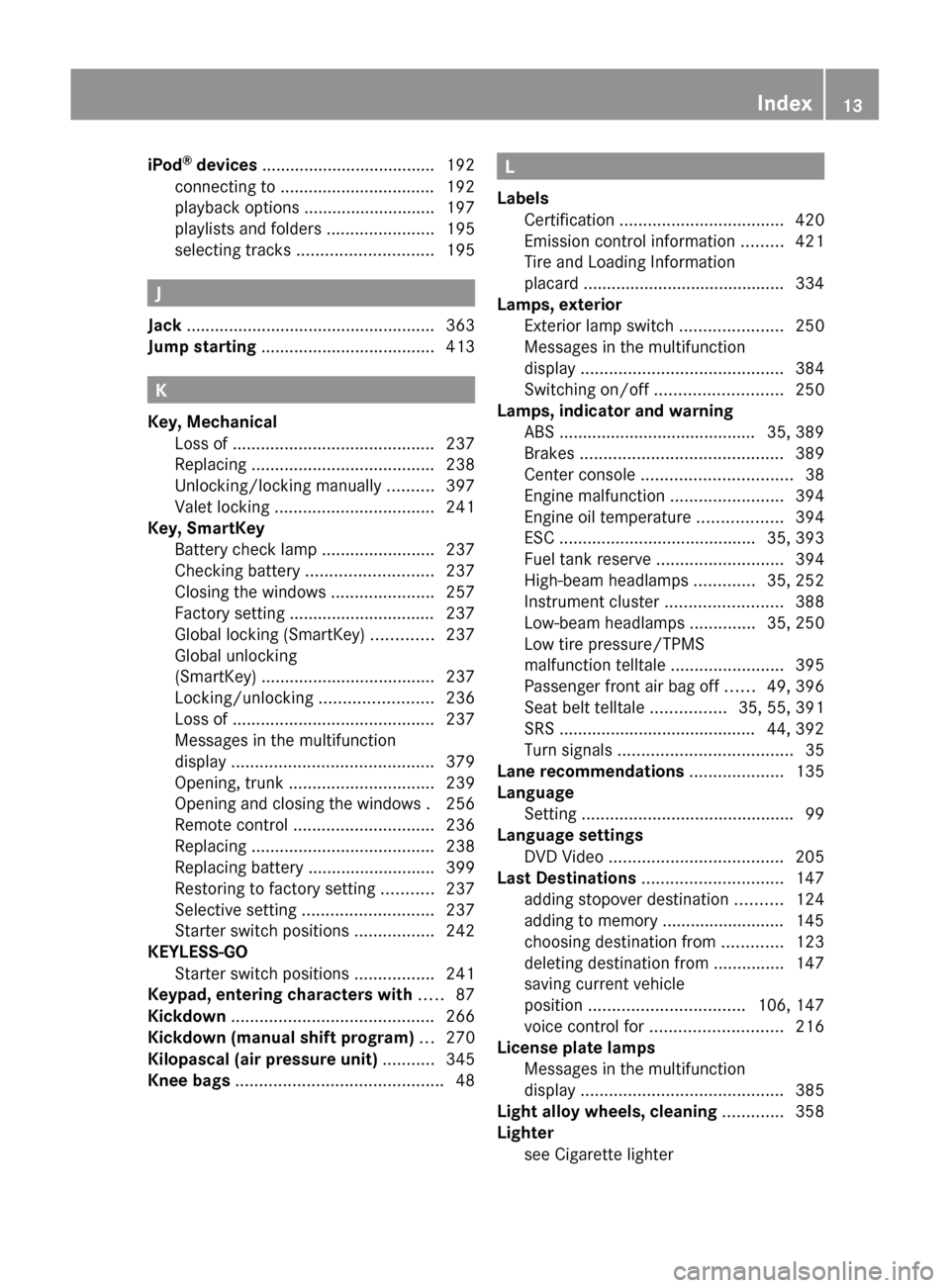
iPod®
devices ..................................... 192
connecting to ................................. 192
playback options ............................ 197
playlists and folders .......................195
selecting tracks ............................. 195
J
Jack ..................................................... 363
Jump starting ..................................... 413
K
Key, Mechanical Loss of ........................................... 237
Replacing ....................................... 238
Unlocking/locking manually ..........397
Valet locking .................................. 241
Key, SmartKey
Battery check lamp ........................237
Checking battery ........................... 237
Closing the windows ......................257
Factory setting ............................... 237
Global locking (SmartKey) .............237
Global unlocking
(SmartKey) ..................................... 237
Locking/unlocking ........................236
Loss of ........................................... 237
Messages in the multifunction
display ........................................... 379
Opening, trunk ............................... 239
Opening and closing the windows . 256
Remote control .............................. 236
Replacing ....................................... 238
Replacing battery ........................... 399
Restoring to factory setting ...........237
Selective setting ............................ 237
Starter switch positions .................242
KEYLESS-GO
Starter switch positions .................241
Keypad, entering characters with ..... 87
Kickdown ........................................... 266
Kickdown (manual shift program) ... 270
Kilopascal (air pressure unit) ........... 345
Knee bags ............................................ 48
L
Labels Certification ................................... 420
Emission control information .........421
Tire and Loading Information
placard ........................................... 334
Lamps, exterior
Exterior lamp switch ......................250
Messages in the multifunction
display ........................................... 384
Switching on/off ........................... 250
Lamps, indicator and warning
ABS .......................................... 35, 389
Brakes ........................................... 389
Center console ................................ 38
Engine malfunction ........................394
Engine oil temperature ..................394
ESC .......................................... 35, 393
Fuel tank reserve ........................... 394
High-beam headlamps .............35, 252
Instrument cluster .........................388
Low-beam headlamps ..............35, 250
Low tire pressure/TPMS
malfunction telltale ........................395
Passenger front air bag off ......49, 396
Seat belt telltale ................35, 55, 391
SRS .......................................... 44, 392
Turn signals ..................................... 35
Lane recommendations .................... 135
Language Setting ............................................. 99
Language settings
DVD Video ..................................... 205
Last Destinations .............................. 147
adding stopover destination ..........124
adding to memory .......................... 145
choosing destination from .............123
deleting destination from ...............147
saving current vehicle
position ................................. 106, 147
voice control for ............................ 216
License plate lamps
Messages in the multifunction
display ........................................... 385
Light alloy wheels, cleaning ............. 358
Lighter see Cigarette lighter Index13BA 197 USA, CA Edition A 2011; 1; 27, en-UShereepeVersion: 3.0.3.52010-03-24T15:31:10+01:00 - Seite 13
Page 17 of 436
Media list ........................................... 186
Memory cards starting playback ........................... 184
voice control with ..................224, 230
Memory function ............................... 249
Menus see Control system menus
Menus, COMAND
how to operate ................................ 86
list of ................................................ 74
Menus, steering wheel ........................ 81
Messages during voice command ..................209
for driving maneuvers ....................133
for traffic lane recommendations ... 135
real-time traffic reports .................. 142
Mirrors ............................................... 246
Auto-dimming rear view mirrors ....247
Exterior rear view mirror parking
position .......................................... 247
Exterior rear view mirrors ..............246
Interior rear view mirror .................246
Memory function ........................... 249
Power-folding exterior rear view
mirrors ........................................... 248
Vanity mirror .................................. 307
Missed calls, list of ........................... 155
Missed navigation
announcements, requesting ............ 137
Mobile telephone see Telephone
MON (Motor Octane Number) .......... 427
Motor Octane Number see MON
MP3 mode, main vehicle .................. 178
fast forward and reverse ................187
selecting a track ............................ 187
selecting folders ............................ 187
starting playback ........................... 184
stopping or pausing playback ........186
voice control with ..................224, 229
MP3 players ....................................... 192
playback options ............................ 197
playlists and folders .......................195
selecting active partition ...............197
selecting tracks ............................. 195
MP3 storage medium ........................ 178Multifunction display .................. 81, 273
Adjusting illumination brightness ... 285
Audio menu ..................................... 83
Menus and submenus ......................81
Symbol messages ..........................370
Text messages ............................... 365
Vehicle status messages ...............364
Multifunction display messages
ABS ....................................... 371, 372
Advanced TPMS ............................. 368
Air bags ......................................... 365
Air filter .......................................... 384
Alternator .............................. 368, 383
AMG SPEEDSHIFT DCT 7-SPEED
Transmission
...................................... 367, 368, 388
Battery ................................... 368, 383
Brake fluid ..................................... 376
Brake pads ..................................... 370
Coolant .......................................... 381
Cruise control ................................ 367
Doors ............................................. 379
EBP ................................................ 372
Engine oil ....................................... 383
ESC ............................... 371, 372, 377
Gas cap .......................................... 384
High-beam lamps ........................... 385
Hood .............................................. 379
License plate lamps .......................385
Light sensor ................................... 386
Low-beam lamps ............................ 386
mbrace .......................................... 377
Parking lamps ................................ 385
Passenger front air bag ..................365
Reserve fuel ................................... 383
Reverse lamp ................................. 384
Side marker lamps .........................385
SmartKey ....................................... 379
SRS ................................................ 378
Tele Aid (Canada only) ...................377
Tire inflation pressure ............368, 387
Tire pressure monitor ....................368
Tires ...................................... 368, 387
Trunk ............................................. 379
Turn signals ................................... 387
Washer fluid ................................... 380
Multifunction steering wheel ............. 80
Adjustment .................................... 245Index15BA 197 USA, CA Edition A 2011; 1; 27, en-UShereepeVersion: 3.0.3.52010-03-24T15:31:10+01:00 - Seite 15
Page 59 of 436
SeatGObserve Safety notes, see page 243.XPosition seat = properly. See
( Y page 244) for seat adjustment.
Observe the following points:
R Always be in a properly seated position.
R The position should be as far rearward from
the front air bag in the steering wheel as
possible, while still permitting proper
operation of vehicle controls.
R Adjust the seat to a comfortable seating
position that still allows you to reach the
accelerator/brake pedal safely.
R The seat must be adjusted so that you can
correctly fasten and position your seat belt.
R The seat backrest must be in a position that
is as nearly upright as possible.
R Adjust the seat cushion so that the front
edge of the seat cushion lightly supports
your legs.
R Never place hands under the seat or near
any moving parts while the seat is being
adjusted.
Exiting the vehicle in an emergency
If the vehicle lies on the roof after an accident,
the locks in the door hinges of the gullwing
doors are opened pyrotechnically. You will
hear a bang when this happens. Once the
locks were opened, the doors are pushed
outward. The door locks are released at the
same time. The SRS warning lamp 6
comes on.
i The hinge locks will be opened
pyrotechnically only when the vehicle has
come to rest on its roof and does not move
anymore.
The doors can then be moved by pulling on
the door handle from the inside or outside.
Children in the vehicle
Safety notes
If an infant or child is traveling with you in the
vehicle:
XSecure the child using an infant or child
restraint appropriate to the age and size of
the child.XMake sure the infant or child is properly
secured at all times while the vehicle is in
motion.GWarning!
When leaving the vehicle, always remove the
SmartKey from the starter switch. Always
take the SmartKey with you and lock the
vehicle. Do not leave children unattended in
the vehicle, even if they are secured in a child
restraint system, or with access to an
unlocked vehicle. A child’s unsupervised
access to a vehicle could result in an accident
and/or serious personal injury. The children
could
R injure themselves on parts of the vehicle
R be seriously or fatally injured through
excessive exposure to extreme heat or cold
R injure themselves or cause an accident with
vehicle equipment that can be operated
even if the SmartKey is removed from the
starter switch or removed from the vehicle,
such as seat adjustment, steering wheel
adjustment, or the memory function
If children open a door, they could injure other
persons or get out of the vehicle and injure
themselves or be injured by following traffic.
Do not expose the child restraint system to
direct sunlight. The child restraint system’s
metal parts, for example, could become very
hot, and the child could be burned by these
parts.
GWarning!
Do not carry heavy or hard objects in the
passenger compartment unless they are
firmly secured in place.
Occupant safety57Safety and securityBA 197 USA, CA Edition A 2011; 1; 27, en-UShereepeVersion: 3.0.3.52010-03-24T15:31:10+01:00 - Seite 57Z
Page 63 of 436
Driving safety systems
Introduction
This section contains information about the
following driving safety systems:
R ABS ( Antilock Brake System)
R Adaptive Brake
R BAS ( Brake Assist System)
R EBP ( Electronic Brake Proportioning)
R ESC ( Electronic Stability Control)
R Trunk Wing
Safety notes
GWarning!
The following factors increase the risk of
accidents:
R Excessive speed, especially in turns
R Wet and slippery road surfaces
R Following another vehicle too closely
The driving safety systems described in this
section cannot reduce these risks or prevent
the natural laws of physics from acting on the
vehicle. They cannot increase braking or
steering efficiency beyond that afforded by
the condition of the vehicle brakes and tires
or the traction afforded.
Only a safe, attentive, and skillful driver can
prevent accidents.
The capabilities of a vehicle equipped with the
driving safety systems described in this
section must never be exploited in a reckless
or dangerous manner which could jeopardize
the user’s safety or the safety of others.
Always adjust your driving style to the
prevailing road and weather conditions and
keep a safe distance from other road users
and objects on the street.
If a driving system malfunctions, other driving
safety systems may also switch off. Observe
indicator and warning lamps that may come
on as well as messages in the multifunction
display that may appear.
i In winter operation, the maximum
effectiveness of most of the driving
systems described in this section is only
achieved with winter tires, or snow chains
as required.
ABS
GObserve Safety notes, see page 61.GWarning!
Do not pump the brake pedal. Use firm, steady
brake pedal pressure instead. Pumping the
brake pedal defeats the purpose of the ABS
and significantly reduces braking
effectiveness.
The Antilock Brake System (ABS) regulates
the brake pressure so that the wheels do not
lock during braking. This allows you to
maintain the ability to steer your vehicle.
The ABS is functional above a speed of
approximately 5 mph (8 km/h) independent
of road surface conditions.
On slippery road surfaces, the ABS will
respond even to light brake pressure.
The ABS indicator lamp ! in the
instrument cluster comes on when you switch
on the ignition. It goes out when the engine
is running.
Braking
At the instant one of the wheels is about to
lock up, a slight pulsation can be felt in the
brake pedal. The pulsation indicates that the
ABS is in the regulating mode.
XKeep firm and steady pressure on the brake
pedal while you feel the pulsation.
Continuous, steady brake pedal pressure
yields the advantages provided by the ABS,
namely braking power and the ability to steer
the vehicle.
The pulsating brake pedal can be an
indication of hazardous road conditions and
Driving safety systems61Safety and securityBA 197 USA, CA Edition A 2011; 1; 27, en-UShereepeVersion: 3.0.3.52010-03-24T15:31:10+01:00 - Seite 61Z
Page 243 of 436
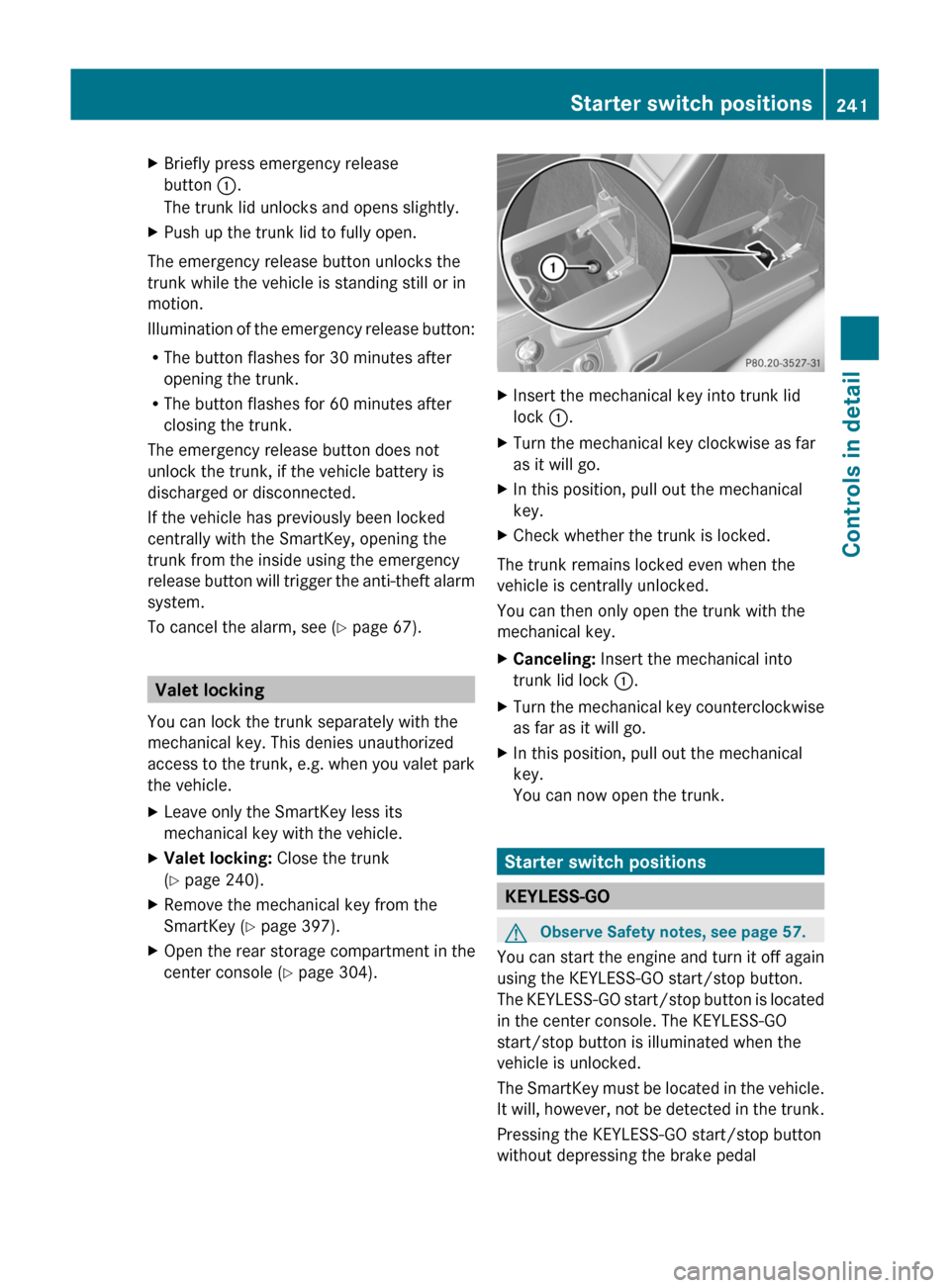
XBriefly press emergency release
button :.
The trunk lid unlocks and opens slightly.
XPush up the trunk lid to fully open.
The emergency release button unlocks the
trunk while the vehicle is standing still or in
motion.
Illumination of the emergency release button:
RThe button flashes for 30 minutes after
opening the trunk.
RThe button flashes for 60 minutes after
closing the trunk.
The emergency release button does not
unlock the trunk, if the vehicle battery is
discharged or disconnected.
If the vehicle has previously been locked
centrally with the SmartKey, opening the
trunk from the inside using the emergency
release button will trigger the anti-theft alarm
system.
To cancel the alarm, see (Y page 67).
Valet locking
You can lock the trunk separately with the
mechanical key. This denies unauthorized
access to the trunk, e.g. when you valet park
the vehicle.
XLeave only the SmartKey less its
mechanical key with the vehicle.
XValet locking: Close the trunk
(Y page 240).
XRemove the mechanical key from the
SmartKey (Y page 397).
XOpen the rear storage compartment in the
center console (Y page 304).
XInsert the mechanical key into trunk lid
lock :.
XTurn the mechanical key clockwise as far
as it will go.
XIn this position, pull out the mechanical
key.
XCheck whether the trunk is locked.
The trunk remains locked even when the
vehicle is centrally unlocked.
You can then only open the trunk with the
mechanical key.
XCanceling: Insert the mechanical into
trunk lid lock :.
XTurn the mechanical key counterclockwise
as far as it will go.
XIn this position, pull out the mechanical
key.
You can now open the trunk.
Starter switch positions
KEYLESS-GO
GObserve Safety notes, see page 57.
You can start the engine and turn it off again
using the KEYLESS-GO start/stop button.
The KEYLESS-GO start/stop button is located
in the center console. The KEYLESS-GO
start/stop button is illuminated when the
vehicle is unlocked.
The SmartKey must be located in the vehicle.
It will, however, not be detected in the trunk.
Pressing the KEYLESS-GO start/stop button
without depressing the brake pedal
Starter switch positions241Controls in detailBA 197 USA, CA Edition A 2011; 1; 27, en-UShereepeVersion: 3.0.3.52010-03-24T15:31:10+01:00 - Seite 241Z
Page 245 of 436
beam headlamp indicator lamp, high-beam
headlamp indicator lamp, and the turn signal
indicator lamps will only come on if activated.
If a lamp in the instrument cluster fails to
come on when the ignition is switched on,
have it checked and replaced if necessary. If
a lamp in the instrument cluster remains on
after starting the engine or comes on while
driving, refer to “Lamps in instrument cluster”
( Y page 388).XAlways remove the SmartKey from the
starter switch when the engine is not in
operation.
This will help to prevent accelerated vehicle
battery discharge or a completely
discharged vehicle battery.
If the SmartKey cannot be turned in the
starter switch, the vehicle battery may not be
sufficiently charged.
XCheck the vehicle battery and charge it if
necessary ( Y page 410).
or
XGet a jump start ( Y page 413).
i
If the SmartKey does not belong to the
vehicle, the SmartKey can be turned in the
starter switch. However, the ignition does
not switch on and the engine does not start.
Seats
Safety notes
GWarning!
In order to avoid possible loss of vehicle
control the following must be done before the
vehicle is put into motion:
R seat adjustment
R steering wheel adjustment
R rear view mirror adjustment
R fastening of seat belts
GWarning!
Do not adjust the driver’s seat while driving.
Adjusting the seat while driving could cause
the driver to lose control of the vehicle.
Never ride in a moving vehicle with the seat
backrest in an excessively reclined position as
this can be dangerous. You could slide under
the seat belt in a collision. If you slide under
it, the seat belt would apply force at the
abdomen or neck. That could cause serious
or fatal injuries. The seat backrest and seat
belts provide the best restraint when the
wearer is in a position that is as upright as
possible and seat belts are properly
positioned on the body.
GWarning!
Your seat must be adjusted so that you can
correctly fasten your seat belt.
Observe the following points:
R Adjust the seat backrest until your arms are
slightly angled when holding the steering
wheel.
R Adjust the seat to a comfortable seating
position that still allows you to reach the
accelerator/brake pedal safely. The
position should be as far back as possible
with the driver still able to operate the
controls properly.
R Never place hands under the seat or near
any moving parts while a seat is being
adjusted.
Failure to do so could result in an accident
and/or serious personal injury.
GWarning!
The power seats can be operated at any time.
Therefore, do not leave children unattended
in the vehicle, or with access to an unlocked
vehicle. A child’s unsupervised access to a
vehicle could result in an accident and/or
serious personal injury.
Seats243Controls in detailBA 197 USA, CA Edition A 2011; 1; 27, en-UShereepeVersion: 3.0.3.52010-03-24T15:31:10+01:00 - Seite 243Z
Page 257 of 436
For information on filling up the washer
reservoir, see “Washer system and headlamp
cleaning system” ( Y page 325).
For information on cleaning the headlamps
with washer fluid, see “Headlamp cleaning
system” ( Y page 252).
Problems with wipers
! If anything blocks the windshield wipers
(leaves, snow, etc.), switch them off
immediately.
For safety reasons, do the following before
attempting to remove any blockage:
R Stop the vehicle in a safe location.
R Turn off the engine by pressing the
KEYLESS-GO start/stop button and
open the driver’s door (with the driver’s
door open, starter switch is in position
0 , same as with SmartKey removed from
starter switch).
or
R Remove the SmartKey from the starter
switch.
R Engage the electronic parking brake.
R Remove blockage.
R Turn the windshield wipers on again.
If the windshield wipers fail to function at
all with the combination switch in position
Ä or Å ,
R set the combination switch to the next
higher wiper speed
R have the windshield wipers checked at
the nearest authorized Mercedes-Benz
Center
Power windows
Opening and closing
The door windows are opened and closed
electrically. The switches for all windows are
located on the driver’s door. The switch for
operating the passenger-side windows is
located on the passenger door.GObserve Safety notes, see page 57.GWarning!
When opening or closing the door windows,
make sure there is no danger of anyone being
harmed by the opening/closing procedure.
The door windows are equipped with the
express operation and automatic reversal
function. If in express operation mode a door
window encounters an obstruction that
blocks its path, the automatic reversal
function will stop the door window and open
it slightly.
The door windows operate differently when
the switch is pulled and held. See the “Closing
when a door window is blocked” section in
this chapter for details.
The closing of the door windows can be
immediately halted by releasing the switch or,
if the switch was pulled past the resistance
point and released, by either pressing or
pulling the respective switch.
If a door window encounters an obstruction
that blocks its path in a circumstance where
you are closing the door windows by pressing
and holding button & on the SmartKey the
automatic reversal function will not operate.
i You can also open or close the door
windows using the SmartKey, see
“Summer opening feature” ( Y page 256)
and “Convenience closing feature”
( Y page 257).
i After switching off the ignition or
removing the SmartKey from the starter
switch, you can operate the door windows
until you open a door. If no door was
opened you can operate the door windows
for up to 5 minutes.
Power windows255Controls in detailBA 197 USA, CA Edition A 2011; 1; 27, en-UShereepeVersion: 3.0.3.52010-03-24T15:31:10+01:00 - Seite 255Z