power steering MERCEDES-BENZ SLS 2011 C197 Owner's Manual
[x] Cancel search | Manufacturer: MERCEDES-BENZ, Model Year: 2011, Model line: SLS, Model: MERCEDES-BENZ SLS 2011 C197Pages: 436, PDF Size: 20.86 MB
Page 13 of 436
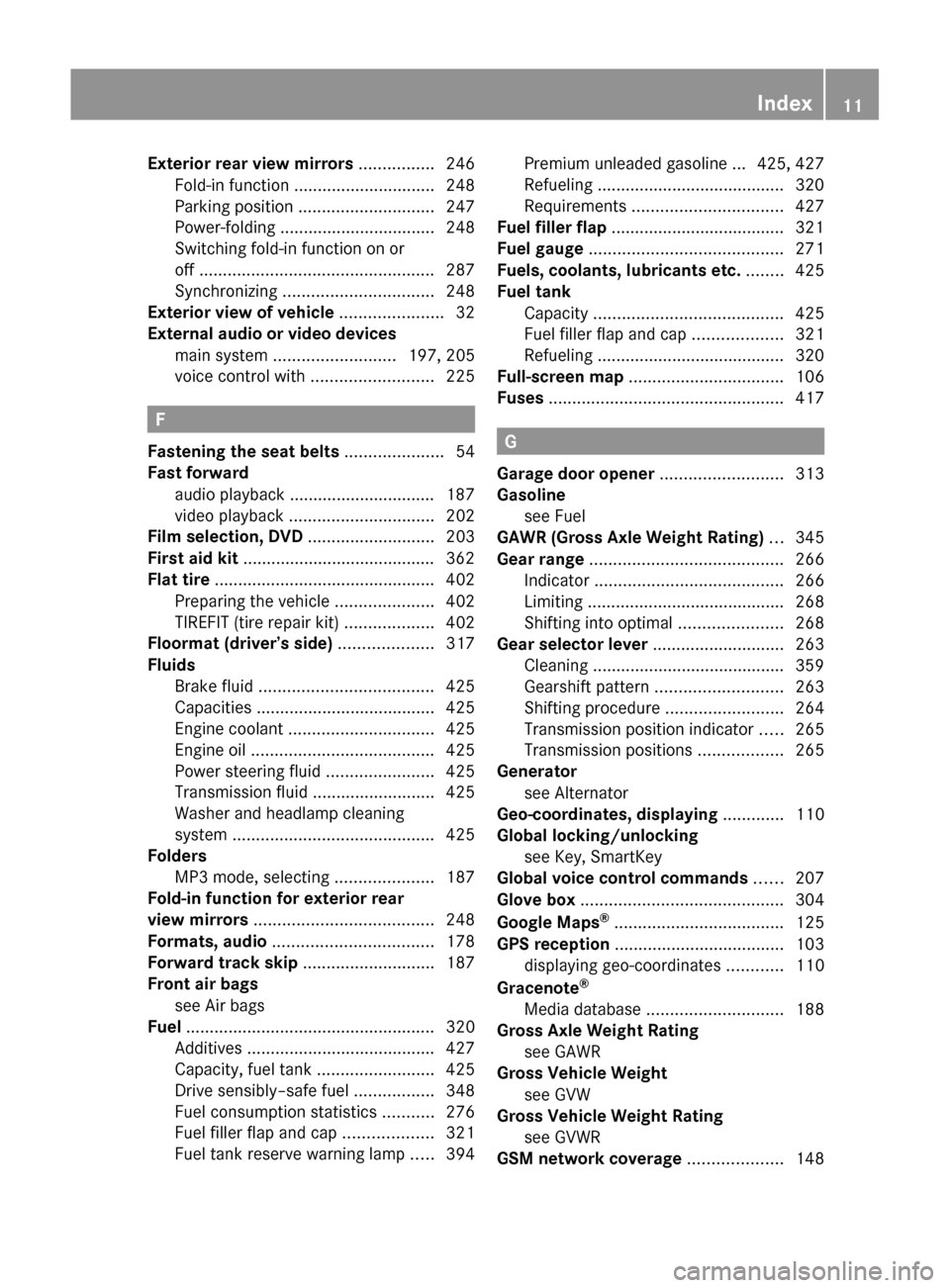
Exterior rear view mirrors ................ 246
Fold-in function .............................. 248
Parking position ............................. 247
Power-folding ................................. 248
Switching fold-in function on or
off .................................................. 287
Synchronizing ................................ 248
Exterior view of vehicle ...................... 32
External audio or video devices main system .......................... 197, 205
voice control with .......................... 225
F
Fastening the seat belts ..................... 54
Fast forward audio playback ............................... 187
video playback ............................... 202
Film selection, DVD ........................... 203
First aid kit ......................................... 362
Flat tire ............................................... 402
Preparing the vehicle .....................402
TIREFIT (tire repair kit) ...................402
Floormat (driver’s side) .................... 317
Fluids Brake fluid ..................................... 425
Capacities ...................................... 425
Engine coolant ............................... 425
Engine oil ....................................... 425
Power steering fluid .......................425
Transmission fluid ..........................425
Washer and headlamp cleaning
system ........................................... 425
Folders
MP3 mode, selecting .....................187
Fold-in function for exterior rear
view mirrors ...................................... 248
Formats, audio .................................. 178
Forward track skip ............................ 187
Front air bags see Air bags
Fuel ..................................................... 320
Additives ........................................ 427
Capacity, fuel tank .........................425
Drive sensibly–safe fuel .................348
Fuel consumption statistics ...........276
Fuel filler flap and cap ...................321
Fuel tank reserve warning lamp .....394
Premium unleaded gasoline ... 425, 427
Refueling ........................................ 320
Requirements ................................ 427
Fuel filler flap ..................................... 321
Fuel gauge ......................................... 271
Fuels, coolants, lubricants etc. ........ 425
Fuel tank Capacity ........................................ 425
Fuel filler flap and cap ...................321
Refueling ........................................ 320
Full-screen map ................................. 106
Fuses .................................................. 417
G
Garage door opener .......................... 313
Gasoline see Fuel
GAWR (Gross Axle Weight Rating) ... 345
Gear range ......................................... 266
Indicator ........................................ 266
Limiting .......................................... 268
Shifting into optimal ......................268
Gear selector lever ............................ 263
Cleaning ......................................... 359
Gearshift pattern ........................... 263
Shifting procedure .........................264
Transmission position indicator .....265
Transmission positions ..................265
Generator
see Alternator
Geo-coordinates, displaying ............. 110
Global locking/unlocking see Key, SmartKey
Global voice control commands ...... 207
Glove box ........................................... 304
Google Maps ®
.................................... 125
GPS reception .................................... 103
displaying geo-coordinates ............110
Gracenote ®
Media database ............................. 188
Gross Axle Weight Rating
see GAWR
Gross Vehicle Weight
see GVW
Gross Vehicle Weight Rating
see GVWR
GSM network coverage .................... 148
Index11BA 197 USA, CA Edition A 2011; 1; 27, en-UShereepeVersion: 3.0.3.52010-03-24T15:31:10+01:00 - Seite 11
Page 17 of 436
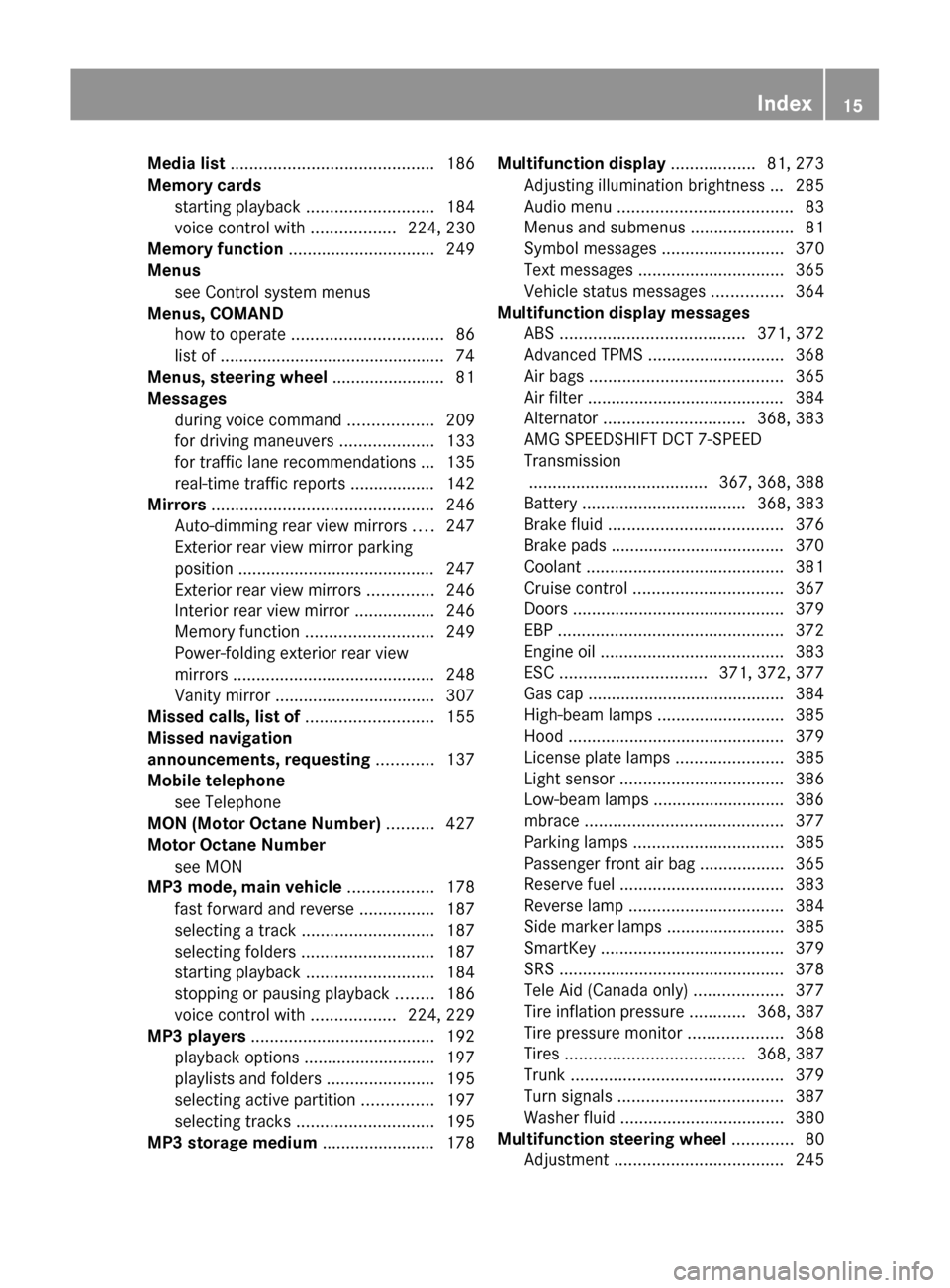
Media list ........................................... 186
Memory cards starting playback ........................... 184
voice control with ..................224, 230
Memory function ............................... 249
Menus see Control system menus
Menus, COMAND
how to operate ................................ 86
list of ................................................ 74
Menus, steering wheel ........................ 81
Messages during voice command ..................209
for driving maneuvers ....................133
for traffic lane recommendations ... 135
real-time traffic reports .................. 142
Mirrors ............................................... 246
Auto-dimming rear view mirrors ....247
Exterior rear view mirror parking
position .......................................... 247
Exterior rear view mirrors ..............246
Interior rear view mirror .................246
Memory function ........................... 249
Power-folding exterior rear view
mirrors ........................................... 248
Vanity mirror .................................. 307
Missed calls, list of ........................... 155
Missed navigation
announcements, requesting ............ 137
Mobile telephone see Telephone
MON (Motor Octane Number) .......... 427
Motor Octane Number see MON
MP3 mode, main vehicle .................. 178
fast forward and reverse ................187
selecting a track ............................ 187
selecting folders ............................ 187
starting playback ........................... 184
stopping or pausing playback ........186
voice control with ..................224, 229
MP3 players ....................................... 192
playback options ............................ 197
playlists and folders .......................195
selecting active partition ...............197
selecting tracks ............................. 195
MP3 storage medium ........................ 178Multifunction display .................. 81, 273
Adjusting illumination brightness ... 285
Audio menu ..................................... 83
Menus and submenus ......................81
Symbol messages ..........................370
Text messages ............................... 365
Vehicle status messages ...............364
Multifunction display messages
ABS ....................................... 371, 372
Advanced TPMS ............................. 368
Air bags ......................................... 365
Air filter .......................................... 384
Alternator .............................. 368, 383
AMG SPEEDSHIFT DCT 7-SPEED
Transmission
...................................... 367, 368, 388
Battery ................................... 368, 383
Brake fluid ..................................... 376
Brake pads ..................................... 370
Coolant .......................................... 381
Cruise control ................................ 367
Doors ............................................. 379
EBP ................................................ 372
Engine oil ....................................... 383
ESC ............................... 371, 372, 377
Gas cap .......................................... 384
High-beam lamps ........................... 385
Hood .............................................. 379
License plate lamps .......................385
Light sensor ................................... 386
Low-beam lamps ............................ 386
mbrace .......................................... 377
Parking lamps ................................ 385
Passenger front air bag ..................365
Reserve fuel ................................... 383
Reverse lamp ................................. 384
Side marker lamps .........................385
SmartKey ....................................... 379
SRS ................................................ 378
Tele Aid (Canada only) ...................377
Tire inflation pressure ............368, 387
Tire pressure monitor ....................368
Tires ...................................... 368, 387
Trunk ............................................. 379
Turn signals ................................... 387
Washer fluid ................................... 380
Multifunction steering wheel ............. 80
Adjustment .................................... 245Index15BA 197 USA, CA Edition A 2011; 1; 27, en-UShereepeVersion: 3.0.3.52010-03-24T15:31:10+01:00 - Seite 15
Page 22 of 436
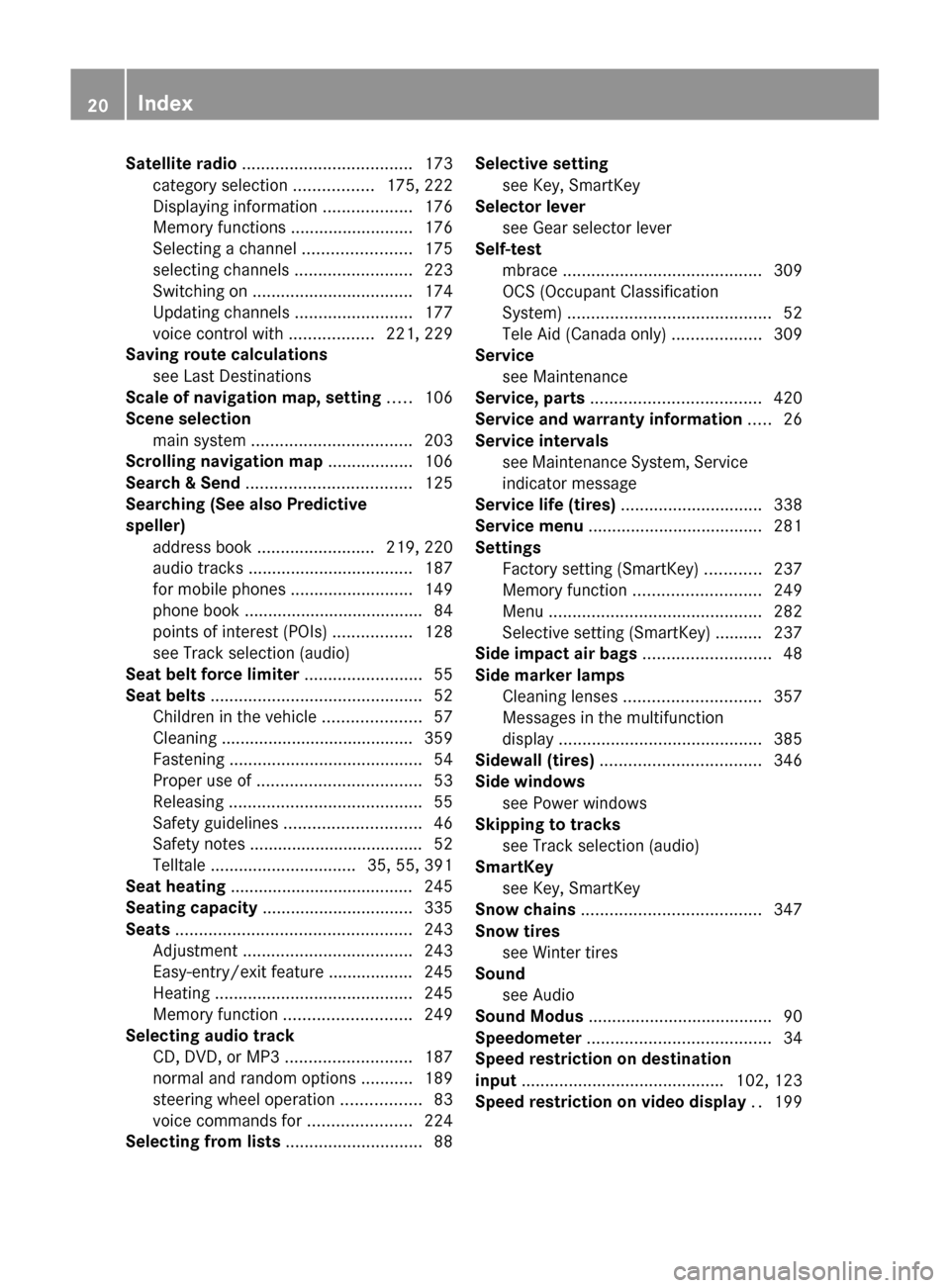
Satellite radio .................................... 173
category selection .................175, 222
Displaying information ...................176
Memory functions ..........................176
Selecting a channel .......................175
selecting channels .........................223
Switching on .................................. 174
Updating channels .........................177
voice control with ..................221, 229
Saving route calculations
see Last Destinations
Scale of navigation map, setting ..... 106
Scene selection main system .................................. 203
Scrolling navigation map .................. 106
Search & Send ................................... 125
Searching (See also Predictive
speller) address book ......................... 219, 220
audio tracks ................................... 187
for mobile phones ..........................149
phone book ...................................... 84
points of interest (POIs) .................128
see Track selection (audio)
Seat belt force limiter ......................... 55
Seat belts ............................................. 52
Children in the vehicle .....................57
Cleaning ......................................... 359
Fastening ......................................... 54
Proper use of ................................... 53
Releasing ......................................... 55
Safety guidelines ............................. 46
Safety notes ..................................... 52
Telltale ............................... 35, 55, 391
Seat heating ....................................... 245
Seating capacity ................................ 335
Seats .................................................. 243
Adjustment .................................... 243
Easy-entry/exit feature .................. 245
Heating .......................................... 245
Memory function ........................... 249
Selecting audio track
CD, DVD, or MP3 ........................... 187
normal and random options ...........189
steering wheel operation .................83
voice commands for ......................224
Selecting from lists ............................. 88Selective setting
see Key, SmartKey
Selector lever
see Gear selector lever
Self-test
mbrace .......................................... 309
OCS (Occupant Classification
System) ........................................... 52
Tele Aid (Canada only) ...................309
Service
see Maintenance
Service, parts .................................... 420
Service and warranty information ..... 26
Service intervals see Maintenance System, Service
indicator message
Service life (tires) .............................. 338
Service menu ..................................... 281
Settings Factory setting (SmartKey) ............237
Memory function ........................... 249
Menu ............................................. 282
Selective setting (SmartKey) .......... 237
Side impact air bags ........................... 48
Side marker lamps Cleaning lenses ............................. 357
Messages in the multifunction
display ........................................... 385
Sidewall (tires) .................................. 346
Side windows see Power windows
Skipping to tracks
see Track selection (audio)
SmartKey
see Key, SmartKey
Snow chains ...................................... 347
Snow tires see Winter tires
Sound
see Audio
Sound Modus ....................................... 90
Speedometer ....................................... 34
Speed restriction on destination
input ........................................... 102, 123
Speed restriction on video display .. 19920IndexBA 197 USA, CA Edition A 2011; 1; 27, en-UShereepeVersion: 3.0.3.52010-03-24T15:31:10+01:00 - Seite 20
Page 63 of 436
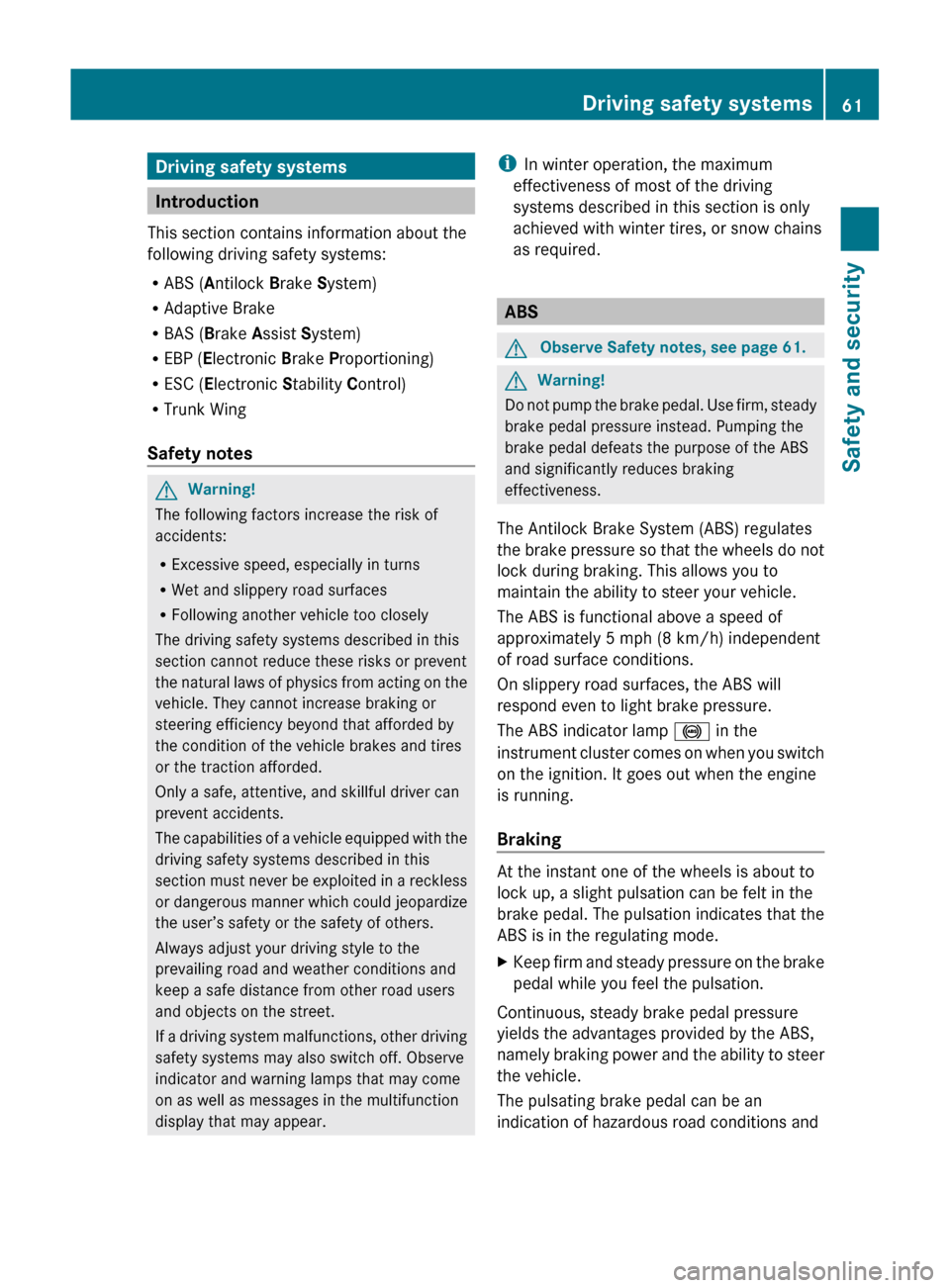
Driving safety systems
Introduction
This section contains information about the
following driving safety systems:
R ABS ( Antilock Brake System)
R Adaptive Brake
R BAS ( Brake Assist System)
R EBP ( Electronic Brake Proportioning)
R ESC ( Electronic Stability Control)
R Trunk Wing
Safety notes
GWarning!
The following factors increase the risk of
accidents:
R Excessive speed, especially in turns
R Wet and slippery road surfaces
R Following another vehicle too closely
The driving safety systems described in this
section cannot reduce these risks or prevent
the natural laws of physics from acting on the
vehicle. They cannot increase braking or
steering efficiency beyond that afforded by
the condition of the vehicle brakes and tires
or the traction afforded.
Only a safe, attentive, and skillful driver can
prevent accidents.
The capabilities of a vehicle equipped with the
driving safety systems described in this
section must never be exploited in a reckless
or dangerous manner which could jeopardize
the user’s safety or the safety of others.
Always adjust your driving style to the
prevailing road and weather conditions and
keep a safe distance from other road users
and objects on the street.
If a driving system malfunctions, other driving
safety systems may also switch off. Observe
indicator and warning lamps that may come
on as well as messages in the multifunction
display that may appear.
i In winter operation, the maximum
effectiveness of most of the driving
systems described in this section is only
achieved with winter tires, or snow chains
as required.
ABS
GObserve Safety notes, see page 61.GWarning!
Do not pump the brake pedal. Use firm, steady
brake pedal pressure instead. Pumping the
brake pedal defeats the purpose of the ABS
and significantly reduces braking
effectiveness.
The Antilock Brake System (ABS) regulates
the brake pressure so that the wheels do not
lock during braking. This allows you to
maintain the ability to steer your vehicle.
The ABS is functional above a speed of
approximately 5 mph (8 km/h) independent
of road surface conditions.
On slippery road surfaces, the ABS will
respond even to light brake pressure.
The ABS indicator lamp ! in the
instrument cluster comes on when you switch
on the ignition. It goes out when the engine
is running.
Braking
At the instant one of the wheels is about to
lock up, a slight pulsation can be felt in the
brake pedal. The pulsation indicates that the
ABS is in the regulating mode.
XKeep firm and steady pressure on the brake
pedal while you feel the pulsation.
Continuous, steady brake pedal pressure
yields the advantages provided by the ABS,
namely braking power and the ability to steer
the vehicle.
The pulsating brake pedal can be an
indication of hazardous road conditions and
Driving safety systems61Safety and securityBA 197 USA, CA Edition A 2011; 1; 27, en-UShereepeVersion: 3.0.3.52010-03-24T15:31:10+01:00 - Seite 61Z
Page 237 of 436
Vehicle equipment ............................236
Locking and unlocking .....................236
Starter switch positions ...................241
Seats .................................................. 243
Multifunction steering wheel ..........245
Mirrors ............................................... 246
Memory function .............................. 249
Lighting .............................................. 249
Wipers ................................................ 253
Power windows ................................. 255
Driving and parking ..........................257
AMG SPEEDSHIFT DCT 7-SPEED
Transmission ..................................... 263
Instrument cluster ............................271
Control system .................................. 272
Driving systems ................................ 290
Climate control system ....................298
Rear window defroster .....................304
Loading and storing ..........................304
Useful features ................................. 306235Controls in detailBA 197 USA, CA Edition A 2011; 1; 27, en-UShereepeVersion: 3.0.3.52010-03-24T15:31:10+01:00 - Seite 235
Page 245 of 436
beam headlamp indicator lamp, high-beam
headlamp indicator lamp, and the turn signal
indicator lamps will only come on if activated.
If a lamp in the instrument cluster fails to
come on when the ignition is switched on,
have it checked and replaced if necessary. If
a lamp in the instrument cluster remains on
after starting the engine or comes on while
driving, refer to “Lamps in instrument cluster”
( Y page 388).XAlways remove the SmartKey from the
starter switch when the engine is not in
operation.
This will help to prevent accelerated vehicle
battery discharge or a completely
discharged vehicle battery.
If the SmartKey cannot be turned in the
starter switch, the vehicle battery may not be
sufficiently charged.
XCheck the vehicle battery and charge it if
necessary ( Y page 410).
or
XGet a jump start ( Y page 413).
i
If the SmartKey does not belong to the
vehicle, the SmartKey can be turned in the
starter switch. However, the ignition does
not switch on and the engine does not start.
Seats
Safety notes
GWarning!
In order to avoid possible loss of vehicle
control the following must be done before the
vehicle is put into motion:
R seat adjustment
R steering wheel adjustment
R rear view mirror adjustment
R fastening of seat belts
GWarning!
Do not adjust the driver’s seat while driving.
Adjusting the seat while driving could cause
the driver to lose control of the vehicle.
Never ride in a moving vehicle with the seat
backrest in an excessively reclined position as
this can be dangerous. You could slide under
the seat belt in a collision. If you slide under
it, the seat belt would apply force at the
abdomen or neck. That could cause serious
or fatal injuries. The seat backrest and seat
belts provide the best restraint when the
wearer is in a position that is as upright as
possible and seat belts are properly
positioned on the body.
GWarning!
Your seat must be adjusted so that you can
correctly fasten your seat belt.
Observe the following points:
R Adjust the seat backrest until your arms are
slightly angled when holding the steering
wheel.
R Adjust the seat to a comfortable seating
position that still allows you to reach the
accelerator/brake pedal safely. The
position should be as far back as possible
with the driver still able to operate the
controls properly.
R Never place hands under the seat or near
any moving parts while a seat is being
adjusted.
Failure to do so could result in an accident
and/or serious personal injury.
GWarning!
The power seats can be operated at any time.
Therefore, do not leave children unattended
in the vehicle, or with access to an unlocked
vehicle. A child’s unsupervised access to a
vehicle could result in an accident and/or
serious personal injury.
Seats243Controls in detailBA 197 USA, CA Edition A 2011; 1; 27, en-UShereepeVersion: 3.0.3.52010-03-24T15:31:10+01:00 - Seite 243Z
Page 246 of 436
GWarning!
Children 12 years old and under must be
seated and properly secured in an
appropriately sized infant restraint, toddler
restraint, or booster seat recommended for
the size and weight of the child. For additional
information, see section “Children in the
vehicle”.
A child’s risk of serious or fatal injuries is
significantly increased if the child restraints
are not properly secured in the vehicle and/
or the child is not properly secured in the child
restraint.
Seat adjustment
! When moving the seats, make sure there
are no items in the footwell or behind the
seats. Otherwise, you could damage the
seats and/or the items.
Power seats
iThe memory function (Y page 249) lets
you store the settings for the seat position
together with the settings for the steering
wheel and the exterior rear view mirrors.
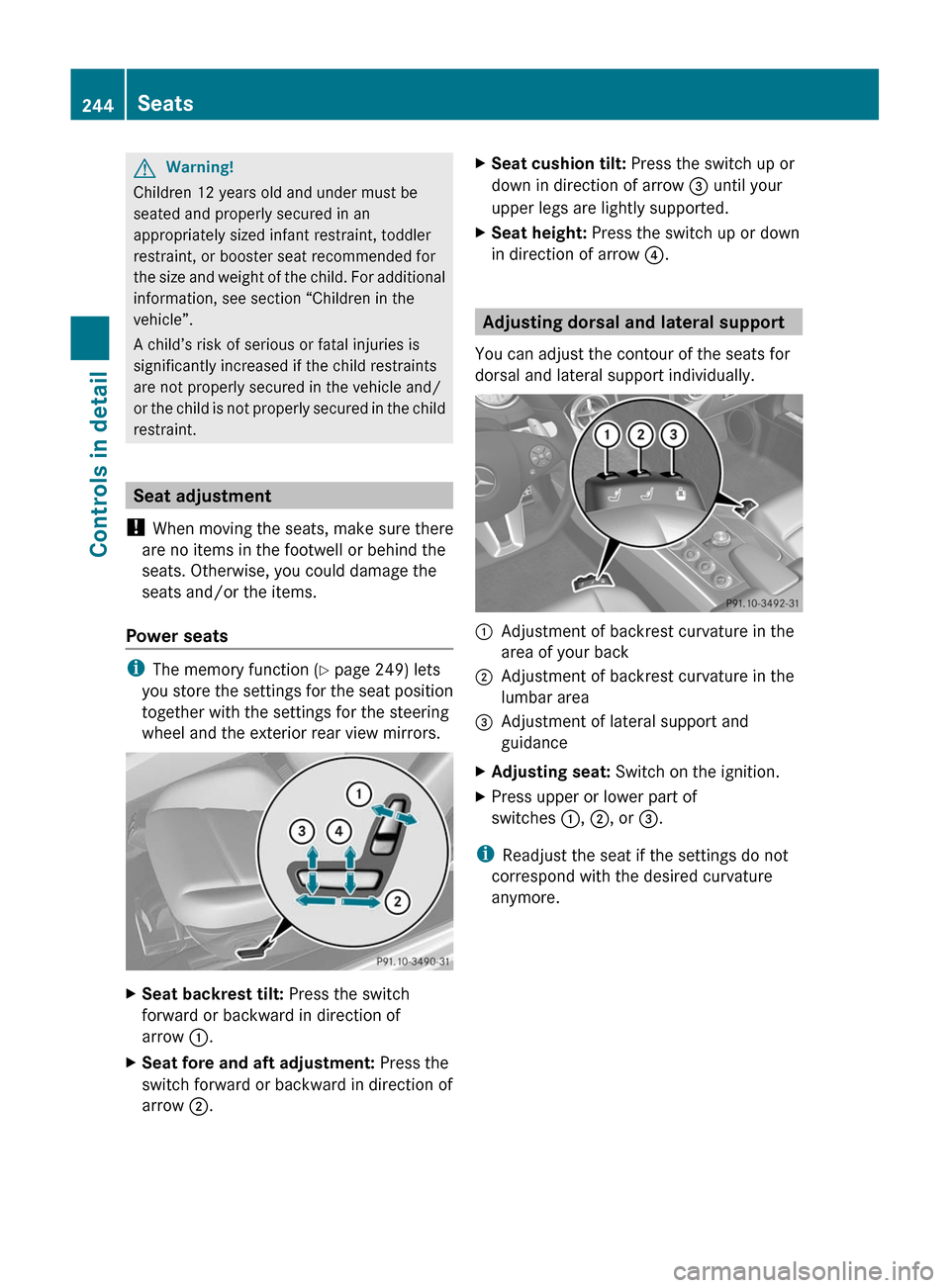
XSeat backrest tilt: Press the switch
forward or backward in direction of
arrow :.
XSeat fore and aft adjustment: Press the
switch forward or backward in direction of
arrow ;.
XSeat cushion tilt: Press the switch up or
down in direction of arrow = until your
upper legs are lightly supported.
XSeat height: Press the switch up or down
in direction of arrow ?.
Adjusting dorsal and lateral support
You can adjust the contour of the seats for
dorsal and lateral support individually.
:Adjustment of backrest curvature in the
area of your back
;Adjustment of backrest curvature in the
lumbar area
=Adjustment of lateral support and
guidance
XAdjusting seat: Switch on the ignition.XPress upper or lower part of
switches :, ;, or =.
iReadjust the seat if the settings do not
correspond with the desired curvature
anymore.
244SeatsControls in detail
BA 197 USA, CA Edition A 2011; 1; 27, en-UShereepeVersion: 3.0.3.52010-03-24T15:31:10+01:00 - Seite 244
Page 259 of 436
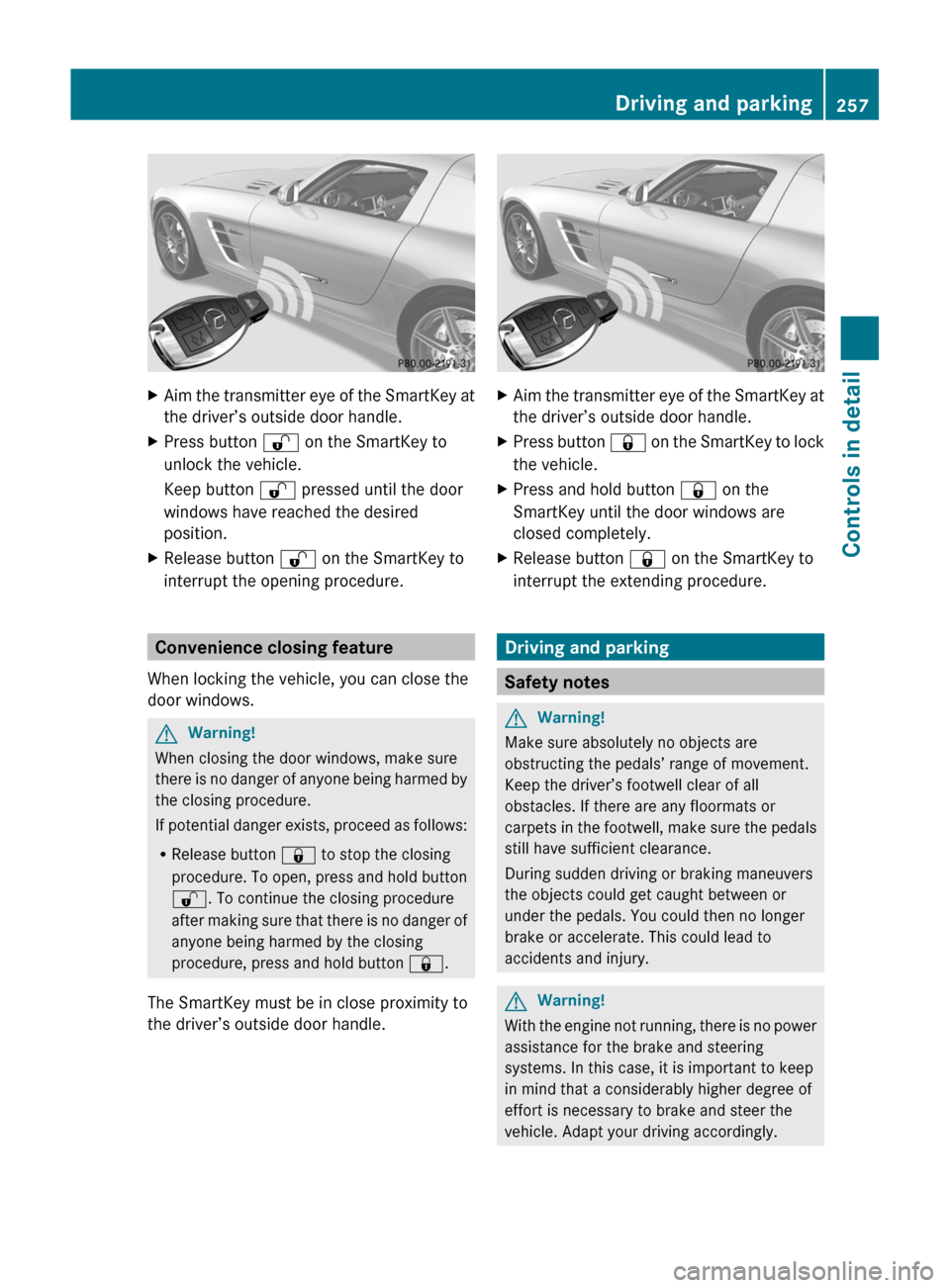
XAim the transmitter eye of the SmartKey at
the driver’s outside door handle.XPress button % on the SmartKey to
unlock the vehicle.
Keep button % pressed until the door
windows have reached the desired
position.XRelease button % on the SmartKey to
interrupt the opening procedure.
Convenience closing feature
When locking the vehicle, you can close the
door windows.
GWarning!
When closing the door windows, make sure
there is no danger of anyone being harmed by
the closing procedure.
If potential danger exists, proceed as follows:
R Release button & to stop the closing
procedure. To open, press and hold button
% . To continue the closing procedure
after making sure that there is no danger of
anyone being harmed by the closing
procedure, press and hold button &.
The SmartKey must be in close proximity to
the driver’s outside door handle.
XAim the transmitter eye of the SmartKey at
the driver’s outside door handle.XPress button & on the SmartKey to lock
the vehicle.XPress and hold button & on the
SmartKey until the door windows are
closed completely.XRelease button & on the SmartKey to
interrupt the extending procedure.
Driving and parking
Safety notes
GWarning!
Make sure absolutely no objects are
obstructing the pedals’ range of movement.
Keep the driver’s footwell clear of all
obstacles. If there are any floormats or
carpets in the footwell, make sure the pedals
still have sufficient clearance.
During sudden driving or braking maneuvers
the objects could get caught between or
under the pedals. You could then no longer
brake or accelerate. This could lead to
accidents and injury.
GWarning!
With the engine not running, there is no power
assistance for the brake and steering
systems. In this case, it is important to keep
in mind that a considerably higher degree of
effort is necessary to brake and steer the
vehicle. Adapt your driving accordingly.
Driving and parking257Controls in detailBA 197 USA, CA Edition A 2011; 1; 27, en-UShereepeVersion: 3.0.3.52010-03-24T15:31:10+01:00 - Seite 257Z
Page 264 of 436
iIf you have not fastened your seat belt,
the following conditions must be met in
order for the electronic parking brake to
release automatically:
R The driver’s door is closed and you shift
the transmission out of park position P.
or
R The driver’s door is closed and you drive
faster than 2 mph (3 km/h).
Emergency braking with electronic
parking brake
In an emergency situation, you can also brake
your vehicle by using the electronic parking
brake.XWhile driving, press handle :.
All four wheels of the vehicle will be braked
for as long as you press and hold the handle
for the electronic parking brake. The longer
you keep the handle pressed, the stronger
your vehicle will be braked.
During the braking procedure
R an acoustic warning sounds
R the message Release Parking Brake
appears in the multifunction display
R the red indicator lamp for the electronic
parking brake F (USA only) or !
(Canada only) in the instrument cluster
flashes
Once the vehicle comes to a complete stop,
the electronic parking brake will engage
automatically.
Turning off the engine
GWarning!
Do not turn off the engine before the vehicle
has come to a complete stop. With the engine
not running, there is no power assistance for
the brake and steering systems. In this case,
it is important to keep in mind that a
considerably higher degree of effort is
necessary to brake and steer the vehicle.
XShift the transmission into park position P .With KEYLESS-GOXPress the KEYLESS-GO start/stop button.
With the driver’s door closed, the starter
switch is now in position 1. With the driver’s
door opened, the starter switch is set to
position 0, same as the SmartKey removed
from the starter switch ( Y page 242).
Read and observe messages that may appear
in the multifunction display ( Y page 367).
i The transmission will shift into neutral
position N automatically when you turn off
the engine with the transmission in reverse
gear R or drive position D.
The transmission will remain in neutral
position N for approximately 30 minutes
when you have shifted the transmission to
neutral position N before turning off the
engine.
The transmission will shift into park
position P automatically when you open a
door during this period.
i In an emergency you can turn off the
engine while driving by pressing and
holding the KEYLESS-GO start/stop button
for approximately 3 seconds.
With SmartKey
! Do not remove the SmartKey from the
starter switch while driving. When driving
at low speed, the transmission will
otherwise shift into park position P
automatically. The transmission could be
damaged as a result.
XTurn the SmartKey in the starter switch to
position 0.XRemove the SmartKey from the starter
switch.
Read and observe messages that may appear
in the multifunction display ( Y page 367).
i The transmission will shift into neutral
position N automatically when you turn off
the engine with the transmission in reverse
gear R or drive position D.
262Driving and parkingControls in detail
BA 197 USA, CA Edition A 2011; 1; 27, en-UShereepeVersion: 3.0.3.52010-03-24T15:31:10+01:00 - Seite 262
Page 311 of 436
steps may result in a system that is not
activated.
If you have any questions regarding
activation, please call the Response Center
at 866-990-9007 (USA only) or
1-888-923-8367 (Canada only).
Shortly after the completion of your mbrace
acquaintance call, you will receive an account
number via email. You will also receive a two-
part welcome kit via mail that will provide
your account and Personal Identification
Number (PIN). You will only need the PIN once
to access the mbrace account section in
“Owners Online” at
http://www.MBUSA.com (USA only).
The mbrace system is available if
R it has been activated and is operational.
Activation requires a subscription for
monitoring services, connection and
cellular air time
R vehicle battery power is available
R the relevant cellular phone network and
GPS signals are available
i Location of the vehicle on a map is only
possible if the vehicle is able to receive
signals from the GPS satellite network and
pass the information on to the Response
Center.
The mbrace system
The mbrace system consists of three types of
response:
R Automatic and manual emergency
R Roadside Assistance
R Information
To adjust the speaker volume during a
mbrace call do the following:
XPress button W or X on the
multifunction steering wheel.
or
XUse the volume adjustment button on your
COMAND system.Be sure to check “Owners Online” at
http://www.MBUSA.com (USA only) for
more information and a description of all
available features.
System self-test
The system performs a self-test after you
have switched on the ignition.
GWarning!
A malfunction in the system has been
detected if any or all of the following
conditions occur:
R The indicator lamp in the SOS button does
not come on during the system self-test.
R The indicator lamp in the wrench button
F does not come on during the system
self-test.
R The indicator lamp in the Information
button ï does not come on during the
system self-test.
R The indicator lamp in the SOS button,
wrench button F, or Information button
ï remains illuminated constantly in red
after the system self-test.
R The message Tele Aid Inoperative or
Tele Aid Not Activated appears in the
multifunction display after the system self-
test.
If a malfunction is indicated as outlined above,
the system may not operate as expected. In
case of an emergency, help will have to be
summoned by other means.
Have the system checked at the nearest
Mercedes-Benz Center or contact the
Response Center at 866-990-9007 (USA
only) or 1-888-923-8367 (Canada only) as
soon as possible.
Emergency calls
! In order to activate the mbrace system, a
subscriber agreement must be completed.
To ensure your system is activated and
operational, please press Information
button ï to perform the acquaintance
Useful features309Controls in detailBA 197 USA, CA Edition A 2011; 1; 27, en-UShereepeVersion: 3.0.3.52010-03-24T15:31:10+01:00 - Seite 309Z