engine MERCEDES-BENZ SLS AMG COUPE 2012 Repair Manual
[x] Cancel search | Manufacturer: MERCEDES-BENZ, Model Year: 2012, Model line: SLS AMG COUPE, Model: MERCEDES-BENZ SLS AMG COUPE 2012Pages: 288, PDF Size: 18.46 MB
Page 160 of 288
If you have activated the Daytime Running
Lights function and the light switch is in the
à or c position, the daytime running
lamps are switched on automatically when
the engine is running. If it is dark, the low-
beam headlamps switch on automatically.
In the dark, the following also light up:
R the low-beam headlamps
R the standing lamps
R the tail lamps
R the license plate lamp
R the side marker lampsXPress the = or ; button on the
steering wheel to select the Settings
menu.XPress the : or 9 button to select the
LIGHTS submenu.XPress the a button to confirm.XPress the : or 9 button to select the
Daytime Running Lights function.
You will see the selected setting: Enabled
or Disabled .XPress the a button to save the setting.
Setting the brightness for the display and
switches
You can use the Brightness display/
switches function to set the brightness of
the multifunction display and the switches in
the vehicle.
XPress the = or ; button on the
steering wheel to select the Settings
menu.XPress the : or 9 button to select the
Light submenu.XPress the a button to confirm.XPress the : or 9 button to select the
Brightness Display/Switches:
function.
You see the selected setting Level with a
value of between 0 and 100.XPress the a button to save the setting.XPress the : or 9 button to increase
or decrease the brightness.
Activating/deactivating surround
lighting and exterior lighting delayed
switch-off
The Locator lighting function allows you
to set whether the exterior lighting should
come on when it is dark:
R for 40 seconds after unlocking the vehicle
with the SmartKey
The exterior lighting switches off if you
open the driver’s door.
R for 15 seconds after switching off the
engine and closing the doors
If the engine is switched off and then none
of the doors are opened, or if an open door
is not closed, the exterior lighting goes out
after 60 seconds.
If you activate the Locator Lighting
function, the following light up:
R the parking lamps
R the low-beam headlamps
R the license plate lamp
R the surround lighting in the exterior mirrors
XPress the = or ; button on the
steering wheel to select the Settings
menu.XPress the : or 9 button to select the
Light submenu.XPress the a button to confirm.XPress the : or 9 button to select the
Locator Lighting function.
You will see the selected setting: on or
off .XPress the a button to save the setting.158Displays and operationOn-board computer and displays
Page 161 of 288
Deactivating the delayed switch-off
temporarily:XSelect key position 0 with the Start/Stop
button before leaving the vehicle.XSelect key position 2 and then key position
0 again with the Start/Stop button
The delayed switch-off is deactivated.
Delayed switch-off is reactivated the next
time you start the engine.
Activating/deactivating the interior
lighting delayed switch-off
If you select key position 0 with the Start/
Stop button when the Light. Delay
function is activated, the interior lighting
lights up for approximately 20 seconds if it is
dark.
XPress the = or ; button on the
steering wheel to select the Settings
menu.XPress the : or 9 button to select the
Light submenu.XPress the a button to confirm.XPress the : or 9 button to select the
Interior lighting delay sw. off
function.
You will see the selected setting: Enabled
or Disabled .XPress the a button to save the setting.
Vehicle
Activating/deactivating the automatic
door locking mechanism
If you select the Automatic Door Lock:
function, the vehicle is centrally locked above
a speed of around 9 mph(15 km/h).
i For further information on the automatic
locking feature, see ( Y page 71).
XPress the = or ; button on the
steering wheel to select the Settings
menu.XPress the : or 9 button to select the
Vehicle submenu.XPress the a button to confirm.XPress the : or 9 button to select the
Automatic door locks function.
You will see the selected setting: Enabled
or Disabled .XPress the a button to save the setting.
Activating/deactivating the acoustic
locking verification signal
You can use the Acoustic Lock function to
determine whether there is an acoustic
confirmation when locking and unlocking the
vehicle.
XPress the = or ; button on the
steering wheel to select the Settings
menu.XPress the : or 9 button to select the
VEHICLE submenu.XPress the a button to confirm.XPress the : or 9 button to select the
Acoustic Lock function.
You will see the selected setting:
Activated or Deactivated .XPress the a button to save the setting.
Convenience
Activating/deactivating the EASY-
ENTRY/EXIT feature
GWARNING
You must make sure no one can become
trapped or injured by the moving steering
wheel when the easy-entry/exit feature is
activated.
To stop steering wheel movement, move
steering wheel adjustment lever or press one
of the memory position buttons.
Do not leave children unattended in the
vehicle, or with access to an unlocked vehicle.
Children could open the driver's door and
unintentionally activate the easy-entry/exit
feature, which could result in an accident
and/or serious personal injury.
You can use the Easy Entry/Exit: function
to activate or deactivate the EASY-ENTRY/
EXIT feature ( Y page 88).
Displays and operation159On-board computer and displaysZ
Page 162 of 288
XPress the = or ; button on the
steering wheel to select the Settings
menu.XPress the : or 9 button to select the
Convenience submenu.XPress the a button to confirm.XPress the : or 9 button to select the
Easy Entry/Exit feature.
You will see the selected setting: on or
off .XPress the a button to save the setting.
Switching the fold-in exterior mirrors with
locking function on/off
If you switch on the Fold Mirrors in when
Locking: function, the exterior mirrors fold
in when you lock the vehicle. If you unlock the
vehicle and then open the driver's or front-
passenger door, the exterior mirrors fold out
again.
If you have switched the function on and you
fold the exterior mirrors in using the button
on the door (Y page 90), they will not fold out
automatically. The exterior mirrors can then
only be folded out using the button on the
door.
XPress the = or ; button on the
steering wheel to select the Settings
menu.XPress the : or 9 button to select the
CONVENIENCE submenu.XPress the a button to confirm.XPress the : or 9 button to select the
Fold mirrors in when locking:
function.
You will see the selected setting: on or
off .XPress the a button to save the setting.
Resetting to factory settings
For safety reasons, the Daytime Running
Lights: function in the Lights submenu is
only reset when the vehicle is stationary.
XPress the = or ; button on the
steering wheel to select the Settings
menu.XPress the : or 9 button to select the
Factory Settings submenu.XPress the a button to confirm.
The Reset All Settings? message
appears.XPress the : or 9 button to select
Yes or No.XPress the a button to confirm the
selection.
If you have selected Yes, the multifunction
display shows a confirmation message.
AMG menu
AMG displays
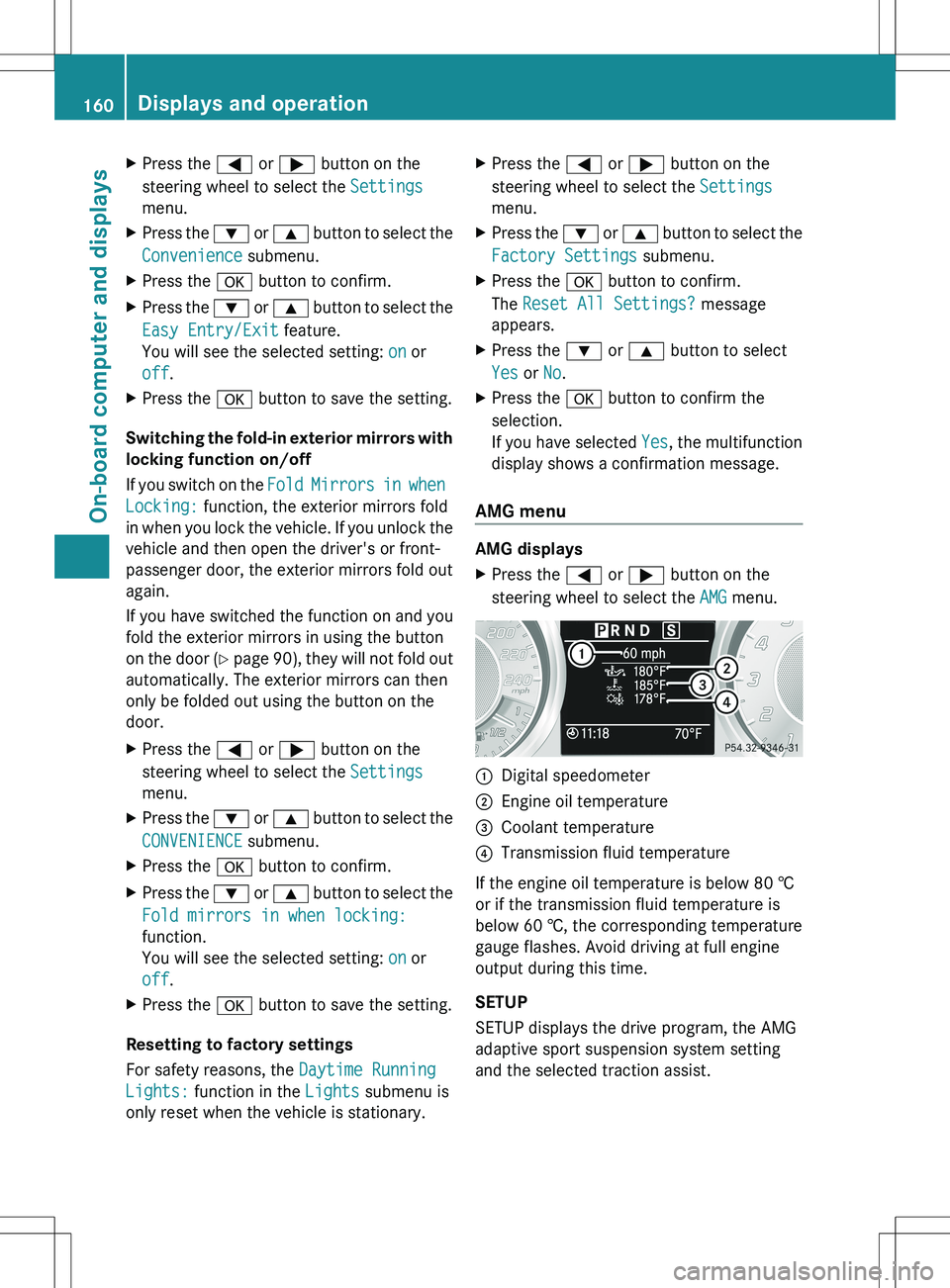
XPress the = or ; button on the
steering wheel to select the AMG menu.:Digital speedometer;Engine oil temperature=Coolant temperature?Transmission fluid temperature
If the engine oil temperature is below 80 †
or if the transmission fluid temperature is
below 60 †, the corresponding temperature
gauge flashes. Avoid driving at full engine
output during this time.
SETUP
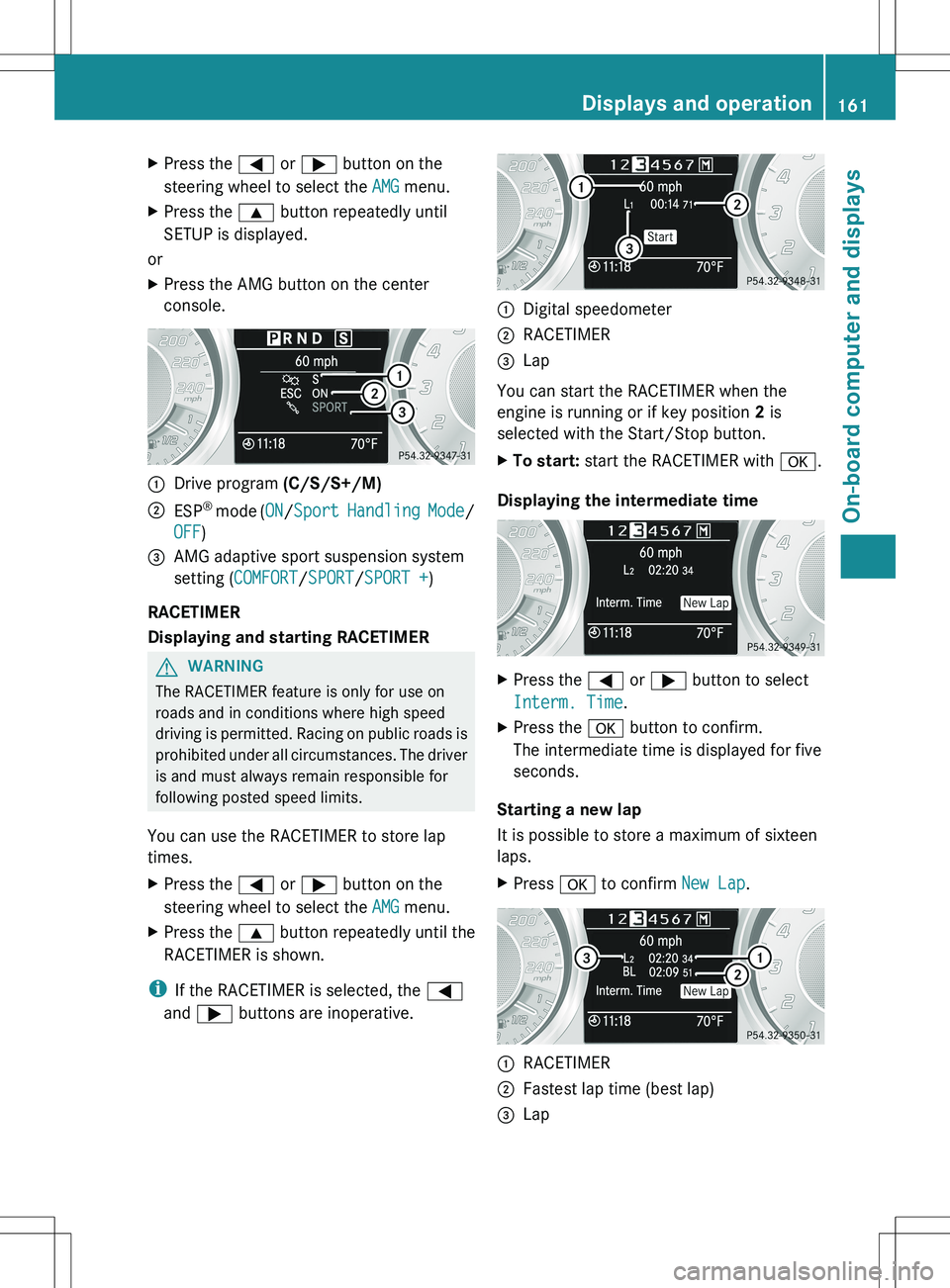
SETUP displays the drive program, the AMG
adaptive sport suspension system setting
and the selected traction assist.
160Displays and operationOn-board computer and displays
Page 163 of 288
XPress the = or ; button on the
steering wheel to select the AMG menu.XPress the 9 button repeatedly until
SETUP is displayed.
or
XPress the AMG button on the center
console.:Drive program (C/S/S+/M);ESP®
mode ( ON/Sport Handling Mode /
OFF )=AMG adaptive sport suspension system
setting ( COMFORT /SPORT /SPORT + )
RACETIMER
Displaying and starting RACETIMER
GWARNING
The RACETIMER feature is only for use on
roads and in conditions where high speed
driving is permitted. Racing on public roads is
prohibited under all circumstances. The driver
is and must always remain responsible for
following posted speed limits.
You can use the RACETIMER to store lap
times.
XPress the = or ; button on the
steering wheel to select the AMG menu.XPress the 9 button repeatedly until the
RACETIMER is shown.
i If the RACETIMER is selected, the =
and ; buttons are inoperative.
:Digital speedometer;RACETIMER=Lap
You can start the RACETIMER when the
engine is running or if key position 2 is
selected with the Start/Stop button.
XTo start: start the RACETIMER with a.
Displaying the intermediate time
XPress the = or ; button to select
Interm. Time .XPress the a button to confirm.
The intermediate time is displayed for five
seconds.
Starting a new lap
It is possible to store a maximum of sixteen
laps.
XPress a to confirm New Lap.:RACETIMER;Fastest lap time (best lap)=LapDisplays and operation161On-board computer and displaysZ
Page 164 of 288
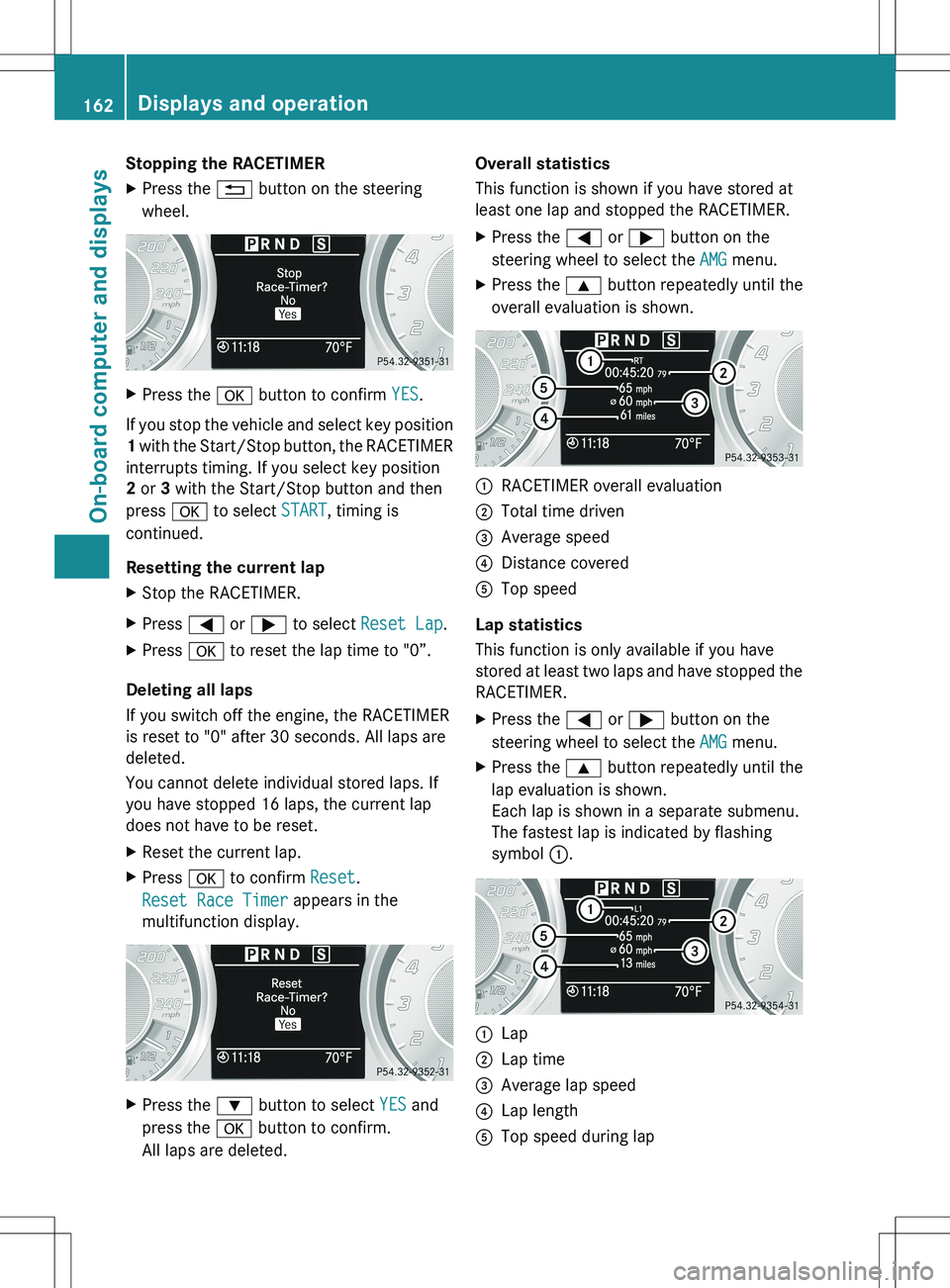
Stopping the RACETIMERXPress the % button on the steering
wheel.XPress the a button to confirm YES.
If you stop the vehicle and select key position
1 with the Start/Stop button, the RACETIMER
interrupts timing. If you select key position
2 or 3 with the Start/Stop button and then
press a to select START, timing is
continued.
Resetting the current lap
XStop the RACETIMER.XPress = or ; to select Reset Lap .XPress a to reset the lap time to "0”.
Deleting all laps
If you switch off the engine, the RACETIMER
is reset to "0" after 30 seconds. All laps are
deleted.
You cannot delete individual stored laps. If
you have stopped 16 laps, the current lap
does not have to be reset.
XReset the current lap.XPress a to confirm Reset.
Reset Race Timer appears in the
multifunction display.XPress the : button to select YES and
press the a button to confirm.
All laps are deleted.Overall statistics
This function is shown if you have stored at
least one lap and stopped the RACETIMER.XPress the = or ; button on the
steering wheel to select the AMG menu.XPress the 9 button repeatedly until the
overall evaluation is shown.:RACETIMER overall evaluation;Total time driven=Average speed?Distance coveredATop speed
Lap statistics
This function is only available if you have
stored at least two laps and have stopped the
RACETIMER.
XPress the = or ; button on the
steering wheel to select the AMG menu.XPress the 9 button repeatedly until the
lap evaluation is shown.
Each lap is shown in a separate submenu.
The fastest lap is indicated by flashing
symbol :.:Lap;Lap time=Average lap speed?Lap lengthATop speed during lap162Displays and operationOn-board computer and displays
Page 169 of 288
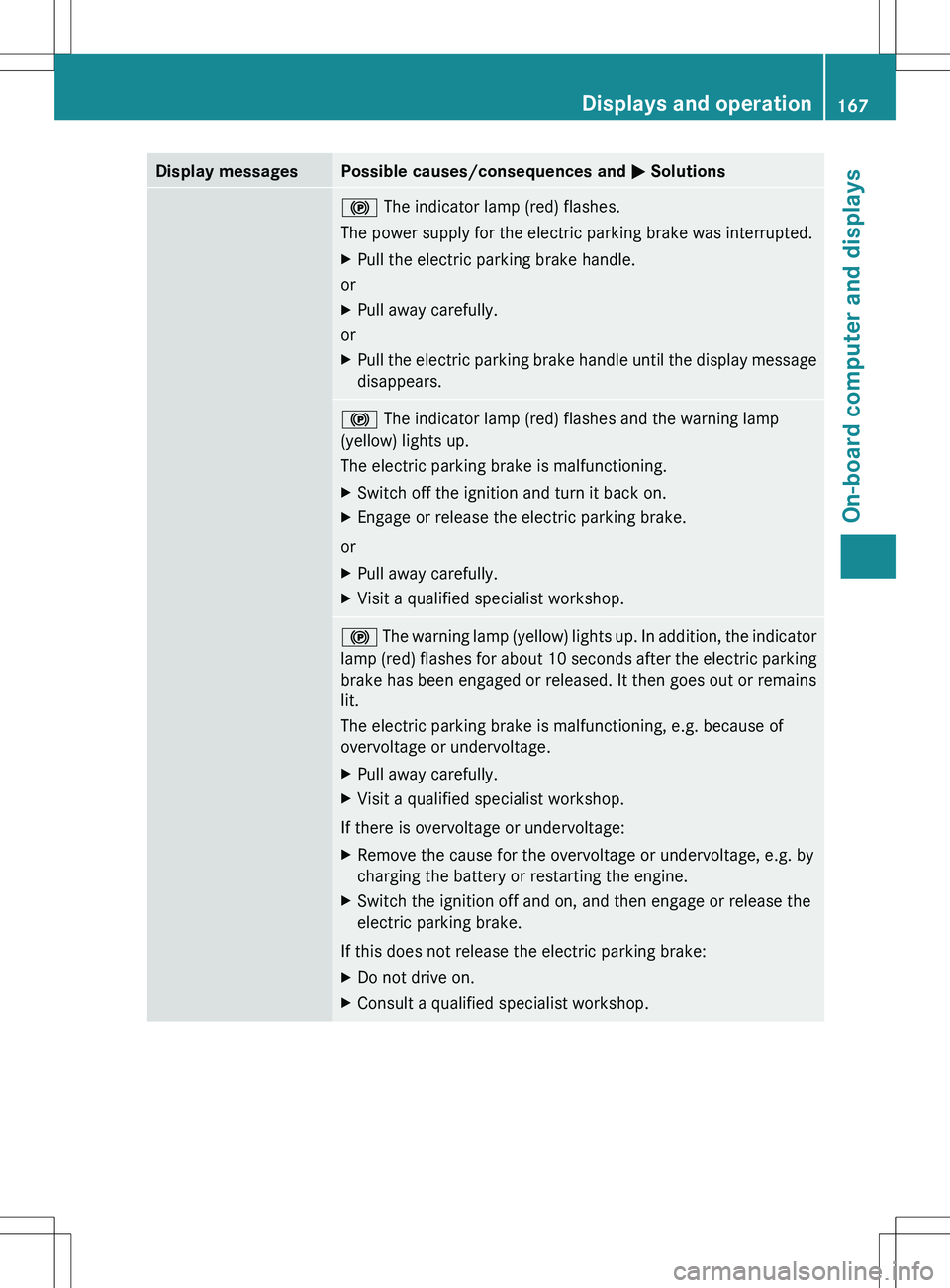
Display messagesPossible causes/consequences and M Solutions! The indicator lamp (red) flashes.
The power supply for the electric parking brake was interrupted.XPull the electric parking brake handle.
or
XPull away carefully.
or
XPull the electric parking brake handle until the display message
disappears.! The indicator lamp (red) flashes and the warning lamp
(yellow) lights up.
The electric parking brake is malfunctioning.XSwitch off the ignition and turn it back on.XEngage or release the electric parking brake.
or
XPull away carefully.XVisit a qualified specialist workshop.! The warning lamp (yellow) lights up. In addition, the indicator
lamp (red) flashes for about 10 seconds after the electric parking
brake has been engaged or released. It then goes out or remains
lit.
The electric parking brake is malfunctioning, e.g. because of
overvoltage or undervoltage.XPull away carefully.XVisit a qualified specialist workshop.
If there is overvoltage or undervoltage:
XRemove the cause for the overvoltage or undervoltage, e.g. by
charging the battery or restarting the engine.XSwitch the ignition off and on, and then engage or release the
electric parking brake.
If this does not release the electric parking brake:
XDo not drive on.XConsult a qualified specialist workshop.Displays and operation167On-board computer and displaysZ
Page 171 of 288
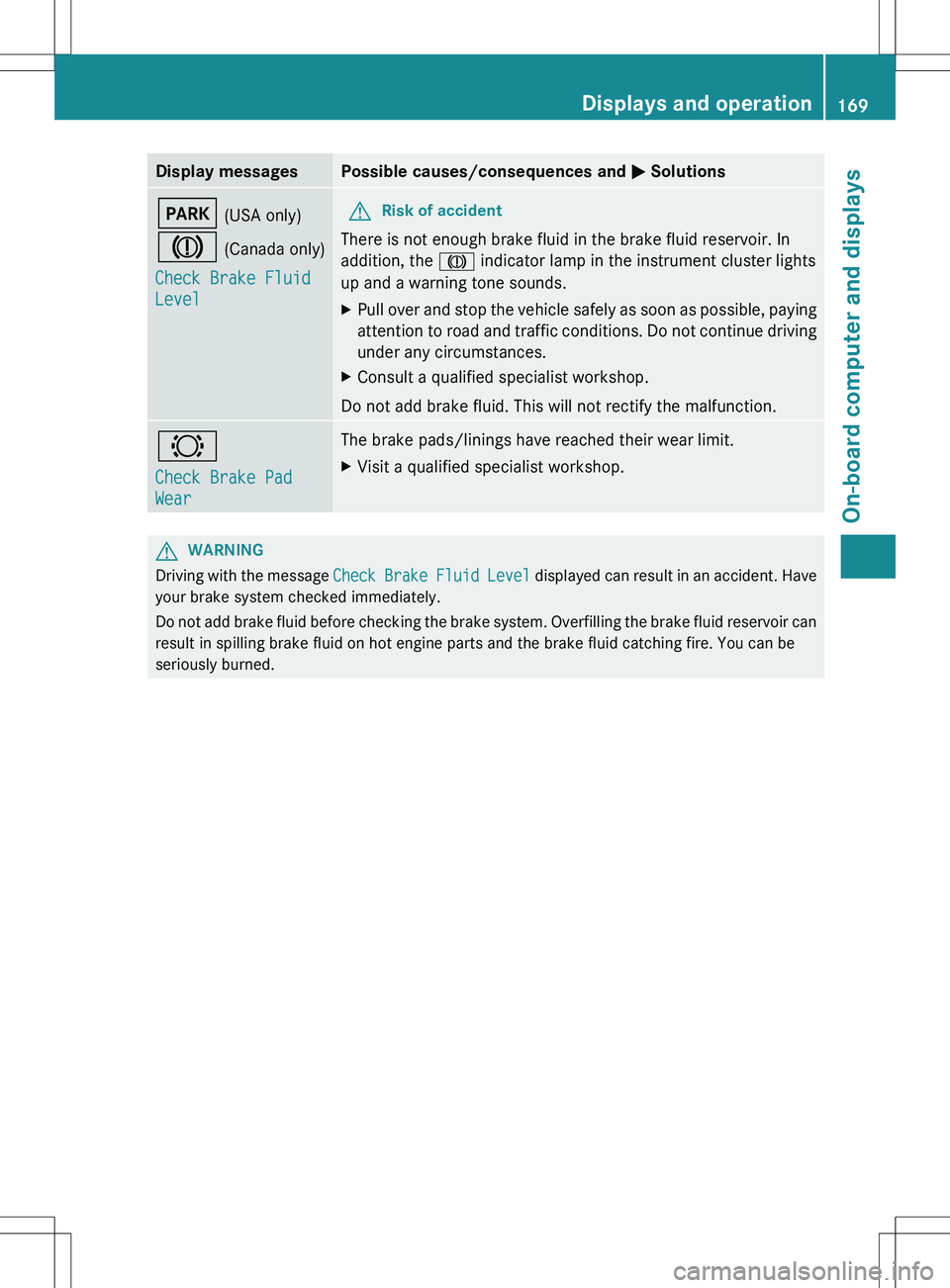
Display messagesPossible causes/consequences and M SolutionsF (USA only)
J (Canada only)
Check Brake Fluid
LevelGRisk of accident
There is not enough brake fluid in the brake fluid reservoir. In
addition, the J indicator lamp in the instrument cluster lights
up and a warning tone sounds.
XPull over and stop the vehicle safely as soon as possible, paying
attention to road and traffic conditions. Do not continue driving
under any circumstances.XConsult a qualified specialist workshop.
Do not add brake fluid. This will not rectify the malfunction.
#
Check Brake Pad
WearThe brake pads/linings have reached their wear limit.XVisit a qualified specialist workshop.GWARNING
Driving with the message Check Brake Fluid Level displayed can result in an accident. Have
your brake system checked immediately.
Do not add brake fluid before checking the brake system. Overfilling the brake fluid reservoir can
result in spilling brake fluid on hot engine parts and the brake fluid catching fire. You can be
seriously burned.
Displays and operation169On-board computer and displaysZ
Page 178 of 288
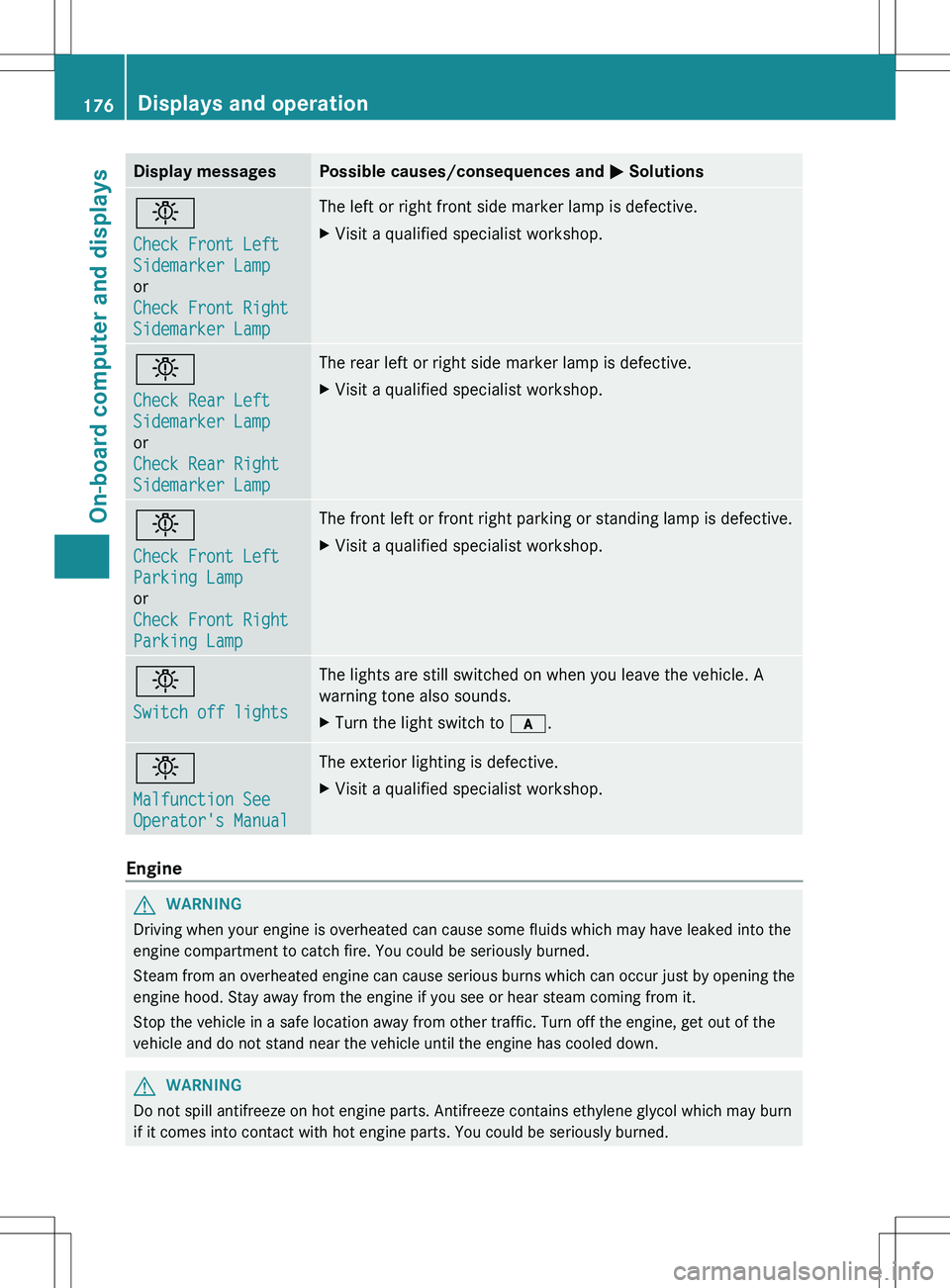
Display messagesPossible causes/consequences and M Solutionsb
Check Front Left
Sidemarker Lamp
or
Check Front Right
Sidemarker Lamp The left or right front side marker lamp is defective.XVisit a qualified specialist workshop.b
Check Rear Left
Sidemarker Lamp
or
Check Rear Right
Sidemarker LampThe rear left or right side marker lamp is defective.XVisit a qualified specialist workshop.b
Check Front Left
Parking Lamp
or
Check Front Right
Parking LampThe front left or front right parking or standing lamp is defective.XVisit a qualified specialist workshop.b
Switch off lightsThe lights are still switched on when you leave the vehicle. A
warning tone also sounds.XTurn the light switch to c.b
Malfunction See
Operator's ManualThe exterior lighting is defective.XVisit a qualified specialist workshop.
Engine
GWARNING
Driving when your engine is overheated can cause some fluids which may have leaked into the
engine compartment to catch fire. You could be seriously burned.
Steam from an overheated engine can cause serious burns which can occur just by opening the
engine hood. Stay away from the engine if you see or hear steam coming from it.
Stop the vehicle in a safe location away from other traffic. Turn off the engine, get out of the
vehicle and do not stand near the vehicle until the engine has cooled down.
GWARNING
Do not spill antifreeze on hot engine parts. Antifreeze contains ethylene glycol which may burn
if it comes into contact with hot engine parts. You could be seriously burned.
176Displays and operationOn-board computer and displays
Page 179 of 288
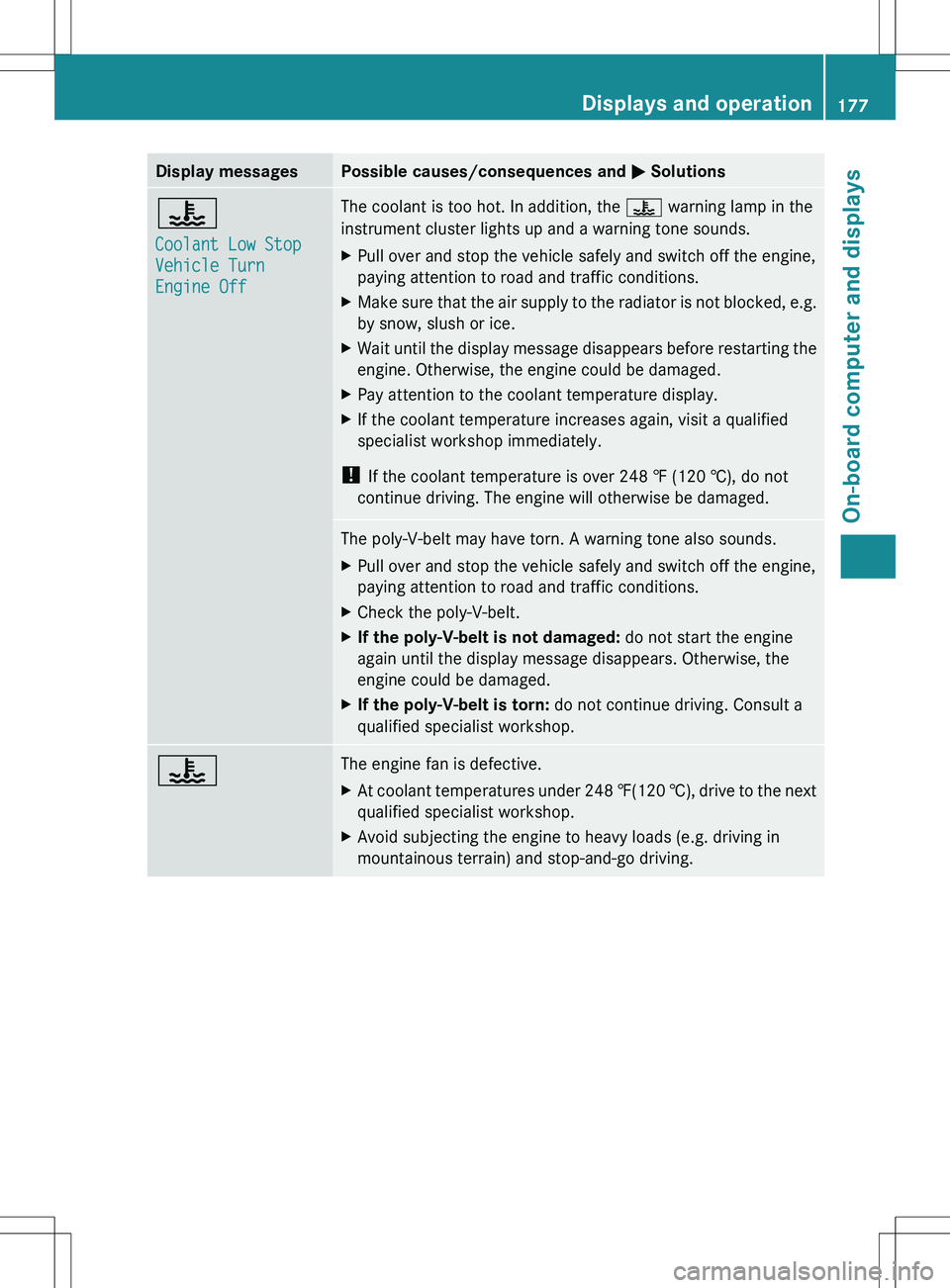
Display messagesPossible causes/consequences and M Solutions?
Coolant Low Stop
Vehicle Turn
Engine OffThe coolant is too hot. In addition, the ? warning lamp in the
instrument cluster lights up and a warning tone sounds.XPull over and stop the vehicle safely and switch off the engine,
paying attention to road and traffic conditions.XMake sure that the air supply to the radiator is not blocked, e.g.
by snow, slush or ice.XWait until the display message disappears before restarting the
engine. Otherwise, the engine could be damaged.XPay attention to the coolant temperature display.XIf the coolant temperature increases again, visit a qualified
specialist workshop immediately.
! If the coolant temperature is over 248 ‡ (120 †), do not
continue driving. The engine will otherwise be damaged.
The poly-V-belt may have torn. A warning tone also sounds.XPull over and stop the vehicle safely and switch off the engine,
paying attention to road and traffic conditions.XCheck the poly-V-belt.XIf the poly-V-belt is not damaged: do not start the engine
again until the display message disappears. Otherwise, the
engine could be damaged.XIf the poly-V-belt is torn: do not continue driving. Consult a
qualified specialist workshop.?The engine fan is defective.XAt coolant temperatures under 248 ‡(120 †), drive to the next
qualified specialist workshop.XAvoid subjecting the engine to heavy loads (e.g. driving in
mountainous terrain) and stop-and-go driving.Displays and operation177On-board computer and displaysZ
Page 180 of 288
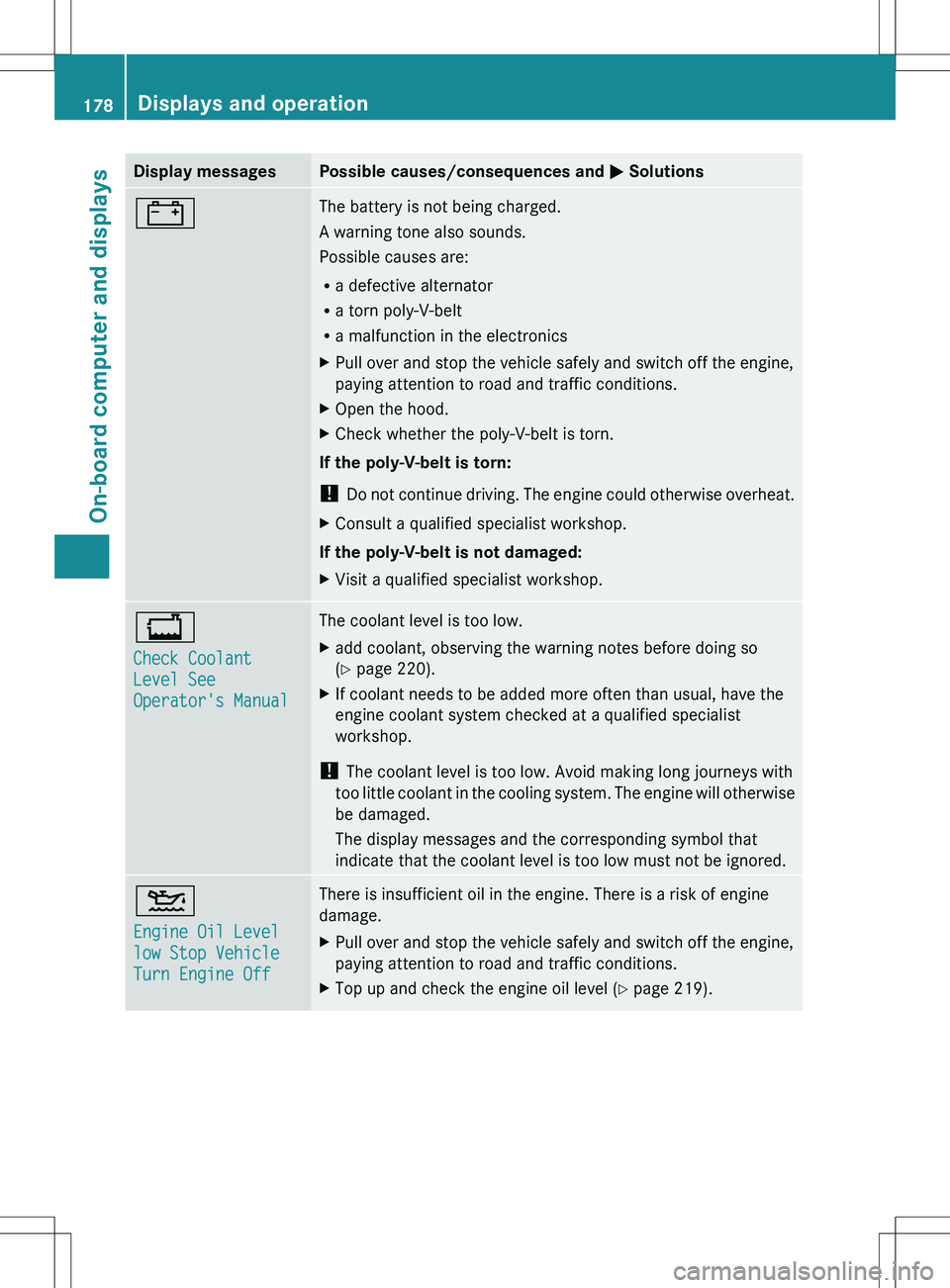
Display messagesPossible causes/consequences and M Solutions#The battery is not being charged.
A warning tone also sounds.
Possible causes are:
R a defective alternator
R a torn poly-V-belt
R a malfunction in the electronicsXPull over and stop the vehicle safely and switch off the engine,
paying attention to road and traffic conditions.XOpen the hood.XCheck whether the poly-V-belt is torn.
If the poly-V-belt is torn:
! Do not continue driving. The engine could otherwise overheat.
XConsult a qualified specialist workshop.
If the poly-V-belt is not damaged:
XVisit a qualified specialist workshop.+
Check Coolant
Level See
Operator's ManualThe coolant level is too low.Xadd coolant, observing the warning notes before doing so
( Y page 220).XIf coolant needs to be added more often than usual, have the
engine coolant system checked at a qualified specialist
workshop.
! The coolant level is too low. Avoid making long journeys with
too little coolant in the cooling system. The engine will otherwise
be damaged.
The display messages and the corresponding symbol that
indicate that the coolant level is too low must not be ignored.
4
Engine Oil Level
low Stop Vehicle
Turn Engine OffThere is insufficient oil in the engine. There is a risk of engine
damage.XPull over and stop the vehicle safely and switch off the engine,
paying attention to road and traffic conditions.XTop up and check the engine oil level ( Y page 219).178Displays and operationOn-board computer and displays