tow MERCEDES-BENZ SPRINTER 2010 MY10 Operator’s Manual
[x] Cancel search | Manufacturer: MERCEDES-BENZ, Model Year: 2010, Model line: SPRINTER, Model: MERCEDES-BENZ SPRINTER 2010Pages: 292, PDF Size: 6.75 MB
Page 113 of 292
Driving in wet conditions
G
Warning
There is a danger of hydroplaning occurring,
even if you are driving slowly and your tires
have sufficient tread
depth, depending on the
depth of water on the road.
For this reason, avoid tire ruts and brake
carefully.
Driving on flooded roads If you have to drive on stretches of road on
which water has collected, the water level
must not rise above the bottom edge of the
bumper. The maximum speed at which you
may drive is walking speed.
!
Note that vehicles in front or oncoming
vehicles create waves. This could mean
that the maximum permitted water depth
is exceeded.
You must observe these notes. Otherwise,
damage may
occur
to the engine, electrics
or transmission.
Driving in winter Drive particularly carefully on slippery roads
in winter.
Avoid
sudden acceleration, steering
and braking maneuvers. G
Warning
Do not downshift for additional engine
braking on a
slippery road surface. This could
cause the drive wheels to lose their grip and
the vehicle could skid. You could lose control
of the vehicle and cause an accident.
If the vehicle threatens to skid or cannot be
stopped when moving at low speed, shift to
the neutral position N. Try to maintain control
of the vehicle using corrective steering
! Vehicles with automatic transmission
may roll only briefly in the neutral position
N. Prolonged rolling of the wheels, e.g.
when being towed, will result in
transmission damage. Road salt may adversely affect braking
performance.
Consequently, you
may need to
depress the brake pedal more forcefully in
order to achieve normal braking force. Apply
the brakes regularly when driving for longer
periods on gritted or salted roads. This will
restore the brakes to their normal level of
performance.
When stopping the vehicle after traveling on
roads that have been salted, make sure that
the brakes are fully functional before
proceeding further.
i Fit snow chains to the outside rear wheels
(driven axle) in good time for driving on
snow, slush or ice. Comply with the
manufacturer's fitting instructions.
You will find information about winter tires
and about driving with snow chains in the
"Operation" section .
Tire grip Whereas the vehicle can be fully controlled at
a certain speed on a dry road surface, you
must reduce your speed on a wet or icy
surface to maintain the same degree of
safety.
Pay particular attention to the road
conditions at temperatures around freezing
point. When ice forms on the road surface
(e.g. due to fog), applying the brakes can
cause a
thin
layer of water to form rapidly on
the ice and tire grip will be greatly reduced.
Drive with particular care in such weather
conditions. Stopping the vehicle and switching
off the engine
G
Warning
Always switch off the engine and apply the
parking brake before leaving the vehicle.
Otherwise, the vehicle could roll away if it is
not secured. Driving and parking
111
Controls
Z
Page 114 of 292
On gradients steeper than 15%:
R
secure an unladen
vehicle at the front axle,
e.g. using a wheel chock or similar object.
R additionally, secure a laden vehicle at the
rear axle, e.g. using a wheel chock or similar
object. G
Warning
Make sure that the exhaust system does not
under any circumstances come into contact
with easily ignitable
material such as dry grass
or gasoline. Do not park the vehicle on dry
grassland or harvested grain fields.
Otherwise, the flammable material may ignite
and set the vehicle on fire. G
Warning
Only remove the key from the ignition lock
when the vehicle is stationary, since you
cannot steer the vehicle with the key
removed.
Never leave children unsupervised in the
vehicle. They could
release the parking brake.
This could lead to a serious or fatal accident.
! When the vehicle is parked, always
remove the key to prevent the battery from
becoming discharged.
On vehicles with a battery isolating switch,
switch off the power supply if the vehicle is
to be out of use for a longer period of time. G
Warning
You must use the parking lamps to enable
your vehicle to
be recognized on public roads
when it is dark. You can also use reflective
night parking signs in built-up areas.
Observe legal requirements.
X Stop the vehicle.
X Shift the automatic transmission to
position P.
X Apply the parking brake.
i On steep slopes, turn the front wheels
towards the curb. !
If the coolant temperature is very high,
e.g. after driving on mountain roads, leave
the engine running at idle speed for about
two minutes before turning it off.
This allows the coolant temperature to
return to normal.
X To switch off the engine: turn the key to
position 0 in the ignition lock and remove
it.
The immobilizer is activated.
X Switch on the parking lamps if necessary.
X On uphill or downhill gradients, secure the
vehicle additionally against rolling away at
the axle with
the heaviest load, e.g. by using
a wheel chock or similar object.
Use the wheel chock (Y page 183) for this
purpose. Brakes
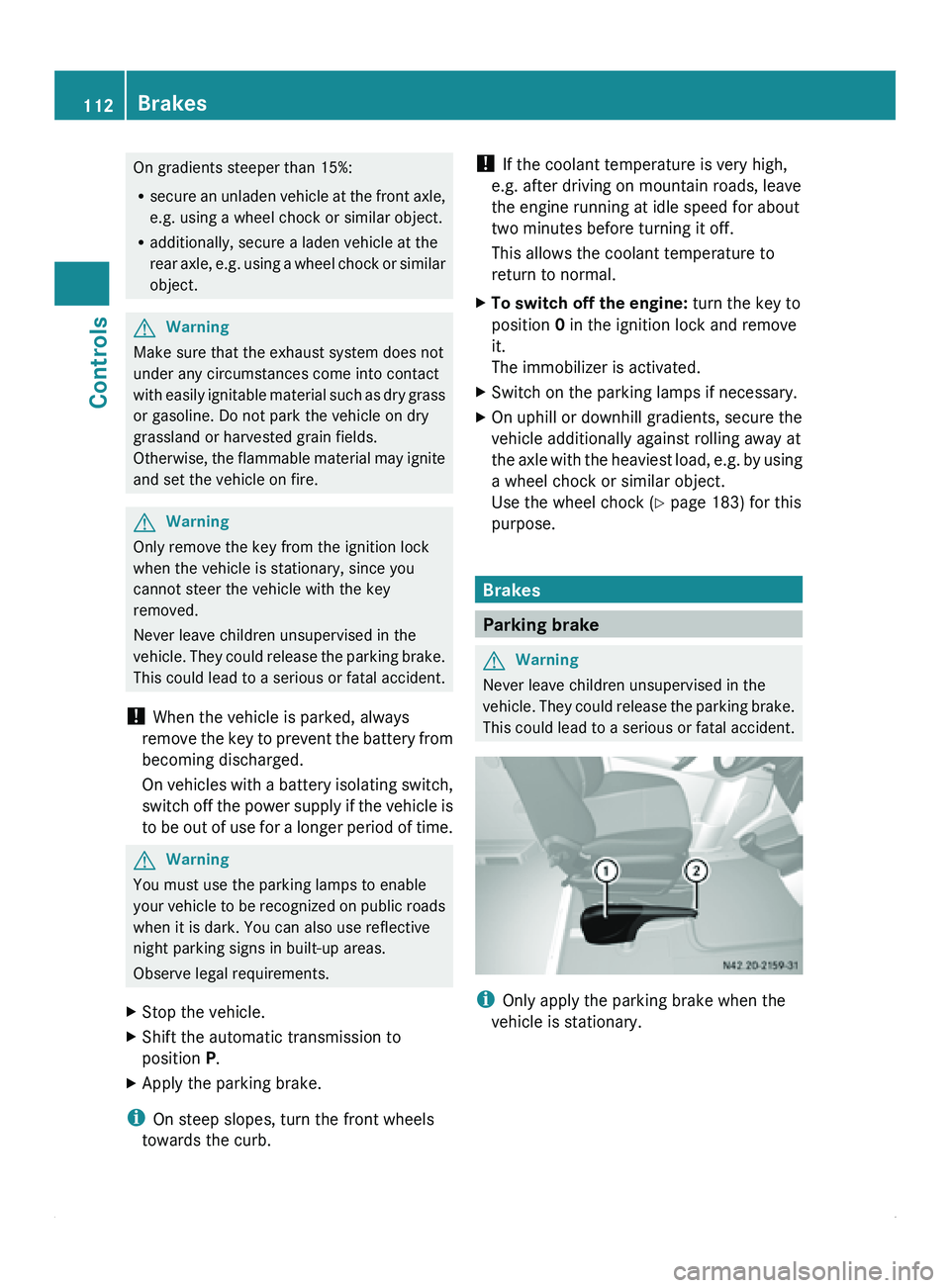
Parking brake
G
Warning
Never leave children unsupervised in the
vehicle. They could
release the parking brake.
This could lead to a serious or fatal accident. i
Only apply the parking brake when the
vehicle is stationary. 112
Brakes
Controls
Page 116 of 292
Selector lever positions
0045
Park position
This prevents the vehicle from
rolling away when stopped. Only
move the selector lever to
P when
the vehicle is stationary.
You can only
remove the key when
the selector lever is in position P.
The selector lever is locked in
position P when the key is
removed. 0046
Reverse gear
Only move the selector lever to R
when the vehicle is stationary. 0044
Neutral
No power is transmitted from the
engine to the drive wheels.
Releasing the
brakes
will allow you
to move the vehicle freely, e.g. by
pushing or towing.
Do not move the selector lever to
N while driving. The automatic
transmission could otherwise be
damaged.
If ASR is deactivated or ESP ®
has
malfunctioned: only move the
selector lever to N if the vehicle is
in danger of skidding, e.g. on icy
roads. 003A
Drive
The automatic transmission
changes gear
automatically.
All five
forward gears are available. Touchshift
When the selector lever is in position D
, you
can perform gearshifts yourself.
X To shift down: press the selector lever to
the left towards D–.
The automatic transmission shifts to the
next gear down, depending on the gear currently engaged. This will also restrict the
shift range. G
Warning
Do not change down for additional engine
braking on a
slippery road surface. This could
cause the drive wheels to lose their grip and
the vehicle could skid.
i The automatic transmission does not shift
down if you press the selector lever
towards D– while traveling at too high a
speed. The engine could otherwise overrev.
X To shift up:
briefly press
the selector lever
to the right towards D+.
The automatic transmission shifts to the
next gear up, depending on the current
gearshift program. This also extends the
shift range.
X To derestrict the shift range: press and
hold the selector lever towards D+ until D
is shown once more in the display.
The automatic transmission
shifts from the
current shift range directly to D.
X To select the optimum shift range: press
and hold the selector lever to the left
towards D–
.
The automatic transmission will shift to a
range which allows easy acceleration and
deceleration. To do this, the automatic
transmission will shift down one or more
gears. Shift ranges
When the selector lever is in position D
you
can restrict or derestrict the shift range for
the automatic transmission.
X Press the selector lever briefly to the right
towards D+ or left towards D–.
The set shift
range is shown in the display.
i If the maximum
engine speed for the shift
range is reached and you depress the
accelerator pedal, the automatic 114
Automatic transmission
Controls
Page 117 of 292
transmission will not shift up if the shift
range is restricted.
003A
The automatic transmission shifts
through all five gears.
0042
The automatic transmission shifts
only as far as fourth gear.
0040
The automatic transmission shifts
only as far as third gear.
This position allows you to use the
braking effect of the engine.
0038
The automatic transmission shifts
only as far as second gear.
This position is for journeys in
arduous conditions, in
mountainous terrain or on steep
mountain roads. You can use the
engine's braking
effect
on downhill
gradients. 0037
The automatic transmission only
works in first gear.
The braking
effect
of the engine can
be utilized on extremely steep
downhill gradients and long
downhill stretches. Driving tips
Accelerator pedal position Your style of driving influences how the
automatic transmission shifts gear:
R
little throttle: early upshifts
R lots of throttle: later upshifts Kickdown Use kickdown for maximum acceleration:
X
Depress the accelerator pedal beyond the
pressure point.
The automatic transmission shifts to the
next gear down, depending on the engine
speed.
X Ease off on the accelerator pedal once the
desired speed is reached.
The automatic transmission
shifts up again.
Stopping If you only need to stop briefly:
X
Leave the selector lever in the drive
position.
X Secure the vehicle against rolling away
using the brake pedal.
Maneuvering Maneuvering in a tight space:
X
Control the vehicle's speed by braking
carefully.
X Accelerate only slightly and avoid jolting.
i For rapid maneuvering (e.g. to rock the
vehicle out of
snow or slush), you can shift
back and forth between drive position D
and reverse gear R at low speeds without
applying the brakes.
Towing a trailer X
Run the engine in the moderate engine
speed range on steep uphill gradients.
X Depending on the uphill or downhill
gradient, shift down to shift range 3 or
2(Y page 115), even if cruise control is
switched on.
Working on the vehicle G
Warning
Apply the parking brake and move the
selector lever to P when working on the Automatic transmission
115
Controls
Z
Page 123 of 292
If an obstacle is within this range, all
segments of
the
warning displays light up and
you hear a warning tone. If the distance
between the vehicle and the obstacle falls
below the minimum range, it is possible that
the distance may no longer be displayed.
! Pay particular attention to obstacles
above or below the sensors when parking,
such as flower pots or trailer towbars.
PARKTRONIC does not recognize such
objects when they are in the immediate
vicinity of the vehicle. You could damage
the vehicle or objects.
PARKTRONIC can suffer interference from:
R ultrasonic sources such as a lorry's
compressed-air brakes, an automatic car
wash or a pneumatic drill
R attachments to the vehicle, e.g. rear
mounted racks
R number plates (vehicle license plates)
that are not affixed flat against the
bumper
R dirty or icy sensors
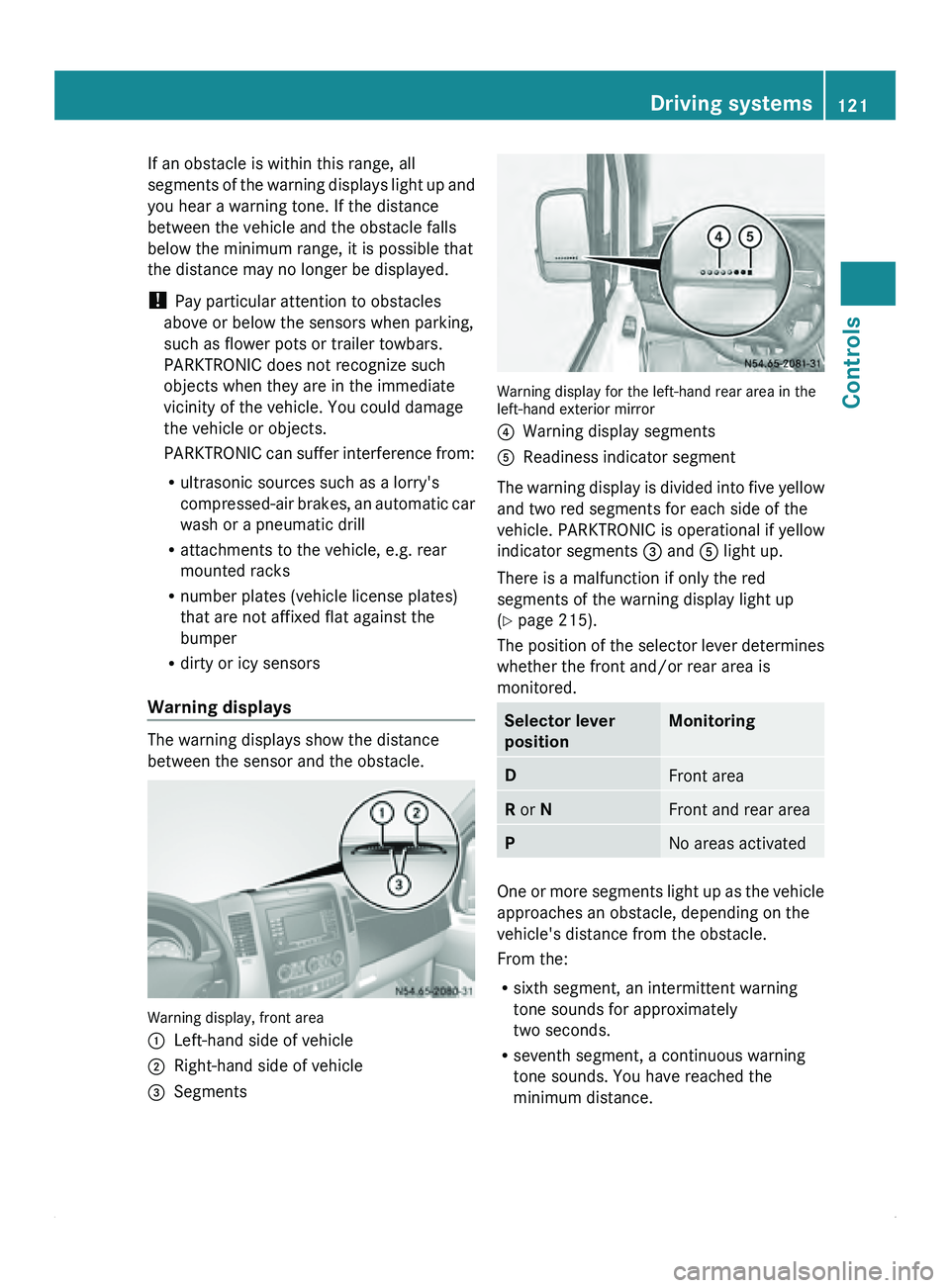
Warning displays The warning displays show the distance
between the sensor and the obstacle.
Warning display, front area
0046
Left-hand side of vehicle
0047 Right-hand side of vehicle
008A Segments Warning display for the left-hand rear area in the
left-hand exterior mirror
0088
Warning display segments
0086 Readiness indicator segment
The warning display is divided into five yellow
and two red segments for each side of the
vehicle. PARKTRONIC is operational if yellow
indicator segments 008A and 0086 light up.
There is a malfunction if only the red
segments of the warning display light up
(Y page 215).
The position of
the selector lever determines
whether the front and/or rear area is
monitored. Selector lever
position Monitoring
D
Front area
R or N Front and rear area
P
No areas activated
One or more segments light up as the vehicle
approaches an obstacle, depending on the
vehicle's distance from the obstacle.
From the:
R
sixth segment, an intermittent warning
tone sounds for approximately
two seconds.
R seventh segment, a continuous warning
tone sounds. You have reached the
minimum distance. Driving systems
121
Controls Z
Page 124 of 292
Roll-back warning
PARKTRONIC automatically monitors the
area behind the vehicle if the vehicle begins
to roll backwards without reverse gear
engaged, e.g. after stopping on an uphill
gradient.
If PARKTRONIC recognizes an obstacle at a
distance of at most 31 in (80 cm), all the
segments in the warning display light up. A
continuous warning tone also sounds as the
vehicle approaches the obstacle and for a
further two seconds after the vehicle has
come to a halt.
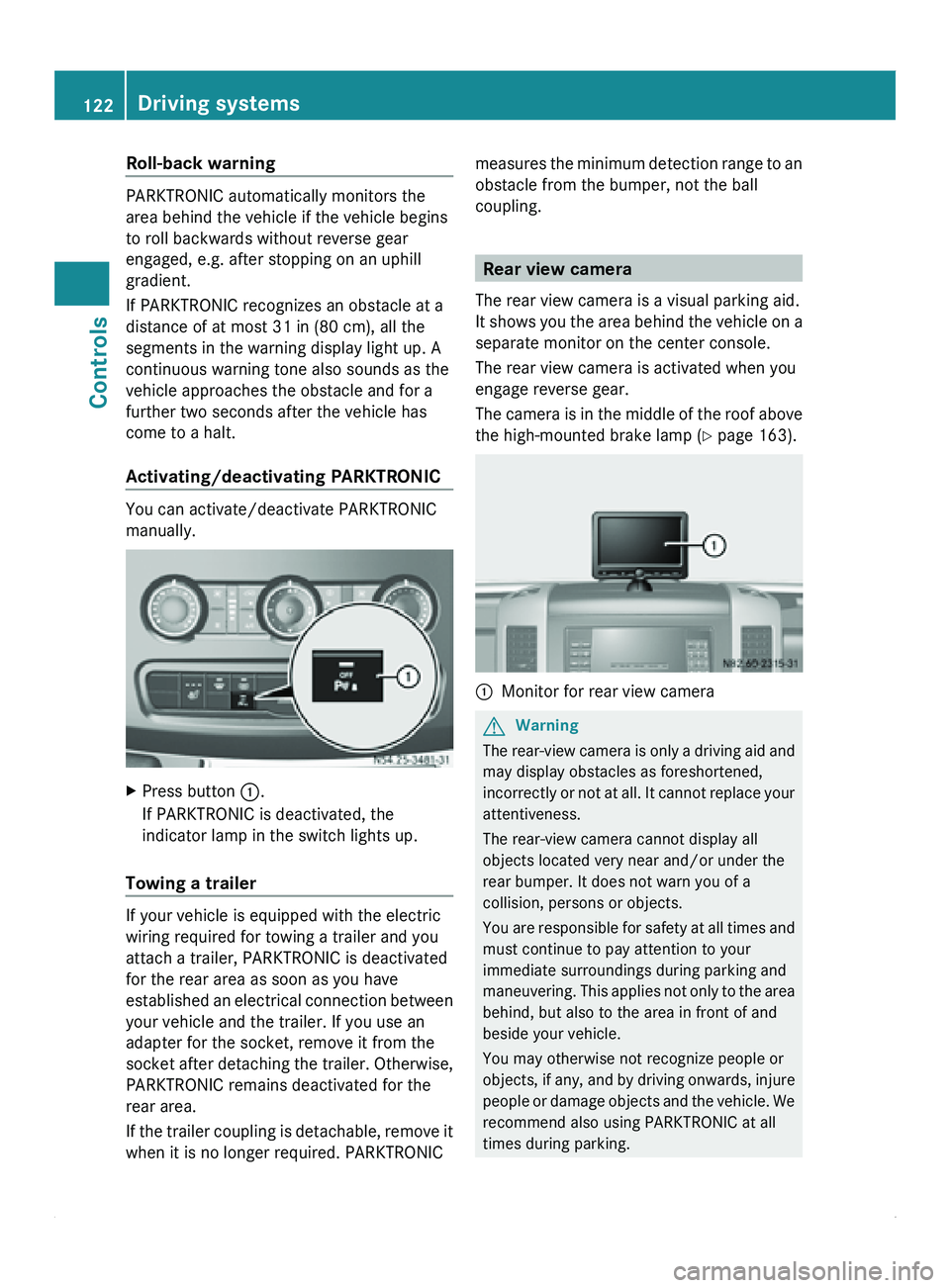
Activating/deactivating PARKTRONIC You can activate/deactivate PARKTRONIC
manually.
X
Press button 0046.
If PARKTRONIC is deactivated, the
indicator lamp in the switch lights up.
Towing a trailer If your vehicle is equipped with the electric
wiring required for towing a trailer and you
attach a trailer, PARKTRONIC is deactivated
for the rear area as soon as you have
established an
electrical
connection between
your vehicle and the trailer. If you use an
adapter for the socket, remove it from the
socket after detaching the trailer. Otherwise,
PARKTRONIC remains deactivated for the
rear area.
If the trailer coupling is detachable, remove it
when it is no longer required. PARKTRONIC measures the minimum detection range to an
obstacle from the bumper, not the ball
coupling.
Rear view camera
The rear view camera is a visual parking aid.
It shows you
the area behind the vehicle on a
separate monitor on the center console.
The rear view camera is activated when you
engage reverse gear.
The camera is in the middle of the roof above
the high-mounted brake lamp ( Y page 163). 0046
Monitor for rear view camera G
Warning
The rear-view camera is only a driving aid and
may display obstacles as foreshortened,
incorrectly or not
at all. It cannot replace your
attentiveness.
The rear-view camera cannot display all
objects located very near and/or under the
rear bumper. It does not warn you of a
collision, persons or objects.
You are responsible for safety at all times and
must continue to pay attention to your
immediate surroundings during parking and
maneuvering. This applies not only to the area
behind, but also to the area in front of and
beside your vehicle.
You may otherwise not recognize people or
objects, if any, and by driving onwards, injure
people or damage objects and the vehicle. We
recommend also using PARKTRONIC at all
times during parking. 122
Driving systems
Controls
Page 131 of 292
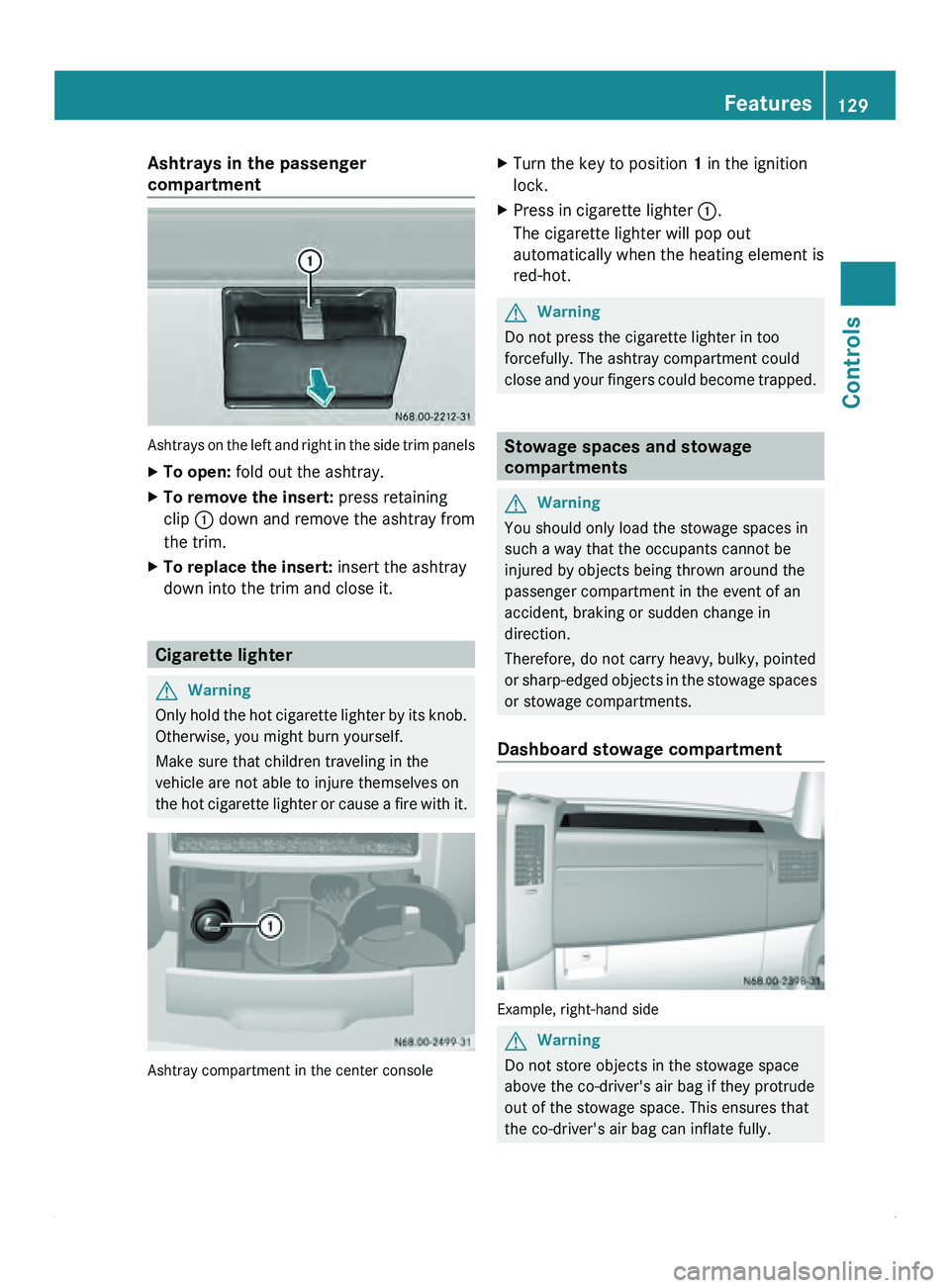
Ashtrays in the passenger
compartment
Ashtrays on the left and right in the side trim panels
X
To open: fold out the ashtray.
X To remove the insert: press retaining
clip 0046 down and
remove the ashtray from
the trim.
X To replace the insert: insert the ashtray
down into the trim and close it. Cigarette lighter
G
Warning
Only hold the hot cigarette lighter by its knob.
Otherwise, you might burn yourself.
Make sure that children traveling in the
vehicle are not able to injure themselves on
the hot cigarette
lighter or cause a fire with it.Ashtray compartment in the center console X
Turn the key to position 1 in the ignition
lock.
X Press in cigarette lighter 0046.
The cigarette lighter will pop out
automatically when the heating element is
red-hot. G
Warning
Do not press the cigarette lighter in too
forcefully. The ashtray compartment could
close and your
fingers could become trapped. Stowage spaces and stowage
compartments
G
Warning
You should only load the stowage spaces in
such a way that the occupants cannot be
injured by objects being thrown around the
passenger compartment in the event of an
accident, braking or sudden change in
direction.
Therefore, do not carry heavy, bulky, pointed
or sharp-edged objects
in the stowage spaces
or stowage compartments.
Dashboard stowage compartment Example, right-hand side
G
Warning
Do not store objects in the stowage space
above the co-driver's air bag if they protrude
out of the stowage space. This ensures that
the co-driver's air bag can inflate fully. Features
129
Controls Z
Page 132 of 292
!
The right and left storage spaces may be
loaded with a maximum of 11 lbs (5 kg)
each.
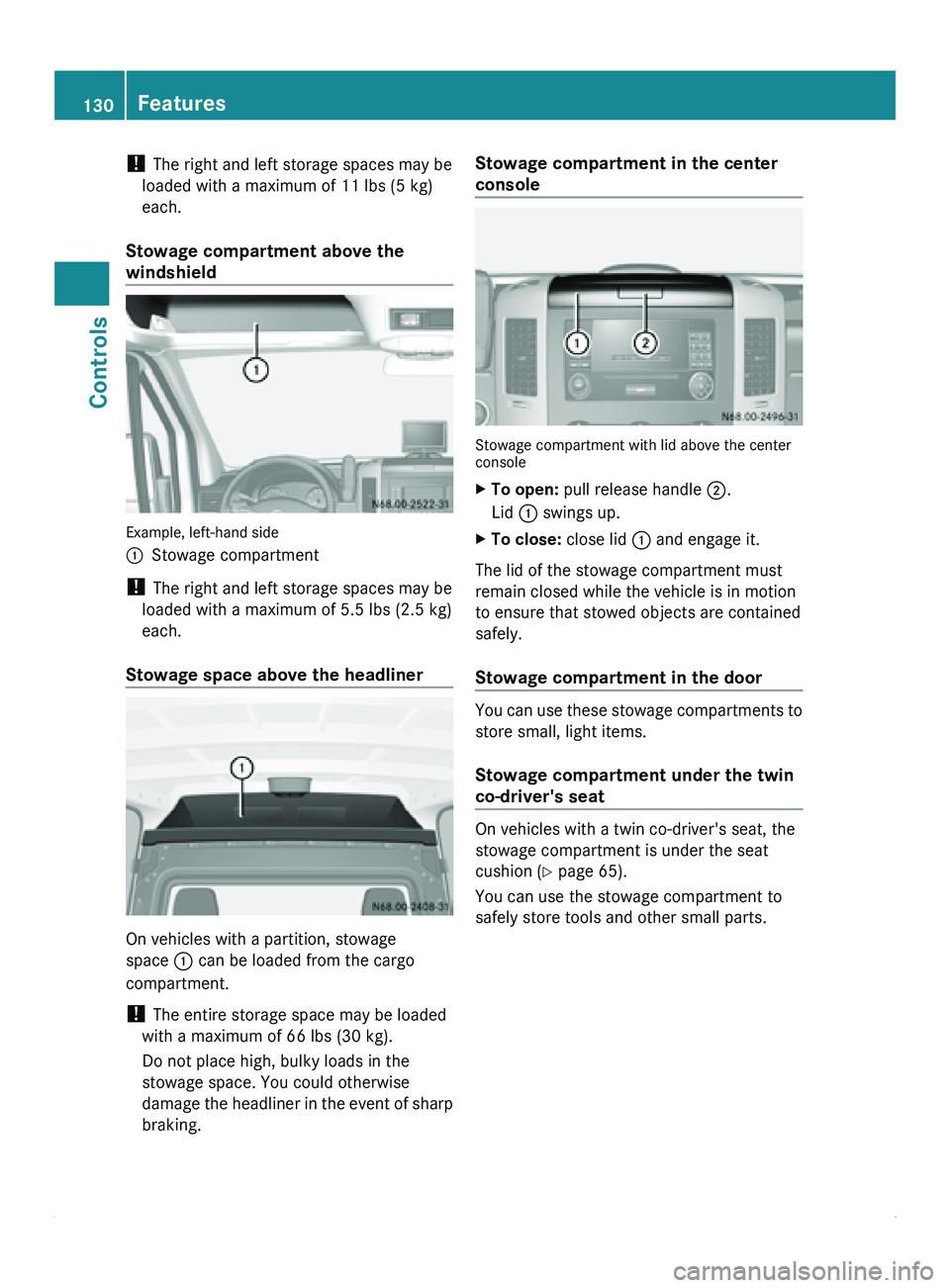
Stowage compartment above the
windshield Example, left-hand side
0046
Stowage compartment
! The right and left storage spaces may be
loaded with a maximum of 5.5 lbs (2.5 kg)
each.
Stowage space above the headliner On vehicles with a partition, stowage
space 0046 can be loaded from the cargo
compartment.
!
The entire storage space may be loaded
with a maximum of 66 lbs (30 kg).
Do not place high, bulky loads in the
stowage space. You could otherwise
damage the headliner
in the event of sharp
braking. Stowage compartment in the center
console
Stowage compartment with lid above the center
console
X
To open: pull release handle 0047.
Lid 0046 swings up.
X To close: close lid 0046 and engage it.
The lid of the stowage compartment must
remain closed while the vehicle is in motion
to ensure that stowed objects are contained
safely.
Stowage compartment in the door You can use these stowage compartments to
store small, light items.
Stowage compartment under the twin
co-driver's seat
On vehicles with a twin co-driver's seat, the
stowage compartment is under the seat
cushion (
Y page 65).
You can use the stowage compartment to
safely store tools and other small parts. 130
Features
Controls
Page 134 of 292
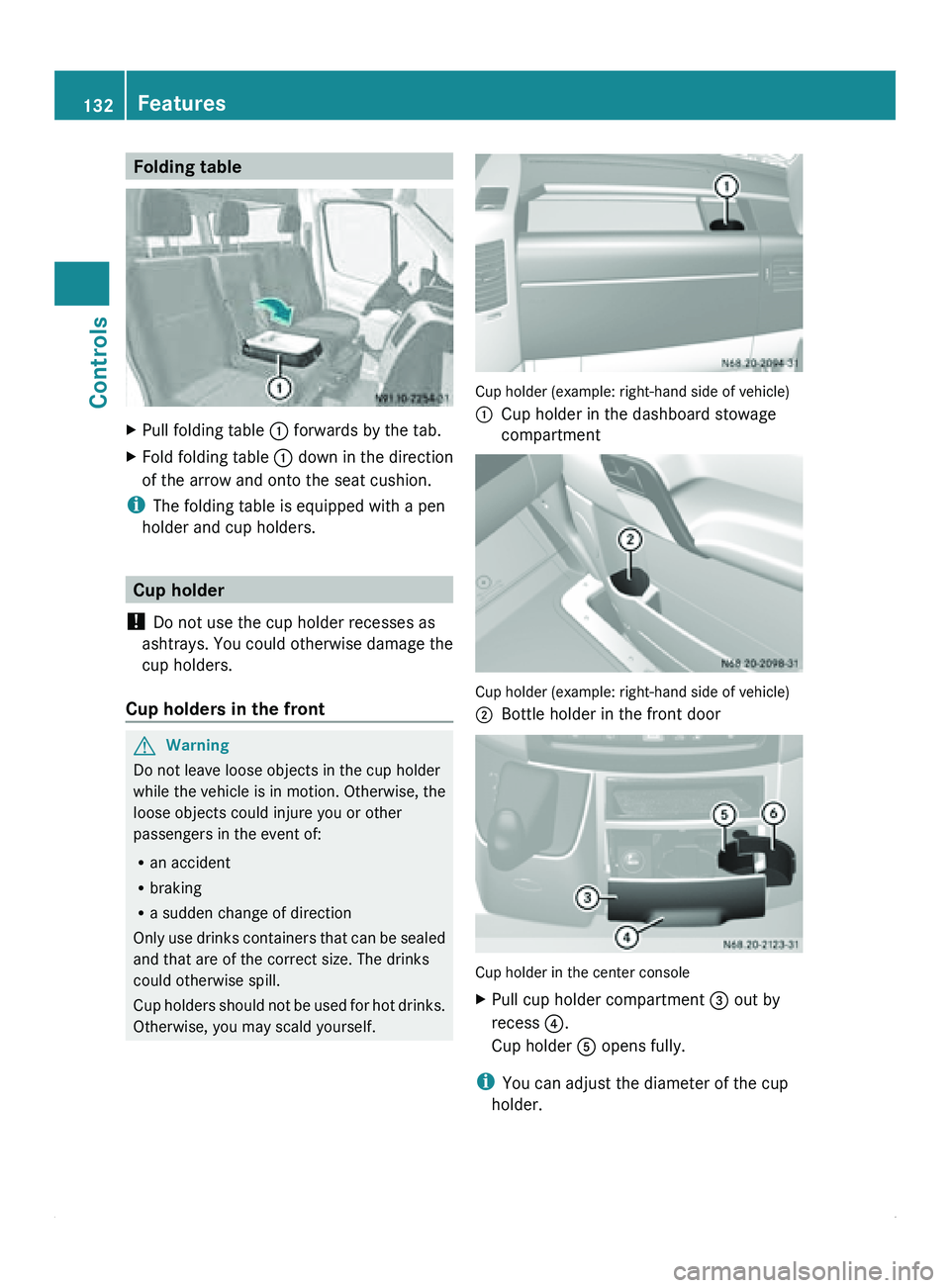
Folding table
X
Pull folding table 0046 forwards by the tab.
X Fold folding table 0046 down in the direction
of the arrow and onto the seat cushion.
i The folding table is equipped with a pen
holder and cup holders. Cup holder
! Do not use the cup holder recesses as
ashtrays. You could
otherwise damage the
cup holders.
Cup holders in the front G
Warning
Do not leave loose objects in the cup holder
while the vehicle is in motion. Otherwise, the
loose objects could injure you or other
passengers in the event of:
R an accident
R braking
R a sudden change of direction
Only use drinks
containers that can be sealed
and that are of the correct size. The drinks
could otherwise spill.
Cup holders should not be used for hot drinks.
Otherwise, you may scald yourself. Cup holder (example: right-hand side of vehicle)
0046
Cup holder in the dashboard stowage
compartment Cup holder (example: right-hand side of vehicle)
0047
Bottle holder in the front door Cup holder in the center console
X
Pull cup holder compartment 008A out by
recess
0088.
Cup holder 0086 opens fully.
i You can adjust the diameter of the cup
holder. 132
Features
Controls
Page 136 of 292
A navigation system does not supply
information on the load-bearing capacity of
bridges or the overhead clearance of
underpasses.
The driver remains responsible for the safety
of the vehicle at all times.
Observe legal requirements.
Telephones, two-way
radios
and fax machines
without an exterior antenna could interfere
with the vehicle electronics and thus
compromise the operational safety of the
vehicle. There is an increased risk of accident.
Do not use this equipment while the vehicle
is in motion.
Failure to observe the Sprinter installation
specifications can result in the invalidation of
your vehicle's operating permit.
You will find information on retrofitting
electrical or electronic equipment in the
"Technical data" section ( Y page 277).Telephone
G
Warning
A driver's attention to the road must always
be his/her primary focus when driving. For
your safety and the safety of others, we
recommend that you pull over to a safe
location and stop before placing or taking a
telephone call. If you choose to use the
telephone while driving,
please use the hands-
free device and only use the telephone when
weather, road and traffic conditions permit.
Some jurisdictions prohibit the driver from
using a mobile phone while driving a vehicle.
Bear in mind that at a speed of just 30 mph
(approximately 50 km/h ), your vehicle is
covering a distance of 44 feet (approximately
14 m) every second. G
Warning
Excessive electromagnetic radiation may
constitute a health hazard to yourself and
others. Use of an exterior antenna gives consideration to scientific discussion
surrounding the
possible
health risk posed by
electromagnetic fields.
The exterior antenna should only be installed
at a qualified specialist workshop which has
the necessary specialist knowledge and tools
to carry out the work required. We
recommend that you use an authorized
Sprinter Dealer for this purpose. In particular,
work relevant to safety or on safety-related
systems must be carried out at a qualified
specialist workshop.
We recommend the use of an approved
exterior antenna for operating the mobile
phone. Only in this way can optimal mobile
phone reception quality in the vehicle be
ensured and mutual interference between the
vehicle electronics and mobile phones
minimized.
Observe the legal requirements for each
individual country.
The mobile phone fitting includes a hands-
free system integrated into the vehicle. The
microphone for the hands-free system is
installed in the overhead control panel or in
the overhead stowage compartment together
with the front interior light.
In order to use the hands-free system, you will
need a special bracket. The Sprinter range of
accessories includes brackets for various
mobile phone models.
i Mobile phone brackets which are
available from various manufacturers on
the open market are not compatible with
the Sprinter telephone system. You can
recognize suitable phone brackets for your
mobile, by the printed star and the B6 in the
part number on the rear of the phone
bracket.
Detailed instructions for use can be found in
the operating instructions for the mobile
phone bracket and in the separate operating
instructions for the mobile phone fittings.
i The mobile phone battery is charged
depending on the condition of charge 134
Communications
Controls