bluetooth MERCEDES-BENZ SPRINTER 2014 MY 14 Audio Manual
[x] Cancel search | Manufacturer: MERCEDES-BENZ, Model Year: 2014, Model line: SPRINTER, Model: MERCEDES-BENZ SPRINTER 2014Pages: 50, PDF Size: 3.41 MB
Page 36 of 50
X
To unpair: use the0059or0065 button to
select Yes
Yesand press the 008Bbutton to
confirm.
The display briefly shows a message. The
mobile phone is de-authorized and deleted
from the device list.
X To cancel the unpairing process: use the
0059 or0065 button to select No
No and press
the 008Bbutton to confirm.
The mobile phone is not unpaired from
Audio 10. You have canceled the process. Using the telephone
Accepting and ending a call When you receive a call, you will hear a
ringtone via the Audio 10 loudspeakers. The
phone number of the caller is shown in the
display, if it is not withheld.
X To accept a call: press the0061button on
the Audio 10 control panel or multifunction
steering wheel.
Or
X Select Accept
Accept by pressing the 008Bbutton.
The call is played over the Audio 10
loudspeakers. Audio 10 mutes the active
audio source.
X Use the volume control to adjust the call
volume, if desired.
X To end a call: press the0076button on the
Audio 10 control panel or multifunction
steering wheel.
Audio 10 plays the active audio source
again. Rejecting a call X
Press the 0076button on the Audio 10
control panel or on the multifunction
steering wheel.
Or
X Press the 0065button to select Reject Reject
and press the 008Bbutton to confirm.
Audio 10 plays the current audio source
again.
Making a call Entering a phone number using the
number keys
X
Press the 002Bbutton.
X Enter the desired phone number using the
004A to0089 number keys and the 003E
button.
i Notes on the 003Ebutton:
R to enter a star: press the 003Ebutton
once
R to enter a plus: press the 003Ebutton
twice within approx. 1.5 seconds
X To delete individual digits: press the
00DD button.
X To delete the entire numerical
sequence: press and hold the 00DDbutton
until the entire numerical sequence is
deleted.
Or
X Press the 0076button.
X To make a call: press the0061button on
the Audio 10 control panel or multifunction
steering wheel.
This initiates dialing.
Entering a phone number using the
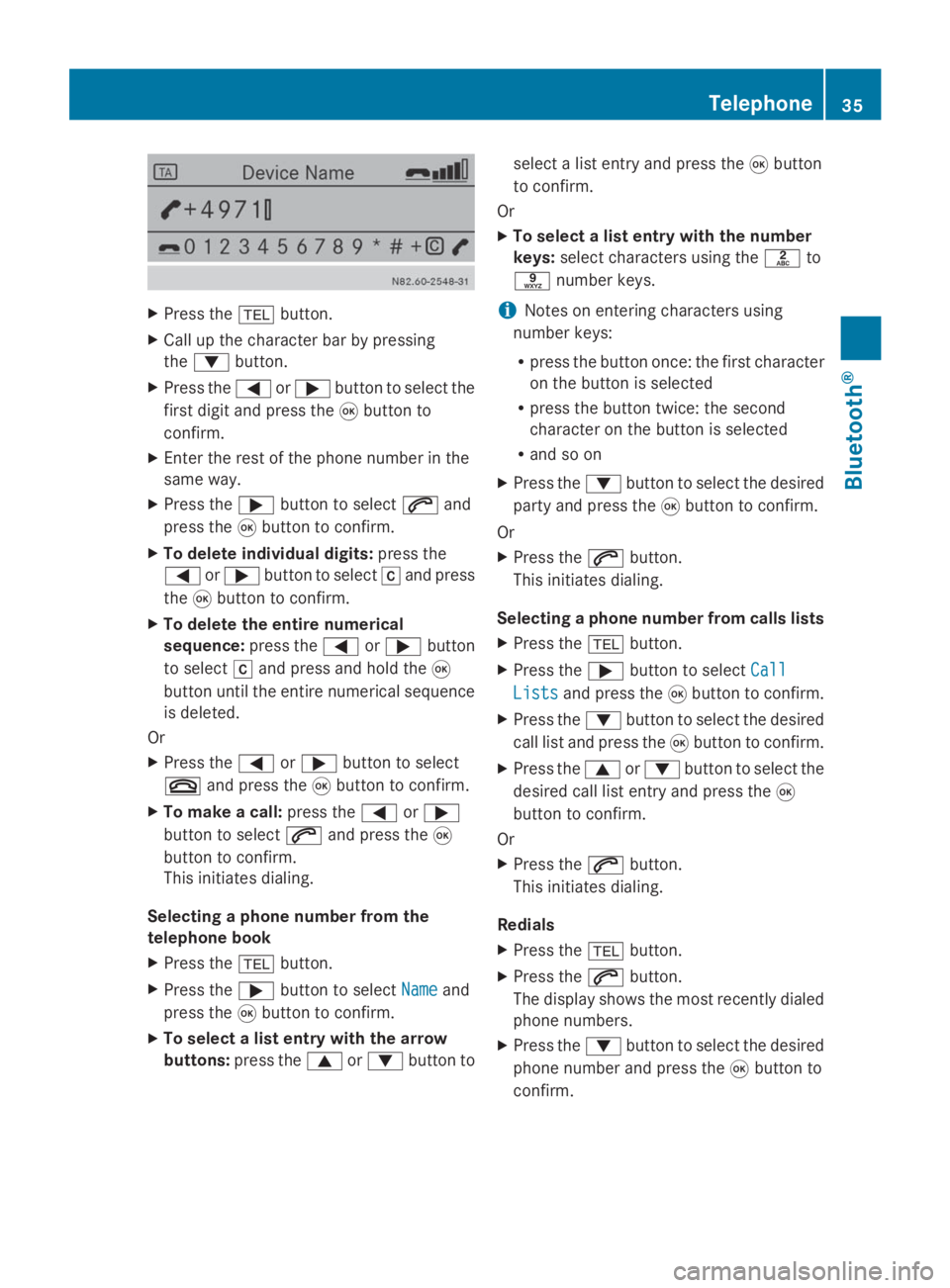
character bar
You can also enter a phone number via the
character bar in the display. 34
TelephoneBluetooth ®
Page 37 of 50
X
Press the 002Bbutton.
X Call up the character bar by pressing
the 0064 button.
X Press the 0059or0065 button to select the
first digit and press the 008Bbutton to
confirm.
X Enter the rest of the phone number in the
same way.
X Press the 0065button to select 0061and
press the 008Bbutton to confirm.
X To delete individual digits: press the
0059 or0065 button to select 0065and press
the 008Bbutton to confirm.
X To delete the entire numerical
sequence: press the0059or0065 button
to select 0065and press and hold the 008B
button until the entire numerical sequence
is deleted.
Or
X Press the 0059or0065 button to select
0076 and press the 008Bbutton to confirm.
X To make a call: press the0059or0065
button to select 0061and press the 008B
button to confirm.
This initiates dialing.
Selecting a phone number from the
telephone book
X Press the 002Bbutton.
X Press the 0065button to select Name Nameand
press the 008Bbutton to confirm.
X To select a list entry with the arrow
buttons: press the 0063or0064 button to select a list entry and press the
008Bbutton
to confirm.
Or
X To select a list entry with the number
keys: select characters using the 0082to
0089 number keys.
i Notes on entering characters using
number keys:
R press the button once: the first character
on the button is selected
R press the button twice: the second
character on the button is selected
R and so on
X Press the 0064button to select the desired
party and press the 008Bbutton to confirm.
Or
X Press the 0061button.
This initiates dialing.
Selecting a phone number from calls lists
X Press the 002Bbutton.
X Press the 0065button to select Call
Call
Lists Lists and press the 008Bbutton to confirm.
X Press the 0064button to select the desired
call list and press the 008Bbutton to confirm.
X Press the 0063or0064 button to select the
desired call list entry and press the 008B
button to confirm.
Or
X Press the 0061button.
This initiates dialing.
Redials
X Press the 002Bbutton.
X Press the 0061button.
The display shows the most recently dialed
phone numbers.
X Press the 0064button to select the desired
phone number and press the 008Bbutton to
confirm. Telephone
35Bluetooth® Z
Page 38 of 50
Or
X
Press the 0061button.
This initiates dialing.
Canceling dialing
X Press the 0076button when dialing.
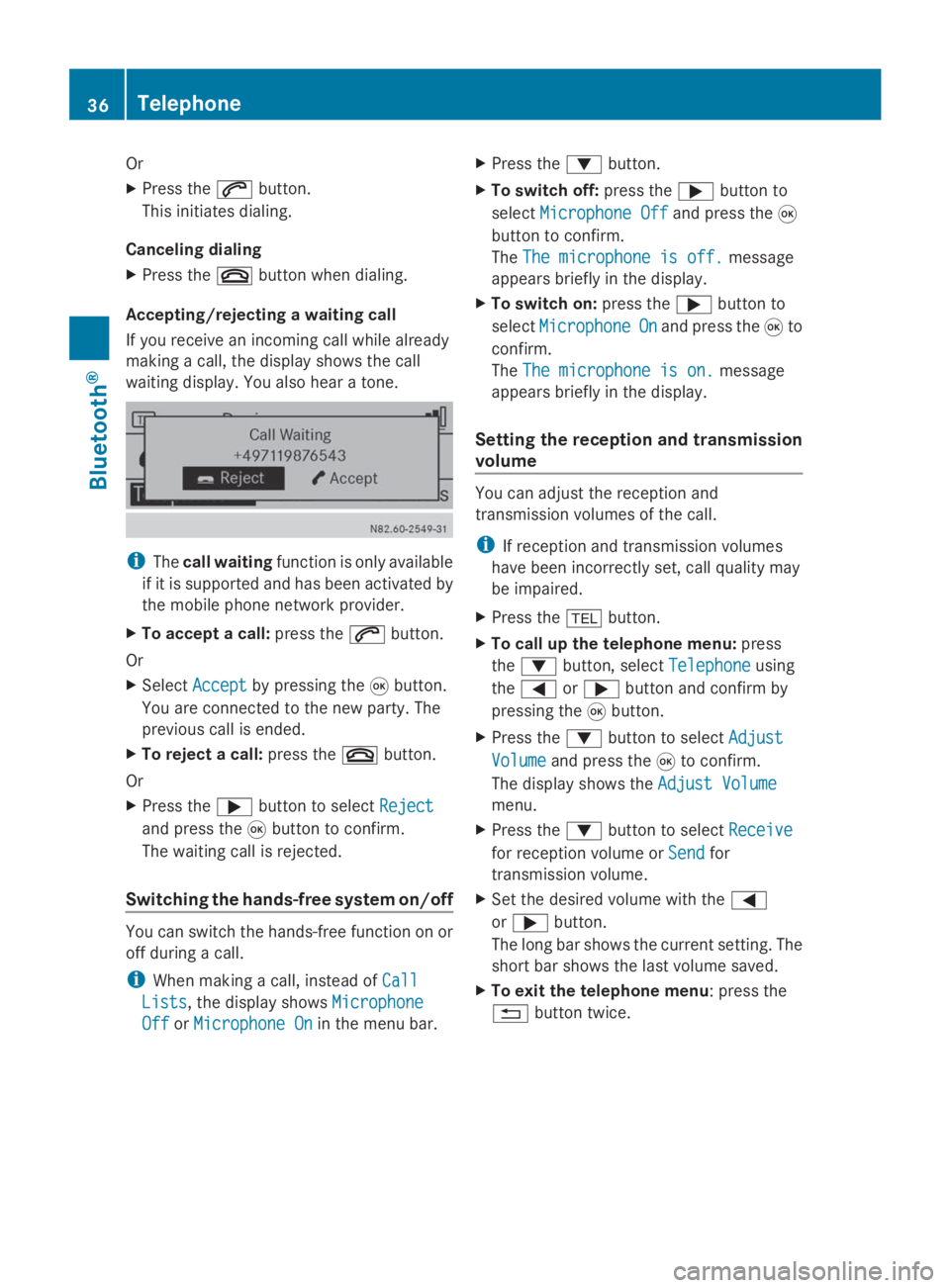
Accepting/rejecting a waiting call
If you receive an incoming call while already
making a call, the display shows the call
waiting display. You also hear a tone. i
The call waiting function is only available
if it is supported and has been activated by
the mobile phone network provider.
X To accept a call: press the0061button.
Or
X Select Accept
Accept by pressing the 008Bbutton.
You are connected to the new party. The
previous call is ended.
X To reject a call: press the0076button.
Or
X Press the 0065button to select Reject
Reject
and press the 008Bbutton to confirm.
The waiting call is rejected.
Switching the hands-free system on/off You can switch the hands-free function on or
off during a call.
i When making a call, instead of Call
Call
Lists Lists, the display shows Microphone
Microphone
Off
Off orMicrophone On
Microphone On in the menu bar. X
Press the 0064button.
X To switch off: press the0065button to
select Microphone Off
Microphone Off and press the008B
button to confirm.
The The microphone is off. The microphone is off. message
appears briefly in the display.
X To switch on: press the0065button to
select Microphone
Microphone On
Onand press the 008Bto
confirm.
The The microphone is on. The microphone is on. message
appears briefly in the display.
Setting the reception and transmission
volume You can adjust the reception and
transmission volumes of the call.
i
If reception and transmission volumes
have been incorrectly set, call quality may
be impaired.
X Press the 002Bbutton.
X To call up the telephone menu: press
the 0064 button, select Telephone
Telephone using
the 0059 or0065 button and confirm by
pressing the 008Bbutton.
X Press the 0064button to select Adjust
Adjust
Volume Volume and press the 008Bto confirm.
The display shows the Adjust Volume
Adjust Volume
menu.
X Press the 0064button to select Receive
Receive
for reception volume or Send
Sendfor
transmission volume.
X Set the desired volume with the 0059
or 0065 button.
The long bar shows the current setting. The
short bar shows the last volume saved.
X To exit the telephone menu: press the
0038 button twice. 36
TelephoneBluetooth ®
Page 39 of 50
Loading the telephone book and call
lists
You can load the telephone book and call lists
of the mobile phone connected onto Audio
10.
X Press the 002Bbutton.
X To call up the telephone menu: press
the 0064 button, select Telephone Telephoneusing
the 0059 or0065 button and confirm by
pressing the 008Bbutton.
X Press the 0064button to select Import
Import
Contacts
Contacts and press the 008Bbutton to
confirm.
The display briefly shows a message.
X To exit the system menu: press the
0038 button. Operating a mobile phone using the
multifunction steering wheel
It is possible to accept, end and reject calls
using the multifunction steering wheel. You
can also make calls from your telephone
book. 0043
Phone book entry
X Select the telephone function on Audio 10
by pressing the 002Bbutton.
X Press the 007For0080 button on the
multifunction steering wheel to select the
TEL
TEL display.
X To accept a call: press the0061button.
X To end a call: press the0076button.
X To reject a call: press the0076button.
X To call up the telephone book: call up the
telephone book on Audio 10 (Y page 35).X
Select the desired phone number by using
the 0068 or0041 button.
X Press the 0061button.
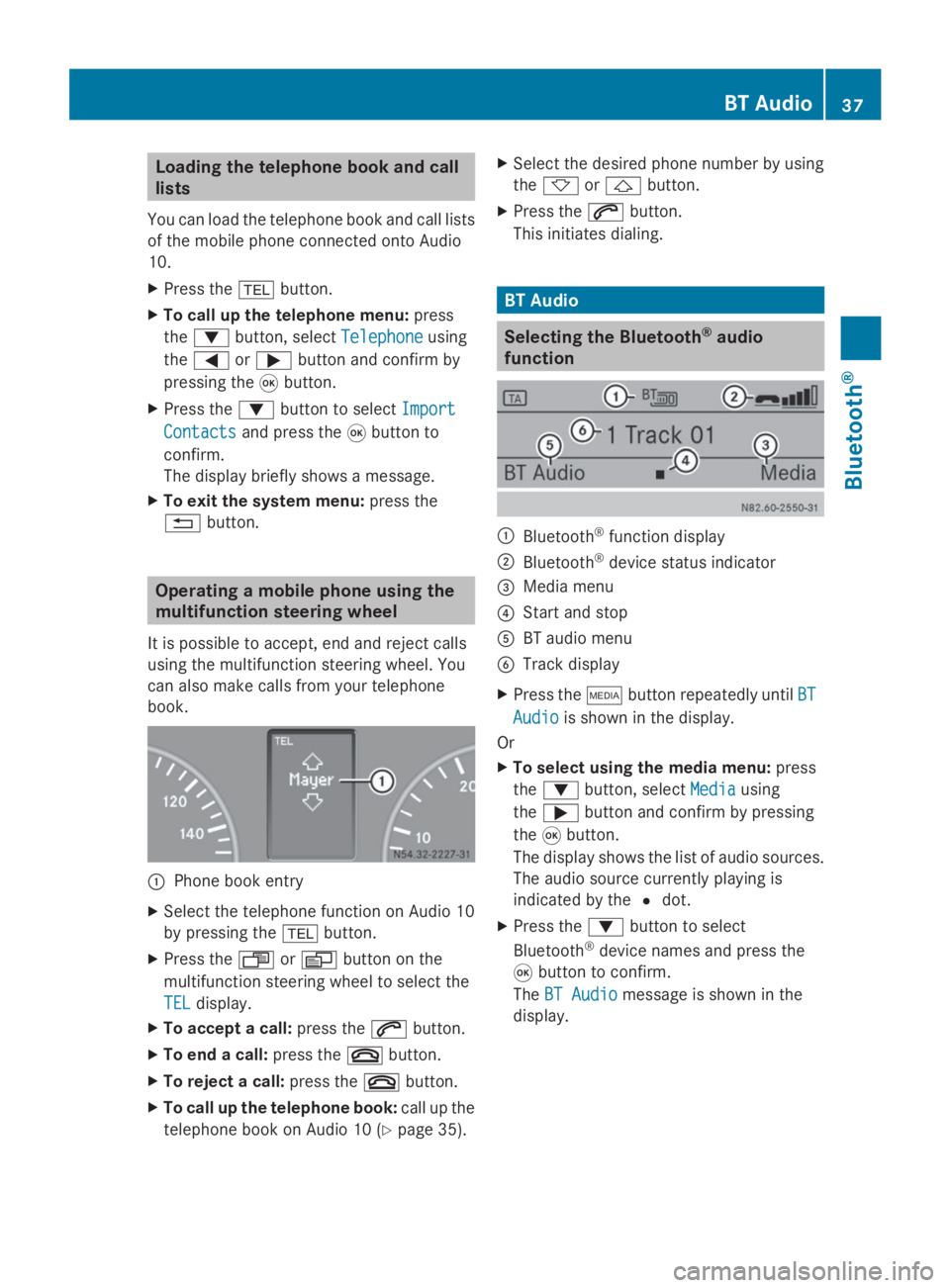
This initiates dialing. BT Audio
Selecting the Bluetooth
®
audio
function 0043
Bluetooth ®
function display
0044 Bluetooth ®
device status indicator
0087 Media menu
0085 Start and stop
0083 BT audio menu
0084 Track display
X Press the 00FDbutton repeatedly until BT BT
Audio
Audio is shown in the display.
Or
X To select using the media menu: press
the 0064 button, select Media Mediausing
the 0065 button and confirm by pressing
the 008Bbutton.
The display shows the list of audio sources.
The audio source currently playing is
indicated by the 0036dot.
X Press the 0064button to select
Bluetooth ®
device names and press the
008B button to confirm.
The BT Audio
BT Audio message is shown in the
display. BT Audio
37Bluetooth® Z
Page 40 of 50
Pairing/unpairing Bluetooth
®
devices
What does pairing mean? When pairing, an authorized connection is
established between Audio 10 and an audio
device. Your audio device must be visible.
Information on how to make your audio
device visible can be found in the operating
instructions of your audio device.
i Audio 10 saves the pairing data of up to
10 audio devices. If an additional audio
device is coupled, Audio 10 overwrites the
pairing data for the audio device that has
not been connected to it for the longest
period of time.
There are two ways of pairing:
R Bluetooth ®
pairing : Audio 10 searches for
the audio device and starts the pairing
process
R Bluetooth ®
external: the audio device
searches for Audio 10 and starts the pairing
process
i If you pair a mobile phone as an audio
device, it is automatically paired as a
mobile phone as well, as long as your
mobile phone supports this.
Pairing a Bluetooth ®
device via
Bluetooth ® X
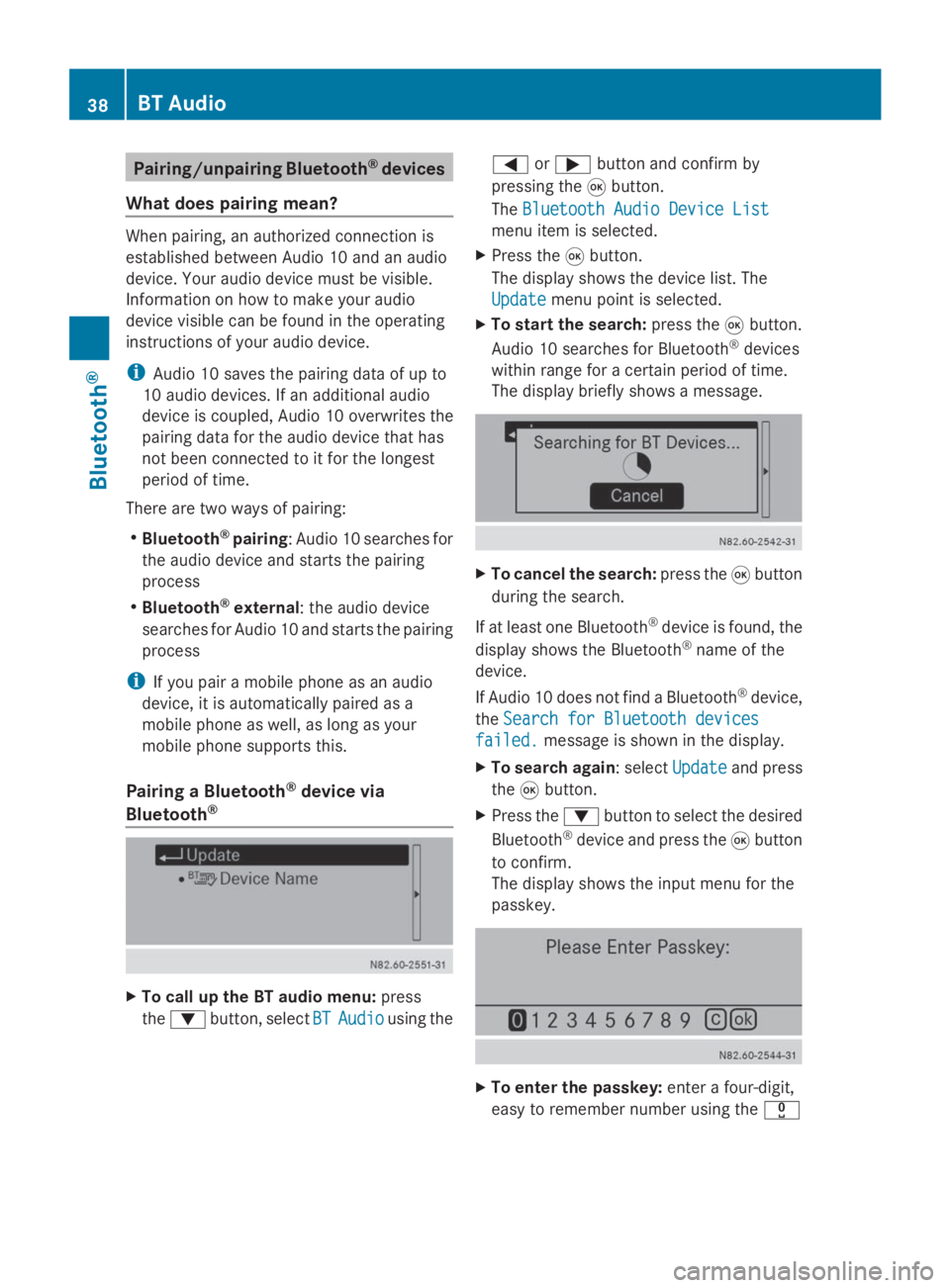
To call up the BT audio menu: press
the 0064 button, select BT BTAudio
Audio using the 0059
or0065 button and confirm by
pressing the 008Bbutton.
The Bluetooth Audio Device List
Bluetooth Audio Device List
menu item is selected.
X Press the 008Bbutton.
The display shows the device list. The
Update Update menu point is selected.
X To start the search: press the008Bbutton.
Audio 10 searches for Bluetooth ®
devices
within range for a certain period of time.
The display briefly shows a message. X
To cancel the search: press the008Bbutton
during the search.
If at least one Bluetooth ®
device is found, the
display shows the Bluetooth ®
name of the
device.
If Audio 10 does not find a Bluetooth ®
device,
the Search for Bluetooth devices Search for Bluetooth devices
failed.
failed. message is shown in the display.
X To search again: select Update
Updateand press
the 008Bbutton.
X Press the 0064button to select the desired
Bluetooth ®
device and press the 008Bbutton
to confirm.
The display shows the input menu for the
passkey. X
To enter the passkey: enter a four-digit,
easy to remember number using the 004A38
BT AudioBluetooth ®
Page 41 of 50
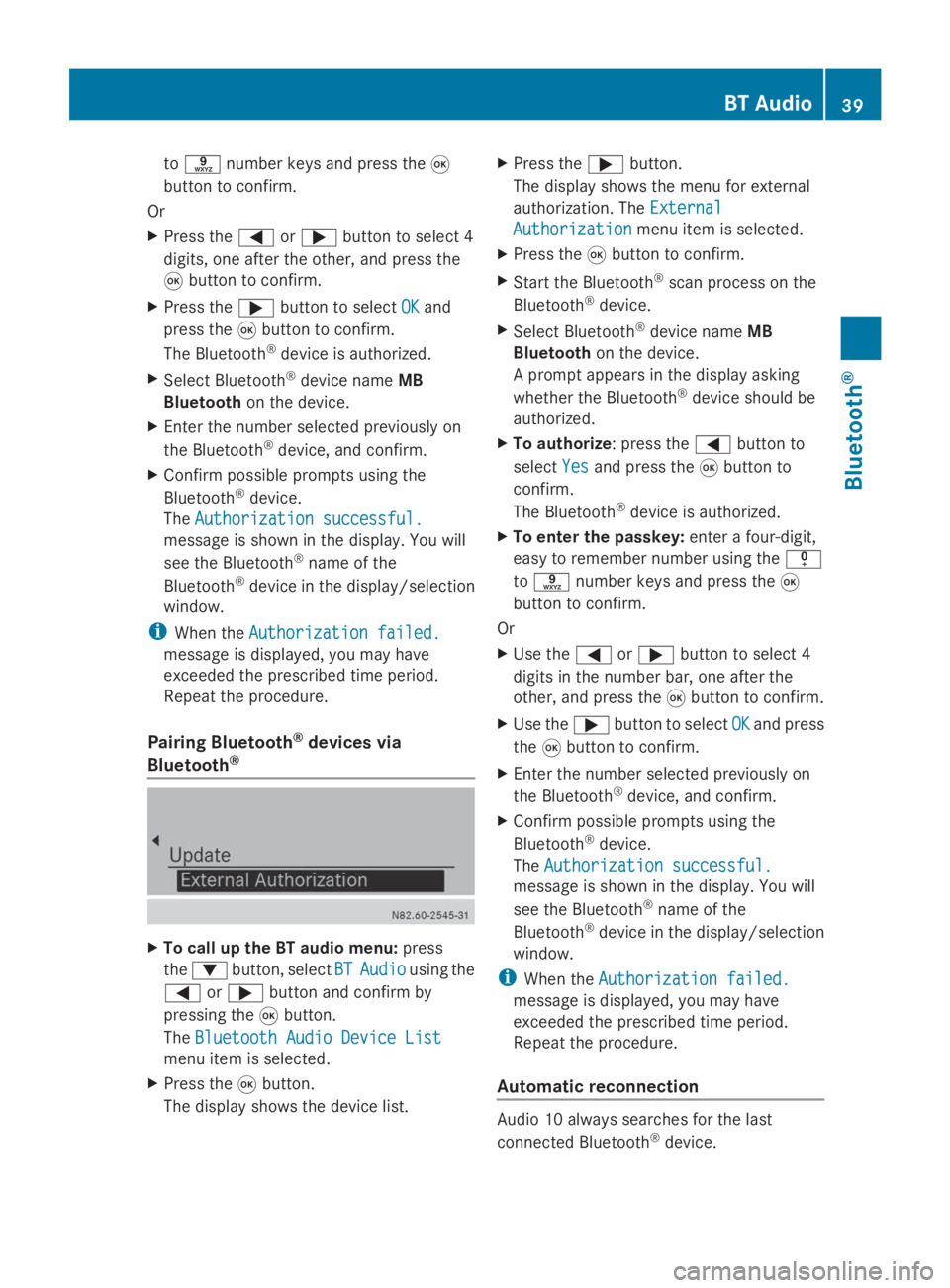
to
0089 number keys and press the 008B
button to confirm.
Or
X Press the 0059or0065 button to select 4
digits, one after the other, and press the
008B button to confirm.
X Press the 0065button to select OK
OK and
press the 008Bbutton to confirm.
The Bluetooth ®
device is authorized.
X Select Bluetooth ®
device name MB
Bluetooth on the device.
X Enter the number selected previously on
the Bluetooth ®
device, and confirm.
X Confirm possible prompts using the
Bluetooth ®
device.
The Authorization successful. Authorization successful.
message is shown in the display. You will
see the Bluetooth ®
name of the
Bluetooth ®
device in the display/selection
window.
i When the Authorization failed. Authorization failed.
message is displayed, you may have
exceeded the prescribed time period.
Repeat the procedure.
Pairing Bluetooth ®
devices via
Bluetooth ® X
To call up the BT audio menu: press
the 0064 button, select BT BTAudio
Audio using the
0059 or0065 button and confirm by
pressing the 008Bbutton.
The Bluetooth Audio Device List
Bluetooth Audio Device List
menu item is selected.
X Press the 008Bbutton.
The display shows the device list. X
Press the 0065button.
The display shows the menu for external
authorization. The External
External
Authorization Authorization menu item is selected.
X Press the 008Bbutton to confirm.
X Start the Bluetooth ®
scan process on the
Bluetooth ®
device.
X Select Bluetooth ®
device name MB
Bluetooth on the device.
A prompt appears in the display asking
whether the Bluetooth ®
device should be
authorized.
X To authorize : press the0059button to
select Yes
Yes and press the 008Bbutton to
confirm.
The Bluetooth ®
device is authorized.
X To enter the passkey: enter a four-digit,
easy to remember number using the 007F
to 0089 number keys and press the 008B
button to confirm.
Or
X Use the 0059or0065 button to select 4
digits in the number bar, one after the
other, and press the 008Bbutton to confirm.
X Use the 0065button to select OK OKand press
the 008Bbutton to confirm.
X Enter the number selected previously on
the Bluetooth ®
device, and confirm.
X Confirm possible prompts using the
Bluetooth ®
device.
The Authorization successful. Authorization successful.
message is shown in the display. You will
see the Bluetooth ®
name of the
Bluetooth ®
device in the display/selection
window.
i When the Authorization failed. Authorization failed.
message is displayed, you may have
exceeded the prescribed time period.
Repeat the procedure.
Automatic reconnection Audio 10 always searches for the last
connected Bluetooth
®
device. BT Audio
39Bluetooth® Z
Page 42 of 50
If the last connected Bluetooth
®
device
cannot be connected, Audio 10 searches for
the Bluetooth ®
device that was connected
prior to that.
Connecting another Bluetooth ®
device If you have authorized more than one
Bluetooth
®
device, you can switch between
the devices.
X To call up the BT audio menu: press
the 0064 button, select BT BTAudio
Audio using the
0059 or0065 button and confirm by
pressing the 008Bbutton.
The Bluetooth Audio Device List
Bluetooth Audio Device List
menu item is selected.
X Press the 008Bbutton.
The display shows the device list.
X Press the 0064button to select the desired
Bluetooth ®
device and press the 008Bbutton
to confirm.
The selected Bluetooth ®
device is searched
for and connected to Audio 10.
i Audio 10 can only be connected to one
Bluetooth ®
device at any one time. The
connected phone is identified by the 0036
dot.
Displaying Bluetooth ®
details X
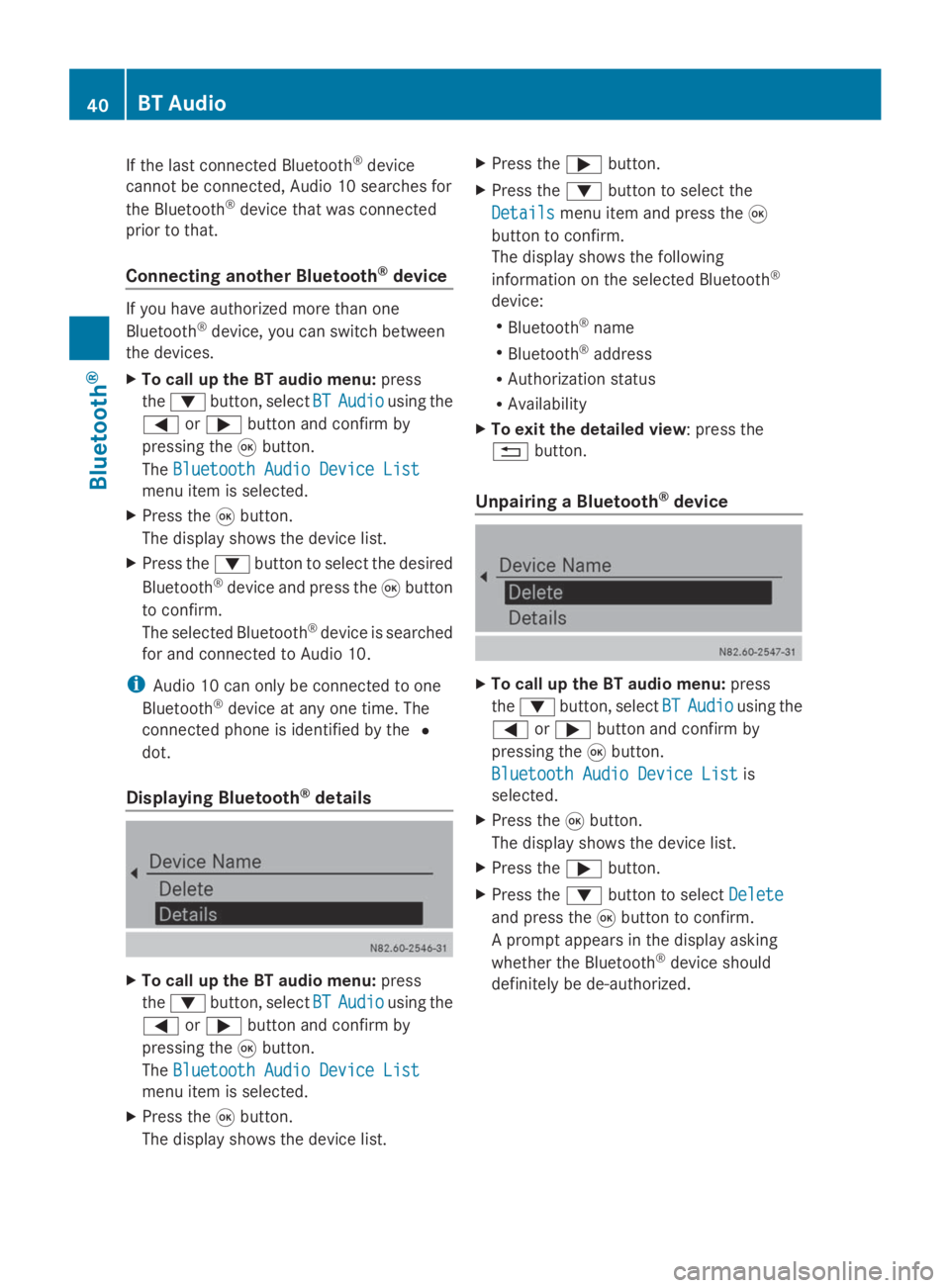
To call up the BT audio menu: press
the 0064 button, select BT BTAudio
Audio using the
0059 or0065 button and confirm by
pressing the 008Bbutton.
The Bluetooth Audio Device List
Bluetooth Audio Device List
menu item is selected.
X Press the 008Bbutton.
The display shows the device list. X
Press the 0065button.
X Press the 0064button to select the
Details
Details menu item and press the 008B
button to confirm.
The display shows the following
information on the selected Bluetooth ®
device:
R Bluetooth ®
name
R Bluetooth ®
address
R Authorization status
R Availability
X To exit the detailed view: press the
0038 button.
Unpairing a Bluetooth ®
device X
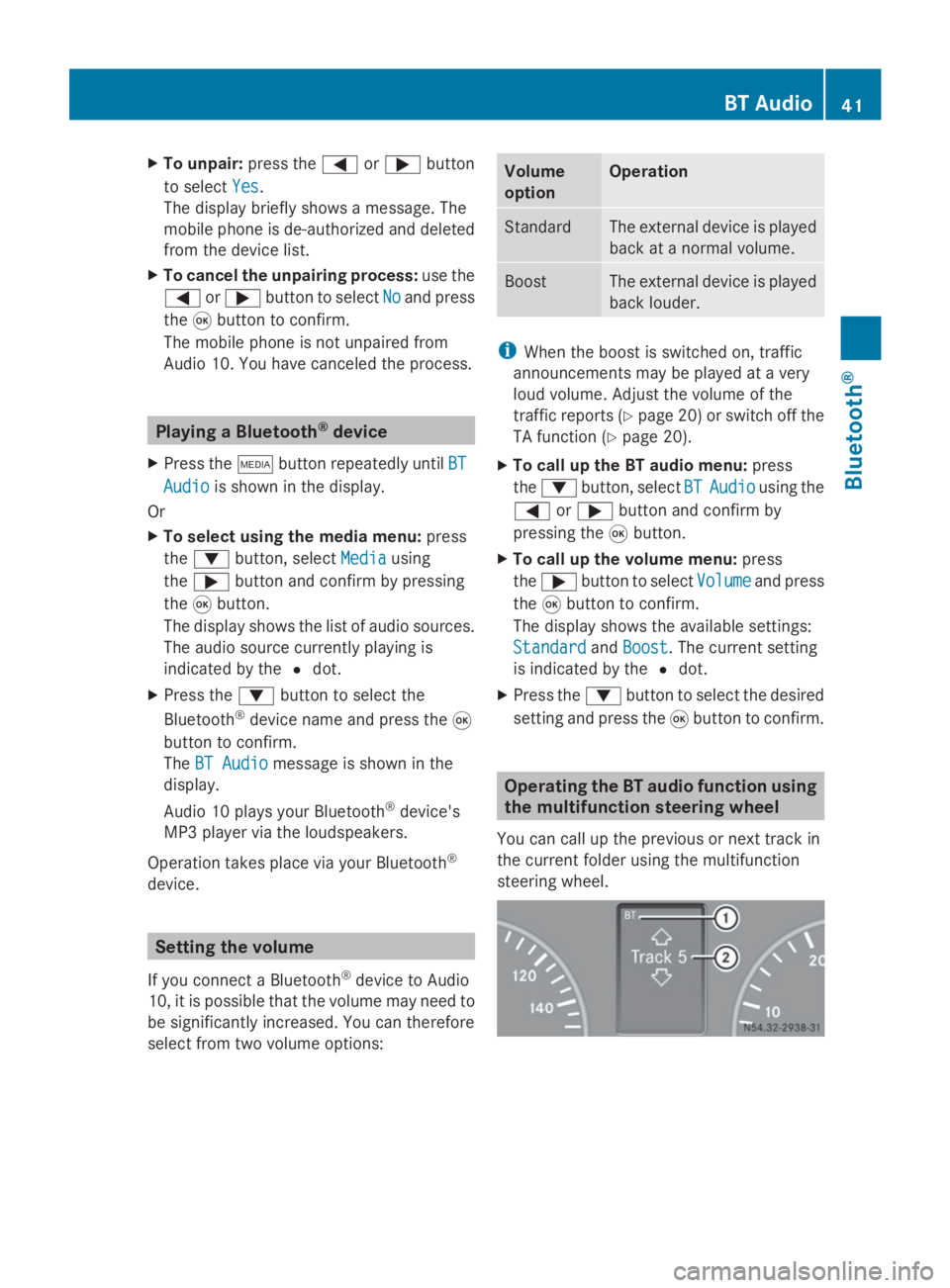
To call up the BT audio menu: press
the 0064 button, select BT BTAudio
Audio using the
0059 or0065 button and confirm by
pressing the 008Bbutton.
Bluetooth Audio Device List
Bluetooth Audio Device List is
selected.
X Press the 008Bbutton.
The display shows the device list.
X Press the 0065button.
X Press the 0064button to select Delete
Delete
and press the 008Bbutton to confirm.
A prompt appears in the display asking
whether the Bluetooth ®
device should
definitely be de-authorized. 40
BT AudioBluetooth ®
Page 43 of 50
X
To unpair: press the0059or0065 button
to select Yes
Yes.
The display briefly shows a message. The
mobile phone is de-authorized and deleted
from the device list.
X To cancel the unpairing process: use the
0059 or0065 button to select No Noand press
the 008Bbutton to confirm.
The mobile phone is not unpaired from
Audio 10. You have canceled the process. Playing a Bluetooth
®
device
X Press the 00FDbutton repeatedly until BT
BT
Audio
Audio is shown in the display.
Or
X To select using the media menu: press
the 0064 button, select Media
Media using
the 0065 button and confirm by pressing
the 008Bbutton.
The display shows the list of audio sources.
The audio source currently playing is
indicated by the 0036dot.
X Press the 0064button to select the
Bluetooth ®
device name and press the 008B
button to confirm.
The BT Audio BT Audio message is shown in the
display.
Audio 10 plays your Bluetooth ®
device's
MP3 player via the loudspeakers.
Operation takes place via your Bluetooth ®
device. Setting the volume
If you connect a Bluetooth ®
device to Audio
10, it is possible that the volume may need to
be significantly increased. You can therefore
select from two volume options: Volume
option Operation
Standard The external device is played
back at a normal volume.
Boost The external device is played
back louder.
i
When the boost is switched on, traffic
announcements may be played at a very
loud volume. Adjust the volume of the
traffic reports (Y page 20) or switch off the
TA function (Y page 20).
X To call up the BT audio menu: press
the 0064 button, select BT BTAudio
Audio using the
0059 or0065 button and confirm by
pressing the 008Bbutton.
X To call up the volume menu: press
the 0065 button to select Volume
Volumeand press
the 008Bbutton to confirm.
The display shows the available settings:
Standard
Standard andBoost
Boost. The current setting
is indicated by the 0036dot.
X Press the 0064button to select the desired
setting and press the 008Bbutton to confirm. Operating the BT audio function using
the multifunction steering wheel
You can call up the previous or next track in
the current folder using the multifunction
steering wheel. BT Audio
41Bluetooth® Z
Page 44 of 50
X
Select the BT audio function on Audio 10
by pressing the 00FDbutton.
X Using the 007For0080 button on the
multifunction steering wheel, select the
BT
BT display.
The track currently playing is shown on the
display of the on-board computer.
X Call up the previous or next track using the
0063 or0064 button on the multifunction
steering wheel. 42
BT AudioBluetooth ®