Parking light MERCEDES-BENZ SPRINTER 2014 MY14 Operator’s Manual
[x] Cancel search | Manufacturer: MERCEDES-BENZ, Model Year: 2014, Model line: SPRINTER, Model: MERCEDES-BENZ SPRINTER 2014Pages: 338, PDF Size: 6.78 MB
Page 179 of 338
Observe the following when towing a trailer:
R Practice driving around bends, stopping
and backing up at a place where there is no
traffic. This enables you to gain experience
and get used to the new handling charac-
teristics.
R Before driving, check:
-that the trailer tow hitch and ball cou-
pling are secure
- that the safety switch for a braked trailer
is functioning properly
- that the safety chains are secure and not
damaged
- that the electrical connections are
secure
- that the lights are working
- that the wheels are in good order and the
tire pressure is correct
R Adjust the exterior mirrors to provide an
unobstructed view of the rear section of the
trailer.
R If the trailer has electronically controlled
brakes, pull the vehicle/trailer combina-
tion away carefully. Brake manually using
the brake controller and check that the
brakes are working.
R Secure the load on the trailer according to
the applicable specifications and current
standards on securing loads
(Y page 244).
R When driving with a trailer, check at regular
intervals that the load is secured and that
the brakes and lights are working.
R Bear in mind that the handling will be less
stable when towing a trailer than when driv-
ing without one. Avoid sudden steering
movements.
R The vehicle/trailer combination is heavier,
accelerates more slowly and has a
decreased gradient climbing capability and
a longer braking distance.
It is more susceptible to crosswinds and
requires cautious steering.
R If possible, do not brake suddenly, but
rather moderately at first so that the trailer can activate its brakes. Then increase the
force on the brake pedal.
R If the automatic transmission repeatedly
shifts between gears when driving on
inclines, restrict the shift range. Select shift
range 4,3,2or 1.
Driving in a low gear and at a low speed
reduces the risk of damaging the engine.
R When driving on a downhill gradient, shift
to a low gear and take advantage of the
engine's braking effect.
Avoid continuous brake application as this
may overheat the vehicle brakes and, if
installed, the trailer brakes.
R If the coolant temperature increases dra-
matically while the air-conditioning system
is switched on, switch off the air-condition-
ing system.
Coolant heat can also be dissipated by
switching the airflow and the temperature
of the heater/air conditioning to the maxi-
mum level. Open the windows if necessary.
R When overtaking, pay particular attention
to the extended length of your vehicle/
trailer combination.
Due to the length of your vehicle/trailer
combination you need an additional dis-
tance before you can return to your original
lane. Uncoupling a trailer
G
WARNING
If you uncouple a trailer with the overrun
brake engaged, you could trap your hand
between the vehicle and the trailer drawbar.
There is a risk of injury.
Do not uncouple a trailer if the overrun brake
is engaged.
! Do not disconnect a trailer with an
engaged overrun brake. Otherwise, your
vehicle could be damaged by the rebound-
ing of the overrun brake. Towing a trailer
177Driving and parking Z
Page 197 of 338
motion. You will see the following message
in the display: Setting only possible
Setting only possible
at standstill
at standstill.
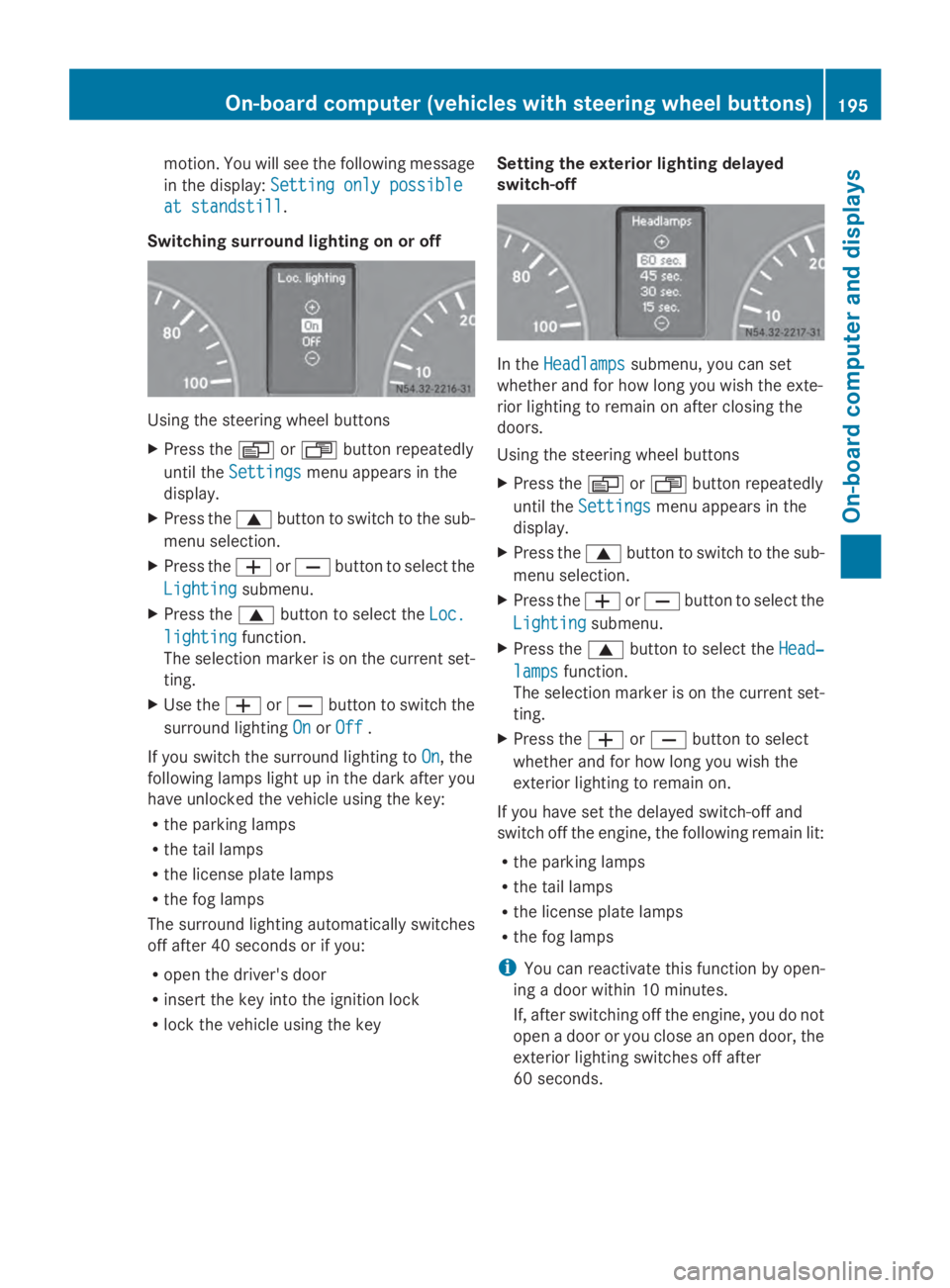
Switching surround lighting on or off Using the steering wheel buttons
X
Press the 0080or007F button repeatedly
until the Settings
Settings menu appears in the
display.
X Press the 0063button to switch to the sub-
menu selection.
X Press the 0081or0082 button to select the
Lighting
Lighting submenu.
X Press the 0063button to select the Loc. Loc.
lighting
lighting function.
The selection marker is on the current set-
ting.
X Use the 0081or0082 button to switch the
surround lighting On OnorOff
Off .
If you switch the surround lighting to On
On, the
following lamps light up in the dark after you
have unlocked the vehicle using the key:
R the parking lamps
R the tail lamps
R the license plate lamps
R the fog lamps
The surround lighting automatically switches
off after 40 seconds or if you:
R open the driver's door
R insert the key into the ignition lock
R lock the vehicle using the key Setting the exterior lighting delayed
switch-off In the
Headlamps Headlamps submenu, you can set
whether and for how long you wish the exte-
rior lighting to remain on after closing the
doors.
Using the steering wheel buttons
X Press the 0080or007F button repeatedly
until the Settings Settings menu appears in the
display.
X Press the 0063button to switch to the sub-
menu selection.
X Press the 0081or0082 button to select the
Lighting
Lighting submenu.
X Press the 0063button to select the Head‐
Head‐
lamps
lamps function.
The selection marker is on the current set-
ting.
X Press the 0081or0082 button to select
whether and for how long you wish the
exterior lighting to remain on.
If you have set the delayed switch-off and
switch off the engine, the following remain lit:
R the parking lamps
R the tail lamps
R the license plate lamps
R the fog lamps
i You can reactivate this function by open-
ing a door within 10 minutes.
If, after switching off the engine, you do not
open a door or you close an open door, the
exterior lighting switches off after
60 seconds. On-board computer (vehicles with steering wheel buttons)
195On-board computer and displays Z
Page 213 of 338
Display messages Possible causes/consequences and
0050
0050Solutions 0049
High beam left High beam left The left high-beam headlamp is faulty
3
.
X Replace the bulb as soon as possible (Y page 101).0049
High beam right High beam right The right high-beam headlamp is faulty
3
.
X Replace the bulb as soon as possible (Y page 101).0049
License plate lamp License plate lamp A license plate lamp is faulty
3
.
X Replace the bulb as soon as possible (Y page 104).0049
Switch off lights Switch off lights You have forgotten to switch off the lights when leaving the vehi-
cle.
X
Turn the light switch to 003F.0049
Foglamp front left Foglamp front left The left-hand front fog lamp is faulty.
3
X Have the bulb replaced as soon as possible at a qualified spe-
cialist workshop. 0049
Foglamp Foglamp
front
frontright
right The right-hand front fog lamp is faulty
3
.
X Have the bulb replaced as soon as possible at a qualified spe-
cialist workshop. 0049
Rear foglamp Rear foglamp The rear fog lamp is faulty
3
.
X Replace the bulb as soon as possible (Y page 103).0049
Parking Parking
lamp
lampfront
front
left
left The front left parking lamp/standing lamp is faulty
3
.
X Replace the bulb as soon as possible (Y page 101).0049
Parking Parking
lamp
lampfront
front
right
right The front right parking lamp/standing lamp is faulty
3
.
X Replace the bulb as soon as possible (Y page 101).0049
Reverse lamp Reverse lamp A reversing lamp is faulty
3
.
X Replace the bulb as soon as possible (Y page 103).0049
Tail lamp left Tail lamp left The left-hand tail lamp is faulty.
3
X Replace the bulb as soon as possible (Y page 103).3
Depending on the equipment, the bulb-failure indicator may not be featured for any lamps other than the
turn signals. Display
messages
211On-board computer and displays Z
Page 219 of 338
Display messages Possible causes/consequences and
0050
0050Solutions Lane
Lane
Keep.
Keep. Assist
Assist
temporarily
temporarily
unavailable unavailable and the
00B0indicator lamp lights up.
Lane Keeping Assist is deactivated and temporarily inoperative.
Possible causes are:
R There are no lane markings present.
R The camera's functionality is impaired due to heavy rain, snow
or fog.
R The camera cannot recognize the road markings:
-It is too dark.
- The lane markings are worn or are covered, for example, by
dirt or snow.
R The windshield is dirty in the camera's field of vision.
X Stop the vehicle paying attention to road and traffic conditions.
X Secure the vehicle to prevent it from rolling away
(Y page 151).
X Clean the windshield (Y page 269), particularly in the camera's
field of vision.
If the 00B0 indicator lamp goes out, Lane Keeping Assist is
operational again. Lane Lane
Keep.
Keep. Assist
Assist
inoperative
inoperative Lane Keeping Assist is faulty.
X
Have Lane Keeping Assist checked at a qualified specialist
workshop. Blind Spot Assist Blind Spot Assist
inoperative inoperative Blind Spot Assist is faulty.
X
Have Blind Spot Assist checked at a qualified specialist work-
shop. Collision Preven‐ Collision Preven‐
tion tion
Assist
Assist inoper‐
inoper‐
ative
ative Collision Prevention Assist is faulty.
X
Have Collision Prevention Assist checked at a qualified special-
ist workshop. Recognition by the radar sensor system can be impaired in the
case of:
R
dirt on the sensors or anything else covering the sensors
R it is snowing or raining heavily
R there is interference from other radar sources
R there are strong radar reflections, for example in parking
garages
R a narrow vehicle is traveling in front, e.g. a motorbike
R a vehicle is traveling in front on a different line
X Clean the radar sensor system area. Display
messages
217On-board computer and displays Z
Page 310 of 338
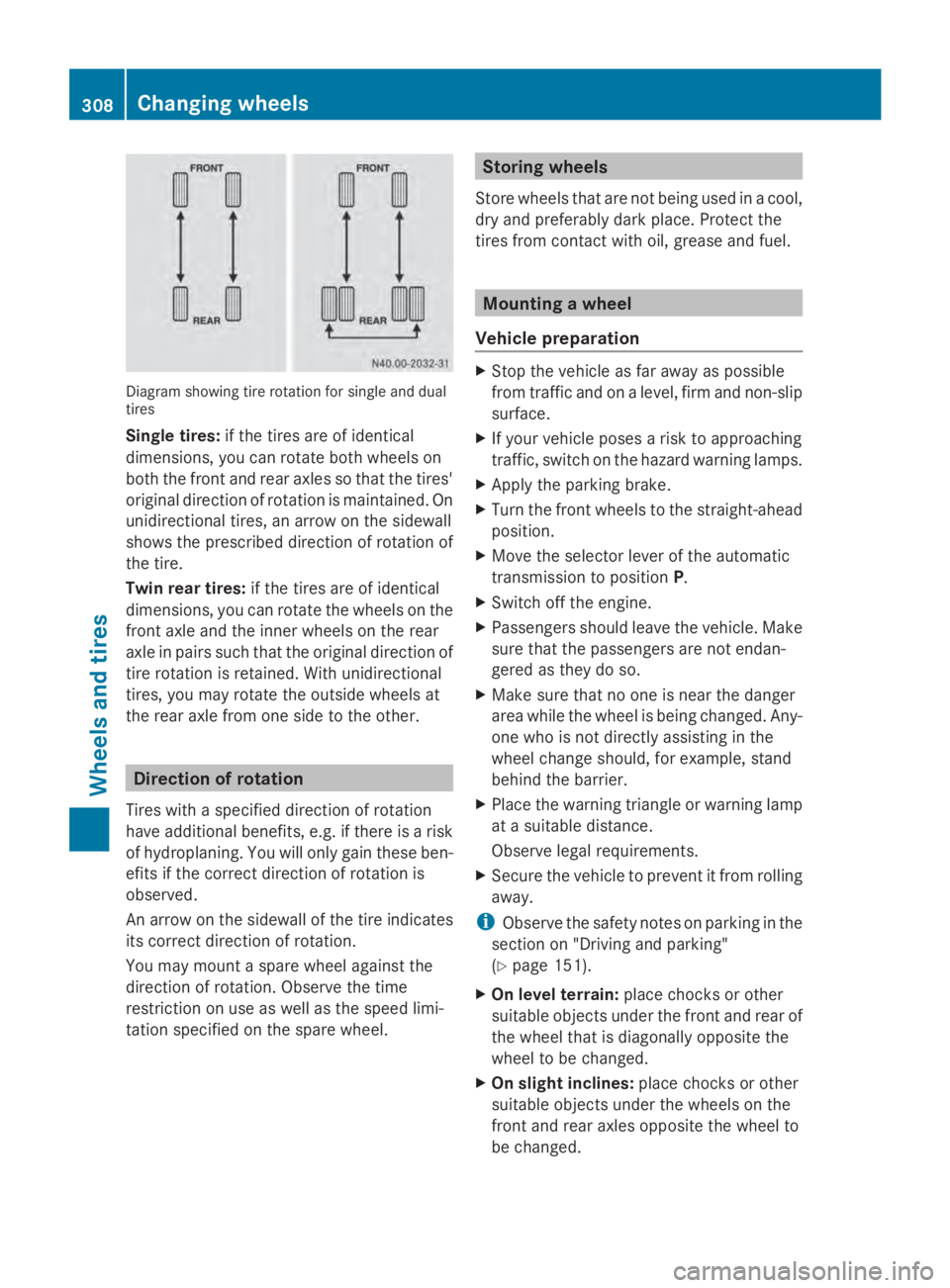
Diagram showing tire rotation for single and dual
tires
Single tires: if the tires are of identical
dimensions, you can rotate both wheels on
both the front and rear axles so that the tires'
original direction of rotation is maintained. On
unidirectional tires, an arrow on the sidewall
shows the prescribed direction of rotation of
the tire.
Twin rear tires: if the tires are of identical
dimensions, you can rotate the wheels on the
front axle and the inner wheels on the rear
axle in pairs such that the original direction of
tire rotation is retained. With unidirectional
tires, you may rotate the outside wheels at
the rear axle from one side to the other. Direction of rotation
Tires with a specified direction of rotation
have additional benefits, e.g. if there is a risk
of hydroplaning. You will only gain these ben-
efits if the correct direction of rotation is
observed.
An arrow on the sidewall of the tire indicates
its correct direction of rotation.
You may mount a spare wheel against the
direction of rotation. Observe the time
restriction on use as well as the speed limi-
tation specified on the spare wheel. Storing wheels
Store wheels that are not being used in a cool,
dry and preferably dark place. Protect the
tires from contact with oil, grease and fuel. Mounting a wheel
Vehicle preparation X
Stop the vehicle as far away as possible
from traffic and on a level, firm and non-slip
surface.
X If your vehicle poses a risk to approaching
traffic, switch on the hazard warning lamps.
X Apply the parking brake.
X Turn the front wheels to the straight-ahead
position.
X Move the selector lever of the automatic
transmission to position P.
X Switch off the engine.
X Passengers should leave the vehicle. Make
sure that the passengers are not endan-
gered as they do so.
X Make sure that no one is near the danger
area while the wheel is being changed. Any-
one who is not directly assisting in the
wheel change should, for example, stand
behind the barrier.
X Place the warning triangle or warning lamp
at a suitable distance.
Observe legal requirements.
X Secure the vehicle to prevent it from rolling
away.
i Observe the safety notes on parking in the
section on "Driving and parking"
(Y page 151).
X On level terrain: place chocks or other
suitable objects under the front and rear of
the wheel that is diagonally opposite the
wheel to be changed.
X On slight inclines: place chocks or other
suitable objects under the wheels on the
front and rear axles opposite the wheel to
be changed. 308
Changing wheelsWheels and tires