jump start MERCEDES-BENZ SPRINTER 2016 MY16 Operator’s Manual
[x] Cancel search | Manufacturer: MERCEDES-BENZ, Model Year: 2016, Model line: SPRINTER, Model: MERCEDES-BENZ SPRINTER 2016Pages: 290, PDF Size: 6.44 MB
Page 6 of 290
Overview ........................................124
Problem (malfunction) ................... 127
Releasing the parking lock man-
ually ............................................... 127
Selector lever ................................ 124
Selector lever positions ................. 124
Shift ranges ................................... 125
Starting the engine ........................ 120
Touchshift ...................................... 125
Trailer towing ................................. 126
Transmission oil change ................ 282
Automatic transmission emer-
gency mode ....................................... 127
AUX port ............................................. 211
Auxiliary heater
see Auxiliary warm-air heater
see Hot-water auxiliary heater
Auxiliary heating
Activating/deactivating heater
booster mode ................................ 111
Adjusting ....................................... 173
Conditions for switching on ........... 108
Heating time .................................. 107
Important safety notes .................. 106
Operating with the button (control
panel) ............................................ 108
Operation with the remote con-
trol ................................................. 109
Operation with the timer ................ 114
Selecting a switch-on time ............. 108
Setting the switch-on time ............. 109
see Auxiliary heating
see Auxiliary warm-air heater
see Hot-water auxiliary heater
Auxiliary warm-air heater
Problem (malfunction) ................... 117
Axle load, permissible (trailer tow-
ing) ...................................................... 287
B
Backup lamps
Replacing bulbs ............................... 89
Backup lamps (Chassis Cab)
Replacing bulbs ............................... 90
BAS (Brake Assist System)
Display message ............................ 182
Function/notes ................................ 54 Indicator lamp ................................ 195
Basic settings
see Settings
Battery
Isolating switch .............................. 118
Replacing (SmartKey) ......................6 1
Battery (SmartKey)
Checking .......................................... 61
Important safety notes .................... 61
Replacing ......................................... 61
Battery (vehicle)
Care ............................................... 232
Charge indicator lamp ................... 198
Charging ........................................ 232
Disconnecting and connecting ....... 229
Disconnecting and connecting
(engine compartment) ................... 231
Display message ............................ 192
Important safety notes .................. 227
Installing/removing (engine com-
partment) ....................................... 231
Jump starting ................................. 242
Location ......................................... 228
Removing and installing ................. 230
Removing and installing the floor
covering ......................................... 228
Before driving off
Important safety notes .................. 120
Belt
see Seat belts
Bleeding the fuel system .................. 123
Blind Spot Assist
Activating/deactivating ......... 146, 173
Notes/function .............................. 144
Trailer towing ................................. 146
Bottle holder
see Cup holder
Brake Assist
see BAS (Brake Assist System)
Brake Assist System
see BAS (Brake Assist System)
Brake fluid
Checking the level ......................... 223
Display message ............................ 183
Notes ............................................. 283
Warning lamp ................................. 195
4Index
Page 7 of 290
Brake force distribution, elec-
tronicsee EBD (electronic brake force
distribution)
Brake lamps
Replacing bulbs ............................... 89
Brake lamps (Chassis Cab)
Replacing bulbs ............................... 90
Brake linings
Display message ............................ 182
Indicator lamp ................................ 198
Brake pads/linings
New ............................................... 136
Brake system
Malfunction .................................... 182
Warning lamp ................................. 195
Brakes
ABS .................................................. 53
Adaptive Brake Assist .................... 143
Applying the parking brake ............ 131
BAS .................................................. 54
Brake fluid (notes) ......................... 283
Checking brake fluid level .............. 223
Display messages .......................... 182
EBD .................................................. 54
Important safety notes .................. 135
Maintenance .................................. 195
New brake pads/linings ................ 136
Parking brake (notes) ..................... 136
Riding tips ...................................... 135
Breakdown
Fire extinguisher ............................ 242
First-aid kit .................................... 241
Jump-starting ................................. 242
Reflective safety jacket .................. 241
Vehicle tool kit ............................... 240
Warning lamp ................................. 241
Warning triangle ............................ 241
see Flat tire
see Towing away
Bulb
see Changing bulbs
Bulb failure indicator .......................... 79C
California
Important notice for retail cus-
tomers and lessees .......................... 22
Car
see Vehicle
Care
Access step in the bumper ............ 237
Car wash ........................................ 233
Display ........................................... 237
Exterior lights ................................ 236
Interior ........................................... 237
Notes ............................................. 233
Paint .............................................. 235
Plastic trim .................................... 238
Power washer ................................ 234
Rear view camera .......................... 236
Roof lining ...................................... 238
Seat belt ........................................ 238
Seat cover ..................................... 238
Selector lever ................................ 238
Sensors ......................................... 236
Sliding door ................................... 237
Steering wheel ............................... 238
Step (electrical) ............................. 237
Trim pieces .................................... 238
Washing by hand ........................... 234
Washing the engine ....................... 234
Wheels ........................................... 235
Windows ........................................ 235
Wiper blades .................................. 235
Cargo compartment
Activating/deactivating ventila-
tion ................................................ 117
Cargo compartment floor ................... 28
Cargo tie-down points and tie
downs
Important safety notes .................. 214
Cargo tie-down rings
Installing ........................................ 216
Permissible tensile load ................. 285
Carrier system
Ladder rack ................................... 217
CD player/CD changer ...................... 168
Cell phone
see Mobile phone
Center console overview .................... 35
Index5
Page 11 of 290
ESP®(Electronic Stability Pro-
gram) ............................................... 54
Important safety information ........... 52
Overview .......................................... 52
Driving systems
Blind Spot Assist ............................ 144
Cruise control ................................ 140
Display message ............................ 190
Lane Keeping Assist ...................... 146
PARKTRONIC ................................. 151
Driving tips
Automatic transmission ................. 126
Brakes ........................................... 135
Break-in period .............................. 118
Downhill gradient ........................... 135
Drinking and driving ....................... 133
Driving abroad ............................... 134
Driving in winter ............................. 137
Driving on flooded roads ................ 136
Driving on wet roads ...................... 136
Exhaust check ............................... 134
Fuel ................................................ 133
General .......................................... 133
Hydroplaning ................................. 136
Icy road surfaces ........................... 137
Important safety notes .................. 118
Limited braking efficiency on sal-
ted roads ....................................... 136
New brake disks ............................ 136
New brake pads/linings ................ 136
Off-road driving .............................. 137
Overrun cut-off .............................. 133
Snow chains .................................. 249
Speed limitation ............................. 134
Towing a trailer .............................. 155
Transport by rail ............................. 135
Wet road surface ........................... 136
DSR (Downhill Speed Regulation) .... 149
E
EBD (electronic brake force distri-
bution)
Display message ............................ 183
Function/notes ................................ 54
Indicator lamps .............................. 195
Electrical closing assist ...................... 66Electrical fuses
see Fuses
Electrical step
Cleaning ......................................... 237
Display message ............................ 192
Emergency release .......................... 67
Function ........................................... 67
Important safety notes .................... 66
Indicator lamp ................................ 203
Manual retraction ............................ 67
Obstacle detection ........................... 67
Electrical system
Battery main switch ....................... 118
Electronic brake force distribution
see EBD (electronic brake force
distribution)
Electronic Stability Program
see ESP
®(Electronic Stability Program)
Electronic Traction System
see 4ETS (Electronic Traction System)
Emergency exit .................................... 55
Emergency exit window ..................... 55
Emergency Tensioning Devices
Activation ......................................... 45
Emissions control
Service and warranty information .... 22
Engine
ADR (working speed governor) ...... 154
Changing the power output ............. 26
Check Engine warning lamp ........... 200
Cleaning instructions ..................... 234
Engine number ............................... 277
Engine speed setting (working
mode) ............................................ 155
Irregular running ............................ 123
Jump-starting ................................. 242
Operating safety .............................. 26
Starting .......................................... 120
Starting problems .......................... 123
Switching off .................................. 132
Tow-starting (vehicle) ..................... 246
Engine electronics
Notes ............................................. 275
Problem (malfunction) ................... 123
Engine oil
Adding ........................................... 222
Additives ........................................ 281
Index9
Page 12 of 290
Checking the oil level (on-board
computer) ...................................... 220
Checking the oil level using the
dipstick .......................................... 221
Dis play message ............................ 190
Fill ing capacity .............................. .282
Information about oil consump-
tion ................................................ 282
Mixing ............................................ 281
Notes about oil grades ................... 280
Oil change ...................................... 282
Oil level (note) ............................... 220
Viscosity ........................................ 281
Warning lamp ................................. 198
Engine speed setting (working
mode) ................................................. 154
Engine, jump-starting ....................... 242
ESP
®(Electronic Stability Pro-
gram)
Display message ............................ 184
Important safety information ........... 54
Indicator lamp ................................ 197
Warning lamp ................................. 194
Exhaust check ................................... 134
Exhaust gas aftertreatment
DEF level indicator ......................... 162
DEF reducing agent ....................... 279
Diesel Exhaust Fluid (DEF) ............. 279
Display messages (vehicles with
steering wheel buttons) ................. 187
Display messages (vehicles with-
out steering wheel buttons) ........... 178
Indicator lamp ....................... 197, 201
Malfunction ....................................1 88
Refilling DEF .................................. 129
Exterior lighting
see Lights
Exterior mirrors
Adjusting ......................................... 78
Important safety notes .................... 78
Eye glasse
s compartment
................. 205
F
Fire extinguisher............................... 242
First-aid kit ......................................... 241 Flat tire
Changing a wheel/mounting the
spare wheel ................................... 267
General notes ................................ 266
Fog lamps
Switching on/off .............................. 80
Fogged-up windows
see Climate control
Folding seat ......................................... 74
Frequencies
Mobile phone ................................. 275
Two-way radio ................................ 275
Front fog lamps
Switching on/off .............................. 80
Front interior light
Replacing bulbs ............................... 92
Front windshield
see Windshield
Fuel
Additives (diesel) ........................... 279
Consumption information .............. 279
Consumption statistics .................. 174
Diesel at very low outside temper-atures ............................................ 278
Display message ............................ 189
Driving tips ....................................1 33
Fuel gauge ..................................... 162
Problem (malfunction) ................... 129
Quality (diesel) ............................... 278
Refueling ........................................ 127
Showing the range (on-board
computer with steering wheel but-
tons) .............................................. 174
Showing the range (vehicles with
steering wheel buttons) ................. 174
Tank content/reserve fuel ............. 278
Fuel filter with water separator
draining ......................................... 224
Indicator lamp ................................ 202
Fuel gauge ......................................... 162
Fuel tank
Problem (malfunction) ................... 129
Fuel tank content
Reserve, display message .............. 189
Fuses .................................................. 246
10Index
Page 13 of 290
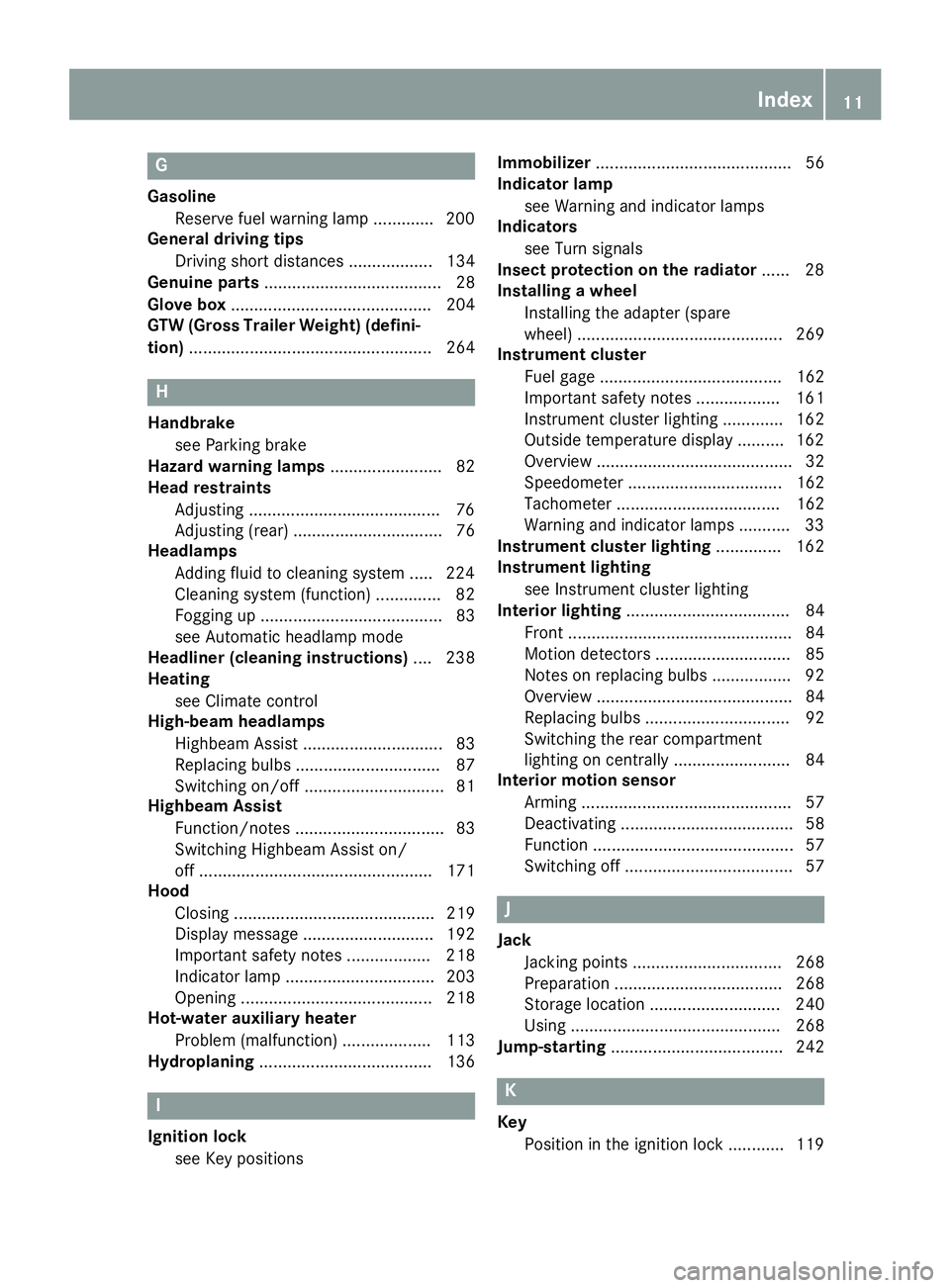
G
GasolineReserve fuel warning lamp ............. 200
General driving tips
Driving short distances .................. 134
Genuine parts ...................................... 28
Glove box ........................................... 204
GTW (Gross Trailer Weight) (defini-
tion) .................................................... 264
H
Handbrake
see Parking brake
Hazard warning lamps ........................ 82
Head restraints
Adjusting .........................................7 6
Adjusting (rear) ................................ 76
Headlamps
Adding fluid to cleaning system ..... 224
Cleaning system (function) .............. 82
Fogging up ....................................... 83
see Automatic headlamp mode
Headliner (cleaning instructions) .... 238
Heating
see Climate control
High-beam headlamps
Highbeam Assist .............................. 83
Replacing bulbs ............................... 87
Switching on/off .............................. 81
Highbeam Assist
Function/notes ................................ 83
Switching Highbeam Assist on/
off .................................................. 171
Hood
Closing ........................................... 219
Display message ............................ 192
Important safety notes .................. 218
Indicator lamp ................................ 203
Opening ......................................... 218
Hot-water auxiliary heater
Problem (malfunction) ................... 113
Hydroplaning ..................................... 136
I
Ignition lock
see Key positions Immobilizer
.......................................... 56
Indicator lamp
see Warning and indicator lamps
Indicators
see Turn signals
Insect protection on the radiator ...... 28
Installing a wheel
Installing the adapter (spare
wheel) ............................................ 269
Instrument cluster
Fuel gage ....................................... 162
Important safety notes .................. 161
Instrument cluster lighting ............. 162
Outside temperature display .......... 162
Overview .......................................... 32
Speedometer ................................. 162
Tachometer ................................... 162
Warning and indicator lamps ........... 33
Instrument cluster lighting .............. 162
Instrument lighting
see Instrument cluster lighting
Interior lighting ................................... 84
Front ................................................ 84
Motion detectors ............................. 85
Notes on replacing bulbs ................. 92
Overview .......................................... 84
Replacing bulbs ............................... 92
Switching the rear compartment
lighting on centrally ......................... 84
Interior motion sensor
Arming ............................................. 57
Deactivating ..................................... 58
Function ........................................... 57
Switching off .................................... 57
J
JackJacking points ................................ 268
Preparation .................................... 268
Storage location ............................ 240
Using ............................................. 268
Jump-starting ..................................... 242
K
Key
Position in the ignition lock ............ 119
Index11
Page 65 of 290
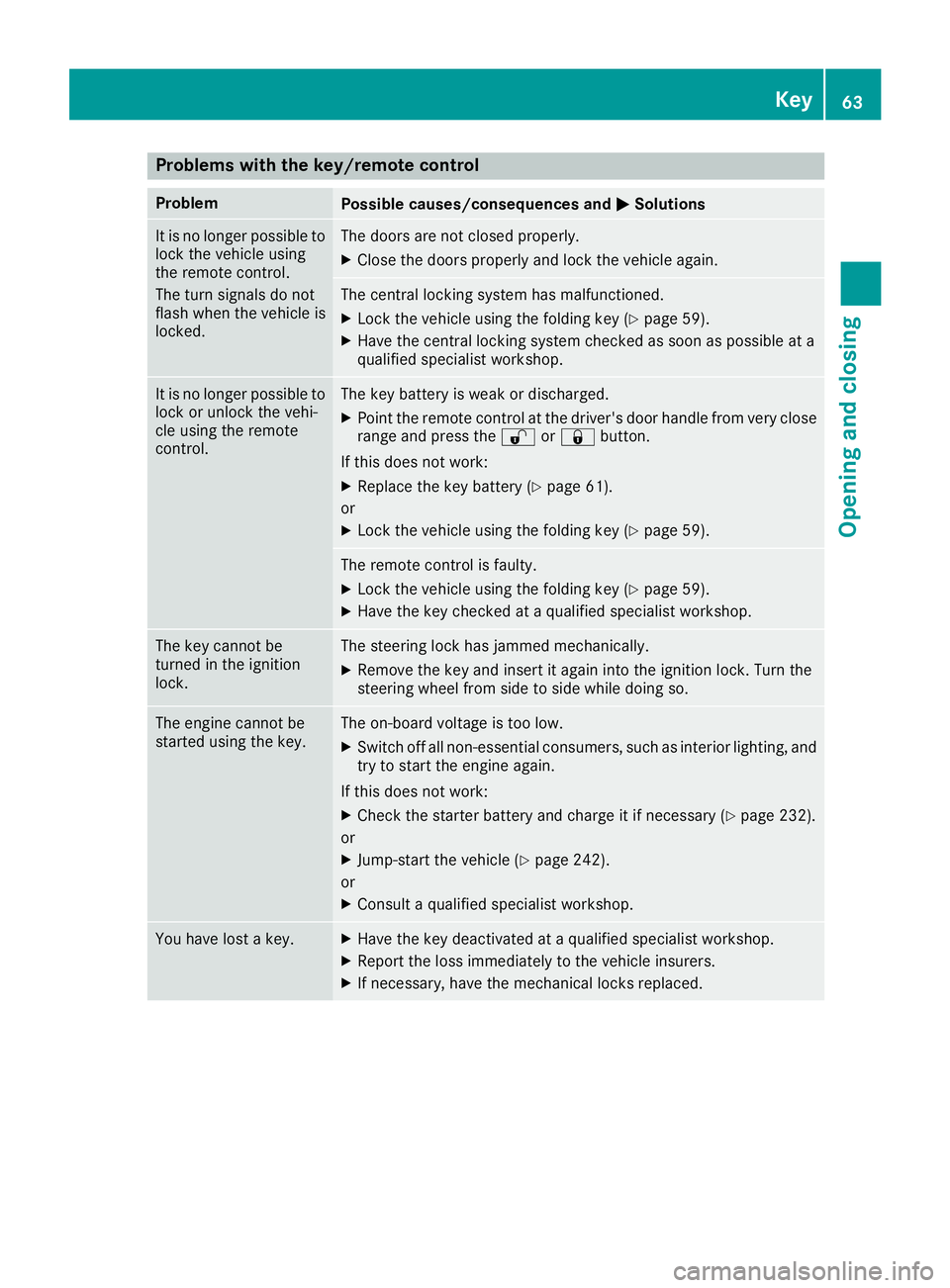
Problems with the key/remote control
ProblemPossible causes/consequences andMSolutions
It is no longer possible to
lock the vehicle using
the remote control.
The turn signals do not
flash when the vehicle is
locked.The doors are not closed properly.
XClose the doors properly and lock the vehicle again.
The central locking system has malfunctioned.
XLock the vehicle using the folding key (Ypage 59).
XHave the central locking system checked as soon as possible at a
qualified specialist workshop.
It is no longer possible to
lock or unlock the vehi-
cle using the remote
control.The key battery is weak or discharged.
XPoint the remote control at the driver's door handle from very close
range and press the %or& button.
If this does not work:
XReplace the key battery (Ypage 61).
or
XLock the vehicle using the folding key (Ypage 59).
The remote control is faulty.
XLock the vehicle using the folding key (Ypage 59).
XHave the key checked at a qualified specialist workshop.
The key cannot be
turned in the ignition
lock.The steering lock has jammed mechanically.
XRemove the key and insert it again into the ignition lock. Turn the
steering wheel from side to side while doing so.
The engine cannot be
started using the key.The on-board voltage is too low.
XSwitch off all non-essential consumers, such as interior lighting, and
try to start the engine again.
If this does not work:
XCheck the starter battery and charge it if necessary (Ypage 232).
or
XJump-start the vehicle (Ypage 242).
or
XConsult a qualified specialist workshop.
You have lost a key.XHave the key deactivated at a qualified specialist workshop.
XReport the loss immediately to the vehicle insurers.
XIf necessary, have the mechanical locks replaced.
Key63
Opening and closing
Z
Page 126 of 290
ProblemPossible causes/consequences andMSolutions
The engine does not
start.
The starter motor cannot
be heard.The on-board voltage is too low. The battery is too weak or discharged.
XJump-start the vehicle (Ypage 242).
If the engine cannot be jump-started, the starter motor is faulty.
XConsult a qualified specialist workshop.
The engine does not
start.
The starter motor cannot
be heard.The battery is discharged or faulty.
XCheck the battery for damage.
XCharge the battery (Ypage 232).
Automatic transmission
Important safety notes
GWARNING
If the engine speed is above the idling speed
and you engage transmission position Dor R,
the vehicle could pull away suddenly. There is
a risk of an accident.
When engaging transmission position Dor R,
always firmly depress the brake pedal and do not simultaneously accelerate.
!Vehicles with automatic transmission may
roll only briefly in the neutral position N. Pro-
longed rolling of the wheels, e.g. when being
towed, will result in transmission damage.
Towing (
Ypage 243)
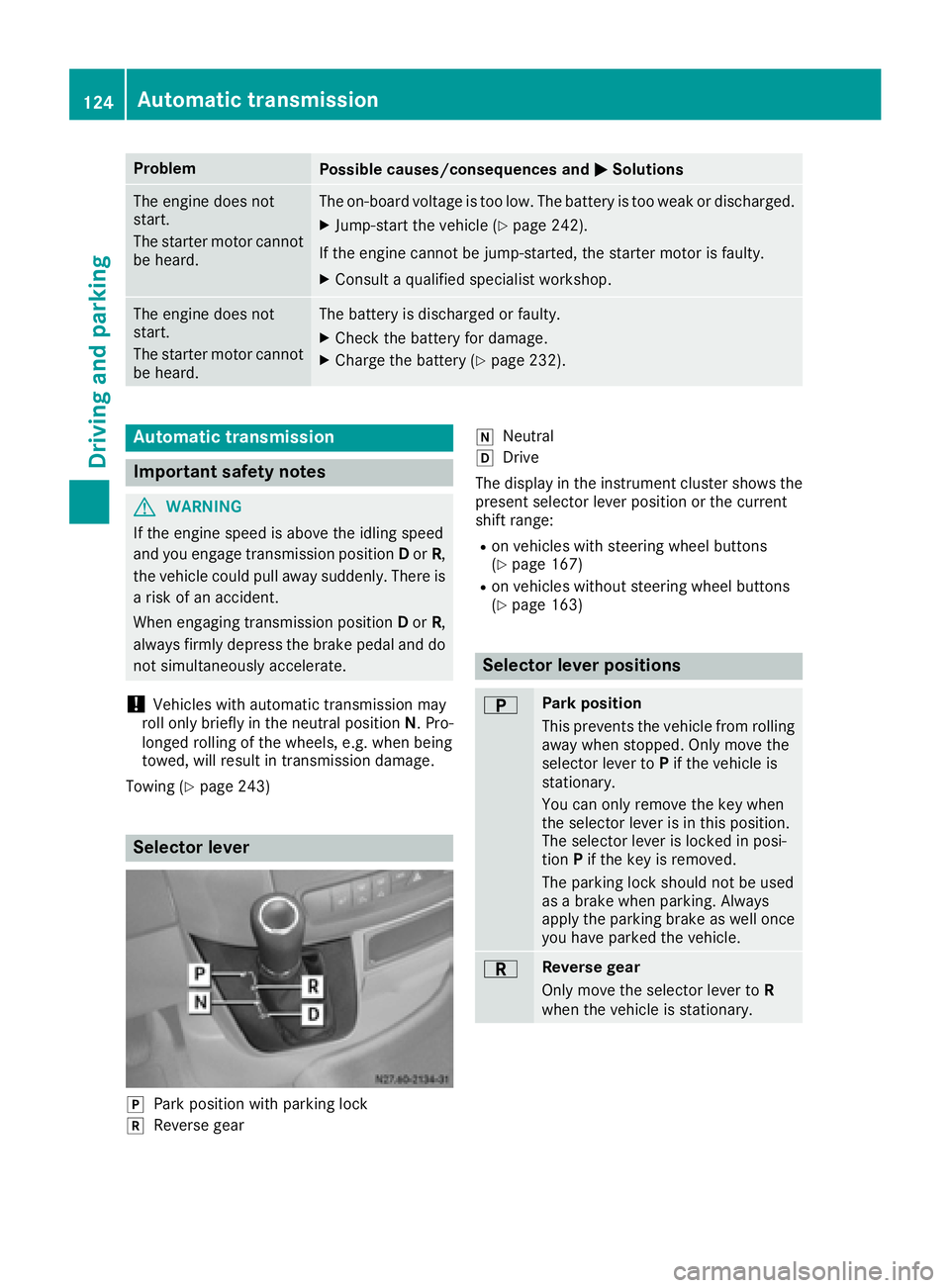
Selector lever
jPark position with parking lock
kReverse gear
iNeutral
hDrive
The display in the instrument cluster shows the
present selector lever position or the current
shift range:
Ron vehicles with steering wheel buttons
(Ypage 167)
Ron vehicles without steering wheel buttons
(Ypage 163)
Selector lever positions
BPark position
This prevents the vehicle from rolling
away when stopped. Only move the
selector lever to Pif the vehicle is
stationary.
You can only remove the key when
the selector lever is in this position.
The selector lever is locked in posi-
tion Pif the key is removed.
The parking lock should not be used
as a brake when parking. Always
apply the parking brake as well once
you have parked the vehicle.
CReverse gear
Only move the selector lever to R
when the vehicle is stationary.
124Automatic transmission
Driving and parking
Page 229 of 290
Additionally, you will see the remaining dis-
tance in miles (mi) or kilometers ( km) or the
remaining time in days ( d).
Vehicles with steering wheel buttons
XPress the VorU button on the steering
wheel until the standard display (Ypage 167)
appears in the display.
XPress the &or* button on the steering
wheel repeatedly until the service message
appears in the display, for example:
R¯ Service A in ... days
R¯Service A in ... mi(km)
Battery
Important safety notes
Work on the battery, e.g. removing or installing,
requires specialist knowledge and the use of
special tools. Therefore, always have work on
the battery carried out at a qualified specialist
workshop.
GWARNING
Work carried out incorrectly on the battery
can lead, for example, to a short circuit and
thus damage the vehicle electronics. This can
lead to function restrictions applying to
safety-relevant systems, e.g. the lighting sys-
tem, ABS (anti-lock braking system) or ESP
®
(Electronic Stability Program). The operating
safety of your vehicle may be restricted. You
could lose control of the vehicle, for example:
Rbraking
Rin the event of abrupt steering maneuver
and/or when the vehicle's speed is not
adapted to the road conditions
There is a risk of an accident.
In the event of a short circuit or a similar inci- dent, contact a qualified specialist workshop
immediately. Do not drive any further. You
should have all work involving the battery car-
ried out at a qualified specialist workshop.
Further information can be found under "ABS"
(
Ypage 53) and under "ESP®" (Ypage 54).
GWARNING
Electrostatic build-up can lead to the creation of sparks, which could ignite the highly explo-
sive gases of a battery. There is a risk of an
explosion.
Before handling the battery, touch the vehicle
body to remove any existing electrostatic
build-up.
The flammable gas mix is produced when the
battery is charged or when the vehicle is jump-
started.
Always make sure that neither you nor the bat-
tery are electrostatically charged. Electrostatic
charging results, for example, from:
Rwearing synthetic clothing
Rfriction between clothing and the seat
Rdragging or pushing the battery across carpet flooring or any other synthetic materials
Rrubbing the battery with cloths or towels.
Comply with the following safety precautions
and take protective measures when handling
batteries.
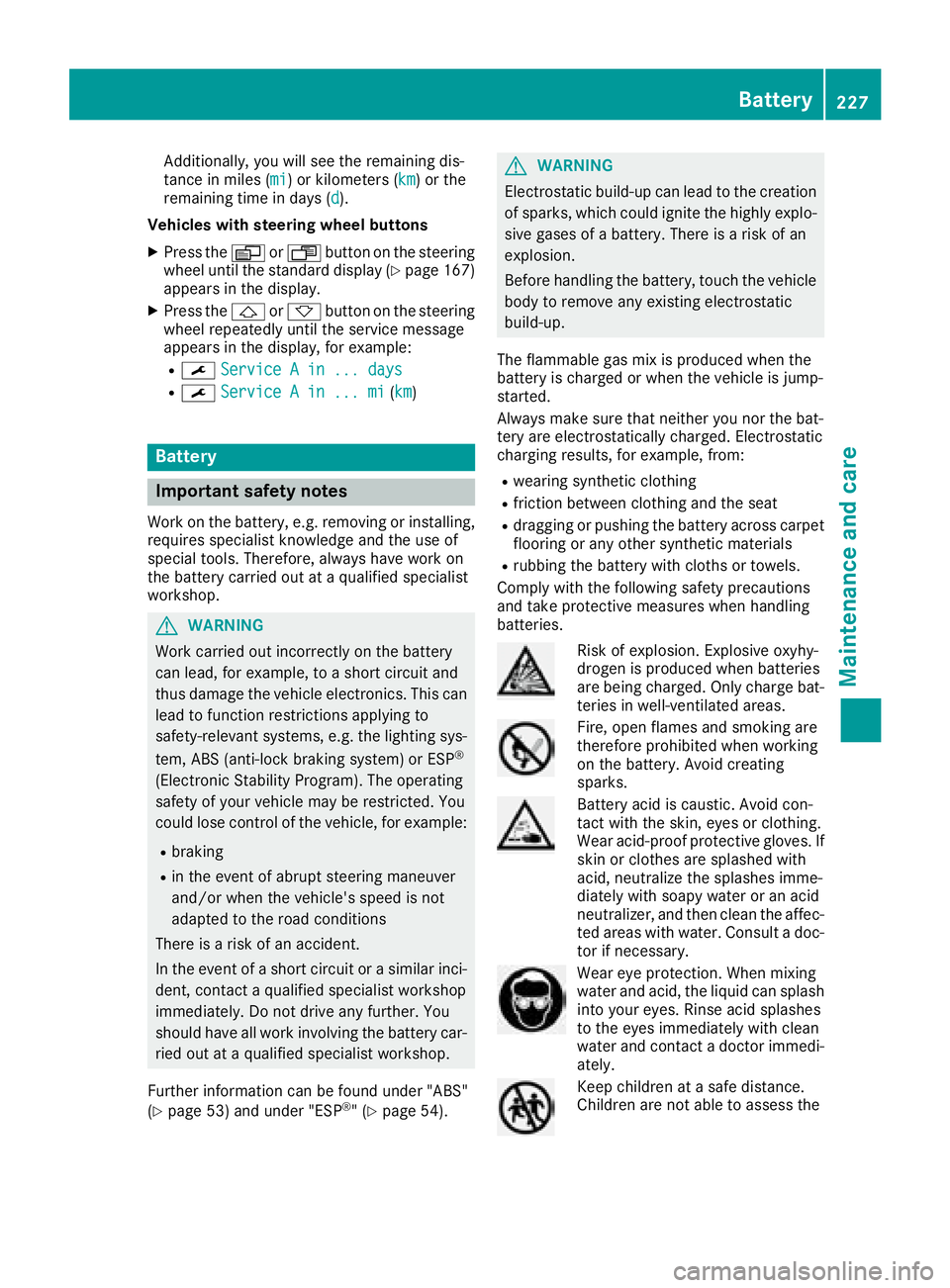
Risk of explosion. Explosive oxyhy-
drogen is produced when batteries
are being charged. Only charge bat-
teries in well-ventilated areas.
Fire, open flames and smoking are
therefore prohibited when working
on the battery. Avoid creating
sparks.
Battery acid is caustic. Avoid con-
tact with the skin, eyes or clothing.
Wear acid-proof protective gloves. If
skin or clothes are splashed with
acid, neutralize the splashes imme-
diately with soapy water or an acid
neutralizer, and then clean the affec-
ted areas with water. Consult a doc- tor if necessary.
Wear eye protection. When mixing
water and acid, the liquid can splash
into your eyes. Rinse acid splashes
to the eyes immediately with clean
water and contact a doctor immedi-
ately.
Keep children at a safe distance.
Children are not able to assess the
Battery227
Maintenance and care
Z
Page 231 of 290
XSwitch off all electrical consumers.
XTo remove:remove screws =and take off
trim ;.
XRemove floor covering :.
XTo install:insert floor covering :and align
with the driver's seat base and the doorway.
XPut trim ;in place and screw screws =
back in.
Disconnecting/connecting the
starter battery
Important safety notes
GWARNING
During the charging process, a battery produ-
ces hydrogen gas. If a short circuit occurs or
sparks are created, the hydrogen gas can
ignite. There is a risk of an explosion.
RMake sure that the positive terminal of a
connected battery does not come into con- tact with vehicle parts.
RNever place metal objects or tools on a bat-
tery.
RIt is important that you observe the descri-
bed order of the battery terminals when
connecting and disconnecting a battery.
RWhen jump-starting, make sure that the
battery poles with identical polarity are
connected.
RIt is particularly important to observe the
described order when connecting and dis-
connecting the jumper cables.
RNever connect or disconnect the battery
terminals while the engine is running.
Disconnecting the starter battery
!Switch off the engine and remove the key
from the ignition lock. Firstly remove the bat- tery terminals. Otherwise, you could destroy
electronic components such as the alterna-
tor.
Always disconnect the starter battery in the
battery case in the left-hand side footwell
first.
!Always disconnect the battery in the order
described below. Never swap the terminal
clamps. You may otherwise damage the vehi-
cle electronics.
If the vehicle is expected to be out of use for over 3 weeks, disconnect the batteries. This will pre-
vent battery discharge caused by off-load cur-
rent consumption.
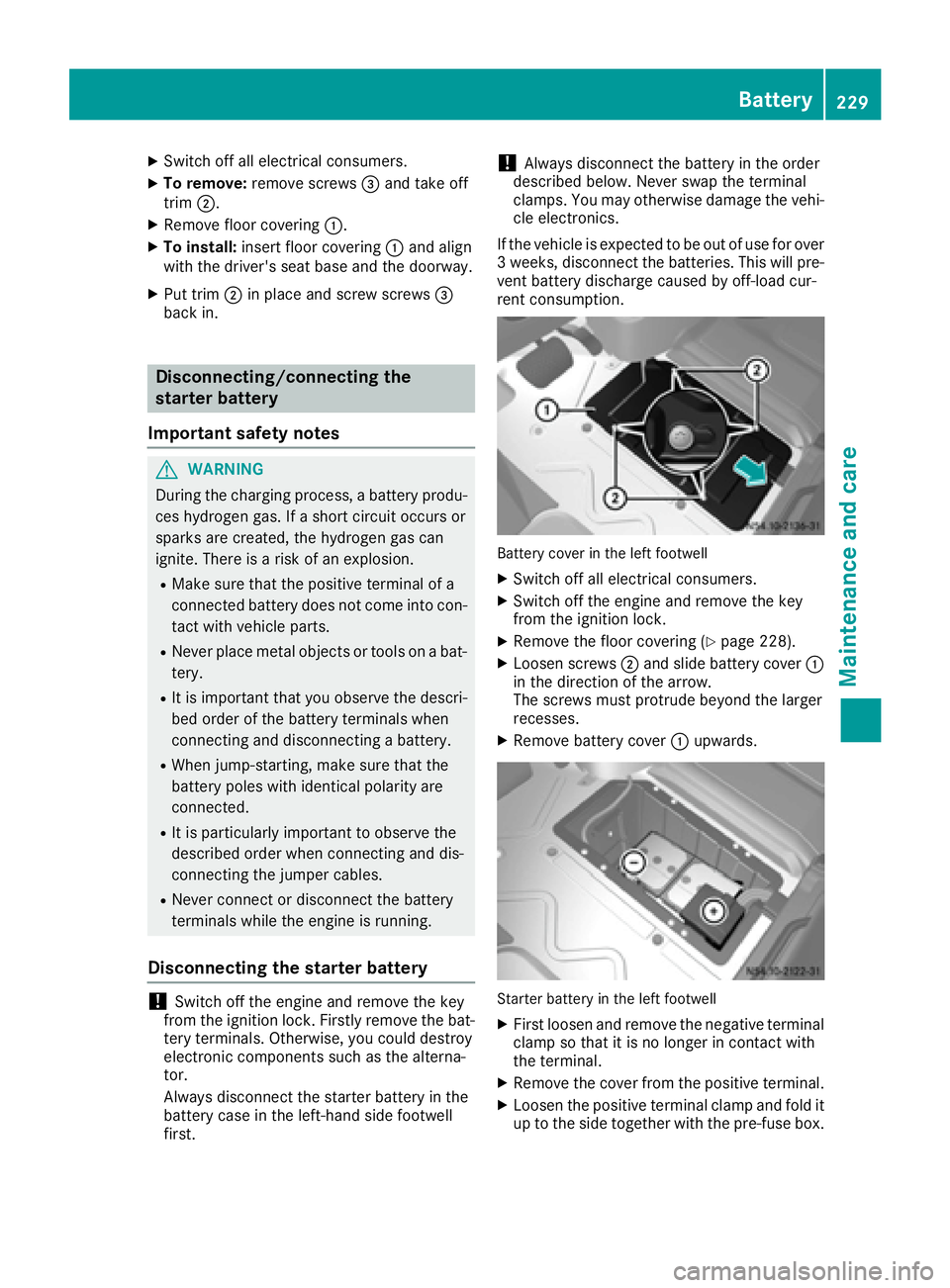
Battery cover in the left footwell
XSwitch off all electrical consumers.
XSwitch off the engine and remove the key
from the ignition lock.
XRemove the floor covering (Ypage 228).
XLoosen screws ;and slide battery cover :
in the direction of the arrow.
The screws must protrude beyond the larger
recesses.
XRemove battery cover :upwards.
Starter battery in the left footwell
XFirst loosen and remove the negative terminal
clamp so that it is no longer in contact with
the terminal.
XRemove the cover from the positive terminal.
XLoosen the positive terminal clamp and fold it
up to the side together with the pre-fuse box.
Battery229
Maintenance and care
Z
Page 233 of 290
Disconnecting andconnecting th e
additiona lbatter y(engine compart -
ment )
Important safet ynotes
GWARNING
Durin gth echargin gprocess, abattery produ-
ce shydroge ngas .If ashort circuit occur sor
sparks are created, th ehydroge ngas can
ignite. There is aris kof an explosion .
RMakesur ethat th epositive terminal of a
connecte dbattery doe sno tcome into con-
tact wit hvehicle parts .
RNever placemetal objects or tools on abat -
tery.
RIt is important that you observ eth edescri-
bed order of th ebattery terminals when
connecting and disconnecting abattery.
RWhe njump-starting, mak esur ethat th e
battery pole swit hidentical polarit yare
connected.
RIt is particularly important to observ eth e
described order when connecting and dis -
connecting th ejumpe rcables .
RNever connec tor disconnec tth ebattery
terminals whil eth eengin eis running .
Disconnecting th eadditiona lbatter y
!Switchof fth eengin eand remov eth eke y
from th eignition lock. Firstly remov eth ebat -
tery terminals. Otherwise ,you could destroy
electronic component ssuc has th ealterna-
tor.
Always disconnec tth estarter battery in th e
battery cas ein th eleft-han dsid efootwell
first .
!Always disconnec tth ebattery in th eorder
described below. Never swap th eterminal
clamps. You may otherwise damage th evehi-
cl e electronics.
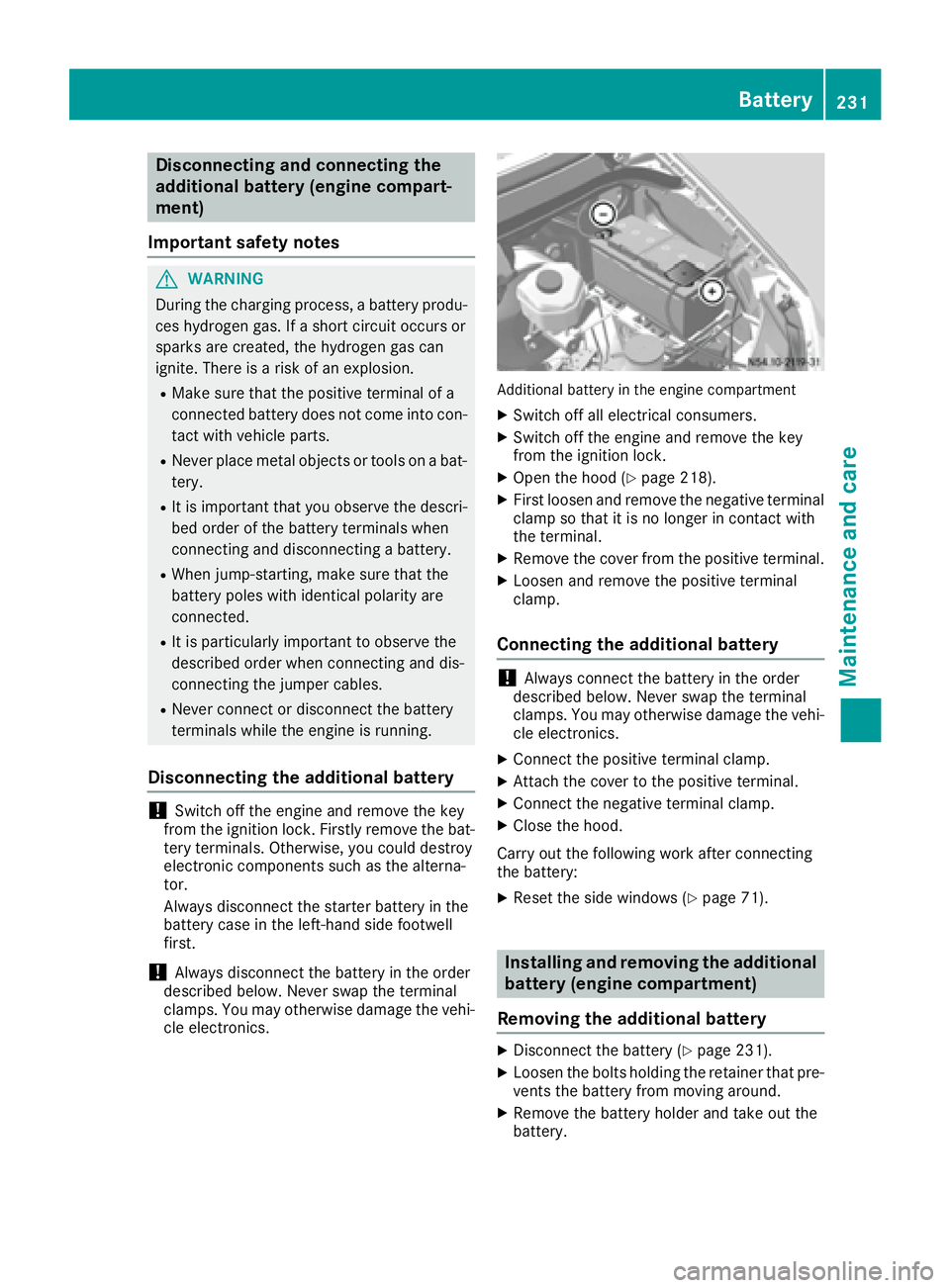
Additional battery in th eengin ecompartmen t
XSwitchof fall electrical consumers .
XSwitchof fth eengin eand remov eth eke y
from th eignition lock.
XOpe nth ehoo d (Ypage 218).
XFirst loosen and remov eth enegative terminal
clamp so that it is no longer in contact wit h
th eterminal.
XRemov eth ecover from th epositive terminal.
XLoosen and remov eth epositive terminal
clamp .
Connecting th eadditiona lbatter y
!Always connec tth ebattery in th eorder
described below. Never swap th eterminal
clamps. You may otherwise damage th evehi-
cl e electronics.
XConnect th epositive terminal clamp .
XAttach thecover to th epositive terminal.
XConnect th enegative terminal clamp .
XCloseth ehood.
Carr yout th efollowin gwor kafter connecting
th ebattery:
XRese tth esid ewindows (Ypage 71).
Installing an dremovin gth eadditiona l
batter y(engine compartment )
Removin gth eadditiona lbatter y
XDisconnect th ebattery (Ypage 231).
XLoosen th ebolt sholdin gth eretainer that pre -
vents th ebattery from movin garound .
XRemoveth ebattery holder and take out th e
battery.
Battery231
Maintenance and care
Z